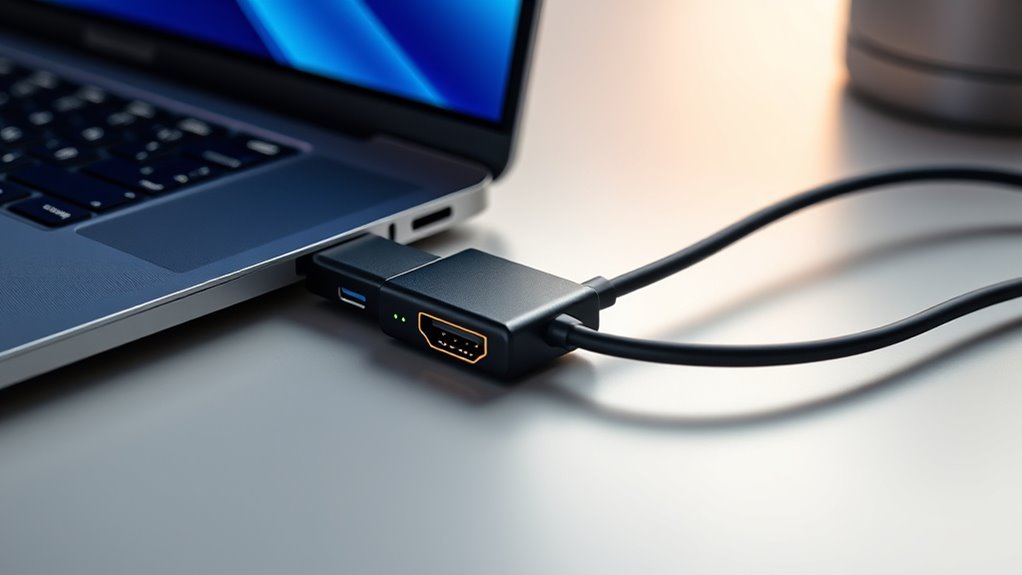

The Anker USB-C to HDMI Adapter is my best overall pick for a straightforward 4K-at-60Hz connection, while the Acer 3-in-1 USB-C Hub adds charging and USB-A ports for a desk setup. For a direct cable connection, the Acer 6.6-foot USB-C to HDMI Cable avoids a separate adapter and HDMI cable. The main tradeoffs are refresh rate, extra ports, and cable length: a basic adapter is compact, while a hub can keep a laptop charged and connect accessories. Check that your device supports video over USB-C before choosing. Read on for how the 13 options compare and which type suits your setup.

Get the latest gadgets delivered free with Prime
- Fast, free delivery on millions of items
- Prime Video, Amazon Music and more included
- Member-only deals all year
Complete the kit



Key Takeaways
- Most direct choices support 4K at 60Hz: Anker, BENFEI, amazon.com/dp/B08GC1K9TF?tag=digitechbytes.com-20&ascsubtag=dc-160434″ target=”_blank” rel=”nofollow sponsored noopener”>Highwings, and the Acer adapter are listed at that specification; Amazon Basics is listed at 4K at 30Hz.
- The Anker adapter is the strongest simple pick: its listed 4K-at-60Hz output suits buyers who need HDMI and no extra ports.
- Acer’s hubs prioritize desk utility: the 3-in-1 and 5-in-1 models add USB-A and 100W power delivery, but take up more space than a single-port adapter.
- A direct cable can simplify a fixed setup: Acer‘s 6.6-foot cable has HDMI built in, though its length is less convenient for a travel pouch than a compact adapter.
- Check the exact model’s output specification: the lineup includes both 4K at 60Hz and 4K at 30Hz, and those aren’t interchangeable for smoother motion.
| Acer USB-C to HDMI Cable, 6.6 ft, 4K at 60 Hz |  | Best for a Direct Cable Connection | Length: 6.6 ft | Input: USB-C male | Output: HDMI male | VIEW ON AMAZON | See Our Full Breakdown |
| Acer 3-in-1 USB-C Hub with 4K HDMI, 100W Power Delivery, and USB-A 3.0 |  | Best for Charging and One USB-A Accessory | Ports: HDMI, USB-C charging, USB-A 3.0 | Video output: 4K at 30 Hz | Maximum power delivery: 100 W | VIEW ON AMAZON | See Our Full Breakdown |
| Acer USB-C to HDMI Adapter, 4K at 60Hz |  | Best Compact 4K 60 Hz Adapter | Maximum resolution: 4K at 60 Hz | Connectors: USB-C male to HDMI female | Direction: USB-C to HDMI, unidirectional | VIEW ON AMAZON | See Our Full Breakdown |
| Microwoo USB C to HDMI Adapter, Type C to 4K HDMI Adapter with 100W PD Multiport Digital AV Converter for MacBook Pro/air, iPad Pro/air, iPhone 15/16/17, Tablets, Switch and More USB-C Devices |  | Best for HDMI with Pass-Through Charging | Video output: 4K HDMI; refresh rate not specified | Charging: USB-C power delivery up to 100 W | Direction: USB-C source to HDMI display | VIEW ON AMAZON | See Our Full Breakdown |
| Acer USB C Hub, 5-in-1 USBC to HDMI Adapter with 4K@60Hz for Laptop/Mac |  | Best for a Multi-Device Desk Setup | Ports: HDMI, USB-C 3.0, USB-A 3.0, USB-A 2.0, USB-C power delivery | Number of ports: 5 | Video output: 4K at 60 Hz | VIEW ON AMAZON | See Our Full Breakdown |
| Acer 5-in-1 USB-C Hub with 4K HDMI, 100W Power Delivery, 3 USB-A Ports |  | Best for USB-A Expansion | Ports: 5 total; HDMI, USB-C, and 3 USB-A | Video output: 4K HDMI | Power Delivery: Up to 100W | VIEW ON AMAZON | See Our Full Breakdown |
| QianLink USB Type C to HDMI Adapter, 4K Cable for MacBook Pro/Air, iPhone, Dell XPS, Pixelbook, Surface, iPad Pro, iMac, Galaxy S25 S24 |  | Best for 2K at 60Hz | Ports: 1 | Connectors: USB Type-C to HDMI | Maximum 4K output: 4K at 30Hz | VIEW ON AMAZON | See Our Full Breakdown |
| Highwings USB-C to HDMI Adapter, 4K at 60Hz |  | Best for 4K at 60Hz | Connectors: USB-C male to HDMI female | Maximum video: Up to 4K at 60Hz | Direction: USB-C to HDMI only | VIEW ON AMAZON | See Our Full Breakdown |
| Amazon Basics USB-C to HDMI Cable Adapter, Thunderbolt 3 Compatible, 4K@30Hz, 6-Foot, Black |  | Best for a Fixed 6-Foot Setup | Connectors: USB-C to HDMI | Cable length: 6 ft | Maximum video: 4K at 30Hz | VIEW ON AMAZON | See Our Full Breakdown |
| USB C to HDMI Multiport Adapter with Charging Port, 4K HDMI Converter for Mac, iPad Pro, Chromebook |  | Best for Fast USB Data | Ports: 4 total | Hardware interfaces: HDMI, Thunderbolt, USB, USB 2.0, USB 3.0, USB-C | USB ports: 2 | VIEW ON AMAZON | See Our Full Breakdown |
| Anker USB-C to HDMI Adapter, 4K@60Hz |  | Best for Broad Port Compatibility | Connector: USB-C to HDMI | Maximum resolution: 4K at 60Hz | Compatible connections: USB-C DP Alt Mode, USB4, Thunderbolt | VIEW ON AMAZON | See Our Full Breakdown |
| BENFEI USB-C to HDMI Adapter, 4K@60Hz |  | Best Compact Pick | Connector: USB-C to HDMI | Maximum resolution: 3840 × 2160 at 60Hz | Compatible devices: USB-C devices with DisplayPort Alt Mode | VIEW ON AMAZON | See Our Full Breakdown |
| USB C to HDMI Adapter 4K@60Hz, Compatible with MacBook, iPad Pro, Galaxy, and More |  | Best for Listed Display Modes | Connector: USB-C to HDMI | Resolution: Up to 4K at 60Hz | Data transfer speed: 18Gbps | VIEW ON AMAZON | See Our Full Breakdown |
More Details on Our Top Picks
Acer USB-C to HDMI Cable, 6.6 ft, 4K at 60 Hz
The 6.6-foot cable suits buyers who want a single run from a laptop or tablet to an HDMI screen, without a separate adapter and cable. It carries video at up to 4K at 60 Hz, while its braided construction and reinforced connectors are useful for a cable that may travel between rooms or presentations. Compared with the Acer USB-C to HDMI Adapter, 4K at 60Hz, this is a longer, ready-to-connect cable rather than a compact dongle that needs an HDMI cable of its own. That simplicity comes with limits: it is one-way, does not charge the source device, and lacks HDR support. The USB-C port must also support DisplayPort Alt Mode video, so a USB-C connector alone is not enough. I would choose it for straightforward screen connections, not an expandable desk setup.
Pros:- Supports video output up to 4K at 60 Hz
- 6.6-foot length can reach a display without a separate HDMI cable
- Braided cable and reinforced connectors
- Plug-and-play operation with compatible devices
Cons:- Requires USB-C DisplayPort Alt Mode video output
- Works only from USB-C source to HDMI display
- Does not support charging or HDR
Best for: Laptop and tablet owners who need a single 6.6-foot cable to connect a DisplayPort Alt Mode USB-C device to an HDMI display.
Not ideal for: People who need to charge their device while connected, want HDR, or need a reversible connection between USB-C and HDMI devices.
- Length:6.6 ft
- Input:USB-C male
- Output:HDMI male
- Maximum resolution:4K at 60 Hz
- Bandwidth:18 Gbps
- Direction:USB-C source to HDMI display
- Cable design:Braided
- Compatibility requirement:USB-C port with DisplayPort Alternate Mode
Our verdict“Choose this cable for a simple, longer 4K 60 Hz connection when charging and HDR are not part of your setup.”
Acer 3-in-1 USB-C Hub with 4K HDMI, 100W Power Delivery, and USB-A 3.0
This 3-in-1 hub is for someone whose USB-C laptop needs an HDMI screen, a USB-A connection, and power input in one small accessory. Its 100 W power delivery lets a compatible charger feed the host while the hub is connected, and the USB-A port handles data at up to 5 Gbps. That makes it more useful at a desk than the Acer USB-C to HDMI Cable, 6.6 ft, 4K at 60 Hz, which only carries video. The tradeoff is display smoothness: this hub tops out at 4K at 30 Hz, while that cable supports 60 Hz. Its USB-C port is for host charging rather than data, and the USB-A port does not charge accessories. I’d pick it for everyday laptop expansion where charging and one data device matter more than high refresh video.
Pros:- Combines HDMI, USB-A data, and host charging
- Supports up to 100 W power delivery
- USB-A data transfer reaches up to 5 Gbps
- Lightweight aluminum enclosure with plug-and-play operation
Cons:- HDMI output is limited to 4K at 30 Hz
- USB-C port supports host charging only, not data
- USB-A port does not charge connected devices
Best for: Laptop users who want HDMI, pass-through charging, and one USB-A data port from a compatible USB-C connection.
Not ideal for: People who need 4K at 60 Hz, multiple USB data ports, or a USB-C port for data transfer.
- Ports:HDMI, USB-C charging, USB-A 3.0
- Video output:4K at 30 Hz
- Maximum power delivery:100 W
- USB-A data rate:Up to 5 Gbps
- Enclosure:Aluminum
- Dimensions:9.84 × 2 × 0.4 in
- Weight:44 g
- Compatibility requirement:USB-C port with DisplayPort Alternate Mode
Our verdict“Pick this hub when charging and a single USB-A data connection matter more than 4K 60 Hz output.”
Acer USB-C to HDMI Adapter, 4K at 60Hz
For a light travel kit, this compact aluminum adapter provides a direct USB-C-to-HDMI connection and supports 4K at 60 Hz. Its HDMI female port accepts the cable already attached to a monitor or TV, while plug-and-play operation avoids a driver setup. Compared with the Acer USB-C to HDMI Cable, 6.6 ft, 4K at 60 Hz, this adapter takes up less room and lets the buyer choose the HDMI cable length; the cable is the more convenient single-piece option when carrying a known setup. Neither handles charging, and both require USB-C video output through DisplayPort Alt Mode. This model also supports Thunderbolt 3/4 and USB4 devices that provide video, giving it broad compatibility across modern systems. The tradeoff is that it adds no USB or power ports, so it is strictly for display output.
Pros:- Supports up to 4K at 60 Hz
- Compact aluminum housing for a travel kit
- Works without additional drivers
- Supports compatible DisplayPort Alt Mode, Thunderbolt 3/4, and USB4 devices
Cons:- Does not charge the connected device
- Unidirectional USB-C to HDMI video only
- Requires a separate HDMI cable
Best for: Traveling laptop and tablet users who want a small 4K 60 Hz adapter and already have an HDMI cable.
Not ideal for: Buyers who want pass-through charging, extra data ports, or a one-piece cable with a fixed reach.
- Maximum resolution:4K at 60 Hz
- Connectors:USB-C male to HDMI female
- Direction:USB-C to HDMI, unidirectional
- Compatibility:USB-C with DisplayPort Alt Mode, Thunderbolt 3/4, or USB4 video output
- Charging support:No
- Cable length:0.64 ft
- Housing:Aluminum
- Supported systems:Windows, macOS, iPadOS, Linux
Our verdict“Choose this adapter for compact 4K 60 Hz video output when you can supply the HDMI cable and do not need charging.”
Microwoo USB C to HDMI Adapter, Type C to 4K HDMI Adapter with 100W PD Multiport Digital AV Converter for MacBook Pro/air, iPad Pro/air, iPhone 15/16/17, Tablets, Switch and More USB-C Devices
The Microwoo combines HDMI output and USB-C power input, a practical pairing for a phone or tablet that would otherwise lose battery during a long viewing session. Its listing describes 4K video and up to 100 W charging, along with plug-and-play use and a flexible TPE cable. That makes it a different fit from the single-purpose Acer USB-C to HDMI Adapter, 4K at 60Hz, which is smaller but cannot charge the host. The product data does not specify a refresh rate, port count beyond HDMI and USB-C charging, or detailed power behavior, so buyers should not assume capabilities beyond the listed claims. Compatibility also depends on DisplayPort Alt Mode; a USB-C port by itself does not guarantee video output. I’d consider this for charging while viewing, while buyers seeking a clearly specified 4K 60 Hz adapter have a better documented option elsewhere in this group.
Pros:- Combines HDMI video output with USB-C charging input
- Advertises up to 100 W power delivery
- Plug-and-play operation without drivers
- TPE cable and nickel-plated connector are specified
Cons:- No refresh rate is provided for its 4K output
- Requires a USB-C device with DisplayPort Alt Mode
- Product data does not establish USB data port support
Best for: USB-C phone, tablet, or laptop owners who need HDMI video while connecting a charger to the adapter.
Not ideal for: Buyers who require a stated 4K refresh rate, multiple data ports, or fully documented charging and video specifications.
- Video output:4K HDMI; refresh rate not specified
- Charging:USB-C power delivery up to 100 W
- Direction:USB-C source to HDMI display
- Compatibility requirement:USB-C port supporting DisplayPort Alternate Mode
- Cable material:TPE
- Connector finish:Nickel-plated
- Housing material:ABS
- Color:White
Our verdict“Consider this adapter when charging during HDMI viewing is the priority and its unspecified refresh rate fits your needs.”
Acer USB C Hub, 5-in-1 USBC to HDMI Adapter with 4K@60Hz for Laptop/Mac
This hub makes the most sense when HDMI is only one part of a laptop setup: it adds 4K at 60 Hz video, USB-C data, USB-A 3.0, USB-A 2.0, and power delivery. Its mix of faster and slower USB ports lets a buyer connect storage alongside low-bandwidth accessories such as a mouse, while 100 W input provides up to 90 W to the laptop according to the listing. Compared with the Acer 3-in-1 USB-C Hub with 4K HDMI, 100W Power Delivery, and USB-A 3.0, this model adds ports and raises video output from 30 Hz to 60 Hz, but the 3-in-1 option is simpler if only one USB-A connection is needed. The hub requires a full-featured USB-C port and does not support ultrawide monitors. It is a more capable desk choice, though its claims leave exact per-port behavior unspecified.
Pros:- HDMI output supports up to 4K at 60 Hz
- Provides USB-C and USB-A data ports plus USB-A 2.0
- Up to 90 W laptop output from 100 W power input
- Aluminum shell and compact design
Cons:- Ultrawide monitors are not supported
- Requires a full-featured USB-C host port with video, power, and data support
- 100 W charger and cable are not included
Best for: Laptop users building a compact desk or travel setup who need 4K 60 Hz HDMI, charging, and several USB accessories.
Not ideal for: People using ultrawide displays, USB-C ports without video and power support, or setups that need detailed per-port specifications before purchase.
- Ports:HDMI, USB-C 3.0, USB-A 3.0, USB-A 2.0, USB-C power delivery
- Number of ports:5
- Video output:4K at 60 Hz
- Power delivery input:Up to 100 W
- Laptop power output:Up to 90 W
- Data transfer rate:Up to 5 Gbps
- Operating systems:ChromeOS, Linux, Windows, macOS
- Compatibility requirement:Full-featured USB-C port with DisplayPort Alt Mode, Power Delivery, and data
Our verdict“Choose this hub for a compact multi-accessory setup with 4K 60 Hz video, provided your monitor is not ultrawide.”
Acer 5-in-1 USB-C Hub with 4K HDMI, 100W Power Delivery, 3 USB-A Ports
For a buyer who needs HDMI alongside several familiar USB-A connections, this Acer hub does more than a single-purpose adapter. Its 4K HDMI output handles an external screen, while three USB-A ports can keep a mouse, keyboard, or storage device connected. The 100W Power Delivery input can pass charging to a compatible host, which makes the hub more useful at a desk than the compact Highwings adapter, though that single-port model is simpler when display output is all you need. There are real limits: the host USB-C port must support DisplayPort Alt Mode or Thunderbolt, and the PD port is for charging rather than data or video. I’d choose this Acer for fewer dongles, but skip it if you need a guaranteed refresh rate or a standalone HDMI lead.
Pros:- 4K HDMI output plus three USB-A ports in one hub
- 100W Power Delivery input supports host charging
- Aluminum enclosure in a compact, lightweight form
- Plug-and-play design with broad listed OS support
Cons:- HDMI requires DisplayPort Alt Mode or Thunderbolt support from the host
- Power Delivery port does not carry data or video
- The supplied data does not specify an HDMI refresh rate
Best for: Laptop users who connect an HDMI display and several USB-A peripherals while charging through one hub
Not ideal for: Buyers whose USB-C port lacks DisplayPort Alt Mode or Thunderbolt, or who only need a simple display adapter
- Ports:5 total; HDMI, USB-C, and 3 USB-A
- Video output:4K HDMI
- Power Delivery:Up to 100W
- USB data rate:Up to 5 Gbps
- Host video requirement:USB-C DisplayPort Alt Mode or Thunderbolt 3/4
- Operating systems:Chrome OS, Linux, Windows, macOS
- Enclosure:Aluminum, grey
- Dimensions and weight:4.92 × 0.78 × 0.37 in; 0.06 kg
Our verdict“Choose this Acer if your desk setup needs HDMI, three USB-A accessories, and pass-through charging from one compact hub.”
QianLink USB Type C to HDMI Adapter, 4K Cable for MacBook Pro/Air, iPhone, Dell XPS, Pixelbook, Surface, iPad Pro, iMac, Galaxy S25 S24
The QianLink is a straightforward cable adapter for buyers who want a direct USB-C-to-HDMI connection and value 2K output at 60Hz. That refresh-rate option can make ordinary desktop movement look smoother than the 4K-at-30Hz ceiling listed for the Amazon Basics cable adapter. At 4K, though, QianLink is also limited to 30Hz, so it is less appealing for fast motion than the Highwings adapter, which specifies 4K at 60Hz. The braided cable adds flexibility for a portable setup, and video and audio travel together without a separate driver setup. Its one-port design keeps the connection simple, but provides no charging or peripheral expansion. I’d check the host’s video-output support before buying: a USB-C connector alone does not guarantee compatibility.
Pros:- Supports 2K at 60Hz and 4K at 30Hz
- Carries video and audio over one connection
- Braided cable is flexible for portable setups
- Plug-and-play use requires no additional drivers
Cons:- 4K output is limited to 30Hz
- Requires USB-C DisplayPort Alt Mode video support
- Single-purpose adapter offers no charging or extra ports
Best for: Laptop and tablet owners who want a simple display cable and expect to use 2K at 60Hz or 4K for slower-paced work
Not ideal for: Buyers who need 4K at 60Hz, charging, extra ports, or HDMI input to a USB-C device
- Ports:1
- Connectors:USB Type-C to HDMI
- Maximum 4K output:4K at 30Hz
- Maximum 2K output:2K at 60Hz
- Audio:Supported
- Setup:Plug and play; no drivers required
- Cable design:Braided, black
- Host requirement:USB-C device with video output support
Our verdict“Pick QianLink for a simple connection where 2K at 60Hz matters more than 4K at 60Hz or hub features.”
Highwings USB-C to HDMI Adapter, 4K at 60Hz
Among these single-purpose adapters, Highwings makes the strongest case for buyers who want 4K at 60Hz. That higher refresh rate can make scrolling and cursor movement feel smoother than the QianLink and Amazon Basics adapters, both specified for 4K at 30Hz. The tradeoff is a bare-bones connection: this is a one-way USB-C-to-HDMI adapter, with no charging or extra ports, so it cannot replace a hub like the Acer 5-in-1. It also needs a USB-C host with DisplayPort Alt Mode, and stable 4K output calls for a High Speed HDMI cable no longer than 4.5 m. The braided jacket, gold-plated connectors, and listed 24-month warranty suit a tidy display setup, but the cable-length condition matters for buyers routing a long connection.
Pros:- Supports 4K output at 60Hz on compatible hosts
- Plug-and-play setup requires no drivers
- Braided nylon jacket and gold-plated connectors
- Includes a listed 24-month warranty
Cons:- Host must support DisplayPort Alt Mode
- Does not provide charging or peripheral ports
- Stable 4K output calls for a High Speed HDMI cable within 4.5 m
Best for: People connecting a compatible USB-C laptop or tablet to a 4K display who prioritize 60Hz motion
Not ideal for: Users who need pass-through charging, extra ports, HDMI-to-USB-C video, or a long HDMI cable run
- Connectors:USB-C male to HDMI female
- Maximum video:Up to 4K at 60Hz
- Direction:USB-C to HDMI only
- Audio:Supported
- Host requirement:USB-C with DisplayPort Alt Mode
- Charging:Not supported
- HDMI cable recommendation:High Speed cable, up to 4.5 m (15 ft) for stable 4K
- Materials and warranty:Braided nylon, 24K gold-plated connectors; 24 months
Our verdict“Choose Highwings if you need 4K at 60Hz from a compatible USB-C device and do not need hub or charging functions.”
Amazon Basics USB-C to HDMI Cable Adapter, Thunderbolt 3 Compatible, 4K@30Hz, 6-Foot, Black
This Amazon Basics adapter is the pick for someone who wants a single six-foot cable between a USB-C laptop or tablet and an HDMI display, without adding a separate HDMI cable. Its listed 4K-at-30Hz capability suits presentations and general viewing, but the QianLink also offers 2K at 60Hz and the Highwings supports 4K at 60Hz, making those better fits when smoother motion is the priority. The cable’s shielding and tinned copper conductors are listed as construction details, while plug-and-play operation keeps setup simple. Compatibility still depends on the source device supporting video over USB-C, including Alt Mode or Thunderbolt. With one port and no charging or data expansion, it is less flexible than the Acer hub; its appeal is the fixed, direct connection.
Pros:- Integrated six-foot cable connects directly to an HDMI display
- Supports 4K output at 30Hz
- Plug-and-play use requires no additional drivers
- Listed as compatible with Thunderbolt 3 devices
Cons:- 4K is limited to 30Hz
- Requires host USB-C video output support
- Provides no charging or peripheral expansion
Best for: Laptop or tablet owners with USB-C video output who want a ready-to-connect six-foot cable for a nearby TV, monitor, or projector
Not ideal for: Buyers who need 4K at 60Hz, pass-through charging, or extra ports for peripherals
- Connectors:USB-C to HDMI
- Cable length:6 ft
- Maximum video:4K at 30Hz
- Ports:1
- Compatible source:Laptop or tablet with Thunderbolt 3/4 or USB-C Alt Mode video
- Compatible display:HDTV, monitor, or projector with HDMI
- Setup:Plug and play
- Color:Black
Our verdict“Choose this cable for a simple six-foot connection to a display when 4K at 30Hz is sufficient.”
USB C to HDMI Multiport Adapter with Charging Port, 4K HDMI Converter for Mac, iPad Pro, Chromebook
This multiport adapter pairs HDMI with a charging connection and two USB ports, giving it more desk utility than the single-purpose QianLink or Highwings adapters. Its standout listed capability is up to 10 Gbps data transfer, which may suit users moving files through compatible connected gear; the supplied data does not identify which port supports that rate, so I would verify the port details before relying on it. The adapter also supports 4K HDMI, though no refresh rate is specified, unlike Highwings’ explicit 4K-at-60Hz claim. Its aluminum enclosure and mix of ports make it a compact alternative to carrying separate adapters, but the two USB ports may not cover a crowded setup. Compatibility is limited to USB-C devices, and the listed minimum OS versions may constrain older systems.
Pros:- Combines HDMI, USB, and a charging port
- Lists data transfer up to 10 Gbps
- Supports 4K HDMI output
- Aluminum enclosure in a compact form
Cons:- HDMI refresh rate is not specified in the supplied product data
- Two USB ports may be limiting for multi-accessory setups
- Requires a compatible USB-C host and lists minimum OS versions
Best for: Mac, iPad Pro, or Chromebook users who need HDMI, charging, and USB connectivity in one compact adapter
Not ideal for: Buyers who need a confirmed 4K refresh rate, more than two USB ports, or compatibility with older operating systems
- Ports:4 total
- Hardware interfaces:HDMI, Thunderbolt, USB, USB 2.0, USB 3.0, USB-C
- USB ports:2
- Maximum listed data rate:10 Gbps
- Video output:4K HDMI; refresh rate not specified
- Compatible devices:Laptops, monitors, smartphones, tablets, and listed USB peripherals
- Minimum listed OS versions:ChromeOS 134; macOS 10.12 Sierra
- Enclosure:Aluminum, grey
Our verdict“Choose this adapter if you want HDMI, charging, and USB data connections together and can confirm its video and port details suit your devices.”
Anker USB-C to HDMI Adapter, 4K@60Hz
The Anker A8312 is a straightforward pick for someone who wants a single display connection and has a laptop with a video-capable USB-C port. Its support for USB-C DP Alt Mode, USB4, and Thunderbolt covers more connection types than the BENFEI adapter, whose listed compatibility is limited to USB-C devices with DisplayPort Alt Mode. Both support 4K at 60Hz, so either can suit a sharp, smooth external display; Anker’s reinforced braided cable and aluminum casing add some reassurance for frequent packing. The tradeoff is that this adapter is video-only: it cannot charge a connected laptop, and a USB-C port without video output will not work. Choose it for flexible port compatibility and simple setup, not for a one-cable desk connection.
Pros:- Supports resolutions up to 4K at 60Hz
- Works with USB-C DP Alt Mode, USB4, and Thunderbolt connections
- Plug-and-play setup requires no installation
- Aluminum casing and braided nylon cable
Cons:- Does not provide charging or Power Delivery
- Requires a USB-C port with video output support
Best for: Laptop owners with USB-C, USB4, or Thunderbolt ports who need a portable single-display connection.
Not ideal for: People who need to charge their laptop while using HDMI, or whose USB-C port does not support video output.
- Connector:USB-C to HDMI
- Maximum resolution:4K at 60Hz
- Compatible connections:USB-C DP Alt Mode, USB4, Thunderbolt
- Number of ports:1
- Finish:Aluminum
- Cable material:Braided nylon
- Charging support:No
- Warranty:18 months
Our verdict“Choose the Anker if you want a 4K60 adapter with broad listed port compatibility and do not need charging passthrough.”
BENFEI USB-C to HDMI Adapter, 4K@60Hz
The BENFEI USB-C to HDMI Adapter is the compact choice in this group: its listed dimensions are just 0.39 inches on each side, making it easy to keep in a laptop sleeve or travel pouch. It delivers the same 4K at 60Hz ceiling as the Anker A8312, but its compatibility details are narrower: the connected USB-C device must support DisplayPort Alt Mode. That makes checking your device’s port capability especially important before buying. The single-port design keeps the job simple for connecting to a monitor, projector, or TV, while the included 18-month warranty adds a clear support term. There is no charging passthrough listed, so travelers who want one adapter to connect a screen and power a laptop should look at a multiport option instead.
Pros:- Very compact listed dimensions of 0.39 × 0.39 × 0.39 inches
- Supports 3840 × 2160 resolution at 60Hz
- Connects compatible devices to monitors, projectors, or TVs
- Includes an 18-month warranty
Cons:- Requires DisplayPort Alt Mode on the USB-C device
- No charging passthrough is listed
- Single port provides only the HDMI connection
Best for: Travelers and laptop users who want a tiny 4K60 adapter for a confirmed DisplayPort Alt Mode USB-C device.
Not ideal for: Buyers who need charging passthrough or are unsure whether their USB-C device supports DisplayPort Alt Mode.
- Connector:USB-C to HDMI
- Maximum resolution:3840 × 2160 at 60Hz
- Compatible devices:USB-C devices with DisplayPort Alt Mode
- Number of ports:1
- Dimensions:0.39 × 0.39 × 0.39 inches
- Weight:0.04 kg
- Color:Gray
- Warranty:18 months
Our verdict“Pick BENFEI when a small travel footprint matters most and your device is confirmed to support DisplayPort Alt Mode.”
USB C to HDMI Adapter 4K@60Hz, Compatible with MacBook, iPad Pro, Galaxy, and More
This adapter stands out for publishing more display details than the Anker A8312 or BENFEI: the listing specifies 18Gbps bandwidth and modes including HDR, audio, ARC, and 2K at 144Hz. That information may help buyers matching an adapter to a particular display setup, though the product data does not specify a cable length. Its broad compatibility list names devices such as MacBook, iPad Pro, Galaxy S25, Pixel 9, Surface, and Dell XPS, but the actual requirement remains a USB-C connection with DisplayPort Alt Mode or a supported Thunderbolt connection. Like the other single-purpose adapters here, it does not charge the connected device. The aluminum shell and compact design suit a travel kit, while the one-way USB-C-to-HDMI connection limits it to sending video toward an HDMI display.
Pros:- Lists 4K at 60Hz and 18Gbps data transfer
- Specifies HDR, ARC, audio, and 2K at 144Hz modes
- Aluminum construction with stated heat dissipation
- Names a broad range of compatible device families
Cons:- Does not support charging
- Requires a compatible USB-C video output or supported Thunderbolt connection
- One-way transmission from USB-C to HDMI, with cable length unspecified
Best for: Users matching a USB-C or Thunderbolt device to a display setup that calls for listed HDR, ARC, or 2K at 144Hz modes.
Not ideal for: Anyone who needs charging passthrough, reverse HDMI-to-USB-C conversion, or a specified cable length before purchase.
- Connector:USB-C to HDMI
- Resolution:Up to 4K at 60Hz
- Data transfer speed:18Gbps
- Supported modes:HDR, ARC, audio, 2K at 144Hz, 1080P
- Compatibility:USB-C with DP Alt Mode, Thunderbolt 3/4/5
- Construction:Aluminum shell
- Charging support:No
- Transmission direction:USB-C to HDMI
Our verdict“Choose this model when its listed display modes match your setup and you are comfortable verifying USB-C video compatibility.”

How We Picked
I compared the 13 listed products by the details available in their names: stated resolution and refresh rate, whether HDMI is built into a cable, the presence of USB-A ports or power delivery, and how clearly each option signals its intended use. For a USB-C-to-HDMI roundup, display compatibility and output rate matter first; added ports and charging matter when they solve a real desk or travel need.
The ranking gives priority to clearly specified 4K-at-60Hz single-purpose adapters, then favors products with useful added functions for buyers who need them. Models with 4K-at-30Hz rank lower for users who value smoother motion, while multiport hubs suit people who would otherwise carry separate accessories. Several listings provide limited detail beyond the product name, so I avoid assuming unsupported features or compatibility; buyers should confirm their device supports USB-C video output and check the exact model specifications.
Factors to Consider When Choosing Usbc To Hdmi Adapters
Choosing a USB-C-to-HDMI adapter starts with the ports on your device and the display you plan to connect. The listed features tell part of the story, but your laptop, tablet, or phone must also support video output through USB-C. These checks can help prevent buying an adapter that fits physically but does not deliver the setup you need.
Check Whether Your USB-C Port Carries Video
A USB-C connector describes its shape, not every function it supports. Some devices can charge and transfer files through USB-C but cannot send video to an HDMI display. Look up your exact device model and confirm support for video output, DisplayPort Alt Mode, or a compatible Thunderbolt connection. This matters especially when a product listing names many devices without confirming every model or generation. If the port’s capabilities remain unclear, a hub or adapter cannot add video output the device does not provide.
Match Refresh Rate to the Work on Screen
Resolution and refresh rate describe different parts of the image: resolution affects detail, while refresh rate affects how often the display updates. For presentations and static documents, 4K at 30Hz may be acceptable; fast scrolling, animation, and gaming often feel smoother at 60Hz. The Amazon Basics option in this roundup is listed at 4K at 30Hz, while several adapters specify 4K at 60Hz. Those labels describe adapter capability, but the device, display, cable, and chosen resolution also affect the final signal. Check the whole chain before paying for a higher output specification your screen cannot use.
Choose Between a Single Adapter and a Hub
A compact adapter makes sense when HDMI is the only connection you need and your computer has enough remaining ports. A hub can reduce cable swapping if you also use USB-A accessories or want power delivery while connected to a display. That convenience brings a larger body and more connections to manage, and the hub’s advertised charging capacity does not guarantee that your charger supplies that much power. Confirm which ports the hub includes and whether the power connection meets your device’s needs. Avoid paying for extra ports that will sit unused in your everyday setup.
Decide Whether You Need a Built-In HDMI Cable
A USB-C-to-HDMI cable combines the adapter and HDMI lead in one piece, which can simplify a permanent desk arrangement or a connection to a display across a room. The Acer cable listed here is 6.6 feet long, giving more reach than a short adapter attached directly to the device. A compact adapter instead lets you choose the HDMI cable length and replace that cable independently. Longer built-in leads can be awkward to pack and may leave excess cable on a small table. Think about where the display sits and how often you will move the setup.
Treat Device Lists as a Starting Point
Long compatibility lists can be useful, but they may cover product families rather than every model in them. Operating-system updates, device generations, and differences between USB-C ports can affect whether video output works. Check the manufacturer’s compatibility information for your exact laptop, tablet, or phone, then compare it with the monitor or television input you plan to use. Also confirm whether the listing describes an adapter, a hub, or a complete cable, since those require different accessories. A short pre-purchase check can save you from buying a product that matches the connector but not the intended setup.
Frequently Asked Questions
Will any USB-C-to-HDMI adapter work with my phone or tablet?
No. Your phone or tablet needs to support video output through its USB-C port, and support can vary by model even within one product family. Compare the exact model number with the device maker’s display-output specifications before ordering. A listing that names a brand or series does not necessarily confirm compatibility with every version. If video output is unsupported on the device, changing to a different adapter will not solve it.
Should I choose 4K at 30Hz or 4K at 60Hz?
Choose based on how you use the external display and what both connected devices support. For slides, films, and basic office work, 30Hz may be adequate, while pointer movement and scrolling can look less fluid. A 60Hz adapter is a better match for smoother desktop use and motion-heavy content, provided the computer and display also support that mode. The Amazon Basics listing specifies 4K at 30Hz; several other options here specify 4K at 60Hz. Check the display settings and connection requirements for your own equipment before deciding.
Do I need a hub if I only want to connect one monitor?
Usually a single-port adapter is the simpler fit when you only need HDMI and your device has enough ports for everything else. A hub is useful if the display connection would otherwise leave you without USB-A for a mouse, drive, or other accessory, or if you want to connect charging at the same time. The Acer multiport options in this roundup add those functions, but their extra size may be unnecessary for occasional presentations. Check whether your laptop can charge through another port before treating power delivery as a requirement. Let your daily port needs decide.
Does 100W power delivery mean the adapter charges my laptop at 100W?
Not by itself. A 100W power-delivery label describes a supported charging pass-through capability, but the charger, cable, connected laptop, and adapter design all affect delivered power. The charger must be connected to the hub’s charging input, and the laptop must accept power over USB-C. Confirm the manufacturer’s specifications for the exact hub and compare them with your laptop’s charging requirement. If you only need to connect a display, power delivery may not justify choosing a larger hub.
When is a USB-C-to-HDMI cable a better choice than an adapter?
A complete cable is convenient when the computer and display stay in roughly the same places and you want fewer separate pieces. The Acer cable listed here has a 6.6-foot lead, which can help when a display is not right beside the device. A small adapter is easier to carry and lets you use an HDMI cable of the length you already own. Consider whether you value a tidy fixed setup or flexible travel use more. Also verify the cable’s output specification against your screen and computer.
What are the best usb c to hdmi adapter?
The best choice depends on your devices and how you plan to use it. The picks above offer options for connecting a USB-C laptop, tablet, or phone to an HDMI display, with differences in supported resolution, refresh rate, portability, and extra ports. Before choosing a usb c to hdmi adapter, check that your device’s USB-C port supports video output and that the adapter’s specifications match your monitor or TV. Also consider whether you need a simple plug-in connection or added features such as pass-through charging. Matching those details to your setup can help you find a reliable fit.
Conclusion
For most buyers seeking a simple 4K-at-60Hz connection, I recommend the Anker USB-C to HDMI Adapter as the best overall choice based on its clearly stated output. The Amazon Basics cable adapter is a value-minded option for buyers whose needs fit 4K at 30Hz, while the Acer 3-in-1 hub is my pick for a desk setup that needs USB-A and power delivery. Beginners who want a simple connection can start with the Acer USB-C to HDMI Adapter, after confirming device video support. For a longer built-in lead, choose the Acer 6.6-foot cable; for more connected accessories, compare the Acer 5-in-1 hubs and the Microwoo multiport adapter. Match the choice to your device’s video capability, display refresh needs, and port requirements.
Halloween Picks
halloween
As an affiliate, we earn on qualifying purchases.