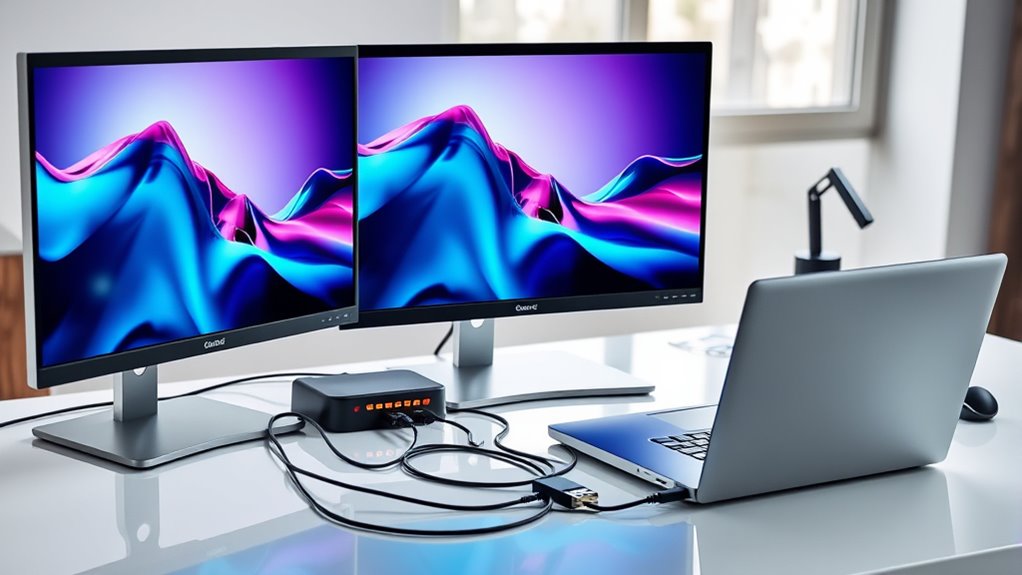

For a triple display setup, my best overall pick is the Plugable USB C Triple Display Docking Station, which pairs three HDMI outputs with 100W power delivery. The Anker Prime DL7400 stands out for buyers seeking a more feature-rich dock, while the TobenONE 18-in-1 offers a broad mix of ports. The main tradeoffs are whether your laptop supports three external displays, which video standards the dock uses, and how much desk space and power your setup needs. Similar-looking docks can behave differently with macOS and Windows, so checking compatibility matters as much as counting ports. Read on for my full breakdown and guidance on choosing a dock that fits your laptop.

Get the latest gadgets delivered free with Prime
- Fast, free delivery on millions of items
- Prime Video, Amazon Music and more included
- Member-only deals all year
Complete the kit



Key Takeaways
- Display support depends on the laptop as well as the dock. A dock with three video outputs cannot bypass a computer’s display limits or add native multi-display support to every Mac.
- Three HDMI ports simplify monitor matching. The Plugable USB C Triple Display Docking Station is a straightforward fit for setups that use HDMI monitors.
- More ports suit busier desks, but add bulk. The TobenONE 18-in-1 gives buyers a wide selection of connections; a smaller dock may be easier to place if the extra ports would go unused.
- DisplayPort and VGA options solve specific compatibility problems. The Selore Triple 4K model offers several video connection types, while the GIQ hub’s VGA output can help with older monitors.
- Detachable designs change how a dock travels. The Anker Nano’s removable hub offers more flexibility than a fixed desktop unit, though buyers should compare its display support with their exact laptop setup.
| TobenONE 18-in-1 Laptop Docking Station – Triple 4K HDMI, 9 USB-C/USB-A |  | Best for Port Variety | Total ports: 18 | USB ports: 9 USB-C and USB-A | Video outputs: 3 HDMI | VIEW ON AMAZON | See Our Full Breakdown |
| Plugable USB C Triple Display Docking Station | 100W PD, 3X HDMI |  | Best for Mixed-OS Workplaces | Overall ports: 9 | USB ports: 6 | Video outputs: 3 HDMI | VIEW ON AMAZON | See Our Full Breakdown |
| USB C Docking Station Dual Monitor, Triple 4K Display with 2 HDMI, DisplayPort, Ethernet, 100W PD Charging, USB 3.0 Ports |  | Best for Mixed Video Connections | Video outputs: 2 HDMI and 1 DisplayPort | Display support: Up to three 4K displays; refresh rate not specified | USB ports: 2 USB 3.0 and 1 USB-C 3.0 | VIEW ON AMAZON | See Our Full Breakdown |
| USB C Docking Station Dual Monitor with Triple 4K Display, 2 HDMI, DisplayPort, Ethernet, 100W PD Charging, USB 3.0 for Dell, HP, etc. |  | Best for Straightforward Windows Setups | Monitor support: 3 monitors, up to 4K | Video outputs: 2 HDMI and 1 DisplayPort | USB ports: 2 USB 3.0 and 1 USB-C 3.0 | VIEW ON AMAZON | See Our Full Breakdown |
| MOKiN 17-in-1 USB-C Docking Station with Triple 4K Display and Smart LCD Weather Screen |  | Best Feature-Rich Display Dock | Total ports: 17 | Video outputs: 3 HDMI and 2 DisplayPort | Display support: Triple 4K@60Hz | VIEW ON AMAZON | See Our Full Breakdown |
| 13-in-1 Docking Station Dual Monitor 4K USB C Hub for Laptop Mac |  | Best for Mixed Office Connectivity | Total ports: 13 | Display outputs: 2 HDMI, 1 DisplayPort | Maximum resolution: 4K at 60Hz | VIEW ON AMAZON | See Our Full Breakdown |
| Plugable USB-C Triple Monitor Docking Station, 13-in-1, 100W Charging |  | Best for Three HDMI Monitors | Total ports: 13 | Display outputs: 3 HDMI | Display resolutions: HDMI-1 up to 4K at 30Hz; HDMI-2 and HDMI-3 up to 1920×1200 at 60Hz | VIEW ON AMAZON | See Our Full Breakdown |
| Anker Prime Docking Station (DL7400) 14-in-1 Triple Display |  | Best Premium Triple 4K Pick | Total ports: 14-in-1 | Display outputs: 2 HDMI, 1 DisplayPort | Display technology: DisplayLink; driver required | VIEW ON AMAZON | See Our Full Breakdown |
| Anker Nano Laptop Docking Station, 13-in-1 Dock with Detachable 6-in-1 USB-C Hub, 3 Display Ports, 100W Power Delivery, Compatible with Dell/Lenovo/HP |  | Best for Desk-to-Travel Use | Display outputs: 2 HDMI, 1 DisplayPort | Display resolutions: Single 4K at 60Hz; dual 2K at 60Hz; triple 1080p at 60Hz | Power delivery: Up to 100W | VIEW ON AMAZON | See Our Full Breakdown |
| Anker Laptop Docking Station 14-in-1 USB-C Hub with Triple Display |  | Best for Older VGA Monitors | Total ports: 14-in-1 | Display outputs: 2 HDMI, 1 VGA | Display resolution: HDMI up to 4K; VGA up to 1080p | VIEW ON AMAZON | See Our Full Breakdown |
| Selore USB C Docking Station with 3 Monitors and 13-in-1 Laptop Hub |  | Best for Triple 4K HDMI | HDMI ports: 3 | HDMI resolution: 4K at 60Hz | USB-C ports: 2 USB-C 3.1, 10Gbps | VIEW ON AMAZON | See Our Full Breakdown |
| USB C Docking Station GIQ USB 3.0 Hub with Dual HDMI VGA Adapter for MacBook and Laptops |  | Best for Mixed HDMI and VGA Displays | HDMI ports: 2 | VGA port: 1 | USB ports: 3 | VIEW ON AMAZON | See Our Full Breakdown |
| Selore Laptop Docking Station – Triple 4K Display, 3 HDMI & 2 DisplayPort |  | Best for DisplayPort Flexibility | Total ports: 17 | HDMI outputs: 3; first two 4K at 60Hz, third 4K at 30Hz | DisplayPort outputs: 2, up to 8K at 30Hz | VIEW ON AMAZON | See Our Full Breakdown |
| Anker 13-in-1 USB-C Laptop Docking Station – Triple Display |  | Best for a Ready-to-Use Desk Setup | Video outputs: 2 HDMI and 1 DisplayPort | Monitor support: Up to 3 displays at 1080p/60Hz or 1 display at 4K/60Hz | USB-C: 3 ports; 85W host charging, 18W PD, and 10Gbps data | VIEW ON AMAZON | See Our Full Breakdown |
| usb docking stations triple display | Ethernet | USB ports | Total ports | Compatibility |
|---|---|---|---|---|
| TobenONE 18-in-1 Laptop Dockin | — | 9 USB-C and USB-A | 18 | Windows and ChromeOS laptops with full-featured USB-C; not compatible with Mac |
| Plugable USB C Triple Display | — | 6 | — | — |
| USB C Docking Station Dual Mon | Gigabit Ethernet, 1Gbps | 2 USB 3.0 and 1 USB-C 3.0 | — | — |
| USB C Docking Station Dual Mon | Gigabit Ethernet, 1Gbps | 2 USB 3.0 and 1 USB-C 3.0 | — | — |
| MOKiN 17-in-1 USB-C Docking St | — | 2×10Gbps USB-C/A, 2×5Gbps USB-C/A, 2×USB 2.0 | 17 | — |
| 13-in-1 Docking Station Dual M | Gigabit | 2 USB-C, 3 USB 3.1, 3 USB 3.0, 2 USB 2.0 | 13 | — |
| Plugable USB-C Triple Monitor | — | 4 USB-A at 5Gbps; 2 USB-C | 13 | Windows 10+, macOS 11+ with DisplayLink, ChromeOS; USB-C, USB4, Thunderbolt 3/4/5 |
| Anker Prime Docking Station | 2.5Gbps | — | 14-in-1 | Windows 10/11 |
| Anker Nano Laptop Docking Stat | — | — | — | Most Windows laptops with USB-C; macOS mirrored mode |
| Anker Laptop Docking Station 1 | 1Gbps | — | 14-in-1 | USB-C, USB4, Thunderbolt; macOS 12+, Windows 10/11, ChromeOS; not Linux |
| Selore USB C Docking Station w | Gigabit Ethernet | — | — | Windows laptops with USB-C DisplayPort Alt Mode or Thunderbolt 3/4 |
| USB C Docking Station GIQ USB | Gigabit RJ45 | 3 | — | Mac OS X 10.6 or higher, Windows XP or higher, Chrome OS |
| Selore Laptop Docking Station | Gigabit Ethernet | — | 17 | — |
| Anker 13-in-1 USB-C Laptop Doc | Gigabit Ethernet | — | — | — |
More Details on Our Top Picks
TobenONE 18-in-1 Laptop Docking Station – Triple 4K HDMI, 9 USB-C/USB-A
The TobenONE is the strongest fit here for a Windows or ChromeOS desk that needs both three 4K@60Hz HDMI outputs and room for many peripherals. Its 18-port layout, including nine USB-C and USB-A ports, Ethernet, card readers, and audio, can replace several adapters; the Plugable dock is a more compact choice, but has fewer listed overall ports and its triple-display setup tops out at 4K@30Hz on one screen plus 1080p on two. The tradeoff is a narrower audience: TobenONE does not support Mac computers, and its 100W Power Delivery requires a separate adapter above 65W. I’d choose it when display resolution and peripheral capacity matter more than cross-platform flexibility or an all-in-one power package.
Pros:- Supports three 4K displays at up to 60Hz
- Nine USB-C and USB-A ports suit desks with many peripherals
- Includes Ethernet, SD and microSD readers, and a 3.5mm audio jack
- Up to 100W Power Delivery can keep a compatible laptop charged
Cons:- Not compatible with Mac computers
- Power adapter is not included and a separate supply above 65W is required
Best for: Windows or ChromeOS laptop owners building a three-screen 4K workstation with several USB peripherals, memory cards, and wired networking
Not ideal for: Mac owners and buyers who need a power adapter included with the dock
- Total ports:18
- USB ports:9 USB-C and USB-A
- Video outputs:3 HDMI
- Display support:Triple 4K@60Hz or dual 4K@60Hz
- Power Delivery:Up to 100W; adapter not included
- Networking:RJ45 Ethernet
- Card readers:SD and microSD
- Compatibility:Windows and ChromeOS laptops with full-featured USB-C; not compatible with Mac
Our verdict“Choose the TobenONE for a Windows or ChromeOS desk that needs three 4K screens and extensive connectivity, provided you have a suitable power adapter.”
Plugable USB C Triple Display Docking Station | 100W PD, 3X HDMI
The Plugable stands out for teams that need one dock to serve a mix of Windows, macOS, and ChromeOS laptops. It lists USB-C, USB4, and Thunderbolt compatibility, plus 100W charging and lifetime technical support, which give it a more deployment-focused profile than the Windows-centered TobenONE. The display limit is the key compromise: its triple HDMI arrangement supports one monitor at 4K@30Hz and two at 1080p@60Hz, so it is less suited to three high-resolution screens than TobenONE or the MOKiN. Mac users also need to install a driver for full functionality, and Linux is unsupported. I’d favor this dock for a shared office where compatibility support matters more than matching resolution across all three monitors.
Pros:- Supports laptops running Windows, macOS, and ChromeOS
- 100W Power Delivery charges a connected laptop
- Three HDMI outputs simplify connections to HDMI monitors
- Includes lifetime technical support for enterprise deployments
Cons:- Triple-display mode is limited to one 4K@30Hz screen and two 1080p@60Hz screens
- Does not support Linux
- macOS requires driver installation for full functionality
Best for: IT teams and hybrid workers who share docks across supported Windows, Mac, and ChromeOS laptops and use mixed-resolution HDMI monitors
Not ideal for: Linux users or buyers who want three 4K monitors running at 60Hz
- Overall ports:9
- USB ports:6
- Video outputs:3 HDMI
- Triple-display support:One 4K@30Hz display and two 1080p@60Hz displays
- Power Delivery:100W
- Networking:Gigabit Ethernet
- Supported systems:Windows 10/11, macOS 11+, ChromeOS 100+
- Dimensions:3.3 × 7.9 × 1.2 inches
Our verdict“Pick the Plugable for a supported mixed-OS workplace that values broad compatibility and support over three high-resolution displays.”
USB C Docking Station Dual Monitor, Triple 4K Display with 2 HDMI, DisplayPort, Ethernet, 100W PD Charging, USB 3.0 Ports
With two HDMI outputs and one DisplayPort, this dock suits a desk where monitors do not all share the same connection. Its stated triple-4K support and Gigabit Ethernet make it a useful Windows-oriented alternative to the all-HDMI Plugable, especially when a DisplayPort cable is already part of the setup. It also accepts USB-C, USB4, and Thunderbolt 3, 4, or 5 connections, though the product data does not specify refresh rates for its triple-4K mode. That makes it harder to judge for motion-heavy work than the MOKiN, which explicitly lists 4K@60Hz. macOS is limited to mirror mode, and the dock’s power output is capped at 85W for safety, despite the 100W rating. I’d choose it for connector flexibility on a compatible Windows laptop, not for Mac extended desktops.
Pros:- Combines two HDMI ports with a DisplayPort output
- Lists support for up to three 4K displays
- Provides 1Gbps Gigabit Ethernet
- Works with Thunderbolt 3/4/5, USB-C, and USB4 hosts
Cons:- macOS is limited to mirror mode rather than extended displays
- Power delivery is limited to 85W for safety
- Triple-display refresh rate is not specified in the supplied product data
Best for: Windows laptop owners connecting a mix of HDMI and DisplayPort monitors who also need wired Gigabit Ethernet
Not ideal for: Mac users who need separate extended displays, or buyers who require documented 4K@60Hz triple-display support
- Video outputs:2 HDMI and 1 DisplayPort
- Display support:Up to three 4K displays; refresh rate not specified
- USB ports:2 USB 3.0 and 1 USB-C 3.0
- Ethernet:Gigabit Ethernet, 1Gbps
- Host compatibility:Thunderbolt 3/4/5, USB-C, and USB4
- macOS display mode:Mirror mode only
Our verdict“Choose this dock when your Windows setup needs both HDMI and DisplayPort connections, and confirm the supported refresh rate fits your monitors.”
USB C Docking Station Dual Monitor with Triple 4K Display, 2 HDMI, DisplayPort, Ethernet, 100W PD Charging, USB 3.0 for Dell, HP, etc.
This dock is a straightforward pick for a Windows user who wants to connect two HDMI monitors and one DisplayPort monitor through a single hub. Like the B0CXSL7BDP dock, it pairs those video connections with Gigabit Ethernet and lists support for three 4K monitors; the supplied data does not distinguish their refresh rates, so the MOKiN is easier to evaluate if 4K@60Hz is a firm requirement. The useful dividing line here is the explicit operating-system behavior: Windows can extend the desktop, while macOS only mirrors displays. Power delivery is listed at up to 100W but limited to 85W for safety. I’d put it on a Windows desk with compatible full-featured USB-C or Thunderbolt and modest USB needs, rather than buying it for Mac multi-monitor work.
Pros:- Supports Windows extended desktop across three displays
- Offers two HDMI outputs and one DisplayPort
- Includes Gigabit Ethernet and USB 3.0 connections
- Compatible with Thunderbolt 3/4/5, USB-C, and USB4
Cons:- macOS supports mirror mode only
- Power delivery is limited to 85W for safety
- Supplied data does not state the triple-display refresh rate
Best for: Windows laptop users who need an extended three-monitor workspace with a mix of HDMI and DisplayPort screens
Not ideal for: Mac users who need independent extended displays, or buyers who need refresh-rate details before choosing a three-4K setup
- Monitor support:3 monitors, up to 4K
- Video outputs:2 HDMI and 1 DisplayPort
- USB ports:2 USB 3.0 and 1 USB-C 3.0
- Ethernet:Gigabit Ethernet, 1Gbps
- Power Delivery:Up to 100W; limited to 85W for safety
- Host compatibility:Thunderbolt 3/4/5, USB-C, and USB4
- Operating system display modes:Windows extended display; macOS mirror only
Our verdict“This is a practical Windows-focused choice for mixed HDMI and DisplayPort monitors, but Mac users should skip it for extended displays.”
MOKiN 17-in-1 USB-C Docking Station with Triple 4K Display and Smart LCD Weather Screen
The MOKiN pairs three 4K@60Hz displays with a five-output video array—three HDMI and two DisplayPort—so it offers more connection choices than the TobenONE’s three HDMI ports. Its 17-port layout also adds fast USB connections, card readers, Gigabit Ethernet, and a status LCD with a privacy lock button. Those extras make sense for a busy Windows workstation, though the screen and lock features are secondary to the display and port needs that define this roundup. The main limits are practical: the charger is not included, laptop pass-through is 85W, and extended desktops with different content are supported only on Windows. By comparison, the Plugable works across more operating systems but has lower specified resolutions in triple-display mode. I’d choose MOKiN for a Windows desk that values connection flexibility and status information.
Pros:- Supports triple 4K@60Hz displays
- Five video outputs provide HDMI and DisplayPort connection options
- LCD reports weather and system status, including charging wattage and port connections
- Privacy lock button can quickly black out screens
Cons:- Different-content extended desktop mode is supported only on Windows
- Charger is not included and pass-through charging is limited to 85W
- Changing LCD security settings requires contacting support for firmware
Best for: Windows laptop users who want three 4K@60Hz displays, multiple video connector types, and on-dock charging and connection status
Not ideal for: Mac users who need three independent extended displays, or buyers who expect a charger in the box
- Total ports:17
- Video outputs:3 HDMI and 2 DisplayPort
- Display support:Triple 4K@60Hz
- USB ports:2×10Gbps USB-C/A, 2×5Gbps USB-C/A, 2×USB 2.0
- Power:100W input; 85W pass-through
- Networking:1Gbps Gigabit Ethernet
- Card reader:SD and microSD, up to 104MB/s
- Special features:LCD weather and system-status screen; privacy lock button
Our verdict“Choose the MOKiN for a Windows workstation that needs three 4K@60Hz screens and varied video connections, and can make use of its status display.”
13-in-1 Docking Station Dual Monitor 4K USB C Hub for Laptop Mac
This dock suits a desk where two high-resolution monitors matter as much as wired peripherals. Its two HDMI ports and DisplayPort give Windows users several ways to connect screens, while Gigabit Ethernet, audio, and a wide mix of USB ports reduce the need for adapters. Compared with the Anker 14-in-1 USB-C Hub in this group, it offers DisplayPort and up to 100W power delivery; the Anker adds a VGA output for older displays. There are important limits: macOS extends to only one external monitor, and the dock’s own 13W draw reduces the power reaching the laptop. It is a better fit for a Windows dual-screen workstation than for buyers who need three independently extended displays across operating systems.
Pros:- Two HDMI outputs and one DisplayPort offer flexible monitor connections
- A broad USB mix accommodates peripherals with different connector types
- Gigabit Ethernet and a 3.5mm audio/mic combo add useful desk connections
- Up to 100W power delivery can charge a compatible laptop through the dock
Cons:- macOS extends to only one external monitor
- Windows is required for MST multi-monitor support
- The dock’s 13W consumption reduces power available for laptop charging
Best for: Windows laptop owners building a dual-monitor desk with Ethernet, audio, and several USB devices
Not ideal for: Mac users who need two extended external screens, or anyone who needs triple-display support
- Total ports:13
- Display outputs:2 HDMI, 1 DisplayPort
- Maximum resolution:4K at 60Hz
- USB ports:2 USB-C, 3 USB 3.1, 3 USB 3.0, 2 USB 2.0
- Power delivery:Up to 100W
- Ethernet:Gigabit
- Audio:3.5mm audio/mic combo
- Data transfer:Up to 10Gbps
Our verdict“Choose it for a Windows dual-monitor desk that needs varied ports, and skip it if macOS must extend across multiple screens.”
Plugable USB-C Triple Monitor Docking Station, 13-in-1, 100W Charging
Three HDMI outputs make this Plugable dock a straightforward choice when a desk already has matching monitors and screen count matters more than uniform resolution. It supports up to 4K at 30Hz on the first HDMI port, while the other two top out at 1920×1200 at 60Hz. That split suits reference screens and office applications better than three equally sharp, high-refresh displays. Compared with the Anker Prime DL7400, Plugable offers a third HDMI connection and broad Windows, macOS, and ChromeOS compatibility, but the Anker lists triple 4K output and faster 2.5Gbps Ethernet. Mac users need DisplayLink drivers for two HDMI ports, and protected streaming content may not play through this dock. I’d favor it for business desks that value support and compliance details alongside three-screen connectivity.
Pros:- Three HDMI outputs connect a triple-screen setup without separate video adapters
- Up to 100W laptop charging and 20W device charging are built in
- Works with listed Windows, macOS, and ChromeOS versions, with DisplayLink where required
- Includes lifetime North American technical support and business compliance standards
Cons:- Only one HDMI output supports 4K, and that connection is limited to 30Hz
- macOS requires DisplayLink drivers for two HDMI ports
- HDCP-protected content is not supported, and the dock has a large listed footprint
Best for: Office teams with three HDMI monitors who use a compatible USB-C, USB4, or Thunderbolt computer
Not ideal for: Buyers who want three matching 4K screens, protected streaming through the dock, or a compact desk setup
- Total ports:13
- Display outputs:3 HDMI
- Display resolutions:HDMI-1 up to 4K at 30Hz; HDMI-2 and HDMI-3 up to 1920×1200 at 60Hz
- Charging:100W laptop charging, 20W device charging
- USB ports:4 USB-A at 5Gbps; 2 USB-C
- Other connections:SD card reader, Gigabit Ethernet, audio in/out
- Compatibility:Windows 10+, macOS 11+ with DisplayLink, ChromeOS; USB-C, USB4, Thunderbolt 3/4/5
- Warranty and support:Lifetime technical support from North American team
Our verdict“Pick this Plugable for three HDMI-connected office screens and long-term support, provided the uneven display limits suit your work.”
Anker Prime Docking Station (DL7400) 14-in-1 Triple Display
The DL7400 is the most feature-rich choice here for a Windows workstation with three 4K displays. Its two HDMI outputs and DisplayPort use DisplayLink, while a smart display, card readers, and 2.5Gbps Ethernet add desk conveniences beyond the video connections. Compared with the Plugable 13-in-1, it specifies triple 4K output and faster networking; Plugable is the more flexible fit across operating systems, while this Anker model lists Windows 10 and 11 compatibility only. The high power figures and multiple charging ports suit a crowded workstation, but DisplayLink requires driver installation and can cause black screens with DRM-protected streaming. The front USB-C ports also cannot carry video to portable monitors. I’d choose it for a fixed Windows desk where its display and network capabilities will be used.
Pros:- Supports triple 4K displays through two HDMI outputs and one DisplayPort
- 2.5Gbps Ethernet is faster than the Gigabit connections listed on several alternatives
- Smart display provides status information and fan control
- Includes SD and TF card readers, a combo audio jack, and multiple USB connections
Cons:- Requires DisplayLink driver installation and is listed for Windows 10/11
- DRM-protected streaming may show a black screen
- Front USB-C ports do not support video for portable monitors
Best for: Windows 10 or 11 users running three 4K monitors who also want fast Ethernet and card readers
Not ideal for: Mac or Linux users, portable-monitor users relying on the front USB-C ports, and people who watch protected streaming through the dock
- Total ports:14-in-1
- Display outputs:2 HDMI, 1 DisplayPort
- Display technology:DisplayLink; driver required
- Upstream power:140W
- Downstream USB-C power:100W × 3
- Ethernet:2.5Gbps
- Card readers:SD and TF (MicroSD)
- Compatibility:Windows 10/11
- Dimensions and weight:7.67 × 3.62 × 1.89 inches; 834.1g
Our verdict“Choose the DL7400 for a Windows desk that needs triple 4K, fast Ethernet, and substantial connectivity in one dock.”
Anker Nano Laptop Docking Station, 13-in-1 Dock with Detachable 6-in-1 USB-C Hub, 3 Display Ports, 100W Power Delivery, Compatible with Dell/Lenovo/HP
The detachable 6-in-1 hub gives this Anker Nano a distinct advantage for people who alternate between a permanent monitor setup and working away from their desk. At the desk, it provides three display outputs; on the move, the smaller hub can travel separately. Its listed triple-screen mode is 1080p at 60Hz, so the screen count comes with lower resolution than the Anker Prime DL7400, which supports triple 4K but is built around a fixed Windows workstation. This model’s 100W power delivery, card slots, Ethernet, and audio connections make it a capable everyday hub for compatible Windows laptops. The limits matter: macOS is listed for mirrored mode only, the laptop must be connected for the ports to activate, and the supplied power adapter may add bulk to a travel bag.
Pros:- Detachable 6-in-1 hub can be separated for lighter travel use
- Offers three display outputs and lists triple 1080p at 60Hz
- Provides up to 100W power delivery and 10Gbps USB-C data transfer
- Includes Gigabit Ethernet, audio, and SD/TF card slots
Cons:- macOS supports mirrored mode only
- Triple-display mode is listed at 1080p rather than 4K
- The ports and lights require an active laptop connection, and the power adapter may be bulky
Best for: Windows laptop owners who need a home or office triple-screen dock and a detachable hub for travel
Not ideal for: Mac users who need extended displays, or anyone expecting three 4K screens from the listed triple-display mode
- Display outputs:2 HDMI, 1 DisplayPort
- Display resolutions:Single 4K at 60Hz; dual 2K at 60Hz; triple 1080p at 60Hz
- Power delivery:Up to 100W
- USB-C data transfer:Up to 10Gbps
- USB-A ports:3
- Other connections:Gigabit Ethernet, 3.5mm audio, SD and TF card slots
- Included accessories:USB-C cable, 140W power adapter, welcome guide
- Compatibility:Most Windows laptops with USB-C; macOS mirrored mode
Our verdict“Pick this Anker Nano if you want one setup for a Windows triple-screen desk and lighter travel connectivity.”
Anker Laptop Docking Station 14-in-1 USB-C Hub with Triple Display
This Anker hub earns its place for desks that combine modern HDMI displays with an older VGA monitor. Its two 4K HDMI outputs plus 1080p VGA cover that mixed setup without a separate video adapter, and the compact 14-in-1 format also includes Ethernet, card slots, audio, and several USB connections. Compared with the 13-in-1 Docking Station Dual Monitor 4K USB C Hub, this model trades DisplayPort for VGA and lists 80W pass-through charging rather than 100W. That makes it a practical bridge for legacy screens, though buyers should check their laptop supports DP Alt Mode and Power Delivery. Linux is not supported, and the wall charger needed for full power delivery is sold separately. I’d choose it when VGA compatibility is a real requirement rather than a port kept in reserve.
Pros:- Connects two HDMI monitors and one VGA display
- Includes Ethernet, SD and microSD slots, audio, and multiple USB ports
- USB-A and USB-C data ports support transfer speeds up to 5Gbps
- 80W pass-through charging supports compatible laptops
Cons:- Not compatible with Linux
- Wall charger is not included
- 80W pass-through is lower than the 100W listed for some alternatives
Best for: Windows, macOS, or ChromeOS laptop owners who need to combine two HDMI displays with a VGA monitor
Not ideal for: Linux users, buyers who need DisplayPort, or anyone expecting the full charging setup without supplying a wall charger
- Total ports:14-in-1
- Display outputs:2 HDMI, 1 VGA
- Display resolution:HDMI up to 4K; VGA up to 1080p
- Pass-through charging:Up to 80W
- USB data ports:5 USB-A at 5Gbps; 1 USB-C at 5Gbps
- Ethernet:1Gbps
- Card readers and audio:SD/microSD slot; AUX audio jack
- Compatibility:USB-C, USB4, Thunderbolt; macOS 12+, Windows 10/11, ChromeOS; not Linux
- Warranty:18 months
Our verdict“Choose this Anker hub when VGA support is essential and your laptop can supply compatible USB-C video and power.”
Selore USB C Docking Station with 3 Monitors and 13-in-1 Laptop Hub
For a Windows laptop with DisplayPort Alt Mode or Thunderbolt, this Selore is the most direct fit for a desk built around three HDMI monitors. Its three HDMI outputs are listed for 4K at 60Hz, and 100W PD can keep a compatible laptop charged while the dock handles gigabit Ethernet, card readers, and faster USB accessories. Compared with the Anker 13-in-1, which supports three displays at up to 1080p or one 4K display, Selore prioritizes higher stated resolution across its HDMI ports. That makes it a better match for detailed multi-screen work, though the Anker includes a power adapter and Selore’s full display behavior depends on host compatibility. The macOS limitation is decisive: triple extended displays are not supported there, so check your operating system and USB-C video support before choosing it.
Pros:- Three HDMI outputs are specified for 4K at 60Hz.
- 100W Power Delivery can support charging a compatible laptop while docked.
- 10Gbps USB-C and USB-A ports suit faster storage and peripherals.
- Gigabit Ethernet and SD and microSD readers add useful desk connections.
Cons:- Triple extended display mode is not supported on macOS.
- Full video features require a compatible DisplayPort Alt Mode or Thunderbolt host.
- The supplied data does not establish which triple-monitor combinations can run simultaneously at the stated resolution and refresh rate.
Best for: Windows laptop owners with a compatible USB-C or Thunderbolt port who want three HDMI-connected high-resolution monitors, wired networking, and SD card access.
Not ideal for: Mac users who need three independent extended displays, or buyers who cannot confirm their laptop supports DisplayPort Alt Mode or Thunderbolt.
- HDMI ports:3
- HDMI resolution:4K at 60Hz
- USB-C ports:2 USB-C 3.1, 10Gbps
- USB-A ports:1 USB-A 3.1, 10Gbps; 2 USB-A 2.0
- Card readers:SD and microSD
- Ethernet:Gigabit Ethernet
- Power delivery:100W PD 3.0
- Compatibility:Windows laptops with USB-C DisplayPort Alt Mode or Thunderbolt 3/4
Our verdict“Choose this Selore for a compatible Windows setup that needs three HDMI connections and high-resolution display support.”
USB C Docking Station GIQ USB 3.0 Hub with Dual HDMI VGA Adapter for MacBook and Laptops
The GIQ stands apart from the other picks by pairing two HDMI outputs with VGA, which can help when a workspace still relies on an older projector or monitor. Its listed video modes are UHD at 30Hz or Full HD at 1080p, making it less suited to a modern triple 4K desk than the Selore 17-in-1, whose Windows setup supports triple 4K displays via MST. The GIQ is better framed as a flexible legacy-display hub than a high-resolution triple-display dock. It also brings gigabit Ethernet, USB 3.0 data up to 5Gbps, and SD and microSD slots in a compact design. One catch for travel is that its USB-C port is for charging only, not data, and the card slots cannot be used at the same time.
Pros:- Two HDMI outputs and VGA accommodate a mix of display generations.
- Gigabit RJ45 Ethernet supports a wired network connection.
- USB 3.0 ports offer data transfer up to 5Gbps.
- Compact design and SD and microSD readers suit mobile work.
Cons:- Listed UHD output is limited to 30Hz, with Full HD as the other stated mode.
- The USB-C port supports charging only, not data transfer.
- SD and microSD cards cannot be read simultaneously.
Best for: People connecting a laptop to a mix of HDMI displays and an older VGA projector at home, work, or while traveling.
Not ideal for: Buyers building a triple 4K workstation or anyone who needs the dock’s USB-C port for data transfer.
- HDMI ports:2
- VGA port:1
- USB ports:3
- Video output:UHD at 30Hz or Full HD at 1080p
- USB 3.0 data rate:Up to 5Gbps
- Ethernet:Gigabit RJ45
- Card readers:SD and microSD; cannot be used simultaneously
- Compatibility:Mac OS X 10.6 or higher, Windows XP or higher, Chrome OS
Our verdict“Pick the GIQ when VGA compatibility matters more than triple 4K resolution or USB-C data connections.”
Selore Laptop Docking Station – Triple 4K Display, 3 HDMI & 2 DisplayPort
With three HDMI and two DisplayPort outputs, this Selore offers more ways to connect a monitor mix than the HDMI-focused Selore 13-in-1. It supports up to three 4K displays on Windows via MST, while the HDMI ports have different stated limits: the first two are 4K at 60Hz and the third is 4K at 30Hz. That distinction matters if all three screens need the same refresh rate. The dock also combines 10Gbps USB-C, a fast SD and microSD reader, and 85W laptop output from a 100W power input. Its vertical form and built-in LCD may suit a fixed workstation, but the LCD’s weather and clock features add less value to buyers focused purely on display connections. macOS is limited to mirror mode, and the external 87W-or-higher charger is not included.
Pros:- Three HDMI and two DisplayPort outputs provide flexible monitor connections.
- Supports up to three 4K displays on Windows via MST.
- 10Gbps USB-C and SD/microSD 3.0 reader support faster file transfers.
- Provides up to 85W laptop charging from a 100W power input.
Cons:- The third HDMI port is specified for 4K at 30Hz, unlike the first two at 60Hz.
- macOS supports mirror mode only, not independent triple displays.
- An external 87W-or-higher charger is required and not included.
Best for: Windows users with a fixed desk setup who want both HDMI and DisplayPort options, triple 4K support via MST, and fast card access.
Not ideal for: Mac users needing independent extended displays, travelers who want a compact hub, or buyers who do not already have a suitable high-wattage charger.
- Total ports:17
- HDMI outputs:3; first two 4K at 60Hz, third 4K at 30Hz
- DisplayPort outputs:2, up to 8K at 30Hz
- USB-C speed:10Gbps
- USB-A speed:5Gbps
- Card reader:SD/microSD 3.0, up to 104MB/s
- Ethernet:Gigabit Ethernet
- Power:100W input; up to 85W to laptop; external 87W-or-higher charger required
Our verdict“Choose this Selore for a Windows workstation that benefits from HDMI and DisplayPort flexibility and can accommodate its charger and vertical footprint.”
Anker 13-in-1 USB-C Laptop Docking Station – Triple Display
The Anker is a practical choice when the goal is to connect three screens and get a working desk setup from one box: it supports three 1080p displays at 60Hz and includes a 135W power adapter. That makes it less demanding to equip than the Selore 17-in-1, which needs an external 87W-or-higher charger, and less focused on high resolution than either Selore dock. For a buyer who values a supplied power brick and compact vertical design over triple 4K, the trade is clear. It also supplies 85W for the laptop, 18W for a phone, Ethernet, card readers, and a mix of USB ports. Mac users should note that external screens are limited to mirroring, and the adapter adds bulk to a setup that otherwise aims to save desk space.
Pros:- Supports up to three 1080p displays at 60Hz or one 4K display at 60Hz.
- Includes a 135W power adapter and provides up to 85W laptop charging.
- Provides 18W phone charging alongside laptop power.
- Combines HDMI, DisplayPort, USB, Ethernet, card readers, and audio.
Cons:- Triple-display mode is limited to 1080p rather than 4K.
- macOS supports mirrored displays only.
- The included 135W adapter adds bulk to the setup.
Best for: Windows or ChromeOS laptop owners who want three 1080p external displays, a supplied power adapter, and a broad set of desk connections.
Not ideal for: Buyers who need triple 4K displays, or Mac users who need independent extended screens.
- Video outputs:2 HDMI and 1 DisplayPort
- Monitor support:Up to 3 displays at 1080p/60Hz or 1 display at 4K/60Hz
- USB-C:3 ports; 85W host charging, 18W PD, and 10Gbps data
- USB-A:3 ports, 5Gbps
- Ethernet:Gigabit Ethernet
- Card readers:SD and microSD
- Power adapter:135W included
- Size and weight:4.9 × 3.5 × 1.6 in; 13.1 oz
Our verdict“Choose the Anker if three 1080p screens and an included power adapter matter more than triple 4K output.”

How We Picked
I ranked these docks around the needs behind triple display use: stated monitor support, video output combinations, host connection, laptop charging, and the ports available for other desk gear. I gave more weight to options whose named features make their intended setup easy to understand, such as three HDMI outputs or a mix of HDMI and DisplayPort. The ranking also considers practical fit: a large port selection helps a fixed workstation, while a detachable hub can suit someone who moves between desks.
Compatibility claims need careful reading. Triple output counts alone do not establish that three independent extended displays will work with a particular laptop, operating system, resolution, or refresh rate. I treated unclear product naming and overlapping listings as reasons for buyers to verify the exact model specifications before purchase. The top picks are those with a clearer combination of display connections and useful dock features; specialized or less clearly described options rank lower because they ask buyers to do more compatibility checking.
Factors to Consider When Choosing Usb Docking Stations Triple Display
Before choosing a dock, I would start with the laptop and monitors already on your desk. A useful buying decision depends on the computer’s display limits, the dock’s video method, and the cables you can use—not simply the number of ports on the product page.
Check Your Laptop’s Three-Display Limit
Find the laptop maker’s stated limit for external displays, including whether its built-in screen counts toward that total. USB-C connector shape alone does not tell you whether the port supports DisplayPort Alt Mode, Thunderbolt, or the bandwidth needed for your planned screens. Some docks use DisplayLink software to support additional displays, which can involve driver installation and may behave differently with protected video, graphics-heavy work, or managed computers. macOS models also vary in native support for multiple external monitors, so check the exact chip and model year. Match the laptop’s capability to the dock before buying; three sockets do not guarantee three independent extended desktops.
Match Video Outputs to Your Monitors
List the inputs on all three monitors before settling on a dock. Three HDMI outputs make cabling simple if every screen accepts HDMI, while a mix of HDMI and DisplayPort can be more useful for monitors with different inputs. An older VGA screen may call for a dock such as the GIQ option, though VGA carries an analog signal and is not a path to modern high-resolution image quality. Adapters can add another point of compatibility trouble, especially when converting between digital and analog signals. Check whether each output can run at the resolution and refresh rate you need at the same time, since a shared bandwidth limit may affect all connected screens.
Understand Resolution and Refresh-Rate Sharing
A “triple 4K” label does not by itself tell you how all three screens perform simultaneously. The result can depend on the laptop’s graphics hardware, the dock’s chipset, USB bandwidth, cable quality, and whether other high-bandwidth devices share the connection. If you need smooth motion for gaming or detailed timelines, compare supported refresh rates as well as resolution. For office documents and browser windows, a lower refresh rate may be an acceptable tradeoff for more screen area. Look for a specification table that states simultaneous output modes rather than relying on the largest single-display figure.
Size Power Delivery for Your Laptop
Power delivery affects whether a dock can keep your laptop charged during a full day of connected work. Compare the dock’s delivered wattage with the laptop’s supplied charger, and check whether the advertised figure is the amount reaching the computer or the dock’s total input. A high-performance laptop may charge slowly or lose battery under load if the dock supplies less power than it needs. Some docks require a separate power adapter, while others rely on a compact external supply; that changes how much space and cable clutter the setup creates. Leave room for other devices that draw power from the dock’s USB ports.
Choose Port Count for Your Actual Desk
Count the devices you intend to leave connected: keyboard, mouse, storage, webcam, headset, network cable, and card reader. A model such as the TobenONE 18-in-1 may make sense when several accessories need permanent connections, but unused ports can mean extra size and cost without a practical gain. Check which USB ports support faster data transfer and which are mainly for charging, since port shape does not reveal speed. Ethernet can provide a stable wired connection, while an SD reader matters mainly if your workflow uses memory cards. A detachable hub can help when you move between workspaces, but a fixed dock may be tidier for a permanent setup.
Decide When Premium Features Matter
Paying more makes sense when a dock solves a real constraint: charging a demanding laptop, connecting varied monitors, reducing adapters, or supporting a complex desk. A premium feature set is less useful if your laptop cannot drive the displays or you rarely use the additional ports. Beginners may benefit most from clearly labeled outputs and a familiar, consistent monitor connection rather than a screen or a very high port count. For a home office, a basic arrangement that matches your monitors can be easier to troubleshoot. Before ordering, confirm the exact model, included power supply, host cable, and software requirements in the manufacturer’s specifications.
Frequently Asked Questions
Will any USB-C docking station with three video ports extend my laptop to three monitors?
No. The laptop must support the needed number of external displays, and the dock must use a video method compatible with that computer and operating system. Some docks rely on DisplayLink software, which may require installing a driver and may be restricted on managed devices. Check the laptop’s exact model specifications and the dock’s simultaneous display modes before buying. Also confirm that the screens will extend the desktop rather than mirror one another.
Can I use one of these triple-display docks with a MacBook?
Possibly, but support varies by MacBook model and chip. Some MacBooks natively support fewer external displays than a dock’s output count suggests, while DisplayLink-based docks may add screens through software. That approach can require permissions and may not suit every video or graphics workflow. Verify the dock’s stated macOS support and the MacBook’s external display limit for the exact model year. The listing for a dock described as dual-monitor for Mac does not automatically confirm three independent displays.
What should I check if I want three 4K monitors at once?
Look for a simultaneous-output specification that states resolution and refresh rate for all three displays, not just a maximum for one screen. Then check the laptop’s graphics capability, the dock’s video chipset or standard, and the bandwidth available through its host connection. Use cables rated for the resolution and refresh rate you plan to run. If the specification only says “triple 4K” without describing concurrent modes, ask the manufacturer or choose a clearly documented configuration. Shared bandwidth can reduce refresh rates when several displays run together.
Do I need a 100W power delivery dock for my laptop?
Compare the dock’s power delivery rating with the laptop’s charger and typical workload. A laptop that draws more power than the dock supplies may charge slowly or continue using battery while connected. The advertised number can also differ from the power that reaches the laptop if the dock uses some of its supply for accessories. Check whether the dock includes its own power adapter and whether that adapter supports the stated output. For a lower-power laptop, extra wattage may offer little practical benefit.
Should I choose a DisplayLink dock or a dock with native video outputs?
The right choice depends on the laptop’s native display support and how you use the screens. Native video output can avoid an extra driver, which may simplify setup on a personal computer. DisplayLink can help add monitors when a laptop’s native limit is restrictive, but it relies on software and may be unsuitable where driver installation is blocked. Check compatibility with your operating system, work policies, and applications before choosing. Neither approach removes the need to verify resolution, refresh rate, and extended-display behavior.
Conclusion
For most buyers with a compatible Windows laptop and three HDMI monitors, I would start with the Plugable USB C Triple Display Docking Station as the best overall choice. The USB C Docking Station Triple 4K listings may suit value-focused shoppers who need a mix of HDMI and DisplayPort, but I would verify the exact model and simultaneous display modes because the two product names are very similar. For a premium, feature-rich setup, compare the Anker Prime DL7400 with the TobenONE 18-in-1 against your port and power needs. Beginners should favor a clearly documented dock with outputs that match their monitors, while frequent travelers may prefer the detachable Anker Nano design. Buyers connecting older VGA screens can look at the GIQ option; anyone choosing a Mac-compatible model should first confirm support for three independent displays on their exact computer.
Halloween Picks

12.5-Foot Lighted Halloween Inflatable Archway

Thuodo 8 FT Tall Halloween Inflatable Three-Headed Dragon with LEDs

Kalolary 12ft Halloween Witch Haunted House Inflatable Archway
As an affiliate, we earn on qualifying purchases.