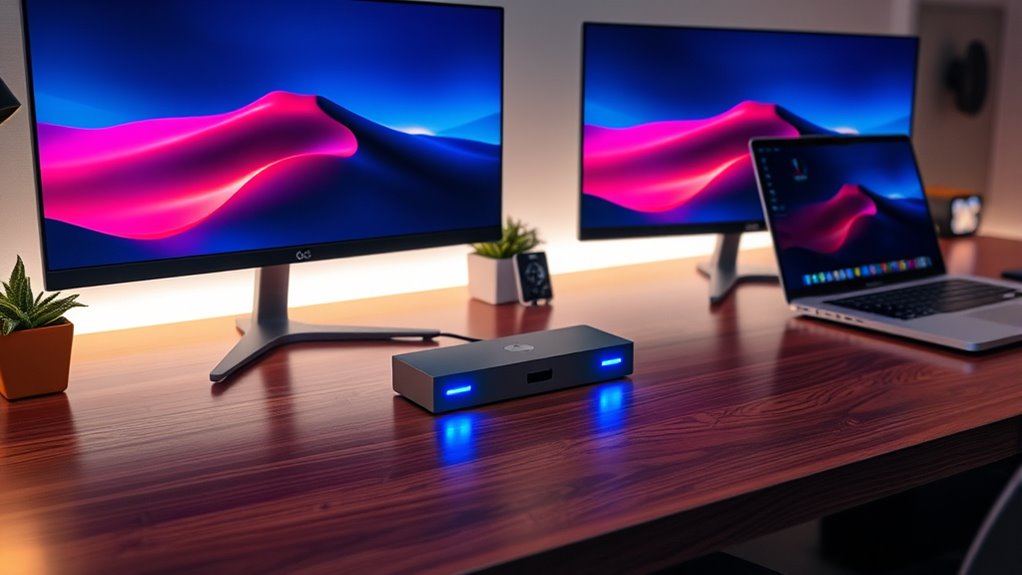

If you’re searching for a usb c docking station dual monitor, you’re likely looking for a way to expand your laptop’s display capabilities while maintaining a tidy workspace. The best options offer reliable multi-display support, fast data transfer, and power delivery, but they vary widely in features and price. The Selore USB C Docking Station Dual Monitor stands out for its comprehensive 14-in-1 connectivity, making it perfect for power users, while the Anker Prime Docking Station offers a sleek design with robust performance for everyday use. A key challenge in this category is balancing port selection, display support, and power delivery without overspending. Keep reading for a detailed breakdown of the top picks, their strengths, and tradeoffs to help you find the right fit.
Complete the kit



Key Takeaways
- The most versatile docking stations combine multiple ports, including HDMI, DisplayPort, USB-A, USB-C, Ethernet, and SD card slots, reducing the need for additional hubs.
- Power delivery (PD) support varies significantly; higher wattage ranges from 60W to 100W+ and is essential for charging high-power laptops while connected.
- Dual monitor support depends heavily on the GPU capabilities of your laptop and the docking station’s video output options, so compatibility is crucial.
- Build quality and heat management are often overlooked but are vital for long-term reliability, especially in high-performance setups.
- Price often correlates with feature set—premium models tend to deliver better build quality, more ports, and higher power delivery, but good mid-range options can suffice for many users.
| Selore USB C Docking Station Dual Monitor, 14-in-1 Laptop Docking Station |  | Best Overall for Versatile Multi-Device Connectivity | Hardware Interface: 3.5mm Audio, Ethernet, HDMI, USB 3.1 Type A, USB 3.1 Type C, VGA | Additional Features: Powered, Compatible Devices: Dell Latitude 7370, MacBook Pro, Microsoft Surface 3, etc. | Total USB Ports: 7 | VIEW ON AMAZON | See Our Full Breakdown |
| Anker Laptop Docking Station Dual Monitor, 8-in-1 USB C Hub with 4K HDMI |  | Best for High-Resolution Dual Monitors on a Budget | Hardware Interface: Ethernet, HDMI, MicroSD, USB 3.0 | Additional Features: HDMI™, Powered | Total USB Ports: 3 | VIEW ON AMAZON | See Our Full Breakdown |
| Anker Prime Docking Station, 14-in-1 Dual Monitor Laptop Docking Station |  | Best for Power and Versatility in a Professional Setup | Connectivity: 14-in-1 | Power Output: 160W | USB Ports: 10 | VIEW ON AMAZON | See Our Full Breakdown |
| Dell WD19S 180W Docking Station with 130W Power Delivery, USB-C, HDMI, Dual DisplayPort, Black |  | Best for Dell Ecosystem Users Needing Reliable Dual Displays | Hardware Interface: USB Type C | Compatible Devices: Likely compatible with USB-C enabled Dell laptops | Total USB Ports: 6 | VIEW ON AMAZON | See Our Full Breakdown |
| USB-C Docking Station Dual Monitor 15-in-1 Laptop Docking Station |  | Best for Professional-Grade Versatility and High-Resolution Displays | Hardware Interface: Ethernet, HDMI, MicroSD, USB 3.0, USB Type C | Additional Features: Fast Charging, Heat Resistant, Plug and Play | Total USB Ports: 6 | VIEW ON AMAZON | See Our Full Breakdown |
| MOKiN Dual Monitor Docking Station with 2 HDMI Ports and 160W Power |  | Best Overall for High-Powered Multi-Device Setups | Hardware Interface: USB Type C | Compatible Devices: Laptop with 3/4 Thunderbolt or Full Function USB C Port | Total USB Ports: 7 | VIEW ON AMAZON | See Our Full Breakdown |
| Anker USB-C Hub with Triple Display and 14-in-1 Connectivity | 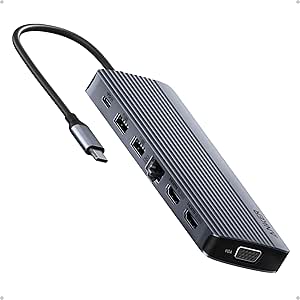 | Best Value for Versatile Multi-Device Connections | Connectivity options: 14-in-1 | HDMI ports: 2 | VGA port: 1 | VIEW ON AMAZON | See Our Full Breakdown |
| Selore USB C Docking Station Dual Monitor – 10-in-1 Multiport Laptop Dock with 2 HDMI, DisplayPort, VGA, USB 3.0, Ethernet, 100W Power Delivery |  | Best Versatile Multi-Output Dock with Dedicated Monitor Control | Hardware Interface: USB Type C | Additional Features: Plug and Play | Total USB Ports: 3 | VIEW ON AMAZON | See Our Full Breakdown |
| Selore USB C Docking Station Dual Monitor, USB C to Dual HDMI Adapter |  | Best Compact Dual HDMI Adapter for Basic Multi-Display Needs | Hardware Interface: USB | Additional Features: Fast Charging | Total USB Ports: 8 | VIEW ON AMAZON | See Our Full Breakdown |
| Anker Nano Laptop Docking Station Dual Monitor, 8-in-1 USB C Hub for Windows |  | Best Compact Hub for Dual 4K Monitors and On-the-Go Use | Connectivity: USB-C, USB-A, HDMI, SD/TF | Max Power Output: 85W | Monitor Support: Dual 4K@60Hz | VIEW ON AMAZON | See Our Full Breakdown |
| UGREEN USB C Docking Station Dual Monitor, 7-in-1 Aluminum Dock with 2 HDMI |  | Best Overall for Versatile Dual HDMI Connectivity | Hardware Interface: HDMI, USB, USB Type C | Compatible Devices: Full Functional USB C laptops, MacBook, Chromebook, Surface | Total USB Ports: 4 | VIEW ON AMAZON | See Our Full Breakdown |
| USB C Docking Station Dual Monitor for HP and Laptop |  | Best for Extensive Multi-Display Setup with Versatile Outputs | Number of Video Outputs: 4 (2 HDMI, DisplayPort, VGA) | Max Resolution: 4K@60Hz for HDMI/DisplayPort, 1080P for VGA | USB Ports: 3 USB 2.0 | VIEW ON AMAZON | See Our Full Breakdown |
| Acer USB-C Docking Station Dual Monitor, 9-in-1 Laptop Dock with 2 HDMI |  | Best for All-in-One High-Resolution Connectivity | Hardware Interface: HDMI, MicroSD, USB 3.0, USB Type C | Additional Features: Fast Data Transfer | Total USB Ports: 4 | VIEW ON AMAZON | See Our Full Breakdown |
| Anker Nano Laptop Docking Station, 13-in-1 with Detachable 6-in-1 USB-C Hub |  | Best for Portability and Versatility in Travel and Desk Use | Displayport: Yes | Ethernet: Yes | HDMI Ports: 2 | VIEW ON AMAZON | See Our Full Breakdown |
| usb c docking station dual monitor | Hardware Interface | Total USB Ports |
|---|---|---|
| Selore USB C Docking Station D | 3.5mm Audio, Ethernet, HDMI, USB 3.1 Type A, USB 3.1 Type C, VGA | 7 |
| Anker Laptop Docking Station D | Ethernet, HDMI, MicroSD, USB 3.0 | 3 |
| Anker Prime Docking Station | — | — |
| Dell WD19S 180W Docking Statio | USB Type C | 6 |
| USB-C Docking Station Dual Mon | Ethernet, HDMI, MicroSD, USB 3.0, USB Type C | 6 |
| MOKiN Dual Monitor Docking Sta | USB Type C | 7 |
| Anker USB-C Hub with Triple Di | — | — |
| Selore USB C Docking Station D | USB Type C | 3 |
| Selore USB C Docking Station D | USB | 8 |
| Anker Nano Laptop Docking Stat | — | — |
| UGREEN USB C Docking Station D | HDMI, USB, USB Type C | 4 |
| USB C Docking Station Dual Mon | — | — |
| Acer USB-C Docking Station Dua | HDMI, MicroSD, USB 3.0, USB Type C | 4 |
| Anker Nano Laptop Docking Stat | — | — |
More Details on Our Top Picks
Selore USB C Docking Station Dual Monitor, 14-in-1 Laptop Docking Station
This Selore dock stands out for its broad compatibility and extensive port selection, supporting dual or triple monitors via HDMI and VGA, which makes it a flexible choice for users needing multiple display options. Compared to the Anker Prime Docking Station, it offers more USB ports and a wider array of connectivity features, but with the tradeoff of limited USB port support for video output. The dock’s 100W Power Delivery and Ethernet ensure a comprehensive workstation setup, perfect for professionals who connect various peripherals without driver hassles. However, its USB ports do not support video, and Mac compatibility is limited to mirror mode, which could frustrate users seeking extended desktop functionality. Ideal for users who need multiple peripherals and diverse display options in a single dock, especially on Windows or Mac.
Pros:- Supports dual and triple monitor setups with HDMI and VGA outputs
- Includes a wide range of USB ports and Ethernet for comprehensive connectivity
- Plug-and-play with no driver installation required
Cons:- USB ports do not support video output, limiting flexibility
- Compatibility with some Mac models is restricted to mirror mode
- Power delivery capped at 87W, which may affect charging speed for power-hungry devices
Best for: Professionals with Windows or Mac laptops requiring multiple external displays and a variety of ports for peripherals.
Not ideal for: Mac users wanting extended desktop mode or those relying on USB ports for video output, due to compatibility limitations.
- Hardware Interface:3.5mm Audio, Ethernet, HDMI, USB 3.1 Type A, USB 3.1 Type C, VGA
- Additional Features:Powered, Compatible Devices: Dell Latitude 7370, MacBook Pro, Microsoft Surface 3, etc.
- Total USB Ports:7
- Data Transfer Rate:10 Gbps
- Number of Ports:14
- Minimum Required Operating System:Windows 7/10, Mac OS 9
Our verdict“This dock suits users seeking a versatile, all-in-one docking station with extensive ports for multi-device setups, especially on Windows or Mac laptops.”
Anker Laptop Docking Station Dual Monitor, 8-in-1 USB C Hub with 4K HDMI
This Anker dock excels at delivering dual 4K HDMI outputs with high refresh rates, making it ideal for users who prioritize crisp visuals for professional work or entertainment. Compared with the Selore USB C Docking Station, it supports only 8-in-1 connectivity but offers a more streamlined setup with high-quality 4K output and a sleek, portable design. Its 85W pass-through charging and high-speed data transfer make it suitable for on-the-go professionals, though it’s limited to identical display outputs on macOS, which could be a drawback for extended desktop setups. The absence of bundled charger or USB-C cable adds extra cost, but overall, it provides excellent value for users needing reliable dual 4K displays. Best for users who want high-quality visuals without sacrificing portability or budget.
Pros:- Supports dual 4K HDMI displays with high refresh rates
- Compact, lightweight design ideal for travel or small setups
- Supports 85W charging and high-speed data transfer
Cons:- Displays on macOS are limited to mirroring, not extended desktop
- Charger and USB-C cable sold separately, adding to total cost
- Limited to 8-in-1 features, fewer ports than larger docks
Best for: Creative professionals or remote workers who need reliable, high-res dual monitors with portable setup options.
Not ideal for: Linux users or those requiring extended desktop modes on macOS, due to display mirroring limitations and compatibility issues.
- Hardware Interface:Ethernet, HDMI, MicroSD, USB 3.0
- Additional Features:HDMI™, Powered
- Total USB Ports:3
- Data Transfer Rate:5120 megabytes per second
- Number of Ports:8
- Minimum Required Operating System:Windows 10
Our verdict“This dock is perfect for users valuing crisp 4K visuals and portability in a straightforward dual-monitor setup.”
Anker Prime Docking Station, 14-in-1 Dual Monitor Laptop Docking Station
The Anker Prime Docking Station delivers impressive power output of 160W and supports dual 4K monitors at 60Hz, making it an excellent choice for demanding workflows where charging and multi-display performance matter. Compared to the Selore 14-in-1, it offers more USB ports and higher power delivery, enabling simultaneous charging of multiple devices. Its compatibility across Windows, ChromeOS, and macOS broadens its appeal, especially for users managing different OS environments. The downside is that on macOS, displays are limited to mirror mode, and some features may require specific port configurations. Its high power capacity and extensive port options make it suitable for professionals needing a robust, all-in-one docking solution. Ideal for power users and teams with mixed device ecosystems.
Pros:- Supports dual 4K displays at 60Hz for sharp visuals
- High 160W power output for charging multiple devices simultaneously
- Versatile connectivity with 14 ports including USB-C, HDMI, and more
Cons:- Displays are limited to mirror mode on macOS
- Some features may require specific port support on host devices
- Relatively heavier at 1.28 kg, less portable for travel
Best for: Professionals who require high power delivery, multiple high-resolution displays, and extensive port options in a single dock.
Not ideal for: Linux users or those who prioritize extended desktops on macOS, due to display limitations and specific OS support.
- Connectivity:14-in-1
- Power Output:160W
- USB Ports:10
- Display Support:Dual 4K@60Hz or 1080p@60Hz
- Supported Devices:Windows 10/11, ChromeOS, MacBook/iMac
- Weight:1.28 kg
Our verdict“This dock is ideal for users demanding high power and extensive connectivity across multiple OS platforms, especially in professional environments.”
Dell WD19S 180W Docking Station with 130W Power Delivery, USB-C, HDMI, Dual DisplayPort, Black
The Dell WD19S offers dependable performance for Dell laptop owners, with support for multiple display outputs including HDMI and Dual DisplayPort, coupled with up to 130W power delivery. It’s a compact, lightweight option that integrates seamlessly into Dell workspaces, making it a solid choice for those embedded in the Dell ecosystem. When compared to the Selore USB C Docking Station, it’s more streamlined but offers fewer ports overall, and the wattage support is limited to 90W despite the 180W label, which could be a concern for power-hungry setups. Its focus on Dell devices makes it less versatile for general use but highly reliable within that environment. Ideal for Dell users seeking a dedicated, straightforward dual monitor docking station.
Pros:- Supports multiple display outputs including HDMI and DisplayPort
- Provides up to 130W power delivery for compatible Dell laptops
- Compact, easy to integrate into existing Dell setups
Cons:- Limited to USB-C compatible devices, restricting universal compatibility
- Wattage support is 90W despite the 180W label, potentially limiting power for some devices
- Fewer ports compared to larger docks, limiting expandability
Best for: Dell laptop users who prioritize reliability, simple setup, and dual display support within the Dell ecosystem.
Not ideal for: Non-Dell users or those needing extensive port options beyond basic video and charging, due to limited features and compatibility.
- Hardware Interface:USB Type C
- Compatible Devices:Likely compatible with USB-C enabled Dell laptops
- Total USB Ports:6
- Number of Ports:2
- Total HDMI Ports:2
- Wattage:90 watts
Our verdict“This dock is best suited for Dell users who need reliable dual display support and straightforward power delivery in a compact form.”
USB-C Docking Station Dual Monitor 15-in-1 Laptop Docking Station
This 15-in-1 docking station offers the highest level of versatility, supporting dual or even triple monitors up to 8K resolution, making it ideal for professional creative or engineering workflows. Compared with the Anker Prime Docking Station, it boasts a broader array of ports, including Ethernet, SD card slots, and multiple USB-A and USB-C connections, all in a lightweight, portable aluminum enclosure. Its 100W power delivery and support for high-resolution displays make it a strong choice for demanding setups. However, its USB-C ports do not support video output, limiting direct connection options for some users, and macOS support for multiple monitors is only SST mode, restricting extended desktop use. Nonetheless, it provides excellent value for users seeking maximum display and port flexibility. Ideal for professionals needing high-res, multi-display setups with extensive port options in a portable package.
Pros:- Supports up to 8K resolution and multiple high-res displays
- Includes a comprehensive set of ports: Ethernet, SD, USB-A, USB-C
- Lightweight, portable design suitable for mobile professionals
Cons:- USB-C ports do not support video, limiting direct monitor connections
- macOS only supports single-screen SST mode, restricting multi-monitor use
- Requires a compatible power adapter over 65W for full functionality
Best for: Creative professionals and engineers who require high-resolution displays and a multitude of ports for complex workflows.
Not ideal for: Linux users or those requiring extended desktop mode on macOS, due to display limitations and SST-only support for multiple monitors.
- Hardware Interface:Ethernet, HDMI, MicroSD, USB 3.0, USB Type C
- Additional Features:Fast Charging, Heat Resistant, Plug and Play
- Total USB Ports:6
- Data Transfer Rate:5 gigabits per second
- Number of Ports:15
- Minimum Required Operating System:Windows 10, Chrome OS, Mac OS 8/9
Our verdict“This dock is tailored for professionals needing maximum display resolution and port variety in a portable, high-performance setup, with some limitations on macOS multi-monitor support.”
MOKiN Dual Monitor Docking Station with 2 HDMI Ports and 160W Power
The MOKiN Dual Monitor Docking Station stands out for supporting dual 4K@60Hz HDMI displays, making it ideal for professional environments where crystal-clear visuals matter. Its 13-in-1 design includes fast data transfer, Ethernet, multiple USB ports, and a robust 160W power supply, surpassing many competitors like the Anker USB-C Hub that offers fewer ports and less power. However, its complex setup and the limitation that MacBooks only support mirroring on dual monitors can be frustrating for some users. The smart LCD display provides added convenience for connection monitoring. This dock is perfect for tech-savvy professionals needing extensive connectivity and high power, willing to handle a slightly involved setup.
Pros:- Supports dual 4K@60Hz HDMI outputs for crisp visuals
- 160W power supply supports multi-device charging
- High-speed data transfer with 10Gbps ports
- Includes a smart LCD for connection management
Cons:- MacBook users can only mirror displays, limiting extended desktop use
- Setup complexity may be challenging for non-technical users
- Dedicated charging ports do not support data or video
Best for: Power users with multiple peripherals and high-performance needs who want maximum connectivity and charging capacity
Not ideal for: Casual users or those with simple setups who prefer plug-and-play simplicity without detailed configuration
- Hardware Interface:USB Type C
- Compatible Devices:Laptop with 3/4 Thunderbolt or Full Function USB C Port
- Total USB Ports:7
- Number of HDMI Ports:2
- Wattage:160W
- Supports Dual 4K@60Hz HDMI:Yes
Our verdict“This dock makes the most sense for professionals needing robust multi-display support and high power, despite its setup complexity.”
Anker USB-C Hub with Triple Display and 14-in-1 Connectivity
The Anker USB-C Hub offers an impressive 14-in-1 setup, supporting triple 4K monitors—something the Selore USB C Docking Station can’t do, which makes it better suited to users juggling multiple screens. Its wide array of ports, including HDMI, VGA, USB-A, and SD slots, caters to varied needs. While it supports 80W pass-through charging, its external monitor outputs on macOS are limited to mirroring, which can be a drawback for users wanting extended desktops. The compact design makes it portable, but the lack of a bundled charger and limited Linux support reduce its appeal for some.
Pros:- Supports triple 4K@60Hz monitors for extensive multitasking
- 14-in-1 connectivity including HDMI, VGA, USB-A, SD, and Ethernet
- Compact and portable design for mobile use
- Provides 80W pass-through charging
Cons:- MacOS only supports mirroring, not extended displays
- No included wall charger, requiring separate purchase
- Limited compatibility with Linux systems
Best for: Creative professionals and multitaskers who need multiple ports and a triple monitor setup on a budget
Not ideal for: Linux users or those seeking extended display capabilities on macOS, due to compatibility limitations
- Connectivity options:14-in-1
- HDMI ports:2
- VGA port:1
- Maximum power delivery:80W
- Supported OS:Windows 10/11, macOS 12+
- Weight:0.13 kg
Our verdict“This hub is ideal for users needing extensive connectivity and multiple monitors without breaking the bank, despite OS limitations.”
Selore USB C Docking Station Dual Monitor – 10-in-1 Multiport Laptop Dock with 2 HDMI, DisplayPort, VGA, USB 3.0, Ethernet, 100W Power Delivery
The Selore USB C Docking Station excels with support for dual 4K monitors or an 8K display, making it highly suitable for high-resolution workflows. Its versatile port selection, including HDMI, DisplayPort, VGA, and Ethernet, surpasses many competitors like the Ugreen USB C Dock in flexibility. The dedicated monitor control button simplifies switching modes or saving power, which adds to its appeal. However, on macOS, it only supports mirror mode, limiting extended desktop use, and it requires a compatible USB-C port with DisplayPort Alt Mode support. Its aluminum enclosure ensures durability, but setup may be tricky for non-technical users.
Pros:- Supports dual 4K@60Hz or 8K displays for high-res work
- Multiple ports including HDMI, DisplayPort, VGA, and Ethernet
- Dedicated monitor control button for quick mode switching
- Durable aluminum enclosure for heat dissipation
Cons:- macOS only supports mirroring, not extended displays
- Requires DisplayPort Alt Mode support in USB-C port
- Setup may be complex for novices
Best for: Graphic designers and video editors who need high-resolution support and multiple connectivity options
Not ideal for: Users with non-compatible USB-C ports or seeking simple plug-and-play solutions on macOS
- Hardware Interface:USB Type C
- Additional Features:Plug and Play
- Total USB Ports:3
- Video Support:Dual 4K or 8K
- Power Delivery:100W in, 85W out
- Material:Aluminum
Our verdict“This dock is ideal for high-resolution professionals needing flexible connectivity, accepting some setup complexity and OS limitations.”
Selore USB C Docking Station Dual Monitor, USB C to Dual HDMI Adapter
The Selore USB C Docking Station offers a straightforward solution for dual 4K HDMI displays, with support for 60Hz on both, comparable to the Anker Nano Dock. Its compact aluminum design makes it highly portable, perfect for travelers or minimalists. However, it only supports mirroring on macOS, limiting extended desktop functionality, and the second USB-C port is only for data, not charging. It requires a full-featured USB-C or Thunderbolt port with DisplayPort Alt Mode, which can restrict compatibility. The 100W charging capability is a plus for power needs, but the limited port selection makes it less suitable for complex setups.
Pros:- Supports dual 4K@60Hz HDMI displays for high-quality visuals
- Compact and lightweight for portability
- Supports 100W power delivery for fast charging
- Aluminum enclosure for durability
Cons:- Only supports mirroring on macOS, no extended desktop
- Second USB-C port is data-only, no charging
- Limited port options for complex peripherals
Best for: Travelers or students needing a simple dual HDMI mirror setup on compatible laptops
Not ideal for: Power users needing extended displays or advanced port options, especially on macOS
- Hardware Interface:USB
- Additional Features:Fast Charging
- Total USB Ports:8
- Video Output:Dual HDMI 4K@60Hz
- Power Delivery:100W
- Material:Aluminum
Our verdict“This adapter is best for users needing a portable dual HDMI mirror solution on Windows or compatible systems, with limitations on macOS extended display use.”
Anker Nano Laptop Docking Station Dual Monitor, 8-in-1 USB C Hub for Windows
The Anker Nano Dock provides dual 4K@60Hz monitor support along with multiple USB ports, SD/TF card readers, and up to 85W charging, making it a strong choice for portable professionals, similar to the Selore USB C Dock. Its small size and light weight are perfect for mobile setups, but it shares the common limitation of macOS support: only mirroring displays, not extending. The requirement for a 100W charger for full power delivery can be inconvenient, as the charger isn’t included. Despite its portability, the USB ports do not support video output, which can be a drawback for users needing more external monitor flexibility.
Pros:- Supports dual 4K@60Hz displays for crisp visuals
- Small, lightweight design for portability
- Provides up to 85W charging for laptops
- Multiple USB ports for peripherals
Cons:- MacOS only supports mirroring, not extended displays
- USB ports do not support video output
- Charger not included, requiring additional purchase
Best for: Travelers or remote workers needing a compact dual monitor solution with reliable charging
Not ideal for: Power users requiring extended desktops or Linux compatibility, due to OS restrictions
- Connectivity:USB-C, USB-A, HDMI, SD/TF
- Max Power Output:85W
- Monitor Support:Dual 4K@60Hz
- Ports:8
- Compatibility:Windows 10/11, ChromeOS, USB-C/Thunderbolt
- Size:7.87 x 4.13 x 0.79 inches
Our verdict“This dock is well-suited for mobile professionals prioritizing portability and dual monitor support, accepting OS limitations.”
UGREEN USB C Docking Station Dual Monitor, 7-in-1 Aluminum Dock with 2 HDMI
This UGREEN dock stands out for supporting dual 4K@60Hz HDMI displays, making it ideal for users who prioritize high-resolution visual output. Compared with the Anker 7-in-1 USB-C Hub, it offers more comprehensive video support with dedicated HDMI ports but lacks Ethernet, which could be limiting for wired network needs. Its 100W power delivery supports fast charging, yet the macOS limitation to mirror displays instead of extend can frustrate users needing extended desktops. The dock’s multiple USB ports facilitate seamless peripheral connections, but the need for specific cables for full data speeds adds complexity.
Pros:- Supports dual 4K@60Hz HDMI displays for crisp visuals
- Multiple USB ports for peripherals and data transfer
- Power delivery up to 100W for rapid charging
Cons:- macOS only supports mirrored displays, limiting extended workspace
- Charging port does not support data transfer or video output
- Requires compatible cables for achieving full 10Gbps data speeds
Best for: Creative professionals or multi-display users who need high-quality dual HDMI outputs with fast charging capabilities.
Not ideal for: Mac users who require extended desktop mode or those needing Ethernet connectivity, as it only mirrors displays on macOS and lacks a network port.
- Hardware Interface:HDMI, USB, USB Type C
- Compatible Devices:Full Functional USB C laptops, MacBook, Chromebook, Surface
- Total USB Ports:4
- Number of HDMI Ports:2
- Wattage:100 watts
- Item Weight:91 g
Our verdict“This dock suits users needing high-resolution dual HDMI outputs and fast charging, but those requiring extended macOS desktops or Ethernet should consider alternatives.”
USB C Docking Station Dual Monitor for HP and Laptop
This docking station excels in supporting multiple high-resolution displays with up to four video outputs, including HDMI, DisplayPort, and VGA, making it suitable for users with complex multi-monitor needs. Unlike the Acer USB-C Docking Station, it offers a broader array of video options, including VGA, although at the expense of maximum resolution when VGA is used. Its 100W power delivery ensures fast charging for compatible laptops, but it requires a device supporting DisplayPort Alt Mode, which can exclude some older or less capable laptops. The multiple video options are a plus, but the VGA port’s resolution cap might be a drawback for high-res setups.
Pros:- Supports multiple high-res displays, including 4K@60Hz
- Includes a variety of video outputs, including VGA and DisplayPort
- Power delivery up to 100W for quick charging
Cons:- VGA port limits resolution to 1080P when used
- Requires specific USB-C port features (DisplayPort Alt Mode)
- Power cord is not included, requiring an additional purchase
Best for: Power users with multi-monitor setups needing a variety of video outputs and fast charging, especially in professional or creative environments.
Not ideal for: Laptop users with older or limited USB-C ports lacking DisplayPort Alt Mode support or those seeking a simple dual HDMI solution.
- Number of Video Outputs:4 (2 HDMI, DisplayPort, VGA)
- Max Resolution:4K@60Hz for HDMI/DisplayPort, 1080P for VGA
- USB Ports:3 USB 2.0
- Power Delivery:Up to 100W input, 87W output
- Compatibility:Supports laptops with full-featured USB-C with DisplayPort Alt Mode
- Weight:0.13 kg
Our verdict“Ideal for advanced users needing multiple video outputs and quick charging, but compatibility depends on USB-C port capabilities and VGA resolution limits.”
Acer USB-C Docking Station Dual Monitor, 9-in-1 Laptop Dock with 2 HDMI
This Acer dock offers robust support for dual 4K@60Hz monitors via HDMI, along with SD card slots, multiple USB ports, and a sleek aluminum enclosure. Compared to the UGREEN dock, it provides more comprehensive media support with SD and USB 3.0 slots, making it a versatile choice for content creators and professionals. Its 9-in-1 design simplifies connectivity in a compact form, but it requires a device with a USB-C port supporting DisplayPort Alt Mode for full functionality. Mac users will find the display extension limited to mirroring, which could hinder productivity. The combination of extensive ports and high resolution makes it a balanced choice for those needing multiple high-quality outputs.
Pros:- Supports dual 4K@60Hz monitors for detailed visuals
- Includes SD card slots and multiple USB ports
- Sleek aluminum design with a 9-in-1 port array
Cons:- Requires device with DisplayPort Alt Mode support
- MacOS only supports mirrored displays, not extended
- Some features may need specific device configurations
Best for: Creative professionals or power users needing multiple high-resolution displays and media slots in a single compact device.
Not ideal for: Mac users requiring extended desktop mode or those with devices lacking full USB-C DisplayPort support.
- Hardware Interface:HDMI, MicroSD, USB 3.0, USB Type C
- Additional Features:Fast Data Transfer
- Total USB Ports:4
- Data Transfer Rate:5 Gbps
- Compatible Devices:Windows and macOS with DisplayPort Alt Mode
- Color:Grey
Our verdict“A solid choice for high-res, media-rich setups, but device compatibility and macOS limitations should be considered.”
Anker Nano Laptop Docking Station, 13-in-1 with Detachable 6-in-1 USB-C Hub
This docking station’s detachable design offers flexibility for both on-desk and on-the-go use, supporting triple 4K or dual 2K monitors with a comprehensive array of ports including Ethernet, SD card, and multiple USB options. Unlike the Anker 7-in-1 USB-C Hub, it provides more ports and a detachable hub for portability. It excels in supporting high-resolution setups, but its complexity may overwhelm users unfamiliar with docking stations. MacOS support is limited to mirrored displays, which could be restrictive for those needing extended desktops. Its high port count makes it a versatile choice for professionals who need high-resolution and multiple connectivity options in one package.
Pros:- Supports triple monitor setups with high resolutions
- Detachable hub design enhances portability
- Includes Ethernet, SD/TF card slots, and multiple USB ports
Cons:- MacOS only supports mirrored displays, not extended
- Setup can be complex for users unfamiliar with docking stations
- Requires connection to activate all ports
Best for: Travel professionals or those who want a portable, all-in-one dock capable of supporting multiple high-res monitors and extensive peripherals.
Not ideal for: Users seeking a simple, plug-and-play dual monitor setup or those with MacBooks requiring extended display modes.
- Displayport:Yes
- Ethernet:Yes
- HDMI Ports:2
- USB Ports:5
- USB-C Data Ports:2
- Power Delivery:100W
- Monitor Resolution Support:4K@60Hz, dual 2K@60Hz, triple 1080P@60Hz
Our verdict“Perfect for mobile professionals needing a high-capacity, portable docking solution with extensive port options, but setup complexity and MacOS limitations should be noted.”
How We Picked
To determine the best usb c docking stations for dual monitors, I focused on several key factors: performance reliability, port variety, display support, power delivery, build quality, and overall value. I compared the specifications of each model, paying attention to whether they could support full dual 4K setups, their compatibility with different laptops, and user-reported issues. The rankings prioritize versatility and durability, but also consider affordability and ease of setup. Products that excelled in multiple categories and offered a balanced feature set were ranked higher, while those with notable limitations or overly niche appeal fell lower.Factors to Consider When Choosing Usb C Docking Station Dual Monitor
Choosing the right usb c docking station for dual monitors involves several critical considerations that go beyond mere port counts. Understanding your specific needs, such as display resolution, power requirements, and device compatibility, will help narrow your options. A good dock should seamlessly integrate into your workspace, support your laptop’s capabilities, and provide future-proof features. The following sections highlight the most important factors to evaluate before making a purchase, helping you avoid common pitfalls and ensuring long-term satisfaction.Display Support and Compatibility
Not all docking stations can handle dual 4K displays or even dual 1080p screens effectively. It’s essential to verify the maximum resolution and refresh rate supported, especially if you work with high-resolution content or gaming. Compatibility with your laptop’s graphics card and USB-C port standards is also critical; some docks only support certain protocols like Thunderbolt 3 or 4, which can impact performance. Always check the dock’s specifications against your device’s capabilities to prevent issues like limited refresh rates or no display output.
Power Delivery and Charging
Power delivery (PD) impacts how effectively your laptop charges while connected. Docks with higher wattage support, such as 85W or 100W, allow you to charge more power-hungry laptops without needing a separate charger. However, higher wattage often comes with increased cost and size. Be cautious of docks with insufficient PD support if you plan to connect a high-performance laptop, as inadequate power delivery can result in slow charging or drained batteries during heavy use.
Port Selection and Expansion
Consider the types and number of ports you need for peripherals like external drives, Ethernet, audio, and legacy devices. A dock with a mix of HDMI and DisplayPort outputs provides flexibility for different monitor setups. USB-A ports remain relevant for many peripherals, but USB-C ports often support faster data transfer. Evaluate whether the dock’s port array matches your workflow, and watch out for models that lack essential connections, forcing you to buy additional hubs.
Build Quality and Heat Management
Heavy-duty construction and effective heat dissipation contribute to a dock’s longevity, especially during extended periods of use. Cheaper plastics or poorly ventilated designs may overheat, causing performance issues or hardware failure. Look for models with sturdy chassis, quality materials, and sufficient airflow, particularly if you plan to use the dock intensively or in a professional environment.
Price and Future-Proofing
While budget options can meet basic needs, investing in a slightly more expensive model often yields better durability, more features, and higher performance margins. Consider your current equipment and potential future upgrades—buying a dock with higher resolution support or faster data ports can extend its usefulness. Avoid overly cheap options that may lack essential features or reliability, especially if you rely heavily on your multi-monitor setup for work or creative projects.
Frequently Asked Questions
Can a usb c docking station support dual 4K monitors at 60Hz?
Yes, many modern usb c docking stations can support dual 4K monitors at 60Hz, but this depends on the dock’s specifications and your laptop’s GPU. Check that the dock explicitly states support for dual 4K displays at 60Hz and that your device’s USB-C port supports DisplayPort Alt Mode or Thunderbolt 3/4. Keep in mind that the total bandwidth of the connection must be sufficient, and sometimes using adapters or specific ports is necessary to achieve this performance.
Will my laptop’s graphics card limit the number of monitors I can connect?
Absolutely. Your laptop’s graphics hardware determines how many external displays it can support simultaneously and at what resolutions. Even with a capable docking station, if your GPU is limited to supporting only two displays, adding more won’t be effective. Always verify your laptop’s maximum display output capabilities before purchasing a dock, especially for high-resolution or high-refresh-rate monitors.
Is it better to choose a dock with more ports or fewer but higher-quality ports?
The ideal choice depends on your needs. A dock with many ports offers flexibility but may compromise on build quality or performance for some connections. Conversely, a smaller number of high-quality, well-supported ports can provide more reliable connections and better longevity. Prioritize what you need most—if you require multiple peripherals and displays, a multi-port dock makes sense; if you just need a few essential connections, quality over quantity is preferable.
How important is build quality in a docking station?
Build quality is vital for ensuring long-term reliability, especially in professional or heavy-use environments. A well-constructed dock with quality materials resists damage, overheating, and wear over time. Cheaper models with flimsy plastics or poor ventilation may fail prematurely or cause performance issues. Investing in a sturdy, well-designed dock can save money and frustration in the long run, particularly if you depend on it daily.
Should I prioritize ports over design or size?
This depends on your workspace constraints and usage priorities. If desk space is limited, a compact, minimal design might be necessary, even if it means sacrificing some ports. However, if you require extensive peripheral connectivity, prioritizing port variety and performance over size is wise. Balance your needs—select a dock that offers the right ports for your peripherals without sacrificing portability or usability.
Conclusion
For most users seeking a reliable, versatile setup, the Selore USB C Docking Station Dual Monitor offers a comprehensive feature set at a reasonable price, making it the best overall pick. If you’re after the best value, the Anker Prime Docking Station provides solid performance with a sleek design. Professionals and power users who demand high durability and advanced features should consider premium options like the Dell WD19S. Beginners or those with simple needs will find the Ugreen USB C Docking Station Dual Monitor straightforward and affordable. Ultimately, your choice should align with your device compatibility, display needs, and budget, ensuring a smooth, productive experience.