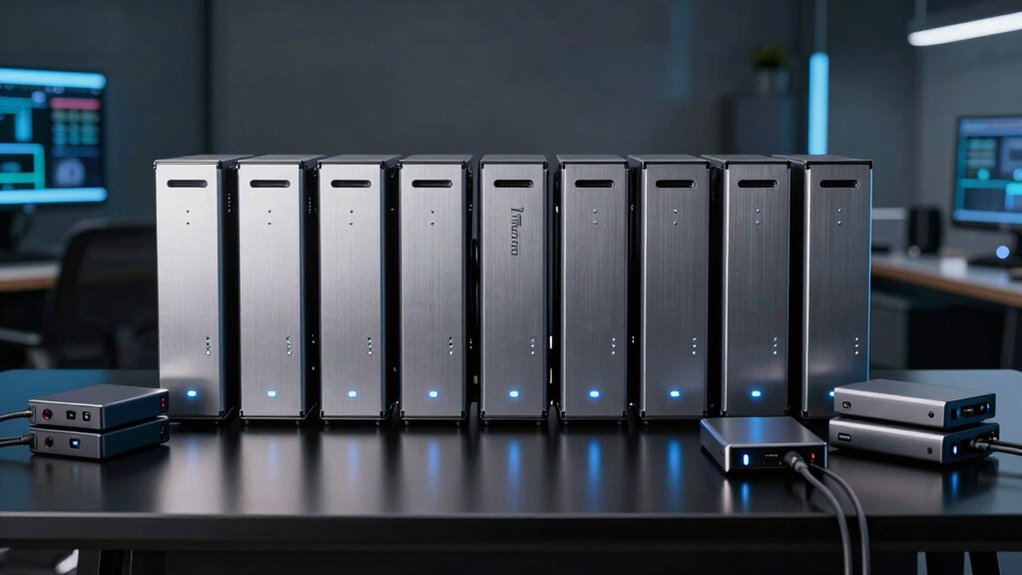
A Thunderbolt RAID enclosure can add fast multi-drive storage, but the right choice depends on whether you need maximum capacity, a ready-to-work array, or compact SSD speed. My best overall pick is the OWC ThunderBay 8 with SoftRAID, which pairs eight bays with RAID software for flexible large-scale storage. The OWC ThunderBay 4 is a more manageable route for a smaller desk setup, while the SanDisk Professional G-RAID Shuttle 8-Bay suits buyers who want a high-capacity array rather than an empty enclosure. The main tradeoffs are bay count, included RAID tools, drive compatibility, and whether you need Thunderbolt specifically or can use USB4. Read on for how the eight options differ and which one fits your workflow.

Get the latest gadgets delivered free with Prime
- Fast, free delivery on millions of items
- Prime Video, Amazon Music and more included
- Member-only deals all year
Complete the kit



Key Takeaways
- Eight bays create the clearest capacity advantage: the OWC ThunderBay 8 models and SanDisk G-RAID Shuttle are better suited to large libraries and multi-drive workflows than the four- and five-bay options.
- Included RAID software affects setup and flexibility: OWC models bundled with SoftRAID offer a different starting point from bare enclosures, so check what management tools and support you need before choosing.
- Not every product here serves the same storage job: the OWC Express 4M2 uses four NVMe M.2 slots, unlike the larger SATA-drive enclosures, and is aimed at compact, high-speed SSD storage.
- Connection labels do not tell the whole story: the ORICO combines Thunderbolt 3/4 compatibility claims with USB-C and DisplayPort features, while the ACASIS supports USB4 and mixed SATA/NVMe drive types; verify host and drive compatibility.
- Empty enclosures and populated arrays are different purchases: an empty enclosure offers drive choice but requires separate drives and setup, while the 160TB SanDisk configuration offers a more ready-made capacity package with less freedom over drive selection.
| OWC ThunderBay 8 Eight-Bay Thunderbolt 3 Storage Enclosure with SoftRAID |  | Best for High-Capacity RAID Workflows | Drive bays: 8 | Drive support: 2.5-inch and 3.5-inch SATA | Interface: Thunderbolt 3; USB Type-C | VIEW ON AMAZON | See Our Full Breakdown |
| ORICO 5-Bay Thunderbolt 3/4 Hard Drive Enclosure with 40Gbps USB-C and DisplayPort |  | Best for Storage Expansion Without RAID | Drive bays: 5 | Drive support: 3.5-inch SATA | Maximum capacity: 22TB per drive; 110TB across five bays; up to 330TB via daisy-chaining | VIEW ON AMAZON | See Our Full Breakdown |
| OWC ThunderBay 4 Four-Bay Thunderbolt 3 Storage Enclosure (0TB) |  | Best Four-Bay Choice for a Long Warranty | Drive bays: 4 | Included storage: 0TB | Drive support: 3.5-inch and 2.5-inch SATA | VIEW ON AMAZON | See Our Full Breakdown |
| ACASIS 4-Bay USB4 RAID Enclosure for SATA HDDs and NVMe SSDs |  | Best Hybrid SATA and NVMe Enclosure | Drive bays: 2 SATA bays and 2 M.2 NVMe bays | SATA support: 3.5-inch and 2.5-inch drives; up to 30TB per bay | NVMe support: 2230–2280 M.2 SSDs; up to 8TB per bay | VIEW ON AMAZON | See Our Full Breakdown |
| OWC ThunderBay 4 Four-Bay Thunderbolt 3 SATA Enclosure with SoftRAID | | Best Four-Bay Bundle for SoftRAID | Drive bays: 4 | Drive support: 3.5-inch and 2.5-inch SATA | Interface: Thunderbolt 3 | VIEW ON AMAZON | See Our Full Breakdown |
| SanDisk Professional G-RAID Shuttle 8-Bay Thunderbolt 3 RAID Array, 160TB |  | Best for High-Capacity Mobile Production | Storage capacity: 160 TB | Drive bays and included drives: 8 bays; eight removable 3.5-inch Ultrastar enterprise-class HDDs | Interfaces: Thunderbolt 3 and USB-C | VIEW ON AMAZON | See Our Full Breakdown |
| OWC ThunderBay 8 Eight-Bay Thunderbolt Storage Enclosure |  | Best for Building a Flexible Eight-Drive Array | Drive bays: 8 | Supported drives: 2.5-inch and 3.5-inch SATA SSDs or HDDs | Interfaces: Thunderbolt 3 and USB Type-C | VIEW ON AMAZON | See Our Full Breakdown |
| OWC Express 4M2 USB4 40Gb/s Four Slot NVMe M.2 SSD Enclosure |  | Best Compact NVMe Pick | Drive slots: 4 NVMe M.2 SSDs | Supported M.2 sizes: 2230, 2242, and 2280 | Listed storage capacity: Up to 64 TB | VIEW ON AMAZON | See Our Full Breakdown |
| thunderbolt raid enclosure | Drive bays | Interface | Compatibility | Drive support |
|---|---|---|---|---|
| OWC ThunderBay 8 Eight-Bay Thu | 8 | Thunderbolt 3; USB Type-C | Mac and Windows | 2.5-inch and 3.5-inch SATA |
| ORICO 5-Bay Thunderbolt 3/4 Ha | 5 | — | — | 3.5-inch SATA |
| OWC ThunderBay 4 Four-Bay Thun | 4 | Thunderbolt 3 | — | 3.5-inch and 2.5-inch SATA |
| ACASIS 4-Bay USB4 RAID Enclosu | 2 SATA bays and 2 M.2 NVMe bays | USB4, 40Gbps | USB4 and Thunderbolt 3/4/5 | — |
| OWC ThunderBay 4 Four-Bay Thun | 4 | Thunderbolt 3 | Mac and PC | 3.5-inch and 2.5-inch SATA |
| SanDisk Professional G-RAID Sh | — | — | — | — |
| OWC ThunderBay 8 Eight-Bay Thu | 8 | — | Mac and Windows | — |
| OWC Express 4M2 USB4 40Gb/s Fo | — | PCIe x4 | Mac and Windows | — |
More Details on Our Top Picks
OWC ThunderBay 8 Eight-Bay Thunderbolt 3 Storage Enclosure with SoftRAID
For a workstation that needs room to grow, the ThunderBay 8 offers eight SATA bays and includes SoftRAID Premium, so it can suit multi-drive editing libraries, backups, or shared project storage. Its RAID choices are broader than the ORICO 5-Bay, which does not support RAID at all, and dual Thunderbolt 3 ports let you daisy-chain other devices without using another host connection. The tradeoff is that this is a diskless enclosure: filling eight bays adds setup and drive-selection work, and its 7.3 kg chassis takes more desk space than the four-bay OWC options. I’d choose it over the OWC ThunderBay 4 with SoftRAID when bay count matters more than a smaller footprint; buyers with only a few drives may find the four-bay model easier to fit.
Pros:- Eight bays accept 2.5-inch and 3.5-inch SATA drives
- SoftRAID Premium and multiple RAID modes are included
- Dual Thunderbolt 3 ports support daisy-chaining
- Works with Mac and Windows without additional drivers
Cons:- Ships without drives, so the full storage setup requires separate drive purchases
- Its 7.3 kg, eight-bay chassis needs more desk space than four-bay alternatives
Best for: Mac or Windows professionals building a high-capacity SATA RAID workspace who need up to eight drives and Thunderbolt daisy-chaining.
Not ideal for: Buyers who want included drives, a compact enclosure, or a less involved setup for only one or two disks.
- Drive bays:8
- Drive support:2.5-inch and 3.5-inch SATA
- Interface:Thunderbolt 3; USB Type-C
- Thunderbolt data rate:40 Gb/s
- Transfer rate:Up to 2586 MB/s
- RAID modes:0, 1, 4, 5, 1+0 (10), JBOD
- Compatibility:Mac and Windows
- Dimensions and weight:9.4 x 10.2 x 7.1 inches; 7.3 kg
- Included software:SoftRAID Premium
Our verdict“Choose the ThunderBay 8 when you need an eight-drive Thunderbolt RAID workspace and are ready to supply the disks yourself.”
ORICO 5-Bay Thunderbolt 3/4 Hard Drive Enclosure with 40Gbps USB-C and DisplayPort
The ORICO 9858T3 is the outlier here: it provides five SATA bays and Thunderbolt connectivity, but it does not support RAID. That makes it a fit for buyers who want several large drives in one enclosure and value its display connections as much as storage expansion. Its DisplayPort and USB-C video output support dual 4K at 60Hz or a single 8K at 30Hz, a capability the OWC ThunderBay 4 does not list. The tradeoff is fundamental for this roundup: anyone seeking RAID protection or a striped array should pick one of the OWC or ACASIS models instead. Mac M1, M2, and M3 users also face a stated limit of one external 4K 60Hz display, so the video feature is less flexible on those systems.
Pros:- Five 3.5-inch SATA bays support up to 22TB per drive
- Daisy-chaining can expand capacity across up to three devices
- Display connections support dual 4K at 60Hz or single 8K at 30Hz
- Aluminum body, 80mm fan, and built-in 150W power supply
Cons:- No RAID mode, unlike the OWC ThunderBay and ACASIS options
- Display support is limited to one external 4K 60Hz monitor on Mac M1, M2, and M3 systems
Best for: Thunderbolt 3 or 4 users who want to house multiple high-capacity SATA drives and connect displays, without needing RAID.
Not ideal for: Buyers who need RAID modes, or Mac M1, M2, and M3 users counting on two external 4K 60Hz displays.
- Drive bays:5
- Drive support:3.5-inch SATA
- Maximum capacity:22TB per drive; 110TB across five bays; up to 330TB via daisy-chaining
- Host interface:Thunderbolt 3/4
- Data transfer rate:Up to 40Gbps
- Video output:Dual 4K at 60Hz or single 8K at 30Hz
- Cooling and power:80mm fan; 150W power supply
- RAID:Not supported
Our verdict“Pick the ORICO when multi-drive capacity and display output matter more than RAID functionality.”
OWC ThunderBay 4 Four-Bay Thunderbolt 3 Storage Enclosure (0TB)
This diskless four-bay ThunderBay 4 keeps the setup focused: it accepts either 2.5-inch or 3.5-inch SATA drives and offers several software RAID configurations, with listed performance up to 1527 MB/s. Its three-year limited warranty is longer than the one-year coverage listed for the ThunderBay 8, making it a sensible pick for buyers who want a modest-size array and more warranty coverage. The OWC ThunderBay 4 with SoftRAID offers a three-year SoftRAID Premium subscription, while this listing does not specify included SoftRAID software, so software needs deserve a closer check. Like the other OWC Thunderbolt models, it also requires a Thunderbolt-capable host; it is less suitable for systems offering only standard USB connectivity.
Pros:- Four bays support both 2.5-inch and 3.5-inch SATA drives
- Supports RAID 0, 1, 4, 5, and 1+0 (10)
- Listed sustained performance reaches up to 1527 MB/s
- Three-year limited warranty
Cons:- Drives are not included
- Thunderbolt 3 connection limits use with hosts lacking Thunderbolt support
- Included SoftRAID software is not specified, unlike the other ThunderBay 4 listing
Best for: Creative professionals who need a four-drive SATA RAID enclosure, want both 2.5-inch and 3.5-inch drive support, and value a three-year limited warranty.
Not ideal for: People using hosts without Thunderbolt 3, or buyers who need an included SoftRAID Premium subscription or more than four bays.
- Drive bays:4
- Included storage:0TB
- Drive support:3.5-inch and 2.5-inch SATA
- Interface:Thunderbolt 3
- Maximum sustained performance:Up to 1527 MB/s
- RAID modes:RAID 0, 1, 4, 5, 1+0 (10)
- Material and color:Aluminum; black
- Weight:3.9 kg
- Warranty:3-year limited
Our verdict“Choose this ThunderBay 4 for a four-drive Thunderbolt RAID setup when warranty coverage matters more than bundled software.”
ACASIS 4-Bay USB4 RAID Enclosure for SATA HDDs and NVMe SSDs
The ACASIS stands apart from the all-SATA OWC boxes by combining two SATA bays with two M.2 NVMe slots. That mix suits a workflow where hard drives hold bulk files while SSDs handle faster working data; its LARGE mode can also combine bay capacity, while RAID options differ by drive type. Compared with the OWC ThunderBay 4, it offers USB4 and broad Thunderbolt compatibility, but it is not a like-for-like four-drive SATA RAID system: HDDs get hardware RAID 1, while NVMe drives use software RAID 0. The advertised 40Gbps throughput depends on two SSDs in RAID mode and a compatible port, so a mixed-drive setup should not be assumed to reach that figure. Its active cooling and 96W supply support the hybrid layout, though buyers should verify their display supports the stated 8K output.
Pros:- Combines two SATA bays with two M.2 NVMe SSD slots
- Supports hardware RAID 1 for HDDs and software RAID 0 for NVMe drives
- USB4 interface works with USB4 and Thunderbolt 3/4/5 hosts
- Aluminum chassis, active cooling, and included 96W power supply
Cons:- Full 40Gbps transfer speed requires two SSDs in RAID mode and a compatible port
- RAID choices differ between SATA drives and NVMe SSDs
- 8K at 60Hz output requires a compatible monitor
Best for: Users who want bulk SATA storage and a pair of NVMe SSDs in one enclosure, with separate storage modes for different workloads.
Not ideal for: Buyers who need an all-SATA multi-drive RAID array, or expect full 40Gbps performance from a single SSD or mixed configuration.
- Drive bays:2 SATA bays and 2 M.2 NVMe bays
- SATA support:3.5-inch and 2.5-inch drives; up to 30TB per bay
- NVMe support:2230–2280 M.2 SSDs; up to 8TB per bay
- Interface:USB4, 40Gbps
- Compatibility:USB4 and Thunderbolt 3/4/5
- RAID modes:Hardware RAID 1 for HDDs; software RAID 0 for NVMe SSDs; LARGE mode
- Maximum combined capacity:Up to 78TB in LARGE mode
- Cooling and power:Active cooling fan; 96W power supply
- Video output:Up to 8K at 60Hz
Our verdict“Choose the ACASIS if you want SATA capacity and NVMe speed in one enclosure, rather than a conventional all-SATA RAID box.”
OWC ThunderBay 4 Four-Bay Thunderbolt 3 SATA Enclosure with SoftRAID
For buyers who want software RAID included from the start, this ThunderBay 4 bundle pairs four SATA bays with a three-year SoftRAID Premium subscription. It supports the same listed transfer ceiling—up to 1527 MB/s—as the other OWC ThunderBay 4, but the software subscription is the clearest difference between the two listings. Compared with the eight-bay ThunderBay 8, this model takes a smaller four-drive approach, which can be a better fit when a workstation does not need room for eight disks. It still has the same basic limitation: the host needs Thunderbolt 3, so it is not the flexible pick for a USB-only computer. Drives are not listed as included, and the substantial 13.1 x 10.3 x 8.5-inch enclosure calls for dedicated desk space.
Pros:- Four bays accept 3.5-inch and 2.5-inch SATA drives
- Includes a three-year SoftRAID Premium subscription
- Supports RAID 0, 1, 4, 5, 1+0 (10), and JBOD
- Three-year limited warranty
Cons:- Requires a Thunderbolt 3 connection
- Drives are not included
- Its listed dimensions require a dedicated amount of desk space
Best for: Mac and PC users assembling a four-drive SATA RAID setup who want a three-year SoftRAID Premium subscription included.
Not ideal for: Buyers without Thunderbolt 3, those needing more than four drives, or people who want a ready-to-use enclosure with drives included.
- Drive bays:4
- Drive support:3.5-inch and 2.5-inch SATA
- Interface:Thunderbolt 3
- Transfer rate:Up to 1527 MB/s
- RAID modes:RAID 0/1/4/5/1+0 (10), JBOD
- Included software:SoftRAID Premium, 3-year subscription
- Compatibility:Mac and PC
- Dimensions and weight:13.1 x 10.3 x 8.5 inches; 3.9 kg
- Warranty:3-year limited
Our verdict“Choose this ThunderBay 4 bundle if you want four SATA bays and a stated three-year SoftRAID subscription in one Thunderbolt enclosure.”
SanDisk Professional G-RAID Shuttle 8-Bay Thunderbolt 3 RAID Array, 160TB
The G-RAID Shuttle combines eight included enterprise-class drives with up to 160TB of capacity, making it a stronger fit for production teams that need a ready-to-work RAID system than the drive-free OWC ThunderBay 8. Its Thunderbolt 3 connection supports listed read and write speeds up to 1900 MB/s and 2000 MB/s, while USB-C offers another connection option for compatible workflows. RAID 0, 1, 5, 6, 10, 50, 60, and JBOD give buyers room to choose between speed, redundancy, and flexible disk use. The tradeoff is substantial: at 32 pounds, this is transportable between work locations, not an easy everyday carry. Its listed compatibility is Mac, so buyers needing confirmed Windows support may prefer the OWC ThunderBay 8.
Pros:- Eight removable Ultrastar enterprise-class drives are included
- Up to 160TB capacity suits large video and production libraries
- Multiple RAID modes, including RAID 5, 6, 50, and 60
- Thunderbolt 3, USB-C, daisy-chaining, and up to 85W USB Power Delivery
Cons:- 32-pound weight makes frequent transport cumbersome
- Listed compatibility is limited to Mac, with no broader support specified
- The large preconfigured drive array offers less flexibility than a diskless enclosure for buyers choosing their own drives
Best for: Mac-based video and VR production teams that need a high-capacity RAID system with drives already installed and may move it between studios or sets.
Not ideal for: Windows-first buyers or solo editors seeking a light enclosure for frequent travel; the listed platform support is Mac and the unit weighs 32 pounds.
- Storage capacity:160 TB
- Drive bays and included drives:8 bays; eight removable 3.5-inch Ultrastar enterprise-class HDDs
- Interfaces:Thunderbolt 3 and USB-C
- Maximum read speed:1900 MB/s
- Maximum write speed:2000 MB/s
- Supported RAID modes:0, 1, 5, 6, 10, 50, 60, JBOD
- Daisy-chaining:Up to 5 additional devices
- Weight and warranty:32 pounds; 5-year limited warranty
Our verdict“Choose the G-RAID Shuttle if your Mac production workflow needs a large, drive-included RAID system and you can accommodate its weight.”
OWC ThunderBay 8 Eight-Bay Thunderbolt Storage Enclosure
The OWC ThunderBay 8 is the more flexible choice for buyers who want to build around their own disks: it accepts up to eight 2.5-inch or 3.5-inch SATA drives, while the SanDisk G-RAID Shuttle arrives with drives installed and a specified 160TB capacity. That freedom also means the ThunderBay’s cost and final capacity depend on the drives you supply. Dual Thunderbolt 3 ports support daisy-chaining, and compatibility with Thunderbolt 2 and earlier can help fit older Thunderbolt setups. OWC lists plug-and-play operation and quick-release trays, so adding or swapping drives is relatively straightforward. At 7.3 kg, however, it is still a substantial desktop unit, and unlike the SanDisk, it does not include storage drives. Its Mac and Windows compatibility also makes it a more clearly specified cross-platform pick.
Pros:- Eight bays accept both 2.5-inch and 3.5-inch SATA drives
- Dual Thunderbolt 3 ports support daisy-chaining
- Quick-release trays simplify drive replacement and reconfiguration
- Mac and Windows compatibility is specified, with Thunderbolt 2 backward compatibility
Cons:- Drives must be purchased and installed separately
- The 7.3 kg enclosure is bulky for a portable workflow
- Its listed transfer rate is not a guarantee of the performance of the drives installed
Best for: Mac or Windows users assembling a custom eight-drive SATA array who want quick-release trays and Thunderbolt daisy-chaining.
Not ideal for: Buyers who need a complete, ready-to-use storage system or want NVMe support; drives are not included, and this enclosure supports SATA drives.
- Drive bays:8
- Supported drives:2.5-inch and 3.5-inch SATA SSDs or HDDs
- Interfaces:Thunderbolt 3 and USB Type-C
- Thunderbolt compatibility:Thunderbolt 2 and earlier
- Listed data transfer rate:Up to 2586 MB/s
- Daisy-chaining:Up to 6 units or 5 additional Thunderbolt devices
- Compatibility:Mac and Windows
- Dimensions and weight:9.4 x 10.2 x 7.1 inches; 7.3 kg
Our verdict“Pick the ThunderBay 8 if you want to choose and upgrade your own SATA drives across a Mac or Windows setup.”
OWC Express 4M2 USB4 40Gb/s Four Slot NVMe M.2 SSD Enclosure
Unlike the eight-bay SATA-focused OWC ThunderBay 8, the Express 4M2 is built for four user-supplied NVMe M.2 SSDs. That makes it the more compact route to fast working storage for editors who value throughput over a large stack of 3.5-inch disks: OWC lists speeds up to 3200 MB/s and support for USB4, Thunderbolt, and USB-C devices across Mac and Windows. Its aluminum chassis and adaptive fans are aimed at managing heat without constant fan noise, though the fans may become audible during sustained heavy work. This is not a small pocket enclosure at 3.9 pounds, and it does not include SSDs. The included RAID software gives buyers configuration options, but the capacity and performance they achieve depend on the drives and setup they supply.
Pros:- Four NVMe M.2 slots support a fast, compact storage setup
- Listed read and data transfer speeds reach 3200 MB/s
- USB4, Thunderbolt, and USB-C connectivity supports Mac and Windows devices
- Aluminum chassis and adaptive cooling manage heat while limiting fan activity
Cons:- NVMe SSDs are not included, so buyers must supply the drives
- At 3.9 pounds, it is not a lightweight pocket-sized enclosure
- Fans may be audible during sustained heavy workloads
Best for: Editors and technical users on Mac or Windows who want a four-drive NVMe working array with high listed throughput in a smaller footprint than an eight-bay HDD enclosure.
Not ideal for: Buyers seeking a ready-filled, high-capacity HDD RAID system or silent operation under prolonged heavy loads; SSDs are not included and the adaptive fans can become audible.
- Drive slots:4 NVMe M.2 SSDs
- Supported M.2 sizes:2230, 2242, and 2280
- Listed storage capacity:Up to 64 TB
- Interface:PCIe x4
- Connectivity:USB4, Thunderbolt, and USB-C
- Listed read and data transfer speed:Up to 3200 MB/s
- Compatibility:Mac and Windows
- Dimensions and weight:7 x 2.4 x 5.5 inches; 3.9 pounds
- Warranty:2-year OWC Limited Warranty
Our verdict“Choose the Express 4M2 for a compact, high-speed NVMe array, not for an all-in-one HDD RAID system with storage included.”
How We Picked
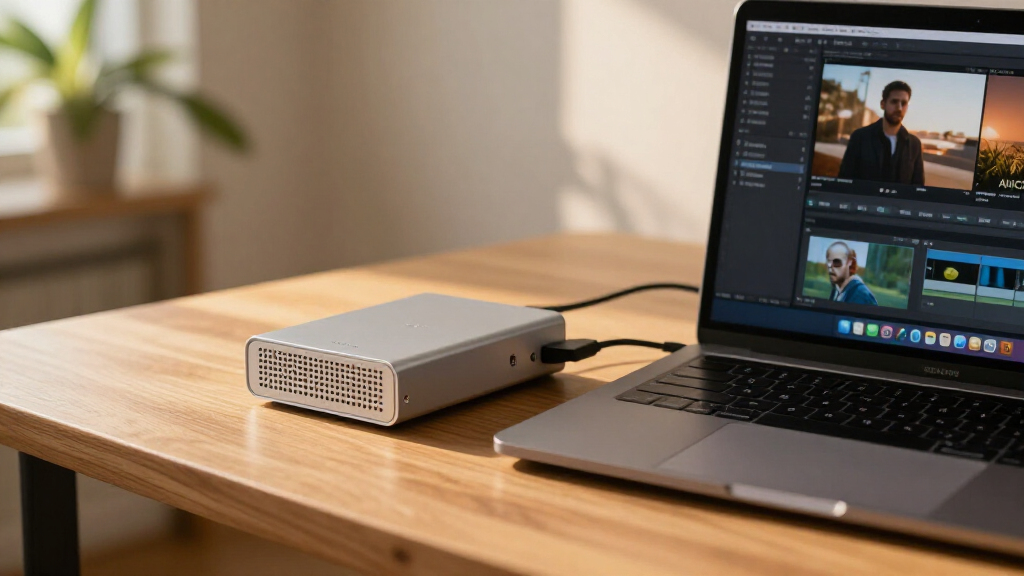
I compared these enclosures by bay count and drive format, connection type, RAID flexibility, and how much setup work falls to the buyer. I also weighed practical fit: whether a model is designed for a large SATA archive, a smaller collection of hard drives, mixed drive types, or compact NVMe storage. These distinctions matter more than a single headline bandwidth figure, since the host computer, installed drives, RAID level, and workload all affect actual performance.
The ranking favors products with a clear match to common storage needs and a useful balance of capacity, flexibility, and setup support. The OWC ThunderBay 8 with SoftRAID leads for its combination of eight bays and included management software; the ThunderBay 4 models rank as more approachable lower-capacity choices. The SanDisk array stands out for a preconfigured high-capacity route, while the ORICO, ACASIS, and Express 4M2 serve more specific connection or drive-format needs. I treat the two ThunderBay 8 listings separately because their included software differs, and buyers should confirm the exact package before ordering.
| thunderbolt raid enclosure | Interface | Compatibility |
|---|---|---|
| OWC ThunderBay 8 Eight-Bay Thu | Thunderbolt 3; USB Type-C | Mac and Windows |
| ORICO 5-Bay Thunderbolt 3/4 Ha | — | — |
| OWC ThunderBay 4 Four-Bay Thun | Thunderbolt 3 | — |
| ACASIS 4-Bay USB4 RAID Enclosu | USB4, 40Gbps | USB4 and Thunderbolt 3/4/5 |
| OWC ThunderBay 4 Four-Bay Thun | Thunderbolt 3 | Mac and PC |
| SanDisk Professional G-RAID Sh | — | — |
| OWC ThunderBay 8 Eight-Bay Thu | — | Mac and Windows |
| OWC Express 4M2 USB4 40Gb/s Fo | PCIe x4 | Mac and Windows |
Factors to Consider When Choosing Thunderbolt Raid Enclosure
Before choosing a Thunderbolt RAID enclosure, I would match the system to the work rather than shop by port speed alone. These broader checks can prevent compatibility surprises, unnecessary capacity, and a RAID setup that does not suit your backup plan.
Choose drive type before bay count
Decide whether your library belongs on 3.5-inch or 2.5-inch SATA drives or on NVMe M.2 SSDs; the enclosure design determines what you can install. A larger SATA array generally makes more sense for media libraries and long-term project storage, while NVMe slots suit compact setups that prioritize fast access. Do not assume a four-slot product accepts four conventional hard drives: the OWC Express 4M2 is built for M.2 NVMe SSDs, not a replacement for a multi-bay SATA chassis. Mixed-format designs also call for careful checking of supported drive sizes and configurations. Choosing the media first helps avoid paying for bays you cannot use or buying an enclosure that cannot hold your existing drives.
Match RAID to your actual risk
RAID can improve availability or combine drives for capacity, but it is not a backup against deletion, theft, malware, or enclosure failure. A redundant RAID level can keep a volume accessible after some drive failures, while a capacity-focused setup may leave less protection if a disk fails. Before buying, decide how much usable capacity you need and how much downtime you can tolerate. Also check whether the enclosure relies on hardware RAID, software RAID, or both, since that choice can affect portability and recovery procedures. Keep a separate backup plan, and confirm you can access the needed RAID tools on every computer that may handle recovery.
Check the whole connection path
A Thunderbolt enclosure only reaches its intended workflow when the host computer, cable, and port support the connection mode you plan to use. USB-C is a connector shape, not a guarantee of Thunderbolt, and USB4 support does not automatically mean every Thunderbolt feature works identically across systems. Read the enclosure’s compatibility details alongside your computer’s specifications, including any limits on daisy-chaining or display passthrough. A port with a familiar shape may still operate at a different speed or feature set. If you rely on a specific connection for video equipment or multiple storage devices, verify that complete chain before purchase.
Budget for the drives and the setup
An empty enclosure gives you control over drive brands, capacity, and future replacements, but the listed chassis is only part of the total system. Account for the cost and time of selecting, installing, formatting, and configuring compatible drives. A populated array can reduce initial setup work, though it may limit your choice of drive models and upgrade path. Software bundles also matter: check whether RAID management is included, whether it is an ongoing requirement, and how the array behaves if you move it to another host. For a first array, a straightforward setup may be more useful than extra bays you do not plan to fill.
Plan for heat, noise, and desk space
Multiple drives generate heat and vibration, so enclosure cooling and placement can affect everyday use as much as headline speed. A large eight-bay chassis is a different desk companion from a compact NVMe unit, and a busy editing room may have different noise limits from a dedicated equipment area. Leave room for airflow rather than placing a powered enclosure in a closed cabinet. Check the power and cable requirements, too, especially if you plan to connect several devices at once. Buyers who move their storage frequently should also weigh enclosure size and the effort of transporting a populated array.
Buy for usable capacity, not the maximum number on the box
The enclosure’s bay count or stated capacity does not equal the space available to store files after RAID configuration and formatting. Redundancy uses capacity, and mixed drive sizes can complicate how much space an array can use. Estimate the size of current projects, likely growth, and the space needed for working copies before settling on a layout. Leaving room for growth can be less disruptive than replacing a full array, but filling every bay at the outset may not be necessary. Confirm whether the capacity figure describes included drives or the enclosure’s supported maximum, since those are different buying claims.
Frequently Asked Questions
Can I use a Thunderbolt RAID enclosure with a USB-C-only computer?
Possibly, but a USB-C port alone does not confirm Thunderbolt support. Check the enclosure’s supported fallback modes and your computer’s port specifications before buying. A device that also supports USB4 or USB-C may connect, yet some features or performance can differ from a Thunderbolt connection. If your workflow depends on daisy-chaining or a particular transfer rate, confirm compatibility with the computer maker and enclosure documentation. Choose based on the slowest link in the full connection path.
Should I buy an empty enclosure or a populated RAID array?
An empty enclosure suits buyers who already have compatible drives or want control over drive choice and future replacement. A populated array can simplify setup and give a clearer picture of the storage capacity being purchased, but it may offer less freedom to change the drive mix. Compare what software and configuration help are included, not just the chassis or capacity. In either case, plan for a separate backup and check how you would recover data if the enclosure itself failed. The right choice depends on whether flexibility or a more ready-to-use package matters more to you.
Is RAID protection enough to back up my files?
No. RAID can help keep a volume available after certain drive failures, depending on the configuration, but it does not protect against accidental deletion, theft, fire, or many forms of corruption. Treat the array as working storage and keep another copy on a separate device or service. For important projects, consider keeping one backup disconnected or stored elsewhere. Before relying on any array, learn how its RAID level handles drive failure and how replacement or rebuild works. Backup planning should be part of the storage purchase, not an afterthought.
Will a four-bay enclosure be enough for video work?
It can be, but the answer depends on your footage volume, project duration, backup plan, and preferred RAID layout. Four bays may provide a useful balance for a single editor or a smaller project archive, while a larger archive or shared workflow may benefit from more bays. NVMe-based four-slot enclosures are a separate case: they use M.2 SSDs and prioritize a different form of storage from SATA hard-drive systems. Estimate the capacity you need after accounting for redundancy and growth, rather than using raw drive totals. Also check that your computer and editing software can make practical use of the connection speed.
Can I mix different drive sizes or types in one enclosure?
Physical fit does not guarantee that different drives can be combined in the same RAID set. Supported drive types and RAID rules vary by enclosure and software, and mismatched capacities may limit usable space or prevent a desired configuration. SATA hard drives and NVMe SSDs also require different interfaces, even when a product supports both kinds in separate slots or modes. Check the manufacturer’s compatibility list and RAID documentation before buying drives. For predictable expansion and simpler troubleshooting, use matching drives within a RAID set when the system calls for them.
Conclusion
For most buyers who need a flexible, high-capacity Thunderbolt storage system, my best overall choice is the OWC ThunderBay 8 with SoftRAID; its eight bays and included software make it a strong fit for larger working libraries. The best value depends on how many drives you will actually use: I would look to the OWC ThunderBay 4 models for a smaller SATA setup rather than paying for unused eight-bay capacity. For a best premium, ready-made option, the 160TB SanDisk Professional G-RAID Shuttle suits buyers who want a large populated array. The best choice for beginners is a four-bay ThunderBay package with SoftRAID, provided its drive requirements and setup fit your computer. For specific needs, choose the OWC Express 4M2 for compact NVMe storage, the ORICO if its connection and display features match your host, or the ACASIS if its USB4 and mixed-drive support suit your planned configuration. Confirm exact package contents and compatibility before ordering, especially across the two ThunderBay 8 listings.
Columbus Day / Indigenous Peoples' Day Picks
long weekend sales
As an affiliate, we earn on qualifying purchases.