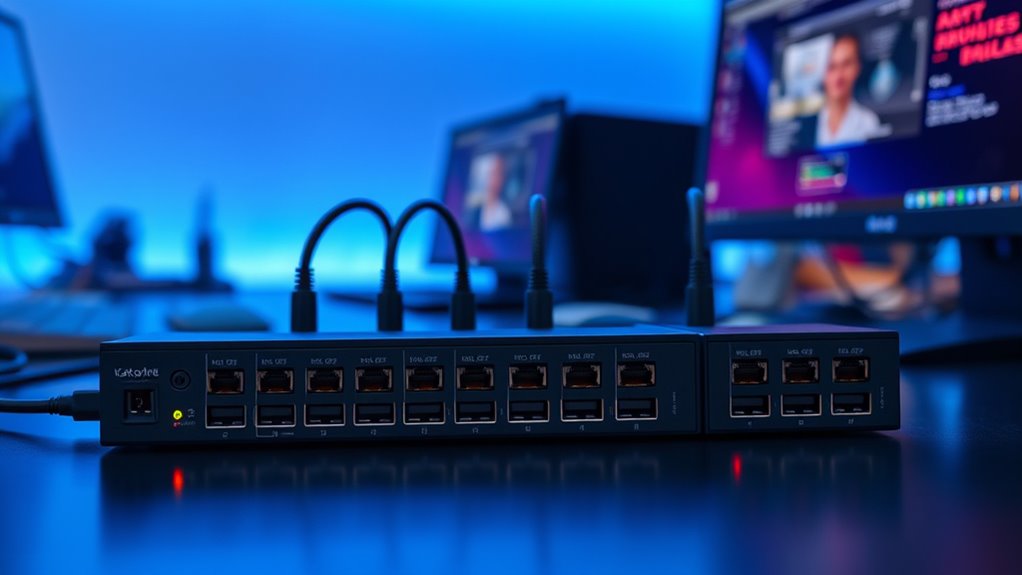

A Thunderbolt KVM switch can simplify a desk with two or more computers, but the right pick depends on what you need to share: a display, a dock, multiple monitors, or a wider set of peripherals. I rank the Cable Matters 40Gbps switch first for its high bandwidth and laptop-focused design, while the SABRENT Thunderbolt 4 KVM is a stronger fit when you want dedicated peripheral ports. For three-monitor work, the DisplayLink docking switch offers a different route, with driver requirements as the tradeoff.

Get the latest gadgets delivered free with Prime
- Fast, free delivery on millions of items
- Prime Video, Amazon Music and more included
- Member-only deals all year
These products are not interchangeable. Some route a compatible monitor or dock between computers, while others add their own USB, network, audio, or display connections. I weigh Thunderbolt compatibility, stated video and data limits, power delivery, switching controls, and the setup restrictions that can affect daily use. Read on to see which model fits your desk and which limitations matter for your equipment.
Complete the kit



Key Takeaways
- The Cable Matters 40Gbps model is the strongest fit for two laptops sharing a compatible monitor or detachable-cable dock, with up to 140W charging pass-through.
- The SABRENT SB-TB4K adds four USB-A ports and three Thunderbolt 4 ports, but its charging ceiling is 60W and dual displays are limited to 4K at 60Hz.
- The DisplayLink docking switch is the option here for switching a triple 4K monitor setup, provided you accept driver installation and 50W charging.
- The three-computer Cable Matters switch offers 140W charging and RF remote control, though its 20Gbps bandwidth is lower than the 40Gbps two-laptop option.
- The TESmart combines two Thunderbolt inputs with HDMI media inputs and several control methods, but keyboard and mouse sharing does not extend to its HDMI sources.
| Cable Matters 40Gbps USB-C KVM Switch for Two Laptops |  | Best Overall | Hosts: 2 laptops | Maximum bandwidth: 40Gbps | Video modes: Up to 8K at 60Hz, 6K at 60Hz, or 4K at 240Hz | VIEW ON AMAZON | See Our Full Breakdown |
| SABRENT Thunderbolt 4 KVM Switch (SB-TB4K) | 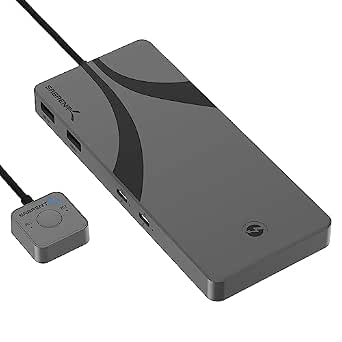 | Best for Peripheral Sharing | Host computers: 2 | Thunderbolt ports: 3, up to 40Gbps | USB-A ports: 4, up to 10Gbps | VIEW ON AMAZON | See Our Full Breakdown |
| DisplayLink USB-C KVM Switch for 2 Laptops and 3 Monitors |  | Best for Triple-Monitor Desks | Laptop connections: 2 | Monitor outputs: 3, up to 4K at 60Hz | USB ports: 10Gbps USB-C/A and two 5Gbps USB-A | VIEW ON AMAZON | See Our Full Breakdown |
| Cable Matters 20Gbps USB-C KVM Switch for 3 Computers with 140W Power Delivery |  | Best for Three Computers | Computer inputs: 3 | Shared connection: 1 monitor or docking station | Data transfer: Up to 20Gbps | VIEW ON AMAZON | See Our Full Breakdown |
| TESmart 2×1 Thunderbolt 4 KVM Switch Compatible with Apple Studio Display |  | Best for Mixed Inputs and Flexible Controls | Thunderbolt inputs: 2 | HDMI media inputs: 2 | Thunderbolt video modes: Up to 6K at 60Hz or 5K at 120Hz | VIEW ON AMAZON | See Our Full Breakdown |
| thunderbolt kvm switch | Power delivery | Compatibility |
|---|---|---|
| Cable Matters 40Gbps USB-C KVM | Up to 140W pass-through | USB-C, USB4, Thunderbolt 3 and Thunderbolt 4 monitors or docks |
| SABRENT Thunderbolt 4 KVM Swit | Up to 60W PD 3.0 | Windows and macOS computers |
| DisplayLink USB-C KVM Switch f | 50W | Windows 10+, macOS 11+, ChromeOS 100+, Ubuntu |
| Cable Matters 20Gbps USB-C KVM | Up to 140W to the active computer | — |
| TESmart 2×1 Thunderbolt 4 KVM | — | — |
More Details on Our Top Picks
Cable Matters 40Gbps USB-C KVM Switch for Two Laptops
For the typical two-laptop desk, this Cable Matters model has the clearest balance of switching, bandwidth, and charging. It routes a compatible USB-C, USB4, or Thunderbolt monitor or dock between two hosts, with up to 40Gbps bandwidth and stated support for up to 8K at 60Hz or 4K at 240Hz. That gives it a stronger bandwidth case than the three-computer Cable Matters option, which tops out at 20Gbps.
Its built-in input and output cables and RF remote keep the desk setup simple, and the pass-through can provide up to 140W to the selected laptop when the connected power source supports it. The constraint is that the dock needs detachable host cabling; a dock with a captive host cable will not fit this arrangement. An 80Gbps dock also runs at the switch’s 40Gbps ceiling, and real display or charging performance depends on the rest of the setup. Choose this when two-laptop sharing is the priority; look to SABRENT for a switch that adds more dedicated peripheral ports.
Pros:- Up to 40Gbps bandwidth with high-resolution video modes
- Pass-through charging up to 140W for the active laptop
- RF remote and button switching
- Built-in cables reduce separate cable purchases and routing
Cons:- Incompatible with docks that have captive, non-detachable host cables
- An 80Gbps dock is limited to 40Gbps through the switch
- Maximum video and charging performance depends on connected equipment
Best for: Someone switching one compatible monitor or dock between two laptops who values 40Gbps bandwidth and high-wattage charging pass-through.
Not ideal for: A user with a dock that has a non-detachable host cable, or a setup that needs more than 40Gbps through the switch.
- Hosts:2 laptops
- Maximum bandwidth:40Gbps
- Video modes:Up to 8K at 60Hz, 6K at 60Hz, or 4K at 240Hz
- Power delivery:Up to 140W pass-through
- Compatibility:USB-C, USB4, Thunderbolt 3 and Thunderbolt 4 monitors or docks
- Switching:RF remote or button
- Host cable requirement:Dock must have detachable host cables
- Warranty:1 year
Our verdict“I would start here for a two-laptop Thunderbolt desk that needs high bandwidth and up to 140W charging pass-through.”
SABRENT Thunderbolt 4 KVM Switch (SB-TB4K)
The SABRENT SB-TB4K makes more sense when “KVM” means sharing the whole desk, not only routing one display or dock. It combines three Thunderbolt 4 ports with four USB-A ports, so a keyboard, storage device, or other USB accessory can stay attached to the switch. Compared with the Cable Matters 40Gbps model, it offers more clearly specified local peripheral connections, while giving up some charging headroom: its USB-C power delivery is up to 60W rather than 140W.
It supports up to 8K at 60Hz or 5K at 60Hz, with dual displays listed up to 4K at 60Hz. That dual-display ceiling may matter to users with higher refresh rate monitors, and the integrated 70cm cable can limit placement flexibility. I’d favor this model for a Thunderbolt 4 workstation where USB accessory sharing is central. For maximum stated charging, or a simpler two-laptop monitor-and-dock switch, the Cable Matters unit is a better match.
Pros:- Three Thunderbolt 4 ports support up to 40Gbps
- Four USB-A ports provide direct peripheral connections
- Supports single-display modes up to 8K at 60Hz
- Aluminum construction with an integrated cable
Cons:- Power delivery is limited to 60W
- Dual displays are limited to 4K at 60Hz
- Integrated cable is 70cm, restricting placement
Best for: A Windows or macOS user who wants two computers to share Thunderbolt and USB peripherals through one compact switch.
Not ideal for: A user who needs more than 60W charging or dual-display output above 4K at 60Hz.
- Host computers:2
- Thunderbolt ports:3, up to 40Gbps
- USB-A ports:4, up to 10Gbps
- Power delivery:Up to 60W PD 3.0
- Display support:Up to 8K at 60Hz or 5K at 60Hz; dual displays up to 4K at 60Hz
- Integrated cable:70cm
- Material:Aluminum
- Compatibility:Windows and macOS computers
Our verdict“I’d choose the SABRENT when its dedicated USB ports matter more than higher charging capacity or faster dual-display modes.”
DisplayLink USB-C KVM Switch for 2 Laptops and 3 Monitors
This is the lineup’s specialist pick for a desk built around three monitors. Rather than simply switching a compatible display or dock, it acts as a 12-in-1 docking station with three display outputs, shared USB ports, Gigabit Ethernet, and SD and TF card readers. Its stated triple 4K at 60Hz support gives it a broader multi-screen role than either Cable Matters switch or the SABRENT, whose listings focus on monitor or dock switching and Thunderbolt peripherals.
The key tradeoff is the DisplayLink driver requirement for full functionality. That can add installation and compatibility steps that a driver-free switch avoids, and hotkey switching is not supported. It supplies 50W power delivery, less than the 60W SABRENT and well below either Cable Matters model’s 140W maximum. I’d consider it when three displays and built-in docking connections outweigh the driver and charging compromises, especially for compatible Apple Silicon Mac extended-display use.
Pros:- Switches a triple-monitor setup between two laptops
- Supports up to three 4K displays at 60Hz
- Adds USB ports, Gigabit Ethernet, and SD/TF readers
- Supports extended displays on compatible Apple Silicon Macs
Cons:- DisplayLink drivers are required for full functionality
- Hotkey switching is not supported
- 50W power delivery is below the other leading options
Best for: A user switching between two laptops who needs up to three 4K displays and a dock with network, card-reader, and USB connections.
Not ideal for: Anyone seeking a driver-free Thunderbolt switch, hotkey control, or higher laptop charging capacity.
- Laptop connections:2
- Monitor outputs:3, up to 4K at 60Hz
- USB ports:10Gbps USB-C/A and two 5Gbps USB-A
- Power delivery:50W
- Ethernet:Gigabit
- Card readers:SD and TF
- Switching:Push button or wired remote; no hotkeys
- Compatibility:Windows 10+, macOS 11+, ChromeOS 100+, Ubuntu
Our verdict“I’d pick this docking switch for triple-screen productivity when driver installation is an acceptable part of the setup.”
Cable Matters 20Gbps USB-C KVM Switch for 3 Computers with 140W Power Delivery
Most switches here are designed for two hosts; this Cable Matters model makes room for three computers and still offers up to 140W charging to the active one. It shares a compatible USB-C or Thunderbolt 4 monitor or dock, with an RF remote and no additional software or drivers. Compared with the 40Gbps Cable Matters two-laptop model, it prioritizes another host connection over bandwidth.
That compromise is significant for display-heavy setups: the switch is rated up to 20Gbps, and the product details warn that this can reduce display stability or resolution compared with a direct connection. Its listed Windows modes reach 8K at 30Hz, while macOS is limited to 4K at 60Hz and one external display. It also is not recommended for docks with captive cables. This is the practical pick when three computers need to share one compatible display or dock; users with only two laptops and demanding video modes should compare it with the 40Gbps version.
Pros:- Supports three computer inputs
- Provides up to 140W charging to the active computer
- Includes RF remote switching
- Works without additional software or drivers
Cons:- 20Gbps bandwidth may limit display resolution or stability
- macOS support is listed for one external display at up to 4K at 60Hz
- Not recommended for docks with captive cables
Best for: Someone who needs to alternate among three computers using one compatible monitor or dock.
Not ideal for: A buyer who prioritizes maximum display bandwidth, multiple external Mac displays, or a dock with a captive cable.
- Computer inputs:3
- Shared connection:1 monitor or docking station
- Data transfer:Up to 20Gbps
- Power delivery:Up to 140W to the active computer
- Windows video modes:Up to 8K at 30Hz, 5K at 60Hz, or 4K at 144Hz
- macOS video mode:Up to 4K at 60Hz; one external display
- Connectivity:USB4, USB-C, Thunderbolt 4
- Control:RF remote
Our verdict“I’d choose this for its three-host capacity, provided 20Gbps and the stated display limits suit the desk.”
TESmart 2×1 Thunderbolt 4 KVM Switch Compatible with Apple Studio Display
TESmart stands apart by pairing two Thunderbolt inputs with two HDMI media inputs, alongside Ethernet, audio connections, and several USB port types. It can fit a desk where two computers need KVM control and HDMI sources also need to connect to the display. Its listed Thunderbolt input support reaches 6K at 60Hz or 5K at 120Hz, giving it a specific high-resolution appeal compared with the 20Gbps Cable Matters switch.
The important distinction is that HDMI inputs 3 and 4 do not carry keyboard and mouse control or USB sharing. That means the extra HDMI sources behave differently from the two computer inputs, so the mixed setup needs careful planning. Charging up to 60W applies only to Input 1, and the combination of multiple input types and switching methods may take more setup work than the simpler Cable Matters units. I’d choose TESmart for a desk that needs its range of inputs and control options; for a straightforward laptop-to-monitor swap, Cable Matters is easier to match.
Pros:- Supports listed Thunderbolt input modes up to 6K at 60Hz
- Combines Thunderbolt and HDMI media inputs
- Includes USB ports, Gigabit Ethernet, and audio connections
- Offers front-panel, IR remote, hotkey, and mouse-wheel switching
Cons:- HDMI inputs 3 and 4 do not support keyboard/mouse control or USB sharing
- Up to 60W charging is available on Input 1 only
- Mixed-input setup may require more configuration
Best for: A technically comfortable user who needs Thunderbolt computer switching, HDMI media inputs, Ethernet, and several control methods.
Not ideal for: Someone who expects keyboard and mouse sharing across every HDMI source or needs charging from both Thunderbolt inputs.
- Thunderbolt inputs:2
- HDMI media inputs:2
- Thunderbolt video modes:Up to 6K at 60Hz or 5K at 120Hz
- USB ports:2 USB 3.2 Gen 2, 2 USB 3.2 Gen 1, 2 USB 1.1
- Ethernet:Gigabit LAN
- Audio:3.5mm audio/mic and L/R audio output
- Charging:Up to 60W on Input 1
- Switching methods:Front button, IR remote, keyboard hotkeys, mouse wheel
Our verdict“I’d select TESmart for a mixed Thunderbolt and HDMI desk, after confirming which sources need shared keyboard and mouse control.”
How We Picked
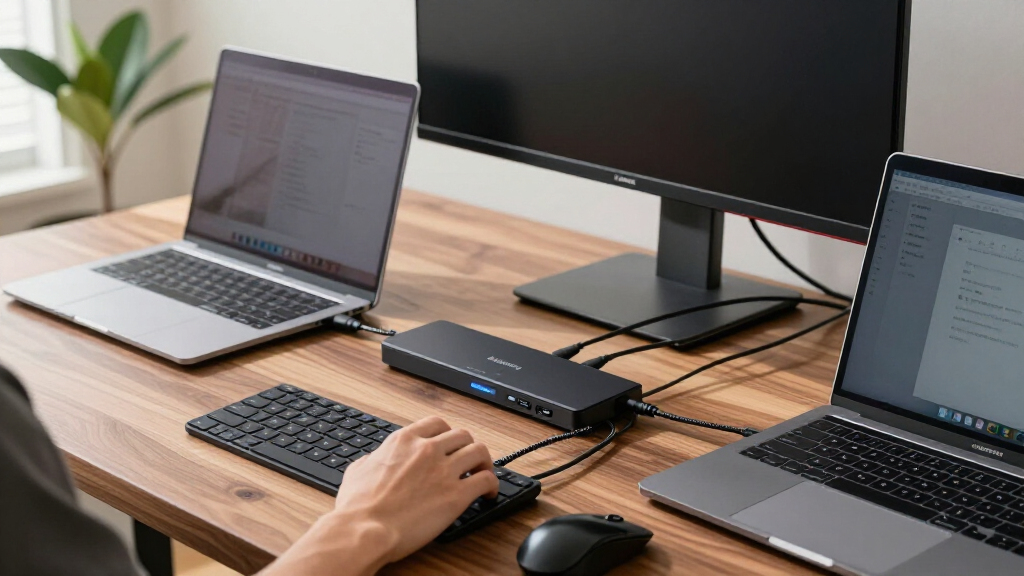
I ranked these options by how well their stated features serve the specific job implied by “Thunderbolt KVM switch”: moving between computers while sharing display and desk equipment. Bandwidth and display support matter because a switch sits in the connection path; the advertised maximum is useful only when the computers, cables, dock, and display all support the needed mode. I also considered whether a product switches a monitor or dock, or functions as a fuller docking station.
That distinction shapes the order. The Cable Matters 40Gbps unit leads for a straightforward two-laptop setup with strong stated video support and up to 140W pass-through. SABRENT ranks highly for users who want a Thunderbolt 4 peripheral hub with its own USB-A ports. The DisplayLink model earns a distinct place for triple-monitor desks, though the driver dependency is a meaningful setup cost. The three-computer Cable Matters model suits a broader host count, while TESmart offers flexible mixed inputs and controls with limitations around USB sharing. I use the supplied product details and do not imply hands-on testing or compatibility beyond what those details state.
| thunderbolt kvm switch | Compatibility |
|---|---|
| Cable Matters 40Gbps USB-C KVM | USB-C, USB4, Thunderbolt 3 and Thunderbolt 4 monitors or docks |
| SABRENT Thunderbolt 4 KVM Swit | Windows and macOS computers |
| DisplayLink USB-C KVM Switch f | Windows 10+, macOS 11+, ChromeOS 100+, Ubuntu |
| Cable Matters 20Gbps USB-C KVM | — |
| TESmart 2×1 Thunderbolt 4 KVM | — |
Factors to Consider When Choosing Thunderbolt Kvm Switch
I would start by mapping your computers, display connections, and peripherals before choosing a switch. The name “Thunderbolt KVM” covers both simple host switching and full docking stations, and those designs solve different desk problems.Match host count to the switch
Count the computers you need to alternate between, including any machine that is only used occasionally. The Cable Matters 20Gbps model is the only pick here with three computer inputs; the other four are built around two hosts. If you need two laptops only, the 40Gbps Cable Matters model gives more bandwidth, while SABRENT adds ports for peripherals.
Check the connection path and bandwidth
A switch between computer and display becomes part of the signal path. Compare its bandwidth and video modes with the monitor or dock you already own, then account for the computer and cables too. The 40Gbps Cable Matters and SABRENT models have higher stated bandwidth than the 20Gbps three-computer option. The latter specifically warns that bandwidth may affect display stability or resolution. Also confirm whether your dock requires a captive host cable; the Cable Matters models call for detachable host connections or advise against captive-cable docks.
Decide whether you need a KVM or a dock
If you already have a suitable dock, a switch that routes that dock between computers may be enough. If you need networking, card readers, several USB ports, or multiple monitor outputs built into the device, compare the docking designs instead. The DisplayLink unit provides the broadest built-in setup for three monitors, while SABRENT supplies Thunderbolt and USB-A peripheral ports. TESmart adds Ethernet, audio, and HDMI media inputs, but those HDMI sources do not receive USB sharing.
Set a realistic charging target
Maximum power delivery varies from 50W on the DisplayLink dock to up to 140W on both Cable Matters switches. SABRENT and TESmart list up to 60W, with TESmart charging only on Input 1. Treat those figures as ceilings that depend on the connected power source and equipment. If your laptop needs more than 60W during intensive work, favor a model with a higher stated ceiling and verify that the complete setup supports it.
Factor in drivers and controls
The Cable Matters models state that no extra software or drivers are needed; the DisplayLink unit requires drivers for full functionality. Control also differs: RF remote options appear on both Cable Matters products, while TESmart has front-panel, IR, hotkey, and mouse-wheel control. The DisplayLink model uses a button or wired remote and does not support hotkeys. Pick the switching method that fits where the device will sit and how often you change computers.
Frequently Asked Questions
What should I check before buying a Thunderbolt KVM switch?
I would check the host count, the connection type on every computer and display, the switch’s bandwidth, and whether you are routing a monitor or a dock. Then verify the dock’s host cable arrangement, display resolution and refresh rate, charging needs, and any driver requirement. A feature listed for the switch may still depend on every connected device and cable supporting the same mode.
Which option supports three computers?
The Cable Matters 20Gbps USB-C KVM Switch is the only model in this comparison with three computer inputs. It shares one compatible monitor or docking station and can provide up to 140W charging to the active computer. Its 20Gbps bandwidth and stated display limits make it a better fit for host count than for the highest-bandwidth display setup.
Which switch is intended for three monitors?
The DisplayLink USB-C KVM docking station is the triple-monitor option, with support for up to three 4K displays at 60Hz. It also includes USB connections, Gigabit Ethernet, and SD and TF readers. Full functionality requires DisplayLink drivers, so it fits users willing to install and maintain that software as part of the workstation setup.
Will every switch charge my laptop at its maximum listed wattage?
No. The listed figures are maximums and depend on the connected power source, computer, and cabling. The two Cable Matters switches list up to 140W, SABRENT lists up to 60W, DisplayLink lists 50W, and TESmart lists up to 60W on Input 1 only. Check your laptop’s charging requirement and confirm the full connection path supports the desired delivery.
Can I use a Thunderbolt KVM switch with a dock?
Several options are designed to switch a compatible monitor or dock, but dock cabling matters. The Cable Matters 40Gbps model specifies detachable host cables and excludes docks with built-in, non-detachable host cables; the three-computer model also advises against captive-cable docks. Check your dock’s host connection and the switch’s compatibility details before planning the setup.
Conclusion
For most two-laptop desks, I’d choose the Cable Matters 40Gbps switch for its bandwidth, video support, and up to 140W pass-through. Pick the SABRENT SB-TB4K when you want dedicated Thunderbolt and USB-A peripheral connections. For a three-monitor workstation, the DisplayLink dock is the specialized choice if drivers are acceptable. If you have three computers, the 20Gbps Cable Matters model meets that host-count need; if your desk mixes Thunderbolt computers with HDMI media sources, consider TESmart after accounting for its limited USB sharing on HDMI inputs.