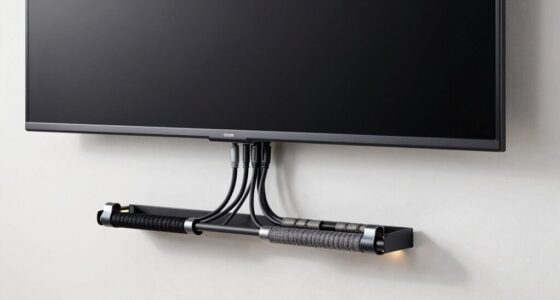
Finding the right Thunderbolt 4 hubs and certified cables can be challenging with so many options claiming high speeds and compatibility. The Belkin Connect Thunderbolt 4 Dock stands out as the best overall for its reliable performance and extensive port selection. For users prioritizing maximum data transfer, the Cable Matters Intel Certified 80Gbps Thunderbolt 5 Cable offers cutting-edge speed, while the Plugable Thunderbolt 4 Dock provides a balanced mix of features at a reasonable price. The main tradeoffs include balancing speed, port variety, build quality, and cost. Keep reading for a detailed breakdown to help you choose the perfect Thunderbolt 4 hub or cable for your needs.

Get the latest gadgets delivered free with Prime
- Fast, free delivery on millions of items
- Prime Video, Amazon Music and more included
- Member-only deals all year
Complete the kit



Key Takeaways
- The top-ranked products excel in data transfer speed, with Thunderbolt 4 and 5 options leading the pack.
- Build quality and certification ensure reliable compatibility across devices, especially for demanding workflows.
- Port selection varies widely; docking stations often provide more versatility than simple cables.
- Charging capacity is a key factor—higher wattage models support faster device power delivery.
- Price differences reflect features: premium options offer more ports and higher durability, but cheaper cables often suffice for casual use.
| Cable Matters Thunderbolt 4 Cable, 3.3ft / 1m, Certified, Supports 8K Video, 240W Charging, 40Gbps Data Transfer |  | Best Certified Thunderbolt 4 Cable for High-Speed Data and Power | Connector Type: Thunderbolt 4 | Cable Type: Thunderbolt | Data Transfer Rate: 40Gbps | VIEW ON AMAZON | See Our Full Breakdown |
| Cable Matters Intel Certified 80Gbps Thunderbolt 5 Cable, 3.3ft / 1m |  | Best for Ultra-High-Speed Data and Dual 8K Displays | Connector Type: Thunderbolt 5 | Cable Type: Thunderbolt 5 | Data Transfer Rate: 80Gbps | VIEW ON AMAZON | See Our Full Breakdown |
| Belkin Connect Thunderbolt 4 Docking Station, 5-in-1 USB-C Multiport Hub with 96W Power Delivery |  | Best Thunderbolt 4 Dock for Versatile Connectivity and High Power | Ports: 3x Thunderbolt 4 USB-C upstream, 1x Thunderbolt 4 USB-C downstream | Power Delivery: 96W | Display Support: Dual 4K at 60Hz or 8K at 30Hz | VIEW ON AMAZON | See Our Full Breakdown |
| WAVLINK Thunderbolt 5 Dock, 120Gbps, 140W Power Delivery, 8K Support |  | Best for High-Performance, Multi-Display Workstations | Hardware Interface: Thunderbolt | Data Transfer Rate: 120Gbps | Number of Ports: 12 | VIEW ON AMAZON | See Our Full Breakdown |
| Cable Matters Active Thunderbolt 4 Cable, 6.6ft |  | Best Longer Length Thunderbolt 4 Cable for Flexibility | Connector Type: USB Type C | Cable Type: USB | Data Transfer Rate: 40Gbps | VIEW ON AMAZON | See Our Full Breakdown |
| Cable Matters Thunderbolt 4 Cable, 2.6ft / 0.8m, Certified, Black | | Best Compact Cable for Versatile High-Performance Connections | Connector Type: Thunderbolt 4 | Cable Type: Thunderbolt | Data Transfer Rate: 40 gigabits per second | VIEW ON AMAZON | See Our Full Breakdown |
| Silkland 40Gbps USB 4 for Thunderbolt 4 Cable 4FT, 240W PD3.1, 8K/Dual 4K | 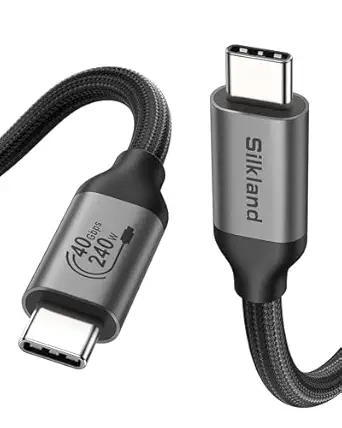 | Best for Durability and Extended Reach | Connector Type: USB Type C | Cable Type: Thunderbolt 4 | Data Transfer Rate: 40 gigabits per second | VIEW ON AMAZON | See Our Full Breakdown |
| Plugable Thunderbolt 4 Dock for M4/M5 MacBook Air & Pro: 100W Charging, Driverless, 13-in-1 Laptop Dock with Dual 4K HDMI, USB, SD, Ethernet |  | Best for Seamless Docking and Multidevice Connectivity | Hardware Interface: Thunderbolt 4 | Total USB Ports: 7 | Number of HDMI Ports: 2 | VIEW ON AMAZON | See Our Full Breakdown |
| Cable Matters Active Thunderbolt 4 Cable, 6.6ft |  | Best for Long-Distance, High-Speed Connections | Connector Type: Thunderbolt 3, Thunderbolt 4 | Cable Type: Thunderbolt 4 | Data Transfer Rate: 40 Gbps | VIEW ON AMAZON | See Our Full Breakdown |
| Plugable Thunderbolt 4 Cable 240W EPR Charging, 1M (3.3ft), Thunderbolt Certified, 40Gbps Data, Dual 4K or 8K Display, Compatible with USB4, Thunderbolt 3, USB-C |  | Best for Professional, Demanding Environments | Length: 1 meter / 3.3 ft | Power Delivery: 240W | Data Transfer Speed: 40Gbps | VIEW ON AMAZON | See Our Full Breakdown |
| Amazon Basics USB-C to USB-C 4 Fast Charger Cable, 40 Gbps, 8K Video, 240W, 3.3 Feet, Black |  | Best Certified Cable for Versatile Thunderbolt 4 Support | Connector Type: USB Type C | Cable Type: USB-C to USB-C | Data Transfer Speed: 40 Gbps | VIEW ON AMAZON | See Our Full Breakdown |
| CalDigit TS4 18 Port Thunderbolt 4 Dock with 98W Charging, Space Gray, 0.8m Certified Cable |  | Best High-Connectivity Thunderbolt 4 Dock for Power Users | Ports: 18 | Thunderbolt 4 ports: 3 | USB-C ports: 3 | VIEW ON AMAZON | See Our Full Breakdown |
| Plugable Thunderbolt 4 Dock, 100W Charging, Dual HDMI, 13 Ports |  | Best Compact, Feature-Rich Thunderbolt 4 Dock for Workstations | Hardware Interface: Thunderbolt | Total USB Ports: 6 | Number of HDMI Ports: 2 | VIEW ON AMAZON | See Our Full Breakdown |
| thunderbolt 4 hubs and certified cable | Connector Type | Length | Cable Type | Data Transfer Rate |
|---|---|---|---|---|
| Cable Matters Thunderbolt 4 Ca | Thunderbolt 4 | 3.3ft / 1m | Thunderbolt | 40Gbps |
| Cable Matters Intel Certified | Thunderbolt 5 | 3.3ft / 1m | Thunderbolt 5 | 80Gbps |
| Belkin Connect Thunderbolt 4 D | — | — | — | — |
| WAVLINK Thunderbolt 5 Dock | — | — | — | 120Gbps |
| Cable Matters Active Thunderbo | USB Type C | 6.6ft | USB | 40Gbps |
| Cable Matters Thunderbolt 4 Ca | Thunderbolt 4 | 2.6 ft / 0.8 m | Thunderbolt | 40 gigabits per second |
| Silkland 40Gbps USB 4 for Thun | USB Type C | 4 FT | Thunderbolt 4 | 40 gigabits per second |
| Plugable Thunderbolt 4 Dock fo | — | — | — | — |
| Cable Matters Active Thunderbo | Thunderbolt 3, Thunderbolt 4 | 6.6 ft | Thunderbolt 4 | 40 Gbps |
| Plugable Thunderbolt 4 Cable 2 | Thunderbolt 4, USB-C | 1 meter / 3.3 ft | — | — |
| Amazon Basics USB-C to USB-C 4 | USB Type C | 3.3 Feet | USB-C to USB-C | — |
| CalDigit TS4 18 Port Thunderbo | — | — | — | — |
| Plugable Thunderbolt 4 Dock | — | — | — | — |
More Details on Our Top Picks
Cable Matters Thunderbolt 4 Cable, 3.3ft / 1m, Certified, Supports 8K Video, 240W Charging, 40Gbps Data Transfer
This Cable Matters Thunderbolt 4 cable stands out for delivering ultra-fast 40Gbps data transfer and supporting 8K video output, making it ideal for professionals handling high-resolution visuals or large data transfers. Compared to the longer Cable Matters Active Thunderbolt 4 Cable, this one’s shorter length may limit flexibility in certain setups, but its certified reliability justifies the higher price. It excels in powering demanding devices with up to 240W, surpassing many competing cables that offer lower wattage. However, its limited length may be a drawback for users needing more reach, and its premium cost could deter casual buyers. This cable suits users who prioritize top-tier performance and certification over length or budget constraints.
Pros:- Supports 40Gbps data transfer for fast workflows
- Enables 8K video output for high-resolution displays
- Delivers up to 240W power for charging large devices
- Backward compatible with Thunderbolt 3 and USB-C
Cons:- Limited to 3.3ft length, restricting setup options
- Higher price compared to non-certified cables
- Requires compatible Thunderbolt 4 or USB4 devices to maximize features
Best for: Creative professionals and power users needing reliable, high-capacity Thunderbolt cables for demanding tasks
Not ideal for: Home users with simple setups or those needing longer cables for flexible workspace arrangements
- Connector Type:Thunderbolt 4
- Cable Type:Thunderbolt
- Data Transfer Rate:40Gbps
- Maximum Power Delivery:240W
- Length:3.3ft / 1m
- Supported Video:8K@60Hz / 4K@240Hz
Our verdict“This certified cable is perfect for professionals requiring maximum speed, power, and high-resolution video, despite its higher cost and shorter length.”
Cable Matters Intel Certified 80Gbps Thunderbolt 5 Cable, 3.3ft / 1m
This Thunderbolt 5 cable from Cable Matters offers remarkable data rates up to 80 Gbps, ideal for professionals working with massive data sets or dual 8K displays. Compared with the Thunderbolt 4 cable, it pushes performance further, supporting even higher bandwidths and dual high-resolution outputs, making it suitable for advanced workflows. Its 3.3ft length may not suit all setups, and the premium price reflects its cutting-edge technology. As performance depends heavily on the host device’s capabilities, users with older Thunderbolt ports may not see full benefits. This pick makes the most sense for users with Thunderbolt 5 ports seeking maximum speed and display support.
Pros:- Supports 80 Gbps data transfer for huge files
- Enables dual 8K or 6K display connections
- Provides 240W power delivery for fast charging
- Broad compatibility with Thunderbolt 3, 4, USB4, USB-C
Cons:- Premium price limits accessibility for casual users
- Performance highly dependent on device capabilities
- Limited length may restrict flexible setups
Best for: High-end content creators and data-intensive professionals with Thunderbolt 5 compatible devices
Not ideal for: Casual users or those with older Thunderbolt or USB-C devices needing more affordable, longer cables
- Connector Type:Thunderbolt 5
- Cable Type:Thunderbolt 5
- Data Transfer Rate:80Gbps
- Maximum Power Delivery:240W
- Length:3.3ft / 1m
- Supported Video:Dual 8K or 6K
Our verdict“This Thunderbolt 5 cable is ideal for users demanding the highest data speeds and display resolutions, provided their devices support Thunderbolt 5.”
Belkin Connect Thunderbolt 4 Docking Station, 5-in-1 USB-C Multiport Hub with 96W Power Delivery
This Belkin Thunderbolt 4 Docking Station offers a compact solution for users needing multiple connections, supporting dual 4K displays or an 8K monitor, and providing a robust 96W charging capacity. Compared to the WAVLINK Thunderbolt 5 Dock, it’s more suited for daily office tasks rather than the highest-end professional workflows. Its versatility is a key advantage, but the limited port details may require additional adapters for specific needs. The price isn’t specified, but its multiport design makes it a good value for those who want a sleek, all-in-one hub. This dock makes sense for professionals seeking reliable, high-speed connectivity with flexible display options.
Pros:- Supports dual 4K or 8K display output
- Fast data transfer with Thunderbolt 4 speeds
- Provides 96W power delivery for charging multiple devices
- Compact design ideal for small workspaces
Cons:- Limited port specifications may require extra adapters
- Full features depend on Thunderbolt 4 device compatibility
- Price may be higher without clear value details
Best for: Creative professionals and remote workers who need a reliable, multiport Thunderbolt hub with charging power
Not ideal for: Power users needing the fastest data transfer or dual 8K display support at the highest resolutions
- Ports:3x Thunderbolt 4 USB-C upstream, 1x Thunderbolt 4 USB-C downstream
- Power Delivery:96W
- Display Support:Dual 4K at 60Hz or 8K at 30Hz
- Compatibility:Mac, Windows, USB-C devices
- Daisy-Chaining:Up to 6 devices
Our verdict“This dock offers versatile connectivity and solid power delivery, fitting well for users who prioritize simplicity and reliability in a compact form.”
WAVLINK Thunderbolt 5 Dock, 120Gbps, 140W Power Delivery, 8K Support
The WAVLINK Thunderbolt 5 Dock excels with a staggering 120Gbps transfer speed, making it ideal for data-heavy environments like video editing or scientific computing. Its support for 8K displays and multiple high-refresh-rate monitors surpasses many competitors, including the Belkin dock, which is more streamlined for everyday use. The 140W power delivery ensures quick charging for demanding laptops. However, it’s primarily designed for Windows 11 and macOS users with compatible Thunderbolt 5 ports, and the extensive port array and security options come with a higher cost and complexity. This dock suits tech-savvy professionals who need maximum bandwidth and multi-display setups in a secure, feature-rich package.
Pros:- Exceptional 120Gbps data transfer rate
- Supports triple 4K or 8K monitor setups
- High 140W power delivery for fast charging
- Includes Ethernet, SD card reader, and security features
Cons:- Requires Thunderbolt 5 port for full operation
- High cost and complex setup may be overkill for typical users
- Cables and accessories not included
Best for: Power users and enterprise professionals with Thunderbolt 5 ports seeking maximum connectivity and performance
Not ideal for: Casual or home users with Thunderbolt 4 or USB-C devices, or those with limited budget
- Hardware Interface:Thunderbolt
- Data Transfer Rate:120Gbps
- Number of Ports:12
- Total USB Ports:4
- Power Delivery:140W
- Supported Resolutions:8K@144Hz or triple 4K@144Hz
Our verdict“This Thunderbolt 5 dock is tailored for high-end workstations demanding peak data throughput and multi-display performance.”
Cable Matters Active Thunderbolt 4 Cable, 6.6ft
This Cable Matters Active Thunderbolt 4 Cable extends connectivity with a generous 6.6ft length, ideal for setups where space or device placement demands longer cables. While it offers the same high-speed 40Gbps transfer and 100W charging as its shorter counterpart, the longer length can sometimes introduce slight signal degradation or increased cable management complexity. Compared to the 3.3ft cable, it provides more flexibility but at a higher cost, and it might be overkill for users with straightforward, close-proximity connections. This cable is best suited for professional environments where length outweighs minimal performance compromises.
Pros:- Supports 40Gbps data transfer for demanding workflows
- Enables 100W charging for power-hungry devices
- Backward compatible with Thunderbolt 3 and USB-C
- Extended length enhances setup flexibility
Cons:- Higher cost compared to shorter cables
- Potential minor signal loss over longer runs
- Requires compatible devices to fully utilize features
Best for: Professionals needing a longer, reliable Thunderbolt 4 cable for complex or distant setups
Not ideal for: Casual users or those with short-distance, simple configurations who can opt for less expensive cables
- Connector Type:USB Type C
- Cable Type:USB
- Data Transfer Rate:40Gbps
- Maximum Voltage:20V
- Wattage:100W
- Length:6.6ft
Our verdict“This longer active Thunderbolt 4 cable offers versatility for complex setups where cable length is a priority, with minimal tradeoffs in performance.”
Cable Matters Thunderbolt 4 Cable, 2.6ft / 0.8m, Certified, Black
This Cable Matters Thunderbolt 4 Cable stands out for its compact 2.6-foot length, making it ideal for setups where space is limited or minimal cable clutter is desired. It supports an impressive 40Gbps data transfer and delivers up to 240W power, comparable to longer cables like the Plugable 240W EPR but in a more portable form. Its compatibility across Thunderbolt 3, USB4, and USB-C devices ensures broad usability. However, the short length can be restrictive for larger workstation setups, and full performance relies on compatible devices. Compared to the longer Silkland 4FT cable, this one prioritizes portability but sacrifices flexibility.
Pros:- Supports 40Gbps data transfer for rapid file movement
- Delivers up to 240W for fast device charging
- Compatible with Thunderbolt 3, USB4, and USB-C devices
- Nylon outer material adds durability
Cons:- Limited to 2.6ft length, restricting flexibility
- Requires compatible Thunderbolt 4 or USB4 devices for full features
Best for: Buyers needing a high-capacity, high-performance cable that fits tight spaces or minimalist setups.
Not ideal for: Users requiring longer, flexible cables for complex or multi-area workstation configurations.
- Connector Type:Thunderbolt 4
- Cable Type:Thunderbolt
- Data Transfer Rate:40 gigabits per second
- Maximum Current:12 A
- Wattage:240 watts
- Length:2.6 ft / 0.8 m
Our verdict“This cable suits users who value a compact, high-performance Thunderbolt connection for specific, space-constrained setups.”
Silkland 40Gbps USB 4 for Thunderbolt 4 Cable 4FT, 240W PD3.1, 8K/Dual 4K
The Silkland 4FT USB 4 cable combines a durable braided design with high-speed performance, making it well-suited for users who need longer cables without sacrificing bandwidth or charging power. Supporting 40Gbps transfer and 240W fast charging, it matches the capabilities of the Cable Matters 2.6ft cable but offers more flexibility for larger setups. Compatibility with Thunderbolt 4, USB 3.2, and wide device support broadens its appeal. The tradeoff involves the slightly bulkier braided exterior, which can be less sleek than nylon options, and performance may depend on device support for USB4 and Thunderbolt 4. Compared with the shorter Cable Matters cable, this one emphasizes length and durability over compactness.
Pros:- Supports 40Gbps data transfer and 240W charging
- Braided outer ensures long-lasting durability
- Compatible with a broad range of devices including Thunderbolt 4 and USB 3.2
- 4FT length offers flexible use in various setups
Cons:- Recommended performance is best below 5FT, so 4FT may push limits in some cases
- Bulkier braided design may be less sleek than nylon or smooth cables
Best for: Individuals needing a reliable, longer cable for extended desk setups or mobile workstations.
Not ideal for: Users who prioritize minimal size or portable, ultra-compact cables for travel or tight spaces.
- Connector Type:USB Type C
- Cable Type:Thunderbolt 4
- Data Transfer Rate:40 gigabits per second
- Maximum Current:48 A
- Wattage:240 watts
- Length:4 FT
Our verdict“Ideal for professionals seeking a durable, longer cable that maintains high speed and power delivery in more spacious environments.”
Plugable Thunderbolt 4 Dock for M4/M5 MacBook Air & Pro: 100W Charging, Driverless, 13-in-1 Laptop Dock with Dual 4K HDMI, USB, SD, Ethernet
The Plugable Thunderbolt 4 Dock makes a strong case for users who need an all-in-one solution to expand their MacBook or Windows laptop’s connectivity. Its driverless operation simplifies setup, and the 13 ports—including dual 4K HDMI outputs—support multiple peripherals and displays simultaneously. While it excels in dual monitor support, some MacBook models like M1 and M2 limit external display options, which is a consideration compared to single-display docks like the Belkin. The 100W power delivery covers most needs, but for demanding creators or power users, the limited port count or display support on certain Macs might be a drawback. Compared to dedicated hubs, this dock emphasizes ease of use and extensive connectivity.
Pros:- Supports dual 4K HDMI displays without drivers
- Includes 13 versatile ports for extensive connectivity
- Provides 100W power for fast MacBook charging
- Plug-and-play compatibility across Mac and Windows
Cons:- Limited external display support on some MacBooks
- Some features may require specific OS or device modes
Best for: MacBook users who want a plug-and-play, multiport expansion with reliable dual 4K output and 100W charging.
Not ideal for: Power users with M1/M2 MacBooks or needing more than two external displays, as some models support only one.
- Hardware Interface:Thunderbolt 4
- Total USB Ports:7
- Number of HDMI Ports:2
- Wattage:134 watts
- Item Dimensions:3.3″L x 8.9″W x 0.9″H
- Item Weight:1.3 kg
Our verdict“This dock is well-suited for MacBook owners seeking a straightforward, multi-port expansion with dual 4K support in a compact design.”
Cable Matters Active Thunderbolt 4 Cable, 6.6ft
This 6.6-foot active Thunderbolt 4 cable is tailored for users who need to bridge larger distances without sacrificing performance. It supports the full 40Gbps transfer rate and 100W charging, comparable to shorter cables like the Cable Matters 2.6ft option but with extended reach. Its active design helps maintain signal integrity over longer runs, making it suitable for complex setups involving multiple desks or distant monitors. However, the higher price reflects its specialized nature, and compatibility with only Thunderbolt 4 and USB4 devices limits universal use. Compared with the Plugable 1M cable, this one offers more length but at a premium, suitable for users who prioritize distance over cost.
Pros:- Supports 40Gbps data transfer for demanding workflows
- Provides 100W charging capability
- Active design ensures signal quality over 6.6ft
- Compatible with Thunderbolt 4 and USB4
Cons:- Relatively expensive compared to passive cables
- Limited to Thunderbolt 4 and USB4 devices, reducing universal compatibility
Best for: Professionals requiring extended high-speed Thunderbolt connections in large or multi-area work environments.
Not ideal for: Casual users or those with tight space constraints who prefer shorter, less expensive cables.
- Connector Type:Thunderbolt 3, Thunderbolt 4
- Cable Type:Thunderbolt 4
- Data Transfer Rate:40 Gbps
- Maximum Current:5 A
- Wattage:100 W
- Length:6.6 ft
Our verdict“Ideal for professionals needing a long, reliable high-speed Thunderbolt connection over distances where passive cables might falter.”
Plugable Thunderbolt 4 Cable 240W EPR Charging, 1M (3.3ft), Thunderbolt Certified, 40Gbps Data, Dual 4K or 8K Display, Compatible with USB4, Thunderbolt 3, USB-C
The Plugable 1M Thunderbolt 4 Cable is engineered for high-demand setups, offering 240W power delivery alongside 40Gbps data transfer and support for dual 4K or 8K displays. Its certified status ensures reliable performance across Thunderbolt 3, USB4, and USB-C devices, making it a versatile choice for creators or professionals with intensive data and power needs. The 1-meter length strikes a balance between reach and flexibility, but may be too short for some larger setups, and its premium price reflects its high-end capabilities. Compared to the shorter Cable Matters 2.6ft cable, this version emphasizes maximum power and display support but at a higher cost, suitable for demanding environments where performance matters most.
Pros:- Supports 40Gbps data transfer and 240W charging
- Certified for reliable performance
- Supports dual 4K or 8K display output
- Compatible with multiple standards including USB4 and Thunderbolt 3
Cons:- Limited to 1 meter length, which may restrict placement options
- Higher price point for premium features
Best for: Power users and professionals who need maximum power, data speed, and display support in a relatively short, reliable cable.
Not ideal for: Users with larger or more complex setups requiring longer cable runs, or those on a tight budget.
- Length:1 meter / 3.3 ft
- Power Delivery:240W
- Data Transfer Speed:40Gbps
- Display Support:Dual 4K or 8K
- Compatibility:USB4, Thunderbolt 3 and 4
- Connector Type:Thunderbolt 4, USB-C
Our verdict“This cable is a prime choice for demanding professionals prioritizing high power, fast data, and high-resolution display support in a compact form factor.”
Amazon Basics USB-C to USB-C 4 Fast Charger Cable, 40 Gbps, 8K Video, 240W, 3.3 Feet, Black
This Amazon Basics cable stands out for supporting high data transfer speeds up to 40 Gbps and delivering up to 240W of charging power, making it a strong contender alongside specialized cables like the Cable Matters Thunderbolt 4 Cable. Its compatibility with Thunderbolt 4, USB4, and a broad range of devices ensures flexibility, especially for users who need both fast data and high wattage charging in a single cable. However, achieving the full 240W charging rate depends on compatible chargers and devices, which adds a level of dependency that might limit immediate performance for some. Its durable construction tested for 5,000 bends makes it suitable for frequent use, but video output relies on device support for DisplayPort Alternate Mode, which isn’t guaranteed across all gadgets.
Pros:- Supports ultra-fast data transfer up to 40 Gbps
- Delivers high power output up to 240W for fast charging
- Compatible with Thunderbolt 4, USB4, and various devices
- Durable and tested for flexibility over 5,000 bends
Cons:- Full 240W charging depends on compatible chargers and devices
- Video output support varies with device capabilities
Best for: Power users seeking a reliable, all-in-one certified cable for high-speed data transfer and fast charging across multiple Thunderbolt and USB4 devices.
Not ideal for: Casual users or those with non-compatible devices who won’t benefit from the 240W charging or 8K video support, making this cable an overkill for simple data syncing.
- Connector Type:USB Type C
- Cable Type:USB-C to USB-C
- Data Transfer Speed:40 Gbps
- Power Output:240W
- Video Resolution:8K@60Hz, 4K@120Hz
- Length:3.3 Feet
Our verdict“This cable is best suited for high-performance users who need both rapid data transfers and high wattage charging in a single durable cable.”
CalDigit TS4 18 Port Thunderbolt 4 Dock with 98W Charging, Space Gray, 0.8m Certified Cable
The CalDigit TS4 excels in offering extensive connectivity, with 18 ports including Thunderbolt 4, USB-C, USB-A, Ethernet, and SD card readers, making it ideal for users who need a comprehensive workstation hub. Its support for 8K or dual 6K displays and 98W charging places it ahead of smaller docks like the Belkin Connect, particularly for demanding creative workflows. The tradeoff is its size and price—its large footprint and higher cost may not suit users with limited space or budgets. Compatibility is broad, supporting Mac, Windows, and Chrome OS systems, but it requires a certified Thunderbolt or USB4 cable for optimal performance, which could be an extra step for some setups.
Pros:- Extensive port selection, including Thunderbolt 4, USB-A, Ethernet, and SD card reader
- Supports high-resolution displays up to 8K or dual 6K at 60Hz
- Power delivery of 98W for charging laptops and devices
- Compatible across multiple operating systems
Cons:- Requires certified Thunderbolt or USB4 cable for best performance
- Large footprint may require dedicated desk space
- Some Mac models have display limitations due to hardware restrictions
Best for: Creative professionals or power users seeking a versatile, high-capacity dock for demanding multi-device workflows.
Not ideal for: Casual or portable users who need a lightweight or minimal setup, as the dock’s size and complexity may be overkill.
- Ports:18
- Thunderbolt 4 ports:3
- USB-C ports:3
- USB-A ports:5
- Ethernet:2.5GbE
- Display support:8K@30Hz or dual 6K@60Hz
Our verdict“This dock is perfect for users needing maximum connectivity and high-resolution display support in a stationary workstation setup.”
Plugable Thunderbolt 4 Dock, 100W Charging, Dual HDMI, 13 Ports
The Plugable Thunderbolt 4 Dock offers a balanced mix of performance and portability, supporting 40Gbps data transfer and 100W power delivery, making it suitable for users who need a capable yet manageable dock. Its dual HDMI ports enable dual 4K or an 8K single display, comparable to the CalDigit but in a more compact form. The inclusion of 13 ports—including Ethernet, SD card reader, and audio—delivers versatile connectivity for home or office use. A potential drawback is its limited compatibility with some Mac models that require clamshell mode for dual displays, and its power supply details are not explicitly provided, which could cause uncertainty about power capacity. Still, its size and feature set make it attractive for users needing a portable yet comprehensive solution.
Pros:- High-speed 40Gbps data transfer over Thunderbolt 4
- Supports dual 4K or 8K single display via HDMI
- Includes 13 ports for broad connectivity needs
- Provides 100W charging for connected devices
Cons:- Compatibility can vary with some Mac models requiring clamshell mode
- Lacks explicit power supply details, which could affect performance
- Limited to Windows 10/11 and specific Macs, not universally compatible
Best for: Professionals seeking a portable, all-in-one Thunderbolt 4 dock with dual display support for versatile workstation setups.
Not ideal for: Users with older or incompatible Mac systems that can’t handle dual HDMI output without additional adjustments, or those needing higher wattage power delivery.
- Hardware Interface:Thunderbolt
- Total USB Ports:6
- Number of HDMI Ports:2
- Wattage:134 watts
- Input Voltage:21 volts
- Dimensions:8.9″L x 3.3″W x 0.9″H
Our verdict“This dock suits users who prioritize portability without sacrificing extensive connectivity and dual display support in a compact form.”
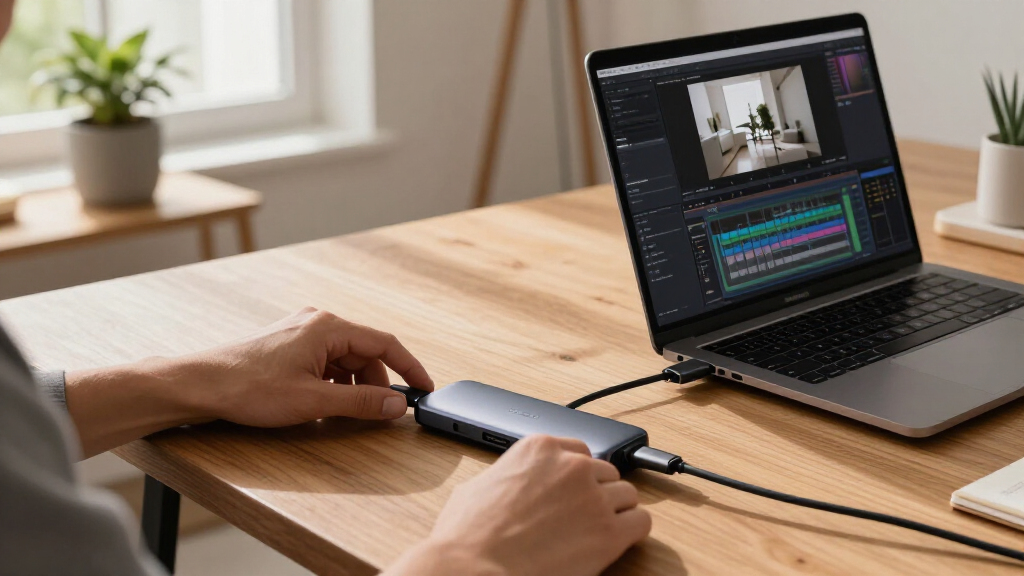
How We Picked
Products were evaluated based on performance, build quality, compatibility, and value. Priority was given to certified Thunderbolt 4 cables and hubs that support the full 40Gbps data transfer rate, 8K video output, and high wattage charging. Durability and ease of use also influenced rankings, as well as the range of ports and overall design. We focused on products that serve both professional and everyday users, ensuring the options cater to different budgets and requirements. The ranking reflects a balance between top-tier performance and practical usability for most buyers.| thunderbolt 4 hubs and certified cable | Connector Type | Cable Type |
|---|---|---|
| Cable Matters Thunderbolt 4 Ca | Thunderbolt 4 | Thunderbolt |
| Cable Matters Intel Certified | Thunderbolt 5 | Thunderbolt 5 |
| Belkin Connect Thunderbolt 4 D | — | — |
| WAVLINK Thunderbolt 5 Dock | — | — |
| Cable Matters Active Thunderbo | USB Type C | USB |
| Cable Matters Thunderbolt 4 Ca | Thunderbolt 4 | Thunderbolt |
| Silkland 40Gbps USB 4 for Thun | USB Type C | Thunderbolt 4 |
| Plugable Thunderbolt 4 Dock fo | — | — |
| Cable Matters Active Thunderbo | Thunderbolt 3, Thunderbolt 4 | Thunderbolt 4 |
| Plugable Thunderbolt 4 Cable 2 | Thunderbolt 4, USB-C | — |
| Amazon Basics USB-C to USB-C 4 | USB Type C | USB-C to USB-C |
| CalDigit TS4 18 Port Thunderbo | — | — |
| Plugable Thunderbolt 4 Dock | — | — |
Factors to Consider When Choosing Thunderbolt 4 Hubs And Certified Cables
Choosing the right Thunderbolt 4 hub or cable involves several key considerations beyond basic specs. Understanding these factors can prevent common mistakes and ensure long-term satisfaction with your purchase.Performance and Speed
For demanding workflows, speed is paramount. Look for certified Thunderbolt 4 or Thunderbolt 5 cables that support full 40Gbps data transfer rates. Cheaper or non-certified cables may default to USB-C speeds, limiting your setup’s potential. Consider your primary use—if you’re transferring large files or editing high-resolution videos, prioritize high-speed options to avoid bottlenecks.
Compatibility and Certification
Always opt for certified Thunderbolt cables and hubs to ensure compatibility across devices and to avoid issues like connection drops or reduced performance. Certified products have undergone rigorous testing, so they reliably support the full feature set. Beware of unbranded or uncertified cables that might seem cheaper but can cause hardware problems or void warranties.
Port Selection and Versatility
Consider how many ports you need—docking stations with multiple HDMI, USB, Ethernet, and SD card slots provide versatility for complex setups. If only a single cable connection is needed, a high-quality cable may suffice. Keep in mind that more ports can increase device size and price, so match your selection to your actual workflow needs to avoid overpaying for unused features.
Power Delivery and Charging
High wattage charging (up to 100W) is essential for powering laptops and multiple peripherals simultaneously. Cheaper cables may support lower wattages, limiting your device charging capabilities. Make sure the hub or cable explicitly states its power delivery support, especially if you rely on your setup for mobile work or need to keep your device charged during intensive tasks.
Build Quality and Durability
Durability matters for daily use, especially for cables that see frequent plugging and unplugging. Look for braided cables, reinforced connectors, and high-quality materials. A well-built hub or cable reduces the risk of failure over time and offers better resistance to wear and tear, which is particularly important in busy or mobile environments.
Frequently Asked Questions
Can I use a Thunderbolt 3 cable with a Thunderbolt 4 device?
While Thunderbolt 3 cables can work with Thunderbolt 4 devices in many cases, they may not support the full feature set of Thunderbolt 4, such as daisy chaining or the maximum 40Gbps speed. For guaranteed full compatibility and performance, using certified Thunderbolt 4 cables is recommended. This ensures you get the most reliable connection and support for advanced features like 8K video output and high wattage charging.
Is it worth paying more for a Thunderbolt 4 dock over a simple cable?
Investing in a Thunderbolt 4 dock offers significantly more functionality, including multiple ports for USB, HDMI, Ethernet, and SD cards, along with high power delivery. If you need to connect several peripherals or want a neat, all-in-one solution, a dock provides added convenience and expandability. Cheaper cables are suitable if your needs are limited to a single connection, but for complex setups, a dock justifies the higher price.
Do I need a certified Thunderbolt 4 cable for my MacBook?
Yes, using certified Thunderbolt 4 cables with your MacBook ensures full compatibility and reliable performance. Certified cables undergo rigorous testing to meet strict standards, reducing the risk of connection issues or hardware damage. Even if a cheaper cable appears similar, uncertified options might not support the required speeds or power delivery, potentially causing problems in your workflow.
What should I prioritize: speed, port variety, or build quality?
The best choice depends on your primary use case. For fast data transfer and high-resolution video, prioritize speed and certification. If you need to connect multiple peripherals, a dock with diverse ports is more suitable. For frequent travel or portable setups, focus on build quality and cable durability to prevent damage. Balancing these factors based on your needs will lead to the most satisfying purchase.
Can I daisy chain multiple Thunderbolt devices with one cable?
Yes, Thunderbolt 4 and 5 are designed to support daisy chaining multiple devices, provided your cables and hubs are certified and capable of supporting the full bandwidth. However, the total performance depends on the capabilities of each device and cable used. To ensure stable connections, choose high-quality, certified cables and hubs that explicitly support daisy chaining with full bandwidth.
Conclusion
The best overall choice for most users is the Belkin Connect Thunderbolt 4 Dock, offering a reliable mix of ports, performance, and build quality. Budget-conscious buyers can opt for high-quality cables like the Cable Matters Thunderbolt 4 Cable for simple, fast connections. For those needing maximum speed and future-proofing, the Cable Matters Intel Certified Thunderbolt 5 Cable provides cutting-edge data rates. If you want a comprehensive, feature-rich setup, the CalDigit TS4 Dock or Plugable Thunderbolt 4 Dock are excellent choices. Ultimately, prioritize your workflow, device compatibility, and budget to select the right Thunderbolt 4 hub or cable.
As an affiliate, we earn on qualifying purchases.Halloween Picks

Halloween Inflatable Haunted House Maze – 20×20 ft with Removable Roof and Blower

8.5 Foot Halloween Inflatable Haunted House Castle with Skeleton, Ghost & Skulls

Pumpkin Halloween Fog Machine with 12-Color LED Lights, Bluetooth Speaker, and Remote