
For most offices, I’d start with the ecobee Smart Thermostat Enhanced: its occupancy-aware approach suits rooms that are used at different times, while the ecobee Premium adds more connected-home features for buyers who want them. For a simpler, lower-complexity setup, the Amazon Smart Thermostat and Sensi ST55 are worth comparing. The main tradeoffs are compatibility with your HVAC system, how much automation a shared office needs, and whether extra sensors or smart-home features justify added setup and upkeep. A thermostat designed for home routines may not fit an office with shifting occupancy or several people adjusting settings. Read on for the full breakdown and guidance on matching a model to your space.

Get the latest gadgets delivered free with Prime
- Fast, free delivery on millions of items
- Prime Video, Amazon Music and more included
- Member-only deals all year
Complete the kit



Key Takeaways
- Occupancy patterns separate the leading office picks. The amazon.com/dp/B09XXS48P8?tag=digitechbytes.com-20&ascsubtag=dc-619128″ target=”_blank” rel=”nofollow sponsored noopener”>ecobee Enhanced and Premium are the strongest starting points for rooms with changing schedules, while simpler models are better when a predictable schedule is enough.
- Ecobee’s lineup gives buyers a clear feature ladder. The Essential favors a more straightforward setup, Enhanced adds a stronger automation focus, and Premium suits buyers seeking more connected features.
- Smart-home compatibility can matter more than extra automation. Alexa, Google Assistant, and Apple-focused households should check their preferred ecosystem before choosing between otherwise similar options.
- Honeywell Home, Sensi, and Google Nest cover different kinds of simplicity. Honeywell offers several control and scheduling approaches, Sensi keeps the experience more restrained, and Nest models appeal to buyers who want a streamlined interface.
- Model fit and office routines should drive the shortlist. HVAC compatibility, wiring, shared access, and whether the room is occupied on a fixed or variable schedule matter more than choosing the model with the longest feature list.
| ecobee Smart Thermostat Premium with Wi-Fi, Siri and Alexa |  | Best Overall for Shared Office Spaces | Connectivity: Wi-Fi | Voice assistants: Siri and Alexa built in | Included sensor: SmartSensor | VIEW ON AMAZON | See Our Full Breakdown |
| Vine Wi-Fi Smart Thermostat with Alexa and Google Assistant Compatibility |  | Best Value for Scheduled Office Hours | Connectivity: Wi-Fi | Voice assistants: Amazon Alexa and Google Assistant | Compatible systems: 24V AC conventional, heat pump, heat-only, or cool-only systems | VIEW ON AMAZON | See Our Full Breakdown |
| ecobee Smart Thermostat Essential, Wi-Fi, Energy Star Certified |  | Best for a Simple Smart-Home Setup | Connectivity: Wi-Fi | Display: 3.74-inch LCD touchscreen | Power source: Battery powered | VIEW ON AMAZON | See Our Full Breakdown |
| Honeywell Home RTH9600WF Smart Color Wi-Fi Thermostat |  | Best Display for a Staff-Controlled Office | Model: RTH9600WF | Display: Color LCD touchscreen | Connectivity: Wi-Fi | VIEW ON AMAZON | See Our Full Breakdown |
| Google Nest Thermostat, Programmable Wi-Fi Smart Thermostat, Charcoal | 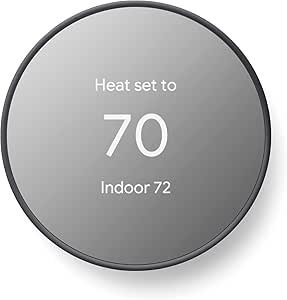 | Best for Easy DIY Setup | Connectivity: Wi-Fi (2.4 GHz and 5 GHz) and Bluetooth Low Energy | Display: 2-inch LCD | Power: Battery powered; 2 A batteries included | VIEW ON AMAZON | See Our Full Breakdown |
| Honeywell Home RTH9585WF1004 Wi-Fi Smart Color Thermostat |  | Best for Flexible HVAC Compatibility | Model: RTH9585WF1004 | Connectivity: Wi-Fi | Display: Customizable color LED touchscreen | VIEW ON AMAZON | See Our Full Breakdown |
| ecobee Smart Thermostat Enhanced |  | Best for Occupancy-Based Office Comfort | Connectivity: Wi-Fi | Display: 4-inch LCD | HVAC compatibility: Compatible with up to 90% of HVAC systems, according to product data | VIEW ON AMAZON | See Our Full Breakdown |
| Sensi ST55 Wi-Fi Smart Thermostat |  | Best for Straightforward DIY Installation | Model: ST55 | Connectivity: Wi-Fi | Display and controls: LED display; button control | VIEW ON AMAZON | See Our Full Breakdown |
| Sensi Lite Wi-Fi Smart Thermostat (ST25) | 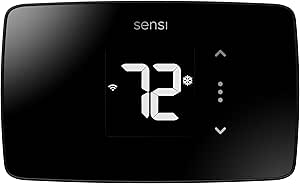 | Best for Basic Remote Scheduling | Model: ST25 | Connectivity: Wi-Fi; requires 2.4 GHz connection | Compatible systems: Air conditioner, boiler, furnace, and heat pump | VIEW ON AMAZON | See Our Full Breakdown |
| Google Nest Smart Thermostat, Wi-Fi, Snow |  | Best for Google Home Office Setups | Connectivity: Wi-Fi on 2.4 GHz and 5 GHz; Bluetooth Low Energy | Power: Battery powered; some systems may require a C-wire or power accessory | Voltage: 24 volts | VIEW ON AMAZON | See Our Full Breakdown |
| Google Nest Smart Thermostat, Programmable Wi-Fi Thermostat, Fog |  | Best for Simple Office Scheduling | Color: Fog | Connectivity: Wi-Fi | Temperature control: Heating and cooling | VIEW ON AMAZON | See Our Full Breakdown |
| Amazon Smart Thermostat |  | Best for Alexa-Connected Offices | Model: S6ED3R | Dimensions: 3.56 x 3.56 x 0.84 in (90.4 x 90.4 x 21.4 mm) | Weight: 3.86 oz (109.5 g) | VIEW ON AMAZON | See Our Full Breakdown |
| Honeywell Home X2S Smart Wi-Fi Thermostat |  | Best for Multi-Platform Office Controls | Model: RTH2SMC/N | System compatibility: Up to 2 heat/2 cool conventional; up to 2 heat/1 cool heat pump with electric backup | Connectivity: Wi-Fi (2.4 or 5 GHz) and Matter | VIEW ON AMAZON | See Our Full Breakdown |
| Honeywell Home T5 Smart Wi-Fi Thermostat |  | Best for Location-Based Office Schedules | Model: RTH8800WF2022 | Connectivity: Wi-Fi | Compatible systems: Air conditioner, furnace, and heat pump | VIEW ON AMAZON | See Our Full Breakdown |
| Aqara Smart Thermostat W200 with Apple Adaptive Temperature |  | Best Premium Smart-Home Hub | Display: 4-inch full-color touchscreen | HVAC compatibility: About 85% of systems, including furnaces, air conditioners, heat pumps, boilers, and PTAC units | Connectivity: Matter 1.4, Zigbee, Thread, and dual-band Wi-Fi (2.4/5 GHz) | VIEW ON AMAZON | See Our Full Breakdown |
| smart thermostat for office | Connectivity | Display | Power |
|---|---|---|---|
| ecobee Smart Thermostat Premiu | Wi-Fi | — | — |
| Vine Wi-Fi Smart Thermostat wi | Wi-Fi | LCD | — |
| ecobee Smart Thermostat Essent | Wi-Fi | 3.74-inch LCD touchscreen | — |
| Honeywell Home RTH9600WF Smart | Wi-Fi | Color LCD touchscreen | Battery powered; 1 AAA battery required; C-wire required for installation |
| Google Nest Thermostat | Wi-Fi (2.4 GHz and 5 GHz) and Bluetooth Low Energy | 2-inch LCD | Battery powered; 2 A batteries included |
| Honeywell Home RTH9585WF1004 W | Wi-Fi | Customizable color LED touchscreen | AC power; C-wire required |
| ecobee Smart Thermostat Enhanc | Wi-Fi | 4-inch LCD | Corded electric; 24 volts |
| Sensi ST55 Wi-Fi Smart Thermos | Wi-Fi | — | 24 volts AC; common wire not required in most applications |
| Sensi Lite Wi-Fi Smart Thermos | Wi-Fi; requires 2.4 GHz connection | LCD | Battery or C-wire; includes 2 AAA batteries |
| Google Nest Smart Thermostat | Wi-Fi on 2.4 GHz and 5 GHz; Bluetooth Low Energy | LCD, 1.07-inch screen | Battery powered; some systems may require a C-wire or power accessory |
| Google Nest Smart Thermostat | Wi-Fi | — | Designed to work without a C-wire in most homes; some systems need a C-wire or compatible power accessory |
| Amazon Smart Thermostat | — | — | — |
| Honeywell Home X2S Smart Wi-Fi | Wi-Fi (2.4 or 5 GHz) and Matter | LCD | 24 VAC; C-wire required |
| Honeywell Home T5 Smart Wi-Fi | Wi-Fi | 4.95-inch LCD touchscreen | 24V corded electric; C-wire required in some installations |
| Aqara Smart Thermostat W200 wi | Matter 1.4, Zigbee, Thread, and dual-band Wi-Fi (2.4/5 GHz) | 4-inch full-color touchscreen | — |
More Details on Our Top Picks
ecobee Smart Thermostat Premium with Wi-Fi, Siri and Alexa
For an office where temperatures vary by room, the ecobee Smart Thermostat Premium makes the strongest all-around case: its included SmartSensor can help the system account for occupancy and comfort beyond the thermostat’s wall. That gives it an advantage over the ecobee Smart Thermostat Essential, which requires a separately purchased sensor for similar room-level monitoring. The built-in air quality monitor and alerts add useful context for a busy workplace, while Siri and Alexa voice control can suit hands-free adjustments.
The tradeoff is a more involved feature set than a small office may need. Siri requires an Apple home hub, smoke alarm sound alerts require a subscription, and doorbell viewing depends on compatible ecobee hardware. I’d choose it for a multi-room office that will use its sensors and monitoring, not simply for basic scheduling.
Pros:- Included SmartSensor can help address temperature differences between rooms.
- Built-in air-quality monitoring provides alerts and filter reminders.
- Built-in Siri and Alexa offer voice control, with Spotify streaming support.
- Power Extender Kit and trim kit are included for installation flexibility.
Cons:- Siri features require an Apple home hub.
- Smoke alarm sound alerts require an ecobee Smart Security subscription.
- Doorbell camera features require a compatible ecobee Smart Doorbell Camera.
Best for: Small offices with multiple rooms or persistent hot and cold spots that can benefit from occupancy sensing and air-quality alerts.
Not ideal for: A single-room office seeking only app-based scheduling, or a workplace that does not want to rely on compatible hubs, subscriptions, or ecobee accessories for some features.
- Connectivity:Wi-Fi
- Voice assistants:Siri and Alexa built in
- Included sensor:SmartSensor
- HVAC compatibility:Compatible with 95% of HVAC systems
- Air quality:Built-in monitor with alerts and filter reminders
- Installation:Power Extender Kit and trim kit included
- Warranty:3 years
- Certification:ENERGY STAR
Our verdict“Choose the Premium for a multi-room office that will use its included sensor and air-quality tools; skip it if basic temperature scheduling is all you need.”
Vine Wi-Fi Smart Thermostat with Alexa and Google Assistant Compatibility
The Vine Wi-Fi thermostat focuses on the office basics: 7-day scheduling, app access, and Alexa or Google Assistant control. That makes it a practical fit when heating and cooling needs follow a predictable weekly timetable, such as a workplace that closes on weekends. It also offers auto home/away mode, temperature alerts, and filter reminders without the room sensors and air-quality features that set the ecobee Smart Thermostat Premium apart.
Its main limitation is the installation gate: a C-wire is required, and the specific HVAC setup needs a compatibility check before purchase. Compared with the Google Nest Thermostat, Vine puts its 7-day schedule front and center, while Nest is designed to adjust when people leave. I’d pick Vine for a straightforward, scheduled office system, but not for a workplace that needs occupancy-based room balancing or has uncertain wiring.
Pros:- 7-day programming supports distinct schedules for weekdays and weekends.
- Auto home/away mode can adjust operation when the space is unoccupied.
- App, touch, and compatible voice controls provide several ways to adjust settings.
- Temperature alerts and filter reminders support routine office upkeep.
Cons:- Requires a C-wire, limiting installation options in some buildings.
- HVAC compatibility should be checked before purchase.
- Does not include the room sensor or air-quality monitor found on the ecobee Premium.
Best for: Office managers with a compatible 24V system, an available C-wire, and consistent weekday or shift-based heating and cooling hours.
Not ideal for: Workplaces with uncertain HVAC compatibility, no C-wire, or a need for included room sensors and more advanced air-quality monitoring.
- Connectivity:Wi-Fi
- Voice assistants:Amazon Alexa and Google Assistant
- Compatible systems:24V AC conventional, heat pump, heat-only, or cool-only systems
- Schedule:7-day programmable
- Power requirement:C-wire required
- Display:LCD
- Controls:App, voice, and touch
- Dimensions:0.98 x 3.54 x 3.54 in (D x W x H)
Our verdict“Choose Vine for a compatible office that needs clear weekly scheduling and remote controls without paying for room-sensing features it will not use.”
ecobee Smart Thermostat Essential, Wi-Fi, Energy Star Certified
The ecobee Smart Thermostat Essential suits an office that needs app control, automatic scheduling, and broad smart-home compatibility without the Premium model’s built-in air-quality monitor and included SmartSensor. Its touchscreen gives staff a direct control point, while support for Apple HomeKit, Google Assistant, and Alexa helps it fit into an existing setup. Auto-away mode and scheduling can reduce unnecessary heating or cooling when the office is empty.
Compared with the Vine Wi-Fi Smart Thermostat, this ecobee emphasizes ecosystem support and automatic routines rather than a clearly stated seven-day schedule. Its main caveat is that a Power Extender Kit is sold separately for systems without a C-wire, and the SmartSensor is also an extra purchase. I’d choose it for a small office wanting a straightforward connected thermostat; it is less compelling if room-by-room comfort correction is a priority.
Pros:- Touchscreen and app provide convenient local and remote temperature control.
- Supports Apple HomeKit, Google Assistant, and Amazon Alexa.
- Auto-away and auto-scheduling can reduce heating or cooling during unoccupied periods.
- Compatible with many conventional systems, heat pumps, and boilers.
Cons:- Power Extender Kit is sold separately for homes or offices without a C-wire.
- SmartSensor is sold separately, unlike the included sensor with the ecobee Premium.
- Compatibility depends on the existing HVAC equipment and wiring.
Best for: Small offices already using Apple HomeKit, Google Assistant, or Alexa that want app control and automated schedules without needing a bundled remote sensor.
Not ideal for: Multi-room workplaces that need an included occupancy sensor, or buyers who need the Power Extender Kit included for a no-C-wire installation.
- Connectivity:Wi-Fi
- Display:3.74-inch LCD touchscreen
- Power source:Battery powered
- Compatible systems:Most 24 VAC systems, including conventional systems, heat pumps, and boilers
- Smart-home compatibility:Apple HomeKit, Google Assistant, and Amazon Alexa
- Features:Auto-away, auto-scheduling, fan control, and indoor humidity detection
- Power accessory:Power Extender Kit sold separately
- Energy savings claim:Up to 23% compared with a hold of 72°F/22°C
Our verdict“Choose the Essential for a compact office that values app control and broad smart-home support more than bundled room sensing or air-quality monitoring.”
Honeywell Home RTH9600WF Smart Color Wi-Fi Thermostat
The Honeywell Home RTH9600WF is a good match for an office where people often adjust the thermostat at the wall. Its customizable color touchscreen makes settings more visible than the simpler LCD on the Google Nest Thermostat, and its display can show indoor and outdoor temperature, humidity, and weather information. Flexible scheduling and remote app access add control for managers who want to set office hours without relying on staff to remember daily adjustments.
This model trades installation flexibility for a clear, information-rich interface: it requires a C-wire and does not support 120–240V electric baseboard heat. It also excludes heating-only oil furnace systems without a C-wire. Compared with the ecobee Essential, it puts more information on the thermostat itself but lacks an included occupancy sensor. I’d shortlist it when the wall display matters and the wiring and system type are confirmed.
Pros:- Customizable color touchscreen makes local adjustments straightforward.
- Displays indoor and outdoor temperature, humidity, and weather information.
- Remote app control and flexible scheduling support manager oversight.
- Works with Alexa, Google Assistant, Cortana, and IFTTT.
Cons:- Requires a C-wire or compatible power adapter.
- Not compatible with 120–240V electric baseboard heat.
- Does not support heating-only oil furnace systems without a C-wire.
Best for: Offices where staff need an easy-to-read wall control with visible temperature, humidity, and weather information.
Not ideal for: Buildings with electric baseboard heat, no suitable C-wire, or a heating-only oil furnace without a C-wire.
- Model:RTH9600WF
- Display:Color LCD touchscreen
- Connectivity:Wi-Fi
- Power:Battery powered; 1 AAA battery required; C-wire required for installation
- Compatible systems:Forced-air gas, oil, or electric; hot water and steam; heat pumps with electric backup
- Compatibility exclusions:Does not support 120–240V electric baseboard heat
- Smart-home compatibility:Amazon Alexa, Google Assistant, Microsoft Cortana, IFTTT, Android, and iOS
- Dimensions:1 x 4.75 x 3.5 in
Our verdict“Choose the Honeywell RTH9600WF when a prominent, information-rich touchscreen is more useful to your office than occupancy sensing or a wiring-flexible setup.”
Google Nest Thermostat, Programmable Wi-Fi Smart Thermostat, Charcoal
For an office manager who wants remote control without a complicated setup, the Google Nest Thermostat is the most approachable pick in this group. It supports schedules in the Google Home app and can adjust temperature when the space is unoccupied, a useful fit for offices with changing attendance. Its C-wire is not required in most homes, though some HVAC systems need one or a compatible power accessory. That makes it less dependent on existing wiring than the Vine and Honeywell models, both of which specify a C-wire requirement.
The tradeoff is that its two-inch LCD and app-centered controls are less information-rich than the Honeywell RTH9600WF’s color touchscreen. It also relies on working Wi-Fi and internet for remote control and notifications, and compatibility still depends on the HVAC system. I’d pick Nest for simple schedules and away adjustments, not for a workplace needing included room sensors or detailed local monitoring.
Pros:- Designed for DIY installation, with no C-wire needed in most homes.
- Google Home app supports remote control and scheduling.
- Can adjust temperature when the space is unoccupied.
- Works with compatible Alexa, Google Assistant, and Matter-certified voice assistants.
Cons:- Some HVAC systems require a C-wire or compatible power accessory.
- Remote control and notifications depend on working internet and Wi-Fi.
- The 2-inch LCD offers less on-device information than the Honeywell RTH9600WF touchscreen.
Best for: Small offices seeking an approachable DIY thermostat with Google Home scheduling and temperature adjustments when the space is unoccupied.
Not ideal for: Workplaces that need an included remote room sensor, a detailed color wall display, or dependable remote access during internet or Wi-Fi outages.
- Connectivity:Wi-Fi (2.4 GHz and 5 GHz) and Bluetooth Low Energy
- Display:2-inch LCD
- Power:Battery powered; 2 A batteries included
- Temperature control:Heating and cooling
- C-wire requirement:Not required in most homes; some systems need a C-wire or compatible power accessory
- Smart-home compatibility:Amazon Alexa, Google Assistant, Google Home, and Matter-certified voice assistants
- Mounting:Wall mount
- Color:Charcoal
Our verdict“Choose Nest for an office that values straightforward DIY installation and away-based adjustments, but select another model if you need richer wall controls or room sensing.”
Honeywell Home RTH9585WF1004 Wi-Fi Smart Color Thermostat
For an office with a conventional forced-air system, hot-water heat, steam, or a compatible heat pump, the Honeywell Home RTH9585WF1004 offers broad system support alongside a customizable color touchscreen. Flexible scheduling can match occupied hours instead of conditioning an empty office all day, while app and voice controls make changes possible away from the wall. Compared with the Sensi ST55, this Honeywell puts more emphasis on a vivid touchscreen and energy reports; the Sensi is the more DIY-focused pick, with a built-in level and a common wire often unnecessary. The tradeoff is installation: this model requires a C-wire and cannot control electric baseboard heat. I’d choose it when the HVAC match and at-a-glance screen matter more than the simplest wiring setup.
Pros:- Customizable color touchscreen makes settings easy to read and personalize.
- Flexible scheduling can align heating and cooling with office occupancy.
- App and compatible voice-assistant controls allow remote adjustments.
- Supports several common forced-air, hot-water, steam, and heat-pump systems.
Cons:- Requires a C-wire, which can complicate installation in some offices.
- Not compatible with 120–240V electric baseboard heat.
Best for: Office managers with compatible forced-air, hot-water, steam, or heat-pump HVAC who want a configurable display and scheduled temperature control.
Not ideal for: Teams using 120–240V electric baseboard heat or offices without a C-wire and no plan to add one.
- Model:RTH9585WF1004
- Connectivity:Wi-Fi
- Display:Customizable color LED touchscreen
- Programming:Flexible scheduling
- Compatibility:Forced-air gas, oil, or electric; hot water and steam; heat pumps with electric backup
- Power:AC power; C-wire required
- Mounting:Wall mount
- Certification:ENERGY STAR
Our verdict“Choose this Honeywell for a compatible office HVAC system when a customizable screen and broad system support outweigh the C-wire requirement.”
ecobee Smart Thermostat Enhanced
The ecobee Smart Thermostat Enhanced is a strong fit for an office whose occupancy and comfort needs vary through the day. It can adjust temperature using occupancy, schedule, and humidity, helping avoid treating a quiet, empty workspace like a fully occupied one. Its support for Alexa, Google Assistant, Apple HomeKit, and SmartThings also gives it wider smart-home reach than the Google Nest Smart Thermostat, whose control centers on Google Home and compatible voice assistants. The included Power Extender Kit can help with installation where a C-wire is absent, and a trim kit is in the box. The limitation is that room-by-room sensing requires separately purchased SmartSensors; without them, it cannot address hot or cold spots across multiple rooms as directly.
Pros:- Uses occupancy, schedule, and humidity to guide temperature adjustments.
- Works with Alexa, Google Assistant, Apple HomeKit, and SmartThings.
- Includes a Power Extender Kit and trim kit for installation flexibility.
- Offers remote app control and a three-year warranty.
Cons:- SmartSensors for room-by-room control are sold separately.
- HVAC compatibility needs to be confirmed before purchase.
Best for: Small offices with changing occupancy, compatible HVAC, and staff who want temperature adjustments through several smart-home platforms.
Not ideal for: Offices that need included room sensors for multi-room comfort or buyers who have not checked their HVAC compatibility.
- Connectivity:Wi-Fi
- Display:4-inch LCD
- HVAC compatibility:Compatible with up to 90% of HVAC systems, according to product data
- Smart-home compatibility:Alexa, Android, Apple HomeKit, Google Assistant, and iOS
- Power:Corded electric; 24 volts
- Included accessories:Power Extender Kit and trim kit
- Mounting:Wall mount
- Warranty:3 years
Our verdict“Pick the ecobee Enhanced when occupancy-aware adjustments and broad platform support matter more than having room sensors included.”
Sensi ST55 Wi-Fi Smart Thermostat
The Sensi ST55 is the practical choice for an office manager who wants scheduling and remote control without making installation the main project. Its built-in level and app instructions support a DIY setup, and a common wire is not required in most applications—a useful contrast with the Honeywell RTH9585WF1004, which requires a C-wire. The ST55 also works with Alexa, Apple HomeKit, Google Assistant, and SmartThings, giving it broader listed platform support than the Sensi Lite ST25, which lists Alexa and Google Assistant. Scheduling and usage reports can help track HVAC use around office hours. The compromise is a button-based LED interface rather than a large, colorful touchscreen, and compatibility still depends on the building’s particular HVAC equipment.
Pros:- Built-in level and app instructions support DIY installation.
- A common wire is not required in most applications.
- Supports Alexa, Apple HomeKit, Google Assistant, SmartThings, and Vera.
- Provides scheduling, remote access, and usage reports.
Cons:- HVAC compatibility depends on the specific system and should be checked.
- Button controls and an LED display offer less visual flexibility than the Honeywell RTH9585WF1004 touchscreen.
Best for: Small-office owners or facilities staff seeking a DIY-friendly thermostat with app scheduling and common smart-home integrations.
Not ideal for: Buyers who want a large touchscreen or need a thermostat chosen before checking the office’s HVAC wiring and equipment.
- Model:ST55
- Connectivity:Wi-Fi
- Display and controls:LED display; button control
- Control methods:App, touch, and voice
- Compatible systems:Air conditioner, boiler, furnace, and heat pump
- Smart-home compatibility:Alexa, Apple HomeKit, Google Assistant, SmartThings, and Vera
- Power:24 volts AC; common wire not required in most applications
- Mounting:Wall mount
Our verdict“Choose the Sensi ST55 if you value an approachable DIY setup and broad smart-home support more than a large touchscreen.”
Sensi Lite Wi-Fi Smart Thermostat (ST25)
For a small office that mainly needs scheduled heating and cooling plus remote adjustments, the Sensi Lite ST25 covers the essentials with Wi-Fi, app access, geofencing, and energy reports. Its DIY-oriented setup and no-C-wire design for many systems can make it a simpler fit than the Honeywell Home RTH9585WF1004, which always requires a C-wire. It also carries ENERGY STAR certification and supports Alexa and Google Assistant. The leaner feature set is the point, but it narrows flexibility: unlike the Sensi ST55, the ST25 lists fewer smart-home platforms, and it requires a C-wire for heat-pump and heat/cool-only systems. It also needs a 2.4 GHz Wi-Fi connection, so check the office network and wiring before choosing it.
Pros:- Includes scheduling, geofencing, remote app control, and energy reports.
- Does not require a C-wire for most supported systems.
- DIY installation features include a built-in level and step-by-step instructions.
- ENERGY STAR-certified and supports Alexa and Google Assistant.
Cons:- Requires a C-wire for heat-pump and heat/cool-only systems.
- Requires a 2.4 GHz Wi-Fi connection.
- Lists fewer smart-home platforms than the Sensi ST55.
Best for: Small offices with compatible HVAC that need basic schedules, geofencing, and remote temperature control without extra room-sensing features.
Not ideal for: Offices using heat-pump or heat/cool-only systems without a C-wire, or teams relying on Apple HomeKit or SmartThings.
- Model:ST25
- Connectivity:Wi-Fi; requires 2.4 GHz connection
- Compatible systems:Air conditioner, boiler, furnace, and heat pump
- C-wire requirement:Required for heat pump and heat/cool-only systems; not required for most other systems
- Display:LCD
- Control methods:App, touch, and voice
- Voice assistants:Amazon Alexa and Google Assistant
- Power:Battery or C-wire; includes 2 AAA batteries
- Warranty:3 years
Our verdict“Choose the Sensi Lite for straightforward scheduling and remote control when your HVAC wiring and 2.4 GHz network meet its requirements.”
Google Nest Smart Thermostat, Wi-Fi, Snow
The Google Nest Smart Thermostat suits offices already managed through Google Home, particularly when a straightforward app schedule and temperature adjustment when people leave are the main goals. Remote control and scheduling are available through the Google Home app, and the thermostat also supports compatible Alexa and Matter-certified voice assistants. Compared with the ecobee Smart Thermostat Enhanced, the Nest offers a smaller, more streamlined feature set: ecobee adds occupancy and humidity-based adjustments and works with Apple HomeKit and SmartThings. The Nest’s tradeoff is power compatibility. Some HVAC systems need a C-wire or compatible power accessory, and remote or voice controls depend on a working internet connection and Wi-Fi. I’d favor it for a Google-centered office, not for a site seeking broader room-comfort features.
Pros:- Can adjust temperature when occupants leave to help manage energy use.
- Supports remote schedules and settings through the Google Home app.
- Works with compatible Google Assistant, Alexa, and Matter-certified voice assistants.
- Designed for DIY installation.
Cons:- Some HVAC systems require a C-wire or compatible power accessory.
- Remote and voice control rely on working Wi-Fi and internet access.
- Offers fewer occupancy and humidity features than the ecobee Smart Thermostat Enhanced.
Best for: Small offices already using Google Home that want app-based schedules and temperature adjustments when the space is unoccupied.
Not ideal for: Offices that need broad room-by-room comfort control, lack reliable Wi-Fi, or have HVAC wiring that needs a C-wire accessory.
- Connectivity:Wi-Fi on 2.4 GHz and 5 GHz; Bluetooth Low Energy
- Power:Battery powered; some systems may require a C-wire or power accessory
- Voltage:24 volts
- Display:LCD, 1.07-inch screen
- Control:Button, voice, and Google Home app
- Compatible systems:Heating and cooling systems
- Smart assistants:Google Assistant, Alexa, and Matter-certified voice assistants
- Energy certification:ENERGY STAR
Our verdict“Choose the Nest Snow for a Google Home-based office that wants simple remote scheduling and can meet its Wi-Fi and power requirements.”
Google Nest Smart Thermostat, Programmable Wi-Fi Thermostat, Fog
For a small office that needs dependable scheduling without a complicated setup, the Google Nest Smart Thermostat keeps the essentials accessible through the Google Home app: set workday temperatures, adjust them remotely, and let it lower the temperature when the office is empty. Compared with the Honeywell Home X2S, its stated installation time of 30 minutes or less and ability to work without a C-wire in many homes can make it easier to add to an existing office. It also supports HVAC alerts and compatible voice assistants. The tradeoff is that compatibility is not universal, and some systems need a C-wire or power accessory. Remote adjustments and notifications also rely on working Wi-Fi, so it is less suitable where connectivity is unreliable.
Pros:- Google Home app supports schedules and remote temperature adjustments
- Can lower the temperature when the office is empty
- Works without a C-wire in many homes
- Includes HVAC alerts and supports compatible voice assistants
Cons:- Some systems require a C-wire or compatible power accessory
- Remote control and notifications depend on Wi-Fi and internet access
- Compatibility is limited to about 85% of heating and cooling systems
Best for: Small-office owners who want app-based workday schedules and remote temperature changes, especially when their existing system may not have a C-wire.
Not ideal for: Offices with unreliable Wi-Fi, or buildings whose HVAC system needs a C-wire accessory and whose owner wants to avoid extra wiring work.
- Color:Fog
- Connectivity:Wi-Fi
- Temperature control:Heating and cooling
- Specific use:Heat pump
- System compatibility:Compatible with 85% of heating and cooling systems
- Power:Designed to work without a C-wire in most homes; some systems need a C-wire or compatible power accessory
- Installation:Typically 30 minutes or less
- Certification:ENERGY STAR
Our verdict“Choose the Nest for straightforward office scheduling and remote control, particularly if avoiding a C-wire is a priority.”
Amazon Smart Thermostat
The Amazon Smart Thermostat is a practical fit for an office already organized around Alexa: schedules, remote changes, and voice control sit within the Alexa app and compatible Echo devices. Its support for common 24V equipment, including heat pumps and radiant boilers, gives it a useful range for smaller workplaces. Compared with the Google Nest Smart Thermostat, this model is more dependent on a specific smart-home setup: Alexa voice control needs a separate enabled device, and installation requires a C-wire or separately sold power adapter. It also connects only to 2.4 GHz Wi-Fi, which may matter in offices configured for 5 GHz-only access. If Alexa is already part of the office routine, those limits may be manageable; otherwise, the Nest offers a less Alexa-specific route.
Pros:- Works with most 24V systems, including conventional forced air, heat pumps, and radiant boilers
- Supports schedules and automatic temperature adjustments
- Remote control is available through the Alexa app
- Alexa app offers guided installation
Cons:- Requires a C-wire or separately purchased power adapter kit
- Does not support 5 GHz Wi-Fi
- Voice control requires a separate Alexa-enabled device
Best for: Small offices with compatible 24V HVAC and an existing Alexa setup that want scheduled and app-based climate control.
Not ideal for: Offices without a C-wire or Alexa device, or those relying on a 5 GHz-only Wi-Fi network.
- Model:S6ED3R
- Dimensions:3.56 x 3.56 x 0.84 in (90.4 x 90.4 x 21.4 mm)
- Weight:3.86 oz (109.5 g)
- HVAC compatibility:Most 24V systems, including conventional forced air, heat pumps, and radiant boilers
- Power requirement:C-wire or separately sold power adapter kit
- Wi-Fi:2.4 GHz, 802.11 b/g/n; does not support 5 GHz
- Control:Alexa app, Ring app, compatible Echo devices, voice control, or three touch buttons
- Certifications:ENERGY STAR and ECOLOGO Gold
Our verdict“Pick this model when your office already uses Alexa and has compatible wiring and 2.4 GHz Wi-Fi.”
Honeywell Home X2S Smart Wi-Fi Thermostat
In an office where people use different smart-home platforms, the Honeywell Home X2S stands out for Matter support alongside Alexa, Google Assistant, and Apple HomeKit. Its flexible scheduling and auto-away function can help match heating and cooling to office hours, while filter reminders and an optional humidity display add practical upkeep information. Compared with the Amazon Smart Thermostat, the X2S supports both 2.4 and 5 GHz Wi-Fi and is not tied to Alexa for its app-connected controls. That flexibility comes with a firm installation condition: it requires a C-wire. It also cannot control 120–240 V electric baseboard heat, so it is a poor fit for some individual offices and older commercial spaces. Check the HVAC type and wiring before choosing it.
Pros:- Matter support works alongside Alexa, Google Assistant, and Apple HomeKit
- Flexible weekly scheduling and auto-away support office routines
- Filter reminders and optional indoor humidity display provide useful maintenance information
- Supports both 2.4 and 5 GHz Wi-Fi
Cons:- Requires a C-wire
- Not compatible with 120–240 V electric baseboard heat
- Compatibility is limited to specified conventional and heat-pump configurations
Best for: Small-office managers who use a mix of Apple, Google, or Alexa devices and have a compatible 24 VAC HVAC system with a C-wire.
Not ideal for: Offices heated by 120–240 V electric baseboards or buildings where installing a C-wire is not feasible.
- Model:RTH2SMC/N
- System compatibility:Up to 2 heat/2 cool conventional; up to 2 heat/1 cool heat pump with electric backup
- Connectivity:Wi-Fi (2.4 or 5 GHz) and Matter
- Power:24 VAC; C-wire required
- Display:LCD
- Scheduling:7-day, 5-1-1-day, 5-2-day, 1-week, or non-programmable
- Smart-home compatibility:Amazon Alexa, Google Assistant, and Apple HomeKit
- Warranty:2 years
Our verdict“Choose the X2S for a compatible, C-wire-equipped office that needs broad smart-home platform support.”
Honeywell Home T5 Smart Wi-Fi Thermostat
The Honeywell Home T5 suits an office where attendance varies: its geofencing can adjust temperatures based on a smartphone’s location, while its 7-day schedule covers more predictable workweeks. The 4.95-inch LCD touchscreen also gives staff a direct way to make changes at the wall, and energy reports can help an owner review usage over time. Compared with the Honeywell Home X2S, the T5’s standout distinction is location-based adjustment rather than Matter support. It works with Alexa, Google Assistant, and Apple HomeKit, but power deserves attention before purchase: a C-wire adapter may be needed, and heating-only oil furnace systems are not supported without a C-wire. Geofencing may also be less useful in offices where several people arrive and leave on different schedules.
Pros:- Geofencing can adjust temperatures based on smartphone location
- Supports 7-day programming and remote Wi-Fi control
- Large 4.95-inch LCD touchscreen allows direct adjustments
- Works with Alexa, Google Assistant, and Apple HomeKit and provides monthly energy reports
Cons:- Some installations require a C-wire power adapter
- Does not support heating-only oil furnace systems without a C-wire
- Location-based control may not match offices with staggered staff schedules
Best for: Small-office owners with a regular smartphone-carrying workforce who want location-based temperature adjustments and a visible touchscreen.
Not ideal for: Offices with staggered attendance, heating-only oil furnaces without a C-wire, or wiring that cannot support the required power setup.
- Model:RTH8800WF2022
- Connectivity:Wi-Fi
- Compatible systems:Air conditioner, furnace, and heat pump
- Temperature control:Heating and cooling
- Display:4.95-inch LCD touchscreen
- Scheduling:7-day programmable
- Smart-home compatibility:Amazon Alexa, Google Assistant, and Apple HomeKit
- Power:24V corded electric; C-wire required in some installations
Our verdict“Choose the T5 when geofencing fits your office attendance pattern and the wiring works with your HVAC system.”
Aqara Smart Thermostat W200 with Apple Adaptive Temperature
The Aqara W200 is the most ambitious office pick here: its mmWave presence detection, full-color touchscreen, and support for Matter, Zigbee, and Thread make it more than a basic scheduled thermostat. The built-in hub functions can also help an office bring compatible smart devices into one setup. Compared with the Honeywell Home X2S, which focuses on scheduling and broad platform control, the W200 adds presence sensing and a wider connectivity role. That extra capability may suit a tech-forward office, but it also brings more setup dependencies. The C-wire adapter is sold separately, and Apple Adaptive Temperature needs a home hub plus an iPhone or Apple Watch running version 26 or later. Some features have regional or device requirements, so buyers seeking simple climate scheduling may prefer the Nest.
Pros:- mmWave presence detection can support occupancy-aware climate control
- Works with Apple Home, Google Home, Alexa, SmartThings, and Home Assistant through Matter
- Built-in Zigbee hub, Matter controller, and Thread border router
- Broad stated HVAC compatibility includes furnaces, heat pumps, boilers, and PTAC units
Cons:- C-wire adapter is sold separately
- Apple Adaptive Temperature requires a home hub and supported iPhone or Apple Watch software
- Some features have device or regional requirements
Best for: Tech-forward small offices that want presence-aware climate control and a Matter-capable hub for compatible devices across several platforms.
Not ideal for: Buyers who want a straightforward thermostat, do not need smart-device hub features, or cannot meet its wiring and Apple feature requirements.
- Display:4-inch full-color touchscreen
- HVAC compatibility:About 85% of systems, including furnaces, air conditioners, heat pumps, boilers, and PTAC units
- Connectivity:Matter 1.4, Zigbee, Thread, and dual-band Wi-Fi (2.4/5 GHz)
- Presence detection:mmWave radar
- Smart-home platforms:Apple Home, Google Home, Amazon Alexa, Samsung SmartThings, and Home Assistant
- Additional features:Apple Adaptive Temperature, Apple Clean Energy Guidance, and video doorbell and smart lock panel
- C-wire adapter:Sold separately
- Apple feature requirements:Adaptive Temperature requires a home hub and an iPhone or Apple Watch running version 26 or later
Our verdict“Pick the W200 for an office that will use its presence sensing and smart-home hub features, not just basic schedules.”

How We Picked
I ranked these thermostats around the needs of a working space rather than a home alone: dependable HVAC compatibility, manageable controls for shared use, useful scheduling or occupancy features, and the amount of setup and maintenance a small office can reasonably handle. I also weighed connectivity and ecosystem fit, since a thermostat can be less useful if it does not work smoothly with the phones or voice assistants people already use.
The ranking favors models with a compelling balance of office-relevant control and day-to-day usability, not simply the most features. That puts the ecobee Enhanced and Premium near the top for flexible office routines, while simpler picks remain strong when low complexity or a familiar smart-home ecosystem matters more. I treat similarly named models as separate options where their feature emphasis or compatibility may differ, and I recommend checking the manufacturer’s current HVAC compatibility guidance before purchase.
| smart thermostat for office | Connectivity |
|---|---|
| ecobee Smart Thermostat Premiu | Wi-Fi |
| Vine Wi-Fi Smart Thermostat wi | Wi-Fi |
| ecobee Smart Thermostat Essent | Wi-Fi |
| Honeywell Home RTH9600WF Smart | Wi-Fi |
| Google Nest Thermostat | Wi-Fi (2.4 GHz and 5 GHz) and Bluetooth Low Energy |
| Honeywell Home RTH9585WF1004 W | Wi-Fi |
| ecobee Smart Thermostat Enhanc | Wi-Fi |
| Sensi ST55 Wi-Fi Smart Thermos | Wi-Fi |
| Sensi Lite Wi-Fi Smart Thermos | Wi-Fi; requires 2.4 GHz connection |
| Google Nest Smart Thermostat | Wi-Fi on 2.4 GHz and 5 GHz; Bluetooth Low Energy |
| Google Nest Smart Thermostat | Wi-Fi |
| Amazon Smart Thermostat | — |
| Honeywell Home X2S Smart Wi-Fi | Wi-Fi (2.4 or 5 GHz) and Matter |
| Honeywell Home T5 Smart Wi-Fi | Wi-Fi |
| Aqara Smart Thermostat W200 wi | Matter 1.4, Zigbee, Thread, and dual-band Wi-Fi (2.4/5 GHz) |
Factors to Consider When Choosing Smart Thermostat For Office
Choosing an office thermostat starts with the room and its users, not the app. These factors can help narrow the list before you compare individual models.
1. Match the thermostat to your HVAC system
Compatibility is the first filter because a smart thermostat cannot compensate for an unsupported heating or cooling setup. Check the equipment type, wiring, and any special systems such as heat pumps or multi-stage HVAC against the manufacturer’s compatibility information. Do not assume two thermostats from the same brand use identical wiring or support the same equipment. If the office is in a leased building, ask the facilities contact before removing or replacing the existing control. A compatibility check can prevent a purchase that looks right on paper but needs wiring changes or professional help.
In an office, the person who installs the thermostat may not be the only person who needs to adjust it. Decide who should have app access, who can change schedules, and whether local controls need to be simple enough for visitors or coworkers. A highly connected setup can create confusion if several people make competing changes. A clear policy—such as one administrator and a posted preferred range—can matter more than another automation feature. If you cannot manage shared access cleanly, favor a thermostat with straightforward on-device controls.
3. Choose scheduling based on actual occupancy
A fixed schedule works well when staff arrive and leave at consistent times; it may waste energy or feel uncomfortable when meetings, shifts, or hybrid attendance change the pattern. Occupancy-aware features can help, but they depend on suitable placement and may need adjustment to match how the office is used. Consider whether the thermostat controls one room, a shared suite, or an area with people coming and going all day. Avoid setting aggressive setbacks that leave the space uncomfortable when someone arrives early. The more variable the occupancy, the more useful flexible scheduling or presence-based control becomes.
4. Check the smart-home ecosystem before paying for extras
Voice control and connected-home features help most when they fit the devices and accounts your office already uses. A team relying on Alexa, Google Assistant, or Apple devices may find one ecosystem easier to administer than another. Extra integrations can also add account setup and permissions that are unnecessary for a small workspace. Choose the capabilities people will actually use, such as remote adjustments or routine changes, rather than paying for features with no clear office role. For a thermostat managed by a facilities team, standard app access may be more valuable than voice commands.
5. Account for installation and ongoing upkeep
Installation effort can vary with wiring, HVAC configuration, and whether a common wire is available, so inspect the existing setup before selecting a model. A thermostat that needs an adapter or installer may still be the right choice, but that work belongs in the decision from the start. Also think about who will update schedules, manage app access, and troubleshoot connectivity after installation. A feature-rich device can create more administrative work than a basic model if no one owns those tasks. In a small office, easy handoff and clear controls often matter more than a long list of settings.
6. Decide what comfort problem you are solving
Uneven temperatures across a suite, a single room that overheats, and an empty office running after hours are different problems. A thermostat can only manage the HVAC equipment and zone it controls; it will not fix poor airflow or an incorrectly balanced system. Before paying for remote sensors or advanced automation, identify where temperature complaints occur and whether the thermostat’s location reflects the occupied area. If the issue spans multiple rooms, ask whether the building needs zone-level changes rather than a more elaborate wall control. Buying for the real comfort problem avoids expecting one thermostat to solve an HVAC design issue.
Frequently Asked Questions
Which of these thermostats makes the most sense for an office with changing occupancy?
I would begin with the ecobee Smart Thermostat Enhanced or Premium because their office appeal is strongest when schedules vary and occupancy-aware control is useful. The Premium is a better fit if you also want its broader connected-home feature set; Enhanced is the more focused choice if office comfort is the main goal. For a room with a stable weekly routine, a simpler Sensi or Amazon option may be easier to manage. Check how the selected model handles occupancy and scheduling before relying on automation to control an entire workday.
Can I install one of these thermostats in a leased office?
Possibly, but get approval from the landlord or facilities manager before removing the existing thermostat or changing wiring. Office HVAC equipment may be tied to a building-wide control system, and the thermostat may not be a standalone unit. Ask who is responsible for installation, whether the original device must be restored, and who will keep administrator access. Confirm the exact HVAC system and wiring with the thermostat maker’s compatibility tool. If approval or system details are unclear, have building maintenance review the plan first.
Is a room sensor necessary for a small office?
Not always. A sensor is more relevant when the thermostat sits in a hallway or another spot that does not reflect the temperature where people work, or when comfort varies across rooms. For a compact, single-room office with consistent airflow, a sensor may add little. Before adding one, check whether drafts, sunlight, equipment heat, or blocked vents are causing the reading to differ from how the room feels. A sensor can improve measurement, but it cannot correct airflow or HVAC balancing problems.
Should I choose a thermostat with voice control for a shared workplace?
Voice control can be convenient, but it is rarely the deciding feature in a shared office. It works best when the thermostat’s ecosystem already matches the team’s devices and someone manages permissions. In a space where many people can issue commands, voice access may make settings less predictable. A clear administrator, restricted access, or simple local controls can be a better fit. Choose voice features only if they solve a real access or convenience problem for the people using the room.
What should I verify before replacing the office’s existing thermostat?
Start with the HVAC type, wiring, and whether the system uses a building-managed or zoned control arrangement. Then confirm the candidate model supports that setup and find out whether installation needs an adapter or a common wire. Check who owns the Wi-Fi network and thermostat account, especially if staff or service providers may change. Keep a record of the original schedule and wiring before removal, with building approval. These checks can prevent compatibility trouble and make it easier to restore the office setup if needed.
Conclusion
For the broadest mix of office flexibility and everyday control, I recommend the ecobee Smart Thermostat Enhanced as my best overall starting point; choose the ecobee Premium if its added connected features suit your setup. For value-oriented simplicity, compare the Amazon Smart Thermostat and Sensi ST55, after confirming compatibility. Beginners who want a restrained setup can start with the Sensi Lite or a Google Nest Thermostat that fits their ecosystem. If your office relies on Apple devices, the Aqara W200 is the specific-ecosystem pick to investigate, while Honeywell’s X2S, T5, and color-screen models give buyers additional control styles to compare. My final recommendation is to verify HVAC support and office permissions first, then pick the feature set that matches your occupancy pattern rather than buying for a home setup you do not need.
Halloween Picks
halloween
As an affiliate, we earn on qualifying purchases.