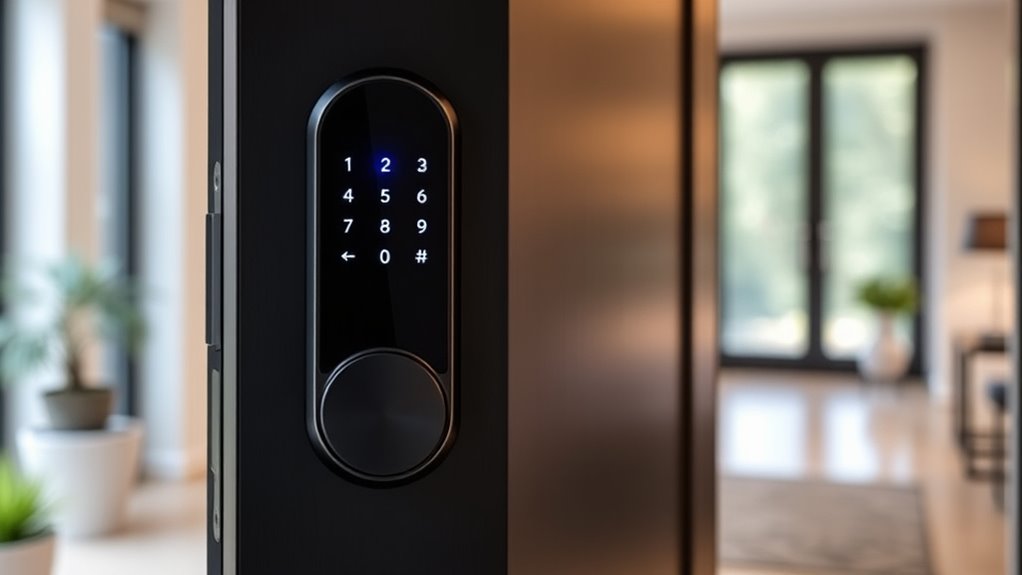

Fingerprint smart door locks let you enter without reaching for a key, but the right choice depends on whether you want a deadbolt or a knob, app access, and built-in Wi-Fi. My best overall pick is the eufy Security Smart Lock C220, while the Wyze Lock Bolt v2 stands out for buyers who want Wi-Fi alongside fingerprint entry, and the Philips Wi-Fi Smart Lock with Handle suits those who want a handle-and-lock setup. The main tradeoff is convenience versus compatibility: added connectivity and access methods can bring more setup and power demands, while simpler locks may offer fewer remote features. Door measurements, existing hardware, and backup entry options matter as much as the fingerprint reader. Read on for the full comparison and guidance on matching a lock to your door and daily routine.

Get the latest gadgets delivered free with Prime
- Fast, free delivery on millions of items
- Prime Video, Amazon Music and more included
- Member-only deals all year
Complete the kit



Key Takeaways
- Deadbolts and knobs solve different fit problems: the eufy C220 and Wyze Lock Bolt v2 are deadbolt options, while several Yamiry and Evanshow picks replace a knob; check your door hardware before comparing features.
- Wi-Fi is a meaningful separator: the Philips Wi-Fi lock and Wyze Lock Bolt v2 list Wi-Fi, while many other models emphasize fingerprint and keypad access without the same stated connectivity.
- Handle-equipped designs suit a different buyer: the Philips and Sifely S combine fingerprint access with a handle, which may appeal to buyers replacing more than a deadbolt.
- Keypads add a useful backup: several picks pair a fingerprint reader with keypad entry, giving households another way in when a fingerprint is not read or a visitor needs access.
- Product details matter more than a shared biometric label: the lineup varies by lock format, app control, mechanical-key backup, and listed connectivity, so confirm each model’s fit and entry methods rather than assuming all fingerprint locks work alike.
| eufy Security Smart Lock C220 Fingerprint Deadbolt |  | Best Overall | Model: T8506 | Lock type: Deadbolt | Unlock methods: Fingerprint, app, keypad, physical key, Apple Watch, Alexa or Google voice assistant | VIEW ON AMAZON | See Our Full Breakdown |
| Yamiry YR01 Smart Door Lock with Fingerprint, Keypad, and App Control |  | Best for Flexible DIY Entry | Model: YR01 | Unlock methods: Fingerprint, passcode, Bluetooth app, key fob, mechanical key, Alexa voice unlock | Connectivity: Bluetooth app control; Wi-Fi gateway required for remote control and Alexa voice unlocking | VIEW ON AMAZON | See Our Full Breakdown |
| Veise VE017 Fingerprint Smart Door Lock with App Control, Matte Black |  | Best for Privacy-Focused Access Management | Model and color: VE017; matte black | Unlock methods: Fingerprint, app, authorized access, fob card, code, shared code, mechanical key; voice assistant with optional G1 Gateway | Fingerprint recognition: Under 0.2 seconds; 99.99% accuracy claimed by manufacturer | VIEW ON AMAZON | See Our Full Breakdown |
| DREMUSOUD Smart Fingerprint Door Lock with Keypad |  | Best for High-Capacity Household Access | Model: E008 | Unlock methods: Fingerprint, password, IC card, app, 2 mechanical keys | Fingerprint capacity: Up to 100 | VIEW ON AMAZON | See Our Full Breakdown |
| Philips Wi-Fi Smart Lock with Handle and Fingerprint Entry |  | Best for Connected Passcode Sharing | Model: DDL220X-1HW-MB | Lock format: Smart lock with handle | Unlock methods: Fingerprint, app, password, voice control, physical key | VIEW ON AMAZON | See Our Full Breakdown |
| Veise KS02A Fingerprint Door Lock, Matte Black |  | Best for Long Battery Life | Unlock methods: Fingerprint, password, one-time code, mechanical key | Fingerprint capacity: 20 fingerprints | Password capacity: 20 user passwords plus 1 master password | VIEW ON AMAZON | See Our Full Breakdown |
| Sifely S Fingerprint Smart Door Lock with Handle and Keypad |  | Best for Multi-Method Entry | Entry methods: Fingerprint, keypad, app, FOB, key, key card | Connectivity: Bluetooth; Wi-Fi through optional Sifely WiFi Gateway | Smart home support: Alexa and Google Assistant via optional WiFi Gateway | VIEW ON AMAZON | See Our Full Breakdown |
| Evanshow Smart Fingerprint Door Knob with App, Keypad, and Auto-Lock |  | Best for App-Based Access Management | Model and finish: 190BTSilver, matte silver | Entry methods: Fingerprint, keypad passcode, NFC card, mechanical key | App control: Tuya app | VIEW ON AMAZON | See Our Full Breakdown |
| KLLOQUE Smart Fingerprint Door Knob with App Control and Mechanical Key, Matte Black |  | Best for Interior Privacy Modes | Model and finish: K10B, matte black | Unlock methods: Fingerprint, app, mechanical key | Connectivity: Bluetooth; gateway required for remote control | VIEW ON AMAZON | See Our Full Breakdown |
| Wyze Lock Bolt v2 Smart Deadbolt with AI Fingerprint Scanner, Wi-Fi, and Auto-Lock |  | Best for Built-In Remote Connectivity | Model: WLCKB2 | Lock type: Biometric deadbolt with keypad | Connectivity: Built-in Wi-Fi | VIEW ON AMAZON | See Our Full Breakdown |
| Evanshow Biometric Door Lock with Keypad |  | Best for High Fingerprint Capacity | Access methods: Fingerprint, password, 2 mechanical keys, and 4 IC cards | Fingerprint capacity: Up to 100 fingerprints | Password capacity: Up to 50 passwords | VIEW ON AMAZON | See Our Full Breakdown |
| Evanshow Smart Fingerprint Door Lock with Knob and App Control |  | Best for App-Based Access Management | Entry methods: Fingerprint, keypad passcode, NFC card, and mechanical key | App control: Tuya app for access management and entry logs | Fingerprint unlock time: 0.5 seconds | VIEW ON AMAZON | See Our Full Breakdown |
| Yamiry Fingerprint Keyless Entry Smart Door Knob Lock |  | Best for Flexible Entry Methods | Unlock methods: App, password, key fob, fingerprint, and physical key | Capacity: Up to 50 passwords and 50 fingerprints | Connectivity: Bluetooth; remote control requires a separately sold Wi-Fi gateway | VIEW ON AMAZON | See Our Full Breakdown |
| smart door locks fingerprint | Unlock methods | Connectivity |
|---|---|---|
| eufy Security Smart Lock C220 | Fingerprint, app, keypad, physical key, Apple Watch, Alexa or Google voice assistant | Built-in Wi-Fi |
| Yamiry YR01 Smart Door Lock wi | Fingerprint, passcode, Bluetooth app, key fob, mechanical key, Alexa voice unlock | Bluetooth app control; Wi-Fi gateway required for remote control and Alexa voice unlocking |
| Veise VE017 Fingerprint Smart | Fingerprint, app, authorized access, fob card, code, shared code, mechanical key; voice assistant with optional G1 Gateway | — |
| DREMUSOUD Smart Fingerprint Do | Fingerprint, password, IC card, app, 2 mechanical keys | — |
| Philips Wi-Fi Smart Lock with | Fingerprint, app, password, voice control, physical key | Built-in 2.4 GHz Wi-Fi; no hub required |
| Veise KS02A Fingerprint Door L | Fingerprint, password, one-time code, mechanical key | — |
| Sifely S Fingerprint Smart Doo | — | Bluetooth; Wi-Fi through optional Sifely WiFi Gateway |
| Evanshow Smart Fingerprint Doo | — | — |
| KLLOQUE Smart Fingerprint Door | Fingerprint, app, mechanical key | Bluetooth; gateway required for remote control |
| Wyze Lock Bolt v2 Smart Deadbo | — | Built-in Wi-Fi |
| Evanshow Biometric Door Lock w | — | — |
| Evanshow Smart Fingerprint Doo | — | — |
| Yamiry Fingerprint Keyless Ent | App, password, key fob, fingerprint, and physical key | Bluetooth; remote control requires a separately sold Wi-Fi gateway |
More Details on Our Top Picks
eufy Security Smart Lock C220 Fingerprint Deadbolt
The eufy Security Smart Lock C220 is my strongest all-round pick for buyers who want fingerprint entry without giving up remote access or familiar backups. Its built-in Wi-Fi lets you control the deadbolt remotely without buying a separate gateway, unlike the Veise VE017 and Yamiry YR01, which need an add-on for remote features. Six entry methods, including an Apple Watch and voice assistants, give household members more ways to get in if they do not want to use the fingerprint reader.
The tradeoff is that it uses eight AA batteries, and the stated battery life depends on usage. Its deadbolt format also means checking compatibility with your existing door hardware before buying. Compared with the Philips Wi-Fi Smart Lock, the C220 offers more listed unlock methods, while Philips specifies larger passcode capacity and a longer warranty.
Pros:- Six entry methods, including fingerprint, physical key, Apple Watch, and voice assistants
- Built-in Wi-Fi enables remote control without a separate bridge
- Includes eight AA batteries and lists up to eight months of battery life, depending on use
- BHMA Grade 3 certified and IP53 rated
Cons:- Battery life varies with usage
- Must be checked against the existing deadbolt and door for compatibility
Best for: Households that want fingerprint access, built-in remote control, and several backup entry methods without adding a gateway.
Not ideal for: Buyers seeking a handle-style replacement or a lock that avoids frequent battery monitoring; compatibility depends on the existing deadbolt and door.
- Model:T8506
- Lock type:Deadbolt
- Unlock methods:Fingerprint, app, keypad, physical key, Apple Watch, Alexa or Google voice assistant
- Connectivity:Built-in Wi-Fi
- Battery:8 AA batteries; up to 8 months, depending on use
- Certification and water resistance:BHMA Grade 3; IP53
- Operating temperature:-22°F to 158°F (-30°C to 70°C)
- Installation:Designed for most standard deadbolts; approximately 15 minutes, no drilling
Our verdict“Choose the C220 if you want a versatile fingerprint deadbolt with remote access built in, provided your existing door hardware is compatible.”
Yamiry YR01 Smart Door Lock with Fingerprint, Keypad, and App Control
The Yamiry YR01 suits buyers who want a handle lock with several entry choices and a straightforward DIY setup. Fingerprint, passcode, Bluetooth app, key fob, and mechanical-key access mean different household members can use what feels easiest. Its reversible handle also accommodates left- or right-handed doors, a practical fit advantage over deadbolt-only picks such as the eufy C220.
The main compromise is connectivity: Bluetooth app control is available, but remote control and Alexa unlocking require a separately sold Wi-Fi gateway. That makes the YR01 less self-contained than the eufy C220 and Philips Wi-Fi Smart Lock, both of which list built-in Wi-Fi. Temporary codes and unlock history add useful access management, though buyers should confirm their door is among the standard American wooden doors it is designed for.
Pros:- Offers fingerprint, passcode, Bluetooth app, key-fob, and mechanical-key entry
- Reversible handle fits left- or right-handed doors
- App supports temporary access codes and unlock history
- Designed for DIY installation with a screwdriver
Cons:- Remote control and Alexa voice unlocking require a separately sold Wi-Fi gateway
- Designed for most standard American wooden doors, so door fit should be checked
Best for: DIY-minded households with a compatible wooden door that want fingerprint, keypad, key-fob, and Bluetooth access in a reversible handle.
Not ideal for: Buyers who need remote access or Alexa unlocking immediately without purchasing an additional Wi-Fi gateway.
- Model:YR01
- Unlock methods:Fingerprint, passcode, Bluetooth app, key fob, mechanical key, Alexa voice unlock
- Connectivity:Bluetooth app control; Wi-Fi gateway required for remote control and Alexa voice unlocking
- Installation:DIY installation with a screwdriver; designed for most standard American wooden doors
- Handle:Reversible for left- or right-handed doors
- Included key fobs:2
- Included mechanical keys:2
- Included hardware:Adjustable latch and screw set
Our verdict“Pick the YR01 for flexible local entry and a reversible DIY handle, but choose the eufy C220 or Philips if built-in remote access matters more.”
Veise VE017 Fingerprint Smart Door Lock with App Control, Matte Black
The Veise VE017 is the pick for buyers who care about managing access and keeping credential data on the lock. It supports fingerprint, code, fob-card, app, and mechanical-key entry, while the KK Home app adds remote user management and activity logs. Its locally stored data and AES-128 encryption distinguish it from the Yamiry YR01, whose supplied details focus more on entry flexibility than local data handling.
Remote access and voice assistant support still depend on the separately sold G1 Gateway, so it is not as ready for out-of-home control as the eufy C220. The four-AA setup, approximate 12-month battery-life claim, and USB-C emergency port offer useful power options, but batteries are not included. Buyers should also treat the stated fingerprint speed and accuracy as manufacturer claims rather than guaranteed results.
Pros:- Stores access data locally with AES-128 encryption
- App supports remote user management and activity logs
- Offers fingerprint, app, card, code, shared-code, and mechanical-key access
- USB-C emergency power port and IP55 water resistance
Cons:- G1 Gateway is sold separately for remote access and voice assistant features
- Four AA batteries are not included
- Battery life varies with usage
Best for: Privacy-conscious households, landlords, or hosts who want local credential storage, entry logs, and configurable guest access.
Not ideal for: Buyers who require remote control out of the box or want a lock that includes its batteries and gateway.
- Model and color:VE017; matte black
- Unlock methods:Fingerprint, app, authorized access, fob card, code, shared code, mechanical key; voice assistant with optional G1 Gateway
- Fingerprint recognition:Under 0.2 seconds; 99.99% accuracy claimed by manufacturer
- Auto-lock:Adjustable from 0 to 180 seconds
- Data security:AES-128 encryption; access data stored locally on the lock
- Power:4 AA/LR6 alkaline batteries, not included; about 12 months claimed, depending on use
- Emergency power and water resistance:USB-C port; IP55
- Installation and warranty:DIY, approximately 15 minutes with a screwdriver; 1-year limited warranty, extendable by 1 year with registration
Our verdict“Choose the VE017 if local credential storage and access logs outweigh the extra gateway purchase for remote control.”
DREMUSOUD Smart Fingerprint Door Lock with Keypad
The DREMUSOUD E008 stands out for households that need to enroll many users rather than prioritize built-in remote connectivity. Capacity for up to 100 fingerprints and 50 passwords gives it more listed fingerprint slots than the Philips Wi-Fi Smart Lock, which supports up to 50. Fingerprint, password, IC card, app, and mechanical-key entry provide useful alternatives for family members and visitors, while the reversible handle helps accommodate either door swing.
Its simple access mix comes with fewer stated connected features than the Veise VE017, which lists activity logs and remote user management. The E008’s USB-C emergency power port and low-battery alarm help address power concerns, but its four AAA batteries are not included. Check the specified door thickness and backset before buying; unlike the eufy C220, this is a handle-style lock rather than a deadbolt.
Pros:- Supports up to 100 fingerprints and 50 passwords
- Five entry methods include fingerprint, app, IC card, and mechanical key
- USB-C emergency power port and low-battery alarm
- Reversible handle supports left- or right-opening doors
Cons:- Four AAA batteries are not included
- Product details do not specify built-in Wi-Fi or remote-control features
- Door thickness and backset must match the stated fit range
Best for: Large households or shared homes that need many fingerprint profiles and a handle lock with several local entry options.
Not ideal for: Buyers who need detailed remote access management, built-in Wi-Fi, or a deadbolt format.
- Model:E008
- Unlock methods:Fingerprint, password, IC card, app, 2 mechanical keys
- Fingerprint capacity:Up to 100
- Password capacity:Up to 50
- Fingerprint recognition speed:0.2 seconds
- Emergency power:USB-C port
- Batteries:4 AAA, not included
- Door fit:Door thickness: 1-3/8 to 2-1/8 inches (35-55 mm); backset: 2-3/8 or 2-3/4 inches (60 or 70 mm)
- Warranty:12 months
Our verdict“Choose the E008 for high fingerprint capacity and flexible handle fit, not for the connected management features listed for the Veise VE017.”
Philips Wi-Fi Smart Lock with Handle and Fingerprint Entry
The Philips Wi-Fi Smart Lock is a strong match for homes that share access with guests, cleaners, or family members. It supports up to 100 passcodes, including scheduled and temporary codes, alongside fingerprint entry, app control, voice control, and a physical key. Built-in 2.4 GHz Wi-Fi enables remote control, alerts, and activity logs without the separate gateway required by the Veise VE017 and Yamiry YR01.
Compared with the eufy C220, Philips offers a larger stated passcode capacity and configurable passage and privacy modes, while eufy lists Apple Watch access and a wider range of voice-assistant options. Philips is limited to 2.4 GHz Wi-Fi, so buyers with a network setup that relies on other bands should check compatibility. Its 50-fingerprint capacity is also lower than the DREMUSOUD E008’s 100, making Philips more compelling for code-based sharing than maximum biometric enrollment.
Pros:- Built-in 2.4 GHz Wi-Fi supports remote control, alerts, and activity logs without a hub
- Supports up to 100 passcodes, including scheduled and temporary codes
- Fingerprint, app, PIN, voice control, and physical-key entry
- Configurable auto-lock, passage mode, and privacy mode
Cons:- Wi-Fi connection supports 2.4 GHz only
- Fingerprint capacity is limited to 50, below the DREMUSOUD E008’s stated capacity
Best for: Connected households that frequently issue temporary or scheduled entry codes and want remote alerts without a separate hub.
Not ideal for: Buyers whose Wi-Fi setup cannot provide 2.4 GHz or who need more than 50 fingerprint profiles.
- Model:DDL220X-1HW-MB
- Lock format:Smart lock with handle
- Unlock methods:Fingerprint, app, password, voice control, physical key
- Connectivity:Built-in 2.4 GHz Wi-Fi; no hub required
- Fingerprint capacity:Up to 50
- Passcode capacity:Up to 100; supports scheduled and temporary codes
- Auto-lock delay:5–180 seconds
- Warranty:2 years
Our verdict“Pick Philips if temporary and scheduled passcodes plus built-in remote access matter more than maximum fingerprint capacity or broader Wi-Fi-band support.”
Veise KS02A Fingerprint Door Lock, Matte Black
The Veise KS02A makes a strong case for buyers who want a fingerprint deadbolt with fewer battery changes. Its four AA batteries are rated for 365+ days, longer than the Wyze Lock Bolt v2’s stated eight-month maximum, while the Veise also accepts passwords, one-time codes, and a mechanical key. Those one-time codes are useful for temporary guests without adding another fingerprint to the lock. Self-learning fingerprint recognition is specified at 0.2 seconds, and auto-lock plus anti-peeping code protection add practical everyday safeguards. The tradeoff is that this is a deadbolt-only unit: it does not include a handle, and installation depends on careful vertical alignment. It also lacks the Wyze’s built-in Wi-Fi, so buyers prioritizing remote app access should compare that model instead.
Pros:- Fingerprint recognition is specified to unlock in 0.2 seconds.
- One-time codes provide a useful way to grant temporary access.
- Four AA batteries are rated for more than a year of operation.
- Supports fingerprints, passwords, one-time codes, and a mechanical key.
Cons:- A door handle is not included.
- Installation requires careful vertical alignment.
- Batteries are not included.
Best for: Homeowners replacing a compatible deadbolt who want fingerprint entry, temporary guest codes, and long stated battery life without relying on Wi-Fi.
Not ideal for: Buyers who need a matching handle in the box, remote connectivity, or a lock that tolerates imprecise installation alignment.
- Unlock methods:Fingerprint, password, one-time code, mechanical key
- Fingerprint capacity:20 fingerprints
- Password capacity:20 user passwords plus 1 master password
- Battery:Four AA batteries; stated life of 365+ days
- Material and finish:Zinc alloy, matte black
- Door thickness:1-3/8 to 2 inches
- Certification:ANSI Grade 3, BHMA Certified
- Temperature range:-31°F to 158°F
Our verdict“Choose the KS02A if long battery life and flexible guest access matter more than built-in remote connectivity or an included handle.”
Sifely S Fingerprint Smart Door Lock with Handle and Keypad
The Sifely S suits households that want fingerprint access without making it the only convenient way in. It combines a fingerprint reader with keypad, app, FOB, key, and key-card entry, and its access codes and logs help owners manage family members or rental guests. Unlike the Veise KS02A, which is a deadbolt without a handle, this package includes a reversible handle for left- or right-hand doors. Its touchscreen keypad is backlit and supports anti-peeping passwords, useful when entry happens after dark or near other people. The main compromise is connectivity: Bluetooth is included, but remote access and Alexa or Google Assistant support require a separate Wi-Fi Gateway. Standard-door fit can also vary, so check compatibility before buying.
Pros:- Offers fingerprint, keypad, app, FOB, key, and key-card entry.
- Access codes and logs help manage household members and guests.
- Reversible handle accommodates left- or right-hand doors.
- Backlit touchscreen and anti-peeping password support.
Cons:- Remote access and voice control require a separately purchased Wi-Fi Gateway.
- Compatibility may vary across doors described as standard.
- Warranty coverage is one year.
Best for: Families and short-term rental hosts who want several ways to enter, guest-code management, and a handle-and-lock set for a standard door.
Not ideal for: Buyers who require remote control out of the box, want a fingerprint-only deadbolt replacement, or have a nonstandard door setup.
- Entry methods:Fingerprint, keypad, app, FOB, key, key card
- Connectivity:Bluetooth; Wi-Fi through optional Sifely WiFi Gateway
- Smart home support:Alexa and Google Assistant via optional WiFi Gateway
- Lock type:Deadbolt with handle
- Features:Auto-lock, one-touch lock, backlit touchscreen, anti-peeping password
- Material and finish:Zinc, satin nickel
- Dimensions:7 x 3 x 1.12 inches
- Warranty:One year
Our verdict“Pick the Sifely S if you want a handle-equipped lock with many entry methods and can accept buying a gateway for remote features.”
Evanshow Smart Fingerprint Door Knob with App, Keypad, and Auto-Lock
For buyers who want to manage entry from an app, the Evanshow 190BTSilver pairs fingerprint unlocking with keypad codes, NFC cards, and a mechanical key. Its Tuya app supports access management and entry logs, so it offers more ways to review or grant access than the Veise KS02A, whose appeal leans more toward fast fingerprint entry and long battery life. Auto-lock can secure the door after a preset interval, while silent mode and emergency USB power add useful flexibility. The major caveat comes before any of those benefits: register an administrator fingerprint before use. Until then, any fingerprint can unlock the door. It is a knob for compatible wooden doors, not a deadbolt replacement, and the USB port provides emergency power rather than charging the internal batteries.
Pros:- Combines fingerprint, keypad, NFC card, and mechanical-key entry.
- Tuya app supports access management and entry logs.
- Auto-lock and silent mode offer useful operating choices.
- Installs without drilling or wiring.
Cons:- Any fingerprint can unlock the door until an administrator fingerprint is registered.
- Emergency USB power does not recharge the internal batteries.
- Fits specified wooden-door thicknesses rather than serving as a universal lock.
Best for: People fitting a compatible wooden door who want app-based access records, multiple entry methods, and automatic locking.
Not ideal for: Anyone who needs a deadbolt, does not want to complete initial administrator setup promptly, or expects emergency USB power to recharge the batteries.
- Model and finish:190BTSilver, matte silver
- Entry methods:Fingerprint, keypad passcode, NFC card, mechanical key
- App control:Tuya app
- Door thickness:1.18–1.97 inches
- Hand orientation:Ambidextrous
- Features:Auto-lock, access management, entry logs, silent mode
- Emergency power:USB power port; does not charge internal batteries
- Weight:1.2 pounds
Our verdict“Choose this Evanshow knob for app-managed access on a compatible wooden door, provided you complete administrator setup before relying on fingerprint security.”
KLLOQUE Smart Fingerprint Door Knob with App Control and Mechanical Key, Matte Black
The KLLOQUE K10B is the clearest fit here for an interior door where privacy settings matter as much as fingerprint entry. Passage, Normal, Privacy, and Silent modes let buyers adapt the knob to a bedroom, office, or shared space; the Evanshow 190BTSilver offers app logs and several entry methods but does not list the same range of operating modes. KLLOQUE also includes app control and a mechanical key alongside its fingerprint reader, with a rechargeable battery rated for up to a year and USB-C charging. That rechargeable design avoids a regular AA-battery supply, though it does not mean the lock is maintenance-free. Connectivity is Bluetooth by default; remote control needs a separate gateway. The fit has limits too: the product is intended for interior doors and is not suitable for doors with weather strips.
Pros:- Passage, Normal, Privacy, and Silent modes suit different interior-door needs.
- Fingerprint, app, and mechanical-key entry provide alternatives.
- Rechargeable battery supports USB-C charging and is rated for up to one year.
- App provides access records and user-permission management.
Cons:- Remote control requires a separately purchased gateway; Bluetooth is the default connection.
- Not suitable for doors with weather strips.
- Installation depends on correct alignment of the knobs and spindle bar.
Best for: Apartment residents, office users, or homeowners adding fingerprint access to an interior bedroom or office door who value privacy and silent modes.
Not ideal for: Buyers seeking an exterior deadbolt, remote control without an added gateway, or a lock for a door with weather strips.
- Model and finish:K10B, matte black
- Unlock methods:Fingerprint, app, mechanical key
- Connectivity:Bluetooth; gateway required for remote control
- Battery:Rechargeable, USB-C; stated life up to one year
- Operating modes:Passage, Normal, Privacy, Silent
- Use:Designed for interior doors, including bedrooms and offices
- Warranty:One year
Our verdict“Choose the K10B for an interior door where privacy modes and USB-C charging matter more than exterior-door use or out-of-box remote access.”
Wyze Lock Bolt v2 Smart Deadbolt with AI Fingerprint Scanner, Wi-Fi, and Auto-Lock
The Wyze Lock Bolt v2 stands apart from the other picks by including built-in Wi-Fi, so app-based remote management does not depend on an optional gateway like the Sifely S or KLLOQUE K10B. Its AI fingerprint scanner is specified to unlock in 0.5 seconds, and the lock also accepts keypad codes, app control, and physical keys. Capacity for up to 50 codes or fingerprints gives it more listed credential space than the Veise KS02A, which supports 20 fingerprints. Auto-lock, tamper alarms, and IP53 weather resistance add practical safeguards, but the battery tradeoff is substantial: eight AA batteries are rated for up to eight months, shorter than the Veise’s 365+ days. Its IP53 rating is also limited protection against weather exposure, so check the door location before choosing it.
Pros:- Built-in Wi-Fi supports remote app management without an optional gateway.
- Stores up to 50 codes or fingerprints.
- Offers fingerprint, keypad, app, and physical-key entry.
- Includes auto-lock, tamper alarms, and USB-C emergency power.
Cons:- Eight AA batteries have a stated life of up to eight months, shorter than the Veise KS02A’s rating.
- IP53 weather resistance offers limited protection.
- Uses eight AA batteries rather than a rechargeable battery system.
Best for: Buyers who want a fingerprint deadbolt with built-in Wi-Fi, remote app management, and room for many codes or fingerprints.
Not ideal for: People prioritizing long battery intervals, rechargeable operation, or stronger stated weather resistance for a highly exposed entry.
- Model:WLCKB2
- Lock type:Biometric deadbolt with keypad
- Connectivity:Built-in Wi-Fi
- Entry methods:Fingerprint, keypad, app, physical key
- Capacity:Up to 50 codes or fingerprints
- Fingerprint unlock speed:Specified at 0.5 seconds
- Battery:Eight AA batteries; stated life up to eight months
- Weather resistance:IP53
- Additional features:Auto-lock, tamper alarms, USB-C emergency power
Our verdict“Choose the Wyze if built-in Wi-Fi and higher credential capacity outweigh shorter stated battery life and limited weather protection.”
Evanshow Biometric Door Lock with Keypad
The Evanshow Biometric Door Lock with Keypad is the capacity-focused choice here: it stores up to 100 fingerprints and 50 passwords, more fingerprints than the 50-fingerprint limit listed for the Yamiry YR05. That gives a larger household or shared entry more room for registered users without relying on a single shared code. Fingerprint, password, IC card, and mechanical-key access also provide alternatives if someone cannot use the scanner. Recognition is listed at under one second, and the lock is designed to fit reversible-swing wooden doors without drilling or wiring. The tradeoff is a simpler setup and feature set than the app-connected Evanshow 190BT: this model does not list app controls or entry logs. It also requires an administrator fingerprint before first use, and its USB emergency-power port cannot recharge the batteries.
Pros:- Stores up to 100 fingerprints and 50 passwords, giving it more fingerprint capacity than the Yamiry YR05
- Provides fingerprint, password, IC card, and mechanical-key entry
- Fits left- or right-swing wooden doors within the stated thickness range
- Designed for installation without drilling or wiring
Cons:- No app control or entry-log feature is listed
- Administrator fingerprint registration is required before first use
- USB emergency power can supply external power but cannot recharge the internal batteries
Best for: Households, shared homes, or small teams that need fingerprint access for more than 50 people and do not need app-based entry logs.
Not ideal for: Buyers who want to manage access or check entry logs from a phone, or who prefer setup without registering an administrator fingerprint first.
- Access methods:Fingerprint, password, 2 mechanical keys, and 4 IC cards
- Fingerprint capacity:Up to 100 fingerprints
- Password capacity:Up to 50 passwords
- Fingerprint recognition:Less than 1 second
- Compatible door thickness:1.18–1.97 inches
- Door orientation:Reversible; left- or right-swing
- Installation:No drilling or wiring
- Emergency power:USB port for an external power bank; does not charge internal batteries
- Material and finish:Metal, matte black
Our verdict“Choose this Evanshow if fingerprint capacity matters more than app-based monitoring and you need room for a large roster of users.”
Evanshow Smart Fingerprint Door Lock with Knob and App Control
Among these three, the Evanshow 190BT is the clearest pick for buyers who want fingerprint entry alongside phone-based access management. Its Tuya app can manage access and show entry logs, while auto-lock adds a hands-off way to secure the door after someone leaves. The listed 0.5-second fingerprint unlock time is quicker than the sub-one-second figure given for the Evanshow 190NOA, but the bigger distinction is app oversight rather than capacity: the 190NOA stores up to 100 fingerprints, while the 190BT’s fingerprint capacity is not specified here. It also offers keypad, NFC card, and mechanical-key entry. The tradeoffs are administrator-fingerprint setup and a USB emergency-power port that cannot recharge the batteries. Buyers who do not need app controls may prefer the simpler 190NOA.
Pros:- Tuya app supports access management and entry-log review
- Offers fingerprint, keypad passcode, NFC card, and mechanical-key entry
- Lists 0.5-second fingerprint unlocking and an auto-lock feature
- Designed for installation without drilling or wiring
Cons:- An administrator fingerprint must be registered before other fingerprints can be restricted
- USB emergency power cannot recharge the internal batteries
- Fingerprint capacity is not specified, unlike the Evanshow 190NOA’s stated capacity of 100
Best for: People who want to manage door access and review entry logs through an app, with fingerprint and keypad access as everyday options.
Not ideal for: Large households that need a stated fingerprint capacity above 50, or buyers who do not want to register an administrator fingerprint during setup.
- Entry methods:Fingerprint, keypad passcode, NFC card, and mechanical key
- App control:Tuya app for access management and entry logs
- Fingerprint unlock time:0.5 seconds
- Auto-lock:Yes
- Door thickness compatibility:1.18–1.97 inches
- Hand orientation:Reversible
- Installation:No drilling or wiring
- Emergency power:USB port for an external power bank; does not recharge internal batteries
- Material and finish:Metal, matte black
Our verdict“Pick the Evanshow 190BT if app access management and entry logs matter more to you than a clearly stated high fingerprint capacity.”
Yamiry Fingerprint Keyless Entry Smart Door Knob Lock
The Yamiry YR05 stands out for mixing five entry methods with app control: users can unlock by fingerprint, password, key fob, physical key, or app. That variety makes it a more flexible fit than the Evanshow 190NOA, which offers IC cards but does not list app control, while the 190BT adds app logs but lists NFC cards rather than key fobs. The YR05 stores up to 50 fingerprints and 50 passwords and includes auto-lock, with Bluetooth supporting nearby app control. Remote operation is possible only with a separately sold Wi-Fi gateway, so buyers should not expect out-of-home control from the lock alone. It is described as fitting most American standard doors, but that broad compatibility claim gives less precise sizing guidance than the Evanshow models’ stated door-thickness range.
Pros:- Offers five entry methods: app, password, key fob, fingerprint, and physical key
- Stores up to 50 fingerprints and 50 passwords
- Includes auto-lock and app control
- Designed for screwdriver installation and includes two physical keys and two key fobs
Cons:- Remote control requires a separately sold Wi-Fi gateway
- Nearby app control relies on Bluetooth
- Door compatibility is described broadly as most American standard doors rather than by a stated thickness range
Best for: Buyers who want several ways to enter, including a key fob, and are comfortable using Bluetooth nearby or adding a separate gateway for remote control.
Not ideal for: People who need remote app access out of the box, or buyers who need a specific door-thickness range confirmed before choosing a lock.
- Unlock methods:App, password, key fob, fingerprint, and physical key
- Capacity:Up to 50 passwords and 50 fingerprints
- Connectivity:Bluetooth; remote control requires a separately sold Wi-Fi gateway
- Locking methods:Auto-lock, app, or long press of the check button
- Compatibility:Most American standard doors
- Dimensions:5.62 x 2.69 x 3 inches
- Material and color:Aluminum, matte black
- Included components:Front plate, back plate, hardware assembly, user guide, latch, 2 physical keys, and 2 key fobs
- Warranty:1-year product coverage
Our verdict“Choose the Yamiry YR05 if entry-method flexibility and included key fobs matter more than built-in remote access or precise door-fit specifications.”

How We Picked
I compared the 13 listed models around the decisions that shape a fingerprint-lock purchase: lock format and door fit, available entry methods, stated app and Wi-Fi features, and the role of a mechanical key or keypad as a backup. I also weighed everyday usability: whether the product is a deadbolt, knob, or handle set changes installation needs and what hardware it replaces. Where the supplied product names did not specify a feature, I have not treated that feature as confirmed.
Ranking favors clear buyer fit and useful flexibility, not a longer feature list by itself. The eufy C220 leads as a broadly useful deadbolt choice; the Wyze and Philips rise for buyers prioritizing listed Wi-Fi, while knob-focused models serve people replacing knob hardware. The lower-ranked options may still fit specific doors or needs, but their stated details offer less differentiation in this lineup. Confirm compatibility, included components, and connectivity requirements in the current product listing before purchase.
| smart door locks fingerprint | Connectivity |
|---|---|
| eufy Security Smart Lock C220 | Built-in Wi-Fi |
| Yamiry YR01 Smart Door Lock wi | Bluetooth app control; Wi-Fi gateway required for remote control and Alexa voice unlocking |
| Veise VE017 Fingerprint Smart | — |
| DREMUSOUD Smart Fingerprint Do | — |
| Philips Wi-Fi Smart Lock with | Built-in 2.4 GHz Wi-Fi; no hub required |
| Veise KS02A Fingerprint Door L | — |
| Sifely S Fingerprint Smart Doo | Bluetooth; Wi-Fi through optional Sifely WiFi Gateway |
| Evanshow Smart Fingerprint Doo | — |
| KLLOQUE Smart Fingerprint Door | Bluetooth; gateway required for remote control |
| Wyze Lock Bolt v2 Smart Deadbo | Built-in Wi-Fi |
| Evanshow Biometric Door Lock w | — |
| Evanshow Smart Fingerprint Doo | — |
| Yamiry Fingerprint Keyless Ent | Bluetooth; remote control requires a separately sold Wi-Fi gateway |
Factors to Consider When Choosing Smart Door Locks Fingerprint
Fingerprint access is only one part of choosing a lock. I would start with the door and the access routine, then decide whether app connectivity, a handle, or a backup key is worth the extra setup.
Match the lock format to your existing door hardware
A deadbolt, a knob lock, and a handle set are not interchangeable purchases. Check whether you are replacing only the deadbolt or also the knob or handle, and compare the product’s required door dimensions with your own. A lock can have the right fingerprint features and still be the wrong fit for a door with different spacing or hardware. Buyers often focus on the outside keypad and overlook the inside assembly, which can affect clearance near trim or a storm door. If you are renting or want to keep installation changes limited, prioritize a replacement format that matches the hardware you already have. Confirm the listing’s fit details before ordering rather than relying on the product name alone.
Decide how much connectivity you will actually use
App control and Wi-Fi are separate considerations, so do not assume that an app-based lock offers remote access over Wi-Fi. Wi-Fi-listed options such as the Wyze Lock Bolt v2 and Philips model may better match buyers who want connected features, while a fingerprint-and-keypad lock can be enough for local day-to-day entry. Remote functions can add convenience, but they also make setup, network compatibility, and account management part of ownership. Check which features work without an internet connection and whether any remote functions need a hub or separate service. If you mainly want to open the door with a finger, paying attention to connectivity may matter less than fit and backup access.
Plan for fingerprints that do not read
A fingerprint reader should not be the only entry method a household can use. Dry, wet, dirty, or worn fingertips can make biometric access less dependable at certain moments, and children or older adults may have different success with enrollment. A keypad gives a household another key-free route, while a mechanical key can offer a separate fallback when power is unavailable. Think through who needs access, including guests or service workers, before choosing a model with a narrower set of entry options. Avoid putting a backup key somewhere obvious or leaving the keypad code shared indefinitely. The right backup plan is the one your household can use without relying on a single person’s fingerprint.
Check power and low-battery planning
Electronic locks depend on batteries, so battery access and low-power behavior belong in the buying decision. Read the product details for battery type, expected service interval, low-battery alerts, and any emergency power method; the product names alone do not establish these specifications. A connected lock may also have different power demands from a simpler keypad model, so avoid assuming all options have the same upkeep. Decide who will monitor alerts and keep replacement batteries available. If the lock is for a door that is hard to reach or used heavily, convenient battery access can matter more than a minor app feature. Keep a backup entry method available until you know how the lock signals and handles low power.
Consider household access and code management
For one person, fingerprint entry may be the main draw; for a busy household, managing access for several people can matter more. Confirm how many fingerprints or codes a specific model supports, whether access can be removed easily, and what control the app provides. These details are not established by a short product title, so verify them before buying. A keypad can be practical for a temporary visitor, but shared codes can linger after a guest no longer needs access. Choose a lock whose access-management process matches how often your household changes users. A simpler setup may suit a small household better than app controls no one plans to maintain.
Pay for features that solve a real door problem
It can make sense to pay more for connectivity or a handle assembly when those features replace separate hardware or make remote access part of your routine. They add less value if you only need fingerprint entry at the door and prefer a simple setup. Compare each model’s stated features against a short list of actual needs: lock format, backup access, app control, and Wi-Fi. Do not treat a longer feature list as proof of stronger security or better fingerprint performance; verify technical details and certifications in the product information. Also check whether the lock works with your existing smart-home setup if integration is a requirement. A focused match to your door and routine is a better reason to choose than a feature you may never use.
Frequently Asked Questions
Should I choose a fingerprint deadbolt or a fingerprint door knob?
Start with the hardware you need to replace. A deadbolt model is a natural match when you want to change the deadbolt and keep a separate knob or handle, while a knob lock replaces that knob-style assembly. Handle-equipped models may suit a door where you want the handle and lock to be part of one purchase. Check door thickness, backset, hole spacing, and included hardware against the product’s fit guide. If you are uncertain about the door measurements, confirm them before ordering or ask an installer to check.
Is built-in Wi-Fi worth choosing over fingerprint and keypad entry alone?
Wi-Fi is most useful if you expect to use connected functions away from the door, rather than only unlocking locally with a fingerprint or code. The Wyze Lock Bolt v2 and Philips Wi-Fi model list Wi-Fi, making them the clearer candidates in this roundup for buyers prioritizing that connection. Check the product details to see which functions require Wi-Fi and whether a hub, app account, or compatible network is needed. If you do not plan to use remote features, a simpler lock may be easier to set up and maintain. Choose based on the access routine you expect to use, not connectivity alone.
Can I rely on fingerprint entry as my only way to unlock the door?
I would not make any fingerprint reader the only entry route. Fingerprints can be harder to read when fingers are wet, dirty, or worn, and one person’s enrollment may not work equally well for everyone in the household. A keypad or mechanical-key backup gives you another option if biometric entry fails or the lock loses power. Before buying, verify which backup methods the exact model includes, since the product names do not confirm every detail. Keep that backup accessible and make sure each regular user knows how to use it.
What should I verify before buying an app-controlled fingerprint lock?
Check the door dimensions and lock format first, then confirm what the app actually controls. App control does not by itself mean the lock supports remote operation over Wi-Fi, and some connected features may need additional equipment or setup. Look for clear information about user and code management, notifications, and what still works when internet access is unavailable. Confirm the required phone platform and any account or network requirements in the current listing. If you only want local fingerprint entry, those app details may matter less than the keypad or key backup.
Which type of fingerprint smart lock is easiest for a mixed-age household?
There is no single format that works best for every household, so prioritize more than one practical entry method. A keypad alongside a fingerprint reader can help when a user has trouble getting a reliable scan, while a mechanical key can serve as a separate fallback. For older adults or children, consider whether the keypad is easy to reach and whether the app setup can be managed by someone else in the household. Verify how many users or codes the model supports before buying. If you can, compare the layout and operating instructions in the product details with the abilities and habits of everyone who will use the door.
Conclusion
For the best overall balance, I recommend the eufy Security Smart Lock C220 as the lead deadbolt pick in this roundup. Buyers focused on listed Wi-Fi can shortlist the Wyze Lock Bolt v2 or the Philips Wi-Fi Smart Lock with Handle; the Philips is the more relevant choice when replacing a handle is part of the job. For value, compare the simpler Yamiry, Veise, and Evanshow options by lock format and backup methods rather than assuming one is best without checking current specifications. Beginners should favor a model that matches existing hardware and offers a clear keypad or key fallback, with the eufy C220 a sensible starting point among these picks. For a knob replacement, look at the Evanshow, KLLOQUE, and Yamiry knob models; for handle-equipped hardware, compare Philips with Sifely S. Confirm dimensions, connectivity requirements, and backup entry before making the final choice.
Fall Picks
fall essentials
As an affiliate, we earn on qualifying purchases.