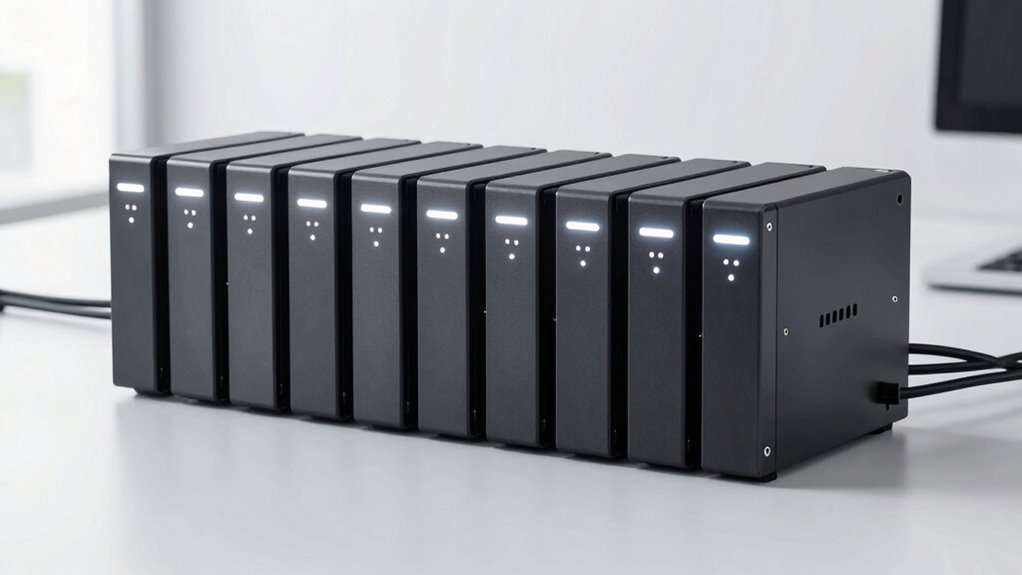

For a silent managed switch for an office, I’d start with the Zyxel GS1200-10V3: its fanless design, straightforward web management, and two SFP uplinks make it a strong fit for quiet small-office networks. The TP-Link Omada ES210X-M2 stands out when faster 2.5GbE connections matter, while the NETGEAR GS308E is a simpler choice for basic VLAN and traffic controls. The main tradeoffs are port count, management depth, PoE needs, and whether faster links justify added cost and complexity. Fanless models suit desks and shared rooms, but high-power or high-speed hardware may have different cooling and setup demands. Read on for how all 10 options compare and which one fits your office.

Get the latest gadgets delivered free with Prime
- Fast, free delivery on millions of items
- Prime Video, Amazon Music and more included
- Member-only deals all year
Complete the kit



Key Takeaways
- Quiet operation favors compact fanless designs: the Zyxel GS1200-10V3 and STEAMEMO call out fanless construction, a useful advantage for open offices and nearby desks.
- More ports do not automatically mean better office fit: the 24-port NETGEAR GS724T adds smart management, while the TL-SG1024S is an unmanaged alternative and lacks the control expected from this roundup’s managed picks.
- PoE changes the buying calculation: the STEAMEMO’s stated 120W budget and the NETGEAR GS308EP suit powered devices, but buyers should match total draw to the planned access points, phones, and cameras.
- Faster uplinks serve specific workloads: the Omada ES210X-M2 brings 2.5GbE access, while the SODOLA SFP+ model targets 10GbE fiber or DAC connections rather than ordinary gigabit desk devices.
- Management ranges from basic to more involved: easy-managed models can cover common VLAN and QoS tasks, while layer and platform features matter most when the office has a network administrator or a defined growth plan.
| Zyxel GS1200-10V3 8-Port Web-Managed Gigabit Switch with 2 SFP Uplinks |  | Best Overall for Quiet, Flexible Office Networks | Ethernet ports: 8 RJ-45 Gigabit Ethernet | SFP ports: 2 Gigabit SFP | Switching capacity: 20 Gbps | VIEW ON AMAZON | See Our Full Breakdown |
| TP-Link Festa FS308G 8-Port Gigabit Smart Managed Switch |  | Best for Cloud-Managed Small Offices | Ports: 8 × 10/100/1000 Mbps RJ45 | Switch type: Smart managed | Management: Festa app or web cloud management | VIEW ON AMAZON | See Our Full Breakdown |
| STEAMEMO 8-Port Managed Gigabit PoE+ Switch with 2 Uplinks, 120W Power, VLAN/QoS Support, Fanless Metal Design |  | Best Silent PoE+ Pick | Ports: 8 | Uplink ports: 2 | Data transfer rate: 1000 Mbps | VIEW ON AMAZON | See Our Full Breakdown |
| TP-Link Omada ES210X-M2 8-Port 2.5G Easy-Managed Switch |  | Best for Multi-Gig Office Networks | RJ45 ports: 8 × 2.5 Gbps | Uplink ports: 2 × 10 Gbps SFP+ | Management: Managed; compatible with Omada SDN | VIEW ON AMAZON | See Our Full Breakdown |
| NETGEAR 24-Port Gigabit Ethernet Smart Managed Network Switch (GS724T) |  | Best for High-Density Silent Offices | Ethernet ports: 24 Gigabit Ethernet | SFP ports: 2 × 1G | Switch type: Managed | VIEW ON AMAZON | See Our Full Breakdown |
| TP-Link TL-SG1024S 24-Port Gigabit Ethernet Switch |  | Best for Silent High-Port-Density Offices | Ports: 24 RJ45 | Port speed: 10/100/1000 Mbps | Switching capacity: 48 Gbps | VIEW ON AMAZON | See Our Full Breakdown |
| SODOLA 8-Port 10GbE SFP+ Layer 3 Managed Switch |  | Best for Silent 10GbE Fiber Networks | Ports: 8 SFP+ | Port rate: 10G/2.5G adaptive | Switch type: Layer 3 managed | VIEW ON AMAZON | See Our Full Breakdown |
| NETGEAR 8-Port Gigabit Ethernet Easy Smart Managed Network Switch (GS308E) |  | Best for Beginners Who Need Basic Management | Ports: 8 RJ45 | Port speed: 1 Gbps with auto-negotiation | Switch type: Easy Smart managed | VIEW ON AMAZON | See Our Full Breakdown |
| NETGEAR GS308EP 8-Port PoE+ Gigabit Ethernet Easy Smart Managed Switch |  | Best for Silent PoE Device Power | Ports: 8 × Gigabit Ethernet with PoE+ | PoE budget: 62 W | Switch type: Easy Smart Managed Plus | VIEW ON AMAZON | See Our Full Breakdown |
| Zyxel GS1900-16 16-Port Gigabit Smart Managed Ethernet Switch |  | Best Balance of Managed Features and Port Count | Ports: 16 × 10/100/1000 Mbps RJ45 | Switching capacity: 32 Gbps | Forwarding rate: 23.8 Mpps | VIEW ON AMAZON | See Our Full Breakdown |
| silent managed switch for office | Cooling | Ports | Switch type | Management |
|---|---|---|---|---|
| Zyxel GS1200-10V3 8-Port Web-M | Fanless | — | — | Web-based |
| TP-Link Festa FS308G 8-Port Gi | — | 8 × 10/100/1000 Mbps RJ45 | Smart managed | Festa app or web cloud management |
| STEAMEMO 8-Port Managed Gigabi | — | 8 | — | — |
| TP-Link Omada ES210X-M2 8-Port | Fanless | — | — | Managed; compatible with Omada SDN |
| NETGEAR 24-Port Gigabit Ethern | Fanless | — | Managed | — |
| TP-Link TL-SG1024S 24-Port Gig | Fanless | 24 RJ45 | Unmanaged | — |
| SODOLA 8-Port 10GbE SFP+ Layer | Fanless | 8 SFP+ | Layer 3 managed | Web interface and console |
| NETGEAR 8-Port Gigabit Etherne | Fanless | 8 RJ45 | Easy Smart managed | Web GUI |
| NETGEAR GS308EP 8-Port PoE+ Gi | Fanless | 8 × Gigabit Ethernet with PoE+ | Easy Smart Managed Plus | — |
| Zyxel GS1900-16 16-Port Gigabi | — | 16 × 10/100/1000 Mbps RJ45 | Smart Managed Layer 2 | Web-based GUI and ZON Utility |
More Details on Our Top Picks
Zyxel GS1200-10V3 8-Port Web-Managed Gigabit Switch with 2 SFP Uplinks
The fanless GS1200-10V3 balances office-friendly silence with useful controls: eight Gigabit ports handle workstations and printers, while two SFP slots leave room for fiber uplinks. Its web interface adds VLANs, QoS, IGMP snooping, and link aggregation, giving small teams more ways to organize traffic than the simpler GS308E. Compared with the TP-Link Festa FS308G, this Zyxel does not require a named cloud-management ecosystem, which may suit offices that prefer local web setup. The tradeoff is that configuration takes more effort than plugging in an unmanaged switch, and there is no listed PoE output for powering access points or cameras. I’d rank it as the most balanced pick here for quiet offices that need conventional Gigabit connectivity and practical network controls.
Pros:- Fanless cooling supports quiet placement in shared work areas.
- Eight Gigabit RJ-45 ports plus two Gigabit SFP slots provide flexible connections.
- Web management includes VLAN, QoS, IGMP snooping, port mirroring, and LACP.
- LED Eco mode and energy-efficient Ethernet support lower-power operation.
Cons:- Management features require more setup than an unmanaged switch.
- No PoE output is listed for powering network devices.
- The stated maximum operating temperature is 40 °C, which may limit placement in hot enclosures.
Best for: Small offices that need silent Gigabit switching, VLAN and QoS controls, and the option to add fiber uplinks without adopting cloud-managed hardware.
Not ideal for: Teams powering access points or cameras directly from the switch, or anyone who wants plug-and-play operation without web configuration.
- Ethernet ports:8 RJ-45 Gigabit Ethernet
- SFP ports:2 Gigabit SFP
- Switching capacity:20 Gbps
- Forwarding rate:14.88 Mpps
- Management:Web-based
- Management features:VLAN, QoS, IGMP snooping v1/v2/v3, port mirroring, LACP link aggregation
- Cooling:Fanless
- MAC address table:4K entries
- Dimensions:7.6 × 3.35 × 1.02 in
Our verdict“Choose the GS1200-10V3 for a quiet small-office network that needs managed Gigabit features and fiber options, but not PoE.”
TP-Link Festa FS308G 8-Port Gigabit Smart Managed Switch
The Festa FS308G is the strongest fit for an office that wants remote administration and provisioning alongside silent operation. Its fanless metal case can sit on a desk or mount on a wall, while the Festa app or web interface provides VLAN, ACL, and static-routing controls. That makes it more appealing to a small team managing several network functions than the Zyxel GS1200-10V3, whose listed management is web-based rather than tied to a cloud platform. The central tradeoff is platform commitment: this switch requires Festa Cloud and does not work with TP-Link Omada Controllers. Its PoE connection is input-only, not output, so it cannot power office devices. I’d choose it when cloud oversight matters more than keeping management entirely local.
Pros:- Fanless metal case supports quiet desktop or wall-mounted installation.
- Festa app and web cloud management support provisioning and remote administration.
- VLAN, ACL, static routing, IGMP snooping, and traffic controls offer useful management options.
- Eight Gigabit RJ-45 ports suit typical small-office wired connections.
Cons:- Festa Cloud management is required.
- It is not compatible with Omada Controllers.
- Port 8 accepts PoE input; the switch does not provide PoE output to connected devices.
Best for: Small offices whose network administrator wants cloud-based setup and remote management for a compact, fanless Gigabit network.
Not ideal for: Offices standardized on TP-Link Omada, teams avoiding cloud management, or buyers who need PoE output for access points and phones.
- Ports:8 × 10/100/1000 Mbps RJ45
- Switch type:Smart managed
- Management:Festa app or web cloud management
- Features:Static routing, VLAN, ACL, IGMP snooping, loopback detection, flow control, rate limit, storm control, port isolation
- PoE:802.3at/af PoE input on port 8; not PoE output
- Power options:PoE input or 12 V/1 A DC
- Case and cooling:Metal case; fanless
- Mounting:Desktop or wall
- Warranty:3 years
Our verdict“Pick the FS308G if your office wants quiet switching with Festa cloud management and can work within that platform.”
STEAMEMO 8-Port Managed Gigabit PoE+ Switch with 2 Uplinks, 120W Power, VLAN/QoS Support, Fanless Metal Design
For an office with several powered devices, the STEAMEMO combines eight Gigabit ports with a stated 120W PoE budget and fanless cooling. That gives it a clear role next to the Zyxel GS1200-10V3: Zyxel offers two explicitly identified Gigabit SFP slots and a more conventional web-managed feature set, while STEAMEMO is the more relevant choice when powering cameras or other PoE equipment is central. Its managed and unmanaged modes may also help a mixed-skill team start simply and add controls later. The caution is product-data ambiguity: the supplied specs call the switch type “Unmanaged,” despite the description’s managed features, so I would verify the management mode before buying. A one-year replacement warranty is also shorter than the listed coverage on some alternatives.
Pros:- 120W total PoE budget with up to 30W per port is suited to multiple powered devices.
- Fanless metal design supports silent operation in shared office spaces.
- Managed and unmanaged modes offer a choice between simple setup and added controls.
- Management options are listed for web, desktop software, and mobile app.
Cons:- The supplied switch-type specification says “Unmanaged,” conflicting with the managed features in the description.
- The uplink ports are not identified by connector or speed in the supplied data.
- The listed one-year replacement warranty is limited compared with longer coverage offered on some alternatives.
Best for: Small offices or clinics that need quiet Gigabit connectivity and want to power multiple compatible PoE+ devices from one switch.
Not ideal for: Buyers who require unambiguous management specifications, a clearly documented SFP uplink type, or longer stated warranty coverage.
- Ports:8
- Uplink ports:2
- Data transfer rate:1000 Mbps
- Total PoE power:120W
- Maximum PoE power per port:30W
- PoE standard:802.3af/at (PoE+)
- Management features:VLAN (802.1Q), QoS, DHCP Snooping, port mirroring
- Cooling and case:Fanless metal design
- Mounting:Desktop or wall mount
Our verdict“Choose STEAMEMO when silent PoE+ power is the priority, but confirm its management mode and uplink details before purchase.”
TP-Link Omada ES210X-M2 8-Port 2.5G Easy-Managed Switch
The ES210X-M2 is the speed-focused quiet choice in this group: eight 2.5 Gbps RJ45 ports give compatible access points, NAS devices, and workstations more headroom than the Gigabit Zyxel GS1200-10V3. Two 10 Gbps SFP+ slots can also serve as high-capacity uplinks, making this a better fit for a multi-gig network backbone than a standard office desktop switch. Its fanless metal chassis keeps operation silent, and Omada SDN provides VLAN support and loop prevention. The premium in capability comes with extra infrastructure needs: clients must support 2.5 Gbps to benefit, and SFP+ uplinks require compatible transceivers or fiber equipment. Compared with the Festa FS308G, this model prioritizes faster local connections rather than cloud-centric management.
Pros:- Eight 2.5 Gbps RJ45 ports support multi-gig office equipment.
- Two 10 Gbps SFP+ uplinks provide substantial backbone capacity.
- Fanless metal design supports silent operation.
- Omada SDN management includes VLAN support and automatic loop prevention.
Cons:- Connected devices need 2.5 Gbps capability to benefit from the faster ports.
- SFP+ uplinks require compatible fiber or transceiver equipment.
- Omada SDN management may be unnecessary overhead for offices with basic switching needs.
Best for: Offices with multi-gig Wi-Fi access points, NAS storage, or workstations that need faster-than-Gigabit access and high-speed uplinks.
Not ideal for: Small offices with only Gigabit clients, or teams unwilling to source compatible SFP+ transceivers and fiber equipment.
- RJ45 ports:8 × 2.5 Gbps
- Uplink ports:2 × 10 Gbps SFP+
- Management:Managed; compatible with Omada SDN
- Features:VLAN, IGMP Snooping, Auto Loop Prevention
- Cooling:Fanless
- Case material:Metal
- Dimensions:8.2 × 5 × 1 in
- Weight:2 lb
- Warranty:5 years
Our verdict“Choose the ES210X-M2 for silent multi-gig switching, and skip it if your office network remains entirely Gigabit.”
NETGEAR 24-Port Gigabit Ethernet Smart Managed Network Switch (GS724T)
The GS724T fills a different office need from the eight-port models: 24 Gigabit Ethernet ports let a team connect many desktops, printers, and other wired equipment without stacking several smaller switches. It also adds two 1G SFP ports for fiber expansion and runs fanless, a useful combination when the switch must sit near people. Compared with the Zyxel GS1200-10V3, it trades a smaller footprint and more explicitly detailed management features for substantially higher port count; the supplied GS724T data gives less detail about its specific switching controls. Optional NETGEAR Insight cloud management is available, but PoE is not, so powered access points or phones need separate injectors or power. Its listed dimensions are also notably larger than compact desktop alternatives.
Pros:- Twenty-four Gigabit Ethernet ports consolidate many wired office connections.
- Fanless operation supports silent use in a shared workspace.
- Two 1G SFP ports allow fiber uplink or network expansion.
- Desktop and rack-mount installation options provide placement flexibility.
Cons:- No PoE support is listed for powering access points, phones, or cameras.
- Only two SFP ports are available for fiber connections.
- The listed 16.2 × 10.7 × 4.6 in dimensions make it much larger than compact eight-port options.
Best for: Growing offices that need many quiet Gigabit connections in one managed switch and may use 1G fiber uplinks.
Not ideal for: Small teams with only a few wired devices, offices needing PoE output, or buyers seeking 2.5 Gbps ports or detailed management specifications.
- Ethernet ports:24 Gigabit Ethernet
- SFP ports:2 × 1G
- Switch type:Managed
- Management option:Optional NETGEAR Insight cloud management
- Mounting options:Desktop or rack mount
- Cooling:Fanless
- Data transfer rate:24 Gbps
- Dimensions:16.2 × 10.7 × 4.6 in
- Weight:5.5 lb
Our verdict“Choose the GS724T when a quiet office needs 24 Gigabit ports in one switch, but not PoE or multi-gig access.”
TP-Link TL-SG1024S 24-Port Gigabit Ethernet Switch
For an office that needs many wired connections without fan noise, the TL-SG1024S offers 24 gigabit ports in a fanless metal case. That capacity makes it a better fit than the 8-port NETGEAR GS308E when desks, printers, and other wired devices are spread across a larger space. Its silence comes with a clear limitation, though: this is an unmanaged switch, so there are no VLAN, QoS, or monitoring controls for separating or prioritizing traffic. The Zyxel GS1900-16 is a better match if management matters, but it has fewer ports. Choose the TP-Link when straightforward port expansion matters more than network configuration. Its desktop or 1U rackmount placement is flexible, although the 24-port footprint still needs a planned home.
Pros:- 24 gigabit RJ45 ports accommodate a larger wired office than the 8-port options.
- Fanless operation avoids adding switch-fan noise to a quiet workspace.
- Plug-and-play setup requires no network configuration.
- Metal case supports durability and heat dissipation.
Cons:- Unmanaged operation lacks VLAN, QoS, and traffic-monitoring features.
- Its 24-port size requires dedicated desktop space or a rack location.
Best for: Office managers connecting many wired computers, printers, and desk devices who want silent operation and do not need configurable network controls.
Not ideal for: IT staff who need VLANs, traffic prioritization, monitoring, or other managed-switch features; the unmanaged design provides no configuration interface.
- Ports:24 RJ45
- Port speed:10/100/1000 Mbps
- Switching capacity:48 Gbps
- Switch type:Unmanaged
- Cooling:Fanless
- Mounting:Desktop or standard 1U rackmount
- Case material:Metal
- Dimensions:11.6 × 7.1 × 1.7 inches
Our verdict“Choose the TL-SG1024S for quiet, straightforward expansion to 24 gigabit connections, but skip it if your office needs managed network controls.”
SODOLA 8-Port 10GbE SFP+ Layer 3 Managed Switch
The SODOLA is the specialist pick here: its eight 10GbE SFP+ ports and Layer 3 tools suit an office building a fast fiber or server network, rather than a typical desk-side setup. Routing, VLAN, QoS, and link aggregation give it a deeper control set than the Easy Smart NETGEAR GS308E, while fanless cooling keeps noise out of the room. That capability brings setup overhead. Transceivers are not included, and 1G devices need a manual speed setting, so it is less convenient for mixed-speed offices than the RJ45 Zyxel GS1900-16. I would choose it when 10GbE links and routing features are actual requirements; for ordinary gigabit endpoints, its SFP+ focus adds complexity without the same practical payoff.
Pros:- Eight SFP+ ports support 10GbE links and adaptive 10G/2.5G rates.
- Layer 3 functions include IPv4/IPv6 routing, DHCP, VLAN, QoS, and LACP.
- Fanless cooling suits quiet office spaces.
- Web and console management provide more than one administration route.
Cons:- SFP+ transceivers are not included, adding components to source separately.
- Connecting 1G devices requires manual speed configuration.
- Its SFP+ port format is less convenient for offices built around standard RJ45 endpoints.
Best for: Network administrators connecting 10GbE-capable servers, storage, or fiber links who need Layer 3 features and silent fanless operation.
Not ideal for: Small offices with mostly standard RJ45 gigabit devices or buyers seeking a simple plug-and-play switch; SFP+ transceivers are separate and 1G connections need manual configuration.
- Ports:8 SFP+
- Port rate:10G/2.5G adaptive
- Switch type:Layer 3 managed
- Management:Web interface and console
- Features:IPv4/IPv6 routing, DHCP, LACP, VLAN, QoS, IGMP, STP, SNMP
- Cooling:Fanless
- Mounting:Wall mountable
- Transceivers:Not included
Our verdict“Pick the SODOLA for a silent, managed 10GbE fiber or server network, not for a routine office of gigabit RJ45 devices.”
NETGEAR 8-Port Gigabit Ethernet Easy Smart Managed Network Switch (GS308E)
The GS308E bridges the gap between a simple silent switch and a more involved managed network. Its eight auto-negotiating gigabit ports keep ordinary office connections easy, while the web GUI adds VLANs, QoS, IGMP snooping, and port mirroring when basic traffic controls become useful. Compared with the unmanaged 24-port TP-Link TL-SG1024S, it trades capacity for configuration; compared with the PoE-capable GS308EP, it skips device power delivery. That makes this a sensible first managed switch for a small office that wants to segment traffic without taking on a full Layer 3 feature set. The limits are practical: eight ports can fill quickly, and no PoE support means cameras or access points need separate power.
Pros:- Eight auto-negotiating gigabit RJ45 ports suit standard office endpoints.
- Easy Smart web GUI offers VLAN, QoS, IGMP snooping, and port mirroring.
- Fanless metal housing operates quietly.
- Loop detection and DoS prevention add useful network protections.
Cons:- Eight ports leave limited room for growth compared with 16- or 24-port models.
- No PoE support for powering network devices.
- Management features are basic compared with Layer 3 switches such as the SODOLA.
Best for: Small-office owners or office coordinators who want silent gigabit connectivity with approachable VLAN and QoS controls for a handful of devices.
Not ideal for: Growing offices with more than eight wired connections, or teams that need PoE to power access points, phones, or cameras.
- Ports:8 RJ45
- Port speed:1 Gbps with auto-negotiation
- Switch type:Easy Smart managed
- Management:Web GUI
- Features:VLAN, QoS, IGMP snooping, port mirroring, loop detection, DoS prevention
- Cooling:Fanless
- Case:Metal
- Interface:RJ45
Our verdict“Choose the GS308E if you want a quiet, approachable first managed switch for a small office that does not need PoE.”
NETGEAR GS308EP 8-Port PoE+ Gigabit Ethernet Easy Smart Managed Switch
When a quiet office switch also needs to power phones, cameras, or access points, the GS308EP has a distinct advantage over the GS308E: eight PoE+ ports and a 62W budget reduce the need for separate power adapters at each device. It retains Easy Smart management for VLAN and QoS setup, and its fanless design avoids the audible cooling tradeoff some higher-output equipment brings. The limits are clear against the Zyxel GS1900-16: this NETGEAR has half the port count, and its plastic case is less robust than the Zyxel’s metal construction. The 62W total also has to be shared across connected devices, so it may not suit a deployment with several high-draw endpoints. Choose it for a small powered-device setup, not as a high-capacity office backbone.
Pros:- Eight gigabit PoE+ ports power compatible endpoints directly.
- 62W total PoE budget supports multiple lower-draw devices.
- Fanless operation suits quiet work areas.
- Desktop or wall mounting offers placement flexibility.
Cons:- Eight ports limit expansion compared with the 16-port Zyxel GS1900-16.
- The 62W PoE budget must be shared across all powered devices.
- Plastic case is less durable than the metal case on models such as the GS308E.
Best for: Small offices or branch teams powering a modest group of PoE cameras, VoIP phones, or access points while needing silent operation and basic VLAN/QoS management.
Not ideal for: Offices needing more than eight ports, a higher total PoE allocation, or a metal enclosure for a demanding installation.
- Ports:8 × Gigabit Ethernet with PoE+
- PoE budget:62 W
- Switch type:Easy Smart Managed Plus
- Cooling:Fanless
- Mounting:Desktop or wall-mount
- Dimensions:10.2 × 10.2 × 2.2 inches
- Weight:1.1 kg
- Warranty:3-year limited hardware warranty
Our verdict“Choose the GS308EP for a small, quiet office network that needs PoE+ power and basic management in one compact switch.”
Zyxel GS1900-16 16-Port Gigabit Smart Managed Ethernet Switch
The GS1900-16 is the middle ground for offices that have outgrown eight ports but still want silent, managed gigabit networking. Its 16 RJ45 ports and Layer 2 features, including VLAN, QoS, IGMP snooping, and link aggregation, offer more room and control than the NETGEAR GS308E. Unlike the TL-SG1024S, it can shape and organize traffic rather than simply connect devices. The fanless 0 dBA design and desktop, wall, or rack mounting make it adaptable to office layouts. Its main omission is PoE: unlike the GS308EP, it cannot power cameras or access points over Ethernet. I would select it for a wired office needing more than eight managed connections, while buyers who need device power or 24 ports should look elsewhere.
Pros:- 16 gigabit RJ45 ports provide more capacity than the 8-port managed models.
- Layer 2 features include VLAN, QoS, IGMP snooping, link aggregation, and SNMP.
- Fanless operation is specified at 0 dBA.
- Included mounting options support desktop, wall, or 19-inch rack placement.
Cons:- No PoE output, so connected devices need separate power.
- Fewer ports than the 24-port TP-Link TL-SG1024S.
- Layer 2 management does not provide the SODOLA’s listed Layer 3 routing features.
Best for: Small and midsize offices that need more than eight silent gigabit connections, basic Layer 2 management, and flexible desktop, wall, or rack placement.
Not ideal for: Teams needing PoE-powered cameras, phones, or access points, or offices that need 24 ports and prefer the larger capacity of the TL-SG1024S.
- Ports:16 × 10/100/1000 Mbps RJ45
- Switching capacity:32 Gbps
- Forwarding rate:23.8 Mpps
- Switch type:Smart Managed Layer 2
- Management:Web-based GUI and ZON Utility
- Features:VLAN, QoS, IGMP snooping, link aggregation, SNMP, 802.1X
- Noise:Fanless, 0 dBA
- Mounting:Desktop, wall, or 19-inch rack
Our verdict“Choose the GS1900-16 for a quiet 16-port office network with practical Layer 2 controls, provided you do not need PoE.”

How We Picked
I compared these switches around the needs behind a quiet office deployment: whether the design is explicitly fanless, whether port count fits a small or growing network, what management functions are stated, and whether PoE or faster uplinks solve a real office requirement. I also considered practical setup and upkeep: a switch that exposes common controls without unnecessary complexity can be a better fit for a small team than a more specialized device.
The ranking favors models that combine quiet suitability, useful management, and a sensible office role. Compact smart-managed and easy-managed options rise when they address everyday needs without forcing buyers into higher-speed or layer-specific features. PoE, 2.5GbE, 10GbE, and higher port counts earn a place when those capabilities serve a clear use case, but they do not outrank a simpler match by default. The TL-SG1024S is included for its 24-port capacity, yet its unmanaged status makes it a weaker match for buyers specifically seeking managed controls.
| silent managed switch for office | Management | Features | Mounting |
|---|---|---|---|
| Zyxel GS1200-10V3 8-Port Web-M | Web-based | — | — |
| TP-Link Festa FS308G 8-Port Gi | Festa app or web cloud management | Static routing, VLAN, ACL, IGMP snooping, loopback detection, flow control, rate limit, storm control, port isolation | Desktop or wall |
| STEAMEMO 8-Port Managed Gigabi | — | — | Desktop or wall mount |
| TP-Link Omada ES210X-M2 8-Port | Managed; compatible with Omada SDN | VLAN, IGMP Snooping, Auto Loop Prevention | — |
| NETGEAR 24-Port Gigabit Ethern | — | — | — |
| TP-Link TL-SG1024S 24-Port Gig | — | — | Desktop or standard 1U rackmount |
| SODOLA 8-Port 10GbE SFP+ Layer | Web interface and console | IPv4/IPv6 routing, DHCP, LACP, VLAN, QoS, IGMP, STP, SNMP | Wall mountable |
| NETGEAR 8-Port Gigabit Etherne | Web GUI | VLAN, QoS, IGMP snooping, port mirroring, loop detection, DoS prevention | — |
| NETGEAR GS308EP 8-Port PoE+ Gi | — | — | Desktop or wall-mount |
| Zyxel GS1900-16 16-Port Gigabi | Web-based GUI and ZON Utility | VLAN, QoS, IGMP snooping, link aggregation, SNMP, 802.1X | Desktop, wall, or 19-inch rack |
Factors to Consider When Choosing Silent Managed Switch For Office
I’d choose an office switch by first defining the network job, then checking whether silence, control, or expansion is the limiting factor. A spec sheet can make a higher port count or faster link look attractive, but neither helps if the switch lacks the management or power features the office actually needs.
Confirm the switch is quiet where it will sit
“Silent” usually means a fanless design, but verify the manufacturer’s description rather than inferring it from a small case or low port count. A fanless switch is especially useful on a desk, in a meeting room, or in a shared work area where even steady fan noise can distract. Placement still matters: a closed cabinet can trap heat, so silent hardware needs clear airflow around its enclosure. Avoid covering vents or stacking equipment on top of the switch. If a model does not clearly state its cooling approach, treat acoustic performance as uncertain rather than assuming it is silent.
Count ports for the whole office, not just today
Count wired endpoints such as computers, printers, access points, phones, cameras, and any uplink to a router or another switch. Leave spare capacity for planned additions; an office that fills every port on day one may need another device sooner than expected. More ports can reduce the need for extra switches, but also bring a larger footprint and potentially different noise or power characteristics. Check whether advertised port totals include dedicated uplinks or whether those are separate. A common mistake is buying for the current headcount while forgetting shared devices and future desk moves.
Separate managed features from marketing labels
“Smart managed,” “easy managed,” and “web managed” do not guarantee the same control set. Before buying, identify the specific task you need: VLANs for separating guest and office traffic, QoS for prioritizing voice or video, or monitoring tools for troubleshooting. Check that the switch supports those functions in the form your network administrator can use. A managed switch adds setup and maintenance work, so avoid paying for controls that nobody will configure or maintain. If you only need to connect devices and do not need traffic segmentation, an unmanaged model may be simpler—but it will not meet a requirement for managed networking.
Size PoE capacity around real device demand
For access points, VoIP phones, or cameras, check both the number of PoE ports and the total power budget. Add up the devices’ expected draw, then leave headroom for startup demand and future additions. A switch can have enough PoE ports but still lack the total wattage to power every connected device at once. Confirm the PoE standard required by each endpoint rather than relying on the “PoE+” label alone. If your office has no powered Ethernet devices, paying for PoE adds capability you may never use.
Buy faster Ethernet only where the rest of the network can use it
Gigabit remains sufficient for many office endpoints, while 2.5GbE can help with faster access points, newer computers, or storage traffic when the connected equipment supports it. A 10GbE SFP+ switch serves a more specialized role and may require compatible fiber or DAC cabling and matching ports on the other devices. Check the speed of the router, server, access points, and client adapters before choosing a faster switch; one upgraded link will not speed up a gigabit-only endpoint. Faster hardware can add cost, setup demands, and power considerations without improving ordinary web and document work. Prioritize the slowest link that limits a real workload, not the largest number on the product page.
Plan for administration and future changes
Think about who will configure the switch and who will handle changes after installation. A small office may benefit from a clear web interface and a short list of required settings, while a network team may value more advanced controls and monitoring. Check how configuration is accessed, whether the product fits an existing management ecosystem, and how settings can be backed up or restored. Do not choose a platform-specific model without confirming that its management approach fits your current network. Leave room in the plan for firmware updates, documentation, and a person responsible for troubleshooting.
Frequently Asked Questions
Can I place a fanless managed switch on a desk in a shared office?
Yes, a clearly specified fanless model is generally the better fit for a desk or shared room because it avoids fan noise. Silent operation does not remove the need for ventilation: keep the enclosure uncovered and away from heat sources. Check the device’s installation guidance for clearance and temperature limits. If the switch will sit inside a cabinet, account for the cabinet’s heat buildup rather than judging suitability by noise alone. For an office with no safe airflow, consider a ventilated network location and run cables to desks.
Should I choose a 24-port switch or a smaller switch with an extra unit later?
Choose based on the number of wired endpoints you expect over the switch’s service life, not only the devices connected today. A 24-port model can simplify cabling and leave room for growth, but it takes more space and may be a poor fit if you need explicit fanless operation. Two smaller switches can offer flexible placement, though they add another power connection and may complicate management. Check whether you need managed controls across all ports before selecting a high-capacity unmanaged model. For a small office with a stable device count, a compact managed switch may be the cleaner fit.
Is an unmanaged 24-port switch suitable if I need VLANs later?
No. An unmanaged switch such as the TL-SG1024S is designed for basic connectivity and does not provide the managed controls needed to configure VLANs. If network segmentation may be needed for guest Wi-Fi, phones, or sensitive office devices, choose a managed model from the start. Adding an unmanaged switch to a VLAN-capable network can also limit how traffic is separated across connected devices. Confirm the feature list for the exact model before purchase, since port count alone says nothing about management capability. If your needs are uncertain, decide who will administer the network before choosing.
When does a 2.5GbE or 10GbE switch make sense in an office?
Faster switching makes sense when the connected devices and workload can use it, such as a compatible access point, workstation, or shared storage link. The Omada ES210X-M2’s 2.5GbE positioning is more relevant to offices upgrading selected connections than to networks made entirely of gigabit endpoints. The SODOLA SFP+ model serves a more specialized 10GbE role and calls for compatible interfaces and cabling. Check the full path from client to router or server; a slower port elsewhere can cap the connection. If the office mainly handles routine browsing and documents, gigabit may be the more practical fit.
How much PoE power should I allow for office phones, cameras, and access points?
Start with the power requirements published for each planned endpoint and add their expected draw across the switch. Leave extra capacity for devices that may draw more at startup or for later additions, rather than matching the budget exactly. Also verify how many ports provide PoE and which PoE standard each device requires. The STEAMEMO’s stated 120W budget and the NETGEAR GS308EP’s PoE+ capability address powered-device needs, but the right choice depends on both port count and total demand. If your devices use their own power supplies, PoE may not justify the added cost or configuration.
Conclusion
For most small offices that want quiet operation and useful controls, I’d choose the Zyxel GS1200-10V3 as best overall, with its fanless design and two SFP uplinks balancing everyday management and expansion. The NETGEAR GS308E is my best value-style fit for buyers who need basic smart management in a compact eight-port setup, while the TP-Link Festa FS308G is a reasonable beginner-friendly alternative for straightforward smart-managed networking. For a best premium, higher-speed option, look at the TP-Link Omada ES210X-M2 when 2.5GbE supports actual office equipment; choose the SODOLA only for a defined 10GbE SFP+ requirement. For PoE-specific needs, compare the STEAMEMO and NETGEAR GS308EP against your device count and power budget. If you need many managed ports, the NETGEAR GS724T is more aligned than the unmanaged TL-SG1024S; pick the latter only when managed features are not part of the brief.
Halloween Picks
halloween
As an affiliate, we earn on qualifying purchases.