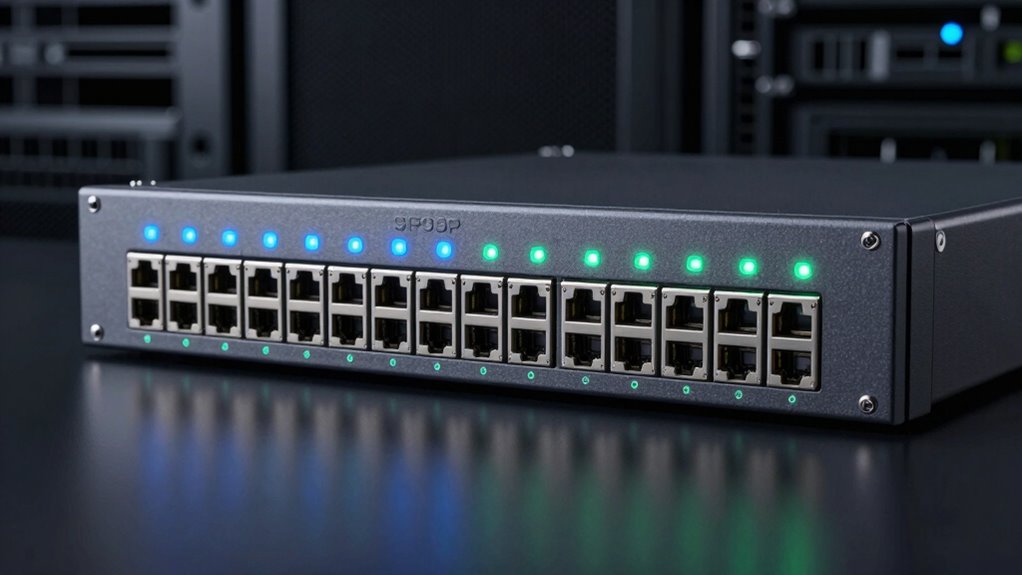

A 10Gb SFP+ switch can connect servers, storage, and workstations at high speed, but the right choice depends on whether you need management features, RJ45 ports, or simple plug-and-play operation. I rank the SODOLA 8-Port Layer 3 Managed Switch as the best overall for buyers who want SFP+ capacity with network controls; the TP-Link Omada SX3008F is a strong managed alternative, while the UGREEN 8-Port Unmanaged Switch suits those who prefer a simpler setup. The main tradeoffs are management depth versus ease of use, all-SFP+ capacity versus mixed ports, and how many devices you need to connect. Read on for the full comparison, selection criteria, and guidance on choosing modules and port types.

Get the latest gadgets delivered free with Prime
- Fast, free delivery on millions of items
- Prime Video, Amazon Music and more included
- Member-only deals all year
Complete the kit



Key Takeaways
- Management is the biggest dividing line: the SODOLA, TRENDnet managed models, and TP-Link Omada SX3008F are aimed at users who need configuration options, while the unmanaged switches favor straightforward connections.
- Port count does not tell the whole story: SODOLA’s 12-port model combines eight SFP+ ports with four RJ45 ports, which can simplify mixed-device networks compared with an all-SFP+ design.
- Several compact models trade 10Gb access density for mixed-speed flexibility: the YuanLey and TRENDnet TEG-S5061 pair 10G SFP+ uplinks with 2.5Gb Ethernet ports, a better fit for upgrading selected links than building an all-10Gb network.
- Unmanaged all-SFP+ switches favor simplicity over control: Davuaz, UGREEN, and MokerLink are easier to approach when the network does not need VLAN or other managed features, but they offer less room to tailor traffic behavior.
- The strongest match depends on the network’s next step: managed SFP+ capacity suits labs and growing offices, mixed RJ45/SFP+ models help bridge existing equipment, and smaller unmanaged switches fit focused upgrades.
| SODOLA 8-Port 10GbE SFP+ Layer 3 Managed Switch |  | Best for Layer 3 Control | Ports: 8 × 10GbE SFP+ | Switch type: Layer 3 managed | Management: Web interface and console | VIEW ON AMAZON | See Our Full Breakdown |
| Davuaz 8-Port 10GbE Unmanaged Ethernet Switch |  | Best for Copper-First Plug-and-Play | Ports: 8 total: 6 × 10G Base-T and 2 × 10G SFP+ | Supported speeds: 1G, 2.5G, 5G, 10G | Switching capacity: 160 Gbps | VIEW ON AMAZON | See Our Full Breakdown |
| SODOLA 12-Port 10Gb Managed Network Switch with 8 SFP+ and 4 RJ45 Ports |  | Best for Mixed SFP+ and Copper Racks | Total ports: 12 | SFP+ ports: 8 × 10G | RJ45 ports: 4 × 10GBase-T | VIEW ON AMAZON | See Our Full Breakdown |
| UGREEN 8-Port Unmanaged 10Gb Ethernet Switch |  | Best for Simple Mixed-Port Expansion | Number of ports: 8 | Port configuration: 4 × 10Gb RJ45 and 4 × 10Gb SFP+ | Switch type: Unmanaged | VIEW ON AMAZON | See Our Full Breakdown |
| ASUS QG-U1080 7-Port Unmanaged Network Switch |  | Best for 2.5GbE Networks Adding 10G Uplinks | Total ports: 7 | Port configuration: 5 × 2.5G RJ45 and 2 × 10G SFP+ | Switch type: Unmanaged | VIEW ON AMAZON | See Our Full Breakdown |
| TRENDnet TL2-F7120 12-Port 10G Layer 2 Managed SFP+ Switch |  | Best for Managed 12-Port Capacity | Ports: 12 SFP+; 1 RJ-45 console | Port speeds: 1Gbps / 10Gbps | Switching capacity: 240Gbps | VIEW ON AMAZON | See Our Full Breakdown |
| TRENDnet TEG-S7102 10-Port 10G Unmanaged Switch |  | Best for Mixed Copper and SFP+ Connections | Ports: 8 x 10GBASE-T RJ-45; 2 x 10G SFP+ | Switching capacity: 200Gbps | Switch type: Unmanaged | VIEW ON AMAZON | See Our Full Breakdown |
| MokerLink 8-Port 10Gbps SFP+ Unmanaged Switch |  | Best Fanless SFP+ Pick | Ports: 8 SFP+ | Supported module speeds: 1G, 2.5G, and 10G | Switching capacity: 160Gbps | VIEW ON AMAZON | See Our Full Breakdown |
| TRENDnet TL2-F7080 8-Port 10G Layer 2 Managed SFP+ Switch |  | Best Eight-Port Managed SFP+ Switch | Ports: 8 x SFP+; 1 x RJ-45 console | Port speeds: 1Gbps / 10Gbps | Switching capacity: 160Gbps | VIEW ON AMAZON | See Our Full Breakdown |
| YuanLey 6-Port 2.5G Unmanaged Ethernet Switch with 4 Ethernet Ports and 2 10G SFP Ports |  | Best for 2.5G Desktops with 10G Uplinks | Ports: 4 x 2.5G Base-T Ethernet; 2 x 10G SFP | Supported Ethernet speeds: 10/100/1000/2500Mbps | Switching capacity: 60Gbps | VIEW ON AMAZON | See Our Full Breakdown |
| TRENDnet TEG-S5061 6-Port Unmanaged 2.5G Switch with 10G SFP+ |  | Best for Quiet 2.5G Upgrades | Ports: 5 x 2.5GBASE-T RJ45; 1 x 10G SFP+ | Switching capacity: 45 Gbps | Ethernet compatibility: 10/100/1000 Mbps and 2.5 Gbps | VIEW ON AMAZON | See Our Full Breakdown |
| TP-Link Omada SX3008F 8-Port 10G SFP+ L2+ Managed Switch |  | Best for Managed 10G SFP+ Networks | Ports: 8 x SFP+ | Port data rate: 10 Gbps | Switch type: Smart managed | VIEW ON AMAZON | See Our Full Breakdown |
| sfp switch 10g | Ports | Switch type | Warranty | Switching capacity |
|---|---|---|---|---|
| SODOLA 8-Port 10GbE SFP+ Layer | 8 × 10GbE SFP+ | Layer 3 managed | 1 year | — |
| Davuaz 8-Port 10GbE Unmanaged | 8 total: 6 × 10G Base-T and 2 × 10G SFP+ | Unmanaged | 1 year | 160 Gbps |
| SODOLA 12-Port 10Gb Managed Ne | — | — | — | — |
| UGREEN 8-Port Unmanaged 10Gb E | — | Unmanaged | 24 months | — |
| ASUS QG-U1080 7-Port Unmanaged | — | Unmanaged | 3 years | — |
| TRENDnet TL2-F7120 12-Port 10G | 12 SFP+; 1 RJ-45 console | — | — | 240Gbps |
| TRENDnet TEG-S7102 10-Port 10G | 8 x 10GBASE-T RJ-45; 2 x 10G SFP+ | Unmanaged | Lifetime manufacturer protection in the U.S. and Canada | 200Gbps |
| MokerLink 8-Port 10Gbps SFP+ U | 8 SFP+ | Unmanaged | 1 year | 160Gbps |
| TRENDnet TL2-F7080 8-Port 10G | 8 x SFP+; 1 x RJ-45 console | — | — | 160Gbps |
| YuanLey 6-Port 2.5G Unmanaged | 4 x 2.5G Base-T Ethernet; 2 x 10G SFP | Unmanaged | 1 year | 60Gbps |
| TRENDnet TEG-S5061 6-Port Unma | 5 x 2.5GBASE-T RJ45; 1 x 10G SFP+ | — | — | 45 Gbps |
| TP-Link Omada SX3008F 8-Port 1 | 8 x SFP+ | Smart managed | 5 years | — |
More Details on Our Top Picks
SODOLA 8-Port 10GbE SFP+ Layer 3 Managed Switch
For a network built around fiber or DAC links, this SODOLA pairs eight 10GbE SFP+ ports with Layer 3 routing and management features. IPv4/IPv6 routing, VLAN, QoS, LACP, and SNMP give an administrator more room to segment traffic and manage links than the unmanaged Davuaz or UGREEN options. Web and console access also suit buyers who want a choice of configuration methods.
The tradeoff is that this is SFP+ only: transceivers are not included, so compatible modules or cables need to be sourced separately. It is fanless and wall-mountable, a quieter fit than the rack-oriented SODOLA 12-port model, but connecting 1GbE devices may call for manual speed settings. I’d choose it for control and quiet operation, not for mixed copper connectivity.
Pros:- Eight 10GbE SFP+ ports provide substantial high-speed fiber or DAC capacity.
- Layer 3 routing plus VLAN, QoS, LACP, IGMP, and SNMP support.
- Fanless metal design avoids fan noise and supports wall mounting.
- Web interface and console provide two management options.
Cons:- SFP+ transceivers are not included and add a separate compatibility decision.
- 1GbE devices may need manual port-speed configuration.
- No built-in RJ45 ports for direct copper connections.
Best for: Home-lab administrators or small offices using SFP+ links who need Layer 3 routing, VLANs, and quiet wall-mountable hardware.
Not ideal for: Buyers who need built-in RJ45 ports, automatic setup, or an all-in-one package with transceivers included.
- Ports:8 × 10GbE SFP+
- Switch type:Layer 3 managed
- Management:Web interface and console
- Network features:IPv4/IPv6 routing, DHCP, LACP, VLAN, QoS, IGMP, STP, SNMP
- Cooling:Fanless
- Mounting and case:Wall-mountable metal case
- Weight:0.91 kg
- Included accessories:User manual and power cord; SFP+ transceivers not included
- Warranty:1 year
Our verdict“Choose this SODOLA if you need eight SFP+ ports and Layer 3 controls in a quiet switch, and can handle module selection and configuration.”
Davuaz 8-Port 10GbE Unmanaged Ethernet Switch
The Davuaz is the straightforward pick when most fast devices use Ethernet cables rather than SFP+. It combines six 10G Base-T ports with two SFP+ uplinks, and supports 1G, 2.5G, 5G, and 10G connections. That mix is more convenient for copper-connected PCs or storage than the SFP+-only SODOLA 8-port Layer 3 switch, while the two uplinks can connect to compatible fiber or DAC equipment.
Its unmanaged, plug-and-play design keeps setup simple, but also rules out VLANs, routing, and other configuration controls found on the managed SODOLA models. The built-in fan and metal case support operation under load, though the fan may be audible in a quiet room. I’d favor it for a small network that needs flexible port speeds without administration features, not for a rack that requires traffic segmentation.
Pros:- Six 10G Base-T ports suit copper-connected workstations and storage.
- Two 10G SFP+ ports provide uplink options.
- Supports 1G, 2.5G, 5G, and 10G connections.
- Plug-and-play operation avoids configuration work; metal case and 6 kV lightning protection are included.
Cons:- Unmanaged design does not provide VLAN, routing, or other configuration controls.
- Built-in fan may be noticeable in quiet work areas.
- Only two ports are SFP+, limiting direct SFP+ device capacity.
Best for: Small offices or home labs with several copper-connected 10GbE devices and a couple of SFP+ uplinks, where simple setup matters more than network controls.
Not ideal for: Administrators who need VLANs, routing, monitoring, or quiet fanless operation.
- Ports:8 total: 6 × 10G Base-T and 2 × 10G SFP+
- Supported speeds:1G, 2.5G, 5G, 10G
- Switching capacity:160 Gbps
- Switch type:Unmanaged
- Cooling:Built-in fan
- Lightning protection:6 kV
- Mounting:Desktop or wall mount
- Case material:Metal
- Warranty:1 year
Our verdict“Pick the Davuaz for easy, copper-heavy 10GbE expansion with two SFP+ uplinks, but skip it if you need managed networking.”
SODOLA 12-Port 10Gb Managed Network Switch with 8 SFP+ and 4 RJ45 Ports
This SODOLA makes the most sense when a 10GbE network needs both eight SFP+ ports and four multi-speed RJ45 ports. The copper ports accept 10G, 5G, 2.5G, 1G, and 100M devices, reducing the need for separate switches as older equipment remains in service. Unlike the SFP+-only SODOLA 8-port managed model, it can connect copper-based gear directly; its 240G backplane and web-managed LACP, QoS, VLAN, and SNMP suit a denser rack setup.
That extra flexibility comes with fan cooling and a 1U rack format, so it is a less suitable choice for a quiet desk or a space without rack provisions. The rack brackets are included, but the rack is not. Compared with the unmanaged Davuaz, this model offers management controls and more SFP+ capacity, at the cost of more setup and a noisier installation.
Pros:- Combines eight 10G SFP+ ports with four multi-speed 10GBase-T ports.
- Web management includes LACP, QoS, VLAN, and SNMP.
- RJ45 ports support 10G, 5G, 2.5G, 1G, and 100M.
- Includes 1U rack-mount brackets.
Cons:- Built-in fans may create noise in a home or quiet office.
- A rack is not included, despite the rack-mount format.
- More management features mean more configuration than an unmanaged switch.
Best for: Small-business IT teams or home-lab owners with a rack, multiple SFP+ links, and copper devices spanning newer and older Ethernet speeds.
Not ideal for: Buyers seeking a silent desktop switch, a compact wall-mounted option, or plug-and-play operation without management setup.
- Total ports:12
- SFP+ ports:8 × 10G
- RJ45 ports:4 × 10GBase-T
- RJ45 supported speeds:10G, 5G, 2.5G, 1G, 100M
- Backplane capacity:240G
- Management:Web GUI with LACP, QoS, VLAN, and SNMP
- Cooling:Built-in fans
- Mounting:1U rack-mount; brackets included
- Maximum power:96
Our verdict“Choose this SODOLA for a rack that needs managed SFP+ capacity alongside copper connections at several speeds.”
UGREEN 8-Port Unmanaged 10Gb Ethernet Switch
UGREEN’s layout is a useful middle ground for buyers who want both copper and SFP+ connections without managed-switch setup: four 10Gb RJ45 ports and four 10Gb SFP+ ports split the capacity evenly. It is more balanced for a mixed-device network than the Davuaz, which devotes six ports to copper and only two to SFP+, but it lacks the SODOLA 12-port model’s VLAN, QoS, and SNMP controls.
For homes or small workspaces, plug-and-play operation and desktop or wall mounting keep installation approachable. Auto-negotiation supports 5Gbps, 2.5Gbps, and 1Gbps devices, while a smart fan, heatsink, and ventilation address heat under demanding workloads. The fan means it is not a silent option, and SFP+ links may need separately sourced DAC cables, transceivers, or modules. I’d choose it for mixed connections and simplicity, not advanced traffic management.
Pros:- Four RJ45 and four SFP+ ports provide a balanced mix of connection types.
- Plug-and-play setup avoids management configuration.
- Auto-negotiation supports 5Gbps, 2.5Gbps, and 1Gbps devices.
- Smart fan, heatsink, ventilation, and desktop or wall mounting support flexible placement.
Cons:- Unmanaged design lacks VLAN and other network configuration controls.
- SFP+ cables, transceivers, or modules may need to be sourced separately.
- Smart fan cooling may be audible and is not fanless.
Best for: Home-lab or small-office users who need an even split of copper and SFP+ 10GbE ports with minimal setup.
Not ideal for: Network administrators needing VLANs or monitoring, and buyers who require a fanless switch or included SFP+ connection accessories.
- Number of ports:8
- Port configuration:4 × 10Gb RJ45 and 4 × 10Gb SFP+
- Switch type:Unmanaged
- Auto-negotiation:5Gbps, 2.5Gbps, 1Gbps
- Cooling:Smart fan, heatsink, and multi-side ventilation
- Mounting:Desktop or wall mount
- Dimensions:6.6 × 4.2 × 1.2 in
- Surge protection:4KV
- Warranty:24 months
Our verdict“Pick the UGREEN when you want equal copper and SFP+ port capacity with simple setup, rather than managed features.”
ASUS QG-U1080 7-Port Unmanaged Network Switch
The ASUS QG-U1080 is not an eight-port 10GbE switch: its role is different. It combines five 2.5G RJ45 ports with two 10G SFP+ ports, making it a better fit for a home network where most devices are still 2.5GbE and only a NAS or uplink needs 10G. Compared with UGREEN’s four-and-four 10GbE split, the ASUS gives up high-speed port count to match more everyday copper devices at 2.5GbE.
Priority, EEE, port isolation, and static trunk modes add useful options beyond basic plug-and-play, though this remains an unmanaged switch rather than a full Layer 2 or Layer 3 model like the SODOLA choices. The two SFP+ ports require compatible equipment, and the five RJ45 ports are not 10GbE. I’d pick it for incremental network upgrades, not for a 10GbE-everywhere build.
Pros:- Five 2.5G RJ45 ports suit current multi-gig PCs and access points.
- Two 10G SFP+ ports support compatible NAS or uplink connections.
- Priority, EEE, port isolation, and static trunk modes add flexibility beyond basic plug-and-play.
- Three-year warranty is longer than the one-year terms listed for the SODOLA and Davuaz models.
Cons:- Only two ports support 10G, both through SFP+.
- Unmanaged design offers fewer configuration options than managed SODOLA switches.
- 10G connections require compatible SFP+ equipment.
Best for: Home users or small offices with 2.5GbE PCs and access points that need two SFP+ links for a NAS or faster network connection.
Not ideal for: Buyers who need more than two SFP+ ports or want 10GbE speeds on every RJ45 connection.
- Total ports:7
- Port configuration:5 × 2.5G RJ45 and 2 × 10G SFP+
- Switch type:Unmanaged
- Intelligent modes:Priority, EEE, port isolation, static trunk
- Data transfer rate:12.5 Gbps
- Dimensions:7.6 × 3.3 × 1.02 inches
- Weight:14.4 ounces
- Maximum operating temperature:40 °C
- Warranty:3 years
Our verdict“Choose the ASUS if most of your network runs at 2.5GbE and you need just two 10G SFP+ connections for faster devices.”
TRENDnet TL2-F7120 12-Port 10G Layer 2 Managed SFP+ Switch
I’d choose the TL2-F7120 when a small or midsize network needs more SFP+ connections and hands-on traffic control in one switch. Its 12 ports support 1Gbps and 10Gbps, while VLANs, QoS, link aggregation, monitoring, and static routing give an administrator room to segment traffic and manage uplinks. Compared with the eight-port TRENDnet TL2-F7080, it offers four more SFP+ ports, which can reduce the need to add another switch as servers and network links grow. The tradeoff is that both models require compatible SFP modules or cables, which aren’t specified as included. This unit also uses 48V DC power, and the dual-switch rack bracket is optional. I’d favor it over unmanaged choices only if its management features will actually be used.
Pros:- Twelve SFP+ ports support both 1Gbps and 10Gbps connections.
- VLAN, QoS, link aggregation, SNMP monitoring, and static routing support managed network control.
- Web interface and CLI offer different configuration paths.
- Metal rack-mountable design and stated lifetime manufacturer protection in the U.S. and Canada.
Cons:- SFP+ transceiver and cable inclusion or compatibility details are not specified.
- The optional dual-switch mounting bracket is sold separately.
- Managed features add setup and administration work compared with an unmanaged switch.
Best for: SMB network administrators who need at least nine SFP+ connections plus VLAN, QoS, monitoring, and static-routing controls.
Not ideal for: Home or small-office buyers who want a low-configuration plug-and-play switch, or anyone who needs included transceivers and cables.
- Ports:12 SFP+; 1 RJ-45 console
- Port speeds:1Gbps / 10Gbps
- Switching capacity:240Gbps
- Management:Web interface and CLI
- Network features:VLAN, QoS, link aggregation, SNMP monitoring, IPv4/IPv6 static routing
- Maximum power:20W
- Dimensions:8.26 x 9.06 x 1.73 inches
- Mounting and material:Metal, rack-mountable; optional bracket supports two switches in 1U
Our verdict“Choose the TL2-F7120 if you need 12 managed SFP+ ports and will use its traffic controls; otherwise, the eight-port TL2-F7080 or an unmanaged model may be a better fit.”
TRENDnet TEG-S7102 10-Port 10G Unmanaged Switch
The TEG-S7102 suits a network where most 10GbE devices connect over copper but a couple of links need SFP+. It pairs eight 10GBASE-T ports with two SFP+ slots, avoiding the need to convert every server or workstation to fiber. Compared with the all-SFP+ MokerLink 8-Port 10Gbps SFP+ Switch, this TRENDnet offers direct RJ-45 connections for copper equipment, but gives you fewer SFP+ slots and no management controls. Its unmanaged setup is straightforward for a network that only needs switching, while the 200Gbps capacity supports the listed port configuration. The tradeoff is limited control over traffic and segmentation; even the YuanLey provides one-key VLAN isolation. SFP+ connections may also need compatible transceivers or cables, so I’d check the link hardware before choosing it.
Pros:- Eight 10GBASE-T RJ-45 ports connect copper-based devices directly.
- Two SFP+ slots add options for fiber or compatible direct-attach links.
- Unmanaged operation avoids a configuration process.
- Metal 1U rack-mountable housing and a quiet smart fan.
Cons:- Only two SFP+ slots, fewer than the all-SFP+ TRENDnet TL2-F7080 or MokerLink switch.
- No management features are listed for configuring VLANs or monitoring traffic.
- SFP+ connections may require separately sourced compatible transceivers or cables.
Best for: Small offices or labs with several 10GbE copper devices and one or two SFP+ uplinks that need simple, rack-mountable switching.
Not ideal for: Administrators who need VLAN configuration, monitoring, access controls, or more than two SFP+ connections.
- Ports:8 x 10GBASE-T RJ-45; 2 x 10G SFP+
- Switching capacity:200Gbps
- Switch type:Unmanaged
- Standards:IEEE 802.3ae (SFP+); IEEE 802.3an (RJ-45)
- Maximum power:40W
- Mounting:Metal, 1U 19-inch rack-mountable
- Operating temperature:32°F to 104°F
- Warranty:Lifetime manufacturer protection in the U.S. and Canada
Our verdict“Pick the TEG-S7102 when your 10GbE network is mainly copper with just a couple of SFP+ links, not when SFP+ density or managed controls are priorities.”
MokerLink 8-Port 10Gbps SFP+ Unmanaged Switch
I’d shortlist the MokerLink 8-Port SFP+ for a quiet workspace that needs several 10Gbps fiber or direct-attach connections without managed-switch setup. Its fanless metal design avoids fan noise, and the eight SFP+ slots accept listed 1G, 2.5G, and 10G module speeds, selected using dip switches. That gives it more SFP+ connections than the mixed-port TRENDnet TEG-S7102, though the TRENDnet is the more natural choice for a network built around copper RJ-45 devices. The MokerLink’s 160Gbps switching capacity matches its eight-port role, but it has no software configuration for VLANs or monitoring. Modules are not included, so the total setup requires planning around compatible optics or cables. Its one-year warranty is also shorter than the lifetime protection stated for the TRENDnet options.
Pros:- Eight SFP+ slots provide more SFP+ connections than the mixed-port TEG-S7102.
- Supports 1G, 2.5G, and 10G modules, with speeds selected using dip switches.
- Fanless metal construction suits quiet offices and workspaces.
- Plug-and-play unmanaged setup avoids web or CLI configuration.
Cons:- SFP modules are not included.
- Unmanaged design lacks software configuration and traffic monitoring.
- One-year warranty is shorter than the stated lifetime protection on the TRENDnet models.
Best for: Home-lab builders and small teams who need eight SFP+ links, quiet operation, and simple switching across supported module speeds.
Not ideal for: Buyers with mostly RJ-45 devices, or administrators who need software-managed VLANs, monitoring, or other traffic controls.
- Ports:8 SFP+
- Supported module speeds:1G, 2.5G, and 10G
- Switching capacity:160Gbps
- Switch type:Unmanaged
- Cooling:Fanless
- Case material:Metal
- Power:12V DC
- Included modules:None
- Warranty:1 year
Our verdict“Choose the MokerLink for quiet, unmanaged SFP+ density and multiple supported module speeds, provided you don’t need RJ-45 ports or management tools.”
TRENDnet TL2-F7080 8-Port 10G Layer 2 Managed SFP+ Switch
The TL2-F7080 is the more focused managed pick for a network that needs eight SFP+ links rather than the 12 offered by its sibling, the TRENDnet TL2-F7120. It includes web and CLI management, with VLANs, QoS, link aggregation, access controls, monitoring, and IPv4/IPv6 static routing. Those features let an administrator organize traffic and manage connections instead of relying on plug-and-play switching. The 160Gbps switching capacity suits its eight-port configuration, and its 1U rack-mountable design can fit a compact equipment rack. Compared with the fanless, unmanaged MokerLink, this model provides far more control but takes more effort to configure. Fiber modules are not specified as included, and the optional dual-switch bracket is a separate item. I’d select it over the 12-port model when eight connections are enough.
Pros:- Eight SFP+ ports support 1Gbps and 10Gbps connections.
- Web and CLI management pair with VLAN, QoS, link aggregation, access control, and monitoring features.
- IPv4/IPv6 static routing adds network-control options beyond basic unmanaged switching.
- Compact 1U rack-mountable design; stated lifetime manufacturer protection.
Cons:- Fiber modules are not specified as included.
- Optional dual-switch mounting bracket is sold separately.
- Requires more setup and administration than unmanaged options such as the MokerLink.
Best for: SMB IT administrators who need eight managed SFP+ ports, rack mounting, and controls for traffic, access, and monitoring.
Not ideal for: Buyers who want plug-and-play simplicity, need more than eight SFP+ ports, or expect fiber modules to be included.
- Ports:8 x SFP+; 1 x RJ-45 console
- Port speeds:1Gbps / 10Gbps
- Switching capacity:160Gbps
- Management:Web interface and CLI
- Features:VLAN, QoS, link aggregation, access controls, monitoring, IPv4/IPv6 static routing
- Mounting:1U rack-mountable
- Supported fiber modules:10GBASE-X / 1000BASE-FX SFP
- Weight:2 pounds
Our verdict“Choose the TL2-F7080 when eight managed SFP+ ports are enough; step up to the TL2-F7120 if you need four additional ports.”
YuanLey 6-Port 2.5G Unmanaged Ethernet Switch with 4 Ethernet Ports and 2 10G SFP Ports
The YuanLey 6-Port makes more sense as a compact 2.5GbE access switch with two 10G SFP uplinks than as a dedicated SFP+ switch. Four multigigabit Ethernet ports connect desktops or other copper devices, while the two 10G SFP ports can link the switch to faster network equipment. Compared with the eight-port MokerLink, it has far fewer SFP+ connections and less switching capacity, but adds direct 2.5GbE RJ-45 access. One-key VLAN isolation offers a simple way to separate connected devices, though this is still an unmanaged design, not a substitute for the broader controls on the TRENDnet TL2-F7080. Its fanless metal case suits quiet desktop or wall-mounted setups. SFP modules are not included, and the one-year warranty is limited compared with TRENDnet’s stated coverage.
Pros:- Four 2.5G Ethernet ports connect multigigabit copper devices directly.
- Two 10G SFP ports provide faster uplink options.
- One-key VLAN isolation adds basic separation without full switch management.
- Fanless metal case supports quiet desktop or wall-mounted placement.
Cons:- Only two SFP ports, versus eight on the MokerLink and TL2-F7080.
- Unmanaged design limits configuration beyond the listed one-key VLAN isolation.
- SFP modules are not included, and the warranty is one year.
Best for: Small offices or home labs with a few 2.5GbE wired devices that need two 10G SFP uplinks and simple VLAN isolation.
Not ideal for: Buyers needing multiple 10G SFP+ endpoint ports, full managed controls, or a rack-focused switch.
- Ports:4 x 2.5G Base-T Ethernet; 2 x 10G SFP
- Supported Ethernet speeds:10/100/1000/2500Mbps
- Switching capacity:60Gbps
- Switch type:Unmanaged
- VLAN:One-key VLAN isolation
- Cooling:Fanless
- Mounting:Desktop or wall
- Dimensions:5.2 x 2.6 x 1.26 inches
- Warranty:1 year
Our verdict“Pick the YuanLey when your priority is four 2.5GbE copper connections plus two 10G SFP uplinks, not an SFP+-dense network.”
TRENDnet TEG-S5061 6-Port Unmanaged 2.5G Switch with 10G SFP+
I’d choose the TEG-S5061 when a small wired network needs faster-than-gigabit RJ45 connections plus a single 10G fiber or DAC uplink. Its five 2.5GBASE-T ports can reuse Cat5e-or-better cabling, which makes upgrading compatible computers or access points less disruptive than replacing a whole network with SFP+ gear. The fanless metal case also suits a desk or wall-mounted installation where noise matters.
The tradeoff is its narrow role: there is only one SFP+ slot, and management is unmanaged, unlike the Omada SX3008F, which offers eight 10G SFP+ ports and network controls. Compared with the YuanLey 6-Port 2.5G switch, this model gives you five 2.5G RJ45 connections but only one 10G uplink. I’d skip it if you need several fiber links, VLANs, or room to grow beyond six devices.
Pros:- Five 2.5GBASE-T ports support faster wired connections over Cat5e or better cabling.
- One SFP+ slot supports 1 Gbps or 10 Gbps uplinks.
- Fanless cooling and metal housing suit quiet, wall-mounted installations.
- 45 Gbps switching capacity supports traffic across the available ports.
Cons:- Only one SFP+ slot limits 10G connections to a single link.
- Unmanaged operation provides no VLAN or access-control configuration.
- Lifetime manufacturer protection is limited to the U.S. and Canada.
Best for: Home offices or small studios upgrading several Cat5e-wired devices to 2.5GbE while needing one 10G SFP+ uplink and quiet operation.
Not ideal for: Network administrators who need VLANs or other managed controls, or buyers connecting multiple 10G SFP+ devices.
- Ports:5 x 2.5GBASE-T RJ45; 1 x 10G SFP+
- Switching capacity:45 Gbps
- Ethernet compatibility:10/100/1000 Mbps and 2.5 Gbps
- SFP+ speeds:1 Gbps / 10 Gbps
- Cooling and housing:Fanless metal housing
- Mounting:Wall mountable
- Dimensions:6.29 x 4.33 x 1.02 in
- Maximum power:9.5 W
Our verdict“Choose it for a quiet, compact 2.5GbE network with one 10G SFP+ uplink, but not for a multi-SFP+ or managed setup.”
TP-Link Omada SX3008F 8-Port 10G SFP+ L2+ Managed Switch
The Omada SX3008F is my pick for buyers who need eight 10G SFP+ connections and want policy control rather than a plug-and-play-only switch. Its VLAN, ACL, and 802.1X features can help separate network traffic and restrict access, while Omada SDN provides a centralized management path; standalone operation is also available. That makes it a stronger fit for a growing office or lab than the unmanaged TEG-S5061, which focuses on a few 2.5G copper devices and one SFP+ uplink.
The distinction is not just management: this is an all-SFP+ switch, so devices without SFP+ connectivity may need compatible modules or other network hardware. Omada integration also depends on compatible SDN devices and controllers, and cloud-plan details are not specified here. Compared with the managed TRENDnet TL2-F7080, the SX3008F’s appeal centers on Omada integration and its listed security controls; buyers who want simpler setup should favor an unmanaged model instead.
Pros:- Eight 10G SFP+ ports provide a consistent high-speed interface for fiber or compatible connections.
- VLANs, ACLs, and 802.1X support network segmentation and access control.
- Omada SDN management and standalone operation offer different deployment paths.
- Includes a rackmount kit and a five-year manufacturer warranty.
Cons:- All eight ports are SFP+, so RJ45 devices may need compatible transceivers or separate switching.
- Centralized Omada management requires compatible SDN devices and controllers.
- Cloud controller plan details require confirmation with TP-Link.
Best for: Small-business IT teams and homelab operators connecting several 10G SFP+ devices who need VLAN segmentation, access controls, and centralized Omada management.
Not ideal for: Buyers with mostly RJ45-only devices, or anyone seeking a basic unmanaged switch without controller or configuration requirements.
- Ports:8 x SFP+
- Port data rate:10 Gbps
- Switch type:Smart managed
- Management:Omada SDN; standalone mode
- Security features:802.1Q VLAN, IP-MAC-Port binding, ACL, Port Security, DoS defense, Storm Control, DHCP Snooping, 802.1X
- Dimensions:17.32 × 7.09 × 1.73 in
- Weight:1.65 kg
- Maximum operating temperature:45 °C
- Warranty:5 years
Our verdict“Pick the SX3008F for an SFP+-based 10G network that needs security controls and Omada management, not for a copper-first plug-and-play setup.”
How We Picked
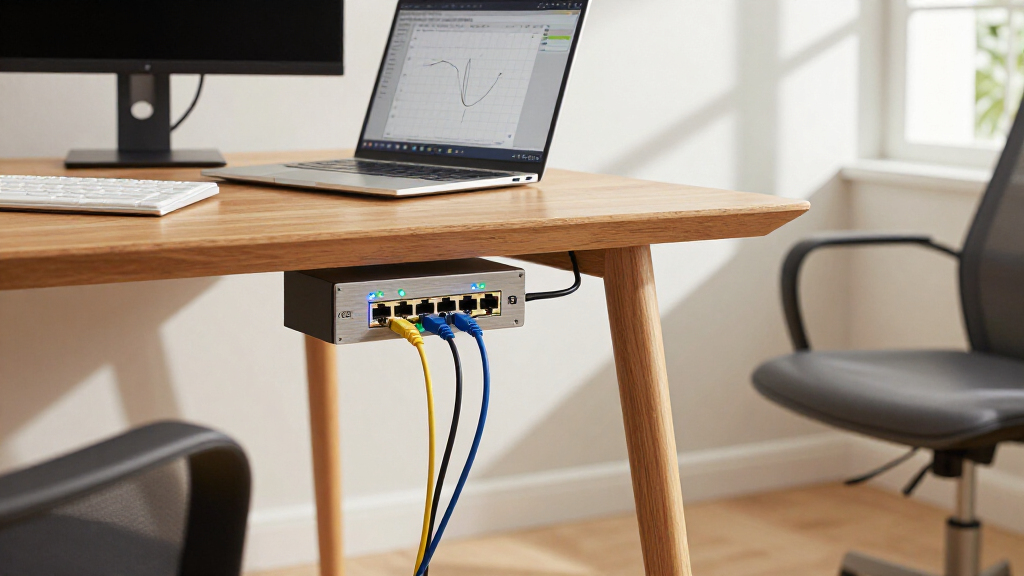
I compared these switches by the decisions that most affect a 10Gb network: port type and count, managed versus unmanaged operation, and whether the layout supports an all-SFP+ setup or a mix of fiber and copper connections. I also weighed practical fit: a switch with fewer ports can be a better match for a small 2.5Gb access network, while a managed model earns its place when buyers need network segmentation or more control.
The ranking favors models with a clear use case and a useful balance of capacity, flexibility, and usability. Managed models rank higher when their additional controls address real network needs, not simply because they have more features. Unmanaged picks remain relevant for low-complexity setups, while mixed-port models are judged on how well they bridge newer 10Gb links with existing Ethernet devices. The supplied product names do not establish details such as noise, power draw, included transceivers, or exact software capabilities, so I avoid treating those as confirmed advantages.
| sfp switch 10g | Switch type | Cooling |
|---|---|---|
| SODOLA 8-Port 10GbE SFP+ Layer | Layer 3 managed | Fanless |
| Davuaz 8-Port 10GbE Unmanaged | Unmanaged | Built-in fan |
| SODOLA 12-Port 10Gb Managed Ne | — | Built-in fans |
| UGREEN 8-Port Unmanaged 10Gb E | Unmanaged | Smart fan, heatsink, and multi-side ventilation |
| ASUS QG-U1080 7-Port Unmanaged | Unmanaged | — |
| TRENDnet TL2-F7120 12-Port 10G | — | — |
| TRENDnet TEG-S7102 10-Port 10G | Unmanaged | — |
| MokerLink 8-Port 10Gbps SFP+ U | Unmanaged | Fanless |
| TRENDnet TL2-F7080 8-Port 10G | — | — |
| YuanLey 6-Port 2.5G Unmanaged | Unmanaged | Fanless |
| TRENDnet TEG-S5061 6-Port Unma | — | — |
| TP-Link Omada SX3008F 8-Port 1 | Smart managed | — |
Factors to Consider When Choosing Sfp Switch 10g
Before choosing a 10Gb SFP+ switch, I would map the network connections you need today and the ones likely to arrive next. The following factors help prevent a mismatch between the switch, your devices, and the way you plan to manage traffic.
Match SFP+ Ports to the Devices You Will Connect
Count the devices that need 10Gb links, then reserve capacity for uplinks between switches or to a router. A switch advertised with eight ports may leave fewer than eight available for clients if one or more ports serve as uplinks. Avoid buying solely around your current device count; a port already used for an uplink cannot also serve a workstation or storage system. At the same time, paying for a large port bank that will sit unused may not be worthwhile for a focused home lab. I would draw a simple port map before choosing between compact models and higher-capacity designs.
Choose Copper, Fiber, or DAC Based on the Link
SFP+ describes a port interface, not a guarantee that a copper Ethernet cable plugs directly into it. SFP+ ports commonly use compatible optical transceivers and fiber, or direct-attach copper cables for short links; RJ45-based Ethernet ports serve a different connection type. Check the switch’s supported transceivers and cable options before buying, especially if you plan to reuse existing equipment. Mixing connection types can add flexibility, but it can also introduce extra compatibility checks and components. For longer runs or existing copper devices, compare the practical cabling path rather than assuming every 10Gb port connects the same way.
Decide Whether You Need Managed Features
An unmanaged switch can suit a network where devices simply need to communicate, with little need to change traffic behavior. Managed switches may provide tools such as VLAN configuration, link aggregation, or monitoring, but the exact feature set varies by model and should be verified in its documentation. Those controls can help separate work, storage, and guest traffic or organize links between network devices. They also add setup and maintenance work, so buyers who will not use them may prefer a simpler unit. Choose management for a specific network task, not as a general badge of quality.
Plan for Mixed-Speed Devices
A 10Gb backbone does not mean every endpoint needs a 10Gb connection. Mixed-port switches with 2.5Gb Ethernet and SFP+ can connect faster uplinks to access points or computers that support less than 10Gb, while leaving high-speed links for storage or servers. Check that the copper port speeds match your devices; a 1Gb endpoint will not gain 2.5Gb simply because the switch supports it. Also account for how traffic moves between ports and the uplink, since port speed alone does not describe total switching capacity. A mixed-speed layout can be more practical than replacing every endpoint at once.
Check Compatibility Before Buying Transceivers
Transceiver support can vary by switch, module, and cable type, so do not assume that any SFP+ module will work. Consult the manufacturer’s compatibility list and check details such as supported optical standards and link distance for the planned connection. If a network already uses modules, confirm their specifications before selecting a new switch. A mismatch can turn a physically compatible port into a link that fails to establish or behaves unpredictably. I would confirm the switch and module pairing first, then choose cabling for the actual distance and endpoints.
Account for Installation and Ongoing Operation
Port count and management features are only part of the fit; the switch also has to suit its installation spot and the person responsible for maintaining it. Confirm the unit’s physical dimensions, power requirements, mounting options, and cooling approach in the product documentation. A fanless or compact design may be appealing for a desk or quiet room, but those traits must be confirmed for the exact model rather than inferred from its category. Managed equipment can call for firmware updates and configuration backups, while unmanaged models reduce those tasks. Think through where the switch will live and who will troubleshoot it before deciding which tradeoff matters most.
Frequently Asked Questions
Do I need managed features for a home lab?
Not always. If the switch only connects a few devices on one network, an unmanaged model may cover the basic job with less setup. Managed features become useful when you want VLANs to separate lab, storage, and household traffic, or when you need to monitor and organize links. Check the exact feature list for the model, since the term “managed” alone does not confirm support for every feature you might want. If you are unsure, identify one specific task a managed switch would solve before paying for the added complexity.
Can I connect ordinary Ethernet devices to an SFP+ port?
Not with a standard Ethernet cable plugged directly into a typical SFP+ cage. You may need a compatible RJ45 SFP+ transceiver, an optical module and fiber, or a direct-attach copper cable, depending on the device and connection. Module support varies, so check the switch’s compatibility information and the link requirements before buying. A switch with built-in RJ45 ports can be simpler when you have several copper devices. Compare the cost and compatibility of the full connection, not just the switch port label.
Should I choose an all-SFP+ switch or a mixed-port model?
An all-SFP+ switch makes more sense when most connected devices already use SFP+ links or when you are building a dedicated high-speed backbone. A mixed-port design can be more practical if you need to connect ordinary Ethernet endpoints alongside 10Gb links. Models with 2.5Gb copper ports can also support a staged upgrade, where selected devices move to faster connections first. The tradeoff is that a mixed-port switch may offer fewer SFP+ connections than an all-SFP+ unit. Count your endpoint types and uplinks before choosing either layout.
Will a 10Gb SFP+ switch make every device on my network run at 10Gb?
No. Each device, network adapter, cable or transceiver, and connected port must support the intended link speed. A 10Gb switch can provide fast paths between compatible devices, but slower endpoints remain limited by their own interfaces. Internet access also depends on the router and service connection, not just the switch. Check the speed supported at both ends of each important link, including any uplink. This helps separate local network performance from internet speed expectations.
What should I verify before reusing SFP+ modules or DAC cables?
Confirm that the switch supports the exact module or cable type, then match its standard and speed to the device at the other end. For fiber, verify the optical type, connector, and distance requirements; for a DAC, check its length and compatibility with both ports. Some products publish compatibility lists, which are a safer reference than assuming that a matching connector guarantees operation. If you need several links, check each pairing rather than treating all modules as interchangeable. This step can prevent buying a switch that fits the rack but not the existing cabling plan.
Conclusion
For most buyers who want managed 10Gb SFP+ capacity, I would start with the SODOLA 8-Port Layer 3 Managed Switch as the best overall pick, then compare the TP-Link Omada SX3008F if its management approach better fits your network. The best value depends on whether your priority is a straightforward unmanaged connection or a mixed-speed setup; the UGREEN and TRENDnet TEG-S5061 represent those different paths. For a premium, higher-capacity layout, look at the SODOLA 12-port or TRENDnet TL2-F7120, while buyers who want a beginner-friendly setup can favor an unmanaged model such as the UGREEN or Davuaz. If you specifically need 2.5Gb copper access alongside a 10Gb uplink, consider the YuanLey or TRENDnet TEG-S5061. Before choosing, confirm port needs, management requirements, and transceiver compatibility so the switch fits the network you plan to build.
Halloween Picks

Star Wars Yoda and R2-D2 Inflatable Halloween Decor, 6 ft with LEDs, Indoor/Outdoor

Jenaai 5.3-Foot Motion-Activated Halloween Animatronic Skeleton

Vexalify 11-Inch Halloween Pumpkin Fog Machine with 12-Color Lights
As an affiliate, we earn on qualifying purchases.