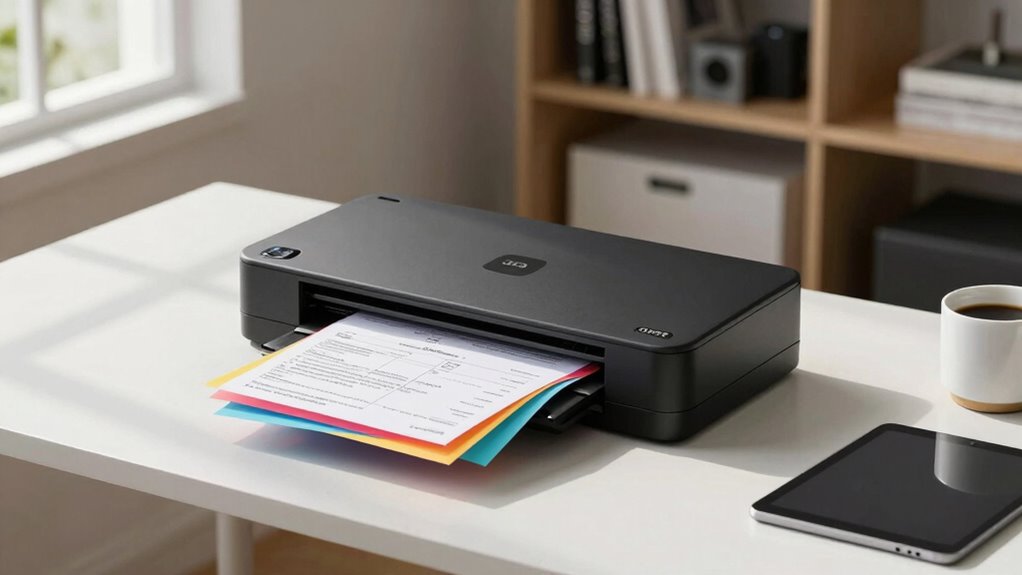

For a scanner for receipts and documents, I’d start with the Epson RapidReceipt RR-620W: its wireless, duplex design suits people who regularly digitize both receipts and multipage paperwork. The Canon imageFORMULA R40II is a better fit for a desk-based office workflow, while the compact Brother DS-640 suits occasional scanning away from a full-size setup. The main tradeoff is between an automatic feeder for batches and a portable scanner that takes less space but asks for more hands-on handling. Connectivity, duplex scanning, and the kinds of pages you need to capture also separate these options. Read on for my full breakdown of all 14 models and which type of buyer each one suits.

Get the latest gadgets delivered free with Prime
- Fast, free delivery on millions of items
- Prime Video, Amazon Music and more included
- Member-only deals all year
Complete the kit



Key Takeaways
The RR-620W leads for mixed receipt and document work because its wireless, duplex approach aligns with frequent home-office scanning better than a basic portable model.
Desk-based batch scanning favors sheet-fed office models, such as the Canon R40II and Epson ES-400 II, over compact scanners designed for occasional pages.
Portability comes with workflow tradeoffs: the Brother DS-640, Epson ES-50, and RR-60 save space, but buyers should weigh manual handling and connection needs against batch convenience.
The ScanSnap iX1300 and iX2500 each appear in two finishes; the black and white listings represent color variants, not separate scanning capabilities.
Handheld and low-cost portable options suit narrower tasks: the Hczrc and HPPS100 may appeal to buyers prioritizing compactness, but they are less natural fits for recurring, organized office batches.
| Epson RapidReceipt RR-620W Wireless Duplex Receipt and Document Scanner |  | Best for High-Volume Receipt Scanning | Connectivity: USB, Wi-Fi | Resolution: 600 dpi | Scanning speed: Up to 45 ppm | VIEW ON AMAZON | See Our Full Breakdown |
| Hczrc Portable Handheld Scanner with 16GB MicroSD Card |  | Best for Cordless, Occasional Scans | Scanner type: Receipt, photo, and document | Connection: USB | Resolution: 300, 600, or 900 dpi | VIEW ON AMAZON | See Our Full Breakdown |
| Brother DS-640 Compact Mobile Document Scanner |  | Best Compact USB-Powered Pick | Scan speed: Up to 16 ppm | Resolution: 300 dpi | Connection: USB | VIEW ON AMAZON | See Our Full Breakdown |
| Canon imageFORMULA R10 Portable Document Scanner |  | Best for Portable Duplex Scanning | Connection: USB | Resolution: 600 dpi | Duplex scanning speed: Up to 12 pages per minute | VIEW ON AMAZON | See Our Full Breakdown |
| Canon imageFORMULA R40II Office Document Scanner |  | Best Fast USB Office Scanner | Connection type: USB-C | Resolution: 600 dpi | Scan speed: 45 pages per minute | VIEW ON AMAZON | See Our Full Breakdown |
| Epson WorkForce ES-50 Portable Document Scanner |  | Best for Lightweight, Occasional Scanning | Scanner type: Single-sheet-fed document scanner | Connection: USB 2.0 | Resolution: 1200 dpi | VIEW ON AMAZON | See Our Full Breakdown |
| Epson RapidReceipt RR-60 Compact Mobile Document Scanner |  | Best for Receipt and Expense Organization | Scanner type: Receipt scanner | Connection: USB | Resolution: 600 dpi | VIEW ON AMAZON | See Our Full Breakdown |
| HPPS100 Portable USB Document and Photo Scanner |  | Best for Mixed Documents and Photos | Scanner type: Portable, single-sided sheetfed scanner | Scanning speed: Up to 15 pages per minute | Optical resolution: Up to 1200 dpi | VIEW ON AMAZON | See Our Full Breakdown |
| ScanSnap iX1300 Wireless or USB Double-Sided Color Document Scanner, Black |  | Best for Fast Duplex Scanning | Scanner type: Document and receipt scanner | Connections: USB and Wi-Fi | Resolution: 600 dpi | VIEW ON AMAZON | See Our Full Breakdown |
| Plustek S410 Plus Portable Sheet-Fed Document Scanner |  | Best for Computer-Connected OCR Workflows | Scanner type: Sheet-fed document scanner | Connection: USB | Resolution: 600 dpi | VIEW ON AMAZON | See Our Full Breakdown |
| ScanSnap iX2500 Wireless or USB High-Speed Document Scanner |  | Best for High-Volume Scanning | Scanner types: Documents, business cards, photos, receipts, ID cards, and insurance cards | Connectivity: Wi-Fi 6, USB-C | Resolution: 600 dpi | VIEW ON AMAZON | See Our Full Breakdown |
| ScanSnap iX1300 Wireless or USB Duplex Color Document Scanner, White |  | Best Compact Wireless Pick | Scanner types: Documents and receipts | Connectivity: USB, Wi-Fi | Resolution: 600 dpi | VIEW ON AMAZON | See Our Full Breakdown |
| ScanSnap iX2500 Wireless or USB High-Speed Document Scanner, Black |  | Best for Shared Workflows | Scanner types: Business cards and documents | Connectivity: Wi-Fi 6, USB-C | Scanning speed: Up to 45 pages per minute, double-sided | VIEW ON AMAZON | See Our Full Breakdown |
| Epson WorkForce ES-400 II Duplex Document Scanner |  | Best for Searchable Office Records | Scanner type: Document scanner | Scanning speed: Up to 35 pages per minute | Duplex scanning: Yes | VIEW ON AMAZON | See Our Full Breakdown |
| scanner for receipts and document | Resolution | Dimensions | Weight | Scanning speed |
|---|---|---|---|---|
| Epson RapidReceipt RR-620W Wir | 600 dpi | 6.7 × 11.6 × 6.6 inches | 8.2 pounds | Up to 45 ppm |
| Hczrc Portable Handheld Scanne | 300, 600, or 900 dpi | 2 × 11 × 1.5 inches | 9.6 ounces | — |
| Brother DS-640 Compact Mobile | 300 dpi | 1.99 × 11.9 × 1.45 inches | 1 pound | — |
| Canon imageFORMULA R10 Portabl | 600 dpi | 3.74 × 11.22 × 1.57 inches | 998 g | — |
| Canon imageFORMULA R40II Offic | 600 dpi | — | 7.1 pounds | — |
| Epson WorkForce ES-50 Portable | 1200 dpi | — | — | As fast as 5.5 seconds per page |
| Epson RapidReceipt RR-60 Compa | 600 dpi | — | — | Up to 10 pages per minute |
| HPPS100 Portable USB Document | — | — | — | Up to 15 pages per minute |
| ScanSnap iX1300 Wireless or US | 600 dpi | 4.5 x 11.7 x 3.3 inches | 4.4 pounds | — |
| Plustek S410 Plus Portable She | 600 dpi | 1.6 x 11.7 x 1.9 inches | 0.41 kg | — |
| ScanSnap iX2500 Wireless or US | 600 dpi | 6.26 x 11.5 x 6.34 inches | 7.7 pounds | Up to 45 pages per minute, double-sided |
| ScanSnap iX1300 Wireless or US | 600 dpi | 4.5 x 11.7 x 3.3 inches | — | Up to 30 pages per minute, duplex |
| ScanSnap iX2500 Wireless or US | 600 dpi | 6.26 x 11.5 x 6.34 inches | 7.7 pounds | Up to 45 pages per minute, double-sided |
| Epson WorkForce ES-400 II Dupl | 300 dpi | 11.6 x 11.6 x 6.9 inches | — | Up to 35 pages per minute |
More Details on Our Top Picks
Epson RapidReceipt RR-620W Wireless Duplex Receipt and Document Scanner
The Epson RapidReceipt RR-620W is the strongest fit here for a busy home office or small business that scans receipts alongside regular paperwork. Its 100-sheet feeder and single-pass duplex scanning at up to 45 pages per minute can move through a stack far faster than the portable Canon imageFORMULA R10, whose feeder holds 20 sheets and speed tops out at 12 pages per minute. The touchscreen also lets you start scans without sitting at a computer, while Epson ScanSmart AI PRO can extract and categorize document data for supported financial apps and cloud services.
The tradeoff is size and reliance on software compatibility: at 8.2 pounds, it is not a grab-and-go scanner, and some destinations require compatible apps or services. Choose it for batch work and receipt organization; skip it if you mainly need an inexpensive, lightweight scanner for occasional pages.
Pros:- 100-sheet feeder reduces interruptions during large scanning sessions
- Single-pass duplex scanning at up to 45 pages per minute handles two-sided paperwork quickly
- 4.3-inch touchscreen supports computer-free scanning
- Data extraction and categorization can simplify receipt and financial-document organization
Cons:- At 8.2 pounds, it is less portable than the Brother DS-640 or Canon R10
- Some integrations and cloud destinations require compatible apps or services
Best for: Small-business owners and home-office users who regularly batch-scan receipts, invoices, and two-sided documents.
Not ideal for: People who need a lightweight travel scanner or want every scan destination to work without compatible apps or services.
- Connectivity:USB, Wi-Fi
- Resolution:600 dpi
- Scanning speed:Up to 45 ppm
- Duplex scanning:Single-pass
- Automatic document feeder:100 sheets
- Touchscreen:4.3-inch color
- Dimensions:6.7 × 11.6 × 6.6 inches
- Weight:8.2 pounds
Our verdict“Choose the RR-620W for fast, high-volume receipt and document batches, but pick a portable model if you scan away from a desk.”
Hczrc Portable Handheld Scanner with 16GB MicroSD Card
The Hczrc handheld scanner suits someone who needs to capture a receipt or document without setting up a feeder or keeping a scanner beside a computer. It saves JPEG or PDF files to its included 16GB MicroSD card, and the choice of 300, 600, or 900 dpi gives more control over file detail than the Brother DS-640’s listed 300 dpi resolution. At 9.6 ounces, it is easier to carry than the desk-oriented Epson RapidReceipt RR-620W.
That freedom comes with a hands-on workflow: you move the scanner across each page, and two AA batteries are required but not included. It also lacks the automatic feeding and duplex convenience of the Canon imageFORMULA R10, so it is a poor fit for stacks or frequent two-sided paperwork. I’d choose it for occasional, on-the-go capture, not routine office filing.
Pros:- Lightweight handheld design is easy to carry
- Three resolution settings, including 900 dpi
- Saves scans as JPEG or PDF
- Includes a 16GB MicroSD card for local storage
Cons:- Requires two AA batteries, which are not included
- Handheld scanning is slower and more technique-dependent than using an automatic feeder
- No automatic duplex feeder for processing batches of two-sided documents
Best for: Travelers and field workers who need to save occasional receipts, forms, or pages without relying on an outlet.
Not ideal for: People who regularly scan stacks, need automatic duplex scanning, or prefer a USB-powered workflow without replaceable batteries.
- Scanner type:Receipt, photo, and document
- Connection:USB
- Resolution:300, 600, or 900 dpi
- File formats:JPEG, PDF
- Storage:16GB MicroSD card included; supports up to 32GB
- Power:2 AA batteries, not included
- Dimensions:2 × 11 × 1.5 inches
- Weight:9.6 ounces
Our verdict“Pick the Hczrc for occasional cordless page capture, not for fast or repeatable batch scanning.”
Brother DS-640 Compact Mobile Document Scanner
The Brother DS-640 is a good middle ground for receipt and document scanning when portability matters but a handheld wand feels too awkward. It weighs one pound, draws power over USB, and scans at up to 16 pages per minute, giving it a more straightforward computer-connected workflow than the battery-powered Hczrc. Its listed media support includes receipts, business cards, and plastic ID cards, while the software adds OCR and image enhancement to make scans easier to search and read.
Unlike the Canon imageFORMULA R10, the DS-640 does not offer a stated duplex speed or automatic document feeder, so it is less suited to unattended batches of two-sided pages. It also requires a computer and applicable software, and actual speed depends on that setup. I’d favor it for mobile users scanning one document at a time; choose the Epson RR-620W for high-volume work.
Pros:- Compact one-pound body is easy to carry
- USB power avoids a separate outlet or batteries
- Scans color and black-and-white documents at up to 16 ppm
- Software includes OCR and image enhancement
Cons:- Requires a computer and applicable software to scan
- Speed depends on the computer and software
- No automatic document feeder or specified duplex scanning
Best for: Mobile professionals who want a compact, USB-powered scanner for receipts, forms, business cards, and ID cards.
Not ideal for: Users who need wireless or computer-free scanning, automatic feeding, or fast duplex processing of document stacks.
- Scan speed:Up to 16 ppm
- Resolution:300 dpi
- Connection:USB
- Power:2.5 watts
- Dimensions:1.99 × 11.9 × 1.45 inches
- Weight:1 pound
- Media types:Business cards, embossed cards, ID cards, laminated cards, plain paper, plastic cards, receipts
- Compatibility:Windows, Mac, and Linux
Our verdict“Choose the DS-640 for portable, computer-connected single-page scanning; choose the R10 if you need automatic duplex feeding.”
Canon imageFORMULA R10 Portable Document Scanner
The Canon imageFORMULA R10 makes the most sense when you need automatic two-sided scanning in a portable, USB-powered package. Its 20-sheet feeder can take a small stack of receipts or forms, and duplex scanning captures both sides in one pass—more convenient for batches than the single-sheet workflow of the Brother DS-640. Built-in software with preview and editing tools also supports a ready-to-scan setup on Windows and Mac without a separate software installation.
Its 12-page-per-minute duplex speed and modest feeder capacity make it a better choice for occasional or moderate workloads than the 45-page-per-minute Epson RR-620W or Canon R40II. Canon suggests a daily volume of 500 scans, but this remains a compact desktop option rather than a high-capacity office machine. It also is not intended for photo paper. Choose it for portable duplex convenience, not maximum throughput.
Pros:- Duplex scanning captures both sides in one pass
- 20-sheet feeder handles small document batches
- USB-powered design suits mobile or shared workspaces
- Built-in software includes preview and editing tools
Cons:- Feeder capacity is smaller than the 60-sheet Canon R40II and 100-sheet Epson RR-620W
- Duplex speed is up to 12 pages per minute, slower than the faster office-focused models
- Not intended for scanning photographs on photo paper
Best for: Consultants and small-office users who need portable, USB-powered duplex scanning for short batches of receipts and documents.
Not ideal for: High-volume offices, users who need a large feeder, or anyone who wants to scan photographs on photo paper.
- Connection:USB
- Resolution:600 dpi
- Duplex scanning speed:Up to 12 pages per minute
- Automatic feeder capacity:20 sheets
- Suggested daily volume:500 scans
- Dimensions:3.74 × 11.22 × 1.57 inches
- Weight:998 g
- Compatibility:Windows and Mac
Our verdict“Choose the R10 for portable, small-batch duplex scanning, but step up to the R40II or RR-620W for faster office throughput.”
Canon imageFORMULA R40II Office Document Scanner
The Canon imageFORMULA R40II is aimed at desk-based users who want fast duplex scanning without moving up to a wireless machine. At up to 45 pages per minute, it matches the Epson RapidReceipt RR-620W’s stated speed, while its 60-sheet feeder handles more paperwork per load than the portable Canon R10’s 20-sheet tray. The foldable tray helps reclaim desk space between jobs, and the bundled CaptureOnTouch software makes setup straightforward over USB-C.
The difference from the Epson is workflow: the R40II is a USB-C office scanner, not a wireless, touchscreen-equipped model with stated receipt-data extraction. Its software choice is also narrower, since it does not support TWAIN or ISIS drivers and is limited to Canon CaptureOnTouch. I’d pick it for fast, regular document batches at a computer; choose the RR-620W if wireless control and receipt categorization matter more.
Pros:- Duplex scanning at up to 45 pages per minute
- 60-sheet feeder supports larger batches than the portable Canon R10
- Foldable tray helps reduce its desk footprint between scanning jobs
- USB-C connection and bundled software support a straightforward setup
Cons:- No TWAIN or ISIS driver support
- Scanning software is limited to Canon CaptureOnTouch
- USB-C connection does not provide the RR-620W’s listed Wi-Fi connectivity
Best for: Office and home-office users who scan frequent receipt and document batches at a desk and prefer USB-C setup.
Not ideal for: Buyers who need Wi-Fi, touchscreen computer-free operation, broad driver support, or software flexibility beyond CaptureOnTouch.
- Connection type:USB-C
- Resolution:600 dpi
- Scan speed:45 pages per minute
- Sheet capacity:60 sheets
- Wattage:15.6 watts
- Weight:7.1 pounds
- Software:Canon CaptureOnTouch
- Warranty:1 year manufacturer
Our verdict“Choose the R40II for fast, desk-based duplex batches, but select the RR-620W if you need wireless scanning and receipt-data tools.”
Epson WorkForce ES-50 Portable Document Scanner
The Epson WorkForce ES-50 is a good fit when a few receipts or pages need scanning away from a desk. At 9.44 ounces, it is lighter than the RapidReceipt RR-60, and USB power means there is no separate adapter to pack. Its stated speed of up to 5.5 seconds per page and included OCR software make it useful for turning loose paperwork into searchable PDFs or editable files.
The tradeoff is its single-sheet feed: each page has to be inserted individually, so it is less suited to batches than the duplex ScanSnap iX1300. It also lacks the RR-60’s receipt-focused financial software workflows. I would choose the ES-50 for portability and occasional mixed documents, but not for frequent multi-page filing.
Pros:- Very light at 9.44 ounces and compact enough for mobile use
- USB-powered, with no external power supply required
- Scans receipts, ID cards, and extra-long pages up to 72 inches
- Included OCR creates searchable PDFs and editable Word and Excel files
Cons:- Single-sheet feeding makes multi-page batches slow to process
- Cloud scanning requires an internet connection
- Slower for routine batch work than the ScanSnap iX1300’s duplex scanning
Best for: Traveling professionals and students who scan occasional receipts, ID cards, or single-page documents and want OCR without carrying a power adapter
Not ideal for: People regularly processing stacks of paperwork or wanting automatic duplex scanning, since every page must be fed individually
- Scanner type:Single-sheet-fed document scanner
- Connection:USB 2.0
- Resolution:1200 dpi
- Scanning speed:As fast as 5.5 seconds per page
- Maximum document size:8.5 x 72 inches
- Compatibility:Windows and Mac
- Power:USB-powered; 2.1 watts
- Dimensions and weight:10.7 x 10.7 x 1.3 inches; 9.44 ounces
Our verdict“Choose the ES-50 for lightweight, occasional receipt and document scanning with OCR, but pick a duplex model for regular batches.”
Epson RapidReceipt RR-60 Compact Mobile Document Scanner
The Epson RapidReceipt RR-60 earns its place through software aimed at the work that follows scanning: organizing receipt and invoice data for financial workflows. It scans at up to 10 pages per minute and creates searchable or editable PDFs, making it more tailored to expense tracking than the WorkForce ES-50, whose strengths are lightweight portability and general-purpose OCR. Its compact, USB-powered design also suits a home office or travel bag.
Despite the stated 60-sheet capacity, the product is described as a single-sheet scanner, so I would not treat it as an automatic batch feeder. That limits its advantage over the ES-50 for stacks of receipts, while the ScanSnap iX1300 adds duplex scanning and Wi-Fi for broader document workflows. Choose the RR-60 for receipt-data handling; skip it if you need hands-off batch scanning or do not use its supported computer or app workflows.
Pros:- ScanSmart AI PRO organizes receipt and invoice data for financial workflows
- Scans at up to 10 pages per minute
- Creates searchable and editable PDFs
- Compact USB-powered design with support for pages up to 72 inches long
Cons:- Single-sheet scanning limits the convenience of processing a pile of receipts
- Some features require a Windows or Mac computer or the companion mobile app
- Less suitable for double-sided batches than the ScanSnap iX1300
Best for: Freelancers and small-business owners who scan receipts and invoices for searchable records and financial software workflows
Not ideal for: Users who need automatic multi-page or duplex feeding, or who want a scanner that works independently of a computer or companion app
- Scanner type:Receipt scanner
- Connection:USB
- Resolution:600 dpi
- Scanning speed:Up to 10 pages per minute
- Maximum page length:72 inches
- Color depth:24 bpp
- Power:USB-powered
- Dimensions and weight:10.7 x 10.7 x 1.3 inches; 16 ounces
Our verdict“Pick the RR-60 if receipt and invoice organization matters more than automatic feeding or duplex speed.”
HPPS100 Portable USB Document and Photo Scanner
The HPPS100 is the most photo-oriented pick in this group, with scanning up to 1200 dpi and WorkScan tools for previewing, cropping, editing, and image cleanup. That flexibility can help when a scan needs more than a faithful record of a receipt, such as when preserving a small photo or cleaning up a document image. It supports Windows and macOS, while the Epson ES-50 also offers high resolution and OCR but adds editable-file output and support for extra-long pages.
HP lists speeds up to 15 pages per minute, but this is still a single-sided scanner designed for small- to medium-sized batches. Unlike the ScanSnap iX1300, it does not scan both sides in one pass or offer Wi-Fi. I would choose it for basic, occasional document-and-photo scanning; frequent double-sided paperwork is a better match for the ScanSnap.
Pros:- Up to 1200 dpi for detailed document and photo scans
- WorkScan supports previewing, cropping, editing, and image cleanup
- Compatible with Windows and macOS
- Supports paper sizes from 2 x 2.9 inches to 8.5 x 14 inches
Cons:- Single-sided scanning means duplex pages require a separate pass
- Designed for small- to medium-sized batches rather than sustained office work
- USB-only connectivity is less flexible than the ScanSnap iX1300’s USB and Wi-Fi
Best for: Home users and students who scan occasional receipts, documents, and photos on a Windows or macOS computer and want basic image-editing tools
Not ideal for: Office users processing large or double-sided batches, since it scans one side at a time and is intended for small- to medium-sized workloads
- Scanner type:Portable, single-sided sheetfed scanner
- Scanning speed:Up to 15 pages per minute
- Optical resolution:Up to 1200 dpi
- Paper size:2 x 2.9 inches minimum; 8.5 x 14 inches maximum
- Connectivity:USB 2.0
- Compatibility:Windows and macOS
- Supported file formats:PDF, JPG, and other formats
- Included software:HP WorkScan
Our verdict“Choose the HPPS100 for occasional scans of mixed documents and photos, but opt for a duplex scanner for recurring paperwork batches.”
ScanSnap iX1300 Wireless or USB Double-Sided Color Document Scanner, Black
For regular document filing, the ScanSnap iX1300 is the strongest all-around choice here: it scans both sides at once at up to 30 pages per minute, while the Epson ES-50, RR-60, and HPPS100 all require single-sided, individual feeding. Automatic deskew, color optimization, and blank-page removal reduce cleanup after a stack of receipts or forms. USB and Wi-Fi connections also let it send scans to computers, mobile devices, and cloud services.
That added speed comes with a larger footprint and a 20-sheet standard capacity, so it is not a substitute for a high-capacity office feeder. Some features rely on ScanSnap Home or the mobile app, unlike the more straightforward USB operation of the ES-50. I would pay the extra desk space and setup attention for frequent duplex work; occasional single receipts do not need this much capability.
Pros:- Duplex scanning reaches up to 30 pages per minute
- USB and Wi-Fi support computer, mobile, and cloud workflows
- Automatic deskew, color optimization, and blank-page removal reduce cleanup
- Handles documents, photos, receipts, and plastic cards
Cons:- Standard sheet capacity is limited to 20 sheets
- Some functions depend on ScanSnap Home software or the mobile app
- Heavier and less pocketable than the Epson ES-50 and RR-60
Best for: Home-office users and small teams who regularly scan double-sided receipts, forms, and documents and want wireless destinations
Not ideal for: People who only scan an occasional page or need a high-capacity feeder for large daily batches
- Scanner type:Document and receipt scanner
- Connections:USB and Wi-Fi
- Resolution:600 dpi
- Duplex scanning speed:Up to 30 pages per minute
- Standard sheet capacity:20 sheets
- Media supported:Paper, photos, receipts, and plastic cards
- Dimensions:4.5 x 11.7 x 3.3 inches
- Weight:4.4 pounds
Our verdict“Choose the iX1300 for frequent two-sided scanning and wireless workflows, rather than occasional single-page receipt capture.”
Plustek S410 Plus Portable Sheet-Fed Document Scanner
The Plustek S410 Plus is a compact option for people who want OCR and simple file routing while keeping the scanner attached to a computer. Its included software converts scans to searchable or editable files and can save them to a computer, FTP, or shared folder. USB power removes the need for batteries or a separate power source. Compared with the Epson WorkForce ES-50, it offers similar single-sheet portability but adds explicit shared-folder and FTP destinations.
The limitations are clear: it requires a computer connection and lists a one-sheet capacity, so it is not a standalone or batch-scanning solution. Its listed compatibility is Windows 7 through 11, narrower than the ES-50’s Windows and Mac support. The ScanSnap iX1300 is a better match for wireless, duplex workflows; I would pick the S410 Plus for a Windows-based desk setup with straightforward OCR and file sharing.
Pros:- USB-powered, with no batteries or separate power supply
- OCR software creates editable and searchable files
- Can save scans to a computer, FTP, or shared folder
- Supports receipts, invoices, business cards, and plastic ID cards
Cons:- Requires a computer connection to operate
- One-sheet capacity means pages must be fed individually
- Listed compatibility is limited to Windows 7, 8, 10, and 11, unlike the ES-50’s Mac support
Best for: Windows users who scan individual receipts, invoices, or ID cards at a desk and want OCR plus computer, FTP, or shared-folder saving
Not ideal for: Mac users, people who need to scan without a computer, or anyone processing multi-page batches regularly
- Scanner type:Sheet-fed document scanner
- Connection:USB
- Resolution:600 dpi
- Power consumption:2.5 watts
- Supported media:Letter and legal documents, business cards, plastic ID cards, invoices, and receipts
- Standard sheet capacity:1 sheet
- Dimensions:1.6 x 11.7 x 1.9 inches
- Weight:0.41 kg
- Compatibility:Windows 7, 8, 10, and 11
Our verdict“Choose the S410 Plus for a Windows desk workflow that needs individual scans, OCR, and shared-folder destinations.”
ScanSnap iX2500 Wireless or USB High-Speed Document Scanner
For frequent receipt batches mixed with office paperwork, the ScanSnap iX2500 pairs a 100-sheet feeder with duplex scanning up to 45 pages per minute, so it can process a substantial stack with less hands-on loading than the compact iX1300. Its Wi-Fi 6 and USB-C connections also make it a more flexible fit for shared desks and scans sent to computers, mobile devices, or cloud services. A touchscreen with customizable profiles can make repeat tasks easier to start and organize. The tradeoff is a larger, heavier desktop footprint than the iX1300, and buyers who mainly scan occasional receipts may not need its speed or capacity. Compared with the USB-only Epson WorkForce ES-400 II, this model offers wireless options, but its listed 600 dpi resolution is not a reason by itself to expect better everyday receipt handling.
Pros:- 100-sheet feeder reduces interruptions when processing large stacks
- Duplex scanning reaches up to 45 pages per minute
- Wi-Fi 6 and USB-C support different desk and device setups
- Touchscreen profiles and scan organization tools can simplify repeated workflows
Cons:- Larger and heavier than the ScanSnap iX1300
- Capacity and speed may be unnecessary for occasional receipt scanning
- Some workflows depend on a compatible computer or mobile device
Best for: Home-office and small-business users who regularly scan large batches of receipts and double-sided documents, and want both wireless and USB-C workflows.
Not ideal for: People with limited desk space or only a few receipts to scan each week; the compact iX1300 is easier to place and may better fit light workloads.
- Scanner types:Documents, business cards, photos, receipts, ID cards, and insurance cards
- Connectivity:Wi-Fi 6, USB-C
- Resolution:600 dpi
- Scanning speed:Up to 45 pages per minute, double-sided
- Sheet capacity:100 sheets
- Optical sensor:CIS
- Dimensions:6.26 x 11.5 x 6.34 inches
- Weight:7.7 pounds
- Protection plan:Four-year manufacturer protection plan
Our verdict“Choose the iX2500 if you routinely scan substantial receipt and document batches and value feeder capacity and wireless flexibility over a smaller footprint.”
ScanSnap iX1300 Wireless or USB Duplex Color Document Scanner, White
The ScanSnap iX1300 suits a small desk where receipt scanning should be convenient without making room for a high-capacity machine. At 4.5 x 11.7 x 3.3 inches, it is more compact than the iX2500, while still offering duplex scanning up to 30 pages per minute and a 20-sheet capacity for modest batches. USB and Wi-Fi let buyers scan from a computer or mobile device, and the scanner handles receipts, photos, documents, and plastic cards. That mix makes it a more capable everyday option than a basic portable sheet-fed scanner, though its feeder is a clear limit for frequent bulk work. The iX2500 is faster and holds five times as many sheets; choose this model instead when space and lighter workloads matter more than throughput. Some features also require compatible software and operating systems.
Pros:- Compact dimensions suit crowded desks and small work areas
- Duplex scanning reaches up to 30 pages per minute
- USB and Wi-Fi provide computer and mobile-device connection options
- Handles receipts, photos, documents, and plastic cards
Cons:- 20-sheet capacity means more frequent reloading than the iX2500
- Slower listed scanning speed than the iX2500
- Some features depend on compatible operating systems and software
Best for: Apartment dwellers, home-office users, and freelancers who scan receipts and short document batches but have little room for a full-size desktop scanner.
Not ideal for: Small businesses processing large stacks every day; its 20-sheet capacity and lower speed are less suited to sustained batch scanning than the iX2500.
- Scanner types:Documents and receipts
- Connectivity:USB, Wi-Fi
- Resolution:600 dpi
- Scanning speed:Up to 30 pages per minute, duplex
- Sheet capacity:20 sheets
- Color depth:48 bits
- Optical sensor:CIS
- Dimensions:4.5 x 11.7 x 3.3 inches
- Warranty:One-year depot warranty
Our verdict“Pick the iX1300 for compact, wireless receipt and document scanning in small batches rather than high-volume daily processing.”
ScanSnap iX2500 Wireless or USB High-Speed Document Scanner, Black
This black version of the ScanSnap iX2500 is a strong fit for a home office or small team that wants one scanner to handle ongoing document and receipt batches across several devices. It shares the other iX2500’s 45-page-per-minute duplex speed, 100-sheet feeder, Wi-Fi 6, and USB-C, with automatic file optimization and organization for scans sent to computers, mobile devices, and cloud services. Those capabilities put it ahead of the Epson WorkForce ES-400 II for buyers who need wireless connectivity; the Epson’s listed USB connection makes it a more wired setup. The main tradeoff is that this is not a space-saving occasional-use scanner: its 7.7-pound body and large feeder suit a permanent workspace better than a tucked-away setup. Some workflows also need a compatible computer or device, so it is not a fully standalone filing solution.
Pros:- 100-sheet feeder supports longer scanning sessions
- 45-page-per-minute duplex speed handles two-sided stacks efficiently
- Wi-Fi 6 and USB-C allow wireless or wired workflows
- Automatic file optimization and organization can reduce manual sorting
Cons:- 7.7-pound desktop unit is less suited to portable use
- Some workflows require a computer or compatible device
- Its feeder capacity may be excessive for occasional receipt scans
Best for: Small teams and home-office users who share scanning tasks across computers and mobile devices and regularly process double-sided paperwork.
Not ideal for: Buyers seeking a portable scanner, a minimal-footprint occasional-use option, or a scanner that completes every workflow without a connected device.
- Scanner types:Business cards and documents
- Connectivity:Wi-Fi 6, USB-C
- Scanning speed:Up to 45 pages per minute, double-sided
- Resolution:600 dpi
- Sheet capacity:100 sheets
- Color depth:24-bit
- Optical sensor:CIS
- Dimensions:6.26 x 11.5 x 6.34 inches
- Weight:7.7 pounds
Our verdict“Choose this iX2500 for a shared, connected workspace that needs fast batch scanning, not for occasional or portable use.”
Epson WorkForce ES-400 II Duplex Document Scanner
The Epson WorkForce ES-400 II stands out when scanned paperwork needs to become useful digital records, not just image files. Its software supports searchable PDFs and editable Word or Excel files, giving it a practical document-management angle for office receipts, forms, and invoices. The 50-sheet feeder and duplex scanning up to 35 pages per minute place it between the compact iX1300 and the higher-capacity iX2500 for batch size and speed. Unlike either ScanSnap iX2500, though, the listed connection is USB only, so it is better suited to a fixed computer station than wireless or mobile scanning. Its listed resolution is 300 dpi, and cloud sharing requires an internet connection and installed software. Choose it for PC or Mac workflows centered on searchable and editable files; skip it if wireless access is a priority.
Pros:- Software supports searchable PDFs and editable Word or Excel files
- 50-sheet automatic feeder handles medium-sized stacks
- Duplex scanning reaches up to 35 pages per minute
- Double-feed detection and image adjustment features support document processing
Cons:- USB-only connection is less flexible than the Wi-Fi-equipped ScanSnap iX2500 models
- Cloud scanning needs an internet connection and installed software
- Listed 300 dpi resolution is lower than the 600 dpi listed for the ScanSnap models
Best for: PC and Mac users in a home office or small business who scan receipts and paperwork into searchable PDFs or editable office files.
Not ideal for: People who need Wi-Fi scanning, mobile-device workflows, or a portable setup; the listed connection is USB and the scanner is designed for a desktop.
- Scanner type:Document scanner
- Scanning speed:Up to 35 pages per minute
- Duplex scanning:Yes
- Automatic document feeder:50 sheets
- Connection:USB
- Resolution:300 dpi
- Optical sensor:CCD
- Dimensions:11.6 x 11.6 x 6.9 inches
- Compatibility:PC and Mac
Our verdict“Choose the ES-400 II when searchable and editable office files matter more than wireless connectivity or a compact footprint.”

How We Picked
I ranked these scanners around the work implied by receipts and everyday documents: feeding mixed paper reliably, handling two-sided pages, keeping files organized, and fitting the available desk or travel space. I also weighed connection options, ease of setup, and whether a model’s workflow seems suited to occasional single pages or regular batches. A scanner can be portable and still be inconvenient for a stack of receipts, so size alone did not determine its position.
The ranking favors models that offer a useful balance of batch handling, duplex capability, and practical document workflows. Office-oriented sheet-fed models place well for recurring paperwork, while portable units rank higher for buyers who value a small footprint over automation. Handheld and less clearly office-focused options rank lower for this particular use case, since the roundup is about receipts and documents rather than occasional image capture alone. The iX1300 and iX2500 color variants are treated as the same model families, not as distinct performance picks.
Factors to Consider When Choosing Scanner For Receipts And Documents
Before choosing, I’d match the scanner to the paperwork routine rather than the most impressive-sounding feature list. These decisions affect how much setup, page handling, and file sorting your day-to-day scanning requires.
Choose a feed style that matches your volume
For a few receipts at a time, a compact scanner can be easier to store and bring out when needed. If you regularly process invoices, forms, or several months of paperwork, a sheet-fed model can reduce the repeated task of placing each page by hand. A common mistake is buying for the occasional largest batch while ignoring the daily routine; a bulky office unit can become inconvenient if most jobs are only one or two pages. On the other hand, a portable scanner may feel slow when faced with a tall stack. Estimate how many pages you scan in a normal week, not just at tax time. Choose the workflow you will actually use consistently.
Decide whether duplex scanning earns its place
Duplex scanning captures both sides of a page in one pass, which matters for two-sided forms, statements, and receipts with information on the back. For single-sided receipts, it may add little value, so it should not automatically outrank easier storage or simpler setup. Think about the documents you keep, not only the ones you scan today: recurring paperwork can change the calculation. A buyer who mainly scans one-sided slips may be better served by a compact model that is ready at hand. If two-sided pages are common, manual flipping adds friction and can leave records incomplete. Match duplex capability to the content of your files.
Plan where files need to go
Wireless connectivity can make a scanner easier to share or place away from a computer, while USB can keep a single-computer workflow straightforward. The right choice depends on where scans will be stored and who needs access to them. Before buying, check whether your routine depends on a desktop, laptop, phone, or shared network, and confirm that the scanner’s software supports that route. Buyers often focus on wireless convenience but overlook the steps needed to name, sort, and retrieve files later. A direct connection may be preferable if you value a predictable one-person setup. Prioritize the complete path from paper to searchable, organized records.
Check document condition and size
Receipts are often thin, curled, faded, or narrower than standard office paper, so smooth handling matters as much as nominal scanning speed. If your archive includes fragile thermal receipts, test a small sample and keep the original until you confirm the image is legible. A feeder intended for ordinary documents may not be the best match for unusually small, damaged, or irregular pages. Also check the supported paper sizes before buying; oversized forms and long receipts can create extra work if they fall outside the scanner’s limits. Avoid assuming every portable model handles every paper type equally well. A suitable workflow may include flattening, grouping, or scanning delicate items separately.
Balance portability against automation
A small scanner earns its space when you travel, share a compact desk, or scan only now and then. An office model takes up more room but can make regular stacks less labor-intensive. The common buying error is treating portability as an automatic advantage without asking whether the scanner will be carried often. Likewise, paying for a larger, more automated unit may not make sense if it will sit unused between occasional scans. Consider where the device will live and whether it needs to move between locations. Choose the smallest model that still fits your real batch size and paper mix.
Compare software and upkeep, not just hardware
Scanning is only the first step; file naming, OCR, searchable PDFs, and export options determine how useful an archive becomes. Check which software features are included and whether they work with the operating system and storage tools you already use. Look into driver support and maintenance needs as well, especially if the scanner will handle frequent batches. A low-friction workflow can matter more over time than a small difference in scanning speed. Buyers should also consider whether replacement parts or cleaning supplies are easy to source. Choose a scanner whose ongoing software and care requirements fit your habits.
Frequently Asked Questions
Is a portable scanner practical for scanning receipts every week?
It can be, especially if your batches are small and you value a compact device you can store between uses. The tradeoff is that portable models often ask for more hands-on feeding than office-oriented scanners, which can become tedious when receipts pile up. Think about the number of pages in a typical session and whether you also scan multipage documents. If you regularly clear a large stack, an automatic sheet-fed workflow is usually a better fit. If you scan a handful of receipts at a time, portability may matter more than batch automation.
Do I need duplex scanning if most of my receipts are one-sided?
Not necessarily: for mostly one-sided receipts, duplex capability may not change your routine much. It becomes more useful when you also scan forms, statements, or other documents printed on both sides. Consider how much of your archive is two-sided rather than buying based on the feature alone. If those pages are rare, you may prefer a simpler or more compact scanner. If they are common, automatic two-sided capture can prevent missed information and save manual steps.
Should I choose wireless or USB for a home office?
Choose based on where scans need to go and whether more than one device or person needs access. Wireless can make placement and sharing easier, but it adds network setup to the workflow. USB is often a straightforward choice when one computer handles all scanning. Check operating-system and software compatibility before deciding, since the connection method alone does not guarantee your preferred filing process. For a shared home office, wireless may be useful; for a fixed desk and one user, USB may be simpler.
Can a document scanner handle old or fragile thermal receipts?
Some can capture them, but fragile, curled, or faded thermal paper deserves extra care. A feeder can be less suitable for receipts that tear easily or have curled edges, so check the model’s paper guidance and consider scanning delicate items separately. Keep the originals until you have verified that the digital copies are readable and complete. Faded thermal print may remain difficult to read even with a capable scanner. For valuable records, use careful handling and maintain a second copy of the resulting files.
Are the black and white ScanSnap listings different scanners?
The iX1300 listings and the iX2500 listings here are color variants of the same respective model families. I would choose between black and white based on appearance or availability, not assume that the finish changes scanning performance. Compare the iX1300 against the iX2500 for workflow and capability, then select the color that suits your workspace. This distinction also helps avoid counting two finishes as four separate scanner options. Confirm the exact model number when comparing software and specifications.
Conclusion
For the best overall balance for receipts and documents, I recommend the Epson RapidReceipt RR-620W, especially for buyers who want wireless access and duplex scanning in a receipt-focused workflow. For best value in a compact setup, compare the Brother DS-640 with the Epson ES-50 or RR-60 according to your connection and document needs; these are better suited to lighter, space-conscious use than recurring large batches. Beginners who want a desk-based route into routine document scanning should look first at the Canon imageFORMULA R40II. For a premium, more automated office workflow, consider the ScanSnap iX2500, while the Epson ES-400 II is another office-oriented choice for regular batches. If you scan while traveling, the Brother DS-640 is the clearest portable fit; if you need a handheld device, consider the Hczrc with the understanding that it is a narrower-purpose option. Choose by your typical page volume and filing routine, not by finish or portability alone.
Halloween Picks
halloween
As an affiliate, we earn on qualifying purchases.