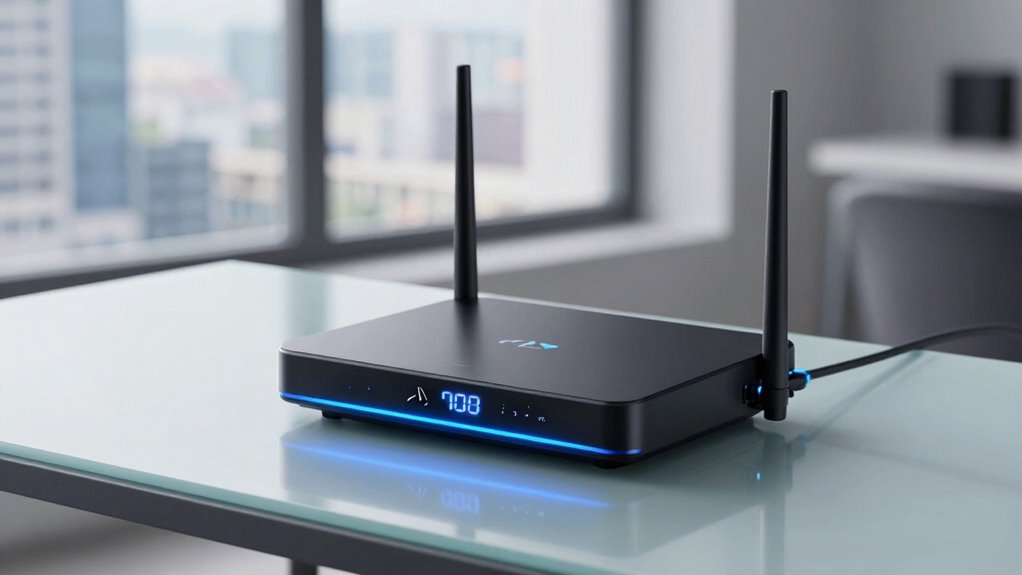

Choosing the right router for fiber internet can significantly impact your home network’s speed, stability, and coverage. The best models combine high-speed capabilities with advanced features like multi-band support and security. The TP-Link Archer BE600 stands out as the overall best for its balance of speed and security, while the NETGEAR Nighthawk RS200 offers cutting-edge WiFi 7 performance for tech enthusiasts. On the flip side, some routers sacrifice advanced features for affordability or simplicity. Keep reading for a detailed look at how to match your needs with the right fiber-compatible router.

Get the latest gadgets delivered free with Prime
- Fast, free delivery on millions of items
- Prime Video, Amazon Music and more included
- Member-only deals all year
Complete the kit



Key Takeaways
- High-end WiFi 7 routers deliver the fastest speeds but come at a premium price and may have more complex setup processes.
- Mesh systems like the TP-Link Deco X55 provide excellent coverage for larger homes, though they can be more expensive than single units.
- Dual-band routers often suffice for smaller households but may struggle with many connected devices or high-bandwidth activities.
- Security features like HomeShield or WPA3 are increasingly important and can influence your choice beyond raw speed.
- Prioritizing ports (2.5G, USB, Ethernet backhaul) can future-proof your network and improve overall performance.
| TP-Link Tri-Band WiFi 7 Router (Archer BE600) with 10G Port and HomeShield Security |  | Best Overall for High-Performance Fiber Networks | WiFi Bands: Tri-Band (6GHz, 5GHz, 2.4GHz) | Total Bandwidth: 9.7 Gbps | Coverage: 2,600 sq. ft. | VIEW ON AMAZON | See Our Full Breakdown |
| NETGEAR Nighthawk Dual-Band WiFi 7 Router (RS200) – BE6500 |  | Best for Gaming and Streaming on a Dual-Band Setup | WiFi Speed: up to 6.5 Gbps | Coverage: up to 2,500 sq. ft. | Device Capacity: 80 devices | VIEW ON AMAZON | See Our Full Breakdown |
| GL.iNet GL-MT6000 Flint 2 Wi-Fi 6 Gaming Router with Dual 2.5G Ports |  | Best for Security-Conscious Gamers and Tech Enthusiasts | Wi-Fi Standard: Wi-Fi 6 | Max Speed: 6 Gbps | Dual Ports: 2.5G ports | VIEW ON AMAZON | See Our Full Breakdown |
| TP-Link Dual-Band Wi-Fi 7 Router Archer BE3600, 4-Stream, 2.5G Ports, USB 3.0, Quad Core Processor, Mesh Compatible |  | Best for Seamless Whole-Home Coverage with Wi-Fi 7 | Wi-Fi Technology: Wi-Fi 7 | Speed (5 GHz): up to 2882 Mbps | Speed (2.4 GHz): up to 688 Mbps | VIEW ON AMAZON | See Our Full Breakdown |
| TP-Link AC1200 Gigabit WiFi Router (Archer A6) – Dual Band MU-MIMO Wireless Internet Router with 4 Antennas and Long Range Coverage |  | Best Budget Option for Basic Fiber Setups | Speed: 1200 Mbps | Bands: Dual Band (2.4GHz and 5GHz) | Antennas: 4 external antennas | VIEW ON AMAZON | See Our Full Breakdown |
| TP-Link AX3000 Wi-Fi 6 Router Archer AX55, Dual-Band, Gigabit, Mesh Compatible, USB 3.0, HomeShield Security |  | Best Overall for Balanced Performance and Security | Wi-Fi Speed (5 GHz): 2402 Mbps | Wi-Fi Speed (2.4 GHz): 574 Mbps | Antennas: 4 high-gain external antennas | VIEW ON AMAZON | See Our Full Breakdown |
| TP-Link BE6500 Dual-Band WiFi 7 Router (BE400) with 2.5Gbps Ports, USB 3.0, Covers 2,400 sq. ft., Supports 90 Devices, Quad-Core CPU, HomeShield Security |  | Best for Large Homes and High Device Density | Wi-Fi Technology: Wi-Fi 7 | Max Coverage: 2,400 sq. ft. | Device Capacity: 90 devices | VIEW ON AMAZON | See Our Full Breakdown |
| TP-Link AX5400 WiFi 6 Router (Archer AX73) – Dual Band Gigabit Wireless Internet Router for Streaming and Long Range Coverage |  | Best for High-Speed Streaming and Extended Range | WiFi Speed: up to 5400 Mbps | Technology: WiFi 6, MU-MIMO, OFDMA | Antennas: 6× antennas | VIEW ON AMAZON | See Our Full Breakdown |
| NETGEAR WiFi 6 Router (R6700AX) – AX1800 Dual-Band, Up to 1.8 Gbps, Covers 1500 sq ft, Supports 20 Devices |  | Best for Budget-Conscious Small to Medium Homes | WiFi Standard: WiFi 6 (AX1800) | Speed: Up to 1.8 Gbps | Coverage: 1500 sq ft | VIEW ON AMAZON | See Our Full Breakdown |
| NETGEAR Nighthawk Dual-Band WiFi 7 Router (RS140) |  | Best for Ultra-Fast Gaming and Streaming with WiFi 7 | Wireless Standard: WiFi 7 | Speed: up to 5.0 Gbps | Coverage: 2250 sq. ft. | VIEW ON AMAZON | See Our Full Breakdown |
| TP-Link AXE5400 Tri-Band WiFi 6E Router (Archer AXE75) |  | Best Overall for Future-Ready Home Networks | WiFi Speed: 5400 Mbps | Bands: Tri-Band (6 GHz, 5 GHz, 2.4 GHz) | Max 6 GHz Speed: 2402 Mbps | VIEW ON AMAZON | See Our Full Breakdown |
| TP-Link Deco X55 AX3000 WiFi 6 Mesh System – Covers up to 2500 Sq.Ft., 3 Gigabit Ports, Supports Ethernet Backhaul, 1-Pack |  | Best for Whole-Home Coverage and Easy Setup | Wi-Fi Standard: Wi-Fi 6 (AX3000) | Coverage: Up to 2500 sq.ft. | Ethernet Ports: 3 per unit | VIEW ON AMAZON | See Our Full Breakdown |
| NETGEAR Nighthawk Dual-Band WiFi 7 Router (RS90) |  | Best for Large Homes and Gaming Performance | WiFi Standard: WiFi 7 Dual-Band | Speed: up to 3.6 Gbps | Coverage: up to 2,000 sq. ft. | VIEW ON AMAZON | See Our Full Breakdown |
| NETGEAR Nighthawk Dual-Band WiFi 7 Router (RS150) |  | Best for High-Device-Count Streaming and Gaming | WiFi Speed: up to 5.0 Gbps | Coverage: up to 2,250 sq. ft. | Device Capacity: 80 devices | VIEW ON AMAZON | See Our Full Breakdown |
| TP-Link AX1800 WiFi 6 Router (Archer AX21 V5) |  | Best Budget WiFi 6 for Everyday Use | Technology: Wi-Fi 6 (802.11ax) | Bands: Dual-band | Total Bandwidth: 1.8 Gbps | VIEW ON AMAZON | See Our Full Breakdown |
| router for fiber internet | Coverage |
|---|---|
| TP-Link Tri-Band WiFi 7 Router | 2,600 sq. ft. |
| NETGEAR Nighthawk Dual-Band Wi | up to 2,500 sq. ft. |
| GL.iNet GL-MT6000 Flint 2 Wi-F | — |
| TP-Link Dual-Band Wi-Fi 7 Rout | up to 2,000 sq. ft. |
| TP-Link AC1200 Gigabit WiFi Ro | — |
| TP-Link AX3000 Wi-Fi 6 Router | — |
| TP-Link BE6500 Dual-Band WiFi | — |
| TP-Link AX5400 WiFi 6 Router | Extended coverage with beamforming |
| NETGEAR WiFi 6 Router | 1500 sq ft |
| NETGEAR Nighthawk Dual-Band Wi | 2250 sq. ft. |
| TP-Link AXE5400 Tri-Band WiFi | — |
| TP-Link Deco X55 AX3000 WiFi 6 | Up to 2500 sq.ft. |
| NETGEAR Nighthawk Dual-Band Wi | up to 2,000 sq. ft. |
| NETGEAR Nighthawk Dual-Band Wi | up to 2,250 sq. ft. |
| TP-Link AX1800 WiFi 6 Router | — |
More Details on Our Top Picks
TP-Link Tri-Band WiFi 7 Router (Archer BE600) with 10G Port and HomeShield Security
The TP-Link Archer BE600 stands out for its tri-band WiFi 7 technology, offering speeds up to 9.7 Gbps that are well-suited to demanding fiber internet plans. Unlike the NETGEAR RS200, which is dual-band and slightly slower, the BE600 provides a more robust setup for tech-heavy households. Its extensive coverage of 2,600 sq. ft. and support for 120 devices make it ideal for large homes with multiple smart devices. However, the setup can be complex, requiring some technical know-how, and its premium price reflects its high-end features. The large size might also be a concern for small spaces. Overall, this router is perfect for those seeking maximum speed and coverage on fiber plans, willing to invest in advanced security and multi-gig wired ports.
Pros:- High-speed tri-band WiFi 7 supporting up to 9.7 Gbps
- Extensive coverage up to 2,600 sq. ft. and support for 120 devices
- Multi-gig ports for ultra-fast wired connections
- Advanced security features with TP-Link HomeShield
Cons:- Complex setup that may intimidate beginners
- Premium price point relative to standard routers
- Large physical size unsuitable for compact spaces
Best for: Tech-savvy households with fiber connections that demand maximum throughput and security.
Not ideal for: Users with limited technical skills or small spaces, as setup complexity and size may be drawbacks.
- WiFi Bands:Tri-Band (6GHz, 5GHz, 2.4GHz)
- Total Bandwidth:9.7 Gbps
- Coverage:2,600 sq. ft.
- Device Capacity:120 devices
- Ports:1x 10 Gbps WAN/LAN, 1x 2.5 Gbps WAN/LAN, 3x 2.5 Gbps LAN, USB 3.0
- Security:TP-Link HomeShield, VPN support, advanced firewall
Our verdict“This router is the best choice for fiber users who require top-tier speed, coverage, and security, and are comfortable with a more involved setup.”
NETGEAR Nighthawk Dual-Band WiFi 7 Router (RS200) – BE6500
The NETGEAR Nighthawk RS200 offers speeds up to 6.5 Gbps, making it a solid choice for high-quality gaming, streaming, and video calls. Compared with the TP-Link Archer BE600, which provides tri-band WiFi 7, this model is more straightforward but slightly less versatile in bandwidth. It covers up to 2,500 sq. ft. and supports 80 devices, appealing to medium-sized homes that prioritize speed over extensive device support. Its 2.5 Gig internet port supports high-speed fiber plans but requires a separate modem, similar to the TP-Link BE3600. While it excels in raw speed, it lacks integrated modem features, which could mean additional costs or setup complexity. This pick suits users with fiber plans who want fast, reliable WiFi without the need for tri-band or extensive smart home integration.
Pros:- Fast WiFi speeds up to 6.5 Gbps suitable for gaming and HD streaming
- Coverage of up to 2,500 sq. ft. supports medium-sized homes
- Supports multiple devices simultaneously
Cons:- Requires a separate modem, adding to setup complexity
- Limited to dual-band WiFi, less future-proof than tri-band options
- No integrated modem—additional hardware needed
Best for: Gamers and streamers with fiber internet seeking fast speeds on a dual-band system without extra frills.
Not ideal for: Large households or smart home enthusiasts needing extensive device support and broader coverage.
- WiFi Speed:up to 6.5 Gbps
- Coverage:up to 2,500 sq. ft.
- Device Capacity:80 devices
- Internet Port:2.5 Gig
Our verdict“Ideal for fiber users prioritizing speed and reliability over extensive device capacity or multi-band coverage.”
GL.iNet GL-MT6000 Flint 2 Wi-Fi 6 Gaming Router with Dual 2.5G Ports
The GL.iNet GL-MT6000 Flint 2 offers Wi-Fi 6 speeds up to 6 Gbps, combining gaming performance with robust security features. Its dual 2.5G ports are a strong point, especially compared to the TP-Link Archer BE3600, which lacks wired ports, making the Flint 2 better suited for wired fiber connections. Its support for over 100 devices and pre-installed OpenWrt firmware make it highly customizable, appealing to advanced users. However, setup can be complex, especially for those unfamiliar with firmware modifications, and the actual VPN speeds depend heavily on external factors. This model balances high-performance Wi-Fi 6 with security, ideal for users who want fast, private, and stable connections on fiber plans.
Pros:- Supports Wi-Fi 6 with speeds up to 6 Gbps
- Dual 2.5G ports for wired fiber connections
- Pre-installed OpenWrt firmware for customization
- Fast VPN speeds for secure browsing
Cons:- Setup can be complex for less tech-savvy users
- Requires firmware updates for optimal performance
- VPN speeds vary based on external factors
Best for: Power users and gamers who want customizable security and high-speed Wi-Fi 6 for fiber internet.
Not ideal for: Beginners or those seeking plug-and-play simplicity, since setup involves firmware updates and configuration.
- Wi-Fi Standard:Wi-Fi 6
- Max Speed:6 Gbps
- Dual Ports:2.5G ports
- RAM:1GB DDR4
- Storage:8GB eMMC
- Device Capacity:Over 100 devices
Our verdict“Best suited for advanced users wanting fast, secure, and customizable Wi-Fi 6 on fiber internet.”
TP-Link Dual-Band Wi-Fi 7 Router Archer BE3600, 4-Stream, 2.5G Ports, USB 3.0, Quad Core Processor, Mesh Compatible
The TP-Link Archer BE3600 provides a reliable dual-band Wi-Fi 7 experience with speeds up to 2.88 Gbps on the 5 GHz band, making it suitable for streaming and gaming over fiber. Its 4-stream setup enhances stability, and the 2.5G ports support high-speed wired connections. Unlike the TP-Link BE600, which offers tri-band and higher bandwidth, this model emphasizes mesh compatibility and ease of expansion, making it ideal for homes with existing mesh systems. However, it doesn’t support the 6 GHz band, limiting future-proofing. Its performance can vary depending on environment and obstacles, and it requires a separate modem for internet access. This router is best for users who want a dependable Wi-Fi 7 connection with easy mesh integration for large homes on fiber plans.
Pros:- Fast Wi-Fi 7 speeds up to 2.88 Gbps on dual bands
- Mesh compatibility for seamless whole-home coverage
- Multiple gigabit ports for wired devices
- Supports advanced security features
Cons:- No support for 6 GHz band, limiting future speed potential
- Performance depends on environment and obstacles
- Requires separate modem for internet access
Best for: Homeowners seeking reliable mesh-compatible Wi-Fi 7 coverage on fiber internet with straightforward setup.
Not ideal for: Environments requiring maximum bandwidth or tri-band flexibility, as it lacks 6 GHz support.
- Wi-Fi Technology:Wi-Fi 7
- Speed (5 GHz):up to 2882 Mbps
- Speed (2.4 GHz):up to 688 Mbps
- Ports:1×2.5G WAN/LAN, 3×1G LAN
- Processor:Quad-core 2.0 GHz
- Coverage:up to 2,000 sq. ft.
Our verdict“A solid choice for those wanting dependable Wi-Fi 7 mesh coverage on fiber with straightforward expansion options.”
TP-Link AC1200 Gigabit WiFi Router (Archer A6) – Dual Band MU-MIMO Wireless Internet Router with 4 Antennas and Long Range Coverage
The TP-Link Archer A6 delivers reliable dual-band Wi-Fi with speeds up to 1200 Mbps, making it suitable for basic streaming and everyday browsing on fiber connections. Compared with higher-end options like the TP-Link BE3600, it provides a more affordable entry point with four external antennas that boost range. While it supports MU-MIMO and Beamforming, making multiple device connections more efficient, it lacks the advanced security features and multi-gig ports of pricier models. Its setup is straightforward, ideal for users new to fiber internet who need a dependable Wi-Fi connection without breaking the bank. However, it’s not designed for heavy-duty gaming or extensive smart home setups, and it requires a separate modem for internet access.
Pros:- Reliable dual-band Wi-Fi up to 1200 Mbps
- Long-range coverage with four external antennas
- Supports MU-MIMO and Beamforming for multiple device efficiency
- Simple setup with affordable price
Cons:- Requires a separate modem for internet
- Limited to basic speeds, not suitable for heavy gaming
- No advanced security or multi-gig ports
Best for: Budget-conscious users with fiber internet seeking basic, reliable Wi-Fi coverage.
Not ideal for: Power users or smart home enthusiasts needing high speeds or extensive device support.
- Speed:1200 Mbps
- Bands:Dual Band (2.4GHz and 5GHz)
- Antennas:4 external antennas
- Ports:4 Gigabit LAN ports
- Technology:MU-MIMO, Beamforming
- Modes:Router, Access Point
Our verdict“A practical choice for fiber users on a budget who need dependable Wi-Fi for everyday tasks.”
TP-Link AX3000 Wi-Fi 6 Router Archer AX55, Dual-Band, Gigabit, Mesh Compatible, USB 3.0, HomeShield Security
The TP-Link Archer AX55 earns its place as the best overall choice for fiber internet users seeking a reliable, secure, and easy-to-integrate router. Its Wi-Fi 6 support delivers speeds up to 2402 Mbps on 5 GHz and 574 Mbps on 2.4 GHz, making it well-suited for streaming, gaming, and multiple device use. Compared to the NETGEAR R6700AX, the AX55 offers more advanced security with HomeShield and better coverage thanks to four high-gain antennas. However, it does require a separate modem for most ISPs, and setup can be intimidating for less tech-savvy users. Its strengths include fast speeds, expanded coverage, and strong security. The main tradeoff involves complexity during initial setup and needing a compatible modem. This pick makes the most sense for households needing robust Wi-Fi 6 performance with added security features, but less so for those who prefer an all-in-one device.
Pros:- Fast Wi-Fi speeds suitable for 4K streaming and gaming
- Extended coverage with multiple high-gain antennas
- Enhanced security via HomeShield
Cons:- Requires a separate modem for most ISPs
- Setup process can be complex for non-technical users
Best for: Families or small offices requiring solid Wi-Fi 6 coverage with security features and easy device management
Not ideal for: Users seeking an all-in-one modem-router solution or those uncomfortable with complex setup processes
- Wi-Fi Speed (5 GHz):2402 Mbps
- Wi-Fi Speed (2.4 GHz):574 Mbps
- Antennas:4 high-gain external antennas
- Security:HomeShield security service
- Compatibility:Works with all major ISPs
- USB Ports:USB 3.0
Our verdict“Ideal for users who want a secure, high-performance Wi-Fi 6 router that can handle multiple devices efficiently.”
TP-Link BE6500 Dual-Band WiFi 7 Router (BE400) with 2.5Gbps Ports, USB 3.0, Covers 2,400 sq. ft., Supports 90 Devices, Quad-Core CPU, HomeShield Security
The TP-Link BE6500 stands out for its support of Wi-Fi 7 technology, making it the top choice for large households with many smart devices. Covering up to 2,400 sq. ft., it supports as many as 90 devices simultaneously, a significant advantage over older Wi-Fi standards like Wi-Fi 6. Its multi-gig ports, including a 2.5 Gbps WAN/LAN, ensure fast wired connections for gaming or high-bandwidth tasks. Compared to the AX55, this router’s Wi-Fi 7 support offers lower latency and higher speeds, but it also comes with a more complex setup process and a higher price point. Its security features like WPA3 and HomeShield further reinforce its suitability for busy smart homes. The main drawback involves the need for compatible devices to fully leverage Wi-Fi 7 benefits, and the setup may be daunting for non-technical users. This router fits best for tech-savvy households with extensive smart home setups, but could be overkill for simpler needs.
Pros:- Supports the latest Wi-Fi 7 technology for minimal latency
- Massive coverage of up to 2,400 sq. ft. and 90 devices
- Includes multi-gig Ethernet ports for high-speed wired connections
- Advanced security with WPA3 and HomeShield
Cons:- Setup complexity may challenge non-technical users
- Premium price may be prohibitive for some
Best for: Large households with many smart devices, gaming, and high-bandwidth activities needing maximum coverage and speed
Not ideal for: Users with smaller apartments or limited budgets who won’t utilize Wi-Fi 7 features fully
- Wi-Fi Technology:Wi-Fi 7
- Max Coverage:2,400 sq. ft.
- Device Capacity:90 devices
- Ports:1x 2.5 Gbps WAN/LAN, 1x 2.5 Gbps LAN, 3x 1 Gbps LAN
- Security:HomeShield, WPA3
- Dimensions:10.6 x 6 x 1.9 inches
Our verdict“Best suited for large, device-heavy homes needing cutting-edge Wi-Fi 7 performance and security.”
TP-Link AX5400 WiFi 6 Router (Archer AX73) – Dual Band Gigabit Wireless Internet Router for Streaming and Long Range Coverage
The TP-Link AX5400 AX73 appeals to users who need fast, reliable Wi-Fi 6 speeds for large homes. Its maximum throughput of 5400 Mbps supports streaming 8K content, gaming, and multiple device connections without lag. Compared to the AX55, the AX73 offers higher maximum speeds and more extensive coverage thanks to six antennas and beamforming, making it a solid choice for users with demanding bandwidth needs. However, setup might be complex for those unfamiliar with advanced networking, and the absence of Wi-Fi 6E support limits future-proofing. Its strengths include high-speed performance, broad coverage, and robust security features. The main tradeoff involves potential setup difficulty and the lack of Wi-Fi 6E, which could be a consideration for future-proofing. This model is ideal for those prioritizing raw speed and long-range coverage but less suitable for users on a tight budget or seeking Wi-Fi 6E compatibility.
Pros:- High Wi-Fi speeds up to 5400 Mbps for seamless streaming and gaming
- Long-range coverage with six antennas and beamforming technology
- Supports multiple devices with MU-MIMO and OFDMA
- Includes TP-Link HomeShield security
Cons:- Setup can be challenging without technical experience
- Lacks Wi-Fi 6E for future-proofing
Best for: Homeowners who want maximum Wi-Fi 6 throughput and extended range for multiple high-bandwidth devices
Not ideal for: Less technical users or those seeking Wi-Fi 6E support for future compatibility
- WiFi Speed:up to 5400 Mbps
- Technology:WiFi 6, MU-MIMO, OFDMA
- Antennas:6× antennas
- Coverage:Extended coverage with beamforming
- Ports:1× USB 3.0
- Security:TP-Link HomeShield
Our verdict“Perfect for users needing high-speed, long-range Wi-Fi 6 for demanding home networks.”
NETGEAR WiFi 6 Router (R6700AX) – AX1800 Dual-Band, Up to 1.8 Gbps, Covers 1500 sq ft, Supports 20 Devices
The NETGEAR R6700AX provides a reliable Wi-Fi 6 solution at a more accessible price point. It delivers speeds up to 1.8 Gbps, sufficient for streaming, gaming, and everyday browsing in small to medium homes. Compared with higher-end models like the AX73, it offers fewer advanced features and less coverage, but it remains straightforward to set up via the Nighthawk app or web browser. Its support for WPA3 encryption and automatic updates adds security for typical households. The primary limitation involves its moderate coverage—up to 1500 sq. ft.—and inability to extend coverage through mesh, which makes it less suitable for larger or multi-story homes. Its strengths include affordability, simplicity, and decent performance for smaller spaces. It’s best for budget-minded users who want improved Wi-Fi 6 speeds without extra frills, but not for those needing extensive coverage or future-proofing for many devices.
Pros:- Affordable Wi-Fi 6 speeds suitable for most daily activities
- Easy setup via Nighthawk app or web browser
- Supports WPA3 security
Cons:- Limited coverage area of 1500 sq. ft.
- Cannot be expanded with mesh systems
Best for: Small to medium-sized homes on a budget seeking reliable Wi-Fi 6 performance
Not ideal for: Users with larger properties or heavy device loads who need mesh or extensive coverage
- WiFi Standard:WiFi 6 (AX1800)
- Speed:Up to 1.8 Gbps
- Coverage:1500 sq ft
- Device Support:Supports 20 devices
- Ethernet Ports:4 Gigabit LAN ports
- Security:WPA3 encryption
Our verdict“A solid choice for budget-conscious users in smaller homes needing dependable Wi-Fi 6 performance.”
NETGEAR Nighthawk Dual-Band WiFi 7 Router (RS140)
The NETGEAR Nighthawk RS140 is a key option for those who want to harness Wi-Fi 7’s potential for ultra-fast speeds up to 5.0 Gbps. Its coverage of 2,250 sq. ft. and support for 80 devices makes it well-suited for busy homes with extensive smart device ecosystems. The inclusion of a 2.5 Gbps port enables multi-gig internet plans, offering future-proofing as internet speeds increase. When compared to the AX5400, the RS140’s Wi-Fi 7 support provides lower latency and higher potential speeds, but it requires a compatible modem and doesn’t include a built-in modem itself. Its primary downside is its router-only design, making it less ideal for users wanting an all-in-one device. This router is best for tech-savvy users who want maximum speed and capacity for demanding activities like gaming and 4K streaming, but less suitable for those seeking simplicity or a combined modem/router solution.
Pros:- Fast Wi-Fi 7 speeds up to 5.0 Gbps
- Supports up to 80 devices simultaneously
- Includes 2.5 Gbps multi-gig port for future internet upgrades
- Wide coverage of 2,250 sq. ft.
Cons:- Requires a separate modem for internet connection
- Limited to router functionality only
Best for: Power users and gamers needing ultra-fast Wi-Fi 7 speeds and high device capacity
Not ideal for: Less technical users or households seeking an all-in-one modem-router combo
- Wireless Standard:WiFi 7
- Speed:up to 5.0 Gbps
- Coverage:2250 sq. ft.
- Device Capacity:80 devices
- Ports:4 Ethernet ports
- Security Protocol:WPA3
Our verdict“Ideal for tech-forward homes that demand maximum speed and capacity for gaming and streaming on Wi-Fi 7.”
TP-Link AXE5400 Tri-Band WiFi 6E Router (Archer AXE75)
The TP-Link AXE5400 Archer AXE75 stands out for its support of WiFi 6E, which introduces a dedicated 6 GHz band for ultra-low latency streaming and gaming. Compared to the TP-Link AX1800 AX21, it offers significantly faster speeds and broader coverage, especially in larger homes. Its tri-band setup ensures devices can be allocated to the optimal frequency, reducing congestion. However, this router’s advanced features such as VPN and OneMesh may overwhelm casual users unfamiliar with network configuration, and a separate modem is needed for most ISPs. Pros include high-speed tri-band WiFi up to 5400 Mbps, support for WiFi 6E with low latency, and robust security features. Cons involve complexity for non-technical users and the need for a compatible modem. This router suits tech-savvy households seeking cutting-edge performance and future-proofing.
Pros:- Supports WiFi 6E with a dedicated 6 GHz band for low latency
- Tri-band speeds up to 5400 Mbps for multiple devices
- Advanced security with WPA3 and VPN support
- Supports seamless whole-home coverage with OneMesh
Cons:- Requires a compatible modem for most ISPs, adding to setup complexity
- Features may be too advanced for casual or less tech-savvy users
Best for: Homes with multiple high-bandwidth devices, gaming enthusiasts, or early adopters wanting WiFi 6E support
Not ideal for: Users seeking simple setup with minimal configuration or budget buyers, as high-end features add complexity and cost
- WiFi Speed:5400 Mbps
- Bands:Tri-Band (6 GHz, 5 GHz, 2.4 GHz)
- Max 6 GHz Speed:2402 Mbps
- Processor:Dual-Core 1.0 GHz
- Memory:512 MB High-Speed Memory
- Ports:1 Gbps WAN Port
Our verdict“Ideal for households looking for a future-proof, high-speed, multi-device WiFi 6E setup with robust security features.”
TP-Link Deco X55 AX3000 WiFi 6 Mesh System – Covers up to 2500 Sq.Ft., 3 Gigabit Ports, Supports Ethernet Backhaul, 1-Pack
The TP-Link Deco X55 AX3000 provides an excellent balance of coverage and simplicity, making it especially appealing compared to the more complex TP-Link AXE5400 AXE75. Designed for straightforward installation, it leverages Wi-Fi 6 to eliminate dead zones and buffering issues across up to 2500 sq.ft. with just a single unit, or more with additional Deco nodes. Its Ethernet backhaul capability enhances speed consistency in larger setups, though the system’s single-unit pack limits the initial coverage, requiring expansion for bigger homes. Pros include easy setup through the Deco app, reliable whole-home Wi-Fi, and support for wired backhaul. Cons involve needing extra units for larger spaces and requiring a separate modem for internet access. This pick makes the most sense for users wanting quick, reliable Wi-Fi in mid-sized homes without fuss.
Pros:- Simple setup via the intuitive app
- Provides extensive whole-home Wi-Fi coverage
- Supports Ethernet backhaul for better performance
- Includes advanced security with TP-Link HomeShield
Cons:- Requires additional units for larger or more complex homes
- Dependent on a separate modem for internet connectivity
Best for: Homeowners needing simple, reliable Wi-Fi coverage across a medium-sized house with minimal technical setup
Not ideal for: Large households or users needing extensive coverage without adding multiple units, or those seeking advanced customization features
- Wi-Fi Standard:Wi-Fi 6 (AX3000)
- Coverage:Up to 2500 sq.ft.
- Ethernet Ports:3 per unit
- Backhaul Support:Ethernet
- Max Speed:2402 Mbps + 574 Mbps
- Number of Units:1
Our verdict“Best suited for users who prioritize ease of use and reliable coverage in medium-sized homes without complex networking needs.”
NETGEAR Nighthawk Dual-Band WiFi 7 Router (RS90)
The NETGEAR Nighthawk RS90 delivers WiFi 7 dual-band performance with speeds up to 3.6 Gbps, making it a strong candidate for large homes and demanding gaming setups. Its dual-band architecture limits some of the flexibility seen in tri-band options like the AXE75, but for those with a large home, it provides reliable coverage and supports up to 50 devices simultaneously. Compared with WiFi 6E routers, it offers a more straightforward setup, but it still requires a separate modem, adding to initial costs. The router’s 2.5G WAN port supports fast internet plans, and its security features like WPA3 and NETGEAR Armor keep data protected. Pros include high speeds, excellent device support, and strong security. Cons involve a lack of the latest WiFi 6E or WiFi 7 standards for wider future-proofing, and coverage may vary depending on layout. This router is ideal for large homes demanding high-speed, reliable connections with gaming or streaming emphasis.
Pros:- Supports WiFi 7 speeds up to 3.6 Gbps
- Covers up to 2,000 sq.ft. reliably
- Supports up to 50 devices simultaneously
- Includes security features like WPA3 and Armor
Cons:- Requires separate modem for internet access
- Limited to dual-band, less flexible than tri-band options
Best for: Large households or gamers needing fast WiFi 7 in a big space with multiple devices
Not ideal for: Smaller apartments or users with simple needs, as it might be more than necessary and comes at a higher cost
- WiFi Standard:WiFi 7 Dual-Band
- Speed:up to 3.6 Gbps
- Coverage:up to 2,000 sq. ft.
- Number of Devices:50
- WAN Port:2.5 Gigabit Ethernet
- Dimensions:7.2 x 2.6 x 4.8 inches
Our verdict“Best for large homes and gaming setups where high-speed WiFi 7 performance and device capacity are priorities.”
NETGEAR Nighthawk Dual-Band WiFi 7 Router (RS150)
The NETGEAR Nighthawk RS150 offers impressive speed up to 5.0 Gbps and supports up to 80 devices, making it a compelling choice for busy households with multiple streaming, gaming, and video conferencing needs. Its dual-band setup is less flexible than tri-band options like the AXE75, but it still delivers reliable performance over an area up to 2,250 sq.ft. This router is plug-and-play, simplifying setup without sacrificing speed or device support. Since it relies on a separate modem, it’s suitable for users with existing high-speed plans. Its WPA3 security and support for high-bandwidth activities make it suitable for demanding users, but some layout configurations might limit coverage efficiency. Pros include high speeds, large device capacity, and straightforward setup. Cons involve no included modem and potential coverage gaps in complex layouts. This router is perfect for households with many devices that need fast, consistent WiFi for streaming and gaming.
Pros:- Supports WiFi 7 speeds up to 5.0 Gbps
- Handles up to 80 devices simultaneously
- Reliable coverage up to 2,250 sq.ft.
- Includes WPA3 and Armor security
Cons:- Requires a separate modem for internet connection
- Dual-band limits flexibility compared to tri-band alternatives
Best for: Large families or gamers with many devices requiring fast, reliable WiFi coverage
Not ideal for: Small homes or budget-conscious users who do not need extensive device support or high speeds
- WiFi Speed:up to 5.0 Gbps
- Coverage:up to 2,250 sq. ft.
- Device Capacity:80 devices
- Ethernet Port:2.5 Gigabit
- WiFi Standard:WiFi 7 Dual-Band
- Dimensions:7.2 x 2.6 x 4.8 inches
Our verdict“Great for large device-rich homes seeking high-speed WiFi 7 with broad coverage and security features.”
TP-Link AX1800 WiFi 6 Router (Archer AX21 V5)
The TP-Link Archer AX21 V5 offers a solid dual-band WiFi 6 experience with speeds up to 1.8 Gbps, making it suitable for everyday activities like streaming, browsing, and light gaming. Compared to higher-end options like the AXE75, it forgoes the 6 GHz band and some advanced features but remains straightforward to set up and use, especially for users unfamiliar with complex networking. Its four high-gain antennas provide reliable coverage in small to medium homes, but performance may drop in larger or heavily obstructed environments. This router is a cost-effective choice for those focused on stable, fast WiFi without needing extensive customization. Pros include good speeds for most households, easy setup, and compatibility with all major ISPs. Cons involve lack of WiFi 6E support and limited advanced features. This is best for budget-conscious users who want dependable WiFi 6, not the latest WiFi 6E or WiFi 7 speeds.
Pros:- Supports WiFi 6 speeds up to 1.8 Gbps
- Easy to set up and use
- Reliable coverage with four antennas
- Works with all major ISPs
Cons:- Does not support WiFi 6E or 6 GHz band
- Limited advanced features for tech enthusiasts
Best for: Small to medium households seeking reliable WiFi 6 with simple setup and good performance
Not ideal for: Power users needing WiFi 6E or WiFi 7, or homes with many high-demand devices
- Technology:Wi-Fi 6 (802.11ax)
- Bands:Dual-band
- Total Bandwidth:1.8 Gbps
- 5 GHz Speed:up to 1200 Mbps
- 2.4 GHz Speed:up to 574 Mbps
- Antennas:4 high-gain antennas
Our verdict“A practical choice for budget-minded users wanting a reliable WiFi 6 router for everyday online activities.”
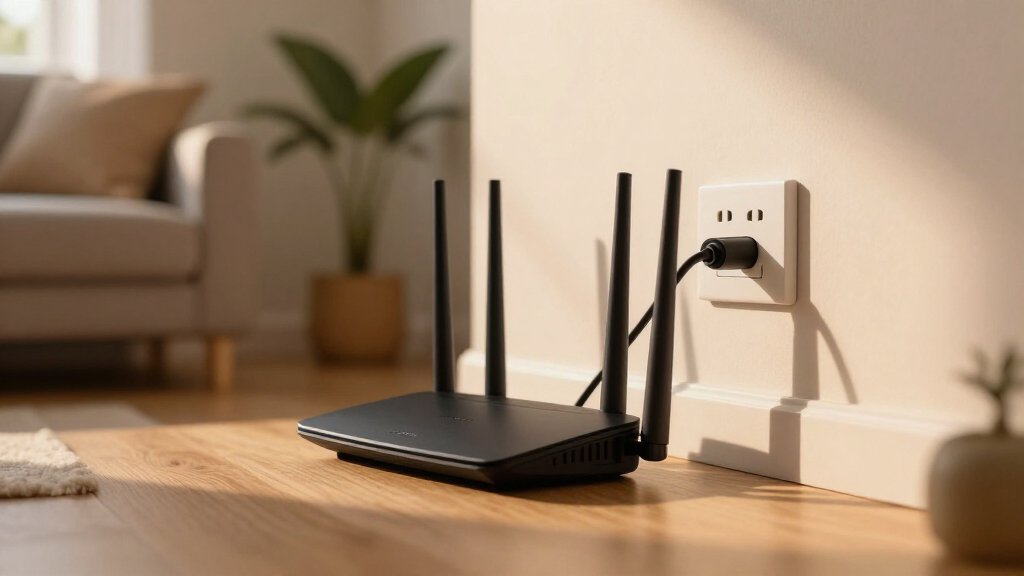
How We Picked
To determine the best routers for fiber internet in 2026, I focused on key performance metrics, usability, build quality, and features that maximize fiber connection benefits. Speed and support for the latest WiFi standards (WiFi 6, 6E, 7) were prioritized, as fiber plans often exceed older router capabilities. I evaluated ease of setup, security features, port options, and coverage to identify options suitable for different home sizes and user needs. The ranking reflects how well each model balances high performance with practical usability, considering both price and feature set.Factors to Consider When Choosing Router For Fiber Internet
When selecting a router for fiber internet, understanding your specific needs helps ensure you get the best value and performance. Consider how many devices connect simultaneously, the size of your home, and your budget. Features like multi-band support, security, and port options can enhance your experience, but they also add complexity and cost. Avoid the mistake of choosing a router solely based on the latest WiFi standard without considering coverage or device compatibility. A well-matched router can improve speed, reduce lag, and future-proof your network for years to come.Speed and WiFi Standards
Fiber internet plans often deliver speeds that surpass older WiFi standards, making it important to select a router supporting WiFi 6 or 7. These standards handle higher bandwidths and multiple connected devices more efficiently, reducing lag and buffering. If you have a gigabit fiber plan, opting for a router with at least 1Gbps support ensures you’re not bottlenecked. However, keep in mind that actual speeds also depend on your device capabilities and network congestion.
Coverage Area and Mesh Compatibility
Large homes or multiple floors benefit from routers with strong coverage or mesh systems. Mesh setups like the Deco X55 spread WiFi signals evenly, preventing dead zones. While mesh systems often cost more upfront, they simplify coverage expansion and improve stability, especially with many devices. For smaller spaces, a high-power single router might suffice, but ensure it has enough range for your environment.
Port Options and Future-Proofing
Look for routers with multi-gig ports (2.5Gbps or higher) to match your fiber plan and enable faster wired connections. USB ports support network sharing or device backups, adding versatility. Ethernet backhaul support can enhance mesh performance, but many budget models lack this feature. Investing in ports that support current and future needs prevents the need for early upgrades.
Security and Management Features
Robust security features like WPA3 encryption and built-in firewalls protect your network from external threats. User-friendly management interfaces or apps make setup and monitoring easier, especially for less tech-savvy users. Features like parental controls or device prioritization add convenience but may come at a higher cost or complexity. Balancing security with usability is key to maintaining a safe, fast network.
Ease of Setup and Maintenance
Intuitive setup processes and ongoing management are important, particularly for non-expert users. Routers with mobile apps or guided setup wizards reduce frustration and help optimize your network. Consider models with firmware that updates automatically to patch vulnerabilities and improve performance without manual intervention. A straightforward interface saves time and minimizes errors during installation and updates.
Frequently Asked Questions
Will a WiFi 6 or WiFi 7 router make my fiber internet faster?
Upgrading to a WiFi 6 or WiFi 7 router can improve your wireless speeds and reduce latency, especially with multiple devices connected simultaneously. However, your actual internet speed also depends on your fiber plan, which might be much faster than what WiFi can support in the air. For the best experience, match your router’s capabilities with your fiber speed, and remember that wired connections will always deliver the highest speeds.Is a mesh system necessary for my fiber internet connection?
A mesh system becomes valuable when you have a large home or many thick walls that block WiFi signals. They provide seamless coverage and eliminate dead zones, ensuring every corner receives strong, stable internet. For smaller apartments or houses, a high-quality single router might be sufficient, saving you money and complexity. The decision hinges on your home’s size and layout.How many ports should I look for in a fiber-compatible router?
Ideally, choose a router with at least one 2.5Gbps port to match high-speed fiber plans, along with multiple gigabit ports for wired devices. If you plan to build a wired network or use a mesh system with Ethernet backhaul, look for models that support these features. Having sufficient ports helps future-proof your setup and improves wired device performance.Are security features like HomeShield or WPA3 worth paying extra for?
Yes, security features like WPA3 encryption and integrated security services help protect your network from evolving threats. They are especially important if you have smart home devices, personal data, or kids using the internet. While these features may add to the cost, they provide peace of mind and contribute to a safer, more resilient network environment.Can I upgrade my existing router for fiber internet, or do I need a new one?
If your current router is outdated or doesn’t support recent standards like WiFi 6 or 7, upgrading can significantly improve your experience. Many older routers can’t handle the speeds provided by modern fiber plans, leading to bottlenecks. In most cases, replacing an old router with a newer, fiber-compatible model offers a straightforward way to maximize your internet service without complicated rewiring.Conclusion
For most users, the TP-Link Archer BE600 offers an excellent balance of speed, security, and ease of use, making it the best overall choice. Those with larger homes or many devices should consider a mesh system like the TP-Link Deco X55 for reliable coverage. Tech enthusiasts or households with gigabit plans will benefit from high-end options like the NETGEAR Nighthawk RS200 with WiFi 7 support. Beginners or minimal users can get by with simpler, budget-friendly routers like the TP-Link AX1800. Tailor your pick based on your home size, device count, and budget to ensure your fiber internet performs at its best.
Halloween Picks
halloween
As an affiliate, we earn on qualifying purchases.