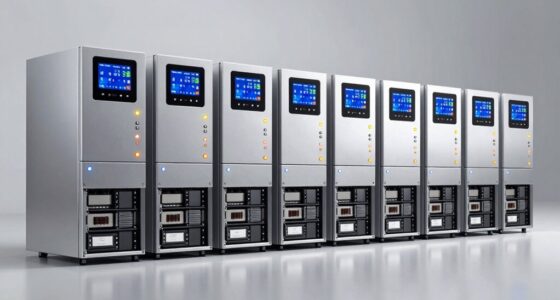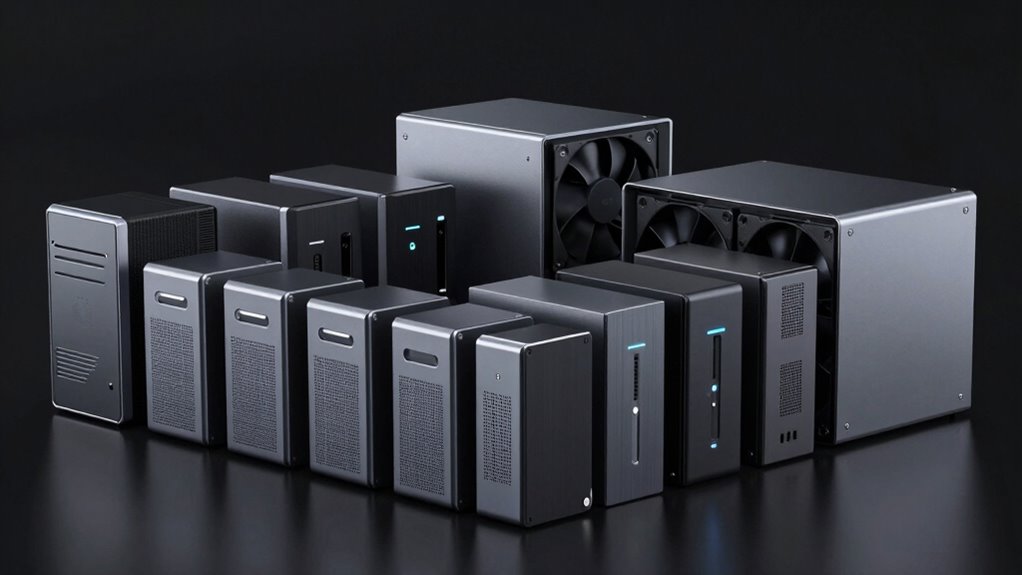

Choosing the right raid external hard drive enclosure requires balancing drive capacity, interface speed, and thermal management. The CENMATE 4-Bay Aluminum RAID Enclosure stands out as the best overall pick for its robust aluminum chassis and versatile SATA support. For those needing massive storage, the ORICO 4-Bay RAID Hard Drive Enclosure offers exceptional value with support for up to 88TB. Meanwhile, the TerraMaster D2-320 serves users prioritizing simplicity and reliability in a compact form. The main tradeoff in this category lies between raw capacity and portability, as larger bays often demand more power and cooling. Continue reading to see how these models compare on performance, build quality, and ease of setup.

Get the latest gadgets delivered free with Prime
- Fast, free delivery on millions of items
- Prime Video, Amazon Music and more included
- Member-only deals all year
Complete the kit



Key Takeaways
- Aluminum chassis models like the CENMATE series provide better heat dissipation than plastic alternatives, which is critical for sustained RAID operations.
- USB 3.0 interfaces are sufficient for mechanical HDDs but may bottleneck high-speed SSDs, making interface choice dependent on drive type.
- 4-bay enclosures offer the best balance of redundancy (RAID 5/6) and desk space, whereas 2-bay units are better for simple mirroring.
- Diskless models require careful attention to included hardware (screws, cables) as some brands omit these, increasing the total cost of ownership.
- Fan-cooled enclosures significantly extend drive lifespan compared to passive cooling, especially when running 3.5-inch drives in RAID configurations.
| CENMATE 4-Bay Aluminum RAID Enclosure for 2.5- and 3.5-Inch SATA HDDs and SSDs |  | Best Flexible 4-Bay Pick | Drive bays: 4 | Supported drives: 2.5- and 3.5-inch SATA HDDs and SSDs | Maximum capacity: 80 TB total; up to 20 TB per drive | VIEW ON AMAZON | See Our Full Breakdown |
| ORICO 4-Bay RAID Hard Drive Enclosure, USB 3.0, Up to 88TB |  | Best for 3.5-Inch HDD Capacity | Model: 9848RU3 | Drive bays and form factor: 4 bays; 3.5-inch SATA drives | Maximum capacity: 88 TB | VIEW ON AMAZON | See Our Full Breakdown |
| CENMATE 8-Bay Aluminum RAID Enclosure for 2.5- and 3.5-Inch SATA Drives |  | Best for Maximum Drive Count | Drive bays: 8 | Supported drives: 2.5- and 3.5-inch SATA HDDs and SSDs | Maximum capacity: 160 TB total; up to 20 TB per drive | VIEW ON AMAZON | See Our Full Breakdown |
| TerraMaster D2-320 2-Bay USB RAID Enclosure (Diskless) |  | Best for Faster USB Transfers | Bays: 2 | Supported drives: 3.5- and 2.5-inch SATA HDDs; 2.5-inch SATA SSDs | Maximum capacity: 22 TB per drive; 44 TB total | VIEW ON AMAZON | See Our Full Breakdown |
| CENMATE Aluminum 2-Bay RAID Hard Drive Enclosure with Cooling Fan |  | Best Simple Two-Drive RAID Pick | Drive bays: 2 | Supported drive sizes: 2.5-inch and 3.5-inch SATA HDDs and SSDs | Maximum capacity: 20 TB per drive; 40 TB total | VIEW ON AMAZON | See Our Full Breakdown |
| CENMATE Aluminum 2-Bay RAID Hard Drive Enclosure with Cooling Fan |  | Best Compact RAID Solution | Drive Bays: 2 | Max Capacity: 40 TB total (20 TB per drive) | RAID Modes: RAID 0, RAID 1, Normal, JBOD | VIEW ON AMAZON | See Our Full Breakdown |
| ORICO 5-Bay RAID External Hard Drive Enclosure |  | Best High-Capacity Value | Drive Bays: 5 | Max Capacity: 110 TB | RAID Modes: RAID 0, 1, 3, 5, 10, JBOD, Clone, Clear | VIEW ON AMAZON | See Our Full Breakdown |
| ORICO 5-Bay RAID Hard Drive Enclosure |  | Best for 3.5-Inch Drive Expansion | Drive Bays: 5 | Supported Drives: 3.5-inch SATA only | Max Capacity: 110 TB total | VIEW ON AMAZON | See Our Full Breakdown |
| TerraMaster D4-320 4-Bay External Hard Drive Enclosure (Diskless) | 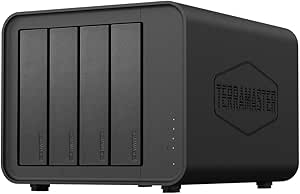 | Best for High-Speed Performance | Drive Bays: 4 | Interface: USB 3.2 Gen 2 (10 Gbps) | RAID Support: None (Software RAID only) | VIEW ON AMAZON | See Our Full Breakdown |
| raid external hard drive enclosure | RAID modes | Drive bays | Maximum capacity | Interface |
|---|---|---|---|---|
| CENMATE 4-Bay Aluminum RAID En | RAID 0, 1, 3, 5, 10, Clone, Large, Normal | 4 | 80 TB total; up to 20 TB per drive | — |
| ORICO 4-Bay RAID Hard Drive En | RAID 0, 1, 3, 5, 10, JBOD, CLONE, CLEAR | — | 88 TB | — |
| CENMATE 8-Bay Aluminum RAID En | Clone, Large, Large*2, Normal, RAID0*2, RAID5*2, RAID50, RAID00 | 8 | 160 TB total; up to 20 TB per drive | — |
| TerraMaster D2-320 2-Bay USB R | RAID 0, RAID 1, JBOD, Single | — | 22 TB per drive; 44 TB total | USB 3.2 Gen 2, USB Type-C |
| CENMATE Aluminum 2-Bay RAID Ha | RAID 0, RAID 1, Normal, JBOD | 2 | 20 TB per drive; 40 TB total | — |
| CENMATE Aluminum 2-Bay RAID Ha | RAID 0, RAID 1, Normal, JBOD | 2 | — | USB 3.0 (5 Gbps) |
| ORICO 5-Bay RAID External Hard | RAID 0, 1, 3, 5, 10, JBOD, Clone, Clear | 5 | — | USB 3.0 Type-A |
| ORICO 5-Bay RAID Hard Drive En | 0, 1, 3, 5, 10, JBOD, CLONE, CLEAR | 5 | — | USB 3.0 (5 Gbps) |
| TerraMaster D4-320 4-Bay Exter | — | 4 | — | USB 3.2 Gen 2 (10 Gbps) |
More Details on Our Top Picks
CENMATE 4-Bay Aluminum RAID Enclosure for 2.5- and 3.5-Inch SATA HDDs and SSDs
I’d choose this CENMATE when a four-drive RAID setup needs to accept both 2.5-inch and 3.5-inch SATA drives. That flexibility makes it easier to combine SSDs and HDDs or reuse drives already on hand, while eight RAID modes give more layout choices than the two-bay CENMATE. It also offers both USB 3.0 and eSATA, though its 5 Gbps ceiling is modest beside the TerraMaster D2-320’s 10 Gbps USB connection. The aluminum case and built-in fans suit sustained desktop use, but the fans may be audible, and hot swapping is not supported. This is direct-attached storage, not a network appliance, so I’d skip it if the goal is shared NAS access.
Pros:- Four bays support up to 80 TB total capacity
- Accepts both 2.5-inch and 3.5-inch SATA HDDs and SSDs
- Eight RAID and drive configuration modes
- USB 3.0 and eSATA connectivity with an aluminum case and built-in fans
Cons:- Does not support hot swapping
- Fans may be audible at approximately 40–50 dB
- eSATA access to multiple bays depends on RAID support from the host computer
Best for: Desktop users building a four-drive RAID set who want to mix 2.5-inch and 3.5-inch SATA drives and value eSATA as an option.
Not ideal for: People who need quiet operation, hot-swappable drives, NAS access, or a faster-than-5-Gbps host connection.
- Drive bays:4
- Supported drives:2.5- and 3.5-inch SATA HDDs and SSDs
- Maximum capacity:80 TB total; up to 20 TB per drive
- RAID modes:RAID 0, 1, 3, 5, 10, Clone, Large, Normal
- Interfaces:USB 3.0, eSATA
- Maximum transfer rate:5 Gbps
- Cooling and material:Built-in fans; aluminum alloy enclosure
- Dimensions and weight:7.95 × 5.2 × 5.75 inches; 4.2 pounds
Our verdict“I’d pick this for a flexible four-drive desktop array, but not for a quiet workspace or a hot-swap workflow.”
ORICO 4-Bay RAID Hard Drive Enclosure, USB 3.0, Up to 88TB
The ORICO is the capacity-focused choice here: it supports four 3.5-inch SATA drives and lists room for up to 88 TB, edging past the CENMATE 4-Bay’s 80 TB ceiling. Its eight RAID modes, trayless drive installation, and safety locks make it appealing for a fixed desktop archive where drives are installed and left in place. The tradeoff is flexibility: unlike the CENMATE 4-Bay, this model is specified for 3.5-inch drives only, so it won’t suit a mixed collection of smaller SATA SSDs or 2.5-inch disks. Its USB 3.0 connection and stated 235 MB/s maximum also place it below the TerraMaster D2-320’s 10 Gbps interface on paper. I’d favor it for high-capacity HDD storage, not for compact SSD-focused work.
Pros:- Four 3.5-inch bays support up to 88 TB total capacity
- Eight RAID and drive configuration modes
- Trayless design with safety locks
- Aluminum enclosure, 80 mm fan, and 150 W power supply
Cons:- Supports 3.5-inch SATA drives only
- USB 3.0 interface has a listed maximum transfer rate of 235 MB/s
- Does not offer the CENMATE 4-Bay’s eSATA connection
Best for: Home-office and media-archive users who want four large 3.5-inch SATA drives, multiple RAID choices, and locked drive bays.
Not ideal for: Buyers with 2.5-inch drives, a need for a faster host interface, or a requirement for eSATA connectivity.
- Model:9848RU3
- Drive bays and form factor:4 bays; 3.5-inch SATA drives
- Maximum capacity:88 TB
- RAID modes:RAID 0, 1, 3, 5, 10, JBOD, CLONE, CLEAR
- Host interface:USB 3.0
- Maximum data transfer rate:235 MB/s
- Power and cooling:150 W power supply; 80 mm fan
- Compatibility:Windows, Mac OS, Linux
Our verdict“I’d choose the ORICO for a locked, high-capacity 3.5-inch HDD array, but look elsewhere for 2.5-inch drive support or a faster interface.”
CENMATE 8-Bay Aluminum RAID Enclosure for 2.5- and 3.5-Inch SATA Drives
When four bays are not enough, this CENMATE moves the roundup toward a much larger direct-attached array: it holds eight SATA drives and lists up to 160 TB total capacity. It also accepts both 2.5- and 3.5-inch drives, unlike the 3.5-inch-only ORICO 4-Bay, and provides USB 3.0 plus eSATA. The extra capacity comes with practical costs. The enclosure requires at least two drives, RAID changes can erase data, and two fans may be noticeable at roughly 40–50 dB. Its stated 5 Gbps transfer ceiling also won’t match the TerraMaster D2-320’s 10 Gbps connection, though that smaller enclosure has only two bays. I’d reserve this model for users who need a dense, multi-drive desktop setup and can plan the array before loading important files.
Pros:- Eight drive bays and up to 160 TB stated total capacity
- Supports both 2.5-inch and 3.5-inch SATA HDDs and SSDs
- Multiple RAID configurations, including RAID 50 and RAID 00
- USB 3.0 and eSATA connections with two cooling fans
Cons:- Requires at least two drives to operate
- Changing RAID modes can erase data
- Two fans may be audible at approximately 40–50 dB
Best for: Video, research, and archive users assembling a high-capacity desktop RAID array from multiple 2.5- or 3.5-inch SATA drives.
Not ideal for: People starting with one drive, seeking quiet operation, needing hot-swap support, or wanting NAS access.
- Drive bays:8
- Supported drives:2.5- and 3.5-inch SATA HDDs and SSDs
- Maximum capacity:160 TB total; up to 20 TB per drive
- RAID modes:Clone, Large, Large*2, Normal, RAID0*2, RAID5*2, RAID50, RAID00
- Interfaces:USB 3.0, eSATA
- Maximum data transfer rate:5 Gbps
- Cooling and power:Two 2.9-inch fans; DC 12V 20A adapter
- Dimensions and weight:10.7 × 5.9 × 14.2 inches; 2.05 kg
Our verdict“I’d choose this CENMATE when eight-drive capacity matters more than quiet operation, quick setup, or a faster host connection.”
TerraMaster D2-320 2-Bay USB RAID Enclosure (Diskless)
The TerraMaster D2-320 is the speed-oriented compact pick: its USB 3.2 Gen 2 Type-C connection is rated up to 10 Gbps, double the listed interface rate of the CENMATE two- and four-bay enclosures. That makes it a better fit for a fast-attached two-drive setup, especially with SSDs, while tool-free trays simplify installation. Its RAID choices cover RAID 0, RAID 1, JBOD, and single-drive use, which is enough for common striping or mirroring but far narrower than the eight modes in the ORICO 4-Bay. Capacity tops out at 44 TB total, and the plastic enclosure is less substantial than the aluminum CENMATE models. I’d pick it for a tidy, higher-bandwidth two-drive desk setup; it is not a substitute for a large multi-bay array or NAS.
Pros:- USB 3.2 Gen 2 Type-C interface rated up to 10 Gbps
- Supports RAID 0, RAID 1, JBOD, and single-drive modes
- Tool-free trays with temperature-controlled cooling
- Supports up to 44 TB across two compatible drives
Cons:- Two bays provide much less capacity than the CENMATE 8-Bay
- Plastic enclosure rather than aluminum
- Drives are not included
Best for: Desktop users who want two SATA drives, RAID 1 mirroring or RAID 0, and a faster USB connection for compatible hosts.
Not ideal for: Buyers needing more than two bays, aluminum construction, 2.5-inch SSD support beyond SATA, or network storage.
- Bays:2
- Supported drives:3.5- and 2.5-inch SATA HDDs; 2.5-inch SATA SSDs
- Maximum capacity:22 TB per drive; 44 TB total
- RAID modes:RAID 0, RAID 1, JBOD, Single
- Interface:USB 3.2 Gen 2, USB Type-C
- Maximum data transfer rate:10 Gbps
- Compatibility:Windows, Mac, Linux
- Dimensions and weight:8.74 × 4.69 × 6.06 inches; 1.3 kg
Our verdict“I’d choose the D2-320 for a two-drive setup where USB bandwidth matters more than bay count or an all-metal enclosure.”
CENMATE Aluminum 2-Bay RAID Hard Drive Enclosure with Cooling Fan
This two-bay CENMATE is the straightforward option for someone who wants RAID 1 mirroring or RAID 0 without moving up to a larger enclosure. It accepts both 2.5- and 3.5-inch SATA drives and supports up to 40 TB total, giving it more drive-size flexibility than the TerraMaster D2-320’s listed SSD support while keeping the setup compact. The tradeoff is its USB 3.0, 5 Gbps connection, which is slower on paper than the TerraMaster’s 10 Gbps USB link. Its aluminum housing and fan support cooling, but the fan may be audible, and RAID setup can erase data. Mac users also do not get RAID software included. I’d choose it for basic local storage or mirroring, not for fast transfers, advanced RAID layouts, or a silent workspace.
Pros:- Supports two 2.5-inch or 3.5-inch SATA HDDs and SSDs
- Up to 40 TB total capacity
- Offers RAID 0, RAID 1, Normal, and JBOD modes
- Aluminum housing, built-in fan, and USB-A/C cables included
Cons:- USB 3.0 connection is rated up to 5 Gbps, below the TerraMaster D2-320’s 10 Gbps link
- Fan noise may bother users in quiet rooms
- RAID configuration may erase data, and Mac RAID software is not included
Best for: Home and small-office users who want a compact two-drive enclosure for mirroring or basic capacity expansion with either 2.5- or 3.5-inch SATA drives.
Not ideal for: Users prioritizing faster USB throughput, quiet operation, advanced RAID modes, or included Mac RAID software.
- Drive bays:2
- Supported drive sizes:2.5-inch and 3.5-inch SATA HDDs and SSDs
- Maximum capacity:20 TB per drive; 40 TB total
- RAID modes:RAID 0, RAID 1, Normal, JBOD
- Interface and transfer rate:USB 3.0; up to 5 Gbps
- Cooling and material:2-inch fan; aluminum alloy
- Dimensions and weight:7.95 × 5.2 × 3.5 inches; 2.1 pounds
- Compatibility:Windows 7 and above, Mac 9.1 and above, Linux
Our verdict“I’d pick this CENMATE for simple two-drive mirroring with broad drive-size support, but choose the TerraMaster for a faster USB connection.”
CENMATE Aluminum 2-Bay RAID Hard Drive Enclosure with Cooling Fan
This CENMATE 2-Bay is the ideal entry point for users who need redundancy without the bulk of larger towers. Unlike the ORICO 5-Bay models, which demand significant desk space and power, this unit fits easily on a shelf while supporting up to 40 TB of combined storage. The aluminum chassis aids heat dissipation, though the active fan introduces a constant 40–50 dB hum, making it less suitable for quiet studios compared to fanless alternatives. It supports USB 3.0, which caps speed at 5 Gbps, slower than the 10 Gbps offered by the TerraMaster D4-320. However, for backup tasks where sustained throughput matters less than capacity, this remains a solid, low-cost choice. Note that switching RAID modes wipes data, so plan your configuration before inserting drives.
Pros:- Supports both 2.5-inch and 3.5-inch drives for flexible storage options
- Aluminum body aids in passive cooling alongside the active fan
- Plug-and-play setup requires no additional software drivers
Cons:- Fan noise levels (40–50 dB) can be distracting in quiet environments
- Changing RAID modes erases all existing data on the drives
- USB 3.0 interface limits transfer speeds compared to newer standards
Best for: Users needing a compact, affordable mirror (RAID 1) for backups or light video editing
Not ideal for: Noise-sensitive professionals or those needing high-speed video editing workflows
- Drive Bays:2
- Max Capacity:40 TB total (20 TB per drive)
- RAID Modes:RAID 0, RAID 1, Normal, JBOD
- Interface:USB 3.0 (5 Gbps)
- Cooling:Built-in 2-inch fan
- Material:Aluminum alloy
Our verdict“A practical, space-saving choice for beginners seeking basic redundancy without investing in a multi-bay tower.”
ORICO 5-Bay RAID External Hard Drive Enclosure
The ORICO 5-Bay stands out for offering hardware RAID 5 and 10 support, a feature often reserved for more expensive NAS units. This allows users to balance speed and data protection across five drives, a flexibility the CENMATE 2-Bay cannot match. With a 150W power supply and an 80mm fan, it handles the thermal load of five spinning drives better than smaller enclosures. However, the alloy steel shell is heavier and less premium-feeling than the aluminum used in the CENMATE Aluminum 2-Bay. While the interface is USB 3.0, the real value here is the ability to create large, redundant volumes for archival purposes. It is a robust workhorse, provided you have the desk space for its substantial footprint.
Pros:- Supports advanced hardware RAID modes including RAID 5 and 10
- High total capacity potential of up to 110 TB with five drives
- Robust 150W power supply ensures stable multi-drive operation
Cons:- Heavy alloy steel construction makes it bulky and difficult to move
- USB 3.0 interface creates a bottleneck for high-speed SSDs
- Capacity specifications in marketing materials may vary from technical docs
Best for: Archivists and small offices needing large, redundant storage pools without buying a NAS
Not ideal for: Users with limited desk space or those requiring 10 Gbps transfer speeds
- Drive Bays:5
- Max Capacity:110 TB
- RAID Modes:RAID 0, 1, 3, 5, 10, JBOD, Clone, Clear
- Interface:USB 3.0 Type-A
- Power Supply:150W built-in
- Cooling:80mm fan
Our verdict“A powerful, high-capacity option for users who prioritize data redundancy and volume over portability or speed.”
ORICO 5-Bay RAID Hard Drive Enclosure
While similar to its sibling, the ORICO 5-Bay (B0GXY8C9JR), this model distinguishes itself with a sleek aluminum enclosure and a dedicated locking mechanism to prevent accidental drive ejection. It is strictly designed for 3.5-inch SATA drives, meaning it lacks the versatility of the CENMATE 2-Bay, which accommodates smaller 2.5-inch SSDs. This restriction is a tradeoff: the chassis is optimized for the thermal profile of large HDDs, with front and rear vents aiding the 80mm fan. The USB 3.0 connection remains a limitation for SSD-heavy builds, but for traditional hard drives, it is sufficient. It is a polished, secure option for expanding desktop storage, though users must back up data before altering RAID configurations.
Pros:- Premium aluminum finish improves aesthetics and heat dissipation
- Drive locks provide physical security against accidental removal
- Supports eight RAID modes for flexible storage management
Cons:- Only supports 3.5-inch drives, excluding smaller SSDs
- RAID configuration changes result in complete data loss
- USB 3.0 bandwidth limits potential speed gains from high-performance drives
Best for: Desktop users upgrading from internal storage to external multi-drive arrays using 3.5-inch HDDs
Not ideal for: Users who need to mix 2.5-inch SSDs and 3.5-inch HDDs in the same bay
- Drive Bays:5
- Supported Drives:3.5-inch SATA only
- Max Capacity:110 TB total
- RAID Modes:0, 1, 3, 5, 10, JBOD, CLONE, CLEAR
- Interface:USB 3.0 (5 Gbps)
- Security:Drive locking mechanism
Our verdict“A refined, secure enclosure for users committed to large 3.5-inch hard drives who value build quality over mixed-drive flexibility.”
TerraMaster D4-320 4-Bay External Hard Drive Enclosure (Diskless)
The TerraMaster D4-320 prioritizes speed over hardware redundancy, offering USB 3.2 Gen 2 connectivity that doubles the bandwidth of the ORICO 5-Bay models. This makes it the superior choice for video editors moving large 4K files, as it supports up to 10 Gbps. Unlike the CENMATE 2-Bay, it lacks hardware RAID, relying on software solutions from your OS, which offers more flexibility but less immediate protection. The hot-swappable bays and tool-free trays are significant quality-of-life improvements for users managing multiple drives. Its plastic housing feels less durable than the metal enclosures in the lineup, but it reduces weight to just 1.3 pounds. It is a performance-first tool for professionals who manage their own data protection strategies.
Pros:- USB 3.2 Gen 2 interface delivers up to 10 Gbps transfer speeds
- Hot-swappable drive bays allow for easy maintenance without shutdowns
- Tool-free installation simplifies drive swaps and upgrades
Cons:- No hardware RAID support; requires software-based configuration
- Plastic construction feels less premium and durable than metal alternatives
- Does not include drives, requiring a separate purchase for full capacity
Best for: Video editors and photographers who need fast transfer speeds and hot-swappable drives
Not ideal for: Users who require automatic hardware RAID for data redundancy out of the box
- Drive Bays:4
- Interface:USB 3.2 Gen 2 (10 Gbps)
- RAID Support:None (Software RAID only)
- Max Capacity:120 TB total
- Features:Hot-swappable, tool-free trays
- Material:Plastic
Our verdict“The go-to choice for creative professionals who prioritize transfer speed and ease of drive management over built-in redundancy.”

How We Picked
I evaluated these enclosures based on three primary pillars: thermal performance, interface reliability, and build quality. Since RAID setups generate more heat than single-drive backups, I prioritized units with active cooling or large aluminum surfaces, which transfer heat away from drives more effectively than plastic casings. I also examined the chipset quality and USB implementation, as poor controllers can cause disconnections during large data transfers, a common complaint in lower-tier enclosures.
The ranking logic favors products that offer a clear advantage in at least one category without significant compromises in others. For instance, a high-capacity 8-bay unit ranks higher than a 2-bay unit if it provides superior cooling and stability, even if it is less portable. I excluded models with known driver compatibility issues or those lacking basic safety features like drive locks or fan speed controls.
| raid external hard drive enclosure | Interface |
|---|---|
| CENMATE 4-Bay Aluminum RAID En | — |
| ORICO 4-Bay RAID Hard Drive En | — |
| CENMATE 8-Bay Aluminum RAID En | — |
| TerraMaster D2-320 2-Bay USB R | USB 3.2 Gen 2, USB Type-C |
| CENMATE Aluminum 2-Bay RAID Ha | — |
| CENMATE Aluminum 2-Bay RAID Ha | USB 3.0 (5 Gbps) |
| ORICO 5-Bay RAID External Hard | USB 3.0 Type-A |
| ORICO 5-Bay RAID Hard Drive En | USB 3.0 (5 Gbps) |
| TerraMaster D4-320 4-Bay Exter | USB 3.2 Gen 2 (10 Gbps) |
Factors to Consider When Choosing Raid External Hard Drive Enclosure
Selecting an enclosure is not just about fitting the right number of drives. You must consider how the hardware interacts with your specific workflow, whether that involves video editing, archival storage, or daily backups.
Interface Speed vs. Drive Type
Matching the enclosure’s interface to your drive technology prevents bottlenecks. USB 3.0 (5Gbps) is perfectly adequate for mechanical HDDs, which rarely exceed 200MB/s even in RAID 0. However, if you plan to use SATA SSDs, you might want to look for USB 3.1 Gen 2 or USB-C interfaces to avoid capping your transfer speeds at half the drive’s potential. Many budget enclosures still use older controllers that struggle with mixed drive types, so verify compatibility if you plan to mix HDDs and SSDs.
Cooling Solutions and Drive Longevity
RAID configurations generate more heat than single drives because multiple devices operate simultaneously. Active cooling fans are highly recommended for 3.5-inch drives, which run hotter than 2.5-inch laptop drives. Aluminum enclosures act as passive heatsinks, but they work best when combined with airflow. If you choose a plastic enclosure, ensure it has ventilation slots and consider adding external fans. Overheating is the leading cause of premature drive failure, so investing in better cooling often saves money on replacements.
RAID Mode Flexibility and Chipset Quality
Not all enclosures support all RAID levels. Some budget models only support JBOD (Just a Bunch Of Disks) or simple mirroring (RAID 1). If you need striping for speed (RAID 0) or parity for data protection (RAID 5), verify that the hardware controller supports it. Hardware RAID is processed by the enclosure’s chip, freeing up your computer’s CPU. Software RAID relies on your OS, which can be slower and less stable if the connection drops. Look for enclosures with clear LED indicators for RAID status, as diagnosing issues without visual feedback is frustrating.
Portability and Footprint
A 4-bay enclosure is significantly larger than a 2-bay unit and often requires an external power brick. If you need to move your data between locations, prioritize compact 2-bay models or those with integrated power supplies. Desk-bound setups benefit from 4-bay or 8-bay units, which offer higher capacity and better cooling due to larger chassis volume. Consider cable management too; some enclosures have proprietary power connectors that are hard to replace if lost. Standard barrel jacks are more convenient for long-term use.
Drive Compatibility and Installation Ease
Check whether the enclosure supports both 2.5-inch and 3.5-inch SATA drives. Some units require adapters or specific mounting brackets for smaller drives, which can rattle or cause connection issues if not secured properly. Tool-free installation is a major convenience factor, allowing you to swap drives quickly without screwdrivers. However, tool-free mechanisms can sometimes be loose, leading to intermittent connections. If you rarely change drives, a tool-based system with tight screws might offer more reliable contacts.
Frequently Asked Questions
Do I need a hardware RAID enclosure or can I use software RAID?
Hardware RAID offloads the calculation to the enclosure’s processor, which is better for older computers or those with limited CPU resources. It also presents the drives as a single volume to the operating system, simplifying management. Software RAID is more flexible and easier to recover if the enclosure fails, as you can read the drives in another system. For most home users, software RAID via Windows Storage Spaces or macOS Disk Utility is sufficient and free. Choose hardware RAID only if you need plug-and-play simplicity or have specific performance requirements.
Is USB-C necessary for a raid external hard drive enclosure?
USB-C is not strictly necessary for mechanical drives but is becoming the standard for power delivery and future-proofing. Most USB-C enclosures use USB 3.1 or 3.2 protocols, which offer higher bandwidth than older USB 3.0 Type-A. If your laptop only has USB-A ports, you can use an adapter, but native USB-C provides a cleaner setup. Thunderbolt 3/4 enclosures are significantly more expensive and usually unnecessary for SATA drives, as they won’t exceed the SATA interface’s speed limits.
Can I use different sized drives in a single RAID array?
Technically yes, but it is not recommended for most RAID levels. In a RAID 0 or 1 array, the total capacity is usually limited by the smallest drive in the set, wasting space on larger disks. JBOD mode allows you to combine different sizes into one logical volume, but it offers no performance or redundancy benefits. Mixing drives also complicates power consumption and cooling, as larger drives may draw more power. For best results, use identical drives in terms of size, speed, and model.
How loud are the fans in these enclosures?
Fan noise varies greatly by model. Aluminum enclosures with large, slow-spinning fans tend to be quieter than plastic units with small, high-RPM fans. Active cooling is often audible under load, but many modern enclosures feature smart fan controllers that spin down when drives are idle. If silence is a priority, look for models with ‘quiet mode’ or larger chassis that allow for passive cooling. However, be cautious about going fan-less with 3.5-inch drives, as the risk of overheating outweighs the benefit of silence.
What happens if the enclosure fails? Is my data lost?
In a hardware RAID setup, if the enclosure’s controller fails, you cannot easily read the drives in another system unless it uses the same chipset. This is a significant risk. Software RAID is safer in this regard because the data format is standard. To mitigate risk, always maintain a separate backup of critical data. Some enclosures allow you to switch to JBOD mode, which can help recover data if the RAID configuration becomes corrupted. Never rely solely on a single enclosure for your only copy of important files.
Conclusion
Choosing the right raid external hard drive enclosure depends on your specific storage goals and technical comfort level. The CENMATE 4-Bay Aluminum RAID Enclosure is the best overall choice for most users, offering a solid balance of cooling, build quality, and capacity. For those on a tighter budget, the ORICO 4-Bay RAID Hard Drive Enclosure provides excellent value and high capacity, though it may lack the premium finish of aluminum competitors. Beginners or users with limited desk space should consider the TerraMaster D2-320, which is compact, reliable, and easy to set up. If you need maximum capacity and don’t mind a larger footprint, the CENMATE 8-Bay Aluminum RAID Enclosure is the premium pick. Evaluate your drive types and cooling needs carefully, as these factors will dictate which model serves you best in the long run.
Evergreen bestsellers Picks
bestsellers
As an affiliate, we earn on qualifying purchases.