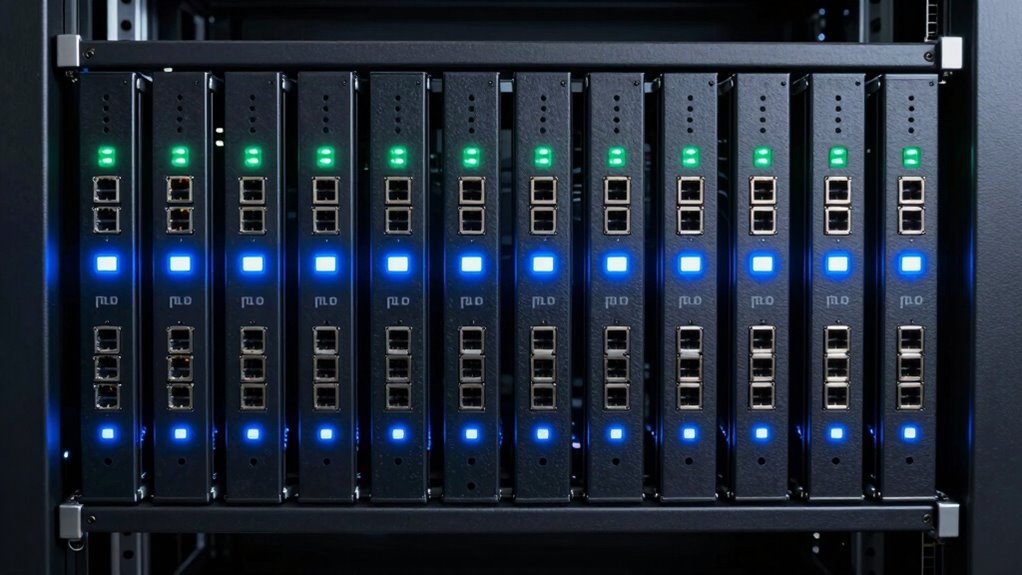

For a straightforward rackmount network switch, I’d start with the NETGEAR GS348: its 48 Gigabit ports suit a growing wired network without adding PoE complexity. The NETGEAR GS724TP stands out for buyers who need PoE+ and smart management, while the TP-Link TL-SG1024 is a simpler 24-port alternative. The main tradeoffs are port capacity, power over Ethernet, management tools, and how much rack space and setup effort you want to take on. An unmanaged switch is easier to deploy, but it offers less control than a smart managed model. Read on for the full breakdown and help matching a switch to your rack and devices.

Get the latest gadgets delivered free with Prime
- Fast, free delivery on millions of items
- Prime Video, Amazon Music and more included
- Member-only deals all year
Complete the kit



Key Takeaways
- Port count is the clearest dividing line: the 16-port models suit smaller wired networks, the 24-port group fits many offices and home labs, and the 48-port options target denser installations.
- PoE changes the job the switch can do: the NETGEAR GS724TP, TP-Link TL-SG1218MP, NETGEAR GS324P, and YuanLey 48-port model can power compatible devices, unlike the listed non-PoE switches.
- Management is separate from capacity: the GS724TP adds smart management, while most other options favor plug-and-play operation; more ports alone do not provide more network control.
- Simple Gigabit switching dominates this lineup: these products focus on 1GbE access ports, so buyers needing faster server or storage links should check uplink speeds rather than assume a large port count means higher throughput.
- Rack fit and cooling still need checking: port count does not establish chassis depth, mounting hardware, or noise level, so verify those details against the cabinet and installation space before choosing.
| UGREEN 16-Port Gigabit Ethernet Switch |  | Best Compact Rackmount Pick | Ports: 16 × RJ45 | Port speed: 10/100/1000 Mbps | Switch type: Unmanaged | VIEW ON AMAZON | See Our Full Breakdown |
| NETGEAR 48-Port Gigabit Ethernet Unmanaged Network Switch (GS348) |  | Best for High-Density Silent Racks | Ports: 48 × RJ45 | Data rate: 1000 Mbps | Switch type: Unmanaged, Layer 2 | VIEW ON AMAZON | See Our Full Breakdown |
| TP-Link TL-SG1048 48-Port Gigabit Unmanaged Ethernet Switch |  | Best for Spec-Defined 48-Port Deployments | Ports: 48 × 10/100/1000 Mbps RJ45 | Switching capacity: 96 Gbps | MAC address table: 8K entries | VIEW ON AMAZON | See Our Full Breakdown |
| UGREEN 24-Port Gigabit Ethernet Switch |  | Best Flexible-Mount 24-Port Pick | Ports: 24 × 10/100/1000 Mbps RJ45 | Switch type: Unmanaged | Modes: Standard, port isolation, link aggregation, flow control | VIEW ON AMAZON | See Our Full Breakdown |
| NETGEAR GS324 24-Port Gigabit Ethernet Unmanaged Switch |  | Best Straightforward 24-Port Rackmount Switch | Ports: 24 × 1 Gbps Ethernet | Data transfer rate: 24 Gbps | Interface: RJ45 | VIEW ON AMAZON | See Our Full Breakdown |
| NETGEAR 16-Port Gigabit Ethernet Unmanaged Switch (GS516) |  | Best Quiet 16-Port Rackmount Pick | Ports: 16 RJ45 | Port speed: 1 Gbps per port | Switch type: Unmanaged | VIEW ON AMAZON | See Our Full Breakdown |
| TP-Link TL-SG1024 24-Port Gigabit Unmanaged Ethernet Switch |  | Best for Simple 24-Port Rack Expansion | Ports: 24 RJ45 | Port speed: 10/100/1000 Mbps | Switch type: Unmanaged | VIEW ON AMAZON | See Our Full Breakdown |
| NETGEAR GS724TP 26-Port Gigabit PoE+ Smart Managed Switch |  | Best Managed PoE+ Rackmount Pick | Total ports: 26 | Ethernet ports: 24 × 1 Gbps | PoE: PoE+ on 24 ports | VIEW ON AMAZON | See Our Full Breakdown |
| Tenda 24-Port Gigabit Ethernet Unmanaged Switch |  | Best Compact Fanless 24-Port Option | Ports: 24 RJ45 | Port speed: 10/100/1000 Mbps | Switch type: Unmanaged | VIEW ON AMAZON | See Our Full Breakdown |
| TP-Link TL-SG1016 16-Port Gigabit Unmanaged Ethernet Switch |  | Best Value for a 16-Port Rack | Ports: 16 Gigabit Ethernet | Port speed: 10/100/1000 Mbps | Switch type: Unmanaged | VIEW ON AMAZON | See Our Full Breakdown |
| YuanLey 48-Port Gigabit Unmanaged PoE+ Switch with 2 SFP Uplinks |  | Best for High-Density PoE | Ports: 50 total: 48 PoE+ RJ45 and 2 SFP uplinks | PoE standard: IEEE 802.3af/at | Total PoE budget: 800 W | VIEW ON AMAZON | See Our Full Breakdown |
| TP-Link TL-SG1218MP 18-Port Gigabit PoE+ Switch |  | Best Mid-Size PoE Rack Pick | Total ports: 18 | PoE+ ports: 16 | PoE standard: IEEE 802.3af/at | VIEW ON AMAZON | See Our Full Breakdown |
| TP-Link TL-SG1024S 24-Port Gigabit Unmanaged Ethernet Switch |  | Best Quiet Rack Switch | Ports: 24 RJ45 Gigabit Ethernet | Port speed: 10/100/1000 Mbps | Switching capacity: 48 Gbps | VIEW ON AMAZON | See Our Full Breakdown |
| NETGEAR GS324P 24-Port Gigabit Ethernet Unmanaged PoE+ Switch |  | Best Quiet PoE Rack Switch | Total ports: 24 Gigabit Ethernet | PoE+ ports: 16 | PoE power budget: 190 W | VIEW ON AMAZON | See Our Full Breakdown |
| rackmount network switch | Switch type | Ports | Dimensions | Mounting |
|---|---|---|---|---|
| UGREEN 16-Port Gigabit Etherne | Unmanaged | 16 × RJ45 | 11.5 × 1.7 × 4.6 in | Rack, wall, or desktop |
| NETGEAR 48-Port Gigabit Ethern | Unmanaged, Layer 2 | 48 × RJ45 | 17.32 × 10.24 × 1.73 in | — |
| TP-Link TL-SG1048 48-Port Giga | Unmanaged | 48 × 10/100/1000 Mbps RJ45 | 17.32 × 14.17 × 1.73 in | — |
| UGREEN 24-Port Gigabit Etherne | Unmanaged | 24 × 10/100/1000 Mbps RJ45 | 11.5 × 4.6 × 1.7 in | Rackmount, wall mount, or desktop |
| NETGEAR GS324 24-Port Gigabit | Unmanaged | 24 × 1 Gbps Ethernet | 13.5 × 11.12 × 3.12 in | Desktop, wall, or rack mount |
| NETGEAR 16-Port Gigabit Ethern | Unmanaged | 16 RJ45 | 13 × 6.7 × 1.7 in | Desktop, wall, or rack |
| TP-Link TL-SG1024 24-Port Giga | Unmanaged | 24 RJ45 | — | Rack-mountable |
| NETGEAR GS724TP 26-Port Gigabi | Managed | — | 21 × 13.6 × 4 in | Desktop or rack |
| Tenda 24-Port Gigabit Ethernet | Unmanaged | 24 RJ45 | 11.57 × 4.72 × 1.73 in | — |
| TP-Link TL-SG1016 16-Port Giga | Unmanaged | 16 Gigabit Ethernet | — | — |
| YuanLey 48-Port Gigabit Unmana | Unmanaged | 50 total: 48 PoE+ RJ45 and 2 SFP uplinks | — | Desktop or 19-inch rack |
| TP-Link TL-SG1218MP 18-Port Gi | — | — | — | Rack-mountable metal case |
| TP-Link TL-SG1024S 24-Port Gig | Unmanaged | 24 RJ45 Gigabit Ethernet | 11.6 × 7.1 × 1.7 inches | — |
| NETGEAR GS324P 24-Port Gigabit | Unmanaged | — | 13 × 8.1 × 1.7 inches | Desktop or rack mount |
More Details on Our Top Picks
UGREEN 16-Port Gigabit Ethernet Switch
I’d choose this UGREEN when a rack needs 16 quiet Gigabit connections without giving up room for a larger switch. Its rack, wall, and desktop mounting options make it more adaptable to small offices or home labs than the NETGEAR GS348, which is built around a much higher 48-port count. The useful distinction is its set of selectable modes: port isolation and link aggregation add some practical flexibility beyond basic plug-and-play switching. But it remains unmanaged, so those modes do not replace the monitoring and fine-grained control of a managed switch. The fanless metal enclosure avoids fan noise, while 6 kV surge protection adds a layer of protection for connected ports. I’d skip it if growth plans already point beyond 16 wired devices.
Pros:- 16 Gigabit RJ45 ports support a useful range of wired devices.
- Rack, wall, and desktop mounting suit different small-network layouts.
- Fanless metal housing supports quiet operation.
- Port isolation and link aggregation modes offer more flexibility than a basic fixed-mode switch.
Cons:- Unmanaged operation does not provide software-based configuration or monitoring.
- A 16-port limit leaves less room to expand than the 24- and 48-port choices.
- No PoE support is specified for powering access points or cameras.
Best for: Home-lab owners and small offices that need up to 16 wired Gigabit connections in a quiet, flexible-mounting setup.
Not ideal for: Growing offices that expect more than 16 connected devices or network administrators who need software configuration and monitoring.
- Ports:16 × RJ45
- Port speed:10/100/1000 Mbps
- Switch type:Unmanaged
- Working modes:Standard, port isolation, link aggregation, flow control
- Link aggregation:Up to 2 Gbps
- Surge protection:6 kV
- Cooling and enclosure:Fanless metal housing
- Mounting:Rack, wall, or desktop
- Dimensions:11.5 × 1.7 × 4.6 in
Our verdict“Choose this UGREEN for a quiet, compact 16-port rack or desktop network where flexible mounting matters more than managed controls.”
NETGEAR 48-Port Gigabit Ethernet Unmanaged Network Switch (GS348)
The GS348 is the straightforward choice when a rack needs 48 Gigabit ports and silent operation matters. Compared with the TP-Link TL-SG1048, it is another high-density fanless option, but the supplied specifications do not list switching capacity or a MAC address table size, so buyers who need those figures for planning may prefer the TP-Link’s more detailed spec sheet. NETGEAR’s IEEE 802.3az efficiency and auto-negotiating ports suit always-on offices where simple connectivity is the priority. The tradeoff is the same one common to unmanaged switches: there is no software control or traffic monitoring, and no PoE for powering devices directly. I’d pick this for a dense wired rack, not for a network that needs VLAN administration or powered access points.
Pros:- 48 RJ45 Gigabit ports provide high connection density.
- Fanless design supports silent operation in shared work areas.
- IEEE 802.3az energy-efficient operation can reduce power use.
- Rack or desktop installation accommodates different setups.
Cons:- Unmanaged design lacks advanced configuration and monitoring.
- No PoE support for access points, cameras, or phones.
- The listed specifications omit switching capacity and MAC address table size.
Best for: Office and lab operators who need many always-on Gigabit connections in a quiet rack and want simple plug-and-play setup.
Not ideal for: Teams that need PoE, network monitoring, VLAN management, or explicit capacity and MAC-table details for deployment planning.
- Ports:48 × RJ45
- Data rate:1000 Mbps
- Switch type:Unmanaged, Layer 2
- Voltage:48 V DC
- Energy efficiency:IEEE 802.3az
- Cooling:Fanless
- Enclosure:Metal
- Dimensions:17.32 × 10.24 × 1.73 in
- Warranty:Limited 3-year hardware warranty
Our verdict“Pick the GS348 when 48 quiet Gigabit ports and uncomplicated installation matter more than PoE or management features.”
TP-Link TL-SG1048 48-Port Gigabit Unmanaged Ethernet Switch
I’d favor the TL-SG1048 when a buyer wants a 48-port rackmount switch with useful capacity figures spelled out. Its 96 Gbps switching capacity and 8K MAC address table give planners more concrete information than the NETGEAR GS348 listing supplies, which can help when comparing a dense wired rack against expected traffic and device counts. Flow control and auto-negotiation keep setup simple, while the fanless design avoids adding fan noise to a workspace. That simplicity is also its limit: unlike a managed switch, it offers no configuration interface, monitoring, or PoE. Its full-width chassis may also be excessive for a smaller rack. Compared with the GS348, this is the more specification-transparent pick, not a more configurable one.
Pros:- 48 Gigabit RJ45 ports support dense wired installations.
- 96 Gbps switching capacity and an 8K MAC table provide planning detail.
- Fanless, rackmountable design operates without fan noise.
- IEEE 802.3x flow control and auto-negotiation support straightforward connectivity.
Cons:- Unmanaged operation provides no configuration or monitoring controls.
- Large 17.32 × 14.17 in footprint may be awkward in compact racks.
- No PoE support is specified.
Best for: IT buyers planning a dense rack who want stated switching-capacity and MAC-table figures alongside a simple unmanaged setup.
Not ideal for: Small home labs with limited rack space, or businesses needing PoE, software management, or network monitoring.
- Ports:48 × 10/100/1000 Mbps RJ45
- Switching capacity:96 Gbps
- MAC address table:8K entries
- Switch type:Unmanaged
- Flow control:IEEE 802.3x
- Design:Fanless, rackmountable
- Dimensions:17.32 × 14.17 × 1.73 in
- Weight:4.18 kg
- Warranty:3 years
Our verdict“Choose the TL-SG1048 over the NETGEAR GS348 when you need 48 ports and want capacity and MAC-table specifications stated up front.”
UGREEN 24-Port Gigabit Ethernet Switch
This UGREEN makes sense when 24 Gigabit ports are needed but the switch may have to move between a rack, wall, or desktop setup. Its four operating modes, including port isolation and link aggregation, give it a useful edge over the NETGEAR GS324 for buyers who want more than a basic unmanaged mode. The 6 kV surge protection and fanless metal construction also suit a quiet small-business or home-lab installation. Still, mode selection is not the same as managed networking: there is no software-based configuration or monitoring. Compared with the 16-port UGREEN, this version offers more headroom for devices, but keeps the same basic limitation of an unmanaged design. I’d choose it for mounting flexibility and its specified modes, not for advanced network control.
Pros:- 24 Gigabit RJ45 ports provide room for a growing wired network.
- Rack, wall, and desktop mounting allow flexible installation.
- Port isolation, link aggregation, and flow control modes add practical options.
- Fanless metal housing and 6 kV surge protection suit quiet installations.
Cons:- Unmanaged design lacks software-based configuration and monitoring.
- No PoE support is specified for powering endpoint devices.
- At 24 ports, it offers less connection capacity than the 48-port alternatives.
Best for: Small offices and home labs with 17–24 wired devices that need rack, wall, or desktop placement and selectable operating modes.
Not ideal for: Administrators who need managed VLAN configuration, monitoring, or PoE for cameras and wireless access points.
- Ports:24 × 10/100/1000 Mbps RJ45
- Switch type:Unmanaged
- Modes:Standard, port isolation, link aggregation, flow control
- Link aggregation:Up to 2 Gbps
- Surge protection:6 kV
- Cooling:Fanless, with side ventilation and heat-dissipation components
- Mounting:Rackmount, wall mount, or desktop
- Dimensions:11.5 × 4.6 × 1.7 in
- Warranty:24 months
Our verdict“Choose this UGREEN over the NETGEAR GS324 if flexible mounting and selectable operating modes matter more than a conventional plug-and-play feature set.”
NETGEAR GS324 24-Port Gigabit Ethernet Unmanaged Switch
The GS324 is a good fit for buyers who want 24 Gigabit ports and simple setup without choosing among extra operating modes. Like the 24-port UGREEN, it supports rack, wall, and desktop placement and uses fanless cooling; the UGREEN lists port isolation, link aggregation, and 6 kV surge protection, while NETGEAR highlights IEEE 802.3az efficiency and a limited three-year hardware warranty. That makes the GS324 the cleaner pick for a basic, energy-conscious network, but not the more flexible option. Its unmanaged design means no software controls, and it has no PoE. The listing also limits regional compatibility to the U.S. and Canada, which matters for buyers elsewhere. I’d choose it for a quiet, uncomplicated rack rather than a network needing custom policies.
Pros:- 24 auto-negotiating Gigabit RJ45 ports support a substantial wired setup.
- Fanless metal enclosure runs silently.
- Desktop, wall, and rack mounting support flexible placement.
- IEEE 802.3az efficiency and a limited three-year hardware warranty are specified.
Cons:- Unmanaged design offers no configuration or monitoring options.
- No PoE support is specified.
- Regional compatibility is listed for the U.S. and Canada only.
Best for: Small offices in the U.S. or Canada that need 24 quiet Gigabit connections and straightforward rack, wall, or desktop installation.
Not ideal for: International buyers, network administrators who need software controls, or installations requiring PoE or selectable network modes.
- Ports:24 × 1 Gbps Ethernet
- Data transfer rate:24 Gbps
- Interface:RJ45
- Switch type:Unmanaged
- Mounting:Desktop, wall, or rack mount
- Cooling and enclosure:Fanless metal
- Dimensions:13.5 × 11.12 × 3.12 in
- Warranty:Limited 3-year hardware warranty
- Regional compatibility:U.S. and Canada
Our verdict“Choose the GS324 for a quiet, uncomplicated 24-port rack when regional compatibility and basic connectivity fit your needs.”
NETGEAR 16-Port Gigabit Ethernet Unmanaged Switch (GS516)
I’d choose the NETGEAR GS516 when a compact rack needs 16 wired connections without fan noise or setup work. Its fanless design suits a home office, media closet, or quiet workspace, while the metal chassis can sit on a desk, mount to a wall, or go in a rack. Compared with the 16-port TP-Link TL-SG1016, this model shares the plug-and-play approach but lists a lower total data-transfer figure, so it is a straightforward fit for ordinary Gigabit access rather than a spec-led choice for heavier traffic. The tradeoff is its unmanaged operation: there are no VLAN controls or PoE ports for powered access points and cameras. I’d also check regional compatibility before buying, since the listed model is limited to the U.S. and Canada.
Pros:- 16 auto-negotiating Gigabit RJ45 ports for wired devices
- Fanless operation keeps noise down in offices and equipment closets
- Supports desktop, wall, and rack installation
- Plug-and-play setup with Energy Efficient Ethernet
Cons:- Unmanaged design provides no VLAN or other configurable network controls
- No PoE for access points, cameras, or phones
- Listed as region-limited to the U.S. and Canada
Best for: Home-office and small-business buyers who need 16 quiet Gigabit connections in a compact rack or wall-mounted setup.
Not ideal for: Network administrators who need VLANs, PoE, or managed traffic controls, and buyers outside the U.S. and Canada.
- Ports:16 RJ45
- Port speed:1 Gbps per port
- Switch type:Unmanaged
- Total data transfer rate:16 Gbps
- Cooling:Fanless
- Mounting:Desktop, wall, or rack
- Dimensions:13 × 6.7 × 1.7 in
- Warranty:Limited lifetime hardware warranty
Our verdict“Choose the GS516 for a quiet, flexible 16-port rack setup when basic Gigabit switching is enough and PoE or management features are not needed.”
TP-Link TL-SG1024 24-Port Gigabit Unmanaged Ethernet Switch
The TP-Link TL-SG1024 is the cleanest fit here for buyers who need 24 rackmount Gigabit ports and want no configuration overhead. Auto-negotiation and auto MDI/MDIX handle link setup on each port, making it easy to connect mixed devices without managing cable type or speed manually. Unlike the NETGEAR GS724TP, it has no PoE or management features, so it is a simpler choice for desktops, printers, and servers rather than an access-point or camera deployment. Its fanless steel case favors quiet racks, and the listed 96 Gbps switching capacity gives it more stated switching headroom than the Tenda 24-port option. The limitation is plain: buyers get port density, not network controls, and the supplied voltage specification should be checked against the installation location.
Pros:- 24 Gigabit RJ45 ports in a rack-mountable steel case
- Auto-negotiation and auto MDI/MDIX simplify device connections
- Fanless construction supports quiet installations
- Listed 96 Gbps switching capacity
Cons:- Unmanaged operation offers no configurable network controls
- No PoE or SFP ports
- Listed 240 V specification may not suit every installation
Best for: Small offices or home labs that need 24 rack-mounted Gigabit connections for computers, printers, and servers without managed features.
Not ideal for: Buyers who need PoE, VLANs, traffic controls, or a switch with fiber uplinks.
- Ports:24 RJ45
- Port speed:10/100/1000 Mbps
- Switch type:Unmanaged
- Switching capacity:96 Gbps
- MAC address table:8K entries
- Maximum power:6.59 W
- Case:Alloy steel
- Mounting:Rack-mountable
Our verdict“Pick the TL-SG1024 when your priority is quiet, straightforward 24-port rack expansion rather than PoE or network management.”
NETGEAR GS724TP 26-Port Gigabit PoE+ Smart Managed Switch
The NETGEAR GS724TP is the most capable rack-focused choice in this group for a network with powered devices and a need for remote administration. It pairs 24 PoE+ ports with a 190 W shared power budget, plus two 1G SFP ports for fiber links—features the unmanaged TP-Link TL-SG1024 and Tenda 24-port model lack. Smart management and NETGEAR Insight add visibility and control that suit a small business deploying access points, cameras, or phones. The main compromise is the shared PoE budget: 190 W must cover all connected devices, so a full set of power-hungry endpoints may exceed what the switch can supply. Its Ethernet and SFP links also top out at 1 Gbps. I’d choose it for management and powered-device support, not for higher-speed uplinks.
Pros:- 24 PoE+ Ethernet ports with a 190 W total power budget
- Two 1G SFP ports support fiber connections
- Smart management and NETGEAR Insight remote management support
- Can be installed on a desktop or in a rack
Cons:- The 190 W PoE budget is shared across all 24 PoE+ ports
- Ethernet and SFP connections are limited to 1 Gbps
- Management and PoE features add complexity compared with unmanaged alternatives
Best for: Small-business IT teams that need managed control, fiber uplinks, and PoE+ for access points, cameras, or VoIP phones.
Not ideal for: Buyers seeking an inexpensive basic switch, needing multi-gigabit or faster-than-1G uplinks, or powering many devices with high individual draw.
- Total ports:26
- Ethernet ports:24 × 1 Gbps
- PoE:PoE+ on 24 ports
- PoE power budget:190 W
- SFP ports:2 × 1G
- Switch type:Managed
- Mounting:Desktop or rack
- Dimensions:21 × 13.6 × 4 in
Our verdict“Choose the GS724TP when your rack needs managed PoE+ and fiber connectivity, provided 1 Gbps links and the shared power budget fit your devices.”
Tenda 24-Port Gigabit Ethernet Unmanaged Switch
The Tenda 24-Port Gigabit switch stands out for buyers who want 24 ports in a notably compact chassis and value quiet operation. At 11.57 × 4.72 × 1.73 inches, it takes less space than a typical full-width rack switch, though its product data does not list rack mounting, so I would verify rack compatibility before planning an installation. Its 6 kV lightning protection and metal fanless housing add practical appeal for basic wired networks. Compared with the rack-ready TP-Link TL-SG1024, the Tenda has a lower stated switching capacity—48 Gbps versus 96 Gbps—but includes 12K jumbo-frame support. It remains an unmanaged switch, with no VLANs, PoE, or configurable controls, so I’d favor it for simple connectivity rather than a growing, segmented network.
Pros:- 24 auto-negotiating Gigabit RJ45 ports
- Compact metal enclosure with fanless cooling
- Supports 12K jumbo frames
- Ports and power supply have listed 6 kV lightning protection
Cons:- Unmanaged design lacks VLANs and other configurable controls
- Rack mounting is not specified in the supplied product data
- Listed 48 Gbps switching capacity is below the TP-Link TL-SG1024’s 96 Gbps
Best for: Home labs and small offices needing 24 quiet Gigabit ports in a compact enclosure, especially where the listed lightning protection is useful.
Not ideal for: Buyers who require confirmed rack-mount hardware, managed network controls, PoE, or the higher listed switching capacity of the TP-Link TL-SG1024.
- Ports:24 RJ45
- Port speed:10/100/1000 Mbps
- Switch type:Unmanaged
- Switching capacity:48 Gbps
- Jumbo frame support:12K
- Lightning protection:6 kV
- Cooling and housing:Fanless metal
- Dimensions:11.57 × 4.72 × 1.73 in
Our verdict“Consider the Tenda for compact, silent 24-port switching, but choose the TL-SG1024 if explicit rack mounting or higher listed switching capacity matters more.”
TP-Link TL-SG1016 16-Port Gigabit Unmanaged Ethernet Switch
The TP-Link TL-SG1016 earns its place as a no-frills rack choice for buyers who want 16 Gigabit connections and a clearly specified 19-inch steel chassis. Its 32 Gbps switching capacity, 4 MB buffer, and support for jumbo frames suit file transfers and routine office traffic, while auto MDI/MDIX and plug-and-play setup keep installation simple. Compared with the NETGEAR GS516, this TP-Link lists twice the total switching capacity, but it draws up to 13.3 W and its provided voltage specification is 240 V, both details worth checking against the rack’s power setup. The fanless build keeps noise out of the room, though the unmanaged design rules out VLANs, PoE, and other configuration. It is a fit for basic wired expansion, not a network that needs room to manage growth.
Pros:- 16 Gigabit Ethernet ports with a listed 32 Gbps switching capacity
- Steel case is specified for 19-inch rack mounting
- Fanless cooling supports quiet operation
- Auto MDI/MDIX, flow control, and energy-saving features
Cons:- Unmanaged design has no VLAN or other advanced configuration
- No PoE ports for powered devices
- Listed 240 V voltage specification may not fit every rack power setup
Best for: Home-lab owners and small offices that need 16 Gigabit ports in a standard 19-inch rack and prefer simple, quiet operation.
Not ideal for: Buyers who need managed controls, PoE, or a listed 120 V specification; also skip it if the NETGEAR GS516’s mounting flexibility better fits the space.
- Ports:16 Gigabit Ethernet
- Port speed:10/100/1000 Mbps
- Switch type:Unmanaged
- Switching capacity:32 Gbps
- MAC address table:8K entries
- Jumbo frame:10 KB
- Maximum power consumption:13.3 W
- Case and mounting:Steel, 19-inch rack-mountable
Our verdict“Choose the TL-SG1016 for quiet, standard-width 16-port rack expansion when its power specification matches your installation and managed features are unnecessary.”
YuanLey 48-Port Gigabit Unmanaged PoE+ Switch with 2 SFP Uplinks
The YuanLey is the rackmount pick here for installations that need to power many devices from one switch: it pairs 48 Gigabit PoE+ ports with an 800 W shared budget. That gives it much more PoE headroom than the NETGEAR GS324P, which supplies PoE on 16 ports with a 190 W budget, and it adds two SFP uplinks for fiber connections. Its unmanaged, plug-and-play design keeps setup simple, but also rules out network configuration and monitoring features. I’d choose it for a camera-heavy or access-point-heavy rack where port count and power matter more than control. The metal, rack-mountable case and stated lightning protection suit fixed installations; the tradeoff is that fan noise is unspecified, and its 4.66 kg weight makes it less appealing for a desktop setup.
Pros:- 48 Gigabit PoE+ ports support dense powered-device installations.
- 800 W total PoE budget provides substantially more capacity than the NETGEAR GS324P.
- Two Gigabit SFP uplinks allow fiber connections.
- Rack-mountable metal housing includes stated 4 kV lightning protection.
Cons:- Unmanaged operation provides no configuration or network monitoring options.
- Fan noise is not specified, which may matter in an office or noise-sensitive rack.
- At 4.66 kg, it is less convenient to move or use as a desktop switch.
Best for: Installers building a rack for many PoE cameras, phones, or access points who need substantial shared power and simple setup.
Not ideal for: Small offices needing VLANs, traffic controls, or quieter equipment; this switch is unmanaged and its fan noise is unspecified.
- Ports:50 total: 48 PoE+ RJ45 and 2 SFP uplinks
- PoE standard:IEEE 802.3af/at
- Total PoE budget:800 W
- Switching capacity:56 Gbps
- Switch type:Unmanaged
- Mounting:Desktop or 19-inch rack
- Protection:IP30; 4 kV lightning protection
- Weight:4.66 kg
Our verdict“Choose the YuanLey when a rack needs dozens of PoE connections and high shared power, and skip it if management features or known quiet operation are priorities.”
TP-Link TL-SG1218MP 18-Port Gigabit PoE+ Switch
The TL-SG1218MP suits a rack that needs PoE on a moderate number of devices without giving up uplink flexibility. It has 16 PoE+ ports, two additional non-PoE Gigabit ports, and two combo SFP slots; that is a smaller PoE footprint than the YuanLey’s 48 powered ports, but it takes up less space for a modest camera or access-point setup. Its 250 W PoE budget is also higher than the NETGEAR GS324P’s 190 W, though the listed 30 W per port should not be mistaken for 30 W available on every port at once. QoS and IGMP snooping add useful traffic-handling features despite its unmanaged status, but it still lacks configurable network controls. Choose it over the fanless TP-Link TL-SG1024S when powering devices matters more than silent operation.
Pros:- Sixteen PoE+ ports and a 250 W shared budget support a useful mid-size device group.
- Two non-PoE Gigabit ports provide additional connections.
- Two combo SFP slots offer uplink flexibility.
- QoS and IGMP snooping add traffic-handling features to a plug-and-play switch.
Cons:- Only 16 of the 18 ports provide PoE+.
- The 250 W total budget is shared, so the 30 W per-port figure is not available simultaneously across all PoE ports.
- Unmanaged operation limits configuration and network visibility.
Best for: Small and midsize offices or installers who need rackmount Gigabit switching, up to 16 PoE devices, and SFP-capable uplinks.
Not ideal for: Buyers who need every port to supply PoE, need advanced management, or prioritize a fanless design for a quiet room.
- Total ports:18
- PoE+ ports:16
- PoE standard:IEEE 802.3af/at
- Maximum PoE power per port:30 W
- Total PoE budget:250 W
- Uplinks:2 non-PoE Gigabit RJ45 ports and 2 combo SFP slots
- Features:Plug and play, QoS, and IGMP snooping
- Mounting:Rack-mountable metal case
Our verdict“Pick the TL-SG1218MP for a compact rack that needs 16 PoE ports and SFP options, but not advanced management or PoE on every port.”
TP-Link TL-SG1024S 24-Port Gigabit Unmanaged Ethernet Switch
For a rack where the main job is adding wired connections quietly, the TL-SG1024S is the clearest fit in this group. Its 24 Gigabit RJ45 ports match the NETGEAR GS324P’s total port count, but none provide PoE; in exchange, the TP-Link has a fanless design that avoids adding fan noise to an office or shared space. Like the NETGEAR GS324, it is an unmanaged, plug-and-play switch, so buyers get straightforward expansion rather than configuration tools. The standard 1U rack compatibility makes it an easy candidate for a rack, while desktop placement offers another installation option. Skip this model if cameras or access points need power over Ethernet—the GS324P or YuanLey is better suited to that job. The listing gives inconsistent warranty information, so I would verify coverage before buying.
Pros:- Twenty-four Gigabit RJ45 ports provide dense wired connectivity.
- Fanless cooling supports quiet operation in shared or noise-sensitive spaces.
- Fits a standard 1U rack and can also sit on a desktop.
- Plug-and-play setup needs no software or configuration.
Cons:- No PoE, unlike the NETGEAR GS324P and YuanLey models in this group.
- Unmanaged design provides no configuration features.
- Warranty information is inconsistent in the product listing.
Best for: Small offices, studios, and home labs that need 24 wired Gigabit connections in a standard rack and want fanless operation.
Not ideal for: Installers powering cameras, phones, or access points over Ethernet, or buyers who need managed network controls.
- Ports:24 RJ45 Gigabit Ethernet
- Port speed:10/100/1000 Mbps
- Switching capacity:48 Gbps
- Switch type:Unmanaged
- Cooling:Fanless
- Rack compatibility:Standard 1U
- Dimensions:11.6 × 7.1 × 1.7 inches
- Weight:3.4 pounds
Our verdict“Choose the TL-SG1024S for quiet, non-PoE 24-port expansion in a 1U rack, and choose a PoE model if connected devices need power.”
NETGEAR GS324P 24-Port Gigabit Ethernet Unmanaged PoE+ Switch
The GS324P offers a practical middle ground for a rack that needs both ordinary Ethernet ports and a smaller bank of PoE connections. It provides 24 Gigabit ports, 16 of them PoE+, with a 190 W shared budget; compared with the TP-Link TL-SG1024S, it can power cameras or access points, but gives up that model’s all-data, fanless simplicity only in the sense that its PoE budget must be planned. Its own fanless metal design keeps noise down, and desktop or rack mounting gives it flexibility outside a fixed cabinet. The YuanLey is a better match for installations needing PoE on nearly every port and far more total power. The GS324P’s limit is clear: eight ports cannot power PoE devices, and its unmanaged design offers no software-based configuration.
Pros:- Twenty-four Gigabit ports combine general-purpose connections with 16 PoE+ ports.
- The 190 W shared PoE budget supports a moderate powered-device load.
- Fanless metal construction supports quiet operation.
- Can be installed on a desktop or in a rack.
Cons:- Only 16 of the 24 ports support PoE+.
- The 190 W budget is much lower than the YuanLey’s 800 W capacity.
- Unmanaged operation has no software-based configuration options.
Best for: Small business and home-lab rack owners who need 24 connections, PoE for a limited group of devices, and quiet operation.
Not ideal for: Large camera or access-point deployments that need PoE across most ports or more than 190 W of shared power.
- Total ports:24 Gigabit Ethernet
- PoE+ ports:16
- PoE power budget:190 W
- Switch type:Unmanaged
- Data transfer rate:24 Gbps
- Mounting:Desktop or rack mount
- Cooling:Fanless
- Dimensions:13 × 8.1 × 1.7 inches
Our verdict“Choose the GS324P for a quiet rack needing 16 PoE connections alongside regular Ethernet, but not for a high-density PoE deployment.”

How We Picked
I ranked these switches by how well their stated features match common rack needs: adequate Gigabit port capacity, useful PoE support where offered, management options, and practical fit for an installation. I gave priority to clear use cases over headline port counts. A 48-port unmanaged switch can be a better fit for basic wired expansion, while a smaller managed PoE model may serve access points and cameras more effectively.
The order also reflects tradeoffs in usability and flexibility. Simple unmanaged models are easier to deploy but provide less control; PoE switches add device-power convenience but require buyers to check power budgets; and smart management adds configuration options that some small networks may not need. The lineup is concentrated on Gigabit switching, so I treat uplink details, rack dimensions, noise, and included mounting hardware as points buyers should verify rather than assume.
| rackmount network switch | Switch type |
|---|---|
| UGREEN 16-Port Gigabit Etherne | Unmanaged |
| NETGEAR 48-Port Gigabit Ethern | Unmanaged, Layer 2 |
| TP-Link TL-SG1048 48-Port Giga | Unmanaged |
| UGREEN 24-Port Gigabit Etherne | Unmanaged |
| NETGEAR GS324 24-Port Gigabit | Unmanaged |
| NETGEAR 16-Port Gigabit Ethern | Unmanaged |
| TP-Link TL-SG1024 24-Port Giga | Unmanaged |
| NETGEAR GS724TP 26-Port Gigabi | Managed |
| Tenda 24-Port Gigabit Ethernet | Unmanaged |
| TP-Link TL-SG1016 16-Port Giga | Unmanaged |
| YuanLey 48-Port Gigabit Unmana | Unmanaged |
| TP-Link TL-SG1218MP 18-Port Gi | — |
| TP-Link TL-SG1024S 24-Port Gig | Unmanaged |
| NETGEAR GS324P 24-Port Gigabit | Unmanaged |
Factors to Consider When Choosing Rackmount Network Switch
I’d choose a rackmount switch by working backward from the devices, rack, and network tasks it must support. The product names make port counts easy to compare, but they do not answer every installation question. These checks help avoid buying too little capacity, paying for unused features, or discovering a rack-fit problem after delivery.
Match port count to the devices you will connect
Count wired devices, not just computers: access points, printers, cameras, servers, and uplinks all use ports. Leave room for planned additions, but avoid jumping to 48 ports if most of the panel would sit unused. A switch with a full port count can simplify expansion, yet cable organization and troubleshooting get harder as a rack fills. Also decide whether the router, another switch, or a server needs a dedicated uplink port. Check whether the listed port total includes uplinks or PoE ports before comparing models. A small capacity buffer is useful; buying far beyond a credible growth plan usually is not.
Treat PoE as a power-budget decision
PoE can remove separate power adapters for compatible cameras, phones, and wireless access points, which can make a rack cleaner and device placement more flexible. First confirm that each endpoint uses a PoE standard supported by the switch. Then total the devices’ power needs and compare that figure with the switch’s overall PoE budget, not only its maximum per-port rating. A switch may offer PoE on many ports while still having a shared power limit that prevents every port from delivering its maximum at once. Non-PoE models avoid that added power constraint and suit networks whose endpoints already have local power. Do not pay for PoE unless it simplifies a real installation or supports a likely expansion.
Decide how much management control you need
Unmanaged switches are a good match when the task is simply adding wired ports and the network’s existing router handles configuration. Smart managed options can offer controls such as VLANs, traffic prioritization, or monitoring, depending on the model. Those tools matter when separating guest, camera, and office traffic or troubleshooting a busy network, but they also add setup and maintenance work. Check the exact management features rather than treating the word “smart” as a guarantee of every advanced function. If nobody will maintain the settings, the extra control may go unused. If network separation is a requirement, a basic unmanaged model may not meet the need even when its port count is right.
Check uplink speed and network bottlenecks
Gigabit access ports are suitable for many standard wired devices, but the switch’s uplinks can become a bottleneck when traffic moves between switches, servers, and storage. Look up the speed and type of each uplink, including whether an SFP port requires a separate transceiver. A large number of 1GbE ports does not mean the switch can move all traffic through a single slower uplink without congestion. For ordinary internet access, the router or service connection may be the limiting factor instead. For local backups, shared storage, or several downstream switches, uplink capacity deserves more attention. Match this decision to actual traffic patterns rather than buying faster connections without a clear use.
Verify rack dimensions, cooling, and mounting hardware
“Rackmount” can describe a product intended for rack installation, but the listing still needs to match your cabinet and mounting plan. Check rack width, chassis depth, mounting ears, and whether the required hardware is included. Measure cable clearance behind the switch as well as the equipment depth; plugs and stiff cables need room to bend. Fans and ventilation affect placement, especially in a quiet home office or a tightly packed cabinet. Leave airflow space and avoid stacking equipment in a way that blocks vents. If the switch will sit outside a rack, confirm whether it can be placed securely on a shelf or desk.
Plan for noise, heat, and ongoing support
A switch can work well on paper and still be a poor fit for a room where people work or sleep. Check product details for fan design, ventilation needs, operating temperature, and warranty or support terms. Higher PoE loads can add heat, so the rack’s airflow matters along with the switch’s own cooling. Keep a record of cabling and port assignments; this makes later fault finding easier, especially on a densely populated 48-port model. Decide who will apply firmware updates or maintain managed settings before choosing a feature-rich unit. For a quiet space, weigh placement and acoustic details rather than relying on rack compatibility alone.
Frequently Asked Questions
Should I choose a 24-port or 48-port rackmount switch?
Start with the number of devices you need to connect today, then add a reasonable allowance for planned growth. A 24-port model can keep a small office or home lab simpler when its capacity fits the near-term plan. A 48-port switch reduces the chance of needing another unit soon, but it uses more rack space and can make cabling less tidy if many ports remain empty. Remember to count uplinks and any ports dedicated to infrastructure devices. If the network is likely to expand across a second location or department, spare capacity may be more useful than a tight fit.
When does PoE justify choosing a different switch?
PoE is useful when compatible devices need power in places where running separate adapters would be inconvenient, such as ceiling-mounted access points or cameras. Before choosing a PoE model, confirm each endpoint’s power standard and total demand, then compare that total with the switch’s available PoE budget. Also check whether all ports supply PoE or only a subset. If every endpoint already has a nearby power source, a non-PoE switch can avoid paying for capacity you will not use. For mixed networks, map which devices actually need PoE before deciding.
Is an unmanaged switch enough for an office network?
An unmanaged model can be enough when the network needs basic wired connections and all devices belong on the same network segment. It is a simpler fit for straightforward expansion because there are fewer settings to configure or maintain. Choose a managed or smart managed option when you need controls such as VLAN separation, traffic prioritization, or switch-level monitoring, and confirm the specific model supports those functions. A router’s capabilities do not automatically mean the switch can apply the same controls to every port. If you are unsure, list the network tasks you need rather than choosing by the management label alone.
Can a Gigabit switch handle a fast internet connection and local file transfers?
Gigabit Ethernet can support many everyday wired connections, but actual performance depends on the slowest part of the path, including the router, endpoint network adapter, and switch uplink. Internet speed is limited by the connection between the switch and router as well as the internet service itself. Local transfers can also be constrained when several devices share a single uplink or when storage uses a faster interface than the switch. Check uplink speeds and port types if moving large files is a regular task. For occasional browsing and ordinary office traffic, port count and reliable placement may matter more than pursuing higher link speeds.
What should I confirm before ordering a rackmount switch?
Verify the switch’s physical dimensions, mounting hardware, rack compatibility, and the space needed for cables and airflow. Confirm the port count, PoE support and total power budget, management features, and uplink type against your network plan. Check noise and cooling information if the rack is near people, since ventilation needs can affect where the unit belongs. If using SFP uplinks, find out whether transceivers are included or need to be sourced separately. These checks help prevent a switch that has the right headline specifications but does not suit the actual cabinet or devices.
Conclusion
For a general-purpose rack with many wired endpoints, I’d choose the NETGEAR GS348 as the best overall in this lineup: it brings 48 Gigabit ports without adding PoE or management complexity. For a straightforward 24-port setup, the TP-Link TL-SG1024 is my best value-style pick, while the NETGEAR GS724TP is the best premium choice for buyers who need PoE+ and smart management. Beginners with a smaller network should favor a simple 16- or 24-port unmanaged model, such as the TP-Link TL-SG1016, after checking rack fit. For PoE-heavy installations, compare the YuanLey 48-port, TP-Link TL-SG1218MP, and NETGEAR GS324P by power budget and uplinks, not port count alone. Before deciding, verify chassis dimensions, noise, and uplink details; this roundup’s switches focus on Gigabit access rather than faster multi-gigabit networking.