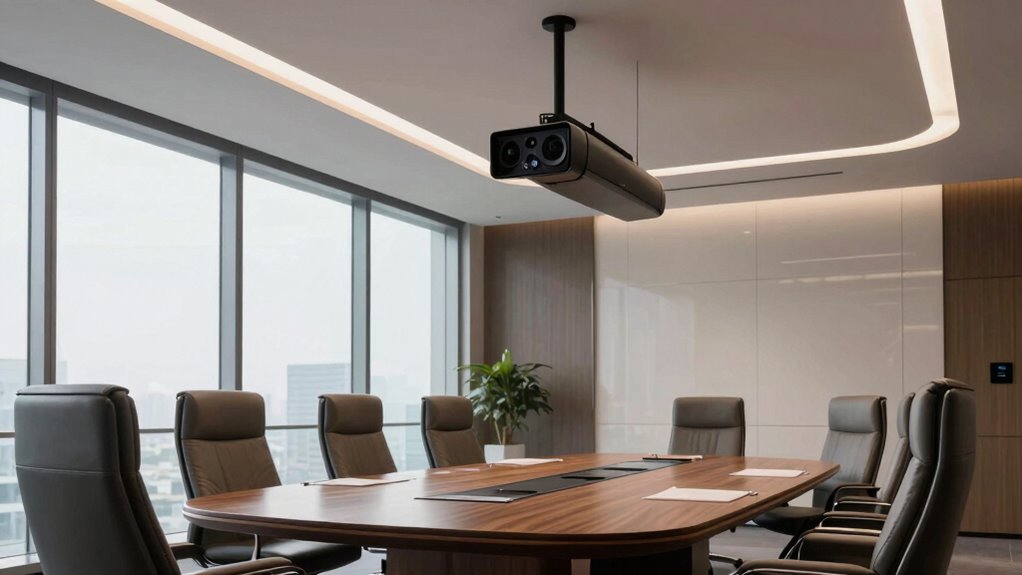
A premium conference room camera should make remote attendees feel included, not just deliver a sharp picture. My best overall pick is the Jabra PanaCast 50 for panoramic room coverage, while the Logitech Rally Camera suits rooms that need optical zoom and flexible installation. For a shared-space setup with minimal camera operation, the Meeting Owl 4+ stands out for its 360-degree view. The key tradeoff is choosing between a camera that frames a room automatically, a PTZ system that targets speakers, and a panoramic model that shows everyone at once. Read on for the full breakdown of all 13 options and the room types each one fits best.

Get the latest gadgets delivered free with Prime
- Fast, free delivery on millions of items
- Prime Video, Amazon Music and more included
- Member-only deals all year
Complete the kit



Key Takeaways
- Panoramic coverage and optical zoom solve different problems: the Jabra PanaCast 50 and Meeting Owl models show people around a table, while the Logitech Rally Camera and TONGVEO 20x PTZ system can frame distant speakers more closely.
- All-in-one designs reduce setup work: the Bose VB-S, Logitech MeetUp, and several Owl or TONGVEO bundles combine camera functions with audio, while standalone camera systems may require separate room components.
- 360-degree cameras are strongest when participants sit around the device: the Meeting Owl 4+ and COOLPO AI Huddle suit collaborative tables better than presentations aimed toward the front of a room.
- Room size and seating layout matter more than a 4K label: a wide or panoramic view can be more useful in a compact room, while larger spaces may benefit from PTZ control and optical zoom.
- Premium features can add operating demands: speaker tracking, automatic framing, and bundled speakerphones can simplify meetings, but buyers should check how much setup, placement, and meeting-platform compatibility they require.
| 4K Conference Room Camera System with AI Auto Framing |  | Best All-in-One for Medium and Large Rooms | Resolution: 4K UHD | Field of view: 120° | Optical zoom: 5× | VIEW ON AMAZON | See Our Full Breakdown |
| Owl Labs Meeting Owl 4+ Premium Pack, 360° 4K Video Conferencing Camera |  | Best Premium 360° Room Coverage | Video resolution: 4K (3840 pixels) | Coverage: 360° audio and video; audio coverage up to 18 ft (5.5 m) | Focus: Autofocus with automatic focus on in-room speakers | VIEW ON AMAZON | See Our Full Breakdown |
| TONGVEO 4K AI PTZ Conference Camera System with Speakerphone |  | Best for Flexible PTZ Control | Resolution: UHD 4K at 30 fps | Sensor: 1/2.8-inch, 8.29 MP | Field of view: 120° | VIEW ON AMAZON | See Our Full Breakdown |
| COOLPO AI Huddle Pana 360° Conference Camera with Microphones |  | Best for Privacy-Conscious Huddle Rooms | Camera view: 360° | Maximum resolution: UHD | Sensor: 1/1.7-inch CMOS | VIEW ON AMAZON | See Our Full Breakdown |
| Bose Professional VB-S 4K Video Conferencing Camera and Bluetooth Speaker |  | Best for Front-of-Room Audio and Video | Camera resolution: 4K UHD | Digital zoom: 5× | Microphones: Four beamforming microphones | VIEW ON AMAZON | See Our Full Breakdown |
| TOUCAN SC360 360-Degree Video Conference Camera |  | Best for Simple 360-Degree Meetings | Video resolution: 1080p Full HD (product details also inconsistently mention 4K) | Viewing angle: 360 degrees | Microphones: 4 | VIEW ON AMAZON | See Our Full Breakdown |
| Logitech Rally Camera, Graphite |  | Best for Installed Room Systems | Resolution: Up to 4K UHD | Sensor: BSI CMOS | Connectivity: USB | VIEW ON AMAZON | See Our Full Breakdown |
| Yealink 4K Video Conference Camera System |  | Best for AI-Assisted Group Meetings | Resolution: 4K Ultra HD | Camera sensor: 8 MP, 1/2.8-inch CMOS | Field of view: 120 degrees | VIEW ON AMAZON | See Our Full Breakdown |
| Meeting Owl 4+ 360-Degree 4K Video Conferencing Camera, Microphone, and Speaker |  | Best Premium 360-Degree System | Video resolution: 4K UHD | Viewing angle: 360 degrees | Audio pickup range: Up to 18 feet (5.5 meters) | VIEW ON AMAZON | See Our Full Breakdown |
| Logitech MeetUp 4K Video Conferencing System |  | Best for Huddle Rooms | Resolution: 4K UHD (3840 × 2160) | Field of view: 120 degrees | Motorized pan and tilt: Field of view up to 170 degrees | VIEW ON AMAZON | See Our Full Breakdown |
| Owl Labs Meeting Owl 3 360° Conference Camera |  | Best for Shared-Screen Meetings | Video resolution: 1080p HD | Video capture: 360° | Audio pickup range: Up to 18 ft (5.5 m) | VIEW ON AMAZON | See Our Full Breakdown |
| TONGVEO 4K PTZ Conference Camera System with AI Auto-Tracking, 20x Optical Zoom, and Bluetooth Speakerphone |  | Best for Large, Flexible Setups | Resolution: Up to 3840 × 2160 at 30 fps | Optical zoom: 20x | Sensor: 1/2.8-inch CMOS, 8.29 megapixels | VIEW ON AMAZON | See Our Full Breakdown |
| Jabra PanaCast 50 Panoramic 4K Conference Room Camera |  | Best for Wide, Seated Groups | Camera resolution: Panoramic 4K (3840 × 1080 pixels) | Cameras: Three 13-megapixel cameras | Microphones: 8 | VIEW ON AMAZON | See Our Full Breakdown |
| premium conference room camera | Connectivity | Weight | Compatibility |
|---|---|---|---|
| 4K Conference Room Camera Syst | USB | — | Windows 10/11; Mac OS 10.10 or higher |
| Owl Labs Meeting Owl 4+ Premiu | USB, Wi-Fi | 4,309 g | Microsoft Teams, Zoom, GoToMeeting, Google Meet, Cisco Webex |
| TONGVEO 4K AI PTZ Conference C | USB 3.0, USB-C, wireless dongle, RS232, RS485 | — | Windows, macOS, Chrome OS |
| COOLPO AI Huddle Pana 360° Con | USB | — | — |
| Bose Professional VB-S 4K Vide | Bluetooth | 2.1 pounds | — |
| TOUCAN SC360 360-Degree Video | USB, Bluetooth | 1.28 kg | — |
| Logitech Rally Camera | USB | 7.4 pounds | — |
| Yealink 4K Video Conference Ca | — | — | Windows and macOS; certified for Microsoft Teams and Zoom |
| Meeting Owl 4+ 360-Degree 4K V | USB, Wi-Fi, Power over Ethernet via adapter | 800 g | Microsoft Teams certified; compatible with Zoom, GoToMeeting, Google Meet, and Cisco Webex |
| Logitech MeetUp 4K Video Confe | USB, Bluetooth | 1040 g | Windows, macOS, Chrome OS |
| Owl Labs Meeting Owl 3 360° Co | USB, Wi-Fi | 2.6 lb | — |
| TONGVEO 4K PTZ Conference Came | — | — | — |
| Jabra PanaCast 50 Panoramic 4K | Ethernet, USB | 7.4 lb | Microsoft Teams certified; compatible with Zoom |
More Details on Our Top Picks
4K Conference Room Camera System with AI Auto Framing
This system is a strong fit for teams that want camera, microphones, and speakers in one USB-connected unit rather than separate room components. Its 120° view and 5× optical zoom give it an advantage over the Bose Professional VB-S, whose listed zoom is digital, when a room needs flexible framing. AI auto framing and presenter tracking can help keep group discussions and presentations in view without someone operating the camera. The tradeoff is its bar-style, forward-facing coverage: unlike the Owl Labs Meeting Owl 4+, it does not capture participants around the device in a full 360° view. It also depends on a compatible Windows or Mac computer, so buyers seeking a standalone room system should look elsewhere.
Pros:- Combines a 4K camera, four-microphone array, and dual speakers in one system
- 120° field of view suits group seating
- 5× optical zoom offers more useful reach than digital zoom alone
- AI auto framing and speaker and presenter tracking reduce manual camera adjustments
Cons:- Requires a compatible Windows or Mac computer
- Forward-facing coverage cannot match a 360° camera for a central-table layout
Best for: Teams equipping a medium or large room that want an integrated USB camera, microphone, and speaker system with optical zoom and automatic framing.
Not ideal for: Groups seated around a central table who need 360° coverage, or buyers who need a camera system that works without a compatible computer.
- Resolution:4K UHD
- Field of view:120°
- Optical zoom:5×
- Digital zoom:8×
- Audio:Four-microphone array with noise reduction; built-in dual speakers
- Connectivity:USB
- Compatibility:Windows 10/11; Mac OS 10.10 or higher
- Features:AI auto framing, speaker and presenter tracking, magnetic privacy cover
Our verdict“Choose this system for a medium or large room that needs an integrated USB setup, wide coverage, and optical zoom rather than 360° capture.”
Owl Labs Meeting Owl 4+ Premium Pack, 360° 4K Video Conferencing Camera
The Meeting Owl 4+ is the clearest choice here for teams that need every seat around the table represented. Its 360° 4K video and audio coverage from up to 18 feet let it frame in-room speakers without relying on a conventional front-of-room view. Compared with the forward-facing 4K Conference Room Camera System, this approach is better for circular seating and hybrid discussions where side conversations matter; the tradeoff is less direct control over a single presenter’s framing. The Premium Pack’s stand and 16-foot USB-C extension cable add flexibility for placement, while Owl Care is included. Larger rooms may still need additional compatible devices, and its 4,309 g weight makes this a more substantial room fixture than a compact bar-style camera.
Pros:- Captures 360° video in 4K and 360° audio
- Automatically focuses on in-room speakers
- Audio and video coverage reaches up to 18 feet
- Premium Pack includes a stand, 16-foot USB-C extension cable, and Owl Care
Cons:- Larger rooms may require additional compatible devices
- At 4,309 g, it is less convenient to move between rooms than lighter camera bars
- 360° speaker-focused framing is less suited to a room centered on a single presenter
Best for: Hybrid teams with a central table or collaborative seating layout that need 360° capture and flexible placement in a medium-sized room.
Not ideal for: Organizations with a fixed presenter at the front of the room, or teams needing a lightweight camera for frequent relocation or coverage beyond the stated range.
- Video resolution:4K (3840 pixels)
- Coverage:360° audio and video; audio coverage up to 18 ft (5.5 m)
- Focus:Autofocus with automatic focus on in-room speakers
- Connectivity:USB, Wi-Fi
- Compatibility:Microsoft Teams, Zoom, GoToMeeting, Google Meet, Cisco Webex
- Weight:4,309 g
- Included accessories:Meeting Owl 4+ Stand, 16 ft USB-C SuperSpeed Extension Cable, Owl Care
- Color:Charcoal
Our verdict“Pick the Meeting Owl 4+ Premium Pack for a shared-table room where 360° participation matters more than front-of-room camera control.”
TONGVEO 4K AI PTZ Conference Camera System with Speakerphone
This TONGVEO system suits buyers who want more camera movement options than a fixed all-in-one bar can offer. Its 350° pan and 180° tilt ranges, paired with AI tracking, gesture control, and a remote, support rooms where the active speaker may move around. Compared with the 4K Conference Room Camera System, it adds broad mechanical movement and a wireless rechargeable speakerphone, but its 5× zoom is digital rather than optical. The included speakerphone has two noise-reducing microphones and a stated 5 m pickup range, making it a practical option for rooms without a dedicated audio setup. Buyers should check their workflow and equipment: 4K at 30 fps needs compatible gear and software, and the listed remote focus buttons do not apply to this version.
Pros:- AI auto-tracking, gesture control, and remote operation support active discussions
- Wide 120° field of view with UHD 4K video at 30 fps
- Pan and tilt movement can reframe different parts of a room
- Wireless speakerphone includes two noise-reducing microphones and a 5 m pickup range
Cons:- 5× zoom is digital, unlike the optical zoom on the 4K Conference Room Camera System
- 4K capture depends on compatible equipment and conferencing software
- Remote focus buttons do not apply to this camera version
Best for: Teams that need a remotely steerable camera for presentations or changing speaker positions, plus a separate wireless speakerphone.
Not ideal for: Buyers who prioritize optical zoom, want a four-microphone array, or need the simplest possible single-device room setup.
- Resolution:UHD 4K at 30 fps
- Sensor:1/2.8-inch, 8.29 MP
- Field of view:120°
- Digital zoom:5×
- Pan and tilt:350° pan (±175°); 180° tilt (±90°)
- Audio:Two stereo microphones with noise reduction; 5 m (16.4 ft) pickup range
- Connectivity:USB 3.0, USB-C, wireless dongle, RS232, RS485
- Compatibility:Windows, macOS, Chrome OS
Our verdict“Choose this TONGVEO system when PTZ movement and a wireless speakerphone matter more than optical zoom or a one-piece design.”
COOLPO AI Huddle Pana 360° Conference Camera with Microphones
The COOLPO AI Huddle Pana brings 360° UHD coverage and eight microphones to smaller collaborative rooms where participants sit around the camera. Its listed microphone pickup range of up to 15 feet makes it a sensible fit for huddles, though the Meeting Owl 4+ lists audio coverage up to 18 feet and includes a stand and extension cable in its Premium Pack. COOLPO’s distinction is on-device video and audio processing, which may appeal to teams that prefer processing to remain on the camera. AI speaker tracking and intelligent zoom help shift attention during group discussion, but the 3× digital zoom offers less reach than the 5× digital zoom on the Bose Professional VB-S. USB is its sole listed connection, so this is not a fit for teams seeking wireless setup.
Pros:- 360° UHD view captures participants around the camera
- Eight microphones have a stated pickup range of up to 15 feet
- AI speaker tracking and intelligent zoom adapt framing during discussion
- Video and audio processing run locally on the device
Cons:- USB is the only listed connection
- 3× digital zoom provides less reach than the Bose Professional VB-S’s 5× digital zoom
- The listed microphone pickup range is shorter than the Meeting Owl 4+ audio coverage
Best for: Privacy-conscious teams using a compact huddle room with central seating and a USB-connected Windows or Mac computer.
Not ideal for: Large-room teams needing more than 15 feet of listed microphone pickup, or buyers who want wireless connectivity or stronger zoom reach.
- Camera view:360°
- Maximum resolution:UHD
- Sensor:1/1.7-inch CMOS
- Microphones:Eight; pickup range up to 15 feet
- Digital zoom:3×
- Focus:Autofocus
- Connectivity:USB
- Operating systems:Windows 10 or later; macOS 10.10 or later
- Privacy processing:On-device video and audio processing
Our verdict“Choose the COOLPO for a USB-equipped huddle room where 360° coverage and on-device processing outweigh extra range or zoom.”
Bose Professional VB-S 4K Video Conferencing Camera and Bluetooth Speaker
The Bose Professional VB-S is a polished front-of-room choice for teams that want 4K video, voice-focused microphones, and a Bluetooth speaker in one unit. Its four beamforming microphones are designed to emphasize voices and reduce unwanted noise, while auto-framing and PTZ controls help keep calls composed. Unlike the 4K Conference Room Camera System, the Bose lists 5× digital zoom rather than optical zoom, so it is less compelling when distant subjects need close framing. It also lacks the 360° room coverage of the Meeting Owl 4+, making it better suited to a conventional front-facing layout than a table surrounded by participants. The included mounting kit and credenza stand help with placement, but the display mounting kit is sold separately.
Pros:- 4K UHD camera with auto-framing and PTZ controls
- Four beamforming microphones focus on voices and reduce unwanted noise
- Bluetooth speaker supports calls and music
- Works with Google Meet, Microsoft Teams, Zoom, and other conferencing platforms
Cons:- 5× zoom is digital, while the 4K Conference Room Camera System offers 5× optical zoom
- Display mounting kit is sold separately
- Front-facing design does not capture a room in 360° like the Meeting Owl 4+
Best for: Businesses outfitting a front-facing meeting room that want an integrated 4K camera, voice-focused microphones, and Bluetooth audio.
Not ideal for: Teams that need 360° coverage, optical zoom for distant subjects, or a display mounting kit included in the box.
- Camera resolution:4K UHD
- Digital zoom:5×
- Microphones:Four beamforming microphones
- Connectivity:Bluetooth
- Weight:2.1 pounds
- Dimensions:3.8 × 27 × 1.9 inches
- Included components:Videobar, power supply, install guide, mounting kit, USB-C to USB-A cable, IR remote, credenza stand
- Warranty:1 year
Our verdict“Choose the VB-S for a front-of-room setup that values integrated Bose audio and voice-focused microphones over 360° coverage or optical zoom.”
TOUCAN SC360 360-Degree Video Conference Camera
The TOUCAN SC360 combines 360-degree Full HD video with four microphones and a built-in speaker, keeping a basic meeting setup to one compact device. Its USB plug-and-play connection is simpler than the broader installation options of the Logitech Rally Camera, while its panoramic view suits groups seated around a table better than the forward-facing Logitech MeetUp. The tradeoff is that this model is specified at 1080p, not 4K, so it is less suited to rooms where fine image detail matters. Product details also conflict about whether it records in 4K or 1080p; I would treat the listed Full HD resolution as the reliable expectation. Choose it for straightforward, shared-table calls, not for premium-resolution video or rooms needing a verified specification.
Pros:- 360-degree view captures participants around the device
- Four microphones and a built-in speaker combine core meeting functions
- USB plug-and-play connection supports a straightforward setup
- Compatible with PCs, Macs, laptops, and tablets
Cons:- Listed video resolution is 1080p, below the 4K options in this lineup
- Product details conflict about whether the video resolution is 4K or 1080p
- No water resistance
Best for: Small teams seated around one table who want a single USB-connected camera, microphone, and speaker for routine calls.
Not ideal for: Teams that need confirmed 4K video, advanced room installation, or dependable specifications for a formal AV deployment.
- Video resolution:1080p Full HD (product details also inconsistently mention 4K)
- Viewing angle:360 degrees
- Microphones:4
- Speaker:1 built-in speaker
- Connectivity:USB, Bluetooth
- Focus:Fixed focus, autofocus
- Compatible devices:PCs, laptops, MacBooks, tablets
- Weight:1.28 kg
Our verdict“Choose the SC360 for uncomplicated 360-degree meetings where an all-in-one setup matters more than verified 4K image quality.”
Logitech Rally Camera, Graphite
The Logitech Rally Camera is the lineup’s installation-minded choice: its zoom lens, autofocus, optical image stabilization, and up-to-4K imaging suit a room where camera placement and image control matter more than an all-in-one design. It can be mounted on a table, tripod, wall, or overhead, giving AV teams more flexibility than the simpler USB-first Logitech MeetUp. Automatic framing and light adjustment can also help keep remote participants visible as room conditions change. That flexibility comes with a substantial footprint and a 7.4-pound weight, and the listed compatibility is centered on personal computers. Unlike the Yealink 4K Video Conference Camera System, the provided details do not specify an integrated microphone array or speaker, so buyers should plan their audio system separately.
Pros:- Up to 4K UHD imaging
- Zoom lens, autofocus, and optical image stabilization support controlled framing
- Automatic framing and light adjustment can adapt the image to meeting conditions
- Supports table, tripod, wall, and overhead mounting
Cons:- At 7.4 pounds, it is heavier and less compact than all-in-one choices such as Logitech MeetUp
- Provided product details do not specify built-in microphones or a speaker
- Listed compatibility is limited to personal computers
Best for: Organizations building a permanent conference room system with flexible camera mounting and separate, higher-end audio equipment.
Not ideal for: Small teams seeking a compact all-in-one camera and speakerphone, or buyers who need a clearly specified integrated audio system.
- Resolution:Up to 4K UHD
- Sensor:BSI CMOS
- Connectivity:USB
- Lens:Zoom lens, 28–30 mm focal length
- Focus:Autofocus
- Image stabilization:Optical
- Mounting options:Table, tripod, wall, overhead
- Weight:7.4 pounds
Our verdict“Choose the Rally Camera for a configurable, installed video system if you already have a separate plan for room audio.”
Yealink 4K Video Conference Camera System
The Yealink 4K Video Conference Camera System balances a wide 120-degree view with AI auto framing and speaker tracking, making it a strong fit for teams that want participants to stay visible without someone operating the camera. Its eight-microphone array is specified for voice pickup up to five meters, a useful room-scale detail that the Logitech Rally Camera listing does not provide because it focuses on camera hardware. The automatic privacy shutter adds a clear physical signal that the camera is closed after meetings. Compared with the panoramic Meeting Owl 4+, Yealink offers a forward-facing 120-degree field rather than a full-room 360-degree view, so seating layout matters. Its listed USB-B to USB-A cable is long, but buyers should check that the cable and connector fit their room and host setup.
Pros:- 4K video paired with a 120-degree field of view
- Eight-microphone array is specified for pickup up to five meters
- AI auto framing and speaker tracking reduce manual camera adjustments
- Automatic privacy shutter closes when meetings end
Cons:- The 120-degree forward-facing view does not capture a room all the way around like the Meeting Owl 4+
- USB-B to USB-A connection may not match every modern room-computer setup
- The product details do not specify a built-in speaker
Best for: Teams in medium-sized rooms that want 4K video, automatic speaker framing, and specified microphone pickup without manually operating the camera.
Not ideal for: Groups seated all around the camera, or buyers who need 360-degree coverage rather than a forward-facing 120-degree view.
- Resolution:4K Ultra HD
- Camera sensor:8 MP, 1/2.8-inch CMOS
- Field of view:120 degrees
- Microphones:8-microphone array
- Voice pickup range:Up to 5 meters (16.4 feet)
- USB cable:7 meters, USB-B to USB-A
- Meeting features:AI auto framing, speaker tracking, AI face enhancement, automatic privacy shutter
- Compatibility:Windows and macOS; certified for Microsoft Teams and Zoom
Our verdict“Choose Yealink for an AI-assisted, forward-facing 4K room system with a clearly specified microphone array and privacy shutter.”
Meeting Owl 4+ 360-Degree 4K Video Conferencing Camera, Microphone, and Speaker
The Meeting Owl 4+ is the premium panoramic pick for rooms where people sit on multiple sides of the table: it combines 360-degree 4K video with audio pickup rated up to 18 feet and automatically focuses on in-room speakers. That gives it a more room-encompassing approach than the forward-facing Yealink 4K Video Conference Camera System, while adding 4K resolution absent from the 1080p-listed TOUCAN SC360. USB supports a direct connection, and Wi-Fi or Power over Ethernet via adapter can suit more structured deployments. Its compact, 800-gram body is easy to place, but one device may not cover larger rooms effectively; compatible Owl Labs devices can expand coverage. Buyers choosing this over a conventional camera system should favor shared-table conversation over optical zoom or a dedicated PTZ installation.
Pros:- 4K UHD video captures participants around the room
- Built-in microphone and speaker make it an all-in-one meeting device
- Automatically focuses on in-room speakers
- USB, Wi-Fi, and Power over Ethernet via adapter provide multiple setup paths
Cons:- Larger rooms may need additional compatible Owl Labs devices
- Does not offer the listed zoom lens of the Logitech Rally Camera
- Power over Ethernet requires an adapter
Best for: Organizations with premium 360-degree meeting needs, including teams seated around a table and IT staff who may expand coverage with compatible Owl Labs devices.
Not ideal for: Large rooms expecting one device to cover every seat, or buyers who need a zoom lens and conventional PTZ camera control.
- Video resolution:4K UHD
- Viewing angle:360 degrees
- Audio pickup range:Up to 18 feet (5.5 meters)
- Connectivity:USB, Wi-Fi, Power over Ethernet via adapter
- Wi-Fi compatibility:802.11a/b/g/n/ac
- Focus:Autofocus
- Weight:800 g
- Compatibility:Microsoft Teams certified; compatible with Zoom, GoToMeeting, Google Meet, and Cisco Webex
Our verdict“Choose the Meeting Owl 4+ for premium 360-degree 4K meetings when panoramic group coverage matters more than zoom or one-device coverage of a large room.”
Logitech MeetUp 4K Video Conferencing System
The Logitech MeetUp is purpose-built for huddle rooms: its 4K sensor and 120-degree field of view cover a small group facing one display, while motorized pan and tilt can widen coverage to 170 degrees. Three beamforming microphones are rated for pickup up to four meters, so this is more clearly defined as a compact room system than the separate-camera Logitech Rally Camera. It also avoids the all-around perspective of the Meeting Owl 4+, which is better suited to participants seated around a table. MeetUp’s tradeoffs follow its room-specific design: larger rooms may need the optional expansion microphone, and 4K video requires USB 3.0. Buyers should confirm their host connection and room size before choosing it.
Pros:- 4K UHD sensor and 120-degree field of view suit compact group meetings
- Motorized pan and tilt extend the field of view up to 170 degrees
- Three beamforming microphones have a specified pickup range of up to four meters
- All-in-one design supports straightforward USB setup
Cons:- Optional expansion microphone is sold separately
- USB 3.0 is required for 4K video
- Forward-facing coverage is less suited to around-the-table meetings than the Meeting Owl 4+
Best for: Small meeting rooms and huddle spaces with participants facing a screen, especially teams seeking an all-in-one USB camera and audio system.
Not ideal for: Large rooms needing longer-range audio, groups seated around all sides of a table, or users without a USB 3.0 connection for 4K.
- Resolution:4K UHD (3840 × 2160)
- Field of view:120 degrees
- Motorized pan and tilt:Field of view up to 170 degrees
- Microphones:3 beamforming microphones
- Microphone pickup range:Up to 4 m; up to 5 m with optional expansion microphone
- Connectivity:USB, Bluetooth
- Compatibility:Windows, macOS, Chrome OS
- Weight:1040 g
Our verdict“Choose MeetUp for a forward-facing huddle room with USB 3.0, but look to a 360-degree system for around-the-table seating.”
Owl Labs Meeting Owl 3 360° Conference Camera
The Meeting Owl 3 suits conference rooms where participants sit around a table and need to be seen without aiming a camera at one end. Its 360° 1080p view and automatic focus on active speakers make discussion easier to follow than with a conventional front-facing setup like the Jabra PanaCast 50, whose panoramic framing is adjustable but directed across the room. USB plug-and-play setup and compatibility with Teams, Zoom, Meet, and other platforms also keep deployment straightforward. The tradeoff is resolution: this model tops out at 1080p, while the PanaCast 50 and TONGVEO PTZ system offer 4K video. Its audio pickup reaches up to 18 feet, but larger rooms may need additional Owl devices. I’d choose it for small-to-medium rooms that prioritize equal visibility over close-up detail.
Pros:- 360° video and audio pickup capture participants around the room
- Automatically focuses on active speakers to help remote attendees follow discussion
- USB plug-and-play setup reduces installation complexity
- Works with Microsoft Teams, Zoom, Google Meet, and other platforms
Cons:- 1080p resolution offers less image detail than the 4K Jabra PanaCast 50 and TONGVEO PTZ system
- Rooms beyond its stated 18-foot audio pickup range may need additional Owl Labs devices
- No optical zoom for framing distant speakers
Best for: Teams meeting in small-to-medium rooms where people sit around a table and need automatic speaker-focused 360° coverage.
Not ideal for: Buyers who need 4K image detail, strong coverage across a large room from one device, or a camera with optical zoom.
- Video resolution:1080p HD
- Video capture:360°
- Audio pickup range:Up to 18 ft (5.5 m)
- Connectivity:USB, Wi-Fi
- Wireless compatibility:802.11ac, Bluetooth
- Weight:2.6 lb
- Dimensions:4.37 × 4.37 × 10.72 in
- Compatible platforms:Microsoft Teams, Zoom, Google Meet, GoTo Meeting, Cisco Webex
Our verdict“Choose the Meeting Owl 3 for shared-table meetings that benefit more from 360° speaker coverage than from 4K resolution or zoom.”
TONGVEO 4K PTZ Conference Camera System with AI Auto-Tracking, 20x Optical Zoom, and Bluetooth Speakerphone
Where the Meeting Owl 3 captures the whole table from a fixed viewpoint, this TONGVEO PTZ system is built to follow speakers and frame distant subjects. Its 20x optical zoom, AI face and person tracking, and 4K output make it better suited to larger rooms, presentations, and hybrid events where a wide fixed view may leave remote viewers straining to see the speaker. HDMI, USB 3.0, and LAN outputs, plus RTSP and RTMP support, give it more routing and streaming flexibility than the plug-and-play Jabra PanaCast 50. The added capability brings setup complexity: buyers need to choose mounting and connection options, rather than simply attaching a camera by USB. The bundled speakerphone has four microphones and up to 5 m pickup, a more limited reach than the Meeting Owl 3’s stated 18 feet.
Pros:- 4K output and 20x optical zoom help frame speakers across larger rooms
- AI face and person tracking can follow movement without constant manual camera control
- HDMI, USB 3.0, LAN, RTSP, and RTMP support flexible installations and streaming workflows
- Bundled speakerphone supports USB, Bluetooth, and wireless-dongle connections
Cons:- The camera and multiple connection choices call for more setup than the plug-and-play Jabra PanaCast 50
- Speakerphone pickup is listed at 5 m, shorter than the Meeting Owl 3’s stated 18-foot range
- The provided camera display specifications are truncated, leaving some details unclear
Best for: AV teams and hybrid-event organizers who need optical zoom, speaker tracking, and several video output or streaming options.
Not ideal for: Small meeting rooms seeking a simple, fixed USB camera, or groups that need speakerphone pickup beyond the listed 5 m range.
- Resolution:Up to 3840 × 2160 at 30 fps
- Optical zoom:20x
- Sensor:1/2.8-inch CMOS, 8.29 megapixels
- Lens field of view:63°
- Video outputs:HDMI, USB 3.0, LAN
- Speakerphone pickup range:5 m (16.4 ft)
- Speakerphone battery life:6–8 hours
- Power over Ethernet:Supported
- Mounting options:Desk, wall, tripod, ceiling
Our verdict“Pick this TONGVEO system for rooms and events that need tracked, zoomed-in 4K shots and flexible AV connections, not the simplest setup.”
Jabra PanaCast 50 Panoramic 4K Conference Room Camera
The Jabra PanaCast 50 is a strong fit for rooms where a wide view across a seated group matters more than tracking one speaker with optical zoom. Three 13-megapixel cameras stitch a panoramic 4K image, while the field of view can be set from 90° to 180° to match the room. Automatic framing and low-light optimization help keep participants visible without requiring a dedicated operator. Compared with the Meeting Owl 3, the Jabra gives buyers a higher-resolution, adjustable panoramic image, but it is not a 360° camera and needs a USB connection to a computer. It also weighs 7.4 pounds and spans over two feet, so placement takes more planning than the Owl’s compact tabletop form. I’d pick it for a permanent, front-of-room installation rather than rotating between rooms.
Pros:- Three-camera stitching creates a panoramic 4K image for broad room coverage
- Selectable 90° to 180° field of view adapts framing to different room widths
- Automatic framing and low-light optimization help keep participants visible
- Eight microphones and four speakers provide built-in audio hardware
Cons:- Unlike the Meeting Owl 3, it does not capture a 360° view around the device
- Requires a USB connection to a computer, limiting standalone use
- Its 25.59-inch width and 7.4-pound weight make it less convenient to move between rooms
Best for: Organizations outfitting a fixed conference room with seated groups that need adjustable panoramic 4K coverage and automatic framing.
Not ideal for: Teams that need a portable 360° camera, optical zoom, or a camera that can run without a computer connected by USB.
- Camera resolution:Panoramic 4K (3840 × 1080 pixels)
- Cameras:Three 13-megapixel cameras
- Microphones:8
- Speakers:4
- Field of view:90°, 120°, 140°, or 180°
- Connectivity:Ethernet, USB
- Compatibility:Microsoft Teams certified; compatible with Zoom
- Weight:7.4 lb
- Dimensions:4.92 × 25.59 × 3.15 in
Our verdict“Choose the PanaCast 50 for a fixed room that needs adjustable panoramic 4K framing, and choose the Meeting Owl 3 when full 360° coverage matters more.”

How We Picked
I ranked these cameras by how well their stated capabilities match common conference room needs: clear coverage of the room, useful framing for remote attendees, dependable audio options, and manageable setup. I gave weight to the difference between fixed panoramic or 360-degree views and steerable PTZ cameras, since those designs serve distinct room layouts rather than competing on resolution alone. I also considered whether a product presents itself as an all-in-one meeting device or as a camera that may need other room equipment.
The ranking favors versatile choices that fit a recognizable range of meeting rooms, then separates specialized picks by their strongest use case. A 4K specification did not automatically move a model up: view angle, zoom, speaker tracking, and the practical audio setup affect the meeting experience more. Since the listed products span camera-only systems and bundles, I also accounted for the likely complexity of building a complete room setup. Buyers should confirm current platform support, included components, and room-size guidance before choosing.
| premium conference room camera | Compatibility |
|---|---|
| 4K Conference Room Camera Syst | Windows 10/11; Mac OS 10.10 or higher |
| Owl Labs Meeting Owl 4+ Premiu | Microsoft Teams, Zoom, GoToMeeting, Google Meet, Cisco Webex |
| TONGVEO 4K AI PTZ Conference C | Windows, macOS, Chrome OS |
| COOLPO AI Huddle Pana 360° Con | — |
| Bose Professional VB-S 4K Vide | — |
| TOUCAN SC360 360-Degree Video | — |
| Logitech Rally Camera | — |
| Yealink 4K Video Conference Ca | Windows and macOS; certified for Microsoft Teams and Zoom |
| Meeting Owl 4+ 360-Degree 4K V | Microsoft Teams certified; compatible with Zoom, GoToMeeting, Google Meet, and Cisco Webex |
| Logitech MeetUp 4K Video Confe | Windows, macOS, Chrome OS |
| Owl Labs Meeting Owl 3 360° Co | — |
| TONGVEO 4K PTZ Conference Came | — |
| Jabra PanaCast 50 Panoramic 4K | Microsoft Teams certified; compatible with Zoom |
Factors to Consider When Choosing Premium Conference Room Camera
Before choosing a premium conference room camera, I would start with the room and meeting style rather than the feature list. The best fit depends on where people sit, who controls the meeting, and whether the camera must also provide room audio. These broader checks can prevent an expensive mismatch even when a product’s headline specifications look appealing.
Match the Camera View to the Seating Layout
Sketch where participants sit and where the display or presenter stands before deciding on a camera design. A 360-degree camera works naturally when people gather around a central table, but it may include unnecessary background when everyone faces one direction. A panoramic front-facing camera can capture a wide row of seats without placing a device in the middle of the table. PTZ cameras suit rooms where the camera needs to follow a presenter or frame people at a distance. A common mistake is choosing the widest advertised view without checking whether it captures the actual seating arrangement. Also account for windows, screens, and doorways that may sit at the edge of the frame.
Choose Tracking That Fits the Meeting, Not Just the Spec Sheet
Automatic framing can help small groups stay visible when attendees move, while speaker tracking can make a presentation easier to follow. These features are not interchangeable: one may keep a group in frame, while another shifts attention to an active speaker. For formal presentations, controlled PTZ movement and optical zoom may matter more than showing the entire room at once. For free-flowing discussion, rapid camera changes can distract remote participants if the system reacts too aggressively. Ask whether the camera can be operated manually when automation chooses an unhelpful view. If meetings are mostly static, paying extra for elaborate tracking may bring little day-to-day benefit.
Treat Audio as a Room-System Decision
Camera video quality cannot compensate for voices that sound distant or uneven. Decide whether the camera’s built-in microphones and speaker are meant to serve the whole room or whether the space needs separate microphones, speakers, or a room audio system. Room shape, table length, and background noise can affect pickup more than a product’s general audio claims. Bundled speakerphones can simplify a small-room installation, while larger rooms may call for a more distributed setup. Check which audio components come in the package instead of assuming every bundle includes the same equipment. Plan for future expansion too, especially if seating capacity or room use may change.
Check Compatibility Before Installing
A camera can be a poor fit if it does not work smoothly with the meeting software and room computer already in place. Verify supported operating systems, connection types, control methods, and any software needed for framing or device management. For shared rooms, ask how a guest laptop connects and whether the camera settings persist between meetings. A product that depends on a particular app or configuration may add support work for teams with varied devices. Check the included cables and mounting approach against the room’s actual layout. This step can reveal installation needs that are easy to miss when comparing only video features.
Measure the Room and Plan the Mount
Camera placement changes what remote attendees see, so measure the room rather than relying on a general small-room or large-room label. A table-centered device needs a clear position among participants, while a front-mounted camera needs the right height and sightline to cover seated and standing speakers. PTZ models also need enough physical space and a useful angle to make their movement worthwhile. Check whether the camera can sit on a display, mount to a wall, or require a separate bracket. Avoid placing a panoramic camera where people or equipment regularly block its view. A short layout plan can prevent awkward framing and costly repositioning.
Pay More for Capabilities You Will Use Regularly
Premium features make sense when they reduce a recurring meeting problem, such as framing a large group or capturing a presenter across a deeper room. A more elaborate camera is harder to justify if most calls involve two or three people seated in a fixed position. Compare the full room cost, including audio components, mounts, cables, and any additional control equipment. Also think about who will manage the room: a device with more controls may suit an AV-supported office better than a team that needs one-button meetings. Keep maintenance and software management in view, not just purchase-day setup. Spending more on a clear fit is usually more useful than paying for extra features that rarely affect a call.
Frequently Asked Questions
Should I choose a 360-degree camera or a PTZ camera for a boardroom?
I would base the choice on whether participants face one another or primarily face a presenter and display. A 360-degree model can show people around a central table in the same view, which suits discussion-led meetings. A PTZ camera can direct attention toward a speaker and zoom in, which is more useful for a deeper room or presentation. If the boardroom alternates between discussion and presentations, check how easily the system can change framing and whether manual control is available. The room layout matters more than the camera’s resolution label.
Is a 4K camera worth choosing if most meeting attendees join on laptops?
It can be worthwhile when the camera uses its higher-resolution image to provide a wider view or crop into a speaker, but the benefit depends on the complete video chain. The meeting platform, network, display, and camera settings can all affect what remote participants receive. For a fixed small room, good framing and clear voices may improve calls more than extra resolution. I would compare field of view, tracking behavior, and audio coverage alongside the 4K claim. Choose 4K for a specific room benefit, not as a guarantee that every call will look sharper.
Can an all-in-one conference camera replace separate microphones and speakers?
Sometimes, especially in a small room where the built-in audio is designed for the number of people and seating distance. Larger rooms, long tables, or spaces with background noise may need separate microphones or speakers for more even coverage. Check what the bundle actually includes, since some products pair the camera with audio equipment while others focus on video. Think about how far the furthest attendee sits from the device and whether people speak from multiple positions. A short trial in the room or a review of manufacturer coverage guidance can help settle the question before installation.
What should I check before buying a camera for a shared meeting room?
Confirm that it works with the room computer and conferencing platforms your teams use, and check whether guests can connect without extra setup. Find out how the camera is controlled, whether settings reset between meetings, and who will manage software updates. Verify that the package includes the mounts, cables, and audio parts needed for the planned installation. Shared spaces benefit from predictable controls more than features that require frequent adjustment. A simple room test with different seating positions can expose blind spots before the camera becomes the default setup.
When is optical zoom more useful than a wide or panoramic camera view?
Optical zoom is useful when the room is deep, a presenter stands far from the camera, or remote attendees need a closer view of a speaker. A wide or panoramic view is usually better when the priority is keeping many seated participants visible together. These approaches solve different framing problems, so one is not an automatic upgrade over the other. Consider whether meetings focus on group discussion, presentations, or both. If both are common, look for a system with practical control options rather than relying on a permanently wide shot.
Conclusion
For most teams comparing a premium conference room camera, I would start with the Jabra PanaCast 50 as the best overall choice for panoramic room coverage. The Logitech Rally Camera is my pick for rooms where optical zoom and camera control matter, while the Meeting Owl 4+ is better suited to collaborative seating around a table. For buyers seeking value among these premium-oriented options, the Logitech MeetUp is a straightforward fit for compact rooms; check the required audio setup before choosing it. Beginners should consider an all-in-one camera-and-audio bundle, such as the Bose VB-S or a Meeting Owl package, to reduce component decisions. For specialized needs, choose the TONGVEO 20x PTZ system for distant speakers or the COOLPO AI Huddle for a 360-degree huddle-room setup. The right choice is the one that fits your seating plan, meeting style, and room support—not simply the model with the longest feature list.
Evergreen bestsellers Picks
bestsellers
As an affiliate, we earn on qualifying purchases.