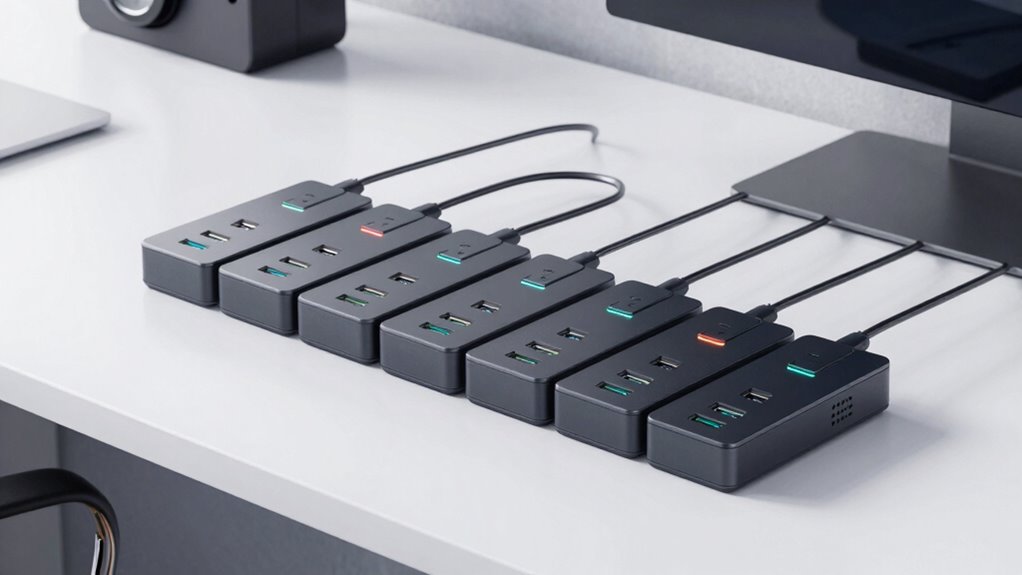

For most desk setups, I’d start with the Anker Nano 10-in-1 Desk Clamp Power Strip: its clamp-mounted design, 70W USB-C charging, and 1500J surge protection make it the most balanced pick in this group. The Acozvin is a stronger fit when a long reach matters, while the Anker 12-outlet strip suits a desk with many plugs and no need for a clamp. The main tradeoffs are clamp mounting versus a conventional strip, charging power versus outlet count, and cord reach versus keeping cables tidy. I compare all eight around those desk-specific needs, then cover what to check before choosing. Read on for the full breakdown.

Get the latest gadgets delivered free with Prime
- Fast, free delivery on millions of items
- Prime Video, Amazon Music and more included
- Member-only deals all year
Complete the kit



Key Takeaways
- The Anker Nano is the most balanced desk-mounted choice in this lineup, pairing a clamp format with 70W USB-C charging and listed surge protection.
- The Acozvin stands out for reach with its 10-foot cord, but buyers should weigh cable routing and charging needs alongside that extra length.
- The Anker 12-outlet model favors plug capacity over desk mounting; its 2100J surge rating and broad outlet count suit equipment-heavy setups.
- Clamp-mounted models trade portability for convenient access, and desk thickness, edge shape, and clamp clearance can determine whether they fit at all.
- USB port count alone does not tell the whole charging story: listed output varies, so match charging power to the devices you plan to connect.
| TenTrend Desk Clamp Power Strip with 4 AC Outlets and 4 USB Ports |  | Best Compact Clamp-Mount Pick | AC outlets: 4 | USB-C ports: 2, up to 20W each | USB-A ports: 2, up to 3.4A each | VIEW ON AMAZON | See Our Full Breakdown |
| Anker Nano 10-in-1 Desk Clamp Power Strip, 70W USB-C, 1500J Surge Protection |  | Best for Laptop Charging | AC outlets: 6 | USB ports: 2 USB-C and 2 USB-A | Maximum USB-C output: 70W | VIEW ON AMAZON | See Our Full Breakdown |
| Acozvin Desk Clamp Power Strip with 10-Foot Cord and 40W USB Charging |  | Best for Maximum Desk-Side Ports | AC outlets: 9 | USB ports: 8 (4 USB-A, 4 USB-C) | Total USB output: 40W | VIEW ON AMAZON | See Our Full Breakdown |
| Jgstkcity Desk Clamp Power Strip with USB-C Charging |  | Best for Multiple USB-C Devices | AC outlets: 5 | USB-C ports: 4, up to 20W per port | USB-A ports: 2, up to 3A per port | VIEW ON AMAZON | See Our Full Breakdown |
| Anker Power Strip with 2100J Surge Protector, 12 AC Outlets, 1 USB-C, 2 USB-A, 5ft Cord |  | Best for Fixed, High-Outlet Desk Setups | AC outlets: 12 | USB ports: 3 (1 USB-C, 2 USB-A) | USB-C maximum output: 20W | VIEW ON AMAZON | See Our Full Breakdown |
| TROND Desk Clamp Power Strip with 5 AC Outlets and 3 USB Ports |  | Best for Bulky Adapters | AC outlets: 5 | USB ports: 1 USB-C and 2 USB-A | USB-C output: 5V/3.0A | VIEW ON AMAZON | See Our Full Breakdown |
| TROND Compact Desk Clamp Power Strip, 5 ft, Black |  | Best for Port Count | AC outlets: 6 | USB ports: 2 USB-C and 2 USB-A | USB shared output: 15W when 2, 3, or 4 USB ports are used | VIEW ON AMAZON | See Our Full Breakdown |
| JouleLoom 6-Foot Surge Protector Power Strip with 11 AC Outlets and 6 USB Ports |  | Best for a High-Device Desk | AC outlets: 11 | USB ports: 4 USB-A and 2 USB-C | USB output: Up to 12W / 2.4A | VIEW ON AMAZON | See Our Full Breakdown |
| power strip for desk setup | AC outlets | Dimensions | USB ports | Surge protection |
|---|---|---|---|---|
| TenTrend Desk Clamp Power Stri | 4 | 9.45 × 1.57 in | — | — |
| Anker Nano 10-in-1 Desk Clamp | 6 | 6.02 × 2.06 in | 2 USB-C and 2 USB-A | 1500 joules |
| Acozvin Desk Clamp Power Strip | 9 | — | 8 (4 USB-A, 4 USB-C) | — |
| Jgstkcity Desk Clamp Power Str | 5 | — | — | 1200 joules |
| Anker Power Strip with 2100J S | 12 | 13 × 4.17 in | 3 (1 USB-C, 2 USB-A) | 2100 joules |
| TROND Desk Clamp Power Strip w | 5 | 4.1 × 3.8 in | 1 USB-C and 2 USB-A | 1,440 joules |
| TROND Compact Desk Clamp Power | 6 | 5.32 × 1.73 in | 2 USB-C and 2 USB-A | 900 joules |
| JouleLoom 6-Foot Surge Protect | 11 | Listed as 8.5 × 6.5 in and 6.5 × 4.3 × 1 in | 4 USB-A and 2 USB-C | 1,250 joules |
More Details on Our Top Picks
TenTrend Desk Clamp Power Strip with 4 AC Outlets and 4 USB Ports
The TenTrend is a tidy choice when I want charging ports right at the desk edge without giving up much workspace. Its four AC outlets and four USB ports cover a typical laptop, monitor, phone, and accessories, while the clamp avoids drilling and keeps plugs within reach. Compared with the Acozvin Desk Clamp Power Strip, it takes up less listed space and has a simpler port mix, but it gives up five AC outlets and four USB ports. The 20W-per-port USB-C output suits phones and smaller devices better than demanding laptop charging. Its six-foot cord is shorter than Acozvin’s, and the clamp only fits desks up to 1.7 inches thick, so check the edge before choosing it.
Pros:- Clamp mounting keeps outlets accessible without drilling
- Four AC outlets and four USB ports serve common desk devices
- Two USB-C ports each provide up to 20W
- Includes overload protection
Cons:- USB-C output is limited to 20W per port
- Clamp fits desks no thicker than 1.7 inches
- Six-foot cord offers less reach than the Acozvin’s 10-foot cord
Best for: Desk users with a modest set of peripherals who want a compact clamp-mounted strip and convenient phone or accessory charging.
Not ideal for: People charging several laptops or many USB devices, or anyone with a desk thicker than 1.7 inches.
- AC outlets:4
- USB-C ports:2, up to 20W each
- USB-A ports:2, up to 3.4A each
- Extension cord:6 ft
- Maximum desk thickness:1.7 in
- Maximum current:15A
- Dimensions:9.45 × 1.57 in
- Enclosure material:ABS+PC
Our verdict“Choose the TenTrend for a straightforward, space-conscious desk-edge setup with moderate charging needs.”
Anker Nano 10-in-1 Desk Clamp Power Strip, 70W USB-C, 1500J Surge Protection
The Anker Nano earns its place for a desk setup that needs both outlet capacity and stronger direct USB-C charging. It pairs six AC outlets with four USB ports, and its stated 70W USB-C output is better suited to charging a laptop than the TenTrend’s 20W-per-port USB-C. The top-and-bottom outlet arrangement is intended to separate plugs into zones, which can help when several cables compete for desk space. Its 1500-joule surge protection adds a layer of protection absent from the listed TenTrend specifications. The tradeoff is fit: the clamp accepts desk edges from 0.6 to 1.8 inches, but not curved or steeply sloped edges. At five feet, its cord also gives less placement flexibility than the Acozvin’s 10-foot lead.
Pros:- Six AC outlets and four USB ports combine desk power and device charging
- Up to 70W USB-C output is better suited to laptop charging than the TenTrend’s 20W ports
- 1500-joule surge protection
- Adjustable clamp fits desk edges from 0.6 to 1.8 inches
Cons:- Clamp does not suit curved or steeply sloped desk edges
- Five-foot cord is shorter than the Acozvin’s 10-foot cord
- Requires a desk edge within its specified thickness range
Best for: Home-office users who want to clamp a power hub to a suitable desk edge and charge a laptop over USB-C while powering several peripherals.
Not ideal for: People with curved, sloped, or edge-free desks, or desks outside the 0.6–1.8-inch clamp range.
- AC outlets:6
- USB ports:2 USB-C and 2 USB-A
- Maximum USB-C output:70W
- Surge protection:1500 joules
- Power cord:5 ft
- Desk edge compatibility:0.6–1.8 in thick
- Dimensions:6.02 × 2.06 in
- Weight:1.4 lbs
- Warranty:24 months
Our verdict“Pick the Anker Nano if laptop-ready USB-C power and a stable clamp mount matter more than cord reach.”
Acozvin Desk Clamp Power Strip with 10-Foot Cord and 40W USB Charging
For a crowded workstation, the Acozvin offers the most connections in this group: nine AC outlets and eight USB ports. That makes it more accommodating than the Anker Nano’s six AC outlets and four USB ports when a desk has monitors, speakers, peripherals, and several smaller devices to charge. Two USB-C ports provide up to 20W each, while the 10-foot cord and slim flat plug give more freedom to reach a wall outlet than the shorter-cord TenTrend or Anker Nano. Its main compromise is shared USB capacity: the 40W total is distributed across eight ports, so connecting many devices does not mean each gets its maximum output at once. The clamp also requires a compatible edge no thicker than 1.7 inches.
Pros:- Nine AC outlets and eight USB ports offer the most connections among these five products
- Two USB-C ports provide up to 20W each
- Ten-foot cord reaches farther than the Anker Nano’s five-foot cord
- Slim flat plug supports close-to-wall placement
Cons:- 40W total USB output is shared across eight ports
- Clamp requires a compatible desk edge no thicker than 1.7 inches
- USB-C output is less suited to laptop charging than the Anker Nano’s stated 70W
Best for: Workstation owners with many wired peripherals and USB accessories who need a long reach from desk to wall.
Not ideal for: Buyers prioritizing high-power laptop charging from USB-C, or anyone whose desk edge exceeds 1.7 inches or cannot take a clamp.
- AC outlets:9
- USB ports:8 (4 USB-A, 4 USB-C)
- Total USB output:40W
- USB-C output:Two ports up to 20W each; two ports up to 12W each
- USB-A output:Up to 3A per port
- Maximum power:1875W
- Cord length:10 ft
- Maximum desk edge thickness:1.7 in
- Plug type:Type B, 3-pin
Our verdict“Choose the Acozvin when connection count and cord reach take priority over high-wattage USB-C charging.”
Jgstkcity Desk Clamp Power Strip with USB-C Charging
The Jgstkcity is a useful middle ground for desks where USB charging matters more than a very large bank of AC outlets. It has four USB-C ports and two USB-A ports, more USB-C connections than the TenTrend and Anker Nano, plus five AC outlets for desk equipment. Its clamp accepts tabletops up to 1.96 inches thick, giving it a little more thickness range than either the TenTrend or Acozvin. The listed 40W USB output is shared, though, so four USB-C ports should not be mistaken for four high-output charging channels. By comparison, the Anker Nano is the stronger choice when one laptop needs up to 70W USB-C. The Jgstkcity also needs 0.4–0.5 inches of wall clearance and has a six-foot cord.
Pros:- Four USB-C ports and two USB-A ports provide several device-charging connections
- Clamp accommodates tabletops up to 1.96 inches thick
- 1200-joule surge protection
- Six-foot flat-plug cord
Cons:- 40W USB output is shared across all USB ports
- Five AC outlets are fewer than the Anker Nano’s six and Acozvin’s nine
- Requires 0.4–0.5 inches of clearance from the wall
Best for: Desk users with several phones, earbuds, or other USB-C accessories who want those ports built into a clamp-mounted strip.
Not ideal for: People who need high-wattage USB-C laptop charging, more than five AC outlets, or a clamp that sits flush against a wall.
- AC outlets:5
- USB-C ports:4, up to 20W per port
- USB-A ports:2, up to 3A per port
- Total USB output:40W
- Surge protection:1200 joules
- Maximum tabletop thickness:1.96 in
- Cord length:6 ft
- Maximum current:12A
- Warranty:1 year
Our verdict“Choose the Jgstkcity for a desk that needs many USB-C connections, provided shared output and wall clearance suit your layout.”
Anker Power Strip with 2100J Surge Protector, 12 AC Outlets, 1 USB-C, 2 USB-A, 5ft Cord
The Anker A9192 takes a different approach from the clamp-mounted picks: it prioritizes 12 AC outlets and can be mounted with screws rather than attached to the desk edge. That suits a fixed office arrangement with many mains-powered devices, especially since its outlet layout is designed to accommodate bulky plugs. Its 2100-joule surge protection is the highest stated figure among these five products. Compared with the clamp-mounted Acozvin, it has three more AC outlets but only three USB ports, and it lacks the desk-edge placement that keeps a hub immediately accessible. USB-C reaches 20W, while total USB output is limited to 15W, so simultaneous charging is modest. The five-foot cord also makes outlet location important when planning a mounted setup.
Pros:- Twelve AC outlets suit desks with many mains-powered devices
- 2100-joule surge protection and an eight-point safety system
- Outlet spacing is designed to accommodate bulky plugs
- Mounting screws support a fixed installation
Cons:- Only three USB ports, compared with eight on the Acozvin
- Total USB output is limited to 15W across all ports
- Five-foot cord can restrict mounting placement
Best for: A fixed home-office desk with numerous AC-powered devices, bulky adapters, and a convenient surface for screw mounting.
Not ideal for: People who want a clamp-mounted hub at the desk edge, need several USB charging ports, or need a longer power cord.
- AC outlets:12
- USB ports:3 (1 USB-C, 2 USB-A)
- USB-C maximum output:20W
- Total USB maximum output:15W
- Surge protection:2100 joules
- Maximum current:13A
- Cord length:5 ft
- Dimensions:13 × 4.17 in
- Warranty:18-month product warranty; lifetime $200,000 connected equipment warranty
Our verdict“Choose this Anker for a fixed desk that needs abundant AC outlets, not for a clamp-mounted setup or heavy USB charging.”
TROND Desk Clamp Power Strip with 5 AC Outlets and 3 USB Ports
Outlets arranged across three sides give bulky adapters room to fit without crowding every connection, making this clamp-mounted TROND a practical choice for a desk with mixed gear. Its five AC outlets and three USB ports can serve up to eight devices, while the clamp keeps the strip within reach instead of taking up work surface. Compared with the newer TROND Compact Desk Clamp Power Strip, this model has fewer AC outlets and USB ports overall, but offers 1,440 joules of surge protection versus 900 joules. The six-foot cord also gives more placement flexibility than that model’s five-foot lead. The tradeoff is clamp fit: it supports desk edges only up to 1.97 inches thick, and its USB-C output is for basic charging rather than high-power laptop use.
Pros:- Three-sided outlet layout leaves more room for bulky adapters
- Clamp mounting keeps the power strip off the work surface
- Five AC outlets and three USB ports support up to eight devices
- 1,440-joule surge protection and a six-foot cord
Cons:- Clamp fits desk edges only up to 1.97 inches thick
- USB-C output is limited to 5V/3A, not high-power laptop charging
Best for: Desk users with bulky power adapters, several everyday devices, and a tabletop edge no thicker than 1.97 inches
Not ideal for: Owners of thick desks or anyone who needs USB-C charging powerful enough for a laptop
- AC outlets:5
- USB ports:1 USB-C and 2 USB-A
- USB-C output:5V/3.0A
- Surge protection:1,440 joules
- Maximum load:1,250 W
- Cord length:6 ft
- Maximum desk thickness:1.97 in
- Dimensions:4.1 × 3.8 in
Our verdict“Choose this TROND if adapter clearance and stronger listed surge protection matter more than having the most ports.”
TROND Compact Desk Clamp Power Strip, 5 ft, Black
Six AC outlets and four USB ports make this the most connection-heavy clamp-mounted option in this group, while its slim profile helps keep the desk itself clear. It fits tabletop edges up to 2.16 inches thick, a little more than the other TROND clamp model, and its six AC outlets suit a crowded setup with monitors, speakers, and chargers. The compromise is USB power: when two or more USB ports are in use, output is shared and limited to 15W total, so I would treat them as ports for small accessories rather than laptop charging. Compared with the TROND Desk Clamp Power Strip with 5 AC Outlets and 3 USB Ports, this model adds two USB ports and one AC outlet, but drops from 1,440 to 900 joules of surge protection and has a shorter cord.
Pros:- Six AC outlets accommodate a crowded desktop setup
- Four USB ports provide connections for small personal devices
- Clamp supports tabletops up to 2.16 inches thick
- Flat plug and anti-slip pad help with tight or slippery placements
Cons:- USB output is limited to 15W total when multiple USB ports are in use
- 900 joules of surge protection is lower than the other TROND clamp model
- Five-foot cord offers less placement reach than that model’s six-foot cord
Best for: Desk users who need many AC connections and convenient charging ports for phones, earbuds, and small accessories
Not ideal for: Laptop users who expect the USB-C ports to charge a computer, or buyers prioritizing higher surge protection
- AC outlets:6
- USB ports:2 USB-C and 2 USB-A
- USB shared output:15W when 2, 3, or 4 USB ports are used
- Maximum load:1,625 W (125V/13A)
- Surge protection:900 joules
- Maximum tabletop thickness:2.16 in
- Cord length:5 ft
- Dimensions:5.32 × 1.73 in
Our verdict“Pick this model when you need the most clamp-mounted connections and can charge larger devices through AC adapters.”
JouleLoom 6-Foot Surge Protector Power Strip with 11 AC Outlets and 6 USB Ports
For a desk that needs many AC connections in one place, the JouleLoom’s 11 outlets are a clear step beyond either clamp-mounted TROND, and six USB ports add charging for smaller devices. Its six-foot cord and angled flat plug can make placement easier when the wall outlet sits behind furniture. Unlike the TROND clamp models, though, this is a freestanding strip rather than a desk-mounted unit, so it takes up surface or under-desk space and does not attach to the desk edge. The listed 1,250 joules of surge protection and overload protection offer useful safeguards, but its USB output tops out at 12W/2.4A, below the stronger USB options described for the compact TROND. The product data also gives two different dimensions, making it difficult to judge its actual footprint before buying.
Pros:- Eleven AC outlets handle more plugs than either clamp-mounted TROND
- Six USB ports provide charging connections for smaller devices
- Six-foot cord and angled flat plug help with placement near furniture
- Includes surge and overload protection
Cons:- USB output is limited to 12W/2.4A
- Does not clamp to the desk and needs a separate place to sit
- Product data lists conflicting dimensions
Best for: Users with many desktop and peripheral plugs who want a conventional power strip with plenty of AC outlets
Not ideal for: Buyers who need a clamp-mounted strip, fast USB charging, or a clearly specified footprint
- AC outlets:11
- USB ports:4 USB-A and 2 USB-C
- USB output:Up to 12W / 2.4A
- Surge protection:1,250 joules
- Cord length:6 ft
- Voltage:125 V
- Maximum current:10 A
- Dimensions:Listed as 8.5 × 6.5 in and 6.5 × 4.3 × 1 in
- Certification:ETL
Our verdict“Choose the JouleLoom if outlet count matters most and you have room for a freestanding strip.”

How We Picked
I compared these eight options for the problems a desk setup creates: crowded outlets, awkward access, charging several devices, and routing power without adding clutter. The main criteria were mounting style and desk fit, outlet and USB layout, stated USB-C charging output, cord length, and listed surge protection. I also looked at whether each format makes sense for a focused workstation or a setup with many separate devices.
The ranking gives the strongest placement to products that combine useful desk access with a well-rounded mix of outlets, charging, and practical protection. That puts the Anker Nano first as the most balanced clamp-mounted option; the long-cord Acozvin and high-capacity Anker serve different needs rather than duplicating it. Models with fewer stated differentiators rank lower, not because they cannot work, but because buyers have less information to match them confidently to a particular desk. Product specifications here are treated as listed features, not independent performance test results.
Factors to Consider When Choosing Power Strip For Desk Setup
A desk power strip is part of the workspace layout, not just a place to plug things in. I’d decide where it will sit, what needs power, and which cables must reach before comparing port counts. These factors help prevent common mismatches that a feature list alone can hide.
Check Desk Compatibility Before Choosing a Clamp
A clamp-mounted strip can keep outlets close at hand and free a little floor or desktop space, but it only works if the desk edge suits its grip. Measure the desk thickness and check for a lip, apron, cable tray, or rounded edge that could block the clamp. Leave room to tighten and remove it without pressing against a wall or another accessory. A clamp can also concentrate pressure, so a delicate finish may need protection or a different mounting approach. If the strip will be shared between desks, a freestanding model may be easier to move. Fit comes before convenience; a feature-rich clamp is no help if it cannot sit securely where you need it.
Match Outlet Layout to the Shape of Your Plugs
Count not only the devices you use now, but also bulky adapters that can cover neighboring sockets. Outlet spacing and orientation can matter more than the headline outlet total when plugs have oversized housings. Separate the devices that stay connected—such as a monitor, lamp, and computer—from occasional chargers or peripherals. Leave some capacity free for a replacement device or a temporary connection instead of filling every socket on day one. A high outlet count can suit a shared or equipment-heavy desk, while a smaller clamp strip may be neater for a compact workstation. Usable spacing, not just socket count, determines how much of the strip you can actually use.
Read USB-C Output as Carefully as Port Count
USB ports can reduce the number of separate charging bricks on a desk, but port count does not show how quickly each device can charge. Check the listed output and whether that figure applies to one port or is shared across several ports. A laptop may need more power than a phone or earbuds, so a strip with USB-C is not automatically a laptop charger. Think about what will charge at the same time, since simultaneous use can change the practical value of a multiport setup. Keep essential or power-hungry devices on their supplied adapter when the strip’s USB specifications do not match their needs. Choose by device requirements, not by the USB-C label alone.
Choose Cord Length for the Route, Not the Room
A longer cord can help when the wall outlet is far from the desk, as the Acozvin’s 10-foot lead illustrates, but extra length still needs a safe route. Measure the path from outlet to strip, including the way the cable must travel around furniture rather than relying on straight-line distance. A cord that is too short can pull on a clamp or leave the strip poorly placed; excess cord can create a loop underfoot or behind a chair. Avoid pinching a cable beneath furniture or running it where it will be repeatedly rolled over. If the strip sits on the desk edge, account for how the cord hangs and where it enters the workspace. Right-sized reach helps keep both placement and cable management practical.
Treat Surge Protection as One Part of a Power Plan
A listed joule rating gives buyers a comparison point, but it does not predict how a strip will handle every electrical event or how long its protective components will remain effective. In this group, the Anker Nano lists 1500J and the larger Anker strip lists 2100J, making the latter the higher stated rating—not a reason to ignore all other fit and layout factors. Check the product documentation for protection status indicators, coverage terms, and any replacement guidance. For valuable equipment, consider whether your wider setup needs a dedicated surge protector or battery backup rather than relying on a desk strip alone. Do not exceed the strip’s electrical limits by connecting high-load appliances meant for a wall circuit. Surge protection is a useful specification, but it does not replace sensible load planning.
Pay More Attention to Workstation Fit Than Extra Features
A premium or feature-dense strip makes sense when its added charging capability, outlet capacity, or protection matches equipment you actually use. It is easy to pay for ports that stay empty while overlooking the basics: clamp clearance, plug access, cord reach, and a place to route cables. For a first desk setup, a simple layout that leaves room for a monitor, computer, and charger may be easier to manage than a strip chosen for maximum capacity. A multi-user desk has different demands, since several people may need separate charging access. Keep future changes in mind, but avoid building a power plan around devices you do not expect to own. Spend for a clear need, not a feature list that does not improve your daily layout.
Frequently Asked Questions
Will a clamp-mounted power strip fit any desk?
No. Clamp fit depends on the desk’s thickness, edge shape, underside clearance, and nearby supports or cable trays. Measure the area where the clamp will sit and compare it with the product’s mounting specifications before ordering. A desk with a rounded edge or deep apron may prevent the clamp from gripping properly. If the product information does not give the clamp range you need, contact the manufacturer or choose a freestanding strip instead. Do not assume a desk clamp is universal just because the product is marketed for desks.
Can I charge a laptop from a power strip’s USB-C port?
Only if the USB-C port’s output meets the laptop’s charging requirements. The Anker Nano lists 70W USB-C charging, but you should still check your laptop’s recommended input and whether that output is available when other ports are in use. Smaller USB-C ports may be intended for phones or accessories rather than a laptop. If the specifications do not clearly match, use the laptop’s supplied charger in an AC outlet. USB-C describes the connector, not the charging power.
Should I choose a clamp strip or a standard power strip for my desk?
Choose a clamp model when you want outlets and charging within reach and your desk edge can hold the clamp securely. A conventional strip may be a better fit if you need a higher outlet count, plan to move the strip often, or have a desk that cannot accept a clamp. In this lineup, the Anker 12-outlet model illustrates the capacity-focused alternative to the desk-mounted options. Think about where the strip will live and how its cord will reach the wall before settling on a format. Mounting style changes daily access as much as it changes appearance.
Is a 10-foot cord too long for a desk setup?
Not if the wall outlet is distant or furniture makes a shorter route impractical. The Acozvin’s 10-foot cord can offer more placement flexibility, but extra cable should have a planned route so it does not trail across a walkway or collect in a loose loop. Measure the actual path around furniture and leave enough slack for the strip’s intended position. For a nearby outlet, a shorter cord can be easier to manage. Choose length based on the route, not on a preference for the longest available cord.
Do I need the strip with the highest listed surge rating?
Not automatically. The Anker 12-outlet strip lists 2100J, while the Anker Nano lists 1500J, but buyers should also weigh mounting, outlet layout, charging needs, and the manufacturer’s protection details. A higher listed rating can be a useful comparison point, yet it does not tell you everything about a product’s design or condition over time. Check for protection indicators and review the documentation for replacement guidance. If the equipment is especially valuable or vulnerable, decide whether a separate backup power solution is appropriate for your setup.
Conclusion
For the best overall desk-mounted balance, I recommend the Anker Nano 10-in-1, especially if USB-C charging and a clamp position matter more than a conventional outlet bank. My best value-style choice is the TROND Desk Clamp Power Strip when its five AC outlets and three USB ports cover your everyday needs without requiring a higher-output USB-C feature. For a premium, capacity-first setup, choose the Anker 12-outlet strip for its listed 2100J surge protection and larger AC outlet count, while recognizing it is not a clamp model. Beginners who want a straightforward desk-mounted layout can start with the TROND Compact Desk Clamp, provided its listed format suits their device count. For a specific need, pick the Acozvin when a 10-foot cord solves a real reach problem; if your priority is another layout or charging combination, compare the TenTrend, Jgstkcity, JouleLoom, and remaining TROND options against your desk measurements and device requirements. The right choice is the one that fits the desk and powers the devices you actually use, without leaving awkward cables or unusable ports.
Halloween Picks
halloween
As an affiliate, we earn on qualifying purchases.