BlueDriver Bluetooth OBD2 Scanner is my best overall pick for drivers who want app-based diagnostics with more detail than basic engine-code readers. For broader system access and advanced controls, XTOOL A30M V2.0 stands out, while Veepeak OBDCheck BLE+ is a strong option for shoppers who want to match an adapter with a compatible app. The main tradeoffs are diagnostic depth, phone compatibility, and dependence on third-party apps; a Bluetooth adapter may not provide the same functions across every vehicle. I compare those differences across 15 options, from simple Android readers to more capable bidirectional tools. Read on for the full breakdown and help choosing the right scanner for your car and diagnostic needs.

Get the latest gadgets delivered free with Prime
- Fast, free delivery on millions of items
- Prime Video, Amazon Music and more included
- Member-only deals all year
Complete the kit



Key Takeaways
- BlueDriver is the most balanced pick in this group for buyers seeking an app-centered scanner, while the XTOOL A30M V2.0 is better suited to shoppers who need broader system diagnostics and bidirectional controls.
- Veepeak BLE and BLE+ are adapter-focused choices: their usefulness depends on pairing the hardware with a supported app, so app compatibility deserves as much attention as the scanner itself.
- The ANCEL AD310 avoids phone pairing and app selection, making its handheld format a practical alternative for buyers who want straightforward engine-code checks.
- Several low-profile Bluetooth readers in this roundup focus on basic code-reading jobs; they should not be treated as substitutes for full-system diagnostics or service functions.
- Android-only, iOS-and-Android, and Windows-compatible labels are not interchangeable: check both the adapter’s supported devices and the app’s vehicle-specific capabilities before choosing.
| B26 Bluetooth OBD2 Scanner for iOS & Android – Subscription-Free Engine Code Reader, Upgraded 2026 Model |  | Best Compact Pick | Connectivity: Bluetooth 5.1 | Compatible devices: iOS and Android | Diagnostic focus: Engine fault codes | VIEW ON AMAZON | See Our Full Breakdown |
| ANCEL AD310 Classic Enhanced Universal OBD II Scanner Car Engine Fault Code Reader |  | Best for Drivers Who Prefer a Standalone Reader | Vehicle compatibility: 1996-or-newer OBD2 vehicles, including US, EU, and Asian models | Protocols: KWP2000, J1850 VPW, ISO9141, J1850 PWM, CAN | Functions: Reads and clears engine codes; displays live data | VIEW ON AMAZON | See Our Full Breakdown |
| Rocco OBD2 Scanner Bluetooth for iOS and Android |  | Best for App-Based Vehicle Health Reports | Connectivity: Bluetooth | Compatible platforms: iOS and Android | Vehicle coverage: Vehicles from 1996 onward | VIEW ON AMAZON | See Our Full Breakdown |
| Veepeak OBDCheck BLE+ Bluetooth OBD-II Scanner Adapter |  | Best for Choosing Your Own Diagnostic App | Model: OBDCheck BLE+ | Connectivity: Bluetooth LE; classic Bluetooth for certain Android apps | Compatible platforms: iOS and Android | VIEW ON AMAZON | See Our Full Breakdown |
| TOPDON TopScan Lite OBD2 Scanner with Bidirectional Control and 8 Reset Functions |  | Best for Advanced DIY Diagnostics | Connectivity: Bluetooth | Compatible platforms: iOS and Android | Vehicle coverage: 10,000+ vehicle models; manufacturer claim of 99.99% compatibility | VIEW ON AMAZON | See Our Full Breakdown |
| BlueDriver Bluetooth OBD2 Scanner for iPhone and Android |  | Best for Enhanced Diagnostics | Model: LSB2 | Connectivity: Bluetooth | Compatible devices: iOS and Android phones or tablets | VIEW ON AMAZON | See Our Full Breakdown |
| V011 Bluetooth OBD2 Scanner for iOS and Android |  | Best for App-Based Basics | Model: V011 | Connectivity: Bluetooth 5.4 | Compatible devices: iOS and Android smartphones | VIEW ON AMAZON | See Our Full Breakdown |
| BlueDriver Pro Bluetooth OBD2 Scanner |  | Best BlueDriver Pick for Select Trucks | Model: Pro | Part number: LSB2 | Connectivity: Bluetooth | VIEW ON AMAZON | See Our Full Breakdown |
| Veepeak OBDCheck BLE Bluetooth OBD-II Scanner for iOS and Android |  | Best for Flexible Third-Party Apps | Model: OBDCheck BLE | Connectivity: Bluetooth LE for iOS and Android; classic Bluetooth also supported for Android | Vehicle compatibility: Most 1996-and-newer U.S. cars and light trucks for standard OBD-II diagnostics | VIEW ON AMAZON | See Our Full Breakdown |
| XTOOL A30M V2.0 Bidirectional OBD2 Scanner with Full System Diagnostics |  | Best for Active Tests and Service Functions | Connectivity: Bluetooth 4.0, up to 33 feet | Vehicle compatibility: Vehicles from 1996 onward; 85+ car brands across the U.S., Europe, and Asia | Protocols: CAN FD and FCA AutoAuth | VIEW ON AMAZON | See Our Full Breakdown |
| LJPXHHU OBD2 Bluetooth Scanner Car Code Reader for iOS, Android, and Windows | 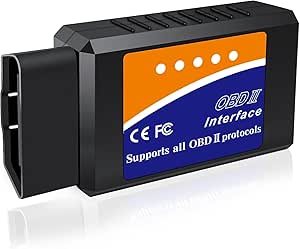 | Best for Cross-Platform Compatibility | Compatible platforms: iOS, Android, Windows | Vehicle support: Most 1996-and-newer OBDII-compliant vehicles | Supported protocols: J1850 PWM, J1850 VPW, ISO9141-2, ISO14230-4 KWP, ISO15765-4 CAN-BUS; described as supporting all nine OBDII protocols | VIEW ON AMAZON | See Our Full Breakdown |
| OBDLink MX+ Bluetooth OBD2 Scanner for iPhone, Android, and Windows |  | Best for Enhanced Vehicle-System Data | Compatible operating systems: iOS, Android, Windows | Connectivity: Bluetooth | Supported vehicle makes: Ford, GM, Mazda, Nissan/Infiniti, Toyota/Lexus/Scion, Honda, Hyundai, Kia | VIEW ON AMAZON | See Our Full Breakdown |
| Veepeak Mini Bluetooth OBD2 Scanner Code Reader for Android |  | Best for Simple Android Diagnostics | Supported devices: Android phones and tablets only | Connectivity: Classic Bluetooth | Vehicle compatibility: Most 1996-and-newer US cars and light trucks | VIEW ON AMAZON | See Our Full Breakdown |
| Panlong Bluetooth OBD2 Scanner for Android |  | Best for Broad Protocol Coverage on Android | Connectivity: Bluetooth | Supported operating systems: Android, Windows | Supported protocols: 9 OBDII protocols | VIEW ON AMAZON | See Our Full Breakdown |
| UBOG Bluetooth OBD2 Scanner for Android |  | Best for a Compact Android Code Reader | Connectivity: Bluetooth | Device compatibility: Android; not compatible with iOS | Supported software: Torque, OBD range software, ScanMaster ELM | VIEW ON AMAZON | See Our Full Breakdown |
| obd2 bluetooth scanner | Connectivity | Functions |
|---|---|---|
| B26 Bluetooth OBD2 Scanner for | Bluetooth 5.1 | — |
| ANCEL AD310 Classic Enhanced U | — | Reads and clears engine codes; displays live data |
| Rocco OBD2 Scanner Bluetooth f | Bluetooth | Code reading and clearing, real-time data, health reports |
| Veepeak OBDCheck BLE+ Bluetoot | Bluetooth LE; classic Bluetooth for certain Android apps | Read and clear engine codes, freeze-frame, I/M readiness, live sensor data |
| TOPDON TopScan Lite OBD2 Scann | Bluetooth | — |
| BlueDriver Bluetooth OBD2 Scan | Bluetooth | — |
| V011 Bluetooth OBD2 Scanner fo | Bluetooth 5.4 | Reads and clears codes, emissions readiness, monitor resets, live data, VIN retrieval, and freeze-frame data |
| BlueDriver Pro Bluetooth OBD2 | Bluetooth | — |
| Veepeak OBDCheck BLE Bluetooth | Bluetooth LE for iOS and Android; classic Bluetooth also supported for Android | Standard trouble codes, freeze-frame data, I/M readiness, and live sensor data |
| XTOOL A30M V2.0 Bidirectional | Bluetooth 4.0, up to 33 feet | — |
| LJPXHHU OBD2 Bluetooth Scanner | — | Reads and clears trouble codes; live sensor data and performance metrics |
| OBDLink MX+ Bluetooth OBD2 Sca | Bluetooth | — |
| Veepeak Mini Bluetooth OBD2 Sc | Classic Bluetooth | Reads and clears engine codes, live sensor data, I/M readiness |
| Panlong Bluetooth OBD2 Scanner | Bluetooth | Reads and clears trouble codes; live sensor data |
| UBOG Bluetooth OBD2 Scanner fo | Bluetooth | Reads and clears engine trouble codes; displays vehicle data |
More Details on Our Top Picks
B26 Bluetooth OBD2 Scanner for iOS & Android – Subscription-Free Engine Code Reader, Upgraded 2026 Model
The Feronix B26 is a straightforward choice for drivers who want wireless engine-code checks without carrying a handheld reader. Its Bluetooth 5.1 connection pairs with iOS or Android, while the compact body is easy to leave in a glove box. The maker lists more than 1,000 engine fault codes and free lifetime updates, giving it a broader code reference than a basic read-and-clear tool. Compared with the Veepeak OBDCheck BLE+, the B26 is presented as a self-contained engine-diagnostics option rather than an adapter whose features depend on a chosen third-party app. The tradeoff is narrow coverage: it is for gasoline-engine diagnostics, not ABS, airbag, or other vehicle systems, and it does not support diesel. I’d choose it for portable check-engine troubleshooting, not a full-vehicle scan.
Pros:- Bluetooth 5.1 supports wireless pairing with iOS and Android devices.
- Compact 1.85 x 1.97 x 0.98-inch design is easy to store in a vehicle.
- Lists more than 1,000 engine fault codes and free lifetime updates.
- Supports specified 12V gasoline vehicles from 1996 onward in North America, 2000 onward in Asia, and 2003 onward in Europe.
Cons:- Limited to engine diagnostics rather than full-system scanning.
- Does not support diesel vehicles.
- A damaged or oxidized OBD2 port can prevent a reliable connection.
Best for: Gasoline-car owners who want a small Bluetooth reader for routine engine fault checks and do not need diagnostics for other vehicle systems.
Not ideal for: Diesel owners or buyers who need ABS, airbag, transmission, or other non-engine system coverage.
- Connectivity:Bluetooth 5.1
- Compatible devices:iOS and Android
- Diagnostic focus:Engine fault codes
- Code coverage:More than 1,000 engine fault codes
- Updates:Free lifetime updates
- Vehicle coverage:Specified 12V gasoline vehicles: 1996+ North America, 2000+ Asia, 2003+ Europe
- Power source:Vehicle battery
- Dimensions:1.85 x 1.97 x 0.98 inches
Our verdict“Choose the B26 if you want a compact, subscription-free Bluetooth reader for gasoline-engine codes and can live without broader system diagnostics.”
ANCEL AD310 Classic Enhanced Universal OBD II Scanner Car Engine Fault Code Reader
The ANCEL AD310 takes the opposite approach to Bluetooth adapters: it is a wired handheld scanner, so there’s no phone app or wireless pairing to set up. Its screen and controls make it a practical fit for drivers who want to read or clear engine codes directly at the car. Support for the major OBDII protocols helps it cover many 1996-and-newer US, European, and Asian vehicles. Compared with the Feronix B26, it gives up wireless convenience but avoids relying on a smartphone; compared with the TOPDON TopScan Lite, it is much narrower in diagnostic scope. It handles emission-related engine faults, not ABS, SRS, or transmission systems. I’d pick it for simple, dependable checks, while buyers seeking Bluetooth or wider system access should choose another tool.
Pros:- Standalone handheld operation avoids app installation and Bluetooth pairing.
- Supports KWP2000, J1850 VPW, ISO9141, J1850 PWM, and CAN protocols.
- Reads and clears engine fault codes and displays live data.
- Draws power from the vehicle’s OBDII port, so it needs no separate batteries.
Cons:- Wired 2.5-foot cable is less convenient than a wireless adapter.
- Does not support ABS, SRS, transmission, or other non-emission diagnostics.
- Only works with OBDII vehicles and is not compatible with OBDI systems.
Best for: Drivers who want a portable, screen-based code reader for basic engine checks and prefer not to use a smartphone.
Not ideal for: Buyers specifically seeking a Bluetooth scanner, live phone-based monitoring, or diagnostics beyond emission-related engine faults.
- Vehicle compatibility:1996-or-newer OBD2 vehicles, including US, EU, and Asian models
- Protocols:KWP2000, J1850 VPW, ISO9141, J1850 PWM, CAN
- Functions:Reads and clears engine codes; displays live data
- Power source:Vehicle OBDII port
- Cable length:2.5 feet
- Weight:12 ounces
- Dimensions:8.9 x 6.9 x 1.4 inches
Our verdict“Pick the AD310 if a simple standalone engine-code reader matters more to you than Bluetooth convenience or broader vehicle coverage.”
Rocco OBD2 Scanner Bluetooth for iOS and Android
The Rocco OBD2 scanner is aimed at drivers who want more than a code number on a screen: its app-based experience adds real-time data visualization and AI-powered health reports. Wireless operation keeps the scanner itself compact, while stated support for vehicles from 1996 onward gives it broad model-year reach. The listing also includes code clearing and lifetime free app updates, with no subscription fee described. Compared with the Feronix B26, Rocco puts more emphasis on reports and visualized data, while the B26 has a clearer focus on a compact engine-code reader. Like the Veepeak OBDCheck BLE+, Rocco depends on a compatible phone, so it is not a standalone tool; its product data also does not clarify power or charging details. Choose it for phone-based insights, not if you want a display built into the scanner.
Pros:- Bluetooth connection works with iOS and Android smartphones.
- Offers real-time data visualization and AI-powered health reports.
- Supports code reading and clearing for vehicles from 1996 onward.
- Includes lifetime free app updates and a fault-code database.
Cons:- Requires a smartphone to operate and has no standalone display.
- Bluetooth pairing may not work smoothly with every phone or vehicle setup.
- Product information does not specify battery life or a charging method.
Best for: Smartphone users who want live data visualization and vehicle health reports alongside routine code reading.
Not ideal for: Drivers who need a standalone scanner, want clearly documented power details, or require guaranteed diagnostics for non-engine systems.
- Connectivity:Bluetooth
- Compatible platforms:iOS and Android
- Vehicle coverage:Vehicles from 1996 onward
- Functions:Code reading and clearing, real-time data, health reports
- App updates:Lifetime free updates
- Power source:Corded electric
- Language:English
- Listed dimensions:3.43 x 0.94 x 6.1 inches
Our verdict“Choose Rocco if you want app-based live data and health reports, and are comfortable relying on your phone for every scan.”
Veepeak OBDCheck BLE+ Bluetooth OBD-II Scanner Adapter
The Veepeak OBDCheck BLE+ makes sense for buyers who want to pair an adapter with a third-party app they already like. It reads and clears engine trouble codes, and adds freeze-frame, I/M readiness, and live sensor data—useful for checking the conditions around a fault or monitoring basic engine readings. Bluetooth LE supports iOS and Android, while classic Bluetooth is available for certain Android apps. Compared with the Rocco, Veepeak spells out its dependence on third-party app compatibility rather than centering its own health-report experience. It is also less ambitious than the TOPDON TopScan Lite, which offers full-system scans and bidirectional controls. App choice is both the appeal and the catch: advanced features vary by vehicle and app, and several named apps are incompatible. I’d check app support before buying.
Pros:- Reads and clears engine trouble codes.
- Provides freeze-frame data, I/M readiness status, and live sensor readings.
- Supports Bluetooth LE on iOS and Android, plus classic Bluetooth for certain Android apps.
- Includes a carrying case and user manual.
Cons:- Requires a compatible third-party app, which may add setup or separate costs.
- Advanced data and diagnostics depend on both the vehicle and app.
- Does not work with some apps, including Carly, MHD, xHP, ProTool, and bootmod3.
Best for: Phone-savvy owners who already have a compatible diagnostic app and mainly want engine codes, readiness checks, and live sensor data.
Not ideal for: Buyers who want a bundled, self-contained diagnostic experience, guaranteed advanced data, or compatibility with the listed unsupported apps.
- Model:OBDCheck BLE+
- Connectivity:Bluetooth LE; classic Bluetooth for certain Android apps
- Compatible platforms:iOS and Android
- Power source:OBD-II port
- Functions:Read and clear engine codes, freeze-frame, I/M readiness, live sensor data
- Weight:60 g
- Included items:OBD-II scanner, carrying case, user manual
- Warranty:1 year
Our verdict“Choose the OBDCheck BLE+ if you value app choice and basic engine data, but verify compatibility with your preferred app first.”
TOPDON TopScan Lite OBD2 Scanner with Bidirectional Control and 8 Reset Functions
The TOPDON TopScan Lite is the clear step-up pick for DIY owners who need more than engine-code checks. It can scan multiple vehicle systems, show live data, run performance tests, and use bidirectional control to command supported components for testing. Eight reset functions—including oil, EPB, DPF, ABS, BMS, and airbag—give it broader workshop-style utility than the Veepeak OBDCheck BLE+, whose advanced diagnostics depend on a compatible third-party app. It also lists CAN-FD support and specified gateway unlock support for FCA, Renault, and Nissan. That wider capability comes with a meaningful ownership catch: advanced features are included for the first year, then require a subscription, and gateway access needs the user’s own account. I’d choose it for hands-on diagnosis, not occasional check-engine scans.
Pros:- Full-system scanning covers more than engine diagnostics.
- Bidirectional controls can test supported components such as cooling fans, injectors, headlights, and windows.
- Includes eight reset functions, live data, performance tests, and in-app repair information.
- Supports CAN-FD and specified FCA, Renault, and Nissan gateway unlocks.
Cons:- Advanced features require a subscription after the first year.
- Gateway unlock access requires the user’s own account.
- Broader functions are more than needed for drivers who only read basic engine codes.
Best for: Experienced DIY mechanics who want app-based full-system scans, component tests, and service resets across supported vehicles.
Not ideal for: Drivers who only need basic engine codes or want to avoid ongoing subscription costs for advanced features after the first year.
- Connectivity:Bluetooth
- Compatible platforms:iOS and Android
- Vehicle coverage:10,000+ vehicle models; manufacturer claim of 99.99% compatibility
- Diagnostic functions:Full-system scans, code reading and clearing, live data, performance tests, bidirectional control
- Reset functions:Oil, throttle, EPB, steering angle, DPF, ABS, BMS, airbag
- Protocols and gateway support:CAN-FD; FCA, Renault, and Nissan gateway unlock support
- Advanced-feature access:Included for the first year; subscription required afterward
- Weight:28 g
- Warranty:1 year
Our verdict“Choose the TopScan Lite if you will use its full-system tests and reset functions; skip it for occasional engine-code checks that do not justify subscription-dependent features.”
BlueDriver Bluetooth OBD2 Scanner for iPhone and Android
I’d choose the BlueDriver when a basic engine-code reader is not enough. Along with check-engine diagnostics, it can access supported ABS, SRS, TPMS, and transmission codes, then pair those results with live data, freeze frames, and VIN-matched repair reports. That wider diagnostic view sets it apart from the Veepeak OBDCheck BLE, which focuses on standard OBD-II functions and relies on third-party apps for its features.
The tradeoff is a narrower vehicle fit: this model is specified for North American gas-powered vehicles from 1996 onward, and some functions depend on the vehicle. It also requires a phone or tablet and the BlueDriver app. The lack of subscription fees makes it a stronger fit for ongoing use than a tool that charges separately for app access, but buyers who only need basic emissions checks may not need its extra coverage.
Pros:- Reads and clears supported ABS, SRS, TPMS, transmission, and engine codes.
- Combines live data and freeze frames with VIN-matched repair reports.
- Works wirelessly with iOS and Android phones or tablets.
- App access and updates are included without subscription fees.
Cons:- Requires a compatible phone or tablet and the BlueDriver app.
- Vehicle coverage is limited to specified North American gas-powered vehicles.
- Enhanced diagnostics vary by vehicle.
Best for: North American gas-car owners who want an app-based scanner with supported ABS, SRS, TPMS, and transmission diagnostics plus repair guidance.
Not ideal for: Owners of diesel or non-North-American vehicles, or drivers who only need basic engine-code and emissions checks.
- Model:LSB2
- Connectivity:Bluetooth
- Compatible devices:iOS and Android phones or tablets
- Supported vehicles:Gas-powered vehicles from 1996 onward sold in the U.S., Canada, and Mexico
- Diagnostic functions:Check Engine, ABS, SRS/Airbag, TPMS, transmission, live data, freeze frames, smog readiness, and Mode 6
- Subscription:None
- Weight:2.08 ounces
Our verdict“Choose BlueDriver if you want broader supported system diagnostics and repair reports; skip it if standard engine-code checks are all you need.”
V011 Bluetooth OBD2 Scanner for iOS and Android
The V011 suits drivers who want a straightforward phone-based way to check trouble codes, watch sensor readings, and review emissions readiness. Its app can chart live vehicle data, which makes changing readings easier to follow than a list of values alone. It also supports iOS and Android and offers multiple app languages, giving it a more accessible setup than a more specialized tool like the XTOOL A30M V2.0, whose appeal centers on bidirectional tests and service functions.
That simplicity comes with a narrower diagnostic brief: the supplied details describe code reading, clearing, and standard data access, not full-system diagnostics or active tests. Setup also depends on the OBD Home app; iPhone users should connect through the app rather than the phone’s Bluetooth settings. Vehicle compatibility varies by make and model, so I’d treat broad coverage claims as a starting point, not a guarantee.
Pros:- Displays live sensor data in charts.
- Supports iOS and Android smartphones over Bluetooth 5.4.
- Reads and clears trouble codes and retrieves freeze-frame data.
- OBD Home supports multiple languages and includes email troubleshooting access.
Cons:- Requires the OBD Home app for setup and connection.
- Vehicle compatibility varies by make and model.
- The listed functions do not include full-system diagnostics or active tests.
Best for: Drivers who want a basic iOS or Android scanner with charted live data and emissions-readiness checks in a choice of app languages.
Not ideal for: DIY mechanics seeking full-system coverage, bidirectional controls, or guaranteed compatibility with a specific vehicle.
- Model:V011
- Connectivity:Bluetooth 5.4
- Compatible devices:iOS and Android smartphones
- Vehicle coverage:Vehicles from 1996 to present; compatibility varies by make and model
- Supported protocols:9
- Functions:Reads and clears codes, emissions readiness, monitor resets, live data, VIN retrieval, and freeze-frame data
- App:OBD Home
- Supported languages:English, German, Spanish, Finnish, French, Italian, Dutch, Portuguese, and Chinese
Our verdict“Pick the V011 for app-based code checks and charted data, but choose the XTOOL A30M V2.0 if you need active tests or service functions.”
BlueDriver Pro Bluetooth OBD2 Scanner
The BlueDriver Pro is the lineup’s BlueDriver option for buyers whose vehicle may fall beyond the brand’s usual gas-car coverage: its supplied compatibility description adds select light-duty trucks and diesels. Like the BlueDriver LSB2, it pairs with an iOS or Android device and offers supported enhanced diagnostics, live data, freeze frames, readiness checks, and technician-verified repair reports. That makes it a more informative choice than the Veepeak OBDCheck BLE for owners who need supported system-level codes rather than standard OBD-II data alone.
Its main caveat is the word “select”: diesel and enhanced-system coverage depends on the vehicle, so buyers should confirm fit before relying on those functions. It also needs a phone and the BlueDriver app, rather than offering a standalone screen. Since its listed part number is LSB2, it appears closely aligned with the other BlueDriver entry; the clearest stated distinction is the expanded compatibility description, not a different diagnostic workflow.
Pros:- Reads and clears supported engine, ABS, SRS, TPMS, and transmission codes.
- Includes live data, freeze frames, readiness checks, and technician-verified repair reports.
- Works with iOS and Android devices over Bluetooth.
- Includes app access and updates without subscription fees.
Cons:- Truck, diesel, and enhanced diagnostic support depends on vehicle compatibility.
- Requires a compatible phone or tablet and the BlueDriver app.
- Does not provide a standalone display.
Best for: Owners of supported gas vehicles or select light-duty trucks and diesels who want BlueDriver’s app-based enhanced diagnostics and repair reports.
Not ideal for: Buyers who need guaranteed diesel coverage, a standalone scanner, or confirmed diagnostic support for a particular vehicle without checking compatibility.
- Model:Pro
- Part number:LSB2
- Connectivity:Bluetooth
- Compatible devices:iOS and Android phones or tablets
- Vehicle compatibility:Gas-powered vehicles from 1996 onward and select light-duty trucks and diesels
- Diagnostic coverage:Check Engine, ABS, SRS/Airbag, TPMS, and transmission on supported vehicles
- App and subscription:BlueDriver app access included; no subscription fees
Our verdict“Choose BlueDriver Pro if your light-duty truck or diesel is confirmed as supported and you want repair guidance; otherwise, compare its fit with the LSB2 BlueDriver before buying.”
Veepeak OBDCheck BLE Bluetooth OBD-II Scanner for iOS and Android
The Veepeak OBDCheck BLE is a compact adapter for drivers who want standard OBD-II information and the freedom to choose a compatible app. It reads and clears common trouble codes, shows freeze-frame data, I/M readiness, and live sensor readings, and supports Bluetooth LE on iOS and Android, with classic Bluetooth also supported on Android. Compared with the BlueDriver, it is less focused on built-in repair reports and enhanced system diagnostics, but its third-party app flexibility may suit buyers who already have a preferred app.
The tradeoff is that the adapter alone is not a full-system service tool. App features can vary, and some may require a separate purchase; specialized tasks such as ABS bleeding and oil resets are outside its stated scope. Its coverage is aimed at most 1996-and-newer U.S. cars and light trucks, while EV/PHEV and vehicle-specific support depend on the car and app.
Pros:- Reads and clears standard OBD-II trouble codes.
- Displays freeze frames, I/M readiness, and live sensor data.
- Works with compatible iOS and Android apps, including classic Bluetooth on Android.
- Includes a mini carrying case, instructions, and a one-year replacement warranty.
Cons:- Requires a compatible third-party app, and some app features may cost extra.
- Does not provide full-system diagnostics or specialized service functions such as ABS bleeding or oil resets.
- Vehicle-specific and EV/PHEV support varies by vehicle and app.
Best for: Drivers who want standard OBD-II checks and prefer choosing among compatible third-party apps for an iOS or Android device.
Not ideal for: DIYers who need built-in enhanced diagnostics, service resets, or a dedicated full-system scanner.
- Model:OBDCheck BLE
- Connectivity:Bluetooth LE for iOS and Android; classic Bluetooth also supported for Android
- Vehicle compatibility:Most 1996-and-newer U.S. cars and light trucks for standard OBD-II diagnostics
- Functions:Standard trouble codes, freeze-frame data, I/M readiness, and live sensor data
- App support:Compatible third-party apps; app features vary
- Included components:OBD-II scanner, mini carrying case, and user instructions
- Warranty:One-year manufacturer replacement warranty
Our verdict“Choose the OBDCheck BLE for standard diagnostics and app choice, but pick BlueDriver if you want a more guided experience with supported enhanced codes and repair reports.”
XTOOL A30M V2.0 Bidirectional OBD2 Scanner with Full System Diagnostics
The XTOOL A30M V2.0 is the pick here for a hands-on DIYer who wants more than code reading. Its stated full-system diagnostics, bidirectional active tests, and 26 maintenance reset functions can support deeper troubleshooting and routine service tasks, while CAN FD and FCA AutoAuth add protocol coverage for supported newer vehicles. That is a broader workshop-style toolkit than the BlueDriver, which focuses on phone-based diagnostics and repair reports rather than the A30M’s active controls.
This extra capability brings more compatibility checks: functions vary by vehicle, and FCA AutoAuth requires separate registration and payment. The A30M also depends on a smartphone or iPad, so it is not a self-contained handheld reader. Bluetooth 4.0 supports wireless use within the stated range, and lifetime software updates avoid a subscription, but the feature set is likely more than a driver needs for occasional check-engine scans.
Pros:- Offers full-system diagnostics and bidirectional active tests on supported vehicles.
- Includes 26 maintenance reset functions.
- Supports CAN FD and FCA AutoAuth protocols.
- Includes lifetime free software updates and a two-year warranty.
Cons:- FCA AutoAuth requires separate registration and payment.
- Service functions and compatibility vary by vehicle model.
- Requires a smartphone or iPad to operate.
Best for: DIY mechanics and weekend repairers who want supported active tests, broad system diagnostics, and maintenance resets through a phone or iPad.
Not ideal for: Drivers who only want occasional engine-code checks, need a standalone display, or do not want to manage vehicle-specific functions and FCA AutoAuth registration.
- Connectivity:Bluetooth 4.0, up to 33 feet
- Vehicle compatibility:Vehicles from 1996 onward; 85+ car brands across the U.S., Europe, and Asia
- Protocols:CAN FD and FCA AutoAuth
- Reset functions:26, including Oil, EPB, SAS, ABS, and Throttle
- Live data streams:Up to 8
- Languages:22
- Warranty:2 years
- Software updates:Lifetime free updates
Our verdict“Choose the XTOOL A30M V2.0 if you will use active tests and service resets; for simpler code checks and repair guidance, BlueDriver is the less complex fit.”
LJPXHHU OBD2 Bluetooth Scanner Car Code Reader for iOS, Android, and Windows
The LJPXHHU is a flexible pick for owners who want to use an iPhone, Android device, or Windows computer rather than commit to one platform. It covers all nine OBDII protocols and can read and clear engine codes, show live sensor data, and provide performance information. That breadth makes it more adaptable than the Android-only Veepeak Mini, especially in a household with different devices. Its limits are just as important: it is aimed at standard OBDII diagnostics, not motorcycles, 24V diesels, or hybrid and new-energy vehicles, and the features available can depend on the car’s ECU. iOS setup also requires a compatible app rather than pairing through standard Bluetooth settings. I’d choose it for broad device support, not for advanced system diagnostics.
Pros:- Supports iOS, Android, and Windows devices
- Covers all nine OBDII protocols
- Reads and clears generic and manufacturer-specific trouble codes
- Provides live sensor data and performance information
Cons:- Does not support motorcycles, 24V diesels, or hybrid and new-energy vehicles
- iOS setup requires a compatible app rather than standard Bluetooth settings
- Available functions vary by vehicle and ECU
Best for: Drivers with a supported 1996-or-newer OBDII vehicle who want one basic scanner to use with iOS, Android, or Windows and check codes or live engine data.
Not ideal for: Owners of motorcycles, 24V diesel vehicles, hybrids, or new-energy vehicles, and buyers seeking advanced ABS, SRS, or other system diagnostics.
- Compatible platforms:iOS, Android, Windows
- Vehicle support:Most 1996-and-newer OBDII-compliant vehicles
- Supported protocols:J1850 PWM, J1850 VPW, ISO9141-2, ISO14230-4 KWP, ISO15765-4 CAN-BUS; described as supporting all nine OBDII protocols
- Functions:Reads and clears trouble codes; live sensor data and performance metrics
- Brand:LJPXHHU
- Model number:8542040161
- Warranty:2 years
Our verdict“Choose the LJPXHHU if you need basic OBDII checks across different device platforms and your vehicle falls within its compatibility limits.”
OBDLink MX+ Bluetooth OBD2 Scanner for iPhone, Android, and Windows
The OBDLink MX+ is the strongest fit here for drivers who want more than generic engine codes. On select supported makes, it can access enhanced OEM information and live ABS, SRS, and TPMS parameters, giving it a broader diagnostic role than the basic engine-focused Veepeak Mini. It also works with iOS, Android, and Windows, so platform choice is not a limitation. Over-voltage and battery-drain protection add reassurance if the adapter stays plugged in, while firmware updates can keep its software current. The tradeoff is that enhanced access depends on the vehicle make and feature support; I’d check compatibility before buying rather than assume every listed system is available on every car. It is a more capable option, but not a universal full-system scanner.
Pros:- Compatible with iOS, Android, and Windows
- Offers enhanced OEM support for select vehicle makes
- Can access live ABS, SRS, and TPMS parameters on supported vehicles
- Includes over-voltage and battery-drain protection plus firmware updates
Cons:- Enhanced functions and vehicle compatibility vary by make and model
- Requires a compatibility check to confirm access to specific systems
Best for: Owners of supported Ford, GM, Mazda, Nissan/Infiniti, Toyota/Lexus/Scion, Honda, Hyundai, or Kia vehicles who want enhanced data beyond generic engine codes.
Not ideal for: Buyers who only need basic check-engine-code reading, or owners expecting ABS, SRS, and TPMS access on every vehicle without checking make-specific support.
- Compatible operating systems:iOS, Android, Windows
- Connectivity:Bluetooth
- Supported vehicle makes:Ford, GM, Mazda, Nissan/Infiniti, Toyota/Lexus/Scion, Honda, Hyundai, Kia
- Available data:Enhanced OEM data and live ABS, SRS, and TPMS parameters on supported vehicles
- Protection:Over-voltage and battery-drain protection
- Updates:Firmware updates
- Weight:28 g
- Dimensions:2.01 × 0.91 × 1.81 in
- Included components:Scanner, zipper case, compliance insert, quick start guide, warranty card
Our verdict“Pick the MX+ if your vehicle is supported and you want system data beyond the basic engine checks offered by simpler adapters.”
Veepeak Mini Bluetooth OBD2 Scanner Code Reader for Android
The Veepeak Mini keeps its job focused: pair it with an Android device and a compatible app to read or clear engine trouble codes, view live sensor data, and check I/M readiness. Support for apps such as Torque and Car Scanner gives buyers room to choose an interface, while its compact design suits a scanner that may stay in the OBDII port. Compared with the cross-platform LJPXHHU, the Veepeak is a narrower choice because it does not support iOS; compared with the OBDLink MX+, it also lacks the stated enhanced access to ABS, SRS, and TPMS. That simpler scope is the point for basic checks, but it rules it out for buyers who need advanced functions or Apple-device support. Some vehicle types and app-dependent features also need checking.
Pros:- Works with popular Android diagnostic apps including Torque and Car Scanner
- Reads and clears engine trouble codes
- Displays live sensor data and I/M readiness
- Compact design and stable ECU connection
Cons:- Does not support iOS or Apple devices
- Limited to basic diagnostics rather than advanced functions
- Vehicle and hybrid/EV support can depend on the app
Best for: Android phone or tablet owners who want a compact adapter for basic engine-code checks, live data, and emissions-readiness status on a supported vehicle.
Not ideal for: iPhone and iPad users, or drivers who need advanced ABS, transmission, or other system functions rather than basic OBDII diagnostics.
- Supported devices:Android phones and tablets only
- Connectivity:Classic Bluetooth
- Vehicle compatibility:Most 1996-and-newer US cars and light trucks
- Supported apps:Torque, Car Scanner, OBD Fusion, Dr. Prius
- Functions:Reads and clears engine codes, live sensor data, I/M readiness
- Vehicle types:Gasoline vehicles; EV and hybrid support is app-dependent
Our verdict“Choose the Veepeak Mini for straightforward Android-based engine checks, but skip it if you need iOS compatibility or broader system diagnostics.”
Panlong Bluetooth OBD2 Scanner for Android
The Panlong is a straightforward Android-oriented adapter with a useful mix of broad protocol coverage and basic diagnostics. It reads and clears trouble codes and displays live sensor data, while its stated vehicle range includes many 12V gas and light-diesel vehicles across US, European, and Asian markets. That gives it a wider regional description than the Veepeak Mini, which is framed around most 1996-and-newer US cars and light trucks. The Panlong also lists Windows support, though its main phone-and-tablet use is Android. It remains a basic OBDII tool: unlike the OBDLink MX+, the supplied details do not describe enhanced ABS, SRS, or TPMS access. iOS users should skip it, and compatibility still depends on the vehicle meeting its OBDII and voltage requirements.
Pros:- Supports nine OBDII protocols
- Reads and clears trouble codes and displays live sensor data
- Listed for many 1996+ US and 2000+ EU and Asian 12V vehicles
- Compact and lightweight, with support for several diagnostic apps
Cons:- Does not support iOS devices
- Limited to compatible OBDII vehicles and basic diagnostic functions
Best for: Android users with a supported 12V gas or light-diesel vehicle who want a compact reader for engine codes and live sensor data.
Not ideal for: iOS users, owners of vehicles outside the listed OBDII and 12V compatibility range, or drivers seeking advanced system-level diagnostics.
- Connectivity:Bluetooth
- Supported operating systems:Android, Windows
- Supported protocols:9 OBDII protocols
- Vehicle compatibility:1996+ US and 2000+ EU and Asian 12V gas-powered and light-diesel vehicles
- Functions:Reads and clears trouble codes; live sensor data
- Power source:OBDII port
- Weight:18.14 g
- Dimensions:1.89 × 0.98 × 1.26 in
- Warranty:1 year
Our verdict“Pick the Panlong if you want a small Android adapter with broad protocol support for basic checks on a compatible 12V vehicle.”
UBOG Bluetooth OBD2 Scanner for Android
The UBOG covers the essentials for Android users: read and clear engine trouble codes, then view vehicle data through a compatible app. Its small 1.95 × 1 × 1.25-inch body makes it an unobtrusive option, and the listed software choices include Torque and ScanMaster ELM. Compared with the Panlong, it is less specific about supported vehicle years, regions, and protocols, so the Panlong gives buyers clearer compatibility guidance. The UBOG’s appeal is its simple, compact setup—not a documented advantage in diagnostic depth. It does not support iOS, and using it requires both a compatible app and Bluetooth pairing. I’d verify app and vehicle compatibility first, particularly if you need more than basic engine and emissions data.
Pros:- Reads and clears engine trouble codes
- Displays engine, emissions, and other vehicle data through a compatible app
- Works with compatible phones, tablets, or laptops via Bluetooth
- Compact dimensions suit limited space around the OBDII port
Cons:- Does not support iOS
- Requires a compatible app and Bluetooth pairing
- Product details do not specify supported vehicle years or protocols
Best for: Android users seeking a small Bluetooth adapter for basic engine-code reading and vehicle data through an app they already use or plan to install.
Not ideal for: iPhone or iPad owners, and buyers who need clearly specified vehicle-year coverage, broad protocol details, or advanced system diagnostics.
- Connectivity:Bluetooth
- Device compatibility:Android; not compatible with iOS
- Supported software:Torque, OBD range software, ScanMaster ELM
- Functions:Reads and clears engine trouble codes; displays vehicle data
- Dimensions:1.95 × 1 × 1.25 in
- Color:Blue
- Included components:OBD2 scanner
- Bluetooth pairing password:1234 or 0000
Our verdict“Choose the UBOG for compact, app-based Android engine checks if its vehicle and software compatibility meet your needs.”

How We Picked
I ranked these scanners by how well their stated features match common buyer needs: reading and clearing engine codes, ease of setup, supported phones and computers, diagnostic coverage, and access to advanced functions such as bidirectional control or service resets. I also weighed the ownership model: a scanner with a bundled or clearly supported app may be simpler to start with, while an adapter that relies on a separate app can offer flexibility but requires more research.
The ranking favors useful capability with clear fit over long feature lists alone. That puts BlueDriver first as a balanced app-based choice, while the XTOOL A30M V2.0 earns a place for buyers who need deeper diagnostics and controls. The TOPDON TopScan Lite and OBDLink MX+ suit more specialized needs; Veepeak adapters offer app-dependent flexibility; and simpler Bluetooth readers or the ANCEL handheld make more sense for basic checks. Vehicle compatibility varies by make, model, year, and app, so I treat advertised functions as a starting point rather than a guarantee that every feature will work on every car.
Factors to Consider When Choosing Obd2 Bluetooth Scanners
The right scanner depends less on the word “Bluetooth” and more on what you need to diagnose, which device you plan to use, and how much setup you are willing to do. These broader checks can help prevent buying an adapter that connects but cannot perform the job you had in mind.
Match Diagnostic Coverage to the Problem
Basic OBD2 access commonly focuses on emissions-related engine codes and live engine data, which can help investigate a check-engine light. It does not automatically mean the tool can read ABS, airbag, transmission, or body-system faults. Before buying, name the system you want to diagnose and confirm that the scanner and its app support it for your specific vehicle. Shoppers often mistake “full system” or “enhanced” wording for universal coverage, but access can differ between manufacturers and model years. If you mainly want to check an engine warning, paying for advanced controls may add little value. If you need to investigate a non-engine warning, verify that function first rather than relying on a broad product label.
Check the App and Phone as a Pair
A Bluetooth adapter is only one part of the setup; the app handles much of the interface, reporting, and feature access. Confirm that the adapter works with your phone’s operating system and the particular app you plan to use, not just that it supports Bluetooth. An iOS-compatible scanner may use a different connection method or app than an Android model, and Windows support can involve separate software. Check whether the app’s key features require payment, an account, or an ongoing subscription, since “subscription-free” hardware does not always mean every third-party app feature is free. Also review app update history and permissions before making the adapter part of your regular toolkit. A handheld scanner like the ANCEL AD310 avoids phone pairing, though it gives up the flexible screen and app-based reports of Bluetooth models.
Decide Whether You Need Service Functions
Reading a code and clearing it are different from commanding a component or running a maintenance procedure. Bidirectional control lets a compatible scanner send certain commands to vehicle systems, while reset functions may cover selected service tasks. Those capabilities matter more to owners who do their own repairs than to drivers who only want to understand a warning light. Do not assume that an advertised reset works on every make or that it replaces a required service procedure. Check the supported function list for your vehicle before paying for more advanced hardware. If you only need occasional engine-code checks, a simpler reader can be easier to use and less complicated to keep updated.
Treat Vehicle Compatibility as a Specific Check
OBD2 compatibility is not the same as support for every diagnostic feature. A scanner may connect to a vehicle yet provide only standard engine data, while manufacturer-specific systems remain unavailable. Compatibility can vary by model year, trim, engine, and the diagnostic app paired with the adapter. Look up your exact vehicle and intended task in the maker’s support information, especially if you need ABS, airbag, transmission, or service-reset access. Older vehicles and vehicles sold in different markets may also have different coverage. If a feature is essential, confirm it before purchase rather than using general compatibility language as proof.
Choose Between a Self-Contained Tool and an Adapter
Bluetooth adapters are compact and can display live data, codes, and reports through a phone, but they depend on a charged device, a compatible app, and a stable connection. A handheld reader is ready to use without installing software, which can be useful for quick checks or drivers who prefer a dedicated screen. Compact adapters may be easy to store, but their small size does not indicate diagnostic depth or build quality. Think about where you will use the scanner: a phone interface may be convenient in the driveway, while a dedicated unit can be simpler when you do not want to manage app settings. Avoid buying the smallest adapter solely for portability if its supported app or vehicle functions do not meet your needs.
Set Expectations for Code Clearing and Repairs
Clearing a fault code does not fix the cause, and a warning may return if the underlying problem remains. Erasing codes can also remove useful information a mechanic may want to see, so record the code and any freeze-frame details before clearing it. Some monitors need time and driving conditions to run again after a reset, which can affect readiness checks. A scanner can narrow down where to investigate, but its code description is not a definitive diagnosis or a parts replacement instruction. Buyers who plan to work on their own cars should value reliable data and clear explanations over a promise to “fix” problems. For persistent or safety-related warnings, use the scan results as a starting point for proper diagnosis.
Frequently Asked Questions
Will an OBD2 Bluetooth scanner work with both my iPhone and Android tablet?
Not necessarily. Compatibility depends on the scanner’s Bluetooth connection method, the operating system, and the app you choose. Some adapters are designed for both iOS and Android, while others are limited to Android or need a specific app to connect on Apple devices. Check the exact model’s supported devices and confirm the app is available for your device before buying. If you want to switch between phones or share the scanner, verify support for each device rather than relying on the product title alone.
Can these scanners read ABS or airbag warning lights?
Some can, but basic OBD2 engine-code readers generally focus on emissions-related powertrain faults. ABS and airbag access often depends on the scanner’s diagnostic coverage, your vehicle, and the app. A “full system” claim should be checked against the exact systems and models listed by the manufacturer. If you need to diagnose a safety-system warning, confirm that capability before purchase and do not assume an engine-code reader can access it. Treat any scan result as diagnostic information, not proof that the vehicle is safe to drive.
Do I need a subscription to use a Bluetooth OBD2 scanner?
It depends on the scanner and the software you pair with it. Some products promote subscription-free use, while adapter-style scanners may rely on third-party apps that offer paid upgrades or lock advanced features behind an account or fee. Check which functions are included without payment, including code definitions, live data, reports, and service features. A free app may cover basic engine codes but not the systems or controls you need. Confirm the software terms before buying so the adapter’s advertised capabilities match what you can access.
Is a Bluetooth scanner a good choice if I only want to check a check-engine light?
It can be, especially if you are comfortable using a phone app and want to keep a compact tool in the car. A basic reader can show many engine fault codes and may let you clear them, but the code is a clue rather than a diagnosis. If you do not want to install an app or pair a phone, a handheld option such as the ANCEL AD310 may be simpler. Before clearing a code, save the code information and consider whether a mechanic may need it. For occasional checks, prioritize straightforward setup and app clarity over advanced functions you are unlikely to use.
Should I choose a bidirectional scanner if I do my own repairs?
Bidirectional control can be useful when a repair procedure calls for commanding a supported component, but it is not necessary for every DIY job. You still need to confirm the specific control works with your vehicle, and the scanner does not replace repair knowledge or safe working practices. For basic code reading, live data, and clearing engine faults, a simpler model may be enough. Consider a more advanced scanner when you regularly diagnose multiple vehicle systems or need supported active tests and service functions. Check the tool’s vehicle-specific function list before choosing it for a particular repair.
Conclusion
For most buyers who want a capable app-based reader without stepping straight into advanced shop-style functions, I recommend BlueDriver Bluetooth OBD2 Scanner as the best overall. My best value direction is a Veepeak OBDCheck BLE or BLE+ adapter when its supported app covers the buyer’s needs; compare app compatibility before choosing between them. For a premium, feature-heavy approach, look at the XTOOL A30M V2.0 for bidirectional control and broader system diagnostics, or the TOPDON TopScan Lite if its reset functions fit your vehicle. Beginners who prefer a dedicated screen over phone setup should start with the ANCEL AD310. For buyers with specific needs, the OBDLink MX+ is worth comparing when Windows support matters, while Android-only shoppers can consider the Veepeak Mini or Panlong. The best choice comes down to the exact vehicle, the warning or service task, and whether you want a simple code reader or a more capable diagnostic tool.