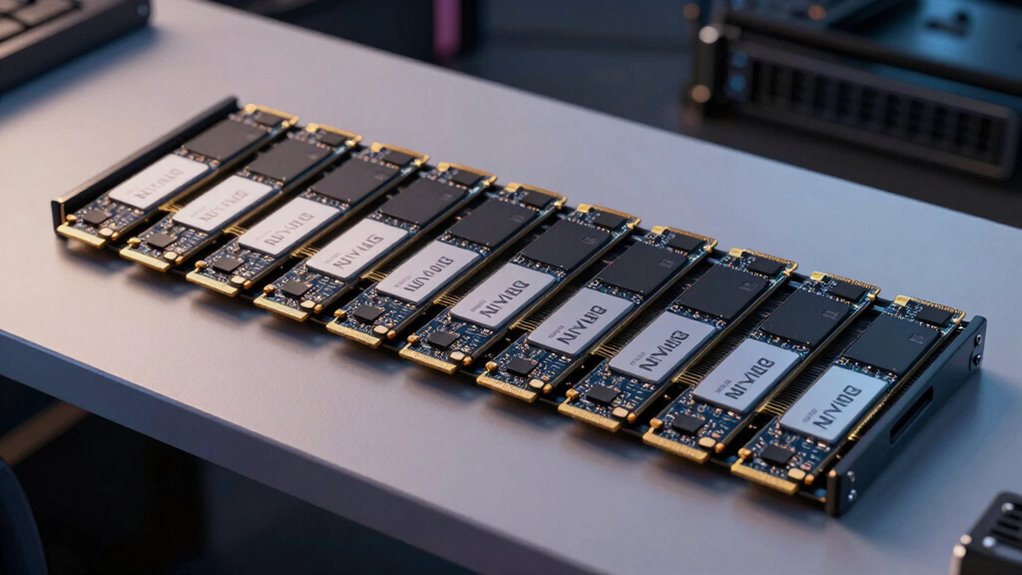

Choosing the right NVMe HBA card can significantly impact your storage performance and expandability. For 2026, the market offers a variety of options tailored for different needs—from high-bandwidth PCIe 5.0 models to enterprise-grade solutions and affordable, versatile picks. Among the standout options, the ASUS Hyper M.2 x16 supports four NVMe drives with PCIe 5.0, ideal for those prioritizing raw speed and expandability. Meanwhile, the HighPoint Rocket 1204 offers a budget-friendly, fanless solution for users needing multiple drives without complex installation. For enterprise or server environments, the Broadcom BCM 9600-24i and Broadcom 9500-16i deliver scalable, high-capacity options. Each choice involves tradeoffs—such as compatibility, complexity, or performance limits—so I’ll break down who benefits most from each.

Get the latest gadgets delivered free with Prime
- Fast, free delivery on millions of items
- Prime Video, Amazon Music and more included
- Member-only deals all year
Complete the kit



Key Takeaways
- The ASUS Hyper M.2 x16 supports four NVMe drives with PCIe 5.0 for maximum bandwidth but requires compatible hardware.
- The HighPoint Rocket 1204 offers a silent, fanless design suitable for build-it-yourself enthusiasts on PCIe 3.0 systems.
- Enterprise-grade options like Broadcom’s cards excel in scalability and reliability but come with complex installation and higher costs.
- Performance varies significantly based on PCIe version and motherboard support; PCIe 4.0 and 5.0 cards unlock higher transfer speeds.
- Compatibility with operating systems and motherboard bifurcation features influences the ease of setup and overall performance.
| ASUS Hyper M.2 x16 Gen5 Card (PCIe 5.0/4.0) Supports Four NVMe M.2 Devices |  | Best Overall for High-Speed Expandability | Number of M.2 slots: 4 | Supported PCIe versions: 5.0/4.0 | Maximum bandwidth: 512 Gbps | VIEW ON AMAZON | See Our Full Breakdown |
| Broadcom BCM HBA 9600-24i SAS/SATA/NVMe |  | Best for Enterprise Scalability | Model Number: 05-50111-01 | Supported Interfaces: SAS, SATA, NVMe | VIEW ON AMAZON | See Our Full Breakdown | |
| Broadcom 9500-16i 12Gb/s Tri-Mode SAS/NVMe HBA |  | Best for High-End Server Environments | Model: 9500-16i | Interface: PCIe 4.0 | Data Transfer Rate: 12Gb/s | VIEW ON AMAZON | See Our Full Breakdown |
| HighPoint Rocket 1204 4-Port M.2 PCIe 3.0 NVMe HBA |  | Best for Budget Multi-Drive Setups | Model: Rocket 1204 | SSD Capacity: 4 x M.2 NVMe SSDs | Host Interface: PCIe 3.0 x8 | VIEW ON AMAZON | See Our Full Breakdown |
| HighPoint 4-Port M.2 Rocket 1104 PCIe Gen3 NVMe HBA for Windows, Mac, Linux, and VMware |  | Best for Compatibility and Silent Operation | Number of Ports: 4 | Supported SSDs: M.2 NVMe SSDs | Maximum Storage: 16TB | VIEW ON AMAZON | See Our Full Breakdown |
| nvme hba card | RAID support |
|---|---|
| ASUS Hyper M.2 x16 Gen5 Card | Yes |
| Broadcom BCM HBA 9600-24i SAS/ | — |
| Broadcom 9500-16i 12Gb/s Tri-M | — |
| HighPoint Rocket 1204 4-Port M | OS or third-party software |
| HighPoint 4-Port M.2 Rocket 11 | Yes |
More Details on Our Top Picks
ASUS Hyper M.2 x16 Gen5 Card (PCIe 5.0/4.0) Supports Four NVMe M.2 Devices
The ASUS Hyper M.2 x16 stands out for its support of PCIe 5.0, offering up to 512 Gbps bandwidth across four M.2 slots. Its large heatsink and active cooling help maintain stability under sustained heavy loads, making it ideal for demanding data transfer tasks. Compared with PCIe 4.0 options, this card provides future-proofing with the latest PCIe standard, but it requires a compatible motherboard and a robust power supply. Installation can be complex for beginners, especially when configuring RAID across multiple drives. For users who need maximum throughput and expandability in a high-end workstation or server, this model makes a compelling choice.
Pros:- Supports four NVMe drives via PCIe 5.0/4.0
- High bandwidth for demanding workloads
- Effective cooling solutions
- RAID support for flexible configurations
Cons:- Requires compatible motherboard and power supply
- Installation complexity for beginners
Best for: Enthusiasts and professionals demanding ultra-fast data transfer and maximum expansion.
Not ideal for: Casual users or those with limited PCIe slots or older motherboards.
- Number of M.2 slots:4
- Supported PCIe versions:5.0/4.0
- Maximum bandwidth:512 Gbps
- Power connector:6-pin PCIe
- Cooling:Large heatsink, active fan
- RAID support:Yes
Our verdict“Ideal for high-performance setups needing maximum bandwidth and expandability, but best suited for advanced users familiar with PCIe configurations.”
Broadcom BCM HBA 9600-24i SAS/SATA/NVMe
The Broadcom BCM HBA 9600-24i offers robust support for SAS, SATA, and NVMe, making it suitable for enterprise and data center environments. Its high reliability and support for multiple interfaces make it a scalable solution for large storage arrays. However, detailed specifications are limited, and its primary focus is on enterprise-grade connectivity rather than consumer ease of use. Installation may be complex for those unfamiliar with enterprise hardware, and its high price reflects its high-end capabilities. This card is best suited for data centers or large-scale storage solutions where reliability and scalability are more critical than simple plug-and-play setup.
Pros:- Supports multiple drive interfaces including NVMe
- High performance and reliability
- Highly scalable storage connectivity
Cons:- Limited detailed specs
- Complex installation process
Best for: Enterprise storage environments and data centers needing scalable NVMe support.
Not ideal for: Casual or gaming PC builders looking for straightforward installation.
- Model Number:05-50111-01
- Supported Interfaces:SAS, SATA, NVMe
Our verdict“A top choice for enterprise users prioritizing scalability and reliability over simplicity and cost.”
Broadcom 9500-16i 12Gb/s Tri-Mode SAS/NVMe HBA
The Broadcom 9500-16i supports PCIe 4.0 and up to 32 NVMe devices, making it suitable for high-end servers and critical workloads. Its support for SAS, SATA, and NVMe, along with high bandwidth, allows handling up to 1,024 SAS/SATA devices efficiently. Its compatibility with Windows, macOS, and Linux enhances its versatility. Still, NVMe support is capped at 32 devices, which limits its scalability for more extensive NVMe arrays. It excels in environments where high throughput and multi-protocol support are essential but is less suited for casual users or those seeking PCIe 5.0 support.
Pros:- Supports SAS, SATA, and NVMe
- High bandwidth PCIe 4.0 connectivity
- Handles thousands of SAS/SATA devices
- Compatible across major OS
Cons:- Limited NVMe support to 32 devices
- Primarily for enterprise use
Best for: High-end servers and enterprise environments with demanding storage requirements.
Not ideal for: Small-scale builds or users needing PCIe 5.0 performance.
- Model:9500-16i
- Interface:PCIe 4.0
- Data Transfer Rate:12Gb/s
- Supported Drive Types:SAS, SATA, NVMe
- Maximum SAS/SATA Devices:1024
- Maximum NVMe Devices:32
Our verdict“Best suited for enterprise servers requiring high scalability and multi-protocol support, not for casual or PCIe 5.0 systems.”
HighPoint Rocket 1204 4-Port M.2 PCIe 3.0 NVMe HBA
The HighPoint Rocket 1204 provides a solid, fanless solution for installing four NVMe SSDs on PCIe 3.0 x8 slots. Each drive gets dedicated PCIe x4 lanes, which ensures consistent performance without bottlenecks. Its compatibility across Windows, macOS, VMware, and Linux makes it versatile, and the absence of fans reduces noise and maintenance. The main tradeoff is that it requires an available PCIe x8 slot and depends on OS or third-party software for RAID, which may complicate setup for some users. This model makes sense for those seeking affordable, multi-drive NVMe solutions for workstations or gaming PCs.
Pros:- Supports four NVMe SSDs
- Dedicated PCIe x4 lanes per drive
- Silent, fanless operation
- Compatible with multiple OS
Cons:- Requires PCIe x8 slot
- RAID depends on OS or third-party tools
Best for: Enthusiasts and small business users with PCIe 3.0 systems seeking silent, multi-drive NVMe support.
Not ideal for: Users with only PCIe 2.0 slots or seeking PCIe 4.0/5.0 performance.
- Model:Rocket 1204
- SSD Capacity:4 x M.2 NVMe SSDs
- Host Interface:PCIe 3.0 x8
- Bandwidth per M.2 Slot:Dedicated PCIe x4 lanes
- Controller:Broadcom PEX 8747
- RAID Support:OS or third-party software
Our verdict“A practical, cost-effective choice for multi-drive NVMe setups on PCIe 3.0 motherboards, especially if silent operation matters.”
HighPoint 4-Port M.2 Rocket 1104 PCIe Gen3 NVMe HBA for Windows, Mac, Linux, and VMware
The HighPoint Rocket 1104 supports four NVMe SSDs on PCIe 3.0 x8, offering up to 16TB of storage with broad OS compatibility. Its fan-less design ensures silent operation, and utilizing native OS RAID tools simplifies management without additional software. However, it requires a PCIe x8 slot, which may limit compatibility with some systems, and performance is bound by PCIe 3.0 limitations. This makes it a straightforward choice for users needing a reliable, multi-drive storage solution that works across most platforms without fuss.
Pros:- Supports four NVMe SSDs
- Silent, fan-less design
- Broad OS compatibility
- Supports RAID 0
Cons:- Requires PCIe x8 slot
- Limited to PCIe 3.0 speeds
- No dedicated hardware management interface
Best for: Users seeking a balanced, compatible NVMe card with silent operation for standard workloads.
Not ideal for: Systems that require PCIe 4.0 or 5.0 speeds or advanced hardware management features.
- Number of Ports:4
- Supported SSDs:M.2 NVMe SSDs
- Maximum Storage:16TB
- Interface:PCIe 3.0 x8
- Cooling:Fan-less
- Supported OS:Windows, macOS, Linux, VMware
- Controller:Broadcom PEX 8747
- RAID Support:Yes
Our verdict“A dependable, quiet, multi-drive NVMe card suitable for most standard desktop or server setups, especially where simplicity and compatibility matter.”

How We Picked
Our selection process focused on a combination of performance, expandability, compatibility, and value. I evaluated each card’s PCIe version to determine maximum bandwidth, considering the typical system configurations in 2026. I also looked at the number of NVMe drives supported, cooling solutions, and RAID capabilities, as these influence reliability and flexibility. Cost and ease of installation were key factors, especially for users who may not be enterprise-level. Ultimately, I aimed to identify options that serve different use cases—from enthusiast builds to enterprise servers—while highlighting notable tradeoffs in each case.
| nvme hba card | RAID support |
|---|---|
| ASUS Hyper M.2 x16 Gen5 Card | Yes |
| Broadcom BCM HBA 9600-24i SAS/ | — |
| Broadcom 9500-16i 12Gb/s Tri-M | — |
| HighPoint Rocket 1204 4-Port M | OS or third-party software |
| HighPoint 4-Port M.2 Rocket 11 | Yes |
Factors to Consider When Choosing Nvme Hba Card
Selecting the right NVMe HBA card depends on your specific needs, system compatibility, and desired performance levels. To make an informed choice, consider the PCIe version supported by your motherboard, the number of drives you want to connect, and whether you require enterprise features like scalability and RAID. Budget constraints and installation complexity are also important factors. I’ve broken down key considerations to help you find a model that aligns with your technical environment and workload demands.Performance and PCIe Compatibility
Higher PCIe versions, such as PCIe 4.0 and 5.0, offer increased bandwidth, which is especially beneficial if you’re working with large files or demanding applications. Ensure your motherboard supports the PCIe version of your chosen card to unlock its full potential. For most users, PCIe 3.0 remains sufficient for typical workloads, but enthusiasts and professionals aiming for maximum throughput should invest in PCIe 4.0 or higher if supported.
Number of Drives and Expandability
Assess how many NVMe drives you need to connect now and in the future. Cards like the ASUS Hyper M.2 x16 support four drives with high bandwidth, ideal for heavy data tasks. Enterprise cards from Broadcom support dozens or hundreds of drives but require specific infrastructure. Consider whether RAID support or advanced management features are necessary for your setup.
Ease of Installation and Compatibility
Some cards, especially enterprise models, demand complex setup procedures, including motherboard bifurcation and BIOS configurations. Budget-friendly options like the HighPoint Rocket 1204 focus on simplicity, fitting into standard PCIe x8 slots without additional configuration. Compatibility with your operating system and existing hardware is crucial to ensure smooth deployment.
Frequently Asked Questions
What is an NVMe HBA card?
An NVMe HBA (Host Bus Adapter) card is a hardware expansion that connects NVMe SSDs directly to your system via PCIe slots. It provides high-speed data transfer capabilities, often supporting multiple drives simultaneously. These cards are essential for expanding storage bandwidth beyond what typical motherboard M.2 slots or SATA connections offer, especially in high-performance workstations and servers.
Do I need a PCIe 5.0 card for my setup?
Not necessarily. While PCIe 5.0 cards like the ASUS Hyper M.2 x16 offer the highest bandwidth available in 2026, your motherboard must support PCIe 5.0 to utilize this feature fully. If your system only supports PCIe 3.0 or 4.0, investing in a PCIe 5.0 card won’t provide additional benefits and could lead to compatibility issues. For most users, PCIe 4.0 or 3.0 remains sufficient for typical workloads.
Can I use these cards in a gaming or standard PC?
Yes, many NVMe HBA cards are compatible with gaming or standard PCs, especially those designed with broad OS support and simple installation. However, ensure your motherboard has the appropriate PCIe x8 or x16 slot and supports bifurcation if needed. Budget options like the HighPoint Rocket 1204 are straightforward to install, but enterprise-grade cards may require more complex configurations.
What are the main tradeoffs when choosing an NVMe HBA card?
The primary tradeoff involves balancing performance, complexity, and cost. High-end PCIe 5.0 cards deliver maximum bandwidth but demand compatible hardware and may be more complex to install. Enterprise models offer scalability and reliability but come with higher prices and setup challenges. Budget-friendly options sacrifice some speed or features but are easier to install and more affordable for most users.
Is RAID support important in an NVMe HBA card?
RAID support allows you to configure multiple drives for redundancy or performance, which can be crucial in enterprise environments or data-intensive workflows. Many consumer-grade cards support software RAID via the operating system, while enterprise models include hardware RAID features. Your choice depends on whether you need data protection or performance improvements through drive aggregation.
Conclusion
For users building high-performance workstations or servers, the ASUS Hyper M.2 x16 offers the cutting-edge PCIe 5.0 bandwidth and maximum drive support. Those prioritizing enterprise scalability should consider the Broadcom BCM 9600-24i for its robust connectivity, though setup will be more involved. Budget-conscious builders or hobbyists will find the HighPoint Rocket 1204 or Rocket 1104 excellent choices for silent, multi-drive NVMe setups with straightforward installation. Your ideal pick depends on your system compatibility, workload demands, and whether you lean toward simplicity or maximum throughput.