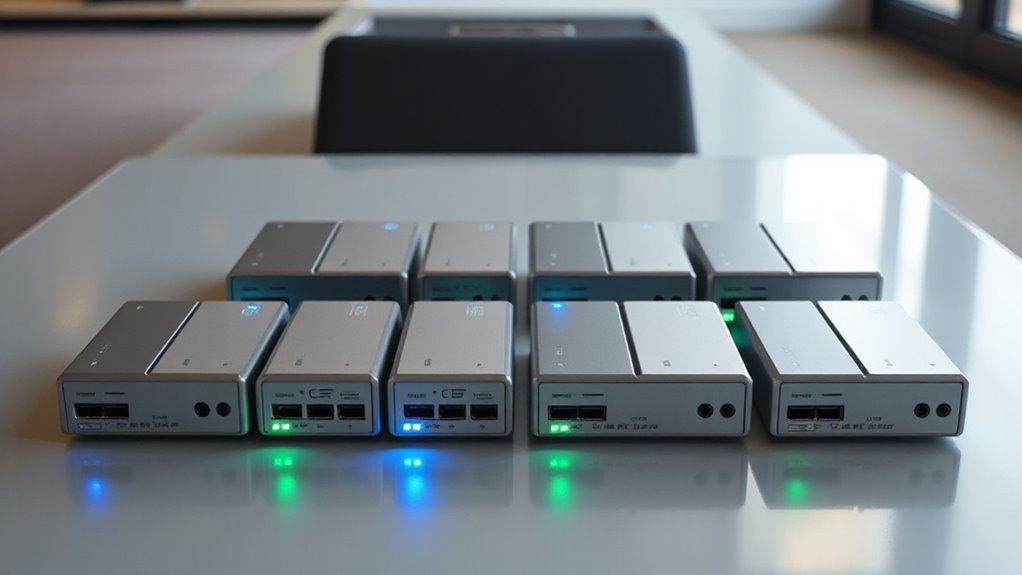

For anyone needing a reliable, portable NVMe duplicator, the options can feel overwhelming. The best models combine speed, ease of use, and durability, but tradeoffs often involve price, compatibility, or features. The StarTech M.2 NVMe SSD Duplicator stands out for its fast USB-C 3.2 connection and solid build, making it ideal for professionals. Meanwhile, the FIDECO M.2 NVMe SSD Cloner offers a versatile 3-bay design for users who need multiple drives cloned simultaneously at a more affordable price. The main challenge is balancing performance with portability and budget. Keep reading for a detailed breakdown of the top choices and what makes each one unique.

Get the latest gadgets delivered free with Prime
- Fast, free delivery on millions of items
- Prime Video, Amazon Music and more included
- Member-only deals all year
Complete the kit



Key Takeaways
- Top picks balance speed, portability, and ease of use, with no single product excelling in all areas.
- Multiple-bay options like FIDECO and MAIWO provide efficient cloning for users managing several drives at once.
- Some models prioritize ultra-high-speed connections (USB4, Thunderbolt 4), ideal for demanding workflows.
- Build quality and cooling features are key for sustained performance during intensive cloning tasks.
- Tradeoffs often involve size and price — more compact units tend to be less feature-rich or slower.
| StarTech 1m M.2 NVMe SSD Duplicator/Cloner Dock, USB-C 3.2 20Gbps |  | Best Overall for Standalone Fast Duplication | Connection: USB 3.2 Gen2x2 (20Gbps) | Transfer Rate: 90GBpm | Compatibility: M.2 NVMe, 4Kn sector size, PCIe M-Key | VIEW ON AMAZON | See Our Full Breakdown |
| FIDECO M.2 NVMe SSD Cloner and Duplicator, 3-Bay Hard Drive Dock with Cooling Fan |  | Best for Multi-Drive Compatibility and Offline Cloning | Supported Drives: M.2 NVMe SSD, 2.5/3.5 inch SATA HDD/SSD | Clone Support: Offline clone between drives | Data Transfer Speed: Up to 10Gbps | VIEW ON AMAZON | See Our Full Breakdown |
| Systor 1 to 7 M.2 NVMe/SATA Duplicator – 24GB/Min – SYSNVME-NX407 |  | Best for Versatile Media Support & Secure Erasure | Media Compatibility: NVMe, M.2 SATA, PCIE SSDs, 18TB+ capacities | Copy Speed: 24GB per minute | Erasure Standards: NIST 800-88, DoD 5220.22-M | VIEW ON AMAZON | See Our Full Breakdown |
| Systor 1 to 11 PCIe M.2 NVMe/SATA Duplicator – 18GB/Min |  | Best for Wide Compatibility & Large Capacity Support | Device Compatibility: NVMe, M.2, SATA, PCIe SSDs, SATA HDD/SSD, mSATA, CFAST | Copy Speed: 18GB per minute | Supported Formats: FAT, FAT32, exFAT, NTFS, ext2/3/4, HFS | VIEW ON AMAZON | See Our Full Breakdown |
| MAIWO 4 Bay M.2 NVMe SSD Dock with Cooling Fan, USB4.0 NVMe Cloner Duplicator, Supports 1-to-3 Offline Clone & Software RAID, 40Gbps High Speed, Backward Compatible with Thunderbolt 4/3 |  | Best for High-Speed Multi-Drive Cloning and RAID | Number of Bays: 4 | Supported SSD Lengths: 2230, 2242, 2260, 2280, 22110 | Transfer Speed: 40Gbps | VIEW ON AMAZON | See Our Full Breakdown |
| Rosewill M.2 NVMe Cloner & Eraser Dual Bay SSD Docking Station |  | Best Portable Offline Cloner & Eraser Station | Cloning: Offline SSD cloning without host computer | Eraser Modes: 4 erasure modes for data destruction | Transfer Speed: Up to 20Gbps | VIEW ON AMAZON | See Our Full Breakdown |
| Dual-Bay M.2 SSD Cloner Docking Station 20Gbps Offline Duplicator |  | Best Dual-Bay Portable Cloner for All M.2 Sizes | Cloning Speed: 20Gbps | Supported Drives: NVMe and SATA M.2 SSDs | Drive Sizes: 2230/2242/2260/2280/22110 | VIEW ON AMAZON | See Our Full Breakdown |
| MAIWO Dual M.2 NVMe Cloner, 10Gbps USB 3.2 Gen 2 External SSD Docking Station for PC and Laptop |  | Best High-Speed Open-Air M.2 Cloner | Transfer Speed: 1250MB/s | Supported SSD Sizes: 2230, 2242, 2260, 2280, 22110 | Maximum Capacity per Bay: 8TB | VIEW ON AMAZON | See Our Full Breakdown |
| 10Gbps USB 3.2 NVMe M.2 SSD Enclosure Duplicator |  | Best Cooling-Enhanced High-Speed Cloner | Hardware Interface: USB 3.1 Type C | Data Transfer Rate: 10Gbps | Supported Devices: 2 NVMe M.2 SSDs | VIEW ON AMAZON | See Our Full Breakdown |
| Systor 1 to 4 PCIe M.2 NVMe/SATA Duplicator |  | Best Heavy-Duty Multi-Drive Duplicator | Device Compatibility: M.2 (various sizes), SATA drives | Speed: Up to 18GB per minute | Erase Standards: DoD 3-pass, 7-pass, NIST SP 800-88, Secure Erase | VIEW ON AMAZON | See Our Full Breakdown |
| nvme duplicator portable | Cooling |
|---|---|
| StarTech 1m M.2 NVMe SSD Dupli | Active and passive cooling |
| FIDECO M.2 NVMe SSD Cloner and | Foldable cooling fan |
| Systor 1 to 7 M.2 NVMe/SATA Du | — |
| Systor 1 to 11 PCIe M.2 NVMe/S | — |
| MAIWO 4 Bay M.2 NVMe SSD Dock | Built-in fan |
| Rosewill M.2 NVMe Cloner & Era | — |
| Dual-Bay M.2 SSD Cloner Dockin | Side ventilation |
| MAIWO Dual M.2 NVMe Cloner | — |
| 10Gbps USB 3.2 NVMe M.2 SSD En | Built-in fan |
| Systor 1 to 4 PCIe M.2 NVMe/SA | — |
More Details on Our Top Picks
StarTech 1m M.2 NVMe SSD Duplicator/Cloner Dock, USB-C 3.2 20Gbps
This standalone M.2 NVMe duplicator excels in speed, offering transfer rates up to 90GB per minute, making it ideal for quick data backups and hardware upgrades. Compared with the Systor 1 to 7 duplicator, it provides faster cloning without requiring a computer, but it’s limited to M.2 NVMe drives with specific sector sizes and PCIe M-Key compatibility. Its compact, toaster-style design with LED indicators and active cooling makes it user-friendly, although the focus on M.2 NVMe drives means it lacks versatility for other drive types. This pick is perfect for IT professionals or tech-savvy individuals needing rapid, reliable drive duplication without software complexity.
Pros:- Fast duplication speed up to 90GB per minute
- Standalone operation, no computer required
- Compact design with clear LED indicators
- Active cooling to prevent overheating
Cons:- Limited to M.2 NVMe drives only
- No advanced customization or software features
Best for: IT support technicians and data professionals needing fast, standalone drive duplication
Not ideal for: Casual users with multiple drive types or SATA-only drives, as it only supports M.2 NVMe SSDs
- Connection:USB 3.2 Gen2x2 (20Gbps)
- Transfer Rate:90GBpm
- Compatibility:M.2 NVMe, 4Kn sector size, PCIe M-Key
- Form Factor:Toaster-style top-loading
- Cooling:Active and passive cooling
- Drive Size Support:Target disk must be equal or larger than source
Our verdict“This duplicator suits professionals who prioritize speed and simplicity for M.2 NVMe drives without needing multi-drive compatibility.”
FIDECO M.2 NVMe SSD Cloner and Duplicator, 3-Bay Hard Drive Dock with Cooling Fan
Compared with the StarTech duplicator, the FIDECO dock supports both M.2 NVMe and SATA drives, allowing multiple drives to be accessed simultaneously. Its 3-bay design enables offline cloning and data transfer at speeds up to 10Gbps, with the added benefit of a foldable cooling fan for heat dissipation. While the slower transfer rate means it isn’t suited for massive data transfers, the broad drive compatibility and support for simultaneous access make it ideal for small-scale cloning and backup tasks. This product is well-suited for users who need flexibility across drive types and offline operation, though it requires some manual effort for cloning and drive initialization.
Pros:- Supports multiple drive types (NVMe, SATA, HDDs)
- Simultaneous access to multiple drives
- Foldable cooling fan for heat management
- Offline cloning without software
Cons:- Cloning can take around 20 minutes for 1TB drives
- Requires manual drive initialization
- Limited transfer speed compared to high-end duplicators
Best for: Small IT teams or hobbyists needing versatile multi-drive cloning and backup
Not ideal for: Large-scale data centers or users needing ultra-fast cloning, due to slower transfer speeds
- Supported Drives:M.2 NVMe SSD, 2.5/3.5 inch SATA HDD/SSD
- Clone Support:Offline clone between drives
- Data Transfer Speed:Up to 10Gbps
- Cooling:Foldable cooling fan
- Compatibility:Windows, Mac OS, Linux
Our verdict“This dock suits users needing flexible, multi-drive offline cloning with effective heat management over raw speed.”
Systor 1 to 7 M.2 NVMe/SATA Duplicator – 24GB/Min – SYSNVME-NX407
Supporting 1 to 7 drives and speeds up to 24GB per minute, the Systor SYSNVME-NX407 is a flexible choice for professionals handling diverse media formats. Its independent operation and secure erasure features stand out against simpler duplicators like the StarTech, which focuses solely on speed for M.2 NVMe drives. However, its complexity may be overwhelming for casual users unfamiliar with SSD duplication, and it’s limited to NVMe and SATA SSDs. If security and support for multiple drives matter most, this model offers a compelling balance, though at the cost of a steeper learning curve.
Pros:- Supports up to 7 drives simultaneously
- High-speed copying at 24GB/min
- Includes secure erase options with standard compliance
- Operates independently without a computer
Cons:- Limited to NVMe/SATA SSDs, no other interfaces
- Potentially complex setup for casual users
Best for: IT managers and data security specialists needing multiple drive support and secure wiping
Not ideal for: Home users or casual hobbyists looking for simple, fast cloning of a single drive
- Media Compatibility:NVMe, M.2 SATA, PCIE SSDs, 18TB+ capacities
- Copy Speed:24GB per minute
- Erasure Standards:NIST 800-88, DoD 5220.22-M
- Erasure Features:Quick, Full, Secure Erase, DoD Erase + Compare
- Operation:Standalone
Our verdict“This model is ideal for professionals requiring multi-drive support and security features, despite its complexity.”
Systor 1 to 11 PCIe M.2 NVMe/SATA Duplicator – 18GB/Min
Compared to the previous Systor model, the 1 to 11 PCIe duplicator supports a broader range of interfaces, including PCIe, SATA, mSATA, and CFAST, with capacities over 18TB. Its transfer speed of 18GB per minute balances speed with extensive device compatibility, making it suitable for large-scale data migration tasks. While it doesn’t match the ultra-fast rates of the StarTech or MAIWO models, its support for multiple formats and interfaces without needing a computer makes it a versatile choice. However, the requirement for separate adapters for some interfaces and the limited UI details mean it’s better suited for experienced users who need maximum flexibility.
Pros:- Supports a wide array of device types and interfaces
- Fast data transfer at 18GB per minute
- Supports large capacities over 18TB
- No computer needed for operation
Cons:- Requires separate adapters for some interfaces
- Limited user interface details
Best for: Data centers or professional environments requiring wide device compatibility and large capacity handling
Not ideal for: Small-scale or casual users who don’t need extensive device support or high-volume cloning
- Device Compatibility:NVMe, M.2, SATA, PCIe SSDs, SATA HDD/SSD, mSATA, CFAST
- Copy Speed:18GB per minute
- Supported Formats:FAT, FAT32, exFAT, NTFS, ext2/3/4, HFS
- Erase Options:Quick, Full, Secure, DoD
- Capacity Support:Over 18TB
- Warranty:1 year parts, 3 years labor, lifetime support
Our verdict“This duplicator fits professionals with diverse device needs and high-capacity data migration requirements, despite its complexity.”
MAIWO 4 Bay M.2 NVMe SSD Dock with Cooling Fan, USB4.0 NVMe Cloner Duplicator, Supports 1-to-3 Offline Clone & Software RAID, 40Gbps High Speed, Backward Compatible with Thunderbolt 4/3
Compared to the single-drive units like StarTech or FIDECO, the MAIWO 4 Bay dock supports simultaneous read/write operations across multiple SSDs, making it suitable for data-intensive tasks like editing or recovery. Its blazing transfer speed of 40Gbps via USB 4.0 and support for offline cloning and software RAID set it apart, although initial setup and compatibility considerations with non-M-key SSDs are worth noting. The built-in cooling fan ensures sustained performance during prolonged use, but the complexity of RAID management and initial configuration might challenge less experienced users. This model is best for professionals or power users managing large volumes of data across multiple drives.
Pros:- Supports multiple SSDs simultaneously
- High-speed data transfer up to 40Gbps
- Built-in cooling fan prevents overheating
- Supports offline clone and software RAID
Cons:- Requires initial setup for RAID and drive configuration
- Potential compatibility issues with non-M-key SSDs
Best for: Video editors and data recovery specialists requiring fast, multi-drive cloning with RAID support
Not ideal for: Casual users or those with only one or two drives, due to its larger size and setup complexity
- Number of Bays:4
- Supported SSD Lengths:2230, 2242, 2260, 2280, 22110
- Transfer Speed:40Gbps
- Connectivity:USB 4.0 (backward compatible with Thunderbolt 4/3)
- Cooling:Built-in fan
- Clone Support:Offline, 1-to-3 clones & software RAID
Our verdict“This dock is designed for professional workflows needing fast, multi-drive cloning and RAID capabilities, with a tradeoff in setup complexity.”
Rosewill M.2 NVMe Cloner & Eraser Dual Bay SSD Docking Station
This device excels in offering offline cloning and secure erasure for M.2 NVMe SSDs, making it ideal for field technicians and data sanitization tasks. Compared with the Dual-Bay M.2 SSD Cloner Docking Station 20Gbps Offline Duplicator, it supports a dedicated erasure function, adding versatility for secure data destruction. However, it is limited to M.2 NVMe SSDs with M key, which narrows its compatibility. The 20Gbps transfer speed ensures rapid data handling, yet it requires a USB 3.2 Gen 2×2 port to achieve maximum performance—something not all laptops support. Its tool-free, lightweight design emphasizes portability, but it doesn’t support RAID or multiple drive types beyond NVMe M key SSDs. This pick makes the most sense for professionals needing quick, secure cloning and erasure on the go, especially when working with M.2 NVMe drives only.
Pros:- Supports fast data transfer speeds up to 20Gbps
- Enables offline cloning and secure data erasure
- Compact, lightweight, and tool-free for portability
Cons:- Limited to M.2 NVMe M key SSDs, reducing versatility
- Requires USB 3.2 Gen 2×2 port for full speed, which may not be available on all devices
Best for: IT professionals performing secure data sanitization and quick cloning in the field
Not ideal for: Home users with a mix of SATA and NVMe drives who need a multi-protocol solution
- Cloning:Offline SSD cloning without host computer
- Eraser Modes:4 erasure modes for data destruction
- Transfer Speed:Up to 20Gbps
- Connectivity:USB 3.2 Gen 2×2
- Compatibility:M.2 M key NVMe SSDs
- Design:Tool-free, lightweight, portable
Our verdict“A highly portable and secure solution best suited for professionals needing M.2 NVMe-specific cloning and erasure.”
Dual-Bay M.2 SSD Cloner Docking Station 20Gbps Offline Duplicator
This model makes a strong case for users needing simultaneous cloning of NVMe and SATA M.2 drives with fast speeds, comparable to the Rosewill M.2 NVMe Cloner & Eraser. Its support for all M.2 sizes (2230 to 22110) and multiple protocols offers broader flexibility than the Rosewill, making it suitable for content creators and IT technicians working with varied drive inventories. The 20Gbps transfer speed ensures swift duplication, but it requires external power, which slightly compromises portability. Unlike the MAIWO Dock, it doesn’t feature an open-air design; instead, it relies on a sturdy chassis with side ventilation, which may generate more bulk. It doesn’t clone NVMe and SATA drives simultaneously, but its support for multiple drive sizes and quick swap design provides efficiency for onsite repairs or backups. This station is best for professionals who want dual-drive capacity without sacrificing speed or versatility.
Pros:- Fast 20Gbps cloning speeds for NVMe drives
- Supports all M.2 sizes and both NVMe and SATA protocols
- Tool-free, easy drive swapping, portable for field use
Cons:- Requires external power source for optimal performance
- Cannot clone NVMe and SATA drives simultaneously, limiting multitasking
Best for: IT technicians and content creators needing flexible, dual-drive cloning in the field
Not ideal for: Casual users or home setups requiring simple, single-drive cloning
- Cloning Speed:20Gbps
- Supported Drives:NVMe and SATA M.2 SSDs
- Drive Sizes:2230/2242/2260/2280/22110
- Capacity:16TB total (8TB per slot)
- Power Options:USB-C, DC adapter, power bank
- Cooling:Side ventilation
Our verdict“A versatile dual-bay station ideal for professionals managing various M.2 drives in portable environments.”
MAIWO Dual M.2 NVMe Cloner, 10Gbps USB 3.2 Gen 2 External SSD Docking Station for PC and Laptop
The MAIWO Dual M.2 NVMe Cloner distinguishes itself with exceptional transfer speeds up to 1250MB/s, surpassing many competitors like the Rosewill in raw performance. Its open-air, heat-dissipating design allows for better thermal management during prolonged use, a key advantage over enclosed units like the Systor Duplicator. While the speed and thermal features are impressive, it’s limited to M-Key NVMe SSDs and requires manual insertion, which could slow down workflows for frequent swapping. Its support for multiple sizes and large capacities makes it suitable for high-demand environments, but the need for manual operation and lack of included accessories may be drawbacks for less experienced users. This is perfect for users prioritizing speed and thermal stability in a standalone, portable clone environment.
Pros:- Outstanding data transfer speeds up to 1250MB/s
- Open-air design for superior heat dissipation
- Supports multiple M.2 sizes and large capacities
Cons:- Manual insertion required for cloning, less automated
- Limited to M-Key NVMe SSDs, no SATA support
Best for: Power users and professionals focused on maximum speed and thermal management during cloning
Not ideal for: Beginners or those requiring automated or multi-protocol drive cloning
- Transfer Speed:1250MB/s
- Supported SSD Sizes:2230, 2242, 2260, 2280, 22110
- Maximum Capacity per Bay:8TB
- Total Capacity:16TB
- Compatibility:Windows, macOS, Linux, iPadOS, Android, PS5
- Design:Vertical open-air
Our verdict“A high-performance, thermally efficient clone station ideal for speed-conscious users familiar with manual setups.”
10Gbps USB 3.2 NVMe M.2 SSD Enclosure Duplicator
This enclosure and duplicator offers 10Gbps transfer speeds combined with a built-in cooling fan, making it appealing for users who need reliable data transfer with thermal management. Compared to the Rosewill M.2 NVMe Cloner & Eraser, it includes a fan that helps prevent overheating during prolonged use, a key benefit for intensive cloning sessions. However, its power requirements and inability to clone SATA drives limit its versatility, and it is restricted to M.2 NVMe SSDs only. Its tool-free, quick setup makes it suitable for on-the-fly tasks, but the lack of support for heat sinks or SATA drives makes it less flexible for varied drive types. This product suits users prioritizing speed and cooling in a portable, single-drive environment.
Pros:- Supports high-speed data transfer up to 10Gbps
- Built-in cooling fan prevents overheating during extended use
- Tool-free installation for quick setup
Cons:- Limited to NVMe M.2 SSDs, no SATA support
- Requires external power adapter for operation
Best for: Power users who need fast cloning with active cooling for NVMe drives
Not ideal for: Users needing multi-protocol support or SATA drive cloning solutions
- Hardware Interface:USB 3.1 Type C
- Data Transfer Rate:10Gbps
- Supported Devices:2 NVMe M.2 SSDs
- Enclosure Material:Aluminum
- Item Weight:0.39 kg
- Cooling:Built-in fan
Our verdict“A reliable, cooled enclosure for NVMe cloning that balances speed with thermal management.”
Systor 1 to 4 PCIe M.2 NVMe/SATA Duplicator
The Systor 1 to 4 PCIe M.2 NVMe/SATA Duplicator stands out for its wide device compatibility and high-speed performance of up to 18GB per minute, making it suitable for large-scale duplication tasks. Its support for both NVMe and SATA drives, along with multiple secure erase options, makes it more versatile than the other options that focus solely on NVMe. The ability to daisy-chain multiple units introduces scalability, ideal for data centers or professional labs. However, its setup complexity and lack of user-friendly interface could deter less technical users. The absence of detailed specs on ease of use suggests it’s aimed at experienced technicians. This is the best choice for those with heavy, multi-drive cloning needs and technical expertise.
Pros:- High-speed cloning up to 18GB per minute
- Supports a wide range of drive types and sizes
- Multiple secure erase options and daisy-chaining capability
Cons:- Setup and operation can be complex requiring technical skills
- Limited information on user interface and ease of use
Best for: Data centers or professional labs managing large-scale drive duplication
Not ideal for: Home or small business users seeking simple, plug-and-play cloning solutions
- Device Compatibility:M.2 (various sizes), SATA drives
- Speed:Up to 18GB per minute
- Erase Standards:DoD 3-pass, 7-pass, NIST SP 800-88, Secure Erase
- Partitioning:MBR and GPT
- Capacity Support:2TB+
- Daisy Chain:Yes
Our verdict“A robust, scalable solution designed for high-volume drive duplication with advanced features for experienced users.”
How We Picked
The products were evaluated based on performance speed, ease of setup, build quality, and versatility. Cloning speed was a primary factor, especially for professional use, while portability and compatibility with different systems also played crucial roles. Reliability, customer reviews, and additional features like cooling or multi-drive support influenced the rankings. Products that offered a good balance of value and advanced capabilities were prioritized, with a focus on real-world usability rather than just raw specs.| nvme duplicator portable | Cooling |
|---|---|
| StarTech 1m M.2 NVMe SSD Dupli | Active and passive cooling |
| FIDECO M.2 NVMe SSD Cloner and | Foldable cooling fan |
| Systor 1 to 7 M.2 NVMe/SATA Du | — |
| Systor 1 to 11 PCIe M.2 NVMe/S | — |
| MAIWO 4 Bay M.2 NVMe SSD Dock | Built-in fan |
| Rosewill M.2 NVMe Cloner & Era | — |
| Dual-Bay M.2 SSD Cloner Dockin | Side ventilation |
| MAIWO Dual M.2 NVMe Cloner | — |
| 10Gbps USB 3.2 NVMe M.2 SSD En | Built-in fan |
| Systor 1 to 4 PCIe M.2 NVMe/SA | — |
Factors to Consider When Choosing Nvme Duplicator Portable
Choosing a portable NVMe duplicator involves more than just speed. Consider how many drives you need to clone at once, as multi-bay units can save time but often come at a higher cost and size. Compatibility with your existing hardware and software is also vital — ensure the device supports your drive sizes and connection types. Portability matters if you’ll be working on the go, so look for lightweight, durable designs. Additionally, think about cooling features, as sustained cloning can generate heat that affects performance. Lastly, assess whether you prefer offline cloning, which doesn’t require a connection to a PC, or a device with built-in software for more control.Speed and Performance
Speed is often the most noticeable difference between models, especially when cloning large NVMe drives. High-end units support USB4 or Thunderbolt 4, offering transfer rates upwards of 40Gbps, which drastically reduces cloning time. However, these faster connections tend to come with a higher price tag. For most professional users, a speed of at least 10Gbps via USB 3.2 Gen 2 is sufficient, but always verify the actual transfer rates listed by the manufacturer to avoid overestimating performance.Multi-Drive Support
If you frequently clone multiple drives, multi-bay units like the FIDECO or MAIWO models provide major efficiency gains. These devices can clone several drives simultaneously, saving hours in busy workflows. The tradeoff is often increased size, weight, and cost. Also, check whether the device supports different drive sizes and types, ensuring compatibility with your storage ecosystem. For single-drive tasks, a simpler, smaller duplicator might be more suitable.Build Quality and Cooling
Intensive cloning tasks generate heat, which can throttle performance or damage drives over time. Devices with built-in cooling fans or heat sinks tend to offer more reliable, sustained performance. Durability is also a factor—look for sturdy construction, especially if you plan to carry the duplicator frequently. Cheaper models may skip these features, risking overheating or damage during extended use.Connectivity and Compatibility
Ensure the duplicator supports your hardware, whether through USB-C, Thunderbolt, or other interfaces. Compatibility with different operating systems and drive sizes is equally important. Some models include software for managing clones, which can simplify the process, but verify if these are compatible with your OS and offer the features you need. Also, consider whether the device can work offline or requires connection to a computer for cloning.Price and Value
While high-speed, multi-bay units tend to cost more, they often justify the investment if cloning large volumes frequently. Budget options may suffice for occasional use or smaller drives but can lack speed or durability. Focus on what features matter most for your workflow — sometimes paying a premium yields a more reliable, longer-lasting device, but in other cases, a budget model with fewer features will do the job.Frequently Asked Questions
Can I clone NVMe drives directly without a computer?
Many portable NVMe duplicators support offline cloning, meaning you can clone drives directly without connecting to a PC. These units typically have built-in hardware to perform cloning tasks independently, which is convenient for quick, on-the-go duplication. However, check whether your specific model supports this feature, as some require software on a host computer to operate. Offline cloning also reduces the risk of data transfer errors caused by connection issues.What is the fastest connection type for NVMe duplication?
The fastest connection types currently available for portable NVMe duplicators are USB4 and Thunderbolt 4, both supporting transfer speeds up to 40Gbps. These interfaces drastically cut cloning times for large drives, making them ideal for professional environments where time is critical. Keep in mind that your host computer and drives must also support these standards to leverage the full speed. For most users, USB 3.2 Gen 2 (10Gbps) offers a good balance of speed and compatibility.Are multi-bay duplicators worth the extra cost?
Multi-bay duplicators are highly valuable if you regularly clone multiple drives simultaneously, saving significant time in busy workflows. They are especially useful in environments like data centers or professional media production. However, they tend to be larger, heavier, and more expensive than single-bay units. Consider your typical volume of cloning tasks and whether the added speed and efficiency justify the higher investment and size.How important is cooling in a portable duplicator?
Cooling is quite important, especially for prolonged cloning sessions or high-speed operations, as it prevents overheating that can throttle performance or damage drives. Devices with built-in fans or heat sinks help maintain consistent performance and prolong device lifespan. If you plan to clone multiple large NVMe drives frequently, prioritizing cooling features is a wise choice to avoid unexpected slowdowns or hardware issues.Should I prioritize portability over features?
Deciding between portability and features depends on your typical workflow. If you need to clone drives mainly in a fixed location, a larger, feature-rich unit with multi-bay support and high-speed connections might be better. Conversely, if you require a lightweight, compact device for on-the-go tasks, sacrificing some features for portability makes sense. Consider how often you’ll carry the device and the volume of cloning you do to make the best choice.Conclusion
For most professional users who need speed and reliability, the StarTech NVMe Duplicator offers a robust, fast solution. Budget-conscious buyers handling small workloads will find the FIDECO M.2 NVMe SSD Cloner a practical, multi-bay option. Beginners or those needing a portable, easy-to-use device should consider simpler models with straightforward interfaces. Power users or IT teams managing multiple drives simultaneously will benefit from multi-bay units like MAIWO or Systor. Ultimately, your choice should align with your specific cloning volume, speed requirements, and portability needs.