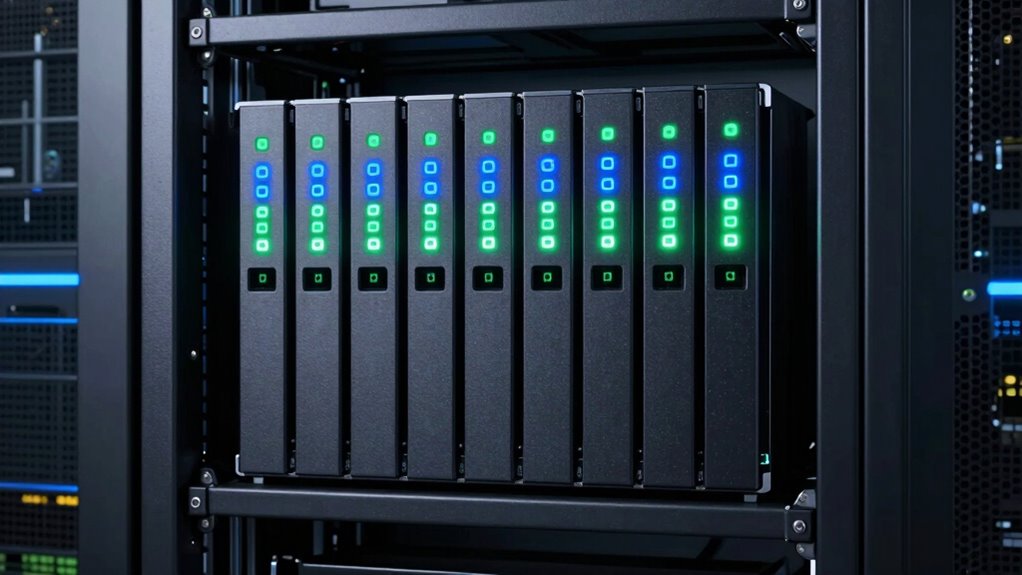

When selecting a NAS for virtualization storage, the key factors are performance, scalability, and reliability. The QNAP TS-1655-8G-US stands out as the best overall for its high capacity and versatility, supporting demanding virtual environments. The Asustor Lockerstor 10 Gen3 offers impressive speed and expandability with dual 10GbE ports, making it ideal for intensive workloads. However, buyers face tradeoffs between raw power, ease of use, and cost. Continue reading for a detailed breakdown of each option’s strengths and weaknesses, helping you find the best fit for your virtualization needs.

Get the latest gadgets delivered free with Prime
- Fast, free delivery on millions of items
- Prime Video, Amazon Music and more included
- Member-only deals all year
Complete the kit



Key Takeaways
- High-capacity NAS devices like the QNAP TS-1655-8G-US excel for large virtualization setups requiring extensive storage.
- Dual 10GbE ports on models like the Asustor Lockerstor 10 Gen3 significantly improve network throughput, critical for virtualized environments.
- Rackmount NAS options such as the QNAP TS-h2287XU-RP cater to enterprise-scale virtualization with robust processing power.
- All-flash NAS like the Asustor FLASHSTOR 12 Pro provides ultra-low latency but comes at a higher cost, fitting for mission-critical workloads.
- Smaller 4-6 bay NAS units can support virtualization but often require careful selection to balance performance and expandability.
| QNAP TS-1655-8G-US 16-Bay Hybrid NAS |  | Best Overall for High-Capacity Virtualization Storage | Processor: Intel Atom C-5125 8-core, burst up to 2.8GHz | RAM: 8GB DDR4 (upgradable to 128GB, ECC supported) | Drive Bays: 16 (12 x 3.5-inch + 4 x 2.5-inch) | VIEW ON AMAZON | See Our Full Breakdown |
| Asustor Lockerstor 10 Gen3 AS6810T 10-Bay NAS, AMD Ryzen V3C14 Quad-Core, 16GB ECC DDR5 RAM, Dual 10GbE + Dual 5GbE, 4 M.2 NVMe Slots, USB4 40Gbps, Diskless |  | Best for High-Performance Virtualization and Media Workloads | Processor: AMD Ryzen V3C14 Quad-Core | RAM: 16GB ECC DDR5 (expandable to 64GB) | Network: Dual 10GbE + Dual 5GbE | VIEW ON AMAZON | See Our Full Breakdown |
| LincStation N2 6-Bay NAS Server with Intel N100, 16GB RAM, 10GbE, 2 SATA Bays, 4 M.2 NVMe Slots, DIY NAS for Plex, Docker, Private Cloud, Unraid Starter License Included, Diskless |  | Best for DIY Enthusiasts and Private Cloud Setups | Processor: Intel N100 4-core, 4-thread up to 3.4GHz | RAM: 16GB LPDDR5 | Network: 10GbE Ethernet port | VIEW ON AMAZON | See Our Full Breakdown |
| QNAP TS-h2287XU-RP-E2378-64G-US 22 Bay 3U Rackmount Hybrid NAS with Intel Xeon Processor |  | Best for Enterprise-Grade Virtualization and Data Protection | Processor: Intel Xeon E-2336 or E-2378 | RAM: Up to 64GB DDR4 ECC (upgradable to 128GB) | Drive Bays: 16 x 3.5-inch + 6 x 2.5-inch SATA | VIEW ON AMAZON | See Our Full Breakdown |
| Synology 8 Bay RackStation RS1221+ (Diskless) |  | Best for Multi-User Virtualization with High-Speed Performance | Performance: Up to 2,315 MB/s read, 1,147 MB/s write | Bays: 8 | Form Factor: Rackmount | VIEW ON AMAZON | See Our Full Breakdown |
| Synology 4-Bay DiskStation DS925+ |  | Best Overall for Balanced Virtualization Performance | Drive Bays: 4 | Network Ports: Dual 2.5GbE | Sequential Read/Write Throughput: 522/565 MB/s | VIEW ON AMAZON | See Our Full Breakdown |
| Asustor Lockerstor 6 Gen2+ AS6706T v2 6-Bay NAS |  | Best for Professional Workflows and 4K Media | Processor: Intel Celeron N5105 quad-core | Memory: 8GB DDR4 | Number of Bays: 6 | VIEW ON AMAZON | See Our Full Breakdown |
| Asustor Lockerstor 6 Gen3 AS6806T 6-Bay NAS |  | Best for Enterprise-Grade Virtualization and AI Workloads | Processor: AMD Ryzen V3C14 quad-core | Networking: Dual 10GbE + Dual 5GbE | SSD Slots: 4 PCIe 4.0 NVMe | VIEW ON AMAZON | See Our Full Breakdown |
| QNAP TS-855X-8G-US 8-Bay NAS |  | Best for High-Capacity Virtualization and Business Use | Processor: Intel Atom C5125 8-core 2.8GHz | Drive Bays: 8 | Network Ports: 1 x 10Gbase-T, 2 x 2.5GbE | VIEW ON AMAZON | See Our Full Breakdown |
| Asustor FLASHSTOR 12 Pro Gen2 FS6812X |  | Best for Enterprise-Grade All-Flash Virtualization | Number of Bays: 12 | Processor: AMD Ryzen V3C14 quad-core | Memory: 16GB ECC DDR5 | VIEW ON AMAZON | See Our Full Breakdown |
| TERRAMASTER F4-425 Pro NAS 4-Bay, Intel N305 8-Core, 8GB RAM (Diskless) |  | Best for High-Performance Small Business Virtualization | Processor: Intel N305 8-core | Memory: 8GB RAM | Drive Bays: 4 | VIEW ON AMAZON | See Our Full Breakdown |
| nas for virtualization storage | Processor |
|---|---|
| QNAP TS-1655-8G-US 16-Bay Hybr | Intel Atom C-5125 8-core, burst up to 2.8GHz |
| Asustor Lockerstor 10 Gen3 AS6 | AMD Ryzen V3C14 Quad-Core |
| LincStation N2 6-Bay NAS Serve | Intel N100 4-core, 4-thread up to 3.4GHz |
| QNAP TS-h2287XU-RP-E2378-64G-U | Intel Xeon E-2336 or E-2378 |
| Synology 8 Bay RackStation RS1 | — |
| Synology 4-Bay DiskStation DS9 | — |
| Asustor Lockerstor 6 Gen2+ AS6 | Intel Celeron N5105 quad-core |
| Asustor Lockerstor 6 Gen3 AS68 | AMD Ryzen V3C14 quad-core |
| QNAP TS-855X-8G-US 8-Bay NAS | Intel Atom C5125 8-core 2.8GHz |
| Asustor FLASHSTOR 12 Pro Gen2 | AMD Ryzen V3C14 quad-core |
| TERRAMASTER F4-425 Pro NAS 4-B | Intel N305 8-core |
More Details on Our Top Picks
QNAP TS-1655-8G-US 16-Bay Hybrid NAS
The QNAP TS-1655-8G-US stands out for its impressive combination of large capacity and robust performance, making it ideal for virtualization environments that demand significant storage space. Compared with the Synology RS1221+, it offers more drive bays and higher RAM support, translating into greater scalability. Its Intel Atom C-5125 processor, though efficient, isn’t as powerful as Xeon-based options, which means it handles moderate workloads well but might lag under heavy virtualization. The dual 2.5GbE ports provide solid network throughput, but users should note the setup can be complex for less technical buyers. This NAS balances capacity, flexibility, and performance, making it suitable for enterprise or advanced homelab use, provided users can manage its size and price.
Pros:- High capacity with 16 drive bays for large-scale storage needs
- Supports up to 128GB of ECC RAM for demanding workloads
- Dual 2.5GbE ports for faster network throughput
- Flexible with M.2 slots for SSD cache acceleration
Cons:- Setup complexity may challenge less experienced users
- Premium price point for the features offered
- Heavy and large, less suited for small spaces
Best for: Large businesses or advanced prosumers needing extensive storage and flexible cache options for virtualization.
Not ideal for: Small offices or casual users who prefer simple, plug-and-play solutions without extensive setup or high costs.
- Processor:Intel Atom C-5125 8-core, burst up to 2.8GHz
- RAM:8GB DDR4 (upgradable to 128GB, ECC supported)
- Drive Bays:16 (12 x 3.5-inch + 4 x 2.5-inch)
- Network:Dual 2.5GbE RJ45 ports
- Storage Slots:2 x M.2 PCIe Gen 3 slots
- Supports:SSD cache, SSD storage pool, or accelerator
Our verdict“This NAS suits organizations that prioritize capacity and expandability over simplicity and budget constraints.”
Asustor Lockerstor 10 Gen3 AS6810T 10-Bay NAS, AMD Ryzen V3C14 Quad-Core, 16GB ECC DDR5 RAM, Dual 10GbE + Dual 5GbE, 4 M.2 NVMe Slots, USB4 40Gbps, Diskless
The Asustor Lockerstor 10 Gen3 AS6810T offers a powerhouse platform with dual 10GbE and 5GbE ports, making it ideal for intensive virtualization tasks and large media workflows. Compared to the QNAP TS-1655, it features a more modern AMD Ryzen V3C14 processor and faster DDR5 RAM, providing better performance under demanding loads. Its four M.2 NVMe slots allow for extensive caching, boosting virtual machine responsiveness and data access speeds. However, it requires users to purchase drives separately, adding to initial costs. This model excels for professionals working with AI, editing, or virtual environments needing maximum throughput, but it might be overkill and costly for lighter workloads or casual users.
Pros:- Dual 10GbE and dual 5GbE ports for high-speed networking
- Supports four NVMe SSDs for optimal caching and performance
- Powerful AMD Ryzen V3C14 processor with expandable RAM
- Includes USB4 40Gbps for fast data transfer
Cons:- Requires separate purchase of drives, increasing costs
- Complex setup for users unfamiliar with enterprise tech
- Higher price point suited to professionals
Best for: IT professionals and content creators managing virtualized environments and large-scale multimedia projects.
Not ideal for: Home users or small businesses seeking budget-friendly, easy-to-set-up NAS solutions with fewer performance demands.
- Processor:AMD Ryzen V3C14 Quad-Core
- RAM:16GB ECC DDR5 (expandable to 64GB)
- Network:Dual 10GbE + Dual 5GbE
- Storage Bays:10
- M.2 Slots:4 NVMe PCIe 4.0
- Connectivity:USB4 40Gbps
Our verdict“This NAS is best for users needing maximum network throughput and caching for virtualization and media workflows, despite its higher cost and complexity.”
LincStation N2 6-Bay NAS Server with Intel N100, 16GB RAM, 10GbE, 2 SATA Bays, 4 M.2 NVMe Slots, DIY NAS for Plex, Docker, Private Cloud, Unraid Starter License Included, Diskless
The LincStation N2 offers a compelling package for tech-savvy users looking for flexible virtualization and media server capabilities. Its Intel N100 processor and 16GB RAM deliver decent performance for small-scale virtualization and file sharing, comparable to the QNAP TS-1655 but at a more accessible price point. The inclusion of a free Unraid OS starter license makes it especially appealing for those wanting customizable storage management. Its SATA and NVMe slots allow for tailored caching and storage configurations, but the diskless design means initial setup requires purchasing drives separately—an extra step for beginners. Overall, it’s well-suited for those comfortable with DIY NAS setups who want control and expandability.
Pros:- Flexible storage with 2 SATA bays and 4 NVMe slots
- Pre-installed with Unraid OS for versatile management
- Affordable, with good performance for small workloads
- Includes a free starter license for DIY customization
Cons:- Requires users to purchase drives separately, increasing initial costs
- Setup can be complex for those unfamiliar with NAS or Unraid
- Limited to 16GB RAM, which may restrict very heavy virtual workloads
Best for: Tech enthusiasts and small-scale virtualization users who want a customizable, budget-conscious NAS.
Not ideal for: Complete beginners or users seeking a turnkey solution with minimal configuration and setup.
- Processor:Intel N100 4-core, 4-thread up to 3.4GHz
- RAM:16GB LPDDR5
- Network:10GbE Ethernet port
- Storage Bays:2 SATA, 4 M.2 NVMe
- Connectivity:USB-C (10G), USB 3.2 Gen2, HDMI 2.0
- Included Software:Unraid OS Starter License
Our verdict“Ideal for DIYers seeking a customizable NAS that balances performance with flexibility and affordability, if they are comfortable with setup complexity.”
QNAP TS-h2287XU-RP-E2378-64G-US 22 Bay 3U Rackmount Hybrid NAS with Intel Xeon Processor
The QNAP TS-h2287XU-RP delivers a formidable platform with 22 drive bays and Intel Xeon processors, making it a prime choice for large-scale virtualization and enterprise workloads. Unlike the Synology RS1221+, it offers a higher bay count and more advanced enterprise features, including up to 128GB RAM support and PCIe expansion. Its dual 10GbE ports facilitate rapid data transfer and virtualization tasks, while the Xeon CPUs handle demanding virtual machines with ease. The setup, however, requires significant technical expertise, and the rackmount form factor demands dedicated space and rack infrastructure. It’s best suited for data centers or large IT environments that need maximum capacity, performance, and resilience.
Pros:- High-performance Intel Xeon processors for demanding virtual workloads
- Ample 22 bays for extensive storage capacity
- Up to 128GB RAM support for virtualization and heavy multitasking
- Dual 10GbE ports for fast network connectivity
Cons:- High cost makes it unsuitable for smaller budgets
- Requires technical expertise for setup and management
- Large physical size necessitates rack space and infrastructure
Best for: Data centers or large enterprise IT teams requiring scalable virtualization and robust data protection.
Not ideal for: Small offices or casual users who need a simple, plug-and-play NAS with fewer bays and less complexity.
- Processor:Intel Xeon E-2336 or E-2378
- RAM:Up to 64GB DDR4 ECC (upgradable to 128GB)
- Drive Bays:16 x 3.5-inch + 6 x 2.5-inch SATA
- Network:Dual 10GbE, Dual 2.5GbE
- Expansion Slots:PCIe Gen 4
- Supports:High-demand virtualization and enterprise data management
Our verdict“This NAS best serves large enterprises or data centers prioritizing capacity, performance, and scalability over ease of use.”
Synology 8 Bay RackStation RS1221+ (Diskless)
The Synology RS1221+ offers a well-balanced platform for virtualization in multi-user environments, with speeds reaching over 2,300 MB/s read and over 1,100 MB/s write. Its compact rackmount design makes it more manageable than larger enterprise models like the QNAP TS-h2287XU-RP, while still providing ample performance for most virtualization needs. It lacks the bay count of larger rackmounts but compensates with high-speed networking and high availability support, making it ideal for small to medium-sized virtualized setups. The main tradeoff is that it’s diskless, requiring users to invest in drives, and it may need network upgrades to maximize its performance. Still, it balances speed, reliability, and ease of deployment effectively.
Pros:- High data transfer speeds suitable for virtualization
- Compact rackmount design with manageable size
- Supports high availability clustering for uptime
- Ideal for multi-user environments
Cons:- Requires additional disks, adding cost and setup time
- Limited to 8 bays, less scalable for massive storage needs
- May need network upgrades for peak performance
Best for: Medium-sized businesses or advanced prosumers needing reliable, high-speed virtualization and high availability.
Not ideal for: Very large-scale enterprise environments or users needing extensive storage capacity beyond 8 bays.
- Performance:Up to 2,315 MB/s read, 1,147 MB/s write
- Bays:8
- Form Factor:Rackmount
- Support:High availability clustering
- Network:High-speed Ethernet
Our verdict“This NAS excels in multi-user virtualization scenarios with a balance of speed and reliability, suitable for mid-sized setups.”
Synology 4-Bay DiskStation DS925+
The Synology DS925+ stands out for its combination of high-speed data transfer and versatile features that support virtualization, making it a strong choice for small to medium businesses. Compared with the QNAP TS-855X-8G-US, it offers a simpler setup with reliable software ecosystem and a quieter operation, but it falls behind in raw performance and expandability. The dual 2.5GbE ports provide fast, redundant network options that are ideal for virtual environments, though the device is diskless, requiring additional drives which increase initial costs. Its 522/565 MB/s throughput ensures smooth VM hosting for light to moderate workloads. However, the lack of included drives and limited expansion means it’s less suited for those needing maximum scalability or enterprise-level features. This pick makes the most sense for users who want a reliable, easy-to-manage virtualization NAS with decent performance and solid data protection.
Pros:- High-speed data transfer with up to 565 MB/s throughput
- Dual 2.5GbE ports for fast, redundant network connectivity
- Versatile support for data management, backup, virtualization, and surveillance
Cons:- Diskless design requires additional drives, increasing initial cost
- Limited expandability for future growth
Best for: Small to medium-sized businesses needing a dependable, easy-to-use virtualization NAS with good network connectivity
Not ideal for: Large enterprises requiring extensive expansion or high-end enterprise features, as this device may lack the raw power and scalability they need
- Drive Bays:4
- Network Ports:Dual 2.5GbE
- Sequential Read/Write Throughput:522/565 MB/s
- Warranty:3-year limited hardware
Our verdict“This NAS suits small to medium businesses seeking a reliable, balanced virtualization platform with straightforward management.”
Asustor Lockerstor 6 Gen2+ AS6706T v2 6-Bay NAS
The Asustor Lockerstor 6 Gen2+ is tailored for users who need a high-performance NAS capable of handling demanding workloads like 4K media editing and virtualization. Its dual 5GbE ports and 8GB DDR4 RAM provide a solid foundation for multitasking, especially compared to the Synology DS925+’s simpler network setup. The four M.2 NVMe slots support speedy caching, which can significantly boost VM responsiveness when paired with ample storage drives. However, being diskless, it requires additional investment upfront, and its complexity can be daunting for casual users. The premium pricing reflects its advanced hardware, making it more suitable for professionals rather than casual or home users. This device makes the most sense for content creators or small teams needing high throughput and flexible storage options for intensive workflows.
Pros:- Dual 5GbE ports with 10GbE upgrade support for fast networking
- Supports four M.2 NVMe SSDs for caching acceleration
- Powerful Intel N5105 quad-core processor and 8GB DDR4 RAM for multitasking
Cons:- Requires additional drives due to diskless configuration
- Premium price point and complex setup for non-experts
Best for: Professional users requiring high-speed, reliable virtualization, and media editing capabilities
Not ideal for: Home users or those on a tight budget, as its complexity and cost may be prohibitive
- Processor:Intel Celeron N5105 quad-core
- Memory:8GB DDR4
- Number of Bays:6
- Network Ports:Dual 5GbE
- SSD Slots:4 M.2 NVMe
- Supported Storage:HDD and SSD
Our verdict“Ideal for professionals who need a robust, fast NAS for virtualization and media workflows, willing to handle setup complexity and costs.”
Asustor Lockerstor 6 Gen3 AS6806T 6-Bay NAS
The Asustor Lockerstor 6 Gen3 stands out for its AMD Ryzen V3C14 processor and extensive networking options, including dual 10GbE and dual 5GbE ports, making it well-suited for high-demand virtualization and AI tasks. Its PCIe 4.0 NVMe slots and expandable ECC DDR5 memory support provide enterprise-grade performance and reliability. Compared to the previous Gen2+ model, this version offers even higher raw computing power and expandability, ideal for complex workloads. Nonetheless, it remains diskless, so additional drives add to the overall cost, and its setup can be challenging for users unfamiliar with enterprise hardware. Its high price tag and advanced features target IT professionals and power users who need maximum performance and future-proofing for demanding virtualization environments.
Pros:- High-performance AMD Ryzen quad-core CPU up to 3.8GHz
- Dual 10GbE and dual 5GbE ports for maximum network throughput
- Supports PCIe 4.0 NVMe SSDs and expandable ECC DDR5 RAM
Cons:- Requires additional drives due to diskless design
- High cost and complex setup for non-enterprise users
Best for: Power users or IT professionals managing high-end virtualization, AI, and enterprise workloads
Not ideal for: Casual users or small businesses without technical expertise or budget for advanced hardware
- Processor:AMD Ryzen V3C14 quad-core
- Networking:Dual 10GbE + Dual 5GbE
- SSD Slots:4 PCIe 4.0 NVMe
- Memory:16GB ECC DDR5, expandable to 64GB
Our verdict“Designed for demanding virtualization and AI workloads, this NAS offers top-tier hardware for advanced users with technical skills and high performance needs.”
QNAP TS-855X-8G-US 8-Bay NAS
The QNAP TS-855X offers a compelling mix of high capacity and robust connectivity, making it suitable for larger virtualization environments. Its 8-core Intel Atom processor, combined with multiple drive bays and NVMe slots, provides ample power for running multiple virtual machines and intensive applications. When compared with the Synology DS925+’s straightforward setup, the TS-855X’s extensive expansion options—such as PCIe slots—are better suited for future upgrades. However, its more complex configuration could intimidate users unfamiliar with enterprise-grade hardware, and it lacks pre-installed drives, increasing initial expenses. Its long warranty support until 2027 appeals to organizations planning for sustained, large-scale deployment. It’s best for businesses needing a flexible, high-capacity NAS capable of scaling with growing virtualization demands.
Pros:- 8-core Intel Atom processor with high scalability
- Supports multiple drive bays and NVMe caching
- Flexible connectivity including 10GbE and PCIe expansion slots
Cons:- Requires additional drives, increasing upfront costs
- Setup complexity may be challenging for less experienced users
Best for: Medium to large businesses with high virtualization requirements and capacity for detailed setup
Not ideal for: Small offices or home users who prefer plug-and-play simplicity and lower costs
- Processor:Intel Atom C5125 8-core 2.8GHz
- Drive Bays:8
- Network Ports:1 x 10Gbase-T, 2 x 2.5GbE
- NVMe Slots:2 x M.2 PCIe Gen 3 x4
- Warranty:3 years
Our verdict“A strong choice for organizations needing scalable, high-capacity virtualization storage with room for future upgrades.”
Asustor FLASHSTOR 12 Pro Gen2 FS6812X
The Asustor FLASHSTOR 12 Pro Gen2 is tailored for enterprise users who demand ultra-fast data access for virtualization, AI, and media workloads. Its 12 NVMe SSD slots, combined with PCIe 4.0 support, deliver exceptional caching and I/O performance, surpassing many hybrid NAS options. Its AMD Ryzen V3C14 processor and 16GB ECC DDR5 memory ensure reliable, high-speed processing for demanding virtual environments. Compared with the diskless models, this all-flash NAS offers superior responsiveness and energy efficiency, but at a significantly higher cost that may be prohibitive for smaller teams. Setup can be complex, requiring a good understanding of enterprise storage, making it less suitable for casual users. This model is best for large-scale data centers or AI labs where performance is paramount.
Pros:- 12 NVMe SSD slots supporting PCIe 4.0 for maximum caching speed
- Dual 10GbE ports for rapid network connectivity
- Energy-efficient, silent, and compact for enterprise environments
Cons:- Expensive, suited mainly for enterprise budgets
- Requires technical expertise for setup and maintenance
Best for: Enterprise users needing high-speed, reliable all-flash storage for virtualization and AI workloads
Not ideal for: Small business or home users due to high cost and setup complexity
- Number of Bays:12
- Processor:AMD Ryzen V3C14 quad-core
- Memory:16GB ECC DDR5
- Network Ports:Dual 10GbE
Our verdict“Best for large-scale enterprise environments where high speed, reliability, and capacity are critical, and budget is less constrained.”
TERRAMASTER F4-425 Pro NAS 4-Bay, Intel N305 8-Core, 8GB RAM (Diskless)
The TERRAMASTER F4-425 Pro stands out for offering a robust combination of processing power and flexibility in a 4-bay form factor. Its Intel N305 8-core CPU and 8GB RAM enable smooth multitasking, making it well-suited for small business virtualization needs. Compared with the Synology RS1221+, it provides similar performance but at a potentially lower cost, though its complex feature set might challenge less technical users. The support for dual 5GbE ports with link aggregation ensures fast network throughput, beneficial for multiple VMs or media streams. The inclusion of three M.2 NVMe slots allows for cache acceleration, a key advantage over simpler NAS devices. However, the device comes diskless, requiring additional investment in drives and setup expertise. Its price point isn’t specified, which could be a concern for budget-conscious buyers.
Overall, this NAS is geared toward small businesses or advanced home users who need powerful hardware and flexible expansion for virtualization and AI workflows.
Pros:- Powerful 8-core CPU and 8GB RAM for multitasking
- Fast network with dual 5GbE ports and link aggregation
- Supports virtualization, multimedia streaming, and AI workflows
- Flexible storage with online expansion and RAID options
Cons:- Requires additional purchase of drives, increasing initial cost
- Complex feature set may demand technical expertise
Best for: Small business owners or tech-savvy users needing high performance and flexible storage for virtualization and AI tasks.
Not ideal for: Beginners or users seeking an all-in-one, plug-and-play solution with included drives and simple setup.
- Processor:Intel N305 8-core
- Memory:8GB RAM
- Drive Bays:4
- Network Ports:Dual 5GbE
- M.2 NVMe Slots:3
- Operating System:TOS 7 AI OS
- Form Factor:Diskless
Our verdict“This NAS makes the most sense for small businesses or advanced users prioritizing performance and flexibility over simplicity.”

How We Picked
I evaluated these NAS options based on their performance capabilities, scalability for virtual workloads, hardware build quality, ease of management, and overall value. Devices with faster processors, ample RAM, and high-speed network interfaces were prioritized, as these are essential for virtualization. I also considered expandability features like M.2 NVMe slots and the number of drive bays, which influence future growth potential. The ranking reflects how well each NAS balances these factors for users running virtual machines, containers, or private clouds, with an emphasis on practical performance for demanding virtualized environments.Factors to Consider When Choosing Nas For Virtualization Storage
Choosing the right NAS for virtualization involves more than just storage capacity. You need to consider performance factors like CPU and RAM, network speed, scalability options, and the ecosystem’s compatibility with virtualization platforms. Making the wrong choice can lead to bottlenecks, poor VM performance, or limited expandability. Here are key factors to keep in mind beyond individual product specs to ensure your NAS meets your virtualization demands effectively.Performance and Processing Power
For virtualization, CPU and RAM are critical as they directly impact VM responsiveness and stability. Opt for NAS models with multi-core processors—preferably Intel Xeon or AMD Ryzen—and ample ECC RAM. Underpowered units may struggle under load, leading to sluggish VM performance. It’s wise to choose a device that exceeds your current needs slightly to accommodate future growth or increased workloads, avoiding costly upgrades later.
Network Connectivity
High-speed network interfaces such as 10GbE or multiple 1GbE ports are essential to prevent network bottlenecks when running multiple VMs or accessing shared storage. Cheaper NAS units with only gigabit Ethernet can severely limit performance in virtualized environments, especially when multiple users or heavy data transfers are involved. Prioritize models with flexible network options, including dual 10GbE ports, to future-proof your setup.
Scalability and Expandability
Virtualization needs often grow over time, so look for NAS devices with multiple drive bays, M.2 NVMe slots, and support for expansion cards. These features enable you to add more storage or faster caching tiers later. Overlooking expandability can result in needing a costly upgrade prematurely, especially in environments where data and VM demands increase rapidly.
Ease of Management and Compatibility
An intuitive management interface and strong support for virtualization platforms like VMware, Hyper-V, or VirtualBox are vital. Some NAS units come with dedicated virtualization apps or plugins that simplify VM deployment and management. Failing to consider software ecosystem support can lead to compatibility issues, complicating your virtualization projects and increasing setup time.
Cost and Total Value
High-performance NAS devices often come with a higher price tag, especially those with enterprise features or all-flash configurations. Balance your budget against the features you need, such as CPU power, network speed, and expandability. Sometimes, investing in a slightly more expensive model pays off through better performance and longer-term scalability, preventing the need for early replacements.
Frequently Asked Questions
Can I run multiple virtual machines efficiently on a 4-bay NAS?
Running multiple VMs on a 4-bay NAS is possible but depends heavily on the hardware specs. For moderate workloads, models with quad-core CPUs and at least 8GB of RAM can handle a few VMs, especially if paired with SSD caching. However, for more demanding setups or higher VM density, larger NAS units with more CPU cores, RAM, and faster network interfaces will provide a smoother experience, reducing latency and avoiding bottlenecks.
Is an all-flash NAS necessary for virtualization?
While not strictly necessary, an all-flash NAS offers significant advantages for virtualization, such as ultra-low latency and high IOPS, which benefit demanding workloads. They are ideal for environments where VM responsiveness is critical, like database servers or high-performance computing. However, they come at a higher cost, so for less intensive virtual environments, hybrid or HDD-based NAS units can still deliver decent performance at a lower price.
How many drive bays do I need for a small virtualization setup?
For small-scale virtualization, a NAS with 4 to 6 bays often suffices, especially if you plan to use SSDs for caching or tiered storage. More bays provide better scalability and redundancy options, but beyond a certain point, the added complexity and cost may outweigh the benefits if your needs are modest. Focus on models that support future expansion, even if you start with fewer drives.
Should I prioritize network speed over CPU performance?
Both are important, but in virtualization, network speed often becomes a bottleneck first if it’s too slow. A NAS with 10GbE ports will better support multiple VMs accessing shared storage than a faster CPU alone. However, without a capable CPU, increased network speed won’t fully deliver the performance needed for VM responsiveness. Ideally, a balanced setup with both high-speed networking and a strong processor is best.
What’s the best way to ensure my NAS can handle future virtual workload growth?
Choose a NAS with ample drive bays, support for SSD caching, and a powerful processor. Prioritize models with upgrade paths for RAM and network interfaces, like dual 10GbE ports. Planning for scalability upfront prevents costly replacements later, especially as your virtual environment expands in size and complexity. Additionally, consider the software ecosystem to support easier migration and expansion.
Conclusion
For most users, the QNAP TS-1655-8G-US offers an excellent balance of capacity, performance, and flexibility—making it the best overall choice. Those seeking high-speed performance and future-proofing should consider the Asustor Lockerstor 10 Gen3 with its dual 10GbE ports. Beginners or smaller setups might opt for the Synology DiskStation DS925+ for its user-friendly interface. Enterprise environments demanding maximum scalability and power will find the QNAP TS-h2287XU-RP suitable. Ultimately, your choice depends on your virtualization workload size, budget, and future growth plans.
As an affiliate, we earn on qualifying purchases.Halloween Picks
halloween