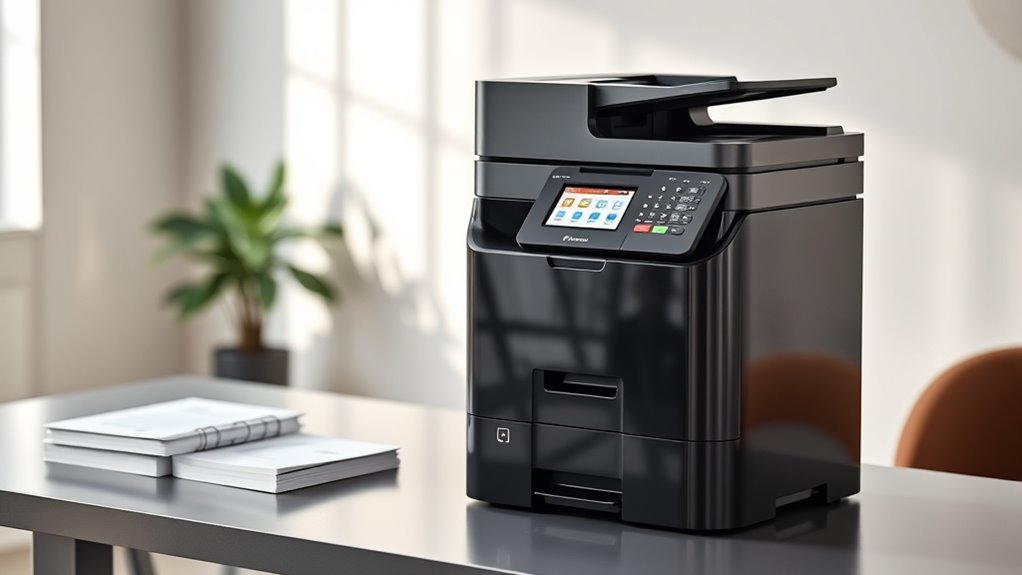

If you’re looking for the best multifunction laser printers for 2026, I’ve found top models that print, scan, copy, and even fax with speed, reliability, and excellent connectivity. Whether you need a compact monochrome printer or a color all-in-one with advanced security features, there’s a fit for your office or home setup. Keep going, and I’ll guide you through the most important options and what to evaluate before making a choice.
Key Takeaways
- The list features top multifunction laser printers for 2026 with high-speed, color and monochrome options, suitable for various office needs.
- It highlights models with advanced connectivity, mobile printing, and cloud integration for seamless workflow.
- The printers offer multi-functionality including print, scan, copy, and fax, with features like duplex scanning and high-volume capacity.
- Emphasis on security features, energy efficiency, and compact designs tailored for small offices and home environments.
- Detailed specifications, performance metrics, and cost considerations help users choose reliable, cost-effective printers for 2026.
| Brother DCP-L2640DW Wireless Mono Laser Printer with Scan | 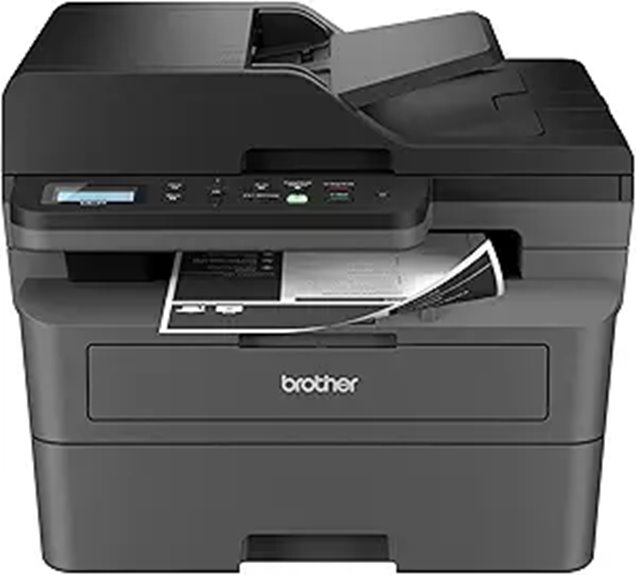 | Small Business Powerhouse | Printing Speed: Up to 36 ppm | Scan Speed / Capacity: 23.6/7.9 ipm; 50-page ADF | Connectivity Options: Wireless, Ethernet, USB | VIEW LATEST PRICE | See Our Full Breakdown |
| Canon imageCLASS MF3010 ‐ Multifunction Laser Printer | 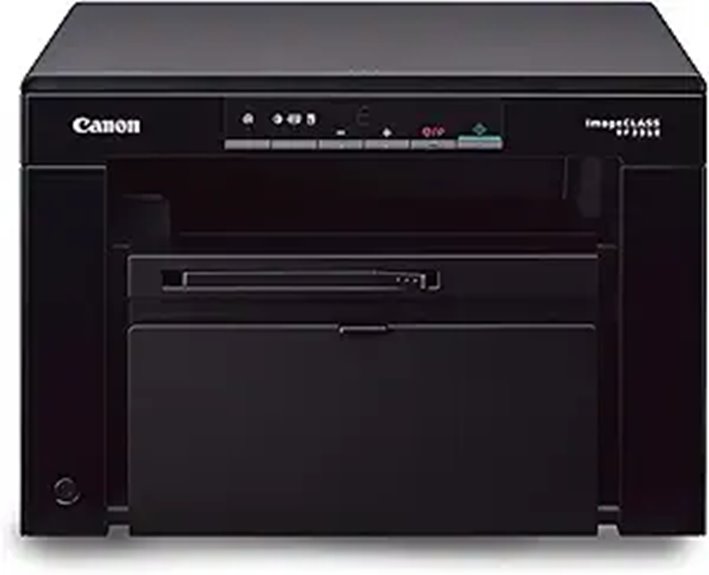 | Compact Efficiency | Printing Speed: Up to 19 ppm | Scan Speed / Capacity: 600 dpi; ID Card Copy | Connectivity Options: Not specified | VIEW LATEST PRICE | See Our Full Breakdown |
| HP LaserJet Pro MFP 3101fdw Wireless All-in-One Printer | 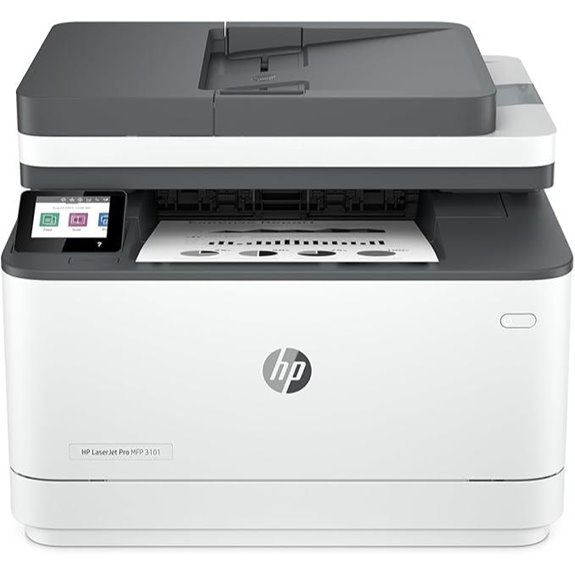 | Reliable All-in-One | Printing Speed: Up to 35 ppm | Scan Speed / Capacity: Not specified; auto document feeder | Connectivity Options: Wireless, Ethernet, USB | VIEW LATEST PRICE | See Our Full Breakdown |
| HP LaserJet MFP M140w Wireless Monochrome Printer | 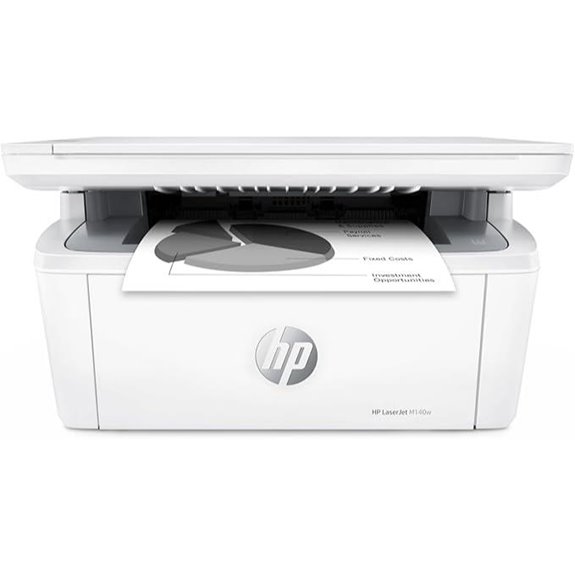 | Space-Saving Solution | Printing Speed: Up to 21 ppm | Scan Speed / Capacity: Capable of copying ID cards; unspecified speed | Connectivity Options: Wireless, USB | VIEW LATEST PRICE | See Our Full Breakdown |
| Canon Color Laser Printer with Scanner and Wi-Fi | 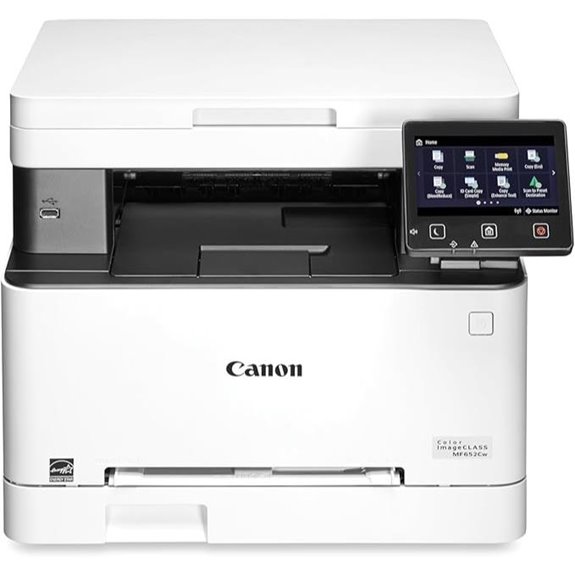 | Color Professional | Printing Speed: Up to 22 ppm | Scan Speed / Capacity: 50-sheet ADF; multi-function scanning | Connectivity Options: Wireless, Ethernet, Mobile apps | VIEW LATEST PRICE | See Our Full Breakdown |
| Brother MFC-L2820DW Wireless Monochrome Laser Printer | 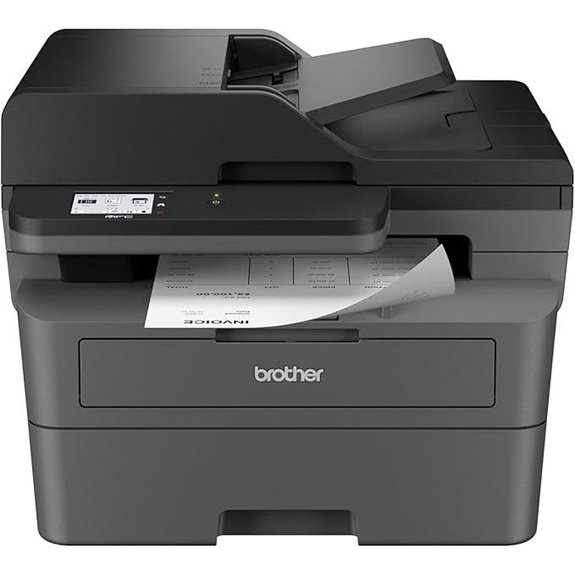 | Budget-Friendly Choice | Printing Speed: Up to 36 ppm | Scan Speed / Capacity: 23.6/7.9 ipm; 50-page ADF | Connectivity Options: Wireless, Ethernet, USB | VIEW LATEST PRICE | See Our Full Breakdown |
| HP LaserJet MFP M235sdw Wireless Printer All-in-One | 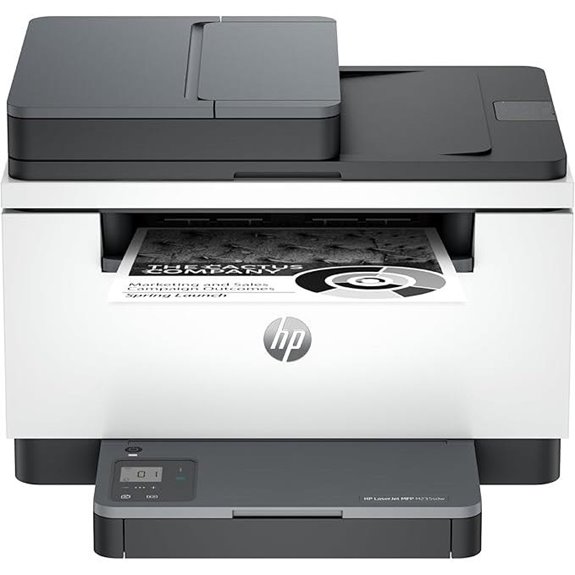 | Fast & Dependable | Printing Speed: Up to 36 ppm | Scan Speed / Capacity: Up to 23.6 ipm; 50-sheet ADF | Connectivity Options: Wireless, Ethernet | VIEW LATEST PRICE | See Our Full Breakdown |
| Canon Color Laser Printer with Scanner and Copier | 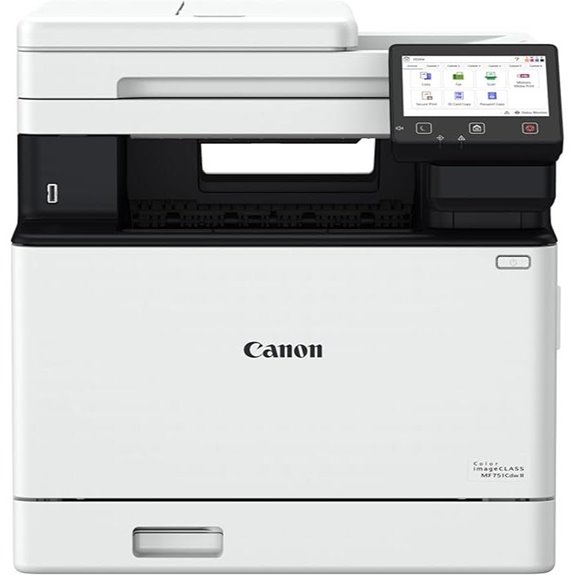 | Versatile Office Mate | Printing Speed: Up to 22 ppm | Scan Speed / Capacity: 50-sheet ADF; fast scanning | Connectivity Options: Wireless, USB | VIEW LATEST PRICE | See Our Full Breakdown |
| HP Color LaserJet Pro MFP 3301sdw Wireless All-in-One Printer | 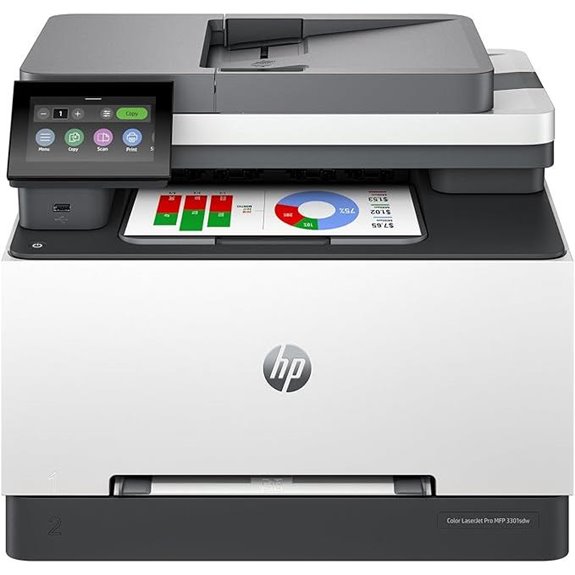 | High-Quality Output | Printing Speed: Up to 26 ppm | Scan Speed / Capacity: Up to 19 ppm (two-sided); ADF not specified | Connectivity Options: Wireless, Ethernet | VIEW LATEST PRICE | See Our Full Breakdown |
| Canon MF465dw II Wireless Laser Printer with Fax | 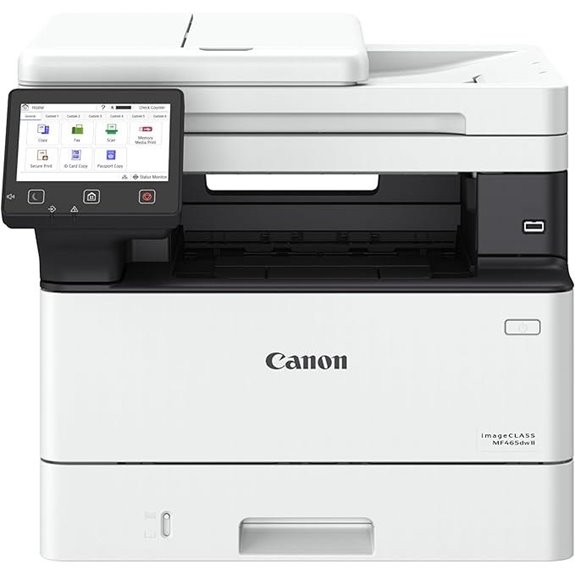 | Professional Reliability | Printing Speed: Up to 42 ppm (print & copy) | Scan Speed / Capacity: 50-sheet duplex ADF | Connectivity Options: Wireless, Ethernet | VIEW LATEST PRICE | See Our Full Breakdown |
| HP LaserJet Pro MFP 3101sdw Wireless All-in-One Printer |  | Space-Conscious Design | Printing Speed: Up to 35 ppm | Scan Speed / Capacity: 50-sheet ADF | Connectivity Options: Wireless, Ethernet | VIEW LATEST PRICE | See Our Full Breakdown |
| Brother DCP-L2640DW Wireless Monochrome Laser Printer | 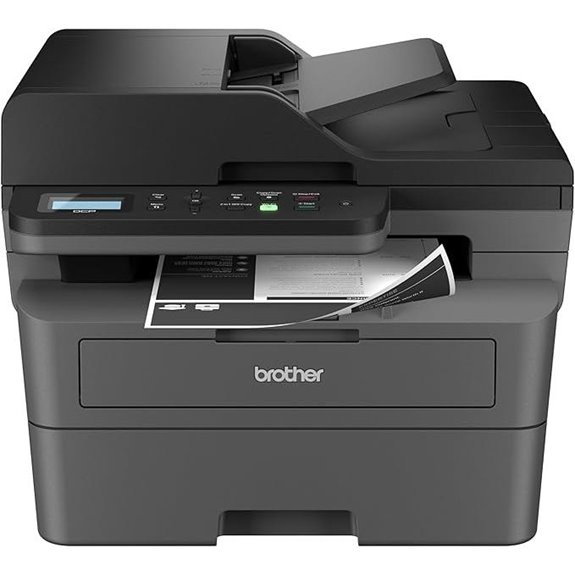 | User-Friendly Interface | Printing Speed: Up to 36 ppm | Scan Speed / Capacity: 23.6/7.9 ipm; 50-sheet ADF | Connectivity Options: Wireless, Ethernet, USB | VIEW LATEST PRICE | See Our Full Breakdown |
| Brother HL-L2480DW Wireless Monochrome Laser Printer | 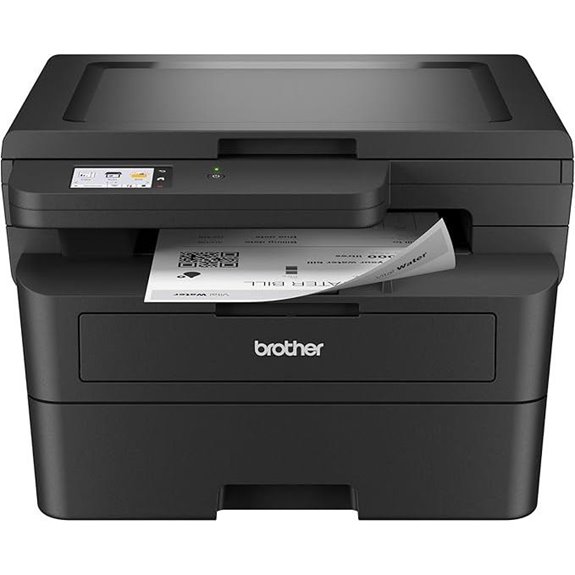 | Cost-Effective Performance | Printing Speed: Up to 36 ppm | Scan Speed / Capacity: Not specified; auto document feeder | Connectivity Options: Wireless, Ethernet, USB | VIEW LATEST PRICE | See Our Full Breakdown |
| Canon Color Laser All-in-One Printer with Fax | 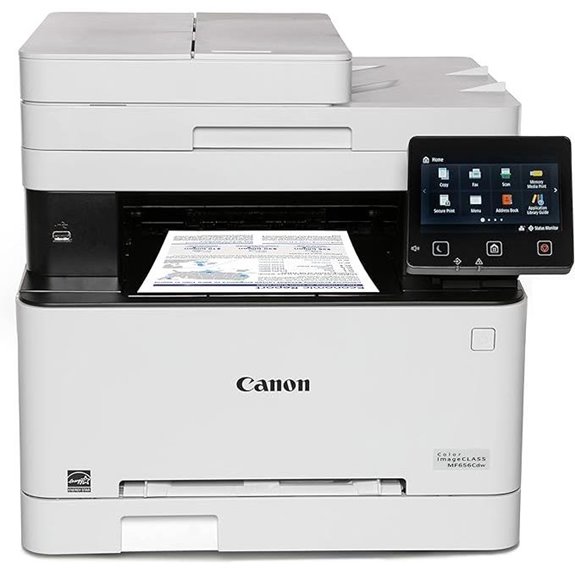 | Feature-Rich Performance | Printing Speed: Up to 42 ppm | Scan Speed / Capacity: 50-sheet duplex ADF | Connectivity Options: Wireless, Ethernet, USB | VIEW LATEST PRICE | See Our Full Breakdown |
| HP LaserJet MFP M234dw Wireless Printer |  | Small Office Essential | Printing Speed: Up to 30 ppm (single-sided) | Scan Speed / Capacity: 50-sheet ADF | Connectivity Options: Wireless, Ethernet | VIEW LATEST PRICE | See Our Full Breakdown |
More Details on Our Top Picks
Brother DCP-L2640DW Wireless Mono Laser Printer with Scan
If you’re running a small business and need a reliable, space-saving laser printer that handles all your printing, scanning, and copying needs, the Brother DCP-L2640DW is an excellent choice. It’s compact yet powerful, with speeds up to 36 pages per minute, making quick work of large jobs. The 50-page auto document feeder streamlines multi-page scanning and copying, boosting efficiency. Its flexible connectivity options—Wi-Fi, Ethernet, and USB—allow seamless multi-device use. Plus, with the Brother Mobile Connect app, you can manage prints and scans remotely. Overall, it’s a dependable, high-quality monochrome all-in-one perfect for a busy office environment.
- Printing Speed:Up to 36 ppm
- Scan Speed / Capacity:23.6/7.9 ipm; 50-page ADF
- Connectivity Options:Wireless, Ethernet, USB
- Mobile Compatibility:Brother Mobile Connect App
- Security Features:Secure wireless, supply management
- Paper Capacity:250 sheets
- Additional Feature:Auto Document Feeder (ADF)
- Additional Feature:Works with Alexa Voice
- Additional Feature:Refresh EZ Print Subscription
Canon imageCLASS MF3010 ‐ Multifunction Laser Printer
The Canon imageCLASS MF3010 is an excellent choice for small offices or home users who need a reliable, budget-friendly multifunction laser printer. It prints up to 19 pages per minute with an 8-second first printout, ensuring quick results. The scanner offers color scans up to 600 dpi, and it features an ID Card Copy function for easy duplication of small documents. Its energy saver mode consumes just 1.2 watts in sleep, helping reduce power costs. With a paper capacity of 150 sheets, it handles everyday printing needs efficiently. Overall, it’s a compact, cost-effective option that covers your printing, scanning, and copying essentials effortlessly.
- Printing Speed:Up to 19 ppm
- Scan Speed / Capacity:600 dpi; ID Card Copy
- Connectivity Options:Not specified
- Mobile Compatibility:Not specified
- Security Features:Not specified
- Paper Capacity:150 sheets
- Additional Feature:Color Scanning (600 dpi)
- Additional Feature:ID Card Copy Function
- Additional Feature:Compact Design
HP LaserJet Pro MFP 3101fdw Wireless All-in-One Printer
Looking for a reliable all-in-one printer designed for small teams? The HP LaserJet Pro MFP 3101fdw fits the bill perfectly. It handles printing, scanning, copying, and faxing for teams of up to seven users. With speeds up to 35 pages per minute and features like automatic document feeding and duplex printing, it boosts efficiency. Its wireless capabilities support mobile, PC, and tablet printing via Ethernet, Bluetooth, AirPrint, and more. Security is a priority, thanks to HP Wolf Pro Security and customizable settings. It’s ideal for producing professional-quality black-and-white documents quickly and securely in any small office environment.
- Printing Speed:Up to 35 ppm
- Scan Speed / Capacity:Not specified; auto document feeder
- Connectivity Options:Wireless, Ethernet, USB
- Mobile Compatibility:Mobile printing support
- Security Features:HP Wolf Pro Security
- Paper Capacity:250 sheets
- Additional Feature:Built-in Fax Function
- Additional Feature:2.7-inch Touchscreen
- Additional Feature:Supports Cloud Printing
HP LaserJet MFP M140w Wireless Monochrome Printer
Ideal for small teams, the HP LaserJet MFP M140w Wireless Monochrome Printer delivers professional-quality black-and-white documents quickly and reliably. Its compact design makes it easy to fit anywhere, perfect for tight spaces. With print speeds up to 21 pages per minute, you won’t wait long for your reports or reports. Wireless connectivity with a self-reset feature guarantees a stable connection, while the ability to print from any device—mobile, PC, or tablet—adds convenience. You can also scan to cloud or use remote printing via the HP Smart app. This reliable, easy-to-use printer is ideal for small offices needing efficient monochrome printing, copying, and scanning.
- Printing Speed:Up to 21 ppm
- Scan Speed / Capacity:Capable of copying ID cards; unspecified speed
- Connectivity Options:Wireless, USB
- Mobile Compatibility:Supports mobile printing via HP Smart
- Security Features:Basic security features
- Paper Capacity:250 sheets
- Additional Feature:Self-Reset Wireless
- Additional Feature:Compact & Portable
- Additional Feature:Supports Scan to Cloud
Canon Color Laser Printer with Scanner and Wi-Fi
If you’re searching for a versatile, space-saving printer that handles high-volume tasks with ease, the Canon Color imageCLASS MF652Cw is a top choice. This wireless 3-in-1 laser printer prints, scans, and copies at up to 22 pages per minute in color and black-and-white, with first pages out in just over 10 seconds. It features a 250-sheet paper capacity and supports mobile printing through Canon PRINT and Chromebook compatibility. ENERGY STAR certified and EPEAT Silver registered, it’s eco-friendly too. Plus, the sleek white design and 3-year warranty make it a reliable, efficient addition to any office needing professional-quality output and seamless connectivity.
- Printing Speed:Up to 22 ppm
- Scan Speed / Capacity:50-sheet ADF; multi-function scanning
- Connectivity Options:Wireless, Ethernet, Mobile apps
- Mobile Compatibility:Mobile apps, Chromebook compatible
- Security Features:Not specified
- Paper Capacity:250 sheets + optional expansion
- Additional Feature:Poster Artist Online
- Additional Feature:3-Year Limited Warranty
- Additional Feature:High-Capacity Toner
Brother MFC-L2820DW Wireless Monochrome Laser Printer
The Brother MFC-L2820DW Wireless Monochrome Laser Printer stands out as an excellent choice for small offices seeking reliable, high-quality monochrome printing without sacrificing space. It combines print, scan, copy, and fax functions in a compact design, perfect for limited desks. With fast printing speeds up to 36 ppm and a 50-page auto document feeder, it handles busy workflows efficiently. Connectivity options include dual-band wireless, Ethernet, and USB, allowing secure, flexible device management. The 2.7-inch touchscreen simplifies navigation, and integration with cloud services makes document sharing effortless. Plus, the Refresh Subscription helps reduce toner costs, enhancing its overall value.
- Printing Speed:Up to 36 ppm
- Scan Speed / Capacity:23.6/7.9 ipm; 50-page ADF
- Connectivity Options:Wireless, Ethernet, USB
- Mobile Compatibility:Brother Mobile Connect App
- Security Features:Secure wireless, supply management
- Paper Capacity:250 sheets
- Additional Feature:2.7-Inch Touchscreen
- Additional Feature:Cloud Service Support
- Additional Feature:Toner Savings EZ Subscription
HP LaserJet MFP M235sdw Wireless Printer All-in-One
For small offices of up to five people, the HP LaserJet MFP M235sdw Wireless Printer All-in-One stands out with its rapid duplex printing, reaching speeds of up to 28 pages per minute. It handles black-and-white documents, brochures, and presentations efficiently, saving time on large projects. Its wireless capabilities let me print from any mobile device, PC, or tablet easily, plus there’s Ethernet for wired connectivity. Built-in dual-band Wi-Fi with self-reset guarantees smooth operation without connectivity hiccups. With scanning, copying, and strong security features, it’s a compact, versatile choice for busy small teams needing reliable, all-in-one functionality.
- Printing Speed:Up to 36 ppm
- Scan Speed / Capacity:Up to 23.6 ipm; 50-sheet ADF
- Connectivity Options:Wireless, Ethernet
- Mobile Compatibility:Mobile printing via apps
- Security Features:Security measures included
- Paper Capacity:250 sheets
- Additional Feature:Duplex Printing (Fast)
- Additional Feature:Built-in Security
- Additional Feature:Compatible with Multiple Platforms
Canon Color Laser Printer with Scanner and Copier
Designed for busy offices that need reliable, high-quality color printing, the Canon Color imageCLASS MF751Cdw II stands out with its fast print speeds and intuitive touchscreen interface. It handles printing, scanning, and copying in a compact design, making it perfect for space-conscious environments. With speeds of up to 35 pages per minute and a quick 7-second first print time, it keeps workflows moving smoothly. The 250-sheet paper capacity, expandable to 550 sheets, meets high-volume demands. Its wireless connectivity and support for mobile printing via Canon PRINT, AirPrint, and Mopria make on-the-go tasks effortless. Overall, this device combines performance and convenience for busy office settings.
- Printing Speed:Up to 22 ppm
- Scan Speed / Capacity:50-sheet ADF; fast scanning
- Connectivity Options:Wireless, USB
- Mobile Compatibility:Mobile printing support
- Security Features:Security features included
- Paper Capacity:250 sheets + optional expansion
- Additional Feature:3-Inch Touchscreen
- Additional Feature:High Page Yield Toner
- Additional Feature:Supports Mobile Printing
HP Color LaserJet Pro MFP 3301sdw Wireless All-in-One Printer
If you’re looking for a reliable all-in-one printer that boosts productivity in small office teams, the HP Color LaserJet Pro MFP 3301sdw is an excellent choice. From a trusted brand, it handles printing, scanning, and copying professional-quality color documents with ease. It offers fast speeds of up to 26 ppm, auto 2-sided printing, and a 250-sheet input tray to keep your workflow smooth. Its TerraJet toner technology ensures vivid, sharp colors, while its built-in features like an auto document feeder and duplex printing save time. Designed for durability, it’s compatible with HP cartridges and firmware updates that maintain security and performance.
- Printing Speed:Up to 26 ppm
- Scan Speed / Capacity:Up to 19 ppm (two-sided); ADF not specified
- Connectivity Options:Wireless, Ethernet
- Mobile Compatibility:Compatible with HP Smart app
- Security Features:Security features included
- Paper Capacity:250 sheets
- Additional Feature:Vivid Color Output
- Additional Feature:250-Sheet Input
- Additional Feature:Award-Winning Reliability
Canon MF465dw II Wireless Laser Printer with Fax
The Canon MF465dw II Wireless Laser Printer with Fax stands out as an excellent choice for small to medium-sized offices that need reliable, high-speed monochrome printing. It delivers up to 42 pages per minute with a quick first print in about 5 seconds, boosting productivity. The 50-sheet automatic document feeder and duplex scanning streamline multi-page tasks. Its intuitive 5-inch color touchscreen makes operation easy, while wireless connectivity and mobile printing options via Canon PRINT, AirPrint, and Mopria support flexible workflows. With a standard 250-sheet capacity, expandable up to 550 sheets, and high-yield toner cartridges, it’s built for high-volume use and efficiency.
- Printing Speed:Up to 42 ppm (print & copy)
- Scan Speed / Capacity:50-sheet duplex ADF
- Connectivity Options:Wireless, Ethernet
- Mobile Compatibility:Mobile printing via Canon PRINT, AirPrint
- Security Features:Security features included
- Paper Capacity:250 sheets + optional expansion
- Additional Feature:5-Inch Color Touchscreen
- Additional Feature:50-Sheet Duplex ADF
- Additional Feature:Supports Multiple Media Types
HP LaserJet Pro MFP 3101sdw Wireless All-in-One Printer
For small teams seeking reliable, professional-quality black-and-white printing, the HP LaserJet Pro MFP 3101sdw Wireless All-in-One Printer stands out as an excellent choice. It offers impressive speeds of up to 35 pages per minute, making quick work of reports and documents. The auto 2-sided printing feature boosts efficiency, while the 250-sheet input tray and 50-sheet auto document feeder support high-volume tasks. With dependable Wi-Fi, it automatically finds the best connection, ensuring seamless wireless printing, scanning, and copying. Known for award-winning reliability, it consistently delivers sharp, professional results and is compatible only with HP chips or circuitry cartridges.
- Printing Speed:Up to 35 ppm
- Scan Speed / Capacity:50-sheet ADF
- Connectivity Options:Wireless, Ethernet
- Mobile Compatibility:Mobile printing supported
- Security Features:Firmware security updates
- Paper Capacity:250 sheets
- Additional Feature:Auto Document Feeder
- Additional Feature:250-Sheet Tray
- Additional Feature:High-Speed Printing
Brother DCP-L2640DW Wireless Monochrome Laser Printer
Designed for small businesses seeking reliable, space-saving printing solutions, the Brother DCP-L2640DW stands out with its fast monochrome printing speed of up to 36 pages per minute. It combines printing, scanning, and copying in one compact device, ideal for busy work environments. With a 50-page auto document feeder, multi-page tasks become more efficient. Its flexible connectivity options include wireless, Ethernet, and USB, making device management simple across platforms. Plus, with the Brother Mobile Connect app, I can print, scan, and monitor usage from my phone. The included toner subscription guarantees I stay stocked without hassle, keeping my workflow smooth and uninterrupted.
- Printing Speed:Up to 36 ppm
- Scan Speed / Capacity:23.6/7.9 ipm; 50-sheet ADF
- Connectivity Options:Wireless, Ethernet, USB
- Mobile Compatibility:Mobile app support (various)
- Security Features:Secure wireless, supply management
- Paper Capacity:250 sheets
- Additional Feature:Cloud & Mobile Support
- Additional Feature:Toner Replenishment App
- Additional Feature:Compact Footprint
Brother HL-L2480DW Wireless Monochrome Laser Printer
If you’re looking for an affordable, space-saving printer that handles everyday office tasks with ease, the Brother HL-L2480DW is an excellent choice. This compact monochrome laser multifunction printer offers printing, copying, and scanning in a small footprint. It produces sharp black-and-white documents at up to 36 ppm, with automatic duplex printing and a 250-sheet tray for fewer refills. The 2.7-inch touchscreen makes navigation simple, and it supports printing and scanning from cloud services like Google Drive and Dropbox. Connectivity options include dual-band wireless, Ethernet, and USB 2.0. Designed for efficiency and sustainability, it’s an ideal solution for small offices and home use.
- Printing Speed:Up to 36 ppm
- Scan Speed / Capacity:Not specified; auto document feeder
- Connectivity Options:Wireless, Ethernet, USB
- Mobile Compatibility:Mobile printing supported
- Security Features:Security features included
- Paper Capacity:250 sheets
- Additional Feature:Eco-Friendly Design
- Additional Feature:36 ppm Speed
- Additional Feature:Toner Save Mode
Canon Color Laser All-in-One Printer with Fax
The Canon imageCLASS MF656Cdw stands out as an excellent choice for small to medium-sized offices that need a versatile, color laser all-in-one with fax capabilities. It offers fast printing at up to 22 pages per minute for both black-and-white and color, plus scanning, copying, and faxing. Its 250-sheet paper capacity and 50-sheet duplex document feeder make multi-page tasks efficient. I appreciate its support for mobile printing via Canon PRINT Business and Chromebook compatibility. With high-capacity toner options, it’s built for high-volume use. Certified ENERGY STAR and EPEAT Silver, it’s also eco-friendly. Plus, a 3-year warranty gives me peace of mind.
- Printing Speed:Up to 42 ppm
- Scan Speed / Capacity:50-sheet duplex ADF
- Connectivity Options:Wireless, Ethernet, USB
- Mobile Compatibility:Supports mobile printing
- Security Features:Security and energy efficiency
- Paper Capacity:250 sheets + optional expansion
- Additional Feature:3-Year Warranty
- Additional Feature:50-Sheet Duplex ADF
- Additional Feature:Supports Specialty Media
HP LaserJet MFP M234dw Wireless Printer
Small teams looking for a reliable, high-speed black-and-white printer will find the HP LaserJet MFP M234dw an excellent choice, thanks to its fast printing and scanning capabilities. It delivers up to 30 pages per minute for single-sided prints and 19 images per minute for duplex tasks, making quick work of busy workloads. The printer offers seamless wireless connectivity, supporting mobile printing from devices like iPhones, Androids, and Chromebooks, plus wired Ethernet options. Built-in security features safeguard your documents, and the simple setup with the HP Smart app streamlines daily use. Ideal for small teams, it combines efficiency, security, and ease of use in a compact design.
- Printing Speed:Up to 30 ppm (single-sided)
- Scan Speed / Capacity:50-sheet ADF
- Connectivity Options:Wireless, Ethernet
- Mobile Compatibility:Mobile printing via HP Smart app
- Security Features:Security features included
- Paper Capacity:250 sheets
- Additional Feature:Instant Ink Ready
- Additional Feature:19 ppm Duplex Speed
- Additional Feature:Automates Repetitive Tasks
Factors to Consider When Choosing a Multifunction Laser Printer
When choosing a multifunction laser printer, I focus on several key factors to guarantee it meets my needs. Things like print speed, connectivity options, and print quality can make a big difference in daily use. I also consider paper handling capacity and the ongoing costs of supplies to find the best overall value.
Print Speed Efficiency
Ever wondered how much time you can save with a faster multifunction laser printer? Higher print speeds, measured in pages per minute (PPM), cut down wait times for large jobs, boosting productivity. A fast automatic document feeder (ADF) speeds up scanning and copying multi-page documents, saving you even more time. If your printer supports duplex printing, it automatically prints on both sides of the paper, which improves efficiency and reduces paper usage. Keep in mind, black-and-white printing is often quicker than color, especially in many models. Additionally, a printer’s processor and memory play crucial roles in maintaining high-speed performance during heavy workloads. Choosing a printer with these features ensures you spend less time waiting and more time getting your tasks done efficiently.
Connectivity Options
Choosing a multifunction laser printer with the right connectivity options can make a big difference in how smoothly your workflow runs. I look for printers that offer multiple options like wireless, Ethernet, and USB to suit various devices and setups. Dual-band wireless support (2.4GHz and 5GHz) ensures a more reliable and faster connection, especially in busy networks. Compatibility with mobile printing protocols such as Apple AirPrint, Google Cloud Print, or Canon PRINT allows me to print directly from smartphones and tablets without hassle. Support for cloud services and network protocols also makes printing and scanning across different platforms seamless. Flexible connectivity features simplify integration into existing office networks, reducing setup time and complexity. Ultimately, the right options keep my workflow efficient and stress-free.
Print Quality Standards
Print quality is a essential factor in selecting a multifunction laser printer because it directly affects the professionalism and readability of your documents. High print resolution, measured in dots per inch (dpi), is indispensable; at least 600 dpi is recommended for crisp text and sharp images. Consistency in toner or ink deposition ensures uniform, high-quality prints, especially when printing large volumes. For color printers, color accuracy and vibrancy are fundamental, requiring premium toner and proper calibration for true-to-life results. Additionally, the printer’s scanning capabilities, particularly resolution settings, influence the detail and fidelity of digital copies. Media handling also impacts quality—your printer should smoothly manage various paper types and sizes without smudging, streaking, or misalignment, maintaining professional output across different formats.
Paper Handling Capacity
A multifunction laser printer’s paper handling capacity is crucial for maintaining efficient workflow, especially during high-volume printing tasks. A larger capacity means fewer refills, saving time and reducing interruptions. Most printers come with standard trays holding between 150 and 250 sheets, with some models expandable up to 550 sheets. Auto duplex printing and automatic document feeders help handle big jobs seamlessly, minimizing manual paper reloading. It’s also important to take into account the size and weight of the paper tray to ensure it fits comfortably in your workspace and meets your volume needs. Additionally, multi-purpose trays enable printing on various media types, such as envelopes and labels, offering versatility for different tasks. Overall, choosing the right paper handling capacity aligns with your printing demands and workflow efficiency.
Cost of Supplies
The cost of supplies is a major factor impacting the overall value of a multifunction laser printer, as toner cartridges represent a significant ongoing expense. High-capacity cartridges often provide better value per page, making them more economical over time. However, replacing toner can be pricier than inkjet cartridges, so long-term costs add up. Some printers support third-party or compatible toner options, which can cut expenses but might affect warranty or print quality. Subscription services like EZ Print or Instant Ink offer automatic toner delivery and savings, reducing downtime and supply management hassle. When choosing a printer, it’s essential to contemplate both the initial purchase price and ongoing supply costs to get a true sense of the total expenses involved in ownership.
Security Features
When evaluating multifunction laser printers, security features should be a top consideration to protect sensitive information and prevent unauthorized access. Look for printers with built-in security measures like secure boot, encrypted data transmission, and user authentication to keep data safe. Make certain the device supports secure access controls such as PINs, passwords, or card-based logins to restrict who can use it. Firmware and software update capabilities are essential for addressing vulnerabilities and defending against emerging threats. Features like SSL/TLS encryption for data in transit and secure printing options that release documents only upon user authentication add extra layers of security. Additionally, activity logs and remote management tools help monitor usage and quickly detect potential breaches, making sure your printer’s security is up to date.
Size and Design
Choosing a multifunction laser printer requires careful consideration of size and design to guarantee it fits seamlessly into your workspace. Compact models are perfect for small offices or home use, helping you save valuable space. The design features, like a user-friendly control panel, clear display screens, and an intuitive layout, make operation straightforward and boost workflow efficiency. A sleek, space-saving footprint can maximize desk or shelf space, especially in tight environments. If you need to move the printer frequently, consider its weight and portability to assure easy repositioning. Additionally, the overall build quality and durability are essential for long-term reliability, particularly in busy office settings where wear and tear are common. Selecting the right size and design ensures your printer complements your workspace and meets your needs.
Additional Functionalities
Beyond size and design, considering the additional functionalities of a multifunction laser printer can substantially boost your office productivity. Features like faxing, copying, and advanced scanning options—such as duplex scanning, document feeders, and high-resolution color or black-and-white scans—are essential for efficient workflows. Built-in fax capabilities with automatic dialing, memory storage, and the ability to send and receive faxes over phone lines add convenience. Cloud integration and mobile printing support enable you to scan documents directly to cloud storage or print from your smartphone or tablet, saving time. Security features like secure printing, user authentication, and customizable workflows help protect sensitive data and streamline operations. These functionalities ensure your printer adapts to your specific business needs, enhancing overall efficiency.
Frequently Asked Questions
What Is the Approximate Cost of Consumables for These Printers?
The approximate cost of consumables for these printers usually ranges from $50 to $150 per year, depending on usage and the model. I’ve found that toner cartridges tend to be the most expensive part, often costing between $50 and $100 each. I recommend choosing a printer with high-yield cartridges to save money long-term. Regular maintenance and mindful printing habits can also help keep consumable costs manageable for your needs.
How Energy-Efficient Are These Multifunction Laser Printers?
These multifunction laser printers are quite energy-efficient, especially newer models designed with eco-friendly features. I’ve noticed they use less power during standby and automatic sleep modes, which helps save on electricity bills. Plus, many have energy-saving settings you can customize. Overall, they’re a smart choice if you’re looking to reduce your environmental impact without sacrificing performance. I recommend checking specific models for their eco-label certifications to guarantee top efficiency.
What Is the Maximum Paper Capacity Supported?
I’ve looked into the paper capacities of these printers, and I can tell you they vary quite a bit. Some models support up to 500 sheets with additional trays, making them ideal for high-volume printing. Others come with smaller capacities around 250 sheets, suitable for small offices. If you print frequently, I recommend choosing a model with a higher capacity to minimize refilling and keep your workflow smooth.
Are There Any Specialized Security Features Included?
Yes, many multifunction laser printers now include advanced security features. I look for models with secure print release, encrypted data transmission, and user authentication options like PIN or fingerprint access. Some even offer built-in intrusion detection and remote management controls. These features help me protect sensitive documents and prevent unauthorized use, ensuring my office stays compliant and secure in today’s digital landscape.
How Easy Is It to Set up and Connect These Printers Wirelessly?
Setting up and connecting these printers wirelessly is surprisingly straightforward. I’ve found that most models come with intuitive touchscreen interfaces and detailed instructions, making the process smooth. I usually start by plugging in the printer, turning on Wi-Fi, and following on-screen prompts or using a mobile app. Within minutes, I’m printing and scanning wirelessly, which saves me time and hassle. It’s user-friendly and designed for quick, easy setup.
Conclusion
Choosing the right multifunction laser printer isn’t just about features; it’s about understanding how it fits into your workflow and future needs. I believe that investing in a versatile, reliable machine can transform your productivity, much like believing in the power of a small seed to grow into a mighty tree. So, weigh your options carefully—sometimes, the simplest choice yields the most profound results. Your perfect printer is out there, waiting to elevate your work.