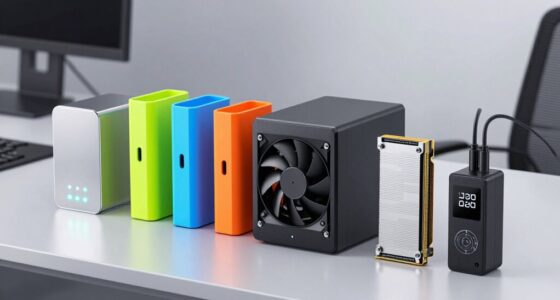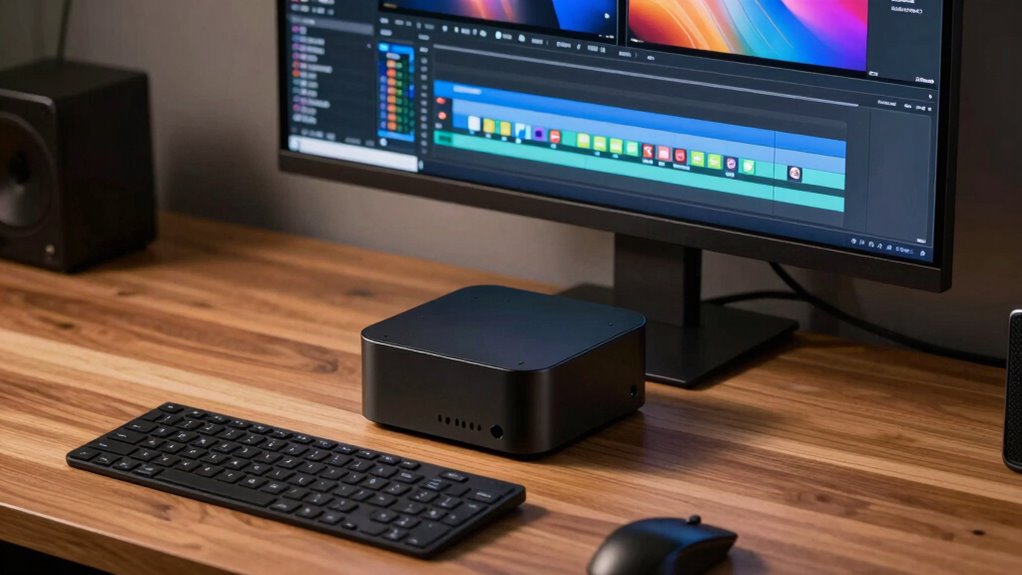
For a balanced starting point, I’d choose the GEEKOM A6: its Ryzen 7 6800H, Radeon 680M graphics, and 1TB SSD make a practical package for everyday editing and media storage. The GEEKOM IT13 Max AI stands out for buyers prioritizing a newer, higher-tier processor, while the Getorli 6800H pairs the same processor family as the A6 with 32GB of memory. The main tradeoffs are processor and graphics headroom, memory capacity, storage, and how much sustained work a compact chassis can handle. Integrated graphics can suit lighter timelines, but demanding effects and high-resolution footage may call for a more capable graphics setup. Read on for my ranked picks and guidance on matching a mini PC to your editing workload.

Get the latest gadgets delivered free with Prime
- Fast, free delivery on millions of items
- Prime Video, Amazon Music and more included
- Member-only deals all year
Complete the kit



Key Takeaways
- The GEEKOM A6 is my balanced pick: it combines a Ryzen 7 6800H, Radeon 680M integrated graphics, and a 1TB SSD without leaning on a premium-tier processor.
- The IT13 models lead on processor class, not identical configurations: their Core Ultra 9 185H options come with different listed memory and storage, so compare the exact version before choosing.
- Memory capacity changes the value equation: the Getorli’s 32GB configuration offers more room for complex projects than the 16GB options, while the IT13 Max AI lists 24GB.
- Several Ryzen 7 6800H models trade on configuration rather than processor differences: the A6, Glorlin, and Getorli vary in memory type and capacity and in SSD size.
- Storage and workflow fit can matter more than a headline CPU tier: a 1TB drive is more convenient for active footage, but sustained 4K effects work may still outgrow integrated graphics.
| GEEKOM A6 Mini PC, Ryzen 7 6800H, 16GB DDR5 RAM, 1TB PCIe 4.0 SSD |  | Best Overall | Processor: AMD Ryzen 7 6800H | Graphics: AMD Radeon 680M integrated graphics | Memory: 16GB DDR5, upgradable to 64GB | VIEW ON AMAZON | See Our Full Breakdown |
| ACEMAGICIAN S3A Mini PC with AMD Ryzen 7 H 255, 16GB RAM, 512GB SSD |  | Best for Integrated Graphics | Processor: AMD Ryzen 7 H 255, 8 cores/16 threads, up to 4.9GHz | Graphics: AMD Radeon 780M, 12 cores, 2600MHz | Memory: 16GB LPDDR5, 6400MT/s | VIEW ON AMAZON | See Our Full Breakdown |
| GMKtec NucBox M7 Ultra Mini PC with Ryzen 7 PRO 6850U, 16GB DDR5 RAM, and 512GB SSD |  | Best for Expandable Workflows | Processor: AMD Ryzen 7 PRO 6850U, 8 cores/16 threads, up to 4.7GHz | Graphics: Integrated AMD Radeon 680M, 12 cores | Memory: 16GB DDR5 4800MHz, single-channel; expandable to 128GB | VIEW ON AMAZON | See Our Full Breakdown |
| Glorlin Mini PC with AMD Ryzen 7 6800H, 16GB LPDDR5 RAM, 512GB NVMe SSD, and Radeon 680M |  | Best for a Three-Display Desk | Processor: AMD Ryzen 7 6800H, 8 cores/16 threads, up to 4.7GHz | Graphics: Integrated AMD Radeon 680M | Memory: 16GB LPDDR5, 6400MT/s | VIEW ON AMAZON | See Our Full Breakdown |
| GMKtec M2 Pro S Mini PC with Intel Core i7-1185G7, 16GB DDR4 RAM, and 1TB NVMe SSD |  | Best for Intel-Based Basic Editing | Processor: Intel Core i7-1185G7, 4 cores/8 threads, up to 4.8GHz | Graphics: Integrated Intel Iris Xe Graphics G7 96EU | Memory: 16GB DDR4 SODIMM, expandable to 64GB | VIEW ON AMAZON | See Our Full Breakdown |
| GEEKOM IT13 Max AI Mini PC with Intel Core Ultra 9 185H, 24 GB LPDDR5 and 500 GB SSD |  | Best for AI-Assisted Editing | Processor: Intel Core Ultra 9 185H | Memory: 24 GB LPDDR5, 5600 MT/s | Storage: 500 GB SSD | VIEW ON AMAZON | See Our Full Breakdown |
| Getorli Mini PC with AMD Ryzen 7 6800H, 32GB LPDDR5 RAM, and 1TB NVMe SSD |  | Best for Memory-Heavy Editing | Processor: AMD Ryzen 7 6800H, 8 cores/16 threads, up to 4.7 GHz | Graphics: Integrated AMD Radeon 680M | Memory: 32 GB LPDDR5, 6400 MT/s | VIEW ON AMAZON | See Our Full Breakdown |
| GEEKOM IT13 Max Mini PC with Intel Core Ultra 9 185H, 16GB DDR5 RAM, and 1TB SSD |  | Best for Compact Multi-Display Setups | Processor: Intel Core Ultra 9 185H | Processor TDP: 65 W | Memory: 16 GB DDR5 | VIEW ON AMAZON | See Our Full Breakdown |
| BOSGAME P6 Mini PC with Ryzen 9 6900HX, 24GB RAM, 1TB SSD |  | Best for Expandable Project Storage | Processor: AMD Ryzen 9 6900HX, 8 cores/16 threads, up to 4.9 GHz | Memory: 24 GB LPDDR5X, 4800 MT/s | Storage: 1 TB M.2 NVMe PCIe 4.0 x4 SSD | VIEW ON AMAZON | See Our Full Breakdown |
| HP Pro Mini 400 G9 Mini Desktop PC, Intel Core i7-12700T, 16GB RAM, 512GB SSD, Windows 11 Pro | 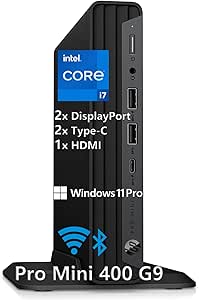 | Best for Expandable Business Editing | Processor: Intel Core i7-12700T, 12 cores, up to 4.7 GHz | Graphics: Intel UHD 770 | Memory: 16 GB DDR4; expandable to 64 GB | VIEW ON AMAZON | See Our Full Breakdown |
| KAMRUI AM21 Mini PC with Ryzen 7 8745HS, 16GB DDR5 RAM, and 1TB NVMe SSD |  | Best for Expandable Editing Storage | Processor: AMD Ryzen 7 8745HS, 8 cores/16 threads, up to 4.9GHz | Graphics: AMD Radeon 780M integrated graphics | Memory: 16GB DDR5-4800, expandable to 96GB | VIEW ON AMAZON | See Our Full Breakdown |
| GEEKOM IT13 MAX Mini PC, Intel Core Ultra 9 185H, 24GB RAM, 500GB SSD |  | Best for Multi-Display Editing | Processor: Intel Core Ultra 9 185H | Graphics: Intel Arc Graphics | Memory: 24GB LPDDR5, 5600 MT/s | VIEW ON AMAZON | See Our Full Breakdown |
| mini pc for video editing | Processor | Graphics | Memory | Storage |
|---|---|---|---|---|
| GEEKOM A6 Mini PC | AMD Ryzen 7 6800H | AMD Radeon 680M integrated graphics | 16GB DDR5, upgradable to 64GB | 1TB PCIe 4.0 NVMe SSD |
| ACEMAGICIAN S3A Mini PC with A | AMD Ryzen 7 H 255, 8 cores/16 threads, up to 4.9GHz | AMD Radeon 780M, 12 cores, 2600MHz | 16GB LPDDR5, 6400MT/s | 512GB PCIe 4.0 NVMe SSD; expandable up to 4TB |
| GMKtec NucBox M7 Ultra Mini PC | AMD Ryzen 7 PRO 6850U, 8 cores/16 threads, up to 4.7GHz | Integrated AMD Radeon 680M, 12 cores | 16GB DDR5 4800MHz, single-channel; expandable to 128GB | 512GB M.2 2280 PCIe 3.0 SSD; dual-slot expansion up to 4TB |
| Glorlin Mini PC with AMD Ryzen | AMD Ryzen 7 6800H, 8 cores/16 threads, up to 4.7GHz | Integrated AMD Radeon 680M | 16GB LPDDR5, 6400MT/s | 512GB NVMe SSD; dual M.2 expansion |
| GMKtec M2 Pro S Mini PC with I | Intel Core i7-1185G7, 4 cores/8 threads, up to 4.8GHz | Integrated Intel Iris Xe Graphics G7 96EU | 16GB DDR4 SODIMM, expandable to 64GB | 1TB M.2 2280 NVMe SSD; supports up to 2TB NVMe and an additional M.2 2242 SATA SSD up to 2TB |
| GEEKOM IT13 Max AI Mini PC wit | Intel Core Ultra 9 185H | Integrated graphics with dedicated NPU | 24 GB LPDDR5, 5600 MT/s | 500 GB SSD |
| Getorli Mini PC with AMD Ryzen | AMD Ryzen 7 6800H, 8 cores/16 threads, up to 4.7 GHz | Integrated AMD Radeon 680M | 32 GB LPDDR5, 6400 MT/s | 1 TB NVMe SSD |
| GEEKOM IT13 Max Mini PC with I | Intel Core Ultra 9 185H | Integrated Intel Arc Graphics | 16 GB DDR5 | 1 TB SSD |
| BOSGAME P6 Mini PC with Ryzen | AMD Ryzen 9 6900HX, 8 cores/16 threads, up to 4.9 GHz | Integrated AMD Radeon 680M | 24 GB LPDDR5X, 4800 MT/s | 1 TB M.2 NVMe PCIe 4.0 x4 SSD |
| HP Pro Mini 400 G9 Mini Deskto | Intel Core i7-12700T, 12 cores, up to 4.7 GHz | Intel UHD 770 | 16 GB DDR4; expandable to 64 GB | 512 GB PCIe SSD |
| KAMRUI AM21 Mini PC with Ryzen | AMD Ryzen 7 8745HS, 8 cores/16 threads, up to 4.9GHz | AMD Radeon 780M integrated graphics | 16GB DDR5-4800, expandable to 96GB | 1TB M.2 2280 PCIe 4.0 x4 NVMe SSD |
| GEEKOM IT13 MAX Mini PC | Intel Core Ultra 9 185H | Intel Arc Graphics | 24GB LPDDR5, 5600 MT/s | 500GB PCIe 4.0 SSD |
More Details on Our Top Picks
GEEKOM A6 Mini PC, Ryzen 7 6800H, 16GB DDR5 RAM, 1TB PCIe 4.0 SSD
I rank the GEEKOM A6 first for editors who want a balanced starting point: its Ryzen 7 6800H and Radeon 680M suit everyday editing and lighter projects, while the 1TB PCIe 4.0 SSD gives footage and working files more room than the 512GB drives in the ACEMAGICIAN S3A and GMKtec NucBox M7 Ultra. Its 16GB memory is upgradable to 64GB, which gives it a clearer path to handling larger timelines than the Glorlin, whose memory is listed as capped at 16GB. USB4, dual HDMI, and support for four 4K displays also help with a multi-monitor editing desk. The tradeoff is integrated graphics, not a dedicated GPU, and serious projects may call for a memory upgrade. I would choose it for expandability and storage, not as a workstation replacement.
Pros:- 1TB PCIe 4.0 SSD starts with more working space than the 512GB drives in several competing picks.
- DDR5 memory can be upgraded to 64GB.
- USB4, dual HDMI, and support for up to four 4K displays suit a multi-monitor workflow.
- Compact aluminum chassis supports VESA mounting.
Cons:- Radeon 680M integrated graphics are a limitation for GPU-intensive editing.
- The included 16GB of memory may be restrictive for larger projects until upgraded.
Best for: Editors building a compact home setup who want 1TB of fast storage, multiple displays, and the option to upgrade memory as projects grow.
Not ideal for: Editors working on demanding effects-heavy footage or large projects that depend on a discrete GPU or more memory out of the box.
- Processor:AMD Ryzen 7 6800H
- Graphics:AMD Radeon 680M integrated graphics
- Memory:16GB DDR5, upgradable to 64GB
- Storage:1TB PCIe 4.0 NVMe SSD
- Display support:Up to four 4K monitors
- Connectivity:USB4, dual HDMI, 2.5Gbps Ethernet, Wi-Fi 6E, Bluetooth 5.4
- Dimensions:4.41 x 4.41 x 2.05 inches
- Warranty:3-year limited warranty
Our verdict“Choose the GEEKOM A6 for a compact editing desktop with roomy storage and a meaningful memory-upgrade path, but not for GPU-heavy work.”
ACEMAGICIAN S3A Mini PC with AMD Ryzen 7 H 255, 16GB RAM, 512GB SSD
The ACEMAGICIAN S3A is the graphics-forward pick in this group, pairing its Ryzen 7 H 255 with Radeon 780M graphics. That gives it a stronger on-paper integrated graphics profile than the Radeon 680M systems in the GEEKOM A6 and Glorlin, a useful distinction for editors who use GPU-accelerated effects but still need a very small desktop. Its eight-core, 16-thread processor and three performance modes let buyers balance power and cooling behavior, while HDMI, DisplayPort, and USB4 Type-C support up to three 4K displays. The compromises are the 16GB LPDDR5 memory limit and 512GB SSD, both less flexible than the A6’s upgradeable memory and larger drive. I’d treat this as a capable compact editor for lighter workloads, not a substitute for a dedicated graphics card.
Pros:- Radeon 780M graphics offer a stronger integrated-graphics specification than the Radeon 680M options here.
- Eight-core, 16-thread processor with selectable performance modes.
- Supports up to three 4K displays through HDMI, DisplayPort, and USB4 Type-C.
- 512GB SSD can be expanded up to 4TB.
Cons:- 16GB LPDDR5 memory is listed as the maximum and cannot provide a documented upgrade path.
- The 512GB included SSD offers less starting capacity than the GEEKOM A6’s 1TB drive.
- Integrated graphics remain a constraint for demanding effects and high-resolution workflows.
Best for: Editors who prioritize stronger integrated graphics for light GPU-accelerated work and want Windows 11 Pro with three display outputs.
Not ideal for: Editors who need more than 16GB of memory, want to upgrade RAM later, or regularly handle large media libraries on the internal drive.
- Processor:AMD Ryzen 7 H 255, 8 cores/16 threads, up to 4.9GHz
- Graphics:AMD Radeon 780M, 12 cores, 2600MHz
- Memory:16GB LPDDR5, 6400MT/s
- Storage:512GB PCIe 4.0 NVMe SSD; expandable up to 4TB
- Display support:Up to three 4K displays via HDMI 2.0, DP 2.0, and USB4 Type-C
- Operating system:Windows 11 Pro
- Cooling and power modes:Dual-fan cooling; Silent 20–35W, Auto 30–45W, Performance 40–54W
- Warranty:2 years, with lifetime technical support
Our verdict“Pick the S3A if integrated graphics and three-display support matter more than expandable memory or a larger included SSD.”
GMKtec NucBox M7 Ultra Mini PC with Ryzen 7 PRO 6850U, 16GB DDR5 RAM, and 512GB SSD
The GMKtec NucBox M7 Ultra earns its place for editors who expect their setup to change. Unlike the GEEKOM A6, which offers a simpler set of upgrade options, this model lists memory expansion up to 128GB, dual M.2 storage expansion, and OCuLink eGPU connectivity. That external-GPU connection offers a potential route to more graphics capability than the integrated Radeon 680M, though the GPU itself is not included. Its Ryzen 7 PRO 6850U, four-display support, and dual 2.5GbE ports also suit a desk with several screens or network storage. The main catch is the supplied single 16GB memory module, which runs in single-channel configuration, plus a 512GB PCIe 3.0 SSD. I see this as the most adaptable pick here, but buyers should budget space and upgrades into their plan.
Pros:- Memory expansion is listed up to 128GB.
- OCuLink provides an option to connect an external GPU.
- Dual M.2 slots allow storage expansion beyond the included 512GB SSD.
- Supports up to four displays and includes dual 2.5GbE Ethernet.
Cons:- Ships with only 16GB in a single-channel configuration.
- The included 512GB drive uses PCIe 3.0 and may fill quickly with video footage.
- An external GPU is a separate addition, not built-in graphics hardware.
Best for: Technically comfortable editors who plan to add memory or storage and may connect an external GPU for heavier work.
Not ideal for: Buyers seeking a ready-to-edit system with ample memory and storage included, or those who do not want to manage upgrades.
- Processor:AMD Ryzen 7 PRO 6850U, 8 cores/16 threads, up to 4.7GHz
- Graphics:Integrated AMD Radeon 680M, 12 cores
- Memory:16GB DDR5 4800MHz, single-channel; expandable to 128GB
- Storage:512GB M.2 2280 PCIe 3.0 SSD; dual-slot expansion up to 4TB
- Display support:Up to four displays; HDMI 2.1 output up to 8K at 60Hz
- Networking:Dual 2.5GbE Ethernet, Wi-Fi 6E, Bluetooth 5.2
- Expansion:OCuLink eGPU connectivity
- Warranty:3-year limited warranty, as described in the listing
Our verdict“Choose the M7 Ultra if you value upgrade options and OCuLink more than a fully equipped editing setup out of the box.”
Glorlin Mini PC with AMD Ryzen 7 6800H, 16GB LPDDR5 RAM, 512GB NVMe SSD, and Radeon 680M
The Glorlin Mini PC makes the most sense for editors setting up a compact three-screen workspace on a straightforward budget of capabilities: Ryzen 7 6800H processing, Radeon 680M graphics, and HDMI, DisplayPort, and Type-C outputs for up to three 4K displays. It shares its processor and integrated graphics class with the GEEKOM A6, but gives up the A6’s 1TB SSD and upgradable memory; Glorlin lists 16GB as the memory limit. Dual LAN and dual M.2 expansion add practical options for networking and storage, although the supplied 512GB drive is a modest starting point for footage. Its 0.52kg weight helps when desk space or portability matters. The one-year warranty is shorter than the GEEKOM and GMKtec options, and this is better suited to lighter editing than graphics-intensive projects.
Pros:- HDMI, DisplayPort, and Type-C support up to three 4K displays.
- Dual M.2 expansion offers a way to add storage for media files.
- Dual LAN plus Wi-Fi 6 and Bluetooth 5.3 provide varied connectivity.
- Listed weight of 0.52kg suits space-constrained desks.
Cons:- Memory is listed at 16GB with no upgrade path stated.
- The included 512GB SSD is smaller than the GEEKOM A6’s 1TB drive.
- One-year warranty is shorter than the three-year coverage listed for the A6 and M7 Ultra.
Best for: Editors who need three display outputs in a lightweight mini PC and expect to expand storage rather than memory.
Not ideal for: Editors who need more than 16GB of RAM, want a longer listed warranty, or work with effects-heavy projects that tax integrated graphics.
- Processor:AMD Ryzen 7 6800H, 8 cores/16 threads, up to 4.7GHz
- Graphics:Integrated AMD Radeon 680M
- Memory:16GB LPDDR5, 6400MT/s
- Storage:512GB NVMe SSD; dual M.2 expansion
- Display support:Up to three 4K displays via HDMI, DisplayPort, and Type-C
- Connectivity:Dual LAN, Wi-Fi 6, Bluetooth 5.3
- Weight:0.52kg
- Warranty:1 year
Our verdict“Choose the Glorlin for a lightweight three-display setup with storage expansion, but skip it if your editing workflow needs more memory.”
GMKtec M2 Pro S Mini PC with Intel Core i7-1185G7, 16GB DDR4 RAM, and 1TB NVMe SSD
The GMKtec M2 Pro S is the Intel option for editors with modest timelines who value a 1TB drive and flexible upgrades over a newer processor platform. Its Core i7-1185G7 has four cores and eight threads, fewer than the eight-core Ryzen chips in the GEEKOM A6 and Glorlin, so those AMD systems make more sense for heavier multitasking and CPU-bound work. The included 1TB NVMe SSD is a practical advantage over the 512GB drives in the ACEMAGICIAN S3A and M7 Ultra, and the memory can grow to 64GB. Iris Xe graphics and three 4K display support cover basic editing and a multi-screen desk, but do not remove the limits of integrated graphics. The operating system is not specified, so buyers should confirm their software and OS plan before choosing it.
Pros:- 1TB NVMe SSD provides more included capacity than the 512GB drives in several alternatives.
- DDR4 SODIMM memory can be expanded to 64GB.
- Supports three displays through two HDMI outputs and USB-C.
- Includes 2.5Gbps Ethernet, Wi-Fi 6, and Bluetooth 5.2.
Cons:- Four-core processor has fewer cores than the Ryzen 7 systems in this lineup.
- Integrated Iris Xe graphics are not intended for demanding graphics workloads.
- Operating system is not specified in the supplied product information.
Best for: Editors with lighter projects who prefer an Intel mini PC, want 1TB of included storage, and may upgrade RAM or add another SSD.
Not ideal for: Editors with demanding multicore workloads, GPU-heavy effects, or a requirement for a clearly specified operating system.
- Processor:Intel Core i7-1185G7, 4 cores/8 threads, up to 4.8GHz
- Graphics:Integrated Intel Iris Xe Graphics G7 96EU
- Memory:16GB DDR4 SODIMM, expandable to 64GB
- Storage:1TB M.2 2280 NVMe SSD; supports up to 2TB NVMe and an additional M.2 2242 SATA SSD up to 2TB
- Video outputs:Two HDMI and one USB-C; supports up to three displays at 4K 60Hz
- Networking:2.5Gbps Ethernet, Wi-Fi 6, Bluetooth 5.2
- Power consumption:35 watts
- Dimensions:4.47 x 4.17 x 1.67 inches
Our verdict“Pick the M2 Pro S for basic Intel-based editing with roomy included storage and upgrade options, not for heavy multicore or GPU-bound work.”
GEEKOM IT13 Max AI Mini PC with Intel Core Ultra 9 185H, 24 GB LPDDR5 and 500 GB SSD
I’d choose this GEEKOM when AI-related creative work is part of the editing setup, not just because the processor name sounds powerful. Its Core Ultra 9 185H and dedicated NPU suit local AI inference alongside editing tasks, while 24 GB of fast LPDDR5 gives it more multitasking headroom than the 16 GB GEEKOM IT13 Max configuration in this roundup. Quiet cooling and support for up to four displays also make it a plausible fit for a compact, noise-sensitive studio. The tradeoff is storage: 500 GB fills quickly when footage and project caches accumulate, and the listed memory is not described as user-expandable. Compared with the BOSGAME P6, this pick emphasizes the NPU and more display connections, while the BOSGAME provides a 1 TB SSD and stated storage expansion. I’d still pair this GEEKOM with fast external media storage for regular video work.
Pros:- Core Ultra 9 185H includes a dedicated NPU for local AI inference
- 24 GB LPDDR5 supports more concurrent editing and creative applications than 16 GB configurations
- Supports up to four 4K/8K displays
- Quiet IceBlast 3.0 cooling and dual Ethernet suit a small studio setup
Cons:- 500 GB SSD leaves limited room for video footage and cache files
- Memory is listed as LPDDR5 without a stated upgrade option
- Integrated graphics are not a substitute for a dedicated GPU in demanding effects or high-resolution timelines
Best for: Editors building a compact workstation for AI-assisted tasks, multiple monitors, and quieter studio use who already have external footage storage.
Not ideal for: Editors keeping large active projects on the internal drive or seeking a stated upgrade path for memory.
- Processor:Intel Core Ultra 9 185H
- Memory:24 GB LPDDR5, 5600 MT/s
- Storage:500 GB SSD
- Graphics:Integrated graphics with dedicated NPU
- Display support:Up to four simultaneous 4K/8K displays
- Video outputs:HDMI and USB-C
- Networking:Dual Ethernet
- Dimensions and weight:4.6 x 4.4 x 1.9 in; 1.4 lbs
Our verdict“Choose this GEEKOM for a quiet, multi-display editing desk that can benefit from its NPU, but plan on external storage for video projects.”
Getorli Mini PC with AMD Ryzen 7 6800H, 32GB LPDDR5 RAM, and 1TB NVMe SSD
For editing on integrated graphics, I’d favor this Getorli when memory capacity and included storage matter more than a newer processor platform. Its 32 GB of LPDDR5 and 1 TB NVMe SSD give a video editor more room for applications, larger timelines, and active media than the HP Pro Mini 400 G9’s 16 GB and 512 GB configuration. The Ryzen 7 6800H and Radeon 680M are a sensible pairing for general editing and lighter creative workloads, while three 4K display outputs help build a multi-screen desk. It also offers two M.2 slots and Windows 11 Pro. The main compromise is that 32 GB is listed as the memory maximum, and integrated graphics still limit demanding effects and heavy high-resolution projects. Compared with the BOSGAME P6, the Getorli supplies more memory, while the BOSGAME lists a Ryzen 9 processor and a stated expansion ceiling of up to 8 TB.
Pros:- 32 GB LPDDR5 gives editing applications and multitasking more memory headroom
- 1 TB NVMe SSD provides more room for active projects than the 512 GB HP Pro Mini 400 G9
- Dual M.2 slots support storage expansion
- Three 4K display outputs and dual LAN offer flexible desk connectivity
Cons:- Memory is listed at a maximum of 32 GB, with no upgrade path specified
- Integrated Radeon 680M is less suited to demanding GPU effects than a discrete graphics card
- The listed 4 TB total storage limit may require adding drives separately
Best for: Editors working with moderate projects who want 32 GB of memory and a 1 TB internal drive without moving immediately to external storage.
Not ideal for: Editors who need a dedicated GPU, expandable memory beyond 32 GB, or substantial performance headroom for complex effects and high-resolution footage.
- Processor:AMD Ryzen 7 6800H, 8 cores/16 threads, up to 4.7 GHz
- Graphics:Integrated AMD Radeon 680M
- Memory:32 GB LPDDR5, 6400 MT/s
- Storage:1 TB NVMe SSD
- Storage expansion:Dual M.2 2280 slots; up to 4 TB total
- Display support:Up to three 4K displays via HDMI, DisplayPort, and USB-C
- Connectivity:Wi-Fi 6, Bluetooth 5.3, dual LAN
- Operating system:Windows 11 Pro
Our verdict“Pick the Getorli for integrated-graphics editing where 32 GB of memory and a 1 TB SSD matter more than future memory upgrades.”
GEEKOM IT13 Max Mini PC with Intel Core Ultra 9 185H, 16GB DDR5 RAM, and 1TB SSD
This GEEKOM suits an editor who values a small footprint and several monitors but can keep projects modest or add memory headroom elsewhere in the workflow. Its Core Ultra 9 185H, 1 TB SSD, and support for up to four displays make it better equipped for a multi-panel desk than the HP Pro Mini 400 G9, which supports three. The 8K output ceiling and stated compatibility with Windows and major Linux distributions add flexibility for mixed creative and technical setups. However, 16 GB of memory is the limiting spec for video editing: larger timelines, demanding effects, or several applications running together can outgrow it. Compared with the 24 GB GEEKOM IT13 Max in this roundup, this version doubles the listed storage but has less memory. I’d choose it for compact everyday editing and display flexibility, not as a substitute for a workstation with a discrete GPU.
Pros:- Core Ultra 9 185H processor in a compact mini PC
- 1 TB SSD offers more internal project space than the 500 GB GEEKOM IT13 Max configuration
- Supports up to four displays with output up to 8K
- Compatible with Windows and major Linux distributions, with a stated three-year warranty
Cons:- 16 GB memory can constrain larger editing timelines and concurrent applications
- Integrated Intel Arc graphics are not equivalent to a dedicated GPU for demanding effects
- Operating system is listed as Linux, so Windows users should check installation and licensing needs
Best for: Editors with a space-constrained desk who prioritize multiple high-resolution displays, a 1 TB SSD, and operating-system flexibility.
Not ideal for: Editors handling large 4K projects, memory-heavy effects, or demanding GPU-accelerated work who need more than 16 GB of memory.
- Processor:Intel Core Ultra 9 185H
- Processor TDP:65 W
- Memory:16 GB DDR5
- Storage:1 TB SSD
- Graphics:Integrated Intel Arc Graphics
- Display support:Up to four displays; maximum resolution 7680 × 4320
- Video outputs:HDMI, DisplayPort, USB-C
- Operating systems:Linux listed; compatible with Windows, Ubuntu, Debian, and CentOS
- Warranty:3 years
Our verdict“Choose this model for a compact four-display editing setup and 1 TB of storage, provided 16 GB of memory fits your projects.”
BOSGAME P6 Mini PC with Ryzen 9 6900HX, 24GB RAM, 1TB SSD
The BOSGAME P6 earns its place for editors who want a capable eight-core processor and a clear path to more internal storage. It starts with 24 GB of LPDDR5X and a 1 TB PCIe 4.0 SSD, then offers an additional M.2 NVMe slot with a stated expansion capacity up to 8 TB. That is a useful advantage over the GEEKOM IT13 Max model with 500 GB, especially when an editor prefers keeping current media inside the mini PC. It also supports three 4K displays and includes Windows 11 Pro. The tradeoff is graphics: its Radeon 680M is integrated, so complex GPU effects and demanding timelines remain outside its strongest use case. Compared with the Getorli, the BOSGAME lists a Ryzen 9 6900HX and greater stated storage expansion, while the Getorli starts with more memory at 32 GB. Bluetooth 5.3 also requires a driver download.
Pros:- Ryzen 9 6900HX has 8 cores and 16 threads for editing and multitasking
- 1 TB PCIe 4.0 SSD plus an additional M.2 slot supports substantial storage expansion
- Three 4K displays, dual Ethernet, Wi-Fi 6E, and Bluetooth 5.3 support a flexible workstation
- Windows 11 Pro is pre-installed, and noise is listed as under 36 dB
Cons:- Integrated Radeon 680M is not suited to the heaviest GPU-accelerated effects
- 24 GB LPDDR5X is less memory than the Getorli’s listed 32 GB
- Bluetooth 5.3 requires a separate driver download to activate
Best for: Editors who want Windows 11 Pro, a 1 TB starting drive, and room to add substantial internal project storage.
Not ideal for: Editors who need a discrete GPU, more than 24 GB of memory for large projects, or Bluetooth 5.3 working without a driver step.
- Processor:AMD Ryzen 9 6900HX, 8 cores/16 threads, up to 4.9 GHz
- Memory:24 GB LPDDR5X, 4800 MT/s
- Storage:1 TB M.2 NVMe PCIe 4.0 x4 SSD
- Graphics:Integrated AMD Radeon 680M
- Display support:Up to three 4K displays at 60 Hz
- Expansion:Additional M.2 NVMe storage; listed capacity up to 8 TB
- Networking:Dual 1 Gbps Ethernet, Wi-Fi 6E, Bluetooth 5.3 with driver required
- Operating system:Windows 11 Pro; compatible with Ubuntu
- Warranty:1 year for the machine; 3 years for parts
Our verdict“Choose the BOSGAME P6 if storage expansion and Windows 11 Pro matter more than discrete graphics or a 32 GB memory configuration.”
HP Pro Mini 400 G9 Mini Desktop PC, Intel Core i7-12700T, 16GB RAM, 512GB SSD, Windows 11 Pro
I’d put the HP Pro Mini 400 G9 on the shortlist for editors who want a business-oriented Windows desktop that can grow beyond its initial configuration. Its Core i7-12700T has 12 cores, and the 16 GB DDR4 memory is listed as expandable to 64 GB—a useful distinction from the Getorli, whose memory is listed at a 32 GB maximum. Three 4K display support, Windows 11 Pro, and included wired keyboard and mouse make it a practical office-to-editing starting point. The compromises show up in the rest of the setup: the 512 GB SSD is smaller than the Getorli’s 1 TB, Wi-Fi is limited to Wi-Fi 5, and Intel UHD 770 integrated graphics are a poor match for demanding effects. I’d favor the HP for an upgradeable light-editing desk, not for a compact machine expected to handle heavy GPU workloads out of the box.
Pros:- 12-core Core i7-12700T processor supports multitasking and general editing
- Memory is expandable to 64 GB, unlike the Getorli’s listed 32 GB maximum
- Supports up to three 4K monitors at 60 Hz
- Includes Windows 11 Pro, wired keyboard, and wired mouse
Cons:- 16 GB DDR4 may need upgrading for larger editing projects
- 512 GB SSD offers less room for active footage than the Getorli’s 1 TB drive
- Intel UHD 770 integrated graphics and Wi-Fi 5 limit its appeal for demanding creative work and wireless-heavy setups
Best for: Small-office editors who want Windows 11 Pro, included peripherals, and the option to expand memory for moderate editing workloads.
Not ideal for: Editors seeking a large SSD out of the box, modern Wi-Fi, or graphics performance for demanding effects and complex timelines.
- Processor:Intel Core i7-12700T, 12 cores, up to 4.7 GHz
- Graphics:Intel UHD 770
- Memory:16 GB DDR4; expandable to 64 GB
- Storage:512 GB PCIe SSD
- Display support:Up to three 4K monitors at 60 Hz
- Ports:7 USB ports, 2 DisplayPort 1.4, HDMI 2.1, RJ-45, headphone/microphone combo
- Wireless:Wi-Fi 5, Bluetooth
- Operating system:Windows 11 Pro
- Dimensions and weight:6.97 x 6.89 x 1.34 in; 3.13 lbs
Our verdict“Choose the HP for an upgradeable office mini PC suited to light editing, but budget for more memory and storage if projects grow.”
KAMRUI AM21 Mini PC with Ryzen 7 8745HS, 16GB DDR5 RAM, and 1TB NVMe SSD
I’d pick the KAMRUI AM21 for an editing setup that needs a strong eight-core processor and room to grow. Its Ryzen 7 8745HS and Radeon 780M graphics can handle everyday timeline work and integrated-graphics editing, while the included 1TB PCIe 4.0 SSD gives projects more breathing room than the GEEKOM IT13 MAX’s 500GB drive. Two M.2 slots and memory expansion up to 96GB also make upgrades more flexible than a fixed-memory configuration. The tradeoff is that Radeon 780M is still integrated graphics, so I wouldn’t choose this for effects-heavy work that depends on a dedicated GPU. It also accepts NVMe drives only, not SATA SSDs. For editors who value storage and memory flexibility over stronger graphics options, it has a clear role in this lineup.
Pros:- Eight-core, 16-thread Ryzen 7 8745HS suits multitasking and general editing workloads.
- 1TB NVMe SSD provides more included project space than the GEEKOM IT13 MAX’s 500GB drive.
- Two M.2 slots and support for up to 96GB of memory offer room to expand.
- USB4 and dual HDMI 2.1 provide flexible display and high-speed peripheral connections.
Cons:- Radeon 780M is integrated graphics, limiting appeal for GPU-intensive editing tasks.
- Storage expansion is NVMe-only; SATA SSDs are not supported.
Best for: Video editors with growing local project libraries who want to add NVMe storage and upgrade memory over time.
Not ideal for: Editors focused on GPU-heavy effects, demanding color work, or workloads that benefit from a dedicated graphics card.
- Processor:AMD Ryzen 7 8745HS, 8 cores/16 threads, up to 4.9GHz
- Graphics:AMD Radeon 780M integrated graphics
- Memory:16GB DDR5-4800, expandable to 96GB
- Storage:1TB M.2 2280 PCIe 4.0 x4 NVMe SSD
- Storage expansion:Two M.2 slots, up to 4TB total; NVMe drives only
- Video output:Dual HDMI 2.1 and USB4
- Networking:Dual Gigabit Ethernet, Wi-Fi 6, Bluetooth 5.2
- Operating system:Windows 11 Pro
Our verdict“Choose the KAMRUI AM21 if you want an editable, storage-flexible mini PC for mainstream video work and can work within integrated-graphics limits.”
GEEKOM IT13 MAX Mini PC, Intel Core Ultra 9 185H, 24GB RAM, 500GB SSD
The GEEKOM IT13 MAX is the more display-focused pick here: it supports four displays and pairs an Intel Core Ultra 9 185H with Intel Arc graphics for a capable compact editing workstation. That setup suits editors who keep a preview, timeline, bins, and reference material visible at once. Compared with the KAMRUI AM21, it starts with more memory and offers dual 2.5GbE networking, but its 500GB SSD leaves less room for footage than the KAMRUI’s 1TB drive. Its LPDDR5 memory may not be user-upgradeable, so the included 24GB is a more fixed limit than the KAMRUI’s expandable memory. I’d favor this GEEKOM for a multi-screen desk and stronger wired networking, not for buyers who prioritize easy memory upgrades or generous built-in storage.
Pros:- Core Ultra 9 185H and Intel Arc graphics provide a strong compact platform for editing tasks.
- Quad-display support helps keep editing panels and reference footage visible together.
- Dual 2.5GbE ports suit fast wired networks and shared media workflows.
- Storage can be expanded, and the system includes three-year support coverage.
Cons:- The 500GB SSD provides less included workspace than the KAMRUI AM21’s 1TB drive.
- LPDDR5 memory may not be user-upgradeable, limiting future memory expansion.
- Demanding workloads may call for active cooling in the compact chassis.
Best for: Editors who work across several monitors and want dual 2.5GbE networking in a compact Windows workstation.
Not ideal for: Editors who need user-upgradeable memory or ample included space for large footage libraries and active projects.
- Processor:Intel Core Ultra 9 185H
- Graphics:Intel Arc Graphics
- Memory:24GB LPDDR5, 5600 MT/s
- Storage:500GB PCIe 4.0 SSD
- Storage expansion:M.2 2242 and SATA/HDD up to 4TB; SD card up to 2TB
- Display support:Quad display
- Networking:Dual 2.5GbE LAN
- Cooling and support:IceBlast 3.0 cooling; three-year support
Our verdict“Pick the GEEKOM IT13 MAX for a multi-display editing desk with fast wired networking, provided its fixed memory and smaller starting SSD fit your workflow.”

How We Picked
I ranked these mini PCs by how well their listed configurations align with common editing workloads: processor capability, integrated graphics, memory capacity, and included SSD space. I also weighed practical ownership factors such as upgrade potential, connectivity, operating-system fit, and the limits of cooling in a compact desktop. A stronger processor does not automatically make a better editing choice if memory or storage is tight, so I treated the complete configuration as more useful than a single specification.
The order favors balanced systems that appear better suited to everyday timeline work, then distinguishes options that make sense for particular priorities, such as more memory, a newer processor class, or business-oriented software. Several listings share processor families but differ in RAM and SSD capacity; those differences affect how comfortably a system can handle larger projects. Product details supplied here do not establish editing benchmarks, display outputs, upgradeability, or sustained thermal behavior, so I avoid claiming measured performance and recommend checking the exact configuration before purchase.
Factors to Consider When Choosing Mini Pc For Video Editing
I’d match the computer to the footage, effects, and software you use rather than choosing by processor name alone. These factors help reveal where a small desktop can save space without creating avoidable bottlenecks.
Match the CPU to Your Timeline
Editing workload varies widely: trimming short clips and assembling simple timelines place different demands on a system than multicamera edits or layered effects. A capable modern processor helps with decoding, rendering, and other CPU-heavy tasks, but it cannot compensate for every limitation elsewhere. Check which codecs your editor relies on, since hardware decoding support can matter as much as general processor class. For frequent exports, read independent tests using your software and footage type rather than assuming a newer chip will always finish first. Compact systems may also reduce sustained performance if cooling cannot keep up with long workloads. If editing is occasional, a balanced midrange configuration may leave more room in your workflow budget for storage or backup drives.
Understand Integrated Graphics Limits
Many mini PCs in this lineup use integrated Radeon graphics, which share system memory rather than relying on dedicated video memory. That can be suitable for lighter edits, preview playback, and acceleration supported by your software, but complex effects and demanding timelines can expose the limits. A processor with strong integrated graphics is not the same as a desktop with a dedicated GPU. Before buying, check the editor’s guidance for your footage resolution, effects, and GPU acceleration features. Proxy workflows can make high-resolution clips easier to edit, though they add steps and take extra storage. If GPU-heavy work is central to your job, compare a mini PC with a larger desktop or a workstation that supports a discrete graphics card.
Choose Memory for Your Project Size
Memory affects how comfortably an editor can keep footage, effects, and other applications active while you work. Sixteen gigabytes can be a reasonable starting point for straightforward projects, while larger timelines and multitasking can benefit from more headroom. The 24GB and 32GB listings in this roundup show why buyers should compare complete configurations, not just processor names. Check whether memory is replaceable or soldered before purchase; LPDDR configurations are often less flexible, but confirm the specific model rather than relying on a broad rule. If upgrades are unavailable, it can be sensible to buy the capacity you expect to need over the computer’s useful life. Closing other applications can help, but it is not a substitute for adequate memory on demanding projects.
Plan Storage Around Active Footage
An included SSD holds the operating system, editing software, cache files, and at least some project material, so capacity affects daily convenience. A 1TB configuration gives more breathing room than a 500GB or 512GB drive, though video projects can consume space quickly. Separate active footage, cache, and archival copies where your workflow permits; an external drive can expand capacity, but its speed and connection affect editing responsiveness. Check whether the mini PC offers an additional internal drive slot or a straightforward SSD replacement path. Do not treat an external backup drive as the only copy of important work. For a large media library, budget for storage and backup alongside the computer itself.
Check Ports, Displays, and Workspace Fit
A compact computer only fits an editing setup if it can connect to the monitors, drives, card readers, and audio gear you actually use. Count the ports and check their specifications, since a connector’s shape does not tell you its data speed or display capability. Confirm support for your monitor resolution and refresh rate, especially if you edit across multiple displays. A hub can add connections, but it also adds cost, desk clutter, and another device that may limit throughput. Noise and heat matter when the computer sits close to a microphone or in a quiet workspace, yet those qualities cannot be judged from processor specifications alone. Look for model-specific testing or return terms if quiet operation is a priority.
Decide When a Mini PC Is the Wrong Tool
Small size is useful when desk space matters, but the compact enclosure limits cooling and can restrict internal expansion. That tradeoff matters more during long exports than during short editing sessions, when sustained heat may affect performance. A mini PC also may not accept a dedicated graphics card, which limits one route to stronger GPU performance later. Compare total workflow needs, including external storage and any adapters, rather than treating the computer as a standalone purchase. If your projects depend on demanding effects, frequent high-resolution exports, or future graphics upgrades, a larger desktop may be a better fit. For editing on the move, a laptop may make more sense than a mini PC that still needs a monitor and peripherals.
Frequently Asked Questions
Is 16GB of RAM enough for video editing on a mini PC?
It can be enough for straightforward edits, shorter timelines, and lighter multitasking, especially if you use proxy media for demanding footage. Larger projects, multiple applications, and effects can push past that headroom and make 24GB or 32GB more comfortable. In this lineup, the Getorli’s 32GB configuration offers more listed memory than the 16GB options, while two IT13 configurations list 24GB. Check whether the memory can be upgraded, since that determines whether you can start smaller and expand later. Your editor’s requirements and the kind of footage you handle should guide the choice.
Can these mini PCs edit 4K video?
They may handle some 4K editing, but the experience depends on codec, effects, timeline complexity, and the editor’s hardware acceleration support. Integrated graphics and limited memory can make complex 4K timelines less responsive, even when basic playback works. Proxy files can lower the editing load, with the tradeoff of extra preparation and storage use. Before buying, look for tests using the same editing application and similar footage rather than relying on a general claim that a machine supports 4K. For frequent effects-heavy 4K work, compare these systems with a desktop that has a dedicated GPU.
Should I choose the Core Ultra 9 IT13 or a Ryzen 7 6800H model?
The IT13’s Core Ultra 9 185H gives it a higher processor tier on paper, while the Ryzen 7 6800H models offer a different balance of processor, integrated graphics, memory, and storage. The IT13 listings also differ from one another: some specify 16GB or 24GB RAM and 500GB SSD, so the exact version matters. The A6 pairs the 6800H with 16GB and 1TB, while the Getorli lists 32GB and 1TB. I would compare the full configuration and independent editing tests for your software before paying for a processor tier you may not use. Also check memory upgradeability, ports, and cooling for the specific model.
Is a 512GB SSD enough for an editing computer?
A 512GB SSD can work if you keep only current projects on the internal drive and store completed footage elsewhere. System files, applications, caches, and active media all share that space, so capacity can disappear faster than expected. A 1TB model offers more room for active work, as seen in several configurations here, but it still may not hold a large archive. Check whether the computer supports another internal SSD and whether your external-drive workflow fits your editing needs. Keep a separate backup copy of important footage instead of relying on the internal drive alone.
When should I choose a larger desktop instead of a mini PC?
A larger desktop is a stronger fit when you need a dedicated graphics card, more internal drives, or sustained performance during long exports. It can also offer more room for cooling and later upgrades, which matters as project demands grow. A mini PC makes more sense when compact size and a simple desk setup outweigh those expansion needs. Compare the full workstation you need, including monitor connections, storage, and any adapters, rather than comparing computer sizes alone. If you edit demanding footage for work every day, the extra flexibility of a larger system may be worth the desk space.
Conclusion
For most buyers seeking a compact editing setup, I’d start with the GEEKOM A6 as my best overall: its 6800H platform and 1TB SSD form a balanced listed configuration. The Getorli 6800H is my best value-style choice for memory headroom, with 32GB RAM and a 1TB SSD, though I’d verify upgrade options and model details. For a best premium direction, compare the GEEKOM IT13 Max versions with Core Ultra 9 185H, choosing between their listed memory and storage configurations based on your workload. Beginners with light editing needs can favor a straightforward 16GB model such as the A6, while keeping projects simple and using proxies when needed. For larger timelines and heavier multitasking, I’d look first at the Getorli’s 32GB configuration; for demanding GPU-heavy work, I’d choose a larger desktop rather than expecting any integrated-graphics mini PC to replace one.