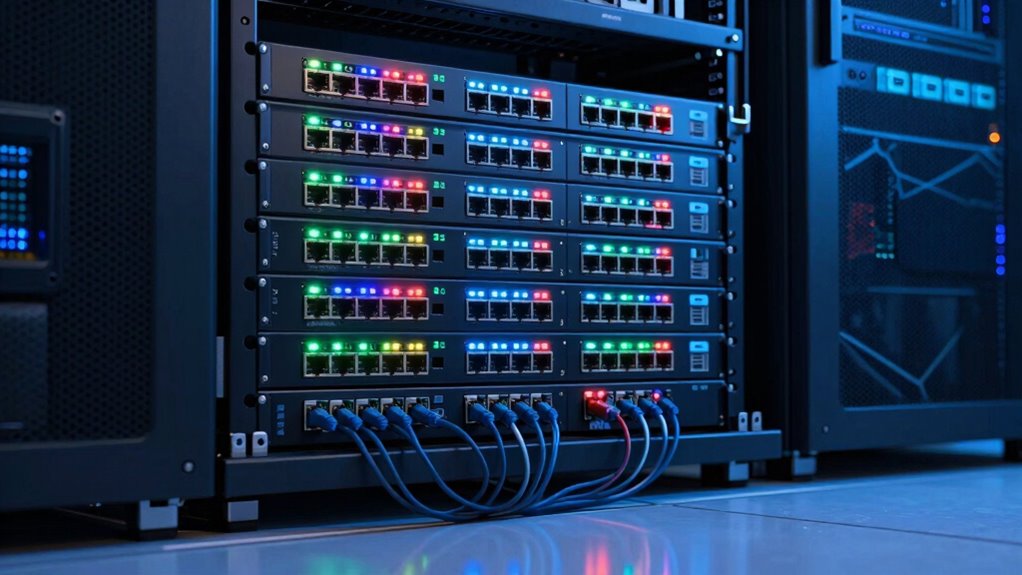

If you’re searching for a managed switch with VLAN support, the TP-Link TL-SG116E stands out as the best overall pick for its balance of port count, easy configuration, and solid VLAN implementation. For budget buyers, the TP-Link TL-SG108E delivers the essentials at a lower port count, while the NETGEAR GS724TP offers premium PoE and cloud management for larger setups. The main tradeoffs in this category revolve around port density, PoE needs, and how much configuration depth you actually want — easy smart switches simplify VLAN setup, while full managed switches give you more control but require more networking knowledge. Read on for the full breakdown of all 12 options.

Get the latest gadgets delivered free with Prime
- Fast, free delivery on millions of items
- Prime Video, Amazon Music and more included
- Member-only deals all year
Complete the kit



Key Takeaways
- Easy smart switches dominate the mid-range for VLAN, offering per-port VLAN assignment without the learning curve of full L2/L3 managed switches.
- Port count and PoE budget separate the value picks from the premium picks — paying more often buys you more PoE power and rack-mount flexibility, not better VLAN features.
- 2.5G options like the Omada ES206X-M2 are emerging for high-bandwidth VLAN segments, but only make sense if your endpoints support 2.5G.
- Fanless designs are common in the 8-port range, but larger PoE switches like the GS724TP require active cooling — a tradeoff for quiet home offices.
- The TP-Link TL-SG108E and NETGEAR GS305E share similar VLAN features, but the TP-Link offers a slightly more intuitive web interface for first-time config.
| TP-Link TL-SG116E 16-Port Gigabit Easy Smart Ethernet Switch |  | Best Value for Mid-Sized Networks | Ports: 16 RJ45 | Port Speed: 10/100/1000 Mbps | Management Interface: Web UI and Utility | VIEW ON AMAZON | See Our Full Breakdown |
| Omada ES206X-M2 5-Port 2.5G Easy Managed Switch |  | Best for High-Speed Home Offices | Ports: 5 x 2.5G RJ45, 1 x 10G SFP+ | Total Switching Capacity: 15 Gbps | Management: Omada Cloud, Web, App | VIEW ON AMAZON | See Our Full Breakdown |
| NETGEAR 8-Port Gigabit Ethernet Easy Smart Managed Network Switch (GS308E) |  | Best for Beginners and Simplicity | Ports: 8 x Gigabit RJ45 | VLAN Support: Up to 64 VLANs | Management: Web-based Easy Smart GUI | VIEW ON AMAZON | See Our Full Breakdown |
| TP-Link TL-SG1428PE 24-Port Gigabit Easy Smart PoE+ Switch |  | Best for PoE-Heavy Deployments | Ports: 24 PoE+ Gigabit, 2 Non-PoE Gigabit, 2 SFP | PoE Standard: 802.3at/af (PoE+) | PoE Power Budget: 250 W Total | VIEW ON AMAZON | See Our Full Breakdown |
| STEAMEMO PoE+ Switch, 8 Port Managed PoE Ethernet Switch |  | Best Budget PoE Option | Ports: 8 PoE + 2 Uplink (100Mbps) | PoE Power Budget: 120 W | PoE Standard: IEEE 802.3at | VIEW ON AMAZON | See Our Full Breakdown |
| TP-Link Omada ES208G 8-Port Gigabit Easy Managed Switch |  | Best Compact Managed Switch for Home Labs | Ports: 8 × 10/100/1000 Mbps RJ45 | Switch Type: Managed, Layer 2, non-PoE | Management: Omada web interface or app | VIEW ON AMAZON | See Our Full Breakdown |
| NETGEAR GS305E 5-Port Gigabit Easy Smart Managed Ethernet Switch |  | Best Ultra-Compact Managed Switch | Ports: 5 × Gigabit RJ45 | Management Features: VLAN, QoS, IGMP snooping | Design: Fanless, metal case | VIEW ON AMAZON | See Our Full Breakdown |
| Omada ES210X-M2 8-Port 2.5G Easy Managed Switch |  | Best High-Speed Managed Switch for Prosumers | Ports: 8 × 2.5Gbps RJ45 | Uplinks: 2 × 10G SFP+ | Management: Omada SDN Cloud/App | VIEW ON AMAZON | See Our Full Breakdown |
| NETGEAR 26-Port PoE Gigabit Ethernet Smart Switch (GS724TP) |  | Best Managed Switch for PoE-Heavy Networks | Ports: 24 × 1Gbps PoE+ RJ45 | Uplinks: 2 × 1Gbps SFP | PoE Budget: 190W | VIEW ON AMAZON | See Our Full Breakdown |
| TP-Link TL-SG1024DE 24-Port Gigabit Easy Smart Managed Switch |  | Best Value Managed Switch for Mid-Sized Networks | Ports: 24 × 10/100/1000 Mbps RJ45 | Management Features: VLAN, QoS, IGMP snooping, port mirroring | Case Material: Metal | VIEW ON AMAZON | See Our Full Breakdown |
| TP-Link TL-SG108E 8-Port Gigabit Easy Smart Managed Switch |  | Best for Lightweight VLAN Management | Ports: 8 Gigabit Ethernet | Management: Easy Smart (web interface / free software) | VLAN Support: Up to 32 VLANs (4K VLAN IDs) | VIEW ON AMAZON | See Our Full Breakdown |
| TP-Link TL-SG108PE V3 8-Port Gigabit Easy Smart PoE Switch |  | Best for PoE + VLAN Combo | Ports: 8 × 10/100/1000 Mbps RJ45 | PoE Ports: 4 × 802.3af | PoE Budget: 57W (listed as 53W/64W in some materials) | VIEW ON AMAZON | See Our Full Breakdown |
| managed switch with vlan | Ports | Warranty | Management | Features |
|---|---|---|---|---|
| TP-Link TL-SG116E 16-Port Giga | 16 RJ45 | 3-Year Manufacturer | — | — |
| Omada ES206X-M2 5-Port 2.5G Ea | 5 x 2.5G RJ45, 1 x 10G SFP+ | 2 Years | Omada Cloud, Web, App | VLAN, IGMP Snooping, Loop Prevention |
| NETGEAR 8-Port Gigabit Etherne | 8 x Gigabit RJ45 | 3-Year Limited Hardware | Web-based Easy Smart GUI | QoS, IGMP Snooping, Port Mirroring |
| TP-Link TL-SG1428PE 24-Port Gi | 24 PoE+ Gigabit, 2 Non-PoE Gigabit, 2 SFP | Limited Lifetime | Web-based Easy Smart | VLAN, QoS, PoE Auto Recovery |
| STEAMEMO PoE+ Switch | 8 PoE + 2 Uplink (100Mbps) | 1 Year | Web, Software, Mobile App | VLAN, QoS, Lightning Protection |
| TP-Link Omada ES208G 8-Port Gi | 8 × 10/100/1000 Mbps RJ45 | 5 years | Omada web interface or app | — |
| NETGEAR GS305E 5-Port Gigabit | 5 × Gigabit RJ45 | 3-year limited hardware warranty | — | — |
| Omada ES210X-M2 8-Port 2.5G Ea | 8 × 2.5Gbps RJ45 | — | Omada SDN Cloud/App | VLAN, IGMP snooping, loop prevention |
| NETGEAR 26-Port PoE Gigabit Et | 24 × 1Gbps PoE+ RJ45 | — | Insight Cloud, SNMP | — |
| TP-Link TL-SG1024DE 24-Port Gi | 24 × 10/100/1000 Mbps RJ45 | Limited lifetime | — | — |
| TP-Link TL-SG108E 8-Port Gigab | 8 Gigabit Ethernet | 3 years | Easy Smart (web interface / free software) | — |
| TP-Link TL-SG108PE V3 8-Port G | 8 × 10/100/1000 Mbps RJ45 | Limited lifetime warranty | Web-based easy smart management | VLAN, QoS, IGMP snooping, rate limiting, port mirroring, cable diagnostics |
More Details on Our Top Picks
TP-Link TL-SG116E 16-Port Gigabit Easy Smart Ethernet Switch
This switch occupies the sweet spot for small businesses needing more than eight ports without jumping to enterprise pricing. Sixteen Gigabit ports provide ample connectivity for mixed device environments, surpassing the limited port counts of the NETGEAR GS308E. While it lacks the 2.5G speed of the Omada ES206X-M2, its standard Gigabit throughput is sufficient for most office tasks. The metal casing offers better durability than plastic alternatives, and the web-based management interface simplifies VLAN configuration. However, the requirement to use a downloadable utility for some features adds a layer of friction compared to purely web-managed competitors.Pros:- 16 Gigabit ports offer high connectivity density
- Robust metal construction for durability
- Supports VLAN and QoS for traffic segmentation
Cons:- Management requires a downloadable utility alongside the web UI
- No PoE support for powering devices
- Standard Gigabit speed may bottleneck future high-bandwidth needs
Best for: Small offices or large homes needing 10-16 wired connections with basic traffic management.
Not ideal for: Users requiring 2.5G or 10G speeds, or those who want strictly browser-based management without utilities.
- Ports:16 RJ45
- Port Speed:10/100/1000 Mbps
- Management Interface:Web UI and Utility
- Key Features:VLAN, QoS, IGMP Snooping
- Build Material:Metal Casing
- Mounting:Desktop or Wall Mount
- Warranty:3-Year Manufacturer
Our verdict“This model is the logical choice for users who need more ports than the 8-port options but don’t require PoE or multi-gig speeds.”
Omada ES206X-M2 5-Port 2.5G Easy Managed Switch
This compact switch targets the growing niche of users with 2.5G-capable devices. Unlike the standard Gigabit TP-Link TL-SG116E, the ES206X-M2 delivers 2.5Gbps per port and a 10G SFP+ uplink, future-proofing local transfers. The fanless design ensures silent operation, making it ideal for desk-side placement. However, the five-port limit restricts it to very small setups. Compared to the NETGEAR GS308E, it offers less connectivity but significantly higher bandwidth per device, which matters if you are moving large files or using high-end NAS units.Pros:- 2.5G ports and 10G uplink for high-bandwidth tasks
- Fanless, silent operation suitable for living spaces
- Cloud management via Omada app for remote access
Cons:- Only five RJ45 ports limit scalability
- No PoE support for powered devices
- Higher cost per port compared to Gigabit alternatives
Best for: Creative professionals or gamers with 2.5G NICs who need silent, high-speed local networking.
Not ideal for: Anyone needing more than five wired connections or PoE support for IP cameras.
- Ports:5 x 2.5G RJ45, 1 x 10G SFP+
- Total Switching Capacity:15 Gbps
- Management:Omada Cloud, Web, App
- Features:VLAN, IGMP Snooping, Loop Prevention
- Cooling:Fanless
- Mounting:Desktop or Wall
- Warranty:2 Years
Our verdict“Choose this if your bottleneck is bandwidth speed rather than port count, and you have 2.5G-compatible endpoints.”
NETGEAR 8-Port Gigabit Ethernet Easy Smart Managed Network Switch (GS308E)
The GS308E stands out for its plug-and-play simplicity combined with accessible management. Unlike the TP-Link TL-SG116E, which may require utility software, this NETGEAR unit manages everything via a clean web interface. It supports up to 64 VLANs, which is more than sufficient for segmenting home networks or small offices. The fanless metal case matches the durability of the Omada ES206X-M2 but at a lower speed tier. It is an excellent entry point for those who want to learn VLANs without the complexity of full enterprise switches.Pros:- Intuitive web-based management without extra software
- Supports 64 VLANs for network segmentation
- Quiet, fanless metal construction
Cons:- Limited to 8 ports
- No PoE support
- Gigabit speed only, lacking 2.5G options
Best for: Home users and small offices wanting to segment traffic without a steep learning curve.
Not ideal for: Large deployments needing more than 8 ports or users requiring PoE capabilities.
- Ports:8 x Gigabit RJ45
- VLAN Support:Up to 64 VLANs
- Management:Web-based Easy Smart GUI
- Features:QoS, IGMP Snooping, Port Mirroring
- Security:DoS Prevention, Loop Detection
- Cooling:Fanless
- Warranty:3-Year Limited Hardware
Our verdict“This is the safest bet for beginners who want reliable VLAN support and easy setup in a compact form factor.”
TP-Link TL-SG1428PE 24-Port Gigabit Easy Smart PoE+ Switch
This switch addresses a different need than the non-PoE NETGEAR GS308E or TP-Link TL-SG116E. With 24 PoE+ ports and a 250W power budget, it is built to power IP cameras, access points, and phones directly over Ethernet. The inclusion of two SFP slots allows for fiber uplinks, a feature often missing in smaller managed switches. While the Omada ES206X-M2 focuses on speed, this model focuses on utility and scale. It is heavier and larger, but for businesses deploying multiple powered devices, it reduces the need for separate power adapters and injectors.Pros:- 24 PoE+ ports with high total power budget
- Includes SFP slots for fiber uplinks
- PoE auto-recovery feature for unresponsive devices
Cons:- Bulky size requires more space or rack mounting
- PoE auto-recovery requires specific configuration
- Higher power consumption due to PoE capabilities
Best for: Small businesses installing multiple IP cameras, VoIP phones, or Wi-Fi access points.
Not ideal for: Home users with few devices, or those who do not need PoE and want a smaller footprint.
- Ports:24 PoE+ Gigabit, 2 Non-PoE Gigabit, 2 SFP
- PoE Standard:802.3at/af (PoE+)
- PoE Power Budget:250 W Total
- Management:Web-based Easy Smart
- Features:VLAN, QoS, PoE Auto Recovery
- Dimensions:17.3 × 8.7 × 1.73 in
- Warranty:Limited Lifetime
Our verdict“If you need to power many devices over Ethernet, this switch offers the necessary port density and power budget that standard switches lack.”
STEAMEMO PoE+ Switch, 8 Port Managed PoE Ethernet Switch
The STEAMEMO switch offers PoE+ capabilities at a lower entry point than the TP-Link TL-SG1428PE. It provides 8 PoE ports with a 120W budget, sufficient for a few cameras or access points. However, unlike the Gigabit NETGEAR GS308E or the PoE+ TP-Link, this unit operates at 100Mbps on its PoE ports. This speed limitation is a significant tradeoff for data-heavy applications but acceptable for surveillance or VoIP. The fanless metal design mirrors the build quality of more expensive units, and the support for mobile app management adds convenience for remote troubleshooting.Pros:- Affordable PoE+ with 120W total budget
- Fanless, silent operation with metal casing
- Management via web, software, or mobile app
Cons:- PoE ports are limited to 100Mbps
- No included advanced cloud management services
- Shorter 1-year warranty compared to competitors
Best for: Users setting up a small surveillance system or VoIP network on a tight budget.
Not ideal for: Anyone needing Gigabit speeds on PoE ports or high-bandwidth data transfers.
- Ports:8 PoE + 2 Uplink (100Mbps)
- PoE Power Budget:120 W
- PoE Standard:IEEE 802.3at
- Management:Web, Software, Mobile App
- Features:VLAN, QoS, Lightning Protection
- Cooling:Fanless
- Warranty:1 Year
Our verdict“This is a cost-effective solution for powering low-bandwidth devices like cameras, but avoid it if you need Gigabit speed on powered ports.”
TP-Link Omada ES208G 8-Port Gigabit Easy Managed Switch
This switch is ideal for users who need centralized control without the bulk of enterprise gear. Its integration with the Omada SDN platform allows for easy VLAN configuration and firmware updates via a single dashboard, a significant upgrade over standalone units like the NETGEAR GS305E. While it lacks Power over Ethernet, this tradeoff results in a fanless, silent design perfect for living spaces. Compared to the higher-speed Omada ES210X-M2, this model offers standard Gigabit speeds, which is sufficient for most home networks but limits future-proofing for 2.5G devices. It is a solid entry point for those wanting professional management features in a small footprint.Pros:- Seamless integration with TP-Link Omada SDN for cloud-based management
- Fanless operation ensures zero noise in quiet environments
- Plug-and-play setup simplifies initial deployment for beginners
- Includes cable testing and loop prevention for basic troubleshooting
Cons:- No Power over Ethernet support for connected devices
- Limited to eight ports, restricting scalability for larger setups
Best for: Home network enthusiasts who want centralized cloud management and VLANs for IoT segregation without rack space.
Not ideal for: Users needing to power IP cameras or access points directly, as it has no PoE ports.
- Ports:8 × 10/100/1000 Mbps RJ45
- Switch Type:Managed, Layer 2, non-PoE
- Management:Omada web interface or app
- Key Features:VLAN, port isolation, QoS, IGMP snooping
- Cooling:Fanless
- Weight:150 g
- Warranty:5 years
Our verdict“Choose this if you prioritize silent, cloud-managed VLAN control for a small home network over raw port count or PoE.”
NETGEAR GS305E 5-Port Gigabit Easy Smart Managed Ethernet Switch
For those with extremely limited space, this five-port unit offers essential VLAN and QoS features in a metal chassis that fits behind a TV or inside a media cabinet. Unlike the larger TP-Link TL-SG1024DE, it is designed for desktop or wall mounting without requiring a rack. However, the five-port limitation is a hard stop for any growing network; if you need more than three devices connected to your router, this switch will feel cramped. It is a budget-friendly entry point into managed switching, but lacks the scalability and advanced management ecosystem found in the Omada ES208G. It serves a specific niche: adding network segmentation to a small, static setup.Pros:- Extremely compact 5-port form factor fits in tight spaces
- Durable metal casing provides better heat dissipation than plastic
- Supports VLAN and QoS for basic traffic prioritization
- Energy-efficient operation reduces power draw
Cons:- Only five ports limit network expansion significantly
- No PoE capability for powering external devices
- Lacks advanced cloud management features found in newer competitors
Best for: Gamers or media enthusiasts needing to isolate a few devices from the main network in a tiny footprint.
Not ideal for: Anyone planning to add more than three connected devices, as the port count is severely restrictive.
- Ports:5 × Gigabit RJ45
- Management Features:VLAN, QoS, IGMP snooping
- Design:Fanless, metal case
- Mounting:Desktop or wall mount
- Dimensions:3.9 × 3.7 × 1.1 in
- Warranty:3-year limited hardware warranty
- Region:U.S. and Canada
Our verdict“This is the go-to choice for adding basic VLAN segregation to a very small, static network segment.”
Omada ES210X-M2 8-Port 2.5G Easy Managed Switch
This switch stands out for its 2.5Gbps ports and 10G SFP+ uplinks, offering a significant speed upgrade over standard Gigabit options like the TP-Link ES208G. It is designed for users who have upgraded their NAS or PC network cards to 2.5G and need the switch to keep up. The Omada SDN integration provides the same robust management as its slower siblings, including VLANs and IGMP snooping. However, the lack of PoE means you cannot power devices directly, and the eight-port limit may require stacking or adding another switch for larger deployments. It is a performance-focused tool rather than a connectivity hub.Pros:- Eight 2.5Gbps ports enable faster file transfers than standard Gigabit
- Dual 10G SFP+ slots allow for high-bandwidth uplinks to routers or NAS
- Fanless metal chassis ensures silent and durable operation
- Full Omada SDN support for centralized VLAN and QoS management
Cons:- No PoE support limits device powering capabilities
- Higher cost per port compared to standard Gigabit switches
Best for: Prosumers with 2.5G capable devices who need high-speed internal transfers and VLAN control.
Not ideal for: Users with standard Gigabit devices who do not need faster speeds, as it offers no benefit over cheaper models.
- Ports:8 × 2.5Gbps RJ45
- Uplinks:2 × 10G SFP+
- Management:Omada SDN Cloud/App
- Features:VLAN, IGMP snooping, loop prevention
- Design:Fanless, metal housing
- Dimensions:8.2″ x 5″ x 1″
- Weight:2 lbs
Our verdict“Select this if you have 2.5G network equipment and need a silent, high-performance bridge with enterprise-grade management.”
NETGEAR 26-Port PoE Gigabit Ethernet Smart Switch (GS724TP)
This 26-port switch is a powerhouse for environments loaded with IP cameras, VoIP phones, and access points. Its 190W PoE+ budget across 24 ports allows for extensive device deployment without separate power supplies, a feature absent in the TP-Link ES208G and Omada ES210X-M2. While it offers smart management via Insight Cloud, the interface is less intuitive than TP-Link’s Omada system. The fanless design is impressive for a PoE switch, keeping it quiet in office settings. However, it lacks the 2.5G speeds of the Omada ES210X-M2, sticking to standard Gigabit Ethernet. It is best suited for users who prioritize powering many devices over maximum data throughput.Pros:- 24 PoE+ ports with 190W budget power numerous devices
- Fanless operation keeps noise levels low in office environments
- Supports Insight Cloud Management for remote monitoring
- Includes SFP ports for fiber uplink connectivity
Cons:- Higher power consumption and heat output compared to non-PoE switches
- Management interface can be less user-friendly for beginners
Best for: Small business owners or homeowners with multiple IP cameras or access points requiring PoE.
Not ideal for: Users who only need data connectivity for computers and consoles, as you are paying for unused PoE capacity.
- Ports:24 × 1Gbps PoE+ RJ45
- Uplinks:2 × 1Gbps SFP
- PoE Budget:190W
- Management:Insight Cloud, SNMP
- Design:Fanless, Desktop/Rackmount
- Energy Efficiency:IEEE 802.3az
- Region:U.S. & CA
Our verdict“This is the definitive choice if your network relies heavily on powered devices like cameras and access points.”
TP-Link TL-SG1024DE 24-Port Gigabit Easy Smart Managed Switch
This switch offers 24 ports and essential management features like VLAN, QoS, and port mirroring at a competitive price point. It strikes a balance between the simplicity of the NETGEAR GS305E and the advanced capabilities of the Omada ES210X-M2. While it lacks cloud management, its local web interface is straightforward for configuring VLANs and traffic rules. The metal casing and rack-mountability make it suitable for small server rooms or home labs. However, it does not support PoE, unlike the NETGEAR GS724TP, meaning you will need separate power supplies for cameras or access points. It is a pure data switch focused on reliability and port density.Pros:- 24 Gigabit ports provide ample connectivity for wired devices
- Supports VLAN, QoS, and link aggregation for traffic management
- Durable metal case with rack-mount options for organized setups
- Plug-and-play setup with simple local management interface
Cons:- No cloud management capabilities compared to Omada switches
- Lacks PoE support for powering connected devices
Best for: Home lab users or small offices needing many ports and VLANs for wired devices only.
Not ideal for: Networks requiring PoE for devices, as it lacks power delivery over Ethernet.
- Ports:24 × 10/100/1000 Mbps RJ45
- Management Features:VLAN, QoS, IGMP snooping, port mirroring
- Case Material:Metal
- Mounting:Desktop or Rack
- Dimensions:11.6 × 7.1 × 1.7 inches
- Weight:3.7 pounds
- Warranty:Limited lifetime
Our verdict“Choose this for a reliable, high-port-count managed switch that handles VLANs without the complexity of cloud platforms.”
TP-Link TL-SG108E 8-Port Gigabit Easy Smart Managed Switch
I see the TL-SG108E as the most direct way to add VLAN segmentation to an eight-port network without paying for PoE you don’t need. Compared with the TL-SG108PE, which bundles Power over Ethernet, this model strips away the power delivery and keeps the core Layer 2 tools: up to 32 VLANs, QoS, IGMP snooping, and link aggregation. That makes it a better fit for offices that only need to isolate traffic between departments or devices. I find the web-based Easy Smart interface simpler than the cloud-centric approach on the NETGEAR GS308E, and you can set up port-based VLANs in minutes. The tradeoff is that you’re limited to Layer 2 — no routing — and there’s no PoE, so you’ll need separate injectors for cameras or access points. Its metal chassis and 58% power saving are nice extras, but the real appeal is the low-complexity management for basic segmentation.
Pros:- Web-based Easy Smart management without a controller
- Up to 32 VLANs for traffic isolation
- Energy-efficient design saves up to 58% power
- Flexible desktop or wall mounting
Cons:- No PoE support
- Layer 2 only — no inter-VLAN routing
- Advanced features require manual configuration
Best for: Small offices or home labs that need to isolate guest Wi-Fi or IoT devices from the main network without investing in PoE or full Layer 3 management.
Not ideal for: Anyone powering IP cameras or VoIP phones — you’ll need the PoE version or separate injectors.
- Ports:8 Gigabit Ethernet
- Management:Easy Smart (web interface / free software)
- VLAN Support:Up to 32 VLANs (4K VLAN IDs)
- QoS Types:Port based, 802.1p, DSCP
- Power Saving:Up to 58% energy efficient
- Mounting Options:Desktop or wall-mount
- Construction:Sturdy metal with shielded ports
- Warranty:3 years
Our verdict“If you need clean VLAN segmentation on eight ports and don’t need PoE, this is the most direct managed switch option.”
TP-Link TL-SG108PE V3 8-Port Gigabit Easy Smart PoE Switch
I appreciate that the TL-SG108PE answers the question the TL-SG108E leaves open: what if you need to power devices like IP cameras or wireless access points while also segmenting traffic? This switch delivers 802.3af PoE on four of its eight ports, with a total budget that’s stated inconsistently across documentation — 57W, 53W, or 64W depending on where you look — so plan conservatively. Beyond PoE, it offers the same VLAN, QoS, and IGMP snooping as its non-PoE sibling, but adds cable diagnostics and loop prevention, which are genuinely useful for troubleshooting. Compared with the larger TL-SG1428PE, this 8-port unit is far more compact and fanless, making it a better fit for desktop or wall-mounted installations. The main drawback is that the conflicting PoE budget figures create uncertainty, and the web interface requires more setup than an unmanaged switch — but if you need both power and VLANs in a small footprint, this is the pick.
Pros:- Provides PoE for up to four devices
- VLAN segmentation and QoS for traffic control
- Includes cable diagnostics and loop prevention
- Fanless metal construction
Cons:- Conflicting PoE budget specs (57W, 53W, 64W)
- Web management requires more configuration than unmanaged switches
Best for: Small businesses deploying a handful of PoE cameras or access points that also need network segmentation for security or guest access.
Not ideal for: Users with more than four PoE devices — the 57W budget and four PoE ports will max out quickly; consider a 24-port PoE model instead.
- Ports:8 × 10/100/1000 Mbps RJ45
- PoE Ports:4 × 802.3af
- PoE Budget:57W (listed as 53W/64W in some materials)
- Switching Capacity:16 Gbps
- Management:Web-based easy smart management
- Features:VLAN, QoS, IGMP snooping, rate limiting, port mirroring, cable diagnostics
- Case Material:Metal
- Warranty:Limited lifetime warranty
Our verdict“Choose this if you need to power a few PoE devices and want VLAN separation without moving to a larger, louder rackmount switch.”

How We Picked
To rank these 12 managed switches with VLAN, I evaluated each model on five core criteria: VLAN capability (port-based vs. 802.1Q tagging, management interface depth), port count and form factor (desktop vs. rack-mount, number of ports), PoE support (power budget, number of PoE ports), ease of setup (web GUI, mobile app, or cloud management), and build quality (fanless design, metal chassis, reliability). I also weighed the price-to-feature ratio, but without referencing specific prices in the reviews.
My ranking logic prioritizes practical usability over raw specifications. For most home and small-office users, an easy smart switch with a simple web interface is more valuable than a fully managed switch with CLI access, because VLAN configuration is the primary need — not advanced routing or SNMP. I gave extra credit to models that offer intuitive VLAN setup, and I penalized switches that require a steep learning curve or lack clear documentation. Larger PoE switches earned higher ranks when they delivered enough power for real-world devices like IP cameras and access points, but I also flagged cases where you’re paying for features you may never use.
| managed switch with vlan | Features |
|---|---|
| TP-Link TL-SG116E 16-Port Giga | — |
| Omada ES206X-M2 5-Port 2.5G Ea | VLAN, IGMP Snooping, Loop Prevention |
| NETGEAR 8-Port Gigabit Etherne | QoS, IGMP Snooping, Port Mirroring |
| TP-Link TL-SG1428PE 24-Port Gi | VLAN, QoS, PoE Auto Recovery |
| STEAMEMO PoE+ Switch | VLAN, QoS, Lightning Protection |
| TP-Link Omada ES208G 8-Port Gi | — |
| NETGEAR GS305E 5-Port Gigabit | — |
| Omada ES210X-M2 8-Port 2.5G Ea | VLAN, IGMP snooping, loop prevention |
| NETGEAR 26-Port PoE Gigabit Et | — |
| TP-Link TL-SG1024DE 24-Port Gi | — |
| TP-Link TL-SG108E 8-Port Gigab | — |
| TP-Link TL-SG108PE V3 8-Port G | VLAN, QoS, IGMP snooping, rate limiting, port mirroring, cable diagnostics |
Factors to Consider When Choosing Managed Switch With Vlan
Choosing a managed switch with VLAN isn’t just about picking the cheapest option. You need to match the switch to your network size, your device types, and your comfort with configuration. Here are the key factors to weigh before you buy.
Port Count and Form Factor
The number of ports you need is the first filter. An 8-port switch like the TP-Link TL-SG108E is fine for a small home office, but if you’re segmenting a growing network with multiple VLANs, you’ll quickly run out of ports. Don’t underestimate future expansion — buying a 16-port or 24-port model now saves you from a costly upgrade later. Also consider the physical form: desktop switches are compact and fanless, but rack-mount models like the NETGEAR GS724TP are better for structured wiring closets. If you plan to mount the switch in a rack, look for included rack ears and a metal chassis.
PoE Budget and Power
Power over Ethernet (PoE) is a major cost driver, and many buyers overpay for it. If you’re only connecting PCs and printers, skip PoE entirely — you’ll save money and avoid the heat generated by PoE circuitry. But if you’re deploying IP cameras, VoIP phones, or Wi-Fi access points, PoE eliminates the need for separate power adapters. Pay attention to the total PoE budget, not just the number of PoE ports. For example, the STEAMEMO switch offers 120W across 8 ports, which is enough for most cameras, but the NETGEAR GS724TP provides 190W — necessary for high-power devices like pan-tilt-zoom cameras. A common mistake is buying a PoE switch with too low a budget, then discovering you can’t power all devices simultaneously.
VLAN Implementation: Port-Based vs. 802.1Q
All managed switches in this roundup support VLANs, but the implementation varies. Port-based VLANs are the simplest: you assign each physical port to a VLAN, and devices on that port are isolated from other VLANs. This is perfect for separating IoT devices from your main network. 802.1Q tagging is more advanced — it allows a single port to carry multiple VLANs using tags, which is essential if you’re connecting to a router or another switch that needs to trunk VLANs. Most easy smart switches support both, but the configuration interface differs. TP-Link’s web GUI is often more straightforward for beginners, while NETGEAR’s Insight cloud management adds a learning curve but offers remote access. If you only need basic isolation, don’t pay extra for full L2 management.
Network Speed: Gigabit vs. 2.5G
Gigabit (1G) is still the standard for most home and small business networks, but 2.5G ports are becoming more common on high-end NAS devices and Wi-Fi 6 access points. The Omada ES206X-M2 and ES210X-M2 offer 2.5G speeds, which can be a future-proofing investment. However, 2.5G only helps if your endpoints support it — connecting a 1G device to a 2.5G port won’t increase speed. If you’re building a VLAN for a high-bandwidth segment like video editing or large file transfers, 2.5G can prevent bottlenecks. But for typical internet traffic, Gigabit is still more than enough, and the cost difference is hard to justify unless you have specific high-speed devices.
Management Interface and Learning Curve
The biggest difference between easy smart switches and fully managed switches is the configuration experience. Easy smart switches like the TP-Link TL-SG116E and NETGEAR GS305E offer a web-based GUI that guides you through VLAN setup step by step — no command-line knowledge needed. Fully managed switches like the NETGEAR GS724TP provide deeper controls (SNMP, port mirroring, LACP) but often require a steeper learning curve and may rely on cloud apps for initial setup. If you’re a beginner, choose an easy smart switch and avoid getting lost in advanced menus. If you’re a network admin who needs granular control, the premium options are worth the extra effort. My advice: match the management complexity to your skill level, not to the marketing hype.
Frequently Asked Questions
Can I use a managed switch with VLAN without configuring anything else?
Yes, most managed switches work out of the box as unmanaged switches — all ports are in the default VLAN (usually VLAN 1) and traffic flows freely. VLAN configuration is only needed when you want to isolate traffic or create separate broadcast domains. You can plug in devices immediately, then access the web interface later to set up VLANs. This makes them a safe upgrade even if you’re not ready to configure VLANs right away.
What’s the difference between port-based VLAN and 802.1Q tagging?
Port-based VLAN is the simplest method: each physical port is assigned to a single VLAN, and devices on that port can only communicate with other ports in the same VLAN. 802.1Q tagging is more flexible — it allows a single port to carry traffic for multiple VLANs by adding a tag to each frame. This is essential for trunking between switches or connecting to a router that routes between VLANs. For most home setups, port-based VLANs are sufficient. If you need to route between VLANs or connect multiple switches, you’ll need 802.1Q support.
Do I need PoE on a managed switch for VLAN?
No, PoE is independent of VLAN functionality. PoE simply provides power over the Ethernet cable, which is useful for devices like IP cameras, wireless access points, and VoIP phones. VLAN is a data-plane feature that segments network traffic. You can have a managed switch with VLAN support and no PoE, like the TP-Link TL-SG116E, or you can have both, like the STEAMEMO PoE switch. Choose PoE only if you have devices that need power over Ethernet — otherwise, you’re paying extra for a feature you won’t use.
How many VLANs can I create on an easy smart switch?
Most easy smart switches in this roundup support between 32 and 64 VLANs, which is far more than a typical home or small office will ever need. For example, the TP-Link TL-SG108E supports up to 32 VLANs, while the NETGEAR GS308E supports up to 64. The limit is rarely a bottleneck — the real constraint is the number of ports, since each port can only be in one VLAN (unless you use 802.1Q tagging). If you’re planning a complex multi-tenant network with dozens of VLANs, you might need a fully managed switch, but for most use cases, the VLAN count is more than adequate.
Is a 2.5G managed switch worth the extra cost for VLAN?
A 2.5G switch like the Omada ES206X-M2 only makes sense if you have devices that support 2.5G Ethernet, such as high-end NAS units, gaming PCs with 2.5G NICs, or Wi-Fi 6 access points with multi-gig uplinks. If your devices are all 1G, a 2.5G switch won’t improve performance — it will just add cost. For VLAN segmentation, the speed of the switch doesn’t affect the VLAN functionality itself. If you’re building a high-bandwidth VLAN for video editing or large file transfers, 2.5G can help, but for standard internet traffic, Gigabit is still the sweet spot in terms of value.
Conclusion
After comparing all 12 managed switches with VLAN, the TP-Link TL-SG116E takes the best overall spot for its 16-port capacity, straightforward VLAN setup, and reliable performance — a balanced choice for most growing networks. For budget buyers, the TP-Link TL-SG108E offers the same easy smart features in an 8-port form factor at a lower entry point. If you need premium power and cloud management, the NETGEAR GS724TP is the best premium pick, delivering 24 PoE+ ports and optional Insight cloud control for larger deployments. Beginners should start with the NETGEAR GS305E — its 5-port simplicity and intuitive interface make VLAN configuration painless. For specific needs, the STEAMEMO PoE+ switch is the best choice for powering IP cameras with its 120W budget, while the Omada ES206X-M2 is the go-to for 2.5G environments. Whatever your port count, PoE requirement, or speed preference, this lineup has a managed switch that fits your VLAN needs without overcomplicating your network.