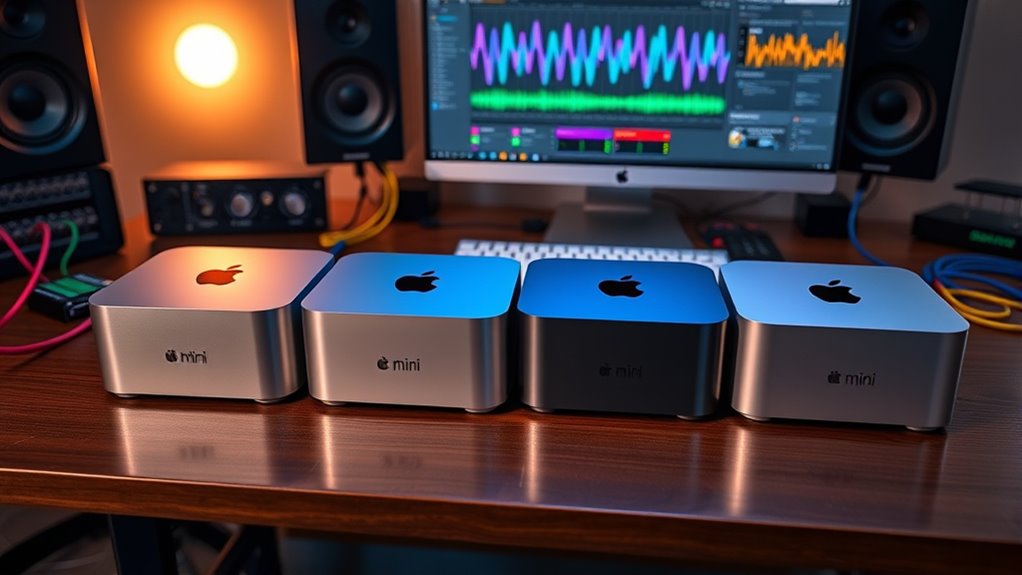

For a home studio workstation, I’d start with the 2024 Mac mini with M4, 16GB memory, and 512GB SSD: it balances current-generation performance and built-in storage for a broad range of music and creative work. The M4 Pro Mac mini is a stronger fit for heavier sessions and more demanding multitasking, while the M1 Max Mac Studio offers a different path for buyers who need a workstation-class design and can accept an older renewed model. The key tradeoffs are processing headroom, memory, internal storage, and how much uncertainty you’re willing to accept around newer models with limited listed specifications. I’ll compare all ten options by studio role, strengths, and drawbacks so you can narrow the field to the setup that fits your workflow.

Get the latest gadgets delivered free with Prime
- Fast, free delivery on millions of items
- Prime Video, Amazon Music and more included
- Member-only deals all year
Complete the kit

Key Takeaways
- The M4 Mac mini with 16GB memory and 512GB SSD is the clearest all-rounder among the models with detailed specifications: it pairs a current chip with more built-in storage than the 256GB alternative.
- The M4 Pro models target heavier workloads; choose one for demanding sessions or sustained multitasking, not simply because a Pro label sounds more future-proof.
- The 256GB M4 Mac mini trades internal storage for a lower-capacity configuration, so plan for external project and sample libraries before choosing it.
- The renewed M1 Mac mini and M1 Max Mac Studio require a condition-and-age tradeoff against newer M4 options; the Studio’s workstation design may suit specific needs, but its older generation is a meaningful limit.
- The M5 Pro and three M6 listings lack enough configuration detail to rank by studio performance; verify memory, storage, ports, and exact model identity before treating them as upgrades.
| Apple 2020 Mac Mini with M1 Chip, 8GB RAM, 256GB SSD – Silver (Renewed) |  | Best Entry-Level Renewed Pick | Processor: Apple M1, 8-core, 3.1 GHz | Memory: 8 GB DDR5 RAM | Storage: 256 GB SSD | VIEW ON AMAZON | See Our Full Breakdown |
| Apple Mac mini Desktop Computer (2024) with M4 Chip, 10-Core CPU and GPU, 16GB Memory, 512GB SSD, Gigabit Ethernet |  | Best Overall for a Balanced Home Studio | Chip: Apple M4 | CPU: 10-core | GPU: 10-core | VIEW ON AMAZON | See Our Full Breakdown |
| Apple 2024 Mac mini Desktop Computer with M4 Chip, 16GB RAM, 256GB SSD, Gigabit Ethernet |  | Best Compact M4 Starting Point | Processor: Apple M4, 10-core CPU and 10-core GPU | Memory: 16GB unified memory | Storage: 256GB SSD | VIEW ON AMAZON | See Our Full Breakdown |
| Apple 2022 Mac Studio with M1 Max Chip, 10-Core CPU, 32GB RAM, 512GB SSD (Renewed) |  | Best for Memory-Heavy Sessions | Processor: Apple M1 Max, 10-core CPU | Memory: 32GB RAM | Memory technology: LPDDR4 SDRAM | VIEW ON AMAZON | See Our Full Breakdown |
| Apple Mac mini Desktop Computer with M5 Pro Chip (2026) |  | Best Premium Compact Workstation | Processor: Apple M5 Pro | Memory bandwidth: 307 GB/s | Ports: Three Thunderbolt 5, one HDMI, one 2.5Gb Ethernet, two USB-C, one headphone jack | VIEW ON AMAZON | See Our Full Breakdown |
| Apple 2024 Mac mini Desktop Computer with M4 Pro Chip, 24GB Memory, 512GB SSD, and AppleCare+ |  | Best for Demanding Audio Sessions | Processor: Apple M4 Pro, 12-core CPU and 16-core GPU | Memory: 24GB unified memory | Storage: 512GB SSD | VIEW ON AMAZON | See Our Full Breakdown |
| Apple 2024 Mac mini Desktop Computer with M4 Pro Chip, 24GB RAM, 512GB SSD, Gigabit Ethernet | | Best for Wired Studio Setups | Processor: Apple M4 Pro, 12-core CPU and 16-core GPU | Memory: 24GB unified memory | Storage: 512GB SSD | VIEW ON AMAZON | See Our Full Breakdown |
| Apple Mac mini Desktop Computer with M6 Chip (2026) | | Best for Multi-Display Studios | Chip: Apple M6 | Memory: Up to 32GB unified memory | Memory bandwidth: 170GB/s | VIEW ON AMAZON | See Our Full Breakdown |
| Apple Mac mini Desktop Computer with M6 Chip (2026) | | Best for Apple-Device Studio Workflows | Chip: Apple M6 | Memory: Up to 32GB unified memory | Memory bandwidth: 170GB/s | VIEW ON AMAZON | See Our Full Breakdown |
| Apple Mac mini Desktop Computer with M6 Chip (2026) | | Best for AI-Assisted Creative Work | Chip: Apple M6 | Memory: Up to 32GB unified memory | Memory bandwidth: 170GB/s | VIEW ON AMAZON | See Our Full Breakdown |
| mac mini for home studio workstation | Memory | Ports | Processor | Storage |
|---|---|---|---|---|
| Apple 2020 Mac Mini with M1 Ch | 8 GB DDR5 RAM | 3 USB, 1 HDMI, 3 component outputs | Apple M1, 8-core, 3.1 GHz | 256 GB SSD |
| Apple Mac mini Desktop Compute | 16GB unified memory | Thunderbolt, HDMI, front USB-C, headphone jack | — | 512GB SSD |
| Apple 2024 Mac mini Desktop Co | 16GB unified memory | Thunderbolt, HDMI, Gigabit Ethernet, USB-C, headphone jack | Apple M4, 10-core CPU and 10-core GPU | 256GB SSD |
| Apple 2022 Mac Studio with M1 | 32GB RAM | — | Apple M1 Max, 10-core CPU | 512GB SSD |
| Apple Mac mini Desktop Compute | — | Three Thunderbolt 5, one HDMI, one 2.5Gb Ethernet, two USB-C, one headphone jack | Apple M5 Pro | — |
| Apple 2024 Mac mini Desktop Co | 24GB unified memory | Thunderbolt, HDMI, front USB-C, headphone jack | Apple M4 Pro, 12-core CPU and 16-core GPU | 512GB SSD |
| Apple 2024 Mac mini Desktop Co | 24GB unified memory | — | Apple M4 Pro, 12-core CPU and 16-core GPU | 512GB SSD |
| Apple Mac mini Desktop Compute | Up to 32GB unified memory | Three Thunderbolt 4, HDMI, two front USB-C, headphone jack | — | — |
| Apple Mac mini Desktop Compute | Up to 32GB unified memory | Three Thunderbolt 4, HDMI, two USB-C, headphone jack | — | — |
| Apple Mac mini Desktop Compute | Up to 32GB unified memory | Three Thunderbolt 4, HDMI, two USB-C, headphone jack | — | — |
More Details on Our Top Picks
Apple 2020 Mac Mini with M1 Chip, 8GB RAM, 256GB SSD – Silver (Renewed)
For a home studio built around a few audio tracks, basic editing, or everyday production tasks, this renewed M1 Mac mini offers a compact way into macOS without the newer models’ higher-end hardware. Its 8-core processor and SSD can handle routine work, but 8GB of memory leaves less room for large sample libraries and multiple demanding plugins than the 16GB M4 Mac mini options here. The 256GB drive also fills quickly when projects and sound libraries live on the internal disk, so plan on external storage. Compared with the 2024 M4 models, this is an older, more constrained workstation; its case is also larger than their 5-by-5-inch design. I’d choose it for a modest, carefully managed setup, not as a growth-ready studio hub.
Pros:- 8-core M1 processor is suited to everyday audio and multimedia work
- Compact desktop design can sit beside a studio monitor
- SSD storage supports quick file access and application loading
Cons:- 8GB of memory can constrain large sessions and sample-heavy projects
- 256GB internal storage leaves limited room for audio libraries
- Renewed status and limited upgrade options make long-term expansion less straightforward
Best for: A home-studio beginner running a modest number of tracks and plugins who is comfortable adding external project storage.
Not ideal for: Producers using large sample libraries, many simultaneous plugins, or projects that need ample internal storage and memory headroom.
- Processor:Apple M1, 8-core, 3.1 GHz
- Memory:8 GB DDR5 RAM
- Storage:256 GB SSD
- Operating system:Mac OS
- Video output:6K/4K
- Ports:3 USB, 1 HDMI, 3 component outputs
- Dimensions:8.26 x 8.2 x 3.22 inches
- Weight:1.18 kg
Our verdict“Choose this renewed M1 model for a small, entry-level studio that can work within 8GB of memory and use external storage.”
Apple Mac mini Desktop Computer (2024) with M4 Chip, 10-Core CPU and GPU, 16GB Memory, 512GB SSD, Gigabit Ethernet
This 2024 Mac mini is the most balanced fit here for a home studio that needs current performance without stepping up to the larger Mac Studio or the M5 Pro model. The M4 10-core CPU and 16GB unified memory give a producer more room for multitrack sessions and plugin work than the renewed M1’s 8GB, while the 512GB SSD is a more practical starting point than the 256GB configuration. Front USB-C ports and a headphone jack make routine connections easier, and Thunderbolt, HDMI, and Gigabit Ethernet add flexibility around a desk setup. It still needs a separate monitor and peripherals, and its internal storage may not suit extensive sample collections. For unusually demanding sessions, the 32GB Mac Studio has more memory; this M4 is the better compact middle ground.
Pros:- M4 10-core CPU and GPU provide a capable current-generation base for creative work
- 16GB unified memory offers more session headroom than the renewed M1 model
- 512GB SSD provides more working space than the 256GB M4 configuration
- Front USB-C, headphone jack, Thunderbolt, HDMI, and Gigabit Ethernet support a flexible desk setup
Cons:- A monitor, keyboard, and other desktop peripherals are not included
- 512GB may still be restrictive for large sample libraries and long-term project archives
Best for: Home producers who want a current, compact Mac for multitrack recording, editing, and moderate plugin use, with a separate monitor already planned.
Not ideal for: Studio owners with large sound libraries that must reside internally or workflows that routinely need more than 16GB of memory.
- Chip:Apple M4
- CPU:10-core
- GPU:10-core
- Memory:16GB unified memory
- Storage:512GB SSD
- Ports:Thunderbolt, HDMI, front USB-C, headphone jack
- Ethernet:Gigabit Ethernet
- Dimensions:5 × 5 × 2 inches
- Weight:1.5 pounds
Our verdict“Pick this M4 configuration for a compact, well-rounded studio workstation with more memory and storage than the entry-level alternatives.”
Apple 2024 Mac mini Desktop Computer with M4 Chip, 16GB RAM, 256GB SSD, Gigabit Ethernet
This 5-by-5-inch M4 Mac mini fits a crowded studio desk while keeping the same listed 10-core M4 CPU and 16GB unified memory as the 512GB M4 model. That makes it a sensible choice when session performance matters more than keeping every project and library on the computer. Its key compromise is 256GB of internal storage: audio projects, sample content, and applications can consume that capacity quickly, so an external drive is part of the plan for many producers. Compared with the 512GB M4 configuration, this version trades working room for a leaner storage setup; compared with the renewed M1, it provides a newer chip and more memory. It lacks a dedicated graphics option, but that is less relevant to many audio-first workstations than available memory and storage planning.
Pros:- Compact 5 x 5 x 2-inch body suits desks with limited space
- M4 10-core CPU and GPU paired with 16GB unified memory
- Thunderbolt, HDMI, USB-C, headphone jack, and Gigabit Ethernet provide useful connectivity
- Integrates with other Apple devices
Cons:- 256GB SSD is a tight fit for extensive audio projects and sample libraries
- No dedicated graphics card option is listed
- Requires a separate monitor and desktop peripherals
Best for: Audio-first producers who want the compact 2024 M4 platform and 16GB memory, and are happy to keep sessions or libraries on external storage.
Not ideal for: Buyers who want a large internal project archive or prefer not to manage external drives.
- Processor:Apple M4, 10-core CPU and 10-core GPU
- Memory:16GB unified memory
- Storage:256GB SSD
- Ports:Thunderbolt, HDMI, Gigabit Ethernet, USB-C, headphone jack
- Dimensions:5 x 5 x 2 inches
- Weight:1.5 pounds
- Model type:Apple Mac mini desktop computer
Our verdict“Choose this M4 model if you want a compact, current workstation and can keep large studio files on external storage.”
Apple 2022 Mac Studio with M1 Max Chip, 10-Core CPU, 32GB RAM, 512GB SSD (Renewed)
For a producer whose sessions lean on substantial sample libraries or many simultaneous instruments, the renewed Mac Studio’s 32GB of RAM is its clearest advantage over the 16GB M4 Mac mini models. The M1 Max 10-core CPU and 512GB SSD also make this a more workstation-oriented choice than the renewed M1 mini, especially when memory headroom matters more than having the newest chip. The tradeoff is the renewed configuration: the supplied data describes a pre-owned unit, and accessories may not be original. Its listed operating system is macOS High Sierra, so buyers should verify software compatibility and the actual system configuration before relying on it for a current studio workflow. I’d favor it over the compact M4 models for memory-heavy sessions, but not for buyers prioritizing the newest platform or a straightforward out-of-box setup.
Pros:- 32GB RAM offers more capacity for large sessions than the 16GB M4 Mac mini options
- M1 Max 10-core CPU is aimed at demanding creative work
- 512GB SSD provides more internal capacity than the 256GB configurations
- Renewed unit is described as inspected and tested by qualified suppliers
Cons:- Renewed condition means accessories may not be original
- Listed macOS High Sierra may not match current studio software requirements
- The supplied details do not clearly specify included peripherals or complete studio connectivity
Best for: A producer running memory-intensive sessions or large instrument libraries who values 32GB RAM and is comfortable checking renewed-device condition and software compatibility.
Not ideal for: Buyers seeking a new, compact Mac mini, a clearly specified current operating system, or a simple plug-in-and-start studio setup.
- Processor:Apple M1 Max, 10-core CPU
- Memory:32GB RAM
- Memory technology:LPDDR4 SDRAM
- Storage:512GB SSD
- Graphics:Integrated graphics
- Operating system:macOS High Sierra
- Renewed condition:Inspected and tested by Amazon-qualified suppliers
- Battery capacity:Exceeds 80%
Our verdict“Consider this renewed Mac Studio for memory-heavy sessions if you can confirm its software compatibility and renewed configuration before buying.”
Apple Mac mini Desktop Computer with M5 Pro Chip (2026)
The M5 Pro Mac mini is the premium choice for a compact studio that needs more connectivity and higher-end creative capacity than the standard M4 models offer. Its listed 307 GB/s memory bandwidth, Thunderbolt 5, and support for up to three external displays suit complex desk arrangements and demanding creative workflows. The 2.5Gb Ethernet connection also gives a wired studio network more bandwidth than the Gigabit Ethernet listed on the M4 Mac minis. The product data does not state memory or SSD capacity, though, so buyers should verify those configurations rather than assume this model has more working memory or storage than the 32GB renewed Mac Studio. Like the other Mac minis, it requires a monitor and peripherals. I’d select it for connectivity and premium platform capability, not simply because it is the newest option.
Pros:- M5 Pro chip is positioned for demanding creative, technical, and AI workflows
- Three Thunderbolt 5 ports support high-speed workstation connections
- 2.5Gb Ethernet, Wi-Fi 7, and Bluetooth 6 offer modern connectivity options
- Supports up to three external displays in a compact 5-by-5-inch case
Cons:- Memory and SSD capacity are not specified in the supplied product data
- Monitor and desktop peripherals must be supplied separately
- Its premium capabilities may be unnecessary for a modest audio-only workstation
Best for: A studio owner building a multi-display setup or relying on fast wired networking and Thunderbolt 5 connections for creative work.
Not ideal for: Buyers who need confirmed memory and storage capacities before choosing, or who want an all-in-one desktop package with a monitor and peripherals.
- Processor:Apple M5 Pro
- Memory bandwidth:307 GB/s
- Ports:Three Thunderbolt 5, one HDMI, one 2.5Gb Ethernet, two USB-C, one headphone jack
- Wireless connectivity:Wi-Fi 7 and Bluetooth 6
- External display support:Up to three displays
- Dimensions:5 x 5 x 1.97 inches
- Weight:1.61 pounds
- Model number:MHQN4LL/A
Our verdict“Choose this M5 Pro Mac mini for a compact studio that benefits from Thunderbolt 5, fast networking, and multiple displays, after confirming memory and storage configuration.”
Apple 2024 Mac mini Desktop Computer with M4 Pro Chip, 24GB Memory, 512GB SSD, and AppleCare+
For a home studio running large sessions, demanding plug-ins, or audio alongside video work, this M4 Pro Mac mini brings more processing headroom than the standard M4 models elsewhere in the roundup. Its 12-core CPU and 24GB of unified memory are better suited to heavier multitasking than an entry-level configuration, while the 5-by-5-inch chassis leaves room on a crowded desk for controllers and interfaces. The 512GB SSD is a workable system drive, but sample libraries and project archives may call for external storage. Compared with the M4 Pro model without AppleCare+, this version’s key distinction is included support coverage, not additional studio performance. The tradeoff is that its capability may be excessive for basic recording, and it still lacks a dedicated graphics card or configurable internal expansion.
Pros:- M4 Pro 12-core CPU and 16-core GPU provide headroom for demanding creative workloads.
- 24GB unified memory supports multitasking and larger sessions.
- Compact 5-by-5-inch footprint fits beside studio monitors or an audio interface.
- AppleCare+ is included with this configuration.
Cons:- 512GB internal storage can fill quickly with sample libraries and project files.
- Higher-end processing may be unnecessary for simpler recording and editing.
- No dedicated GPU or stated internal upgrade path.
Best for: Producers who run large plug-in sessions or combine music production with video editing and want AppleCare+ support included.
Not ideal for: Beginner producers recording a few tracks at a time, who are unlikely to benefit from the M4 Pro headroom and may prefer a standard M4 Mac mini.
- Processor:Apple M4 Pro, 12-core CPU and 16-core GPU
- Memory:24GB unified memory
- Storage:512GB SSD
- Ports:Thunderbolt, HDMI, front USB-C, headphone jack
- Networking:Gigabit Ethernet
- Dimensions:5 x 5 inches
- Included coverage:AppleCare+
Our verdict“Choose this M4 Pro configuration if demanding studio sessions and included AppleCare+ matter more than extra internal storage or a lower-powered setup.”
Apple 2024 Mac mini Desktop Computer with M4 Pro Chip, 24GB RAM, 512GB SSD, Gigabit Ethernet
This M4 Pro Mac mini suits a studio where dependable wired connections matter as much as processing power. It pairs a 12-core CPU with 24GB of unified memory, giving it more room for simultaneous audio, editing, and other creative tasks than the standard M4 Mac mini models in this roundup. Gigabit Ethernet is useful for moving projects to a networked drive or working with shared files; Thunderbolt and HDMI also leave options for fast storage and an external display. Its performance and core configuration closely match the AppleCare+ M4 Pro listing, so choose this one for the stated wired setup rather than expecting a speed advantage. The 512GB SSD leaves limited space for extensive libraries, and the compact machine offers no dedicated GPU or stated internal upgrade options.
Pros:- M4 Pro processor offers more capacity for demanding sessions than the standard M4 options.
- 24GB unified memory helps accommodate concurrent creative applications.
- Gigabit Ethernet provides a wired networking option for studio file workflows.
- Thunderbolt, HDMI, USB-C, and headphone jack support common desk connections.
Cons:- 512GB SSD may not hold large sample libraries and project archives.
- No dedicated graphics card option is listed.
- The compact design offers limited upgrade flexibility.
Best for: Home-studio owners with a wired network or network storage who also run demanding plug-ins and creative applications.
Not ideal for: Producers with modest sessions who can use a standard M4 model, or anyone needing substantial internal storage for a large sample collection.
- Processor:Apple M4 Pro, 12-core CPU and 16-core GPU
- Memory:24GB unified memory
- Storage:512GB SSD
- Dimensions:5 x 5 x 2 inches
- Weight:1.6 pounds
- Connectivity:Thunderbolt, HDMI, USB-C, Gigabit Ethernet, headphone jack
Our verdict“Pick this M4 Pro Mac mini for a wired, performance-focused studio, but favor a standard M4 model if your sessions are lighter.”
Apple Mac mini Desktop Computer with M6 Chip (2026)
A studio built around several screens may get more practical value from this M6 Mac mini’s support for up to three external displays than from the extra processing emphasis of the M4 Pro models in this roundup. That flexibility can keep a DAW, mixer, plug-in windows, and reference material visible at once, while three Thunderbolt 4 ports plus HDMI give a useful set of display and peripheral connections. Its 2.5Gb Ethernet, Wi-Fi 7, and Bluetooth 6 add modern networking choices. The listed memory is up to 32GB, but the actual configuration is not specified, so buyers should verify the version before planning a memory-heavy session. Compared with the M6 listing that highlights iPhone Mirroring, this configuration is differentiated by its stated compact dimensions and display setup. It still requires a separate monitor and studio peripherals.
Pros:- Supports up to three external displays for a flexible DAW workspace.
- Three Thunderbolt 4 ports and HDMI accommodate monitors and fast peripherals.
- 2.5Gb Ethernet, Wi-Fi 7, and Bluetooth 6 provide current connectivity options.
- Compact 5-by-5-inch footprint fits neatly beneath or beside a monitor.
Cons:- Memory is listed only as up to 32GB, not as a confirmed configuration.
- A monitor, audio interface, and other studio peripherals are separate requirements.
- No storage capacity is specified in the supplied product data.
Best for: Producers who organize a home workstation across multiple displays and want Thunderbolt 4 and faster wired networking.
Not ideal for: Buyers who need a confirmed high-memory configuration for large sample libraries, or who want an all-in-one computer with a built-in display.
- Chip:Apple M6
- Memory:Up to 32GB unified memory
- Memory bandwidth:170GB/s
- Display support:Up to three external displays
- Ports:Three Thunderbolt 4, HDMI, two front USB-C, headphone jack
- Ethernet:2.5Gb
- Wireless:Wi-Fi 7 and Bluetooth 6
- Dimensions and weight:5 x 5 x 1.97 inches; 1.47 pounds
Our verdict“Choose this M6 configuration for a compact, multi-display studio desk, after confirming the memory and storage configuration you need.”
Apple Mac mini Desktop Computer with M6 Chip (2026)
This M6 Mac mini is the better fit for producers who already work across a Mac and iPhone, with listed macOS features such as iPhone Mirroring and cross-device copy and paste helping connect everyday tasks between devices. For studio work, it also offers up to three external displays, three Thunderbolt 4 ports, HDMI, and 2.5Gb Ethernet. That makes it easy to plan a desk with a DAW display, a plug-in or mixer screen, and a third reference monitor. Compared with the other M6 listing that emphasizes on-device AI workflows, this one specifically calls out Apple-device continuity. The product data does not specify a particular memory or storage configuration, so I would check those details before choosing it for demanding sessions. Like the M4 Pro options, it needs a separate display, and its memory tops out at 32GB.
Pros:- macOS features include iPhone Mirroring and cross-device copy and paste.
- Supports up to three external displays for arranging studio applications.
- Three Thunderbolt 4 ports, HDMI, front USB-C, and headphone jack offer broad connectivity.
- 2.5Gb Ethernet and Wi-Fi 7 support wired and wireless networking.
Cons:- The supplied product data does not state a specific memory or storage configuration.
- Memory is limited to a maximum of 32GB.
- Requires a separate display and other desktop peripherals.
Best for: Mac and iPhone owners who want their studio workstation to share files and everyday tasks across Apple devices.
Not ideal for: Producers who need verified storage and memory specifications before purchase or routinely need more than 32GB of memory.
- Chip:Apple M6
- Memory:Up to 32GB unified memory
- Memory bandwidth:170GB/s
- Ports:Three Thunderbolt 4, HDMI, two USB-C, headphone jack
- Display support:Up to three external displays
- Networking:2.5Gb Ethernet, Wi-Fi 7, Bluetooth 6
- Dimensions and weight:5 x 5 x 1.97 inches; 1.47 pounds
- Operating system:macOS
Our verdict“Choose this M6 Mac mini if Apple-device continuity is central to your studio workflow and its confirmed configuration meets your session needs.”
Apple Mac mini Desktop Computer with M6 Chip (2026)
For a home studio that includes AI-assisted creative tasks alongside recording and editing, this M6 Mac mini is the most directly targeted option in the batch: its product description highlights on-device AI workflows and Neural Accelerators. The compact 5-by-5-inch system also supports up to three external displays, so a producer can separate a DAW, control surfaces, and reference material across screens. Its Thunderbolt 4, HDMI, USB-C, and 2.5Gb Ethernet connections offer a strong starting point for a workstation, although the computer alone is not a complete setup. Compared with the M6 model focused on iPhone Mirroring, this listing puts more emphasis on AI-oriented work. The 32GB memory ceiling may limit buyers planning unusually large sessions, and the supplied data does not state storage capacity; confirm the configuration before relying on it for sample libraries.
Pros:- M6 chip and Neural Accelerators are positioned for on-device AI workflows.
- Supports up to three external displays.
- Three Thunderbolt 4 ports, HDMI, USB-C, and 2.5Gb Ethernet support a connected studio desk.
- Compact 5-by-5-inch design takes up little workstation space.
Cons:- Memory is capped at 32GB.
- The supplied product data does not specify storage capacity.
- A separate display and studio peripherals are required.
Best for: Producers exploring on-device AI tools alongside music or media work who want a compact Mac with several display connections.
Not ideal for: Power users who need more than 32GB memory or a clearly specified, high-capacity internal SSD for extensive libraries.
- Chip:Apple M6
- Memory:Up to 32GB unified memory
- Memory bandwidth:170GB/s
- Dimensions and weight:5 x 5 x 1.97 inches; 1.47 pounds
- Ports:Three Thunderbolt 4, HDMI, two USB-C, headphone jack
- Networking:2.5Gb Ethernet, Wi-Fi 7, Bluetooth 6
- Display support:Up to three external displays
- Model number:MHQL4LL/A
Our verdict“Pick this M6 model for a compact studio that will make use of on-device AI features, provided its memory and storage configuration suit your sessions.”

How We Picked
I ranked these computers by their fit for a home studio, where dependable performance, enough memory for layered projects, and a practical storage plan matter more than a headline chip name. I weighed the configurations provided—especially chip generation, memory, SSD capacity, and whether the product is a renewed model—against common recording, editing, and production needs. I also looked at how much buyers can reasonably determine from each listing: a model with clearly stated specifications is easier to match to a workflow than one identified only by its chip family.
The M4 Mac mini with 16GB and 512GB leads because its stated configuration offers the most balanced starting point among the detailed standard Mac mini options. M4 Pro models rank higher for users who need more processing headroom, while the M4 with 256GB suits buyers with modest local storage needs. The M1 options rank lower for most new studio builds because they are older and, in the Mac mini’s case, have 8GB memory; the 2026 M5 Pro and M6 listings stay conditional picks until their full specifications are clear. I treat AppleCare+ as support coverage rather than a performance advantage.
| mac mini for home studio workstation | Processor |
|---|---|
| Apple 2020 Mac Mini with M1 Ch | Apple M1, 8-core, 3.1 GHz |
| Apple Mac mini Desktop Compute | — |
| Apple 2024 Mac mini Desktop Co | Apple M4, 10-core CPU and 10-core GPU |
| Apple 2022 Mac Studio with M1 | Apple M1 Max, 10-core CPU |
| Apple Mac mini Desktop Compute | Apple M5 Pro |
| Apple 2024 Mac mini Desktop Co | Apple M4 Pro, 12-core CPU and 16-core GPU |
| Apple 2024 Mac mini Desktop Co | Apple M4 Pro, 12-core CPU and 16-core GPU |
| Apple Mac mini Desktop Compute | — |
| Apple Mac mini Desktop Compute | — |
| Apple Mac mini Desktop Compute | — |
Factors to Consider When Choosing Mac Mini For Home Studio Workstations
I’d choose a studio Mac by mapping the computer to the actual session, not by buying the most powerful configuration on the list. These factors help separate needs that look similar on a product page but can lead to very different setups at a desk.
Match Processing Headroom to Your Session
Count the work you expect to run at once: virtual instruments, software effects, audio tracks, video tools, and other apps open during a session. A basic recording setup with a few tracks has different demands from a project built around many software instruments and processor-heavy effects. Paying for a Pro chip makes more sense when your sessions regularly push the current machine, rather than as insurance against every possible future project. Keep in mind that your audio interface, plugin choices, and session habits also shape performance. If your workload is still developing, favor a balanced configuration and leave room in the budget for monitors, headphones, or acoustic treatment.
Choose Memory for the Way You Create
Memory affects how comfortably a computer handles large projects and several demanding apps at once, so it deserves attention alongside the chip. Producers who rely on sample libraries, large virtual-instrument sessions, or simultaneous audio and video work should avoid choosing only by processor tier. A common mistake is to assume a faster chip can compensate for a memory configuration that feels cramped in the intended workflow. Check the exact memory listed for each model, especially when a listing names a newer chip but leaves the rest of the configuration vague. For a long-term workstation, I’d favor a clearly specified configuration that matches your real sessions over a speculative upgrade claim.
Plan Storage Around Samples and Projects
A 256GB internal drive can be workable when active projects and large sample libraries live on external storage, but it leaves less room for apps and local files. A 512GB configuration gives a home studio more breathing room without removing the need for backups. Before buying, estimate the space used by your instruments, audio sessions, video assets, and project archives. External SSDs can expand capacity, but they add cost, cables, and another item to manage at the workstation. Keep a separate backup plan: a second drive or a backup service protects work in a way that simply adding more working storage does not.
Check the Whole Studio Setup, Not Just the Computer
A Mac mini is only one part of a workstation, and the total setup also needs a display, keyboard, pointing device, audio interface, and suitable monitoring. List the ports your interface and storage devices require before settling on a model; a compact computer can still lead to a crowded desk if every accessory needs an adapter or hub. Gigabit Ethernet may be useful for network-attached storage or large file transfers, but it is not a substitute for local backup. Think through where the computer will sit, how cables will reach your interface, and whether your workspace has room for external drives. A well-matched set of accessories can matter more to daily usability than moving up one chip tier.
Treat Renewed and Newer, Lightly Specified Models Differently
A renewed Mac can make sense when its stated configuration fits the workload and its seller, condition terms, and coverage are acceptable to you. It also asks you to weigh age and condition against the appeal of a newer model, so don’t compare chip names without checking memory and storage. Listings for the M5 Pro and M6 options here provide limited configuration details, which makes confident studio matching difficult. Confirm the exact chip, memory, SSD capacity, ports, and included coverage before choosing one of those listings. If those details remain unclear, a fully specified M4 or M4 Pro is the more predictable purchase.
Frequently Asked Questions
Is 16GB of memory enough for a home recording studio?
It can suit recording, editing, and production sessions that use a moderate number of tracks and plugins, but the answer depends on your instruments and multitasking habits. Large sample libraries and complex virtual-instrument projects can place more pressure on memory than straightforward audio recording. If you already know your sessions are demanding, compare the M4 Pro configurations and check their full specifications rather than assuming the chip alone settles the question. Buyers working with smaller projects may get more value from the balanced M4 configuration and spend the difference on studio essentials. I’d choose based on the largest session you expect to run regularly, not only the project you have open today.
Should I choose the M4 Mac mini with 256GB or 512GB of storage?
Choose 256GB if you have a clear plan to keep sample libraries and completed projects on external storage and are comfortable managing that setup. The 512GB version gives more room for applications, current sessions, and local assets, which can make daily work simpler. Neither capacity removes the need for backups, and an external working drive is not a backup by itself. Consider the size of your instruments and project archive before deciding; those can grow faster than a basic recording workflow suggests. If you are unsure, the 512GB configuration is the less restrictive starting point in this lineup.
Is a renewed M1 Mac mini a sensible first studio computer?
It can be a fit for a modest setup when the listed 8GB memory and 256GB SSD align with your recording and editing needs, and the renewed condition and coverage meet your standards. Its lower specifications give it less room for large sessions and sample-heavy work than the listed M4 Mac minis. A first-time producer should also account for interface, headphones or monitors, and storage rather than using the entire budget on the computer. Compare the renewed model’s exact terms with a newer, fully specified option before deciding. I would treat it as a constrained starter choice, not a flexible base for every future studio workflow.
Does the M1 Max Mac Studio make more sense than an M4 Pro Mac mini?
They suit different priorities, and the product details here do not provide enough information for a direct performance verdict across every task. The renewed M1 Max Mac Studio may appeal to someone specifically seeking a workstation-style desktop, while the M4 Pro Mac mini offers a newer chip generation and clearly stated memory and storage in the listed configuration. Compare the exact ports and connectivity you need, along with renewed condition and support terms, before choosing the Studio. For a new studio build where predictable configuration matters, the specified M4 Pro is easier to evaluate. Pick the Studio only when its particular design or verified specifications fit your setup better.
What should I verify before buying one of the M5 Pro or M6 listings?
Confirm the exact chip variant, memory, SSD capacity, port selection, and whether the listing describes a complete computer configuration. Those details affect studio use more directly than a generation label alone. The three M6 entries have the same product name in the supplied lineup, so check that they are distinct configurations rather than duplicate listings. Look for clear warranty or coverage information as well, especially when comparing a newer product listing with a specified M4 model. If important specifications are missing, I’d wait for clarification or choose a model whose configuration is stated.
Conclusion
For most home studio workstations, my best overall pick is the 2024 M4 Mac mini with 16GB memory and 512GB SSD: it offers the most balanced, clearly stated standard Mac mini configuration here. For best value, I’d look at the M4 with 16GB and 256GB if external storage already fits your workflow. The best premium choice is the specified M4 Pro Mac mini with 24GB memory and 512GB SSD for sessions that need more headroom; choose the AppleCare+ listing if support coverage is a priority. For beginners, the standard M4 is the easiest starting point to match to a broad range of studio tasks, while the renewed M1 is only for modest projects and a carefully checked renewed purchase. For specific workstation needs, consider the renewed M1 Max Mac Studio only if its design and verified configuration suit your setup, and hold off on the M5 Pro or M6 listings until their full specifications are clear.