
A laptop with 96GB RAM can handle large datasets, virtual machines, complex creative projects, and demanding multitasking, but memory alone does not make every model a good fit. My best overall pick is the Lenovo ThinkPad P14s Gen 6 with Ryzen AI 9 HX PRO 370, which pairs 96GB RAM with a 2TB SSD in a portable workstation format. The HP OMEN 16 Slim stands out for buyers who want a high-refresh gaming display and RTX 5070 graphics, while the Dell Precision 3571 offers a 4TB SSD and workstation features at the cost of a refurbished, older platform. The key tradeoffs are portability versus graphics power, newer components versus storage capacity, and workstation reliability features versus gaming performance. Read on for how the nine options differ and which one suits your workload.

Get the latest gadgets delivered free with Prime
- Fast, free delivery on millions of items
- Prime Video, Amazon Music and more included
- Member-only deals all year
Complete the kit
![Lamicall 8 Pack Cord Organizer, [1s Lock] Cable Managemen...](https://m.media-amazon.com/images/I/71uQ8L3QzHL._AC_SL480_.jpg)
![Lamicall 6Pack Cord Organizer, [1s Lock] Spring Cable Hol...](https://m.media-amazon.com/images/I/71uBLICDwfL._AC_SL480_.jpg)

Key Takeaways
- The ThinkPad P14s Gen 6 AMD configurations lead for balanced workstation use: they combine 96GB RAM, 2TB storage, and a compact 14-inch design, with the Ryzen AI 9 version offering the strongest listed processor in that family.
- The HP OMEN 16 Slim is the clearest gaming-oriented 96GB choice: its RTX 5070 and 240Hz display target high-frame-rate play, unlike the integrated-graphics ThinkPad configurations.
- Do not assume every listed model has 96GB RAM: the HP Omen Slim 16, FIREBAT, and HP HyperX OMEN Max descriptions do not specify that capacity, so buyers should verify the exact configuration before purchase.
- The Dell Precision 3571 prioritizes capacity and workstation connections over freshness: its 4TB SSD, RTX A1000, and Thunderbolt 4 ports are useful, but its refurbished status and older processor call for extra scrutiny.
- 96GB is most useful when workloads can actually consume it: for gaming or everyday work alone, a discrete GPU, processor, cooling, and storage may influence results more than surplus memory.
| Lenovo ThinkPad P14s Gen 6 Mobile Workstation, AMD Ryzen AI 9 HX PRO-370, 96 GB DDR5 RAM, 2 TB PCIe SSD, 14″ WUXGA (1920×1200) IPS Display, AMD Radeon 890M, Backlit Keyboard, W11 Pro, Black | 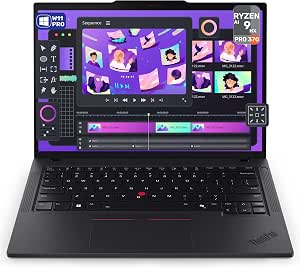 | Best Overall | Processor: AMD Ryzen AI 9 HX PRO 370, 12 cores, 24 threads, up to 5.1GHz | Memory: 96GB DDR5 | Storage: 2TB PCIe SSD | VIEW ON AMAZON | See Our Full Breakdown |
| Lenovo ThinkPad P14s Gen 6 Intel Core Ultra 9 285H, 16C, 14.5″ WUXGA (1920 x 1200) Non-Touch 400 nits, 60Hz, 96GB RAM DDR5, 2 TB SSD, Intel Integrated Graphics Fingerprint Reader, Windows 11 Pro |  | Best for Intel-Focused Workflows | Processor: Intel Core Ultra 9 285H, 16 cores, up to 5.4GHz on P-cores | Memory: Listed as 96GB DDR5-5600 SODIMM; description also states 2 x 16GB | Storage: 2TB M.2 2280 PCIe Gen4 SSD | VIEW ON AMAZON | See Our Full Breakdown |
| HP Omen Slim 16 Gaming Laptop, Intel Core Ultra 9 285H, GeForce RTX 5070, 16-inch 240Hz QHD+ |  | Best for Gaming—But Not for 96GB Buyers | Processor: Intel Core Ultra 9 285H, 16 cores, up to 5.4GHz | Memory: Supports up to 64GB DDR5 | Storage: Supports up to 4TB PCIe NVMe M.2 SSD | VIEW ON AMAZON | See Our Full Breakdown |
| Lenovo ThinkPad P14s Gen 6 14-inch Laptop, AMD Ryzen AI 9 HX PRO 370, 96GB RAM, 2TB SSD | | Best for Color-Aware Business Work | Processor: AMD Ryzen AI 9 HX PRO 370, 2.00GHz up to 5.10GHz | Memory: 96GB DDR5-5600, 2 x 48GB | Storage: 2TB M.2 2280 PCIe Gen4 SSD | VIEW ON AMAZON | See Our Full Breakdown |
| FIREBAT 16-Inch Gaming Laptop with RTX 5060 and Ryzen 7 H 255 |  | Best Upgrade Path to 96GB | Processor: AMD Ryzen 7 H 255, 8 cores, 16 threads, up to 4.9GHz | Memory: 16GB DDR5 installed; expandable up to 96GB | Storage: 512GB PCIe 3.0 M.2 SSD | VIEW ON AMAZON | See Our Full Breakdown |
| Lenovo ThinkPad P14s Gen 7 Mobile Workstation, 14-inch WUXGA Touchscreen, AMD Ryzen AI 7 PRO 450, 96 GB RAM, 2 TB SSD |  | Best Compact Workstation | Processor: AMD Ryzen AI 7 PRO 450, 8 cores, 16 threads, up to 5.1 GHz | Memory: 96GB DDR5 | Storage: 2TB PCIe SSD | VIEW ON AMAZON | See Our Full Breakdown |
| Dell Precision 3571 15-inch FHD Touch, Core i7-12800H, RTX A1000, 96GB DDR5, 4TB SSD, Refurbished Workstation |  | Best Refurbished Workstation for CAD | Processor: Intel Core i7-12800H, 14 cores | Memory: 96GB DDR5 | Storage: 4TB NVMe PCIe SSD | VIEW ON AMAZON | See Our Full Breakdown |
| HP HyperX OMEN Max 16 Gaming Laptop with RTX 5090 |  | Best for Maximum Gaming and GPU Work | Processor: Intel Core Ultra 9 290HX Plus, 24 cores and 24 threads, up to 5.5 GHz | Memory: 96GB DDR5 | Storage: 4TB SSD | VIEW ON AMAZON | See Our Full Breakdown |
| HP OMEN 16 Slim Gaming Laptop, 16-inch WQXGA 240Hz, Core Ultra 9 285H, RTX 5070, 96GB RAM, 4TB SSD |  | Best Balanced Gaming and Work Pick | Processor: Intel Core Ultra 9 285H, 16 cores, up to 5.40 GHz | Memory: 96GB DDR5 | Storage: 4TB PCIe SSD | VIEW ON AMAZON | See Our Full Breakdown |
| laptop with 96gb ram | Processor | Memory | Storage | Graphics |
|---|---|---|---|---|
| Lenovo ThinkPad P14s Gen 6 Mob | AMD Ryzen AI 9 HX PRO 370, 12 cores, 24 threads, up to 5.1GHz | 96GB DDR5 | 2TB PCIe SSD | Integrated AMD Radeon 890M |
| Lenovo ThinkPad P14s Gen 6 Int | Intel Core Ultra 9 285H, 16 cores, up to 5.4GHz on P-cores | Listed as 96GB DDR5-5600 SODIMM; description also states 2 x 16GB | 2TB M.2 2280 PCIe Gen4 SSD | Intel integrated graphics |
| HP Omen Slim 16 Gaming Laptop | Intel Core Ultra 9 285H, 16 cores, up to 5.4GHz | Supports up to 64GB DDR5 | Supports up to 4TB PCIe NVMe M.2 SSD | NVIDIA GeForce RTX 5070, 8GB GDDR7 |
| Lenovo ThinkPad P14s Gen 6 14- | AMD Ryzen AI 9 HX PRO 370, 2.00GHz up to 5.10GHz | 96GB DDR5-5600, 2 x 48GB | 2TB M.2 2280 PCIe Gen4 SSD | Integrated AMD Radeon 890M |
| FIREBAT 16-Inch Gaming Laptop | AMD Ryzen 7 H 255, 8 cores, 16 threads, up to 4.9GHz | 16GB DDR5 installed; expandable up to 96GB | 512GB PCIe 3.0 M.2 SSD | NVIDIA GeForce RTX 5060, 8GB GDDR7 |
| Lenovo ThinkPad P14s Gen 7 Mob | AMD Ryzen AI 7 PRO 450, 8 cores, 16 threads, up to 5.1 GHz | 96GB DDR5 | 2TB PCIe SSD | Integrated AMD Radeon 860M |
| Dell Precision 3571 15-inch FH | Intel Core i7-12800H, 14 cores | 96GB DDR5 | 4TB NVMe PCIe SSD | NVIDIA RTX A1000, 4GB GDDR6 |
| HP HyperX OMEN Max 16 Gaming L | Intel Core Ultra 9 290HX Plus, 24 cores and 24 threads, up to 5.5 GHz | 96GB DDR5 | 4TB SSD | NVIDIA GeForce RTX 5090, 24GB GDDR7 |
| HP OMEN 16 Slim Gaming Laptop | Intel Core Ultra 9 285H, 16 cores, up to 5.40 GHz | 96GB DDR5 | 4TB PCIe SSD | NVIDIA GeForce RTX 5070 Laptop GPU, 8GB GDDR7 |
More Details on Our Top Picks
Lenovo ThinkPad P14s Gen 6 Mobile Workstation, AMD Ryzen AI 9 HX PRO-370, 96 GB DDR5 RAM, 2 TB PCIe SSD, 14″ WUXGA (1920×1200) IPS Display, AMD Radeon 890M, Backlit Keyboard, W11 Pro, Black
The AMD ThinkPad P14s Gen 6 is the most balanced fit here for buyers who specifically need 96GB RAM in a portable work laptop. Its 12-core Ryzen AI 9 HX PRO 370 and 2TB SSD pair ample memory with fast processing and room for large project files, while the 3.1-pound body is easier to carry than the gaming-focused FIREBAT. The 14-inch, 500-nit, 100% sRGB display is better suited to bright offices and color-aware work than the Intel ThinkPad’s narrower 45% NTSC coverage. Radeon 890M graphics remain integrated, though, so this is not the pick for demanding GPU rendering or gaming. I’d choose it for mobile development, virtual machines, and mixed professional workloads; buyers needing a dedicated graphics processor should look at an RTX-equipped system instead.
Pros:- 96GB DDR5 memory supports large datasets, virtual machines, and heavy multitasking.
- Ryzen AI 9 HX PRO 370 offers 12 cores and boost speeds up to 5.1GHz.
- 500-nit, 100% sRGB display is bright and color-capable for a compact business laptop.
- 2TB PCIe SSD, Wi-Fi 7, and Windows 11 Pro suit professional workflows.
Cons:- Integrated Radeon 890M is less suited to demanding GPU rendering than the RTX-equipped gaming options.
- The 1920 x 1200, 60Hz screen is less sharp and fluid than the QHD+ 240Hz gaming displays.
- Non-touch display may not suit buyers who want pen or finger input.
Best for: Mobile professionals, developers, and analysts who run memory-intensive workloads and want a bright, color-accurate 14-inch screen.
Not ideal for: 3D artists and gamers who need dedicated graphics for sustained GPU-heavy work.
- Processor:AMD Ryzen AI 9 HX PRO 370, 12 cores, 24 threads, up to 5.1GHz
- Memory:96GB DDR5
- Storage:2TB PCIe SSD
- Graphics:Integrated AMD Radeon 890M
- Display:14-inch WUXGA IPS, 1920 x 1200, 500 nits, 100% sRGB, 60Hz, non-touch
- Operating system:Windows 11 Pro
- Wireless:Wi-Fi 7 and Bluetooth 5.4
- Weight:3.1 pounds
Our verdict“Choose this ThinkPad for a portable, well-rounded 96GB work machine, but skip it if your workload depends on a powerful dedicated GPU.”
Lenovo ThinkPad P14s Gen 6 Intel Core Ultra 9 285H, 16C, 14.5″ WUXGA (1920 x 1200) Non-Touch 400 nits, 60Hz, 96GB RAM DDR5, 2 TB SSD, Intel Integrated Graphics Fingerprint Reader, Windows 11 Pro
This Intel ThinkPad P14s Gen 6 makes the most sense for buyers who need 96GB of memory with a high-end Intel processor in a business-oriented machine. Its Core Ultra 9 285H reaches up to 5.4GHz on performance cores, and the 2TB PCIe Gen4 SSD gives large working files a fast local home. Compared with the AMD ThinkPad P14s, this model trades the AMD option’s brighter, full-sRGB panel for a 14.5-inch screen rated at 400 nits with 45% NTSC coverage; that’s a meaningful compromise for color-sensitive work. The listing’s memory details are also inconsistent: it states 96GB overall but describes a 2 x 16GB configuration, so I’d verify the supplied RAM before buying. Integrated graphics further limit GPU-heavy workloads.
Pros:- Core Ultra 9 285H provides 16 cores and performance-core speeds up to 5.4GHz.
- The listed configuration pairs high memory capacity with a 2TB PCIe Gen4 SSD.
- 14.5-inch anti-glare display and fingerprint reader suit office use.
- Windows 11 Pro supports common business and managed-workplace workflows.
Cons:- The stated 96GB RAM conflicts with the description’s 2 x 16GB configuration; confirm the delivered memory.
- 45% NTSC coverage is a weak fit for color-sensitive creative work, especially against the AMD ThinkPad’s 100% sRGB panel.
- Intel integrated graphics are not a substitute for the dedicated RTX GPUs in the gaming models.
Best for: Business users whose software or IT environment favors Intel, and who want a compact Windows 11 Pro workstation with high memory capacity.
Not ideal for: Color-critical creators or buyers who require a confirmed 96GB configuration and dedicated graphics without checking the listing details.
- Processor:Intel Core Ultra 9 285H, 16 cores, up to 5.4GHz on P-cores
- Memory:Listed as 96GB DDR5-5600 SODIMM; description also states 2 x 16GB
- Storage:2TB M.2 2280 PCIe Gen4 SSD
- Graphics:Intel integrated graphics
- Display:14.5-inch WUXGA IPS, 1920 x 1200, 400 nits, 45% NTSC, 60Hz, non-touch
- Operating system:Windows 11 Pro
- Weight:Starting at 2.89 pounds
- Security:Fingerprint reader
Our verdict“Pick this ThinkPad if Intel compatibility matters more than display color coverage, after confirming the actual RAM configuration with the seller.”
HP Omen Slim 16 Gaming Laptop, Intel Core Ultra 9 285H, GeForce RTX 5070, 16-inch 240Hz QHD+
The HP Omen Slim 16 is the graphics-focused alternative in this group, pairing a Core Ultra 9 285H with an RTX 5070 and 240Hz QHD+ display. That combination is more compelling for high-frame-rate gaming and GPU-accelerated creative software than either integrated-graphics ThinkPad. But it does not meet this roundup’s defining requirement: the supplied product information says memory supports up to 64GB, not 96GB. Its 5.35-pound weight and stated battery life of up to five hours also make it less convenient for mobile work than the ThinkPads. I’d include it only for shoppers willing to prioritize graphics and screen speed over 96GB RAM, or who can verify a compatible higher-memory configuration before purchase. For a confirmed 96GB system, the AMD ThinkPad is the safer match.
Pros:- GeForce RTX 5070 with 8GB GDDR7 provides dedicated graphics performance absent from the ThinkPads.
- 16-inch 2560 x 1600 IPS display runs at 240Hz for smoother motion and gaming.
- Supports up to 4TB of PCIe NVMe storage.
- Includes Ethernet, Wi-Fi 6, and a numeric keypad.
Cons:- Listed memory support tops out at 64GB, so it does not satisfy the roundup’s 96GB focus.
- At 5.35 pounds, it is substantially less portable than the 14-inch ThinkPads.
- Stated battery life is up to five hours.
Best for: Gamers and GPU-accelerated creators who value an RTX 5070 and fast QHD+ screen more than a verified 96GB memory configuration.
Not ideal for: Buyers whose workload or purchase criteria require 96GB RAM in the delivered laptop.
- Processor:Intel Core Ultra 9 285H, 16 cores, up to 5.4GHz
- Memory:Supports up to 64GB DDR5
- Storage:Supports up to 4TB PCIe NVMe M.2 SSD
- Graphics:NVIDIA GeForce RTX 5070, 8GB GDDR7
- Display:16-inch IPS, 2560 x 1600, 240Hz, anti-glare
- Operating system:Windows 11 Home
- Battery life:Up to 5 hours
- Weight:5.35 pounds
Our verdict“Choose the Omen for dedicated RTX graphics and a 240Hz screen only if 96GB RAM is not a firm requirement.”
Lenovo ThinkPad P14s Gen 6 14-inch Laptop, AMD Ryzen AI 9 HX PRO 370, 96GB RAM, 2TB SSD
This AMD ThinkPad P14s is a close sibling to the first pick, with the same Ryzen AI 9 HX PRO 370, 96GB DDR5, and 2TB SSD, but a more fully documented configuration. Its 500-nit, 100% sRGB screen, privacy-shutter camera, and fingerprint reader give it a clear business-and-creation focus. Compared with the Intel ThinkPad, the AMD model offers stronger stated color coverage; compared with the RTX-equipped HP Omen, it gives up dedicated graphics and a high-refresh display in exchange for a lighter, more office-friendly design. The 3.06-pound starting weight favors frequent carrying, though the integrated Radeon 890M limits demanding 3D and GPU compute. Its 52.5Wh battery capacity is specified, but no runtime is supplied, so I would not treat it as proof of all-day unplugged use.
Pros:- Clearly specified 96GB DDR5-5600 memory in a 2 x 48GB configuration.
- Bright 500-nit display with 100% sRGB coverage suits color-conscious office and creative tasks.
- Privacy-shutter camera and fingerprint reader add useful workplace security features.
- Wi-Fi 7 and a 2TB PCIe Gen4 SSD support modern connectivity and large local projects.
Cons:- Integrated Radeon 890M is less capable for GPU-heavy work than the HP Omen’s RTX 5070.
- Display is non-touch and limited to 60Hz.
- Battery capacity is listed as 52.5Wh, but runtime is not provided.
Best for: Consultants and color-aware business users who need 96GB for large projects, virtual machines, or multitasking in a portable 14-inch system.
Not ideal for: Users who need dedicated graphics, a touch display, or a known long battery runtime for field work.
- Processor:AMD Ryzen AI 9 HX PRO 370, 2.00GHz up to 5.10GHz
- Memory:96GB DDR5-5600, 2 x 48GB
- Storage:2TB M.2 2280 PCIe Gen4 SSD
- Graphics:Integrated AMD Radeon 890M
- Display:14-inch WUXGA IPS, 1920 x 1200, 500 nits, 100% sRGB, 60Hz, non-touch
- Operating system:Windows 11 Pro 64-bit
- Wireless:Wi-Fi 7 and Bluetooth 5.4
- Weight:Starting at 3.06 pounds
Our verdict“Choose this documented AMD configuration for portable 96GB business work with a bright, color-accurate screen, not for graphics-intensive gaming.”
FIREBAT 16-Inch Gaming Laptop with RTX 5060 and Ryzen 7 H 255
The FIREBAT 16-inch stands apart because it lists memory expandability up to 96GB, rather than arriving with the full capacity installed. Its supplied 16GB is far below the ThinkPads’ 96GB configurations, so buyers should plan on a memory upgrade and confirm how it is fitted before relying on that ceiling. In return, it brings an RTX 5060 with 8GB GDDR7 and a 16-inch, 2560 x 1600, 240Hz screen—more gaming-oriented hardware than the integrated Radeon 890M in either ThinkPad. The tradeoffs are a 512GB SSD that may fill quickly and less documentation around the upgrade path than the ThinkPads provide. I’d consider it for a technically confident buyer who values dedicated graphics and is prepared to configure the RAM.
Pros:- Listed memory capacity supports expansion up to 96GB.
- RTX 5060 with 8GB GDDR7 is better suited to gaming and GPU-accelerated tasks than ThinkPad integrated graphics.
- 16-inch 2560 x 1600 display has a 240Hz refresh rate.
- 80Wh battery and dual-fan cooling are specified.
Cons:- Ships with only 16GB RAM, so reaching 96GB requires an upgrade.
- 512GB SSD may be restrictive for large game libraries and project files.
- Upgrade details and compatibility are less fully described than the ThinkPad configurations.
Best for: DIY-minded gamers or creators who want an RTX 5060 laptop and are willing to upgrade the memory toward the listed 96GB maximum.
Not ideal for: Buyers who need 96GB installed immediately, want ample storage out of the box, or prefer a clearly documented business workstation configuration.
- Processor:AMD Ryzen 7 H 255, 8 cores, 16 threads, up to 4.9GHz
- Memory:16GB DDR5 installed; expandable up to 96GB
- Storage:512GB PCIe 3.0 M.2 SSD
- Graphics:NVIDIA GeForce RTX 5060, 8GB GDDR7
- Display:16-inch IPS, 2560 x 1600, 240Hz
- Battery:80Wh
- Wireless:Wi-Fi 6E and Bluetooth 5.3
- Weight:4.6 pounds
Our verdict“Choose the FIREBAT if you want dedicated graphics and will handle the RAM upgrade yourself; skip it if 96GB must be installed at delivery.”
Lenovo ThinkPad P14s Gen 7 Mobile Workstation, 14-inch WUXGA Touchscreen, AMD Ryzen AI 7 PRO 450, 96 GB RAM, 2 TB SSD
The ThinkPad P14s Gen 7 is the most portable work-focused choice here for buyers who need 96GB of RAM without carrying a large gaming machine. At 2.84 pounds, its 14-inch chassis is far easier to bring between offices than the 15.6-inch refurbished Dell Precision 3571 or either 16-inch OMEN. The 96GB memory and 2TB SSD suit heavy multitasking and large working files, while the bright, color-accurate touchscreen and Windows 11 Pro support a professional workflow. Its Ryzen AI processor adds an NPU, but the integrated Radeon 860M cannot match the Dell’s dedicated RTX A1000 or the OMEN laptops’ gaming GPUs. I’d choose this for mobility and business connectivity, not graphics-heavy rendering or high-refresh gaming; its screen is also limited to 60Hz.
Pros:- 96GB DDR5 and a 2TB PCIe SSD provide ample capacity for demanding professional multitasking.
- At 2.84 pounds, it is substantially lighter than the 15.6-inch Dell Precision 3571 and 16-inch OMEN models.
- 500-nit touchscreen with 100% sRGB coverage supports bright, color-consistent office work.
- Thunderbolt 4, HDMI 2.1, Ethernet, and Wi-Fi 7 offer flexible workstation connectivity.
Cons:- Integrated Radeon 860M graphics are less suited to GPU-heavy 3D work than the dedicated GPUs in the Dell and OMEN options.
- The 60Hz panel is less fluid for gaming and fast-moving visuals than the 240Hz OMEN displays.
- The 2TB SSD has less listed storage than the 4TB drives in the other three laptops.
Best for: Mobile professionals who need 96GB for large datasets, virtual machines, or heavy multitasking and value a light chassis, touchscreen, and business ports.
Not ideal for: CAD users who depend on dedicated graphics acceleration or gamers seeking high-refresh visuals; its Radeon 860M is integrated and the display runs at 60Hz.
- Processor:AMD Ryzen AI 7 PRO 450, 8 cores, 16 threads, up to 5.1 GHz
- Memory:96GB DDR5
- Storage:2TB PCIe SSD
- Graphics:Integrated AMD Radeon 860M
- Display:14-inch WUXGA IPS touchscreen, 1920 × 1200, 500 cd/m², 60Hz, 100% sRGB
- Operating system:Windows 11 Pro
- Connectivity:Wi-Fi 7, Bluetooth 5.4, 2 Thunderbolt 4, HDMI 2.1, RJ-45 Ethernet
- Weight:2.84 lbs
Our verdict“Choose this ThinkPad if portability and professional features matter more than dedicated graphics or a high-refresh display.”
Dell Precision 3571 15-inch FHD Touch, Core i7-12800H, RTX A1000, 96GB DDR5, 4TB SSD, Refurbished Workstation
The refurbished Dell Precision 3571 is the graphics-oriented work option among these 96GB laptops: its RTX A1000 with 4GB GDDR6 is a better fit for professional CAD and 3D workflows than the integrated Radeon in the ThinkPad P14s Gen 7. Its 14-core Core i7-12800H, 96GB DDR5, and 4TB NVMe SSD also give data-heavy users room for large projects and simultaneous applications. That storage matches the OMEN models’ listed capacity, but the Dell’s Full HD screen and older processor platform make it less compelling for high-refresh gaming or premium display work. The main caveat is its condition: this is a seller-refurbished unit with possible signs of use, backed by a one-year limited hardware warranty. At 6.8 pounds, it is also much less convenient to carry than the ThinkPad.
Pros:- RTX A1000 dedicated graphics are better suited to CAD and graphics workloads than the ThinkPad P14s Gen 7’s integrated Radeon.
- 96GB DDR5 and a 4TB NVMe PCIe SSD support memory-heavy work and large local project libraries.
- Dual Thunderbolt 4, HDMI, and Ethernet provide practical workstation and office connections.
- Windows 11 Pro and a one-year limited hardware warranty are included.
Cons:- Seller-refurbished condition may include light blemishes and signs of use.
- At 6.8 pounds, it is far heavier than the ThinkPad P14s Gen 7 and both 16-inch OMEN choices.
- The 15.6-inch 1920 × 1080 display is less sharp and slower-refreshing than the OMEN 16 screens.
Best for: CAD professionals and analysts who want 96GB of memory, a dedicated workstation GPU, and 4TB of storage, and are comfortable buying a refurbished laptop.
Not ideal for: Buyers who want a new machine, a lightweight daily carry, or a high-resolution, high-refresh screen; this refurbished model is heavy and has a 1920 × 1080 display.
- Processor:Intel Core i7-12800H, 14 cores
- Memory:96GB DDR5
- Storage:4TB NVMe PCIe SSD
- Graphics:NVIDIA RTX A1000, 4GB GDDR6
- Display:15.6-inch Full HD touchscreen, 1920 × 1080
- Operating system:Windows 11 Pro
- Connectivity:Wi-Fi 6E, 2 Thunderbolt 4, HDMI 2.0, RJ-45 Ethernet
- Condition and warranty:Seller refurbished; 1-year limited hardware warranty
- Weight:6.8 lbs
Our verdict“Pick the refurbished Precision 3571 for dedicated CAD graphics and 4TB of storage if its used condition and substantial weight suit your work setup.”
HP HyperX OMEN Max 16 Gaming Laptop with RTX 5090
The HP HyperX OMEN Max 16 is the most graphics-focused pick in this group: its GeForce RTX 5090 with 24GB GDDR7 stands well above the RTX 5070 in the HP OMEN 16 Slim and the RTX A1000 in the refurbished Dell Precision. Paired with 96GB DDR5 and a 4TB SSD, it suits demanding games, GPU-accelerated creative work, and large project libraries. Its 16-inch OLED panel combines 2560 × 1600 resolution with 240Hz, giving fast motion and high detail more room to shine than the Dell’s Full HD screen. That performance comes with practical costs: listed battery life is just four hours, and the heavy-duty graphics setup is likely best used near a power outlet. It also runs Windows 11 Home rather than the Pro edition on the ThinkPad and OMEN Slim.
Pros:- RTX 5090 with 24GB GDDR7 is the strongest listed GPU in this lineup.
- 96GB DDR5 and a 4TB SSD provide substantial memory and storage for games and creative projects.
- 16-inch 2560 × 1600 OLED display combines detailed visuals with a 240Hz refresh rate.
- Wi-Fi 7, Ethernet, and HDMI support modern wired and wireless setups.
Cons:- Listed battery life is only four hours, limiting unplugged use.
- High-performance gaming and GPU work are better suited to powered use than extended mobile sessions.
- Windows 11 Home lacks the Pro edition included with the ThinkPad, Dell, and OMEN Slim.
Best for: Gamers and GPU-heavy creators who need 96GB of RAM alongside top-tier dedicated graphics, a 4TB SSD, and a fast, high-resolution OLED display.
Not ideal for: Frequent travelers and business buyers who need long unplugged sessions or Windows 11 Pro; the listed battery life is four hours and this model uses Windows 11 Home.
- Processor:Intel Core Ultra 9 290HX Plus, 24 cores and 24 threads, up to 5.5 GHz
- Memory:96GB DDR5
- Storage:4TB SSD
- Graphics:NVIDIA GeForce RTX 5090, 24GB GDDR7
- Display:16-inch OLED, 2560 × 1600, 240Hz, 500 nits
- Operating system:Windows 11 Home
- Connectivity:Wi-Fi 7, Bluetooth, Ethernet, HDMI, USB
- Battery life:Listed at 4 hours
Our verdict“Choose the OMEN Max 16 if GPU performance and a 240Hz OLED matter more than battery endurance or a business-focused operating system.”
HP OMEN 16 Slim Gaming Laptop, 16-inch WQXGA 240Hz, Core Ultra 9 285H, RTX 5070, 96GB RAM, 4TB SSD
The HP OMEN 16 Slim offers a middle ground for buyers who want 96GB of memory for demanding work but still want a capable gaming GPU and fast screen. Its RTX 5070 with 8GB GDDR7 is a clear step below the OMEN Max 16’s RTX 5090, but it remains a dedicated GPU, unlike the ThinkPad P14s Gen 7’s integrated Radeon. The 16-inch 2560 × 1600 IPS panel runs at 240Hz and reaches 500 nits, while the 4TB PCIe SSD matches the storage capacity of the Dell and OMEN Max. Windows 11 Pro and a privacy-shutter webcam also make it more work-ready than the OMEN Max’s Windows 11 Home. The tradeoff is portability: at 5.35 pounds, it is still a substantial carry, and its 8GB graphics memory trails the Max for GPU-intensive tasks.
Pros:- 96GB DDR5 and a 4TB PCIe SSD handle large workloads and sizeable local libraries.
- RTX 5070 dedicated graphics offer more gaming and GPU capability than the ThinkPad P14s Gen 7’s integrated graphics.
- The 16-inch 2560 × 1600, 240Hz, 500-nit display supports sharp, fluid viewing.
- Windows 11 Pro and an FHD webcam with privacy shutter suit work and video calls.
Cons:- At 5.35 pounds, it is heavier to carry than the 14-inch ThinkPad P14s Gen 7.
- The RTX 5070’s 8GB of GDDR7 is a step down from the OMEN Max 16’s 24GB RTX 5090.
- Wi-Fi 6 is an older wireless standard than the Wi-Fi 7 listed for the ThinkPad and OMEN Max.
Best for: Hybrid users who want 96GB RAM for demanding multitasking, a 240Hz gaming display, Windows 11 Pro, and dedicated graphics without stepping up to the OMEN Max’s RTX 5090.
Not ideal for: Buyers prioritizing a lightweight commute or maximum GPU performance; it weighs 5.35 pounds and its RTX 5070 is less powerful than the OMEN Max’s RTX 5090.
- Processor:Intel Core Ultra 9 285H, 16 cores, up to 5.40 GHz
- Memory:96GB DDR5
- Storage:4TB PCIe SSD
- Graphics:NVIDIA GeForce RTX 5070 Laptop GPU, 8GB GDDR7
- Display:16-inch WQXGA IPS, 2560 × 1600, 240Hz, 500 nits, anti-glare
- Operating system:Windows 11 Pro
- Battery:70Wh, 4-cell lithium-ion polymer
- Connectivity:Wi-Fi 6, Bluetooth 5.4, HDMI 2.1, USB-C, 2 USB-A
- Weight:5.35 lbs
Our verdict“Choose the OMEN 16 Slim for a capable 96GB work-and-gaming setup with Windows 11 Pro, provided its weight and mid-tier GPU fit your priorities.”
How We Picked
I ranked these laptops around the needs that make 96GB of RAM worth choosing: running memory-heavy applications, keeping multiple virtual machines active, editing large media projects, or working with sizable datasets. I weighed whether the listed configuration actually confirms 96GB, then compared processor and graphics details, storage capacity, screen and chassis format, ports, and practical fit for professional or gaming workloads. I also treated refurbished status and missing configuration details as meaningful risks, since buyers need to know what they are getting before committing.
The ThinkPad P14s Gen 6 AMD model takes the lead for its specified 96GB memory, 2TB SSD, and portable workstation focus; the closely related Lenovo models follow because their roles depend on processor, screen, or generation differences. Gaming systems rank higher for graphics-heavy use, but models without confirmed memory capacity cannot lead a roundup specifically about 96GB RAM. The Dell offers unusually large storage and workstation connectivity, yet its older refurbished platform limits its appeal as a general recommendation. Since some listings provide incomplete specifications, I distinguish confirmed details from items buyers should verify.
| laptop with 96gb ram | Operating system |
|---|---|
| Lenovo ThinkPad P14s Gen 6 Mob | Windows 11 Pro |
| Lenovo ThinkPad P14s Gen 6 Int | Windows 11 Pro |
| HP Omen Slim 16 Gaming Laptop | Windows 11 Home |
| Lenovo ThinkPad P14s Gen 6 14- | Windows 11 Pro 64-bit |
| FIREBAT 16-Inch Gaming Laptop | — |
| Lenovo ThinkPad P14s Gen 7 Mob | Windows 11 Pro |
| Dell Precision 3571 15-inch FH | Windows 11 Pro |
| HP HyperX OMEN Max 16 Gaming L | Windows 11 Home |
| HP OMEN 16 Slim Gaming Laptop | Windows 11 Pro |
Factors to Consider When Choosing Laptop With 96gb Ram
Choosing a laptop with 96GB RAM starts with checking whether that capacity is real, usable, and suited to your workload—not simply finding the largest number in a listing. I would compare the memory configuration against graphics, cooling, storage, and portability before deciding which tradeoffs make sense.
Check That 96GB Is the Actual Configuration
Product titles can combine details from several configurations, so verify the exact memory capacity on the seller’s specification page before ordering. Look for whether the RAM is installed, soldered, or upgradeable, and check the maximum supported capacity for the exact model and processor. A listing that mentions 96GB in its title but omits it in the detailed configuration deserves extra caution. Memory layout can also affect whether later upgrades are possible, particularly in thin laptops. If your work depends on keeping large projects resident in memory, confirm the installed capacity rather than assuming a future upgrade will be available. This check matters especially for listings in this roundup whose descriptions name strong graphics hardware but do not state 96GB.
Match Memory to the Workload
Large virtual machine setups, software development environments, scientific data work, and high-resolution creative projects can make use of more memory than routine office tasks or most games. Before paying for 96GB, estimate how much memory your main applications use at the same time, including the operating system and background tools. If your workload is mostly gaming, a capable discrete GPU and effective cooling may improve the experience more than extra RAM. For mixed work, memory headroom can prevent slowdowns when several demanding applications stay open together. Buyers who seldom exceed moderate memory use may get better balance from a faster GPU, larger SSD, or a higher-quality display. The right capacity is the one that supports your real workflow without crowding out other needs.
Compare Integrated and Discrete Graphics
Integrated graphics suit many professional tasks, but they share system resources and do not match a dedicated GPU for demanding 3D work or modern games. A workstation-focused machine can still be the better pick for coding, data analysis, and mobile productivity when graphics acceleration is not central. Discrete RTX options in the OMEN systems are aimed at gaming and GPU-heavy creative software, but they can add heat, power use, and chassis bulk. Compare the GPU model and its intended workload rather than relying on labels such as gaming or workstation. Also verify that the exact configuration includes the advertised graphics hardware, since product names and descriptions may cover multiple versions. For a buyer seeking 96GB primarily for memory-heavy computing, a powerful GPU is a bonus rather than an automatic requirement.
Balance Portability, Screen Size, and Cooling
A 14-inch workstation is easier to carry between offices and travel, while a 16-inch laptop gives more room for a large display and often accommodates stronger cooling. That larger chassis can be useful during sustained GPU workloads, though it may be less pleasant to transport every day. Screen resolution, refresh rate, brightness, and touch support affect different buyers: high refresh favors gaming, while touch can suit hands-on navigation and presentations. Do not judge screen quality from size alone; check the specific panel and brightness listed for the configuration. A slim design can also limit sustained performance if cooling cannot keep up under long workloads. Decide whether you will work mostly at a desk or carry the laptop regularly, then weigh screen space against mobility.
Choose Storage for Projects, Not Just Boot Speed
Memory does not replace storage: large video libraries, datasets, game installations, and virtual machine images still need substantial SSD capacity. The 2TB configurations in the ThinkPad options give a useful starting point, while the Dell listing’s 4TB drive is appealing for locally stored files. Check whether a laptop has a second SSD slot or an accessible drive bay before planning to expand later. An external drive can add capacity, but it is less convenient for files needed while traveling and may occupy a port. Also check whether the listed capacity is from a single drive and whether upgrades affect warranty coverage. Buyers with active projects on the internal drive should favor adequate space from day one rather than counting on cloud storage alone.
Treat Refurbished and Incomplete Listings Differently
A refurbished workstation can offer useful business features and generous storage, but its condition, battery wear, included accessories, and warranty terms deserve close attention. Compare the warranty period and return policy with the value of buying a newer system, and ask whether the unit has been inspected or repaired. For any listing with missing memory or display details, request confirmation of the exact model number and configuration before purchase. This is especially relevant when a product title advertises a feature that the accompanying specification does not repeat. Newer processors may bring better efficiency and platform features, while an older refurbished model may win on ports or storage capacity. Choose based on verified configuration and support, not on a short product title alone.
Frequently Asked Questions
Is 96GB RAM useful for gaming, or should I prioritize the graphics card?
For most gaming-focused buyers, the graphics card, cooling, and display matter more than moving from a lower memory capacity to 96GB. The OMEN options with RTX graphics are more clearly aimed at demanding games than the integrated-graphics ThinkPads, though buyers should verify RAM on listings that do not specify it. Extra memory can help if gaming is combined with heavy streaming, content creation, or virtual machines. It will not by itself raise frame rates when the GPU is the limit. Choose 96GB because your combined workload needs it, not as a gaming upgrade on its own.
Can I trust a listing that does not clearly state 96GB RAM?
I would not treat an unstated memory capacity as confirmed, even if the product title or a related model suggests that configuration may exist. Ask the seller to confirm the exact model number, installed RAM, and whether it is included in the shipped configuration. This matters for the HP Omen Slim 16, FIREBAT, and HyperX OMEN Max descriptions in this roundup, which do not specify 96GB. Save the verified specification with your order details in case the delivered configuration differs. If the seller cannot confirm the capacity, choose a listing with complete specifications instead.
Should I choose a 14-inch ThinkPad or a 16-inch gaming laptop for memory-heavy work?
Choose the 14-inch ThinkPad format if travel, workstation-oriented features, and a smaller footprint matter more than discrete graphics performance. A 16-inch gaming laptop is a better fit when GPU acceleration, a larger high-refresh screen, or sustained gaming is central to your work and downtime. Memory-heavy CPU tasks can run well on either type if the exact configuration supplies enough RAM, but cooling and processor behavior under long workloads still matter. Think about where the laptop will sit during demanding work and whether you need to carry it daily. The screen and graphics differences may affect your routine more than the shared 96GB capacity.
Is the refurbished Dell Precision 3571 a sensible choice for professional work?
It can suit buyers who specifically value its 4TB SSD, RTX A1000 graphics, Thunderbolt 4, and wired Ethernet, and who accept a refurbished system. Its older processor platform and refurbished condition make it a less straightforward pick than the newer ThinkPad options. Check battery health, warranty coverage, cosmetic condition, and the exact installed configuration before buying. Also confirm that its graphics and processor meet the needs of your current software rather than relying on the workstation label. It makes the most sense when its ports and storage directly solve a need that newer alternatives do not.
What should I verify before buying a laptop advertised with 96GB RAM?
Confirm the exact installed memory capacity and whether the RAM is soldered or replaceable, then check the processor, GPU, SSD size, screen, and operating system for the same configuration. Verify the model number because similar product names can describe different generations or components. For refurbished systems, check warranty terms, battery condition, and the seller’s return window. If you rely on a particular application, confirm its hardware requirements and whether it benefits from the laptop’s graphics hardware. These checks reduce the risk of receiving a machine that has the right name but lacks a feature your workload needs.
Conclusion
For most buyers who need confirmed high memory in a portable workstation, I recommend the Lenovo ThinkPad P14s Gen 6 AMD Ryzen AI 9 HX PRO 370 as the best overall choice. The ThinkPad P14s Gen 6 Ryzen AI 9 family is also my best value direction when a compact workstation and 2TB SSD meet your needs, though buyers should compare the exact configuration and listing carefully. For a best premium gaming pick, the HP HyperX OMEN Max 16 is the graphics-focused option, but its listed description does not confirm 96GB RAM, so verify before purchase; the HP OMEN 16 Slim is the more clearly specified choice for RTX 5070 gaming. Beginners who want a simpler professional starting point should favor a clearly configured ThinkPad P14s, rather than paying for gaming graphics they will not use. Choose the Dell Precision 3571 for its 4TB storage and workstation ports only if refurbished condition and older components are acceptable, and select the ThinkPad P14s Gen 7 if a touchscreen and newer generation matter more than the Gen 6 alternatives. My final rule: buy the confirmed configuration that fits your workload, not the headline RAM figure alone.
Halloween Picks
halloween
As an affiliate, we earn on qualifying purchases.