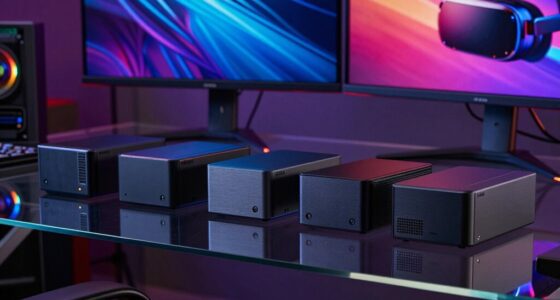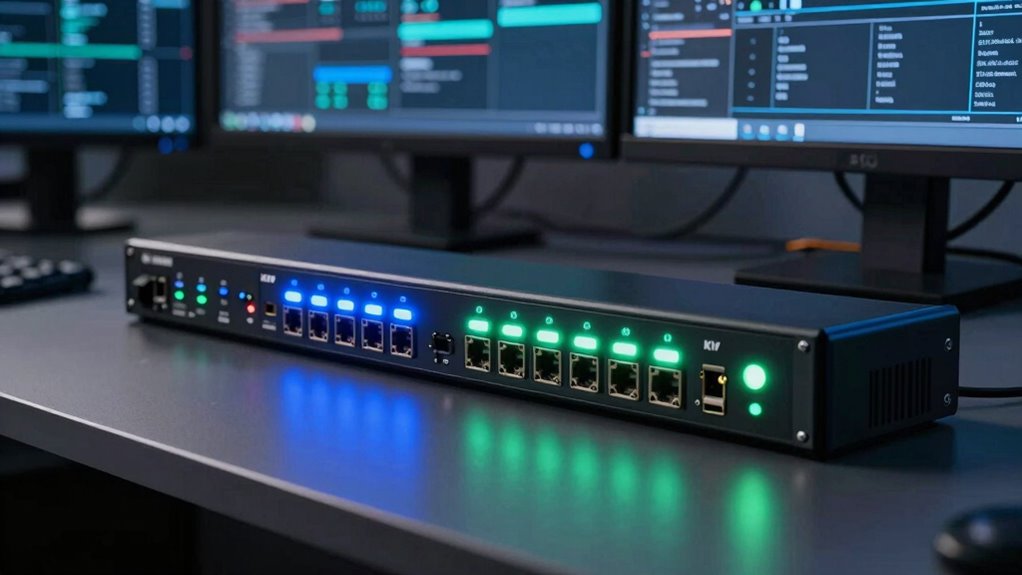

A KVM over IP switch should let me recover a computer even when its operating system, remote desktop software, or network configuration has failed. For most buyers, I rank the JetKVM IP KVM first because its 1080p 60FPS feed and 30–60ms latency favor responsive everyday control. The GL.iNet Comet Pro is my premium alternative, pairing 4K passthrough with Wi-Fi 6, two-way audio, and a touchscreen. Buyers building around wired infrastructure should examine the Comet PoE.

Get the latest gadgets delivered free — and shop member deals
- Fast, free delivery on millions of items
- Access to Prime Big Deal Days deals on October 6–7
- Prime Video, Amazon Music and more included
The main tradeoff is not simply resolution. I weigh control responsiveness, power-management options, network flexibility, and setup effort more heavily than headline pixel counts. These products are primarily single-host KVM endpoints rather than traditional multiport switches, so managing several machines may require multiple units or a separate hardware KVM.
Complete the kit



Key Takeaways
- JetKVM takes first place because 60FPS video and stated 30–60ms latency should feel more responsive than the 4K 30Hz alternatives.
- Comet Pro offers the broadest premium feature set, including Wi-Fi 6, 4K passthrough, two-way audio, touchscreen control, and Tailscale.
- PiKVM V4 Plus is the better match for buyers who value flexible networking and an established Raspberry Pi-based platform.
- Comet PoE fits wired racks where carrying power and data through Ethernet can reduce cable clutter.
- Every model targets one host; a multi-server deployment may need several devices or a separate multiport KVM.
| JetKVM IP KVM Over IP Ethernet Remote Access with Touchscreen LCD |  | Best Overall | Video: 1080p at 60FPS | Stated latency: 30–60ms | Network: Ethernet | VIEW ON AMAZON | See Our Full Breakdown |
| GL.iNet GL-RM10 Comet Pro Remote KVM |  | Best Premium | Wi-Fi: 2.4GHz and 5GHz Wi-Fi 6 | Video passthrough: 4K at 30FPS | Display: 2.22-inch touchscreen | VIEW ON AMAZON | See Our Full Breakdown |
| PiKVM V4 Plus |  | Best for Flexible Networking | Resolution: 1920×1080 or 1920×1200 at 60Hz | Connectivity: Wi-Fi, Ethernet, and cellular | Internal storage interface: USB 3.0 port | VIEW ON AMAZON | See Our Full Breakdown |
| GL.iNet Comet PoE Remote KVM GL-RM1PE |  | Best for PoE Racks | Video: 4K at 30FPS | Power: PoE or Type-C | Storage: 32GB eMMC | VIEW ON AMAZON | See Our Full Breakdown |
| GL.iNet Comet GL-RM1 Remote KVM |  | Best for Beginners | Resolution: 3840×2160 at 30Hz | Control level: BIOS access | Remote networking: Tailscale | VIEW ON AMAZON | See Our Full Breakdown |
More Details on Our Top Picks
JetKVM IP KVM Over IP Ethernet Remote Access with Touchscreen LCD
JetKVM earns my top ranking by focusing on the part of remote control I notice most: responsiveness. Its 1080p 60FPS stream and stated 30–60ms latency should make cursor movement and terminal work smoother than the 4K 30Hz Comet models. BIOS-level HDMI and USB-C control also works independently of the host operating system.
Compared with Comet Pro, JetKVM gives up 4K passthrough, Wi-Fi 6, and two-way audio, but its open-source platform offers more room for customization. The touchscreen provides useful local status information. Setup still favors technically confident buyers, and external power control requires a separate accessory, preventing this from being a complete recovery package out of the box.
Pros:- 1080p 60FPS video favors fluid remote interaction
- Stated 30–60ms latency is the best responsiveness claim here
- Open-source software supports customization
- Touchscreen shows status without opening the browser
Cons:- Ethernet-only networking is less flexible than Comet Pro or PiKVM
- Extension power-control hardware is sold separately
- Customization can add setup complexity
Best for: Administrators who prioritize responsive BIOS-level control and an open-source platform
Not ideal for: Buyers who need Wi-Fi, 4K passthrough, or bundled external power switching
- Video:1080p at 60FPS
- Stated latency:30–60ms
- Network:Ethernet
- Host connections:HDMI and USB-C
- Local display:Touchscreen LCD
- Software:Open source
- Power input:USB-C 5V or DC 12–20V
Our verdict“I would choose JetKVM for the best balance of responsive control, BIOS access, and software flexibility.”
GL.iNet GL-RM10 Comet Pro Remote KVM
The Comet Pro has the broadest feature mix in this lineup. It combines dual-band Wi-Fi 6, wired networking, 4K 30FPS passthrough, two-way audio, and a 2.22-inch touchscreen. Built-in Tailscale and self-hosting support make it attractive for buyers who want remote access without relying on a conventional exposed management port.
I place it behind JetKVM because 30FPS is less appealing for constant interaction than 1080p 60FPS, even though 4K passthrough better preserves a high-resolution local display. Its wireless option is far more flexible than JetKVM or Comet PoE. Advanced deployment still demands networking knowledge, and the 32GB eMMC allocation leaves limited room for local files.
Pros:- Wired and dual-band Wi-Fi 6 connectivity
- 4K passthrough preserves a sharp local display
- Two-way audio expands remote interaction
- Tailscale, cloud control, and self-hosting offer deployment choices
Cons:- 4K operation is capped at 30FPS
- Advanced configuration requires networking knowledge
- 32GB eMMC is modest for local storage
Best for: Home-lab and office users wanting Wi-Fi, 4K passthrough, audio, and flexible remote-access choices
Not ideal for: Administrators who value maximum frame rate or extensive onboard storage
- Wi-Fi:2.4GHz and 5GHz Wi-Fi 6
- Video passthrough:4K at 30FPS
- Display:2.22-inch touchscreen
- Storage:32GB eMMC
- Remote access:Tailscale, cloud, or self-hosted
- Networking:Wired and wireless
- Audio:Two-way audio
Our verdict“I recommend Comet Pro when connection flexibility and premium convenience matter more than a 60FPS remote feed.”
PiKVM V4 Plus
PiKVM V4 Plus is the connectivity specialist, supporting Ethernet, Wi-Fi, and cellular configurations. Its 1920×1080 and 1920×1200 output at 60Hz lacks the Comet models’ 4K headline, yet the higher refresh rate is better aligned with active administration. Included USB and Ethernet cables, power supply, and PCI brackets reduce accessory hunting.
Unlike the simpler GL-RM1, this Raspberry Pi CM4-based design invites deeper configuration and expansion. That makes it a strong fit for technically experienced users but a weaker choice for a quick app-led installation. Dependence on the CM4 platform may also affect parts availability, while buyers primarily seeking 4K local passthrough will get more from Comet Pro.
Pros:- Ethernet, Wi-Fi, and cellular connectivity options
- 60Hz support at 1080p and 1200p
- Power supply and core cables are included
- Industrial-style enclosure carries CE certification
Cons:- Configuration assumes KVM and server knowledge
- No 4K support in the supplied specifications
- CM4 dependence can complicate future hardware servicing
Best for: Technical users who need several network paths and a turnkey Raspberry Pi-based package
Not ideal for: Beginners wanting one-click setup or buyers requiring 4K video
- Resolution:1920×1080 or 1920×1200 at 60Hz
- Connectivity:Wi-Fi, Ethernet, and cellular
- Internal storage interface:USB 3.0 port
- Video outputs:Two HDMI outputs
- Platform:Raspberry Pi CM4-based
- Included power:Power supply
- Included accessories:USB cable, Ethernet cable, and PCI brackets
Our verdict“I favor PiKVM V4 Plus for adaptable network deployments where 60Hz control matters more than 4K output.”
GL.iNet Comet PoE Remote KVM GL-RM1PE
Comet PoE is my rack-focused choice. Power over Ethernet can carry network data and power over one cable, reducing adapter clutter around an unattended server. It also supplies 4K 30FPS video, 32GB eMMC, remote BIOS reinstallation, and USB support for ATX or Fingerbot control.
That recovery toolkit is more infrastructure-oriented than the basic GL-RM1, while Type-C power provides a fallback when PoE is unavailable. I rank it fourth because the supplied information leaves latency, local display controls, and expansion support unclear. Buyers without PoE infrastructure may gain more everyday convenience from Comet Pro’s Wi-Fi and touchscreen.
Pros:- PoE can simplify rack cabling
- Type-C provides a second power option
- Remote BIOS reinstall supports serious recovery work
- USB interface supports ATX and Fingerbot control
Cons:- No Wi-Fi capability is listed
- Latency and local-display details are unspecified
- ATX or Fingerbot hardware may add cost and setup work
Best for: Rack owners with PoE infrastructure who want clean cabling and remote recovery controls
Not ideal for: Wireless deployments or buyers seeking thoroughly documented performance figures
- Video:4K at 30FPS
- Power:PoE or Type-C
- Storage:32GB eMMC
- Secure access:Tailscale
- Recovery:Remote BIOS reinstall
- Accessory control:USB interface for ATX and Fingerbot
Our verdict“I would select Comet PoE for a wired rack, but its sparse performance details keep it below the more versatile leaders.”
GL.iNet Comet GL-RM1 Remote KVM
Comet GL-RM1 offers the easiest entry point through one-click app connection and host-independent BIOS control. It handles 4K at 30Hz, file transfer, remote reboot, audio output, and hardware encoding, covering the core tasks a single-PC owner is likely to need without the Pro model’s denser feature list.
I rank it fifth because simplicity comes with narrower hardware flexibility. Comet Pro adds Wi-Fi 6, a touchscreen, and two-way audio, while Comet PoE better suits structured racks. The GL-RM1 also cannot use PD adapters, and its 30Hz ceiling favors recovery over fluid daily operation. It remains the approachable choice when guided setup matters most.
Pros:- One-click app connection lowers setup friction
- BIOS-level access works without host software
- File transfer and remote reboot aid recovery
- 4K output supports high-resolution systems
Cons:- 4K output is limited to 30Hz
- USB-C PD adapters are unsupported
- Fewer local and network features than Comet Pro
Best for: First-time KVM over IP buyers managing one laptop, desktop, or server
Not ideal for: PoE racks, high-refresh workflows, or setups built around USB-C PD adapters
- Resolution:3840×2160 at 30Hz
- Control level:BIOS access
- Remote networking:Tailscale
- Setup:One-click app connection
- File handling:Remote file transfer
- Encoding:Hardware encoding
- Audio:Audio output
Our verdict“I recommend the GL-RM1 for straightforward single-host recovery when ease of setup outweighs premium hardware features.”

How We Picked
I ranked these devices around the jobs that make KVM over IP valuable: BIOS-level access, responsive video, secure remote connectivity, and recovery when the host OS is unavailable. Resolution counted, but I gave 60FPS operation more weight for frequent interaction and favored PoE or integrated power-control options for unattended systems.
I also compared setup burden, included hardware, local status displays, and expansion paths. My ranking uses the supplied specifications rather than hands-on measurements, so latency, cloud features, and real-world image quality may vary with firmware and network conditions. I penalized unclear expansion details and accessories that must be purchased separately.
Factors to Consider When Choosing Kvm Over Ip Switch
I would match the device to the failure I need to recover from, the number of hosts involved, and the network available at the installation site.Single Host Versus Multiple Computers
Despite the common search label, these products are single-host KVM over IP endpoints, not multiport switches. I would budget one unit per machine unless I can place a compatible physical KVM between the endpoint and several computers. A true multiport IP KVM is usually better for a dense rack because it centralizes switching and user permissions.
Frame Rate Versus 4K Resolution
I prefer 1080p or 1200p at 60Hz for frequent terminal work because movement should feel smoother. A 4K 30Hz feed or passthrough makes more sense when preserving a high-resolution local display matters. Resolution alone does not predict responsiveness; encoder delay and network quality also shape the result.
Network and Power Design
Ethernet offers predictable rack connectivity, while Wi-Fi helps where running cable is awkward. Cellular support adds an independent access path, though it brings carrier and security planning. PoE is appealing in equipment closets because one cable can replace a separate power adapter. I would also check whether remote rebooting needs an optional ATX board or other accessory.
Security and Deployment Control
I favor VPN-based access such as Tailscale or a well-maintained self-hosted route over exposing a KVM interface directly to the public internet. Open-source software can improve auditability and customization, but it also places more maintenance responsibility on me. Firmware updates, strong authentication, and restricted user access matter for any device capable of BIOS-level control.
Frequently Asked Questions
Can a KVM over IP device work when the operating system has crashed?
Yes. These devices capture HDMI video and send keyboard or mouse input through a hardware USB connection, so BIOS screens, boot menus, and recovery environments remain accessible when the host OS or remote desktop service is unavailable. The KVM itself still needs power and a working network path.
Do I need one KVM over IP unit for every computer?
For the five products listed here, I should generally plan on one endpoint per host. A compatible multiport KVM may let one IP device reach several computers, but switching behavior, video compatibility, and remote power control need verification. Larger installations are usually cleaner with a purpose-built multiport IP KVM.
Is 4K 30Hz better than 1080p 60FPS for remote administration?
Not automatically. 1080p 60FPS favors smoother interaction, which helps with cursor work and frequent administration. A 4K 30Hz option better preserves fine detail or a high-resolution local desktop, but it can consume more bandwidth and still feel less fluid. I would prioritize frame rate for daily control and 4K for visual fidelity.
Does Tailscale make remote KVM access safe?
Tailscale can create an encrypted private network and reduce the need to expose management ports publicly. It does not remove every risk: I would still apply firmware updates, protect account credentials, restrict device access, and review cloud or self-hosted settings. A compromised KVM can control a machine below the operating-system level.
Can these devices remotely turn a frozen computer back on?
Keyboard access alone cannot restart a machine that has completely locked up or lost power. I need ATX control, a compatible smart power device, or another physical switching accessory. JetKVM lists extension power control separately, while Comet PoE provides a USB interface for ATX and Fingerbot controls. I would verify included hardware before purchase.
Conclusion
For most administrators, I would buy JetKVM for its responsive 60FPS control and open-source flexibility. I would move to Comet Pro for Wi-Fi 6, 4K passthrough, audio, and a richer local interface, or choose PiKVM V4 Plus when flexible networking is the priority. Comet PoE belongs in wired racks, while the basic Comet GL-RM1 suits a first-time buyer who wants simpler app-led setup. Multi-server buyers should compare these single-host devices against a true multiport IP KVM before ordering several units.
Fall Picks
fall essentials
As an affiliate, we earn on qualifying purchases.