Hotswap keyboards have become a favorite for enthusiasts who want to customize their typing experience without soldering. The best models combine ease of switch replacements with reliable build quality and versatile features. The EPOMAKER x Aula F75 stands out as the overall best due to its solid gasket mount, while the Redragon K617 offers excellent value with a compact design for gaming. Buyers often face tradeoffs between build quality, size, and connectivity options—knowing what matters most can help you choose. Continue reading for a detailed breakdown of each option and what makes them unique.
Complete the kit



Key Takeaways
- The top hotswap keyboards balance build quality with ease of switch swapping, but price varies widely.
- Wireless models like the Womier Retro and AULA F75 Pro offer convenience but may have slightly higher latency or connectivity quirks.
- Compact 60% and 65% layouts are popular for space-saving setups but often sacrifice dedicated function keys.
- Gasket mount designs, like the RK Royal Kludge R65, tend to offer better typing feel but can be more complex to assemble.
- Pricing reflects features such as RGB lighting, wireless capability, and build materials, influencing who benefits most from each.


| hotswap keyboard | Connectivity | Layout |
|---|---|---|
| EPOMAKER x Aula F75 Gasket Mec | Bluetooth, 2.4GHz, USB-C wired | 75% compact |
| Redragon K617 Wired 60% Compac | Wired | 60% compact |
| AULA F75 Pro Wireless Mechanic | — | 75% (81 keys) |
| RK Royal Kludge R65 Wired Gami | Wired | 66 Keys |
| Newmen GM326 Mechanical Keyboa | Wired USB-C | — |
| Womier Retro 75% Gaming Keyboa | — | — |
| DIERYA DK81E 75% Mechanical Ga | Wired via USB-C | 75% |
| Redragon K668 108-Key Hot-Swap | — | — |
| Redragon K673 PRO Wireless 81- | USB-C, Bluetooth, 2.4GHz | — |
| Redragon K771 Wireless Mechani | — | — |
| Geeky GK61 60% Mechanical Gami | Type-C to Type-A USB, detachable | ANSI US |
More Details on Our Top Picks
EPOMAKER x Aula F75 Gasket Mechanical Keyboard, 75% Wireless Hot Swappable Gaming Keyboard with RGB Lighting
The EPOMAKER x Aula F75 stands out for its versatile connectivity, combining Bluetooth, 2.4GHz wireless, and wired USB-C options, making it ideal for users who switch between multiple devices. Its gasket structure provides a cushioned typing experience, while full-key hot-swappable sockets enable easy customization without soldering. Compared with the AULA F75 Pro, it offers better wireless flexibility, though it comes at a higher price and may be more complex for beginners to set up. The large 4000mAh battery supports extended wireless use, but RGB lighting can drain power faster. Overall, this model is perfect for gamers and productivity users who want seamless multi-device performance in a compact form.
Pros:- Versatile multi-mode connectivity for flexible device pairing
- Gasket structure delivers a comfortable, cushioned typing feel
- Full-key hot-swappable sockets for easy customization
- Long-lasting 4000mAh battery supports extended wireless use
Cons:- Complex setup may intimidate beginners
- Higher price point compared to wired-only or simpler boards
- RGB lighting can reduce battery life with extended use
Best for: Power users who need a portable, multi-device wireless setup for gaming and work
Not ideal for: Beginners or those on a tight budget, as the setup can be complex and it’s pricier than wired-only options
- Layout:75% compact
- Connectivity:Bluetooth, 2.4GHz, USB-C wired
- Battery:4000mAh
- Switch Type:Pre-lubricated mechanical switches
- Keycaps:Cherry-profile double-shot PBT
- Backlight:RGB, 16.8 million colors
Our verdict“This keyboard is ideal for tech-savvy users seeking a high-quality, wireless, and customizable compact keyboard for multiple devices.”
Redragon K617 Wired 60% Compact Hot-Swap RGB Gaming Mechanical Keyboard
The Redragon K617 offers a compact 60% layout with hot-swappable switches, making it an excellent choice for gamers who prioritize space-saving design and customization on a budget. Its wired connection ensures reliable performance, unlike wireless models such as the EPOMAKER x Aula F75. While its smaller footprint enhances mouse movement, the layout sacrifices dedicated function keys, which could hinder productivity tasks. The RGB backlighting with 20 preset modes adds flair without extra cost, but the absence of wireless connectivity limits flexibility. This keyboard appeals most to gamers or users with limited desk space willing to trade some key options for affordability and simplicity.
Pros:- Compact 60% footprint maximizes desk space and mouse freedom
- Hot-swappable switches facilitate easy customization without soldering
- Vibrant RGB lighting with multiple preset modes
- Affordable price for a hot-swappable gaming keyboard
Cons:- Limited keys restrict some workflows and multi-tasking
- Requires software for advanced RGB customization, which can be less intuitive
- No wireless option limits flexibility
Best for: Gamers and clutter-conscious users seeking a portable, customizable wired keyboard
Not ideal for: Professionals who require a full set of keys or wireless flexibility for multitasking
- Layout:60% compact
- Switch Compatibility:3-pin and 5-pin hot-swappable switches
- Lighting:RGB with 20 preset modes
- Switch Lifespan:50 million keypresses
- Connectivity:Wired
Our verdict“Ideal for gamers or users seeking a space-efficient, budget-friendly wired keyboard with customizable features.”
AULA F75 Pro Wireless Mechanical Keyboard, 75% Hot Swappable, RGB Backlit, Customizable Switches, Side Printed PBT Keycaps
The AULA F75 Pro excels in providing tri-mode connectivity—Bluetooth 5.0, 2.4GHz, and wired USB—making it a flexible choice for a multi-device setup. Its hot-swappable switches and vivid RGB effects, controllable via a multifunction knob, make it a standout for gamers and multitaskers alike. Compared with the EPOMAKER x Aula F75, it offers easier multi-device switching but may require driver installation for full feature access, adding complexity. The 75% layout strikes a balance between compactness and functionality, though some users might miss dedicated function keys. Its battery life varies with RGB activity, but overall, it caters well to users who want wireless freedom without sacrificing performance.
Pros:- Tri-mode connectivity supports multiple device types seamlessly
- Hot-swappable switches for easy customization
- Vivid RGB lighting with multiple effects and controls
- Multi-function knob for quick control of lighting and volume
Cons:- Setup can be complex, especially with driver installation
- Limited to 75% layout which might not suit all workflows
- Battery life depends heavily on RGB usage
Best for: Multi-device users who need a compact, wireless, customizable keyboard for gaming and work
Not ideal for: Users seeking a straightforward wired keyboard or those uncomfortable with driver setups
- Connection Modes:Bluetooth 5.0, 2.4GHz, USB wired
- Battery Capacity:4000mAh
- Layout:75% (81 keys)
- Switch Support:3-pin or 5-pin hot-swappable
- Backlight:16.8 million RGB colors, 16 preset effects
- Additional Features:Multi-function knob, macro programmable keys
Our verdict“Best suited for users who prioritize wireless flexibility and multi-device support in a compact form.”
RK Royal Kludge R65 Wired Gaming Keyboard with Volume Knob, RGB Backlit, Hot Swappable Cream Switches, Gasket Mount, 66 Keys
The RK Royal Kludge R65 combines a gasket mount design with hot-swappable cream linear switches, offering a smooth, quiet typing experience tailored for gaming. Its 66-key layout is more compact than full-sized boards like the Newmen GM326, sacrificing some keys but gaining portability and space efficiency. The gasket mount reduces vibrations, providing a more refined sound and feel, while the metal volume knob adds convenience. Compared to wireless options, this wired setup prioritizes stability and responsiveness, though it limits portability. Its RGB modes and PBT keycaps create an appealing aesthetic, making it suitable for gamers who prefer a quieter, customizable, space-saving keyboard with tactile comfort.
Pros:- Gasket mount design offers reduced vibrations and refined feel
- Hot-swappable cream linear switches for smooth, quiet operation
- Compact 66-key layout saves space and enhances portability
- Includes a metal volume knob and RGB lighting modes
Cons:- Limited number of keys may not suit professional workflows
- Requires software or manual setup for RGB customization
- Wired connection reduces flexibility for mobile or flexible setups
Best for: Gamers who want a compact, customizable, and quiet wired keyboard for gaming and casual use
Not ideal for: Users who need wireless functionality or require a full-size keyboard with dedicated keys
- Layout:66 Keys
- Switch Type:Cream Linear, Hot Swappable
- Backlight:RGB with 20+ modes
- Mount Type:Gasket mount
- Connectivity:Wired
Our verdict“Perfect for gamers seeking a quiet, space-efficient keyboard with a refined feel and easy customization options.”
Newmen GM326 Mechanical Keyboard, 75% Compact Gaming Keyboard with Rainbow LED Backlight
The Newmen GM326 offers a vibrant rainbow LED backlight and a 75% layout, combining aesthetics with functionality. Its hot-swappable linear switches make it easy to customize for a smooth, consistent typing or gaming experience. Compared with the EPOMAKER x Aula F75, it leans more toward gaming aesthetics with multi-mode RGB lighting and a multi-function knob, but lacks wireless features. Its ergonomic design with adjustable tilt legs supports long gaming sessions, while the LED modes add flair. However, the linear switches might not satisfy tactile typists, and the wired connection limits mobility. This keyboard is an appealing choice for gamers who want style, color, and customization in a compact form.
Pros:- Bright rainbow LED backlight with multiple modes and colors
- Hot-swappable linear switches for easy customization
- Compact 75% size maximizes desk space and portability
- Multi-function knob for quick volume and lighting adjustments
Cons:- Linear switches may not appeal to tactile switch lovers
- Requires wired connection, limiting mobility
- Limited key set may require adjustment for some workflows
Best for: Gamers who want a stylish, colorful, and customizable compact keyboard for gaming sessions
Not ideal for: Users preferring tactile feedback or wireless convenience for casual or office work
- Size:75% layout
- Backlight:Rainbow LED with 6 colors, 20 modes
- Switch Type:Hot-swappable linear
- Features:Multi-function knob, anti-ghosting
- Connectivity:Wired USB-C
Our verdict“Great for gamers seeking a colorful, stylish, and customizable compact keyboard to elevate their gaming setup.”
Womier Retro 75% Gaming Keyboard with OLED Display & Knob, M87 Pro Bluetooth 5.1/2.4GHz/USB-C Wireless Mechanical Keyboard with Hot-Swappable Switch, Compact RGB Keyboard – Grey
The Womier M87 Pro stands out for its multi-connection versatility, combining Bluetooth 5.1, 2.4GHz, and wired USB-C, surpassing many competitors like the Redragon K673 PRO which lacks wireless options. Its OLED color display and customizable macros elevate user control, though the setup can be complex and may require software adjustments—an extra step that might deter less tech-savvy users. The hot-swappable switches make customization straightforward, but the premium features come at a higher cost, making it less accessible for budget-conscious buyers. Compared to the Redragon K668, this model offers more advanced connection modes and display features, but it sacrifices simplicity for flexibility.Pros:- Supports multiple connection modes including Bluetooth and wireless
- OLED display and customizable macros enhance user control
- Hot-swappable switches for easy personalization
- Compact 75% layout saves desk space
Cons:- Complex setup, especially for software configuration
- Higher price point may be prohibitive for some users
- Premium features might be unnecessary for basic needs
Best for: Gamers and professionals who need flexible multi-device connectivity and advanced customization options.
Not ideal for: Casual users seeking a straightforward wired keyboard, as the setup and premium features may be overkill.
- Connection Modes:Bluetooth 5.1, 2.4GHz, USB-C wired
- Backlight Modes:19 RGB modes, 9 colors, 5 brightness, 5 speed levels
- Switch Compatibility:3-pin/5-pin
- Display:OLED color display
- Dimensions:75% layout
- Additional Features:Hot-swappable switches, customizable macros, sound absorption layers
Our verdict“This keyboard is best suited for users who prioritize connectivity flexibility and advanced customization, even if it requires a steeper learning curve.”
DIERYA DK81E 75% Mechanical Gaming Keyboard, Hot-Swappable, Wired, White
The DIERYA DK81E is designed with gamers in mind, offering a gasket-mounted construction that delivers smoother, quieter keystrokes compared to typical plastic cases. Its hot-swappable switches allow quick customization, similar to the Redragon K668, but with a focus on sound dampening and typing comfort. The 1000Hz polling rate ensures responsive gameplay, yet the reliance on browser-based software for customization can be inconvenient, especially for users who prefer standalone programs. Unlike the Womier M87 Pro, which emphasizes multi-connection options, the DK81E is wired-only, limiting flexibility but simplifying setup. It makes a compelling case for those prioritizing a clean, quiet typing experience combined with easy switch swaps.Pros:- Gasket-mounted design for smooth, cushioned keystrokes
- Hot-swappable switches for easy personalization
- High 1000Hz polling rate for gaming responsiveness
- Responsive and customizable RGB lighting
Cons:- Requires browser-based software for advanced customization
- Limited to wired connection, less flexible for multi-device use
- Pre-lubed switches may limit custom lube options
Best for: Gamers and typists who want a responsive, quiet keyboard with straightforward customization.
Not ideal for: Users needing wireless or multi-device connectivity, as this model is wired-only.
- Layout:75%
- Switch Support:Hot-Swappable 3-Pin/5-Pin
- Connectivity:Wired via USB-C
- Polling Rate:1000Hz
- Construction:Gasket-mounted
- Additional Features:Macro recording, RGB lighting
Our verdict“Ideal for gamers seeking a quiet, highly customizable keyboard with a responsive feel, despite needing wired connection and software setup.”
Redragon K668 108-Key Hot-Swap Wired RGB Gaming Keyboard with Extra Hotkeys
The Redragon K668 offers a full-size experience with 108 keys, making it suitable for users who need extra hotkeys like mute, calculator, and screen lock. Its hot-swappable switches and vibrant RGB lighting with multiple modes rival the K673 PRO, but with a more gamer-oriented layout. The inclusion of dedicated hotkeys improves workflow, yet full customization often requires software, which might be a hassle for some. The stock switches are decent but may not match everyone’s preferred feel, and its wired-only setup limits flexibility. Compared to the compact K673 PRO, the K668 provides more hotkeys and a larger footprint, which could be a drawback for limited desk space.Pros:- Hot-swappable switches for easy customization
- Vibrant RGB with multiple preset modes
- Dedicated extra hotkeys for quick access
- Ergonomic with adjustable feet
Cons:- Requires software for full customization
- Limited switch options out of the box
- Wired connection restricts mobility
Best for: Gamers and users who prefer a full-size keyboard with dedicated hotkeys and customizable RGB lighting.
Not ideal for: Desk users with limited space or those seeking a wireless setup, as this keyboard is wired and bulky.
- Number of Keys:108
- Hotkeys:4 extra hotkeys
- Switch Compatibility:3-pin/5-pin hot-swappable
- Lighting:RGB, 19 modes
- Keycap Material:Mixed color
- Feet:Adjustable 2-stage
Our verdict“Best suited for gamers who want a full-size, customizable keyboard with hotkeys and vibrant lighting, accepting the wired setup.”
Redragon K673 PRO Wireless 81-Key RGB Gasket Gaming Keyboard with Scroll Knob
The Redragon K673 PRO combines tri-mode wireless connectivity—USB-C, Bluetooth, and 2.4GHz—making it highly flexible for multi-device setups, unlike the Redragon K668 which is wired. Its gasket-mounted design offers a softer, quieter typing experience, appealing to those who work or game in shared environments. The integrated scroll knob simplifies media control and brightness adjustments, providing a streamlined user experience. However, with only 81 keys, it lacks some function keys that power users might want, and full customization often depends on software, which isn’t always seamless. Compared to the K668, it sacrifices some size but gains portability and wireless versatility for users who move between devices frequently.Pros:- Tri-mode wireless connectivity for flexible device use
- Quiet, cushioned typing due to gasket mounting
- Scroll knob for quick media and brightness control
- Compact and portable design
Cons:- Limited number of keys may reduce functionality
- Requires software for full customization
- Switch compatibility may need attention
Best for: Professionals and gamers needing a quiet, portable wireless keyboard with multi-device support.
Not ideal for: Users requiring a full-size layout or extensive key functions, as it has fewer keys and may lack some shortcuts.
- Connectivity:USB-C, Bluetooth, 2.4GHz
- Number of Keys:81
- Backlight:RGB with adjustable modes
- Switch Support:3-pin/5-pin
- Construction:Gasket-mounted with noise dampening
- Additional Features:Scroll knob for media/brightness
Our verdict“Perfect for users who want a quiet, multi-device wireless keyboard with a sleek design and media controls.”
Redragon K771 Wireless Mechanical Keyboard, 108-Key Gaming Keyboard with Hotkeys, Noise Dampening, Pre-lubed Switches, RGB, for PC/Mac
The Redragon K771 offers a full 108-key layout with noise dampening layers, making it ideal for users who need a large, quiet keyboard for both gaming and productivity. Its tri-mode connectivity rivals the K673 PRO but with the added benefit of a larger battery (8000mAh), providing extended wireless use—especially appealing for users who prioritize long sessions without charging. The pre-lubed switches reduce the need for immediate customization, but this also limits switch personalization for enthusiasts. In comparison with the K668, it offers more keys and better noise dampening, but at the expense of increased size and weight. It’s best for users who want a full-size wireless setup with quiet operation and multi-device capability.Pros:- Wireless multi-device connectivity with long battery life
- Noise dampening layers for quiet operation
- Pre-lubed switches for ready-to-use smooth typing
- Vibrant RGB lighting with extensive customization
Cons:- Large size and weight may hinder portability
- Requires software for full key remapping
- Limited switch options outside supported types
Best for: Power users who need a large, quiet, multi-device wireless keyboard for extensive daily use.
Not ideal for: Desk-bound users with limited space or those preferring a smaller layout, as this model is sizable and requires software for full customization.
- Number of Keys:108
- Connection Modes:2.4GHz wireless, Bluetooth 5.0/3.0, USB-C wired
- Battery Capacity:8000mAh
- Switch Type:Pre-lubed linear switches, hot-swappable
- Colorway:Blue, White, Black
- Additional Features:Hotkeys, RGB lighting
Our verdict“Ideal for those who need a large, quiet, multi-device wireless keyboard with long battery life and minimal noise.”
Geeky GK61 60% Mechanical Gaming Keyboard with RGB Backlit, Hot Swappable Switches, and ANSI US Layout
The Geeky GK61 stands out for its highly customizable hot-swappable switches, allowing users to easily experiment with different tactile feels without soldering—something that sets it apart from fixed-switch models like the Redragon K617. Its vivid RGB lighting, with 16.8 million colors, appeals to gamers and aesthetics-focused users, while the compact 60% layout saves desk space, making it ideal for limited setups. Compared with larger keyboards like the Womier Retro 75%, it sacrifices dedicated function keys for portability, which might hinder productivity for some users. The pre-lubed stabilizers contribute to smoother keypresses, but the reliance on software for advanced customization can be daunting for those unfamiliar with programming. This pick makes the most sense for gamers or hobbyists who want a highly modifiable keyboard in a small footprint, willing to tinker with software and remapping.
Pros:- Easy switch swapping for personalized feel
- Vivid RGB lighting with extensive customization
- Compact 60% design ideal for small desks
- Pre-lubed stabilizers for smooth keystrokes
Cons:- Requires software setup for full customization, which could be complex
- Limited keys may reduce functionality for certain productivity tasks
- Remapping necessary for full Mac compatibility
Best for: Gamers and enthusiasts who prioritize switch customization and space efficiency
Not ideal for: Professionals needing extensive macro keys or full-size layout for complex workflows
- Layout:ANSI US
- Keys:61
- Backlit:RGB, 16.8 million colors
- Switch Type:Mechanical Brown (tactile)
- Connectivity:Type-C to Type-A USB, detachable
- Polling Rate:1kHz
- Compatibility:Windows 10/8/7/Vista/XP, Mac OS
Our verdict“This keyboard is perfect for users seeking a compact, customizable gaming setup willing to invest time in software tweaks.”
How We Picked
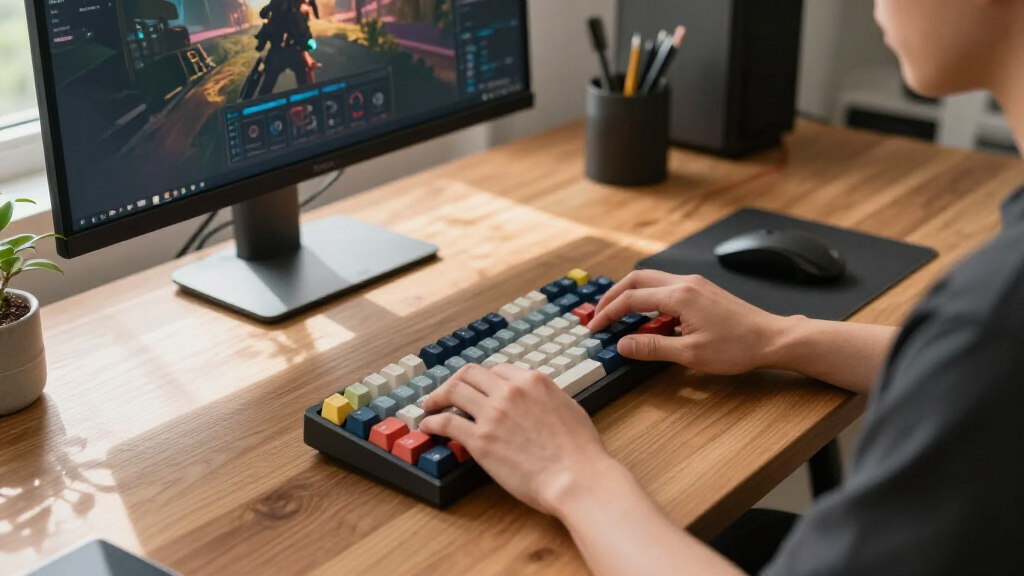
The selection process focused on models that prioritize ease of switch replacement, ensuring users can customize without soldering. We evaluated build quality, considering materials and mounting styles, to gauge durability and typing feel. Connectivity options—wired, wireless, or hybrid—were also key factors, along with features like RGB lighting, layout size, and additional controls. Price was considered in relation to feature set to identify options that deliver good value at different budgets. This approach aims to highlight keyboards suitable for both beginners and advanced users seeking flexibility and performance.| hotswap keyboard | Connectivity |
|---|---|
| EPOMAKER x Aula F75 Gasket Mec | Bluetooth, 2.4GHz, USB-C wired |
| Redragon K617 Wired 60% Compac | Wired |
| AULA F75 Pro Wireless Mechanic | — |
| RK Royal Kludge R65 Wired Gami | Wired |
| Newmen GM326 Mechanical Keyboa | Wired USB-C |
| Womier Retro 75% Gaming Keyboa | — |
| DIERYA DK81E 75% Mechanical Ga | Wired via USB-C |
| Redragon K668 108-Key Hot-Swap | — |
| Redragon K673 PRO Wireless 81- | USB-C, Bluetooth, 2.4GHz |
| Redragon K771 Wireless Mechani | — |
| Geeky GK61 60% Mechanical Gami | Type-C to Type-A USB, detachable |
Factors to Consider When Choosing Hotswap Keyboards
Choosing the right hotswap keyboard depends on several key factors. Beyond just the ability to swap switches, you should consider build quality, layout size, connectivity options, and additional features that align with your usage and preferences. Making informed choices here can prevent buyer’s remorse and ensure your setup is both enjoyable and practical.Build Quality and Mounting Style
The feel and durability of a hotswap keyboard are heavily influenced by its build materials and mounting style. Gasket mount designs, like the RK Royal Kludge R65, provide a softer, more cushioned typing experience but can be more complex to assemble. Solid aluminum or high-quality plastic frames lend durability but may differ in sound and feel. Choosing a sturdy, well-constructed keyboard can make switch swaps more satisfying and extend the device’s lifespan.
Layout Size and Key Count
Layout size significantly impacts usability and desk space. Compact 60% models save space but omit dedicated function and arrow keys, which can be limiting for some users. 75% and 65% layouts strike a balance, offering more keys without taking up too much room. Consider your typical workflow or gaming needs—if you rely heavily on function keys or media controls, a larger layout might be preferable, even if it’s less portable.
Connectivity: Wired vs Wireless
Wireless hotswap keyboards provide freedom of movement, ideal for multi-device setups or clutter-free desks. However, wireless models can sometimes introduce latency or connection stability issues, especially with Bluetooth. Wired options, like the Redragon K668, tend to offer more consistent input and faster response times, which is crucial for gaming. Think about your environment and whether the convenience of wireless outweighs the potential tradeoffs in responsiveness.
Switch Compatibility and Customization
Most hotswap keyboards support popular switch types like Cherry MX or Gateron, but it’s worth verifying compatibility if you have specific switches in mind. Customization extends beyond switches—look for models with configurable RGB lighting, programmable keys, or additional controls like knobs. These features enhance personal setup and can improve productivity or gaming experience, but often come at a higher cost or complexity.
Pricing and Value
Prices for hotswap keyboards vary based on features, build materials, and brand reputation. Entry-level options can be surprisingly capable, but investing in a slightly more expensive model often means better durability and more refined typing feel. Consider your budget and priorities—spending more on a well-built, feature-rich keyboard can pay off in longevity and satisfaction, especially if you plan to customize extensively.
Frequently Asked Questions
Can I swap switches on any hotswap keyboard?
Most hotswap keyboards support common switch types like Cherry MX-compatible switches, but it’s important to verify the specific socket compatibility before purchasing. Some models may support only certain brands or sizes, such as 3-pin or 5-pin switches. Checking the product specifications ensures you can freely swap switches without compatibility issues, making customization straightforward and frustration-free.
Are wireless hotswap keyboards as reliable as wired ones?
Wireless hotswap keyboards offer great convenience, especially for those who want a clutter-free setup or need portability. However, they can sometimes experience slight input lag or connection drops, particularly with Bluetooth. Wired models typically provide more consistent response times, which is vital for competitive gaming or precise typing. Your choice should depend on your priority—maximum responsiveness or convenience and flexibility.
What should I consider when choosing a layout size?
Layout size influences both desk space and functionality. A 60% keyboard is compact and portable but omits dedicated function, arrow, and navigation keys, which might hinder multitasking or gaming. A 75% or 65% layout offers a good middle ground, providing essential keys with less footprint. If you frequently use function keys or media controls, a full or tenkeyless layout might be more suitable, though it takes up more space.
How important is build material for a hotswap keyboard?
Build material impacts durability, sound, and typing feel. Aluminum frames tend to be more durable and offer a premium feel but add weight and cost. High-quality plastics can be lighter and more affordable but might not last as long or feel as solid. The mounting style, whether gasket or tray mount, also affects how the material impacts overall typing comfort and sound. Prioritizing sturdy construction can enhance the overall experience and longevity of your keyboard.
Is it worth investing in a premium hotswap keyboard?
Investing in a premium hotswap keyboard often means better build quality, more features, and a refined typing experience. Features like wireless connectivity, RGB customization, or additional controls such as knobs or dedicated media keys are more likely to be found on higher-end models. If you plan to customize your keyboard extensively or use it daily for work or gaming, the added investment can translate into better performance, durability, and satisfaction over time.
Conclusion
For those new to hotswap keyboards, the Redragon K617 offers a compelling entry point with its affordability and solid performance. If you prioritize overall quality and versatility, the EPOMAKER x Aula F75 stands out as the best choice for most users. Gamers or power users seeking advanced features like wireless connectivity or premium build might prefer the Womier Retro or the Redragon K771. Budget-conscious buyers can find great value in models like the Geeky GK61, while enthusiasts looking for full customization will benefit from models that support a wide range of switches and features. Your ideal pick depends on your specific needs, whether it’s casual use, gaming, or extensive customization.