
If you’re looking for the best high-refresh 4K monitors for 2026, I recommend checking out options like ASUS TUF and ROG models, Samsung’s Odyssey QD-OLED, and Acer Nitro, all offering up to 240Hz for smooth gameplay. Curved designs, HDR support, and fast response times make these perfect for gaming and creative work. These monitors also feature excellent connectivity and ergonomic setups. Keep exploring, and you’ll discover even more ways to elevate your setup with top-tier displays.
Key Takeaways
- Monitors with 160Hz to 240Hz refresh rates for ultra-smooth gaming and multimedia experiences in 4K resolution.
- OLED and QD-OLED panels offering deep blacks, high contrast, and vibrant color accuracy for creative professionals.
- Advanced connectivity options like HDMI 2.1, DisplayPort 1.4, and USB-C support versatile device compatibility.
- Ergonomic designs with height, tilt, pivot, and swivel adjustments for enhanced user comfort during long sessions.
- Extended warranties and included creative software subscriptions ensure long-term value and support.
| ASUS TUF 27” 4K HDR Gaming Monitor (VG27UQ1A) | 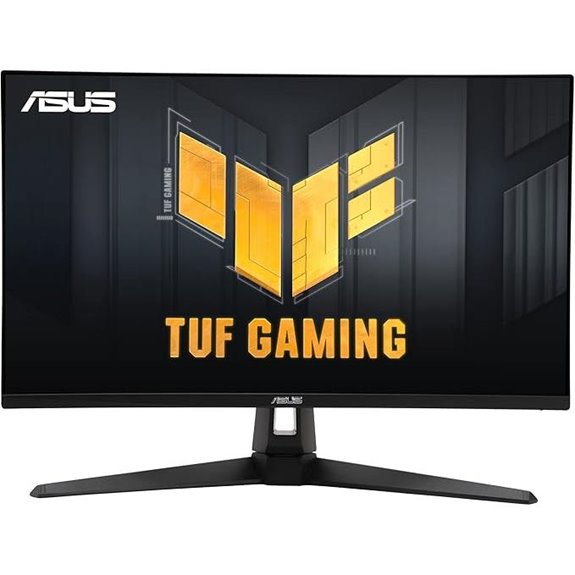 | Best Overall Gaming | Screen Size: 27-inch | Resolution: 4K (3840×2160) | Refresh Rate: 160Hz | VIEW LATEST PRICE | See Our Full Breakdown |
| ASUS ROG Strix 27” 4K HDR Gaming Monitor | 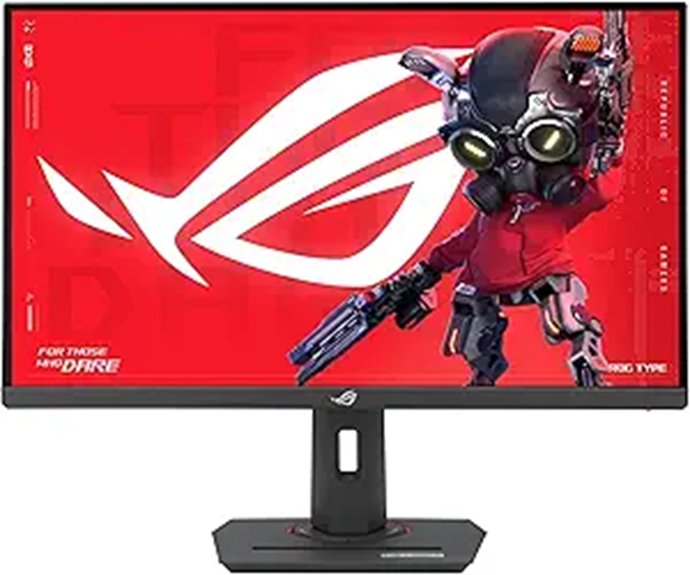 | Best Fast IPS Panel | Screen Size: 27-inch | Resolution: 4K (3840×2160) | Refresh Rate: 160Hz | VIEW LATEST PRICE | See Our Full Breakdown |
| ASUS ROG 32” 4K OLED Gaming Monitor | 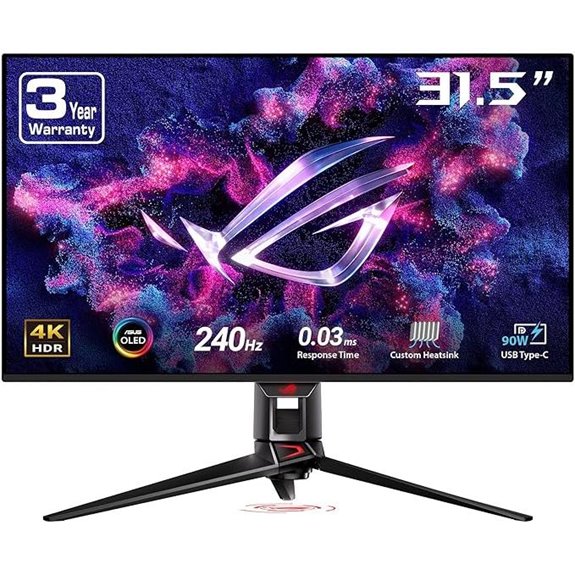 | Premium OLED Experience | Screen Size: 32-inch | Resolution: 4K (3840×2160) | Refresh Rate: 240Hz | VIEW LATEST PRICE | See Our Full Breakdown |
| Acer Nitro 27″ 4K UHD Gaming Monitor | 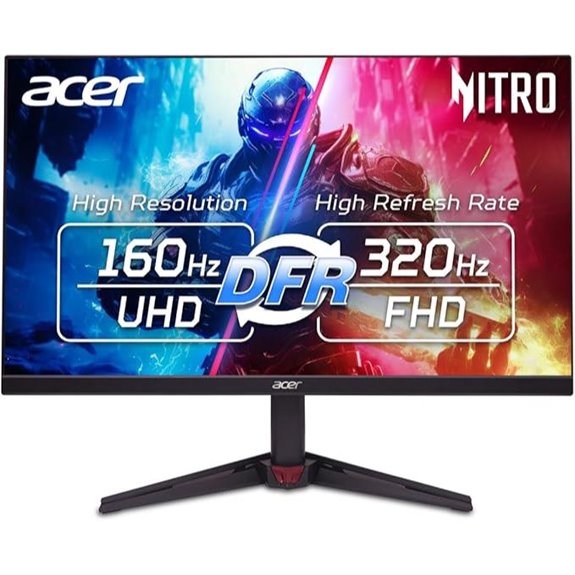 | Best Budget 4K | Screen Size: 27-inch | Resolution: 4K (3840×2160) | Refresh Rate: 160Hz | VIEW LATEST PRICE | See Our Full Breakdown |
| CRUA 32″ 4K Curved Gaming Monitor with Speakers | 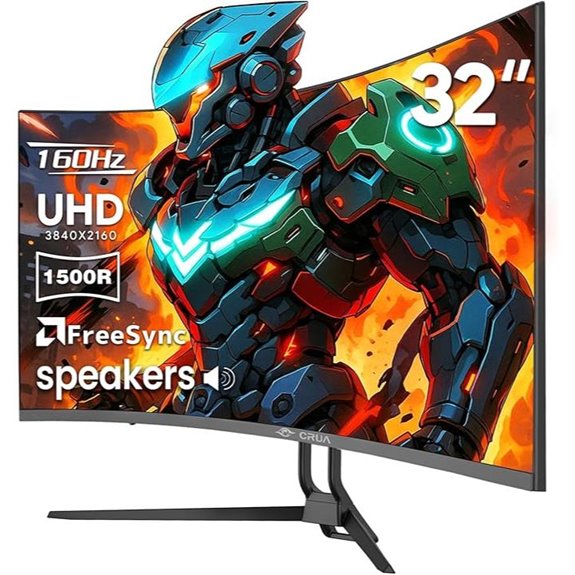 | Best Curved Immersion | Screen Size: 32-inch | Resolution: 4K (3840×2160) | Refresh Rate: 160Hz | VIEW LATEST PRICE | See Our Full Breakdown |
| CRUA 27″ 4K Gaming Monitor with Adjustable Stand | 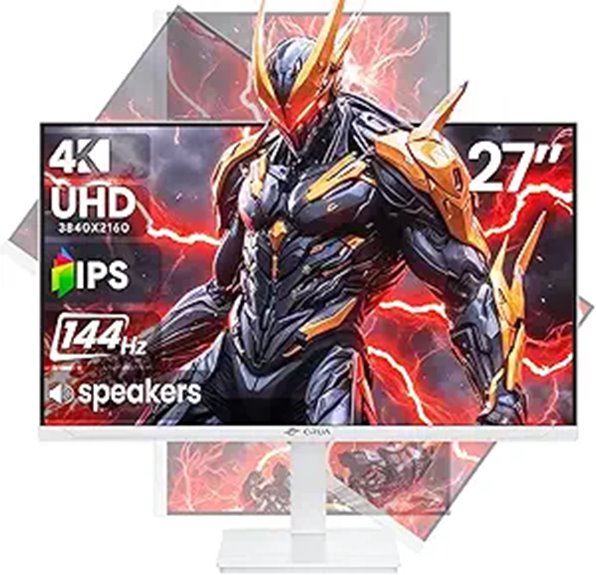 | Best Ergonomic Design | Screen Size: 27-inch | Resolution: 4K (3840×2160) | Refresh Rate: 144Hz | VIEW LATEST PRICE | See Our Full Breakdown |
| Samsung Odyssey QD-OLED G8 Gaming Monitor | 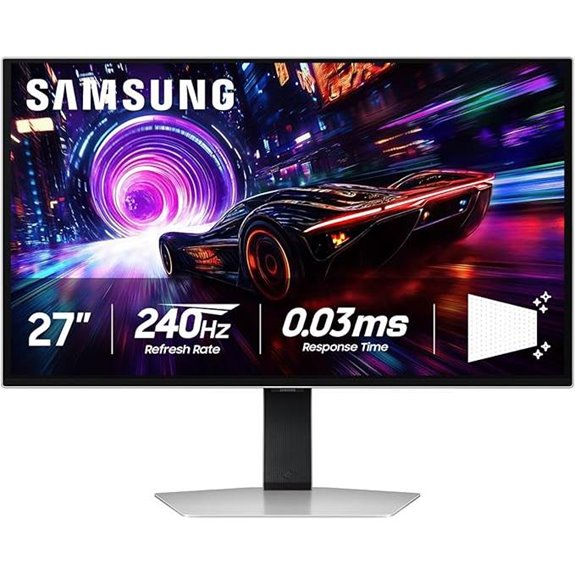 | Best High-End OLED | Screen Size: 27-inch | Resolution: 4K (3840×2160) | Refresh Rate: 240Hz | VIEW LATEST PRICE | See Our Full Breakdown |
| Samsung Odyssey G7 37″ 4K UHD Gaming Monitor | 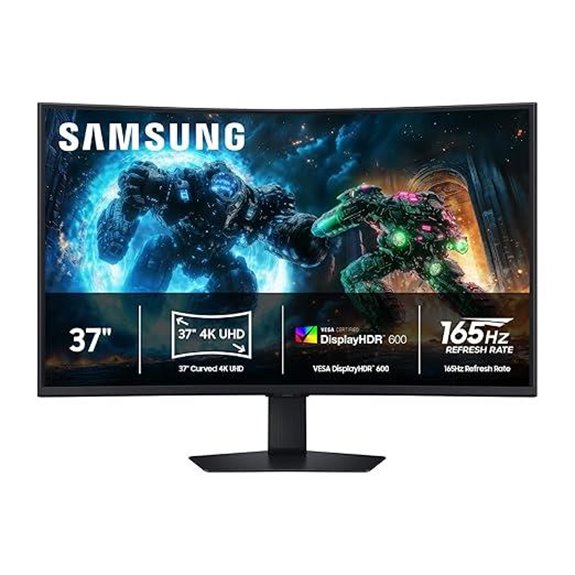 | Largest Screen Choice | Screen Size: 37-inch | Resolution: 4K (3840×2160) | Refresh Rate: 165Hz | VIEW LATEST PRICE | See Our Full Breakdown |
| Samsung 32” Odyssey QD-OLED Gaming Monitor | 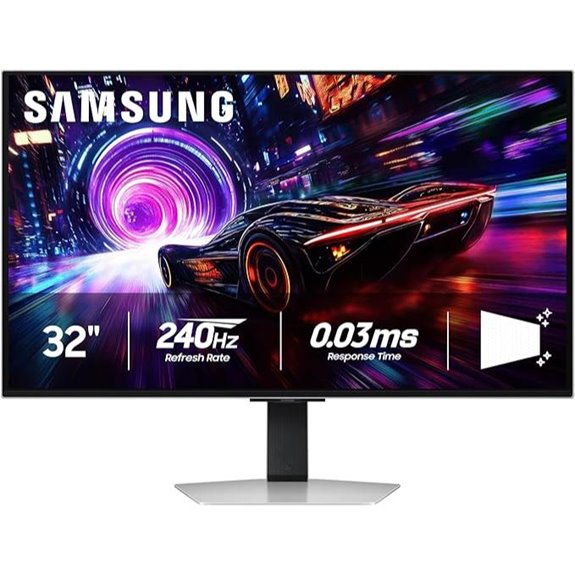 | Best Contrast & Color | Screen Size: 32-inch | Resolution: 4K (3840×2160) | Refresh Rate: 240Hz | VIEW LATEST PRICE | See Our Full Breakdown |
| KTC 27″ 4K Gaming Monitor HDR 160Hz Adjustable |  | Best Value for Speed | Screen Size: 27-inch | Resolution: 4K (3840×2160) | Refresh Rate: 160Hz | VIEW LATEST PRICE | See Our Full Breakdown |
More Details on Our Top Picks
ASUS TUF 27” 4K HDR Gaming Monitor (VG27UQ1A)
If you’re a serious gamer or a creative professional seeking top-tier visual performance, the ASUS TUF 27” 4K HDR Gaming Monitor (VG27UQ1A) is an excellent choice. It features a sharp 27-inch 4K display with a rapid 160Hz refresh rate and 1ms response time, ensuring smooth gameplay and detailed visuals. HDR support with 95% DCI-P3 provides vibrant, professional-quality colors. Technologies like ASUS ELMB Sync, NVIDIA G-SYNC, and AMD FreeSync Premium eliminate ghosting and tearing, delivering seamless images. Plus, it includes useful accessories, a 3-year warranty, and a free Adobe Creative Cloud subscription—perfect for both gaming and creative work.
- Screen Size:27-inch
- Resolution:4K (3840×2160)
- Refresh Rate:160Hz
- Response Time:1ms
- Adaptive Sync Technology:G-SYNC, FreeSync
- Connectivity Options:DisplayPort, HDMI
- Additional Feature:3-year warranty included
- Additional Feature:95% DCI-P3 color gamut
- Additional Feature:3-month Adobe Creative Cloud
ASUS ROG Strix 27” 4K HDR Gaming Monitor
For serious gamers and creative professionals who demand top-tier performance, the ASUS ROG Strix 27” 4K HDR Gaming Monitor delivers an exceptional combination of speed, color accuracy, and versatile features. Its 27-inch 4K UHD display with HDR400 support and a fast IPS panel ensures stunning visuals with 1ms GTG response time and a 160Hz refresh rate for ultra-smooth gameplay. The monitor covers 95% DCI-P3 for vibrant, accurate colors and includes ASUS’s advanced gray-scale tracking for seamless color progression. With G-Sync compatibility, a USB-C port, and easy settings via DisplayWidget Center, it’s designed for gamers and creators seeking professional-grade performance.
- Screen Size:27-inch
- Resolution:4K (3840×2160)
- Refresh Rate:160Hz
- Response Time:1ms GTG
- Adaptive Sync Technology:G-Sync, FreeSync
- Connectivity Options:USB-C, DisplayPort, HDMI
- Additional Feature:USB-C port for connectivity
- Additional Feature:ASUS advanced gray-scale tracking
- Additional Feature:Tripod socket support
ASUS ROG 32” 4K OLED Gaming Monitor
The ASUS ROG 32” 4K OLED Gaming Monitor stands out as an ideal choice for serious gamers who demand both stunning visuals and ultra-fast performance. Its 32-inch UHD QD-OLED panel delivers vibrant colors, deep blacks, and high brightness, making every image pop. With a 240Hz refresh rate and 0.03ms response time, gameplay remains smooth and blur-free, enhanced by G-SYNC compatibility. Advanced heat management reduces burn-in risk and extends panel life, while features like VESA DisplayHDR 400 True Black and 99% DCI-P3 ensure excellent HDR and color accuracy. Designed for immersive gaming, this monitor combines size, speed, and stunning visuals in one sleek package.
- Screen Size:32-inch
- Resolution:4K (3840×2160)
- Refresh Rate:240Hz
- Response Time:0.03ms GTG
- Adaptive Sync Technology:G-SYNC, FreeSync
- Connectivity Options:USB-C, DisplayPort
- Additional Feature:Advanced heat management
- Additional Feature:Optional uniform brightness
- Additional Feature:OLED Care functions
Acer Nitro 27″ 4K UHD Gaming Monitor
Gamers seeking ultra-smooth visuals will appreciate the Acer Nitro 27″ 4K UHD Gaming Monitor’s impressive 160Hz refresh rate and 1ms response time, ensuring fast-paced action stays crisp and blur-free. Its 27-inch IPS panel delivers stunning 3840 x 2160 resolution with vibrant colors thanks to a 90% DCI-P3 color gamut and HDR10 support. The near bezel-less design maximizes screen space, while ergonomic tilt options enhance comfort. With AMD FreeSync Premium and versatile connectivity—including HDMI 2.1 and DisplayPort 1.4—this monitor offers smooth, responsive gameplay across various setups, making it an excellent choice for both gaming and multimedia use.
- Screen Size:27-inch
- Resolution:4K (3840×2160)
- Refresh Rate:160Hz
- Response Time:1ms GTG
- Adaptive Sync Technology:FreeSync Premium
- Connectivity Options:HDMI, DisplayPort
- Additional Feature:Near bezel-less design
- Additional Feature:DFR technology for scaling
- Additional Feature:Ergonomic tilt adjustment
CRUA 32″ 4K Curved Gaming Monitor with Speakers
If you’re looking to elevate your gaming or multimedia experience, the CRUA 32″ 4K Curved Gaming Monitor with Speakers stands out with its impressive 160Hz refresh rate and AMD FreeSync technology. The 1500R curved display offers immersive visuals with vibrant colors thanks to 120% sRGB coverage and a high contrast ratio of 3000:1. Built-in speakers add convenience, and connectivity is versatile with HDMI 2.1 and DisplayPort 1.4. The curved design enhances immersion, and VESA mounting options allow flexible setup. Overall, it balances performance, visual quality, and practical features, making it a great choice for gamers and content creators alike.
- Screen Size:32-inch
- Resolution:4K (3840×2160)
- Refresh Rate:160Hz
- Response Time:1ms GTG
- Adaptive Sync Technology:FreeSync, G-Sync
- Connectivity Options:HDMI, DisplayPort
- Additional Feature:1500R curvature
- Additional Feature:Built-in speakers
- Additional Feature:Wall mountable VESA
CRUA 27″ 4K Gaming Monitor with Adjustable Stand
Designed for serious gamers and high-performance users, the CRUA 27″ 4K gaming monitor stands out with its impressive 144Hz refresh rate and ultra-clear 4K IPS display. The sharp 3840×2160 resolution delivers stunning visuals, while AMD FreeSync reduces tearing and stuttering during fast-paced gameplay. Its vibrant 120% sRGB coverage and high brightness guarantee accurate colors for creative work. The monitor offers full ergonomic adjustments—height, tilt, pivot, and rotation—plus vertical mode for multitasking. With HDMI 2.1, DisplayPort 1.4, and VESA compatibility, it fits seamlessly into various setups. Built-in speakers add convenience, making this monitor versatile for both gaming and productivity.
- Screen Size:27-inch
- Resolution:4K (3840×2160)
- Refresh Rate:144Hz
- Response Time:1ms GTG
- Adaptive Sync Technology:FreeSync, G-Sync
- Connectivity Options:HDMI, DisplayPort
- Additional Feature:Ergonomic height/pivot
- Additional Feature:120% sRGB coverage
- Additional Feature:Modern white aesthetic
Samsung Odyssey QD-OLED G8 Gaming Monitor
The Samsung Odyssey QD-OLED G8 Gaming Monitor stands out for those who demand exceptional visual clarity and immersive experiences. Its 27-inch 4K QD-OLED display delivers sharp detail with 166 PPI and true blacks thanks to VESA DisplayHDR TrueBlack 400. Glare Free tech reduces reflections by 54%, perfect for bright rooms. With a 240Hz refresh rate and 0.03ms response time, gameplay is smooth and responsive. Advanced cooling and burn-in prevention ensure longevity, while ergonomic adjustments keep it comfortable during long sessions. CoreSync and CoreLighting project vivid colors into the real world, elevating your gaming environment to new heights.
- Screen Size:27-inch
- Resolution:4K (3840×2160)
- Refresh Rate:240Hz
- Response Time:0.03ms GtG
- Adaptive Sync Technology:G-Sync, FreeSync Premium Pro
- Connectivity Options:HDMI, DisplayPort, USB-C
- Additional Feature:Glare Free tech
- Additional Feature:CoreSync color projection
- Additional Feature:Cooling with Pulsating Heat Pipe
Samsung Odyssey G7 37″ 4K UHD Gaming Monitor
Gamers seeking an immersive experience will appreciate the Samsung Odyssey G7 37″ 4K UHD Gaming Monitor, which combines a massive curved display with ultra-smooth visuals. Its 37-inch 1000R curved screen wraps around your field of view, pulling you into the game. With 4K UHD resolution and VESA DisplayHDR™ 600 support, it delivers stunning detail, deep blacks, and bright highlights. The 165Hz refresh rate and near-instant 1ms response time ensure smooth, lag-free gameplay. Plus, AMD FreeSync™ Premium Pro syncs the display with compatible graphics cards, eliminating tearing and stuttering for seamless, high-performance gaming.
- Screen Size:37-inch
- Resolution:4K (3840×2160)
- Refresh Rate:165Hz
- Response Time:1ms GtG
- Adaptive Sync Technology:FreeSync Premium Pro, G-Sync
- Connectivity Options:HDMI, DisplayPort
- Additional Feature:1000R curved display
- Additional Feature:VESA DisplayHDR 600
- Additional Feature:Scheduled for 2025 release
Samsung 32” Odyssey QD-OLED Gaming Monitor
Looking for a monitor that combines stunning visuals with lightning-fast performance? The Samsung 32” Odyssey QD-OLED Gaming Monitor is exactly that. Its 4K QD-OLED display delivers sharp, detailed images with deep blacks and vibrant colors, thanks to DisplayHDR TrueBlack 400. With a 240Hz refresh rate and 0.03ms response time, gameplay feels ultra-smooth and responsive. Glare Free technology minimizes reflections, keeping visuals clear even in bright rooms. Support for AMD FreeSync™ Premium Pro and G-Sync ensures tear-free gaming. Plus, innovative cooling and burn-in prevention keep the monitor running flawlessly. It’s a powerful, immersive choice for serious gamers.
- Screen Size:32-inch
- Resolution:4K (3840×2160)
- Refresh Rate:240Hz
- Response Time:0.03ms GtG
- Adaptive Sync Technology:FreeSync Premium Pro, G-Sync
- Connectivity Options:HDMI, DisplayPort
- Additional Feature:Dynamic Cooling System
- Additional Feature:CoreLighting+ feature
- Additional Feature:16.7 million color projection
KTC 27″ 4K Gaming Monitor HDR 160Hz Adjustable
For those seeking a high-performance gaming monitor that combines stunning visuals with smooth gameplay, the KTC 27″ 4K Gaming Monitor stands out with its impressive 160Hz refresh rate. Its fast IPS panel delivers crisp 4K resolution (3840 x 2160) alongside HDR400 for vibrant contrast and dynamic visuals. With a 132% sRGB color gamut, colors are vivid and accurate. Compatibility with FreeSync and G-Sync ensures tear-free, low-latency gaming. Plus, the adjustable ergonomic design, VESA mount, and multiple connectivity options make it versatile and comfortable for extended gaming sessions. This monitor truly elevates your setup with both visual brilliance and smooth performance.
- Screen Size:27-inch
- Resolution:4K (3840×2160)
- Refresh Rate:160Hz
- Response Time:1ms
- Adaptive Sync Technology:FreeSync, G-Sync
- Connectivity Options:HDMI, DisplayPort
- Additional Feature:Eye care with flicker-free
- Additional Feature:VESA mount support
- Additional Feature:Customizable viewing angles
Factors to Consider When Choosing a High Refresh 4K Monitor

When choosing a high refresh 4K monitor, I consider several key factors to guarantee it meets my needs. The refresh rate and response time affect gaming performance, while color accuracy impacts creative work. I also look at connectivity options and ergonomic adjustments to keep things comfortable during long sessions.
Refresh Rate Importance
A high refresh rate is vital for delivering smooth motion and reducing motion blur, especially in fast-paced gaming and video playback. Monitors with 144Hz or higher provide a much smoother experience, making rapid movements feel more natural. For competitive gamers, 160Hz or above offers even more responsiveness and fluidity, giving a competitive edge. The refresh rate directly affects how many frames per second the monitor displays, impacting visual clarity and overall gameplay quality. On a 4K monitor, a high refresh rate helps prevent judder and tearing, particularly when used with adaptive sync technologies like G-SYNC or FreeSync. There’s a noticeable difference between 60Hz and 120Hz+ monitors, especially during quick camera movements or action scenes, making higher refresh rates essential for an ideal visual experience.
Response Time Significance
How quickly a monitor’s pixels can change colors—its response time—plays a crucial role in delivering clear, smooth visuals during fast-paced gaming or high-speed videos. A lower response time, like 1ms, minimizes motion blur and ghosting, ensuring moving objects stay sharp and responsive. If response times are slow, even a high refresh rate can’t prevent motion artifacts that blur fast-moving scenes, reducing clarity and immersion. For competitive gaming and rapid action, a response time of 1ms to 2ms is ideal to maintain sharpness and quick responsiveness. Faster response times help your gameplay feel more fluid and reduce distractions caused by ghosting or trailing images. Overall, response time is a key factor in choosing a high refresh 4K monitor that delivers both speed and visual clarity.
Color Accuracy Needs
Response time is crucial for smooth motion, but color accuracy guarantees your visuals stay true to life, especially in professional work or content creation. When choosing a high-refresh 4K monitor, I focus on color gamut coverage, like DCI-P3 or Adobe RGB, with 99% or higher being ideal for accurate hues. True 10-bit color depth ensures smoother gradients and reduces banding, essential for precise color reproduction. Factory calibration and calibration tools help achieve accurate settings right out of the box, saving time and effort. HDR support, like DisplayHDR 400 or above, enhances contrast and color range, making visuals more realistic and vibrant. Prioritizing these factors guarantees your monitor meets the demands of creative professionals and enthusiasts alike.
Connectivity Options
When selecting a high-refresh 4K monitor, evaluating its connectivity options is crucial to guarantee seamless integration with your devices. I look for models with multiple ports like HDMI 2.1, DisplayPort 1.4, and USB-C to support various hardware and future upgrades. It’s essential to verify compatibility with my gaming console, PC, or laptop by checking the input port types and versions. Versatile connection options make setup easier across different configurations and peripherals. I also prefer monitors that include HDMI and DisplayPort cables to avoid extra purchases. Additionally, I consider the number and types of ports to support multi-device setups, such as dual PCs or gaming consoles, ensuring maximum flexibility and smooth operation without hassle.
Ergonomic Adjustments
Choosing a high-refresh 4K monitor with ergonomic adjustments guarantees I can customize the setup for maximum comfort during long hours of use. Features like tilt, height, pivot, and swivel allow me to fine-tune the monitor’s position, reducing strain and preventing discomfort. Fully adjustable monitors help me maintain proper posture, which is essential for avoiding neck, back, and eye fatigue. Height adjustment is particularly important—aligning the top of the screen with my eye level minimizes neck movement and fatigue. The ability to switch between vertical and horizontal orientations also supports multitasking and adapts to different workflows. These ergonomic features not only enhance comfort but also boost productivity, making a fully adjustable monitor a smart choice for extended use.
Price and Warranty
Price and warranty are crucial factors to weigh when selecting a high-refresh 4K monitor. Higher-priced models often come with extended warranties, like three years, providing peace of mind and reducing long-term support worries. Budget-friendly options might have shorter or limited coverage, which could lead to costly repairs later on. Premium models with advanced features, such as OLED panels or HDR support, tend to be more expensive but usually include exhaustive warranties that cover key components. The overall cost of a high-refresh 4K monitor can vary markedly depending on warranty length and service plans included. Investing in a monitor with a strong warranty can save you money over time, especially for high-end units that might require repairs or replacements down the line.
Frequently Asked Questions
What Are the Latest Advancements in High Refresh Rate 4K Monitors?
The latest advancements in high refresh rate 4K monitors include faster refresh rates up to 240Hz, improved panel technology for better color accuracy, and reduced latency for smoother gaming and editing. I’ve also noticed increased adoption of HDMI 2.1 and DisplayHDR standards, which enhance visuals markedly. These updates make gaming more immersive and professional work more precise, elevating your setup to new heights with stunning clarity and responsiveness.
How Do OLED and QD-OLED Panels Compare for Gaming?
OLED panels deliver stunning contrast, deep blacks, and vibrant colors, making gaming visuals pop. QD-OLED takes this further with enhanced brightness and color accuracy, giving you even more lifelike scenes. However, QD-OLED can be a bit pricier and might have slightly higher burn-in risks compared to traditional OLED. Overall, both offer excellent gaming experiences, but QD-OLED pushes the boundaries with brighter, more vivid visuals that truly elevate gameplay.
Are Curved Monitors Better for Immersive Gaming Experiences?
Curved monitors really boost immersion; studies show they can increase engagement by up to 20%. I find that the gentle curve wraps around my field of view, making me feel more involved in the game. They reduce distortion at the edges and minimize glare, too. If you’re after a truly immersive experience, I’d definitely recommend a curved display—especially for wide, high-refresh 4K monitors that maximize visual impact.
What Connectivity Options Are Essential for High Refresh 4K Monitors?
For high refresh 4K monitors, I think having HDMI 2.1 and DisplayPort 1.4 are essential because they support the bandwidth needed for smooth, high-res gaming. USB-C is also a great addition, offering versatile connectivity for charging and data transfer. I always make certain my monitor has these options because they ensure compatibility with my devices and maximize performance, especially when gaming or doing creative work.
How Do Refresh Rates Impact Gaming and Content Creation Performance?
Imagine your screen as a heartbeat for your digital experience. Higher refresh rates, like 120Hz or 144Hz, make that heartbeat faster and smoother, reducing motion blur and tearing. For gaming, this means snappy, responsive gameplay that keeps you immersed. For content creation, it guarantees fluid previews and precise editing. Fundamentally, a higher refresh rate transforms your monitor into a dynamic canvas, elevating both performance and visual clarity.
Conclusion
Choosing the right high-refresh 4K monitor can truly elevate your setup and gaming experience. With so many options, it’s like finding the perfect puzzle piece—when it clicks, everything fits seamlessly. Remember, “A picture is worth a thousand words,” and with these top picks, you’ll have visuals so stunning, they speak for themselves. Just pick the one that best matches your needs, and enjoy the crisp clarity and smooth performance!