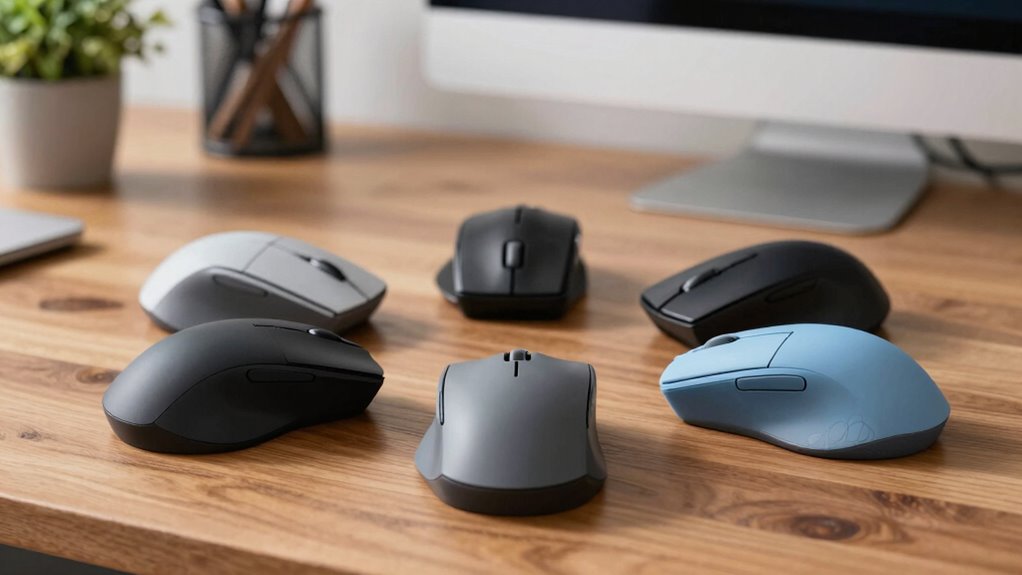

Searching for an ergonomic vertical mouse often means balancing comfort, precision, and price. The Logitech MX Vertical stands out as the best overall choice for its smooth design and reliable performance. For those on a budget, the TECKNET Wireless Vertical Mouse offers solid features at a lower cost, while the Razer Pro Click V2 caters to users needing extra buttons and high-end build quality. Each option presents tradeoffs—some focus on affordability, others on advanced features or aesthetics. Keep reading to see a detailed breakdown of these 12 models and find the perfect fit for your needs.

Get the latest gadgets delivered free with Prime
- Fast, free delivery on millions of items
- Prime Video, Amazon Music and more included
- Member-only deals all year
Complete the kit



Key Takeaways
- Top picks balance comfort, responsiveness, and build quality, with Logitech leading overall.
- Price ranges vary widely, but budget models still deliver decent ergonomics for everyday use.
- Wireless options dominate, but wired mice often provide slightly lower latency and greater reliability.
- Design consistency across brands shows a preference for natural hand positioning and quiet clicks.
- Higher-priced models tend to include more customizable buttons and premium materials.
| Logitech MX Vertical Wireless Mouse Ergonomic Design – Graphite |  | Best Overall for Ergonomic Precision | Connectivity: Wireless | DPI: 4000 | Angle: 57° | VIEW ON AMAZON | See Our Full Breakdown |
| Logitech Lift Vertical Ergonomic Wireless Mouse – Rose |  | Best for Long-Term Comfort and Eco-Conscious Buyers | Color: Rose | Connection: Bluetooth, USB | Battery Life: Up to 2 years | VIEW ON AMAZON | See Our Full Breakdown |
| TECKNET Ergonomic Wireless Vertical Mouse, Bluetooth 5.3/2.4G, Rechargeable, Silent Clicks |  | Best for Multi-Device Users and Quiet Workspaces | Connection Modes: Bluetooth 5.3, 2.4GHz | DPI Levels: 800-4800 | Battery Life: Up to 3 months | VIEW ON AMAZON | See Our Full Breakdown |
| ProtoArc EM11 NL Wireless Ergonomic Vertical Mouse, Rechargeable, Black |  | Best for Small to Medium Hands and Budget-Friendly Comfort | Connection: Bluetooth or USB-A | Battery: 500mAh Li-Ion | Compatibility: Windows 8+, Mac OS X 10.12+, Android 4.3+ | VIEW ON AMAZON | See Our Full Breakdown |
| AOC Ergonomic Wireless Vertical Mouse, Rechargeable, 2.4GHz Bluetooth |  | Best for Multi-Mode Connectivity and Professional Use | Design: Vertical, 52° angle | DPI: 1000-4800 | Battery: 800mAh rechargeable | VIEW ON AMAZON | See Our Full Breakdown |
| Logitech Lift Vertical Ergonomic Wireless Mouse – Graphite |  | Best Overall | Design: Vertical ergonomic shape | Connectivity: Bluetooth Low Energy, Logi Bolt USB | Battery Life: Up to 2 years | VIEW ON AMAZON | See Our Full Breakdown |
| TECKNET Ergonomic Wireless Vertical Mouse, 4800 DPI, Bluetooth & 2.4GHz, 3-Device |  | Best for Multi-Device Flexibility | DPI: 4800/3200/2400/1600/1200/800 | Connectivity: Bluetooth 5.0/3.0, 2.4GHz USB receiver | Battery: 2 AAA batteries (not included) | VIEW ON AMAZON | See Our Full Breakdown |
| Razer Pro Click V2 Vertical Wireless Mouse, 6 Button Ergonomic Design |  | Best for Extended Use and Customization | Design: Vertical ergonomic with base support | Buttons: 6 programmable buttons | Connectivity: 2.4GHz Wireless, Bluetooth, wired | VIEW ON AMAZON | See Our Full Breakdown |
| Logitech Lift Vertical Ergonomic Wireless Mouse – Sand |  | Best for Small to Medium Hands | Color: Sand | Connectivity: Bluetooth Low Energy, Logi Bolt USB | Compatibility: Windows, macOS, iPadOS, Chrome OS, Linux | VIEW ON AMAZON | See Our Full Breakdown |
| ProtoArc EM11 NL Wireless Ergonomic Vertical Mouse |  | Best for Small to Medium Hands & Rechargeability | Design: 58° ergonomic vertical | Connectivity: Bluetooth and 2.4G USB-A | Battery: 500mAh rechargeable Li-Ion | VIEW ON AMAZON | See Our Full Breakdown |
| Logitech Lift Vertical Ergonomic Wireless Mouse – Off White |  | Best Overall for Comfort and Versatility | Color: Off White | Connection: Bluetooth Low Energy, Logi Bolt USB | Battery Life: Up to 2 years | VIEW ON AMAZON | See Our Full Breakdown |
| TECKNET Ergonomic Wireless Vertical Mouse, Bluetooth & 2.4G, Rechargeable, Quiet Clicks, 4800 DPI, Black |  | Best for Multi-Device Use and Adjustable Control | Connectivity: Bluetooth 5.0/3.0 & 2.4G | Battery: 600mAh rechargeable, 1.5 hours charge for 2 months use | Design: Ergonomic 52° vertical angle | VIEW ON AMAZON | See Our Full Breakdown |
| ergonomic vertical mouse | Connectivity | Battery Life | Design | Compatibility |
|---|---|---|---|---|
| Logitech MX Vertical Wireless | Wireless | — | — | — |
| Logitech Lift Vertical Ergonom | — | Up to 2 years | — | Windows, macOS, iPadOS, Chrome OS, Linux |
| TECKNET Ergonomic Wireless Ver | — | Up to 3 months | — | — |
| ProtoArc EM11 NL Wireless Ergo | — | — | Ergonomic vertical | Windows 8+, Mac OS X 10.12+, Android 4.3+ |
| AOC Ergonomic Wireless Vertica | Bluetooth 5.4, 2.4GHz, USB | Up to 200 hours | Vertical, 52° angle | — |
| Logitech Lift Vertical Ergonom | Bluetooth Low Energy, Logi Bolt USB | Up to 2 years | Vertical ergonomic shape | — |
| TECKNET Ergonomic Wireless Ver | Bluetooth 5.0/3.0, 2.4GHz USB receiver | — | Right-handed ergonomic vertical | Windows, Mac, Chrome, Linux |
| Razer Pro Click V2 Vertical Wi | 2.4GHz Wireless, Bluetooth, wired | Up to 6 months | Vertical ergonomic with base support | — |
| Logitech Lift Vertical Ergonom | Bluetooth Low Energy, Logi Bolt USB | Up to 2 years | Vertical shape, textured grip, thumb rest | Windows, macOS, iPadOS, Chrome OS, Linux |
| ProtoArc EM11 NL Wireless Ergo | Bluetooth and 2.4G USB-A | Up to 100 hours of use | 58° ergonomic vertical | — |
| Logitech Lift Vertical Ergonom | — | Up to 2 years | — | Windows, macOS, iPadOS, Chrome OS, Linux |
| TECKNET Ergonomic Wireless Ver | Bluetooth 5.0/3.0 & 2.4G | — | Ergonomic 52° vertical angle | Windows 11/10/8/7/XP, Mac OS X 10.4+ |
More Details on Our Top Picks
Logitech MX Vertical Wireless Mouse Ergonomic Design – Graphite
The Logitech MX Vertical stands out for its advanced ergonomic design that truly reduces wrist strain, thanks to a natural handshake position at a 57° vertical angle. Compared to the Logitech Lift, it offers higher DPI and more precise control, making it ideal for detailed work. However, this precision comes with a higher price tag and reliance on a USB receiver, which might be inconvenient for some users. The textured surface and customizable cursor speed enhance comfort and usability for long sessions. Its design is approved by ergonomists, making it a top choice for professionals seeking both comfort and accuracy.
Pros:- Ergonomist-approved design reduces wrist strain
- High-precision 4000 DPI sensor for accurate tracking
- Comfortable textured surface fits various hand sizes
- Adjustable cursor speed for tailored control
Cons:- More expensive than standard mice
- Requires a USB receiver, adding clutter
Best for: Designers and office workers who need precise control over extended periods and prioritize ergonomic health.
Not ideal for: Budget-conscious users or those preferring a minimalist wired mouse because of cost or simplicity.
- Connectivity:Wireless
- DPI:4000
- Angle:57°
- Color:Graphite
- Surface:Textured rubber
- Packaging:FSC-certified paper
Our verdict“This mouse is best suited for professionals who prioritize ergonomic health without sacrificing tracking precision.”
Logitech Lift Vertical Ergonomic Wireless Mouse – Rose
The Logitech Lift excels in promoting natural wrist and forearm posture, especially compared to traditional mice. Its vertical shape, combined with a textured grip and thumb rest, makes it ideal for users who spend hours at a time working without discomfort. Unlike the MX Vertical, it offers wireless connectivity via Bluetooth or USB but with a focus on comfort and eco-friendliness, using recycled plastics throughout. It’s less suited for users who need high-precision tracking or a wider range of DPI settings but is perfect for those seeking a comfortable, sustainable option for everyday tasks.
Pros:- Promotes natural wrist and forearm posture
- Wireless connectivity with up to 2-year battery life
- Made with recycled plastic materials
- Customizable buttons and quiet clicks
Cons:- Less suitable for users who need high DPI or gaming precision
- Limited color options
Best for: Office workers and environmentally conscious users who need all-day comfort and long battery life.
Not ideal for: Gamers or users requiring high-precision tracking and customizable DPI settings, as it offers limited DPI options.
- Color:Rose
- Connection:Bluetooth, USB
- Battery Life:Up to 2 years
- Ergonomic Design:Vertical with textured grip
- Compatibility:Windows, macOS, iPadOS, Chrome OS, Linux
- Materials:Recycled plastic
Our verdict“Ideal for those prioritizing ergonomic comfort and sustainability over ultra-high precision.”
TECKNET Ergonomic Wireless Vertical Mouse, Bluetooth 5.3/2.4G, Rechargeable, Silent Clicks
The TECKNET Wireless Vertical Mouse offers versatile connection options with Bluetooth 5.3 and 2.4GHz, making it stand out for multi-device setups, unlike the Logitech MX Vertical that relies solely on wireless. Its adjustable DPI up to 4800 provides precision for detailed tasks, matching the needs of professionals and designers. The silent clicking feature makes it well-suited for shared workspaces. However, some users may find the side buttons unsupported on macOS, and the learning curve for new users can be noticeable. Its long battery life and multi-device switching make it a flexible choice for productivity-focused users.
Pros:- Supports multi-device switching seamlessly
- Silent clicks reduce workspace noise
- Long battery life with quick recharge
- Adjustable DPI for precise control
Cons:- Side buttons not supported on macOS
- Some users may want more DPI levels
Best for: Remote workers and multi-device users who need quiet operation and seamless device switching.
Not ideal for: Gamers or those requiring extensive customization of buttons, as the side buttons are limited on some OS.
- Connection Modes:Bluetooth 5.3, 2.4GHz
- DPI Levels:800-4800
- Battery Life:Up to 3 months
- Charging Time:2-3 hours
- Ergonomic Angle:57°
- Warranty:36 months
Our verdict“Best suited for multi-device users who value quiet operation and versatile connectivity options.”
ProtoArc EM11 NL Wireless Ergonomic Vertical Mouse, Rechargeable, Black
The ProtoArc EM11 NL targets users with smaller hands, providing a comfortable grip with its ergonomic vertical design at a 57° angle. It’s a practical choice compared to higher-end options like the Logitech MX Vertical, offering dual Bluetooth and USB-A connectivity and a rechargeable battery. Its adjustable DPI, up to 2400, supports precise control for daily tasks, but it lacks programmable buttons and silent scrolling, which might be a downside for some users. The learning curve might be steeper for first-timers, yet it provides good value for those with smaller hands seeking comfort and affordability.
Pros:- Reduces wrist strain with ergonomic vertical design
- Connects to multiple devices via Bluetooth or USB
- Rechargeable with included Type-C cable
- Quiet clicking for focused work
Cons:- Buttons are not programmable
- Middle scroll wheel not silent
- Learning curve for new users
Best for: Users with small to medium hands looking for an ergonomic, budget-friendly vertical mouse.
Not ideal for: Large-handed users or those needing extensive button programmability and silent scrolling features.
- Connection:Bluetooth or USB-A
- Battery:500mAh Li-Ion
- Compatibility:Windows 8+, Mac OS X 10.12+, Android 4.3+
- DPI Levels:1000/1600/2400
- Design:Ergonomic vertical
- Size Suitability:Hand length under 7.5 inches
Our verdict“This mouse offers a comfortable, affordable choice for small to medium hand users who don’t require advanced customization.”
AOC Ergonomic Wireless Vertical Mouse, Rechargeable, 2.4GHz Bluetooth
The AOC Ergonomic Vertical Mouse offers a 52° design aimed at reducing wrist strain, similar to the Logitech Lift, but with additional connectivity options including Bluetooth, 2.4GHz, and wired USB. Its adjustable DPI up to 4800 makes it suitable for detailed work, comparable to the TECKNET. The customizable buttons and RGB lighting give it an edge for designers and professionals, yet the larger size may not suit users with small hands and some buttons produce audible clicks. The long battery life and multiple modes make it a versatile option for long hours of use.
Pros:- Multiple connectivity options including Bluetooth and wired
- Adjustable DPI up to 4800 for precision
- Customizable buttons and RGB lighting
- Long-lasting rechargeable battery
Cons:- Designed more for medium to large hands
- Some buttons are audible during clicks
Best for: Designers and professionals who need versatile connectivity and customizable controls in a comfortable vertical design.
Not ideal for: Users with small hands or those seeking a simple, no-frills mouse, as it’s optimized for larger hands and feature-rich use.
- Design:Vertical, 52° angle
- DPI:1000-4800
- Battery:800mAh rechargeable
- Connectivity:Bluetooth 5.4, 2.4GHz, USB
- Battery Life:Up to 200 hours
- Silent Operation:Under 35dB
Our verdict“A highly versatile choice for professionals needing customizable, multi-mode connectivity in an ergonomic form.”
Logitech Lift Vertical Ergonomic Wireless Mouse – Graphite
The Logitech Lift stands out for its well-balanced blend of comfort, functionality, and sustainability. Its vertical ergonomic shape promotes a natural wrist and forearm posture, making it ideal for users experiencing discomfort with traditional mice. Compared to the Razer Pro Click V2, the Logitech Lift offers a more understated, office-friendly design and longer battery life, though it lacks the RGB customization and high-performance sensor of the Razer. The quiet clicks and seamless scrolling enhance overall user experience, yet the vertical design may require an adjustment period for some. Its use of 70% recycled plastic aligns well with eco-conscious buyers. This makes it perfect for professionals seeking a reliable, low-maintenance ergonomic mouse.
Pros:- Ergonomic design promotes natural wrist and forearm posture
- Quiet, customizable buttons improve productivity
- Long battery life up to 2 years
- Made from 70% recycled plastic
Cons:- Less suitable for users who prefer traditional mouse shapes
- Vertical orientation requires an adjustment period
- Limited color options
Best for: Office workers experiencing wrist strain who prefer a minimalist, sustainable design.
Not ideal for: Gamers or creative professionals needing RGB lighting and ultra-high precision tracking.
- Design:Vertical ergonomic shape
- Connectivity:Bluetooth Low Energy, Logi Bolt USB
- Battery Life:Up to 2 years
- Color:Graphite
- Material:Certified post-consumer recycled plastic (70%)
Our verdict“This pick is ideal for office users prioritizing comfort, sustainability, and low maintenance over flashy features.”
TECKNET Ergonomic Wireless Vertical Mouse, 4800 DPI, Bluetooth & 2.4GHz, 3-Device
The TECKNET Vertical Mouse excels at supporting multitasking, thanks to its seamless switching between three devices via Bluetooth and 2.4GHz. Its adjustable DPI up to 4800 allows for precise control, making it suitable for detailed work like CAD or graphic design. Unlike the Razer Pro Click V2, this mouse offers a more affordable option with comparable ergonomic benefits. However, it’s limited to right-handed users and only the left/right buttons are silent, which may be a drawback in quiet environments. The rechargeable battery and multi-device support make it a strong choice for busy professionals juggling multiple screens and tasks. It’s less suited for gamers or users requiring ambidextrous design.
Pros:- Supports seamless switching between three devices
- Adjustable DPI up to 4800 for precision
- Quiet operation on primary buttons
- Rechargeable via USB-C
Cons:- Only the primary buttons are silent
- Designed exclusively for right-handed users
- Requires 2 AAA batteries (not included)
Best for: Professionals who need to switch between multiple devices frequently without sacrificing comfort.
Not ideal for: Left-handed users or those seeking a fully silent button experience across all controls.
- DPI:4800/3200/2400/1600/1200/800
- Connectivity:Bluetooth 5.0/3.0, 2.4GHz USB receiver
- Battery:2 AAA batteries (not included)
- Compatibility:Windows, Mac, Chrome, Linux
- Design:Right-handed ergonomic vertical
- Warranty:36 months
Our verdict“This mouse is perfect for multi-device users who want ergonomic control without high cost or complexity.”
Razer Pro Click V2 Vertical Wireless Mouse, 6 Button Ergonomic Design
The Razer Pro Click V2 offers a high-performance, feature-rich option for those who spend long hours at the mouse. Its vertical design with a natural handshake grip reduces wrist strain, and the six-button layout enhances productivity with programmable controls. Compared with the Logitech Lift, it provides a more customizable aesthetic with RGB lighting and a focus on precision with the Focus Pro 30K sensor. The long battery life of up to 6 months makes it suitable for heavy daily use, though its price point and design complexity might be overkill for casual users. The vertical orientation may require a short adaptation period, especially for users unfamiliar with gaming-oriented features.
Pros:- Reduces wrist strain during long sessions
- Long battery life of up to 6 months
- Multi-device connectivity
- Customizable RGB lighting
Cons:- Higher price point
- Vertical design may need adjustment for some users
- Features may be excessive for basic office tasks
Best for: Power users and gamers who want ergonomic comfort combined with high precision and customization.
Not ideal for: Budget-conscious buyers or those who prefer minimalist, simple mice without RGB lighting.
- Design:Vertical ergonomic with base support
- Buttons:6 programmable buttons
- Connectivity:2.4GHz Wireless, Bluetooth, wired
- Sensor:Focus Pro 30K Optical Sensor
- Battery Life:Up to 6 months
- Charging:USB-C
Our verdict“This mouse suits demanding users looking for comfort, precision, and style at a premium price point.”
Logitech Lift Vertical Ergonomic Wireless Mouse – Sand
The Logitech Lift Sand provides a comfortable fit for small to medium right hands, with a vertical shape that encourages good wrist posture. Its textured grip and thumb rest improve handling, similar to the Graphite version but tailored for a different aesthetic and slightly softer feel. Compared to the ProtoArc EM11 NL, the Logitech Lift offers a more familiar ergonomic shape and longer battery life, though it lacks the rechargeable feature and ultra-silence of the ProtoArc. Its limited color palette and absence of a wired option might be drawbacks for some users. This mouse is a reliable choice for those seeking comfort without excessive features.
Pros:- Ergonomic vertical design for natural wrist posture
- Quiet clicks and smooth scrolling
- Up to 2 years of battery life
- Compatible with multiple OS
Cons:- Designed mainly for small to medium hands
- Limited color options
- No wired connection available
Best for: Office workers with small to medium hands who prioritize ergonomic support and quiet operation.
Not ideal for: Users with larger hands or those needing a wired connection for stability.
- Color:Sand
- Connectivity:Bluetooth Low Energy, Logi Bolt USB
- Compatibility:Windows, macOS, iPadOS, Chrome OS, Linux
- Battery Life:Up to 2 years
- Design:Vertical shape, textured grip, thumb rest
- Material:Post-consumer recycled plastic
Our verdict“Ideal for users with smaller hands seeking a quiet, reliable ergonomic mouse for daily office use.”
ProtoArc EM11 NL Wireless Ergonomic Vertical Mouse
The ProtoArc EM11 NL stands out with its 58° vertical angle, promoting a natural wrist position while offering a rechargeable experience. Its quiet clicks and multiple device support suit busy professionals managing several screens. Compared with the Logitech Lift, it provides the advantage of recharging via Type-C, reducing battery replacement worries, and features additional back/forward buttons for enhanced navigation. However, its design primarily fits small to medium hands, and the scroll wheel isn’t silent, which might be a concern in shared spaces. The device’s compact size makes it a good fit for users needing a portable, ergonomic option that doesn’t compromise on connectivity or battery life.
Pros:- 58° ergonomic vertical angle for natural wrist positioning
- Rechargeable with quick Type-C charging
- Supports multiple device connections
- Quiet left/right buttons
Cons:- Scroll wheel is not silent
- Designed primarily for small to medium hands
- Requires hand measurement to confirm fit
Best for: Small to medium-handed users who need a rechargeable, multi-device ergonomic mouse.
Not ideal for: Larger-handed users or those who require silent scroll wheel operation.
- Design:58° ergonomic vertical
- Connectivity:Bluetooth and 2.4G USB-A
- Battery:500mAh rechargeable Li-Ion
- Battery Life:Up to 100 hours of use
- DPI Settings:1000, 1600, 2400
- Additional Features:Silent buttons, back/forward buttons
Our verdict“This mouse fits users with smaller hands who value rechargeable convenience and multi-device support for daily work.”
Logitech Lift Vertical Ergonomic Wireless Mouse – Off White
The Logitech Lift stands out for its balanced combination of ergonomic design, long battery life, and versatile connectivity options. Its vertical shape encourages a natural wrist and forearm posture, making it a strong choice for all-day use, especially compared to the TECKNET model, which, while similarly ergonomic, offers fewer customization options. The Lift’s whisper-quiet clicks and customizable buttons enhance productivity without added noise, and its connection flexibility via Bluetooth or Logi Bolt USB appeals to users with multiple devices. However, its size may be too large for smaller hands, and limited color options could be a drawback for style-conscious buyers. Overall, this model makes the most sense for those prioritizing comfort and connectivity in a professional setting, though users with petite hands might find it less suitable.
Pros:- Ergonomically designed for natural wrist and forearm posture
- Long battery life of up to 2 years
- Quiet clicks and customizable buttons for productivity
- Connects via Bluetooth or USB for versatile use
Cons:- May be too large for users with small hands
- Limited color options, mainly off white and graphite
Best for: Office workers or professionals seeking a comfortable, reliable wireless mouse with long battery life and customizable features
Not ideal for: Users with small hands or those preferring a compact mouse for travel or limited desk space
- Color:Off White
- Connection:Bluetooth Low Energy, Logi Bolt USB
- Battery Life:Up to 2 years
- Ergonomics:Vertical shape promotes natural wrist and forearm posture
- Compatibility:Windows, macOS, iPadOS, Chrome OS, Linux
- Materials:70% recycled plastic (Graphite), 54% recycled plastic (Off White and Rose)
Our verdict“This pick is ideal for professionals seeking a comfortable, durable, and customizable wireless mouse, provided size isn’t a concern.”
TECKNET Ergonomic Wireless Vertical Mouse, Bluetooth & 2.4G, Rechargeable, Quiet Clicks, 4800 DPI, Black
The TECKNET vertical mouse offers a flexible, multi-device setup with Bluetooth 5.0/3.0 and 2.4G connectivity, making it a versatile choice compared to the Logitech Lift which primarily focuses on traditional office use. Its ergonomic 52° vertical angle reduces wrist strain, and the adjustable DPI up to 4800 provides precise control suitable for gaming, design, or general productivity. The rechargeable battery supports up to 2 months of use per charge, which is efficient but requires a relatively quick 1.5-hour recharge. The six buttons, including forward/back, enhance navigation but are missing on Mac, which could limit functionality for Apple users. Some may find the vertical grip unfamiliar initially, but it offers a comfortable alternative to flat mice. This model suits multi-device users needing precise control, though beginners or Mac users might prefer other options.
Pros:- Ergonomic design reduces wrist strain for all-day comfort
- Supports multi-device switching with Bluetooth and USB receiver
- Quiet clicks create a distraction-free environment
- Adjustable DPI up to 4800 for precise control
Cons:- Forward and back buttons are not available on Mac
- Some users may find vertical grip unfamiliar initially
Best for: Tech-savvy users who switch between multiple devices and need adjustable DPI control for varied tasks
Not ideal for: Mac users or those new to vertical mice who might find the grip uncomfortable or unfamiliar
- Connectivity:Bluetooth 5.0/3.0 & 2.4G
- Battery:600mAh rechargeable, 1.5 hours charge for 2 months use
- Design:Ergonomic 52° vertical angle
- DPI:800-4800 adjustable
- Buttons:6 total, including forward/back
- Compatibility:Windows 11/10/8/7/XP, Mac OS X 10.4+
Our verdict“This mouse is well-suited for multi-device users who value adjustable sensitivity and quiet operation, but it’s less ideal for Mac users or newcomers to vertical ergonomics.”

How We Picked
Products were evaluated based on ergonomic design, build quality, feature set, user comfort, and value for money. We prioritized mice with a natural hand position, adjustable settings, and reliable wireless connectivity. Additional factors included battery life, button customization, and compatibility with different operating systems. The ranking reflects a balance between cost and performance, aiming to recommend options suitable for a broad range of users—from beginners to professionals. Our selections highlight models that excel in either comfort, versatility, or affordability, ensuring there’s an option for every buyer.
| ergonomic vertical mouse | Battery Life | Compatibility |
|---|---|---|
| Logitech MX Vertical Wireless | — | — |
| Logitech Lift Vertical Ergonom | Up to 2 years | Windows, macOS, iPadOS, Chrome OS, Linux |
| TECKNET Ergonomic Wireless Ver | Up to 3 months | — |
| ProtoArc EM11 NL Wireless Ergo | — | Windows 8+, Mac OS X 10.12+, Android 4.3+ |
| AOC Ergonomic Wireless Vertica | Up to 200 hours | — |
| Logitech Lift Vertical Ergonom | Up to 2 years | — |
| TECKNET Ergonomic Wireless Ver | — | Windows, Mac, Chrome, Linux |
| Razer Pro Click V2 Vertical Wi | Up to 6 months | — |
| Logitech Lift Vertical Ergonom | Up to 2 years | Windows, macOS, iPadOS, Chrome OS, Linux |
| ProtoArc EM11 NL Wireless Ergo | Up to 100 hours of use | — |
| Logitech Lift Vertical Ergonom | Up to 2 years | Windows, macOS, iPadOS, Chrome OS, Linux |
| TECKNET Ergonomic Wireless Ver | — | Windows 11/10/8/7/XP, Mac OS X 10.4+ |
Factors to Consider When Choosing Ergonomic Vertical Mouse
Choosing the right ergonomic vertical mouse involves more than just design. You need to consider how it fits your hand, your typical usage patterns, and your budget. Making an informed decision can prevent discomfort and boost productivity. Here are key factors to keep in mind beyond just the aesthetic appeal.
Ergonomic Design and Hand Fit
Look for a mouse that matches your hand size and grip style. Some models are better suited for palm grip, while others cater to claw or fingertip grips. An awkward fit can lead to strain over time, negating the ergonomic benefits. Consider models with adjustable features or different sizes if available.
Connectivity and Compatibility
Wireless mice typically offer more freedom of movement, but ensure compatibility with your devices—USB, Bluetooth, or proprietary receivers. Check for multi-device support if you switch between computers or tablets. Reliable and low-latency connections matter especially for tasks requiring precision.
Build Quality and Materials
Durability depends on sturdy construction and quality materials. A premium feel often correlates with better ergonomics, but also consider weight—too heavy can cause fatigue, while too light might feel insubstantial. Look for coated surfaces that resist slipping and sweat.
Battery Life and Charging
Long battery life reduces interruptions. Some models offer quick charging or rechargeable batteries, which can be a significant convenience. Wired mice eliminate battery concerns altogether but sacrifice mobility. Balance your usage pattern with the power options available.
Additional Features and Customization
Extra buttons, adjustable DPI, and software profiles can enhance productivity. However, more features often mean a higher price and complexity. Decide which functions genuinely improve your workflow and avoid overpaying for extras you won’t use.
Frequently Asked Questions
Can I use an ergonomic vertical mouse for gaming?
While some ergonomic vertical mice can handle casual gaming, they are generally not designed for high-speed or competitive play. The focus of these mice is comfort and reducing strain during prolonged use, which can sometimes compromise rapid response times needed in gaming. If gaming is a priority, look for models with high DPI, low latency, and customizable buttons, but remember that traditional gaming mice often offer superior performance in that area.
Is a larger or smaller vertical mouse better for my hand?
The best size depends on your hand size and grip style. Larger mice tend to fit bigger hands better and can provide more control, while smaller models are easier to maneuver for users with petite hands. An ill-fitting mouse can cause discomfort and strain, so it’s worth trying different sizes if possible, or choosing models with adjustable or multiple sizes to find your optimal fit.
How important is DPI in an ergonomic vertical mouse?
DPI (dots per inch) determines cursor sensitivity, which is useful for tasks requiring precision. Higher DPI allows for faster cursor movements with less hand movement, reducing fatigue during detailed work. However, extremely high DPI isn’t necessary for most ergonomic users, and adjustable DPI settings allow you to customize sensitivity according to your comfort and task requirements.
Should I pay more for extra features like programmable buttons?
Extra buttons can boost productivity if you frequently perform repetitive tasks or use shortcuts. Programmable buttons allow customization for specific functions, reducing hand movements and increasing efficiency. However, if your work is straightforward, investing in a simpler model without extra features might save money without sacrificing comfort.
Is wireless or wired better for ergonomic vertical mice?
Wireless mice offer greater freedom of movement and a cleaner workspace, which can contribute to better ergonomics. On the other hand, wired mice often provide lower latency and eliminate concerns about battery life, making them appealing for precision tasks. Your choice should depend on your workspace setup, latency sensitivity, and preference for clutter-free operation.
Conclusion
For most users seeking overall comfort and reliability, the Logitech MX Vertical remains the best choice. If you want a budget-friendly option that still offers solid ergonomics, the TECKNET Wireless Vertical Mouse is worth considering. Those looking for premium features and customization will find the Razer Pro Click V2 appealing. Beginners or casual users should prioritize models with simpler controls and adjustable fit, while professionals requiring high precision might prefer models with higher DPI and more buttons. Tailor your selection based on your specific needs to maximize comfort and productivity throughout your day.
Evergreen bestsellers Picks
bestsellers
As an affiliate, we earn on qualifying purchases.