
If you’re looking for the best document scanners for your small business in 2026, I recommend exploring options like compact portable models such as the Brother DS-640 and Epson WorkForce ES-50, which are great on-the-go solutions. For high-volume needs, scanners like the ScanSnap iX1300 and Epson Workforce ES-400 II offer speed and efficiency. There are also specialized options for different document types. Keep reading to discover the top choices tailored to your business needs and workflow.
Key Takeaways
- The list includes portable, high-speed, and multi-function scanners suitable for various small business needs.
- Features such as duplex scanning, cloud integration, OCR, and large document capacity are highlighted.
- Compatibility with multiple devices and operating systems ensures seamless workflow integration.
- Emphasis on user-friendly design, connectivity options, and efficiency for daily business use.
- Selection balances affordability, reliability, and advanced functionalities for small business environments.
| Brother DS-640 Compact Mobile Document Scanner | 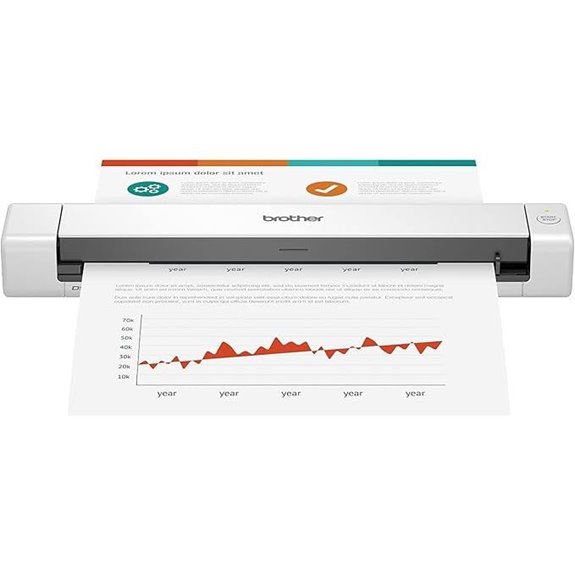 | Compact & Mobile | Portability: Compact, lightweight (1.5 lbs, 1.5″ x 2″ x 11.9″) | Scanning Speed (pages per minute): Up to 16 ppm | Connectivity Options: USB (micro USB 3.0), compatible with Windows, Mac, Linux | VIEW LATEST PRICE | See Our Full Breakdown |
| Epson WorkForce ES-50 Portable Sheet-Fed Document Scanner for PC and Mac |  | Portable & Fast | Portability: Small, portable, handheld design | Scanning Speed (pages per minute): 5.5 seconds per page (approx. ~11 ppm) | Connectivity Options: USB, USB-powered, no Wi-Fi | VIEW LATEST PRICE | See Our Full Breakdown |
| HP Small USB Document & Photo Scanner |  | User-Friendly & Quick | Portability: Compact, lightweight, USB-powered | Scanning Speed (pages per minute): 15 ppm | Connectivity Options: USB, compatible with Windows, Mac | VIEW LATEST PRICE | See Our Full Breakdown |
| Portable Handheld Scanner for Documents & Photos | 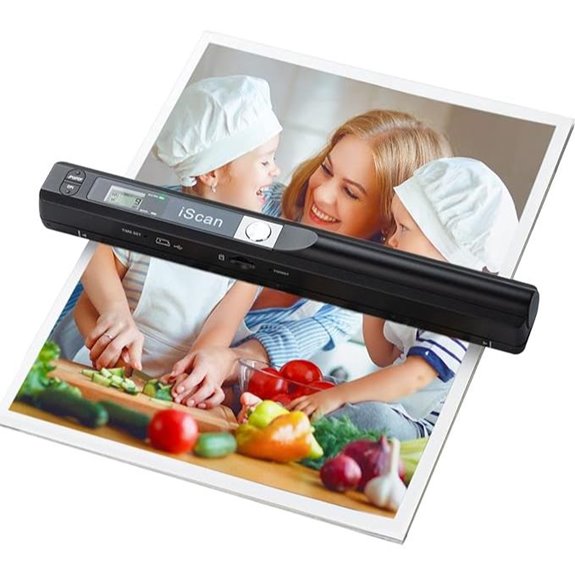 | Handheld & On-the-Go | Portability: Small, lightweight, handheld, powered by 2 AA batteries | Scanning Speed (pages per minute): Up to 10 ppm | Connectivity Options: USB, no software installation, plug-and-play | VIEW LATEST PRICE | See Our Full Breakdown |
| Canon imageFORMULA R10 Portable Document Scanner | 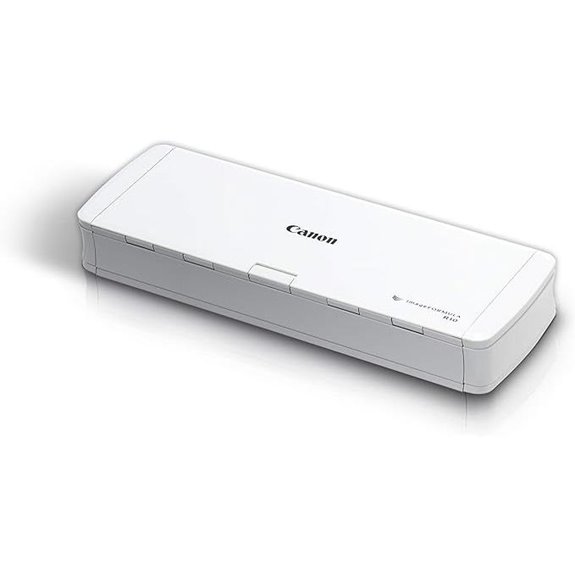 | Office-Ready & Reliable | Portability: Lightweight, portable, fits in briefcase | Scanning Speed (pages per minute): Up to 40 ppm | Connectivity Options: USB, Wi-Fi, cloud, compatible with Windows, Mac | VIEW LATEST PRICE | See Our Full Breakdown |
| ScanSnap iX2500 Wireless Document Scanner | 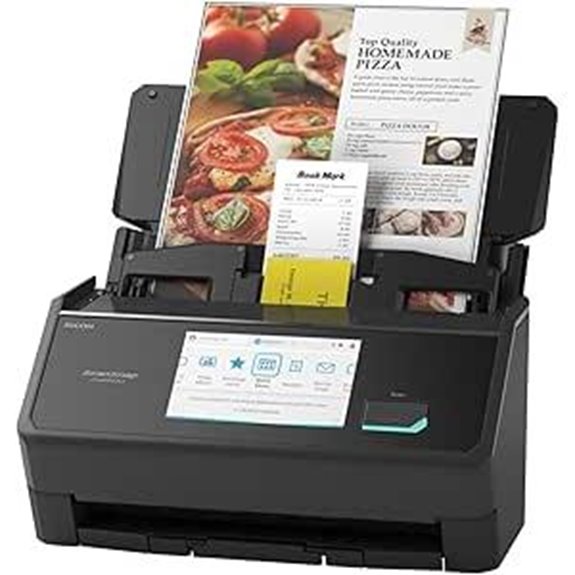 | High-Speed & Wireless | Portability: Compact, portable, weighs 7.7 lbs | Scanning Speed (pages per minute): Up to 45 ppm | Connectivity Options: Wi-Fi 6, USB-C, USB 3.0, wireless/cloud | VIEW LATEST PRICE | See Our Full Breakdown |
| Epson Workforce ES-400 II Duplex Desktop Scanner |  | Desktop Powerhouse | Portability: Portable desktop, compact size | Scanning Speed (pages per minute): Not specified, high-speed | Connectivity Options: USB, Wi-Fi, cloud, Windows, Mac | VIEW LATEST PRICE | See Our Full Breakdown |
| Epson RR-60 Mobile Receipt & Document Scanner | 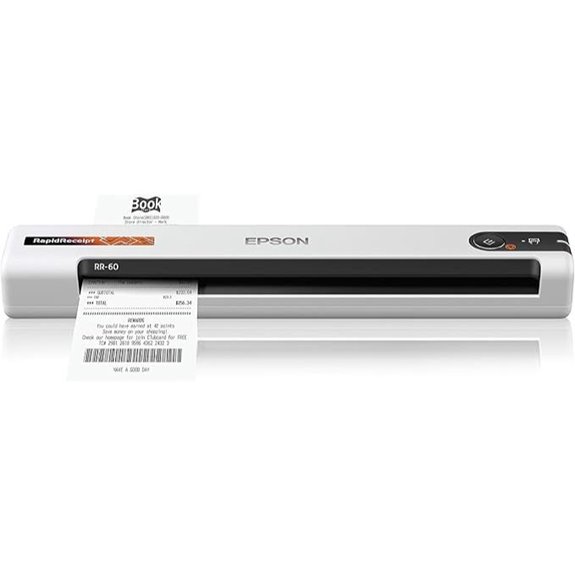 | Smart & AI-Driven | Portability: Small, pocket-sized, lightweight | Scanning Speed (pages per minute): Up to 10 ppm | Connectivity Options: USB, wireless, cloud, Mac, Windows | VIEW LATEST PRICE | See Our Full Breakdown |
| Canon imageFORMULA R40 Document Scanner for Office | 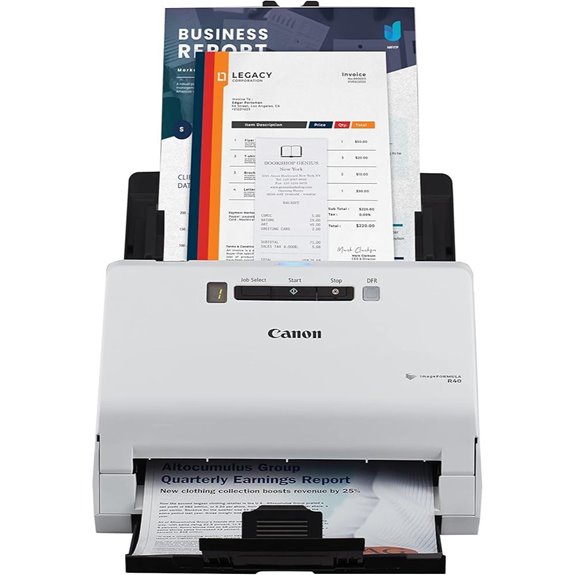 | Fast & Efficient | Portability: Portable, compact, lightweight | Scanning Speed (pages per minute): Up to 40 ppm | Connectivity Options: USB, compatible with Windows, Mac | VIEW LATEST PRICE | See Our Full Breakdown |
| Doxie Pro DX400 Duplex Document & Receipt Scanner | 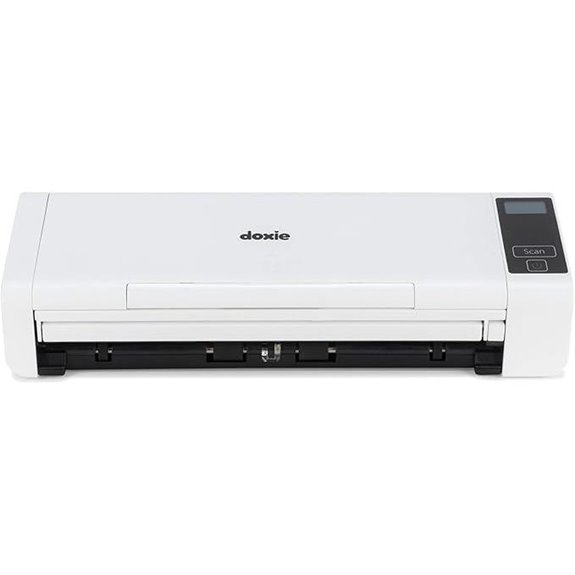 | Powerful & Versatile | Portability: Portable, compact (11.75 x 4 x 3 inches) | Scanning Speed (pages per minute): Duplex, high-speed (not specified exactly) | Connectivity Options: USB, Wi-Fi, cloud, Mac, PC | VIEW LATEST PRICE | See Our Full Breakdown |
| ScanSnap iX1300 Wireless Color Document Scanner | 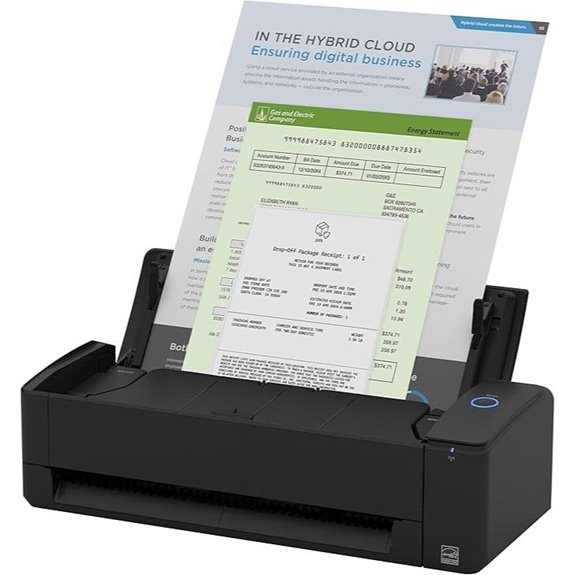 | Space-Saving & Slim | Portability: Compact, space-saving, lightweight | Scanning Speed (pages per minute): Up to 30 ppm | Connectivity Options: USB, Wi-Fi, cloud, Mac, PC | VIEW LATEST PRICE | See Our Full Breakdown |
| ScanSnap iX1300 Wireless Duplex Document Scanner | 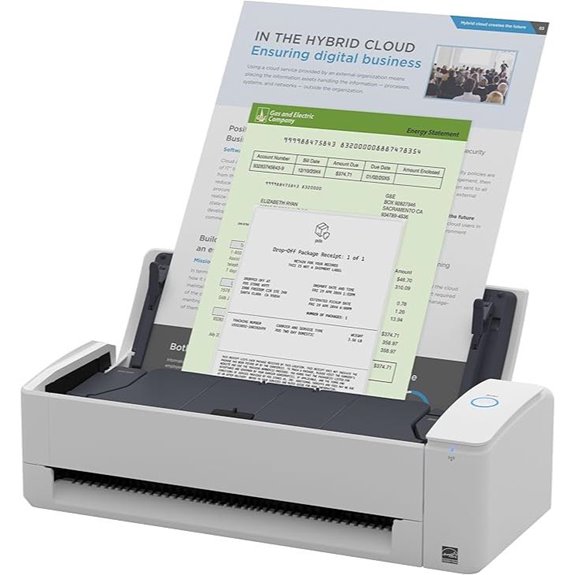 | Wireless & Compact | Portability: Small, space-efficient | Scanning Speed (pages per minute): Up to 30 ppm | Connectivity Options: USB, Wi-Fi, cloud, Mac, PC | VIEW LATEST PRICE | See Our Full Breakdown |
| Brother DS-740D Duplex Compact Mobile Document Scanner |  | Mobile & Multi-Function | Portability: Compact, mobile, lightweight | Scanning Speed (pages per minute): Up to 16 ppm | Connectivity Options: USB, Wi-Fi, cloud, Mac, PC | VIEW LATEST PRICE | See Our Full Breakdown |
| Epson Workforce ES-60W Wireless Portable Document Scanner | 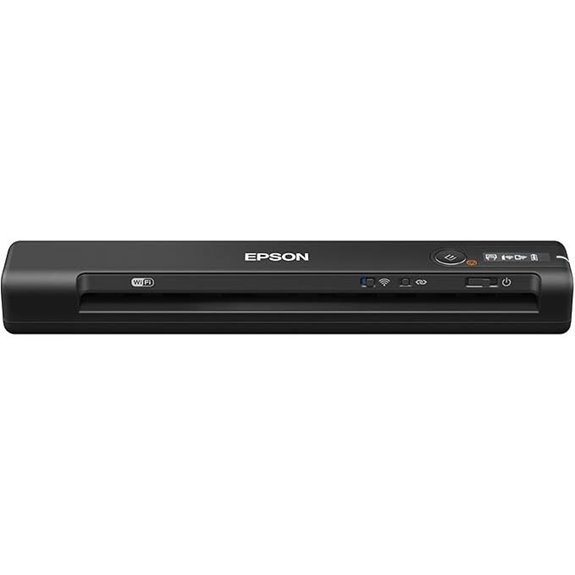 | Pocket-Sized & Quick | Portability: Ultra-compact, lightweight | Scanning Speed (pages per minute): 4 seconds per page | Connectivity Options: USB, wireless, cloud, Mac, Windows | VIEW LATEST PRICE | See Our Full Breakdown |
| ScanSnap iX100 Wireless Mobile Portable Scanner for Mac or PC Black | 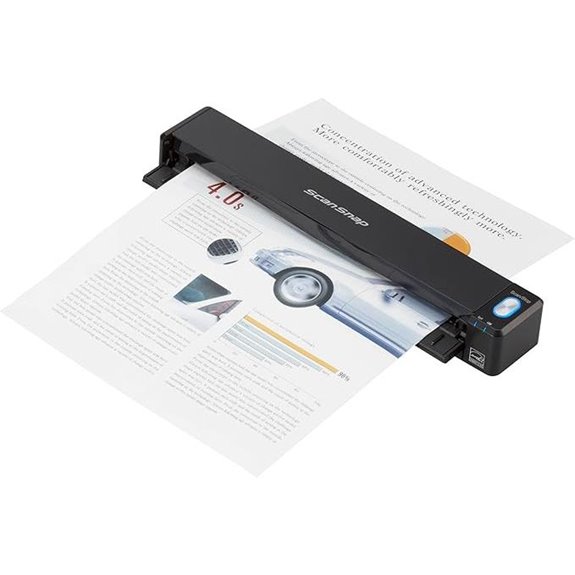 | Sleek & Seamless | Portability: Small, portable, wireless | Scanning Speed (pages per minute): Up to 30 ppm | Connectivity Options: USB, Wi-Fi, cloud, Mac, PC | VIEW LATEST PRICE | See Our Full Breakdown |
More Details on Our Top Picks
Brother DS-640 Compact Mobile Document Scanner
If you’re always on the move and need a reliable scanner that fits in your pocket, the Brother DS-640 Compact Mobile Document Scanner is an excellent choice. Its compact size—just 1.5″ x 2″ x 11.9″—and lightweight design make it perfect for mobile professionals. It scans up to 16 pages per minute in color or black-and-white at 300 dpi, handling documents, receipts, invoices, and even plastic cards or business cards. Powered via micro USB, it connects easily to your laptop or PC, supporting Windows, Mac, and Linux. With built-in software for OCR, image enhancement, and cloud sharing, it’s a versatile tool for on-the-go document management.
- Portability:Compact, lightweight (1.5 lbs, 1.5″ x 2″ x 11.9″)
- Scanning Speed (pages per minute):Up to 16 ppm
- Connectivity Options:USB (micro USB 3.0), compatible with Windows, Mac, Linux
- Document Capacity/Feeder Size:Handles various sizes, up to 72 inches long
- Supported Document Types:Receipts, IDs, plastic cards, documents
- Software Features:Software with OCR, image enhancement
- Additional Feature:Supports plastic ID cards
- Additional Feature:Automatic color detection
- Additional Feature:1-year limited warranty
Epson WorkForce ES-50 Portable Sheet-Fed Document Scanner for PC and Mac
The Epson WorkForce ES-50 Portable Sheet-Fed Document Scanner stands out as an ideal choice for mobile professionals who need quick, reliable scanning on the go. Its compact, lightweight design makes it easy to carry, and it can handle everything from receipts to long documents and ID cards. Scanning is fast—just 5.5 seconds per page—and it offers automatic feeding for multi-page documents. With USB power and compatibility with PC and Mac, it’s simple to use with existing software, including OCR for searchable PDFs. Overall, it’s a versatile, efficient tool perfect for small business owners who need mobility and performance.
- Portability:Small, portable, handheld design
- Scanning Speed (pages per minute):5.5 seconds per page (approx. ~11 ppm)
- Connectivity Options:USB, USB-powered, no Wi-Fi
- Document Capacity/Feeder Size:Single sheet, auto feeding, up to 8.5 x 72 inches
- Supported Document Types:Receipts, IDs, long pages
- Software Features:Epson ScanSmart, OCR, cloud
- Additional Feature:Scan directly to cloud
- Additional Feature:Extra-long page support
- Additional Feature:Nuance OCR included
HP Small USB Document & Photo Scanner
For small business owners and busy professionals needing quick, on-the-go scanning, the HP Small USB Document & Photo Scanner stands out with its lightning-fast 15 pages per minute performance. Its compact, lightweight design easily slips into bags or briefcases, making it perfect for travel or remote work. Compatible with both PC and Mac, it powers via USB 2.0, offering simple plug-and-play operation. This scanner handles various tasks, from photos and business cards to receipts and reports, delivering professional-quality 1200 dpi images. The user-friendly HP WorkScan software allows effortless editing and organization, making it an efficient, portable solution for everyday digitizing needs.
- Portability:Compact, lightweight, USB-powered
- Scanning Speed (pages per minute):15 ppm
- Connectivity Options:USB, compatible with Windows, Mac
- Document Capacity/Feeder Size:15 pages per minute, no explicit feeder size
- Supported Document Types:Invoices, contracts, reports, photos
- Software Features:Image editing, OCR, background removal
- Additional Feature:Professional-quality 1200 dpi
- Additional Feature:Background cleanup feature
- Additional Feature:Supports multiple formats
Portable Handheld Scanner for Documents & Photos
A portable handheld scanner stands out as an ideal choice for professionals on the go who need quick, reliable digitization of documents and photos without the hassle of bulky equipment. It’s compatible with Windows XP/7/Vista and Mac OS 10.4+, requiring no software installation—just plug in via USB. Powered by 2 AA batteries, it supports a 16GB SD card (included) for ample storage. With a simple press-and-hold scan process, it offers resolutions up to 900dpi, producing clear images suitable for personal or professional use. Its lightweight design makes it perfect for travel, capturing receipts, photos, or documents anytime, anywhere.
- Portability:Small, lightweight, handheld, powered by 2 AA batteries
- Scanning Speed (pages per minute):Up to 10 ppm
- Connectivity Options:USB, no software installation, plug-and-play
- Document Capacity/Feeder Size:No feeder, single sheet manual scan
- Supported Document Types:Documents, receipts, photos
- Software Features:No software needed, compatible with Windows and Mac
- Additional Feature:Supports 16GB SD card
- Additional Feature:Three resolution modes
- Additional Feature:No software needed
Canon imageFORMULA R10 Portable Document Scanner
If you need a portable scanner that effortlessly keeps up with a busy schedule, the Canon imageFORMULA R10 is an excellent choice. It’s lightweight and compact, making it perfect for home offices, classrooms, or remote work. It supports duplex scanning of various media types like receipts, business cards, reports, and legal documents—both in color and black-and-white—at up to 12 pages per minute. The 20-sheet automatic feeder simplifies workflow, while built-in software updates require no installation. Compatible with Windows and Mac, it produces high-quality images suitable for converting paper to searchable PDFs or JPEGs. Plus, it’s energy-efficient and environmentally friendly.
- Portability:Lightweight, portable, fits in briefcase
- Scanning Speed (pages per minute):Up to 40 ppm
- Connectivity Options:USB, Wi-Fi, cloud, compatible with Windows, Mac
- Document Capacity/Feeder Size:20 sheets auto feeder
- Supported Document Types:Receipts, invoices, business documents, IDs
- Software Features:Epson ScanSmart, OCR, cloud
- Additional Feature:Converts to searchable PDFs
- Additional Feature:ENERGY STAR certified
- Additional Feature:Auto document feeder
ScanSnap iX2500 Wireless Document Scanner
The ScanSnap iX2500 Wireless Document Scanner stands out with its fast double-sided scanning at 45 pages per minute and a large 100-sheet document feeder, making it ideal for small businesses that handle high-volume document workflows. Its sleek, premium design features a 5-inch touchscreen with a smartphone-like interface, simplifying operation. Connectivity options include Wi-Fi 6, USB-C, and USB 3.0, supporting wireless device-to-cloud scanning without a computer. It automatically optimizes, names, and sorts files, while features like multi-feed detection and skew correction prevent jams. Built for reliability, it’s a robust, efficient solution for busy offices needing quick, seamless scanning.
- Portability:Compact, portable, weighs 7.7 lbs
- Scanning Speed (pages per minute):Up to 45 ppm
- Connectivity Options:Wi-Fi 6, USB-C, USB 3.0, wireless/cloud
- Document Capacity/Feeder Size:100-sheet auto feeder
- Supported Document Types:Receipts, business cards, documents
- Software Features:Support for automatic optimization, cloud
- Additional Feature:Built-in Wi-Fi 6
- Additional Feature:100-sheet capacity
- Additional Feature:Future ARM Windows support
Epson Workforce ES-400 II Duplex Desktop Scanner
Designed for busy small offices, the Epson Workforce ES-400 II Duplex Desktop Scanner stands out with its 50-sheet Automatic Document Feeder, enabling rapid processing of large stacks without constant supervision. Its high-speed scanning makes it perfect for office and home use, saving you time. The Epson ScanSmart Software offers easy preview, emailing, and cloud uploads, while automatic file naming streamlines your workflow. Image adjustment tools improve scan quality, and the included TWAIN driver guarantees seamless integration with your existing document management systems. Plus, it supports direct scanning to email, Dropbox, Google Drive, and OneDrive, making sharing quick and effortless.
- Portability:Portable desktop, compact size
- Scanning Speed (pages per minute):Not specified, high-speed
- Connectivity Options:USB, Wi-Fi, cloud, Windows, Mac
- Document Capacity/Feeder Size:50-sheet ADF
- Supported Document Types:Receipts, legal docs, reports
- Software Features:Epson ScanSmart, OCR, cloud
- Additional Feature:Scan directly to cloud
- Additional Feature:OCR for searchable PDFs
- Additional Feature:Automatic file naming
Epson RR-60 Mobile Receipt & Document Scanner
For small business owners who need a portable yet powerful scanner, the Epson RR-60 Mobile Receipt & Document Scanner stands out with its ultra-lightweight design and fast scanning speeds. Weighing under 10 ounces and powered via USB, it’s perfect for on-the-go use. Its ScanSmart AI PRO Technology automatically converts and extracts data into smart digital formats, making documents AI-ready. With HyperClear Technology, it delivers high-resolution scans with auto cropping and background removal. Capable of handling receipts, invoices, IDs, and long pages up to 8.5 x 72 inches, it creates searchable PDFs and syncs effortlessly with cloud services like Dropbox and Google Drive.
- Portability:Small, pocket-sized, lightweight
- Scanning Speed (pages per minute):Up to 10 ppm
- Connectivity Options:USB, wireless, cloud, Mac, Windows
- Document Capacity/Feeder Size:Up to 8.5 x 72 inches, multiple pages via ADF
- Supported Document Types:Receipts, invoices, photos, IDs
- Software Features:ScanSmart AI PRO, OCR, cloud
- Additional Feature:AI-powered data extraction
- Additional Feature:Auto cropping/background removal
- Additional Feature:Compact, lightweight design
Canon imageFORMULA R40 Document Scanner for Office
If you’re looking for a reliable office scanner that can handle high-volume tasks with ease, the Canon imageFORMULA R40 is a top choice. It supports color duplex scanning, has an auto document feeder, and is easy to set up for both PC and Mac. The included software efficiently processes batches of receipts and invoices, extracting key details like payee, amount, and date, then uploads them automatically to QuickBooks Online or cloud services. Capable of scanning various document types and sizes, it creates searchable, editable files for fast retrieval. With speeds up to 40 pages per minute, it boosts productivity and simplifies document organization.
- Portability:Portable, compact, lightweight
- Scanning Speed (pages per minute):Up to 40 ppm
- Connectivity Options:USB, compatible with Windows, Mac
- Document Capacity/Feeder Size:Multiple sizes, no mention of feeder capacity
- Supported Document Types:Receipts, invoices, business docs
- Software Features:Software for batch processing, OCR
- Additional Feature:Extracts key details
- Additional Feature:Batch scanning capability
- Additional Feature:QuickBooks integration
Doxie Pro DX400 Duplex Document & Receipt Scanner
Looking for a compact scanner that can handle high-volume, two-sided document and receipt scanning effortlessly? The Doxie Pro DX400 is perfect for home or office use. It offers fast duplex scanning with crisp, clear results, and features like text recognition, auto-cropping, rotation, and contrast boost. Its collapsible document feeder and direct feed slot make it easy to scan thick or delicate papers. The intuitive software seamlessly integrates with Dropbox, Evernote, and other apps, simplifying organization and sharing. Plus, with a 1-year warranty and excellent customer support, it’s a reliable choice for small businesses needing portable, efficient scanning without hassle.
- Portability:Portable, compact (11.75 x 4 x 3 inches)
- Scanning Speed (pages per minute):Duplex, high-speed (not specified exactly)
- Connectivity Options:USB, Wi-Fi, cloud, Mac, PC
- Document Capacity/Feeder Size:Collapsible feeder, multiple pages
- Supported Document Types:Documents, reports, business cards, photos
- Software Features:Doxie software, OCR, cloud integration
- Additional Feature:Collapsible document feeder
- Additional Feature:Cloud app integration
- Additional Feature:1-year warranty
ScanSnap iX1300 Wireless Color Document Scanner
The ScanSnap iX1300 Wireless Color Document Scanner stands out as an ideal choice for small business owners who need a reliable, space-efficient scanner that delivers high-quality results with minimal fuss. Its compact design fits perfectly on small desks, staying unobtrusive while handling documents, photos, cards, and even thick items like plastic cards. With fast duplex scanning at 30 pages per minute and one-touch operation, it’s incredibly efficient. Automatic features like de-skew, color optimization, and blank page removal ensure crisp images without extra effort. Plus, it supports USB and Wi-Fi, works seamlessly with Mac, PC, and mobile devices, and includes user-friendly software for easy organization.
- Portability:Compact, space-saving, lightweight
- Scanning Speed (pages per minute):Up to 30 ppm
- Connectivity Options:USB, Wi-Fi, cloud, Mac, PC
- Document Capacity/Feeder Size:30 pages per minute, auto feeder
- Supported Document Types:Documents, receipts, IDs, photos
- Software Features:ScanSnap Home, OCR, file organization
- Additional Feature:Handles thick items
- Additional Feature:One-touch operation
- Additional Feature:Organizes with ScanSnap
ScanSnap iX1300 Wireless Duplex Document Scanner
The ScanSnap iX1300 Wireless Duplex Document Scanner stands out for small business owners who need quick, reliable scanning without cluttering their workspace. Its compact, space-saving design fits small desks and handles various document types, including thick items and plastic cards. With up to 30 pages per minute duplex scanning and features like automatic de-skew, color optimization, and blank page removal, it guarantees high-quality images every time. Connection options include USB and Wi-Fi, compatible with Mac, PC, mobile devices, and cloud services. Its user-friendly, one-touch operation and powerful software make managing, editing, and organizing scanned data effortless, streamlining daily workflows.
- Portability:Small, space-efficient
- Scanning Speed (pages per minute):Up to 30 ppm
- Connectivity Options:USB, Wi-Fi, cloud, Mac, PC
- Document Capacity/Feeder Size:Supports multiple pages, auto document feeder
- Supported Document Types:Documents, receipts, photos, cards
- Software Features:ScanSnap Home, OCR, cloud
- Additional Feature:Supports plastic cards
- Additional Feature:No driver setup
- Additional Feature:High-quality images
Brother DS-740D Duplex Compact Mobile Document Scanner
If you need a portable scanner that keeps up with high-volume tasks, the Brother DS-740D Duplex Compact Mobile Document Scanner is an excellent choice. It offers fast, duplex scanning at up to 16 pages per minute, whether in black and white or color, so you won’t experience slowdowns during busy days. Its ultra-compact design fits easily into bags or pockets, and the Desk Saving Design reduces desk space needs. Powered via micro USB, it connects instantly to your PC or laptop, making on-the-go scanning simple. Compatible with multiple operating systems and packed with useful features, it’s perfect for transforming physical documents into digital files anywhere.
- Portability:Compact, mobile, lightweight
- Scanning Speed (pages per minute):Up to 16 ppm
- Connectivity Options:USB, Wi-Fi, cloud, Mac, PC
- Document Capacity/Feeder Size:Duplex, multiple pages, auto feeding
- Supported Document Types:Receipts, IDs, documents
- Software Features:Includes management software, OCR
- Additional Feature:Supports Linux drivers
- Additional Feature:Document management app
- Additional Feature:Versatile document handling
Epson Workforce ES-60W Wireless Portable Document Scanner
Designed for professionals on the move, the Epson Workforce ES-60W Wireless Portable Document Scanner offers unmatched portability with its compact size and lightweight build. Measuring just 10.7″ x 1.9″ x 1.4″, it easily fits into a bag or briefcase, making it perfect for on-the-go scanning. It scans a single page in as little as 4 seconds and handles various document types, including receipts, IDs, and large sheets up to 8.5″ x 72″. Seamless connectivity lets me switch effortlessly between USB and wireless modes, and the included software makes organizing and converting scans into searchable PDFs simple. It’s a reliable, efficient tool for busy professionals.
- Portability:Ultra-compact, lightweight
- Scanning Speed (pages per minute):4 seconds per page
- Connectivity Options:USB, wireless, cloud, Mac, Windows
- Document Capacity/Feeder Size:No feeder, manual single sheet
- Supported Document Types:Documents, receipts, photos
- Software Features:No detailed software, compatible with standard OCR
- Additional Feature:Designed for mobile use
- Additional Feature:Detects USB/Wireless
- Additional Feature:Scans directly to cloud
ScanSnap iX100 Wireless Mobile Portable Scanner for Mac or PC Black
For small business owners who need quick, on-the-go scanning, the ScanSnap iX100 Wireless Mobile Portable Scanner stands out with its true wireless capability and long-lasting battery. It connects easily via Wi-Fi to Mac or PC, eliminating cords and clutter. With a battery that can scan up to 260 documents per charge, it’s perfect for busy days. Its compact design handles various documents, including plastic cards, and can scan multiple small items at once. The scanner produces high-quality images with automatic de-skew and color optimization. Plus, its ScanSnap Cloud integration automates file naming and directs scans to the right cloud services, streamlining your workflow.
- Portability:Small, portable, wireless
- Scanning Speed (pages per minute):Up to 30 ppm
- Connectivity Options:USB, Wi-Fi, cloud, Mac, PC
- Document Capacity/Feeder Size:Automatic feeding, multiple pages
- Supported Document Types:Receipts, IDs, business cards, photos
- Software Features:ScanSnap Home, OCR, cloud
- Additional Feature:Long battery life
- Additional Feature:Automates document naming
- Additional Feature:Supports multiple formats
Factors to Consider When Choosing a Document Scanner for Small Business
When choosing a document scanner for my small business, I focus on factors like scanning speed and volume to keep up with daily workloads. I also consider portability and size to fit my workspace, along with connectivity options for seamless integration. Additionally, I check software compatibility and document handling features to guarantee the scanner meets all my needs efficiently.
Scanning Speed and Volume
High scanning speeds are essential for small businesses that need to process large volumes of documents quickly. I look for scanners that can handle 30-45 pages per minute to keep up with busy workflows. A high daily scan capacity, like 500 pages or more, prevents bottlenecks during peak times. Duplex scanning is a game-changer; it allows both sides of a document to be scanned simultaneously, doubling productivity. Automatic document feeders with larger sheet capacities reduce manual intervention, saving time and effort during continuous scanning sessions. It’s also vital that the scanner maintains consistent quality at high speeds, ensuring documents are captured clearly without needing rescans or corrections. Prioritizing these features helps streamline operations and keeps my workflow efficient.
Portability and Size
Choosing a document scanner that fits your workspace or on-the-go needs starts with considering its size and weight. I look for compact designs that can easily slide into bags, briefcases, or drawers without taking up too much space. Smaller, portable scanners are perfect for mobile professionals who need to scan documents anywhere, whether at a client site or in a small office. I also prefer models with foldable or collapsible document feeders, which boost portability and storage convenience. Weighing less than 3 pounds, these lightweight scanners are easy to carry around while still offering solid scanning functions. Ensuring the device is manageable in size and weight helps me stay flexible and efficient, whether I’m working at my desk or on the move.
Connectivity Options
Selecting the right connectivity options is crucial for ensuring your document scanner integrates smoothly with your existing workflow. I look for options like USB, Wi-Fi, Ethernet, or Bluetooth to match my setup’s needs. USB connections are reliable and fast, perfect for large-volume scanning. Wireless options, on the other hand, give me flexibility to scan directly to cloud services or mobile devices without dealing with cables. Dual connectivity modes are a bonus, allowing me to switch easily between wired and wireless depending on the task or environment. Compatibility across multiple operating systems—Windows, Mac, Linux, or mobile platforms—is also essential, so my scanner works seamlessly with all my devices. Choosing versatile connectivity ensures efficiency and keeps my workflow smooth and adaptable.
Document Handling Capabilities
When evaluating document handling capabilities, I look for a scanner that can manage a variety of document sizes and types to keep up with my small business needs. It’s essential to handle everything from small receipts to long invoices up to 72 inches without issues. Supporting multiple media types like plastic cards, photos, and textured documents saves me time and effort. I also prioritize duplex scanning, so both sides of a page are digitized simultaneously, boosting efficiency. Automatic document feeding (ADF) is a must for batch processing large volumes quickly. Additionally, image enhancement features like background removal, bleed-through prevention, and text clarity improvements help produce professional, easily readable digital copies. These capabilities ensure my scanner adapts to diverse tasks and keeps my workflow smooth.
Software Compatibility
Since software compatibility can make or break your scanning workflow, it’s essential to guarantee your scanner works seamlessly with your existing systems. First, check if the scanner’s software supports your operating system—Windows, Mac, or Linux—to avoid integration issues. Make sure it supports common formats like PDF, JPEG, and TIFF for easy file management. OCR software is also critical, as it converts images into editable, searchable documents, saving time and increasing productivity. Compatibility with cloud storage services like Google Drive, Dropbox, or OneDrive ensures effortless file sharing and backup. Finally, confirm if the scanner uses standard drivers such as TWAIN or WIA, which enhance compatibility with various document management applications. Prioritizing these factors helps streamline your workflow and prevents technical headaches.
Power and Battery Life
Power and battery life are essential factors to evaluate when choosing a document scanner for your small business, especially if you’ll be using it on the go. A longer battery life means you can scan more documents without frequent recharges, which is pivotal for remote work or mobile tasks. Look for scanners with rechargeable batteries, USB power, or AC adapters, as these options offer flexibility across different environments. Quick-charging features can help reduce downtime and keep your workflow smooth. Additionally, low power consumption extends battery life and minimizes energy costs, supporting sustainable practices. Ultimately, a scanner with reliable power options ensures continuous operation, boosts productivity, and adapts seamlessly to your business needs, whether in the office or on the move.
Cost and Budget
Choosing a document scanner that fits your small business budget requires careful consideration of both upfront costs and ongoing expenses. First, look at the initial purchase price to ensure it aligns with your financial plan. Don’t forget to factor in ongoing costs like software subscriptions, replacement parts, and maintenance fees, which can add up over time. Evaluate whether the scanner offers features that deliver real value, such as fast speeds or high-resolution imaging, to maximize your investment. Set a budget range that balances affordability with the essential functionalities you need for effective document management. Keep in mind that higher-priced models often provide better durability and support, which could reduce long-term costs and hassle. Making a thoughtful choice now can save you money later.
Frequently Asked Questions
How Do Different Scanners Handle Various Paper Sizes and Thicknesses?
Different scanners handle various paper sizes and thicknesses with adjustable settings and specialized rollers. I make certain to choose models with adjustable guides and auto-detection features for different sizes. For thicker documents, I look for scanners with strong, durable rollers to prevent jams and ensure smooth feeding. This way, I can scan everything from thin receipts to bulky reports efficiently, without worrying about misfeeds or damage.
What Security Features Are Available on Portable Document Scanners?
You might worry about security with portable scanners, but many now include features like encrypted data transfer, password protection, and secure storage options. I’ve found that these features help keep sensitive information safe, even when on the go. Plus, some models offer remote management and user authentication, giving extra peace of mind. So, you can scan confidently, knowing your data stays protected wherever your business takes you.
Can These Scanners Integrate With Cloud Storage Services Seamlessly?
Yes, many portable document scanners now integrate seamlessly with cloud storage services. I’ve found that scanners with built-in Wi-Fi or Bluetooth connect effortlessly to platforms like Dropbox, Google Drive, and OneDrive. This means I can scan documents directly to the cloud without needing extra steps or devices. It saves me time and keeps my files organized. Just make sure to choose a scanner with compatible app support for smooth, hassle-free integration.
How Do Scanner Speeds Impact Daily Small Business Operations?
Scanner speeds directly affect my daily operations by determining how quickly I can digitize documents. Faster scanners save me time, allowing me to process more paperwork efficiently and meet tight deadlines. Slow scanners cause delays, disrupt workflow, and increase frustration. Choosing a high-speed scanner helps me stay productive, manage my workload effectively, and ensure smooth business operations without unnecessary interruptions or bottlenecks.
What Are the Maintenance Requirements for High-Volume Document Scanners?
High-volume document scanners need regular maintenance to keep them running smoothly. I recommend cleaning the rollers and glass surfaces weekly to prevent jams and guarantee clear scans. It’s also important to update the firmware and software periodically. I check the paper feed mechanisms and replace worn-out parts as needed. By staying on top of these tasks, I avoid downtime and maintain peak performance, saving time and reducing frustration.
Conclusion
So, there you have it—your future tiny, yet mighty, digital army. Because who needs clutter and chaos when a sleek scanner can turn mountains of paper into digital dust? Sure, choosing one might feel overwhelming, but hey, at least you won’t have to drown in paper jams or lost receipts anymore. Embrace the magic of modern scanning—your small business‘s new best friend—and finally give those mountains of paper the clean sweep they deserve.