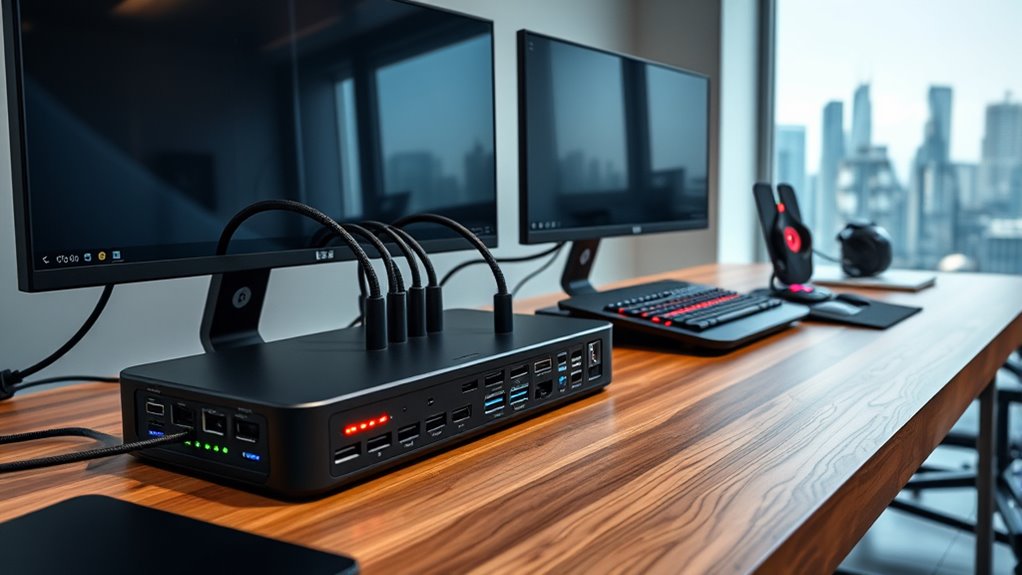

Choosing a dock with 10GbE in 2026 means balancing high-speed networking with extensive connectivity options. The OWC Thunderbolt 5 Dual 10GbE Network Dock stands out for its blazing Thunderbolt 5 speeds and support for multiple 8K displays, making it ideal for power users. Meanwhile, the Sonnet Echo 20 Thunderbolt 5 SecureDock offers a broad array of ports and multi-display support suitable for demanding professional workflows. For MacBook Pro users wanting maximum versatility, the iVANKY FusionDock Ultra provides dual 8K support and fast charging, but at a premium price. Each pick balances speed, connectivity, and compatibility differently, with tradeoffs around complexity, cost, and system requirements. “

Get the latest gadgets delivered free with Prime
- Fast, free delivery on millions of items
- Prime Video, Amazon Music and more included
- Member-only deals all year
Complete the kit



Key Takeaways
- Thunderbolt 5 docks deliver the highest data bandwidth, supporting multiple 8K displays and extensive ports.
- Compatibility varies significantly; Thunderbolt 3 and USB-C docks are more accessible but may limit performance or display options.
- Power delivery capacity varies, with some docks supporting up to 140W, suitable for charging large laptops.
- More ports typically mean more versatility, but can also increase size, complexity, and cost.
- Choose a dock aligned with your primary workflow—whether high-performance video editing, multi-display setups, or general connectivity.
| OWC Thunderbolt 5 Dual 10GbE Network Dock 11-Port Connectivity Solution |  | Best Overall for High-Speed, Versatile Connectivity | Host Interface: Thunderbolt 5, Thunderbolt 4, USB4, Thunderbolt 3 (Mac only) | Ethernet Ports: 2 x 10GbE RJ-45, 1 x 2.5GbE RJ-45 | Host Port: Thunderbolt 5 (USB-C) up to 80Gb/s | VIEW ON AMAZON | See Our Full Breakdown |
| OWC Thunderbolt Pro Dock 10-Port Connectivity Solution for Mac/Windows |  | Best for Versatile High-Resolution Workflows | Power Delivery: 85W on Thunderbolt 3 port, 15W on second Thunderbolt 3 port | Display Support: Up to 8K @ 60Hz or 5K @ 60Hz | Host Port: Thunderbolt 3 up to 40 Gb/s | VIEW ON AMAZON | See Our Full Breakdown |
| iVANKY 26-in-1 FusionDock Ultra for MacBook Pro with Thunderbolt 5 |  | Best for High-Resolution, Multi-Display Mac Users | Compatibility: MacBook Pro (M-Series Max) | Display Support: 2 x 8K@60Hz or 4 x 6K@60Hz | Ethernet: 10Gbps RJ45 | VIEW ON AMAZON | See Our Full Breakdown |
| Sonnet Echo 20 Thunderbolt 5 SecureDock |  | Best for Multi-Display, High-Performance Workflows | Thunderbolt 5 ports: 3 | USB ports: 9 (USB-A & USB-C, 10Gbps) | Ethernet: 10Gb | VIEW ON AMAZON | See Our Full Breakdown |
| CalDigit TS5 Plus Thunderbolt 5 Dock – 20 Ports, 10Gb Ethernet |  | Best for Extensive Connectivity and Large-Scale Setups | Ports: 3x Thunderbolt 5, 5x USB-A 10Gb/s, 5x USB-C 10Gb/s | Display Support: Dual 8K 60Hz or Triple 4K 144Hz | Ethernet: 10Gb | VIEW ON AMAZON | See Our Full Breakdown |
| dock with 10gbe | Display Support | Power Delivery | Ethernet |
|---|---|---|---|
| OWC Thunderbolt 5 Dual 10GbE N | Up to three 8K @ 60Hz or 120Hz | 15W per device port, 15W USB-C port | — |
| OWC Thunderbolt Pro Dock 10-Po | Up to 8K @ 60Hz or 5K @ 60Hz | 85W on Thunderbolt 3 port, 15W on second Thunderbolt 3 port | 10GbE RJ-45 |
| iVANKY 26-in-1 FusionDock Ultr | 2 x 8K@60Hz or 4 x 6K@60Hz | 140W passthrough | 10Gbps RJ45 |
| Sonnet Echo 20 Thunderbolt 5 S | Up to 8K HDMI or 4K DisplayPort | 140W | 10Gb |
| CalDigit TS5 Plus Thunderbolt | Dual 8K 60Hz or Triple 4K 144Hz | Up to 140W | 10Gb |
More Details on Our Top Picks
OWC Thunderbolt 5 Dual 10GbE Network Dock 11-Port Connectivity Solution
This dock stands out for its Thunderbolt 5 interface, supporting up to three 8K displays, which makes it ideal for visual professionals. The dual 10GbE ports provide robust networking options, perfect for data-intensive workflows. Compared with other docks, it offers the highest bandwidth and display support, but its complexity and premium price make it less suitable for casual users. The extensive port selection and compatibility with Mac, Windows, and Linux ensure wide usability, though the need for compatible Thunderbolt 5 systems can limit its appeal for those with older hardware.
Pros:- Supports up to three 8K displays for demanding visual workflows
- Dual 10GbE Ethernet ports for high-speed networking
- Thunderbolt 5 host interface with up to 80Gb/s bandwidth
- Power delivery for external devices
Cons:- Requires compatible Thunderbolt 5 or USB4-enabled systems
- High price point due to advanced features
- Setup can be complex for some users
Best for: Power users requiring maximum bandwidth, multi-display setups, and high-speed networking.
Not ideal for: Users with older systems lacking Thunderbolt 5 or USB4, or those seeking a more budget-friendly option.
- Host Interface:Thunderbolt 5, Thunderbolt 4, USB4, Thunderbolt 3 (Mac only)
- Ethernet Ports:2 x 10GbE RJ-45, 1 x 2.5GbE RJ-45
- Host Port:Thunderbolt 5 (USB-C) up to 80Gb/s
- Display Support:Up to three 8K @ 60Hz or 120Hz
- Power Delivery:15W per device port, 15W USB-C port
- Wattage:90W
Our verdict“A top-tier choice for professionals needing maximum performance and display support, but best suited for those with compatible hardware.”
OWC Thunderbolt Pro Dock 10-Port Connectivity Solution for Mac/Windows
This model is better suited to users who prioritize a broad array of ports, including DisplayPort, SD card readers, and USB-C, all while supporting high-res displays up to 8K. Its Thunderbolt 3 interface limits maximum bandwidth compared to Thunderbolt 5 docks, but it offers excellent flexibility for creative and professional workflows. The power delivery of 85W is sufficient for most laptops, and its multi-display support makes it a flexible choice, though it may require adapters for some displays. Compared with more advanced Thunderbolt 5 docks, it strikes a balance between performance and compatibility.
Pros:- Supports multiple high-resolution displays simultaneously
- Includes SD card readers and diverse USB ports
- Power delivery supports charging laptops
Cons:- Limited to Thunderbolt 3, restricting maximum data bandwidth
- Display support depends on host hardware
- Additional adapters may be needed for HDMI displays
Best for: Creative professionals needing versatile port options and high-res display support.
Not ideal for: Users with systems lacking Thunderbolt 3 or higher, or those needing maximum bandwidth for intensive tasks.
- Power Delivery:85W on Thunderbolt 3 port, 15W on second Thunderbolt 3 port
- Display Support:Up to 8K @ 60Hz or 5K @ 60Hz
- Host Port:Thunderbolt 3 up to 40 Gb/s
- USB Ports:One USB 3.2 Gen 2 Type-C, three USB 3.2 Gen 2 Type-A
- Ethernet:10GbE RJ-45
- Card Readers:CFexpress Type B, SD
Our verdict“An excellent all-around dock that balances port options and display capabilities, best for users with Thunderbolt 3 systems.”
iVANKY 26-in-1 FusionDock Ultra for MacBook Pro with Thunderbolt 5
This dock makes the most sense for MacBook Pro owners demanding high-resolution multi-display setups, supporting dual 8K or four 6K displays. Its 140W power passthrough ensures fast charging, and the inclusion of SD card readers and Toslink optical audio adds to its versatility. The complex setup and premium price are tradeoffs for its advanced thermal management and extensive display support, making it a prime choice for those who need maximum visual output and fast data transfer in a Mac environment.
Pros:- Supports dual 8K or four 6K displays
- High-speed Ethernet and multiple USB-C ports
- Fast 45W charging for connected devices
- Advanced thermal system for long-term reliability
Cons:- Compatibility notes require review before purchase
- Setup can be complex for non-technical users
- Premium price point
Best for: MacBook Pro users requiring dual 8K or multiple 6K display support, with fast charging and extensive port options.
Not ideal for: Windows users or those on systems not compatible with Mac-specific configurations.
- Compatibility:MacBook Pro (M-Series Max)
- Display Support:2 x 8K@60Hz or 4 x 6K@60Hz
- Ethernet:10Gbps RJ45
- USB-C Ports:4 ports (80/120Gbps, 15W each)
- Power Delivery:140W passthrough
- SD Card Slot:SD 4.0 (300MB/s)
Our verdict“Ideal for professional Mac users needing maximum display resolution and fast data transfer, with a premium investment.”
Sonnet Echo 20 Thunderbolt 5 SecureDock
The Sonnet Echo 20 excels in offering a massive port selection with three Thunderbolt 5 ports, multiple USB ports, HDMI, DisplayPort, and SD card readers. Its support for multi-display setups up to 8K makes it highly suitable for demanding creative and professional environments. The 140W charging capacity supports large laptops, and the broad compatibility across Mac, Windows, Chromebook, and iPads enhances its versatility. However, its size and premium price mean it’s best suited for dedicated workspace setups where maximum connectivity is a priority.
Pros:- Supports multi-display up to 8K resolution
- Multiple Thunderbolt 5 ports and USB options
- 140W power delivery for laptops
- Broad compatibility across platforms
Cons:- Expensive for casual or infrequent users
- Requires compatible Thunderbolt 5 devices for full performance
- Large size may not fit small workspaces
Best for: Professionals who need extensive ports, multi-display support, and high-speed networking in demanding workflows.
Not ideal for: Casual users or those with limited space, given its large footprint and cost.
- Thunderbolt 5 ports:3
- USB ports:9 (USB-A & USB-C, 10Gbps)
- Ethernet:10Gb
- Display Support:Up to 8K HDMI or 4K DisplayPort
- Power Delivery:140W
- Additional Features:HDMI, SD card reader, optical audio
Our verdict“A powerhouse dock tailored for high-performance, multi-display environments demanding maximum port availability.”
CalDigit TS5 Plus Thunderbolt 5 Dock – 20 Ports, 10Gb Ethernet
The CalDigit TS5 Plus offers an impressive 20 ports, including three Thunderbolt 5 ports, multiple USB-A and USB-C ports, and dual 8K display support. Its 140W power delivery can handle large laptops comfortably, and its aluminum chassis acts as a heat sink, ensuring durability during extended use. This dock makes the most sense for users who need a massively connected workspace with high bandwidth for data transfer, display, and networking. Its complexity and size make it less suitable for casual users or limited spaces, but it excels in demanding professional environments.
Pros:- 20 ports including Thunderbolt 5 and 10Gb Ethernet
- Supports dual 8K displays and high-refresh rates
- Up to 140W power delivery for charging
- High bandwidth with 80Gb/s transfer speed
Cons:- Requires Thunderbolt 5 or USB4 v2 devices for full performance
- Large and heavy, not portable
- Windows users may need extra drivers for Ethernet
Best for: Power users and large teams who require maximum port density and high-performance data and display support.
Not ideal for: Users with smaller workspaces or those who need a simple, portable dock.
- Ports:3x Thunderbolt 5, 5x USB-A 10Gb/s, 5x USB-C 10Gb/s
- Display Support:Dual 8K 60Hz or Triple 4K 144Hz
- Ethernet:10Gb
- Power Delivery:Up to 140W
- Material:Aluminum
- Bandwidth:80Gb/s
Our verdict“A comprehensive dock designed for high-demand, multi-device environments, where maximum connectivity and performance are essential.”

How We Picked
Our selection process focused on docks that support 10GbE networking, emphasizing high-speed data transfer, multi-display support, and wide compatibility. We prioritized models with Thunderbolt 5 or Thunderbolt 3 interfaces for maximum bandwidth, considering their ability to handle demanding professional tasks. Port variety was also key, including USB-A, USB-C, HDMI, DisplayPort, SD card readers, and Ethernet. Price range and user-friendliness were factored in, with a bias toward products offering a balance of performance and value. We compared specifications, user reviews, and manufacturer details to identify what each dock excels at, and where tradeoffs are involved. This approach ensures that each pick fills a distinct niche for different types of users, from power users to general professionals.
Factors to Consider When Choosing Dock With 10gbe
When selecting a dock with 10GbE support in 2026, it’s essential to consider compatibility, port variety, display support, and power delivery. Your choice depends on whether you prioritize raw speed, multiple high-res displays, or broad device compatibility. Understanding your primary workflow—be it professional video editing, data transfer, or general connectivity—will guide you toward the best fit.Compatibility and System Requirements
Ensure the dock supports your host system’s interface—Thunderbolt 5, Thunderbolt 3, or USB-C. Thunderbolt 5 offers the highest bandwidth for ultra-high-resolution displays and data transfer, but it requires compatible hardware. Thunderbolt 3 remains common and supports up to 40Gb/s, suitable for many users. USB-C docks tend to be more affordable but may limit performance or display support.
Port Selection and Expansion
Assess the port variety and quantity you need—Ethernet, multiple USB-A and USB-C, SD card readers, HDMI, or DisplayPort. More ports mean greater flexibility, but they can add bulk and complexity. Think about your primary devices and whether you need dedicated ports for high-speed networking or multiple high-res displays.
Display Support and Resolution
High-resolution workflows demand docks that support dual or triple 8K displays or multiple 6K/4K screens. Check the dock’s display specifications against your needs. Thunderbolt 5 docks excel here, but many Thunderbolt 3 or USB-C docks can handle 4K or 5K setups effectively, depending on your system’s capabilities.
Power Delivery and Charging
Power delivery ensures your laptop and devices stay charged during extended use. Docks with 85W to 140W support large laptops like MacBook Pro or high-end Windows machines. Be mindful of your device’s power requirements to avoid underperformance or needing additional chargers.
Frequently Asked Questions
What is 10GbE and why is it important in a dock?
10GbE, or 10 Gigabit Ethernet, provides extremely fast wired network connections, ideal for transferring large files, streaming high-quality media, or supporting high-speed data environments. When integrated into a dock, it allows your workstation to handle demanding network tasks without compromising other connectivity options, making it essential for professionals working with large datasets or media workflows.
Do I need Thunderbolt 5 to get the most out of a 10GbE dock?
While Thunderbolt 5 offers the highest bandwidth and supports multiple 8K displays alongside 10GbE networking, it isn’t strictly necessary for 10GbE functionality. Thunderbolt 3 and USB-C docks can support 10GbE Ethernet, but they may limit other features like display support or data transfer speeds. The choice depends on your performance requirements and compatible hardware.
Can I use these docks with Windows and Mac systems?
Most of the docks listed support both Windows and Mac, but compatibility details depend on the specific interface and driver support. Thunderbolt 5 and Thunderbolt 3 docks are broadly compatible, and many USB-C docks work with both platforms. Always verify manufacturer specifications to ensure full functionality with your system, especially for advanced features like multi-display support.
How much power do I need from a dock?
The required power depends on your laptop’s specifications. Docks offering at least 85W support most large laptops, including MacBook Pros and high-performance Windows machines. For maximum flexibility, consider docks with 140W power delivery, especially if you plan to run demanding workloads or connect multiple peripherals that draw power.
Are multi-display setups practical with these docks?
Yes, many high-end docks support dual or even triple 8K displays, making them suitable for professional visual workflows. However, actual support depends on your host system’s GPU and interface. Thunderbolt 5 docks excel here, but some Thunderbolt 3 or USB-C docks can also handle multiple high-resolution screens effectively, provided your system supports it.
Conclusion
For users who need maximum performance and display capabilities, the OWC Thunderbolt 5 Dual 10GbE Network Dock or Sonnet Echo 20 Thunderbolt 5 SecureDock are excellent choices, especially if your system supports Thunderbolt 5. Creative professionals and those with MacBook Pros should consider the iVANKY FusionDock Ultra for its high-resolution support and fast charging. Meanwhile, the CalDigit TS5 Plus offers a balanced mix of extensive ports and high-speed data transfer, making it suitable for demanding multi-device setups. Casual users or those with older systems may prefer more affordable options, but for high-end, multi-display, and high-speed networking needs, these docks represent the best choices in 2026.
As an affiliate, we earn on qualifying purchases.Fall Picks
fall essentials