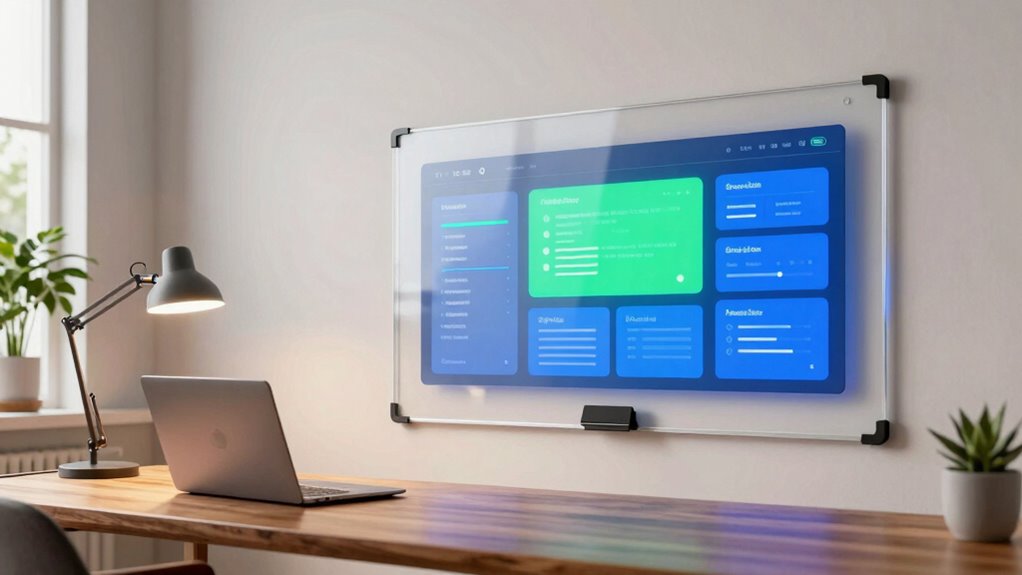

Choosing the right digital whiteboard for home office requires balancing screen real estate, software compatibility, and physical footprint. My top overall pick is the KEINONE 55-Inch 4K UHD Interactive Smart Whiteboard because it offers a perfect middle ground of resolution, touch responsiveness, and desk-friendly dimensions without overwhelming a small workspace. For those needing a larger canvas for detailed project mapping, the NEWORK NewBoard 75E provides expansive 4K clarity, though it demands more room. The primary tradeoff in this category lies between portability and immersion; smaller units fit tight spaces but may feel cramped for complex diagrams, while larger boards require dedicated wall or floor space. Read on to see how these models stack up against each other in terms of software flexibility and hardware durability.

Get the latest gadgets delivered free with Prime
- Fast, free delivery on millions of items
- Prime Video, Amazon Music and more included
- Member-only deals all year
Complete the kit



Key Takeaways
- 55-inch models dominate the home office category due to desk compatibility, whereas 75-inch units are better suited for dedicated home studios or hybrid meeting rooms.
- Android 14 integration has become a baseline expectation for smooth app switching, with older Android versions causing noticeable lag in multitasking scenarios.
- Models with built-in auto-framing cameras, such as the TIBURN series, significantly reduce the need for external webcam setups during video conferences.
- Windows 11 Pro compatibility, found in premium picks like the TIBURN HQ Board, allows for native desktop application usage, bridging the gap between tablet-style whiteboarding and traditional PC workflows.
- Google EDLA certification, present in select NEWORK models, ensures reliable access to the Google Play Store, a feature missing in many budget-friendly alternatives that rely on sideloaded apps.
| KEINONE 55-Inch 4K UHD Interactive Smart Whiteboard |  | Best Compact Home Office Solution | Screen Size: 55 inches | Resolution: 4K UHD (3840 x 2160) | Operating System: Android 14 (Google EDLA) | VIEW ON AMAZON | See Our Full Breakdown |
| NEWORK NewBoard 75E 75-Inch 4K Interactive Smart Board |  | Best for Large Home Studios | Screen Size: 75 inches | Resolution: 4K (3840 x 2160) at 60 Hz | Operating System: Android 14 (Google EDLA) | VIEW ON AMAZON | See Our Full Breakdown |
| HORION 65-Inch 4K Digital Whiteboard, Smart Board for Classroom & Office |  | Best Balanced Performance | Screen Size: 65 inches | Resolution: 4K UHD | Touch Points: 40-point | VIEW ON AMAZON | See Our Full Breakdown |
| KEINONE 55-Inch Interactive Smart Board, 4K UHD Touchscreen, 8 GB RAM, 128 GB Storage |  | Best for Mobility and Flexibility | Screen Size: 55 inches | Resolution: 4K UHD (3840 x 2160) | Touch Points: 20-point | VIEW ON AMAZON | See Our Full Breakdown |
| TIBURN 65″ 4K UHD Smart Interactive Whiteboard with Auto-Framing Camera |  | Best All-in-One Video Conference Board | Screen Size: 65 inches | Resolution: 4K UHD | Camera: Auto-framing AI camera | VIEW ON AMAZON | See Our Full Breakdown |
| TIBURN HQ Board 75″ R3 MAX 4K Smart Board |  | Best Premium Workstation | Screen Size: 75 inches | Resolution: 3840×2160 UHD (4K) | Processor: Intel 12th Gen I5-12450H | VIEW ON AMAZON | See Our Full Breakdown |
| JASZDOT 55-Inch 4K UHD Interactive Smart Board |  | Best Compact Value | Screen size: 55 inches | Display resolution: 4K UHD | Operating system: Android 14 | VIEW ON AMAZON | See Our Full Breakdown |
| Smart Board 75 Inch All-in-One Interactive Whiteboard |  | Best All-in-One Collaboration Hub | Display Size: 75 inches | Resolution: 3840 x 2160 pixels (4K UHD) | Operating System: Android 14 | VIEW ON AMAZON | See Our Full Breakdown |
| NEWORK 55-Inch Interactive Smart Whiteboard |  | Best for Expandability | Screen size: 55 inches | Certification: Google EDLA | Wireless casting: Up to 16 connections | VIEW ON AMAZON | See Our Full Breakdown |
| COOLHOOD 65-Inch 4K UHD Interactive Smart Whiteboard |  | Best Mid-Size Balance | Screen size: 65 inches | Resolution: 3840 × 2160 (4K UHD) | Display technology: IPS LCD | VIEW ON AMAZON | See Our Full Breakdown |
| 55-Inch 4K UHD Touchscreen Smart Board with Android 14, Camera, and Interactive Whiteboard for Business, Office, Classroom, and Home |  | Best All-in-One Conferencing Hub | Screen Size: 55 inches | Resolution: 4K UHD | Operating System: Android 14 | VIEW ON AMAZON | See Our Full Breakdown |
| digital whiteboard for home office | Screen Size | Resolution | Operating System |
|---|---|---|---|
| KEINONE 55-Inch 4K UHD Interac | 55 inches | 4K UHD (3840 x 2160) | Android 14 (Google EDLA) |
| NEWORK NewBoard 75E 75-Inch 4K | 75 inches | 4K (3840 x 2160) at 60 Hz | Android 14 (Google EDLA) |
| HORION 65-Inch 4K Digital Whit | 65 inches | 4K UHD | — |
| KEINONE 55-Inch Interactive Sm | 55 inches | 4K UHD (3840 x 2160) | — |
| TIBURN 65" 4K UHD Smart Intera | 65 inches | 4K UHD | — |
| TIBURN HQ Board 75" R3 MAX 4K | 75 inches | 3840×2160 UHD (4K) | — |
| JASZDOT 55-Inch 4K UHD Interac | 55 inches | — | Android 14 |
| Smart Board 75 Inch All-in-One | — | 3840 x 2160 pixels (4K UHD) | Android 14 |
| NEWORK 55-Inch Interactive Sma | 55 inches | — | — |
| COOLHOOD 65-Inch 4K UHD Intera | 65 inches | 3840 × 2160 (4K UHD) | Android 13 |
| 55-Inch 4K UHD Touchscreen Sma | 55 inches | 4K UHD | Android 14 |
More Details on Our Top Picks
KEINONE 55-Inch 4K UHD Interactive Smart Whiteboard
This KEINONE 55-Inch unit is ideal for home offices where floor space is limited. Unlike the massive NEWORK NewBoard 75E, this 55-inch panel fits comfortably on a standard wall or stand without dominating the room. The Google EDLA certification is a major advantage, granting full access to Google Play apps, which simplifies setting up productivity tools like Slack or Zoom. With 20-point touch and a 6 ms response latency, writing feels natural and responsive, avoiding the lag found in cheaper alternatives.
However, at 90 pounds, it is surprisingly heavy for its size, requiring sturdy mounting hardware. The matte finish reduces glare, a benefit over glossy competitors, but the lack of an integrated camera means you will need external webcams for video calls. It strikes a balance between screen real estate and manageability for individual users.
Pros:- Google EDLA certification allows full Google Play Store access for native apps
- Fast 6 ms response latency ensures smooth writing and drawing
- Matte screen finish minimizes glare from home office lighting
- 20-point multi-touch supports simultaneous gestures and writing
Cons:- Extremely heavy at 90 pounds, complicating installation
- No integrated camera or microphone for video calls
- 55-inch size may feel cramped for multi-person collaboration
Best for: Remote workers with limited wall space who prioritize app compatibility and a compact footprint.
Not ideal for: Teams needing large collaborative spaces or users who want an all-in-one video conferencing setup with a built-in camera.
- Screen Size:55 inches
- Resolution:4K UHD (3840 x 2160)
- Operating System:Android 14 (Google EDLA)
- Touch Points:20-point multi-touch
- Response Latency:6 ms
- Memory & Storage:8 GB RAM / 128 GB Storage
- Weight:90 pounds
Our verdict“Choose this if you need a high-quality, app-rich whiteboard that fits in a smaller home office without sacrificing responsiveness.”
NEWORK NewBoard 75E 75-Inch 4K Interactive Smart Board
The NEWORK NewBoard 75E dominates the lineup with its 75-inch display, making it the best choice for users with dedicated studio space. Compared to the KEINONE 55-Inch, this model offers significantly more canvas area, supporting up to 10 simultaneous writers. This is a critical differentiator for households with multiple users or those hosting small brainstorming sessions. The 50-point multi-touch capability ensures that complex gestures do not interfere with writing tasks.
Wireless casting supports up to 16 devices, far exceeding the connectivity limits of most competitors. However, the glossy screen finish can become a liability in sunlit rooms, causing reflections that the matte HORION 65-Inch avoids. The sheer size also demands substantial wall reinforcement, and the 8 ms response time is slightly slower than the KEINONE’s 6 ms, though likely imperceptible for general use.
Pros:- Massive 75-inch canvas supports up to 10 simultaneous writers
- Wireless casting connects up to 16 devices for easy sharing
- 50-point multi-touch allows for complex, multi-user interactions
- Google EDLA certification provides access to Google Workspace and Play Store
Cons:- Glossy screen finish reflects ambient light and causes glare
- Large footprint requires significant installation space and sturdy mounting
- 8 ms response time is slower than higher-end competitors
Best for: Creative professionals or families with large wall space who need multi-user collaboration and extensive casting options.
Not ideal for: Users with bright, sun-facing rooms or small apartments where a 75-inch panel would overwhelm the space.
- Screen Size:75 inches
- Resolution:4K (3840 x 2160) at 60 Hz
- Operating System:Android 14 (Google EDLA)
- Touch Points:50-point multi-touch
- Simultaneous Writers:Up to 10
- Wireless Casting:Up to 16 devices
- Connectivity:3 HDMI, 8 USB ports
Our verdict“This is the definitive choice for large spaces where screen real estate and multi-user collaboration outweigh portability concerns.”
HORION 65-Inch 4K Digital Whiteboard, Smart Board for Classroom & Office
The HORION 65-Inch sits comfortably in the middle, offering a larger canvas than the KEINONE 55-Inch without the overwhelming bulk of the NEWORK 75E. Its anti-glare touchscreen is a standout feature, providing superior visibility in bright home offices compared to the glossy NEWORK model. With 40 touch points and sub-30 ms latency, the writing experience is fluid, though not as instantaneous as the 6 ms KEINONE.
The inclusion of dual 20 W speakers enhances its utility for video conferencing, a feature the KEINONE lacks. However, the lack of an integrated camera means users must still source external hardware for Zoom or Teams calls, unlike the TIBURN 65″. The 18-month warranty is longer than the NEWORK’s 12 months, offering better peace of mind. It is a solid all-rounder for those who want size and clarity without extreme specialization.
Pros:- Anti-glare screen ensures readability in bright environments
- Dual 20 W speakers provide clear audio for meetings
- 40-point touch and low latency support smooth multi-user interaction
- Includes wall mount, remote, and two stylus pens in the box
Cons:- No integrated camera or microphone for video calls
- Heavy at 75.6 pounds, requiring robust installation
- Android 13 is one version behind the newer Android 14 models
Best for: Users who need a glare-free, medium-large display with good audio for video calls but don’t require a built-in camera.
Not ideal for: Users seeking an all-in-one video conference room solution or those with very tight wall space.
- Screen Size:65 inches
- Resolution:4K UHD
- Touch Points:40-point
- Touch Latency:<30 ms
- Speakers:Dual 20 W built-in
- Warranty:18-Month Manufacturer Warranty
- Weight:75.6 pounds
Our verdict“Pick this for a balanced experience that prioritizes screen clarity and audio quality over built-in video conferencing hardware.”
KEINONE 55-Inch Interactive Smart Board, 4K UHD Touchscreen, 8 GB RAM, 128 GB Storage
While similar in size to the other KEINONE 55-Inch model, this variant distinguishes itself with a wheeled stand, offering mobility that fixed-mount boards lack. This is a significant advantage for users who need to move the board between rooms or store it away when not in use. The 4K UHD display and 20-point touch remain consistent, ensuring a sharp and responsive writing surface. However, the lack of warranty details is a notable concern compared to the HORION 65-Inch‘s 18-month coverage.
Connectivity includes Thunderbolt, a premium feature absent in the NEWORK NewBoard 75E, which simplifies high-speed data transfer and display extension from modern laptops. The tradeoff is a heavier weight (31.75 kg) that makes moving it a two-person job. It is best for those who value flexibility over permanent installation, provided they are comfortable with the limited warranty transparency.
Pros:- Includes a wheeled stand for easy mobility between rooms
- Thunderbolt port supports high-speed connectivity for modern laptops
- 4K UHD display with 20-point touch ensures sharp visuals
- Open app ecosystem supports diverse educational and business tools
Cons:- Warranty details are unspecified, creating risk for buyers
- Heavy weight makes mobility difficult for a single person
- Lacks integrated camera and microphone for video calls
Best for: Users who need to move the whiteboard between rooms or prefer a mobile setup over wall mounting.
Not ideal for: Buyers who prioritize long-term warranty coverage or need a permanently fixed, space-saving installation.
- Screen Size:55 inches
- Resolution:4K UHD (3840 x 2160)
- Touch Points:20-point
- Response Time:6 ms
- Memory & Storage:8 GB RAM / 128 GB Storage
- Connectivity:4 HDMI, 4 USB, 1 Thunderbolt
- Mobility:Wheeled stand included
Our verdict“This model is the right choice if you need a portable 4K whiteboard and can accept the uncertainty of its warranty terms.”
TIBURN 65″ 4K UHD Smart Interactive Whiteboard with Auto-Framing Camera
The TIBURN 65″ stands out by integrating an auto-framing AI camera and 8 array microphones, eliminating the need for external peripherals. This contrasts sharply with the HORION 65-Inch and KEINONE 55-Inch, which require separate webcams and mics. For home offices heavily reliant on Zoom or Teams, this integration streamlines setup and improves call quality. The 4K UHD display and 8 ms response time provide a solid foundation for digital whiteboarding.
However, the complex setup may deter non-technical users, and the mobile stand is not included, unlike the wheeled KEINONE B0CZHDP1QM. The premium feature set suggests a higher cost, which may not be justified for users who only need basic annotation tools. If your primary use case is video conferencing with occasional whiteboarding, this all-in-one approach saves significant clutter and configuration time.
Pros:- Built-in auto-framing AI camera and 8 array microphones for meetings
- Combines whiteboard, projector, and conference room functions
- 4K UHD display with 8 ms response time for clear visuals
- Supports dual-tip stylus with color and thickness customization
Cons:- Mobile stand is not included, requiring separate purchase for mobility
- Complex setup may require technical assistance for optimal configuration
- Premium features may drive up the total cost of ownership
Best for: Remote professionals who conduct frequent video meetings and want a clutter-free, all-in-one hardware solution.
Not ideal for: Users who already have high-quality external cameras and microphones or those who need a mobile board out of the box.
- Screen Size:65 inches
- Resolution:4K UHD
- Camera:Auto-framing AI camera
- Microphones:8 array microphones
- Response Time:8 ms
- Memory & Storage:8 GB RAM / 128 GB Storage
- Included Accessories:Wall mount (mobile stand sold separately)
Our verdict“Select this if you want a dedicated video conference hub with whiteboarding capabilities and minimal external hardware.”
TIBURN HQ Board 75″ R3 MAX 4K Smart Board
This unit stands apart by integrating a full Intel 12th Gen processor and Windows 11 Pro alongside Android 14, effectively replacing a desktop PC. While the Smart Board 75 Inch All-in-One offers similar screen real estate, the TIBURN’s dedicated Windows architecture allows for native execution of heavy software like Adobe Suite or complex CAD files without emulation lag. The inclusion of a high-quality 4K camera and long-range microphones makes it a self-contained conference room. However, this power comes at the cost of complexity; the dual-OS environment requires more technical familiarity to manage than the single-OS alternatives, and the 75-inch footprint demands a dedicated wall space that many home offices cannot accommodate.
Pros:- Runs native Windows 11 Pro for heavy software compatibility
- Integrated 4K camera and microphone array for hybrid meetings
- Dual operating system flexibility (Windows and Android)
Cons:- Requires significant wall space due to 75-inch size
- Higher learning curve due to dual OS management
- Premium price point for home use
Best for: Power users who need native Windows performance for heavy applications and a dedicated conference space.
Not ideal for: Home office users with limited wall space or those who prefer simple, single-OS interfaces.
- Screen Size:75 inches
- Resolution:3840×2160 UHD (4K)
- Processor:Intel 12th Gen I5-12450H
- RAM:16GB DDR4
- Storage:256GB SSD
- Operating Systems:Windows 11 Pro, Android 14
- Camera:4K@30fps CMOS sensor
- Microphones:8-12m pickup range
Our verdict“Choose this if you need a standalone computer and whiteboard in one premium package.”
JASZDOT 55-Inch 4K UHD Interactive Smart Board
For home offices where space is at a premium, this 55-inch model offers a more manageable footprint than the TIBURN HQ Board. It runs a streamlined Android 14 system with 8GB of RAM, which is sufficient for document annotation, web browsing, and video calls without the overhead of a Windows OS. The 20-point infrared touch provides smooth multi-user collaboration, and the extensive port selection allows for easy connection to existing office hardware. The primary tradeoff is the lack of a specified built-in camera; unlike the Smart Board 75 Inch All-in-One, you will likely need to purchase and mount an external webcam for video conferencing, adding minor clutter to the setup.
Pros:- Compact 55-inch size fits standard home office walls
- Extensive port connectivity for legacy and modern devices
- Smooth 20-point touch response for collaborative work
Cons:- No specified built-in camera for video calls
- Android-only environment limits native PC software
- 55-inch size may still be too large for very small rooms
Best for: Users with smaller home offices who need a reliable Android-based whiteboard and already own a webcam.
Not ideal for: Those needing native Windows apps or integrated video conferencing hardware.
- Screen size:55 inches
- Display resolution:4K UHD
- Operating system:Android 14
- Memory:8 GB RAM
- Storage:128 GB
- Brightness:Over 400 nits
- Touch technology:20-point infrared
- Response time:6 ms
Our verdict“A solid choice for space-constrained offices that prioritize touch performance over integrated hardware.”
Smart Board 75 Inch All-in-One Interactive Whiteboard
This device balances size and integration better than the TIBURN HQ Board by offering a 75-inch canvas with a unified Android 14 interface. It includes a built-in camera and microphone system, eliminating the need for external peripherals that might clutter a minimalist home office. The Google EDLA certification ensures access to a wide range of enterprise-grade apps, which is a significant advantage over uncertified competitors. While it lacks the native Windows power of the TIBURN, its octa-core processor handles multitasking and video conferencing smoothly. The main drawback is the sheer physical presence; at 75 inches, it dominates a room, making it less flexible than the JASZDOT 55-Inch for users who might need to relocate their setup.
Pros:- Integrated camera, mic, and speakers for zero-clutter setup
- Google EDLA certification for secure app access
- Large 75-inch canvas for detailed visual work
Cons:- Imposing size requires a dedicated wall area
- Android-only limits native desktop software usage
- Octa-core processor may struggle with very heavy multitasking
Best for: Teams or individuals who want a turnkey video conferencing solution with a large canvas.
Not ideal for: Users who require native Windows software or have limited wall space.
- Display Size:75 inches
- Resolution:3840 x 2160 pixels (4K UHD)
- Operating System:Android 14
- RAM:8GB
- Storage:64GB
- HDMI Ports:3
- USB Ports:8
- Certification:Google EDLA
Our verdict“Ideal for those who want a complete meeting room experience without buying separate AV gear.”
NEWORK 55-Inch Interactive Smart Whiteboard
What makes this model distinct from the JASZDOT 55-Inch is its expandable OPS slot. This feature allows you to insert a Windows PC module later, effectively upgrading the board’s capability without replacing the entire screen. It supports wireless casting for up to 16 connections, which is excellent for larger family or co-working spaces where multiple devices need to share content simultaneously. The tempered glass and aluminum frame feel durable, but the base unit is Android-only out of the box. If you don’t plan to buy the Windows module, you’re paying for a feature you won’t use, making it less cost-effective than the COOLHOOD 65-Inch if you only need basic Android functionality.
Pros:- OPS slot allows for future Windows OS expansion
- High-capacity wireless casting for up to 16 devices
- Durable tempered glass and aluminum construction
Cons:- Windows capability requires extra hardware purchase
- Limited customer feedback data available
- Android-only out of the box may limit immediate utility
Best for: Future-proofers who want the option to add Windows power later without replacing the screen.
Not ideal for: Buyers on a strict budget who will not purchase an additional OPS Windows module.
- Screen size:55 inches
- Certification:Google EDLA
- Wireless casting:Up to 16 connections
- Mounting type:Wall mount
- Materials:Tempered glass, aluminum frame
- Weight:55.5 lb
- Warranty:12 months
- Included components:Wall mount, cables, remote
Our verdict“Choose this if you want the flexibility to upgrade to Windows later in a compact 55-inch frame.”
COOLHOOD 65-Inch 4K UHD Interactive Smart Whiteboard
Sitting between the compact JASZDOT and the massive TIBURN, this 65-inch model offers a sweet spot for many home offices. The matte IPS display reduces glare, which is a notable advantage in rooms with large windows compared to the glossy panels found on some competitors. It runs Android 13, which is slightly older than the Android 14 found on the Smart Board 75 Inch All-in-One, but still supports all major collaboration tools. The critical downside is the stand sold separately; unlike the TIBURN which includes a stand, this forces an additional budget consideration if you don’t want to commit to wall mounting. Additionally, having only one HDMI port limits flexibility for multi-source setups.
Pros:- Matte screen finish minimizes glare in bright environments
- Balanced 65-inch size fits most standard office walls
- Broad compatibility with Mac, Windows, and mobile devices
Cons:- Stand is sold separately, adding to total cost
- Only one HDMI port limits source flexibility
- Android 13 is one version behind current standards
Best for: Users who want a large but not overwhelming screen with glare reduction for bright rooms.
Not ideal for: Those who need a stand included in the box or require multiple HDMI inputs.
- Screen size:65 inches
- Resolution:3840 × 2160 (4K UHD)
- Display technology:IPS LCD
- Screen finish:Matte
- Touch points:20
- Operating system:Android 13
- Storage:128 GB
- HDMI Ports:1
Our verdict“A strong contender for bright rooms where glare reduction and mid-size footprint are priorities.”
55-Inch 4K UHD Touchscreen Smart Board with Android 14, Camera, and Interactive Whiteboard for Business, Office, Classroom, and Home
This 55-inch display distinguishes itself by integrating high-quality video conferencing hardware directly into the panel, a feature often missing in budget alternatives. Unlike the KEINONE 55-Inch 4K UHD Interactive Smart Whiteboard, which focuses primarily on display clarity, this model includes a 13MP camera and eight array microphones, reducing the need for external webcams or mic stands. The Android 14 operating system provides a familiar, app-rich environment for downloading productivity tools, making it easier to set up than more proprietary systems. However, this integration comes with a tradeoff: the unit is designed for wall mounting, lacking the mobility of stand-based options. It serves best as a fixed home office command center rather than a portable brainstorming tool.
Pros:- Integrated 13MP camera and 8-array microphones eliminate the need for separate conference hardware
- Android 14 OS offers a vast library of compatible productivity and collaboration apps
- 4K UHD resolution with 20-point infrared touch ensures sharp visuals and responsive input
Cons:- Fixed wall-mount design limits flexibility in room layout changes
- Initial setup may feel overwhelming for users new to smart board ecosystems
Best for: Remote workers and hybrid teams who need a dedicated, stationary video conferencing station with integrated audio-visual hardware.
Not ideal for: Users with limited wall space or those who require a mobile solution, as the included brackets are wall-mounted and no stand is provided.
- Screen Size:55 inches
- Resolution:4K UHD
- Operating System:Android 14
- Camera:13MP
- Microphones:8 array MICs
- Speakers:2 x 20W
- Touch Technology:Infrared 20-point multi-touch
- Mounting:Wall-mounted brackets included
Our verdict“This board is the strongest choice for those who want to consolidate their video call setup into a single, high-resolution touchscreen unit.”

How We Picked
I evaluated these digital whiteboards based on their suitability for a home office environment, which differs vastly from corporate conference rooms. The primary criteria included physical footprint and mounting options, as home offices often lack the wall space or structural support for heavy commercial displays. I also prioritized software ecosystem flexibility, specifically looking for models that support seamless integration with common home productivity tools like Zoom, Microsoft Teams, and standard browser-based whiteboarding apps. Another critical factor was touch latency and stylus pressure sensitivity. In a home setting, where the user is often the sole operator, a laggy touch response disrupts the flow of thought more noticeably than in a group setting. I ranked the products by identifying which models offered the best balance of high-resolution displays (4K UHD) and responsive interaction, while penalizing those that required complex external PC connections for basic functionality. This approach highlights units that function as standalone productivity hubs rather than mere peripherals.
| digital whiteboard for home office | Operating System |
|---|---|
| KEINONE 55-Inch 4K UHD Interac | Android 14 (Google EDLA) |
| NEWORK NewBoard 75E 75-Inch 4K | Android 14 (Google EDLA) |
| HORION 65-Inch 4K Digital Whit | — |
| KEINONE 55-Inch Interactive Sm | — |
| TIBURN 65" 4K UHD Smart Intera | — |
| TIBURN HQ Board 75" R3 MAX 4K | — |
| JASZDOT 55-Inch 4K UHD Interac | Android 14 |
| Smart Board 75 Inch All-in-One | Android 14 |
| NEWORK 55-Inch Interactive Sma | — |
| COOLHOOD 65-Inch 4K UHD Intera | Android 13 |
| 55-Inch 4K UHD Touchscreen Sma | Android 14 |
Factors to Consider When Choosing Digital Whiteboard For Home Office
Selecting a digital whiteboard for your home office involves more than just picking the largest screen. You must consider how the device integrates into your existing daily routine, the physical constraints of your room, and the long-term software support available. The following factors will help you narrow down the options to a single, reliable choice.
Screen Size and Physical Footprint
The most common mistake buyers make is choosing a screen size based on conference room standards rather than home office realities. While a 75-inch board offers immersive detail, it often requires a dedicated floor stand or a reinforced wall mount that may not be feasible in a converted bedroom or study. 55-inch models typically fit on large desks or smaller stands, making them ideal for spaces under 100 square feet. If you have a dedicated home studio, a 65-inch or 75-inch unit provides better visibility for detailed diagrams, but you must measure your doorways and staircases to ensure it can actually be moved into the room. Consider the viewing distance; sitting too close to a 75-inch board can cause eye strain and neck fatigue, whereas a 55-inch board allows for closer, more comfortable interaction.
Operating System and App Ecosystem
The underlying operating system dictates what you can do with the board. Most modern units run on Android, but not all Android experiences are equal. Android 14 offers better multitasking and app compatibility than older versions, which is vital if you plan to run video conferencing software alongside whiteboarding apps. Some premium models include Windows 11 Pro, which allows you to run desktop-grade applications like Microsoft Office or Adobe Creative Cloud natively. If you rely heavily on Google Workspace or specific Android apps, look for Google EDLA certification, which guarantees official access to the Google Play Store. Without this, you may find yourself struggling to install essential business apps or dealing with security warnings that disrupt your workflow.
Touch Technology and Stylus Quality
Not all touch screens are created equal. Capacitive touch panels, common in consumer tablets, offer smoother gestures and multi-touch support compared to infrared (IR) touch frames often found in budget whiteboards. Capacitive touch feels more natural for writing and drawing, reducing hand fatigue during long sessions. Pay attention to the stylus included; some boards come with basic plastic tips that wear out quickly and lack pressure sensitivity. A good home office whiteboard should support 4096 levels of pressure sensitivity, allowing for varied line thickness that mimics real ink. If the stylus feels slippery or requires excessive pressure to register, it will hinder your creative process rather than enhance it. Test for palm rejection capabilities, ensuring you can rest your hand on the screen while writing without creating unwanted marks.
Connectivity and Peripheral Integration
A digital whiteboard in a home office rarely works in isolation. It needs to connect to your laptop, microphone, and external keyboards. Look for models with multiple HDMI inputs and USB-C ports, which allow for single-cable connections to modern laptops for both video and power. Wireless casting capabilities are also important; if you cannot easily mirror your laptop screen to the board, you lose the ability to annotate live presentations. Check for Bluetooth 5.0 or higher to ensure low-latency connection for wireless keyboards and mice. Some advanced models include built-in microphones and speakers with noise cancellation, which can replace your desktop headset for quick calls. However, if you are a serious content creator, you might prefer a board with clean audio outputs to connect to professional-grade external audio equipment.
Software Licensing and Future-Proofing
Many whiteboard manufacturers bundle software with their hardware, but you need to verify if these licenses are perpetual or subscription-based. Some boards charge monthly fees for cloud storage or advanced collaboration features, which can add up over time. I recommend prioritizing units that support open standards or have robust third-party app ecosystems. This ensures that if the manufacturer discontinues support, your board remains useful. Also, consider the update policy for the operating system. Android-based boards should receive security updates for at least three years to protect your data. A board that becomes obsolete because it cannot run new versions of Zoom or Teams is a poor investment. Look for brands with a track record of consistent firmware updates and transparent support channels.
Frequently Asked Questions
Do I need a separate computer to use a digital whiteboard?
No, most modern digital whiteboards are all-in-one systems with built-in processors, memory, and storage, allowing them to function independently. You can install apps, browse the web, and run whiteboarding software directly on the board without a connected PC. However, if you need to use specific desktop-only applications like full-featured CAD software or complex video editing suites, you will need to connect a laptop or PC via HDMI. For most home office users, the built-in Android system is sufficient for meetings, brainstorming, and light productivity tasks. Some premium models even include a Windows slot or module, giving you the best of both worlds without cluttering your desk with a tower.
How much space do I need for a 55-inch versus a 75-inch board?
A 55-inch board typically has a footprint of about 48 inches wide and 30 inches high, making it suitable for standard desks or small wall spaces. It requires a viewing distance of roughly 4 to 6 feet for comfortable interaction. A 75-inch board is significantly larger, measuring around 65 inches wide, and often requires a dedicated floor stand or a reinforced wall mount. You need at least 6 to 8 feet of viewing distance to see the entire board without moving your head excessively. If your home office is smaller than 120 square feet, a 55-inch model is usually the better choice to avoid feeling cramped. Measure your available wall or floor space carefully, including clearance for walking around the board.
Are capacitive touch screens better than infrared touch for home use?
Yes, capacitive touch screens generally provide a smoother and more responsive experience, similar to a large tablet, which is ideal for individual home office use. They support multi-touch gestures like pinch-to-zoom and rotation more naturally. Infrared touch frames, while cheaper, can sometimes suffer from parallax errors where the touch point doesn’t align perfectly with the stylus tip, especially at the edges of the screen. Capacitive panels are also thinner and lighter, contributing to a sleeker design that fits modern home aesthetics. However, capacitive screens can be more sensitive to gloves or non-conductive styluses, so you may need to use the provided active stylus. For a home office where you are the primary user, the improved precision of capacitive touch is usually worth the price difference.
Can I use a digital whiteboard as a regular computer monitor?
Yes, most digital whiteboards function as external monitors when connected to a PC or Mac via HDMI. This allows you to extend your desktop or mirror your screen, using the board’s touch capabilities to interact with your computer. This is particularly useful for reviewing documents or presentations where you want to annotate directly on the screen. However, keep in mind that the pixel density on larger boards (like 75-inch 4K models) is lower than on a typical 27-inch desktop monitor, so text may appear slightly larger or less crisp up close. For general productivity, this is rarely an issue, but for tasks requiring fine detail work, a dedicated monitor might still be preferable. Using the board as a monitor maximizes the utility of your investment, turning it into a multi-purpose display.
What are the maintenance requirements for a home office whiteboard?
Maintenance is minimal but important for longevity. The screen should be cleaned regularly with a microfiber cloth and a mild, ammonia-free glass cleaner to prevent buildup of oils and dust, which can affect touch sensitivity. Avoid using harsh chemicals or abrasive materials that could damage the anti-glare coating. The stylus tips are consumable items and will need replacement every few months depending on usage intensity; keep spares on hand to avoid downtime. Ensure the device has adequate ventilation, as the internal processor can generate heat during extended use. Periodically check for software updates to keep the operating system secure and compatible with new apps. Unlike traditional whiteboards, there are no markers to dry out or erasers to clean, making digital options much easier to maintain in a home environment.
Conclusion
Choosing the right digital whiteboard for home office depends largely on your specific spatial and workflow needs. For most users, the KEINONE 55-Inch 4K UHD Interactive Smart Whiteboard is the best overall choice, offering a compact footprint and high-resolution display that fits seamlessly into a standard home office. If you are on a tighter budget but still want modern features, the JASZDOT 55-Inch 4K UHD Interactive Smart Board provides excellent value with Android 14 support. Those needing a premium, dual-OS experience should consider the TIBURN HQ Board 75″ R3 MAX, which bridges the gap between tablet convenience and desktop power. For beginners or those with limited space, the KEINONE remains the safest bet due to its ease of setup and intuitive interface. Evaluate your room size and primary use case—whether it’s video calls, detailed diagramming, or simple note-taking—to make the final decision.
Halloween Picks
halloween
As an affiliate, we earn on qualifying purchases.