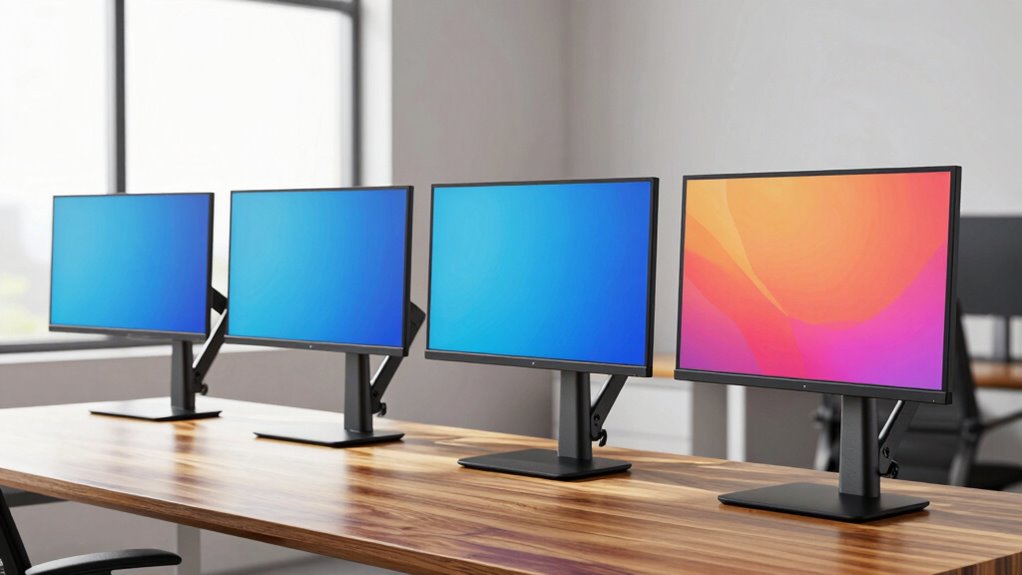

A desk clamp monitor mount frees up desk space and lets you position your screen more precisely, but the right choice depends on your monitor, desk edge, and preferred range of movement. My best overall pick is the NB SmooVex Mechanical Spring Monitor Arm for its adjustable arm design and broad 17–32-inch fit. The VIVO Single Monitor Arm stands out for larger screens, while the HUANUO Dual Monitor Stand suits workstations that need two displays. The main tradeoffs are single versus dual-screen support, mechanical versus gas-spring adjustment, and the space and strength your desk clamp requires. Read on for the full comparison, buying criteria, and guidance for matching a mount to your workspace.

Get the latest gadgets delivered free with Prime
- Fast, free delivery on millions of items
- Prime Video, Amazon Music and more included
- Member-only deals all year
Complete the kit



Key Takeaways
- NB SmooVex is the strongest all-around fit in this lineup for shoppers seeking a mechanical spring arm for a 17–32-inch monitor.
- VIVO’s single arm has the broadest listed screen-size range, reaching 38 inches, which makes it a standout for buyers with a larger display.
- Dual-arm models solve a different problem than single arms: amazon.com/dp/B0GK7FVTR4?tag=digitechbytes.com-20&ascsubtag=dc-619188″ target=”_blank” rel=”nofollow sponsored noopener”>HUANUO, VIVO, and ErGear options trade some placement flexibility and desk space for a two-screen setup.
- Several models cover overlapping 13–32-inch screens, so clamp compatibility, movement style, and arm layout matter more than screen size alone for many buyers.
- The lineup includes both mechanical and gas-spring arms; match the adjustment style to how often you reposition your screen, and check your monitor’s weight and VESA pattern before choosing.
| NB SmooVex Mechanical Spring Monitor Arm, Fits 17–32-Inch Monitors, Black |  | Best for Straightforward Mechanical Adjustment | Supported screen size: 17–32 inches | VESA compatibility: 75 × 75 mm and 100 × 100 mm | Arm type: Mechanical spring | VIEW ON AMAZON | See Our Full Breakdown |
| HUANUO FlowLift Pro Monitor Arm for 13–32-Inch Screens |  | Best for Weight-Matched Setup | Screen size: 13–32 inches | Flat-screen capacity: 4.4–19.8 lbs | Curved-screen capacity: 4.4–15.4 lbs | VIEW ON AMAZON | See Our Full Breakdown |
| HUANUO Dual Monitor Stand with Full-Motion Adjustable Arms |  | Best for Two-Monitor Desks | Monitor capacity: Two monitors | Screen size per arm: 13–32 inches | Weight capacity per arm: 4.4–19.8 lbs | VIEW ON AMAZON | See Our Full Breakdown |
| Acer Single Monitor Mount for 17–34-Inch Screens |  | Best for Larger Monitors | Screen size compatibility: 17–34 inches | Monitor weight capacity: 4.4–19.8 lbs | VESA compatibility: 75 × 75 mm and 100 × 100 mm | VIEW ON AMAZON | See Our Full Breakdown |
| ErGear Single Monitor Arm for 13–34-Inch Screens |  | Best for Broad Screen-Size Flexibility | Screen size compatibility: 13–34 inches | Maximum supported weight: 19.8 lbs | VESA patterns: 75 × 75 mm and 100 × 100 mm | VIEW ON AMAZON | See Our Full Breakdown |
| Hemudu Single Monitor Desk Mount, 13–32 Inch Screens, Black |  | Best for Heavy Monitors | Compatible screen size: 13–32 inches | Maximum supported weight: 77 lbs | VESA compatibility: 75×75 mm and 100×100 mm | VIEW ON AMAZON | See Our Full Breakdown |
| Amazon Basics Single Monitor Desk Mount, Height Adjustable, Black Steel |  | Best for Straightforward Setup | Compatible screen size: 13–30 inches | Maximum monitor weight: 22 pounds | Desk thickness: 0.8–3.9 inches | VIEW ON AMAZON | See Our Full Breakdown |
| MOUNTUP Single Monitor Desk Mount, Adjustable Full Motion Arm, Fits 17–32-Inch Screens, Black |  | Best for Flexible Mounting | Supported screen size: 17–32 inches | Supported monitor weight: 4.4–19.8 lbs | Mounting options: C-clamp or grommet | VIEW ON AMAZON | See Our Full Breakdown |
| VIVO Single Monitor Arm Desk Mount for 13–38 Inch Screens |  | Best for Ultrawide Monitors | Supported screen size: 13–38 inches | Weight capacity: 22 lbs | VESA compatibility: 75×75 mm and 100×100 mm | VIEW ON AMAZON | See Our Full Breakdown |
| HUANUO Single Monitor Gas Spring Arm for 13–32 Inch Monitors |  | Best White Gas-Spring Pick | Monitor size: 13–32 inches | Weight capacity: 4.4–19.8 lbs | VESA compatibility: 75×75 mm and 100×100 mm | VIEW ON AMAZON | See Our Full Breakdown |
| WALI Adjustable Single Monitor Arm for 13–34-Inch Screens |  | Best for Larger Single Monitors | Screen size: 13–34 inches | Maximum load: 26.4 lb flat; 19.8 lb curved | VESA compatibility: 75 × 75 mm and 100 × 100 mm | VIEW ON AMAZON | See Our Full Breakdown |
| HUANUO FlowLift Single Monitor Mount for 13–32-Inch Monitors |  | Best for Broad Tilt Adjustment | Compatible monitor size: 13–32 inches; product information also lists conflicting supported sizes | Monitor weight capacity: 4.4–19.8 lb | VESA patterns: 75 × 75 mm and 100 × 100 mm | VIEW ON AMAZON | See Our Full Breakdown |
| VIVO Dual Monitor Desk Mount for 13–30-Inch Screens |  | Best for Two Monitors on a Budget | Monitor capacity: 2 monitors | Compatible screen size: 13–30 inches | Maximum weight per monitor: 22 lb | VIEW ON AMAZON | See Our Full Breakdown |
| ErGear Single Monitor Mount for 13–32 Inch Screens |  | Best for Thick Desktops | Screen size compatibility: 13–32 inches | Weight capacity: 17.6 lb | VESA compatibility: 75 × 75 mm or 100 × 100 mm | VIEW ON AMAZON | See Our Full Breakdown |
| ErGear Dual Monitor Arm for 13–32-Inch Screens |  | Best Dual Arm for Flexible Positioning | Monitor size compatibility: 13–32 inches | Maximum load: 19.8 lb per monitor | VESA compatibility: 75 × 75 mm or 100 × 100 mm | VIEW ON AMAZON | See Our Full Breakdown |
| desk clamp monitor mount | VESA compatibility | Warranty |
|---|---|---|
| NB SmooVex Mechanical Spring M | 75 × 75 mm and 100 × 100 mm | 2 years |
| HUANUO FlowLift Pro Monitor Ar | 75 × 75 mm or 100 × 100 mm | Lifetime |
| HUANUO Dual Monitor Stand with | 75 × 75 mm and 100 × 100 mm | 5 years |
| Acer Single Monitor Mount for | 75 × 75 mm and 100 × 100 mm | 1 year |
| ErGear Single Monitor Arm for | — | 2 years |
| Hemudu Single Monitor Desk Mou | 75×75 mm and 100×100 mm | — |
| Amazon Basics Single Monitor D | 75×75 mm and 100×100 mm | — |
| MOUNTUP Single Monitor Desk Mo | 75×75 mm and 100×100 mm | 10 years |
| VIVO Single Monitor Arm Desk M | 75×75 mm and 100×100 mm | 3 years |
| HUANUO Single Monitor Gas Spri | 75×75 mm and 100×100 mm | — |
| WALI Adjustable Single Monitor | 75 × 75 mm and 100 × 100 mm | 10 years |
| HUANUO FlowLift Single Monitor | — | — |
| VIVO Dual Monitor Desk Mount f | 75 × 75 mm and 100 × 100 mm | 3 years |
| ErGear Single Monitor Mount fo | 75 × 75 mm or 100 × 100 mm | — |
| ErGear Dual Monitor Arm for 13 | 75 × 75 mm or 100 × 100 mm | 5 years |
More Details on Our Top Picks
NB SmooVex Mechanical Spring Monitor Arm, Fits 17–32-Inch Monitors, Black
The NB SmooVex suits buyers who want a single clamp-on arm with broad positioning controls but do not need the widest screen range in this group. Its mechanical spring provides 230 mm of height travel, with tilt, swivel, and rotation for switching between desk work and portrait layouts. Unlike the Acer AMS001, which uses a gas spring and lists a monitor weight range, this model’s supplied details do not state its supported weight range; check compatibility before buying, particularly with heavier displays. Both C-clamp and grommet mounting are available, giving it more desk-install flexibility than a clamp-only design. The limit is clear: it supports screens only up to 32 inches, while the Acer and ErGear extend to 34 inches. Its two-year warranty is a useful inclusion, but buyers needing explicit weight guidance should favor a model such as the HUANUO FlowLift Pro.
Pros:- Mechanical spring arm provides height adjustment with 230 mm of travel.
- Tilt, swivel, and ±90° rotation support varied screen positions.
- C-clamp and grommet mounting accommodate two installation styles.
- Fits common 75 × 75 mm and 100 × 100 mm VESA patterns.
Cons:- Maximum supported screen size is 32 inches, below the Acer AMS001 and ErGear ranges.
- No monitor weight capacity is specified in the supplied product details.
Best for: Owners of 17–32-inch monitors with standard VESA holes who want a mechanical-spring arm and a choice of clamp or grommet installation.
Not ideal for: Buyers with heavier monitors or screens larger than 32 inches; the supplied product details do not list a weight capacity, and larger displays exceed its stated size range.
- Supported screen size:17–32 inches
- VESA compatibility:75 × 75 mm and 100 × 100 mm
- Arm type:Mechanical spring
- Height travel:230 mm
- Tilt range:-25° to 90°
- Rotation:±90°
- Mounting options:C-clamp or grommet
- Warranty:2 years
Our verdict“Choose the NB SmooVex for a mechanically adjusted 17–32-inch monitor setup, but pick a model with a stated weight limit if monitor weight is uncertain.”
HUANUO FlowLift Pro Monitor Arm for 13–32-Inch Screens
The HUANUO FlowLift Pro is the clearer pick for buyers who want a stated weight range and an easier monitor attachment process. Its capacity is specified separately for flat and curved screens, while a visible tension indicator helps match the mechanical spring to the display instead of relying on guesswork. That makes it more straightforward to assess than the NB SmooVex, whose supplied details omit weight capacity. A tool-free quick-release VESA plate can also simplify installation or later monitor swaps. The compromise is desk fit: HUANUO recommends wood desks 0.59–3.54 inches thick, so buyers with glass, plastic, or out-of-range desktops should look elsewhere. Curved monitors also have a lower maximum capacity than flat ones. Compared with the Acer AMS001, the FlowLift Pro starts at smaller 13-inch screens but tops out at 32 inches rather than 34.
Pros:- Lists separate supported weight ranges for flat and curved screens.
- Visible tension adjustment indicator helps match spring resistance to the monitor.
- Quick-release VESA plate can make monitor attachment and removal simpler.
- Supports either C-clamp or grommet installation on compatible desks.
Cons:- Desk guidance is limited to wood surfaces 0.59–3.54 inches thick.
- Curved-screen capacity is lower than the flat-screen maximum.
- Screen support stops at 32 inches, below the Acer AMS001 and ErGear limits.
Best for: People installing a 13–32-inch flat or curved monitor on a compatible wood desk who want clearly stated weight limits and a quick-release VESA plate.
Not ideal for: Buyers with glass or plastic desks, desks outside the stated thickness range, or curved monitors heavier than 15.4 pounds.
- Screen size:13–32 inches
- Flat-screen capacity:4.4–19.8 lbs
- Curved-screen capacity:4.4–15.4 lbs
- VESA compatibility:75 × 75 mm or 100 × 100 mm
- Desk guidance:Wood desks 0.59–3.54 inches thick
- Arm type:Mechanical spring
- Mounting:C-clamp or grommet
- Warranty:Lifetime
Our verdict“Pick the FlowLift Pro when you want explicit monitor weight guidance and quick-release mounting, provided your desk fits its wood-desk requirements.”
HUANUO Dual Monitor Stand with Full-Motion Adjustable Arms
For a workspace that needs two screens on one desk mount, the HUANUO HNDS6 makes more sense than buying two single arms such as the Acer AMS001 and ErGear EGDMA69B. Each arm supports a 13–32-inch monitor weighing 4.4–19.8 pounds, and full-motion positioning includes tilt, swivel, and 360° rotation. Built-in cable management helps keep the paired setup less cluttered. The tradeoff is the desk: HUANUO specifies compatible wooden surfaces 0.59–3.54 inches thick and says the underside needs room clear of crossbeams or panels. It is also an 11-pound assembly, so it is less appealing if you want one screen, a lightweight installation, or frequent desk changes. Unlike the FlowLift Pro’s single-arm quick-release plate, this is a dual-screen solution rather than a simpler one-monitor setup.
Pros:- Holds two monitors, each within the 13–32-inch and 4.4–19.8-pound ranges.
- Tilt, ±90° swivel, and 360° rotation allow flexible screen placement.
- C-clamp and grommet installation options are included.
- Built-in cable management helps organize a two-screen desk.
Cons:- Not recommended for plastic or glass desks.
- Desk underside must be clear of crossbeams or panels where the mount needs to fit.
- The dual-arm assembly is heavier and more than a single-monitor setup requires.
Best for: Users building a two-monitor workstation with compatible VESA displays and a clear, sufficiently thick wooden desktop.
Not ideal for: Single-monitor users or anyone with a glass or plastic desk, an obstructed desk underside, or screens outside the stated size and weight limits.
- Monitor capacity:Two monitors
- Screen size per arm:13–32 inches
- Weight capacity per arm:4.4–19.8 lbs
- VESA compatibility:75 × 75 mm and 100 × 100 mm
- Tilt:+85°/-50°
- Swivel and rotation:±90° swivel; 360° rotation
- Desk compatibility:Wooden desks 0.59–3.54 inches thick
- Warranty:5 years
Our verdict“Choose the HNDS6 when one desk mount needs to position two compatible monitors; single-screen buyers are better served by an individual arm.”
Acer Single Monitor Mount for 17–34-Inch Screens
The Acer AMS001 stands out for buyers whose monitor is too large for the 32-inch ceiling on the NB SmooVex or HUANUO FlowLift Pro. It supports screens up to 34 inches and 19.8 pounds, with a listed capacity that makes compatibility easier to check than the SmooVex’s unspecified limit. Its gas spring offers height positioning up to 18.1 inches from the desk, plus tilt, swivel, and rotation. Both C-clamp and grommet mounting are supported, with desk thickness specified at 15–80 mm. The tradeoff is that gas spring tension must be adjusted for the monitor, and the one-year warranty is shorter than the FlowLift Pro’s lifetime coverage or the ErGear’s two years. Its 17-inch minimum also makes it less suited to smaller displays than those 13-inch options.
Pros:- Supports monitors up to 34 inches, larger than the 32-inch maximum on the NB SmooVex and FlowLift Pro.
- Lists a 4.4–19.8-pound monitor capacity.
- Offers tilt, ±90° swivel, 360° rotation, and height adjustment up to 18.1 inches.
- Provides both C-clamp and grommet mounting options.
Cons:- Gas spring tension needs adjustment to match the monitor’s weight.
- One-year warranty is shorter than the FlowLift Pro and HUANUO HNDS6 coverage.
- Double shelves, enclosed back panels, and curved edges can prevent secure clamping.
Best for: Owners of 17–34-inch monitors weighing 4.4–19.8 pounds who need a stated capacity and broad screen positioning.
Not ideal for: People with monitors smaller than 17 inches, desks outside the 15–80 mm thickness range, or desk backs that prevent a secure clamp grip.
- Screen size compatibility:17–34 inches
- Monitor weight capacity:4.4–19.8 lbs
- VESA compatibility:75 × 75 mm and 100 × 100 mm
- Tilt:-60° to +90°
- Swivel and rotation:±90° swivel; 360° rotation
- Maximum height from desk:18.1 inches
- Desk thickness compatibility:15–80 mm
- Warranty:1 year
Our verdict“The Acer AMS001 is a strong fit for a compatible 17–34-inch monitor, especially when the 32-inch limit of smaller single arms is restrictive.”
ErGear Single Monitor Arm for 13–34-Inch Screens
The ErGear EGDMA69B covers an unusually broad range for a single clamp-on arm: it accepts 13–34-inch monitors up to 19.8 pounds, combining the smaller-screen reach of the FlowLift Pro with the larger-screen ceiling of the Acer AMS001. That flexibility is useful when choosing an arm for an existing display or leaving room for a future upgrade. Its 17.5-inch height adjustment and 18.1-inch reach provide practical placement range, while tool-free VESA mounting can simplify attaching the monitor. Cable management and both C-clamp and grommet options round out the setup. Unlike Acer, ErGear lists a 13-inch minimum, but its tilt range is narrower at +80°/-50° compared with Acer’s -60° to +90°. Desk thickness also varies by mounting method, so check the clamp or grommet limits before ordering.
Pros:- Supports a wide 13–34-inch screen range up to 19.8 pounds.
- Offers up to 17.5 inches of height adjustment and 18.1 inches of reach.
- Tool-free VESA mounting can simplify monitor installation.
- Includes cable management and both C-clamp and grommet options.
Cons:- C-clamp and grommet installations have different desk thickness limits that need checking.
- Tilt range is narrower than the Acer AMS001’s listed range.
- Monitor compatibility still depends on matching both the weight limit and VESA pattern.
Best for: Buyers who want one arm for a 13–34-inch flat or curved monitor, with a stated weight ceiling and flexibility to reposition the screen.
Not ideal for: People whose desk falls outside the specified thickness limits or who need more tilt than +80°/-50° provides.
- Screen size compatibility:13–34 inches
- Maximum supported weight:19.8 lbs
- VESA patterns:75 × 75 mm and 100 × 100 mm
- Maximum height adjustment:17.5 inches
- Maximum reach:18.1 inches
- Tilt:+80°/-50°
- Swivel and rotation:±90° swivel; 360° rotation
- Desk thickness:C-clamp: 0.39–2.56 inches; grommet: 0.39–2.95 inches
- Warranty:2 years
Our verdict“Choose the ErGear EGDMA69B if you want a single arm spanning 13–34-inch monitors and your desk fits its mounting limits.”
Hemudu Single Monitor Desk Mount, 13–32 Inch Screens, Black
The Hemudu HD04B-001 is the clear choice here for a heavier display: its stated 77-pound capacity is far above the limits listed for the Amazon Basics and VIVO arms. That headroom may suit a substantial screen, but the monitor still needs a compatible VESA pattern and the desk clamp must be secured to a suitable surface. Its steel construction pairs with height adjustment, tilt, swivel, and full rotation, giving more ways to set the screen angle than a basic fixed stand. Unlike the MOUNTUP, this model’s description does not list grommet installation or an extension distance, so it is less informative for buyers planning a specific desk layout. Choose it for a single, weighty VESA monitor; skip it if you need a two-screen setup or a mount with clearly stated clamp-fit limits.
Pros:- Stated 77-pound capacity exceeds the listed limits of the other single-arm picks here.
- Supports flat or curved screens from 13 to 32 inches.
- Provides height adjustment, ±50° tilt, ±45° swivel, and 360° rotation.
- Steel construction, cable clips, and included installation accessories support a tidy setup.
Cons:- Requires a 75×75 mm or 100×100 mm VESA mounting pattern.
- Supports only one monitor.
- Desk thickness and maximum arm extension are not specified in the supplied product data.
Best for: Desk users with a single VESA-compatible monitor weighing more than the 22-pound limit of the Amazon Basics or VIVO mounts.
Not ideal for: People with non-VESA displays, a dual-monitor setup, or a desk where clamp fit needs to be confirmed from a stated thickness range.
- Compatible screen size:13–32 inches
- Maximum supported weight:77 lbs
- VESA compatibility:75×75 mm and 100×100 mm
- Material:Cold-rolled steel
- Rotation:360°
- Tilt:±50°
- Swivel:±45°
- Mounting type:Tabletop
Our verdict“Choose the Hemudu if your single VESA monitor needs more stated weight capacity than the other mounts in this group offer.”
Amazon Basics Single Monitor Desk Mount, Height Adjustable, Black Steel
The Amazon Basics DLB111-US290 is the most straightforward pick for buyers who want a single clamp-mounted arm without a long list of mounting configurations. Its stated desk range of 0.8–3.9 inches makes it easier to check fit against a known desktop than with the Hemudu, whose desk-thickness limit is not provided. The detachable VESA plate and listed height range also make setup details clear, while the broad tilt span can help position a screen for different seated angles. Its 22-pound monitor limit is much lower than the Hemudu’s, and it lacks the MOUNTUP’s stated grommet option and extension distance. This is a practical match for a typical-weight monitor and a desk that fits its clamp range, not for heavy displays or buyers seeking the widest installation flexibility.
Pros:- Clearly stated desk thickness range helps buyers check clamp compatibility before purchasing.
- Height adjusts from 7.9 to 14.2 inches.
- Offers 360-degree rotation and a wide -15° to +85° tilt range.
- Includes cable management and a detachable VESA plate.
Cons:- The 22-pound weight limit rules out many heavier displays.
- Supports only one monitor and does not list grommet mounting.
- Its supported screen size stops at 30 inches, below the VIVO’s stated 38-inch maximum.
Best for: First-time arm buyers with a 13–30-inch VESA monitor under 22 pounds and a desk between 0.8 and 3.9 inches thick.
Not ideal for: Owners of heavier monitors, screens larger than 30 inches, or desks outside the listed clamp thickness range.
- Compatible screen size:13–30 inches
- Maximum monitor weight:22 pounds
- Desk thickness:0.8–3.9 inches
- Height adjustment:7.9–14.2 inches
- Tilt range:-15° to +85°
- Rotation:360 degrees
- VESA compatibility:75×75 mm and 100×100 mm
- Material:Alloy steel
Our verdict“Pick this arm for a conventional single monitor and a desk that falls within its clearly specified clamp range.”
MOUNTUP Single Monitor Desk Mount, Adjustable Full Motion Arm, Fits 17–32-Inch Screens, Black
The MOUNTUP MU0004 stands out for buyers who need a choice between C-clamp and grommet mounting, rather than a clamp-only design like the Amazon Basics. Its listed 19.4-inch maximum extension and 16.9-inch height adjustment give you concrete layout figures for bringing a screen forward or raising it above the desk. The movement range is broad, including ±180° swivel and 360° rotation, while the supported 4.4–19.8-pound window is narrower than the VIVO’s 22-pound ceiling and far below the Hemudu’s stated capacity. That makes monitor weight checking especially important. MOUNTUP also calls for tension adjustment after installation, so expect to tune the arm to your display rather than simply position it and stop. Its 10-year warranty is a useful distinction, but the supplied description cautions against some strongly curved monitors.
Pros:- Offers both C-clamp and grommet installation.
- Maximum extension of 19.4 inches supports a more flexible screen position.
- Provides up to 16.9 inches of height adjustment, ±180° swivel, and 360° rotation.
- Includes cable management and a 10-year warranty.
Cons:- Monitor must fall within the narrower 4.4–19.8-pound supported range.
- Requires tension adjustment after mounting.
- Not recommended for some strongly curved monitors.
Best for: Desk users who need to choose between clamp and grommet mounting and want a specified long extension range for a 17–32-inch monitor.
Not ideal for: Owners of monitors below 4.4 pounds, above 19.8 pounds, or strongly curved models that may not suit the arm.
- Supported screen size:17–32 inches
- Supported monitor weight:4.4–19.8 lbs
- Mounting options:C-clamp or grommet
- Desk thickness:0.39–2.76 inches
- VESA compatibility:75×75 mm and 100×100 mm
- Maximum extension:19.4 inches
- Maximum height adjustment:16.9 inches above desk
- Warranty:10 years
Our verdict“Choose the MOUNTUP when mounting-style choice and extended reach matter more than a high monitor weight limit.”
VIVO Single Monitor Arm Desk Mount for 13–38 Inch Screens
The VIVO STAND-V001 earns its place for buyers with a large screen: it lists support for monitors up to 38 inches, including ultrawides, while the Hemudu and MOUNTUP stop at 32 inches. Its 22-pound capacity still calls for checking the actual monitor weight, and size support does not replace checking the VESA pattern. VIVO offers both a C-clamp and grommet mount, plus up to 16 inches of height adjustment and extensive tilt, swivel, and rotation. Compared with the Amazon Basics arm, it adds grommet installation and a larger stated screen ceiling; compared with MOUNTUP, it supports a higher maximum monitor weight but specifies less extension. The clamp fits desks up to 3.25 inches thick, which may exclude some desktops.
Pros:- Supports listed screen sizes up to 38 inches, making it the most ultrawide-focused option in this batch.
- Includes both C-clamp and grommet mounting options.
- Provides up to 16 inches of height adjustment with broad tilt and 360-degree movement.
- Cable clips and a three-year warranty are included in the product data.
Cons:- The 22-pound capacity may exclude heavier large-format displays.
- Clamp installation is limited to desks no thicker than 3.25 inches.
- Requires 75×75 mm or 100×100 mm VESA mounting.
Best for: Ultrawide monitor owners whose screens are no larger than 38 inches, weigh no more than 22 pounds, and use a listed VESA pattern.
Not ideal for: People with desktops thicker than 3.25 inches when using the clamp, non-VESA displays, or monitors heavier than 22 pounds.
- Supported screen size:13–38 inches
- Weight capacity:22 lbs
- VESA compatibility:75×75 mm and 100×100 mm
- Tilt:+90° to -90°
- Height adjustment:Up to 16 inches
- Maximum desk thickness:3.25 inches
- Mounting options:C-clamp and grommet
- Warranty:3 years
Our verdict“Choose the VIVO for a VESA-compatible ultrawide that fits its 22-pound limit and the desk’s mounting constraints.”
HUANUO Single Monitor Gas Spring Arm for 13–32 Inch Monitors
The HUANUO HNSS6W is the distinctive choice for a desk setup that calls for a white arm and a gas-spring design. It supports 13–32-inch monitors within a specific 4.4–19.8-pound range, so buyers should check the screen’s actual weight rather than rely on size alone. Its C-clamp or grommet base gives it installation flexibility similar to MOUNTUP and VIVO, while the listed 39.6 cm maximum lift clarifies how high the monitor can rise from the desktop. The movement range is useful, though its ±90° swivel is narrower than the MOUNTUP’s ±180° specification, and its tilt range is not as broad as the VIVO’s. Tension adjustment is required to match the monitor, making this a less hands-off choice than the Amazon Basics arm.
Pros:- White finish offers a distinct alternative to the black arms in this group.
- Supports both C-clamp and grommet installation.
- Provides 360° rotation, ±90° swivel, and a stated maximum lift of 39.6 cm.
- Aluminum enclosure material and included installation hardware.
Cons:- The supported monitor weight is limited to 4.4–19.8 pounds.
- Requires tension adjustment to match the monitor’s weight.
- Its ±90° swivel range is narrower than the MOUNTUP’s listed ±180° range.
Best for: Buyers styling a white desk setup who have a 13–32-inch VESA monitor weighing 4.4–19.8 pounds and want clamp or grommet mounting.
Not ideal for: Owners of monitors outside the stated weight range, screens without listed VESA patterns, or buyers who want to avoid adjusting arm tension.
- Monitor size:13–32 inches
- Weight capacity:4.4–19.8 lbs
- VESA compatibility:75×75 mm and 100×100 mm
- Mounting options:C-clamp or grommet
- Tilt range:-50° to +30°
- Swivel:±90°
- Maximum lift:39.6 cm from desktop
- Color:White
Our verdict“Pick the HUANUO if a white gas-spring arm suits your setup and your monitor fits its specified weight and VESA limits.”
WALI Adjustable Single Monitor Arm for 13–34-Inch Screens
The WALI stands out among these single-screen mounts for its 19.3-inch extension and support for displays up to 34 inches, giving a larger monitor more room to move than the 13–32-inch HUANUO FlowLift. Its C-clamp and grommet options also make it adaptable to different desk setups, while full rotation, tilt, and swivel help match the screen to varied seating positions. Cable management keeps cords routed along the arm rather than hanging across the work surface. The main qualification is its lower 19.8-pound limit for curved screens, compared with 26.4 pounds for flat ones, so curved-monitor owners need to check their display’s weight carefully. WALI also recommends a wooden desk without an obstructing underside crossbeam; that limits its fit on some workstations.
Pros:- Supports flat screens up to 34 inches and 26.4 pounds.
- 19.3-inch extension provides room to reposition a screen.
- C-clamp and grommet mounting accommodate different desk layouts.
- Full-motion adjustment and cable management help with positioning and cord routing.
Cons:- Curved screens are limited to 19.8 pounds.
- Manufacturer recommends a wooden desk with clear space beneath the mounting point.
Best for: People with a VESA-compatible monitor up to 34 inches who want generous reach and both clamp and grommet mounting choices.
Not ideal for: Owners of heavier curved displays or desks with an underside crossbeam that blocks the clamp.
- Screen size:13–34 inches
- Maximum load:26.4 lb flat; 19.8 lb curved
- VESA compatibility:75 × 75 mm and 100 × 100 mm
- Extension:19.3 inches
- Maximum height:17.3 inches above desktop
- Adjustment:Swivel +180°/-180°; tilt +70°/-45°; rotation 360°
- Mounting:C-clamp or grommet; desk thickness 0.39–2.76 inches
- Warranty:10 years
Our verdict“Choose the WALI if your single monitor needs more reach or screen-size headroom than the HUANUO FlowLift offers, provided its weight and desk requirements fit.”
HUANUO FlowLift Single Monitor Mount for 13–32-Inch Monitors
The FlowLift is a good fit for buyers who expect to angle their screen frequently: its -50° to +85° tilt range reaches farther than the ErGear single mount’s ±45° tilt. It also supports monitors from 4.4 to 19.8 pounds, so very light displays are within its stated range, and it can attach by C-clamp or grommet. The listed lift of 39.6 cm gives a useful height reference when planning a desk setup, though it is not the same as a published maximum arm extension. Compared with the WALI, this HUANUO is limited to 32-inch monitors and offers less information about reach, making it a less clear choice for larger screens or buyers prioritizing extension. Its product information also conflicts on supported screen size, so I would verify compatibility before ordering.
Pros:- Wide -50° to +85° tilt range supports varied viewing angles.
- Stated weight range includes monitors as light as 4.4 pounds.
- Offers both C-clamp and grommet installation.
- Supports 75 × 75 mm and 100 × 100 mm VESA patterns.
Cons:- Screen-size information is conflicting in the product details.
- Limited to 32-inch monitors, unlike the 34-inch WALI.
- Desk thickness and underside clearance may prevent installation.
Best for: Owners of VESA-compatible 13–32-inch monitors who need a wide tilt range or want to mount a lighter-than-usual display.
Not ideal for: Buyers with a 34-inch screen, or anyone who needs unambiguous screen-size and desk-clearance specifications before choosing a mount.
- Compatible monitor size:13–32 inches; product information also lists conflicting supported sizes
- Monitor weight capacity:4.4–19.8 lb
- VESA patterns:75 × 75 mm and 100 × 100 mm
- Tilt:-50° to +85°
- Swivel:±90°
- Rotation:360°
- Maximum lift from desktop:39.6 cm
- Mounting:C-clamp or grommet
Our verdict“Pick the FlowLift for its unusually broad tilt range, but confirm your monitor size and desk fit because its compatibility details are less clear than the WALI’s.”
VIVO Dual Monitor Desk Mount for 13–30-Inch Screens
When the goal is to clamp two monitors to one desk rather than buy a pair of single arms, the VIVO offers a direct, space-conscious setup. Each arm supports up to 22 pounds, and both screens can tilt, swivel, rotate, and adjust in height. That makes it more suitable for matched work or study displays than the single-screen WALI, though its 13–30-inch limit gives larger-monitor owners less latitude. Cable clips and a choice of C-clamp or grommet mounting help keep the installation organized. The tradeoff is that both monitors need standard 75 × 75 mm or 100 × 100 mm VESA holes, and the desk clamp is limited to 3.25 inches of thickness. Its three-year warranty is shorter than the five-year coverage listed for the ErGear dual arm.
Pros:- Holds two monitors, each weighing up to 22 pounds.
- Provides tilt, swivel, rotation, and height adjustment.
- C-clamp and grommet mounting offer two installation approaches.
- Cable clips help route cords along the mount.
Cons:- Limited to monitors up to 30 inches, smaller than the WALI’s screen-size ceiling.
- Requires 75 × 75 mm or 100 × 100 mm VESA mounting holes.
- Three-year warranty is shorter than the ErGear dual arm’s five-year warranty.
Best for: People setting up two VESA-compatible monitors up to 30 inches each who want a single desk-mounted stand.
Not ideal for: Users with screens over 30 inches, non-VESA displays, or desks thicker than 3.25 inches at the clamp point.
- Monitor capacity:2 monitors
- Compatible screen size:13–30 inches
- Maximum weight per monitor:22 lb
- VESA compatibility:75 × 75 mm and 100 × 100 mm
- Adjustment:Tilt +90° to -90°; swivel 180°; rotation 360°
- Mounting options:C-clamp or grommet
- Maximum desk thickness:3.25 inches
- Warranty:3 years
Our verdict“Choose the VIVO when two monitors matter more than larger-screen support or a longer warranty.”
ErGear Single Monitor Mount for 13–32 Inch Screens
The ErGear single mount makes sense when desk thickness is the sticking point: its stated range reaches 3.54 inches, broader than the WALI’s 2.76-inch maximum and the HUANUO FlowLift’s unspecified desk limit. It still offers both C-clamp and grommet installation, plus ±90° swivel, ±45° tilt, and full rotation for everyday screen positioning. A 17.6-pound capacity is enough for many 13–32-inch monitors, but it falls below the FlowLift’s 19.8-pound upper limit and leaves less headroom for heavier displays. Cable clips are a practical addition, though this mount’s 15.75-inch support pole and lack of a stated arm extension make reach planning less precise than with the WALI. Check the underside for obstructions before mounting.
Pros:- Compatible desk thickness reaches 3.54 inches.
- C-clamp and grommet mounting are both supported.
- Offers ±90° swivel, ±45° tilt, and 360° rotation.
- Cable clips help keep cords organized.
Cons:- 17.6-pound capacity is lower than the HUANUO FlowLift’s 19.8-pound limit.
- Limited to 32-inch screens, while the WALI supports screens up to 34 inches.
- An unobstructed underside is needed for installation.
Best for: Owners of 13–32-inch monitors whose desk is too thick for mounts with narrower clamp ranges.
Not ideal for: People with monitors heavier than 17.6 pounds or setups that require a specified long extension from the pole.
- Screen size compatibility:13–32 inches
- Weight capacity:17.6 lb
- VESA compatibility:75 × 75 mm or 100 × 100 mm
- Support pole height:15.75 inches
- Adjustment:Rotation 360°; tilt ±45°; swivel ±90°
- Mounting options:C-clamp or grommet
- Compatible desk thickness:0.39–3.54 inches
- Material:Steel
Our verdict“Choose this ErGear model if your desk is unusually thick and your monitor stays within its 17.6-pound capacity.”
ErGear Dual Monitor Arm for 13–32-Inch Screens
This ErGear is the more flexible dual-screen pick for buyers who need to position each display independently: it lists 17.5 inches of height adjustment and 18.1 inches of extension, alongside tilt, swivel, and rotation. Compared with the VIVO dual mount, it allows screens up to 32 inches rather than 30, though its stated 19.8-pound load limit per monitor is below the VIVO’s 22 pounds. Tool-free VESA mounting can make attaching compatible displays simpler, and cable clips keep cords close to the arms. The manufacturer recommends a wooden desk, and crossbeams can obstruct the underside mounting point, so desk construction matters here. Its clamp and grommet thickness ranges are also specific rather than universal; measure the mounting area before choosing it.
Pros:- Supports two compatible monitors up to 32 inches each.
- Provides up to 17.5 inches of height adjustment and 18.1 inches of extension.
- Tool-free VESA mounting and cable clips simplify setup and routing.
- C-clamp and grommet mounting options are available.
Cons:- Per-monitor load limit is lower than the VIVO dual mount’s 22 pounds.
- Manufacturer recommends installation on a wooden desk.
- Desk crossbeams may obstruct the mounting point underneath.
Best for: People arranging two VESA-compatible monitors up to 32 inches who value independent positioning and tool-free VESA attachment.
Not ideal for: Owners of monitors over 19.8 pounds each, non-wood desks, or desks with crossbeams blocking the mounting area.
- Monitor size compatibility:13–32 inches
- Maximum load:19.8 lb per monitor
- VESA compatibility:75 × 75 mm or 100 × 100 mm
- Maximum height adjustment:17.5 inches
- Maximum extension:18.1 inches
- Adjustment:Tilt +80°/-50°; swivel ±90°; rotation 360°
- Mounting options:C-clamp or grommet
- Desk thickness:C-clamp: 0.39–2.56 inches; grommet: 0.39–2.95 inches
- Warranty:5 years
Our verdict“Choose this ErGear dual arm over the VIVO if 32-inch screen support and adjustable reach matter more than the higher per-monitor capacity.”

How We Picked
I ranked these mounts by how well their stated screen-size range and single- or dual-monitor design answer common desk setup needs. I also weighed the practical differences buyers can identify from the product details: mechanical spring versus gas-spring adjustment, stated screen compatibility, and whether each model is intended for one display or two. Those distinctions shape everyday usability more than a long feature list on its own.
The ranking gives preference to options with a clear fit for a recognizable buyer need, then separates close alternatives by their stated range and design. A 38-inch-compatible single arm earns a distinct place for large screens, while dual mounts are judged as space- and setup-specific choices rather than automatic upgrades. Product information here does not establish clamp dimensions, load limits, desk-edge compatibility, or included hardware, so I treat those as checks buyers should confirm before ordering rather than assume.
Factors to Consider When Choosing Desk Clamp Monitor Mount
Choosing a clamp mount starts with fit, not the number of adjustments listed on the box. I would check the monitor, desk, and way you work as a connected setup: a mount that fits the screen but not the desk edge is no use, and a dual arm can crowd a shallow workspace. These checks help narrow the field before comparing individual models.
Match the Mount to the Monitor’s Weight and VESA Pattern
Screen size alone does not confirm that a mount will hold your monitor. Check the display’s weight without its original stand and compare it with the mount’s stated load range; larger panels can vary widely in weight. Confirm the VESA hole pattern on the back of the screen, since a size-range claim does not prove every mounting pattern is supported. If your display has no VESA holes, you may need a separate adapter, and that adapter adds weight and another fit question. Keep the monitor model number handy while checking specifications so you do not rely on screen-diagonal labels as a substitute for compatibility.
Check the Desk Edge Before Choosing a Clamp
A clamp needs a suitable edge and enough clearance to tighten securely. Measure the desk thickness and look for a rear lip, cable tray, frame, or wall that could block the clamp or arm base. Desks made from glass, hollow-core material, or delicate finishes may need a different mounting approach or a protective plate; do not assume a clamp is safe for every surface. A desk can also flex under an extended arm, especially when a heavy monitor is pulled away from the edge. Confirm the mount’s clamp range and the desk maker’s guidance before installation.
Choose an Adjustment Style That Fits Your Routine
Mechanical spring and gas-spring arms both support repositioning, but their adjustment feel and setup can differ by model. If you move your screen often between sitting, standing, or sharing work, prioritize an arm designed for frequent movement and check that its instructions explain how to set tension for your monitor. If your screen usually stays put, a simpler adjustment mechanism may meet your needs without paying for motion you rarely use. Avoid judging ease of movement from the mechanism name alone: monitor weight, arm tension, and joint design all affect how smoothly a particular setup behaves. Readjustment may be needed if you change to a substantially lighter or heavier display.
Decide Whether Two Screens Need Two Arms
Dual mounts can clear space beneath two displays, but they also place both screens on one support point and require a wider, more deliberate layout. Measure the combined width of your monitors and decide whether you want them side by side, angled inward, or stacked; not every arm arrangement suits every desk. Two separate single mounts can offer more independent placement, though they use more desk-edge space and add another clamp. A dual mount makes most sense when both screens fit its stated range and the desk can support the shared base. If one display is much larger or heavier, check each arm’s limits rather than assuming the pair has identical capacity.
Plan for Desk Depth, Wall Clearance, and Cable Routes
An arm’s reach matters as much as its screen-size range. A shallow desk may leave little room to swing a monitor back, while a screen close to a wall can limit rotation or tilt. Map the screen’s desired position and the arm’s likely movement before attaching the clamp, especially if the desk sits in a corner. Cable channels can make a setup tidier, but the cables still need enough slack to follow the arm without pulling at connectors. Leave room to reach power and display ports when the monitor is fully extended.
Pay for Useful Flexibility, Not Spec-Sheet Extras
A more adjustable arm is worthwhile when it solves a routine problem, such as sharing a screen, changing posture, or moving a display out of the way. For a fixed workstation, a simpler mount may be a better match if it securely fits the desk and monitor. Before paying for a premium-style mechanism, confirm the actual range of motion, load capacity, clamp dimensions, and warranty from the manufacturer’s current documentation. The cheapest-looking choice can also create extra work if it requires an adapter or does not fit the desk edge. Compare the full setup requirements, not just the arm itself.
Frequently Asked Questions
How can I tell whether a clamp mount will fit my desk?
Measure the desk thickness where the clamp will sit, then compare it with the mount’s stated clamp range. Check for a rear apron, cable tray, molding, or frame that could prevent the clamp from closing flat. Also consider the desk material and manufacturer guidance, since a strong clamp can still damage a fragile surface. If the product listing does not state clamp dimensions, confirm them with the manufacturer before buying. A measurement at the front edge may not match the thickness at the rear.
Is a gas-spring arm better than a mechanical-spring arm?
Neither mechanism is automatically better for every desk. A spring-supported arm can be useful when you reposition the screen regularly, while a mount that stays in one position may not need frequent-motion features. The exact movement and setup depend on the individual model, the monitor’s weight, and its tension adjustment. Compare manufacturer instructions and stated load limits rather than choosing from the mechanism label alone. For this lineup, NB SmooVex is the mechanical-spring pick, while several HUANUO single-arm options are described as gas-spring models.
Can one of these mounts hold a curved or ultrawide monitor?
Some listed ranges extend beyond common 32-inch screens: the VIVO single arm is specified for displays up to 38 inches, and the ErGear single arm reaches 34 inches. That does not by itself confirm compatibility with a particular curved or ultrawide monitor. Check the screen’s weight, VESA pattern, and the mount’s load limit, since a wide display can place different leverage on an arm than a smaller screen. Also check whether the arm can position the panel without hitting a wall or desk divider. Verify the exact monitor model against the mount manufacturer’s compatibility details.
Should I choose a dual mount or two separate single arms?
A dual mount is a tidy choice when both screens fit its limits and you want one shared clamp point. Separate arms give you more freedom to position each display independently and may work better when screens differ in size or orientation. They also use more desk-edge space and require two mounting points. Before deciding, measure both screens together, check desk depth, and plan the centerline of each display. This roundup includes dual options from HUANUO, VIVO, and ErGear, alongside single arms for buyers who prefer a simpler or more flexible layout.
What should I verify before replacing my monitor’s original stand?
Confirm that the mount supports the monitor’s VESA pattern and weight, and check whether the screen requires an adapter. Make sure the desk edge can accept the clamp and that the material can handle the load without flexing or damage. Review how the arm attaches and whether its adjustment range suits your normal viewing position. Keep the original stand until the new mount is installed and checked; it can be useful if the arm does not fit as expected. Check cable length and port access as well, since an arm can change where the monitor sits.
Conclusion
For most buyers seeking a flexible single-screen setup, I would start with the NB SmooVex Mechanical Spring Monitor Arm as the best overall choice in this lineup. The best value direction is a straightforward single arm that matches your screen and desk without paying for unused movement; compare the ErGear and WALI options against your compatibility needs. For a premium-style adjustment experience, look at the gas-spring HUANUO arms and verify the individual model’s fit and movement details. Beginners may prefer a single-screen mount with a clearly matching size range, such as the Amazon Basics Single Monitor Desk Mount, after checking its specifications against their setup. For specific needs, choose the VIVO single arm for its listed support up to 38 inches, or a HUANUO, VIVO, or ErGear dual mount when two displays are the priority. My final check before buying would be clamp fit, VESA pattern, and monitor weight: those determine whether any arm on this list is a sensible match.
Halloween Picks
halloween
As an affiliate, we earn on qualifying purchases.