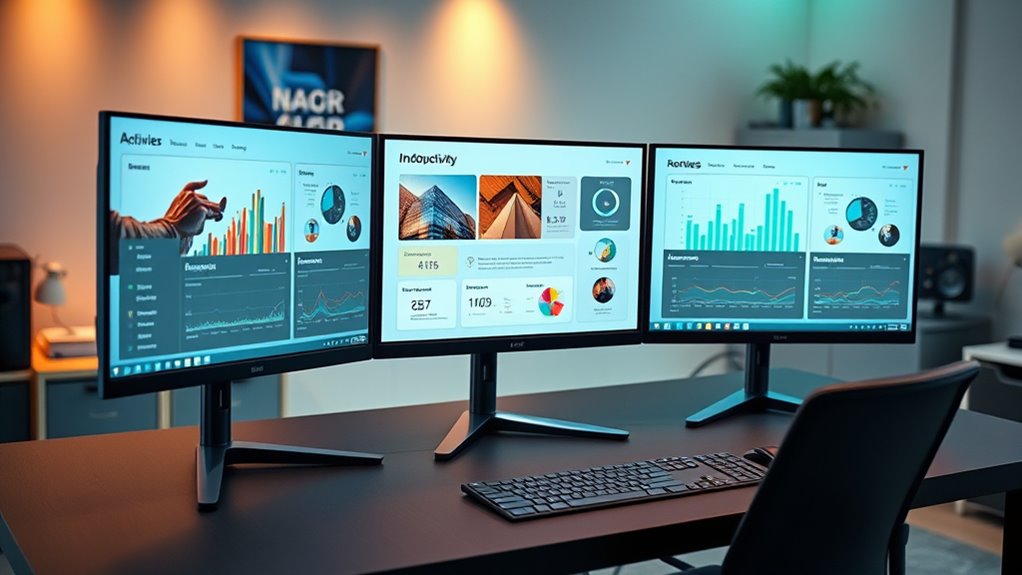

Choosing the right computer monitor for work depends on your specific needs, whether it’s multitasking, color accuracy, or comfort. The Dell 24 Plus Monitor S2425HSM stands out as the best overall with a fast 144Hz refresh rate and quick response time, ideal for smooth workflows. For budget-conscious buyers, the Philips 24-Inch Full HD VA Monitor offers solid performance without breaking the bank. If you need a larger display or more advanced features, options like the LG 32MR50C-B Curved Monitor or the Samsung 32-Inch Flat Monitor could be better suited. The main tradeoffs involve balancing resolution, size, color accuracy, and price. Continue reading for a full breakdown of each option’s strengths and potential drawbacks.

Get the latest gadgets delivered free with Prime
- Fast, free delivery on millions of items
- Prime Video, Amazon Music and more included
- Member-only deals all year
Complete the kit



Key Takeaways
- High refresh rates (120Hz-144Hz) are common even in monitors for work, improving smoothness during multitasking or video calls.
- Adjustability and ergonomic features like tilt, height, and swivel are key for long-term comfort at a desk.
- Size varies from compact 21.5-inch screens to expansive 32-inch displays, each suited for different workspace setups.
- Features like flicker-free technology and blue light filters help reduce eye strain during extended use.
- Budget options often compromise on size or advanced features, but some provide good performance for everyday tasks.




| computer monitors for work | Refresh Rate | Display Size | Resolution | Contrast Ratio |
|---|---|---|---|---|
| Dell 24 Plus Monitor | 144Hz | 23.8 inches | 1920 x 1080 (FHD) | 1500:1 |
| Philips 24-Inch Full HD VA Mon | 100Hz | 24 inches | 1920×1080 (Full HD) | 3000:1 |
| LG 27U411A-B 27-inch Full HD I | 120Hz | 27 inches | 1920 x 1080 | — |
| Sceptre 27-inch Prime Gaming M | 100Hz | — | — | 2000:1 |
| Dell 27 Monitor | 144Hz | 27 inches | 1920 x 1080 | 1,000:1 |
| Dell 27 Plus Monitor | 144Hz | 27 inches | 1920 x 1080 (FHD) | 1500:1 |
| Acer 21.5-inch FHD 1920×1080 1 | 100Hz | 21.5 inches | 1920 x 1080 (FHD) | 1000:1 |
| LG 32MR50C-B Curved 32-Inch FH | 100Hz | 32 inches | 1920 x 1080 (FHD) | 3000:1 |
| Dell 24 Monitor | 144Hz | 23.8 inches | 1920 x 1080 (FHD) | 1000:1 |
| Samsung 32-Inch Flat Computer | 75Hz | 32 inches | 1920 x 1080 (FHD 1080p) | 4000:1 |
| Philips 22 Inch Full HD VA Mon | 100Hz | 21.5 inches | 1920×1080 (Full HD) | 3000:1 |
| Acer 27-inch FHD IPS Gaming Mo | 120Hz | 27 inches | 1920 x 1080 (FHD) | 100,000,000:1 |
More Details on Our Top Picks
Dell 24 Plus Monitor – S2425HSM – 23.8-inch FHD (1920×1080) 144Hz 1ms Display, HDMI, Speakers, Adjustable Stand, AMD FreeSync
The Dell S2425HSM stands out as a well-rounded choice for those seeking a balance between work and leisure. Its 144Hz refresh rate and 1ms response time make it particularly appealing for users who want smooth motion, especially if multitasking includes occasional multimedia or light gaming. Compared to the LG 27U411A-B, this model offers a smaller screen but better refresh rates, making it more suited for fast-paced visual tasks. However, its full HD resolution may feel limiting for professionals needing sharper images or more screen real estate. The inclusion of adjustable height, tilt, pivot, and swivel provides ergonomic flexibility, a key advantage over fixed stands. Built-in dual speakers add value but are not a substitute for dedicated audio systems. Its basic design limits aesthetics but keeps the price accessible.Pros:- High 144Hz refresh rate enables smooth visuals for fast motion
- Fast 1ms response time reduces motion blur during quick tasks
- Adjustable stand offers ergonomic customization
- Built-in dual speakers enhance multimedia use
Cons:- Limited to 1080p resolution, which may feel insufficient for detailed design work
- No USB-C port limits connectivity options for modern devices
Best for: Professionals who want a versatile monitor for work, light gaming, and multimedia without needing 4K resolution.
Not ideal for: Creative professionals or multitaskers requiring ultra-high resolution or expansive screen space.
- Display Size:23.8 inches
- Resolution:1920 x 1080 (FHD)
- Refresh Rate:144Hz
- Response Time:1ms MPRT
- Contrast Ratio:1500:1
- Brightness:300 cd/m²
- Viewing Angle:178 degrees
- Ports:2 x HDMI
- Speakers:2 x 3W
Our verdict“This monitor suits users needing a flexible, smooth experience for work and casual multimedia without demanding ultra-high resolution.”
Philips 24-Inch Full HD VA Monitor 100Hz, Flicker-Free, VESA Compatible
The Philips 241V8LB offers a compelling blend of contrast and eye comfort features at an accessible price point. Its VA panel provides deeper contrast than typical IPS or TN panels, making it ideal for tasks where color accuracy is less critical but visual clarity matters, such as spreadsheets or document editing. The 100Hz refresh rate, combined with flicker-free technology and BlueMode, supports extended work sessions with less eye strain—more than some basic models like the Acer 21.5-inch monitor. Its sleek bezel-free design enhances multi-monitor setups, but its brightness of only 250 nits might struggle in brightly lit offices. Lacking built-in speakers and USB ports limits multimedia flexibility, making it more suitable for straightforward productivity rather than entertainment.Pros:- Vivid contrast from VA panel improves overall visual clarity
- Flicker-free technology reduces eye fatigue during long hours
- BlueLight Mode further minimizes eye strain
- Sleek bezel-free design supports multi-monitor arrangements
Cons:- Limited brightness of 250 nits may be insufficient in bright environments
- Lack of integrated speakers or USB ports reduces multimedia versatility
Best for: Budget-conscious office workers who prioritize eye comfort and contrast for daily tasks.
Not ideal for: Creative professionals or gamers seeking high resolution or high refresh rates for detailed work or fast-paced gaming.
- Display Size:24 inches
- Resolution:1920×1080 (Full HD)
- Panel Type:VA
- Refresh Rate:100Hz
- Contrast Ratio:3000:1
- Brightness:250 nits
- Viewing Angle:178 degrees
- VESA Compatibility:Yes
- Additional Features:Flicker-Free, BlueLight Mode
Our verdict“Ideal for users seeking a budget-friendly monitor that emphasizes eye comfort and contrast for daily office use.”
LG 27U411A-B 27-inch Full HD IPS Computer Monitor, 120Hz, HDR10, Flicker Safe, HDMI, Slim Stand Base, Black
The LG 27U411A-B offers a larger, 27-inch IPS display with vibrant, accurate colors thanks to 99% sRGB coverage and HDR10 support. Its 120Hz refresh rate and 1ms Motion Blur Reduction deliver smooth visuals, which benefits not only casual gaming but also creative tasks that rely on color precision. Compared to the Dell SE2726H, this model’s IPS panel provides wider viewing angles and better color consistency, making it more suitable for detailed editing or collaborative work. The virtually borderless design enhances aesthetics in modern setups, but its reliance on HDMI only might limit compatibility with some professional devices. No built-in speakers or USB ports are included, which could require additional peripherals.Pros:- Vivid, accurate colors with 99% sRGB and HDR10 support
- Smooth visuals with 120Hz refresh rate and fast response time
- Sleek, nearly borderless design adds modern appeal
- Wide viewing angles from IPS panel improve collaboration
Cons:- Limited to HDMI connectivity, lacking DisplayPort
- No built-in speakers or USB ports may necessitate additional peripherals
Best for: Creative professionals or users who need color fidelity and smooth motion for editing or multimedia tasks.
Not ideal for: Users seeking a budget-friendly, straightforward monitor with extensive connectivity options or built-in audio.
- Display Size:27 inches
- Resolution:1920 x 1080
- Panel Type:IPS
- Refresh Rate:120Hz
- HDR:HDR10
- Color Gamut:up to 99% sRGB
- Stand:Slim, adjustable tilt
- Connectivity:HDMI
Our verdict“Best suited for creative users who value color accuracy and smooth motion in a stylish, larger display.”
Sceptre 27-inch Prime Gaming Monitor 100Hz 1ms with DisplayPort HDMI x2, sRGB, FreeSync, Built-in Speakers, Eye Care, Frameless
The Sceptre 27-inch monitor combines gaming-ready specs with features suitable for extended work sessions. Its 100Hz refresh rate and 1ms response time ensure smooth, responsive visuals, making it suitable for both casual gaming and fast-paced tasks. Its multiple connectivity options, including HDMI and DisplayPort, provide flexibility for multi-device setups, and the VESA compatibility allows for versatile mounting. Compared to the Dell SE2726H, this model’s focus on gaming performance makes it appealing to users who want a monitor that can handle both work and entertainment with ease. The inclusion of built-in speakers and eye care technology further enhances usability. Its 1080p resolution, however, may not satisfy users needing ultra-crisp images for detailed work.Pros:- Fast 1ms response time and 100Hz refresh rate ideal for gaming and quick workflows
- Multiple ports including HDMI and DisplayPort for flexible connectivity
- VESA mountable for adaptable setup options
- Built-in speakers and eye care tech improve overall experience
Cons:- Limited to 1080p resolution, which may be inadequate for detailed creative work
- Lacks USB ports or advanced features for productivity
Best for: Budget-conscious users who want a versatile monitor for gaming, multitasking, and extended work sessions.
Not ideal for: Professionals requiring high-resolution displays or professional color accuracy for editing work.
- Screen Size:27 inches
- Display Resolution:1920 x 1080
- Refresh Rate:100Hz
- Response Time:1ms
- Color Gamut:100% sRGB
- Contrast Ratio:2000:1
- Viewing Angle:170 degrees
- Connectivity:2 x HDMI, 1 x DisplayPort
Our verdict“A solid choice for users needing a budget-friendly, fast monitor that handles both work and entertainment without high resolution demands.”
Dell 27 Monitor – SE2726H – 27-inch FHD (1920×1080) 144Hz 1ms IPS Display with AMD FreeSync
The Dell SE2726H offers a large 27-inch IPS panel with a 144Hz refresh rate and 1ms response time, making it suitable for users who need crisp, responsive visuals for fast-moving tasks. Its IPS technology provides wide viewing angles and accurate colors, which is a step up from typical TN panels, making it more versatile for collaborative work or detailed data analysis. Compared with the LG 27U411A-B, this model emphasizes refresh rate over HDR support, catering to users who prioritize responsiveness. Without built-in speakers or extensive ports, it’s best paired with external peripherals. The Full HD resolution might limit detail for creative or design professionals, but it strikes a good balance for general office productivity.Pros:- High 144Hz refresh rate for smooth, responsive interactions
- IPS panel delivers accurate colors and wide viewing angles
- 1ms response time minimizes motion blur
- Large 27-inch size enhances productivity
Cons:- Limited to Full HD resolution, less ideal for detailed creative work
- No built-in speakers or USB ports to support multimedia needs
Best for: Professionals needing a responsive, color-accurate display for fast workflows and collaborative environments.
Not ideal for: Creative tasks requiring high resolution or users needing extensive connectivity options.
- Display Size:27 inches
- Resolution:1920 x 1080
- Refresh Rate:144Hz
- Response Time:1ms
- Panel Technology:IPS
- Contrast Ratio:1,000:1
- Viewing Angle:178 degrees
- Connectivity:2 x HDMI
Our verdict“A responsive, color-accurate monitor suited for fast-paced work environments that don’t require high resolution.”
Dell 27 Plus Monitor – S2725HSM – 27-inch FHD (1920×1080) 144Hz 1ms Display, HDMI, Speakers, Adjustable Stand, AMD FreeSync
The Dell S2725HSM stands out for its combination of high refresh rate and flexible ergonomics, making it a strong choice for those who want a monitor suited for both work and casual gaming. While its 1080p resolution isn’t as crisp as 4K options like the LG 27U411A-B, its 144Hz refresh rate and 1ms response time ensure smooth visuals for fast-moving tasks or entertainment. Compared with the Acer KB220Q, which offers a smaller size and lower refresh rate, this Dell provides a more immersive experience and better adjustability. However, its lack of a USB-C port and moderate brightness might limit usability in bright office settings. If you prioritize a well-rounded monitor with gaming capabilities and ergonomic features, this pick makes the most sense.
Pros:- High 144Hz refresh rate for smooth motion during multitasking or entertainment
- Fast 1ms response time reduces motion blur and ghosting
- Adjustable stand with height, tilt, pivot, and swivel for ergonomic comfort
- Built-in dual speakers for convenience
Cons:- Limited to Full HD resolution, less sharp than 4K monitors
- No USB-C port, reducing compatibility with newer laptops
- Brightness may be insufficient in very bright rooms
Best for: Professionals who need a versatile monitor for multitasking, occasional gaming, and ergonomic comfort
Not ideal for: Users seeking ultra-high resolution or minimal desk footprint, as this monitor’s resolution and size might fall short for detailed graphic work or small workspaces
- Display Size:27 inches
- Resolution:1920 x 1080 (FHD)
- Refresh Rate:144Hz
- Response Time:1ms
- Contrast Ratio:1500:1
- Ports:2 x HDMI
- Speakers:2 x 3W
- Adjustability:Height, Tilt, Pivot, Swivel
- Eye Care Certification:TÜV 4-star
Our verdict“This monitor is ideal for users who want a flexible, high-performance display that balances work and entertainment needs.”
Acer 21.5-inch FHD 1920×1080 100Hz Office Monitor KB220Q H2bi
The Acer KB220Q is tailored for users with limited desk space who still want a reliable Full HD display. Its 21.5-inch size makes it less overwhelming than larger monitors like the LG 32MR50C-B, but it sacrifices screen real estate, which can be a drawback for multitasking. The near bezel-less ZeroFrame design maximizes the viewing area, especially in multi-monitor setups, and the 100Hz refresh rate coupled with a 1ms response time ensures smooth visuals for everyday productivity and light gaming. Unlike the LG curved model, this monitor’s flat screen may feel less immersive but better suited for traditional office work. Its lack of built-in speakers or USB ports might limit convenience. If space-saving and cost are priorities, this Acer is a compelling option.
Pros:- Compact size fits small desks and cluttered spaces
- ZeroFrame design maximizes screen real estate and multi-monitor configurations
- Fast response time supports smooth video and casual gaming
- Vivid Full HD resolution for clear images
Cons:- Limited to 21.5 inches, which may be too small for some users
- No built-in speakers or USB ports for extra connectivity
- Basic stand without height or swivel adjustments
Best for: Home office or small workspace users who prioritize compactness and basic performance
Not ideal for: Power users requiring larger screens or additional connectivity options like USB-C or built-in speakers
- Display Size:21.5 inches
- Resolution:1920 x 1080 (FHD)
- Refresh Rate:100Hz
- Response Time:1ms
- Contrast Ratio:1000:1
- Finish:Matte
Our verdict“This monitor is an excellent pick for space-constrained environments that need a straightforward, reliable display for everyday work.”
LG 32MR50C-B Curved 32-Inch FHD Monitor with 100Hz Refresh Rate and AMD FreeSync
The LG 32MR50C-B combines a large, curved display with vibrant VA panel technology, making it ideal for immersive work and media consumption. The 32-inch size and 1800R curvature emulate a more natural field of view, which can reduce eye strain during extended use. With a 100Hz refresh rate and AMD FreeSync, it offers smoother visuals, especially for streaming or light gaming. Compared to the Dell SE2426H, which is smaller and flat, this LG provides a more enveloping experience, but its 1080p resolution limits sharpness for detailed tasks like graphic design. The response time of 5 ms might not satisfy competitive gamers, but it’s suitable for casual use. Its limited brightness and focus on media make it less ideal for brightly lit offices.
Pros:- Large 32-inch curved VA panel creates immersive viewing
- Vivid color and good contrast with VA technology
- 100Hz refresh rate and FreeSync support provide smooth motion
- Adjustable tilt for comfortable viewing angles
Cons:- Limited to 1080p resolution, not suitable for detailed work
- Brightness of 250 cd/m2 may be insufficient in bright rooms
- Response time of 5 ms may not satisfy fast-paced gaming
Best for: Users seeking an immersive display for multitasking, multimedia editing, or casual gaming in a home or relaxed workspace
Not ideal for: Professional designers or users requiring high resolution and bright environments, as the 1080p and lower brightness may be limiting
- Display Size:32 inches
- Resolution:1920 x 1080 (FHD)
- Refresh Rate:100Hz
- Display Technology:VA
- Viewing Angle:178 degrees
- Brightness:250 cd/m2
- Contrast Ratio:3000:1
- Response Time:5 ms
Our verdict“This monitor is well-suited for users wanting an immersive experience for media and casual multitasking, rather than precision work.”
Dell 24 Monitor – SE2426H – 23.8-inch FHD (1920×1080) 144Hz 1ms IPS Display with AMD FreeSync and Tilt
The Dell SE2426H earns its spot as a work-focused monitor with its IPS panel delivering wide viewing angles and accurate colors, making it a reliable choice for detailed tasks. Its 144Hz refresh rate and 1ms response time ensure smooth motion, comparable to higher-end gaming monitors like the Dell S2725HSM, but in a more compact 23.8-inch frame. Unlike the LG 32MR50C-B, which emphasizes immersion, this Dell prioritizes clarity and color fidelity, making it ideal for design or data review. Its tilt-only stand might be limiting for ergonomic adjustments, and it lacks built-in speakers, which may require external audio solutions. Overall, this model balances performance with compactness for focused work environments.
Pros:- IPS panel provides consistent, accurate colors and wide viewing angles
- High 144Hz refresh rate and 1ms response time for smooth visuals
- Ultra-thin bezels maximize viewing space and multi-monitor setups
- Reliable brand known for quality and durability
Cons:- Limited to tilt adjustment only, lacking height or swivel options
- No built-in speakers, requiring external audio devices
- 1080p resolution may be insufficient for detailed graphic work
Best for: Creative professionals or analysts needing accurate color and wide viewing angles in a compact size
Not ideal for: Users requiring height, swivel, or extensive ergonomic adjustments, or built-in audio
- Display Size:23.8 inches
- Resolution:1920 x 1080 (FHD)
- Refresh Rate:144Hz
- Response Time:1ms
- Viewing Angle:178°/178°
- Contrast Ratio:1000:1
- Ports:2 HDMI
- Stand Adjustment:Tilt only
Our verdict“This monitor suits professionals needing color accuracy and wide angles in a compact, high-refresh display.”
Samsung 32-Inch Flat Computer Monitor
This Samsung 32-inch monitor stands out for its expansive display, making it an excellent choice for users who need to manage multiple windows or detailed spreadsheets. Compared to smaller options like the Philips 22-inch, its larger screen significantly enhances productivity, though its 1080p resolution may feel limiting for detailed work or high-resolution workflows. The borderless, minimalist design helps keep the workspace clean, and the 75Hz refresh rate provides smoother visuals for both work and light gaming. Eye care features like Flicker-Free and Eye Saver Mode help reduce eye strain during long hours. However, the absence of 4K resolution and built-in speakers might be drawbacks for users who prioritize ultra-sharp detail or multimedia.
Pros:- Large 32-inch display enhances multitasking and detailed viewing
- Borderless design improves workspace aesthetics and focus
- Smooth visuals with 75Hz refresh rate and AMD FreeSync
- Eye care technologies reduce strain during extended use
Cons:- Limited to 1080p resolution, less sharp for detailed or high-res work
- No built-in speakers, requiring external audio setup
Best for: Professionals who need a spacious display for multitasking, spreadsheet work, or creative tasks with some multimedia use
Not ideal for: Power users requiring 4K clarity or built-in audio, or those with limited desk space due to its size
- Display Size:32 inches
- Display Type:LED LCD
- Resolution:1920 x 1080 (FHD 1080p)
- Refresh Rate:75Hz
- Contrast Ratio:4000:1
- Viewing Angle:178 degrees
- Connectivity:HDMI, DisplayPort
- Special Features:Eye Saver Mode, Flicker Free, AMD FreeSync
Our verdict“This monitor is ideal for users who prioritize screen size and workspace comfort over ultra-high resolution or integrated audio.”
Philips 22 Inch Full HD VA Monitor with 100Hz Refresh Rate, Flicker-Free, VESA Compatible
The Philips 22-inch VA monitor offers a vivid visual experience with deep blacks and wide angles, making it suitable for detailed work or multimedia in a smaller footprint. Its 100Hz refresh rate and adaptive-sync technology deliver smooth motion, comparable to larger gaming monitors like the Acer 27-inch, but in a more space-efficient size. The flicker-free BlueMode technology helps reduce eye fatigue, a key benefit for long work sessions. However, its smaller size limits multitasking potential, and its brightness might be insufficient in very bright environments. The lack of built-in speakers could also be a downside for those wanting an all-in-one desk setup.
Pros:- Compact 22-inch size fits small desks well
- Vivid colors and wide viewing angles with VA panel
- Smooth 100Hz refresh rate and adaptive-sync support
- Flicker-free and BlueMode technology for eye comfort
Cons:- Limited to 22 inches, less suitable for multitasking
- Brightness may be insufficient in bright lighting conditions
Best for: Desk users with limited space seeking a high-quality, eye-friendly monitor for professional tasks and multimedia
Not ideal for: Power users or creative professionals needing larger screens or 4K resolution for detailed editing
- Display Size:21.5 inches
- Resolution:1920×1080 (Full HD)
- Display Technology:VA LCD
- Refresh Rate:100Hz
- Contrast Ratio:3000:1
- Viewing Angle:178 degrees
- VESA Compatibility:Yes
- Special Features:Flicker-Free, BlueLight Mode
Our verdict“This monitor is perfect for space-constrained environments where eye comfort and color quality are priorities.”
Acer 27-inch FHD IPS Gaming Monitor with 120Hz Refresh Rate
This Acer 27-inch monitor combines a 120Hz refresh rate with IPS technology, making it well-suited for users who need smooth visuals for both work and multimedia. Its 1ms response time minimizes motion blur, comparable to dedicated gaming monitors like the Sceptre 27-inch, but with a focus on professional use as well. The vibrant colors and wide viewing angles support tasks like photo editing or detailed data analysis. The adaptive sync support prevents tearing, ensuring seamless visuals. However, its 1080p resolution limits sharpness in high-resolution workflows, and its minimalist design might not appeal to users seeking a more feature-rich or professional aesthetic. The absence of built-in speakers could be a minor inconvenience.
Pros:- 120Hz refresh rate for smooth motion in work and multimedia
- 1ms response time reduces motion blur
- Vivid colors and wide angles with IPS technology
- Adaptive-Sync support for tear-free visuals
Cons:- Limited to 1080p resolution, less sharp for detailed editing
- Minimalistic design may not suit all professional aesthetics
Best for: Creative professionals or multitaskers who need high refresh rates and vibrant visuals without sacrificing color accuracy
Not ideal for: Those requiring 4K resolution or integrated audio for multimedia-heavy workflows
- Display Size:27 inches
- Resolution:1920 x 1080 (FHD)
- Display Technology:IPS
- Refresh Rate:120Hz
- Response Time:1ms VRB
- Contrast Ratio:100,000,000:1
- Color Gamut:99%
- Special Features:Adaptive-Sync
Our verdict“This monitor is best suited for users who want a fast, colorful display that handles dynamic content well, with some compromise on resolution detail.”

How We Picked
Our evaluation focused on performance, usability, build quality, and value for a work environment. We prioritized monitors that deliver clear images, comfortable viewing, and reliable connectivity options. Features like adjustable stands, flicker-free screens, and ergonomic design were essential, as these impact long-term comfort and productivity. Price was also a factor, but we aimed to highlight options that provide a good balance between cost and features. The rankings reflect a combination of user-friendly design, versatility, and overall performance for typical work tasks.Factors to Consider When Choosing Computer Monitors For Work
When selecting a monitor for work, it’s important to consider factors that directly influence your productivity, comfort, and the quality of your display. The right choice depends on your specific workflow, workspace, and budget. Understanding key features can help you avoid common pitfalls like choosing a screen that’s too small or lacking adjustable features. Here are critical considerations to keep in mind before making a purchase.Screen Size and Resolution
Size impacts how much you can comfortably view at once. Larger screens, like 27 or 32 inches, are ideal for multitasking and immersive work, especially if you’re using multiple windows or detailed applications. Resolution, typically Full HD (1920×1080) for budget options or higher for premium models, affects clarity and workspace. Avoid very small screens for prolonged work sessions, as they can cause eye strain and reduce productivity. Balance size and resolution with your workspace constraints and budget to find your best fit.
Ergonomics and Adjustability
Features like height adjustment, tilt, swivel, and pivot are vital for comfort during long hours. A monitor that can be customized to your ergonomic needs reduces fatigue and discomfort. Cheap models often lack these adjustments, which can lead to poor posture over time. Investing in a monitor with ergonomic options pays off by supporting your health and maintaining focus. Remember, a comfortable setup enhances productivity more than any shiny feature.
Color Accuracy and Panel Technology
If your work involves design, editing, or color-sensitive tasks, prioritize monitors with good color reproduction and IPS panels. For general office tasks, VA or TN panels may suffice but often lack the color consistency of IPS. Consider whether HDR support or wider color gamuts are necessary for your work. Keep in mind that higher color accuracy usually comes with a higher price tag, so match your needs with your budget to avoid overspending on features you won’t use.
Connectivity and Port Selection
Ensure the monitor has the right ports for your setup—HDMI, DisplayPort, USB-C, or even Thunderbolt. USB-C is increasingly popular for its simplicity, allowing video, data, and charging through a single cable. Check if your workspace devices are compatible to avoid needing adapters. Also, consider built-in speakers or hub features if you want fewer cluttered cables. Compatibility and flexibility in connectivity can streamline your workflow significantly.
Price and Long-Term Value
While budget models are tempting, they often lack features like ergonomic adjustments or larger size options. Investing a bit more can improve comfort and efficiency, especially if you spend many hours at your desk. Consider the durability and warranty as part of value; a slightly higher upfront cost might save money over time through better reliability. Remember, the cheapest option isn’t always the best for long-term use, especially in a work setting.
Frequently Asked Questions
Is a 1080p monitor sufficient for work tasks?
For most standard office tasks such as document editing, web browsing, and video conferencing, a 1080p monitor provides clear enough visuals. However, if you work with detailed spreadsheets, multiple windows, or design work, upgrading to higher resolutions like 1440p or 4K can enhance productivity by offering more screen real estate and sharper images. Budget options often stick to 1080p, but higher resolutions may be worth the investment for increased efficiency over time.
Should I prioritize a curved monitor for work?
Curved monitors can reduce glare and distortions, providing a more immersive viewing experience, which is beneficial if you work with wide setups or multiple applications open simultaneously. However, they tend to be more expensive and may not fit well in smaller or traditional workspaces. For general productivity and office use, flat screens often provide more versatility and easier placement. Consider your workspace size and whether the curve helps with your specific tasks before choosing.
How important are adjustable stands for work monitors?
Adjustable stands are vital for maintaining good posture during long work sessions. They allow you to set the monitor to eye level, reduce neck strain, and customize viewing angles. Monitors without height or tilt adjustments can lead to discomfort over time, negatively impacting focus and health. Investing in a model with ergonomic features can significantly improve your overall work experience and prevent long-term musculoskeletal issues.
Is a monitor with built-in speakers necessary?
Built-in speakers can reduce cable clutter and are convenient for video calls or casual listening. However, their audio quality typically doesn’t match external speakers or headphones. If sound quality is important for your workflow, consider dedicated audio devices. Monitors with speakers are useful for quick video conferencing or notifications, but they shouldn’t be your primary audio solution if high sound fidelity is needed.
When should I consider a ultrawide or larger monitor for work?
Ultrawide or larger monitors excel in multitasking environments where multiple applications or complex spreadsheets are common. They can replace dual monitor setups, saving desk space and offering seamless workflow. However, they often come at a higher cost and require more desk space. Ensure your workspace can accommodate the size, and weigh whether the productivity gains justify the investment for your specific tasks.
Conclusion
For general office work and daily productivity, the Dell 24 Plus Monitor S2425HSM offers a compelling blend of performance and flexibility, making it the best overall choice. Budget-conscious users should consider the Philips 24-Inch Full HD VA Monitor, which provides reliable features without a hefty price tag. Those seeking a larger viewing area or more immersive experience may prefer the LG 32MR50C-B Curved Monitor or the Samsung 32-Inch Flat Monitor. Beginners or users with minimal needs might opt for smaller, straightforward models, while professionals working with color-sensitive content should prioritize monitors with high color accuracy and ergonomic features. Match your specific work tasks and workspace to find the best fit.
As an affiliate, we earn on qualifying purchases.Halloween Picks
halloween