
For a 65-inch OLED TV that balances picture quality, gaming features, and everyday usability, I’d start with the LG OLED evo C5 as the best overall pick. The Samsung S90H is a standout for buyers focused on a more premium viewing experience, while the LG B6 is a sensible alternative for shoppers who want OLED without prioritizing every high-end feature. The main tradeoffs are between screen performance, gaming and connectivity options, smart-TV preferences, and how much capability you actually need. OLED’s deep blacks suit movie nights and dark rooms, but room brightness and viewing habits still matter. Read on for the full breakdown and advice on choosing the right 65-inch model for your setup.

Get the latest gadgets delivered free with Prime
- Fast, free delivery on millions of items
- Prime Video, Amazon Music and more included
- Member-only deals all year
Complete the kit



Key Takeaways
- The LG C5 is the most balanced starting point: it sits between LG’s B-series and premium evo options, making it the clearest all-around fit in this lineup.
- Samsung’s S90H and S85H serve different priorities: compare the higher-positioned S90H with the more approachable S85H rather than treating the Samsung range as one uniform choice.
- There are several model years here: the 2025 LG C5 and Samsung S85F sit alongside 2026 models, so check the exact model number and feature set instead of assuming newer naming means a better fit.
- Smart-platform preference can break a tie: Roku, Google TV, Samsung’s platform, and LG’s platform differ in menus and app habits; the best screen may not be the most convenient interface for you.
- Brand and series names need careful checking: the list includes Sony BRAVIA XR8B and BRAVIA 6 listings described as OLED, so verify the exact model’s panel type and specifications before purchase.
| LG 65-Inch OLED evo C5 Series 4K Smart TV (OLED65C5PUA, 2025) |  | Best Overall | Screen size: 65 inches | Display technology: OLED evo | Resolution: 4K | VIEW ON AMAZON | See Our Full Breakdown |
| Sony BRAVIA XR8B 65-Inch OLED 4K HDR Smart Google TV (K-65XR8B) |  | Best for Google TV and Film Formats | Screen size: 65 inches | Display technology: OLED | Resolution: 4K | VIEW ON AMAZON | See Our Full Breakdown |
| Samsung 65-Inch S90H OLED 4K Smart TV (2026) |  | Best for High-Refresh PC Gaming | Screen size: 65 inches | Display technology: OLED | Resolution: 4K | VIEW ON AMAZON | See Our Full Breakdown |
| Samsung S85H 65-Inch 4K OLED Smart TV (2026) |  | Best for Mainstream 120 Hz Gaming | Screen size: 65 inches | Display technology: OLED | Resolution: 4K | VIEW ON AMAZON | See Our Full Breakdown |
| Roku Pro Series 65-Inch 4K OLED Smart TV |  | Best for Simple Streaming and Quiet Viewing | Screen size: 65 inches | Display technology: OLED | Resolution: 4K | VIEW ON AMAZON | See Our Full Breakdown |
| Samsung 65-Inch OLED 4K S85F Series Vision AI Smart TV (2025 Model) |  | Best for Samsung Smart-Home Buyers | Screen size: 65 inches | Display and resolution: OLED, 4K | Refresh rate: 120 Hz | VIEW ON AMAZON | See Our Full Breakdown |
| Sony BRAVIA 6 65-Inch OLED 4K HDR Smart Google TV (K-65A60) |  | Best for Dolby Vision Streaming | Screen size: 65 inches | Display and resolution: OLED, 4K | Refresh rate: 120 Hz | VIEW ON AMAZON | See Our Full Breakdown |
| LG 65-Inch OLED B6 Series 4K Smart TV (2026) |  | Best for Console Gaming Connectivity | Screen size: 65 inches | Display and resolution: OLED, 4K | Refresh rate: 120 Hz | VIEW ON AMAZON | See Our Full Breakdown |
| LG 65-Inch OLED evo C6 Series 4K Smart TV (2026) |  | Best for High-Refresh PC Gaming | Screen size: 65 inches | Display and resolution: OLED evo, 4K | Native refresh rate: 120 Hz | VIEW ON AMAZON | See Our Full Breakdown |
| inch oled tv | Screen size | Refresh rate | Processor | Display technology |
|---|---|---|---|---|
| LG 65-Inch OLED evo C5 Series | 65 inches | — | Alpha 9 AI Processor Gen8 | OLED evo |
| Sony BRAVIA XR8B 65-Inch OLED | 65 inches | 120 Hz | — | OLED |
| Samsung 65-Inch S90H OLED 4K S | 65 inches | Up to 165 Hz | NQ4 AI Gen3 | OLED |
| Samsung S85H 65-Inch 4K OLED S | 65 inches | 120 Hz | NQ4 AI Gen2 | OLED |
| Roku Pro Series 65-Inch 4K OLE | 65 inches | 120 Hz | — | OLED |
| Samsung 65-Inch OLED 4K S85F S | 65 inches | 120 Hz | NQ4 AI Gen2 | — |
| Sony BRAVIA 6 65-Inch OLED 4K | 65 inches | 120 Hz | — | — |
| LG 65-Inch OLED B6 Series 4K S | 65 inches | 120 Hz | a8 AI Processor 4K Gen3 | — |
| LG 65-Inch OLED evo C6 Series | 65 inches | — | Alpha 11 AI Processor Gen 3 | — |
More Details on Our Top Picks
LG 65-Inch OLED evo C5 Series 4K Smart TV (OLED65C5PUA, 2025)
I’d put the LG C5 first for buyers who want a 65-inch OLED that balances movie features, room flexibility, and gaming connections. Its OLED evo panel and Brightness Booster pair self-lit pixels with added brightness support, while Dolby Vision, Dolby Atmos, and FILMMAKER MODE cover a range of cinematic viewing. Compared with the Sony BRAVIA XR8B, the C5 makes a stronger case for multi-device gaming with four HDMI 2.1 ports and listed G-Sync and FreeSync support. Its PC VRR can reach 144 Hz, but that figure is specifically for PC gaming; the native refresh rate is 120 Hz. I’d also keep expectations realistic with low-resolution sources, since upscaling results vary. This is my most balanced pick, not the highest-refresh option.
Pros:- Self-lit OLED pixels deliver deep blacks and detailed color.
- Brightness Booster supports viewing in brighter rooms.
- Four HDMI 2.1 ports and listed G-Sync and FreeSync support suit multi-device gaming.
- Dolby Vision, Dolby Atmos, and FILMMAKER MODE cover key home-cinema formats and settings.
Cons:- The native refresh rate is 120 Hz; 144 Hz VRR is specified for PC gaming.
- Upscaled picture quality varies with source resolution.
Best for: Viewers who want one 65-inch OLED for films, everyday streaming, and console or PC gaming across several HDMI 2.1 devices.
Not ideal for: PC gamers who require a native 144 Hz panel, or viewers who mainly watch low-resolution sources and expect consistently polished upscaling.
- Screen size:65 inches
- Display technology:OLED evo
- Resolution:4K
- Processor:Alpha 9 AI Processor Gen8
- Native refresh rate:120 Hz
- PC VRR:Up to 144 Hz
- HDMI:Four HDMI 2.1 ports
- Smart platform:webOS 25
- Audio and video formats:Dolby Vision, Dolby Atmos, FILMMAKER MODE
Our verdict“Choose the LG C5 for a well-rounded 65-inch OLED with strong gaming connections and broad movie-format support, while treating 144 Hz as a PC-specific feature.”
Sony BRAVIA XR8B 65-Inch OLED 4K HDR Smart Google TV (K-65XR8B)
The Sony BRAVIA XR8B is the pick I’d make for viewers who want Sony’s picture processing and a familiar Google TV streaming setup in a 65-inch OLED. XR processing and XR OLED Motion target clarity and motion, while Dolby Vision, Dolby Atmos, IMAX Enhanced, and DTS:X give it a broad home-cinema format list. Against the LG C5, Sony’s strongest distinction here is its Google TV platform and listed AirPlay 2 and Google Cast support; the LG is more clearly specified for gaming, with four HDMI 2.1 ports and VRR features. The XR8B lists four HDMI ports and a 120 Hz refresh rate, but the supplied details don’t identify HDMI 2.1 or comparable variable-refresh support. I’d favor it for streaming and films over feature-specific PC gaming needs.
Pros:- OLED panel with self-lit pixels and deep blacks.
- XR Processor and XR OLED Motion are designed to improve image clarity and motion.
- Google TV, Google Assistant, AirPlay 2, and Google Cast offer flexible streaming and casting.
- Supports Dolby Vision, Dolby Atmos, IMAX Enhanced, and DTS:X.
Cons:- The supplied specifications do not identify HDMI 2.1 or VRR support.
- Product information lists one USB port, limiting wired USB connections.
Best for: Households invested in Google TV, Google Assistant, or Apple and Google casting who mainly watch films, series, and sports.
Not ideal for: PC gamers seeking clearly specified HDMI 2.1 and VRR capabilities, or buyers who need more than one listed USB port.
- Screen size:65 inches
- Display technology:OLED
- Resolution:4K
- Refresh rate:120 Hz
- Picture processing:XR Processor, XR Clear Image
- Smart platform:Google TV
- HDR formats:Dolby Vision, HDR10
- HDMI ports:4
- Casting:Apple AirPlay 2, Google Cast
Our verdict“Pick the Sony XR8B for Google TV, casting, and a broad set of cinema formats, but choose the LG C5 if gaming connections and VRR matter more.”
Samsung 65-Inch S90H OLED 4K Smart TV (2026)
For PC players with compatible hardware, the Samsung S90H stands apart from the other 65-inch OLEDs here with support for gaming up to 165 Hz, plus G-SYNC and FreeSync Premium Pro. That ceiling may make motion feel smoother in supported games, but it depends on the computer and content; it isn’t a benefit every console player can use. Its matte screen finish is another useful distinction from the glossy Samsung S85H, since it is designed to reduce distracting reflections. HDR support is listed as HDR10+, while the LG C5 and Sony XR8B specify Dolby Vision, so I’d compare format preferences before choosing for film libraries. The S90H also includes AI image and motion enhancement, though results can vary by source. Its gaming lead comes with less universal format coverage.
Pros:- Gaming refresh rate reaches up to 165 Hz with compatible PC hardware.
- NVIDIA G-SYNC and AMD FreeSync Premium Pro support adaptive-sync gaming.
- Matte screen finish is designed to reduce distracting reflections.
- NQ4 AI Gen3 processing supports image and motion enhancement.
Cons:- The 165 Hz capability depends on compatible PC hardware and supported content.
- HDR format listed is HDR10+, rather than Dolby Vision.
Best for: PC gamers with compatible high-refresh hardware who want a 65-inch OLED with reflection-reducing screen treatment and adaptive-sync support.
Not ideal for: Console-only players who won’t use refresh rates above 120 Hz, or movie viewers whose priority is Dolby Vision support.
- Screen size:65 inches
- Display technology:OLED
- Resolution:4K
- Refresh rate:Up to 165 Hz
- HDR format:HDR10+
- Screen finish:Matte
- Processor:NQ4 AI Gen3
- Gaming support:NVIDIA G-SYNC, AMD FreeSync Premium Pro
- Audio:2.1-channel speakers, Dolby Atmos, Object Tracking Sound; 40 watts maximum output
Our verdict“Choose the S90H if a compatible PC can take advantage of its 165 Hz ceiling and matte screen; for broader movie-format support, I’d favor the LG C5 or Sony XR8B.”
Samsung S85H 65-Inch 4K OLED Smart TV (2026)
The Samsung S85H is a straightforward fit for buyers who want a 65-inch OLED with 120 Hz gaming support without making a 165 Hz PC setup the focus. Its Motion Xcelerator, G-SYNC, and FreeSync Premium cover key gaming features, while four HDMI ports and four USB ports provide room for connected devices. Compared with the S90H, it gives up the listed 165 Hz ceiling and matte finish, but keeps a 120 Hz refresh rate that better matches many console setups. The screen is glossy, so reflections may be more noticeable than on the S90H. Samsung lists HDR10+ and a peak brightness figure of 1300 nits; the LG C5 and Sony XR8B instead list Dolby Vision. I’d weigh those format differences alongside the glossy finish when choosing for films.
Pros:- 120 Hz refresh rate with NVIDIA G-SYNC and AMD FreeSync Premium.
- Four HDMI ports and four USB ports offer generous wired connections.
- HDR10+ support and AI-based upscaling and scene enhancement.
- Built-in streaming apps, Alexa, Wi-Fi, and Bluetooth 5.3.
Cons:- Glossy finish may show more reflections than the matte Samsung S90H.
- HDR format listed is HDR10+, while the LG C5 and Sony XR8B list Dolby Vision.
Best for: Console owners and everyday viewers who want 120 Hz gaming, multiple device connections, and Samsung’s Tizen platform in a 65-inch OLED.
Not ideal for: PC gamers targeting refresh rates above 120 Hz, or viewers in reflective rooms who would benefit from the S90H’s matte screen.
- Screen size:65 inches
- Display technology:OLED
- Resolution:4K
- Refresh rate:120 Hz
- HDR format:HDR10+
- Maximum display brightness:1300 nits
- Processor:NQ4 AI Gen2
- HDMI and USB:4 HDMI ports; 4 USB ports, including 1 USB 3.0
- Mounting:VESA 300 x 200 mm
Our verdict“Pick the S85H for 120 Hz console gaming and plentiful ports; step up to the S90H for a matte screen and higher PC refresh-rate support.”
Roku Pro Series 65-Inch 4K OLED Smart TV
I’d choose the Roku Pro Series for a household that values easy streaming access and practical remote features as much as panel specifications. Its Roku platform, backlit voice remote, and remote finder make day-to-day use feel more direct, while Bluetooth headphone mode supports late-night viewing without relying on the TV’s speakers. For picture and gaming formats, it offers 4K OLED, Dolby Vision, HDR10+, and a 120 Hz refresh rate; the supplied details also list FreeSync Premium, ALLM, and VRR. Compared with the LG C5, the Roku’s appeal is simpler streaming and quiet listening, while the LG provides more explicit PC gaming details, including G-SYNC and a PC VRR ceiling. Roku lists four HDMI ports, but doesn’t specify speaker power or audio output quality, so I wouldn’t choose it for built-in sound alone.
Pros:- Roku streaming platform with voice controls.
- Backlit remote includes a finder button.
- Bluetooth headphone mode supports private, quiet viewing.
- 4K OLED panel with Dolby Vision, HDR10+, and a 120 Hz refresh rate.
Cons:- Speaker power and built-in audio output quality are not specified.
- The supplied gaming details do not state a maximum VRR refresh rate.
Best for: Stream-focused households that want a simple Roku interface, an easy-to-find backlit remote, and Bluetooth headphone listening.
Not ideal for: Buyers who prioritize detailed built-in audio specifications or want clearly stated PC gaming support like the LG C5 provides.
- Screen size:65 inches
- Display technology:OLED
- Resolution:4K
- Refresh rate:120 Hz
- HDR formats:Dolby Vision, HDR10+, HLG
- Gaming features:FreeSync Premium, ALLM, VRR
- HDMI and USB:4 HDMI ports; 2 USB ports
- Wireless screen mirroring:AirPlay 2, Miracast
- Stand:Tool-less, two height options
Our verdict“Choose the Roku Pro if straightforward streaming and headphone-friendly features matter most, but favor the LG C5 for more clearly detailed gaming capabilities.”
Samsung 65-Inch OLED 4K S85F Series Vision AI Smart TV (2025 Model)
The Samsung S85F suits buyers who want a 65-inch OLED with AI-assisted picture processing and simple Alexa integration. Its NQ4 AI Gen2 processor can sharpen lower-resolution streams, making older shows and everyday broadcasts look cleaner on a 4K screen. OLED’s individually lit pixels deliver deep blacks, while the 120Hz panel supports smooth motion for sports and gaming. Compared with the LG B6, the S85F emphasizes Alexa and Object Tracking Sound Lite rather than Dolby Vision and a wider suite of adaptive gaming features. That makes its setup appealing in a Samsung-centered home, but buyers who prioritize Dolby Vision should look at the Sony BRAVIA 6 or LG options. The four HDMI ports may also feel limiting if several consoles and receivers need to stay connected, and its listed weight makes wall mounting a two-person job.
Pros:- OLED panel produces deep blacks and vivid color
- NQ4 AI Gen2 processing can improve the appearance of lower-resolution sources
- Object Tracking Sound Lite with Dolby Atmos adds spatial audio support
- Built-in Alexa and Bluetooth, Ethernet, Wi-Fi, and USB support flexible connectivity
Cons:- Does not list Dolby Vision support
- Four HDMI ports can be tight for multiple consoles and other equipment
- Listed weight of 36.4 pounds with the stand makes wall mounting less convenient
Best for: Samsung smart-home owners who want a 65-inch OLED for streaming, TV, and 120Hz gaming with Alexa built in
Not ideal for: Dolby Vision movie fans or households with more than four HDMI devices connected at once
- Screen size:65 inches
- Display and resolution:OLED, 4K
- Refresh rate:120 Hz
- HDR format:HDR10+
- Processor:NQ4 AI Gen2
- Audio:Object Tracking Sound Lite with Dolby Atmos
- HDMI and USB:4 HDMI ports, 2 USB ports
- Weight with stand:36.4 pounds
Our verdict“Choose the S85F if Alexa integration and AI-assisted upscaling matter more to you than Dolby Vision or extra HDMI capacity.”
Sony BRAVIA 6 65-Inch OLED 4K HDR Smart Google TV (K-65A60)
The Sony BRAVIA 6 is a strong fit for viewers whose movie and streaming libraries make Dolby Vision a priority. Its OLED panel combines deep blacks with wide viewing angles, while Google TV with Gemini brings streaming and voice-assisted discovery together. For gaming, 4K/120, VRR, and ALLM give compatible consoles a useful set of motion and responsiveness features. Compared with the Samsung S85F, this Sony adds Dolby Vision and lists more gaming formats, but the Samsung highlights AI upscaling and Object Tracking Sound Lite. The four HDMI ports offer room for several sources, though the supplied data does not specify how many support the listed HDMI 2.1 gaming features. At 38.2 pounds, it is also the heaviest of these four listed sets, so plan for sturdy mounting or help during installation.
Pros:- OLED pixels deliver deep blacks and broad viewing angles
- Supports Dolby Vision, Dolby Atmos, and DTS:X
- 4K/120, VRR, and ALLM support suit compatible gaming systems
- Google TV includes Gemini features
Cons:- At 38.2 pounds, it is the heaviest listed model in this batch
- The supplied specifications do not clarify which HDMI ports support HDMI 2.1 gaming features
- The Samsung S85F may suit Alexa-centered homes better
Best for: Movie-focused households that stream Dolby Vision content and want Google TV alongside current-generation console gaming features
Not ideal for: Buyers seeking a lightweight installation or those who need confirmed HDMI 2.1 capability on every input
- Screen size:65 inches
- Display and resolution:OLED, 4K
- Refresh rate:120 Hz
- HDR formats:Dolby Vision, HDR10, HLG
- Gaming features:4K/120, VRR, ALLM, SBTM
- HDMI ports:4
- Wireless connectivity:Wi-Fi, Bluetooth 5.3
- Weight:38.2 pounds
Our verdict“Pick the BRAVIA 6 if Dolby Vision and Google TV matter more to you than a lighter set or Samsung-focused smart-home integration.”
LG 65-Inch OLED B6 Series 4K Smart TV (2026)
The LG B6 makes a practical case for gamers who want broad compatibility without moving to the more PC-focused LG C6. Its four HDMI 2.1 inputs can accommodate several current consoles and other high-bandwidth sources, while 120Hz, VRR, G-SYNC, and FreeSync Premium help keep supported games smooth. Dolby Vision also gives movie and streaming content a format the Samsung S85F does not list. The B6 pairs those strengths with webOS and LG Channels, so it works as a straightforward living-room hub as well as a gaming display. Compared with the LG C6, it lacks the listed 165Hz PC refresh capability, making it less specialized for high-frame-rate computer gaming. Its 38.1-pound weight and substantial stand dimensions also call for careful placement; buyers seeking the more advanced PC gaming option should compare the C6 instead.
Pros:- Four HDMI 2.1 inputs provide room for multiple compatible gaming devices
- 120Hz, VRR, NVIDIA G-SYNC, and AMD FreeSync Premium support smooth gameplay
- Dolby Vision and Dolby Atmos support movie and TV playback
- webOS and LG Channels provide built-in streaming options
Cons:- Its listed gaming refresh rate is 120Hz, below the LG C6’s stated PC VRR ceiling of 165Hz
- Listed weight is 38.1 pounds
- Stand depth of 8.6 inches requires adequate furniture space
Best for: Console players with several HDMI 2.1 devices who also want Dolby Vision streaming and built-in webOS access
Not ideal for: PC gamers specifically seeking VRR refresh rates up to 165Hz or buyers with limited space for a full-size 65-inch set
- Screen size:65 inches
- Display and resolution:OLED, 4K
- Refresh rate:120 Hz
- HDR formats:Dolby Vision, HDR10, HLG
- Processor:a8 AI Processor 4K Gen3
- Gaming features:VRR, NVIDIA G-SYNC, AMD FreeSync Premium
- HDMI and USB:4 HDMI ports, 2 USB ports
- Dimensions with stand:57.0 × 35.4 × 8.6 inches
Our verdict“Choose the B6 for a console-heavy setup that needs four HDMI 2.1 inputs, but consider the C6 if high-refresh PC gaming is your priority.”
LG 65-Inch OLED evo C6 Series 4K Smart TV (2026)
The LG OLED evo C6 is the specialist pick here for PC players who can use its VRR up to 165Hz. That ceiling goes beyond the 120Hz listed for the LG B6, while 0.1ms response time, G-SYNC, and FreeSync Premium target responsive play on compatible systems. Four HDMI 2.1 inputs also leave room for consoles and other sources, and Dolby Vision and Dolby Atmos keep the set well-equipped for films when the gaming session ends. Its Alpha 11 AI Processor Gen 3 and webOS 26 round out a higher-feature package than the Samsung S85F, though the C6’s standout refresh capability only helps PC owners with suitable graphics hardware. Buyers who mainly use consoles may get more practical value from the B6’s 120Hz gaming feature set, while those without reliable internet will miss some smart-platform functions.
Pros:- VRR supports refresh rates up to 165Hz for compatible PC gaming
- 0.1ms response time and G-SYNC and FreeSync Premium support responsive play
- Four HDMI 2.1 inputs accommodate multiple high-bandwidth devices
- Dolby Vision, Dolby Atmos, and webOS 26 support movies and streaming
Cons:- The 165Hz capability requires a compatible PC graphics card
- Network-based smart features require internet access, and some services require subscriptions or an LG account
- Its gaming advantages may matter less to console-only buyers than the LG B6’s broader everyday fit
Best for: PC gamers with a compatible graphics card who want a 65-inch OLED with high VRR refresh, fast response, and four HDMI 2.1 inputs
Not ideal for: Console-only players who will not use the 165Hz PC capability, or viewers who need smart features without internet access
- Screen size:65 inches
- Display and resolution:OLED evo, 4K
- Native refresh rate:120 Hz
- PC gaming VRR:Up to 165 Hz
- Processor:Alpha 11 AI Processor Gen 3
- Response time:0.1 ms
- HDR and audio:Dolby Vision, Dolby Atmos
- HDMI inputs and smart platform:4 HDMI 2.1 inputs; webOS 26
Our verdict“Choose the C6 if you have a compatible gaming PC and will use its 165Hz VRR capability; otherwise, the B6 is a more straightforward gaming match.”
How We Picked
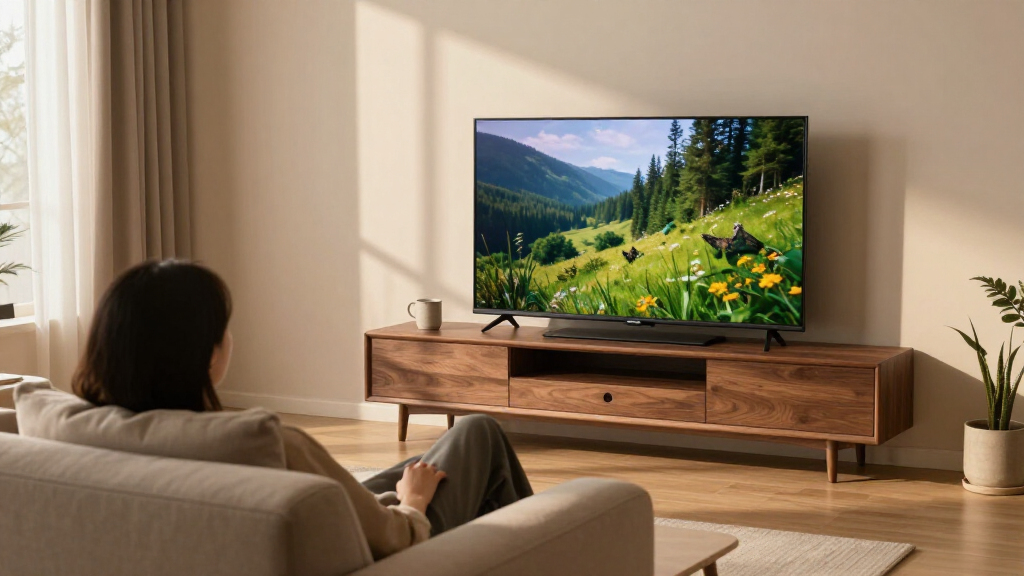
I ranked these 65-inch OLED TVs by how well their stated positioning and features serve common buyer priorities: movie watching, everyday streaming, gaming, smart-platform usability, and getting a sensible level of capability without paying for features a household may not use. I gave more weight to balanced use than to a single headline feature, while treating panel type, processor and picture features, audio claims, and connectivity as factors buyers should verify against the exact model number.
The order reflects the available product information and the apparent role of each series, not hands-on testing. The LG C5 leads as the strongest all-around starting point; higher-tier and newer models follow for buyers who want more premium positioning, while B-series and prior-generation alternatives make more sense for simpler setups or feature-conscious shoppers. I also account for differences in smart-TV systems and flag listings whose naming or panel description warrants a careful specification check before you decide.
| inch oled tv | Display technology | Processor |
|---|---|---|
| LG 65-Inch OLED evo C5 Series | OLED evo | Alpha 9 AI Processor Gen8 |
| Sony BRAVIA XR8B 65-Inch OLED | OLED | — |
| Samsung 65-Inch S90H OLED 4K S | OLED | NQ4 AI Gen3 |
| Samsung S85H 65-Inch 4K OLED S | OLED | NQ4 AI Gen2 |
| Roku Pro Series 65-Inch 4K OLE | OLED | — |
| Samsung 65-Inch OLED 4K S85F S | — | NQ4 AI Gen2 |
| Sony BRAVIA 6 65-Inch OLED 4K | — | — |
| LG 65-Inch OLED B6 Series 4K S | — | a8 AI Processor 4K Gen3 |
| LG 65-Inch OLED evo C6 Series | — | Alpha 11 AI Processor Gen 3 |
Factors to Consider When Choosing 65 Inch Oled Tv
A 65-inch OLED choice is about more than image quality: the right fit depends on your room, what you watch, how you use connected devices, and how long you plan to keep the TV. I’d settle those questions before comparing model names, especially when this roundup includes multiple years and product families.
Match the Screen to Your Room and Viewing Habits
A 65-inch screen can feel immersive at a moderate viewing distance, but it can also dominate a small room or sit awkwardly above furniture. Measure the available wall or stand space, including the feet, and check whether the screen’s position works for everyone who watches. OLED is particularly appealing when movies and shows are watched in dim or controlled lighting, where dark scenes can look rich. If your room is bright during the day, compare brightness information for the exact model and think about window placement rather than assuming every OLED will look alike. A model’s viewing features matter most when they solve a real room problem. Avoid choosing by screen size alone if seating distance or glare will limit everyday enjoyment.
Choose Features Around What You Watch and Play
Before paying for a higher-positioned series, list the devices you will connect: a console, soundbar, receiver, streaming box, or disc player. Gamers should check the exact set’s supported refresh rates, variable refresh rate support, and available HDMI connections, then confirm that the console can use those capabilities. Movie watchers may care more about picture processing, HDR format support, and how the TV handles lower-quality streams. These details can vary by model year even when two TVs share a familiar family name. A spec matters only if your sources can use it, so avoid paying extra for a feature your current setup cannot take advantage of. Keep room lighting and your preferred content in the comparison too.
Treat Model Years and Product Names as Separate Decisions
This roundup spans 2025 and 2026 models, plus several series within LG and Samsung’s ranges. A newer year can bring changes, but the year in a product title does not by itself prove that a particular set is a better match. Compare full model numbers, panel details, ports, supported formats, and software features before settling on a listing. This is especially useful when retailers shorten names or combine series information in a headline. Check that the model you are ordering matches the manufacturer’s specifications and the features you expect. If two versions meet your needs, choose by the practical differences rather than by year alone.
Pick a Smart-TV System You Will Actually Use
Smart-TV software shapes the daily experience: how quickly you find streaming services, how recommendations appear, and how the TV works with your other devices. The lineup includes Roku, Google TV, Samsung, and LG platforms, so your preferred interface may matter as much as a small difference in picture features. Check that your essential apps are available and that the menus suit everyone who will use the set. If you already own a streaming device, its interface may reduce the importance of the TV’s built-in system. Voice controls and smart-home links are useful only when they match the services you use. Do not assume every platform handles accounts, recommendations, or device control in the same way.
Plan Your Audio and Installation Before Choosing
A slim television may look clean on a wall, but its built-in speakers still have to serve your room and listening habits. If dialogue clarity, fuller sound, or cinematic impact matters, include a compatible soundbar or audio system in your plan rather than judging a TV by speaker feature names alone. Check how the chosen model connects to external audio and whether your preferred setup needs particular HDMI or audio-return support. For wall mounting, confirm the mounting pattern, clearance, cable routing, and the placement of ports before installation day. Stand users should check the distance between the feet and the depth of the furniture. A little planning can prevent a good screen choice from becoming an awkward room fit.
Pay for the Difference You Will Notice
Moving up a product family can make sense when the added capabilities match regular use, such as a feature needed for gaming or a better fit for a demanding viewing setup. It makes less sense to choose a higher tier just because its name sounds more advanced. Compare the specific differences between the C-series and B-series, or between Samsung’s S90 and S85 families, rather than assuming every step brings a visible improvement for every viewer. Also check whether the TV will be used mainly for streaming, live broadcasts, games, or movies; each use places different demands on processing and connectivity. A simpler model may be the more satisfying choice if it covers your actual sources and habits. Use the full model specification as your final check, not a series label alone.
Frequently Asked Questions
Should I choose the LG C5 or wait for a newer LG C-series model?
Start by comparing the exact C5 and newer C-series model numbers rather than assuming the newer set is automatically the better buy for your setup. Check changes to gaming support, processing, connectivity, and smart features against the devices you already own. The C5 is the clearest all-around pick in this lineup, while a newer model may suit you if its specific upgrades address a regular use case. If the differences do not affect your viewing or connected devices, the older model may still meet your needs. Verify the manufacturer’s specifications for the precise version being sold.
Is the LG B6 enough for a first OLED TV?
The B6 is a reasonable place to start if you want an LG OLED and do not need every feature associated with a higher series. Compare it with the C5 by checking the capabilities you will use most, especially gaming features, ports, and processing for your usual content. If you mainly stream shows and watch films, a simpler set may cover your needs. If you connect several current-generation devices or want more flexibility, the C5 may be a better fit. Confirm the full B6 model specifications before making the call.
How do I choose between Samsung’s S90H and S85H?
Think of the comparison as a question of how much capability you need, not just which series sits higher. Read the specifications for both exact models and focus on picture features, gaming support, ports, and the smart-TV experience. The S90H is the lineup’s more premium Samsung option, while the S85H is the alternative for buyers who may not need the same level of positioning. Your console, viewing habits, and sound setup can make one a better match. If a feature is not relevant to your routine, it should not be the sole reason to choose a more advanced model.
Should I buy a Sony model from this list if the listing says OLED?
Verify the exact Sony model number and panel type on the manufacturer’s specification page before ordering. The product names in this lineup include BRAVIA XR8B and BRAVIA 6 listings described as OLED, so the wording deserves a careful check rather than an assumption. Confirm the screen technology, resolution, supported formats, and available connections for the item actually being sold. If the retailer description and manufacturer details do not match, contact the retailer or choose a listing with clearer specifications. That check helps prevent a naming mismatch from shaping your decision.
What should I prioritize if I watch in a bright living room?
Check brightness information and reflection-related performance for the specific TV, and consider how much daylight reaches the screen during your usual viewing hours. OLED’s dark-scene strengths can still be appealing, but direct glare and a very bright room may affect the experience. Compare the models on room suitability rather than relying on the OLED label alone. Curtains, screen placement, and seating angle can improve the viewing setup without changing TVs. If daytime viewing is your main use, confirm that the chosen model handles your room conditions before you commit.
Conclusion
For most buyers, I’d begin with the LG OLED evo C5 as the best overall balance in this roundup. The LG B6 is my best value-style and beginner-friendly choice for a straightforward move into OLED, while the Samsung S90H is the best premium direction for shoppers who want Samsung’s more advanced positioning. Choose the Roku Pro Series if Roku’s interface is your main draw, and compare the S85F, S85H, and C6 against their exact specifications if you are weighing model years or series tiers. For Sony, verify the panel type and model details before buying. The right 65-inch OLED is the one whose features match your room, devices, and viewing habits—not simply the newest name on the list.
Halloween Picks
halloween
As an affiliate, we earn on qualifying purchases.