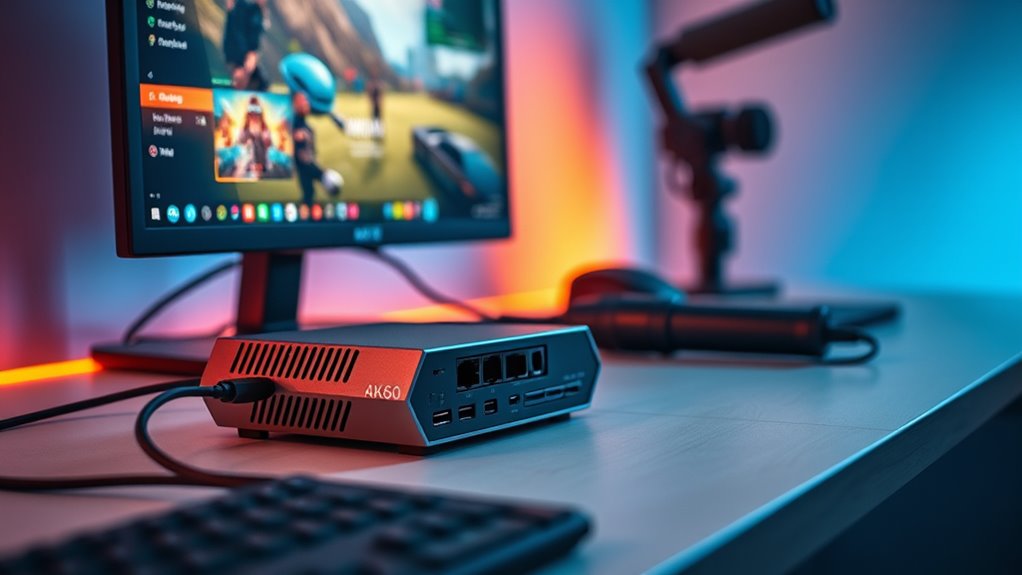

When looking for 4k60 streaming capture cards, the main challenge is balancing quality, latency, and compatibility. The Elgato 4K S stands out as the overall best choice for reliable, high-quality streaming on popular consoles and PCs. For those prioritizing affordability, the Guermok 4K HDMI to USB-C offers solid performance at a lower price point, but with some tradeoffs in latency and build. Meanwhile, the AVerMedia Live Gamer Ultra S provides excellent 4K60 passthrough and versatile connection options, making it a great middle ground. Many buyers face tough decisions between raw performance, ease of setup, and budget constraints. Keep reading for a detailed breakdown of these options and what makes each suitable for different needs.

Get the latest gadgets delivered free with Prime
- Fast, free delivery on millions of items
- Prime Video, Amazon Music and more included
- Member-only deals all year
Complete the kit



Key Takeaways
- The top-tier picks like Elgato 4K S prioritize reliability and seamless compatibility with major consoles.
- Budget options such as Guermok deliver acceptable 4K60 performance but may have higher latency or less robust build quality.
- Passthrough features, especially HDR and low latency, are critical for real-time gaming and high-fidelity streaming.
- Connection compatibility varies, with USB-C being more future-proof but sometimes less available on older PCs or consoles.
- Higher-priced models often include features like internal encoding or 8K passthrough, which may be unnecessary for standard 4K60 streaming.
| 4K HDMI Video Capture Card, 1080P 60FPS Game Capture Device for Streaming |  | Best for Beginners | Resolution: 1080p at 60FPS | Input Support: 4K30/60Hz, 1080p120/144Hz | Output Support: up to 2K30Hz | VIEW ON AMAZON | See Our Full Breakdown |
| AVerMedia Live Gamer Ultra S 4K60 HDMI Capture Card with RGB24 |  | Best for High-End Gaming and Streaming | Hardware Interface: USB 3.2 Gen 1 | Video Capture Resolution: 4K60 | Operating System: Windows 10, 11, macOS 13/14+, iPadOS 17+ | VIEW ON AMAZON | See Our Full Breakdown |
| Guermok 4K HDMI to USB-C Video Capture Card, 1080P 60FPS |  | Best for Portability and Versatile Compatibility | Input Resolution: Up to 4K@30Hz | Output Resolution: Up to 2K@30Hz or 1920×1080@60Hz | Interface: HDMI in, USB 3.0 / USB-C out | VIEW ON AMAZON | See Our Full Breakdown |
| AVerMedia StreamLine MINI+ GC311G2 Capture Card for Streaming, 4K60 HDR Passthrough, 1080p60 Recording |  | Best for Seamless Gaming and Recording | Hardware Interface: HDMI, USB 3.0 Type C | Video Capture Resolution: 1080p | Operating System: Windows 10 / 11, macOS 14 / 15, iPadOS 17+ | VIEW ON AMAZON | See Our Full Breakdown |
| GENKI ShadowCast 3 Pro 4K60 Capture Card HDMI Passthrough USB-C |  | Best for High-Quality, Low-Latency Streaming | Hardware Interface: USB 3.0 | Video Capture Resolution: 4K60 | Operating System: Windows 7 or later | VIEW ON AMAZON | See Our Full Breakdown |
| AVerMedia HDMI Capture Card for Streaming and Video Gaming, 4K60 Pass-Through with Ultra-Low Latency |  | Best Overall for High-Quality Gaming and Streaming | Hardware Interface: PCIe x4 | Video Capture Resolution: 1440p60, 2160p30 | Operating System: Windows 11 | VIEW ON AMAZON | See Our Full Breakdown |
| Guermok 4K@60FPS Capture Card for Streaming, 2K@120FPS USB3.0 HDMI Capture |  | Best for Multi-Device Compatibility and Portable Use | Hardware Interface: USB 3.0 | Video Capture Resolution: 1080p, 4K | Operating System: MacOS, Windows 10/11 | VIEW ON AMAZON | See Our Full Breakdown |
| 4K Capture Card for Gaming and Streaming 1080P 60FPS |  | Best Budget-Friendly External Capture Solution | Video Input Support: up to 4K30Hz | Video Capture Resolution: 1080p60fps | Output Resolution: up to 1080p60Hz | VIEW ON AMAZON | See Our Full Breakdown |
| XIIXMASK USB 3.0 HDMI Capture Card, 4K60FPS with Pass-Through |  | Best for Broad Compatibility and High Frame-Rate Capture | Hardware Interface: USB 3.0 | Video Capture Resolution: 1080p120, 4K60 | Operating System: Windows 7/8/8.1/10, macOS, Linux, Android 5.0+ | VIEW ON AMAZON | See Our Full Breakdown |
| Elgato 4K S Capture Card for PS5, Xbox Series X/S, Switch 2 |  | Best for High-Performance, Multi-Platform Gaming | Hardware Interface: USB 3.0 Type C | Video Capture Resolution: 1080p | Operating System: Windows 11, macOS 13+ | VIEW ON AMAZON | See Our Full Breakdown |
| Elgato 4K Pro Internal Capture Card, 8K60 Passthrough |  | Best Overall for High-End Streaming and Recording | Hardware Interface: HDMI | Video Capture Resolution: 1080p | Operating System: Windows 10 | VIEW ON AMAZON | See Our Full Breakdown |
| BlueAVS 4K HDMI Video Capture Card for Streaming, 4K 60Hz, 1440P 144Hz, 1080P 240Hz, USB-C External Capture |  | Best Value for Versatile High-Resolution Gaming | Resolution Support: Up to 4K60, 1440P144, 1080P240 | Refresh Rate: 144Hz, 240Hz | HDR: Supported | VIEW ON AMAZON | See Our Full Breakdown |
| 4K HDMI Capture Card for Streaming, Full HD 1080P 60FPS USB 3.0 |  | Best for Basic Gameplay Capture and Entry-Level Streaming | Video Capture Resolution: 1080p | Frame Rate: 60FPS | Hardware Interface: USB 3.0 | VIEW ON AMAZON | See Our Full Breakdown |
| NearStream CCD10 HDMI Capture Card for PS5, PS4, Xbox, Switch, DSLR Camera |  | Best for Multi-Device Versatility and Low Latency | Video Capture Resolution: 1080p at 60fps | Pass-through Support: Yes, 4K60Hz | Compatibility: Windows, Mac, Linux | VIEW ON AMAZON | See Our Full Breakdown |
| XIIXMASK USB 3.0 HDMI Capture Card, 1080P 60FPS, 4K Pass-Through |  | Best for Broad Compatibility and Stable Streaming | Hardware Interface: USB 3.0 | Video Capture Resolution: 1080p at 60fps | Pass-through Support: 4K@60Hz | VIEW ON AMAZON | See Our Full Breakdown |
| 4k60 streaming capture card | Video Capture Resolution | Hardware Interface | Operating System |
|---|---|---|---|
| 4K HDMI Video Capture Card | — | — | — |
| AVerMedia Live Gamer Ultra S 4 | 4K60 | USB 3.2 Gen 1 | Windows 10, 11, macOS 13/14+, iPadOS 17+ |
| Guermok 4K HDMI to USB-C Video | — | — | — |
| AVerMedia StreamLine MINI+ GC3 | 1080p | HDMI, USB 3.0 Type C | Windows 10 / 11, macOS 14 / 15, iPadOS 17+ |
| GENKI ShadowCast 3 Pro 4K60 Ca | 4K60 | USB 3.0 | Windows 7 or later |
| AVerMedia HDMI Capture Card fo | 1440p60, 2160p30 | PCIe x4 | Windows 11 |
| Guermok 4K@60FPS Capture Card | 1080p, 4K | USB 3.0 | MacOS, Windows 10/11 |
| 4K Capture Card for Gaming and | 1080p60fps | — | — |
| XIIXMASK USB 3.0 HDMI Capture | 1080p120, 4K60 | USB 3.0 | Windows 7/8/8.1/10, macOS, Linux, Android 5.0+ |
| Elgato 4K S Capture Card for P | 1080p | USB 3.0 Type C | Windows 11, macOS 13+ |
| Elgato 4K Pro Internal Capture | 1080p | HDMI | Windows 10 |
| BlueAVS 4K HDMI Video Capture | — | — | — |
| 4K HDMI Capture Card for Strea | 1080p | USB 3.0 | — |
| NearStream CCD10 HDMI Capture | 1080p at 60fps | — | — |
| XIIXMASK USB 3.0 HDMI Capture | 1080p at 60fps | USB 3.0 | — |
More Details on Our Top Picks
4K HDMI Video Capture Card, 1080P 60FPS Game Capture Device for Streaming
This capture card stands out for its simple, plug-and-play design that makes it accessible for newcomers to streaming. Unlike higher-end options like the AVerMedia Live Gamer Ultra S, it doesn’t support 4K input for recording, limiting its use to 1080p at 60FPS. However, its compatibility with Windows, Mac, and various consoles makes it a versatile choice for casual streamers. The inclusion of a microphone input is a plus for commentary, but the output resolution caps at 2K, which might disappoint those seeking 4K recording. Compared with more advanced cards, this model sacrifices some resolution and features for straightforward usability and affordability. It’s ideal for beginners who want solid 1080p streaming without complex setup, but not suited for those needing 4K recording or high-end features.
Pros:- High-quality 1080p video capture at 60FPS
- Plug-and-play with no driver needed
- Compatible with multiple systems and devices
- Includes microphone input for commentary
Cons:- Limited to 2K output resolution, not true 4K recording
- Does not support 4K120Hz/144Hz input
- Requires a 3.5mm TRS microphone headset
Best for: Beginners or casual streamers who prioritize ease of use and affordability.
Not ideal for: Professional streamers or content creators needing true 4K recording capabilities.
- Resolution:1080p at 60FPS
- Input Support:4K30/60Hz, 1080p120/144Hz
- Output Support:up to 2K30Hz
- Connection:USB 3.0
- Compatibility:Windows, Mac OS
- Microphone Input:3.5mm TRS
Our verdict“This model is best suited for newcomers who want reliable 1080p streaming without complex setup.”
AVerMedia Live Gamer Ultra S 4K60 HDMI Capture Card with RGB24
The AVerMedia Live Gamer Ultra S makes a compelling case for serious gamers wanting 4K60 HDR pass-through and top-tier streaming quality. Its support for HDR and VRR passthrough means gameplay remains smooth and visually stunning, unlike the more basic options like the 4K HDMI Video Capture Card, which limits output to 2K. The ultra-wide support and 5.1 audio enhance overall streaming immersion. However, it demands compatible hardware and a more complex setup, and it lacks bundled streaming software, which could be a hurdle for some users. Compared to the Guermok 4K HDMI to USB-C, it offers full 4K capture rather than just pass-through, but at a higher price and with increased complexity. This pick targets users with powerful systems seeking professional-quality output, but it’s less suitable for those with simpler setups.
Pros:- Supports 4K60 HDR and VRR passthrough for smooth gameplay
- Compatible with multiple platforms including Windows, macOS, and iPadOS
- Ultra-wide support and 5.1 audio capture
- High-performance for professional-quality streams
Cons:- Requires compatible hardware and more complex setup
- No bundled streaming or editing software
- Slightly heavier and larger than portable options
Best for: Power users and professional gamers who need 4K HDR with VRR passthrough for seamless streaming.
Not ideal for: Casual users or those with limited hardware, as setup complexity and cost may be prohibitive.
- Hardware Interface:USB 3.2 Gen 1
- Video Capture Resolution:4K60
- Operating System:Windows 10, 11, macOS 13/14+, iPadOS 17+
- Item Weight:99 g
- Special Features:HDR, VRR pass-through, low latency, ultrawide support, 5.1 audio
Our verdict“Ideal for gamers and streamers demanding high-end 4K HDR and VRR support for professional-quality broadcasts.”
Guermok 4K HDMI to USB-C Video Capture Card, 1080P 60FPS
The Guermok capture card excels in portability, offering a compact, aluminum alloy body with heat dissipation, making it suitable for outdoor or mobile streaming. Its support for 4K@30Hz input and 1080P@60FPS output makes it a flexible choice for many setups, especially when compared to the more feature-rich AVerMedia Ultra S, which emphasizes HDR and VRR. This device’s plug-and-play nature, broad compatibility with consoles, PCs, and even Android devices, and bus-powered design offer convenience but come with caveats. It cannot do real-time 4K recording, only pass-through, and the potential for recognition as USB 2.0 could limit bandwidth. Additionally, it’s primarily a capture device, not suitable for direct display or casting. It’s best for users who need a portable, all-in-one HDMI to USB-C solution for streaming or recording at 1080p.
Pros:- Compact, portable, and lightweight design
- Plug-and-play with no drivers needed
- Heat-dissipating aluminum body
- Wide compatibility across devices and platforms
Cons:- Limited to 1080P60 capture, no true 4K recording
- Can be recognized as USB 2.0, reducing bandwidth
- Capture only, cannot cast directly to monitor or TV
Best for: Streamers and gamers needing a portable, versatile capture device for on-the-go use.
Not ideal for: Professional broadcasters or users seeking true 4K recording capabilities or direct monitor output.
- Input Resolution:Up to 4K@30Hz
- Output Resolution:Up to 2K@30Hz or 1920×1080@60Hz
- Interface:HDMI in, USB 3.0 / USB-C out
- Material:Aluminum alloy
- Power:Bus-powered
- Compatible Platforms:Windows, Mac, Linux, Android, consoles
Our verdict“Best suited for users who need a portable, versatile HDMI capture solution for casual or mobile streaming at 1080p.”
AVerMedia StreamLine MINI+ GC311G2 Capture Card for Streaming, 4K60 HDR Passthrough, 1080p60 Recording
The AVerMedia StreamLine MINI+ GC311G2 offers a compelling balance of 4K60 HDR passthrough and ultra-low latency recording, making it ideal for streamers who prioritize minimal lag alongside high visual fidelity. Its support for 4K HDR passthrough surpasses basic models like the 4K HDMI Video Capture Card, which only offers 1080p recording. Despite its advantages, it demands a relatively powerful system to handle the pass-through and recording simultaneously, and it’s limited to 1080p for final recordings, which might disappoint those wanting native 4K recordings. The lack of bundled accessories is a minor inconvenience, but the device’s compatibility with popular streaming platforms and formats makes it a versatile choice. It’s best for gamers who want to stream in high quality while keeping latency minimal, but less ideal for those with less powerful setups.
Pros:- Supports 4K60 HDR passthrough with ultra-low latency
- Easy plug-and-play setup across platforms
- Compatible with OBS, CameraFi, and Camo Studio
- Flexible format options for streaming and editing
Cons:- Limited to 1080p recording resolution
- Requires a strong system for optimal performance
- No included accessories or additional cables
Best for: Gamers and streamers seeking ultra-low latency streaming with 4K HDR passthrough.
Not ideal for: Content creators who need native 4K recording or have limited system resources.
- Hardware Interface:HDMI, USB 3.0 Type C
- Video Capture Resolution:1080p
- Operating System:Windows 10 / 11, macOS 14 / 15, iPadOS 17+
- Platform Compatibility:Mac, Windows, iPadOS
- AV Output:YUY2, NV12, MJPEG
Our verdict“A great choice for gamers wanting high-quality, low-latency streaming with 4K passthrough and 1080p recordings.”
GENKI ShadowCast 3 Pro 4K60 Capture Card HDMI Passthrough USB-C
The GENKI ShadowCast 3 Pro combines 4K60 capture with zero-latency HDMI passthrough, making it a solid choice for gamers and creators who want seamless gameplay and recording. Its USB-C interface offers straightforward plug-and-play functionality, and it supports a wide range of devices, including gaming consoles and PCs. Compared to the AVerMedia StreamLine MINI+, the ShadowCast emphasizes simplicity and low latency, but it may lack some advanced features like HDR support or ultra-wide compatibility. The requirement for Windows 7 or later limits compatibility with very old systems, and it offers no bundled software, which could be a drawback for some users. This device suits those who prioritize high-quality capture with minimal delay and ease of use, but is less suitable for users needing extensive customization or professional features.
Pros:- Supports 4K60 video capture
- Zero-latency HDMI passthrough
- Plug-and-play with USB-C interface
- Compatible with a range of devices including consoles and PCs
Cons:- Requires Windows 7 or later, limiting compatibility with older systems
- No bundled software or advanced customization options
- Potential complexity for users unfamiliar with capture hardware
Best for: Gamers and streamers who want seamless, high-quality 4K60 capture with zero latency.
Not ideal for: Users with older Windows systems or those seeking advanced features like HDR support.
- Hardware Interface:USB 3.0
- Video Capture Resolution:4K60
- Operating System:Windows 7 or later
- AV Output:HDMI, DisplayPort
- Video Recording:Yes
Our verdict“Perfect for gamers seeking effortless, high-quality 4K60 capture with minimal delay and straightforward setup.”
AVerMedia HDMI Capture Card for Streaming and Video Gaming, 4K60 Pass-Through with Ultra-Low Latency
This capture card stands out for delivering reliable 4K60 pass-through, making it a top choice for gamers who demand crisp visuals without latency issues. Compared with the Elgato 4K S, it offers broader compatibility with Windows 11 and VRR support, but it requires a PCIe slot, which limits its use to desktop PCs. Its high frame rate capture up to 1080p120FPS ensures smooth recordings, yet the absence of bundled software or accessories means setup could be less straightforward for newcomers. This pick makes the most sense for PC gamers who want high fidelity and responsive gameplay, willing to install a PCIe card. However, users with laptops or pre-built systems without PCIe slots should consider alternatives.Pros:- Supports 4K60 pass-through for high-quality gameplay
- VRR support reduces tearing and latency
- High frame rate capture up to 1080p120FPS
- Broad Windows 11 compatibility with easy plug-and-play setup
Cons:- Requires PCIe x4 slot, limiting portability
- No bundled software or accessories included
- Potential latency if not properly configured
Best for: High-end PC gamers who want seamless 4K60 pass-through with VRR support
Not ideal for: Laptop users or streamers seeking an external, portable solution without PCIe requirements
- Hardware Interface:PCIe x4
- Video Capture Resolution:1440p60, 2160p30
- Operating System:Windows 11
- AV Output:HDMI
- Special Features:4K60 Pass-Through, VRR Support, 1080p120FPS
- Platform:PlayStation, Windows, Windows 11
Our verdict“Ideal for high-performance PC gamers who prioritize video quality and responsiveness but can install internal hardware.”
Guermok 4K@60FPS Capture Card for Streaming, 2K@120FPS USB3.0 HDMI Capture
The Guermok capture card excels in versatility, supporting up to 4K@60FPS for both capture and passthrough, and offering a high refresh rate up to 2K@120FPS. Compared to the Elgato 4K S, it features broader device compatibility, including Android, iOS, and Meta Quest, making it ideal for mobile and console users. Its plug-and-play USB 3.0 interface simplifies setup, but users should ensure their system has a reliable USB 3.0 port, as performance drops otherwise. This device makes sense for streamers who need flexibility across multiple platforms, especially on the go or with a mix of devices. It’s less suited for high-end PC streaming setups where internal cards might offer lower latency and higher stability.Pros:- Supports 4K@60FPS capture and passthrough
- High refresh rate support up to 2K@120FPS
- Broad device compatibility including mobile and VR
- Plug-and-play with simple USB 3.0 setup
Cons:- Requires a reliable USB 3.0 port for optimal performance
- Limited detailed software features information
- Potential need to restart software after audio setup
Best for: Streamers and content creators who work across PC, consoles, and mobile devices and need portability
Not ideal for: High-end PC streamers seeking internal cards with lower latency and higher stability
- Hardware Interface:USB 3.0
- Video Capture Resolution:1080p, 4K
- Operating System:MacOS, Windows 10/11
- Special Features:HDMI Input, Plug And Play, USB 3.0
- Platform:Android, Meta Quest, Nintendo Switch, PS4/5, Xbox
Our verdict“Perfect for multi-device streamers who value portability and broad compatibility over internal PC integration.”
4K Capture Card for Gaming and Streaming 1080P 60FPS
This capture card offers a simple, no-fuss way to record and stream in 1080p60, with support for up to 4K30Hz input. It makes sense for casual streamers or those starting out because of its straightforward, plug-and-play setup, compatible with many consoles and devices. Compared to higher-end options like the Elgato 4K S, it sacrifices 4K60 recording and advanced features but remains reliable for basic streaming needs. Its main drawback is the limited output resolution—stuck at 1080p60—which may not satisfy gamers looking for higher fidelity. It’s best for users prioritizing ease and affordability over top-tier resolution and features.Pros:- Supports 1080p60fps streaming and recording
- Compatible with a variety of consoles and devices
- Easy plug-and-play setup without drivers
- No external power supply needed
Cons:- Maximum output limited to 1080p60Hz
- No advanced features like HDR or VRR
- Potential issues with USB hubs or hubs
Best for: Casual streamers and beginners seeking an affordable, straightforward capture device
Not ideal for: Pro streamers or gamers who want native 4K recording or advanced features
- Video Input Support:up to 4K30Hz
- Video Capture Resolution:1080p60fps
- Output Resolution:up to 1080p60Hz
- Connection:USB 3.0
- Compatibility:PC, PS5, PS4, Xbox, Switch
Our verdict“A reliable, budget-friendly choice for newcomers and casual streamers who prioritize simplicity.”
XIIXMASK USB 3.0 HDMI Capture Card, 4K60FPS with Pass-Through
The XIIXMASK capture card combines 4K60FPS capture with pass-through, making it a flexible choice for streamers and content creators who need high frame-rate input up to 1080p120FPS. It’s comparable to the Guermok in terms of 4K support but adds an advantage with broader compatibility, including Linux and Android. Its simple USB 3.0 interface ensures easy connection, but the lack of detailed software info and minimum system requirements means users should verify their system’s capabilities beforehand. This device suits those who want a versatile, plug-and-play solution without internal hardware installation. It’s less ideal for high-end PC users who prefer internal cards for lower latency.Pros:- Supports 4K60FPS capture and pass-through
- Broad OS and device compatibility including Linux and Android
- Plug-and-play setup with USB 3.0
- Includes audio input/output for commentary
Cons:- No specific minimum system requirements listed
- Limited detailed software features
- Potential performance issues without USB 3.0
Best for: Streamers needing a versatile, external capture device compatible across many platforms including Linux and Android
Not ideal for: Pro-level streamers requiring ultra-low latency or internal hardware solutions
- Hardware Interface:USB 3.0
- Video Capture Resolution:1080p120, 4K60
- Operating System:Windows 7/8/8.1/10, macOS, Linux, Android 5.0+
- Video Input:HDMI
- Audio Input:3.5mm audio in
Our verdict“Ideal for creators seeking broad compatibility and high frame-rate capture in an external device.”
Elgato 4K S Capture Card for PS5, Xbox Series X/S, Switch 2
The Elgato 4K S stands out for capturing gameplay in 4K60, with advanced features like HDR10, VRR passthrough, and near-zero latency. Compared with the AVerMedia model, it offers better support for HDR and a sleek USB-C connection, making it especially appealing for console gamers. However, its capture resolution is limited to 1080p on Windows, which could be disappointing for those wanting native 4K recording. Its HDR10 support is exclusive to Windows, and some features require specific system specs. This device is best suited for console players who prioritize high-quality passthrough and minimal delay, but may not be the best choice for those who want full 4K capture on PC.Pros:- Supports 4K60 streaming and HDR10 passthrough
- Compatible with multiple consoles and platforms
- USB-C interface for fast data transfer
- Near-zero latency for live gameplay
Cons:- Capture resolution limited to 1080p on Windows
- HDR10 capture only on Windows, not macOS
- Some features depend on system requirements
Best for: Console gamers who want high-quality passthrough and HDR support with minimal latency
Not ideal for: High-end PC streamers seeking internal cards with native 4K recording capabilities
- Hardware Interface:USB 3.0 Type C
- Video Capture Resolution:1080p
- Operating System:Windows 11, macOS 13+
- Input:HDMI
- Passthrough Resolutions:Up to 2160p60
- HDR Support:HDR10
Our verdict“A compelling option for console gamers valuing HDR and low latency, but less suitable for native 4K recording on PC.”
Elgato 4K Pro Internal Capture Card, 8K60 Passthrough
The Elgato 4K Pro stands out for its ability to handle 4K60 capture while supporting 8K60 passthrough with HDMI 2.1, making it ideal for streamers who want future-proof hardware. Compared with the BlueAVS, it offers higher resolution capabilities and advanced features like VRR and HDR, but these come with a higher price tag and the need for a powerful PC to fully leverage its capabilities. This card is best suited for serious content creators and professionals who want seamless, high-quality streams and recordings. However, casual streamers or those with limited budgets should consider simpler options. Pros: Supports 8K60 passthrough, ultra-low latency, compatible with multiple consoles, advanced gaming features. Cons: High cost, requires high-end PC, limited detailed specs in the description.
Verdict: This pick makes the most sense for experienced streamers and professionals who demand top-tier performance and are willing to invest in it.
Pros:- Supports 8K60 passthrough and 4K60 capture for ultra-high-resolution streaming
- Ultra-low latency with VRR and HDR for smooth gameplay
- Compatible with multiple gaming consoles and PCs
- Enables high frame rate recording up to 240fps in 1080p
Cons:- Requires a high-end PC to utilize full capabilities
- Limited detailed specifications in the product description
- Potentially expensive for casual users
Best for: High-end streamers and professional content creators needing 4K60 recording with future-proof features
Not ideal for: Casual gamers or beginners on tight budgets who won’t utilize the 8K passthrough or advanced settings
- Hardware Interface:HDMI
- Video Capture Resolution:1080p
- Operating System:Windows 10
- Platform:Windows 10
- Supports 8K60 Passthrough:Yes
- Frame Rate:Up to 240fps at 1080p
Our verdict“Best suited for experienced streamers seeking premium quality and future-proof features despite the high cost.”
BlueAVS 4K HDMI Video Capture Card for Streaming, 4K 60Hz, 1440P 144Hz, 1080P 240Hz, USB-C External Capture
The BlueAVS 4K HDMI Capture Card excels for streamers who want flexible resolution and refresh rate support across a variety of devices. Its support for 4K60 passthrough and 4K recording makes it comparable to higher-priced options like the Elgato 4K Pro, but at a more accessible price point. Unlike the NearStream CCD10, which is more straightforward, BlueAVS offers a broader range of resolutions and high refresh rates, making it ideal for competitive gamers seeking smooth gameplay. It’s plug-and-play, compatible with multiple platforms, and supports HDR and VRR, but the necessity of a USB 3.0 port and absence of bundled software can be limiting. Pros: Supports high-resolution passthrough, versatile compatibility, HDR and VRR support, plug-and-play ease. Cons: Requires USB 3.0 for optimal performance, no HDMI output port, no bundled software.
Verdict: This is an excellent choice for gamers and streamers who want high-quality, flexible capture without the premium price.
Pros:- Supports 4K60 passthrough and recording
- High refresh rate support up to 240Hz
- HDR, VRR, and ALLM supported for smooth gaming
- Plug-and-play with broad compatibility
Cons:- Requires USB 3.0 port for best performance
- No HDMI output port for pass-through
- No included software or advanced customization
Best for: Gamers and streamers needing a flexible, high-performance device compatible with multiple systems
Not ideal for: Users who need HDMI output for pass-through or are looking for a packaged solution with software included
- Resolution Support:Up to 4K60, 1440P144, 1080P240
- Refresh Rate:144Hz, 240Hz
- HDR:Supported
- VRR:Supported
- Connectivity:USB-C (USB 3.0)
- Compatibility:Windows, macOS, Linux, OBS, YouTube
Our verdict“Ideal for budget-conscious gamers who want versatile high-res streaming with minimal fuss.”
4K HDMI Capture Card for Streaming, Full HD 1080P 60FPS USB 3.0
The 4K HDMI Capture Card is a straightforward choice for streamers focused on 1080p60, making it an attractive option for beginners or those who don’t need 4K recording. Its simplicity and plug-and-play USB 3.0 make it easier to set up than more complex cards like the NearStream CCD10, but it limits recording resolution to 1080p. Unlike the Elgato 4K Pro, it doesn’t support 4K capture, which might be a drawback for those seeking higher-quality streams. It’s compatible with a range of devices including cameras and consoles, with microphone input for commentary. Since it lacks advanced features like HDR or VRR, it’s best for casual or entry-level streamers. Pros: Supports 1080p60, plug-and-play, compatible with multiple devices, includes HDMI loop-out and mic input. Cons: No 4K recording support, limited to 1080p, no bundled software or advanced features.
Verdict: A solid, budget-friendly option for beginners or streamers primarily focused on 1080p gameplay.
Pros:- Supports 1080p 60FPS video capture
- Plug-and-play with USB 3.0
- Includes HDMI loop-out and microphone input
- Compatible across multiple systems
Cons:- Limited to 1080p resolution, no 4K support
- No advanced features like HDR or VRR
- No bundled software
Best for: New streamers or casual gamers who only need 1080p60 recording and simple setup
Not ideal for: Advanced streamers or those wanting 4K recording and higher-end features
- Video Capture Resolution:1080p
- Frame Rate:60FPS
- Hardware Interface:USB 3.0
- Features:HDMI loop-out, microphone input
- Compatibility:Windows, Mac OS
- Supports 4K Input:Yes
Our verdict“Best suited for entry-level streamers or gamers seeking a simple, reliable 1080p capture solution.”
NearStream CCD10 HDMI Capture Card for PS5, PS4, Xbox, Switch, DSLR Camera
The NearStream CCD10 offers a versatile solution supporting 4K60Hz pass-through and 1080p60 recording, making it ideal for gamers who use multiple consoles or cameras. Its ultra-low latency and compatibility with Windows, Mac, and Linux make it flexible for various streaming setups. Unlike the BlueAVS, which emphasizes resolution and refresh rates, the CCD10 is distinguished by its broad device compatibility and straightforward plug-and-play approach. However, it’s limited to 1080p for recording, which might disappoint users with higher resolution needs. Its support for multiple AV outputs and low latency makes it suitable for live streaming and recording without noticeable delay, yet it requires compatible software like OBS to function fully. Pros: Supports 4K pass-through, broad device compatibility, low latency, easy setup. Cons: Only 1080p for recording, needs compatible software, some features may require specific systems.
Verdict: Perfect for multi-device users who prioritize low latency and plug-and-play simplicity over 4K recording resolution.
Pros:- Supports 4K60Hz pass-through
- Broad device compatibility including consoles and cameras
- Ultra-low latency for live streaming
- Plug-and-play on multiple OS
Cons:- Limited to 1080p for recording
- Requires compatible software like OBS
- Advanced features may need specific system configs
Best for: Gamers and streamers using multiple consoles and cameras who need low latency and straightforward setup
Not ideal for: Those requiring native 4K recording or advanced features without additional software setup
- Video Capture Resolution:1080p at 60fps
- Pass-through Support:Yes, 4K60Hz
- Compatibility:Windows, Mac, Linux
- Latency:Ultra-low
- Features:Plug-and-play
- AV Output:RGB 4:4:4, YCbCr 4:4:4
Our verdict“Great for multi-device setups seeking low latency and easy integration, but not for 4K recording enthusiasts.”
XIIXMASK USB 3.0 HDMI Capture Card, 1080P 60FPS, 4K Pass-Through
The XIIXMASK HDMI Capture Card offers a balanced mix of 4K pass-through and 1080p60 capture, making it suitable for a wide variety of streaming setups. Its support for multiple operating systems, including Android and iPadOS, broadens its appeal, especially for users who need flexibility across devices. Compared to the simpler 4K HDMI Capture Card, the XIIXMASK excels in stability and heat dissipation, which can be critical during long streams. However, it doesn’t record party chats when using microphone input, and some users report needing to restart OBS to get audio working properly. Its 60FPS at 1080p limits high-frame-rate recording, but the device’s versatility compensates for that. Pros: Supports 4K pass-through, broad OS compatibility, stable and low latency, includes necessary cables. Cons: Does not record party chat, requires OBS restart for audio, limited to 60FPS at 1080p.
Verdict: Well-rounded choice for streamers who need stability and multi-platform flexibility at a reasonable price.
Pros:- Supports 4K pass-through and 1080p60 capture
- Compatible with Windows, Mac, Linux, Android, iPadOS
- Stable operation with strong heat dissipation
- Includes USB 3.0/USB C cables and user manual
Cons:- Does not record party chat audio
- Requires OBS restart to fix audio issues
- Limited to 60FPS at 1080p for recording
Best for: Streamers and content creators seeking a stable, compatible device across various operating systems
Not ideal for: High-end professional streamers who require 4K recording or advanced audio features
- Hardware Interface:USB 3.0
- Video Capture Resolution:1080p at 60fps
- Pass-through Support:4K@60Hz
- Compatibility:Windows, Mac, Linux, Android, iPadOS
- Additional Features:Stable operation, heat dissipation
Our verdict“Ideal for multi-platform streamers prioritizing stability and broad compatibility over high-frame-rate recording.”
How We Picked
These products were evaluated based on performance metrics like true 4K60 capture quality, latency, and passthrough capabilities. Usability factors—such as setup complexity, software stability, and connection versatility—were also key. Build quality and durability were considered to ensure long-term reliability, especially for frequent streamers. Price-to-value ratio played a significant role, with an emphasis on whether features justified the cost. The ranking reflects a balance of these factors, aiming to recommend options suitable for different budgets and use cases while prioritizing real-world performance over marketing claims.| 4k60 streaming capture card | Hardware Interface |
|---|---|
| 4K HDMI Video Capture Card | — |
| AVerMedia Live Gamer Ultra S 4 | USB 3.2 Gen 1 |
| Guermok 4K HDMI to USB-C Video | — |
| AVerMedia StreamLine MINI+ GC3 | HDMI, USB 3.0 Type C |
| GENKI ShadowCast 3 Pro 4K60 Ca | USB 3.0 |
| AVerMedia HDMI Capture Card fo | PCIe x4 |
| Guermok 4K@60FPS Capture Card | USB 3.0 |
| 4K Capture Card for Gaming and | — |
| XIIXMASK USB 3.0 HDMI Capture | USB 3.0 |
| Elgato 4K S Capture Card for P | USB 3.0 Type C |
| Elgato 4K Pro Internal Capture | HDMI |
| BlueAVS 4K HDMI Video Capture | — |
| 4K HDMI Capture Card for Strea | USB 3.0 |
| NearStream CCD10 HDMI Capture | — |
| XIIXMASK USB 3.0 HDMI Capture | USB 3.0 |
Factors to Consider When Choosing 4k60 Streaming Capture Cards
Choosing the right 4k60 streaming capture card involves more than just considering resolution. It’s vital to evaluate key features and potential limitations that could impact your streaming experience. By understanding these factors, you can avoid common pitfalls like poor latency or compatibility issues that can ruin a stream or gaming session.Performance and Latency
High-quality 4K60 capture cards should deliver true 4K resolution with minimal latency. Latency impacts real-time gameplay, especially in fast-paced titles or competitive gaming. Look for models that specify low-latency passthrough or ultra-low latency features, as even small delays can affect your stream’s responsiveness and viewer experience. Additionally, check if the card supports HDR or high refresh rates, which enhance visual fidelity but may add complexity to setup.
Compatibility and Connectivity
Ensure the capture card is compatible with your streaming device, whether it’s a PC, Mac, or console. USB-C connections are increasingly common and offer faster data transfer, but not all systems support them equally. HDMI passthrough capabilities are vital for gaming without lag, so verify that the card supports 4K60 HDR passthrough if needed. Also, consider whether the card works with your preferred streaming software and whether it requires additional drivers or software for setup.
Build Quality and Durability
Since streaming setups often involve frequent plugging and unplugging, a durable build is essential. Cheaper models might use lower-quality materials, risking damage over time. Metal cases or reinforced connectors can extend the lifespan of your device. Additionally, compact designs are convenient but might sacrifice cooling or ventilation, which can lead to overheating during intensive use—something to keep in mind for long streaming sessions.
Price and Value
While premium models tend to offer more features and better durability, they may come with a price tag that isn’t justified for casual streamers. Conversely, budget options might cut corners on latency, build quality, or compatibility, impacting your overall experience. Focus on what features are essential for your setup—such as HDR support or internal encoding—and weigh these against the cost to find the best value. Sometimes, investing a little more upfront can save frustration later.
Additional Features
Some capture cards include extras like internal hardware encoding, multiple input options, or internal 8K passthrough. These can be beneficial if you’re aiming for professional-quality streams or future-proofing your setup. However, most casual streamers won’t need these bells and whistles and should prioritize core features like stable 4K60 capture, low latency, and ease of use. Be wary of models that promise many features but lack solid performance in the essentials.
Frequently Asked Questions
Do I need an internal or external capture card for 4k60 streaming?
Both internal and external capture cards can deliver 4K60 streaming, but your choice depends on your setup and mobility needs. Internal cards are installed directly into your PC, offering potentially lower latency and better integration, but they lack portability. External cards, often connected via USB-C or USB 3.0, are more versatile and easier to swap between systems, making them ideal for gamers who stream from multiple devices or prefer a plug-and-play setup. Each type has its pros and cons, so consider your space, upgrade plans, and convenience preferences.
Is 4K60 passthrough necessary for streaming or gaming?
Yes, 4K60 passthrough is highly beneficial if you want to play games at 4K resolution without lag or quality loss. It allows you to send the game’s video directly to your monitor while capturing a separate feed for streaming, ensuring no performance hits during gameplay. HDR passthrough enhances visual quality, especially on compatible displays. However, not all capture cards support true 4K60 passthrough, so if your priority is high-fidelity gameplay alongside streaming, verify this feature before purchasing.
Can I use a 4k60 capture card with older gaming consoles?
Compatibility with older consoles depends on the input options and the supported resolutions of the capture card. Many 4K60 cards support HDMI inputs, making them compatible with newer consoles like PS5, Xbox Series X/S, or high-end PCs. However, some models may only support 4K60 passthrough or capture, which older consoles might struggle with if they don’t output at that resolution or if the card lacks proper scaling. Always check the input specifications and ensure your console’s output matches the capture card’s capabilities.
How important is software support and usability in choosing a 4k60 capture card?
Software support and ease of use are critical, especially if you’re new to streaming or content creation. A good capture card should come with stable, user-friendly software that integrates well with popular streaming platforms like OBS, Streamlabs, or XSplit. Reliable software minimizes setup headaches and provides features like customizable overlays, recording options, and live adjustments. Poor software can introduce bugs, crashes, or latency issues, which disrupt your stream. Prioritize models with a reputation for stable, well-supported software for a smooth experience.
Is it worth paying extra for internal 8K passthrough in a 4K60 capture card?
For most streamers, internal 8K passthrough is unnecessary when the goal is high-quality 4K60 capture. Such features are geared towards professional content creators or those planning to upgrade to 8K content in the future. The extra cost and potential complexity usually outweigh the benefits for standard 4K60 streaming. Unless you have specific plans for future 8K content, investing in a solid 4K60 card with HDR and low latency will serve your needs better and save money.
Conclusion
For most users, the Elgato 4K S offers the best balance of reliability, ease of use, and quality, making it the top choice for enthusiasts and professionals alike. Budget-conscious streamers will find the Guermok 4K HDMI to USB-C a solid entry-level option, though with some tradeoffs in latency. Content creators seeking a versatile middle ground should consider the AVerMedia Live Gamer Ultra S, thanks to its strong passthrough and software support. As an affiliate, we earn on qualifying purchases.
Beginners or casual streamers will benefit from models that prioritize straightforward setup, while advanced users aiming for professional-grade streams might look into premium options like internal capture cards with 8K support. Ultimately, selecting the right card depends on your primary needs: performance, budget, or future-proofing—each category has clear standout choices.
Halloween Picks
halloween