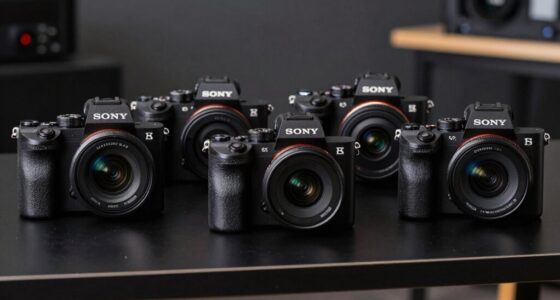
If you’re looking for the best 2U rackmount chassis for 2026, I’ve found top models that combine durability, ample cooling, and flexible storage options. These chassis support various motherboards, powerful GPUs, and multiple hot-swappable bays, making them perfect for demanding setups. They feature robust materials, excellent ventilation, and security features to keep your hardware safe. Keep exploring to discover how these cases can elevate your server or workstation build.
Key Takeaways
- Emphasizes durable, high-quality materials like steel and aluminum for long-lasting reliability and robust performance.
- Highlights compatibility with various motherboard sizes, power supplies, and extensive drive bay configurations for versatile setups.
- Features advanced cooling solutions with multiple PWM fans and ventilation options to manage heat effectively.
- Includes security features such as lockable panels and easy access for maintenance and upgrades.
- Showcases models equipped with high-speed USB ports, LED indicators, and support for powerful GPUs for demanding workloads.
Rosewill 2U Server Rackmount Case with Bays and Fans

Looking for a reliable 2U rackmount chassis that balances expandability and cooling? The Rosewill RSV-Z2850U is a solid choice. It measures 25.39 x 20.47 x 6.89 inches and weighs about 14.55 pounds, making it manageable for many setups. It features four internal 3.5-inch HDD bays, two 2.5-inch device bays, and seven PCI expansion slots, offering plenty of room for storage and upgrades. With support for up to four 80mm fans, it ensures efficient airflow and heat dissipation. The front panel includes LED indicators and multiple USB ports, making it practical for server environments needing high storage capacity and expandability.
Rosewill 2U Rackmount Server Chassis with 8 Bays
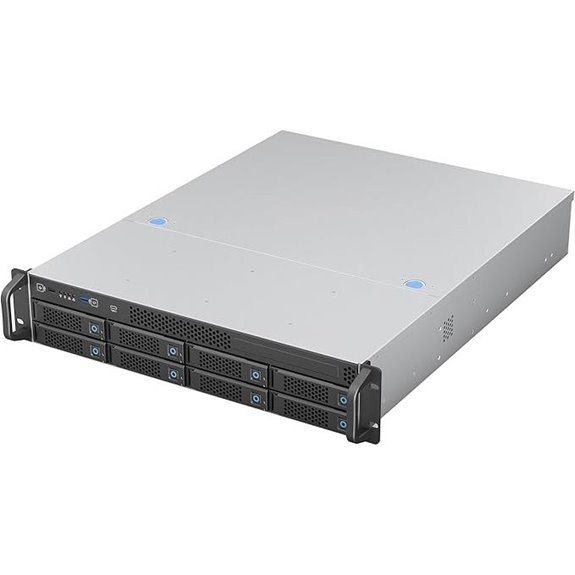
The Rosewill RSV-H208 stands out as an excellent choice for professionals who need a high-capacity, high-density server chassis capable of handling demanding workloads. It features eight hot-swap 3.5″ drive bays, perfect for data-intensive tasks like virtualization or video editing. Supporting large E-ATX motherboards, it offers extensive CPU, RAM, and PCIe expansion. The chassis includes three high-performance PWM fans for efficient cooling, and a USB 3.2 Type-C port for fast external connectivity. With dimensions of roughly 25.6 x 17 inches, it balances size and functionality, making it ideal for enterprise environments requiring robust storage and expansion options.
Rosewill 2U Server Chassis with 4 Bays and USB 3.0
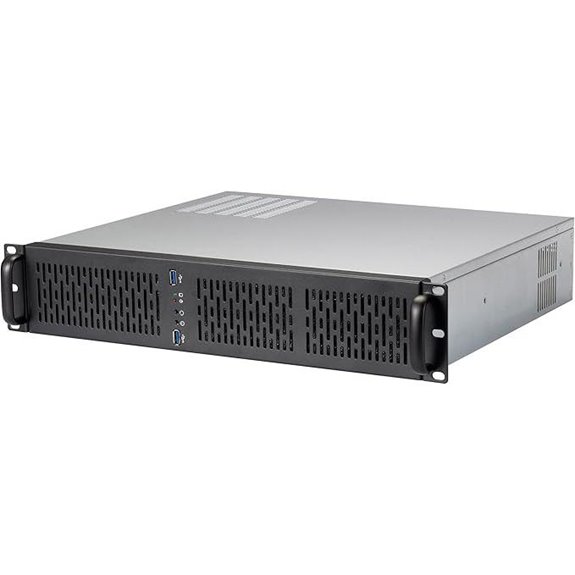
For those building reliable, expandable servers, the Rosewill RSV-Z2600U 2U rackmount chassis stands out with its four internal 3.5″ HDD bays and flexible support for Micro-ATX motherboards. It features three pre-installed 80mm PWM fans that keep airflow ideal and noise levels low. The front panel provides LED indicators for power, HDD, and LAN status, along with two USB 3.0 ports and a built-in lock for added security. Weighing just over 10 pounds, it measures 21.96 x 19 x 7.5 inches. Its versatile design makes it suitable for small to medium server deployments, balancing expandability and cooling efficiently.
2U Micro ATX Rackmount with HDD/SSD Support
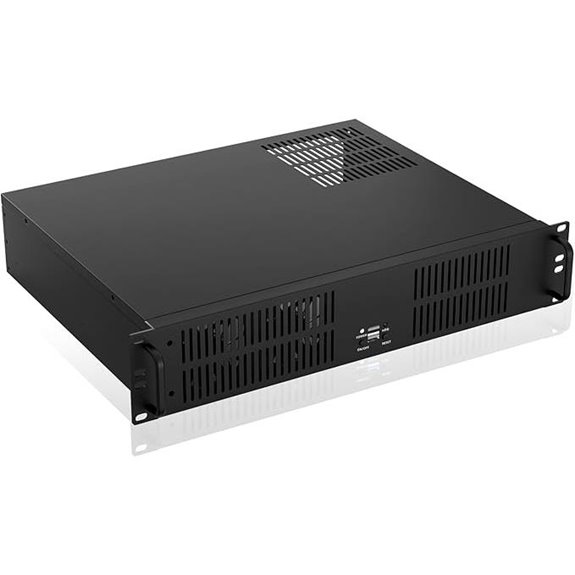
If you’re building a compact server or NAS system that requires multiple storage drives, the 2U Micro ATX Rackmount chassis with HDD/SSD support is an excellent choice. It supports microATX and mini-ITX motherboards, fits ATX PS2 power supplies, and provides front-access USB2.0 ports for easy connectivity. With space for three 3.5-inch HDDs and one 2.5-inch SSD, it offers ample storage. The chassis supports GPUs up to 29cm long and 12cm wide, making it versatile for various configurations. Its compact size (13.77 x 16.9 x 3.5 inches) and lightweight design make it ideal for small, efficient setups.
2U Server Chassis with Dual Drive Bays and PSU

A 2U rackmount chassis with dual drive bays and a PSU stands out as an ideal choice for those seeking flexible storage and reliable power options in a compact form factor. It supports dual 5.25″ drive bays, along with 3.5″ and 2.5″ HDDs, offering versatile storage configurations. Compatible with M-ATX and ITX motherboards, it can accommodate single or redundant power supplies, ensuring dependable operation. Its compact 7-liter design features USB 3.0 ports and a built-in fan bracket for enhanced cooling. Rearranged internal layout allows for a second expansion slot, making it suitable for powerful GPUs or expansion cards in gaming or multimedia setups.
RackChoice MicroATX/Mini-ITX 2U Server Chassis

The RackChoice MicroATX/Mini-ITX 2U Server Chassis stands out as an excellent option for small form factor server builds that demand flexibility and robust cooling. It supports Micro-ATX and Mini-ITX motherboards, accommodating standard ATX power supplies and various fan types. With seven internal drive bays and options for top or side airflow, it’s ideal for storage-heavy setups. Built with aluminum and steel, it offers durability and a sleek look. Its compact dimensions (15.7 x 8.3 x 15.7 inches) and front USB ports make it versatile and easy to integrate into a variety of server environments.
RackChoice M-ATX/Mini-ITX 2U Server Chassis with 12 Bays

Designed for enterprise and storage-focused setups, the RackChoice M-ATX/Mini-ITX 2U Server Chassis stands out with its impressive 12 hot-swappable drive bays, making it ideal for users needing extensive storage capacity in a compact 2U form factor. It supports Micro-ATX and Mini-ITX motherboards, offering flexibility for different builds. With a depth of 21.5 inches, it fits standard 600mm racks and includes sliding rails for easy installation. Four 80mm cooling fans ensure thermal management, while support for ATX power supplies and four low-profile expansion slots enhance versatility. This chassis is a solid choice for high-density storage and server applications.
RackChoice 2U Micro ATX Compact Rackmount Chassis
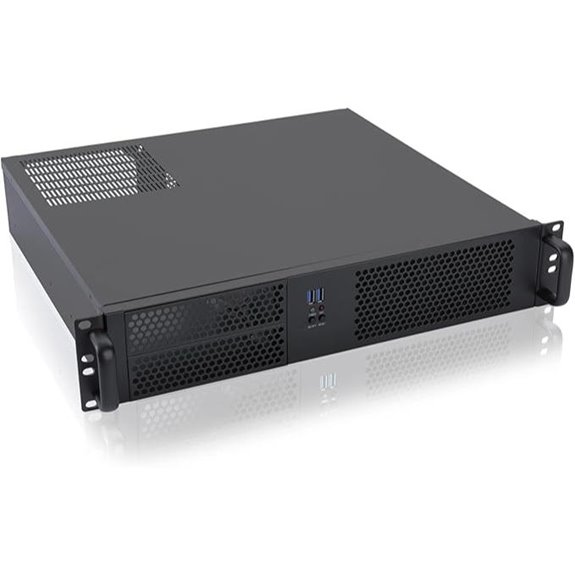
If you’re building a compact yet versatile server or network appliance, the RackChoice 2U Micro ATX Compact Rackmount Chassis stands out with its support for Micro ATX and Mini-ITX motherboards, making it ideal for space-constrained environments. Its dimensions are 19 x 15.74 x 3.5 inches, and it weighs 13.4 pounds. The case offers two external 5.25-inch bays and four internal 3.5-inch bays, plus support for standard ATX PS2 power supplies. Cooling is managed by a top 120mm fan and two 80mm intake fans. Made of aluminum and zinc-coated steel, it combines durability with efficient airflow, suitable for micro-servers or network setups.
RackChoice 2U Server Chassis with Front I/O
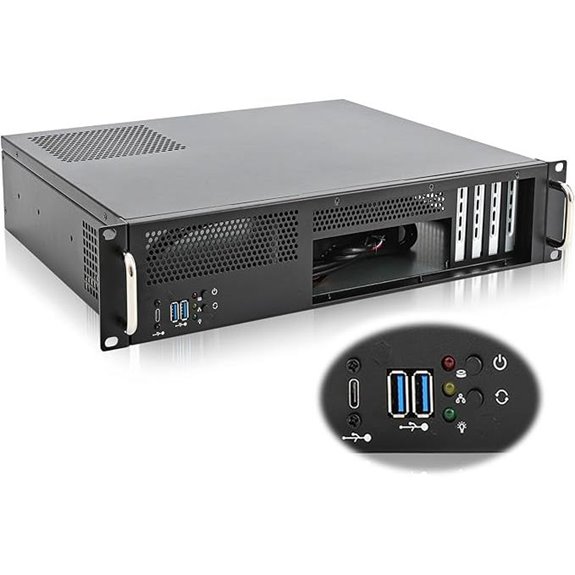
For those seeking a reliable 2U rackmount chassis with easy front access, the RackChoice model stands out thanks to its convenient front I/O panel. It supports micro-ATX and mini-ITX motherboards, with a compact depth of just 14.17 inches, making it ideal for space-constrained setups. Built from rugged 1.2mm steel, it offers durability and stability. The chassis accommodates ATX PSUs and features three 80mm fans for effective cooling, plus support for top or side-mounted 120mm or 80mm fans. With six USB 3.0 ports and simple front I/O access, it simplifies maintenance and connections. Overall, it’s a versatile, well-designed choice.
RackChoice MicroATX/Mini-ITX 2U Server Chassis

The RackChoice MicroATX/Mini-ITX 2U Server Chassis stands out as an ideal choice for those needing flexible storage and cooling options in a compact 2U form factor. It supports Micro-ATX and Mini-ITX motherboards, with 9 and 7 drive bays, respectively, and accommodates standard ATX power supplies. The chassis measures 17.7 inches deep and 19 inches wide, with aluminum handles for easy installation. It comes with four preinstalled 80mm fans for efficient cooling and offers versatile airflow options from the top or side. Constructed from durable zinc-coated steel, it’s praised for its flexibility, solid build, and user-friendly design.
Rosewill 2U Server Chassis with Fans and USB 3.0
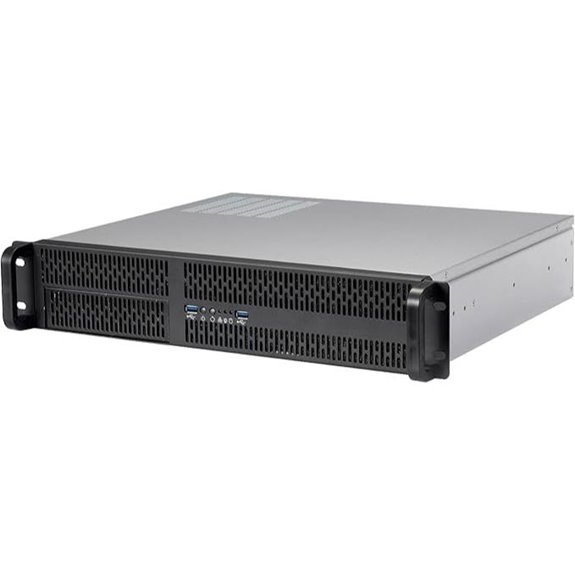
The Rosewill RSV-Z2700U stands out as an excellent choice for those seeking a versatile 2U rackmount chassis with robust cooling and convenient connectivity options. It supports Micro-ATX motherboards and offers four internal 3.5” HDD bays alongside a 5.25” bay, making storage flexible. The chassis includes two pre-installed 80mm PWM rear fans that deliver efficient airflow with quieter operation. Front panel LED indicators monitor system status, while two USB 3.0 ports and a built-in lock enhance security and ease of use. Its compact size, combined with expandability through PCI slots, makes it ideal for various server setups in demanding environments.
Rosewill 2U Rackmount Server Chassis with GPU Support
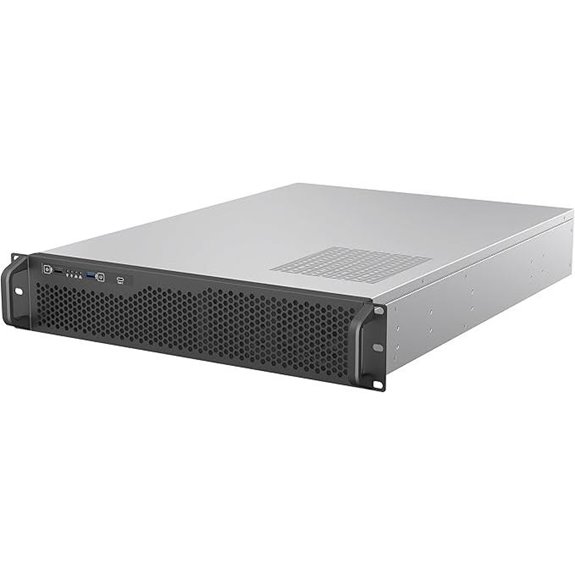
If you’re building a high-performance server with powerful GPUs, the Rosewill RSV-Z2006 2U rackmount chassis stands out thanks to its full-length, full-size GPU support. It accommodates standard ATX motherboards and offers six hot-swap 3.5-inch HDD bays, making it perfect for enterprise storage, NAS, or media servers. Its five 80mm PWM fans ensure efficient cooling for CPUs and GPUs under heavy loads, preventing overheating. The front-panel USB 3.2 Gen Type-C port delivers fast data transfer up to 10 Gbps. Compact yet versatile, this chassis provides a reliable, well-ventilated platform for demanding, GPU-intensive applications.
RackChoice 2U Micro ATX Rackmount Chassis
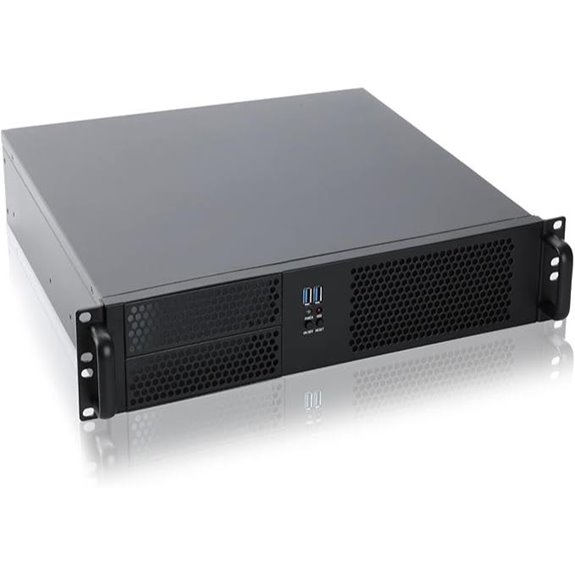
Designed for compact yet versatile server setups, the RackChoice 2U Micro ATX Rackmount Chassis offers an efficient solution for users needing to maximize space without sacrificing expandability. It supports ATX PS2 power supplies and accommodates microATX and mini-ITX motherboards, making it flexible for various builds. The chassis features two external 5.25-inch bays, four internal 3.5-inch drive bays, and dual USB 3.0 ports. Its aluminum handle and zinc-coated steel construction guarantee durability, while the side-mounted 80mm fan and rear exhaust promote ideal airflow. Weighing around 13.4 pounds, it’s a reliable choice for compact server or storage setups with excellent cooling and expandability.
RackChoice MicroATX 2U Server Chassis with Fans
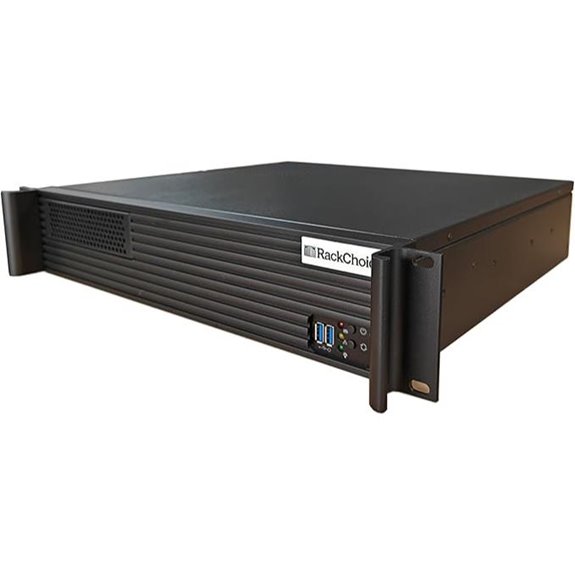
Looking for a compact yet versatile rackmount chassis that supports both Micro-ATX and mini-ITX motherboards? The RackChoice MicroATX 2U Server Chassis fits the bill with its short depth, black finish, and flexible drive bays. It features a zinc-coated steel main frame, aluminum front bezel with handle, and a front hidden grille for airflow. Cooling is enhanced by support for a top-mounted 120mm fan or side-mounted 80mm fan, along with front USB 3.0 ports. Weighing around 15 pounds, it’s designed for 2U rack setups, making it ideal for servers and industrial uses. It’s a practical choice with solid customer ratings.
2U ATX Motherboard Rackmount Chassis with Flex PSU
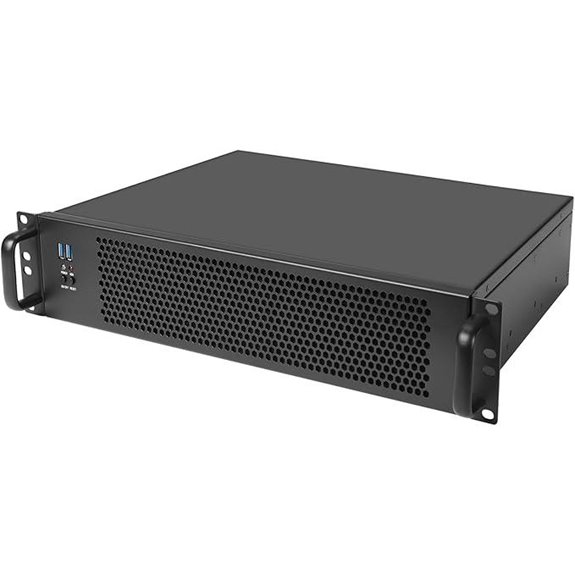
The U ATX Motherboard Rackmount Chassis with Flex PSU stands out for its compact 2U design combined with versatile compatibility, making it an ideal choice for professionals who need a space-efficient server or workstation setup. It supports ATX, Micro ATX, and Mini ITX motherboards, with a maximum size of 12″ x 10.5”. Its short depth of 13.38 inches and weight of just 11 pounds make installation easier. Equipped with five 2.5” drive bays, a front USB 3.0 port, and support for Flex ATX power supplies, this chassis balances performance and flexibility, earning a strong customer rating of 4.5 stars.
Factors to Consider When Choosing a 2U Rackmount Chassis
When selecting a 2U rackmount chassis, I focus on compatibility with my build, ensuring it fits my components and power supply. Cooling options are vital to prevent overheating, so I consider ventilation and fan configurations. Additionally, I evaluate drive bay setups, expandability, and overall size to match my specific needs and space constraints.
Build Compatibility Requirements
Choosing the right 2U rackmount chassis requires guaranteeing it fits your specific hardware components. First, check that the chassis supports your motherboard form factor, like Micro-ATX or Mini-ITX, to confirm compatibility. Next, verify it can accommodate your power supply, whether ATX, Flex ATX, or a proprietary type, so your system runs reliably. It’s also essential to validate that the internal drive bays match your storage needs—consider the number and size of HDDs or SSDs you plan to install. Additionally, ensure the chassis has enough expansion slots, such as PCI or low-profile slots, for your add-on cards or graphics. Finally, confirm the dimensions and available cooling options suit your hardware and airflow requirements to maintain peak performance.
Cooling and Ventilation Options
Ensuring proper cooling and ventilation is essential for maintaining the performance and longevity of your hardware in a 2U rackmount chassis. Most models come with pre-installed PWM fans, with additional slots available to boost airflow as needed. Front and rear ventilation options, like grille vents and side intake fans, help facilitate efficient heat dissipation. Support for different fan sizes—80mm, 120mm, and 38mm PWM fans—allows customization based on your hardware’s thermal demands. Proper airflow design keeps high-performance components, such as CPUs and GPUs, within safe temperatures even under heavy workloads. For dense configurations, high static pressure fans are ideal, as they effectively push air through restrictive filters or narrow vents, ensuring consistent cooling and preventing overheating.
Drive Bay Configurations
The drive bay configuration in a 2U rackmount chassis plays a essential role in determining its storage capacity and adaptability for various applications. The number and size of drive bays directly impact how much data you can store and what types of drives you can use. Common setups include multiple 3.5-inch bays for traditional HDDs, 2.5-inch bays for SSDs, or a mix of both, offering flexibility depending on your needs. Hot-swappable bays make maintenance and upgrades straightforward, allowing drives to be replaced without shutting down the system. Additionally, the physical layout influences airflow and cooling efficiency, which is critical for maintaining performance and longevity. Selecting the right configuration depends on your specific use case, whether it’s high-density storage, media serving, or enterprise data management.
Expandability and Slots
When selecting a 2U rackmount chassis, it’s essential to pay close attention to its expandability and available slots. Make sure it has enough PCI or PCIe expansion slots to support additional cards like GPUs, network adapters, or storage controllers. Check the number and type of drive bays—whether internal 3.5-inch or 2.5-inch—to meet your storage requirements. Hot-swappable drive bays are a plus, allowing quick maintenance and upgrades without system downtime. Also, consider the number of expansion slots for future upgrades or extra hardware. Pay attention to the placement and spacing of slots to ensure compatibility with larger expansion cards and to promote proper airflow. This ensures your system remains flexible, scalable, and easy to maintain over time.
Size and Dimensions
Choosing the right size and dimensions for a 2U rackmount chassis is essential to guarantee it fits seamlessly into your existing server infrastructure. The standard depth typically ranges from 13 to 25 inches, so confirming compatibility with your rack’s specifications is vital. The overall height is about 3.5 inches, but width and depth vary depending on design. Most racks are around 19 inches wide, so verifying the chassis matches this measurement prevents installation issues. Variations in size can also affect internal components like motherboard size, drive bays, and expansion slots, impacting your setup’s expandability and airflow. Selecting a chassis with dimensions aligned to your rack ensures efficient space utilization, proper cable management, and effective cooling. Accurate sizing helps avoid costly modifications or replacements later.
Material Durability
Material durability is a key factor that influences the longevity and resilience of a 2U rackmount chassis. I look for chassis made from robust materials like steel or aluminum, which can withstand the demands of professional environments. The thickness and quality of steel are crucial—thicker, high-quality steel resist physical damage and deformation better. Zinc-coated steel adds corrosion resistance, extending the chassis’s lifespan. Aluminum front bezels and handles help reduce weight without sacrificing strength, ensuring easier handling and durability. The overall build quality, including reinforced joints and sturdy panels, plays a vital role in enduring demanding applications. Choosing a chassis with durable materials ensures it remains reliable over time, even under heavy use, protecting your investments and maintaining optimal performance.
Access and Security Features
Access and security features are essential considerations because they directly impact the safety of your hardware and data. I look for chassis with front panel LED indicators and built-in locks, so I can easily monitor system status while keeping internal components secure. Lockable front panels or security measures prevent unauthorized access to drives and hardware, which is critical in shared or sensitive environments. I also prioritize cases with tamper-evident locks or security screws, helping protect against tampering or theft. Easy access to drive bays and internal parts simplifies maintenance without sacrificing security. Additionally, secure cable management and access controls are fundamental to safeguard sensitive data and prevent accidental disconnections. These features give me peace of mind, knowing my setup is both accessible and protected.
Frequently Asked Questions
How Does Airflow Impact 2U Rackmount Chassis Cooling Efficiency?
Airflow is vital for cooling efficiency in a 2U rackmount chassis. I make sure to optimize airflow by arranging fans properly and maintaining clear pathways for air to pass through. Good airflow prevents hot spots, keeps components cool, and extends their lifespan. Poor airflow, on the other hand, can cause overheating, reduce performance, and lead to hardware failures. So, I always prioritize airflow management in my setup.
Are There Compatibility Concerns With Different Motherboard Sizes in 2U Cases?
Absolutely, compatibility can be a headache, but it’s usually a manageable one. I’ve found that most 2U cases are designed to support standard ATX or EATX motherboards, but it’s always wise to double-check the dimensions and mounting points. Sometimes, you get a case that’s just a hair too snug for your fancy motherboard, turning installation into a game of Tetris. So, measure twice, buy once!
Can 2U Chassis Support High-Performance GPUS for Gaming or AI Tasks?
Yes, 2U chassis can support high-performance GPUs for gaming or AI tasks, but you need the right model. I’ve found that some 2U cases have enough space and ventilation for larger GPUs, especially those with adjustable or extra width. Just make sure to check the dimensions, power supply compatibility, and airflow design before choosing, so your setup runs smoothly without overheating or power issues.
What Are the Typical Noise Levels Produced by 2U Rackmount Chassis?
Ever wondered how loud a 2U rackmount chassis really is? Typically, they produce noise levels around 40 to 50 decibels, comparable to a quiet conversation or background office noise. While this might be fine in a data center, it can be noticeable in a home or office setup. Would you consider adding sound dampening features? Many chassis options come with fans designed to keep noise levels manageable.
How Easy Is It to Upgrade or Replace Components in These 2U Cases?
Upgrading or replacing components in 2U rackmount cases is usually straightforward if you choose a model with tool-less or easily accessible panels. I find that well-designed cases let me swap drives, RAM, or even CPUs without much hassle. Just make sure to follow the manufacturer’s instructions and work carefully. Overall, with the right chassis, upgrades become quick and simple, keeping your setup flexible and up-to-date.
Conclusion
Choosing the right 2U rackmount chassis can truly transform your setup, offering scalability, cooling, and reliability. Have you considered which features matter most to your needs? Remember, the perfect chassis isn’t just about specs — it’s about supporting your vision and goals. Investing in the right case means future-proofing your system and avoiding headaches down the line. Are you ready to build a setup that truly empowers your work?