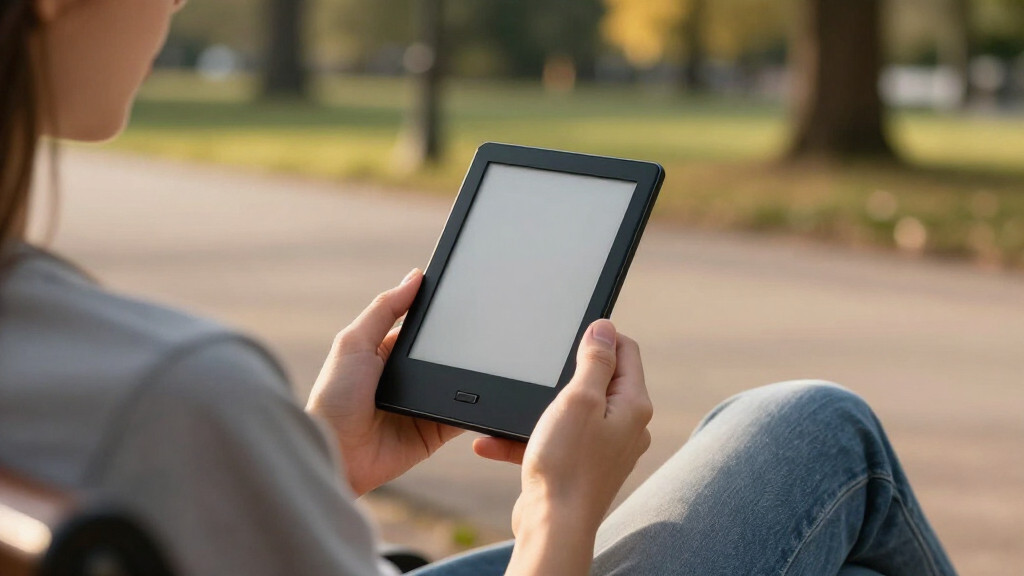

Shopping for small e-readers means deciding how small is useful: a 3.7- or 4.3-inch screen slips into more pockets, while a 6-inch display is easier to read for long sessions and standard book layouts. My lead pick is the XTEINK X4 Pro for its tiny footprint plus adjustable warm and cool lighting. The Kindle 16 GB is the easier choice for readers who want a familiar ebook library and a brighter, sharper 6-inch screen, while the XTEINK X4 Classic keeps the emphasis on lightweight, distraction-free reading and flexible file transfers.

Get the latest gadgets delivered free with Prime
- Fast, free delivery on millions of items
- Prime Video, Amazon Music and more included
- Member-only deals all year
The tradeoff is practical, not just numerical: pocketability can mean more page turns and cramped PDFs, and an open-file reader may ask you to manage your own compatible books. I ranked these five by how convincingly each model serves a distinct kind of small-reader buyer—not by treating every screen under seven inches as interchangeable. If your priority is the smallest possible device, the XTEINK X3 deserves a close look; if you need apps, cellular connectivity, or room for documents, the VIWOODS takes a different route.
Complete the kit



Key Takeaways
- XTEINK X4 Pro is my best overall tiny e-reader: it pairs a 4.3-inch screen with adjustable warm and cool lighting, buttons, touch controls, and microSD expansion.
- Kindle 16 GB is physically larger than the 4.3-inch pocket readers, but its 6-inch, 300 ppi display and front light suit readers who value comfortable everyday pages over the tiniest footprint.
- XTEINK X4 Classic is the simpler compact pick, with anti-glare reading, physical and shake-based page turns, and several file-transfer paths; it lacks the Pro’s stated front-light and touch features.
- XTEINK X3 is the smallest and lightest listed option at 3.7 inches and about 58 g, but it is a niche choice because it does not support Kindle, Libby, or other DRM-protected books.
- VIWOODS AiPaper Reader is the compact-screen choice for Android apps, 4G, and documents, not a minimalist pocket reader; it is larger than the XTEINK models and its front light has no warm setting.
| XTEINK X4 Pro 4.3″ E-Book Reader |  | Best Overall Tiny E-Reader | Display: 4.3-inch E-Ink | Weight: 72 g (2.5 oz) | Thickness: 5.95 mm | VIEW LATEST PRICE | See Our Full Breakdown |
| Kindle 16 GB (11th Generation, 2024) – Lightest and Compact eReader with Bright Front Light |  | Best Compact Everyday Reader | Display: 6-inch glare-free, 300 ppi | Weight: 158 g (5.56 oz) | Dimensions: 6.2 × 4.3 × 0.32 inches | VIEW LATEST PRICE | See Our Full Breakdown |
| XTEINK X4 Classic Pocket eReader |  | Best Simple File-Friendly Pocket Reader | Display: 4.3-inch E-Ink, 800 × 480 | Weight: 68 g (2.4 oz) | Dimensions: 4.4 × 2.72 × 0.19 inches | VIEW LATEST PRICE | See Our Full Breakdown |
| VIWOODS AiPaper Reader 6.13-Inch E-Reader |  | Best for Apps and Documents | Display: 6.13-inch Carta 1300 E-Ink, 824 × 1648 | Pixel density: 300 PPI | Weight: 138 g | VIEW LATEST PRICE | See Our Full Breakdown |
| XTEINK X3 3.7-Inch Pocket E-Ink eBook Reader |  | Best for the Smallest Pocket Footprint | Display: 3.7-inch electronic ink | Weight: About 58 g | Thickness: 5.1 mm | VIEW LATEST PRICE | See Our Full Breakdown |
| tiny e-reader | Display | Weight | Storage | Dimensions |
|---|---|---|---|---|
| XTEINK X4 Pro 4.3" E-Book Read | 4.3-inch E-Ink | 72 g (2.5 oz) | 16 GB internal; microSD expansion up to 256 GB | — |
| Kindle 16 GB | 6-inch glare-free, 300 ppi | 158 g (5.56 oz) | 16 GB | 6.2 × 4.3 × 0.32 inches |
| XTEINK X4 Classic Pocket eRead | 4.3-inch E-Ink, 800 × 480 | 68 g (2.4 oz) | 16 GB | 4.4 × 2.72 × 0.19 inches |
| VIWOODS AiPaper Reader 6.13-In | 6.13-inch Carta 1300 E-Ink, 824 × 1648 | 138 g | — | 6.28 × 3.16 × 0.26 inches |
| XTEINK X3 3.7-Inch Pocket E-In | 3.7-inch electronic ink | About 58 g | 16 GB built-in; expandable up to 256 GB | 3.86 × 2.52 × 0.2 inches |
More Details on Our Top Picks
XTEINK X4 Pro 4.3″ E-Book Reader
The X4 Pro is my lead recommendation because it makes fewer compromises than most readers at this size. Its 4.3-inch E-Ink display keeps the device genuinely pocket-friendly, while adjustable warm and cool front lighting gives it a useful advantage over the X4 Classic, whose supplied details list an anti-glare screen but no front light. That lighting matters when reading after dark or in changing indoor conditions; it makes the Pro a more flexible small e-reader rather than simply a smaller screen.
Controls are another point of distinction. The Pro combines touchscreen gestures and physical page-turn buttons, so readers can choose between tapping and tactile control. The Classic offers physical buttons and shake-based turning, while the X3 also relies on buttons and gyroscope turning. The Pro is the most conventional of the three to operate, though its 4.3-inch display still asks readers to accept more frequent page turns than the Kindle’s 6-inch screen. I would not choose it as a primary PDF or comic reader; the small panel can make dense layouts tedious.
At 72 g and 5.95 mm thick, it is only slightly heavier than the 58 g X3, and its 16 GB internal storage can be expanded with a microSD card up to 256 GB. That gives a library-heavy reader more room than the X3’s same stated internal capacity, while EPUB, TXT, MOBI, and PDF support suits readers who load compatible files themselves. The tradeoff is ecosystem uncertainty: the provided details mention cloud-based AI features but do not establish a familiar bookstore or DRM-library workflow, and there is no supplied evidence on long-term software stability. I rank it first for buyers who want tiny dimensions without giving up lighting and flexible controls, not for those who need a proven app-centered library.
Pros:- 4.3-inch screen in a 72 g, 5.95 mm-thin body
- Adjustable warm and cool front light
- Touchscreen and physical page-turn buttons
- 16 GB storage with microSD expansion up to 256 GB
Cons:- Small display is less comfortable for complex PDFs and comics
- Long-term durability and software stability are not established in the supplied details
- The described formats and features do not establish access to DRM-protected library books
Best for: Readers who want a pocketable 4.3-inch screen, adjustable warm and cool lighting, tactile buttons, touch input, and expandable storage.
Not ideal for: Readers who mainly use Kindle or Libby DRM-protected books, read dense PDFs or comics, or want established long-term reliability information.
- Display:4.3-inch E-Ink
- Weight:72 g (2.5 oz)
- Thickness:5.95 mm
- Storage:16 GB internal; microSD expansion up to 256 GB
- Battery:1100 mAh
- Lighting:Adjustable warm and cool front light
- Controls:Touchscreen and physical page-turn buttons
- Supported formats:EPUB, TXT, MOBI, PDF
Our verdict“I recommend the XTEINK X4 Pro as the best tiny e-reader for readers who want a genuinely pocketable 4.3-inch screen with lighting and versatile controls.”
Kindle 16 GB (11th Generation, 2024) – Lightest and Compact eReader with Bright Front Light
The Kindle is not the smallest option here, but it is the easiest one to recommend to readers who mean compact rather than ultra-tiny. Its 6-inch, 300 ppi glare-free display gives pages more breathing room than any of the XTEINK models, making it a better fit for long reading sessions and standard ebook layouts. It weighs 158 g, more than twice the X4 Pro, so it loses the pocketability contest; in return, readers spend less time adjusting to a miniature page.
Its adjustable-brightness front light and dark mode widen the situations in which it is comfortable to read. The X4 Pro has the smaller body and warm/cool lighting, but the Kindle’s supplied details emphasize a bright adjustable light, high pixel density, and faster page turns. It also claims up to six weeks of battery life, a substantial stated advantage over the X3’s up-to-10-hour reading estimate. Battery figures depend on use, so I would treat that as a manufacturer specification rather than a guarantee.
Where it separates itself most clearly is library convenience. Kindle Unlimited support and broad listed file compatibility make it a more natural choice for readers already invested in Kindle books than an XTEINK reader focused on compatible local files. The listed format support includes EPUB, but the product details do not spell out every import or DRM workflow, so buyers with a specific library should confirm that their books can be transferred. The main sacrifices are size and a lack of waterproofing; it also uses Wi-Fi rather than cellular connectivity. I place it second because it is a strong small e-reader for ordinary daily reading, but it does not meet the strictest definition of tiny as well as the 4.3-inch models do.
Pros:- 6-inch, 300 ppi glare-free display offers more comfortable page space than 4.3-inch readers
- Adjustable front light and dark mode
- Up to six weeks of stated battery life
- Kindle ecosystem and broad listed format support
Cons:- Larger and heavier than the XTEINK pocket readers
- No waterproofing
- Wi-Fi only, with no cellular option
Best for: Readers who want a compact, familiar ebook reader with a sharper 6-inch display, adjustable front light, and Kindle library features.
Not ideal for: Readers who prioritize the smallest pocket footprint, need waterproofing, or require cellular connectivity.
- Display:6-inch glare-free, 300 ppi
- Weight:158 g (5.56 oz)
- Dimensions:6.2 × 4.3 × 0.32 inches
- Storage:16 GB
- Battery life:Up to 6 weeks
- Charging:Approximately 4 hours via USB-C
- Connectivity:Wi-Fi 2.4 GHz and 5.0 GHz
- Features:Adjustable brightness, dark mode, accessibility options
Our verdict“I would choose the Kindle over the tiny XTEINK models when a comfortable 6-inch reading area and Kindle library access matter more than the smallest possible body.”
XTEINK X4 Classic Pocket eReader
The X4 Classic is the straightforward pocket reader in this group: 4.3 inches, 68 g, and a slim 0.19-inch profile. It is lighter than the X4 Pro and much lighter than the Kindle, making it compelling for readers who want an uncomplicated device to carry around. Its anti-glare E-Ink screen and distraction-free system focus on reading rather than apps. Compared with the Pro, though, the Classic gives up the listed warm/cool front light and touchscreen, so its appeal depends on valuing simplicity and weight over extra flexibility.
It does offer several ways to get compatible files onto the device: the XTEINK app, microSD card, or USB. The listed formats include EPUB, TXT, MOBI, PDF, and images, which makes it a flexible option for a personally managed collection. Physical buttons give page turning a dependable tactile path, and gyroscope-based shake turning adds another option. These controls are more unusual than the Kindle’s familiar touch-oriented reading experience, and some buyers may prefer not to rely on a motion gesture.
The main limitation is the small screen itself. A 4.3-inch page may work well for novels and short reading sessions, but complex PDFs and comics will feel cramped compared with the Kindle’s 6-inch display or the VIWOODS’ 6.13-inch screen. Its glass screen also calls for care around impacts and pressure; the slim design should not be confused with ruggedness. I rank it behind the X4 Pro because the Pro includes lighting and touch input while staying close in size, but the Classic remains a sensible alternative for buyers who want the lighter body and multiple transfer options.
Pros:- Lightweight 68 g body with a slim profile
- Anti-glare 4.3-inch E-Ink screen and distraction-free system
- File transfer by app, microSD card, or USB
- Physical buttons and gyroscope-based page turning
Cons:- Small display is restrictive for complex PDFs and comics
- No front light is specified in the supplied details
- Glass screen may need protection from impact or pressure
Best for: Readers who want a light 4.3-inch reader for compatible EPUB, TXT, MOBI, or PDF files and prefer physical controls with flexible transfers.
Not ideal for: Readers who need a front light, a larger page for documents, touchscreen control, or a rugged device.
- Display:4.3-inch E-Ink, 800 × 480
- Weight:68 g (2.4 oz)
- Dimensions:4.4 × 2.72 × 0.19 inches
- Storage:16 GB
- Battery:920 mAh
- Connectivity:Bluetooth, USB, Wi-Fi
- File transfer:XTEINK app, microSD card, or USB
- Supported formats:EPUB, TXT, MOBI, PDF, PNG
Our verdict“I recommend the X4 Classic for readers who want a very light, file-friendly 4.3-inch device and can do without the X4 Pro’s stated lighting and touchscreen.”
VIWOODS AiPaper Reader 6.13-Inch E-Reader
The VIWOODS AiPaper Reader is the most capable small-screen device here, but it is not a true pocket-size rival to the XTEINK models. Its 6.13-inch Carta 1300 display and 300 PPI resolution give documents more room and detail than a 4.3-inch screen, while its 138 g weight remains relatively light. That makes it a better fit for readers who want a compact E-Ink device for books and work documents than for someone seeking the smallest reader to slip into a pocket.
Its broader feature set is the key differentiator: Android apps, 4G, Wi-Fi, Bluetooth, and 128 GB of storage. The XTEINK X4 Pro is smaller and simpler, while the Kindle offers a more focused reading device; the VIWOODS instead suits buyers who want connectivity and app options on an E-Ink screen. Support for EPUB, MOBI, PDF, DOC, DOCX, and other listed formats adds appeal for mixed reading and document use. The AI button can handle voice or text queries and screenshot-based explanations, although buyers should decide whether those tools fit their routine rather than treating them as a substitute for core reader features.
There is a clear lighting compromise: the front light offers 20 levels of adjustable cool light but no warm-light option. That makes the X4 Pro a more appealing choice for readers who want a smaller device with warm lighting for evening use. The VIWOODS is also nearly twice as heavy as the X4 Pro, despite its relatively light 138 g build, so its expanded capabilities come at the cost of a less tiny feel. I give it a specialist role rather than a higher overall rank: it is the pick for connected app and document use, not the most convincing answer to a strict small-e-reader search.
Pros:- 6.13-inch, 300 PPI Carta 1300 display suits documents better than 4.3-inch screens
- Android app support with 4G, Wi-Fi, and Bluetooth
- 128 GB storage and 4 GB RAM
- AI button supports voice, text, and screenshot queries
Cons:- Larger than the 3.7- and 4.3-inch pocket readers
- Front light has no warm-light option
- App and AI features may be unnecessary for readers who only want ebooks
Best for: Readers who want a portable E-Ink screen for documents and apps, with 4G connectivity and substantial built-in storage.
Not ideal for: Readers who want the smallest possible reader, warm front lighting, or a simple dedicated ebook device.
- Display:6.13-inch Carta 1300 E-Ink, 824 × 1648
- Pixel density:300 PPI
- Weight:138 g
- Storage and RAM:128 GB storage; 4 GB RAM
- Front light:20 levels of adjustable cool light; no warm light
- Connectivity:4G, Wi-Fi, Bluetooth, USB
- Supported formats:DOC, DOCX, EPUB, HTM, HTML, MOBI, PDF, TXT
- Dimensions:6.28 × 3.16 × 0.26 inches
Our verdict“I recommend the VIWOODS AiPaper Reader when apps, connectivity, and document space matter more than having the tiniest e-reader.”
XTEINK X3 3.7-Inch Pocket E-Ink eBook Reader
At 3.7 inches and about 58 g, the XTEINK X3 is the clear choice when carrying the smallest device matters more than page size. It is lighter than both X4 models and substantially smaller in screen area than the Kindle or VIWOODS. The physical buttons and gyroscope page turning suit one-handed use, while 16 GB of internal storage and expansion up to 256 GB let it hold a collection of compatible files without relying on app support.
That portability comes with the most restrictive reading setup in this roundup. The X3 supports DRM-free compatible ebooks, but the supplied details explicitly exclude Kindle, Libby, and other DRM-protected books. It also has no third-party app support. This is not a small version of a standard app-based e-reader; it is a specialist device for readers willing to manage unprotected files. By contrast, the Kindle is the safer pick for buyers tied to a familiar ebook library, and the X4 Pro provides a larger 4.3-inch screen with warm and cool front lighting.
The display is also the smallest here, which limits its comfort for long sessions and makes PDFs or illustrated pages a poor match. Its up-to-10-hour reading time is another notable constraint compared with the Kindle’s stated up-to-six-week battery life, and the magnetic pogo-pin charging method is less familiar than USB-C. The glass display requires careful handling. I rank the X3 fifth overall not because its tiny format lacks appeal, but because it asks the buyer to accept the greatest set of restrictions. For a reader who specifically wants a minimal pocket device and already owns DRM-free files, it fills a role the larger models cannot.
Pros:- Smallest listed display at 3.7 inches and lightest body at about 58 g
- Physical buttons and gyroscope-based page turning
- 16 GB built-in storage with expansion up to 256 GB
- Bluetooth, USB, and Wi-Fi connectivity
Cons:- Does not support Kindle, Libby, or other DRM-protected books
- No third-party app support
- Up to 10 hours of stated reading time and magnetic pogo-pin charging
- Very small glass display needs careful handling
Best for: Readers who want the smallest listed device and are comfortable loading DRM-free ebooks without third-party apps.
Not ideal for: Readers who use Kindle, Libby, or other DRM-protected books, need apps, read PDFs, or want longer stated battery life.
- Display:3.7-inch electronic ink
- Weight:About 58 g
- Thickness:5.1 mm
- Dimensions:3.86 × 2.52 × 0.2 inches
- Storage:16 GB built-in; expandable up to 256 GB
- Battery life:Up to 10 hours of reading
- Controls:Gyroscope page turning and physical buttons
- Compatibility:DRM-free compatible ebooks; no third-party app support
Our verdict“I would choose the XTEINK X3 only when the smallest possible pocket footprint outweighs its DRM, app, screen-size, and battery limitations.”

How We Picked
I judged these recommendations against the promise of tiny e-readers: a device should be easy to carry, but its small screen and software should still make sense for the way its owner reads. I gave weight to stated dimensions and weight, screen size and clarity, lighting, controls, supported files, and the friction involved in getting books onto the reader. A pocketable device that cannot access a buyer’s library is not a useful fit, so I treated format and DRM limitations as ranking factors rather than footnotes.
I also separated true pocket-size models from compact everyday readers. The 3.7-inch XTEINK X3 and the two 4.3-inch XTEINK X4 models lead on smallness, but their screens are less suited to PDFs and comics than a 6-inch display. The Kindle and VIWOODS give up some of that tiny-device feel in exchange for a larger reading area and different ecosystem features. Their place here reflects those tradeoffs, not a claim that every buyer should choose the smallest screen available.
Finally, I used only the supplied product details. I do not treat unstated features as included, and I do not infer real-world endurance or long-term reliability from a specification sheet. That matters especially for the X4 Pro, whose durability and software stability are not established in the information provided, and for the X3, whose quoted battery life is limited to up to 10 hours of reading. The order favors a strong balance of portability and usable reading first, then specialist strengths and narrower fit.
| tiny e-reader | Supported formats |
|---|---|
| XTEINK X4 Pro 4.3" E-Book Read | EPUB, TXT, MOBI, PDF |
| Kindle 16 GB | — |
| XTEINK X4 Classic Pocket eRead | EPUB, TXT, MOBI, PDF, PNG |
| VIWOODS AiPaper Reader 6.13-In | DOC, DOCX, EPUB, HTM, HTML, MOBI, PDF, TXT |
| XTEINK X3 3.7-Inch Pocket E-In | — |
Factors to Consider When Choosing Best Tiny E-readers
For a small e-reader, the right choice depends on how much screen you are willing to give up for portability—and which book sources you need to keep using. I would start with your library and reading habits, then compare dimensions, lighting, controls, and storage. A tiny reader can be a great companion device, but it may not replace a larger reader for every kind of book.
Decide what “tiny” means for your reading
A 3.7-inch display makes the XTEINK X3 the smallest option here, while the X4 Classic and X4 Pro offer 4.3 inches. Those sizes are attractive when a reader needs to fit into a small pocket or bag. The cost is a smaller text area: expect more page turns, and less comfort with documents that use fixed layouts. If you read mainly novels, the reduced page size may be acceptable; if you want PDFs, diagrams, or comics, the 6-inch Kindle or 6.13-inch VIWOODS provides more working room.
Also distinguish screen size from the device’s overall convenience. Weight and thickness affect how easy it is to carry, but the smallest device is not automatically the best daily reader. The 68 g X4 Classic is especially light, while the 72 g X4 Pro adds lighting and touch input. I would pick based on the combination of screen and features rather than a single measurement.
Check how your books reach the device
Library compatibility can make or break a small e-reader purchase. The XTEINK X3 explicitly excludes DRM-protected Kindle and Libby books and does not support third-party apps, so it fits people who already have compatible DRM-free files. The X4 Classic lists EPUB, TXT, MOBI, PDF, and PNG support and offers app, microSD, and USB transfers. The X4 Pro lists EPUB, TXT, MOBI, and PDF, with microSD expansion. Those details describe file support, but they do not confirm that every protected title will work.
The Kindle is the more natural fit for readers already using Kindle services, while the VIWOODS offers Android apps and a broad range of document formats. Before choosing, check the exact format and transfer method for your books. Do not assume that a file extension alone guarantees a book will open; DRM and service restrictions can matter just as much.
Treat lighting as a feature, not a given
Front lighting affects where and when a reader can be used. The X4 Pro has adjustable warm and cool front lighting, which gives it more flexibility for varied lighting conditions than a model with no front light specified. The Kindle has adjustable brightness and dark mode, while VIWOODS lists 20 levels of cool front light but no warm-light option. For the X4 Classic and X3, the supplied details do not specify a front light, so I would not buy either on the assumption that it can illuminate its own screen.
If you often read in dim rooms, choose a model with a stated front light. If you mostly read in daylight, an anti-glare E-Ink display may be enough. The X4 Pro is the strongest small-screen choice for lighting flexibility, while the Kindle trades a larger body for a roomier reading surface and adjustable brightness.
Match controls to how you hold a tiny reader
Physical buttons can make page turns easier when a device is held one-handed, especially on a small screen. The X4 Classic and X3 list physical buttons plus gyroscope-based or shake page turning; the X4 Pro combines buttons with a touchscreen. These choices can make a small reader easier to handle, but motion-based controls may not suit every reader. If you prefer familiar touch interaction, the Pro or a larger conventional reader may feel more direct.
Think about accidental input as well as convenience. A button gives a distinct action, while a gesture depends on movement recognition. The supplied details do not establish how customizable these controls are, so I would favor the simplest control method you already know you like.
Compare storage with the size of your library
All three XTEINK models list 16 GB of internal storage, but expansion differs by model. The X4 Pro supports microSD up to 256 GB, and the X3 also lists expansion up to 256 GB. The X4 Classic offers microSD as a transfer method, though the supplied specifications do not state an expansion capacity. The Kindle lists 16 GB, while VIWOODS stands apart with 128 GB built in.
Most readers do not need to chase the largest capacity without a reason. A collection of text-heavy books has different storage needs from one with many image-rich documents. If you expect to carry a large offline library, check the expansion method and capacity for the exact model rather than assuming every microSD mention means expandable storage.
Balance portability against battery and durability
The X3 is the lightest listed model, but its stated battery life is up to 10 hours of reading, and its glass display requires care. The Kindle lists up to six weeks of battery life, while the X4 models give battery capacities rather than a comparable runtime estimate. I would not compare mAh numbers across devices as if they directly predict reading time; actual endurance depends on display use, connectivity, and other settings.
None of the supplied details list waterproofing for these recommendations, and the Kindle is explicitly described as not waterproof. Treat the slim XTEINK devices as portable rather than rugged, especially when carrying them loose in a bag. If resistance to water or impacts is a must, verify the product’s current protection specifications before buying.
Choose between a dedicated reader and connected features
The Kindle is a focused option for readers who want an established reading ecosystem. The XTEINK models emphasize compact dimensions and compatible file use. VIWOODS is different: Android apps, 4G, 128 GB of storage, and AI query features make it the most connected choice, but also move it away from the simple pocket-reader brief. More features are only helpful if you will use them; they do not make a 6.13-inch device as tiny as a 3.7-inch one.
For a dedicated, portable novel reader, I would start with the X4 Pro or Kindle depending on screen preference and library. For work documents and apps, the VIWOODS deserves attention. For the most compact footprint and DRM-free files, the X3 is the focused specialist.
Frequently Asked Questions
Which e-reader in this roundup is the smallest?
The XTEINK X3 has the smallest screen at 3.7 inches and the lowest listed weight at about 58 g. Its compact size comes with meaningful restrictions: it does not support Kindle, Libby, or other DRM-protected books, and it has no third-party app support. I would choose it only if its pocket footprint suits your needs and your books are compatible DRM-free files.
Is a 4.3-inch e-reader large enough for everyday reading?
A 4.3-inch screen can suit readers who mostly read flowing-text ebooks and value portability, but it gives each page less room than a 6-inch display. That means more page turns and a less comfortable experience with complex PDFs or comics. The X4 Pro is the more versatile of the 4.3-inch options because it lists warm and cool lighting, touch input, and physical buttons; the Kindle is better for readers who prefer a larger page.
Which tiny e-reader works with Kindle or Libby books?
The supplied details explicitly say that the XTEINK X3 does not support DRM-protected Kindle, Libby, or similar books. The X4 models list common ebook formats, but the product details do not confirm support for every protected title or library workflow. The Kindle is the most direct match for readers using Kindle services, while buyers relying on Libby or another service should confirm its specific compatibility before choosing a device.
Which small e-reader is best for reading at night?
Among the truly pocket-size models, the XTEINK X4 Pro is the clearest fit because it lists adjustable warm and cool front lighting. The Kindle also has an adjustable front light and dark mode, but its 6-inch body is larger. VIWOODS provides adjustable cool light but no warm-light setting. The supplied X4 Classic and X3 details do not specify a front light, so readers who need the device to light its own screen should verify that feature before buying either.
Should I choose a tiny screen or a compact 6-inch reader?
Choose a 3.7- or 4.3-inch model if fitting the device into a small pocket is your main goal and you mostly read standard text ebooks. Pick the Kindle 6-inch model if you want more page space, a sharper 300 ppi display, and a familiar Kindle reading experience. If documents, apps, and cellular connectivity matter, the 6.13-inch VIWOODS is the more capable compact device, though it is not the smallest choice in this lineup.
Conclusion
For most buyers looking specifically for a tiny e-reader, I would start with the XTEINK X4 Pro: its 4.3-inch screen stays pocket-friendly while warm and cool lighting, touch input, physical buttons, and expandable storage make it the most balanced small-format choice. Pick the X4 Classic instead if you want a lighter, simpler reader with several ways to transfer compatible files and do not need the Pro’s stated lighting features.
If you want the smallest possible device and already have DRM-free books, the XTEINK X3 is the specialist option—but its screen, app limits, and stated battery life make it a narrower recommendation. For Kindle-library readers who want a more comfortable everyday page, I would choose the 6-inch Kindle and accept the larger footprint. Choose the VIWOODS AiPaper Reader if your priority is documents, Android apps, 4G, and storage rather than a truly tiny body. My ranking favors small size without ignoring the compromises that can make a reader less useful once the novelty of its dimensions wears off.