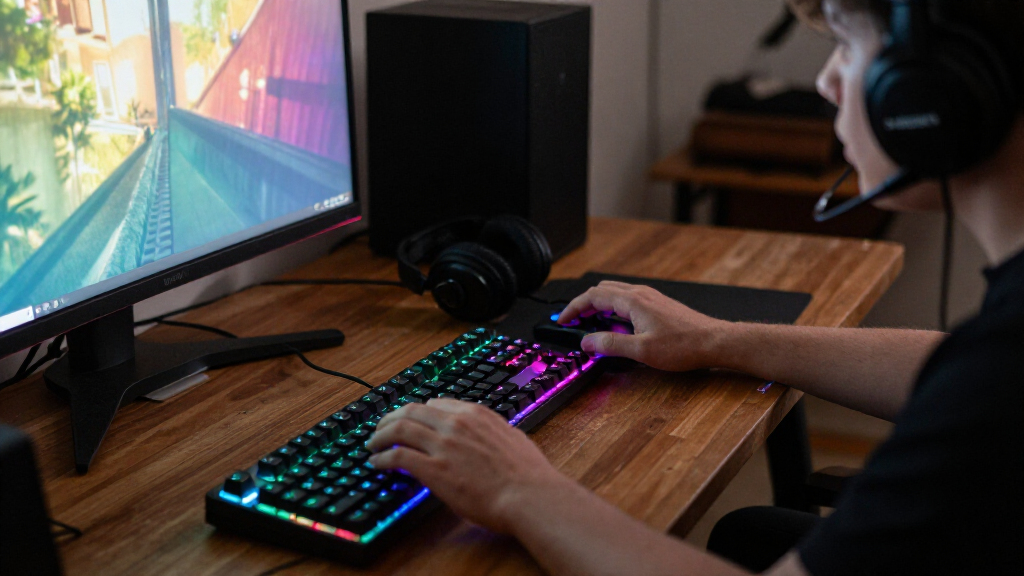
RGB gaming keyboards range from simple wired membrane models to compact wireless mechanical boards, so the right pick depends on more than lighting. I’d put the AULA F75 Pro first for its compact layout, wireless flexibility, and hot-swappable mechanical switches. The Redragon K671 is a more straightforward wired mechanical choice, while the Corsair K55 RGB PRO suits buyers who prefer a full-size membrane keyboard with extra controls. The main tradeoffs are mechanical feel versus quieter membrane keys, compactness versus a number pad, and feature-rich connectivity versus a simple wired setup. Read on for how all 15 options compare and which type of player each one suits best.

Get the latest gadgets delivered free with Prime
- Fast, free delivery on millions of items
- Prime Video, Amazon Music and more included
- Member-only deals all year
Complete the kit



Key Takeaways
- The AULA F75 Pro stands out as the most adaptable pick: its 75% layout, wireless modes, and hot-swappable switches offer more room to tailor a setup than the mostly wired, full-size membrane options.
- Wired mechanical models make the clearest case for a typing and switch upgrade: the Redragon K671 and K580 are better matches for buyers prioritizing mechanical keys over wireless flexibility or integrated desk extras.
- Membrane boards cover several distinct needs: the SteelSeries Apex 3 TKL saves desk space, while the full-size Apex 3, Logitech G213, and Corsair K55 models keep a conventional layout.
- Combo bundles trade individual customization for a ready-made setup: the Redragon S101M-KS, Redragon S101-3 PRO, and K1 include a mouse, but buyers should compare the keyboard’s own layout and connection needs rather than treating the bundle as a keyboard upgrade.
- RGB descriptions do not mean the same lighting experience: models described as rainbow LED or LED backlit may offer less lighting control than keyboards marketed with RGB, so check the specific lighting modes and software support before choosing.
| SteelSeries Apex 3 TKL RGB Gaming Keyboard |  | Best Compact Quiet Pick | Form factor: Tenkeyless | Number of keys: 87 | Switch type: Whisper Quiet | VIEW LATEST PRICE | See Our Full Breakdown |
| Corsair K55 RGB PRO Wired Gaming Keyboard |  | Best for Macros and Streaming | Switch type: Linear membrane | Connectivity: USB-A wired | Backlighting: Five-zone RGB | VIEW LATEST PRICE | See Our Full Breakdown |
| TECKNET Wired Gaming Keyboard with RGB Backlight and Metal Panel |  | Best Full-Size Ergonomic Membrane Pick | Key count: 104 | Switch type: Membrane, volcano structure | Connectivity: USB-A wired | VIEW LATEST PRICE | See Our Full Breakdown |
| TECKNET Wired RGB Gaming Keyboard with Ergonomic Wrist Rest and Phone Holder |  | Best for Desk Convenience | Key count: 108 | Switch type: Membrane | Connectivity: Wired, plug and play | VIEW LATEST PRICE | See Our Full Breakdown |
| Redragon K671 Wired Mechanical Gaming Keyboard with Hot-Swappable Red Switches |  | Best Mechanical Upgrade | Key count: 104 | Switch type: Linear red, hot-swappable | Connectivity: Wired | VIEW LATEST PRICE | See Our Full Breakdown |
| AULA F75 Pro 75% Wireless Hot-Swappable Mechanical Keyboard |  | Best for Flexible Wireless Customization | Layout: 75%, QWERTZ, 81 keys | Connectivity: Bluetooth 5.0, 2.4 GHz wireless, USB-C | Device capacity: Up to 5 devices | VIEW LATEST PRICE | See Our Full Breakdown |
| Redragon K580 Wired RGB Mechanical Gaming Keyboard |  | Best Full-Size Mechanical Control | Layout: 104-key QWERTY | Switches: Outemu Blue clicky; hot-swappable | Connectivity: Wired USB-C | VIEW LATEST PRICE | See Our Full Breakdown |
| SteelSeries Apex 3 Gaming Keyboard |  | Best Quiet RGB Keyboard | Layout: QWERTY, 104 keys | Connectivity: Wired | Switches: Whisper Quiet, tactile and silent | VIEW LATEST PRICE | See Our Full Breakdown |
| GEODMAER 65% Wired Gaming Keyboard – Compact 68-Key Membrane Keyboard with LED Backlit |  | Best Compact RGB Pick for Membrane Users | Layout: 65%, QWERTY, 68 keys | Connectivity: Wired, detachable Type-C cable | Switch type: Membrane with linear feel | VIEW LATEST PRICE | See Our Full Breakdown |
| Redragon S101M-KS Tri-Mode Wireless Gaming Keyboard and Mouse Combo |  | Best Wireless Keyboard-and-Mouse Set | Keyboard layout: QWERTY, 104 keys | Connectivity: Wired, Bluetooth, 2.4 GHz | Keyboard backlighting: RGB with 8 patterns | VIEW LATEST PRICE | See Our Full Breakdown |
| Corsair K55 CORE RGB Wired Gaming Keyboard |  | Best for Quiet Shared Spaces | Switch type: Membrane with rubber dome | Layout: US QWERTY | Backlighting: Customizable ten-zone RGB | VIEW LATEST PRICE | See Our Full Breakdown |
| Redragon K521 Rainbow LED Wired Gaming Keyboard | 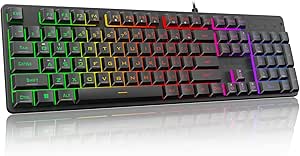 | Best for Simple Plug-and-Play Gaming | Keys: 104 | Key layout: QWERTY | Switch type: Mechanical-feeling | VIEW LATEST PRICE | See Our Full Breakdown |
| K1 RGB Gaming Keyboard and Mouse Combo, 104-Key, White |  | Best Entry-Level Keyboard-and-Mouse Bundle | Keyboard layout: 104-key QWERTY | Keyboard backlighting: RGB, eight colors and five modes | Connectivity: Wired USB | VIEW LATEST PRICE | See Our Full Breakdown |
| Redragon S101-3 PRO Gaming Keyboard and Mouse Combo | 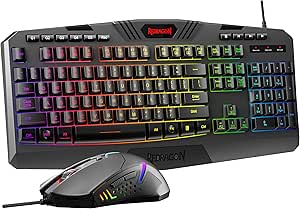 | Best Customizable Combo | Keyboard layout: QWERTY | Number of keys: 114 | Backlighting: RGB | VIEW LATEST PRICE | See Our Full Breakdown |
| Logitech G213 Prodigy Wired RGB Gaming Keyboard |  | Best for Tactile Membrane Typing | Layout: QWERTY | Number of keys: 104 | Switch type: Tactile | VIEW LATEST PRICE | See Our Full Breakdown |
| RGB gaming keyboard | Connectivity | Backlighting | Switch type | Compatibility |
|---|---|---|---|---|
| SteelSeries Apex 3 TKL RGB Gam | Wired | 8-zone RGB | Whisper Quiet | — |
| Corsair K55 RGB PRO Wired Gami | USB-A wired | Five-zone RGB | Linear membrane | PC, Windows 11 |
| TECKNET Wired Gaming Keyboard | USB-A wired | 15-zone RGB with multiple modes and brightness levels | Membrane, volcano structure | — |
| TECKNET Wired RGB Gaming Keybo | Wired, plug and play | RGB, 13 modes, 8 brightness levels | Membrane | Windows, Mac OS |
| Redragon K671 Wired Mechanical | Wired | 11 modes with adjustable brightness and speed | Linear red, hot-swappable | — |
| AULA F75 Pro 75% Wireless Hot- | Bluetooth 5.0, 2.4 GHz wireless, USB-C | RGB with 16 preset effects | — | — |
| Redragon K580 Wired RGB Mechan | Wired USB-C | RGB | — | — |
| SteelSeries Apex 3 Gaming Keyb | Wired | 10-zone RGB | — | Windows, Mac OS X, Xbox Series S/X, PS4, PS5 |
| GEODMAER 65% Wired Gaming Keyb | Wired, detachable Type-C cable | RGB LED with multiple modes and adjustable brightness | Membrane with linear feel | Windows, macOS |
| Redragon S101M-KS Tri-Mode Wir | Wired, Bluetooth, 2.4 GHz | — | — | — |
| Corsair K55 CORE RGB Wired Gam | Wired USB-A | Customizable ten-zone RGB | Membrane with rubber dome | PC and Mac OS 10.15+ |
| Redragon K521 Rainbow LED Wire | Wired USB-A | Rainbow LED with adjustable brightness and breathing modes | Mechanical-feeling | Windows, macOS, PS4, PS5, and Xbox |
| K1 RGB Gaming Keyboard and Mou | Wired USB | — | — | Windows, macOS, and Linux |
| Redragon S101-3 PRO Gaming Key | Wired USB | RGB | Membrane | Windows 10/11, Mac OS 10.15+, and Linux |
| Logitech G213 Prodigy Wired RG | Wired USB | RGB with five customizable zones | Tactile | Windows |
More Details on Our Top Picks
SteelSeries Apex 3 TKL RGB Gaming Keyboard
The SteelSeries Apex 3 TKL makes the most sense for players who want a smaller desk footprint without giving up familiar media controls. Its 87-key tenkeyless layout leaves more room for mouse movement than the full-size Corsair K55 RGB PRO, while the volume roller keeps audio adjustments close at hand. The whisper-quiet switches suit shared rooms better than a mechanical board like the Redragon K671, and IP32 resistance adds a measure of protection against dust and small spills. Eight-zone RGB gives the lighting some customization, though it is less segmented than the K55’s five-zone setup in control options. The tradeoff is straightforward: this is a wired membrane keyboard, not a choice for wireless setups or players seeking mechanical switch feedback.
Pros:- Tenkeyless 87-key layout frees up desk space for mouse movement.
- Quiet switches are well suited to shared rooms.
- IP32 resistance offers protection from dust and small spills.
- Dedicated media controls include a volume roller.
Cons:- Wired-only connection limits placement flexibility.
- Tenkeyless layout omits the number pad.
- Whisper-quiet membrane-style switches do not provide mechanical switch feedback.
Best for: Players with limited desk space who want quiet keys, a volume roller, and compatibility across PC and supported consoles.
Not ideal for: Buyers who want wireless play, a number pad, or the tactile feel and switch customization of a mechanical keyboard.
- Form factor:Tenkeyless
- Number of keys:87
- Switch type:Whisper Quiet
- Switch durability:Over 20 million keypresses
- Connectivity:Wired
- Backlighting:8-zone RGB
- Resistance:IP32 water and dust resistance
- Compatible systems:Windows, macOS, Xbox Series S, Xbox Series X, PS4, PS5
Our verdict“Choose the Apex 3 TKL if quiet operation and a compact layout matter more than wireless use or mechanical feel.”
Corsair K55 RGB PRO Wired Gaming Keyboard
The Corsair K55 RGB PRO earns its place for players and streamers who want shortcuts built into the keyboard rather than relying on layers or remapped keys. Its six dedicated macro keys, including Elgato Stream Deck integration, make it more convenient for repeat commands than the simpler TECKNET boards. Five-zone RGB and iCUE customization add control over the lighting, while the detachable palm rest helps during longer sessions. Compared with the compact SteelSeries Apex 3 TKL, the K55 offers a full-size layout and more task-specific controls, but occupies more desk space. Its membrane switches are quiet, though they will not satisfy buyers who want the more distinct mechanical feel of the Redragon K671. IP42 protection is useful for dust and spills, but this remains a wired, PC-focused pick.
Pros:- Six dedicated macro keys support shortcuts and Elgato Stream Deck integration.
- Five-zone RGB can be customized through CORSAIR iCUE.
- Detachable rubber palm rest supports longer typing and gaming sessions.
- IP42 rating provides dust and spill resistance.
Cons:- Membrane switches lack the distinct feel of mechanical switches.
- Full-size footprint takes more desk space than the SteelSeries Apex 3 TKL.
- Wired USB-A connection limits placement flexibility.
Best for: PC players and streamers who use recurring commands, want dedicated macro keys, and prefer a full-size layout with a palm rest.
Not ideal for: Console-focused gamers, wireless users, or mechanical-keyboard buyers who want tactile switch feedback.
- Switch type:Linear membrane
- Connectivity:USB-A wired
- Backlighting:Five-zone RGB
- Macro keys:Six dedicated keys
- Resistance:IP42 dust and spill resistance
- Layout:US QWERTY
- Dimensions:19 × 6.58 × 1.42 inches
- Compatibility:PC, Windows 11
Our verdict“Pick the K55 RGB PRO if macro access and a comfortable full-size PC setup matter more than compactness or mechanical feedback.”
TECKNET Wired Gaming Keyboard with RGB Backlight and Metal Panel
For buyers who want a full-size RGB board with a wrist rest already built in, the TECKNET 104-key keyboard is a practical alternative to the K55 RGB PRO. Its 15-zone lighting offers more segmented illumination than the K55’s five zones, and the metal base gives the keyboard a sturdier foundation than a basic plastic shell. A 25-key anti-ghosting limit supports several simultaneous inputs, while the 12 multimedia keys make common controls easy to reach. Its quiet membrane switches are a better fit for shared spaces than the mechanical Redragon K671, but they do not offer that model’s hot-swappable switches or full-key anti-ghosting. The integrated wrist rest and IP32 spill resistance add everyday convenience. The main limitations are its wired-only connection and Windows-focused multimedia support, which makes it a less flexible choice for Mac users.
Pros:- Integrated wrist rest supports a more comfortable typing position.
- 15-zone RGB provides more lighting segments than the Corsair K55 RGB PRO.
- Metal base adds a sturdier foundation to the full-size design.
- IP32 resistance, drainage holes, and 25-key anti-ghosting suit everyday gaming use.
Cons:- Membrane switches lack the tactile feedback and customization of the Redragon K671’s mechanical switches.
- Multimedia keys are not compatible with Mac devices.
- Wired connection restricts placement flexibility.
Best for: Windows gamers who want a full-size, quiet membrane keyboard with an integrated wrist rest and readily accessible media controls.
Not ideal for: Mac users who rely on multimedia shortcuts, wireless gamers, or players who want mechanical switches and full-key anti-ghosting.
- Key count:104
- Switch type:Membrane, volcano structure
- Connectivity:USB-A wired
- Backlighting:15-zone RGB with multiple modes and brightness levels
- Anti-ghosting:25 keys
- Multimedia keys:12
- Water resistance:IP32 spill resistance
- Compatible operating systems:Windows 10 and later
Our verdict“Choose this TECKNET if you want a quiet, full-size Windows keyboard with an integrated wrist rest and more segmented RGB lighting.”
TECKNET Wired RGB Gaming Keyboard with Ergonomic Wrist Rest and Phone Holder
The feature that separates this TECKNET 108-key keyboard from the metal-panel TECKNET is its built-in phone holder, paired with an adjustable wrist rest and leg angles. That combination suits players who keep a phone visible for messages, guides, or companion apps without adding a separate stand. Its 13 RGB modes and eight brightness levels give more lighting presets than the SteelSeries Apex 3 TKL’s eight-zone setup, though modes and zones are not the same kind of control. The 26-key anti-ghosting spec supports more simultaneous inputs than the other TECKNET model’s 25-key limit, and plug-and-play support spans Windows and Mac. Like both TECKNET boards, it uses membrane keys rather than mechanical switches; the Redragon K671 is the better fit for switch customization. This is a wired, feature-heavy layout, not a compact one.
Pros:- Built-in phone holder keeps a device visible at the desk.
- Adjustable wrist rest and keyboard legs let users change the typing position.
- Twenty-six-key anti-ghosting supports multiple simultaneous inputs.
- 13 RGB modes and eight brightness levels provide lighting choices.
Cons:- Membrane keys lack the tactile response and switch options of the Redragon K671.
- Full-size layout and phone holder take up more desk space than the SteelSeries Apex 3 TKL.
- Wired connection limits where the keyboard can be placed.
Best for: PC or Mac gamers who want a full-size membrane keyboard with an adjustable wrist rest and a convenient place to prop up a phone.
Not ideal for: Buyers with a crowded or compact desk, those seeking wireless use, or mechanical-keyboard fans who want hot-swappable switches.
- Key count:108
- Switch type:Membrane
- Connectivity:Wired, plug and play
- Backlighting:RGB, 13 modes, 8 brightness levels
- Anti-ghosting:26-key
- Ergonomic features:Adjustable wrist rest and legs
- Additional feature:Built-in phone holder
- Compatibility:Windows, Mac OS
Our verdict“Pick this TECKNET for its phone holder and adjustable ergonomics, but skip it if desk space or mechanical switches are priorities.”
Redragon K671 Wired Mechanical Gaming Keyboard with Hot-Swappable Red Switches
The Redragon K671 is the clear choice in this group for buyers who care more about mechanical feel and switch flexibility than quiet operation. Its hot-swappable linear red switches can be replaced, giving it an upgrade path the membrane SteelSeries Apex 3 TKL and Corsair K55 RGB PRO do not offer. Full-key anti-ghosting also supports simultaneous inputs across the board, rather than the 25- or 26-key limits listed for the TECKNET options. Eleven backlight modes, macro editing, and key remapping add useful control, but the lighting color itself cannot be changed. That makes its RGB less adaptable than the zone-based lighting on the Apex 3 TKL or K55. The full-size 104-key layout preserves the number pad, yet the keyboard is wired and Windows-compatible only, so it is not the most flexible pick for mixed-device setups.
Pros:- Hot-swappable linear red switches allow switch replacement.
- Full-key anti-ghosting supports simultaneous keypresses across the board.
- Macro editing and key remapping add customization beyond lighting.
- Eleven backlight modes offer adjustable brightness and speed.
Cons:- Backlight color cannot be changed, unlike the zone-based RGB on the Corsair K55 RGB PRO.
- Wired-only connectivity limits setup flexibility.
- Compatibility is listed for Windows, not macOS or consoles.
Best for: Windows gamers who want a full-size mechanical keyboard with replaceable linear switches, full-key anti-ghosting, and remapping tools.
Not ideal for: Mac or console users, players who need wireless connectivity, or buyers who want fully customizable RGB colors or quiet membrane keys.
- Key count:104
- Switch type:Linear red, hot-swappable
- Connectivity:Wired
- Backlighting:11 modes with adjustable brightness and speed
- Key rollover:Full-key anti-ghosting
- Multimedia shortcuts:12
- Compatible operating system:Windows
- Warranty:24 months
Our verdict“Choose the K671 if mechanical switches and full-key rollover matter more than wireless use or customizable RGB colors.”
AULA F75 Pro 75% Wireless Hot-Swappable Mechanical Keyboard
The AULA F75 Pro is the strongest fit here for players who want RGB in a compact mechanical keyboard without giving up connection flexibility. Bluetooth, 2.4 GHz, and USB-C let me switch between up to five devices, while the 75% layout keeps arrow keys and frees up more desk space than the full-size Redragon K580. Its hot-swappable sockets accept 3-pin and 5-pin switches, so I can change the feel without soldering, and the programmable knob adds quick control for supported functions. The tradeoff is its QWERTZ layout, which may frustrate buyers accustomed to QWERTY, and the water-repellent description is not a clear spill-protection rating. Choose it for customization and wireless versatility, not a familiar US layout.
Pros:- Bluetooth, 2.4 GHz, and USB-C connectivity support up to five devices.
- Hot-swappable sockets support both 3-pin and 5-pin switches.
- 75% layout retains arrow keys while saving desk space.
- RGB effects and a programmable multifunction knob add onboard customization.
Cons:- QWERTZ layout may require adjustment for QWERTY users.
- Water-repellent wording does not specify a formal protection rating.
Best for: Players who want a compact mechanical RGB keyboard for switching between a gaming PC and other devices, and who are comfortable with a QWERTZ layout.
Not ideal for: QWERTY typists or buyers seeking a clearly rated spill-resistant keyboard; this model uses QWERTZ and describes protection only as water repellent.
- Layout:75%, QWERTZ, 81 keys
- Connectivity:Bluetooth 5.0, 2.4 GHz wireless, USB-C
- Device capacity:Up to 5 devices
- Switches:Linear LEOBOG Reaper; hot-swappable 3-pin and 5-pin sockets
- Battery:4000 mAh
- Backlighting:RGB with 16 preset effects
- Keycaps:Side-printed PBT
- Additional features:Programmable keys, multifunction knob, N-key rollover, Win key lock
Our verdict“Choose the AULA F75 Pro if wireless flexibility and switch customization matter more to you than a standard QWERTY layout.”
Redragon K580 Wired RGB Mechanical Gaming Keyboard
The Redragon K580 VATA suits players who want a conventional full-size board with clicky feedback and direct controls at hand. Its 104-key QWERTY layout includes five onboard macro keys, dedicated media buttons, and a volume roller, making it more immediately equipped for desk-based gaming than the compact AULA F75 Pro. Hot-swappable sockets also leave room to change switches later, while full anti-ghosting supports simultaneous key presses during busy gameplay. The main compromise is sound: Outemu Blue switches are audible, so this is a poor match for shared rooms or quiet workspaces. It is wired, too, and advanced RGB effects and deeper macro profiles rely on companion software. I’d pick it for tactile, full-size control rather than wireless convenience.
Pros:- Full-size QWERTY layout includes a numpad and five onboard macro keys.
- Hot-swappable switches allow mechanical customization.
- Full anti-ghosting supports simultaneous key presses across the board.
- Dedicated media controls and a volume roller provide quick adjustments.
Cons:- Outemu Blue switches produce audible clicky feedback.
- Wired USB-C connection limits placement flexibility.
- Advanced RGB effects and deeper macro profiles require companion software.
Best for: Desktop gamers who prefer clicky mechanical feedback, need a numpad, and want dedicated macro and media controls without relying on software for basic macro recording.
Not ideal for: People gaming or working in quiet shared spaces, or buyers who need wireless placement flexibility and sophisticated onboard RGB control.
- Layout:104-key QWERTY
- Switches:Outemu Blue clicky; hot-swappable
- Connectivity:Wired USB-C
- Backlighting:RGB
- Macro controls:5 onboard keys, G1–G5
- Media controls:Dedicated controls and volume roller
- Anti-ghosting:Full
- Dimensions and weight:15.75 × 5.91 × 0.98 in; 1200 g
Our verdict“Pick the K580 if you want a full-size, clicky mechanical RGB keyboard with direct macro and media controls and can accept a wired connection.”
SteelSeries Apex 3 Gaming Keyboard
The SteelSeries Apex 3 prioritizes quieter play and everyday comfort over mechanical switch customization. Its whisper-quiet tactile switches make it a more considerate choice for a shared room than the clicky Redragon K580, while the included magnetic wrist rest supports longer sessions without an extra accessory. The 104-key layout keeps familiar full-size spacing, and IP32 water resistance offers a defined level of protection against dust and water exposure that the AULA F75 Pro’s water-repellent description does not spell out. The RGB compromise is clear: illumination is split into 10 zones rather than controlled per key, limiting fine-grained effects. It also stays wired, so I’d choose this for quieter, comfortable desk use rather than customization or cable-free setups.
Pros:- Whisper-quiet tactile switches suit shared spaces.
- Magnetic wrist rest is included for added comfort.
- IP32 water resistance provides a stated protection rating.
- Full-size 104-key layout includes dedicated multimedia controls.
Cons:- 10-zone RGB does not offer per-key lighting control.
- Wired connectivity restricts placement compared with wireless options.
- No hot-swappable switch feature is specified.
Best for: Gamers sharing a room or using one desk for play and everyday tasks who want quieter keys, a wrist rest, and basic spill protection.
Not ideal for: RGB enthusiasts who want per-key lighting control, mechanical switch swapping, or a wireless keyboard.
- Layout:QWERTY, 104 keys
- Connectivity:Wired
- Switches:Whisper Quiet, tactile and silent
- Backlighting:10-zone RGB
- Water resistance:IP32
- Included accessory:Magnetic wrist rest
- Compatibility:Windows, Mac OS X, Xbox Series S/X, PS4, PS5
- Dimensions and weight:17.52 × 5.94 × 1.57 in; 1.27 kg
Our verdict“Choose the Apex 3 if quiet operation and an included wrist rest matter more than per-key RGB control or wireless freedom.”
GEODMAER 65% Wired Gaming Keyboard – Compact 68-Key Membrane Keyboard with LED Backlit
The GEODMAER GM68 is the space-saving choice for buyers who want a compact RGB keyboard but do not need mechanical switches. Its 68-key 65% layout leaves more room for mouse movement than the 104-key SteelSeries Apex 3, and the detachable Type-C cable makes packing or replacing the cable more convenient. Anti-ghosting with 26-key no-conflict support addresses simultaneous inputs, while adjustable brightness and lighting modes let me tailor the backlight without a full-size board’s footprint. The tradeoff is the membrane design: its mechanical feel may not satisfy players seeking the distinct response or customization of the AULA F75 Pro. A plastic enclosure and no numpad also make it a more specialized fit. I’d choose it for desk space, not switch enthusiast features.
Pros:- Compact 68-key layout frees desk space for mouse movement.
- RGB backlighting offers multiple modes and adjustable brightness.
- 26-key no-conflict anti-ghosting supports simultaneous inputs.
- Detachable Type-C cable makes the wired setup easier to pack or replace.
Cons:- Membrane switches may not deliver the response mechanical keyboard enthusiasts want.
- No dedicated numpad.
- Plastic construction may feel less substantial than keyboards with metal components.
Best for: Gamers with limited desk space who want RGB, a detachable cable, and a compact layout but are comfortable using membrane keys and an external numpad if needed.
Not ideal for: Mechanical keyboard enthusiasts, frequent spreadsheet users who rely on a numpad, or buyers prioritizing a more substantial enclosure.
- Layout:65%, QWERTY, 68 keys
- Connectivity:Wired, detachable Type-C cable
- Switch type:Membrane with linear feel
- Backlighting:RGB LED with multiple modes and adjustable brightness
- Anti-ghosting:26-key no-conflict
- Compatibility:Windows, macOS
- Enclosure:Plastic
- Warranty:3 years manufacturer
Our verdict“Choose the GM68 if a small footprint and RGB matter more to you than mechanical switches or a numpad.”
Redragon S101M-KS Tri-Mode Wireless Gaming Keyboard and Mouse Combo
The Redragon S101M-KS makes the most sense for someone setting up a gaming desk from scratch: it pairs a full-size RGB keyboard with a mouse, and both wired and wireless connection options give the set more flexibility than the wired-only K580. The keyboard supports Bluetooth and 2.4 GHz wireless, while its battery can last up to 300 hours with RGB turned off. That condition matters: buyers choosing this for illuminated, cable-free play should expect less runtime than the maximum figure. The mouse adds adjustable DPI up to 4800 and seven programmable buttons, giving the bundle more control than a keyboard-only pick such as the Apex 3. The tradeoff is narrower OS support: compatibility is listed for Windows 7 or later. I’d choose it for a convenient matched set, not a standalone mechanical-keyboard upgrade.
Pros:- Keyboard supports wired, Bluetooth, and 2.4 GHz connections.
- Includes a mouse with seven programmable buttons and adjustable DPI up to 4800.
- Full-size keyboard includes multimedia controls and RGB lighting.
- Battery life is specified at up to 300 hours with keyboard RGB off.
Cons:- The stated maximum battery life requires RGB to be off.
- Compatibility is listed for Windows 7 or later.
- The supplied information does not specify the keyboard switch type.
Best for: Windows gamers who need a full-size RGB keyboard and configurable mouse together, with the option to use wired or wireless connections.
Not ideal for: Mac or console players, or buyers seeking a clearly specified mechanical switch type and long battery runtime with RGB enabled.
- Keyboard layout:QWERTY, 104 keys
- Connectivity:Wired, Bluetooth, 2.4 GHz
- Keyboard backlighting:RGB with 8 patterns
- Keyboard battery life:Up to 300 hours with RGB off
- Mouse DPI:800, 1200, 1600, 3200, 4800
- Mouse polling rate:125–1000 Hz
- Mouse controls:7 programmable buttons
- Cable and compatibility:6-foot detachable USB-C cable; Windows 7 or later
Our verdict“Choose the S101M-KS if you want a matched RGB keyboard-and-mouse set with wireless options and use Windows.”
Corsair K55 CORE RGB Wired Gaming Keyboard
The Corsair K55 CORE is the strongest fit here for gamers who want customizable RGB without loud mechanical-style typing. Its quiet membrane switches suit shared rooms, while ten-zone lighting through iCUE gives more control than the K521’s adjustable rainbow effects. Dedicated media controls and a Windows lock button keep common functions within reach, and the 300ml spill resistance offers some protection against desk mishaps. The tradeoff is feel: its rubber-dome keys lack the distinct mechanical feedback of options such as the Redragon K671. It also uses a fixed USB cable, so it is less convenient to move between setups. I’d choose it for a quieter, feature-rich full-size board, not for tactile switch enthusiasts.
Pros:- Quiet membrane switches are better suited to shared spaces than louder mechanical-style keys
- Ten-zone RGB lighting can be customized through Corsair iCUE
- Dedicated media controls and a Windows lock button provide convenient in-game access
- 300ml spill resistance adds protection against accidental liquid spills
Cons:- Rubber-dome switches provide less tactile feedback than mechanical keyboards such as the Redragon K671
- Fixed USB-A cable limits portability and placement flexibility
Best for: Gamers sharing a room who want quiet typing, customizable RGB zones, and easy media controls
Not ideal for: Mechanical-switch fans or people who need a keyboard they can easily move between devices
- Switch type:Membrane with rubber dome
- Layout:US QWERTY
- Backlighting:Customizable ten-zone RGB
- Connectivity:Wired USB-A
- Spill resistance:300ml
- Polling rate:1,000Hz
- Key rollover:12-key
- Compatibility:PC and Mac OS 10.15+
Our verdict“Choose the K55 CORE if quiet typing and customizable RGB matter more to you than mechanical key feel.”
Redragon K521 Rainbow LED Wired Gaming Keyboard
The Redragon K521 keeps its appeal straightforward: a full-size layout, rainbow LED lighting, and plug-and-play support across several gaming platforms. Its 19-key anti-ghosting is useful when several keys are pressed together, while 12 multimedia keys add handy shortcuts. Unlike the Corsair K55 CORE, it does not offer software-based RGB customization; lighting is limited to built-in modes and brightness adjustments. The keys are described as mechanical-feeling, not as actual mechanical switches, so buyers seeking the sharper feedback of a board like the Redragon K671 should look elsewhere. Its ABS plate and wired-only connection also make this a more basic setup. I’d pick it for a no-fuss, full-size gaming keyboard, especially when broad console compatibility matters.
Pros:- Full-size 104-key layout includes a number pad
- 19-key anti-ghosting supports simultaneous key presses
- Rainbow lighting offers adjustable brightness and breathing modes
- 12 multimedia keys provide quick access to common controls
Cons:- Mechanical-feeling keys are not specified as mechanical switches
- Rainbow LED effects offer less customization than the Corsair K55 CORE’s software-controlled zones
- Wired USB connection limits placement flexibility
Best for: PC and console players who want a full-size keyboard with built-in lighting controls and no software setup
Not ideal for: Buyers who want true mechanical switches, per-key RGB control, or a wireless connection
- Keys:104
- Key layout:QWERTY
- Switch type:Mechanical-feeling
- Backlighting:Rainbow LED with adjustable brightness and breathing modes
- Connectivity:Wired USB-A
- Anti-ghosting:19 keys
- Multimedia keys:12
- Compatibility:Windows, macOS, PS4, PS5, and Xbox
Our verdict“Pick the K521 for straightforward full-size gaming and built-in rainbow effects, not for mechanical-switch precision or advanced lighting control.”
K1 RGB Gaming Keyboard and Mouse Combo, 104-Key, White
The K1 RGB combo is the simplest way in this group to get a keyboard and mouse together, with a full-size layout and eight-color, five-mode lighting. The included optical mouse has six sensitivity settings up to 3200 DPI, giving new PC gamers a practical starting point without choosing a separate pointing device. Compared with the Redragon S101-3 PRO, the K1 offers fewer described gaming extras: no macro keys or software-based key assignments are listed. Its lighting controls are also less flexible than the Corsair K55 CORE’s iCUE customization. Both devices connect by USB, so the tidy all-in-one purchase comes with cables to manage. I’d choose this set for a basic, compatible gaming desk; buyers who want extensive customization should favor the S101-3 PRO.
Pros:- Includes both a full-size keyboard and an optical mouse
- Keyboard lighting offers eight colors and five modes
- Mouse sensitivity can be set to six levels, up to 3200 DPI
- Plug-and-play compatibility covers Windows, macOS, and Linux
Cons:- No software customization is described for the lighting or key assignments
- Wired USB connections can clutter a desk and restrict device placement
- Offers fewer described gaming controls than the Redragon S101-3 PRO combo
Best for: First-time PC gamers who need a full-size RGB keyboard and adjustable-DPI mouse in one wired set
Not ideal for: Players who want programmable macros, software-driven lighting, or a wireless setup
- Keyboard layout:104-key QWERTY
- Keyboard backlighting:RGB, eight colors and five modes
- Connectivity:Wired USB
- Mouse sensor:Optical
- Mouse sensitivity:600, 800, 1200, 1600, 2400, or 3200 DPI
- Compatibility:Windows, macOS, and Linux
- Color:White
- Weight:1 kg
Our verdict“Choose the K1 if you need a basic RGB keyboard and adjustable mouse together and can do without advanced customization.”
Redragon S101-3 PRO Gaming Keyboard and Mouse Combo
For buyers who want more control from a bundled setup, the Redragon S101-3 PRO brings a full-size RGB keyboard, programmable features, and a high-DPI mouse together. Its macro keys and software-assigned controls give it a stronger gaming focus than the simpler K1 combo, while the adjustable mouse reaches 7200 DPI and stores settings on the hardware. The quiet membrane keys suit shared spaces, but they won’t deliver the distinct tactile response of a mechanical board such as the Redragon K671. The included wrist rest adds support, though the full-size footprint takes more desk space than a compact keyboard. Setup also calls for a manufacturer software download to customize lighting and assignments. I’d favor this set when bundled controls matter more than mechanical key feel or a cable-free desk.
Pros:- RGB lighting and key assignments can be customized through software
- Dedicated macro keys add options for gaming commands
- Mouse supports adjustable DPI up to 7200 and hardware-stored settings
- Quiet membrane keys and an included wrist rest suit longer sessions in shared spaces
Cons:- Membrane keys lack the tactile response of mechanical options such as the Redragon K671
- Wired connectivity limits movement and adds cable clutter
- Customizing features requires downloading software from the manufacturer
Best for: Gamers wanting a programmable full-size keyboard, wrist rest, and adjustable-DPI mouse in one wired bundle
Not ideal for: Mechanical-keyboard enthusiasts, wireless seekers, or players who prefer not to install manufacturer software
- Keyboard layout:QWERTY
- Number of keys:114
- Backlighting:RGB
- Connectivity:Wired USB
- Switch type:Membrane
- Mouse DPI:800–7200
- Compatibility:Windows 10/11, Mac OS 10.15+, and Linux
- Weight:0.98 kg
Our verdict“Choose the S101-3 PRO if you want a customizable keyboard-and-mouse bundle and are comfortable with membrane keys and wired peripherals.”
Logitech G213 Prodigy Wired RGB Gaming Keyboard
The Logitech G213 Prodigy stands apart from the quieter membrane options here by pairing tactile keys with a gaming matrix designed to handle simultaneous presses. Its five-zone RGB lighting is a clear step up from the K521’s preset rainbow effects, though it does not provide the K55 CORE’s ten lighting zones. Dedicated media controls, adjustable feet, and an integrated palm rest make it a more supportive full-size desk keyboard than the bare-bones K1 combo. Those additions also mean a larger, less portable setup, and the supplied compatibility information specifies Windows only. The keys are tactile but not identified as mechanical switches, so players seeking the feel of the mechanical Redragon K671 should compare carefully. I’d choose the G213 for a Windows gaming desk where comfort and responsive membrane typing take priority.
Pros:- Tactile keys offer a more defined feel than the K55 CORE’s quiet rubber-dome switches
- Five customizable RGB zones provide more control than basic preset rainbow lighting
- Anti-ghosting gaming matrix supports simultaneous key presses
- Integrated palm rest, adjustable feet, and dedicated media controls add convenience
Cons:- Wired USB connectivity restricts portability
- Listed compatibility is limited to Windows
- Tactile membrane keys are not a substitute for mechanical switches such as those in the Redragon K671
Best for: Windows gamers who want tactile membrane keys, zoned RGB, and an integrated palm rest for a stationary desk
Not ideal for: Mac or Linux users, wireless buyers, and players who specifically want mechanical switches
- Layout:QWERTY
- Number of keys:104
- Switch type:Tactile
- Backlighting:RGB with five customizable zones
- Connectivity:Wired USB
- Water resistance:Water resistant
- Compatibility:Windows
- Dimensions:8.58 × 17.8 × 1.3 in
Our verdict“Choose the G213 for a comfortable, tactile-feeling RGB keyboard on a Windows desk, but skip it if you need cross-platform support or mechanical switches.”

How We Picked
I compared these keyboards by how well their features serve real gaming setups: key type and layout, connection options, lighting flexibility, build details, and practical extras. Mechanical and hot-swappable designs earn a place for buyers who want a more adjustable typing feel; membrane models remain strong candidates for shoppers who prefer a familiar, generally simpler layout. I also treated TKL and 65% designs as space-saving choices rather than assuming smaller is better for every player.
The order reflects overall flexibility and fit, not lighting alone. The AULA F75 Pro leads because it brings together compact sizing, wireless use, and switch customization. The wired mechanical Redragon boards follow for buyers who value direct, uncomplicated gaming setups, while membrane keyboards and bundles rank according to their particular strengths and compromises. Product listings do not provide identical detail for every model, so I avoid assuming unlisted features such as per-key lighting, software controls, or switch hot-swap support.
Factors to Consider When Choosing RGB Gaming Keyboards
RGB is only one part of choosing a gaming keyboard. I’d start with the layout and key feel you want, then check how the keyboard will connect, fit your desk, and handle everyday use. These broader checks can prevent a flashy feature list from outweighing the details that shape your setup.
Choose a layout around your games and desk
A full-size keyboard keeps the number pad and familiar spacing, which helps if you use number entry or switch often between gaming and work. TKL and 75% layouts reclaim desk space and can leave more room for broad mouse movement, but they reduce or rearrange keys. A 65% board saves still more room, though missing dedicated keys may require shortcuts. Before choosing compact, check whether you rely on navigation keys, function keys, or a numpad during play and daily tasks. A common mistake is buying by appearance alone and then discovering that a favorite key is absent or moved.
Pick mechanical or membrane for feel, not status
Mechanical keyboards offer distinct switch choices and can support customization, but the experience depends on the switch type and the board’s construction. Membrane keyboards provide a familiar keypress and can be a practical fit for shared rooms or buyers who want a simpler setup. Neither category automatically makes you more accurate; comfort, key spacing, and familiarity matter more than the label. If you are unsure, think about whether you prefer a more defined key response or a softer, quieter press. Also check whether a listed switch feature is actually supported by the specific model, rather than assuming every mechanical keyboard is hot-swappable.
Treat RGB as a control and visibility question
Lighting can help you see keys in a dim room, add color to a setup, or simply provide visual flair, but those are different priorities. Check whether the listing describes selectable colors, preset effects, per-key control, or only backlighting; the word RGB alone does not confirm every form of customization. Software-based controls can be useful if you want profiles, but they may add setup steps and depend on operating-system support. Rainbow lighting can still look vivid, yet it may offer less control over individual colors. Decide how much you will actually adjust the lighting before paying extra for control you may rarely use.
Compare wired and wireless around your setup
A wired keyboard is a direct choice for a fixed desk and avoids managing a separate keyboard battery. Wireless models can reduce cable clutter and make it easier to move the keyboard, while multi-mode connections may suit more than one device. That flexibility can add setup complexity, and wireless models still need charging or battery changes. Look for clearly stated connection types and confirm they work with your computer or console; do not infer compatibility from a wireless label alone. If you play competitively, weigh the convenience against your preference for a simple, always-connected cable.
Judge extras by whether they solve a real problem
Wrist rests, phone holders, media controls, and bundled mice can make a desk more convenient, but they are not substitutes for comfortable key spacing or a suitable layout. A wrist rest may help with positioning, yet its height and firmness need to suit your hand position. A combo can provide a quick start, though the included mouse may not match your preferred size, shape, or sensitivity. Check whether an accessory is detachable or adjustable if desk space matters. Pay for extras when they remove a specific friction point, not simply because the product includes more pieces.
Think about upkeep and long-term fit
Keyboards collect dust and debris, so keycap access and the shape of the board affect how easy routine cleaning will be. Hot-swappable switches can give a mechanical keyboard more room for future changes, but they are useful only if you expect to experiment or replace switches. A simpler board may be the better fit if you want to plug in and play without customization. Check the manufacturer’s details for removable parts and cleaning guidance before using liquids or pulling keycaps. Choosing around how much maintenance you are willing to do can matter more over time than adding another lighting effect.
Frequently Asked Questions
Should I choose a TKL or 75% keyboard instead of a full-size RGB board?
Choose a smaller layout if reclaiming desk space and moving your mouse freely matter more than having a dedicated number pad. TKL keeps a more familiar arrangement while removing the numpad; 75% is more compact and may rearrange some keys. Full-size boards are a safer fit if you use the numpad often for work, shortcuts, or games. Before buying, compare the actual key layout rather than relying only on the percentage label. The Apex 3 TKL and AULA F75 Pro show how compact choices can differ in key type and wireless flexibility.
Is a mechanical RGB keyboard worth choosing if I mainly play casually?
It can be, but casual gaming alone does not require mechanical switches. A mechanical model makes more sense if you care about a distinct key feel, switch options, or the possibility of changing switches on a supported board. A membrane keyboard may be a better fit if familiar presses, a conventional layout, or a simpler setup matter more. Think about typing as well as gaming, since you may spend more time writing or browsing than playing. Avoid paying for customization features you do not expect to use.
Do all keyboards described as RGB let me set each key to a different color?
No. Product descriptions can use RGB broadly, while the actual controls may range from preset effects to more detailed customization. Some listings describe rainbow or LED backlighting without confirming that each key can be configured separately. Check the manufacturer’s specifications for lighting zones, software requirements, and supported effects before deciding. If you mainly want visible keys in a dim room, basic backlighting may be enough. If matching colors to a game or profile matters, confirm the exact controls rather than relying on the product name.
Is a keyboard-and-mouse bundle a good choice for a first gaming setup?
A bundle can simplify a first purchase by providing a keyboard and mouse together, especially if you do not already own either. The tradeoff is that the included mouse may not suit your hand, grip, or preferred controls, and the keyboard may offer fewer customization options than a standalone model. Compare the keyboard’s layout and connection details on their own before treating the bundle as a good fit. If the mouse is only a temporary solution, a bundle may make sense; if you already have a preferred mouse, a standalone keyboard is easier to tailor. The Redragon S101 bundles and K1 combo are examples to compare by their keyboard features as well as the extra device.
What should I prioritize for a shared room or a quiet gaming setup?
Start with key feel and the sound of the specific model rather than assuming that every membrane board is silent or every mechanical board is loud. If noise matters, look for clear information about the switch or membrane design and seek a model suited to shared spaces. A softer typing style and a stable desk can also affect perceived noise. Lighting is separate from sound, so choose the RGB controls based on whether you want dim illumination or more vivid effects. When quiet use is a priority, avoid buying a mechanical board solely for its switch customization without checking how its keys are described.
Conclusion
For the broadest mix of compact size, wireless options, and switch flexibility, I’d choose the AULA F75 Pro as the best overall. The Redragon K671 is my best value-style wired mechanical pick for players who want a direct setup with hot-swappable red switches, while the SteelSeries Apex 3 TKL is a beginner-friendly choice for someone who wants a recognizable layout in less desk space. Buyers seeking a more feature-rich mechanical setup should compare the Redragon K580 and AULA F75 Pro against their preferred layout and connection needs as the premium-leaning options in this lineup. For a full-size membrane board, the Corsair K55 RGB PRO or Logitech G213 may fit better; for a mouse included in the box, look at the Redragon bundles. Match the keyboard to your space, key feel, and connection preference first, then treat lighting and extras as deciding factors.
Halloween Picks

10 ft Halloween Inflatable Archway with Built-in LEDs

MGparty 14.5 ft Halloween Inflatable Walk-In Pumpkin House with LED Lights

DomKom 6 ft Halloween Inflatable Ghosts Roasting Marshmallows
As an affiliate, we earn on qualifying purchases.