
The best Intel CPU for most buyers in this roundup is the Core i7-14700K: its 20 cores and integrated graphics make it a flexible choice for gaming and demanding desktop work. For a more affordable everyday build, the Core i5-14400 is a sensible starting point, while the Core Ultra 9 285K targets buyers who want a premium, high-core-count processor. The main tradeoffs are paying for performance you may not use, choosing a model without integrated graphics, and matching the CPU to a compatible motherboard and cooling setup. Newer Core Ultra models also bring a different platform decision than the 12th-, 14th-generation Core options here. Read on for the full ranking, how each chip differs, and which one fits your build.

Get the latest gadgets delivered free with Prime
- Fast, free delivery on millions of items
- Prime Video, Amazon Music and more included
- Member-only deals all year
Complete the kit



Key Takeaways
- The Core i7-14700K is the most versatile pick: it combines 20 cores with integrated graphics, avoiding the discrete-GPU requirement of its KF counterpart.
- The Core i5-14400 is the practical entry point: it suits general use and mainstream builds without asking buyers to pay for an unlocked enthusiast chip.
- Suffixes change the buying decision: K models are unlocked, while F and KF models lack integrated graphics; check both details before choosing.
- Core Ultra choices call for a platform check: the Ultra 5 225, Ultra 7 265, Ultra 9 285K, and Plus models should not be treated as automatic drop-in replacements for LGA1700 chips.
- More cores do not automatically mean a better fit: the 24-core i9 and Ultra options make the most sense for heavy multitasking or demanding work, not every gaming or home PC.
| Intel Core i9-12900KF Unlocked Desktop Processor, 16 Cores, up to 5.2 GHz |  | Best for Discrete-GPU Power Users | Cores / threads: 16 (8 performance + 8 efficiency) / 24 | Maximum frequency: Up to 5.2 GHz | Processor speed: 3.2 GHz | VIEW LATEST PRICE | See Our Full Breakdown |
| Intel Core i9-12900K Gaming Desktop Processor with Integrated Graphics and 16 (8P+8E) Cores up to 5.2 GHz Unlocked LGA1700 600 Series Chipset 125W |  | Best for Integrated Graphics Flexibility | Cores / threads: 16 (8 performance + 8 efficiency) / 24 | Maximum frequency: Up to 5.2 GHz | Processor speed: 3.2 GHz | VIEW LATEST PRICE | See Our Full Breakdown |
| Intel Core Ultra 5 Desktop Processor 225 10 cores (6 P-cores + 4 E-cores) up to 4.9 GHz |  | Best Entry to the LGA 1851 Platform | Cores / threads: 10 (6 P-cores + 4 E-cores) / 14 | Maximum frequency: Up to 4.9 GHz | Processor speed: 4.4 GHz | VIEW LATEST PRICE | See Our Full Breakdown |
| Intel Core Ultra 7 265 Desktop Processor, 20-Core, up to 5.3 GHz |  | Best for LGA 1851 Multitasking | Cores / threads: 20 (8 P-cores + 12 E-cores) / 20 | Maximum frequency: Up to 5.3 GHz | Processor speed: 4.6 GHz | VIEW LATEST PRICE | See Our Full Breakdown |
| Intel Core i5-14400 Desktop Processor (14th Gen) |  | Best Value for a Flexible LGA 1700 Build | Generation: 14th Gen | Cores / threads: 10 (6 P-cores + 4 E-cores) / 16 | Maximum turbo frequency: Up to 4.7 GHz | VIEW LATEST PRICE | See Our Full Breakdown |
| Intel® Core™ Ultra 5 Processor 250K Plus – 18 cores (6 P‑cores + 12 E‑cores) up to 5.5 GHz |  | Best New-Platform Midrange Pick | Core configuration: 18 cores (6 P-cores + 12 E-cores) | Threads: 36 | Max turbo frequency: Up to 5.5 GHz | VIEW LATEST PRICE | See Our Full Breakdown |
| Intel Core i9-14900KF New Gaming Desktop Processor – 24 Cores (8 P-cores + 16 E-cores) Unlocked |  | Best for Gaming with a Discrete GPU | Core configuration: 24 cores (8 P-cores + 16 E-cores) | Threads: 32 | Max boost frequency: Up to 6.0 GHz | VIEW LATEST PRICE | See Our Full Breakdown |
| Intel Core i5-14600K Desktop Processor |  | Best Balanced LGA1700 Upgrade | Core count: 14 (6 P-cores + 8 E-cores) | Threads: 20 | Max turbo frequency: Up to 5.3 GHz | VIEW LATEST PRICE | See Our Full Breakdown |
| Intel Core i9-14900K Desktop Processor | 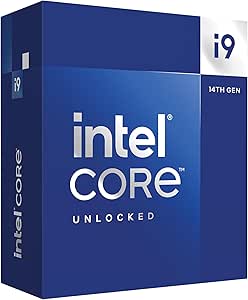 | Best Premium Intel CPU with Integrated Graphics | Core configuration: 24 cores (8 P-cores + 16 E-cores) | Threads: 32 | Maximum clock speed: Up to 6.0 GHz | VIEW LATEST PRICE | See Our Full Breakdown |
| Intel Core i5-14400F Desktop Processor | 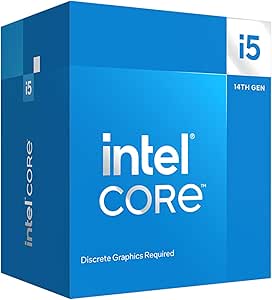 | Best Entry-Level Build Pick | Core configuration: 10 cores (6 P-cores + 4 E-cores) | Threads: 16 | Maximum frequency: Up to 4.7 GHz | VIEW LATEST PRICE | See Our Full Breakdown |
| Intel Core i7-14700KF Desktop Processor |  | Best for Discrete-GPU Gaming and Multitasking | Cores / threads: 20 (8 P-cores + 12 E-cores) / 28 | Max turbo frequency: 5.6 GHz | Socket: LGA 1700 | VIEW LATEST PRICE | See Our Full Breakdown |
| Intel Core i7-14700K Desktop Processor, 20 Cores, Unlocked, with Integrated Graphics |  | Best i7 for a Flexible Build | Cores / threads: 20 (8 P-cores + 12 E-cores) / 28 | Maximum turbo frequency: 5.6 GHz | Socket: LGA 1700 | VIEW LATEST PRICE | See Our Full Breakdown |
| Intel Core Ultra 9 285K Desktop Processor, 24-Core, Up to 5.7 GHz |  | Best Premium Intel CPU for Creator Workloads | Cores / threads: 24 (8 P-cores + 16 E-cores) / 24 | Maximum processor speed: Up to 5.7 GHz | Socket: LGA 1851 | VIEW LATEST PRICE | See Our Full Breakdown |
| Intel Core i5-14600KF Desktop Processor |  | Best Value for Discrete-GPU Gaming | Cores / threads: 14 (6 P-cores + 8 E-cores) / 20 | Maximum turbo frequency: 5.3 GHz | Socket: LGA 1700 | VIEW LATEST PRICE | See Our Full Breakdown |
| Intel Core Ultra 7 270K Plus Processor, 24-Core, up to 5.5 GHz |  | Best for Fast DDR5 on the New Intel Platform | Cores / threads: 24 (8 P-cores + 16 E-cores) / 24 | Processor speed: 3.7 GHz | Maximum turbo frequency: 5.5 GHz | VIEW LATEST PRICE | See Our Full Breakdown |
| Intel CPU | Socket | Cache | Memory support | Cores / threads |
|---|---|---|---|---|
| Intel Core i9-12900KF Unlocked | LGA 1700 | 30 MB L3; 20 MB secondary | — | 16 (8 performance + 8 efficiency) / 24 |
| Intel Core i9-12900K Gaming De | LGA 1700 | 30 MB L3; 12 MB secondary | — | 16 (8 performance + 8 efficiency) / 24 |
| Intel Core Ultra 5 Desktop Pro | LGA 1851 | 22 MB | — | 10 (6 P-cores + 4 E-cores) / 14 |
| Intel Core Ultra 7 265 Desktop | LGA 1851 | 36 MB | — | 20 (8 P-cores + 12 E-cores) / 20 |
| Intel Core i5-14400 Desktop Pr | LGA 1700 | 20 MB | DDR4 and DDR5 | 10 (6 P-cores + 4 E-cores) / 16 |
| Intel® Core™ Ultra 5 Processor | LGA1851 | 30 MB | DDR5 up to 7200 MT/s | — |
| Intel Core i9-14900KF New Gami | FCLGA1700 | 36 MB L2 | DDR4 and DDR5 | — |
| Intel Core i5-14600K Desktop P | LGA1700 | — | DDR4 and DDR5 | — |
| Intel Core i9-14900K Desktop P | LGA1700 | 36 MB | DDR4 and DDR5 | — |
| Intel Core i5-14400F Desktop P | — | 20 MB | DDR4 and DDR5 | — |
| Intel Core i7-14700KF Desktop | LGA 1700 | 33 MB | DDR4 and DDR5 | 20 (8 P-cores + 12 E-cores) / 28 |
| Intel Core i7-14700K Desktop P | LGA 1700 | 33 MB | DDR4 and DDR5 | 20 (8 P-cores + 12 E-cores) / 28 |
| Intel Core Ultra 9 285K Deskto | LGA 1851 | 40 MB | DDR5 | 24 (8 P-cores + 16 E-cores) / 24 |
| Intel Core i5-14600KF Desktop | LGA 1700 | — | DDR4 and DDR5 | 14 (6 P-cores + 8 E-cores) / 20 |
| Intel Core Ultra 7 270K Plus P | LGA 1851 | 40 MB | DDR5 up to 7200 MT/s | 24 (8 P-cores + 16 E-cores) / 24 |
More Details on Our Top Picks
Intel Core i9-12900KF Unlocked Desktop Processor, 16 Cores, up to 5.2 GHz
The Core i9-12900KF makes sense for builders who already plan to use a dedicated graphics card and want a high-core-count chip for gaming alongside demanding background work. Its 8 performance cores and 8 efficiency cores give it more threads than the Core i5-14400, which is better suited to mainstream gaming and everyday productivity. The 12900KF is also unlocked, so enthusiasts with a compatible board and cooling can tune it. Its older LGA 1700 platform can fit existing Intel 600- or 700-series builds, avoiding a motherboard change for some upgrades. The tradeoff is clear: unlike the Core i9-12900K, it has no integrated graphics, so the system needs a discrete GPU even for basic display output. Its 125 W base power also calls for capable cooling.
Pros:- 16 cores and 24 threads suit gaming while running demanding background tasks
- Unlocked multiplier allows tuning with compatible hardware
- Works with Intel 600- and 700-series chipset motherboards
- Up to 5.2 GHz maximum frequency
Cons:- Requires a discrete graphics card because it lacks integrated graphics
- 125 W base power calls for capable cooling
- Uses the older LGA 1700 platform rather than the LGA 1851 socket on newer Core Ultra desktop chips
Best for: PC builders with a discrete graphics card who want substantial multitasking capacity and unlocked tuning on an Intel 600- or 700-series motherboard.
Not ideal for: Buyers who need backup display output, want to build without a graphics card, or are assembling a lower-power system with modest cooling.
- Cores / threads:16 (8 performance + 8 efficiency) / 24
- Maximum frequency:Up to 5.2 GHz
- Processor speed:3.2 GHz
- Socket:LGA 1700
- Chipset compatibility:Intel 600- and 700-series
- Cache:30 MB L3; 20 MB secondary
- Base power:125 W
- Graphics:Discrete graphics required
Our verdict“Choose the i9-12900KF if you have a discrete GPU and an LGA 1700 build, but pick the i9-12900K if integrated graphics matter.”
Intel Core i9-12900K Gaming Desktop Processor with Integrated Graphics and 16 (8P+8E) Cores up to 5.2 GHz Unlocked LGA1700 600 Series Chipset 125W
The Core i9-12900K keeps the 16-core, 24-thread hybrid design and unlocked tuning of the 12900KF, but adds Intel UHD 770 graphics. That makes it the more flexible choice for a build awaiting a graphics card, a system that needs basic display output, or troubleshooting when a discrete GPU is unavailable. Compared with the 12900KF, its main distinction is not extra CPU performance but that built-in graphics fallback. It also fits Intel 600- and 700-series motherboards, which can appeal to LGA 1700 upgraders. The integrated graphics are not a substitute for a gaming GPU, though, and the processor’s 125 W base power plus unlocked design make cooling and board support part of the build plan. Buyers wanting a newer platform can instead look at the Core Ultra 5 225, which uses LGA 1851.
Pros:- 16 cores and 24 threads support gaming and heavy multitasking
- Intel UHD 770 graphics provide display output without a discrete GPU
- Unlocked for tuning on compatible hardware
- Compatible with Intel 600- and 700-series chipset motherboards
Cons:- Integrated graphics are not suited to demanding gaming workloads
- 125 W base power calls for a capable cooling setup
- LGA 1700 is a different platform from the LGA 1851 Core Ultra 5 225
Best for: Enthusiasts building an LGA 1700 system who want a powerful CPU and integrated graphics for display output, troubleshooting, or temporary use before installing a GPU.
Not ideal for: Buyers seeking high-end gaming on integrated graphics, or those who do not need the graphics fallback and would rather choose the 12900KF.
- Cores / threads:16 (8 performance + 8 efficiency) / 24
- Maximum frequency:Up to 5.2 GHz
- Processor speed:3.2 GHz
- Socket:LGA 1700
- Chipset compatibility:Intel 600- and 700-series
- Cache:30 MB L3; 12 MB secondary
- Base power:125 W
- Graphics:Intel UHD 770 integrated graphics
Our verdict“Pick the i9-12900K over the 12900KF when integrated display output is useful, while keeping a discrete GPU for serious gaming.”
Intel Core Ultra 5 Desktop Processor 225 10 cores (6 P-cores + 4 E-cores) up to 4.9 GHz
The Core Ultra 5 225 is the entry point here for a new Intel 800-series build, pairing 10 cores and 14 threads with integrated graphics and a 65 W base power rating. That lower base power makes it a more restrained fit than the 125 W Core i9-12900K, while its LGA 1851 socket means it cannot drop into an older LGA 1700 motherboard. Compared with the Core Ultra 7 265, the 225 gives up ten cores and some peak frequency, but is a better match for mainstream gaming and general productivity where that extra parallel capacity may go unused. It supports DDR5 and PCIe 5.0/4.0, giving a new system current platform features. The listing conflicts on whether a thermal solution is included, so I would verify cooler contents before planning the build.
Pros:- 10 cores (6 P-cores and 4 E-cores) with 14 threads for mixed workloads
- Integrated Intel graphics can provide display output without a discrete GPU
- 65 W processor base power suits less demanding power and cooling plans
- Supports DDR5 and PCIe 5.0/4.0 on Intel 800-series motherboards
Cons:- Requires an LGA 1851 motherboard, so it is not a drop-in LGA 1700 upgrade
- Fewer cores and a lower maximum frequency than the Core Ultra 7 265
- Product details conflict about whether a thermal solution is included
Best for: Mainstream PC builders starting a new Intel 800-series system for gaming, school, office work, and everyday multitasking.
Not ideal for: Owners of LGA 1700 motherboards, users with heavily parallel creative workloads, or builders who need certainty about the included cooling solution.
- Cores / threads:10 (6 P-cores + 4 E-cores) / 14
- Maximum frequency:Up to 4.9 GHz
- Processor speed:4.4 GHz
- Socket:LGA 1851
- Chipset compatibility:Intel 800-series
- Cache:22 MB
- Base power:65 W
- Graphics and expansion:Integrated Intel Graphics; PCIe 5.0 and 4.0
Our verdict“Choose the Core Ultra 5 225 for a moderate-power new LGA 1851 build, not as an upgrade for an existing LGA 1700 system.”
Intel Core Ultra 7 265 Desktop Processor, 20-Core, up to 5.3 GHz
With 20 cores—8 P-cores and 12 E-cores—the Core Ultra 7 265 is the most workload-oriented option among these first four chips. Its additional E-cores give it more capacity for concurrent applications than the 10-core Core Ultra 5 225, making it the stronger fit for creators and power users who game while encoding, compiling, or keeping many tasks active. It also includes integrated graphics and supports DDR5 and PCIe 5.0/4.0, while its 65 W base power rating is lower than the 125 W Core i9-12900K’s. The tradeoff is platform cost and compatibility: it needs an Intel 800-series LGA 1851 board and will not upgrade an LGA 1700 system. Product information also conflicts on whether a thermal solution is included, so check the package details before choosing cooling.
Pros:- 20 cores (8 P-cores and 12 E-cores) support demanding parallel workloads
- Integrated Intel graphics provide basic display output without a separate GPU
- 65 W base power rating is lower than the 125 W Core i9-12900K
- Supports DDR5 and PCIe 5.0/4.0
Cons:- Requires an Intel 800-series LGA 1851 motherboard
- The Core Ultra 5 225 is a better fit for less demanding workloads
- Listing information conflicts about whether a thermal solution is included
Best for: Creators and multitaskers assembling an Intel 800-series desktop who want many cores, integrated graphics, and DDR5 support.
Not ideal for: LGA 1700 owners seeking a simple CPU swap, buyers with light workloads who can use the Core Ultra 5 225, or anyone relying on the listing to clearly specify an included cooler.
- Cores / threads:20 (8 P-cores + 12 E-cores) / 20
- Maximum frequency:Up to 5.3 GHz
- Processor speed:4.6 GHz
- Socket:LGA 1851
- Chipset compatibility:Intel 800-series
- Cache:36 MB
- Base power:65 W
- Memory and expansion:DDR5; PCIe 5.0 and 4.0
- Graphics:Integrated Intel Graphics
Our verdict“Choose the Core Ultra 7 265 for a new LGA 1851 workstation-style desktop where extra cores matter more than reusing an LGA 1700 board.”
Intel Core i5-14400 Desktop Processor (14th Gen)
The Core i5-14400 is the practical choice for a balanced LGA 1700 desktop: its 10 cores and 16 threads can handle mainstream gaming and productivity without stepping up to the higher-power Core i9-12900K. Unlike that i9, it includes a Laminar RM1 cooler and supports both DDR4 and DDR5, giving builders more flexibility to reuse memory or choose a newer kit. Its integrated UHD Graphics 730 can drive a display and help with troubleshooting, though it is not a replacement for a discrete gaming GPU. The 4.7 GHz maximum turbo frequency and 20 MB cache are suited to everyday mixed use, but buyers doing sustained heavy rendering may prefer the Core Ultra 7 265’s 20 cores. Some Intel 600-series boards may need a BIOS update before installation.
Pros:- 10 cores and 16 threads suit mainstream gaming and productivity
- Intel Laminar RM1 cooler is included
- Supports both DDR4 and DDR5 memory
- Integrated UHD Graphics 730 provides display output without a discrete GPU
Cons:- Some Intel 600-series motherboards may require a BIOS update
- UHD Graphics 730 is not suited to high-end gaming
- Fewer cores than the 20-core Core Ultra 7 265 for heavily parallel work
Best for: Mainstream gamers and home-office builders who want an LGA 1700 processor with an included cooler and the option to use DDR4 or DDR5 memory.
Not ideal for: People running sustained, heavily threaded creative workloads, or buyers seeking high-end gaming performance from integrated graphics alone.
- Generation:14th Gen
- Cores / threads:10 (6 P-cores + 4 E-cores) / 16
- Maximum turbo frequency:Up to 4.7 GHz
- Socket:LGA 1700
- Cache:20 MB
- Base power:65 W
- Memory support:DDR4 and DDR5
- Graphics:Intel UHD Graphics 730
- Included cooler:Intel Laminar RM1
Our verdict“Choose the i5-14400 for a flexible, mainstream LGA 1700 build with a bundled cooler, but look to the Core Ultra 7 265 for heavier multicore workloads.”
Intel® Core™ Ultra 5 Processor 250K Plus – 18 cores (6 P‑cores + 12 E‑cores) up to 5.5 GHz
The Core Ultra 5 250K Plus stands out for buyers building around Intel’s newer LGA1851 platform who want more parallel-work capacity than the Core i5-14600K’s 14 cores. Its 18-core, 36-thread layout can suit gaming alongside streaming, compiling, or other threaded tasks, while boost speeds reach 5.5 GHz. DDR5 support up to 7200 MT/s and PCIe 5.0 also make it a forward-looking foundation for compatible components. The tradeoff is that this is not a drop-in upgrade for LGA1700 systems: it needs a new motherboard, unlike the Core i9-14900K, which can work with many existing 600- and 700-series boards. Its 250 W maximum turbo power also calls for capable cooling, and overclocking requires a Z-series board.
Pros:- 18 cores and 36 threads give it more parallel-work capacity than the Core i5-14600K.
- Boosts up to 5.5 GHz for responsive performance in lightly threaded tasks.
- Supports DDR5 memory up to 7200 MT/s and PCIe 5.0.
- Unlocked multiplier supports overclocking on a compatible Z-series motherboard.
Cons:- LGA1851 requires a new compatible motherboard rather than reusing an LGA1700 board.
- Maximum turbo power of 250 W calls for robust cooling and power delivery.
- Overclocking requires a Z-series motherboard.
Best for: PC builders choosing an LGA1851 motherboard who want a midrange CPU for gaming plus heavily threaded work, with DDR5 and PCIe 5.0 support.
Not ideal for: Owners of LGA1700 systems seeking a simple CPU upgrade, or buyers who want a low-power build without substantial cooling.
- Core configuration:18 cores (6 P-cores + 12 E-cores)
- Threads:36
- Max turbo frequency:Up to 5.5 GHz
- Cache:30 MB
- Socket:LGA1851
- Memory support:DDR5 up to 7200 MT/s
- Power:125 W base; 250 W maximum turbo
- PCIe support:PCIe 5.0 and PCIe 4.0
Our verdict“Choose the Core Ultra 5 250K Plus for a new LGA1851 build balancing gaming and threaded work, but skip it if you need to reuse an LGA1700 motherboard.”
Intel Core i9-14900KF New Gaming Desktop Processor – 24 Cores (8 P-cores + 16 E-cores) Unlocked
The Core i9-14900KF is the high-frequency choice here for a build that already includes a discrete graphics card. Its 24 cores and boost up to 6.0 GHz suit demanding games and creator workloads, while support for either DDR4 or DDR5 lets builders keep compatible memory they already own or select a newer platform configuration. Compared with the Core i9-14900K, the KF gives up integrated graphics, so it cannot serve as a basic display fallback if a graphics card is absent or unavailable. The two share the LGA1700 platform and broad 600- and 700-series motherboard compatibility, though older 600-series boards may need a BIOS update. Its 125 W stated TDP does not tell the whole cooling story under demanding loads; buyers should plan for substantial cooling and power delivery.
Pros:- 24 cores and 32 threads support demanding multitasking and creator workloads.
- Boost frequency reaches 6.0 GHz for high-frequency performance.
- DDR4 and DDR5 support offers memory-platform flexibility.
- Unlocked multiplier allows overclocking on a suitable motherboard.
Cons:- Requires a discrete graphics card because it has no integrated GPU.
- Demanding workloads can call for substantial cooling and power delivery.
- Some Intel 600-series motherboards require a BIOS update.
Best for: Gamers and creators assembling an LGA1700 desktop with a discrete graphics card and a compatible DDR4 or DDR5 motherboard.
Not ideal for: Buyers who need integrated graphics for troubleshooting or display output, or those seeking a modest-power processor with basic cooling needs.
- Core configuration:24 cores (8 P-cores + 16 E-cores)
- Threads:32
- Max boost frequency:Up to 6.0 GHz
- Socket:FCLGA1700
- Cache:36 MB L2
- Memory support:DDR4 and DDR5
- TDP:125 W
- Motherboard compatibility:Intel 600-series (BIOS update may be required) and 700-series
- Graphics:Discrete graphics card required
Our verdict“Pick the i9-14900KF for a powerful LGA1700 gaming or creator build with a discrete GPU, and choose the i9-14900K instead if you want integrated graphics.”
Intel Core i5-14600K Desktop Processor
The Core i5-14600K makes the most sense for buyers who want strong gaming and everyday creator performance without moving to a Core i9. Its 14 cores and 20 threads give it more multitasking headroom than the 10-core Core i5-14400F, and its 5.3 GHz maximum turbo frequency favors responsive, lightly threaded work. It also offers a practical platform advantage over the Core Ultra 5 250K Plus: the i5-14600K fits LGA1700 systems, with support for both DDR4 and DDR5, while the newer Ultra chip requires LGA1851 and DDR5. That flexibility comes with an older platform and a cooler not included in the supplied product information. Buyers should also check motherboard support, particularly on 600-series boards, which may need a BIOS update.
Pros:- 14 cores and 20 threads offer a useful balance for gaming and multitasking.
- Maximum turbo frequency of 5.3 GHz supports responsive performance.
- DDR4 and DDR5 compatibility gives builders memory options.
- Unlocked multiplier supports overclocking.
Cons:- No CPU cooler is included, so cooling must be sourced separately.
- Some Intel 600-series motherboards may need a BIOS update.
- It uses LGA1700 rather than the newer LGA1851 platform.
Best for: LGA1700 builders and upgraders who want a capable gaming-and-productivity CPU and the option to use compatible DDR4 or DDR5 memory.
Not ideal for: Buyers seeking a new LGA1851 platform, an included cooler, or the larger core count of an i9 for intensive parallel workloads.
- Core count:14 (6 P-cores + 8 E-cores)
- Threads:20
- Max turbo frequency:Up to 5.3 GHz
- Socket:LGA1700
- Memory support:DDR4 and DDR5
- Base power:125 W
- Motherboard compatibility:Intel 600-series and 700-series; BIOS update may be needed on 600-series boards
- Warranty:3 years
Our verdict“Choose the i5-14600K for a flexible LGA1700 gaming and productivity build, especially if you want more headroom than the i5-14400F provides.”
Intel Core i9-14900K Desktop Processor
The Core i9-14900K pairs flagship-level desktop performance with a practical feature the i9-14900KF lacks: Intel UHD Graphics 770. Its 24 cores and boost speed up to 6.0 GHz make it suited to demanding gaming and creator workloads, while integrated graphics can provide display output or a fallback when a discrete GPU is absent. That advantage makes the standard 14900K more flexible than the KF, though builders who already have a graphics card and do not need an onboard display option may prefer the KF’s otherwise similar core count and boost ceiling. Both use LGA1700 and support DDR4 or DDR5, which can help preserve compatible components. The 125 W base power and high-end performance still call for a capable cooling setup, and some 600-series boards need a BIOS update.
Pros:- 24 cores and 32 threads suit demanding multitasking and creator workloads.
- Boost frequency reaches 6.0 GHz.
- Intel UHD Graphics 770 provides display output without a discrete GPU.
- Supports DDR4 and DDR5 memory on LGA1700 motherboards.
Cons:- Its 125 W base power and demanding workloads call for capable cooling.
- Some Intel 600-series motherboards may need a BIOS update.
- The integrated graphics advantage matters less in systems that always use a discrete GPU.
Best for: Enthusiasts and creators who want 24-core LGA1700 performance with integrated graphics for display output, troubleshooting, or a system without a discrete GPU.
Not ideal for: Buyers who do not need integrated graphics and would rather choose the i9-14900KF, or those building a low-power system with limited cooling.
- Core configuration:24 cores (8 P-cores + 16 E-cores)
- Threads:32
- Maximum clock speed:Up to 6.0 GHz
- Base processor speed:3.2 GHz
- Socket:LGA1700
- Cache:36 MB
- Integrated graphics:Intel UHD Graphics 770
- Memory support:DDR4 and DDR5
- Processor base power:125 W
Our verdict“Choose the i9-14900K when you want high-end LGA1700 performance plus integrated graphics, and consider the KF if a discrete GPU is always part of your build.”
Intel Core i5-14400F Desktop Processor
The Core i5-14400F is the straightforward choice for a gaming desktop built around a separate graphics card, with 10 cores and 16 threads for games, everyday multitasking, and lighter productivity. Unlike the i5-14600K, it does not offer an unlocked multiplier, and its maximum frequency is lower at 4.7 GHz; in return, it includes the RM1 thermal solution, which can simplify a standard build. That included cooler is a practical distinction from the i5-14600K, whose supplied details do not list one. The 14400F also supports DDR4 or DDR5 and PCIe 5.0/4.0, so it can fit a range of LGA1700 component plans. The main limitation is the F designation: it has no integrated graphics, so a discrete GPU is required for display output.
Pros:- 10 cores and 16 threads handle gaming and everyday multitasking.
- Supports both DDR4 and DDR5 memory.
- PCIe 5.0 and PCIe 4.0 support gives builders current expansion options.
- RM1 thermal solution is included.
Cons:- A discrete graphics card is required because there is no integrated graphics.
- Its 4.7 GHz maximum frequency and locked design offer less performance tuning headroom than the i5-14600K.
- Some Intel 600-series motherboards may need a BIOS update.
Best for: First-time desktop builders assembling an LGA1700 system with a discrete graphics card who want a stock cooler and support for DDR4 or DDR5.
Not ideal for: Buyers who need integrated graphics, want to overclock, or regularly run heavily threaded creator workloads better suited to higher-core CPUs such as the i5-14600K.
- Core configuration:10 cores (6 P-cores + 4 E-cores)
- Threads:16
- Maximum frequency:Up to 4.7 GHz
- Cache:20 MB
- Memory support:DDR4 and DDR5
- PCIe support:PCIe 5.0 and PCIe 4.0
- Included cooling:RM1 thermal solution
- Graphics:Discrete graphics card required
- Motherboard compatibility:Intel 600-series (BIOS update may be required) and 700-series
Our verdict“Pick the i5-14400F for a practical LGA1700 gaming build with a discrete GPU, but choose the i5-14600K for higher clock speeds and overclocking.”
Intel Core i7-14700KF Desktop Processor
The Core i7-14700KF pairs 20 cores and 28 threads with boost speeds up to 5.6 GHz, making it a strong fit for gaming alongside demanding background work such as streaming or rendering. Compared with the Core i5-14600KF, it adds more cores and threads for heavier multitasking; the tradeoff is greater cooling demand and a need for a capable discrete graphics card. Its unlocked multiplier gives experienced builders room to tune performance, while support for DDR4 or DDR5 can help when upgrading an existing LGA 1700 system. The K version is the better choice if you want basic integrated graphics for troubleshooting or display output. Choose this KF model when a discrete GPU is already part of the build and you do not need onboard graphics.
Pros:- 20 cores and 28 threads suit gaming while running demanding tasks in the background.
- Boost frequency up to 5.6 GHz supports responsive performance in lightly threaded workloads.
- Unlocked multiplier allows overclocking with a compatible setup.
- DDR4 and DDR5 support offers flexibility when choosing memory for an LGA 1700 build.
Cons:- No integrated graphics; a discrete GPU is required for display output.
- 125 W base power calls for suitable cooling, with power draw potentially rising under demanding loads.
- Older 600-series motherboards may need a BIOS update.
Best for: Gaming PC builders with a discrete graphics card who also stream, create content, or run other multithreaded workloads.
Not ideal for: Buyers who need integrated graphics for a basic system or backup display output, or who want a lower-power processor with modest cooling needs.
- Cores / threads:20 (8 P-cores + 12 E-cores) / 28
- Max turbo frequency:5.6 GHz
- Socket:LGA 1700
- Cache:33 MB
- Base power:125 W
- Memory support:DDR4 and DDR5
- Graphics:None; discrete graphics required
- Warranty:3 years
Our verdict“Pick the i7-14700KF for a discrete-GPU build that needs more multitasking headroom than the i5-14600KF provides.”
Intel Core i7-14700K Desktop Processor, 20 Cores, Unlocked, with Integrated Graphics
The Core i7-14700K delivers the same 20-core, 28-thread layout and 5.6 GHz maximum turbo as the i7-14700KF, but adds Intel UHD Graphics 770. That distinction matters if you want to build before buying a graphics card, use the PC for basic display tasks, or keep a fallback for diagnosing GPU problems. Against the KF, this is the more adaptable choice; against the Core Ultra 9 285K, it keeps compatibility with DDR4 and LGA 1700 boards, though it has fewer cores and belongs to an older platform. The unlocked design suits builders who plan to tune performance, but the 125 W base power calls for appropriate cooling. Check the BIOS support of 600-series boards before pairing one with this processor.
Pros:- 20 cores and 28 threads handle demanding productivity work alongside gaming.
- Integrated UHD Graphics 770 provides display output without a discrete GPU.
- Unlocked multiplier supports performance tuning.
- DDR4 and DDR5 support gives flexibility for compatible LGA 1700 builds.
Cons:- 125 W base power requires a cooling solution suited to a high-performance processor.
- Some 600-series motherboards may need a BIOS update.
- The newer Core Ultra 9 285K offers a 24-core design for buyers prioritizing a newer platform and more cores.
Best for: LGA 1700 builders who want a high-core-count unlocked CPU and usable integrated graphics for display output or GPU troubleshooting.
Not ideal for: Buyers focused on a new LGA 1851 platform or those who do not need integrated graphics and would rather choose the i7-14700KF.
- Cores / threads:20 (8 P-cores + 12 E-cores) / 28
- Maximum turbo frequency:5.6 GHz
- Socket:LGA 1700
- Cache:33 MB
- Base power:125 W
- Integrated graphics:Intel UHD Graphics 770
- Memory support:DDR4 and DDR5
- PCIe support:PCIe 5.0 and 4.0
- Compatible chipsets:Intel 700-series and 600-series; BIOS update may be required
Our verdict“Choose the i7-14700K over the KF when integrated graphics and broad LGA 1700 memory flexibility matter to your build.”
Intel Core Ultra 9 285K Desktop Processor, 24-Core, Up to 5.7 GHz
For buyers building around a new enthusiast platform, the Core Ultra 9 285K brings 24 cores, a maximum 5.7 GHz speed, and integrated Intel Graphics. Its 8 P-cores and 16 E-cores make it a higher-core-count option than the Core i7-14700K, which can better suit demanding creation workloads and heavy multitasking. That advantage comes with a platform change: this CPU uses LGA 1851 and Intel 800-series chipsets, and supports DDR5 rather than the i7’s DDR4-or-DDR5 flexibility. It is unlocked for tuning, but no thermal solution is included, so the build needs a separate cooling plan. I’d favor it for a fresh, high-end system, not as a drop-in upgrade for an LGA 1700 PC.
Pros:- 24 cores, including 16 E-cores, offer substantial parallel-work capacity.
- Maximum frequency of 5.7 GHz supports demanding lightly threaded tasks.
- Integrated Intel Graphics provides display output without a discrete GPU.
- PCIe 5.0 and DDR5 support suit a current high-end platform.
Cons:- Requires an Intel 800-series motherboard with an LGA 1851 socket.
- Supports DDR5 only, unlike the Core i7-14700K’s DDR4 and DDR5 flexibility.
- Thermal solution is not included.
Best for: Enthusiast creators and power users planning a new LGA 1851 system with DDR5 memory and substantial cooling.
Not ideal for: Owners of LGA 1700 systems seeking a simple CPU upgrade, or builders who need DDR4 compatibility or an included thermal solution.
- Cores / threads:24 (8 P-cores + 16 E-cores) / 24
- Maximum processor speed:Up to 5.7 GHz
- Socket:LGA 1851
- Cache:40 MB
- Base power:125 W
- Memory support:DDR5
- PCIe support:PCIe 5.0 and 4.0
- Compatible chipset:Intel 800 series
- Thermal solution:Not included
Our verdict“Choose the Core Ultra 9 285K for a new DDR5-based creator PC where 24 cores and an enthusiast platform justify the extra build requirements.”
Intel Core i5-14600KF Desktop Processor
The Core i5-14600KF is the more restrained pick for a gaming PC with a discrete graphics card: its 14 cores and 20 threads offer ample capacity for gaming and everyday productivity without stepping up to the i7-14700KF’s 20 cores. Its boost frequency reaches 5.3 GHz, and the unlocked multiplier leaves room for tuning. Like the i7 KF, it lacks integrated graphics, so the graphics card is not optional; builders who want fallback display output should look at the Core i7-14700K instead. Support for DDR4 and DDR5 makes it easier to match an existing LGA 1700 setup, but the 125 W base power still calls for appropriate cooling. This is a sensible fit when the GPU is central to the build and the workload does not demand the i7’s extra cores.
Pros:- 14 cores and 20 threads provide useful capacity for gaming and multitasking.
- Boosts up to 5.3 GHz for responsive single-threaded performance.
- Unlocked multiplier supports overclocking.
- DDR4 and DDR5 support offers flexibility on compatible LGA 1700 motherboards.
Cons:- No integrated graphics; a discrete GPU is required.
- 125 W base power can call for robust cooling under demanding workloads.
- Older 600-series motherboards may require a BIOS update.
Best for: Discrete-GPU gaming builders who want an unlocked LGA 1700 processor for gaming, streaming, and moderate productivity.
Not ideal for: Buyers who need integrated graphics, run heavily threaded workloads, or want a lower-power system with modest cooling.
- Cores / threads:14 (6 P-cores + 8 E-cores) / 20
- Maximum turbo frequency:5.3 GHz
- Socket:LGA 1700
- Base power:125 W
- Memory support:DDR4 and DDR5
- PCIe support:PCIe 5.0 and 4.0
- Integrated graphics:None; discrete graphics required
- Warranty:3 years
Our verdict“Pick the i5-14600KF over the i7-14700KF when you have a discrete GPU and prefer fewer cores to the i7’s extra multitasking headroom.”
Intel Core Ultra 7 270K Plus Processor, 24-Core, up to 5.5 GHz
The Core Ultra 7 270K Plus is a 24-core choice for builders who want an LGA 1851 system and fast DDR5 support, listed up to 7200 MT/s. Its 8 P-cores and 16 E-cores match the core layout of the Core Ultra 9 285K, but its maximum turbo is lower at 5.5 GHz rather than 5.7 GHz. That makes this the platform-focused alternative for buyers who value the same stated core count and modern memory support over the Ultra 9’s higher peak speed. The 125 W base power is paired with a listed maximum turbo power of 250 W, so cooling and power delivery need attention during demanding work. It also requires an Intel 800-series board, making it a poor fit for a simple LGA 1700 upgrade.
Pros:- 24-core configuration supports demanding gaming and creator workloads.
- DDR5 support is listed up to 7200 MT/s.
- PCIe 5.0 and 4.0 support fits a current enthusiast platform.
- Unlocked design supports tuning with Intel Z-series chipsets.
Cons:- Requires an Intel 800-series motherboard with an LGA 1851 socket.
- Maximum turbo power is listed at 250 W, raising cooling and power-delivery demands.
- Its 5.5 GHz maximum turbo is lower than the Core Ultra 9 285K’s 5.7 GHz.
Best for: Builders assembling a new LGA 1851 desktop who want 24 cores, DDR5 support up to 7200 MT/s, and room for performance tuning.
Not ideal for: Owners of LGA 1700 systems, DDR4-based builders, or anyone unwilling to plan for power draw that can reach 250 W.
- Cores / threads:24 (8 P-cores + 16 E-cores) / 24
- Processor speed:3.7 GHz
- Maximum turbo frequency:5.5 GHz
- Socket:LGA 1851
- Cache:40 MB
- Memory support:DDR5 up to 7200 MT/s
- Chipset compatibility:Intel 800 series
- Base / maximum turbo power:125 W / 250 W
- PCIe support:PCIe 5.0 and 4.0
Our verdict“Choose the Ultra 7 270K Plus for a new LGA 1851 build prioritizing 24 cores and fast DDR5, but favor the Ultra 9 285K if higher peak frequency is the priority.”

How We Picked
I ranked these 15 Intel desktop CPUs by how well their specifications align with distinct buyer needs: gaming, everyday computing, multitasking, and demanding productivity. Core count and boost frequency helped identify performance tiers, but I also weighed whether each model has integrated graphics, whether it is unlocked, and how much platform and cooling planning its class can call for. These factors matter because a processor can look impressive on paper yet be a poor match for a modest build or a motherboard a buyer already owns.
The ranking favors broad usefulness before specialized peak capability. That puts a capable, unlocked chip with integrated graphics ahead of similarly positioned models that require a discrete graphics card, while entry-level picks rank well for uncomplicated builds. Premium and high-core-count processors sit lower for most readers because they make more sense when the workload can use their extra capacity. I also treat Core Ultra and Core i-series choices as separate platform decisions: buyers should verify motherboard socket and compatibility rather than assuming family names indicate interchangeability.
| Intel CPU | Socket | Memory support |
|---|---|---|
| Intel Core i9-12900KF Unlocked | LGA 1700 | — |
| Intel Core i9-12900K Gaming De | LGA 1700 | — |
| Intel Core Ultra 5 Desktop Pro | LGA 1851 | — |
| Intel Core Ultra 7 265 Desktop | LGA 1851 | — |
| Intel Core i5-14400 Desktop Pr | LGA 1700 | DDR4 and DDR5 |
| Intel® Core™ Ultra 5 Processor | LGA1851 | DDR5 up to 7200 MT/s |
| Intel Core i9-14900KF New Gami | FCLGA1700 | DDR4 and DDR5 |
| Intel Core i5-14600K Desktop P | LGA1700 | DDR4 and DDR5 |
| Intel Core i9-14900K Desktop P | LGA1700 | DDR4 and DDR5 |
| Intel Core i5-14400F Desktop P | — | DDR4 and DDR5 |
| Intel Core i7-14700KF Desktop | LGA 1700 | DDR4 and DDR5 |
| Intel Core i7-14700K Desktop P | LGA 1700 | DDR4 and DDR5 |
| Intel Core Ultra 9 285K Deskto | LGA 1851 | DDR5 |
| Intel Core i5-14600KF Desktop | LGA 1700 | DDR4 and DDR5 |
| Intel Core Ultra 7 270K Plus P | LGA 1851 | DDR5 up to 7200 MT/s |
Factors to Consider When Choosing Best Intel CPUs
Before choosing from this lineup, I would match the processor to the whole PC rather than select by core count alone. These checks can prevent paying for unused capacity or discovering that a preferred CPU does not fit the planned motherboard, graphics setup, or cooling budget.
Check Socket and Motherboard Compatibility First
CPU families in this roundup do not all use the same platform, so start with the motherboard model or the socket listed by its manufacturer. LGA1700 is specified for the Core i9-12900K, while the product names alone are not enough to establish that a Core Ultra option fits an existing board. Verify the exact CPU support list, required BIOS version, and memory type before ordering. A board that physically accepts a processor may still need a firmware update to boot with it. If you are reusing a motherboard, its support list should narrow your options before performance comparisons begin. For a new build, compare the full platform cost, including board and memory, rather than judging the CPU in isolation.
Choose Cores for Your Workload, Not for the Number
More cores can help with workloads that run many tasks at once, such as rendering, encoding, or heavy multitasking, but they are not a universal shortcut to a better PC. A gaming-focused build or a computer used for browsing and office tasks may gain less from a 20- or 24-core model than a workstation-style workload would. Think about the applications you actually use and whether they can take advantage of additional threads. If your tasks are mostly light, a Core i5 can leave more of the build budget for a stronger graphics card, storage, or memory. Buyers who routinely run several demanding programs at once have a stronger reason to step up to Core i7, Core i9, or higher-core Ultra options. Avoid treating the largest core count as a future-proofing guarantee.
Understand K, F, and KF Before Picking a Variant
Model suffixes can affect both flexibility and what other hardware your system needs. The K and KF models in this list are unlocked, which suits buyers who want the option to tune performance, but a compatible board and adequate cooling matter for that plan. F and KF versions lack integrated graphics, so they require a discrete graphics card for display output. That can be a poor fit for a budget build, a PC that needs troubleshooting graphics, or a system where the dedicated card may be removed. Non-F alternatives such as the 14700K and 12900K include integrated graphics, adding a basic fallback even when a discrete GPU is installed. Compare the paired variants by features and intended setup, not just by the shared model number.
Plan Cooling and Power Around the CPU Tier
A high-end processor needs a build that can handle its operating demands, not just a compatible socket. Before choosing an enthusiast-class i9 or an unlocked K model, check the processor’s power specifications and the motherboard maker’s guidance, then select a cooler and case with suitable capacity. A small case or low-profile cooling setup may favor a less demanding CPU over a flagship part. Cooler choice also affects noise and room for other components, so include it in the build plan early. Do not assume that a cooler included with another component will be sufficient for every processor in this list. The right match is the one that sustains the workload you need without forcing compromises elsewhere in the system.
Decide Whether Integrated Graphics Are Worth Keeping
Integrated graphics are useful even when a discrete GPU is part of the plan. They can provide display output during a GPU fault, make initial setup easier, and support a basic PC build that does not need a separate graphics card. A model without integrated graphics can still be a sound choice when the system will always use a discrete card and the buyer has accounted for that dependency. This distinction is especially practical when comparing the i5-14400 with the i5-14400F, or K models with their KF counterparts. Also check the motherboard’s display outputs; integrated graphics do not provide video through a board that lacks the needed ports. Choose based on the system’s fallback and troubleshooting needs, not only its planned graphics card.
Set a Sensible Performance Ceiling
Paying for the highest tier makes sense only when your workload, cooling, and platform can make use of it. For many desktop builds, a capable midrange CPU is a better balance than a flagship paired with a modest graphics card or limited memory. Buyers who render, compile, or encode for long sessions may benefit from higher core counts, while occasional creative tasks rarely justify choosing a CPU solely for maximum specifications. Factor in the motherboard, memory, cooler, and graphics card before setting the processor tier. If the total build plan is fixed, prioritize the component that most directly limits your intended work. The best choice is the one that fits the whole system, not the one with the most impressive name.
Frequently Asked Questions
Should I choose the Core i7-14700K or spend more on a Core i9?
I would choose the Core i7-14700K for a mixed-use PC unless your regular workload can use the i9’s additional capacity. It already has 20 cores and integrated graphics, making it a flexible option for gaming alongside demanding desktop tasks. The i9-14900K and 14900KF make more sense for buyers who routinely run heavily threaded work and have planned suitable cooling. The 14900K includes integrated graphics, while the KF does not, so the latter depends on a discrete card. Compare the complete system requirements before stepping up, since a higher CPU tier may also call for a stronger cooler and board.
Is the i5-14400F a safe choice if I already have a graphics card?
It can be a good fit if your discrete graphics card will stay in the system and you are comfortable giving up integrated graphics. The main tradeoff compared with the i5-14400 is losing a built-in display option for setup and troubleshooting. If the graphics card fails, is removed, or is being replaced, an F-series processor cannot provide display output on its own. Check that the card and the rest of the build are compatible before choosing the F model. If you value a fallback or plan to build without a discrete GPU, the i5-14400 is the more flexible choice.
Can I upgrade from a 12th-generation Core CPU to one of the Core Ultra models?
Do not assume a Core Ultra processor will fit a motherboard used by a 12th-generation Core chip. The 12th-generation i9-12900K is identified as an LGA1700 processor, while the Core Ultra options are a separate platform decision. Check the exact socket, chipset, motherboard CPU support list, and memory requirements for the specific model you want. A platform change can also mean replacing the motherboard and possibly memory, which changes the upgrade’s overall scope. Confirm those details before buying, even if the new processor appears to be from the same manufacturer.
For a gaming PC, should I prioritize a higher-core CPU or a better graphics card?
For many gaming-focused builds, I would balance the processor and graphics card rather than defaulting to the highest core count. A high-end GPU can matter more to game performance than moving from a capable midrange CPU to a 24-core model, particularly when the rest of the system is not built for demanding productivity work. The i5 options are worth considering when gaming is the main task and the saved build capacity can go toward graphics. A stronger CPU tier is easier to justify if you also stream, create content, or keep demanding applications open while gaming. Check performance results for the games and resolution you care about before committing to a flagship processor.
When is an unlocked K-series CPU worth choosing over a non-K model?
A K-series CPU fits buyers who want an unlocked processor and have the motherboard, cooling, and power setup to make use of that flexibility. If you will run the system at standard settings and prioritize a straightforward build, an i5-14400 or another non-K option can be a more sensible match. Overclocking is not a free performance gain: it calls for compatible hardware and can increase heat and power demands. K models with integrated graphics, such as the 14700K, also differ from KF variants in a useful way for troubleshooting. Choose the unlocked model for a deliberate tuning plan, not just because its suffix sounds higher-end.
Conclusion
For the best overall balance, I would choose the Core i7-14700K: its 20 cores, unlocked design, and integrated graphics suit a wide range of demanding builds. The best value-oriented starting point is the Core i5-14400 for everyday use and mainstream systems, while buyers who already have a discrete graphics card can weigh the i5-14400F’s feature tradeoff. For a premium, high-core-count build, look at the Core Ultra 9 285K or Core i9-14900K only after checking platform compatibility, cooling, and workload needs. The best choice for beginners is the i5-14400 because its non-K, non-F configuration avoids the extra graphics-card dependency and tuning decisions of K or F variants. For heavy multitasking or demanding productivity, compare the 20- and 24-core options against your software and full system plan; for a compact or modest build, favor a lower-tier chip that fits its cooling and power limits.
Columbus Day / Indigenous Peoples' Day Picks
long weekend sales
As an affiliate, we earn on qualifying purchases.