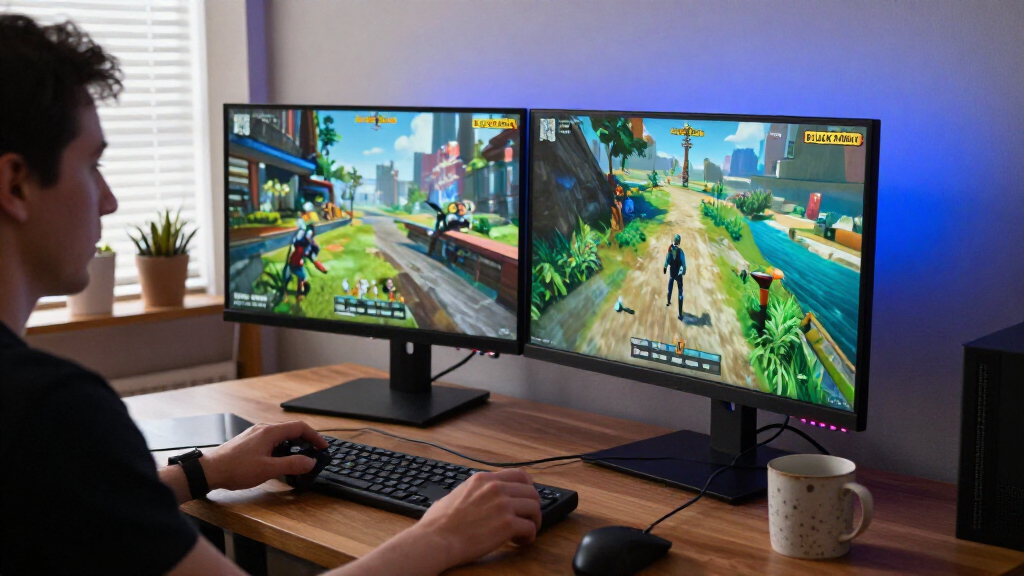

Finding the right screen among the flood of Black Friday gaming monitor deals requires filtering through marketing noise to identify genuine performance upgrades. My top pick, the GIGABYTE GO27Q24G, stands out for pairing WOLED technology with a 240Hz refresh rate, offering elite motion clarity without the steep price tag of larger panels. For those prioritizing immersive scale, the Acer Predator X32 X delivers a 4K QD-OLED experience that dominates competitive play with near-instant pixel response times. However, buyers must weigh these premium features against the diminishing returns of high-refresh rates on lower-resolution panels. Continue reading to see how these fifteen options stack up in terms of panel quality, connectivity, and long-term value.

Get the latest gadgets delivered free with Prime
- Fast, free delivery on millions of items
- Prime Video, Amazon Music and more included
- Member-only deals all year
Complete the kit



Key Takeaways
- Panel technology dictates the tier: OLED and QD-OLED models (GIGABYTE, Acer) occupy the premium tier, offering perfect blacks and instant response, while IPS and VA panels dominate the value and budget segments with different tradeoffs in viewing angles and contrast.
- Resolution and refresh rate balance is key: The Sceptre lineup highlights a trend of pushing 180Hz and 240Hz on FHD and QHD panels, which benefits competitive gamers more than 4K at lower refresh rates for many users.
- Curvature varies by intent: Aggressive curvature (1000R on Samsung) enhances immersion for racing or flight sims but can distort straight lines in productivity tasks, whereas flat or gently curved (1500R-1800R) panels offer a more versatile hybrid experience.
- Brand consistency in budget segments: Sceptre and SANSUI provide multiple entry-level options that sacrifice build quality and color accuracy for high refresh rates, making them viable for pure esports but poor for content creation.
- Ultrawide is a niche upgrade: Ultrawide monitors like the Sceptre E345B-QU240T and LG 34U60ZB-B offer superior peripheral vision and multitasking utility but require larger desk spaces and more GPU power than standard 16:9 displays.
| Sceptre E275B-FPT165 27-Inch FHD IPS Gaming Monitor |  | Best Budget High-Refresh IPS | Screen Size: 27 inches | Resolution: 1920 x 1080 (FHD) | Refresh Rate: Up to 180Hz | VIEW LATEST PRICE | See Our Full Breakdown |
| HyperX OMEN 27 G3 27-Inch FHD 240Hz IPS Gaming Monitor |  | Best for High-FPS Competitive Play | Screen Size: 27 inches | Resolution: 1920 x 1080 (Full HD) | Refresh Rate: 240 Hz | VIEW LATEST PRICE | See Our Full Breakdown |
| Sceptre 22-Inch FHD 144Hz Gaming Monitor |  | Best Compact Entry-Level | Screen Size: 22 inches | Resolution: 1920 x 1080 (FHD) | Refresh Rate: Up to 144Hz | VIEW LATEST PRICE | See Our Full Breakdown |
| MSI MAG 272URDFA E16 27-inch 4K Gaming Monitor |  | Best Hybrid 4K for Console and PC | Screen Size: 27 inches | Resolution: 3840 x 2160 (4K UHD) | Refresh Rate: Up to 320Hz (Dual Mode) | VIEW LATEST PRICE | See Our Full Breakdown |
| GIGABYTE GO27Q24G 27-Inch QHD WOLED Gaming Monitor |  | Best Premium Visual Fidelity | Screen Size: 27 inches | Resolution: 2560 x 1440 (QHD) | Refresh Rate: 240 Hz | VIEW LATEST PRICE | See Our Full Breakdown |
| Samsung Odyssey G5 G51F 32-Inch QHD 180Hz Gaming Monitor |  | Best Balance of Size and Resolution | Screen Size: 32 inches | Resolution: 2560 × 1440 (QHD) | Panel Type: VA | VIEW LATEST PRICE | See Our Full Breakdown |
| Sceptre 27-inch Prime Gaming Monitor – 180Hz Refresh Rate, Dual HDMI & DisplayPort, Built-in Speakers, Machine Black (E275B-FW180T) |  | Best Value for Multi-Device Setups | Screen Size: 27 inches | Resolution: 1920 x 1080 (FHD) | Refresh Rate: 180 Hz | VIEW LATEST PRICE | See Our Full Breakdown |
| Acer Predator 31.5in Curved 4K 3840×2160 QD-OLED 240Hz Gaming Monitor X32 X |  | Best Premium OLED Experience | Screen Size: 31.5 inches | Resolution: 3840 x 2160 (4K UHD) | Panel Type: QD-OLED | VIEW LATEST PRICE | See Our Full Breakdown |
| KTC H32S17F 32-Inch Curved 240Hz FHD Gaming Monitor |  | Best High-Refresh Value Pick | Screen Size: 32 inches | Resolution: 1920 x 1080 (FHD) | Refresh Rate: 240 Hz | VIEW LATEST PRICE | See Our Full Breakdown |
| Sceptre 27-Inch Curved Full HD Gaming Monitor, 180Hz, 1ms, 1500R |  | Best Compact Curved Entry-Level | Screen Size: 27 inches | Resolution: 1920 x 1080 (FHD) | Refresh Rate: 180 Hz | VIEW LATEST PRICE | See Our Full Breakdown |
| Sceptre 34-Inch Ultrawide Gaming Monitor, 3440 × 1440, 240Hz, 1ms (E345B-QU240T) |  | Best High-Refresh Ultrawide Value | Screen Size: 34 inches | Resolution: 3440 × 1440 | Refresh Rate: 240Hz | VIEW LATEST PRICE | See Our Full Breakdown |
| SANSUI 32-Inch Curved 240Hz FHD Gaming Monitor |  | Best Budget Large-Screen Speed | Screen Size: 32 inches | Resolution: 1920 × 1080 | Refresh Rate: 240Hz | VIEW LATEST PRICE | See Our Full Breakdown |
| SANSUI 27-Inch Curved 240Hz Gaming Monitor |  | Best Balanced Curved Entry | Screen Size: 27 inches | Resolution: 1920 × 1080 | Refresh Rate: 240Hz (up to 280Hz) | VIEW LATEST PRICE | See Our Full Breakdown |
| LG 34U60ZB-B 34-inch UltraWide WQHD 120Hz HDR10 1800R Curved Monitor, Black |  | Best Productivity Gaming Hybrid | Screen Size: 34 inches | Resolution: 3440 x 1440 | Refresh Rate: 120 Hz | VIEW LATEST PRICE | See Our Full Breakdown |
| Samsung Odyssey G55C 32-Inch QHD 1000R Curved Gaming Monitor |  | Best Immersive QHD Experience | Screen Size: 32 inches | Resolution: 2560 x 1440 (QHD) | Refresh Rate: 165 Hz | VIEW LATEST PRICE | See Our Full Breakdown |
| Black Friday gaming monitor deal | Screen Size | Resolution | Refresh Rate | Response Time |
|---|---|---|---|---|
| Sceptre E275B-FPT165 27-Inch F | 27 inches | 1920 x 1080 (FHD) | Up to 180Hz | 1ms |
| HyperX OMEN 27 G3 27-Inch FHD | 27 inches | 1920 x 1080 (Full HD) | 240 Hz | 1 ms |
| Sceptre 22-Inch FHD 144Hz Gami | 22 inches | 1920 x 1080 (FHD) | Up to 144Hz | 1ms |
| MSI MAG 272URDFA E16 27-inch 4 | 27 inches | 3840 x 2160 (4K UHD) | Up to 320Hz (Dual Mode) | 0.5ms (GtG) |
| GIGABYTE GO27Q24G 27-Inch QHD | 27 inches | 2560 x 1440 (QHD) | 240 Hz | 0.03 ms GtG |
| Samsung Odyssey G5 G51F 32-Inc | 32 inches | 2560 × 1440 (QHD) | 180 Hz | — |
| Sceptre 27-inch Prime Gaming M | 27 inches | 1920 x 1080 (FHD) | 180 Hz | — |
| Acer Predator 31.5in Curved 4K | 31.5 inches | 3840 x 2160 (4K UHD) | 240 Hz | 0.03 ms (GtG) |
| KTC H32S17F 32-Inch Curved 240 | 32 inches | 1920 x 1080 (FHD) | 240 Hz | — |
| Sceptre 27-Inch Curved Full HD | 27 inches | 1920 x 1080 (FHD) | 180 Hz | — |
| Sceptre 34-Inch Ultrawide Gami | 34 inches | 3440 × 1440 | 240Hz | 1ms |
| SANSUI 32-Inch Curved 240Hz FH | 32 inches | 1920 × 1080 | 240Hz | 1ms MPRT |
| SANSUI 27-Inch Curved 240Hz Ga | 27 inches | 1920 × 1080 | 240Hz (up to 280Hz) | 1ms MPRT |
| LG 34U60ZB-B 34-inch UltraWide | 34 inches | 3440 x 1440 | 120 Hz | 5 ms |
| Samsung Odyssey G55C 32-Inch Q | 32 inches | 2560 x 1440 (QHD) | 165 Hz | 1 ms (MPRT) |
More Details on Our Top Picks
Sceptre E275B-FPT165 27-Inch FHD IPS Gaming Monitor
This monitor stands out for delivering a 180Hz refresh rate on an IPS panel at an entry-level price point, making it a strong contender for budget-conscious gamers. Compared to the Sceptre 22-Inch FHD, it offers a more immersive 27-inch screen size without sacrificing speed, though you lose some pixel density by staying at 1080p. The inclusion of FreeSync and built-in speakers adds convenience for setups where cable management is a priority. However, the resolution is a clear tradeoff; if you play graphically intensive titles, the MSI MAG 272URDFA offers significantly sharper 4K clarity. This pick makes the most sense for competitive players who prioritize smooth motion over crisp visuals.Pros:- High 180Hz refresh rate for smooth motion
- IPS panel with wide 178-degree viewing angles
- Built-in speakers reduce desk clutter
- VESA mount compatibility for flexible setups
Cons:- 1080p resolution looks soft on 27 inches
- Refresh rate varies by input and settings
- Build quality feels basic compared to premium brands
Best for: Competitive gamers on a tight budget who prioritize high refresh rates and wide viewing angles over pixel density.
Not ideal for: Content creators or single-player gamers who need 4K resolution for detailed textures.
- Screen Size:27 inches
- Resolution:1920 x 1080 (FHD)
- Refresh Rate:Up to 180Hz
- Panel Type:IPS
- Response Time:1ms
- Sync Technology:FreeSync
Our verdict“A solid choice for competitive FPS players who need speed more than sharpness.”
HyperX OMEN 27 G3 27-Inch FHD 240Hz IPS Gaming Monitor
This model is engineered for players who demand the highest possible frame rates, offering a 240Hz refresh rate that surpasses the Sceptre E275B-FPT165’s 180Hz. The IPS panel ensures colors remain vibrant from any angle, while G-SYNC Compatible support eliminates tearing for NVIDIA card users. It is significantly more responsive than the Sceptre 22-Inch due to its higher refresh ceiling. However, the stand offers only tilt adjustment, lacking the height and pivot features found on the GIGABYTE GO27Q24G. You also remain limited to 1080p, so visual fidelity takes a back seat to raw speed. This pick is ideal for esports athletes who need every millisecond of advantage.Pros:- Ultra-fast 240Hz refresh rate
- G-SYNC Compatible for tear-free gameplay
- IPS panel with accurate color reproduction
- Low 36-watt power consumption
Cons:- Stand only supports tilt adjustment
- 1080p resolution lacks detail for immersive games
- No built-in speakers
Best for: Esports competitors using NVIDIA GPUs who play fast-paced titles at 1080p.
Not ideal for: Users who need ergonomic height adjustment or higher resolution for productivity.
- Screen Size:27 inches
- Resolution:1920 x 1080 (Full HD)
- Refresh Rate:240 Hz
- Panel Type:IPS
- Response Time:1 ms
- Adaptive Sync:NVIDIA G-SYNC Compatible
Our verdict“The go-to choice for serious competitive gamers who prioritize frame rate above all else.”
Sceptre 22-Inch FHD 144Hz Gaming Monitor
This 22-inch monitor is the smallest option in the lineup, making it perfect for cramped desks where the Sceptre E275B-FPT165 would feel too large. It delivers a respectable 144Hz refresh rate, which is faster than standard office monitors but slower than the HyperX OMEN 27 G3. The minimal bezel design allows for cleaner dual-monitor setups, though the 170-degree viewing angle is narrower than the IPS panels on larger models. While the built-in speakers are convenient, they lack the bass response of dedicated audio systems. This option makes the most sense for students or gamers with limited space who want a functional, fast display without a large footprint.Pros:- Compact 22-inch size fits small spaces
- 144Hz refresh rate for smooth motion
- Minimal bezels aid multi-monitor setups
- Built-in speakers for basic audio needs
Cons:- 22-inch screen feels cramped for 1080p
- Lower viewing angles than IPS competitors
- Basic stand lacks ergonomic adjustments
Best for: Students or gamers with small desks who need a compact, fast-refresh display.
Not ideal for: Users who prefer immersive screen sizes or require wide viewing angles for co-op play.
- Screen Size:22 inches
- Resolution:1920 x 1080 (FHD)
- Refresh Rate:Up to 144Hz
- Display Type:LED
- Response Time:1ms
- Viewing Angle:170 degrees
Our verdict“A practical, space-saving choice for entry-level gamers with limited desk real estate.”
MSI MAG 272URDFA E16 27-inch 4K Gaming Monitor
This monitor distinguishes itself with dual-mode functionality, allowing you to switch between 4K at 160Hz and 1080p at 320Hz. This versatility sets it apart from the fixed-resolution HyperX OMEN 27 G3 and the 1080p Sceptre E275B-FPT165. It is particularly well-suited for console gamers, with specific compatibility for PS5 and Xbox Series X|S. The Rapid IPS panel offers a 0.5ms response time, reducing ghosting in fast scenes. However, the connectivity is limited to HDMI and VGA, lacking the USB-C ports found on the GIGABYTE GO27Q24G. This pick makes the most sense for hybrid gamers who want one monitor for both high-fidelity single-player games and high-refresh esports.Pros:- Dual mode: 4K@160Hz or 1080p@320Hz
- 0.5ms GtG response time for minimal blur
- Console mode optimized for PS5/Xbox
- 3-year manufacturer warranty
Cons:- Limited ports (HDMI/VGA only)
- 4K mode maxes out at 160Hz
- No USB hub functionality
Best for: Hybrid gamers who play both 4K console titles and high-refresh PC esports.
Not ideal for: Users needing USB-C connectivity for laptops or those on a strict budget.
- Screen Size:27 inches
- Resolution:3840 x 2160 (4K UHD)
- Refresh Rate:Up to 320Hz (Dual Mode)
- Panel Type:Rapid IPS
- Response Time:0.5ms (GtG)
- HDR Support:VESA DisplayHDR 400
Our verdict“The ideal monitor for players who refuse to choose between 4K clarity and high-speed performance.”
GIGABYTE GO27Q24G 27-Inch QHD WOLED Gaming Monitor
This monitor represents the pinnacle of visual quality in this group, featuring a WOLED panel with MLA+ technology for superior contrast and brightness. Compared to the MSI MAG 272URDFA’s IPS panel, the 1,500,000:1 contrast ratio delivers deeper blacks and more vibrant colors. The 0.03ms response time is virtually instantaneous, outperforming the 1ms of the Sceptre E275B-FPT165. It also includes USB-C connectivity and extensive ergonomic adjustments, unlike the tilt-only HyperX OMEN 27 G3. The tradeoff is the glossy finish, which may cause reflections in bright rooms, and the inherent risk of OLED burn-in despite AI mitigation. This option stands out for enthusiasts who demand the best possible image quality.Pros:- WOLED panel with 1,500,000:1 contrast ratio
- 0.03ms response time for zero blur
- USB-C connectivity and ergonomic stand
- AI OLED Care features to mitigate burn-in
Cons:- Glossy screen reflects ambient light
- Higher risk of burn-in than IPS/LED
- Premium price point
Best for: Enthusiasts who prioritize color accuracy, contrast, and response time over budget constraints.
Not ideal for: Gamers in very bright rooms or those concerned about long-term OLED burn-in risks.
- Screen Size:27 inches
- Resolution:2560 x 1440 (QHD)
- Refresh Rate:240 Hz
- Panel Type:WOLED
- Response Time:0.03 ms GtG
- Contrast Ratio:1,500,000:1
Our verdict“A premium display for users who want top-tier color and contrast without compromise.”
Samsung Odyssey G5 G51F 32-Inch QHD 180Hz Gaming Monitor
This 32-inch VA panel strikes a compelling balance that few competitors manage during Black Friday sales. Unlike the Sceptre 27-inch Prime, which drops to 1080p on a smaller canvas, the Samsung Odyssey G5 maintains crisp QHD clarity even at a larger size, making text sharper and game details more distinct. The 3000:1 contrast ratio delivers deeper blacks than standard IPS alternatives, which is critical for immersive single-player titles. However, the flat screen design lacks the wraparound immersion found in the Acer Predator X32, which might disappoint those seeking a curved cockpit feel. It is a pragmatic choice for gamers who prioritize pixel density over curvature.
Pros:- QHD resolution on a 32-inch screen provides excellent pixel density
- High contrast ratio enhances dark scene visibility
- Ergonomic stand includes both height and tilt adjustments
Cons:- Flat panel offers less immersion than curved competitors
- Limited connectivity with only one HDMI port
Best for: Gamers who want a large screen without sacrificing sharpness, particularly those playing single-player RPGs or strategy games.
Not ideal for: Competitive FPS players who need the absolute fastest panel response, or those who prefer curved screens for immersion.
- Screen Size:32 inches
- Resolution:2560 × 1440 (QHD)
- Panel Type:VA
- Refresh Rate:180 Hz
- Contrast Ratio:3000:1
- Stand Adjustments:Tilt and Height
- Ports:1 HDMI, 1 DisplayPort
Our verdict“The Samsung Odyssey G5 is the smart pick for those who value sharp QHD visuals on a large flat canvas over curved immersion.”
Sceptre 27-inch Prime Gaming Monitor – 180Hz Refresh Rate, Dual HDMI & DisplayPort, Built-in Speakers, Machine Black (E275B-FW180T)
The Sceptre 27-inch Prime stands out for its connectivity flexibility, offering dual HDMI and dual DisplayPort inputs that outshine the single-port limitation of the Samsung Odyssey G5. This makes it ideal for switchers who juggle consoles and PCs without constant cable swapping. The built-in speakers add convenience, though they lack the audio fidelity of dedicated peripherals. While the 1080p resolution on a 27-inch panel is less sharp than the QHD options in this lineup, the 180Hz refresh rate ensures motion remains fluid. It is a budget-friendly entry that prioritizes utility and smoothness over pixel-perfect clarity.
Pros:- Abundant connectivity with two HDMI and two DisplayPort inputs
- Built-in speakers reduce the need for external audio devices
- High refresh rate provides smooth motion for fast-paced games
Cons:- 1080p resolution on 27 inches results in lower pixel density
- Lacks advanced ergonomic adjustments like height or swivel
Best for: Multi-device gamers who need multiple HDMI inputs and want a clutter-free desk with built-in audio.
Not ideal for: Users who prioritize high-resolution clarity or need extensive ergonomic adjustments like swivel or pivot.
- Screen Size:27 inches
- Resolution:1920 x 1080 (FHD)
- Refresh Rate:180 Hz
- Panel Type:VA
- Connectivity:2 HDMI, 2 DisplayPort
- Audio:Built-in Speakers
- Mounting:VESA Compatible
Our verdict“This Sceptre model is the go-to choice for budget-conscious gamers who need versatile connectivity and built-in speakers.”
Acer Predator 31.5in Curved 4K 3840×2160 QD-OLED 240Hz Gaming Monitor X32 X
The Acer Predator X32 represents the pinnacle of this Black Friday lineup, offering a QD-OLED panel that delivers infinite contrast and vibrant colors far surpassing the VA panels in the Samsung Odyssey G5 and KTC H32S17F. With 4K resolution and a 240Hz refresh rate, it provides incredible detail and speed simultaneously, a combination rarely found at this size. The 1700R curvature enhances immersion, wrapping the image around your peripheral vision. However, the premium price tag and high power consumption make it less accessible than value-focused options. It is a no-compromise display for enthusiasts who demand the best visual fidelity available.
Pros:- QD-OLED technology offers superior contrast and color depth
- Combines 4K resolution with a high 240Hz refresh rate
- Robust ergonomics with tilt, swivel, and height adjustment
Cons:- Premium pricing places it in a different category than value monitors
- OLED panels require careful management to prevent image retention
Best for: Enthusiasts with high-end GPUs who demand the absolute best color accuracy, contrast, and motion clarity.
Not ideal for: Budget-conscious buyers or those without powerful hardware to drive 4K resolution at high framerates.
- Screen Size:31.5 inches
- Resolution:3840 x 2160 (4K UHD)
- Panel Type:QD-OLED
- Refresh Rate:240 Hz
- Response Time:0.03 ms (GtG)
- Curvature:1700R
- Connectivity:2x HDMI 2.1, 2x DP, USB-C 65W
Our verdict“The Acer Predator X32 is the ultimate choice for gamers who want uncompromised 4K OLED performance and immersion.”
KTC H32S17F 32-Inch Curved 240Hz FHD Gaming Monitor
For competitive gamers on a budget, the KTC H32S17F offers a remarkable 240Hz refresh rate on a large 32-inch canvas, outpacing the 180Hz limits of the Sceptre 27-inch Prime. The 1500R curvature helps fill the peripheral vision, creating a more engaging experience than flat screens like the Samsung Odyssey G5. However, the 1080p resolution on such a large screen results in visible pixelation, making text and fine details appear softer than on higher-density displays. It is a specialized tool for motion clarity, sacrificing sharpness for speed and screen real estate.
Pros:- Extremely high 240Hz refresh rate for ultra-smooth motion
- Large 32-inch curved screen enhances peripheral vision
- Supports both FreeSync and G-Sync for versatile compatibility
Cons:- Low pixel density due to 1080p resolution on 32 inches
- Stand offers only tilt adjustment, lacking height customization
Best for: Competitive multiplayer players who prioritize high refresh rates and large screen real estate over image sharpness.
Not ideal for: Users who play single-player games with detailed textures or need crisp text for productivity.
- Screen Size:32 inches
- Resolution:1920 x 1080 (FHD)
- Refresh Rate:240 Hz
- Curvature:1500R
- Sync Technology:FreeSync, G-Sync Compatible
- Ports:2x HDMI 2.0, 1x DisplayPort 1.4
- Warranty:3 Years
Our verdict“The KTC H32S17F is the best option for speed-focused gamers who want a massive curved screen without breaking the bank.”
Sceptre 27-Inch Curved Full HD Gaming Monitor, 180Hz, 1ms, 1500R
This Sceptre 27-inch curved monitor is a smaller, more affordable sibling to the KTC H32S17F, offering similar 1500R curvature and high refresh rates in a more manageable footprint. It provides a good middle ground for gamers with limited desk space who still want the immersion of a curve, unlike the flat Samsung Odyssey G5. The 100% sRGB color gamut ensures vibrant visuals, though the 1080p resolution limits detail compared to QHD models. It is an accessible entry point into curved gaming, offering solid performance without the premium price of OLED or the bulk of 32-inch panels.
Pros:- Immersive 1500R curve at a compact 27-inch size
- High refresh rate and fast response time for smooth gaming
- VESA mountable for flexible setup options
Cons:- 1080p resolution lacks the sharpness of QHD alternatives
- Limited information on ergonomic stand adjustments
Best for: Beginners or gamers with smaller desks who want the benefits of a curved screen at an entry-level price.
Not ideal for: Content creators who need color accuracy for professional work or users who require high-resolution clarity.
- Screen Size:27 inches
- Resolution:1920 x 1080 (FHD)
- Refresh Rate:180 Hz
- Curvature:1500R
- Color Gamut:100% sRGB
- Connectivity:2 HDMI, 2 DisplayPort
- Audio:Built-in Speakers
Our verdict“This Sceptre curved monitor is the ideal starter pack for gamers wanting immersion without the size or cost of larger displays.”
Sceptre 34-Inch Ultrawide Gaming Monitor, 3440 × 1440, 240Hz, 1ms (E345B-QU240T)
This monitor stands out for delivering 240Hz performance on a 34-inch ultrawide panel, a combination that usually costs significantly more. Compared to the LG 34U60ZB-B, which caps at 120Hz, the Sceptre offers double the smoothness for competitive shooters and racing games, making it a superior choice for motion-sensitive players. The VA panel provides deep blacks and 100% sRGB coverage, ensuring vibrant colors for both gaming and media consumption. However, buyers should note that VA panels can exhibit slight ghosting in fast-paced scenes compared to IPS alternatives. The built-in speakers are a convenient bonus but lack the fidelity of a dedicated audio setup. This model is ideal for those who want immersion and speed without the premium price tag of OLED or high-end IPS ultrawides.
Pros:- Rare 240Hz refresh rate on an ultrawide display
- Deep contrast ratios inherent to VA panels
- Includes built-in speakers and VESA compatibility
- Adaptive Sync support reduces tearing
Cons:- VA panel may show ghosting in fast motion
- 21:9 aspect ratio requires a wide desk
- Built-in speakers offer limited audio quality
Best for: Competitive gamers who need ultrawide immersion and high refresh rates without breaking the bank.
Not ideal for: Professional color graders or users who require perfect viewing angles, as VA panels shift colors off-center.
- Screen Size:34 inches
- Resolution:3440 × 1440
- Refresh Rate:240Hz
- Panel Type:VA
- Response Time:1ms
- Color Gamut:100% sRGB
Our verdict“Choose this if you want the best speed-to-size ratio in the ultrawide category.”
SANSUI 32-Inch Curved 240Hz FHD Gaming Monitor
For gamers prioritizing raw speed over pixel density, this 32-inch FHD monitor delivers an impressive 240Hz refresh rate at an accessible price point. When compared to the SANSUI 27-Inch Curved 240Hz Gaming Monitor, this larger 32-inch option provides a more immersive field of view, though the 1920 × 1080 resolution results in lower pixel density. The 1500R curvature enhances immersion, wrapping the screen around your peripheral vision. It includes useful features like FreeSync and HDR support, ensuring smooth, tear-free gameplay with vibrant highlights. However, the lack of built-in speakers means you must rely on external audio. This monitor is a pragmatic choice for those who want a big, fast screen for esports titles where resolution matters less than frame rate.
Pros:- High 240Hz refresh rate for smooth motion
- Immersive 1500R curvature
- Supports FreeSync and HDR
- Tilt-adjustable stand and VESA compatibility
Cons:- Low pixel density due to FHD resolution on 32 inches
- No built-in speakers included
- Stand offers tilt adjustment only
Best for: Esports players who prefer larger screens for peripheral awareness and prioritize high frame rates.
Not ideal for: Users who need sharp text for productivity or high-resolution visual fidelity in single-player games.
- Screen Size:32 inches
- Resolution:1920 × 1080
- Refresh Rate:240Hz
- Curvature:1500R
- Response Time:1ms MPRT
- Color Gamut:125% sRGB
Our verdict“A solid pick for budget-conscious gamers who value screen size and speed over clarity.”
SANSUI 27-Inch Curved 240Hz Gaming Monitor
This 27-inch curved monitor hits a sweet spot by offering up to 280Hz refresh rate capabilities, outpacing the standard 240Hz found on many competitors, including its own 32-inch sibling. The 1500R curve combined with the 130% sRGB color gamut provides vivid, engaging visuals that feel more immersive than flat panels. While it shares the FHD resolution limitation with the 32-inch model, the smaller screen size results in a noticeably sharper image, making text easier to read. It includes FreeSync and HDR support, along with gaming-specific features like crosshair overlays. The absence of built-in speakers is a tradeoff, but the inclusion of a DisplayPort cable in the box adds value. This is a strong contender for players who want high performance and better clarity than the larger FHD alternatives.
Pros:- Supports up to 280Hz refresh rate
- Sharper pixel density than 32-inch FHD models
- Includes gaming modes and crosshair feature
- Vibrant 130% sRGB color coverage
Cons:- FHD resolution may look soft for productivity
- No built-in speakers
- Stand adjustment limited to tilt
Best for: Gamers who want a sharper FHD experience with higher refresh rate potential than standard models.
Not ideal for: Those who need extreme immersion from a large screen or require QHD resolution for detailed textures.
- Screen Size:27 inches
- Resolution:1920 × 1080
- Refresh Rate:240Hz (up to 280Hz)
- Curvature:1500R
- Color Gamut:130% sRGB
- Response Time:1ms MPRT
Our verdict“The best choice for competitive players who want speed and clarity in a manageable size.”
LG 34U60ZB-B 34-inch UltraWide WQHD 120Hz HDR10 1800R Curved Monitor, Black
The LG 34U60ZB-B positions itself as a versatile hybrid, ideal for users who split time between gaming and work. Its 3440 × 1440 WQHD resolution offers significantly more screen real estate than the SANSUI 32-Inch Curved, making it far superior for multitasking and spreadsheet work. The 120Hz refresh rate is sufficient for most gaming experiences, though it trails behind the 240Hz speeds of the Sceptre E345B-QU240T for competitive esports. The 1800R curvature provides a gentle immersion that reduces eye strain during long sessions. While it lacks USB-C connectivity, the HDR10 support and 99% sRGB coverage deliver a polished visual experience. This monitor is for those who prioritize workspace utility and visual comfort over raw competitive speed.
Pros:- Expansive 21:9 aspect ratio for multitasking
- WQHD resolution offers sharp text and details
- Comfortable 1800R curvature
- Slim stand design saves desk space
Cons:- 120Hz refresh rate is lower than dedicated gaming monitors
- 5ms response time is slower than 1ms competitors
- No built-in speakers or USB-C port
Best for: Professionals and casual gamers who need wide screen real estate for multitasking and productivity.
Not ideal for: Hardcore esports players who require 144Hz+ refresh rates for competitive advantage.
- Screen Size:34 inches
- Resolution:3440 x 1440
- Refresh Rate:120 Hz
- Curvature:1800R
- Response Time:5 ms
- HDR Support:HDR10
Our verdict“Pick this if your setup demands a balance of gaming capability and serious workspace efficiency.”
Samsung Odyssey G55C 32-Inch QHD 1000R Curved Gaming Monitor
This monitor distinguishes itself with an aggressive 1000R curvature, which is tighter than the 1500R curve found on the SANSUI 32-Inch Curved models, creating a more enveloping visual experience. The QHD 2560 x 1440 resolution provides a crucial clarity upgrade over the FHD options, making game textures and UI elements much sharper. With a 165Hz refresh rate and 1ms MPRT response time, it strikes a balance between smoothness and visual fidelity. The AMD FreeSync technology ensures tear-free gameplay, while Eye Saver Mode helps with comfort during long sessions. However, the glossy screen finish can be problematic in bright rooms, reflecting ambient light more than the matte finishes on other picks. This is for gamers who want high resolution and deep immersion without the cost of OLED or top-tier IPS panels.
Pros:- Aggressive 1000R curvature for maximum immersion
- QHD resolution offers sharp, detailed visuals
- 165Hz refresh rate balances speed and quality
- Includes Eye Saver Mode for comfort
Cons:- Glossy finish causes glare in bright environments
- Only one HDMI port limits connectivity
- Curvature may be too intense for some users
Best for: Gamers who prioritize visual immersion and QHD clarity over extreme refresh rates.
Not ideal for: Users with bright, window-filled rooms, as the glossy screen reflects significant light.
- Screen Size:32 inches
- Resolution:2560 x 1440 (QHD)
- Refresh Rate:165 Hz
- Curvature:1000R
- Response Time:1 ms (MPRT)
- Adaptive Sync:AMD Radeon FreeSync
Our verdict“Choose this for a deeply immersive, high-resolution gaming experience that prioritizes visual wrap-around.”
How We Picked
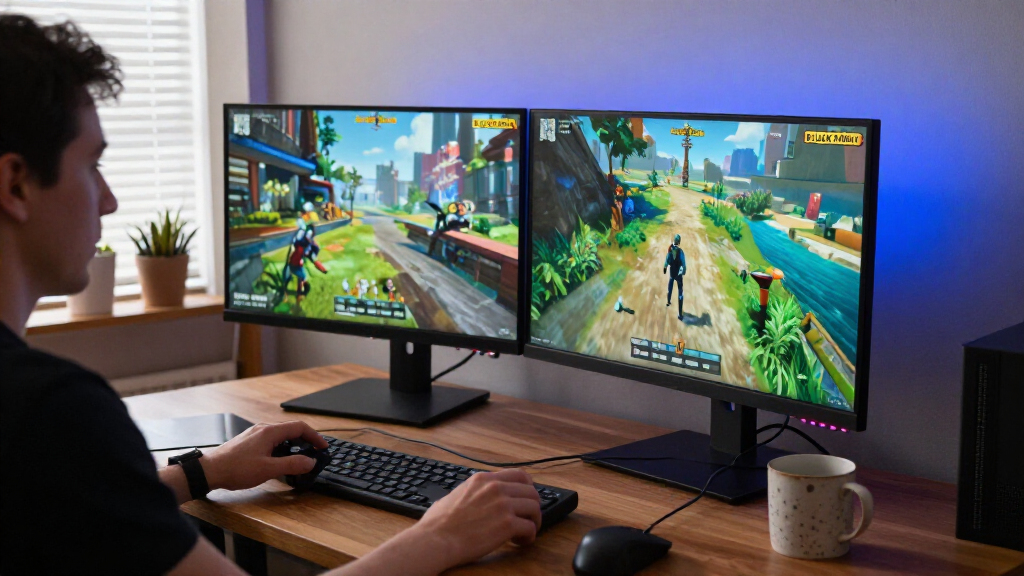
My evaluation process prioritized panel technology and refresh rate synergy over raw brand prestige. I analyzed how each monitor balances resolution with motion clarity, recognizing that a 240Hz FHD panel serves a different user than a 144Hz 4K panel. I also scrutinized connectivity options, ensuring that premium picks offered the latest DisplayPort standards to support high-bandwidth signals. Value was assessed not just by price, but by the longevity of the technology; for instance, OLED panels carry burn-in risks that affect long-term value calculations, whereas IPS panels offer safer longevity for mixed-use setups.
I filtered out models with poor ergonomic adjustability unless they offered exceptional panel quality that justified a fixed stand. The ranking logic favors monitors that excel in their specific use case: competitive esports, immersive single-player, or hybrid productivity. This ensures that a budget 144Hz monitor isn’t unfairly penalized for lacking features that belong in a premium OLED tier.
Factors to Consider When Choosing Black Friday Gaming Monitor Deals
Selecting a monitor during Black Friday sales can be overwhelming due to the sheer volume of specifications. Beyond the headline numbers, understanding how these specs translate to your daily use is the only way to avoid buyer’s remorse.
Panel Technology Tradeoffs
The choice between OLED, QD-OLED, IPS, and VA panels defines the visual character of your gaming experience. OLED and QD-OLED models provide infinite contrast and perfect blacks, which is transformative for dark, atmospheric games, but they require careful usage to prevent static image burn-in over time. IPS panels offer the best color accuracy and viewing angles, making them ideal for mixed use where you might edit photos or watch movies alongside gaming. VA panels often sit in the middle, delivering better contrast than IPS but sometimes suffering from ‘black smearing’ in fast-moving dark scenes, a critical flaw for competitive players. You must decide if you value the punchy contrast of OLED or the versatile consistency of IPS.
Resolution vs. GPU Power
Buying a 4K monitor is meaningless if your graphics card cannot sustain high frame rates at that resolution. While a 1440p (QHD) monitor strikes a balance between sharpness and performance, 4K demands significantly more VRAM and processing power. If you are upgrading your monitor but not your GPU, sticking to 1080p (FHD) or 1440p allows you to push higher refresh rates, which often matters more for competitive feel than extra pixels. Check your current GPU’s benchmark capabilities before committing to a high-resolution panel, as underutilizing a 4K monitor is a common and expensive mistake.
Refresh Rate and Response Time
While 240Hz is the new standard for competitive play, the difference between 144Hz and 165Hz is subtle for most casual gamers. More important than raw hertz is the pixel response time; a 1ms rated panel with slow actual transition times will look blurrier than a 5ms panel with fast overdrive. Look for reviews that discuss ‘ghosting’ or ‘inverse ghosting’ rather than just the manufacturer’s claimed millisecond rating. For esports titles like Counter-Strike or Valorant, high refresh rates are paramount, whereas for single-player adventures, a smoother 60-120Hz experience with better visuals may be more enjoyable.
Curvature and Immersion
Monitor curvature is measured by the radius of the circle the curve would form; lower numbers mean a tighter curve. 1000R monitors, like the Samsung Odyssey G55C, wrap around your field of view, enhancing immersion but potentially causing distortion in straight lines, which can hinder productivity or design work. 1500R to 1800R curves offer a gentler wrap that reduces eye strain without distorting the image as aggressively. Flat panels remain the best choice for professional color work or if you prefer a traditional desk setup. Consider your primary use case: immersive gaming favors tight curves, while versatility favors flat or gentle curves.
Connectivity and Standards
Ensure your monitor supports the necessary standards for your hardware. DisplayPort 1.4 is required for many high-refresh, high-resolution combinations to achieve their rated speeds, especially if you are using HDR. HDMI 2.1 is becoming relevant for console gamers (PS5, Xbox Series X) who want 4K at 120Hz. A monitor that only offers HDMI 2.0 will cap your console performance, regardless of the panel’s capabilities. Check the port selection carefully, as some budget models lack USB hubs or headphone jacks, which can be inconvenient if your PC is under your desk.
Ergonomics and Stand Quality
Many budget gaming monitors sacrifice stand adjustability to keep costs down, offering only tilt. If you spend hours at your desk, height adjustment, pivot, and swivel capabilities are worth paying for to prevent neck and back strain. If a monitor lacks a decent stand, verify if it supports VESA mounting. This allows you to attach a third-party arm, which frees up desk space and offers superior adjustability. Buying a cheap monitor to save money but then spending extra on a VESA arm negates the savings, so factor this into the total cost of ownership.
Frequently Asked Questions
Is OLED worth it for gaming if I also do office work?
This depends heavily on your static image exposure. OLED panels offer unmatched contrast and response times, but static elements like taskbars, window borders, and Excel spreadsheets can cause permanent burn-in over time if not managed carefully. If your office work involves long sessions with static windows, an IPS panel is a safer, albeit less visually dramatic, choice. If you must have OLED, enable pixel shifting and screen savers aggressively, and consider a monitor with a matte coating to reduce reflections, though this doesn’t solve burn-in risk.Should I buy a 1440p 144Hz monitor or a 1080p 240Hz monitor?
This choice hinges on your GPU power and the types of games you play. If you primarily play competitive esports titles like Call of Duty or Overwatch, the 240Hz 1080p monitor provides a tangible competitive advantage in motion clarity. However, if you play visually demanding single-player games or want a sharper image for general use, 1440p at 144Hz offers a better balance of visual fidelity and smoothness. A 1440p panel looks significantly sharper at typical viewing distances, making it the better all-rounder for most gamers.Do I really need HDR on a gaming monitor?
True HDR requires high brightness (typically 600 nits or more) and local dimming zones to be effective. Most budget and mid-range monitors have ‘HDR’ labels that are marketing fluff, offering little to no visual improvement. If a monitor lacks proper local dimming or sufficient peak brightness, enabling HDR can actually make the image look washed out. Unless you are buying a premium mini-LED or OLED monitor, you are often better off disabling HDR and relying on standard SDR color accuracy for a more consistent experience.Is ultrawide better than a dual-monitor setup?
An ultrawide monitor provides a seamless, uninterrupted field of view, which is superior for immersive gaming and cinematic experiences. Dual monitors offer more flexibility for window management and can be cheaper if you already have two standard screens. However, ultrawides require more desk depth and can be harder to mount. For productivity, ultrawides excel at timeline-based work (video editing, spreadsheets), but dual screens are often better for coding or comparing documents side-by-side. Consider whether you value immersion (ultrawide) or modular flexibility (dual monitors).How do I check if a Black Friday deal is actually good?
Ignore the ‘strikethrough’ MSRP, which is often inflated. Instead, compare the current price against historical data from the last 3-6 months using trusted price-tracking tools. A ‘deal’ is only good if it is lower than the monitor’s regular selling price. Also, check if the sale includes necessary accessories like DisplayPort cables, as some retailers strip these out to lower the price. Finally, verify the return policy, as dead pixels are common in gaming panels and you need a hassle-free way to exchange the unit if one appears.Conclusion
Choosing the right monitor from this list depends on your specific priorities. For the best overall balance of performance and price, the GIGABYTE GO27Q24G is the standout choice, delivering elite WOLED motion clarity at a competitive QHD resolution. If you have the budget and GPU power for the absolute best visual fidelity, the Acer Predator X32 X with its 4K QD-OLED panel is the premium winner. For budget-conscious gamers who prioritize frame rates over color accuracy, the Sceptre E275B-FPT165 offers a solid entry point into high-refresh gaming. Beginners looking for a reliable, no-frills experience should consider the HyperX OMEN 27 G3 for its strong brand support and balanced specs. Finally, if immersion is your goal, the Samsung Odyssey G55C with its aggressive 1000R curvature provides a wraparound experience that flat panels cannot match. Match your choice to your GPU capabilities and primary game genres to get the most out of your Black Friday purchase.