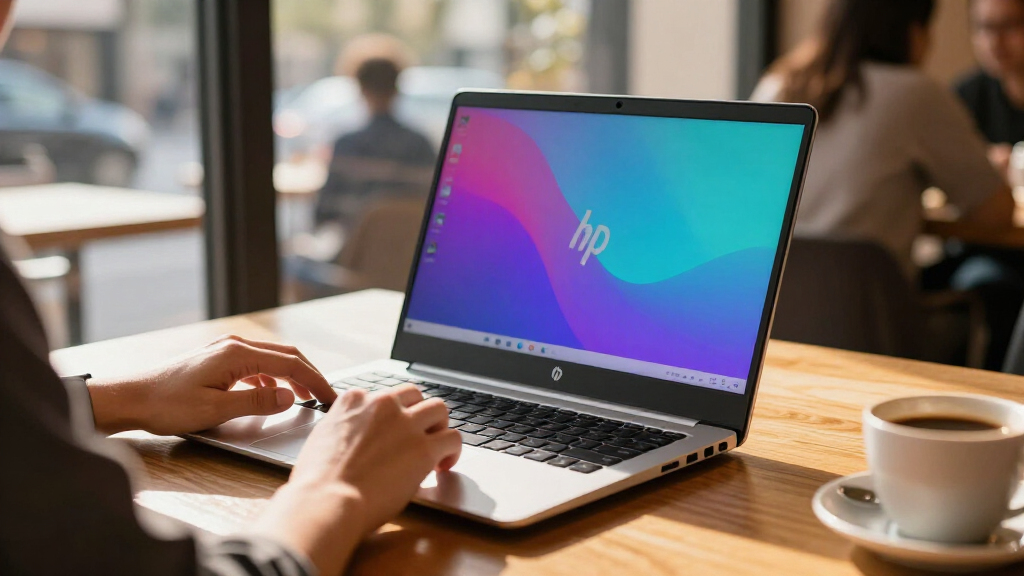

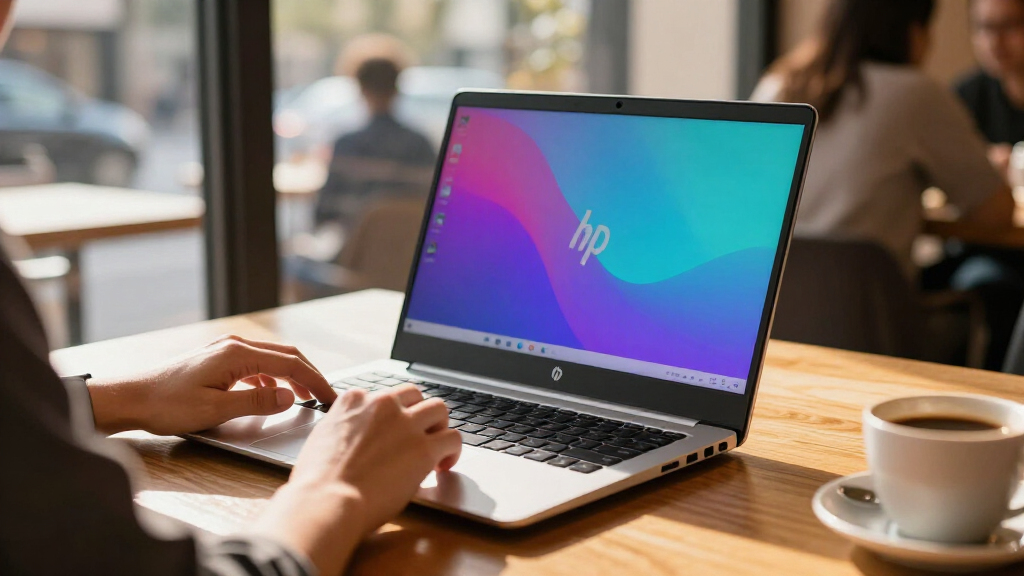
The best OLED HP laptops in this roundup balance rich display quality with the performance, portability, and flexibility you need. My best overall pick is the HP OmniBook X 14 with 3K OLED, which pairs a sharper compact touchscreen with a practical 16GB of memory and 1TB SSD. For demanding workloads, the OmniBook 7 16-inch OLED models offer 32GB of RAM and Intel Core i9 processors, while the OmniBook X Flip 16 adds a convertible design and generous storage. The main tradeoffs are screen resolution versus battery demands, conventional laptop simplicity versus 2-in-1 flexibility, and newer configurations versus renewed or less fully specified options. Read on for my comparison of all 13 models, plus advice on which details matter most for your needs.

Get the latest gadgets delivered free — and shop member deals
- Fast, free delivery on millions of items
- Access to Prime Big Deal Days deals on October 6–7
- Prime Video, Amazon Music and more included
Complete the kit



Key Takeaways
- Resolution and size point to different use cases: the 14-inch OmniBook X has a 3K OLED screen for compact, detailed work, while several 16-inch models prioritize more workspace.
- OmniBook 7 configurations lead on listed memory: multiple 16-inch versions pair Intel Core i9 with 32GB RAM, a stronger fit for heavier multitasking than the 16GB Snapdragon X options.
- Flip models earn their place through flexibility: the OmniBook X Flip and OmniBook 7 Flip add convertible use, with selected configurations listing 2TB storage and 32GB RAM.
- Similar names do not mean identical packages: OmniBook X listings vary by operating system and storage details, and one includes a docking station as part of its stated capacity.
- The OmniBook 5 line favors accessible everyday setups: its 14- and 16-inch OLED options use Snapdragon X Plus configurations, while the renewed 14-inch model has a smaller 512GB SSD.
| HP OmniBook X 16″ 2K OLED Touch Laptop, Snapdragon X Plus X1P-42-100, 16GB RAM, 1.5TB Storage, Windows 11 Pro |  | Best for Snapdragon Productivity | Display: 16-inch 2K OLED touchscreen | Processor: Qualcomm Snapdragon X Plus X1P-42-100 | Memory: 16GB LPDDR5X | VIEW LATEST PRICE | See Our Full Breakdown |
| HP OmniBook 7 16″ OLED Touchscreen Laptop, Intel Core i9-270H, 32GB RAM, 1TB SSD, Windows 11 Home |  | Best for Performance and Connectivity | Display: 16-inch 2K OLED touchscreen, 2048 x 1280, 120Hz, HDR, up to 500 nits | Processor: Intel Core i9-270H, 14 cores and 20 threads | Memory: 32GB DDR5-5600 | VIEW LATEST PRICE | See Our Full Breakdown |
| HP OmniBook X 14 Laptop with 3K OLED Touchscreen, Intel Octa-core Processor, 16GB RAM, 1TB SSD, Windows 11 Pro |  | Best Compact High-Resolution Pick | Display: 14-inch 3K OLED touchscreen, 2880 x 1800, 120Hz | Processor: Intel Core Ultra 7 355 octa-core, up to 4.7GHz | Memory: 16GB DDR SDRAM | VIEW LATEST PRICE | See Our Full Breakdown |
| HP OmniBook 7 16″ 2K OLED Touchscreen Laptop, Intel Core i9, 32GB RAM, 1TB SSD, Windows 11 Pro, Silver |  | Best for Business Users | Display: 16-inch 2K OLED multitouch, 120Hz, HDR | Processor: Intel Core i9, 14 cores, up to 5.8GHz | Memory: 32GB | VIEW LATEST PRICE | See Our Full Breakdown |
| HP OmniBook 5 14-inch Next Gen AI PC with OLED Display, Snapdragon X Plus X1P-42-100, 16GB RAM, 1TB SSD, Windows 11 Home |  | Best for Battery Life | Display: 14-inch 2K OLED, 1920 x 1200, up to 300 nits | Processor: Qualcomm Snapdragon X Plus X1P-42-100 | Memory: 16GB LPDDR5X | VIEW LATEST PRICE | See Our Full Breakdown |
| HP OmniBook X Flip 2-in-1 16-inch FHD+ OLED Touchscreen Laptop |  | Best for Flexible Large-Screen Use | Display: 16-inch FHD+ OLED touchscreen, 1920 × 1200 | Processor: AMD Ryzen AI 9 465, 10 cores, up to 5.0 GHz | Memory: 32GB LPDDR5x | VIEW LATEST PRICE | See Our Full Breakdown |
| HP OmniBook 7 Flip 16-inch 2-in-1 AI PC with 3K OLED Touchscreen |  | Best OLED for Pen and Detail | Display: 16-inch OLED touchscreen, 2880 × 1800, 120Hz | Processor: Intel Core Ultra 7 258V, 8 cores, up to 4.8 GHz | Memory: 32GB LPDDR5x | VIEW LATEST PRICE | See Our Full Breakdown |
| HP OmniBook 7 AI Laptop 16-inch 2K OLED Touchscreen |  | Best for Processor-Heavy Work | Display: 16-inch 2K OLED touchscreen, 120Hz, HDR, 500 nits | Processor: Intel Core i9 270H, 14 cores, up to 5.8 GHz | Memory: 32GB DDR5 | VIEW LATEST PRICE | See Our Full Breakdown |
| HP OmniBook X 16-inch 2K OLED Touch Laptop with Snapdragon X Plus |  | Best Lightweight 16-Inch Pick | Display: 16-inch 2K OLED touchscreen, 2560 × 1600 | Processor: Snapdragon X Plus X1P-42-100 | Memory: 16GB LPDDR5X | VIEW LATEST PRICE | See Our Full Breakdown |
| HP OmniBook 5 Copilot+ PC 14-inch 2K OLED Touchscreen Laptop (Renewed) |  | Best Compact OLED for Long Days | Display: 14-inch OLED touchscreen, listed resolution 1920 × 1200 | Processor: Snapdragon X Plus X1P-42-100 | Memory: 16GB LPDDR5x | VIEW LATEST PRICE | See Our Full Breakdown |
| HP OmniBook 5 16-inch Next Gen AI PC with 2K OLED Touchscreen |  | Best for Battery Life | Display: 16-inch 2K OLED touchscreen, 1920 x 1200 | Processor: Snapdragon X Plus X1P-42-100 | Memory: 16 GB LPDDR5x | VIEW LATEST PRICE | See Our Full Breakdown |
| HP OmniBook 7 Flip 16 2-in-1 Business Laptop with 3K OLED Touchscreen, Intel Octa-core, 32GB RAM, 2TB SSD, Windows 11 |  | Best for Pen-Enabled Multitasking | Display: 16-inch OLED touchscreen, 2880 x 1800, 120Hz | Processor: Intel Core Ultra 7 258V, octa-core | Memory: 32GB RAM | VIEW LATEST PRICE | See Our Full Breakdown |
| HP OmniBook 7 Flip 16″ 2-in-1 Laptop with AI, 3K OLED Touchscreen, Intel Core Ultra 7, 32GB RAM, 2TB SSD, Windows 11 Pro |  | Best for Windows Pro Users | Display: 16-inch 3K OLED touchscreen | Processor: Intel Core Ultra 7 (listed as i7-1355U) | Memory: 32GB LPDDR5 | VIEW LATEST PRICE | See Our Full Breakdown |
| OLED HP laptop | Display | Processor | Memory | Storage |
|---|---|---|---|---|
| HP OmniBook X 16" 2K OLED Touc | 16-inch 2K OLED touchscreen | Qualcomm Snapdragon X Plus X1P-42-100 | 16GB LPDDR5X | 1.5TB total: 512GB SSD plus 1TB docking station |
| HP OmniBook 7 16" OLED Touchsc | 16-inch 2K OLED touchscreen, 2048 x 1280, 120Hz, HDR, up to 500 nits | Intel Core i9-270H, 14 cores and 20 threads | 32GB DDR5-5600 | 1TB PCIe Gen4 SSD |
| HP OmniBook X 14 Laptop with 3 | 14-inch 3K OLED touchscreen, 2880 x 1800, 120Hz | Intel Core Ultra 7 355 octa-core, up to 4.7GHz | 16GB DDR SDRAM | 1TB SSD |
| HP OmniBook 7 16" 2K OLED Touc | 16-inch 2K OLED multitouch, 120Hz, HDR | Intel Core i9, 14 cores, up to 5.8GHz | 32GB | 1TB SSD |
| HP OmniBook 5 14-inch Next Gen | 14-inch 2K OLED, 1920 x 1200, up to 300 nits | Qualcomm Snapdragon X Plus X1P-42-100 | 16GB LPDDR5X | 1TB PCIe Gen4 NVMe M.2 SSD |
| HP OmniBook X Flip 2-in-1 16-i | 16-inch FHD+ OLED touchscreen, 1920 × 1200 | AMD Ryzen AI 9 465, 10 cores, up to 5.0 GHz | 32GB LPDDR5x | 2TB total: 1TB SSD plus 1TB docking station |
| HP OmniBook 7 Flip 16-inch 2-i | 16-inch OLED touchscreen, 2880 × 1800, 120Hz | Intel Core Ultra 7 258V, 8 cores, up to 4.8 GHz | 32GB LPDDR5x | 1TB PCIe Gen4 NVMe SSD |
| HP OmniBook 7 AI Laptop 16-inc | 16-inch 2K OLED touchscreen, 120Hz, HDR, 500 nits | Intel Core i9 270H, 14 cores, up to 5.8 GHz | 32GB DDR5 | 1TB SSD |
| HP OmniBook X 16-inch 2K OLED | 16-inch 2K OLED touchscreen, 2560 × 1600 | Snapdragon X Plus X1P-42-100 | 16GB LPDDR5X | 1.5TB total: 512GB SSD plus 1TB docking station |
| HP OmniBook 5 Copilot+ PC 14-i | 14-inch OLED touchscreen, listed resolution 1920 × 1200 | Snapdragon X Plus X1P-42-100 | 16GB LPDDR5x | 512GB PCIe Gen4 NVMe SSD |
| HP OmniBook 5 16-inch Next Gen | 16-inch 2K OLED touchscreen, 1920 x 1200 | Snapdragon X Plus X1P-42-100 | 16 GB LPDDR5x | 512 GB PCIe Gen4 NVMe M.2 SSD |
| HP OmniBook 7 Flip 16 2-in-1 B | 16-inch OLED touchscreen, 2880 x 1800, 120Hz | Intel Core Ultra 7 258V, octa-core | 32GB RAM | 2TB SSD |
| HP OmniBook 7 Flip 16" 2-in-1 | 16-inch 3K OLED touchscreen | Intel Core Ultra 7 (listed as i7-1355U) | 32GB LPDDR5 | 2TB PCIe Gen4 NVMe SSD |
More Details on Our Top Picks
HP OmniBook X 16″ 2K OLED Touch Laptop, Snapdragon X Plus X1P-42-100, 16GB RAM, 1.5TB Storage, Windows 11 Pro
The OmniBook X 16 suits buyers who want a large OLED touchscreen paired with a power-efficient Snapdragon platform. Its 16-inch 2K panel gives documents, video, and creative projects more room than the OmniBook 5 14-inch, while the 3.77-pound weight is relatively manageable for a laptop of this size. The Snapdragon X Plus and 16GB of memory are aimed at everyday multitasking and AI-assisted tasks, rather than graphics-heavy workloads.
The advertised 1.5TB storage needs a closer look: only 512GB is an internal SSD, with the additional 1TB supplied by a docking station. That is less convenient than the OmniBook 5’s 1TB internal drive, and the two USB-C ports leave limited room for peripherals without a hub. Pick this model for its larger touch display and Windows 11 Pro, not for maximum built-in storage or broad connectivity.
Pros:- 16-inch 2K OLED touchscreen provides a roomy, high-contrast workspace
- Snapdragon X Plus platform targets efficient everyday multitasking and AI features
- Windows 11 Pro suits buyers who need Pro editions of Windows
- Weighs 3.77 pounds despite its large display
Cons:- Only 512GB is listed as internal SSD storage; the remaining capacity is in a docking station
- Two USB-C ports and one USB-A port limit direct peripheral connections
- Battery life is not specified in the supplied product details
Best for: Windows 11 Pro users who want a spacious OLED touchscreen for office work, streaming, and light creative tasks, and can use the included storage dock.
Not ideal for: Frequent travelers who need all storage built into the laptop or several connected peripherals without carrying an adapter.
- Display:16-inch 2K OLED touchscreen
- Processor:Qualcomm Snapdragon X Plus X1P-42-100
- Memory:16GB LPDDR5X
- Storage:1.5TB total: 512GB SSD plus 1TB docking station
- Graphics:Qualcomm Adreno Graphics
- Operating system:Windows 11 Pro
- Weight:3.77 pounds
- Ports:2 x USB Type-C, 1 x USB Type-A, headphone/microphone combo jack
- Wireless:Wi-Fi 6E, Bluetooth 5.3
Our verdict“Choose this OmniBook X if you want a large Snapdragon-powered OLED work screen and can live with dock-based extra storage and limited ports.”
HP OmniBook 7 16″ OLED Touchscreen Laptop, Intel Core i9-270H, 32GB RAM, 1TB SSD, Windows 11 Home
Among these five picks, the OmniBook 7 16-inch pairs its OLED screen with the strongest stated memory and processor configuration: a 14-core Intel Core i9-270H and 32GB of DDR5. That gives demanding multitaskers more headroom than the Snapdragon-based OmniBook X 16 and OmniBook 5, particularly when juggling large projects and many applications. The 120Hz refresh rate also makes scrolling and supported motion look smoother than on a standard-refresh display.
Its 1TB PCIe Gen4 SSD is fully internal, unlike the OmniBook X 16’s split storage arrangement. Connectivity is another advantage: Wi-Fi 7 and Thunderbolt 4 make this a more capable desk-side option. The tradeoff is portability: at 4.3 pounds, it is heavier than the OmniBook X 14 by a wide margin, and integrated graphics are not a substitute for a dedicated GPU. It runs Windows 11 Home rather than Pro.
Pros:- 14-core Intel Core i9 processor and 32GB DDR5 memory suit heavy multitasking
- 16-inch 2K OLED touchscreen has a 120Hz refresh rate
- Internal 1TB PCIe Gen4 SSD avoids reliance on an external storage dock
- Wi-Fi 7, Thunderbolt 4, and HDMI 2.1 offer broad connectivity
Cons:- At 4.3 pounds, it is the heaviest of these five options
- Intel integrated graphics limit graphics-heavy gaming and creation workloads
- Windows 11 Home lacks the Pro edition included with the OmniBook 7 Pro configuration
Best for: Power users who want a large, high-refresh OLED laptop, 32GB of memory, and modern connections for a home or office setup.
Not ideal for: People who carry their laptop all day, need Windows 11 Pro, or expect dedicated graphics performance for demanding games or GPU-heavy creation.
- Display:16-inch 2K OLED touchscreen, 2048 x 1280, 120Hz, HDR, up to 500 nits
- Processor:Intel Core i9-270H, 14 cores and 20 threads
- Memory:32GB DDR5-5600
- Storage:1TB PCIe Gen4 SSD
- Graphics:Intel integrated graphics
- Operating system:Windows 11 Home
- Weight:4.3 pounds
- Connectivity:Wi-Fi 7, Bluetooth 5.4, Thunderbolt 4, HDMI 2.1, USB-C, USB-A
Our verdict“Choose this OmniBook 7 for its 32GB memory, Core i9 performance, and strong connectivity if weight matters less than productivity headroom.”
HP OmniBook X 14 Laptop with 3K OLED Touchscreen, Intel Octa-core Processor, 16GB RAM, 1TB SSD, Windows 11 Pro
The OmniBook X 14 is the portability choice here, weighing just 2.9 pounds while offering the sharpest stated screen resolution in this group: 3K at 2880 x 1800. Its 120Hz OLED touchscreen gives fine text and detailed images extra clarity, a useful step up from the 2K panels on the OmniBook 7 16-inch models. The 14-inch format is easier to carry than either 16-inch OmniBook, yet the listed ports include two Thunderbolt 4 connections, USB-A, and HDMI 2.1.
The compromise is capacity for sustained heavy workloads: it has 16GB of memory, half the 32GB in the Core i9 OmniBook 7. Its Intel integrated graphics also make it a less suitable choice for demanding GPU work. Windows 11 Pro, a 5MP IR camera, and Wi-Fi 7 give it a professional bent, but buyers choosing mainly for battery endurance should note that the supplied details list a 68Wh battery without a runtime claim.
Pros:- Sharp 14-inch 3K OLED touchscreen with a 120Hz refresh rate
- At 2.9 pounds, it is considerably lighter than the 16-inch OmniBook 7 models
- Two Thunderbolt 4 ports plus USB-A and HDMI 2.1 support varied connections
- Windows 11 Pro and a 5MP IR camera suit work and video calls
Cons:- 16GB RAM provides less headroom than the 32GB OmniBook 7 16-inch options
- Intel integrated graphics are not intended for demanding GPU workloads
- Battery capacity is listed, but no battery runtime is provided
Best for: Mobile professionals and creators who prioritize a light 14-inch laptop, a high-resolution OLED touchscreen, and Windows 11 Pro.
Not ideal for: Users who need 32GB of memory for large workloads, dedicated graphics for demanding creation, or a specified long battery runtime.
- Display:14-inch 3K OLED touchscreen, 2880 x 1800, 120Hz
- Processor:Intel Core Ultra 7 355 octa-core, up to 4.7GHz
- Memory:16GB DDR SDRAM
- Storage:1TB SSD
- Graphics:Intel integrated graphics
- Operating system:Windows 11 Pro
- Weight:2.9 pounds
- Battery:68Wh
- Connectivity:Wi-Fi 7, 2 x Thunderbolt 4, USB-A 3.2, HDMI 2.1
Our verdict“Pick the OmniBook X 14 if a portable, high-resolution OLED matters more than the OmniBook 7’s extra memory and Core i9 performance.”
HP OmniBook 7 16″ 2K OLED Touchscreen Laptop, Intel Core i9, 32GB RAM, 1TB SSD, Windows 11 Pro, Silver
This OmniBook 7 16-inch targets buyers who want the same broad performance profile as the Windows 11 Home OmniBook 7, but need Windows 11 Pro. It combines a 14-core Core i9, 32GB of memory, and a 1TB SSD with a 120Hz 2K OLED touchscreen, so large spreadsheets and multitasking get a spacious, responsive display. Compared with the lighter OmniBook X 14, it offers twice the listed memory and a larger panel, but weighs 4.23 pounds rather than 2.9.
Business-focused details include a 5MP IR camera with privacy shutter and a 70Wh battery, though no runtime is supplied. The OLED and high-refresh screen suit media as well as office use, but the integrated Intel graphics place it behind machines with dedicated GPUs for intensive visual workloads. Its listed ports include Thunderbolt 4, USB-C, and USB-A; buyers who need more connections should check the exact configuration before relying on a hub-free desk setup.
Pros:- Windows 11 Pro is suited to business environments that require Pro features
- 32GB RAM and a 14-core Core i9 support demanding multitasking
- 16-inch 2K OLED touchscreen offers HDR and a 120Hz refresh rate
- 5MP IR camera with privacy shutter and a listed 70Wh battery
Cons:- At 4.23 pounds, it is much less portable than the OmniBook X 14
- Intel integrated graphics are a limitation for GPU-heavy creative work and gaming
- Battery runtime is not specified
Best for: Business users who need Windows 11 Pro, a large OLED touchscreen, and 32GB of memory for multitasking and office applications.
Not ideal for: Travelers who prioritize low carry weight, or creators and gamers who need dedicated graphics for GPU-intensive work.
- Display:16-inch 2K OLED multitouch, 120Hz, HDR
- Processor:Intel Core i9, 14 cores, up to 5.8GHz
- Memory:32GB
- Storage:1TB SSD
- Graphics:Intel Graphics
- Operating system:Windows 11 Pro
- Battery:4-cell, 70Wh Li-ion
- Weight:4.23 pounds
- Camera:5MP IR camera with privacy shutter
Our verdict“Choose this OmniBook 7 over the Home edition when Windows 11 Pro is a requirement and you can accept a heavier, integrated-graphics laptop.”
HP OmniBook 5 14-inch Next Gen AI PC with OLED Display, Snapdragon X Plus X1P-42-100, 16GB RAM, 1TB SSD, Windows 11 Home
The OmniBook 5 14-inch is the clearest pick for buyers who value unplugged time over maximum screen resolution or processor muscle. HP lists up to 34 hours of battery life and 50% charging in 30 minutes, claims that set it apart from the other four laptops, whose supplied specifications give no runtime. Its 14-inch 2K OLED screen keeps the vivid contrast this roundup is about, while the Snapdragon X Plus and 16GB of memory are geared toward portable everyday work.
Unlike the OmniBook X 16, the OmniBook 5 has a listed 1TB internal SSD rather than relying partly on a docking station for advertised storage. The 300-nit brightness rating and 1920 x 1200 resolution are more modest than the 3K, 120Hz OmniBook X 14, and its Adreno graphics are not aimed at demanding gaming. Port and keyboard details are also absent from the supplied information, so check the configuration if those are priorities.
Pros:- Advertised battery life of up to 34 hours, the clearest endurance claim among these five models
- Fast-charge feature is listed as reaching 50% in 30 minutes
- 14-inch 2K OLED display delivers high-contrast visuals in a portable format
- 1TB PCIe Gen4 NVMe SSD is listed as internal storage
Cons:- 300-nit brightness and 1920 x 1200 resolution are more modest than the OmniBook X 14’s 3K, 120Hz panel
- Adreno integrated graphics are not suited to demanding gaming or GPU-heavy creative work
- The supplied product details do not specify ports or keyboard features
Best for: Students, commuters, and frequent travelers who want a 14-inch OLED laptop with a stated long battery-life claim and internal 1TB storage.
Not ideal for: Buyers who need a 3K high-refresh display, detailed port specifications, Windows 11 Pro, or strong dedicated-graphics performance.
- Display:14-inch 2K OLED, 1920 x 1200, up to 300 nits
- Processor:Qualcomm Snapdragon X Plus X1P-42-100
- Memory:16GB LPDDR5X
- Storage:1TB PCIe Gen4 NVMe M.2 SSD
- Graphics:Qualcomm Adreno GPU
- Operating system:Windows 11 Home
- Battery life:Up to 34 hours
- Fast charging:50% in 30 minutes
- Response time:0.2ms
Our verdict“Choose the OmniBook 5 for its stated long battery life and practical internal storage, not for the sharpest screen or graphics performance.”
HP OmniBook X Flip 2-in-1 16-inch FHD+ OLED Touchscreen Laptop
The OmniBook X Flip pairs a roomy 16-inch OLED touchscreen with a 360-degree hinge, making it the clearest choice here for people who want one laptop for typing, touch use, and folded-back viewing. Its Ryzen AI 9 465 and 32GB of memory suit demanding multitasking, while Wi-Fi 7 brings newer wireless connectivity. Compared with the OmniBook 7 Flip, it offers twice the listed storage capacity, though 1TB of that total is on a docking station rather than the built-in SSD. Its FHD+ resolution is also less detailed than that model’s 3K, 120Hz OLED, so fine text and images won’t look as sharp. At 6 pounds, this convertible is better suited to a desk-to-room routine than daily carrying.
Pros:- 360-degree hinge supports laptop, tent, and tablet-style positions
- Ryzen AI 9 processor and 32GB RAM suit heavy multitasking
- 16-inch OLED touchscreen offers a spacious, high-contrast workspace
- Wi-Fi 7 and HDMI 2.1 provide modern connectivity
Cons:- Six-pound weight makes it cumbersome for regular travel
- FHD+ resolution is lower than the 3K screen on the OmniBook 7 Flip
- The listed 2TB includes a 1TB docking station, not just built-in SSD storage
Best for: Buyers who want a powerful 16-inch OLED convertible for home, office, and occasional touch or tent-mode use.
Not ideal for: Frequent travelers and detail-focused creators who need a lighter laptop or a sharper display than FHD+.
- Display:16-inch FHD+ OLED touchscreen, 1920 × 1200
- Processor:AMD Ryzen AI 9 465, 10 cores, up to 5.0 GHz
- Memory:32GB LPDDR5x
- Storage:2TB total: 1TB SSD plus 1TB docking station
- Graphics:AMD Radeon 880M
- Weight:6 pounds
- Connectivity:Wi-Fi 7, Bluetooth 6.0
- Ports:2 USB-C, 2 USB-A, HDMI 2.1, headphone/mic combo
Our verdict“Choose this for a powerful, flexible 16-inch OLED setup at home, but skip it if portability or high pixel density matters most.”
HP OmniBook 7 Flip 16-inch 2-in-1 AI PC with 3K OLED Touchscreen
The OmniBook 7 Flip is the strongest fit for buyers who want a convertible without giving up screen detail: its 3K OLED panel runs at 120Hz, and a rechargeable pen is included for notes, sketches, and marking up documents. That screen is a meaningful step up in resolution from the FHD+ panel on the OmniBook X Flip, while its 3.95-pound weight is far easier to carry than that model’s six pounds. The Intel Core Ultra 7, 32GB RAM, and Thunderbolt 4 round out a capable work setup. The tradeoff is storage: its built-in 1TB SSD is less than the X Flip’s advertised 2TB total, though that figure includes a docking station. At nearly four pounds, it remains a substantial 16-inch machine.
Pros:- 3K OLED touchscreen provides finer detail than the FHD+ OmniBook X Flip
- 120Hz refresh rate supports smoother scrolling and pen movement
- Rechargeable pen is included for handwriting and sketching
- Thunderbolt 4 and Wi-Fi 7 support fast, flexible connections
Cons:- At 3.95 pounds, it is heavy for frequent commuting
- 1TB SSD is less built-in storage than the X Flip’s advertised total
- Battery-life details are not provided
Best for: Students and professionals who want a high-resolution OLED convertible for handwriting, document markup, and visual work.
Not ideal for: Buyers who need a compact everyday carry or want more than 1TB of built-in storage.
- Display:16-inch OLED touchscreen, 2880 × 1800, 120Hz
- Processor:Intel Core Ultra 7 258V, 8 cores, up to 4.8 GHz
- Memory:32GB LPDDR5x
- Storage:1TB PCIe Gen4 NVMe SSD
- Graphics:Intel Arc 140V
- Weight:3.95 pounds
- Battery:68Wh, 4-cell lithium-ion polymer
- Included accessory:Rechargeable pen
- Connectivity:Wi-Fi 7, Bluetooth 5.4, Thunderbolt 4, USB-C, USB-A, HDMI
Our verdict“Pick this Flip for a sharper OLED and included pen in a more manageable convertible than the heavier OmniBook X Flip.”
HP OmniBook 7 AI Laptop 16-inch 2K OLED Touchscreen
If processor headroom matters more than convertible flexibility, the OmniBook 7 AI stands apart with a 14-core Intel Core i9 270H and 32GB of DDR5 memory in a conventional 16-inch laptop. Its 120Hz OLED touchscreen adds smooth interaction and HDR support, while HDMI 2.1 and Thunderbolt 4 make it practical as a desktop-connected work machine. Compared with the OmniBook 7 Flip, this model puts its emphasis on the Core i9 rather than a 360-degree hinge and included pen; the Flip counters with a higher-resolution 3K panel. Integrated Intel graphics also make this a less compelling option for graphics-intensive gaming or GPU-focused creative work. At 4.23 pounds, it is not especially light, even without a convertible hinge.
Pros:- 14-core Core i9 processor is suited to demanding CPU workloads
- 32GB DDR5 RAM supports substantial multitasking
- 120Hz OLED touchscreen includes HDR support
- Thunderbolt 4 and HDMI 2.1 suit an external-display setup
Cons:- Integrated Intel graphics are less suited to GPU-heavy work and gaming
- The OmniBook 7 Flip offers a sharper 3K display and convertible design
- At 4.23 pounds, it is not a light travel laptop
Best for: Professionals who run CPU-intensive applications and want a large OLED touchscreen with 32GB of memory.
Not ideal for: Buyers who prioritize pen input, a 360-degree hinge, 3K resolution, or graphics-heavy workloads.
- Display:16-inch 2K OLED touchscreen, 120Hz, HDR, 500 nits
- Processor:Intel Core i9 270H, 14 cores, up to 5.8 GHz
- Memory:32GB DDR5
- Storage:1TB SSD
- Graphics:Integrated Intel Graphics
- Battery:70Wh lithium-ion polymer
- Weight:4.23 pounds
- Ports:Thunderbolt 4, USB-C, USB-A, HDMI 2.1, headphone/microphone combo
Our verdict“Choose this conventional 16-inch OLED laptop for CPU-heavy work, but favor the OmniBook 7 Flip if pen use or a sharper display matters more.”
HP OmniBook X 16-inch 2K OLED Touch Laptop with Snapdragon X Plus
The OmniBook X brings a 16-inch OLED touchscreen into a comparatively slim, light 3.77-pound package, making it the most travel-friendly large-screen choice in this group. Its 2K resolution offers more detail than the FHD+ screen on the OmniBook X Flip, and the Snapdragon X Plus platform targets efficient everyday productivity with AI features. The tradeoff is a more modest 16GB of memory, half the capacity in the OmniBook 7 AI and both Flip models, so heavy creative projects and large multitasking loads are better matched to those alternatives. Storage needs a close read, too: the stated 1.5TB combines a 512GB SSD with a 1TB docking station. Wi-Fi 6E is capable, but it is a generation behind the Wi-Fi 7 offered on the two Flip models.
Pros:- 3.77-pound weight is lower than the other listed 16-inch options
- 2K OLED touchscreen gives more resolution than the FHD+ OmniBook X Flip
- Slim 0.52-inch profile suits a large-screen travel setup
- Snapdragon X Plus includes AI-focused capabilities
Cons:- 16GB RAM is below the 32GB in the OmniBook 7 AI and Flip models
- The 1.5TB total includes a docking station; built-in SSD is 512GB
- Wi-Fi 6E is older than the Wi-Fi 7 on the Flip models
Best for: Mobile professionals who want a large OLED touchscreen but need less weight than the 16-inch convertible models.
Not ideal for: Power users who need 32GB RAM, substantial built-in SSD capacity, or the newest Wi-Fi generation.
- Display:16-inch 2K OLED touchscreen, 2560 × 1600
- Processor:Snapdragon X Plus X1P-42-100
- Memory:16GB LPDDR5X
- Storage:1.5TB total: 512GB SSD plus 1TB docking station
- Graphics:Qualcomm Adreno
- Weight:3.77 pounds
- Connectivity:Wi-Fi 6E, Bluetooth 5.3
- Ports:2 USB-C, 1 USB-A, headphone/microphone combo
Our verdict“Pick this for a relatively light 16-inch OLED laptop, but choose a 32GB alternative for demanding multitasking.”
HP OmniBook 5 Copilot+ PC 14-inch 2K OLED Touchscreen Laptop (Renewed)
The 14-inch OmniBook 5 Copilot+ PC is the compact choice for buyers who value a smaller OLED touchscreen and the listed up-to-34-hour battery life more than a big screen or high memory capacity. Its Snapdragon X Plus and 16GB RAM target everyday productivity, while the 512GB SSD keeps the configuration straightforward. Compared with the 16-inch OmniBook X, it takes up less space and claims a longer battery runtime, but its storage is smaller and the product data lists its display resolution as 1920 × 1200 despite describing it as 2K. At 2.09kg, it is not featherweight for a 14-inch laptop. It is also marked Renewed, so buyers should check the seller’s condition and warranty terms before choosing it.
Pros:- Listed battery life reaches up to 34 hours
- 14-inch OLED touchscreen offers a more compact viewing area than the 16-inch models
- Snapdragon X Plus platform includes AI capabilities
- 16GB RAM and a 512GB PCIe Gen4 SSD cover everyday productivity needs
Cons:- Renewed condition may involve warranty or cosmetic tradeoffs
- At 2.09kg, it is relatively heavy for a 14-inch laptop
- Listed 1920 × 1200 resolution is less detailed than the 2K screens on the OmniBook X models
Best for: Buyers seeking a smaller OLED touchscreen for everyday work and long stretches away from an outlet, who are comfortable purchasing a renewed device.
Not ideal for: People who want a new laptop, a lightweight 14-inch carry, more than 16GB RAM, or a larger internal SSD.
- Display:14-inch OLED touchscreen, listed resolution 1920 × 1200
- Processor:Snapdragon X Plus X1P-42-100
- Memory:16GB LPDDR5x
- Storage:512GB PCIe Gen4 NVMe SSD
- Graphics:Qualcomm Adreno GPU
- Battery life:Up to 34 hours
- Weight:2.09kg
- Ports:2 USB-C, 1 USB-A, headphone/microphone combo
- Condition and operating system:Renewed; Windows 11 Home
Our verdict“Consider this renewed 14-inch OLED for its claimed long battery life, but verify condition and warranty before buying.”
HP OmniBook 5 16-inch Next Gen AI PC with 2K OLED Touchscreen
The 16-inch 2K OLED touchscreen gives this OmniBook 5 the large, high-contrast canvas suited to films, documents, and side-by-side work, while its Snapdragon X Plus platform is aimed at efficient everyday multitasking rather than graphics-heavy workloads. Its standout distinction here is the stated battery life of up to 34 hours, paired with 50% charging in 30 minutes using a 65 W USB-C adapter. Compared with the OmniBook 7 Flip 16, it gives up the sharper 3K, 120Hz display and convertible pen use, but places more emphasis on unplugged productivity. The tradeoffs are a 1920 x 1200 resolution rather than 3K, integrated Adreno graphics with no dedicated GPU specified, and battery claims that depend on usage. I’d choose it for long days away from an outlet, not intensive creative work.
Pros:- 16-inch OLED touchscreen delivers deep contrast and vivid color
- Up to 34 hours of stated battery life
- 65 W USB-C fast charging reaches 50% in 30 minutes
- Recycled materials and EPEAT Gold and ENERGY STAR certifications
Cons:- 1920 x 1200 resolution is less detailed than the 3K OmniBook 7 Flip models
- Integrated Adreno graphics are a weaker fit for demanding graphics workloads
- The stated battery life may vary with workload and display use
Best for: Students and mobile professionals who want a large OLED screen and long stated battery life for everyday work away from outlets.
Not ideal for: Video editors, 3D creators, and buyers who want a high-refresh 3K panel, pen input, or specified dedicated graphics.
- Display:16-inch 2K OLED touchscreen, 1920 x 1200
- Processor:Snapdragon X Plus X1P-42-100
- Memory:16 GB LPDDR5x
- Storage:512 GB PCIe Gen4 NVMe M.2 SSD
- Graphics:Qualcomm Adreno GPU
- Battery:Up to 34 hours; 50% charge in 30 minutes with a 65 W USB-C adapter
- Camera:HP True Vision FHD IR Camera with Windows Hello
- Connectivity:Wi-Fi 6E, Bluetooth 5.3
Our verdict“Choose this OmniBook 5 if long stated battery life and a roomy OLED screen matter more than 3K sharpness or convertible flexibility.”
HP OmniBook 7 Flip 16 2-in-1 Business Laptop with 3K OLED Touchscreen, Intel Octa-core, 32GB RAM, 2TB SSD, Windows 11
This OmniBook 7 Flip makes the most sense when the OLED screen needs to do more than display content: its 16-inch 3K touchscreen folds into different modes and supports the included rechargeable pen. The 120Hz refresh rate can make scrolling and pen movement feel smoother than on the 2K, 60Hz-style description of the OmniBook 5, while 32GB RAM and 2TB storage provide more room for large projects and busy workflows. Intel Arc Graphics 140V also gives it a stronger graphics specification than the OmniBook 5’s Adreno GPU. The compromise is that its 68Wh battery capacity comes without a runtime estimate, so buyers cannot compare unplugged endurance confidently. At 3.94 pounds, it is also a sizeable convertible to carry regularly. I’d pick it for drawing, presenting, and multitasking—not for a lightweight carry or a known long-runtime priority.
Pros:- 3K OLED touchscreen with 120Hz refresh rate
- Convertible design and rechargeable pen support
- 32GB RAM and 2TB SSD suit larger projects and file libraries
- Thunderbolt 4, HDMI 2.1, USB-C, and USB-A ports
Cons:- 3.94-pound weight makes it less convenient to carry than smaller laptops
- Battery capacity is listed, but no runtime estimate is provided
- Windows 11 Home may not suit buyers who require Pro edition features
Best for: Creative professionals, students, and business users who want a large convertible OLED display, pen input, and substantial memory and storage.
Not ideal for: Frequent travelers seeking a light 16-inch laptop or buyers who need a published battery-life estimate before choosing.
- Display:16-inch OLED touchscreen, 2880 x 1800, 120Hz
- Processor:Intel Core Ultra 7 258V, octa-core
- Memory:32GB RAM
- Storage:2TB SSD
- Graphics:Intel Arc Graphics 140V
- Operating system:Windows 11 Home
- Battery:68Wh
- Weight:3.94 lbs
- Ports:Thunderbolt 4, USB-C, USB-A 3.2, HDMI 2.1
Our verdict“Choose this Flip for pen-based work and a sharper, smoother OLED display, provided its size and unspecified battery runtime fit your routine.”
HP OmniBook 7 Flip 16″ 2-in-1 Laptop with AI, 3K OLED Touchscreen, Intel Core Ultra 7, 32GB RAM, 2TB SSD, Windows 11 Pro
This OmniBook 7 Flip pairs a 3K OLED touchscreen and convertible format with Windows 11 Pro, making it the clearest fit for professionals whose software or workplace setup calls for the Pro edition. Its 32GB of memory and 2TB PCIe Gen4 SSD match the other OmniBook 7 Flip in this group, so capacity alone does not set it apart; the listed aluminum build and Pro operating system are the more relevant distinctions. Compared with the Windows 11 Home OmniBook 7 Flip, this version is better aligned with Pro-dependent business workflows, though its listing gives less detail about the display refresh rate, weight, and battery runtime. The Core Ultra 7 description also differs from the other model’s specified 258V chip, so I would verify the exact configuration before buying. It suits Pro users, but not shoppers seeking the clearest portability or battery information.
Pros:- Windows 11 Pro targets business users with Pro-specific software or workflows
- 3K OLED touchscreen supports convertible use
- 32GB LPDDR5 memory and 2TB PCIe Gen4 SSD
- Sandblasted aluminum build is specified
Cons:- Battery runtime and weight are not provided
- Processor details are less precise than the other OmniBook 7 Flip listing
- The shared 32GB RAM and 2TB storage do not distinguish it from the Windows 11 Home Flip
Best for: Professionals who need Windows 11 Pro and want a large OLED convertible with 32GB RAM and 2TB of storage.
Not ideal for: Buyers who do not need Windows Pro, or who want confirmed battery life, weight, and a fully specified processor configuration.
- Display:16-inch 3K OLED touchscreen
- Processor:Intel Core Ultra 7 (listed as i7-1355U)
- Memory:32GB LPDDR5
- Storage:2TB PCIe Gen4 NVMe SSD
- Graphics:Intel Arc 140V GPU
- Operating system:Windows 11 Pro
- Build:Sandblasted aluminum
- Connectivity:Wi-Fi 7, Thunderbolt 4, HDMI 2.1, DisplayPort 2.1, USB-A, USB-C
Our verdict“Pick this OmniBook 7 Flip over the Windows 11 Home version when Pro is a requirement and you can confirm the configuration details that matter to you.”
How We Picked
I compared the 13 listed configurations by the factors that change the ownership experience most: OLED resolution and screen size, processor family, memory, storage, operating system, and standard versus convertible design. I gave more weight to clearly specified hardware and a well-rounded balance than to a single headline feature. A 3K screen can make fine details easier to work with, but it does not automatically make a laptop a better fit if portability, memory, or price-independent value matters more to the buyer.
The ranking favors configurations that combine a useful display with enough listed performance and storage for their intended role. That puts the OmniBook X 14 forward as a balanced compact choice, while the 32GB OmniBook 7 models suit buyers who prioritize demanding multitasking. Flip laptops rank well for people who will use their convertible design, but buyers who mainly type at a desk may prefer a conventional model. I treat configurations with incomplete specifications or renewed status more cautiously, and distinguish the 1.5TB listing that includes a docking station from a laptop’s internal SSD capacity.
| OLED HP laptop | Operating system | Connectivity |
|---|---|---|
| HP OmniBook X 16" 2K OLED Touc | Windows 11 Pro | — |
| HP OmniBook 7 16" OLED Touchsc | Windows 11 Home | Wi-Fi 7, Bluetooth 5.4, Thunderbolt 4, HDMI 2.1, USB-C, USB-A |
| HP OmniBook X 14 Laptop with 3 | Windows 11 Pro | Wi-Fi 7, 2 x Thunderbolt 4, USB-A 3.2, HDMI 2.1 |
| HP OmniBook 7 16" 2K OLED Touc | Windows 11 Pro | — |
| HP OmniBook 5 14-inch Next Gen | Windows 11 Home | — |
| HP OmniBook X Flip 2-in-1 16-i | — | Wi-Fi 7, Bluetooth 6.0 |
| HP OmniBook 7 Flip 16-inch 2-i | — | Wi-Fi 7, Bluetooth 5.4, Thunderbolt 4, USB-C, USB-A, HDMI |
| HP OmniBook 7 AI Laptop 16-inc | — | — |
| HP OmniBook X 16-inch 2K OLED | — | Wi-Fi 6E, Bluetooth 5.3 |
| HP OmniBook 5 Copilot+ PC 14-i | — | — |
| HP OmniBook 5 16-inch Next Gen | — | Wi-Fi 6E, Bluetooth 5.3 |
| HP OmniBook 7 Flip 16 2-in-1 B | Windows 11 Home | — |
| HP OmniBook 7 Flip 16" 2-in-1 | Windows 11 Pro | Wi-Fi 7, Thunderbolt 4, HDMI 2.1, DisplayPort 2.1, USB-A, USB-C |
Factors to Consider When Choosing Best OLED HP Laptops
OLED is only one part of the decision. I would match the display to the way you work, then check the configuration details that can be obscured by similar OmniBook names: screen resolution, memory, internal storage, processor, and whether the device is a flip convertible.
Choose Screen Size and Resolution for Your Work
A 14-inch OLED laptop is easier to carry and suits travel, classes, and desk setups where an external monitor is available. A 16-inch screen gives documents, timelines, and side-by-side windows more room, but the larger chassis may be less convenient to carry every day. Resolution matters most when you spend long stretches reading fine text, editing detailed images, or arranging several windows. Do not assume every OLED panel has the same sharpness: these listings include 2K, 3K, and FHD+ descriptions. Check the exact configuration rather than relying on the family name, and weigh extra screen detail against your preference for portability and the software you use.
Match Memory and Processor to Your Workload
For browsing, video calls, writing, and routine office work, a 16GB configuration can be a sensible starting point. Buyers who keep many applications open, handle larger creative projects, or want more room for demanding work should give the listed 32GB OmniBook 7 and Flip configurations closer attention. Processor labels alone are not a complete performance comparison: this roundup includes Snapdragon X Plus, Intel Core i9 and Core Ultra 7, and AMD Ryzen AI options. Check compatibility with the specific apps and peripherals you rely on before choosing a processor platform. A powerful chip paired with more memory may be a better fit than chasing a processor name while overlooking how much multitasking capacity the laptop provides.
Read Storage Listings Carefully
Storage totals can hide important differences. The OmniBook X 16 listing that says 1.5TB specifies a 512GB SSD plus a 1TB docking station, so that figure should not be read as 1.5TB of built-in laptop storage. Other configurations list a 1TB or 2TB SSD, while the renewed OmniBook 5 has a 512GB SSD. Think about whether you keep large video, photo, or project files locally, or are comfortable using external drives or cloud storage. Also check the exact product configuration before buying, since similarly named laptops may list different storage and operating system details. For a laptop that travels, built-in capacity may be more convenient than relying on extra equipment.
Pay for a 2-in-1 Only If You Will Use It
A flip design can make sense if you regularly present from the screen, annotate documents, or want a tablet-like mode for reading. Its flexibility may be wasted if the laptop will stay open on a desk for conventional typing and browsing. Decide how often you would actually switch modes before letting the convertible feature dominate your choice. The OmniBook X Flip and OmniBook 7 Flip models also show that convertible options can come with substantial memory and storage, so compare their full specifications with standard laptops rather than treating them as lightweight accessories. Screen size still matters in tablet mode: a 16-inch convertible offers more viewing area but is less compact to hold.
Check the Operating System and Configuration Details
These listings include Windows 11 Home and Windows 11 Pro, and the distinction may matter if your workplace requires specific management or security features. Do not pay extra attention to an operating system label without checking whether it matches your actual work or school requirements. The list also contains repeated OmniBook X and OmniBook 7 names with differing memory, storage, and system details. Compare the complete specification line, not just the product-family name or screen size. One OmniBook 5 is marked renewed, which makes its condition and seller-specific terms worth checking before purchase. When a listing leaves out a key specification, avoid treating a feature from a similarly named model as confirmed.
Treat OLED as a Priority, Not a Complete Buying Checklist
OLED can make contrast and color a central benefit, but it does not answer every practical question about a laptop. Think about how often you work away from an outlet, whether you need ports for external displays and storage, and how much weight you are willing to carry. Those details are not fully provided for every model in this roundup, so verify them on the exact listing rather than assuming they match other OmniBooks. Buyers who mainly stream or read may value the display experience more than extra processing headroom. Creative users may care about resolution and app compatibility, while frequent travelers can reasonably favor a smaller screen and a simpler setup.
Frequently Asked Questions
Which HP OLED laptop is the best fit if I want a compact screen with high resolution?
The OmniBook X 14 with 3K OLED is the clearest match in this lineup for buyers who want a smaller screen without giving up a detailed display. Its listed 16GB RAM and 1TB SSD create a balanced everyday setup, though buyers who routinely run demanding workloads may prefer a 32GB model. Compare the full configuration before purchasing because OmniBook X names also appear on different screen sizes and processor platforms. If you mostly work at a desk with an external monitor, a larger 16-inch model may offer more useful workspace than the higher-resolution compact screen.
Should I choose a Snapdragon OmniBook or an Intel or AMD model?
Start with the applications and accessories you depend on, then confirm they work with the processor platform in the specific configuration. Snapdragon X Plus models in this roundup offer 16GB RAM and appear in both OmniBook X and OmniBook 5 options, while the listed Intel Core i9 OmniBook 7 versions pair their processors with 32GB RAM. The OmniBook X Flip listing uses an AMD Ryzen AI 9 465, and selected OmniBook 7 Flip configurations list Intel processors. A processor family by itself does not settle which laptop is better for you; app compatibility, multitasking needs, and the rest of the configuration matter too.
Does the listed 1.5TB OmniBook X 16 have 1.5TB of internal SSD storage?
Not according to the product details provided here: that listing breaks the total into a 512GB SSD plus a 1TB docking station. Treat the SSD figure as the laptop’s listed internal storage and the dock as a separate part of the package. If you need a large amount of space without carrying extra equipment, compare it with models that explicitly list a 1TB or 2TB SSD. Confirm what the dock includes and how it connects before counting it toward your storage needs.
Is an HP OmniBook Flip worth choosing over a standard OLED laptop?
A Flip is a better fit if you will regularly use touch input, presentation modes, or a tablet-like position for reading and note-taking. If your laptop mostly stays on a desk for typing, a conventional OmniBook may offer the features you need without making convertible flexibility a deciding factor. The Flip options in this roundup include models with 3K OLED, and some list 32GB RAM and 2TB SSD, so their appeal is not limited to the hinge. Compare screen size and processor as well: a 16-inch convertible may be useful on a table but less comfortable to hold for long stretches.
Is the renewed 14-inch OmniBook 5 a sensible choice for a first OLED laptop?
It may suit a buyer who wants a 14-inch 2K OLED touchscreen and is comfortable with a renewed device, but its listing specifies a 512GB SSD and Windows 11 Home. Check the seller’s condition description, warranty, return terms, and included accessories before deciding, since renewed status makes those details especially relevant. The non-renewed OmniBook 5 options may be a simpler comparison if you prefer a standard new-device listing, though their exact specifications should also be confirmed. For a first OLED laptop, prioritize a configuration with enough storage and memory for your routine rather than choosing by display type alone.
Conclusion
For most buyers seeking a balanced OLED HP laptop, I would start with the OmniBook X 14 with 3K OLED as the best overall pick: it combines a compact form with a sharp display and useful listed memory and storage. The best value for everyday use is the OmniBook 5 14-inch Snapdragon option if its 16GB RAM, 1TB SSD, and Windows 11 Home match your needs; confirm the exact listing before choosing. For a best premium performance direction, look at the 32GB OmniBook 7 16-inch models, while the OmniBook 7 Flip configurations suit buyers who want both a convertible screen and higher listed memory or storage. The best choice for beginners is a straightforward, non-renewed OmniBook 5 configuration with the screen size and capacity they will use every day. For a specific need, choose a Flip if you will use multiple screen modes, a 16-inch model for more workspace, or the renewed OmniBook 5 only if its condition terms and 512GB SSD are a fit. The right shortlist comes down to how much screen space, computing headroom, and convertible flexibility you will actually use.
Fall Picks
fall essentials
As an affiliate, we earn on qualifying purchases.