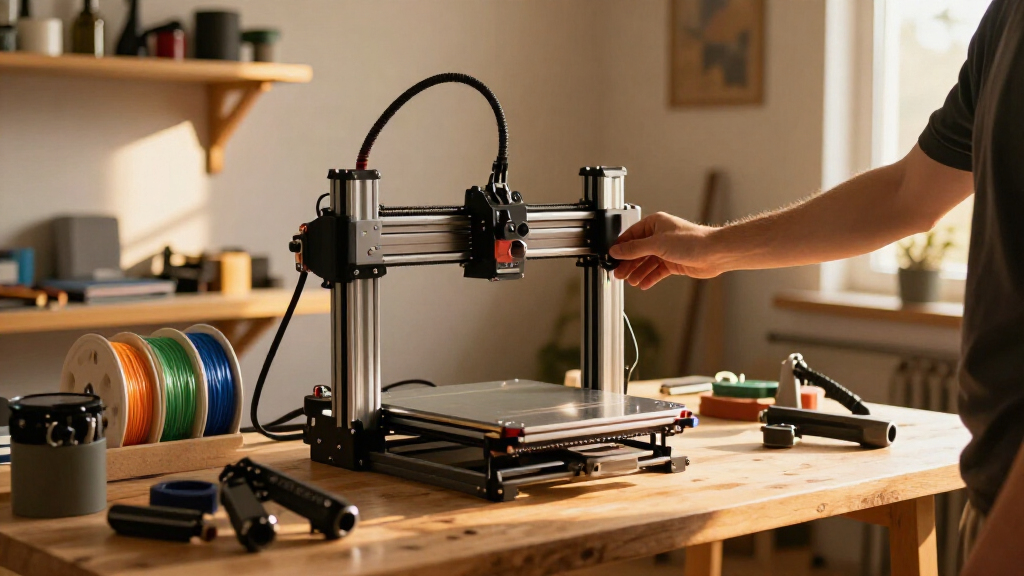
The best tool-changing 3D printers let you print with multiple materials or colors while limiting the waste and manual changes associated with swapping filament. I’d put the FLASHFORGE Creator 5 with four independent toolheads first for its purpose-built multi-tool approach, while the Snapmaker U1 stands out for its advertised five-second tool change. Several other entries are Creator 5 listings with very similar names, so buyers should compare the exact configuration rather than assume each listing represents a distinct machine. The main tradeoffs are tool-change speed, workflow and software demands, material flexibility, and how much value a fourth toolhead adds to your projects. Read on for the ranking logic, buying advice, and a closer look at who each option may suit.

Get the latest gadgets delivered free with Prime
- Fast, free delivery on millions of items
- Prime Video, Amazon Music and more included
- Member-only deals all year
Complete the kit


Key Takeaways
- Creator 5 is the dominant platform in this lineup: five listings use the Creator 5 name, so configuration and listing details matter more here than the product title alone.
- The Snapmaker U1 has the clearest stated speed distinction: its advertised five-second tool changer gives it a specific point of comparison, though buyers should check how that claim fits their full print workflow.
- Four toolheads are most useful for recurring multi-material jobs: they can reduce manual swaps, but they do not automatically improve a print that uses only one material or color.
- Near-duplicate listings make verification part of the purchase: confirm included toolheads, supported materials, software features, and package contents before choosing among Creator 5 variants.
- The ranking favors practical fit over name repetition: distinct, clearly stated tool-changing features carry more weight than small wording differences across similar Creator 5 listings.
| FLASHFORGE Creator 5 3D Printer with Four Independent Toolheads |  | Best Overall for Flexible Multi-Material Work | Toolheads: 4 independent toolheads | Tool change time: 7 seconds | Supported materials: PLA, PETG, TPU, PETG-CF, and support materials | VIEW LATEST PRICE | See Our Full Breakdown |
| Flashforge Creator 5 Multi-Color 3D Printer |  | Best for Monitoring and Setup Assistance | Toolheads: 4 independent toolheads | Tool-changing time: 7 seconds | Build volume: 256 × 256 × 256 mm | VIEW LATEST PRICE | See Our Full Breakdown |
| FLASHFORGE Creator 5 Multicolor 3D Printer with Four Independent Toolheads |  | Best for Soluble and Breakaway Supports | Toolheads: 4 independent toolheads | Toolhead swap time: Approximately 7 seconds | Maximum print speed: 600 mm/s | VIEW LATEST PRICE | See Our Full Breakdown |
| Flashforge Creator 5 Multicolor 3D Printer |  | Best for Multi-Printer Workflows | Toolheads: 4 independent | Build volume: 256 × 256 × 256 mm | Maximum print speed: 600 mm/s | VIEW LATEST PRICE | See Our Full Breakdown |
| FLASHFORGE Creator 5 3D Printer with 4-Toolhead Toolchanger |  | Best for Engineering Filament Range | Toolheads: 4 independent toolheads | Maximum colors: 4 | Supported filaments: PLA, PETG, TPU 90A–95A, PLA-CF, PETG-CF, PET, SILK, PVA, BVOH, S-Multi, S-PATH, ABS, ASA, PA-CF, PET-CF, PAHT-CF, ASA-CF (GF), ABS-CF (GF), and PPA-CF (GF) | VIEW LATEST PRICE | See Our Full Breakdown |
| Snapmaker U1 3D Printer with Four Toolheads and 5-Second Tool Changer |  | Best for Automated Multi-Material Printing | Toolheads: 4 independent toolheads | Tool change time: About 5 seconds | Build volume: 270 × 270 × 270 mm | VIEW LATEST PRICE | See Our Full Breakdown |
| tool changing 3D printer | Toolheads | Maximum print speed | Dimensions | Build volume |
|---|---|---|---|---|
| FLASHFORGE Creator 5 3D Printe | 4 independent toolheads | — | 16 × 14 × 18 inches | — |
| Flashforge Creator 5 Multi-Col | 4 independent toolheads | 600 mm/s | 16.06 × 17.17 × 27.95 inches | 256 × 256 × 256 mm |
| FLASHFORGE Creator 5 Multicolo | 4 independent toolheads | 600 mm/s | — | — |
| Flashforge Creator 5 Multicolo | 4 independent | 600 mm/s | 16.1 × 17.2 × 18.3 inches | 256 × 256 × 256 mm |
| FLASHFORGE Creator 5 3D Printe | 4 independent toolheads | 600 mm/s | — | — |
| Snapmaker U1 3D Printer with F | 4 independent toolheads | Up to 500 mm/s | — | 270 × 270 × 270 mm |
More Details on Our Top Picks
FLASHFORGE Creator 5 3D Printer with Four Independent Toolheads
I’d put this Creator 5 first for buyers who want a toolchanger that handles more than color swaps. Its four independent toolheads can keep PLA, PETG, TPU, PETG-CF, or support material ready without relying on one nozzle to cycle between them, which can reduce purge waste and material mixing. The advertised seven-second tool change and CoreXY motion rated up to 600 mm/s make it a strong all-rounder beside the Flashforge Creator 5 Multi-Color 3D Printer (B0H4L74XZT), whose listing adds camera and filament-jam monitoring details. This version’s clearest advantage is its stated mix of flexible and reinforced materials; its tradeoff is a less detailed monitoring feature set. At 16 × 14 × 18 inches and 30.8 pounds, it also needs a stable, dedicated spot, and maximum speed depends on print conditions.
Pros:- Four independent toolheads help limit color contamination and purge waste.
- Supports TPU and PETG-CF alongside common PLA and PETG.
- A dedicated support-material head can simplify support removal.
- Automatic calibration and vibration compensation reduce manual tuning.
Cons:- Its footprint and 30.8-pound weight call for a permanent, sturdy workspace.
- The 600 mm/s figure is a maximum and may not suit every material or print.
- The supplied details do not list camera or filament-jam monitoring.
Best for: Makers who regularly combine rigid filament, flexible TPU, and dedicated support material in multicolor or multi-material prints.
Not ideal for: Apartment users with little bench space or buyers who need clearly specified camera and jam-monitoring features.
- Toolheads:4 independent toolheads
- Tool change time:7 seconds
- Supported materials:PLA, PETG, TPU, PETG-CF, and support materials
- Motion system:CoreXY
- Maximum printing speed:600 mm/s
- Calibration:Automatic calibration, vibration compensation, and flow calibration
- Dimensions:16 × 14 × 18 inches
- Weight:30.8 pounds
Our verdict“Choose this Creator 5 if material flexibility matters more than compact size or a specified camera-monitoring package.”
Flashforge Creator 5 Multi-Color 3D Printer
This Creator 5 earns a distinct spot for buyers who want toolchanging paired with more visibility into a print. Like the FLASHFORGE Creator 5 with Four Independent Toolheads (B0GST9NRL4), it has four independent heads, a seven-second change claim, and CoreXY motion rated up to 600 mm/s. Its listing goes further on supervision: an HD camera, filament detection, jam detection, and tangle detection can help identify problems without constant checks. Automatic bed leveling and toolhead-offset calibration also reduce setup work. The tradeoff is that spaghetti detection is optional, and the product details do not say which filaments come in the box. Its 256 mm cubed build volume is useful for everyday parts, but the tall listed dimensions make this a poor fit for a cramped shelf.
Pros:- Four independent heads enable color and material changes without sharing a single nozzle.
- HD camera plus filament, jam, and tangle detection supports print monitoring.
- Automatic bed leveling and toolhead offset calibration cut down on manual setup.
- A 320°C hardened-steel nozzle and listed PA-CF support broaden material options.
Cons:- Spaghetti detection is optional rather than listed as a standard feature.
- The listing does not identify which materials are included with the printer.
- Its stated height of 27.95 inches requires generous vertical clearance.
Best for: Makers who want four-material printing with a camera and multiple filament-problem alerts for remote or unattended monitoring.
Not ideal for: Buyers who need confirmed included filament, built-in spaghetti detection, or a compact printer for a crowded work area.
- Toolheads:4 independent toolheads
- Tool-changing time:7 seconds
- Build volume:256 × 256 × 256 mm
- Maximum print speed:600 mm/s
- Maximum nozzle temperature:320°C
- Nozzle:Hardened steel
- Monitoring:HD camera, filament detection, jam detection, and tangle detection
- Dimensions:16.06 × 17.17 × 27.95 inches
- Weight:30.8 pounds
Our verdict“Pick this version over the simpler Creator 5 listings if camera access and filament-fault alerts are high priorities.”
FLASHFORGE Creator 5 Multicolor 3D Printer with Four Independent Toolheads
I’d choose this listing for support-heavy models where easy support removal matters as much as color changes. Its four preloaded, preheated toolheads are described as swapping in about seven seconds, while the specific mention of PETG, PVA, and BVOH support materials gives it a clearer support-printing focus than the Creator 5 listings that emphasize cameras or broad filament ranges. Compared with the Flashforge Creator 5 Multicolor 3D Printer (B0HGL5Q25W), this version calls out extrusion tuning and support-material compatibility, while the other specifies a 256 mm cubed build volume and remote dashboard. Vibration compensation and automatic leveling help with print consistency, but the material list is narrower in the supplied details. Its 30.8-pound weight also makes frequent relocation inconvenient.
Pros:- Four preheated independent heads support quick changes between materials.
- Explicit PETG, PVA, and BVOH support compatibility suits complex parts.
- Vibration compensation can help reduce visible ripples and ghosting.
- Automatic bed leveling and extrusion tuning support consistent setup.
Cons:- The supplied description does not establish compatibility beyond the listed materials.
- At 30.8 pounds, it is not convenient to move between work areas.
- The listing provides fewer monitoring and build-volume details than some other Creator 5 versions.
Best for: Model makers printing complex geometries who want dedicated PETG, PVA, or BVOH support material ready for tool changes.
Not ideal for: Buyers seeking a well-documented broad filament range, detailed monitoring features, or a lightweight printer they can move often.
- Toolheads:4 independent toolheads
- Toolhead swap time:Approximately 7 seconds
- Maximum print speed:600 mm/s
- Supported support materials:PETG, PVA, and BVOH
- Calibration and tuning:Automatic bed leveling and extrusion tuning
- Motion feature:Vibration compensation
- Product dimensions:14.8 × 14.29 × 16.26 inches
- Item weight:30.8 pounds
Our verdict“Choose this Creator 5 when dedicated soluble or breakaway support materials are more important than a detailed monitoring package.”
Flashforge Creator 5 Multicolor 3D Printer
This Creator 5 stands out for buyers managing several printers, thanks to its stated single-dashboard remote control alongside four independent toolheads. Its 256 × 256 × 256 mm build volume gives it a clearly defined capacity, and the rigid CoreXY frame is rated for speeds up to 600 mm/s. Compared with the FLASHFORGE Creator 5 with 4-Toolhead Toolchanger (B0H5HVGT35), this listing focuses on remote management and offset accuracy rather than a long catalog of supported filaments and recovery alerts. It also advertises zero-waste multicolor printing, but lists a 30-second nozzle change, which is a different and slower timing claim than the seven-second tool changes cited for several other Creator 5 listings. Dedicated hotends add maintenance complexity, so this is a better fit for organized production than casual, occasional printing.
Pros:- Four independent hotends support multicolor and mixed-material jobs with less flushing.
- Remote control through a shared dashboard suits users overseeing multiple printers.
- One-tap bed leveling and automatic XYZ offset calibration simplify setup.
- Build volume and offset accuracy are explicitly specified.
Cons:- The listed nozzle change time is 30 seconds, slower than the seven-second claims on other Creator 5 listings.
- Dedicated hotends can add maintenance and parts-management demands.
- At 30.8 pounds, it is not a portable option.
Best for: Small print farms or workshop teams that value centralized remote control and a defined 256 mm cubed build area.
Not ideal for: Buyers prioritizing the fastest stated tool swap, a broad documented filament list, or minimal hotend maintenance.
- Toolheads:4 independent
- Build volume:256 × 256 × 256 mm
- Maximum print speed:600 mm/s
- Frame type:CoreXY
- Nozzle change time:30 seconds
- XYZ offset accuracy:≤0.04 mm
- Remote control:Smart dashboard for monitoring and managing multiple printers
- Dimensions:16.1 × 17.2 × 18.3 inches
- Item weight:30.8 pounds
Our verdict“Choose this version if centralized control matters more than the quickest stated tool change or broad material documentation.”
FLASHFORGE Creator 5 3D Printer with 4-Toolhead Toolchanger
Among these Creator 5 listings, this is the strongest match for buyers who want a documented spread of engineering and specialty filaments. It lists four independent toolheads, a 320°C hardened-steel nozzle, and compatibility spanning TPU, PVA, BVOH, carbon-fiber blends, ABS, ASA, and PPA-CF (GF). That makes it more explicit about material breadth than the Creator 5 Multicolor model focused on PETG, PVA, and BVOH supports (B0H93V44YM). Filament runout and tangle detection, clog detection, and power-loss recovery add practical safeguards. The tradeoff is setup: several listed materials need careful handling, and the description states that ABS, ASA, and ABS-CF require an enclosure. Its 30.8-pound frame and tall footprint also suit a fixed workshop better than a small desk.
Pros:- Four independent toolheads support up to four colors or materials with reduced purge waste.
- The 320°C hardened-steel nozzle and extensive listed filament range suit demanding materials.
- Runout, tangle, and clog detection plus power-loss recovery help protect longer jobs.
- Automatic toolhead calibration reduces manual offset adjustments.
Cons:- ABS, ASA, and ABS-CF require an enclosure according to the product details.
- Specialized materials may call for added setup and tuning knowledge.
- Its height and 30.8-pound weight make it a poor choice for cramped or frequently rearranged spaces.
Best for: Experienced makers who need separate tools for diverse filaments, including flexible, support, and reinforced engineering materials.
Not ideal for: Beginners seeking a simple PLA-focused setup, or users without an enclosure for ABS and ASA printing.
- Toolheads:4 independent toolheads
- Maximum colors:4
- Supported filaments:PLA, PETG, TPU 90A–95A, PLA-CF, PETG-CF, PET, SILK, PVA, BVOH, S-Multi, S-PATH, ABS, ASA, PA-CF, PET-CF, PAHT-CF, ASA-CF (GF), ABS-CF (GF), and PPA-CF (GF)
- Maximum nozzle temperature:320°C
- Nozzle flow rate:32 mm³/s
- Maximum print speed:600 mm/s
- Maximum acceleration:30,000 mm/s²
- Toolhead offset accuracy:0.04 mm
- Dimensions and weight:16.06 × 17.17 × 27.95 inches; 30.8 pounds
Our verdict“Choose this Creator 5 if you have the experience and workspace to use its broad engineering-filament support.”
Snapmaker U1 3D Printer with Four Toolheads and 5-Second Tool Changer
The Snapmaker U1 earns its place for buyers who want four materials or colors available without relying on a single nozzle to swap and purge filament. Its four independent toolheads and roughly 5-second tool changes can reduce changeover waste and keep complex prints moving. Compared with the FLASHFORGE Creator 5 models in this roundup, the U1’s listed advantages include automatic calibration and filament management, which may reduce setup chores, alongside a 270 mm cubed build area and CoreXY motion rated for up to 500 mm/s. The tradeoff is a moderate build envelope: larger parts may call for a different machine. At 57.9 pounds, it is also better treated as a fixed workstation than a printer to move around. Its broad material compatibility is useful, though advanced materials still require suitable print conditions.
Pros:- Four independent toolheads support multi-color and multi-material prints without changing filament through one nozzle.
- About 5-second tool changes can shorten swaps and reduce purge waste.
- Automatic calibration and filament management can cut down on setup and print-handling tasks.
- CoreXY motion is specified for speeds up to 500 mm/s.
Cons:- The 270 × 270 × 270 mm build volume limits the size of one-piece prints.
- At 57.9 pounds, moving or repositioning the printer takes planning.
- The broad material list does not remove the need to match print conditions to more demanding filaments.
Best for: Makers who regularly print multi-color or multi-material parts and want automatic tool changes, calibration, and filament management.
Not ideal for: Buyers making oversized parts beyond a 270 × 270 × 270 mm volume, or anyone who needs a lightweight printer that is easy to relocate.
- Toolheads:4 independent toolheads
- Tool change time:About 5 seconds
- Build volume:270 × 270 × 270 mm
- Maximum print speed:Up to 500 mm/s
- Motion system:CoreXY
- Compatible materials:PLA, PVA, TPU, PETG, PCTG, ABS, ASA, PA, PC, and more
- Display:3.5-inch touchscreen
- Product dimensions and weight:22.6 × 13 × 14.2 inches; 57.9 pounds
- Warranty:1 year
Our verdict“Choose the Snapmaker U1 if automated four-tool printing and reduced changeover waste matter more than a larger build area or an easy-to-move machine.”
How We Picked
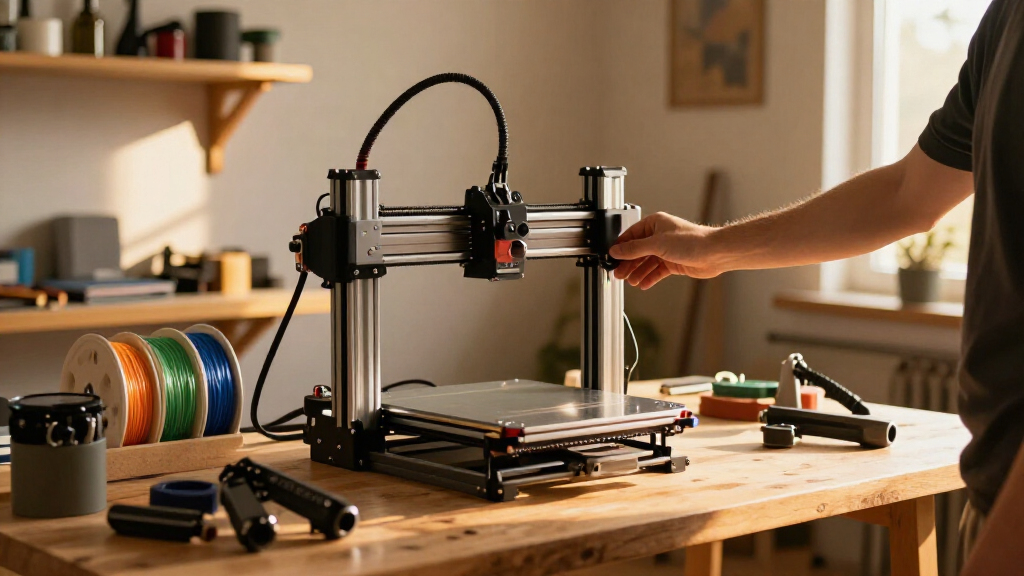
I compared the six entries around the needs that define a tool-changing printer: the number and independence of toolheads, the clarity of the tool-change design, the likely usefulness of multi-material workflows, and how much the product information helps a buyer understand the machine. I also weighed usability and ownership questions, including software support, maintenance demands, and whether a stated feature points to a practical difference rather than a repeated product name.
The FLASHFORGE Creator 5 with four independent toolheads ranks first because its listing states the central capability most directly. The Snapmaker U1 ranks as the clearest alternative because it names a five-second tool changer, a concrete distinction in this group. The other Creator 5 listings remain relevant, but their very similar names make it harder to establish meaningful differences from the supplied product details alone; I treat them as configuration-check picks rather than assume they offer separate advantages. Before buying, compare the exact listing and manufacturer documentation, since titles by themselves do not confirm equivalent contents or capabilities.
Factors to Consider When Choosing Best Tool Changing 3D Printers
Tool changing can make complex prints easier, but the right machine depends on what you plan to produce and how much setup you are willing to manage. I’d start with the work itself, then check the workflow and ownership details that product titles often leave unclear.
Match the Toolhead Count to Your Actual Prints
More toolheads help when a design regularly combines colors, flexible and rigid materials, or support material that needs different removal behavior. They add less value if most jobs use one filament, since extra tools do not automatically improve print quality or shorten every job. List a few representative projects and count how many distinct materials or colors each one needs. That gives you a more grounded target than choosing a printer by toolhead count alone. A common mistake is to plan around an occasional ambitious model and pay in setup and upkeep for capacity that sits unused. For the Creator 5 options in this roundup, verify the exact included head arrangement rather than relying on a title that simply says “multicolor.”
Look Beyond the Tool-Change Time
A fast tool swap is useful, but it is only one part of total print time. Slicing, travel between tools, purging, bed adhesion, and the geometry of a model can all affect the finished job. The Snapmaker U1 listing advertises a five-second tool change, but that figure alone cannot predict how long a multi-material print will take. Compare the complete workflow described by the manufacturer, including how the machine handles material changes and tool parking. If speed matters, consider the number of changes in your typical model rather than focusing on a single swap claim. For occasional prints, simpler setup may matter more than shaving seconds from each exchange.
Check Software and Slicer Compatibility Before Committing
Multi-tool printing depends on software that can assign features, colors, or materials to separate tools and prepare the resulting job correctly. Before choosing a printer, check which slicers are supported, how profiles are maintained, and whether the workflow fits your operating system and existing design process. A machine with capable hardware can still create friction if its software requires workarounds or limits common file workflows. Ask whether updates and material profiles come from the manufacturer, the community, or both. New users may prefer a guided workflow, while experienced makers may value more control even if setup takes longer. Treat software support as part of the printer, not an optional extra.
Compare Material Support With Your Use Case
Having multiple toolheads does not guarantee that every material combination will print reliably together. Materials can differ in temperature needs, adhesion behavior, moisture sensitivity, and how they bond at the interface. Check the manufacturer’s compatibility guidance for the specific material pairs you expect to use, particularly if you plan to mix a flexible filament with a rigid one or print removable supports. A broad list of compatible filaments is less useful than clear advice on combinations and recommended settings. Buyers sometimes assume that separate tools eliminate all material conflicts; they reduce some swapping constraints but do not remove the need for compatible print conditions. Start with a small number of proven combinations before building a workflow around specialty materials.
Plan for Calibration, Cleaning, and Replacement Parts
Each additional tool can bring more components to maintain, including nozzles, feed paths, and alignment or calibration routines. Ask how tools are cleaned, how often calibration is needed, and whether replacement parts are easy to identify and obtain. Those details matter more for a printer used daily than for a machine that runs occasional prototypes. Compare maintenance instructions and support documentation before focusing on headline capabilities. A low-effort maintenance routine can make a slightly less feature-rich printer a better fit for a busy shared workspace. Also leave room in your workflow for routine checks after changing a nozzle or material, since reliability depends on more than the tool-changing mechanism.
Verify the Exact Listing and Package Contents
This roundup includes several Creator 5 entries with nearly interchangeable names, which makes product-page verification especially important. Check the model identifier, included toolheads, accessories, software features, and any differences in the stated configuration before placing an order. Do not infer that two listings are identical—or that they differ—based only on phrases such as “four independent toolheads” and “four-toolhead toolchanger.” Manufacturer documentation can clarify whether a listing describes a separate bundle, a naming variation, or a materially different setup. Save the specification page for the exact version you are evaluating so you can compare it against support information later. This extra check is more useful here than trying to rank near-duplicate titles by wording alone.
Frequently Asked Questions
Are the five FLASHFORGE Creator 5 listings different printers?
The supplied product names point to the same Creator 5 family, and their wording overlaps heavily. They may refer to distinct bundles or configurations, but the titles alone do not establish that. Compare model identifiers, included components, toolhead details, and the manufacturer’s specifications for each exact listing. If those details match, treat the entries as alternate listings rather than assume one has a performance advantage.
Should I choose the Snapmaker U1 because its tool change is advertised as five seconds?
That advertised figure gives the U1 a clear speed-related distinction, but it does not tell you the full duration of a multi-material print. Tool travel, purge behavior, print geometry, and slicing choices also affect elapsed time and material use. Check what the stated time measures and compare it with the full workflow you expect to run. If your projects involve frequent tool changes, the claim may be more relevant than it would be for mostly single-material jobs.
Is a four-toolhead printer a good first 3D printer?
It can suit a beginner who has a clear need for multi-color or multi-material prints and is comfortable learning a more involved workflow. More tools can also mean more decisions about material pairing, slicing, and maintenance than a single-tool machine requires. Before buying, check the quality of the setup instructions and the simplicity of the supported software process. If your first goal is learning basic printing, a simpler machine may be easier to manage until you have regular projects that need multiple tools.
Will tool changing reduce filament waste on every multicolor print?
Tool changing can avoid some waste linked to purging one filament through a shared nozzle, but it does not make every multicolor print waste-free. Material may still be used for supports, priming, or other parts of the chosen workflow, and a model’s design can affect how often tools must change. Compare waste handling for the exact printer and slicer rather than assuming the mechanism removes all purge material. The biggest benefit is often having separate tools ready for different materials, not a guaranteed reduction for every model.
What should I verify before choosing between Creator 5 listings?
Start with the exact model or configuration identifier, then check how many toolheads are included and whether the listing specifies independent operation. Review supported materials, software and slicer compatibility, included accessories, and any setup or calibration requirements. Confirm the information against manufacturer documentation, especially if two pages use slightly different names for what appears to be the same printer. This helps separate a genuine configuration difference from a naming variation before you compare buyer fit.
Conclusion
For a best overall choice, I’d start with the FLASHFORGE Creator 5 listing that explicitly identifies four independent toolheads, while verifying the exact configuration before purchase. The Snapmaker U1 is the clearest alternative for buyers drawn to its advertised five-second tool change. I can’t confidently assign a separate best-value or best-premium title to the near-duplicate Creator 5 listings from their names alone; compare their verified packages and support details instead. For beginners, the best fit is the option with the clearest setup guidance and slicer workflow, even if it is not the most feature-heavy. For frequent multi-material projects, prioritize reliable material compatibility and tool management over headline tool-change speed; for mostly single-material printing, consider whether four tools justify the added workflow.