TL;DR
Wireless gaming headsets let you hear game audio and communicate with teammates without a cable, but platform support and connection type vary by model. For fast-paced play, check for a dedicated 2.4 GHz gaming transmitter; then weigh comfort, microphone quality, battery life, and the features you will actually use.
A wireless headset can turn a tangled cable into a quiet, empty space beside your controller. You can lean back, reach for a drink, and still hear the soft click of footsteps in a game. But the word wireless covers very different connections and platform support, so picking by appearance alone can leave you with a headset that will not pair with your console.

Get the latest gadgets delivered free with Prime
- Fast, free delivery on millions of items
- Prime Video, Amazon Music and more included
- Member-only deals all year
This guide explains what you get from 2.4 GHz and Bluetooth, what to check before you buy, and how comfort, voice chat, sound, and battery life affect everyday play. You will also see where premium features help and where a simpler stereo headset may do the job just as well.
Think of it as a short buying map: first confirm the headset fits your setup, then decide which trade-offs matter during your actual sessions. A player who raids with friends for three hours needs a different mix of features from someone who plays a quick solo round on a laptop.
Check the exact model’s supported platforms before buying, especially for Xbox compatibility.
A dedicated 2.4 GHz transmitter is generally a better fit than standard Bluetooth for low-latency gaming.
For team play, microphone clarity and easy mute controls may matter more than extra sound modes.
Treat advertised battery life as an estimate; lighting, volume, microphone use, and connection mode affect runtime.
Try to judge comfort for your own head, glasses, and session length, and check return terms if you cannot test the fit.
What a wireless gaming headset gives you during play
A wireless gaming headset sends game audio from your PC, console, or other device to your ears without a cable linking the two. Many models also include a microphone so you can communicate with teammates while you play. In practice, “wireless” describes convenience; it does not promise universal compatibility or one fixed sound quality.
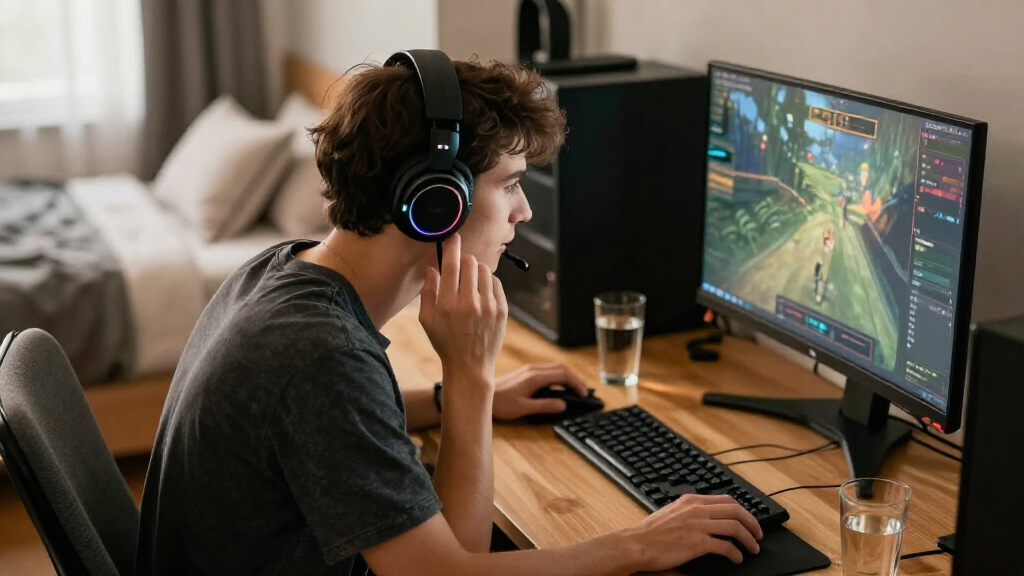
For example, imagine you stand up between matches while your controller stays on the sofa. With a wireless headset, you can walk to the kitchen without yanking a cord or taking the headset off. That freedom can feel small until you have a charging cable stretched across your desk or a wired headset snagging on the arm of your chair.
Most gaming models use either a dedicated 2.4 GHz USB transmitter, Bluetooth, or both. A transmitter creates a direct gaming link and generally offers lower latency than standard Bluetooth, which helps keep a rifle shot or a teammate’s call in step with what you see. Bluetooth remains handy for music and calls on a phone, and some headsets can connect to a gaming device and phone at once.
The trade-offs are practical: you must charge the headset, and a transmitter or console-specific version may be needed. A cable-free setup is useful only if it works with the device you own. Check the model’s compatibility list before you count on it for a console, laptop, and phone alike.
Products Worth Considering

DJI Osmo Mobile 8 3-Axis Phone Gimbal Stabilizer

DJI Mini 5 Pro Fly More Combo with DJI RC 2

Samsung Galaxy Tab A11 8.7-Inch Wi-Fi Tablet, 64GB, 4GB RAM, 90Hz, Gray, with 20W Charger
As an affiliate, we earn on qualifying purchases.
Choose the connection that keeps game audio in step
For fast-paced gaming, a dedicated 2.4 GHz gaming connection is usually the safer choice because it generally adds less audio delay than standard Bluetooth. Bluetooth is convenient for casual games, music, and calls, but latency and support can vary by device and platform. If you play competitively, check the headset’s gaming link before judging it by its Bluetooth feature.
Picture a teammate calling “behind you” during a close match. If the voice arrives late, you may turn after the opponent has already fired. A dedicated USB transmitter helps keep game audio and chat aligned, though the actual experience still depends on the headset, device, and settings. A highly sensitive player may prefer wired sound, especially in tournament play.
Some models combine a gaming transmitter with Bluetooth. That can let you hear game sound while taking a phone call, or keep a group chat on your phone while playing on a console. It is a handy feature for someone whose friends are split across platforms, but it is not standard, and mixing two audio sources can make controls more complicated.
Before buying, check which connection modes work on your platform and whether the transmitter is included. “Bluetooth compatible” does not mean Bluetooth is the best gaming mode, and it does not guarantee every console accepts the device. Treat connection type as a use-case choice: low-latency play first, multi-device convenience second, if both matter to you.
Check console compatibility before you fall for a feature
Wireless gaming headsets do not work with every console by default. Support depends on the exact headset, its transmitter, and the console’s connection rules. Xbox models may need a specific Xbox-compatible version or connection method, so verify the manufacturer’s platform list for the precise model you plan to buy.
Here is a common snag: a player buys a headset advertised for PC and PlayStation, then assumes it will pair with an Xbox because both consoles have USB ports. The headset may power on but fail to deliver game sound or chat. Similar confusion can arise with Nintendo Switch and mobile devices, where supported modes and available features can differ.
Read the compatibility details like a checklist, not a headline. Confirm the exact console generation, whether you need the USB transmitter, and whether microphone chat works along with audio. If you also plan to use a phone, look for Bluetooth support rather than assuming the console connection covers it.
Compatibility also affects features such as spatial audio, game and chat balance, and companion software. A headset may have an equalizer on PC but limited controls on a console. For example, if you play on PlayStation and adjust sound through an app, check whether those settings remain stored when you disconnect the computer. A short check now can prevent a frustrating return later.
Prioritize comfort and a microphone you can trust
Comfort and microphone clarity can matter more over a long session than small differences in advertised sound features. Weight, clamping force, ear-cup size, padding, heat, and adjustability all shape whether a headset still feels good after two hours. A clear boom microphone also helps teammates understand your callouts without asking you to repeat them.
Consider a player who joins a three-hour weekend raid. Tight ear cups may press against glasses, while thick padding can turn warm under a headset during a summer evening. Another model might feel lighter but clamp too loosely when the player looks down. These details vary from person to person, so reviews that discuss fit and a practical return policy are valuable.
Microphones range from basic built-in designs to boom mics with noise reduction or broadcast-style processing. If your room has a clicking keyboard or a noisy fan, clearer voice pickup and easy mute controls can make team chat less tiring. A streamer may care about voice quality even more, while a solo player might get more value from a comfortable fit and balanced game sound.
Try not to treat one reviewer’s comfort verdict as universal. Look for comments from people with a similar use pattern, such as glasses, long sessions, or a warm room. If possible, test the headset with your usual game and chat app. A microphone that sounds fine in a quiet shop may behave differently beside your keyboard at home.
Make battery life and charging fit your routine
Battery life depends on how you use the headset, so a manufacturer’s advertised runtime is an estimate rather than a promise. Volume, lighting, microphone activity, and connection mode can all change how long a charge lasts. USB-C charging is common, but listening while charging or switching to a wired mode depends on the model.
Suppose you play for an hour most evenings and a longer session on Saturday. A headset with enough real-world runtime for several evenings can be convenient even if you do not need a record-setting battery figure. If you often forget to charge devices, a low-battery warning, a quick top-up, or the ability to listen while charging may matter more than another headline number.
Lighting can drain power faster, and a bright ring around each ear cup may be less useful once you are wearing the headset. Some players turn lighting off and reduce volume a little to stretch runtime. If you use simultaneous Bluetooth and gaming audio, check whether the maker gives separate battery estimates for that mode.
Before buying, look up whether the headset supports USB-C charging, wired listening, or use while charging. These features differ even among models from the same brand. A charging cable that reaches your chair can rescue a long session, but only if the headset remains usable while plugged in.
Decide whether surround sound and extra controls earn their cost
Virtual surround sound can help with immersion and directional cues, but it is not a required ingredient for a good gaming headset. Stereo sound can still present clear positional audio, and results from surround processing or platform-specific spatial audio depend on the game, device, and settings. Pay for the feature when it improves the way you play, not because the label sounds impressive.
For instance, a player exploring a quiet adventure game may enjoy the roomy sense of rain falling on one side and a door creaking on the other. A competitive player might prefer a straightforward stereo mix that makes familiar footsteps easier to recognize. The same processing can help one listener and muddy the sound for another, so try it in your regular game if possible.
On-headset controls can be more useful than a long list of sound modes. A reachable wheel for volume, a reliable mic mute, and an easy game-chat balance control save time when your team suddenly gets louder. Companion software may add equalizers and microphone settings, but support and features vary by platform.
Higher prices may also bring longer advertised battery life, simultaneous Bluetooth, replaceable ear pads, or stronger software support. None of those upgrades guarantees a better fit or better sound for you. Think about a player who never changes EQ and only plays solo: that person may get more from a lighter, simpler headset than from a premium model packed with controls.
Use this five-step checklist to choose your headset
Start with platform compatibility, then compare connection, comfort, microphone, and battery features against the way you play. A useful headset is the one that fits your setup and routine, not the one with the longest specification list. This five-step check can keep you focused when product pages start to blur together.
- Name your devices. Write down the console or PC you use, plus any phone or handheld device you want to connect.
- Confirm the connection. Look for a dedicated 2.4 GHz transmitter if low-latency gaming matters; check Bluetooth for phone use.
- Match your play style. Team players should listen for microphone and mute-control details; solo players may focus on comfort and sound.
- Check battery features. Compare realistic use reports, charging type, and whether you can keep listening while charging.
- Test fit and sound. Read independent listening and microphone reviews, and check return terms if you cannot try the headset first.
For example, a PC player who streams with friends might prioritize a boom mic, comfortable ear cups, and simultaneous Bluetooth. A console player who mostly plays solo may be better served by confirmed console support, low-latency audio, and a light frame. Both can get good value without buying the same model.
Use the checklist to rank features before comparing prices. Current prices, model releases, battery claims, and compatibility can change, and no single feature is standard across the category. The best value is the headset that handles your must-haves reliably and does not charge you for extras you will leave switched off.
Frequently Asked Questions
Are wireless gaming headsets good for competitive gaming?
They can be, especially when they use a dedicated low-latency gaming connection such as a 2.4 GHz USB transmitter. If even a small audio delay bothers you, test the headset in your games or consider wired audio.
Is Bluetooth good enough for gaming?
Bluetooth can work well for casual play, calls, and music, but latency and platform support vary. For fast-paced games, check whether the headset includes a separate gaming transmitter.
Do wireless headsets work with every console?
No. Support depends on the headset, transmitter, and console, and Xbox may require a specific compatible model or connection method. Confirm the exact model’s platform list before you buy.
Can I use a wireless headset while it charges?
Some headsets let you listen while charging, and some also support wired use. The feature is not universal, so check the product specifications for your chosen model.
Is surround sound worth paying extra for?
Not always. Virtual surround or spatial audio can add immersion or help with directional cues in some games, but results depend on the game, device, and settings. A well-tuned stereo headset can still deliver clear positional sound.
Conclusion
Choose your headset in this order: confirm it works with your devices, pick the connection that suits your games, then judge comfort and chat quality. Battery life and sound features matter too, but they only help when they fit your routine. A little checking before you buy can save you from a silent console, a sore head, or a teammate asking you to repeat every callout.
When the match begins, the best wireless headset should fade into the background: no cord across your desk, no muffled “left side,” just clear voices and the next footstep where you expect it.