
TL;DR

Get the latest gadgets delivered free with Prime
- Fast, free delivery on millions of items
- Prime Video, Amazon Music and more included
- Member-only deals all year
Google has launched Google Pics, a web app within Google Workspace that combines AI image generation and prompt-based editing. It is available now to Google AI Pro ($19.99/month) and Google AI Ultra subscribers, but lacks layers and manual tools, so it won’t fully replace Photoshop or Canva.
Google has launched Google Pics, a new web app that combines AI image generation with prompt-based photo editing, now available to subscribers of Google AI Pro ($19.99 a month) and Google AI Ultra ($99.99 or $199.99 a month). The app sits alongside Docs, Sheets, and Slides in Google Drive Workspace and is built around Google’s Nano Banana image generation model, positioning it as a potential lightweight alternative to tools like Canva and Photoshop — though hands-on testing shows it still falls short of replacing either for advanced work.
Google Pics is driven primarily through text prompts, whether users are creating images from scratch or editing existing photos. The opening screen works much like the Gemini app: users type a prompt, optionally set an aspect ratio from a drop-down menu, and can add a reference in the Style box to guide the overall look and feel. Images can also be loaded from a device upload, Google Drive, or Google Photos for editing. New generations produce four or five thumbnail alternatives, with an option to generate four more if the first batch misses the mark.
In testing by Lifehacker, the app handled design tasks such as generating an A5 birthday party flyer from a detailed prompt — including event times, venue details, and small print about food and parking — producing “vibrant and fun-looking” options in seconds, though all carried the familiar AI-generated “sheen” common to AI-produced print materials. Photo manipulation features, such as turning photos into watercolors or comics, worked reliably enough, described as “usually more than good enough,” though not perfect every time.
The editing tools are where the app stands out. Google Pics automatically identifies parts of an image — such as “church,” “sky,” and “mountains” — that users can click to edit via a prompt box. Users can also drag a box around any element to make changes, such as recoloring an object or removing a person from a photo. Multiple edits can be queued and applied together, and text blocks within generated images can be edited directly without a new prompt. One tester used it to visually age a car in a scene by five years, an edit they said would take roughly an hour in a traditional editor, if they knew how to do it at all.
Google Pics: A Faster Route to Everyday Graphics?
Google’s prompt-driven image app can turn a description into a poster or make targeted edits to a photo. A hands-on review found it quick for basic jobs, with fewer controls for detailed design and retouching.
Prompt in, image out
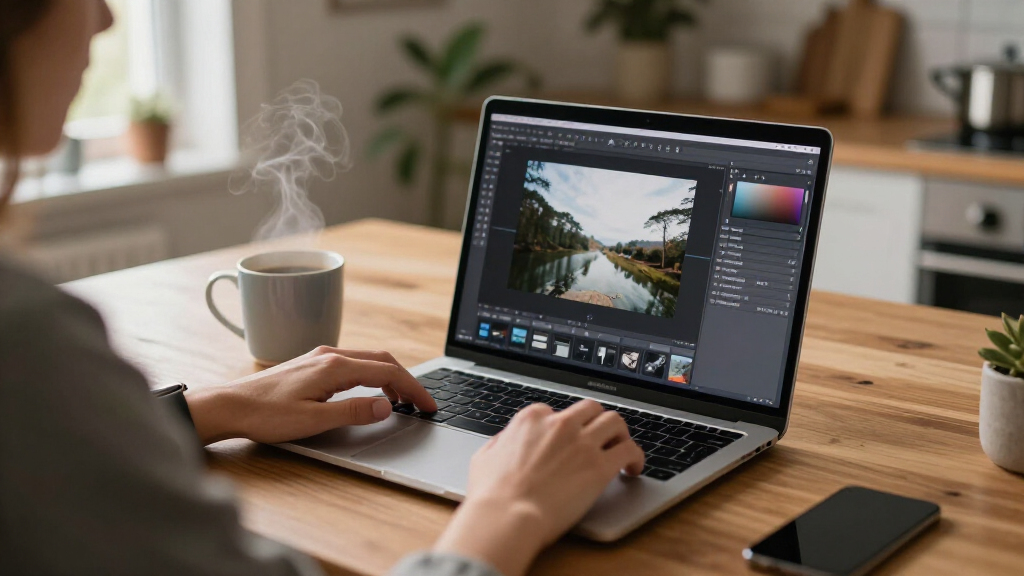
Google Pics brings image generation and prompt-based editing into the Google Workspace environment. Start from a text description or upload an image from your device, Drive, or Google Photos; style references and aspect-ratio controls help shape the result.
Generate a graphic
Describe a poster or other image. The app returns several options within seconds, with the option to request more variations.
Change the look
Apply visual treatments such as watercolor or comic effects to an uploaded photo. The review found that results varied in quality.
Target an area
Select an element the app identifies, or draw a box around an area, then describe the change. Text blocks can also be edited directly.
From brief to revision
The interface puts the prompt at the center. Users can collect edits before applying them, then review generated alternatives and make another pass.
Start with a brief
Describe a new image or upload a photo to work from.
Set the direction
Add a style reference and choose an aspect ratio.
Review options
Compare four or five generated alternatives.
Refine by prompt
Select an element, describe an edit, and apply it.
Fast basics, fewer fine controls
In the hands-on account, Pics made a birthday flyer quickly and handled some photo changes. Object removal from detailed scenes was less reliable; the review did not test professional workflows.
| Task or control | What the report found | Practical read |
|---|---|---|
| Poster creation | ✓ Several options in seconds | Promising for quick, everyday graphics |
| Targeted edits | ~ Results varied by image and change | Useful to try; inspect details afterward |
| Object removal | ~ Detailed scenes could be difficult | Reliability is not established broadly |
| Layers & drawing | ✗ No layers or drawing tools | Less direct control for complex work |
| Manual retouching | ✗ Traditional retouching features absent | Not a like-for-like editing toolkit |
Convenience versus control
Because Pics is prompt-first, it may save time on straightforward creative tasks. Canva and Photoshop offer more direct control for detailed layouts and retouching. The available hands-on review does not establish that Pics can replace either product overall.
What subscribers should watch
Paid access
The source lists Google AI Pro at $19.99 per month and Google AI Ultra at $99.99 or $199.99 per month. It does not explain which Ultra price applies in each circumstance.
Limits remain unclear
Google says subscribers will have “higher access” until February 2027. The report says usage limits are not clearly specified and that resolution affects how quickly users reach them.
Test with real projects
Subscribers can judge how outputs fit their needs. Clearer usage guidance and more direct editing controls are useful points to watch; no release dates are specified.
Who can use Google Pics?
Subscribers to Google AI Pro and Google AI Ultra, according to the source. It does not describe a separate free version.
What can it make or change?
It can generate images from prompts, apply styles to uploaded photos, edit selected areas, and change text blocks.
Can it replace Photoshop or Canva?
That depends on the task. The review found value for basic graphics and some photo edits, alongside missing manual tools.
How many generations are included?
The report gives no clear image or edit limit. Google says resolution affects usage, but other limit details are not provided.
Source: Lifehacker hands-on report · Plan pricing and access details as reported in source material
Why This Threatens Canva and Photoshop — Partially
The launch signals Google’s push to fold generative AI image tools directly into its subscription ecosystem, bundling them with the Workspace apps that millions of people already use daily. For casual users and small businesses that pay for a Google AI plan anyway, Google Pics could cover a large share of everyday design and editing tasks — event posters, flyers, object removal, and restyling — without a separate Canva or Photoshop subscription.
However, the app is what Lifehacker described as “pretty bare-bones.” Beyond the prompt box, users get only undo, zoom, and aspect-ratio controls. There are no layers, no manual drawing or touch-up tools, and no traditional resizing options, meaning professional designers and advanced hobbyists will still need dedicated software. Google Pics also integrates into other Workspace apps on demand, deepening the value proposition of Google’s paid AI tiers.
Products Worth Considering

DJI Mic 3 Wireless Microphone Kit (2 Transmitters, 1 Receiver, Charging Case)

Apple MacBook Air 15-inch with M5 chip, 16GB memory, 512GB SSD, and Liquid Retina display (Midnight)

Jackery HomePower 3600 Plus Portable Power Station, 3584Wh, 3600W
As an affiliate, we earn on qualifying purchases.
Google’s App Churn and the Nano Banana Model
Google launches and retires apps at a rapid pace, and Google Pics is one of the more recent additions to that lineup. The app is built on Nano Banana, Google’s AI image generation model, and functions both as a standalone web app and as an assistive tool embedded in other Google Workspace applications.
The tiered access model follows Google’s broader strategy of tying advanced AI features to its subscription plans: AI Pro at $19.99 a month, and AI Ultra at $99.99 or $199.99 a month depending on the level. Google says “higher access” to the service will be available to subscribers until February 2027, with factors like image resolution affecting how quickly users hit usage limits — though the company has not published exact caps.
“It’s part Canva, part Photoshop: It does a bit of graphic design… and a bit of image editing… and if you’re paying for one of those Google AI plans mentioned above, you might find Google Pics is the only image creation app you need.”
— Lifehacker (hands-on review)
Usage Limits and Editing Accuracy Unknowns
Google has been vague about usage caps, saying only that factors like image resolution affect how quickly users reach limits, without publishing specific numbers. It is unclear what happens to access or limits after February 2027, when the stated “higher access” window ends.
Editing quality also varies. Google Pics generates AI-based guesses for what lies behind removed objects rather than knowing the actual content, and larger edits to detailed photos — such as removing buses and cars — can fail or produce imperfect results. Whether Google will add manual editing tools, layer support, or other professional features has not been announced.
Watch for Limits, Pricing, and Feature Updates
Subscribers can expect clarification on usage limits as more users hit them, and Google may adjust the access terms as the February 2027 window approaches. Deeper integration of Google Pics into Workspace apps is rolling out progressively, so its availability inside Docs, Slides, and Sheets may expand. For Canva, Adobe, and other incumbents, the competitive response — whether through new AI features, pricing changes, or bundled offerings — will shape how much ground Google Pics actually gains. Readers can try the app now at its Workspace location with an active AI Pro or Ultra subscription.
Key Questions
How much does Google Pics cost?
Google Pics is not sold separately. It is included with a Google AI Pro subscription at $19.99 a month or a Google AI Ultra subscription at $99.99 or $199.99 a month.
Does Google Pics replace Photoshop or Canva?
Not entirely. It handles prompt-based design and AI photo edits well, but it has no layers, manual drawing tools, or traditional resizing options, so advanced design and retouching still require dedicated software.
Can Google Pics edit my existing photos?
Yes. You can load images from your device, Google Drive, or Google Photos, then edit them with text prompts — removing objects, changing colors, restyling photos as watercolors or comics, and more.
Are there usage limits?
Yes, but Google has not published exact numbers. The company says “higher access” applies until February 2027 and that factors such as image resolution affect how quickly limits are reached.
What AI model powers Google Pics?
The app incorporates Google’s Nano Banana AI image generation model, the same family of technology behind Google’s Gemini-based image tools.
Source: Lifehacker