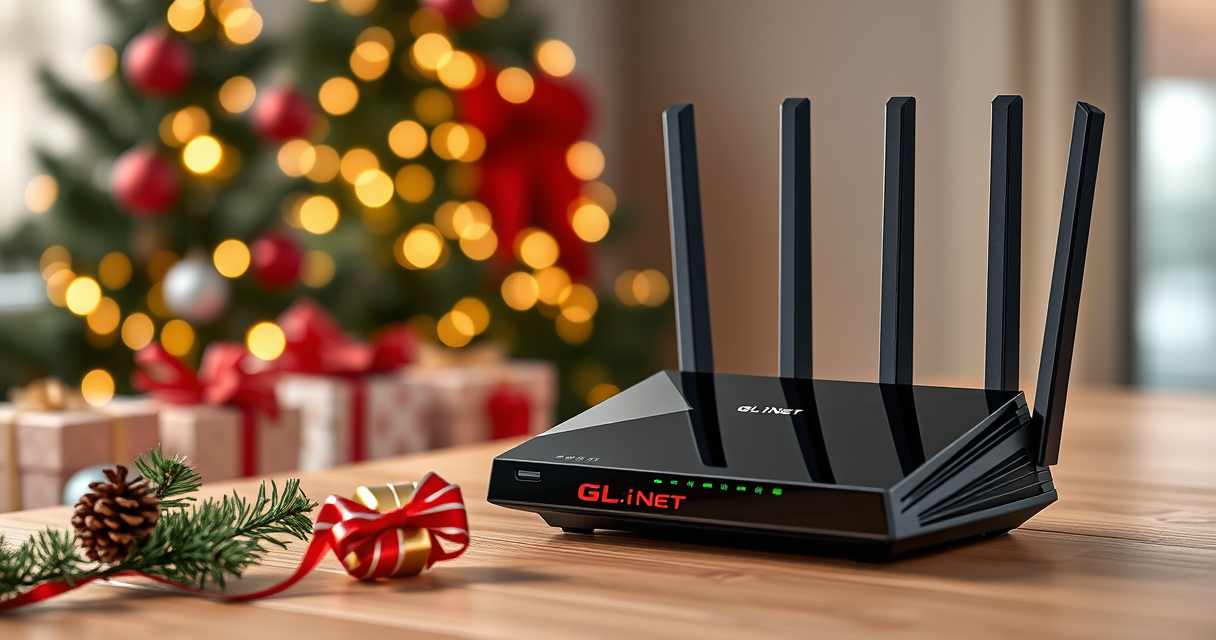

Holiday hosting puts a home router to work: guests arrive with phones, TVs stream in the background, and someone is trying to join a video call. The GL.iNet GL-BE9300 Flint 3 is a tri-band Wi-Fi 7 router built for busy homes, with features aimed at both everyday households and hands-on network tinkerers.

Get the latest gadgets delivered free with Prime
- Fast, free delivery on millions of items
- Prime Video, Amazon Music and more included
- Member-only deals all year
For Black Friday and Cyber Monday shoppers weighing a network upgrade, its appeal is clear, but so are the caveats: the advertised speeds depend on your setup, and the maker recommends updating firmware during initial setup. Here’s what the supplied product details say the Flint 3 can—and can’t—promise.
Our top pick at a glance
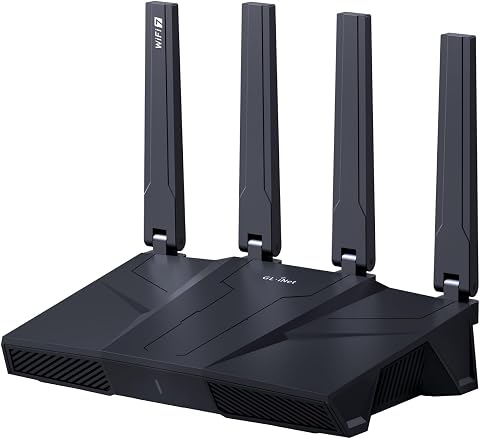
GL.iNet GL-BE9300 Flint 3 Wi-Fi 7 Router
- ✔ Memory: DDR4 1 GB
- ✔ Storage: eMMC 8 GB
- ✔ Device capacity: Over a hundred devices
Built for a crowded holiday home
The Flint 3 supports Wi-Fi 7 (802.11be), with advertised wireless speeds up to 9 Gbps. Multi-Link Operation, enhanced OFDMA, 4K QAM and preamble puncturing are listed as features intended to improve speed, latency and connectivity in high-density environments. Those capabilities make it a plausible fit for a home juggling streaming, gaming and calls, though the figures alone don’t guarantee a particular experience.
GL.iNet specifies coverage designed for homes up to 2,000 square feet and connectivity for over a hundred devices. Treat those as product claims rather than a promise for every floor plan: walls, placement and network conditions affect real-world coverage.
VPN and filtering for more control
WireGuard and OpenVPN speeds are listed at up to 680 Mbps. That gives VPN users a useful reference point, but actual throughput can vary with the internet provider, network environment, VPN server location and VPN service provider.
AdGuard Home support adds DNS-based blocking for unwanted tracking and selected digital advertisements through a web interface. Parents can also use integrated Bark support for website filtering, safe search and usage limits. These are control features for users willing to configure them; the supplied details don’t promise that every setting is enabled automatically.
Setup is approachable, with one first step
The setup options include following the initial-setup video tutorial or connecting the router to a computer by Ethernet to open its web admin panel. That’s a straightforward route for people comfortable with a browser-based settings page, though it may feel more involved than a fully guided app flow.
GL.iNet specifically recommends updating the firmware on first setup to improve performance and the user experience. Factor that into holiday installation plans: give yourself time to update and configure the network before guests arrive.
The holiday-season verdict
The Flint 3 makes the most sense for a tech-forward household that wants Wi-Fi 7, VPN options, device capacity and configurable filtering in one router. Its listed feature set is broad enough to serve a busy family or a DIY user who wants room for additional plugins.
It’s less compelling if you want a set-and-forget installation, need guaranteed coverage in a particular layout, or expect the headline speed to match your own internet plan. For a Black Friday or Cyber Monday network refresh, it’s a feature-rich candidate—provided you’re comfortable with firmware updates and some hands-on setup.
More Details on Our Top Picks
GL.iNet GL-BE9300 Flint 3 Wi-Fi 7 Router
The Flint 3 pairs Wi-Fi 7 with VPN support, AdGuard Home and Bark features for households that want more network control. Its advertised speed and coverage are not guarantees, and initial firmware updating is recommended.
Pros:
- Wi-Fi 7 tri-band support
- WireGuard and OpenVPN support
- AdGuard Home and Bark features
- Designed for over a hundred devices
Cons:
- Actual speeds vary with network and service conditions
- Firmware update recommended during initial setup
- Coverage depends on the home layout
Best for: Tech-minded households with many connected devices that want Wi-Fi 7 and configurable network controls.
Not ideal for: People who want a fully hands-off setup or need assured performance across a specific home layout.
Bottom line: Consider the Flint 3 for a busy, tech-forward home if you’re willing to update firmware and treat advertised speeds and coverage as setup-dependent.
Affiliate disclosure: As an Amazon Associate we earn from qualifying purchases. Prices and availability are accurate as of the time of publishing.
Halloween Picks
halloween
As an affiliate, we earn on qualifying purchases.