
To speed up an old iPhone, start by updating iOS to get the latest features and bug fixes. Manage your apps by deleting unused ones, clearing cache, and closing background apps. Free up storage by removing unnecessary files and photos. Restart your device regularly to clear temporary files and reset background processes. These simple steps can boost your iPhone’s performance, and exploring more tips can help you keep it running smoothly longer.
Key Takeaways
- Keep iOS updated to ensure optimal performance and security.
- Delete unused apps and clear storage to prevent slowdowns.
- Close background apps and disable unnecessary notifications.
- Restart your iPhone regularly to clear temporary files.
- Consider resetting settings or performing a factory reset after backing up data.
If your old iPhone is starting to feel sluggish, there are practical steps to take to boost its performance. One of the first things to do is verify your device is running the latest iOS updates. Apple regularly releases updates that not only introduce new features but also enhance system performance and fix bugs that may cause slowdowns. To check for updates, go to Settings, tap General, then Software Update. If an update is available, download and install it. This process can often breathe new life into an aging device, making apps run smoother and improving overall responsiveness. Keeping your iPhone updated ensures it benefits from the latest security patches and system improvements, which is essential for maintaining peak performance over time. Additionally, AI vulnerabilities in system security highlight the importance of staying current with software updates to protect against emerging threats.
Updating your iPhone regularly boosts performance and security, keeping it running smoothly over time.
Another key step is to manage your apps effectively. Over time, your device accumulates apps, some of which may run unnecessary background processes that drain resources. Begin by reviewing your installed apps and deleting any you no longer use. This frees up storage space and reduces background activity, both of which can slow down your iPhone. Additionally, close apps that are running in the background but aren’t actively needed. Double-click the Home button or swipe up from the bottom (depending on your device model) to view open apps, then swipe up on those you want to close. This prevents apps from consuming CPU cycles and RAM, helping your device operate more efficiently.
You should also consider managing your app notifications. Excessive notifications can cause your iPhone to work harder than necessary, impacting speed. Disable notifications for apps that don’t require immediate attention. Head to Settings, tap Notifications, and toggle off non-essential apps. This reduces background activity and can improve overall responsiveness.
Furthermore, check your storage space. If your iPhone is nearly full, it can substantially slow down. Delete unnecessary photos, videos, or files, and clear cached data from apps like Safari or social media apps. Offloading unused apps is another good option—this removes the app but keeps its data, so you can reinstall it later without losing information.
Lastly, consider restarting your iPhone periodically. A simple restart clears temporary files and resets background processes, giving your device a fresh start. If these steps aren’t enough, resetting your settings or performing a factory reset might be necessary, but always back up your data first. By staying up-to-date with iOS updates and managing your apps wisely, you can extend your iPhone’s lifespan and enjoy smoother performance even as it ages.

Fixerman for iPhone 11 LCD Screen Replacement 6.1 inch, 3D Touch Display Digitizer Assembly with Repair Tools, Compatible with iPhone 11(A2111, A2223, A2221) (6.1 inch)
Remind:Compatible with: ONLY for iPhone 11 screen replacement with model (A2111, A2223, A2221) (6.1inch). Please DO NOT use…
As an affiliate, we earn on qualifying purchases.
As an affiliate, we earn on qualifying purchases.
Frequently Asked Questions
Can Resetting My Iphone Improve Its Speed?
Yes, resetting your iPhone can improve its speed, especially if your battery health is declining or storage is cluttered. Resetting clears temporary files and glitches, giving your device a fresh start. Before doing so, check your battery health and manage storage by deleting unnecessary apps and files. This helps optimize performance, making your iPhone feel faster and more responsive afterward. Just back up your data first to avoid losing important information.
Will Replacing the Battery Make My Iphone Faster?
Replacing your iPhone battery can make it faster, especially if your battery health has declined. A new battery improves performance by providing consistent power, reducing slowdowns caused by old batteries. To maximize speed, also consider your charging habits; avoid frequent deep discharges and overcharging. With a healthier battery, your iPhone will run more smoothly, giving you better responsiveness and longer-lasting performance throughout the day.
How Do Background Apps Affect Performance?
Background app management impacts your iPhone’s performance by consuming resources and slowing multitasking efficiency. When apps run in the background, they use CPU, RAM, and battery, which can lead to lag and reduced speed. To improve performance, regularly close unused apps and limit background activities. This helps your device focus on active tasks, boosting overall speed and responsiveness without the need for hardware upgrades.
Can Updating Ios Slow Down My Device?
You might notice your device slowing down after an iOS update, and it’s not just coincidence. Sometimes, updates introduce software bugs that strain aging hardware, making your iPhone feel sluggish. As your device gets older, it struggles to keep up with new features and optimizations. While updates aim to improve performance, they can inadvertently cause slowdowns when your hardware is already past its prime.
Is It Worth Downgrading Ios for Better Speed?
Downgrading iOS might improve your device’s speed temporarily, but it’s often not worth it. Software optimization in newer iOS versions can enhance performance, security, and features, outweighing potential speed gains from older versions. Hardware upgrades are a better long-term solution if your device struggles, but if you’re set on downgrading, back up your data first. Keep in mind, Apple frequently stops signing older iOS versions, making downgrades tricky.

for Magsafe Portable Charger, Power Bank, 10000mAh Wireless Magnetic with Type-C 20W PD Fast Charging, LED Display for Magsafe Battery Pack,Wireless Portable Charger for iPhone 17/16/15/14 all Series
𝐖𝐡𝐲 𝐂𝐡𝐨𝐨𝐬𝐞 𝐓𝐡𝐢𝐬 𝐌𝐚𝐠𝐧𝐞𝐭𝐢𝐜 𝐏𝐨𝐰𝐞𝐫 𝐁𝐚𝐧𝐤? It packs an upgraded 10000mAh capacity, 20W fast charging, and a tiny…
As an affiliate, we earn on qualifying purchases.
As an affiliate, we earn on qualifying purchases.
Conclusion
Just like tuning up an old car keeps it running smoothly, giving your iPhone a few simple tweaks can breathe new life into it. I once revitalized my sluggish phone by clearing apps and updating software, and suddenly, it felt like I had a brand-new device. Don’t let your iPhone become a slow-moving obstacle—treat it like a trusted old friend that just needs a little extra care to keep up with your busy life.

32 in 1 Cell Phone Cleaning kit with Charging Port Cleaner,Stylus Pen,SIM Tool,Keyboard Brush,Speaker Brush,Electronic Cleaning kit for iPhone,AirPods,iPad,Keyboard,MacBook,Earbud,Camera Lens(White)
Keyboard cleaner kit: equipped with a key remover to solve your trouble of difficult key removal, and a…
As an affiliate, we earn on qualifying purchases.
As an affiliate, we earn on qualifying purchases.
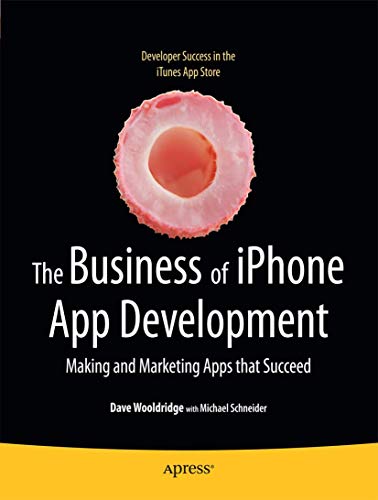
The Business of iPhone App Development: Making and Marketing Apps that Succeed
Used Book in Good Condition
As an affiliate, we earn on qualifying purchases.
As an affiliate, we earn on qualifying purchases.