
Android’s Private Space creates a secure, isolated environment on your device where your apps and data stay private and protected. It secures your information with encryption, biometric locks, and hidden app controls, preventing unauthorized access or leaks. Unlike traditional app lockers, it offers seamless management and deep isolation, making your digital life safer. If you want to understand how this feature boosts your privacy and keeps your details safe, there’s more to explore ahead.
Key Takeaways
- Private Space creates an isolated, secure environment, safeguarding personal data from unauthorized access or leaks.
- Apps and data within Private Space are encrypted and separated from the main profile, enhancing privacy.
- It allows hidden app management, making sensitive apps invisible when Private Space is locked.
- Access requires authentication, preventing casual or malicious entry into private content.
- Offers comprehensive privacy controls beyond third-party lockers, ensuring data remains confidential and protected.
Understanding the Core Functionality of Private Space
Understanding the core functionality of Private Space begins with recognizing that it creates a secure, isolated environment on your Android device. It achieves this by using a separate Android profile, identified as `android.os.usertype.profile.PRIVATE`, which operates independently from your main profile. Apps installed within Private Space are treated as separate entities, meaning they don’t share data or files with your main profile, preventing any leakage. When you lock Private Space with a PIN or biometrics, it becomes inaccessible, hiding apps from the launcher, notifications, and settings. This separation ensures sensitive apps and data stay protected, providing a dedicated environment that’s isolated from your everyday use. This setup is especially important for privacy protection, as it minimizes the risk of data exposure through app vulnerabilities or accidental sharing. Private Space’s core design emphasizes security without compromising usability, giving you control over your private digital world. Additionally, online platforms offer resources and tools to help you optimize your privacy settings and stay informed about security best practices. Furthermore, the use of security measures enhances the overall safety of your private environment, making it more resilient against potential breaches. Incorporating multilayered security strategies can further strengthen the protection of your private space against emerging threats.
How Private Space Enhances Data Isolation and Security
When you use Private Space, your apps and data stay completely separate from your main profile, reducing the risk of accidental leaks. This isolation is strengthened by encrypted data, making it unreadable if someone tries to access it without authorization. As a result, your sensitive information remains protected even if your device is compromised. Additionally, data privacy challenges in technology emphasize the importance of such protective measures to safeguard user information. Continuous advancements in AI security highlight the ongoing need to protect sensitive information from emerging vulnerabilities. These security features are crucial for maintaining user trust in a landscape where celebrity lifestyle insights and personal data are increasingly targeted. Implementing vetted security practices ensures that user privacy is upheld amidst evolving digital threats, especially as antioxidants in our environment play a role in safeguarding health.
Complete App Segregation
Complete app segregation is at the core of Private Space’s security design, ensuring that apps installed within this environment are entirely isolated from your main profile. When you add apps to Private Space, they run as separate instances, with no shared data or permissions with your primary profile. This prevents any accidental data leaks or cross-contamination, maintaining strict boundaries between personal and private apps. Even if an app in Private Space is compromised, it cannot access files, contacts, or calendars outside its isolated environment. Locking Private Space further prevents unauthorized access, so others can’t see which apps are installed or use them without your permission. This complete segregation provides a robust layer of security, giving you confidence that your sensitive apps and data stay protected. Data isolation is fundamental to preventing potential breaches and ensuring your privacy remains intact. Additionally, this separation aligns with the goal of privacy protection, which is essential for safeguarding personal information in today’s digital landscape. Implementing encryption solutions and other security measures like app segregation are critical components of a comprehensive privacy strategy.
Encrypted Data Protection
How does Private Space guarantee that your sensitive data remains secure even if your device is compromised? It achieves this through strong encryption and strict data isolation. When you store data within Private Space, it’s encrypted using hardware-backed security, making it unreadable outside the designated environment. Apps and files inside Private Space are isolated from the main profile, preventing unauthorized access or data leaks. Even if someone gains physical access to your device, they can’t access Private Space without unlatching it with your PIN or biometrics. Additionally, Private Space uses a separate VPN and network layer, adding extra protection for your data in transit. This layered encryption ensures your most sensitive information stays private, secure, and inaccessible to prying eyes, even in a compromised device scenario. Understanding the history of pinball machines highlights the importance of secure and regulated entertainment environments, much like how Private Space aims to create a secure digital environment for your data. Secure data encryption methods are essential for maintaining privacy and protecting against unauthorized access. Furthermore, implementing biometric authentication adds an extra layer of security, making unauthorized access even more difficult. Additionally, ongoing advancements in AI-driven security techniques continue to enhance data protection measures. Incorporating regular security updates further ensures your Private Space remains resilient against emerging threats.
Privacy Benefits Over Traditional App Lockers and Security Apps
Unlike traditional app lockers and security apps that rely on third-party solutions or simple PIN protections, Android’s Private Space offers a more robust privacy benefit by creating an isolated, system-level environment. This separation means apps and data inside Private Space are completely cut off from the main profile, preventing any accidental or malicious access. Unlike app lockers that merely hide or lock apps, Private Space runs as a separate Android profile, ensuring that even system-level access is restricted when locked. It also uses a dedicated VPN and network controls, adding extra privacy layers. When locked, Private Space’s apps, files, and notifications vanish from the main interface, providing a higher level of security and privacy that’s built into the device itself, not dependent on third-party solutions. For those concerned about data security, understanding electric dirt bikes and other advanced technologies highlights how innovative solutions can enhance privacy and safety in various digital and physical environments. Additionally, the integration of system-level privacy features ensures comprehensive protection beyond basic app restrictions, leveraging privacy-enhancing technologies to safeguard user data effectively.
User Experience: Managing and Accessing Private Space
You can lock and unbolt Private Space easily through your launcher, and its access can be hidden for added stealth. When unbolted, apps inside Private Space appear as separate entries, but they vanish when bolted, maintaining privacy. Managing these hidden apps requires a few manual steps, ensuring you control what stays private and what’s accessible. Additionally, understanding regulatory compliance is crucial for maintaining the security and legality of your private space.
Accessing and Locking
Managing access to Private Space on your Android device involves using a dedicated launcher entry or a hidden toggle that secures and releases the environment. To access it, you typically tap the launcher icon or swipe gestures, then authenticate with PIN, password, or biometrics. When locked, the space is hidden, and apps become inaccessible. To lock it, you can:
- Use the launcher’s lock option, often with a quick toggle.
- Enable automatic lock after a period of inactivity.
- Set a separate lock method for Private Space.
- Use biometric authentication to open quickly.
These options guarantee your private environment remains secure and only accessible when you intend. Locking and opening are seamless, providing quick control over your sensitive data. Additionally, understanding how production quantity variance impacts your device’s performance can help you optimize your privacy settings and security measures. Being aware of security vulnerabilities allows you to choose the most effective locking options for your needs.
Furthermore, staying informed about hackathon opportunities can help you learn new security techniques and best practices for safeguarding your Private Space.
Managing Hidden Apps
Handling hidden apps within Private Space offers a smooth and secure user experience, allowing you to keep sensitive applications out of sight when not in use. When Private Space is locked, apps become invisible from the launcher, preventing casual discovery. To access them, you unseal Private Space with your PIN or biometrics, revealing the hidden apps as separate entries. Managing these apps is straightforward: you can install, uninstall, or move apps within Private Space without affecting your main profile. If you want to hide an app temporarily, you can simply lock Private Space, making all apps invisible. Notifications from these apps stay silent unless you unseal the space, maintaining privacy. This setup helps you control your sensitive apps while keeping your device organized and clutter-free.
Comparing Private Space With Work Profiles and Multiple Users
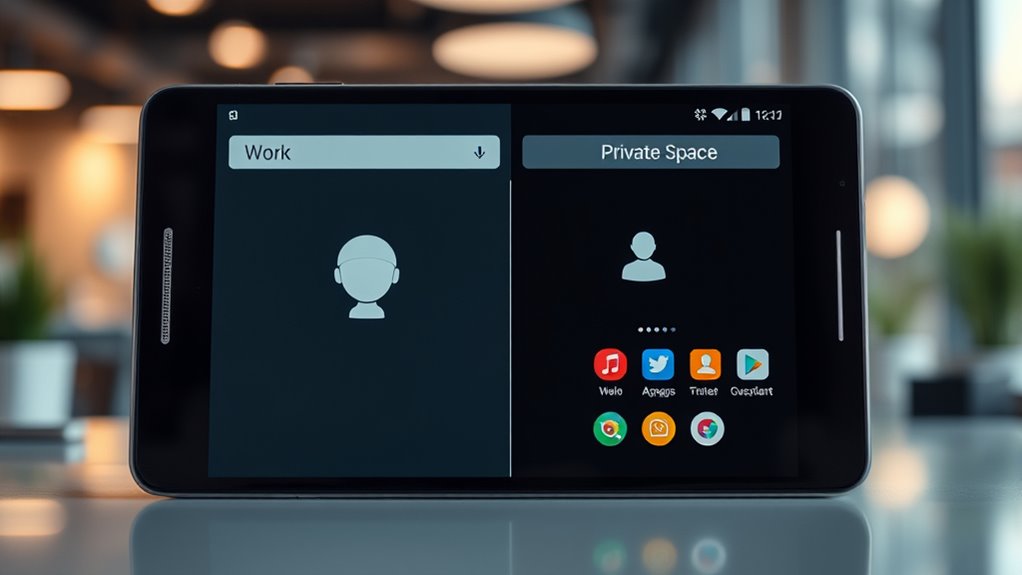
While Private Space shares similarities with work profiles and multiple user accounts in isolating apps and data, it differs markedly in purpose and functionality. Private Space is designed for personal privacy, with features like independent locking and hiding, whereas work profiles focus on enterprise management. The key distinctions include:
- Private Space can be locked or hidden independently, providing more control over personal privacy.
- Unlike work profiles, it isn’t tied to device management or enterprise policies.
- Multiple user accounts allow full profiles with separate settings and data, while Private Space is a single isolated environment.
- Private Space is intended for personal use, offering an extra privacy layer without affecting device-wide settings or management profiles.
Unique Use Cases for Private Space Beyond Basic Privacy
Beyond its primary role in safeguarding personal privacy, Private Space unseals several innovative use cases that enhance your device’s versatility. You can quarantine distracting apps like social media or gaming, reducing interruptions and improving focus. It’s also perfect for storing sensitive personal data—photos, documents, or banking apps—separated from your main profile. Managing multiple Google accounts becomes easier, preventing cross-contamination. You might use Private Space as a sandbox for testing new apps or handling work documents without mixing them with daily activities. Additionally, private communication apps or encrypted messaging services can reside here, protecting them from casual discovery. These scenarios show how Private Space extends beyond basic privacy, offering a secure, flexible environment tailored to your specific needs and privacy concerns.
Device Compatibility and Implementation Considerations
Device compatibility with Android’s Private Space feature varies depending on the manufacturer and software version. You may find that some devices, like Google Pixel and select OEMs such as Asus, support Private Space natively, while others do not. To implement Private Space effectively, consider these factors:
- Hardware support and manufacturer updates determine availability.
- Device storage capacity impacts the number of apps and data you can isolate.
- Custom ROMs like GrapheneOS may have limited or no support, requiring community modifications.
- Launcher and system app updates are essential for managing lock/unlock features and lifecycle events.
Ensuring your device runs Android 15 or later is critical, and compatibility often depends on manufacturer-specific updates and customization. Check device specifications before enabling Private Space for top-tier security and usability.
The Future of Privacy With Android’s Private Space Feature
As Android’s Private Space feature gains traction, its potential to reshape digital privacy continues to grow. Future updates may enhance integration with other privacy tools, making it easier for you to control sensitive data. Expect stronger encryption, more customizable lock options, and expanded device support across OEMs. Privacy-focused features could become standard, reducing reliance on third-party apps. Additionally, Android might introduce smarter management of multiple Private Spaces, allowing seamless switching and better resource allocation. As privacy becomes a priority for users worldwide, Private Space could evolve into a core security layer, offering more robust data isolation and user control.
| Feature Focus | Expected Innovation |
|---|---|
| Encryption & Security | Stronger, hardware-backed encryption for private environments |
| Usability | Simplified management of multiple Private Spaces |
| Device Support | Broader OEM adoption, including custom ROMs and tablets |
Frequently Asked Questions
Can Private Space Be Hidden Completely for Stealth Mode?
Yes, you can hide Private Space completely for stealth mode. You can hide its launcher icon, making it invisible on your home screen and app drawer. To access it, you’ll need to use a secret gesture or code, depending on your device. Locking Private Space also prevents others from detecting its existence, ensuring your sensitive data stays private and discreet, even when your device is secured.
Does Private Space Support Automatic Synchronization of Existing Data?
You might wonder if Private Space automatically syncs your existing data. The truth is, it doesn’t perform this behind the scenes. Instead, you need to manually transfer files or content using the share function. This process ensures your data stays private and under your control, giving you peace of mind. Automatic sync isn’t supported, so you’re in charge of what moves into your secure space.
How Does Private Space’s VPN Improve Privacy Compared to Main Profile?
Your Private Space’s VPN enhances privacy by creating a separate, encrypted network connection that’s isolated from your main profile. This means your online activity within Private Space stays hidden from trackers, your ISP, and network monitoring tools, providing an extra layer of security. Unlike the main profile’s VPN, this dedicated connection guarantees sensitive apps and data in Private Space are protected from interception, maintaining your privacy even on shared or unsecured networks.
Is Private Space Available on All Android Devices or Only Specific Models?
You might think Private Space is only on certain Android devices, but it’s actually available on select models like Google Pixel, Asus, and some other OEMs. While not universal, many newer devices support it thanks to Android 15 updates. If your device gets updates, you can benefit from Private Space’s privacy features. Keep in mind, support varies, so check your device’s specifications or manufacturer info to see if it’s compatible.
Can Users Customize Lock Methods Separately for Private Space and Device?
Yes, you can customize lock methods separately for Private Space and your device. You have the option to set a PIN, password, or biometric lock specifically for Private Space, different from your main device uncover method. This allows you to enhance privacy by choosing different security options, ensuring that even if your device is unlocked, your private apps and data remain protected behind an additional, customizable lock.
Conclusion
As you explore the depths of Android’s Private Space, imagine a hidden sanctuary within your device, safeguarding your most personal moments. It’s more than just a feature—it’s a gateway to a future where your privacy feels secure, almost secret. With each tap and swipe, you hold the key to a world beyond prying eyes. Are you ready to uncover the full potential of your private universe? The journey to ultimate privacy is just beginning.