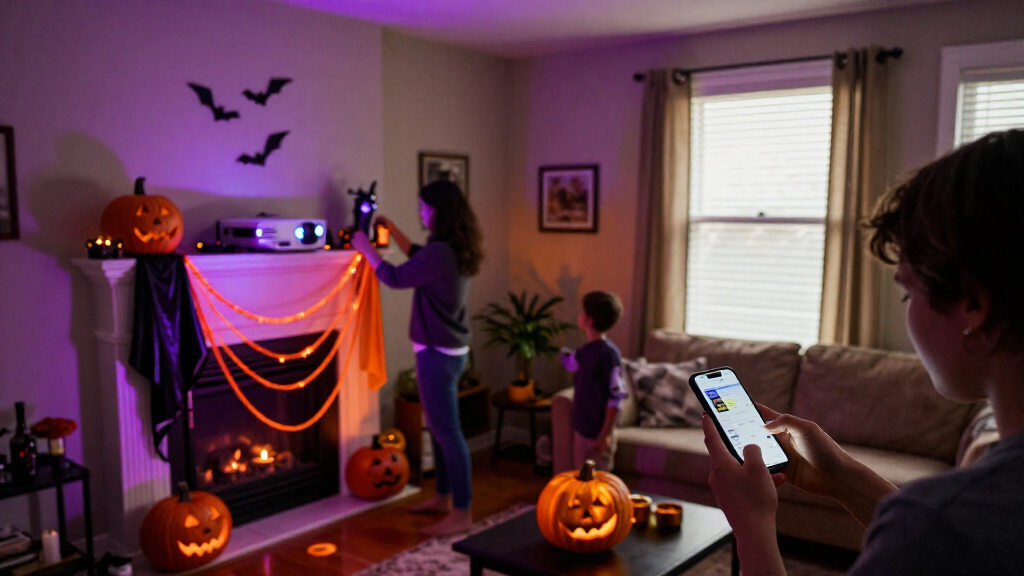

🔍 Read the full analysis: A Haunted Home Makeover With AI Halloween Decor on ThorstenMeyerAI.com

Get the latest gadgets delivered free with Prime
- Fast, free delivery on millions of items
- Prime Video, Amazon Music and more included
- Member-only deals all year
TL;DR
A guide from ThorstenMeyerAI.com explains how artificial intelligence can add generated visuals, audio or responsive dialogue to Halloween displays. It also cautions that some products described as “AI” may only play a recording when a motion sensor is triggered, and advises checking privacy, connectivity and safety details.
ThorstenMeyerAI.com has outlined how artificial intelligence can be used in Halloween displays, while warning that some decorations marketed as AI-powered may rely only on a motion sensor and prerecorded audio. The distinction matters to shoppers and home decorators because it affects what a prop can do, how much setup it needs and whether it depends on an internet connection.
According to the original Halloween decor guide, AI can be used in spooky decor to create images or dialogue, recognize spoken input and adapt a character’s response. The guide gives a portrait with generated visuals and audio, or a porch character that varies its replies using speech tools, as examples. It contrasts those features with a prop that plays the same growl whenever someone walks past, which it describes as ordinary automation rather than AI on its own.
The guide advises choosing features for a specific role instead of adding interactivity throughout a display. It suggests that one planned cue, such as a portrait whispering as a guest approaches, may be easier to follow and maintain than several competing sounds and lights. It also recommends testing the scene from a visitor’s point of view and editing generated audio or visuals before use.
The guide says connected effects can coordinate lights, speakers and other props, but may rely on Wi-Fi or online services. It recommends checking whether a feature runs locally or sends information to a service. Local playback may offer less variation but can work without internet access; online tools may support more flexible responses while raising connectivity and privacy considerations. Because product features and availability can change, the guide advises reviewing current specifications and settings before buying.
A motion-triggered recording is automation; AI usually means a system generates or interprets content.
Use generated art, voices, or dialogue to personalize a scene, then review the results and usage terms.
Plan one clear visitor moment before choosing sensors, lights, speakers, or controllers.
Test offline behavior, sensor timing, audio, cable placement, and outdoor protection before Halloween night.
Tell visitors when a display processes faces or voices, limit collection, and provide a way to pass without interacting.
What AI Adds to Halloween Displays
The ThorstenMeyerAI.com guide says consumers should focus on what a product actually does after it is triggered. A sensor and fixed recording may be inexpensive and predictable, while generated content or speech recognition can make an effect more varied. Those capabilities may also require more configuration, review and troubleshooting. The guide cautions that the label alone does not tell buyers which experience they are purchasing.
Reliability can shape whether a scene works during a busy evening. The guide notes that a light cue depending on an unstable internet connection may not play as planned, and suggests a local recording or simpler light cue as a fallback. It also recommends considering the visitor experience: effects need enough time and space to register, while simultaneous cues can compete for attention.
For devices with microphones or cameras, the guide advises checking where processing occurs and whether information leaves the home. It does not identify particular products or document specific data practices, so those details must be checked against each device’s current documentation.
Products Worth Considering

Jackery Explorer 300 Portable Power Station with 40W Solar Panel

Bose S1 Pro+ Portable PA Speaker

Samsung 27-inch Odyssey OLED G6 QD-OLED QHD Gaming Monitor
As an affiliate, we earn on qualifying purchases.
From Motion Sensors to Responsive Props
The ThorstenMeyerAI.com source is a practical guide, not a report of a newly announced product, research result or industry-wide change. It groups Halloween effects by what they do: motion-triggered props play fixed sounds or move; generative tools create draft art, dialogue or audio; responsive characters use speech tools to vary replies; and connected effects coordinate devices across a scene.
The guide notes that these categories can overlap in one display. A motion detector might start a recording while a smart bulb changes color, for example. Adding a speech system would let a character respond to words, though background noise could affect performance. The guide recommends matching the technology to the intended scene and reviewing licensing limits on generated content before sharing it or using it commercially.
Product Claims and Data Practices
The ThorstenMeyerAI.com guide does not name specific products, manufacturers, prices or sales figures, and it gives no publication date. It does not establish how common AI labeling is among Halloween decorations or verify the capabilities of any particular device. Its examples are presented as illustrative guidance, not confirmed product demonstrations.
The source also does not specify which products process speech or images locally, which send data to online services, or what information they retain. Those details depend on the device, software and settings; buyers would need to consult current product documentation and privacy terms.
Check Features Before Setting Up
The guide recommends that readers define one visitor-facing moment, choose the simplest tools that can create it and test the effect before guests arrive. For any product under consideration, it advises verifying current capabilities, availability, price, connectivity needs, privacy settings and licensing terms. A local fallback can help preserve the scene if a connected feature fails.
The source identifies no product launch or follow-up announcement. Any changes to product features, services or availability would need to be confirmed through manufacturers’ current materials.
Key Questions
What counts as AI-powered Halloween decor?
According to the ThorstenMeyerAI.com guide, AI features can generate media, recognize speech or adapt a character’s response. A motion sensor that triggers the same prerecorded sound is automation, although it can still be an effective decoration.
Does an AI Halloween display need internet access?
Not always. The guide says some features can run locally, while other tools depend on online services. Check the product’s requirements; connectivity can affect reliability and whether information is sent outside the home.
What should shoppers check before buying?
The guide recommends reviewing what the product actually does, its current price and availability, whether it processes information locally, its privacy settings and any licensing limits for generated content. It cautions that marketing language may not explain which features a device uses.
How can a connected display keep working if Wi-Fi drops?
The guide suggests having a simpler local effect available, such as a recording or basic light cue. That can preserve the scene if an online feature or connected device does not respond.
Source: ThorstenMeyerAI.com