TL;DR
The source guide compares 10 printers across different approaches to multicolor printing, including filament systems, four toolheads and printers that need optional accessories. It recommends the Bambu Lab P2S Combo as an all-around pick, while stressing that enclosure, bundle contents, setup and material waste can matter more than headline speed.
A buyer’s guide to 10 3D printers for multicolor printing and everyday projects recommends the Bambu Lab P2S Combo as its leading all-around choice, citing its enclosed design and bundled AMS 2 Pro system, as detailed in the original analysis. The comparison also points buyers toward the less expensive or simpler approaches offered by other models, making the choice depend on materials, workspace and how much color-changing hardware a buyer wants included.

Get the latest gadgets delivered free with Prime
- Fast, free delivery on millions of items
- Prime Video, Amazon Music and more included
- Member-only deals all year
The guide describes the P2S Combo as a CoreXY printer with a listed maximum speed of 600 mm/s and an AMS 2 Pro system that supports multiple materials and filament drying. It also notes a practical constraint: the printer’s listed dimensions are 18 by 22 by 18 inches and its weight is 46.3 pounds, which may limit where it can be placed. The speed figure is a specification in the source, not a measured comparison of real-world print times.
For buyers seeking an enclosure, the guide distinguishes the P1S Combo from the standalone P1S, a consideration also covered in this guide to home and hobby 3D printers. It says the enclosed design is better suited than an open-frame printer to materials such as ABS and ASA, while multicolor printing requires the AMS system. The Combo includes that system; the standalone model is presented as an option for people who want the enclosed printer without bundled multicolor hardware. The source lists the Combo as supporting up to 16 colors or materials with AMS.
The other picks reflect different priorities, as do these multicolor printer options. The A1 Combo is positioned for hobbyists and lighting projects, with an LED lamp kit and automatic calibration; buyers should check whether AMS Lite is included in the bundle they are considering. The Snapmaker U1 uses four toolheads for multicolor and multi-material jobs, including flexible and water-soluble materials, and weighs 57.9 pounds. The guide also names the Creality K2 Combo, Anycubic Kobra X, Bambu Lab A1, Flashforge Adventurer 5M and Flashforge AD5X. Its supplied details include a 260 mm cube build volume for the K2, native four-color printing for the Kobra X, and a four-color Intelligent Filament System for the AD5X.
Choosing a multicolor printer for everyday projects
A 2027 buyer’s guide compares 10 printers with different approaches to color printing. The right fit depends on materials, workspace and included hardware.
The all-around pick
The guide recommends the Bambu Lab P2S Combo, while noting its size and weight may constrain placement.
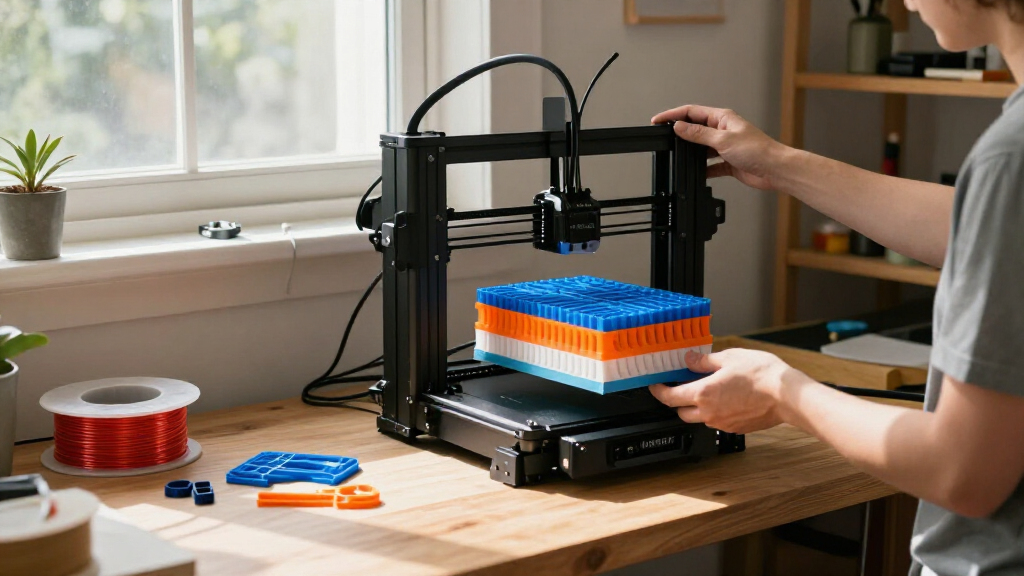
Bambu Lab P2S Combo
Pairs an enclosed CoreXY printer with the AMS 2 Pro system for multiple materials and filament drying.
Bambu Lab P1S Combo
Combines an enclosure with AMS; the standalone P1S leaves multicolor hardware as an add-on.
Bambu Lab A1 Combo
Targets hobby and lighting projects with an LED lamp kit and automatic calibration. Check whether AMS Lite is included.
Different ways to print in color
Color capacity comes with hardware and setup tradeoffs; match the system to the projects you actually make.
- P2S Combo and P1S Combo include AMS systems.
- Kobra X offers native four-color printing; more colors require additional ACE 2 Pro units.
- AD5X uses a four-color Intelligent Filament System.
- Snapmaker U1 uses four toolheads for multicolor and multi-material jobs.
- Its supported materials include flexible and water-soluble types.
- It weighs 57.9 pounds, a workspace consideration.
Match the printer to the project
Materials, print size and color frequency can matter more than headline speed.
For ABS or ASA, the guide favors an enclosure such as the P1S over an open-frame printer.
Compare footprint and weight with the space available, especially for larger enclosed models.
Confirm whether AMS or AMS Lite is included and check current listings and manufacturer specifications.
Choosing a Color Printing System
The comparison shows why a printer’s maximum speed or color count alone may not settle a buying decision. Filament-switching systems and multiple toolheads offer different ways to handle several materials, with different hardware and setup considerations. Buyers should also weigh the source’s stated tradeoffs: color systems can add cost and may involve material waste, while an enclosed printer takes more space and can be harder to move.
Those tradeoffs matter for ordinary projects as well as elaborate multicolor prints. A maker printing mostly single-color parts may gain little from extra color capacity. Someone working with ABS or ASA may place more value on an enclosure, while a person making gifts or illuminated décor may prefer the A1 bundle’s lamp kit and automatic calibration. The guide’s recommendations are useful as a shortlist, but the appropriate choice depends on the intended materials and projects.
Products Worth Considering

DJI Mini 4K Drone with 4K UHD Camera

Bose QuietComfort Headphones (2nd Gen), Wireless Noise-Cancelling Over-Ear Headphones, Black

Jackery HomePower 3600 Plus Portable Power Station, 3584 Wh, 3600 W
As an affiliate, we earn on qualifying purchases.
How the Ten Models Differ
The guide groups products by their intended use rather than treating the list as a single performance ranking. Its top three are the P2S Combo for fast multi-material printing, the P1S Combo as an enclosed value pick and the A1 Combo with LED lamp kit for lighting projects. It also presents the A1 and P1S as standalone choices, where multicolor capability depends on buying compatible accessories or a bundle that includes them.
The alternatives add different capabilities. The K2 Combo is listed with a 260 × 260 × 260 mm build volume and camera-based failure monitoring. The Kobra X is described as offering native four-color printing, with more colors requiring additional ACE 2 Pro units. The Adventurer 5M is listed with an all-metal CoreXY structure and maximum travel speed of 600 mm/s; the source cautions that its standard 0.4 mm nozzle may not suit fine-detail or large-volume work. These are details supplied by the guide, not independently verified test results.
“The main tradeoffs are whether you need an enclosed printer, how you want to handle multiple filaments, and how much setup and material waste you’re willing to accept.”
— Thorsten Meyer AI buyer’s guide
Specifications and Bundle Details
The source material does not provide a publication date, independent test methodology, prices or a consistent specification sheet for all 10 models. It does not establish whether every listed printer or bundle is currently available, or whether package contents vary by retailer or region. Buyers should verify current pricing, included accessories and manufacturer specifications before purchase.
The guide gives headline speed figures but no shared test conditions or print-quality comparisons. It also does not quantify setup time, filament waste, reliability or operating costs across the models. Its recommendations should be read as editorial buying guidance based on the supplied descriptions, rather than results from a documented side-by-side test.
Check Your Project Requirements
Before choosing, buyers can compare the materials they plan to use, the largest objects they expect to print and whether multicolor capability is needed often enough to justify its added hardware. They should confirm whether a selected bundle includes an AMS or AMS Lite, and check the printer’s footprint and weight against the available workspace.
The next useful step is to compare current listings and manufacturer documentation for the exact model and bundle. The source provides no announced follow-up test, new release date or other scheduled development, so future availability and any revisions to these recommendations remain unreported.
Key Questions
Which printer does the guide recommend as its all-around pick?
The guide recommends the Bambu Lab P2S Combo, pointing to its enclosed design and bundled AMS 2 Pro system. It lists a maximum printing speed of 600 mm/s, but provides no shared test results showing how that figure compares in practice.
Which models have multicolor hardware included or built in?
The guide describes the P2S Combo and P1S Combo with AMS systems, and says the Anycubic Kobra X offers native four-color printing. It also describes the Flashforge AD5X as supporting four-color printing through its Intelligent Filament System. Buyers should confirm the contents of the specific bundle for sale.
Which option is intended for materials such as ABS or ASA?
The guide says the enclosed Bambu Lab P1S is better suited to materials such as ABS and ASA than an open-frame printer. It does not provide comparative test data for those materials.
What is the main tradeoff with the Snapmaker U1?
The U1 uses four toolheads for multi-material jobs, including flexible and water-soluble materials, according to the guide. Its listed weight is 57.9 pounds, and the guide says it can be difficult to move.
Are the recommendations based on side-by-side testing?
The supplied source gives product descriptions and recommendations, but no test methodology or comparative results. Treat its rankings as buying guidance and verify current specifications, prices and bundle contents before buying.
Source: Thorsten Meyer AI